Specs are compiled from manufacturer listings and verified buyer reviews and can change over time — please confirm the key details on the product page before buying.
If you want the short answer first: a workstation is bought for memory and thread count, not for a pretty case. The machines worth your money here start with the twin-Xeon towers that carry 96GB and 128GB of RAM for heavy multi-job work, then move up to compact boxes with professional graphics and AI accelerators. Pick by your workload, not by the badge on the front.
This guide is built by comparing the manufacturers’ published specifications and the patterns across verified customer reviews, so you get each pick’s real strengths and trade-offs instead of marketing spin.
Below you’ll find honest picks sorted by what they actually do well, from dirt-cheap dual-socket towers to compact AI boxes. Every pick here has a clear job it does better than the rest, and I’ll tell you which one to skip for your situation. Here is the straight, no-hype breakdown of the best workstation computers for real professional work.
Top Picks

How To Choose The Best Workstation Computers
A workstation is a computer built to run one demanding job for hours without falling over. That means more memory, more processor cores, and often a graphics card with certified drivers. The trick is matching those specs to the work you actually do — not buying the biggest number on the page.
Memory and cores beat raw clock speed for heavy work
If you run virtual machines, render video, or open huge datasets, RAM capacity and thread count decide how much you can do at once. A dual-socket tower with 128GB of DDR4 holds far more open at a time than a small box with 32GB. Clock speed helps single-task snappiness, but it is not the number that keeps a render queue moving.
Do you need a professional graphics card?
Professional GPUs like the NVIDIA RTX 2000 Ada or the Quadro line ship with drivers certified for software such as AutoCAD, SolidWorks, and Blender. That certification is about stability in those specific programs. If you mostly do office work and browsing, integrated graphics handle it fine and save you money.
The renewed-tower trade-off
Many of the best-value workstation towers are renewed units, and some arrive with no hard drive and no operating system. That keeps the price down but means you add your own SSD and install Windows or Linux yourself. Check the listing carefully: a machine with “No HDD, No OS” needs both before it boots.
Side-by-Side Comparison
| Model | Best For | Processor Cores | Memory | Graphics | Amazon |
|---|---|---|---|---|---|
| ACEMAGIC G3A★ Best Overall | AI and creative desks | 24 cores / 32 threads | 32GB DDR5 | RTX 2000 Ada 16GB | Amazon |
| Dell Precision 5820Budget All-Rounder | Budget all-rounder | 4 cores (W-2123) | 64GB DDR4 | P2000 | Amazon |
| HP Z620Cheap Dual-Socket Power | Cheap dual-socket power | 16 cores total (2x E5-2670) | 96GB RAM | Quadro 600 | Amazon |
| Dell T7810 Chia | Max threads on a budget | 28 cores / 56 threads | 128GB DDR4 | Quadro K620 2GB | Amazon |
| Lenovo P520 | Fast storage and 4K output | 4 cores (W-2123) | 128GB DDR4 | Quadro M2000 4GB | Amazon |
| Dell T7810 480GB | Ready-to-boot dual Xeon | 12 cores (2x E5-2670 v3) | 128GB DDR4 | Quadro NVS 315 1GB | Amazon |
| MINISFORUM MS-02 Ultra | Expandable desktop-class AI | 24 cores / 24 threads | 4x DDR5 slots | Intel UHD (upgradable) | Amazon |
| Dell Pro Tower Plus | Quiet business desktop | Intel Core Ultra 5 235 | 32GB DDR5 | Integrated | Amazon |
| MINISFORUM MS-A2 | Triple 8K compact | 16 cores / 32 threads | 32GB (up to 96GB) | Radeon 610M | Amazon |
| Dell Precision 3630 | Compact tower basics | 6 cores (i7-8700) | 16GB DDR4 | Integrated | Amazon |
| MINISFORUM MS-S1 MAX | Local LLM cluster base | 16 cores / 32 threads | 64GB LPDDR5x | RDNA 3.5 (part of APU) | Amazon |
| MINISFORUM MS-S1 Max 5-Display | Multi-monitor studios | 16 cores / 32 threads | 64GB LPDDR5 | Radeon 8060S | Amazon |
| GEEKOM A9 Mega | Huge local AI models | 16 cores / 32 threads | 128GB LPDDR5X | Radeon 8060S | Amazon |
Detailed Reviews
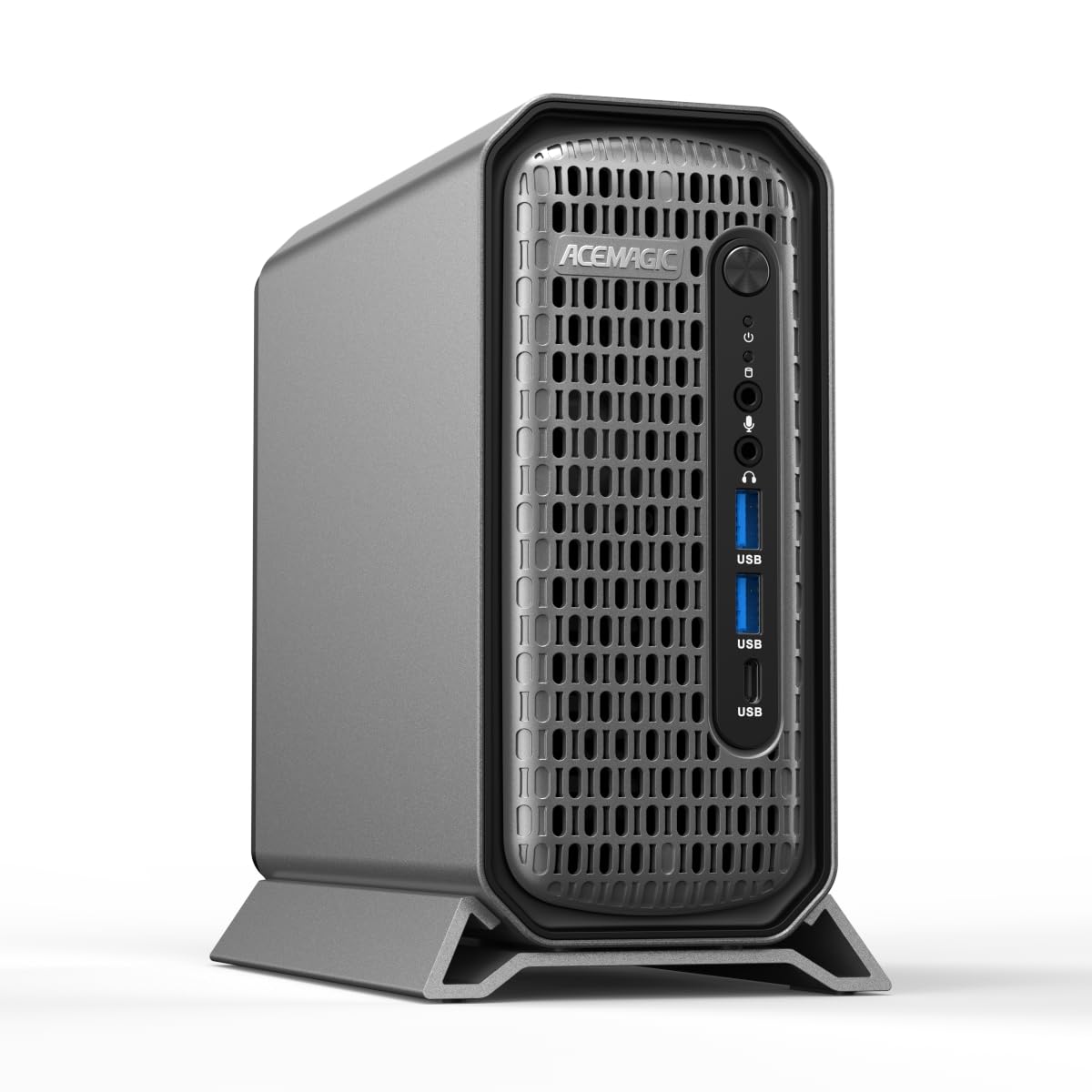
1. ACEMAGIC G3A AI Workstation Mini PC
Our pick — 4.5+★ from 150+ verified ratings; the strongest balance of quality and price.
The professional graphics card that lives on your desktop without hogging the whole desk.
Here is the machine that puts a certified professional GPU in a box small enough to tuck beside your monitor. The Intel Core i9-13900F runs 24 cores and 32 threads at up to 5.6 GHz, which is the fastest clock in this entire list. Compare that to the HP Z620’s 2.6 GHz, and the gap explains why this machine feels snappy on single tasks as well as heavy ones. The GPU is an NVIDIA RTX 2000 Ada (a professional graphics card with dedicated 16GB of video memory). That memory matters because big 3D scenes and AI models need room to load.
The 32GB of DDR5 RAM runs at 5600MHz and expands to 96GB in total, so you are not boxed in after a year. Storage starts with a 1TB NVMe PCIe 4.0 SSD (a fast solid-state drive), plus an extra M.2 slot and a 2.5-inch SATA slot for more later. You get four Mini DisplayPort 1.4a outputs driving four independent 4K screens, plus two network ports (2.5Gbps and 1Gbps) and WiFi 6E. For a video editor juggling four monitors or an engineer running CAD on one screen and previews on another, that matters.
What wins buyers over is how this pairs workstation-grade graphics with a footprint you can actually live with. The 3.5L metal and plastic case pulls air in the front and out the back to hold steady under sustained 65W loads. What nobody can promise you is silence — a small chassis with an i9 inside will make some fan noise under load, and that is the honest trade-off for the size. As a top pick, it is the safest bet for a professional who needs certified drivers and modern memory without a full tower.
What earns its seat at the top
- 24-core i9-13900F at up to 5.6 GHz handles renders and AI inference at once
- The RTX 2000 Ada’s 16GB of video memory is the largest dedicated pool in this list
- Four Mini DP 1.4a ports lets you run four independent 4K displays
- Dual LAN (2.5Gbps plus 1Gbps) and WiFi 6E keep network throughput high
Where it asks you to give a little
- A compact chassis under a full i9 workload will produce audible fan noise
- RAM tops out at 96GB, not the 128GB-plus some towers here offer
- Mini DisplayPort connections may need adapters for older monitors
the balance for: creative and engineering pros who want certified graphics and DDR5 speed (fast, current-generation memory) in a small footprint.
Reconsider if: you need 128GB of memory or near-silent operation at full load.
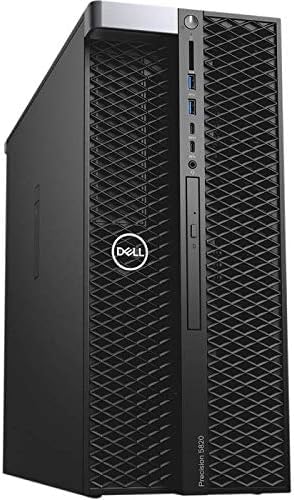
2. Dell Precision Tower 5820 W-2123 (Renewed)
The entry ticket to a real workstation that boots on day one.
This tower is the cheapest way into a genuine Dell Precision with a big memory pool already installed. You get an Intel Xeon W-2123 at 3.6 GHz across 4 cores, 64GB of RAM, and a 1TB NVMe SSD that boots and loads programs fast. Against the ACEMAGIC’s 32 threads, this is a 4-core machine, so it is a different animal entirely — built for steady multitasking rather than heavy parallel renders. Setup is simple because Windows 11 Pro is already installed and the WiFi and Bluetooth are built in.
Buyers report it functions as described and performs well, with the sense that it runs like a server. For a small office running spreadsheets, multiple browser tabs, and streaming on a second monitor, 64GB is plenty of headroom. The P2000 graphics card handles multi-monitor productivity and light creative work without strain.
Who lines up for this: a small business or home office that needs a reliable multi-tasking tower and wants Windows already installed.
The honest squeeze: four cores and a modest GPU mean it is not built for 3D rendering or running virtual machines in bulk. Buy it for productivity, not for parrelel heavy compute.
Buy it for: plug-and-play office work, media streaming, and heavy tab loads at the lowest entry point.
Pass if: your day involves long render jobs or several virtual machines at once.
3. HP Z620 Workstation 2X Xeon E5-2670 (Renewed)
Two processors, 16 cores, and 96GB of memory for the price of one modern chip.
Dual-socket towers are where the used workstation market shines, and this HP Z620 packs two Intel Xeon E5-2670 processors running at 2.6 GHz for 16 cores in total. The 96GB of RAM is the star of the show: that is more memory than the ACEMAGIC offers at a fraction of the outlay. Performance is clearly what carries this machine — owners cite raw processing muscle and speed as their reason for buying. Set up Debian 12 and the installer recognizes the hardware with no fuss, according to the buyer notes.
Be clear-eyed about the accessories. There is no hard drive and no operating system, so you add your own SSD and install Windows or Linux before you work. The display output tops out at 2560×1440 through the Quadro 600 graphics card, which is fine for professional apps but not a gaming powerhouse. Condition and cleanliness get mixed feedback, so read the listing photos closely and expect a machine with some mileage.
What makes it worth the ask: 96GB of memory and 16 cores in a server-grade chassis, which is a lot of parallel capacity for the money.
What you supply: your own storage and OS, plus a realistic expectation about a refurbished unit’s cosmetic wear.
Suits: builders and home-lab fans who want maximum memory and cores and are happy to install their own drive.
Not for: buyers who want a machine that boots the first time without adding storage or software.
4. Dell T7810 Chia Farming Workstation 2X Xeon E5-2690 v4

Fifty-six threads and 128GB of RAM — the parallel-work champ of the used towers.
If your job is measured in threads, this is the loudest value shout in the article. Two Intel Xeon E5-2690 v4 processors deliver 28 cores and 56 threads at up to 3.5GHz turbo, which is 75% more threads than the ACEMAGIC’s 32. Pair that with 128GB of DDR4 and you can carve up a render farm, run a pile of containers, or grind through a multi-threaded simulation that would choke a 4-core box. A Quadro K620 with 2GB handles the display.
This is a machine you finish yourself. There are no hard drives and no operating system, and the optical drive is not included either, so plan on buying an SSD and an install medium. Reliability and value get mixed marks, with some units reportedly arriving unable to boot, so buying from a seller with a solid return policy is the sensible move. Noise is up and down too — some run fairly quiet, others drone.
The thread-count argument: 56 threads and 128GB for heavy parallel work is a huge amount of raw throughput for a tower in this class.
The catch worth weighing: it needs your own storage and OS, and a few buyers have received units that would not start — check the return terms before you buy.
Made for: tinkerers and labs that count threads and RAM and are comfortable adding their own drive and OS.
Think twice if: you want a box that arrives ready to boot with zero assembly.
5. Lenovo ThinkStation P520 W-2123 (Renewed)

Fast storage and four DisplayPorts, built for a pro who boots up and gets to work.
The first thing to notice is the 512GB NVMe M.2 SSD, storage that loads projects and boots the machine quickly. A 900W power supply that is 80PLUS Platinum certified gives you headroom to add more drives or a stronger card later, and two 3.5-inch bays are ready for extra storage. The Quadro M2000 has 4GB of video memory — a large dedicated pool compared with the 1GB in the cheaper Dell T7810 dual-Xeon — and it drives four DisplayPort monitors natively.
Memory is the configurable surprise. This listing ranges from 32GB up to 256GB of DDR4, and the machine ships with Windows 11 Pro already installed on a Xeon W-2123 4-core at 3.6GHz. That 4-core ceiling is the same kind of restraint as the Dell 5820, so heavy multi-threaded renders are not where it shines. Get the 128GB configuration if your work leans on memory, and it becomes a solid pro tower.
Standout detail: four DisplayPort outputs and a Platinum-rated 900W supply give you both screen real estate and upgrade room.
The honest limit: a 4-core processor caps parallel throughput, so this is a memory-and-storage play rather than a thread monster.
Best for: designers and analysts who need multi-monitor output, fast storage, and a memory-leaning tower.
Look elsewhere if: your work wants 28 or 56 threads churning through a render.
6. Dell Precision T7810 2X E5-2670 v3 128GB (Renewed)

The dual-Xeon tower that finally includes a drive — 128GB of memory and storage in the box.
Here is the T7810 that solves the biggest gripe of the used-tower crowd: it comes with a 480GB SSD already installed. Two Intel Xeon E5-2670 v3 processors run 12 cores at 2.3GHz with a 3.1GHz turbo, paired with 128GB of DDR4 and a Quadro NVS 315 for display. It is the same general platform as the Chia-farming model, but this one has storage in place, so you can install your OS and get moving faster. Buyers keep coming back to performance and value, and the full 128GB is there as promised.
Two things earn an honest flag. There is no operating system, so you supply Windows or Linux. And the Quadro NVS 315 runs through a DMS-59 connector, an older multi-monitor plug that is not a standard HDMI or DisplayPort — you will likely need an adapter cable to connect a modern monitor. Plan for that before the box arrives.
The practical win: 128GB of RAM and 12 cores with a 480GB SSD already aboard, so you skip the drive-shopping step.
The one thing to check: that DMS-59 display connector needs an adapter for standard monitors, and there is no OS installed.
Pick this when: you want a dual-Xeon memory machine that comes with storage, and you have an adapter on hand for the display.
Skip if: you’d rather not deal with an older DMS-59 graphics output.
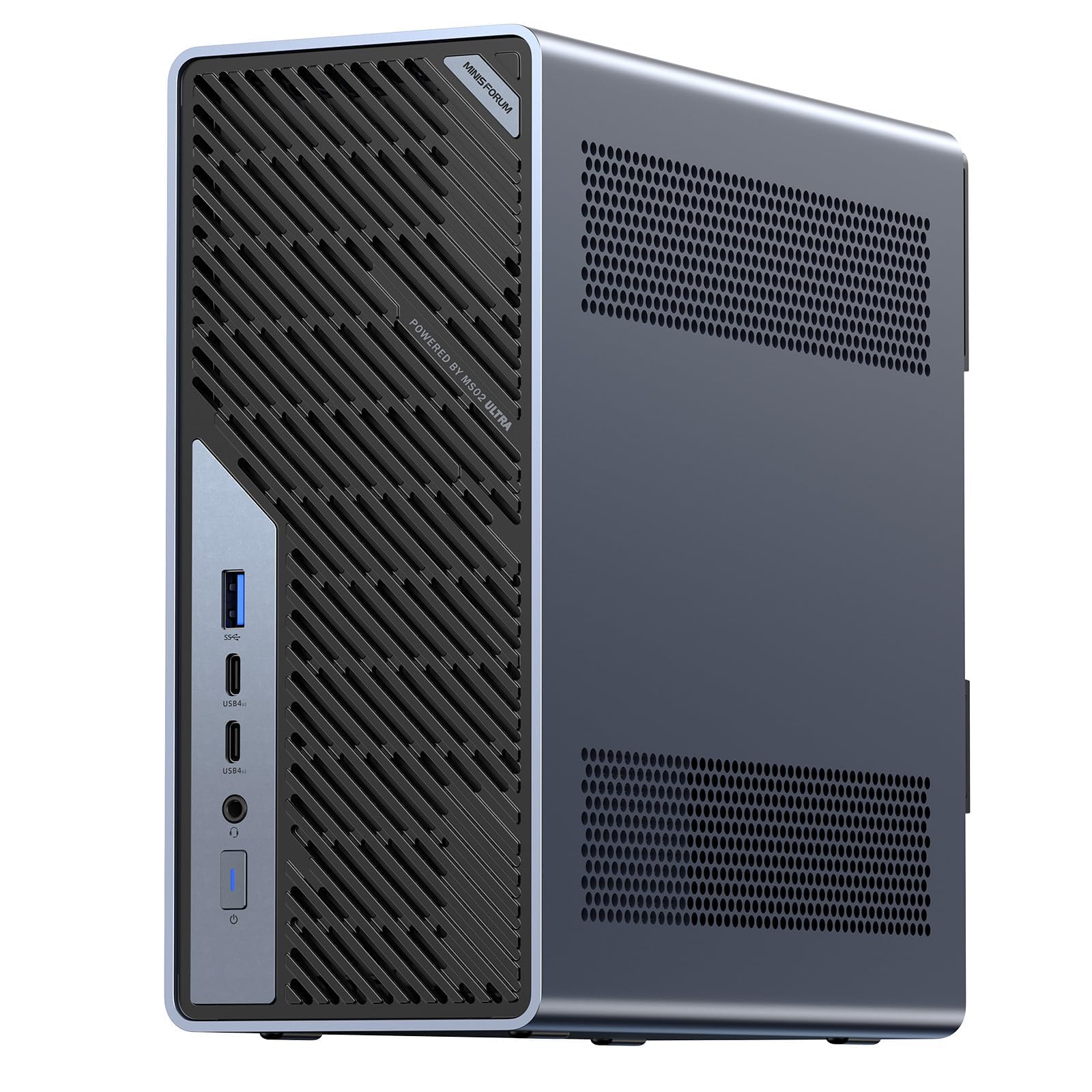
7. MINISFORUM MS-02 Ultra Mini Workstation
A mini box with a full desktop GPU slot and four M.2 drives — genuinely upgrade-first.
Most small computers are dead ends the day you buy them. This one is the exception: it carries a PCIe 5.0 x16 expansion slot (a wide, fast connector for adding a desktop graphics card) plus up to three PCIe slots total. So you can drop in a dual-slot GPU for model training later. The Intel Core Ultra 9 285HX runs 24 cores and 24 threads up to 5.5 GHz, backed by a 13 TOPS NPU (a small dedicated AI chip for on-device tasks). Four DDR5 SODIMM slots take memory up to 256GB, so big datasets stay in memory instead of swapping to disk. ECC support (error-correcting memory) helps keep data intact in critical work.
Storage is the other headline: four PCIe 4.0 M.2 slots supporting up to 24TB and RAID 0/1/5/10. Buyers praise the performance first and the networking second — dual 25GbE, 10GbE, and 2.5GbE ports plus WiFi 7 and USB4 v2 at 80Gbps. Thermal management divides opinion: some report good heat handling, others find it runs hot. Note the build-your-own nature — it can ship barebone, so verify the memory compatibility list before you buy. Then you install your chosen modules with care, following the seller’s slot guidance.
Reasons it stands out
- A PCIe 5.0 x16 slot lets you add a desktop-class GPU after purchase
- Four DDR5 SODIMM slots scale to 256GB, with ECC support
- Four M.2 slots handle up to 24TB with RAID 0/1/5/10
- Dual 25GbE plus 10GbE and 2.5GbE ports and WiFi 7
The fine print to read
- Barebone configurations require you to source compatible memory carefully
- Reports on heat management are split — it can run hot under sustained loads
- The integrated Intel UHD graphics are modest until you add a GPU
Reach for this if: you want a compact base you can grow into with a real GPU and lots of fast storage.
Look elsewhere if: you need certified professional graphics from the start today.
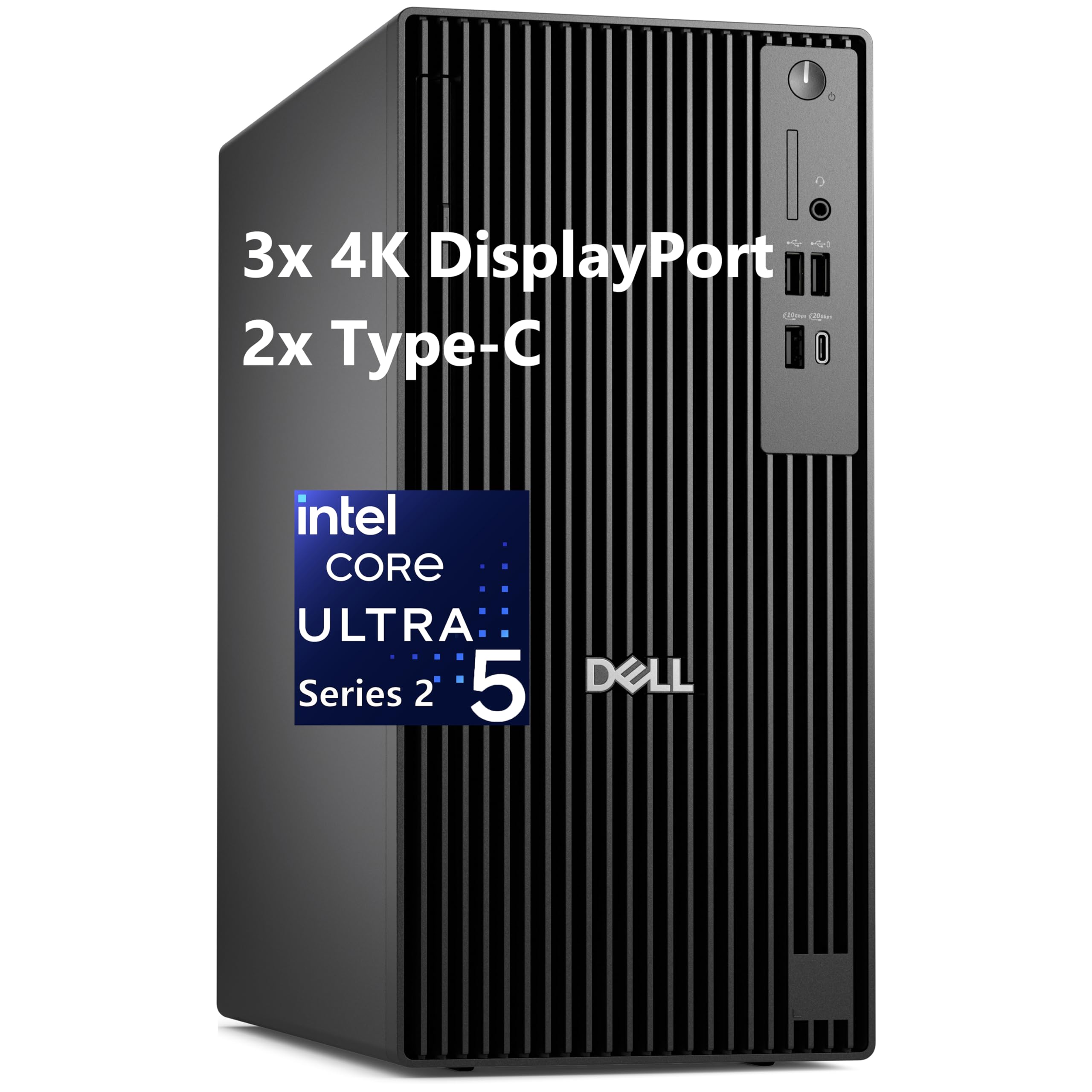
8. Dell Pro Tower Plus Business Desktop
The quiet, tidy office tower for people whose heavy lifting is spreadsheets and video calls.
Not every workstation needs a discrete GPU, and this Dell builds its case on modern efficiency instead. The Intel Core Ultra 5 235 carries a 13 TOPS NPU to speed up AI features in programs like Adobe, Zoom, and Office. You get 32GB of DDR5 RAM and a 1TB SSD, plus triple 4K monitor support for three screens at once. Windows 11 Pro is preinstalled and a DVDRW drive rounds out the old-school office kit.
This is the pick for the small-business or home-office desk where stability, quiet operation, and fast everyday response beat raw rendering muscle. The 24MB of cache and DDR5 memory keep multitasking responsive, and the integrated graphics handle dual and triple-monitor productivity without a separate card. What it does not do is professional 3D work — there is no dedicated GPU here, so heavy CAD or video rendering are outside its lane.
The easy choice for: office and business users who want a modern, quiet tower that boots to Windows immediately.
Not the tool for: rendering, CAD, or any job that expects a professional graphics card.
9. MINISFORUM MS-A2 AMD Ryzen 9 9955HX Mini Workstation

Sixteen cores and three 8K outputs crammed into a box the size of a book.
For the trader, editor, or engineer who runs three big screens, this MINISFORUM answers with one HDMI at 8K@60Hz and two USB-C (Alt DP) outputs at 8K@60Hz. The AMD Ryzen 9 9955HX brings 16 cores and 32 threads up to 5.4 GHz, with Radeon 610M graphics running at 2.2 GHz. That is a lot of compute in a compact body, and buyers consistently reward its quiet running, low power draw, and speed.
Memory starts at 32GB with dual SODIMM DDR5-5600 slots that push to 96GB, and the storage picture is unusually flexible. The M.2 2280 PCIe 4.0 slot supports RAID0/RAID1 and U.2 enterprise-grade drives, and there are two more M.2 slots for 22110-class SSDs at RAID0/RAID1. A dual-fan, four-heat-pipe cooler keeps temperatures in check to hold performance steady. It is a natural fit as a Proxmox server or a small virtualization host where low power and quiet operation count.
What people love: compact size and near-silent running paired with genuine 16-core muscle.
What to weigh: the Radeon 610M is integrated graphics, so this is a compute-and-display machine rather than a 3D-render beast.
The right call for: a small virtualization server or multi-screen trading and editor desk that values low power.
Pick something else if: you need a dedicated professional GPU for heavy 3D rendering.
10. Dell Precision 3630 Desktop Workstation i7-8700

A tidy six-core desktop for light pro work, though the spec sheet is showing its age.
The Precision 3630 keeps things simple with an Intel Core i7-8700 running six cores at 3.2 GHz and boosting to 4.6 GHz. It comes with 16GB of DDR4 and a removable 256GB solid-state drive, plus a keyboard and mouse in the box. For an architect doing 2D drafting, a student running light CAD, or an office handling documents and email, that mix gets the job done without fanfare. Integrated graphics keep the build simple and the power draw modest.
The honest read is about positioning. Six cores and 16GB of memory sit well below the 128GB dual-Xeon towers and the 32GB-plus compact machines in this list, so this is an entry-tier working computer rather than a heavy-lifting workstation. The 256GB drive fills quickly with large media projects, so budget for external storage. If the job stays light, the compact tower footprint and included peripherals make it an easy, uncomplicated desk companion.
Where it fits: light drafting and office duty where a small tower and included keyboard and mouse keep things simple.
The real ceiling: 16GB of RAM and a 256GB drive are modest for modern media-heavy work — plan on external storage.
Good for: students and light-drafting desks that need a compact, uncomplicated desktop.
Step up if: your projects are big enough to strain 16GB of memory and 256GB of storage.
11. MINISFORUM MS-S1 MAX Mini AI Workstation
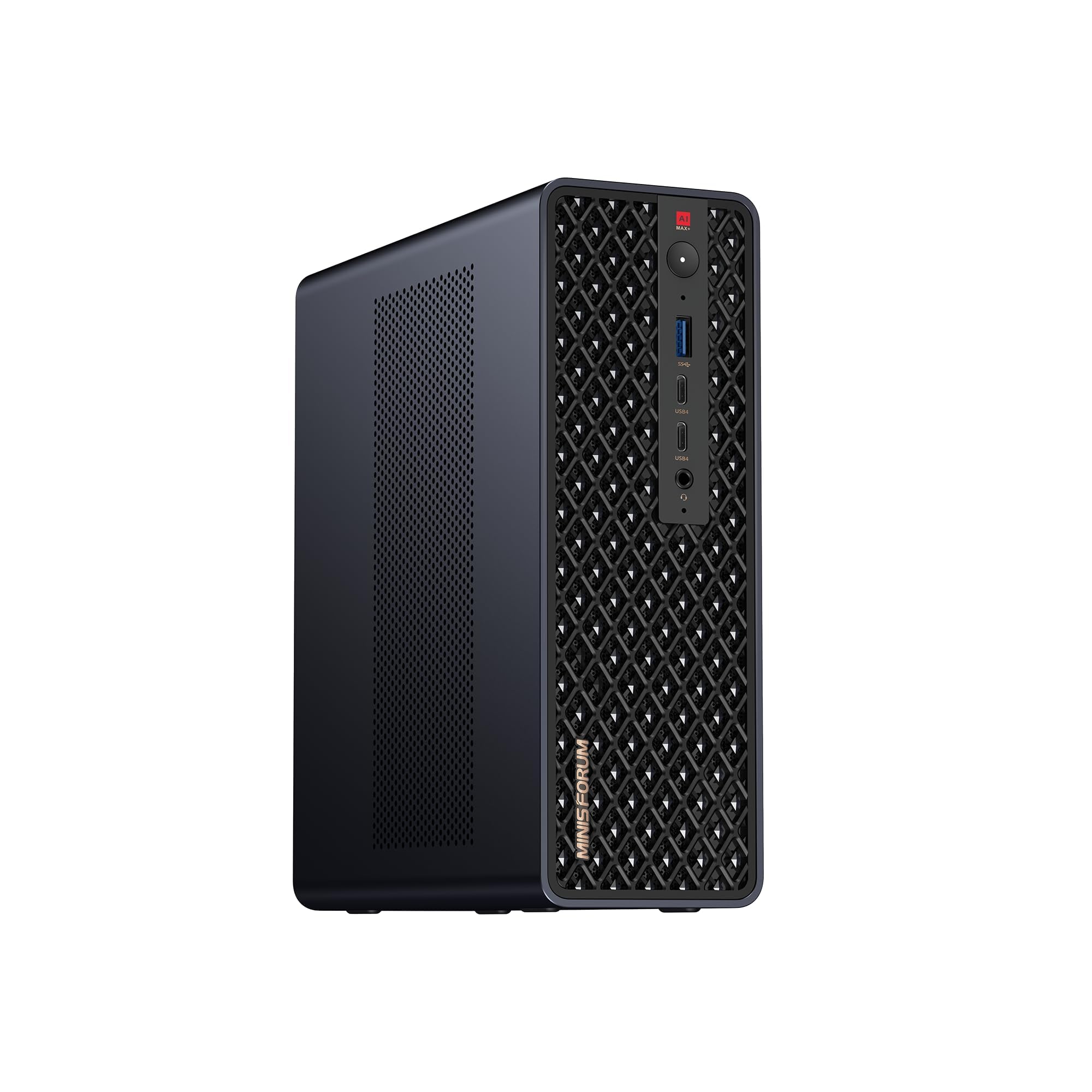
A rack-mountable AI box that can pair with a second unit to run bigger models.
This one is built for the person running models at home rather than the person rendering a 3D scene. The AMD Ryzen AI Max+ 395 combines a 16-core, 32-thread Zen 5 CPU up to 5.1GHz, an RDNA 3.5 GPU, and an NPU rated at 50 TOPS, for 126 TOPS across the system. The 64GB of LPDDR5x-8000MT/s unified memory lets the CPU and GPU draw from one fast pool, which removes the usual video memory ceiling and makes large AI inference smoother.
Expansion and cooling are serious for the size: a full-length PCIe x16 slot, dual M.2 slots supporting up to 16TB RAID 0/1, dual 10GbE LAN, HDMI 2.1 up to 8K60, USB4 V2 at 80Gbps, and WiFi 7. The aerospace-grade aluminum chassis with a copper base plate, six heat pipes, and dual turbine fans holds 130W continuous and 160W peak from a built-in 320W supply. Buyers call it an absolute beast of a computer, though the unified memory draws mixed notes — great for loading big models, less ideal for the very largest. Two units can cluster to run a large 235B Q4 model, and four can be cascaded for bigger AI work.
Why AI people point here
- 126 TOPS system output with a 50 TOPS NPU for local inference
- 64GB of unified LPDDR5x-8000 memory shares one pool between CPU and GPU
- Dual 10GbE, WiFi 7, and USB4 V2 at 80Gbps cover heavy networking
- Cluster support and 2U rack deployment scale toward larger models
Worth a second look
- Unified memory draws mixed feedback for the very largest AI models
- It’s an integrated-GPU design, not a traditional add-in pro card
- Rack features won’t matter to a single-desk user
For the AI tinkerer: someone running local models who wants unified memory, dual 10GbE, and a path to clustering.
Not for you if: your work is traditional CAD that expects a certified add-in GPU.
12. MINISFORUM MS-S1 Max 5-Display Workstation

Five 8K video outputs and a Radeon 8060S — a studio in a shoebox build.
You can run several monitors from one box here. The standout is display flexibility: one HDMI at 8K@60Hz (a very sharp 8K picture at 60 frames per second), two USB4 at 40Gbps with Alt DP2.0, and two USB4 V2 at 80Gbps, all feeding monitors at once. That is the sort of output spread a digital-signage desk or a trading station wants. Under the hood the same AMD Ryzen AI Max+ 395 provides 16 cores and 32 threads up to 5.1GHz, with 126 TOPS total (trillions of AI operations per second) and a 50 TOPS NPU. The AMD Radeon 8060S graphics runs at 2900 MHz on RDNA 3.5 architecture (AMD’s graphics chip design).
You get 64GB of LPDDR5-8000 memory and a 2TB M.2 2280 PCIe 4.0 SSD, plus another PCIe 4.0 slot for up to 8TB more with RAID 0/1, and a PCIex16 slot inside. Two 10G LAN ports and WiFi 7 with BT5.4 handle networking, and the cooling system pairs a pure copper substrate measured at 84X90.5mm with six heat pipes and dual turbine fans to hold 130W steady. Buyers repeatedly cite performance and reliability, noting it holds consistent output for hours.
The clincher: five 8K-capable outputs make this the multi-monitor specialist of the group.
The consideration: the Radeon 8060S is integrated, so a studio depending on certified pro drivers should check software support first.
Designed for: signage, trading, and editing desks that need to drive up to five high-resolution screens from one small box.
Look past it if: your software requires a certified professional graphics card.
13. GEEKOM A9 Mega AI Workstation PC

The memory ceiling king: 128GB of unified RAM with up to 96GB handed to the GPU.
If your plan is to run large AI models offline, this is the machine with the biggest memory pool in the list. The AMD Ryzen AI Max+ 395 brings 126 TOPS total. Its 128GB of LPDDR5X memory at 8000MT/s (fast, low-power memory) can hand up to 96GB to the Radeon 8060S GPU. So models with up to 128 billion parameters fit when using compatible drivers and inference software. A 2TB PCIe Gen4 NVMe SSD holds the models themselves, and dual M.2 slots scale to 8TB total at 4TB per slot.
Cooling is built for long sessions: the IceBlast 5.0 system uses a full-coverage vapor chamber and dual turbo fans to support up to 120W sustained power, with a specified maximum power dissipation of 140W. Around the edges you get dual 2.5GbE LAN ports and four displays up to 8K through dual 40Gbps USB4 and dual HDMI 2.1, plus WiFi 7. A 3-year limited warranty backs the aluminum-alloy chassis, and CE, FCC, CB, and RoHS compliance are listed for professional use. Performance is what carries it — owners mention it runs supported applications without strain.
Why it earns the top memory slot: 128GB of unified memory with up to 96GB for the GPU is the largest shared pool here for local AI work.
The catch to plan around: getting the most from it depends on compatible drivers and inference software, and its 4-bit quantized model support has limits on which models run.
Built for: developers and studios running large local AI models and sensitive on-device data who need maximum shared memory.
Think twice if: you want a traditional workstation with certified professional add-in graphics.
Know the Specs
Cores and threads — your parallel muscle
Cores are the number of independent processors inside the chip, and threads are the separate task streams they can juggle. More threads let a machine chew through renders, simulations, and virtual machines in parallel instead of one job at a time. A 56-thread dual-Xeon tower divides work across far more lanes than a 4-core box, which is why the thread count is the first number serious buyers check.
RAM capacity — how much you can hold open at once
Memory decides how many big things you can keep loaded simultaneously: browser tabs, datasets, virtual machines, or model weights. Workstations here range from 16GB up to 128GB or more, and the higher figures matter when a single project exceeds what a normal desktop can hold. If your software warns about low memory, capacity is the fix.
Professional vs. integrated graphics
A professional GPU like the NVIDIA RTX 2000 Ada or a Quadro card ships with drivers certified for software such as AutoCAD, SolidWorks, and Blender, which helps stability in those programs. It also carries its own dedicated video memory for loading complex scenes. Integrated graphics share system memory and suit display output and lighter work, so they keep costs down when you don’t render 3D.
Unified memory — the compact AI advantage
In compact AI machines, unified memory lets the processor and graphics share one fast pool rather than splitting into separate system and video memory. That design removes the usual video memory ceiling and can let large AI models load into one place. It is why small boxes with 64GB or 128GB of unified memory can run local language models that would strain a traditional setup.
Common Questions
What is the difference between a workstation and a regular desktop?
Do I need a professional graphics card or is integrated graphics enough?
Will a renewed workstation tower come ready to use?
How much RAM do I need for running virtual machines or containers?
Can a mini workstation run large local AI models?
Will a mini workstation fit a full-size graphics card?
Is a dual Xeon tower better than a modern mini workstation?
Why does my workstation’s display port not match my monitor?
How many monitors can these workstations drive?
Do compact workstations run hot under sustained workloads?
The Bottom Line
For most working pros, the workstation computers winner is the ACEMAGIC G3A. It pairs a 24-core i9-13900F at up to 5.6GHz with an NVIDIA RTX 2000 Ada carrying 16GB of dedicated video memory, so large renders and CAD scenes stay smooth. It also boots on day one with Windows 11 Pro already installed. If you want raw thread count and memory for the least outlay and don’t mind adding your own drive and OS, grab the Dell T7810 Chia Farming tower. And for running large local AI models offline, the GEEKOM A9 Mega is the one to reach for with its 128GB of unified memory. If your whole plan hangs on a single professional desk, the ACEMAGIC’s modern memory and certified graphics make it the least complicated way to start. It’s also the strongest of the picks that ship ready to work.
How we choose
We do not accept paid placement. Every pick is matched to a real buyer and a real use-case; we do not hands-on test units.
Sources
Specifications: manufacturer listings and product documentation. Review insights: verified customer reviews, as of November 2026. Pricing: not shown on this page (it changes often); check the current price via the retailer link.
As an Amazon Associate, Tactical Gear Guy earns from qualifying purchases. This does not affect which products we feature.