Specs are compiled from manufacturer listings and verified buyer reviews and can change over time — please confirm the key details on the product page before buying.
Your home office has one job: make you sound and look like you are in a real office. The wrong headset turns a doorbell into a meeting interruption. The wrong monitor leaves you squinting by 4pm. The right headset, monitor, and dock turn a kitchen table into a workstation that holds up for eight hours. This guide covers nine work-from-home devices that each solve one specific problem — clear calls, a screen you can read, a dock that charges your laptop, and a camera that lets remote teammates actually see the room. Every pick below comes with the exact specs that matter and the honest catch you should know before you buy.
This guide is built by comparing the manufacturers’ published specifications and the patterns across verified customer reviews, so you get each pick’s real strengths and trade-offs instead of marketing spin.
A home office is a chain of small tools that either work together or fight each other all day. This breakdown of work from home technology covers headsets, monitors, docks, and cameras so you can build a setup that holds up.
Top Picks

How To Choose The Best Work From Home Technology
The gear that matters most at home is the gear between you and the people on the other end of the call. Start with the headset, because that is the device that decides whether you sound professional or muffled. Then work outward: a screen you can read for hours, a dock that keeps your laptop fed, and a camera for the days you are not the only one talking.
Start with the microphone, not the speaker
Callers judge you by your microphone, not by the speaker drivers in your earcup. A boom mic that sits near your mouth picks up your voice clearly while a noise-cancelling circuit — called ENC, or environmental noise cancelling — pushes down the room around it. That is the difference between a call where the dog barking gets mentioned and one where it does not.
If your work laptop is older or has a weak Bluetooth chip, a USB dongle is the safer bet. It gives the headset a dedicated radio link instead of sharing one with your mouse and phone. Most dongles here work on Windows only, and none of them work with desk phones or landlines.
Battery hours are work hours
A headset that dies at 3pm mid-call is worse than a corded one you never have to charge. Look for a claimed talk-time figure in hours, and check whether the headset can run while charging. Anything claiming a full workweek on one charge means you stop thinking about the cable at all.
Your screen decides your energy level
More screen means less scrolling and fewer window swaps. A 23.8-inch panel at 1920 x 1080 gives you a full spreadsheet with room for chat beside it. A 100Hz refresh rate makes scrolling feel smoother than the 60Hz office panels most people are used to. An IPS panel keeps colors steady when you lean sideways in your chair.
The dock is the quiet workhorse
A docking station carries video, Ethernet, and laptop power over a single USB-C cable. It carries your video to the monitors, your network to the wall, and power back to the laptop. The number that matters most is the wattage it sends to the laptop — a dock that delivers 100W keeps a working laptop topped up instead of slowly draining it.
Side-by-Side Comparison
| Model | Best For | Talk / Run Time | Connection | Form | Amazon |
|---|---|---|---|---|---|
| Wireless Headset with Mic for Work (Soothielec)★ Best Overall | Everyday calls and meetings | 40 hours | Bluetooth 5.3 + USB dongle | Over-ear headset | Amazon |
| PrancyBt Wireless HeadsetCall Center Workhorse | Call center shifts | 35 hours | Bluetooth 5.2 + USB dongle | Over-ear headset | Amazon |
| Poly Blackwire 5220Corded Certainty | Wired reliability | Wired (no battery) | USB-C, USB-A, 3.5mm | Corded headset | Amazon |
| Yealink Z32 | Long-range mobility | 35 hours | Bluetooth 6.1 + USB-A dongle | Headset | Amazon |
| Jabra Speak 510 | Shared room speakerphone | 15 hours | Bluetooth + USB | Portable speaker | Amazon |
| Dell Pro 24 E2425HM | Screen upgrade | — | HDMI, DisplayPort, VGA | 23.8-inch monitor | Amazon |
| Dell Pro Dock WD25 | One-cable desk | — | USB-C (10 ports) | Docking station | Amazon |
| Logitech Casa Pop Up Desk | Kitchen-table setups | — | Bluetooth Low Energy | Stand + keyboard + touchpad | Amazon |
| Owl Labs Meeting Owl 3 | Meeting rooms | — | USB + Wi-Fi | 360° conference camera | Amazon |
Detailed Reviews
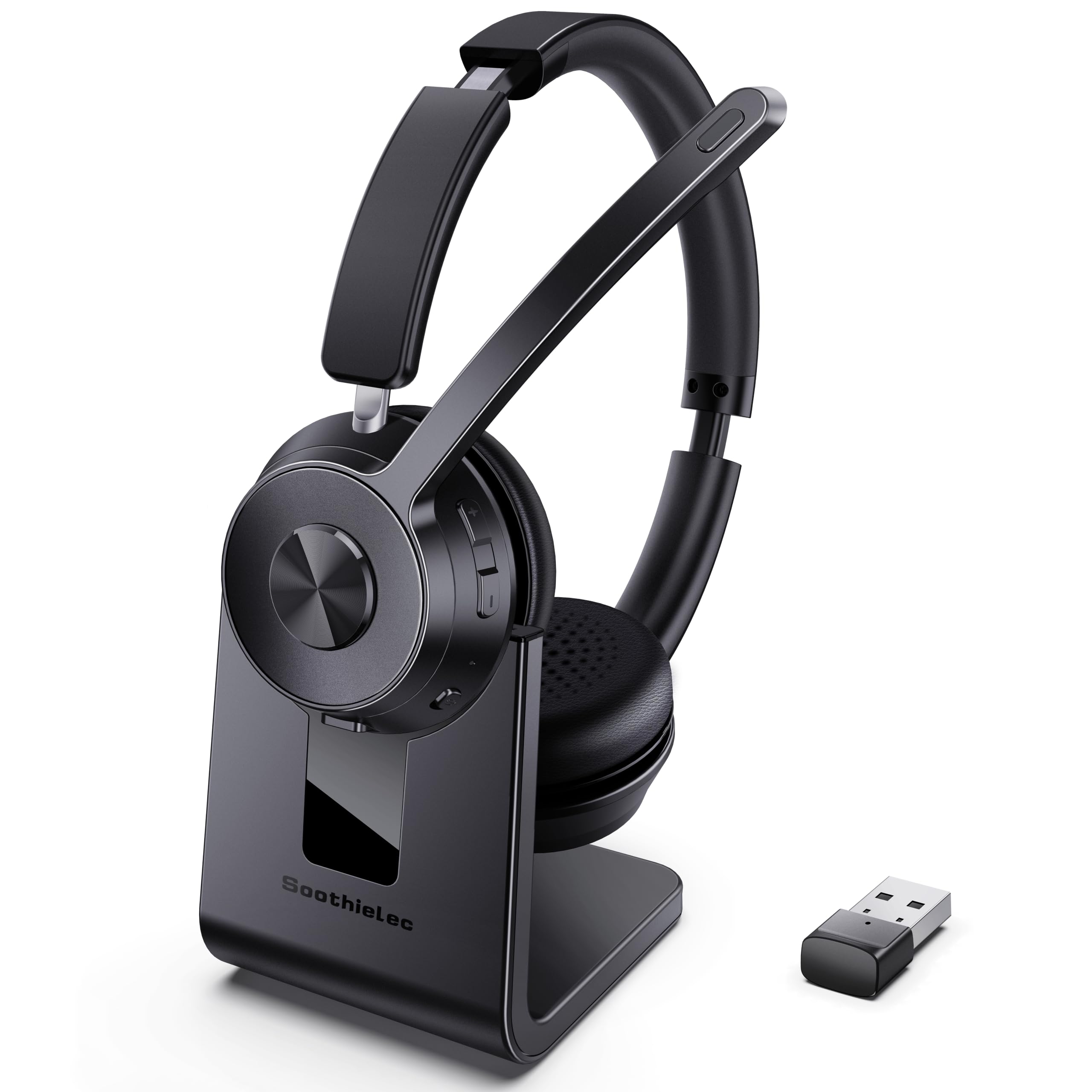
1. Soothielec Wireless Headset
Our pick — 4.5+★ from 550+ verified ratings; the strongest balance of quality and price.
A full workweek of talk time in one charge, plus a mute button you can actually find mid-sentence.
The number that reshapes your week here is 40 hours of talk time. That comes from a 600mAh rechargeable battery that refills fully in about 2 hours on the included charging stand — so a weekend on the dock and you are set for Monday through Friday. You can also keep using it while it charges, though powering off first is friendlier to the battery over the long run.
For call quality, the headset uses ENC noise cancelling, which is the mic-side processing that suppresses the room around your voice. Pets, kids, and a running dishwasher get pushed down while you keep talking. The one-touch mute silences your mic instantly during Zoom or Teams sessions, with the caveat that mute only engages while you are actually on a call.
Connections are where this beats the PrancyBt headset below it in version terms: Bluetooth 5.3 versus 5.2, and 40 hours of battery versus the PrancyBt’s 35. That extra version buys you the newer low-latency radio for video calls, plus a USB-A dongle for Windows machines that have no Bluetooth at all. You can pair your laptop and phone at the same time and jump between a conference call and a text without repairing. The 33ft range lets you walk to the kitchen and keep talking.
What earns its place on your desk
- 40 hours of talk time from a 600mAh battery means one weekly charge covers a full workweek.
- Bluetooth 5.3 with dual pairing keeps your laptop and phone connected at once.
- Memory foam earcups and an adjustable headband are built for long wearing sessions.
- The included USB dongle rescues PCs that have no Bluetooth radio at all.
Where it asks for patience
- Mute only works during calls, not between them.
- The dongle does not talk to desk phones or landlines, so pure office-phone setups need something else.
- The MFB voice-assistant button controls your phone only, not computer apps.
Reach for it if: you want one headset to handle laptop and phone calls with a week of battery behind it.
Look elsewhere if: your job still runs on a landline desk phone, since the dongle will not connect to one.
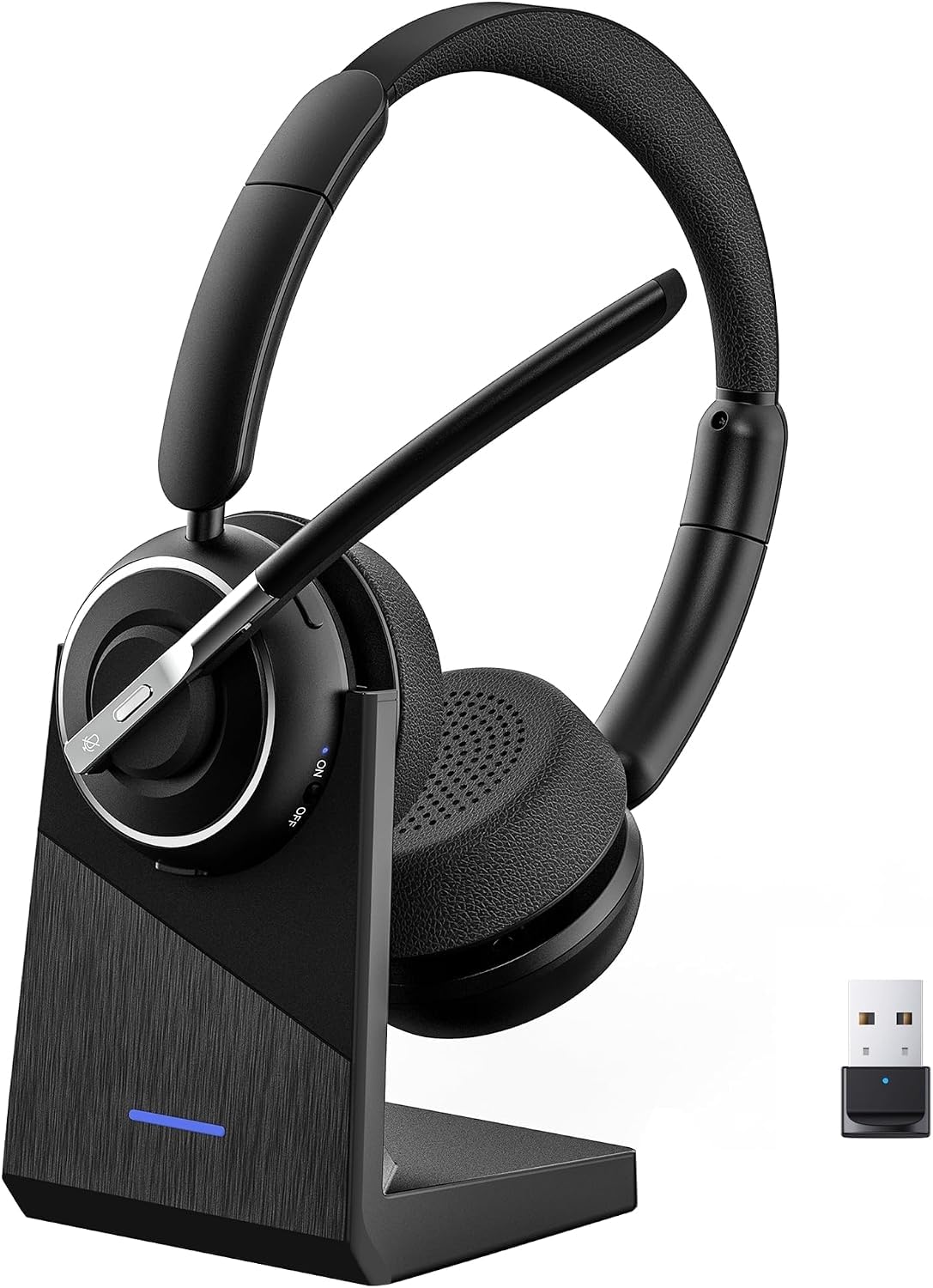
2. PrancyBt Wireless Headset with Noise Cancelling Microphone
Built for back-to-back shifts, with earcups that rotate 270 degrees so your ears get a break.
This headset uses 270-degree rotatable earcups, meaning they swing flat against the headband instead of clamping down on one spot. The adjustable headband and protein-foam pads are aimed at the same goal: you forget you are wearing it by hour four. The over-ear shape runs heavier than a lightweight on-ear, at 353.6 g.
The battery claim is 35 hours of continuous operation, backed by fast charging so a short top-up gets you through a busy morning. Stereo audio runs through a chip tuned for low latency, which keeps voices and lips in sync during Teams, Webex, or Skype calls. A one-click mute gives you instant privacy for confidential discussions, though it only engages during active calls or meetings.
The honest read: this is the headset to grab if you are on a desk all day and want your ears to stop aching. It runs Bluetooth 5.2 and pairs with both a dongle (Windows only) and a direct Bluetooth link to your phone or laptop, with a 33-foot range. The recurring note is that the dongle is the fragile part — remove it when you are not using the headset and re-insert it when you are. Pull the dongle out when you are done and re-seat it before each shift, and the Bluetooth link stays stable.
Standout advantage: the 270-degree earcups and protein-foam pads are the design choice that separates this from a plain office headset — you can shift it around hour five instead of gritting through.
Fair caution: the headset is built for Windows dongle use, so Mac users should plan on the direct Bluetooth route instead.
The right pick for: call center agents and full-day talkers who want comfort over a long shift.
Know this first: the dongle is Windows-only, so confirm your setup before relying on it.
3. Poly Blackwire 5220 Wired Headset with Flexible Boom Mic
The headset that never asks for a charge, because it does not have a battery at all.
Some people want to never think about charging again. The Blackwire 5220 is a corded headset that powers straight off the USB-C port or the 3.5mm jack, so it is always ready when your meeting starts. It is certified for Microsoft Teams and Zoom, which means both platforms recognize it and route call controls correctly without fiddling.
The mic is a noise-cancelling boom that sits close to your mouth, and the ear cushions use passive isolation — the physical seal around your ear that blocks the room. Dynamic EQ adjusts voice and music separately so a podcast does not sound like a phone call. A tethered USB-A adapter is built in, so the same cable plugs into a newer laptop’s USB-C port or an older one’s USB-A slot.
A caveat worth stating plainly: with the wired models you get no battery anxiety and no charging stand, but the cord does tether you to the desk. Poly’s own community has mixed views on the noise-cancelling depth — some find it strong, some find it mild. Treat it as a voice-isolation tool rather than a concert-grade silencer. What everyone does agree on is that the audio coming out is clean.
Choose this when: you have been burned by a dead headset right at meeting start and want the cord as insurance.
Worth knowing: the cable runs from your ear to your machine, so standing and pacing during a call means unplugging or stretching the line.
4. Yealink Z32 Wireless Bluetooth Headset for Hybrid Workers
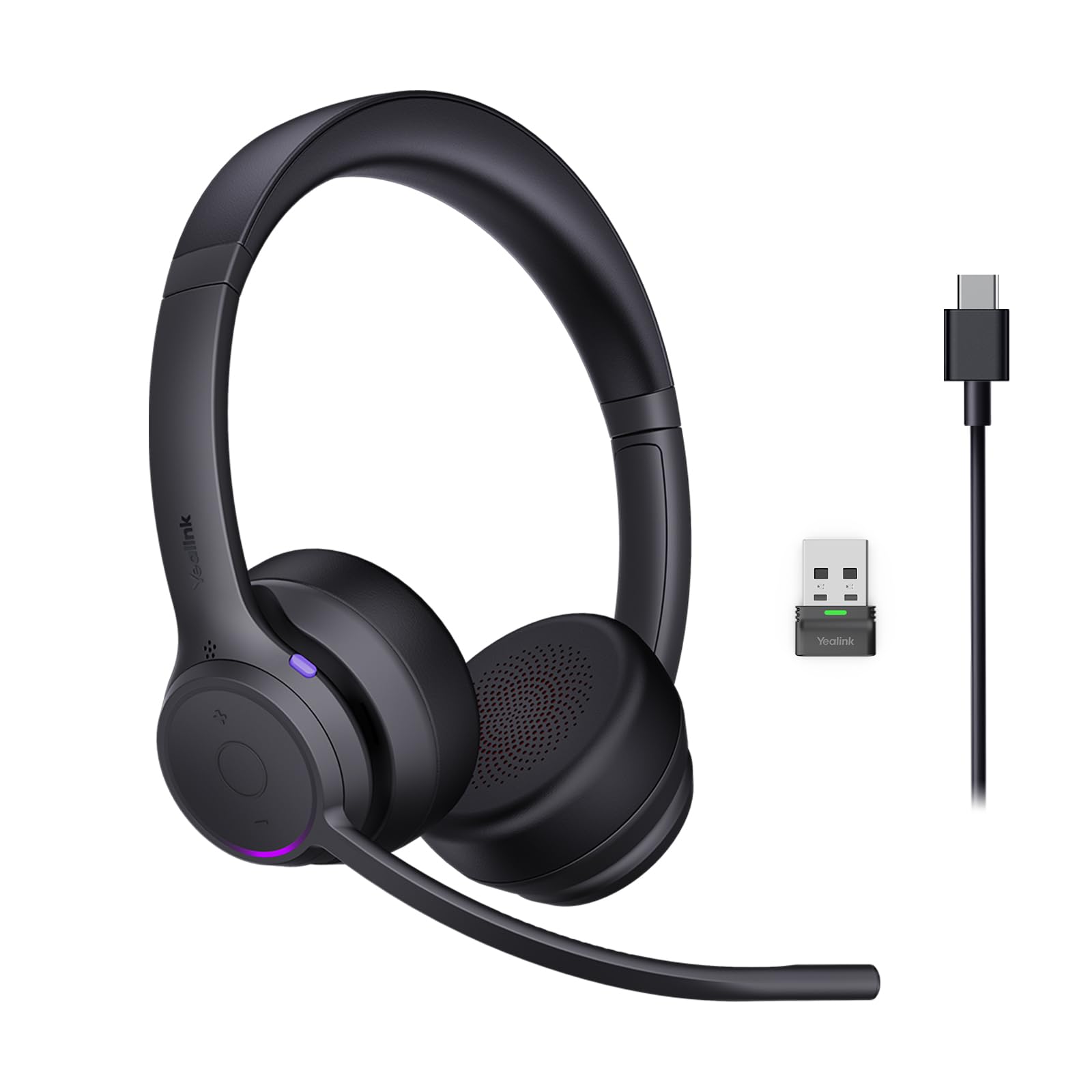
Flip the mic boom up to mute, and the whole floor can see you are on a call.
The defining move here is mechanical: instead of hunting for a tiny mute button mid-sentence, you flip the microphone boom upward and the mic goes quiet instantly. There is a backup method too — hold the volume-down button for two seconds. That same earcup carries a small Busylight that glows red during calls, so the people around you see Do Not Disturb before they interrupt.
Call clarity comes from dual microphones running through Yealink Acoustic Shield 3.0, tuned to pull your voice out of an open office or a noisy house. The bigger numbers are unusually generous for the tier: up to 35 hours of talk time, or 43 hours of music, on a 90-minute charge. The Bluetooth 6.1 link reaches up to 164 feet, so you can walk to another room and stay connected.
On comfort, this one is genuinely light — 160 g in the dual-ear version and 105 g in the mono version — and the memory-foam cushions are meant for long wear. You can wear it on either ear, which matters if you like one ear open for the room. Pairing runs through both a BT51 USB-A dongle and direct Bluetooth, so two devices can stay connected at once. Just know that Yealink lists some platforms as needing a plugin for full functionality, so check your stack against the compatibility center.
top-tier detail: a flip-to-mute boom (a mic arm you flip up to cut your voice) plus the Busylight (a light that shows others you are busy) work as a two-part system — your voice stops and your colleagues know why.
Keep in mind: the Teams-certified experience is smoothest on Windows with the included dongle, so other setups may need a plugin.
This one suits: hybrid workers who split time between a home desk and a shared office and want range plus a visible status light.
Skip it for: a pure Mac or Chrome stack if adding a compatibility plugin is a deal for you.
5. Jabra Speak 510 Portable USB Bluetooth Speakerphone

One puck on the table, and everyone in the room is heard without passing a headset around.
When two or three of you share a table, a headset stops working and a speakerphone takes over. The Speak 510 puts a 50mm dynamic driver and a built-in microphone into a portable puck that runs 15 hours on a charge, refilling in about 2 hours. The voice pickup means nobody has to lean into a laptop lid.
Connection is deliberately simple: Bluetooth for your phone, USB for your laptop, and a 3.5mm path for the older gear still on your desk. The 100-foot Bluetooth range means you can leave it across the room and still be heard. It weighs next to nothing and comes with a travel pouch, so the same speaker moves from the kitchen table to a client visit.
Owners describe calls with no echo or feedback, so the echo-cancelling (tech that stops your own voice bouncing back) is real. That is what makes a shared room sound like a proper meeting rather than a speakerphone. What you give up is a headset’s private isolation; if you are the only one on the call, this thing broadcasts to your whole house. It suits group calls, not one-to-one meetings.
Great fit for: anyone who runs hybrid team meetings at a shared table and wants one device in the middle.
Think twice if: your calls are private and one-on-one — a headset keeps your voice in your ears, and this one fills the room.
6. Dell Pro 24 E2425HM 23.8-Inch Full HD Monitor
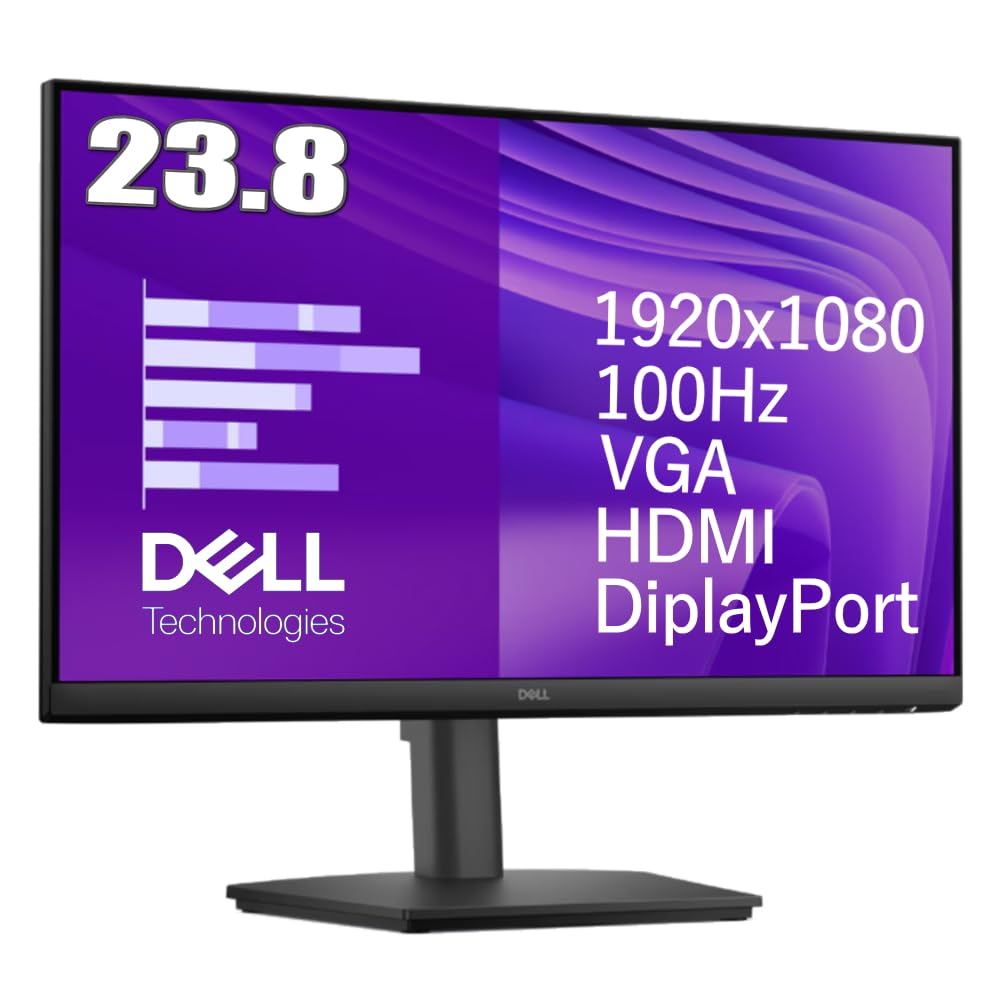
A 23.8-inch panel at 1920 x 1080 that stays readable from any chair angle in the room.
A 23.8-inch panel at 1920 x 1080 fits a full spreadsheet with a chat window beside it. This 23.8-inch panel gives you Full HD at 1920 x 1080, which is enough to keep a document open beside a chat window without constant alt-tabbing. The IPS panel type holds its colors when you lean sideways or get up to pace, and the 178-degree viewing angle means someone sitting beside you can read it too.
The smooth part is the 100Hz refresh rate paired with a 5ms GTG response time. GTG means the time a pixel takes to change color, and 5ms keeps motion crisp instead of smeary. Scrolling through a long code file or a deck of slides feels less jittery than the office panels people are used to. Eye Comfort Technology and an anti-glare screen are there for the long days, so mid-morning sun across the desk does not bounce straight into your eyes.
Connections are broad for the tier: HDMI 1.4, DisplayPort 1.2, and VGA, so it talks to an old tower, a newer laptop through a hub, or a second screen setup. The stand tilts for angle, and the 100 x 100 VESA mount lets you swap it onto an arm if you want your desk surface back. The trade-off is the stand’s range — tilt only, no height or pivot adjustment — so a monitor arm is the move if your eye line needs to come up.
Where it pays off: 100Hz on a 23.8-inch IPS panel at 1920 x 1080 is a meaningful step up from a basic 60Hz home screen for spreadsheets and long documents.
One real limit: the stand only tilts, so a tall desk or a shared setup may want a VESA arm.
Worth buying if: you are still on one laptop screen and want more real estate without going wide.
Hold off if: your heart is set on height adjustment straight from the start.
7. Dell Pro Dock WD25, USB-C Docking Station with 100W Power
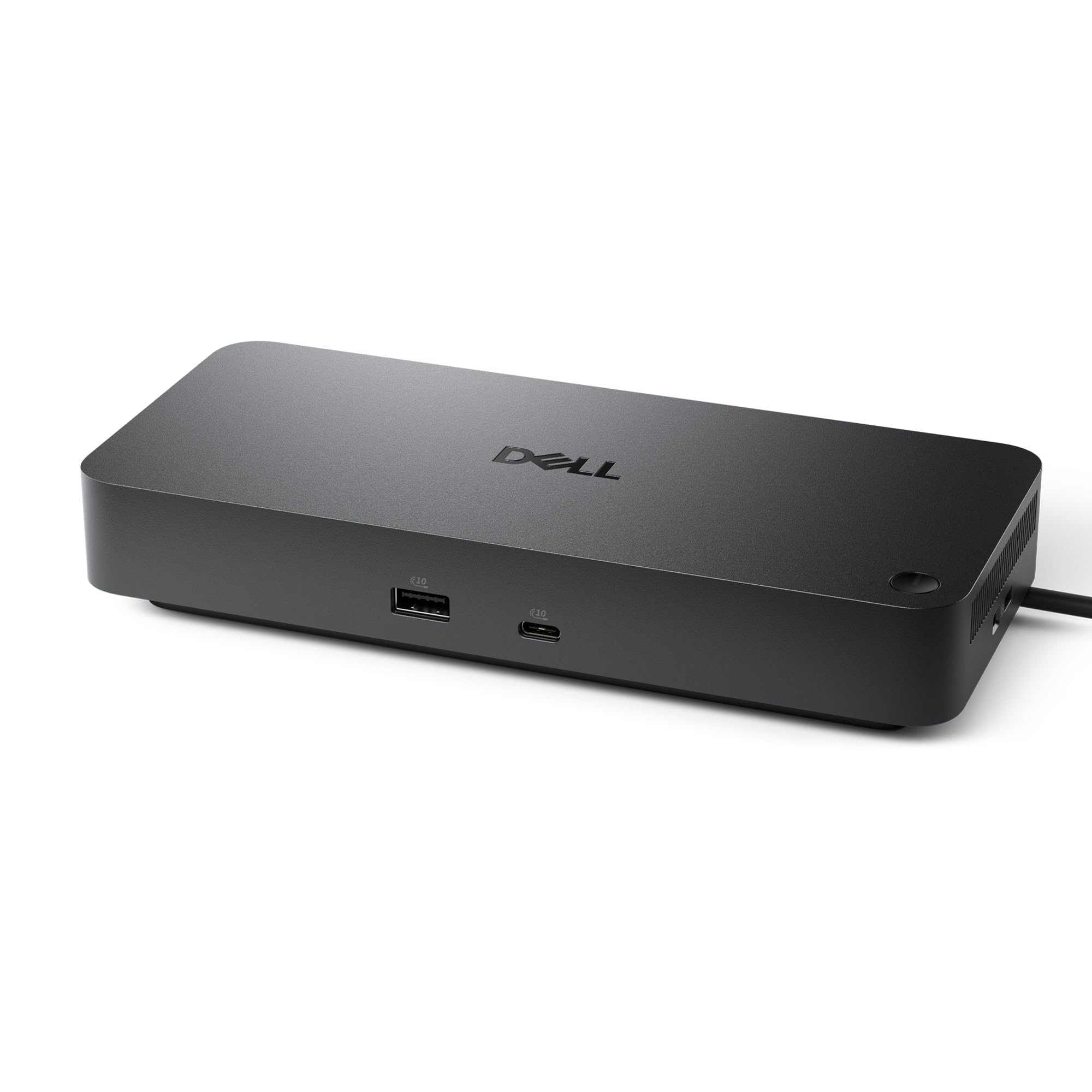
Plug in one cable and your laptop charges while it drives four displays.
The single figure that decides whether a dock is worth desk space is how much power it sends back to your laptop. This one pushes up to 100W through the USB-C cable, which is enough to keep a working laptop topped up instead of slowly draining while you run monitors and peripherals. It carries 10 ports, its L x W x H footprint of roughly 8 by 3.5 by 1.4 inches sits under a monitor arm, and it weighs 1.2 pounds.
The design details are for real desks. The USB-C cable is ambidextrous — it routes to the left or the right, so you are not fighting the cable across your desk with your coffee mug. Native support for up to four high-res displays means a wall of screens for trading, editing, or monitoring dashboards. There is also an Ethernet port, so you can hardwire your connection for stability on critical calls. Dell lists Windows 10 and 11, Ubuntu 24.04, Red Hat Enterprise Linux 9.6+, and ChromeOS 137 as supported.
The honest weak point is the one buyers keep raising: several units have stopped working after about six months of regular use. A dock is a daily driver, and repeated plugging and unplugging takes a toll on the connector. Treat the cable with care, use the strain relief, and it does its job as a 10-port hub that brings power, video, and network through one cable. Dell calls it a management family for IT admins, but at home it is simply the device that stops you from plugging in five separate cables every morning.
Why it earns the desk space
- 100W of power delivery keeps a laptop charged while the dock runs monitors.
- 10 ports include Ethernet, USB-C, USB-A, DisplayPort, and HDMI for full desk routing.
- Ambidextrous USB-C cable routes left or right to suit your desk layout.
- Supports up to four high-res displays for a serious multi-screen setup.
The thing you should plan for
- Durability is the recurring concern — a number of docks have needed replacing at the six-month mark.
- The dock costs more than a basic hub, so it is a value judgment for a one-cable routine.
- Support stops at older Windows 10 versions and a defined Linux list.
Buy it when: you want one cable in the morning and every monitor, network cable, and accessory already waiting.
Weigh carefully if: you have already worn out a dock’s connector — this one wants the same care with its cable.
8. Logitech Casa Pop Up Desk

A desk that folds shut like a book, so the kitchen table goes back to being a kitchen table.
If you work at the dining table and pack it all away by dinner, this is built for you. Everything comes as one kit: the Casa Book case that unfolds into a laptop stand, the Casa Keys wireless keyboard, the Casa Touch wireless touchpad, plus a USB-C charging cable. At 3.2 pounds it can stay out on the table or slide into a bag without much thought.
The stand fits laptops from 10 to 17 inches, which covers most of what people are working on. It raises the screen to eye level, and the point is simple: rather than hunching over a lid, you sit up straight and use the separate keyboard and touchpad. Each device pairs over Bluetooth Low Energy and connects to Windows, macOS, iPadOS, and ChromeOS, so one kit travels across your laptop, a Mac, and an iPad.
The thing to know before you buy is the laptop ledge. The stand itself is sturdy, but laptops can slide on the thin bottom ledge, so set it flat and avoid bumping the table. The trackpad also earns mixed reactions: some find it precise, some find it small compared to a laptop’s own. For the people who want one kit that sets up anywhere — a high counter, a sunny corner, a dining table — it delivers. Set it on a flat, steady table and the stand, keyboard, and touchpad hold their position through a full session.
What wins people over: the whole kit folds into a book-sized case, which is why it travels so well between rooms and houses.
Honest trade-off: the thin laptop ledge means careful placement matters — a bumped table can send a laptop sliding.
Pick it for: flexible setups where the desk has to disappear at 5pm and reappear tomorrow morning.
Not for you if: you want a rock-solid stand that never moves — a fixed riser fits that job better.
9. Owl Labs Meeting Owl 3, 360° 1080p Conference Camera

One cylinder on the table that turns toward whoever is speaking, so remote people can follow the room.
This is the camera for the room, not the person. The Meeting Owl 3 captures 360 degrees of video in 1080p HD and picks up 360-degree audio up to 18 feet away. Built-in intelligence uses visual and audio cues to find the active speaker and put them front and center, while the 360 view keeps the whole table in frame. If your remote teammates are always asking “who is talking?” this answers it for them.
Setup is the part most office gear gets wrong. This goes from unboxing to first meeting in about 6 minutes as a plug-and-play USB device, and the setup cable comes in the box. It is certified for Microsoft Teams and works with Zoom, GoTo Meeting, Google Meet, and Cisco Webex. For bigger rooms, you pair two Meeting Owls, or add an Expansion Mic, to stretch the audio and video reach further.
The honest catch is that this is a room device with a room price tag. It is not a webcam for a solo desk, and the video quality gets mixed reactions from owners who expect webcam-crisp close-ups. Its job is coverage, and on that it delivers: an 18-foot mic plus a camera that tracks the speaker means the person dialing in from home can finally hear the whole table instead of a blur of voices. It is the one pick here built to give remote attendees an equal view of the room.
Worth it for: teams who regularly host hybrid meetings in a real room and are tired of one laptop mic straining to catch the whole table.
Overkill if: you work alone from a single desk — this is a room-scale device, and a laptop camera fits that job.
Know the Specs
Talk Time and Charge Time
Talk time is the hours a headset runs on one full charge; charge time is how long it takes to top back up. A headset claiming 40 hours of talk and a 2-hour charge means the cable is a weekend errand, not a daily one. A headset claiming 35 hours of talk from a 90-minute charge trades a little runtime for a faster refill. Look at both numbers together — a long runtime with a slow charge means a long cable session when it finally dies.
ENC vs Passive Isolation
ENC, or environmental noise cancelling, works on the microphone side: it filters the room so callers hear your voice, not your dog. Passive isolation is the physical seal of an ear cushion that blocks sound from reaching your ear. A headset can do one, the other, or both. Neither is a guarantee of silence, so if a quiet call matters to you, pick whichever side of the conversation you want protected.
Power Delivery in Watts
Wattage on a dock tells you how much power it can send back to your laptop while running its ports. A dock rated at 100W is designed to keep a working laptop charged through a busy day. Lower ratings may still connect everything but leave your laptop topping down slowly. Match the dock’s wattage to your laptop’s needs before you buy, and remember that the rating is a ceiling, not a promise on every cable.
Refresh Rate and Response Time
Refresh rate in Hz is how many times per second the screen redraws — 100Hz is smoother than the 60Hz most office panels use. Response time in ms (GTG, or gray-to-gray) is how fast a pixel changes color; 5ms keeps motion crisp for scrolling. An IPS panel type holds colors steady at wide angles like 178 degrees. Together, these three decide how a long day of reading a screen actually feels on your eyes.
Common Questions
Will a headset USB dongle work with my work laptop?
Can I take a headset call while it is still charging?
Does noise cancelling on a headset actually silence background noise?
What wattage dock do I need to charge a laptop while driving monitors?
Is a 100Hz 23.8-inch monitor a real upgrade over a standard office screen?
Will the Logitech Casa Pop Up Desk fit my laptop?
Do I need a dedicated camera if my laptop already has one?
How do I mute quickly during a call?
Can two people use the same headset bundle on different machines?
The Bottom Line
For most home office setups, the work from home technology winner is the Soothielec Wireless Headset because 40 hours of talk time plus Bluetooth 5.3 dual pairing covers both laptop and phone calls in one device. If you want room coverage instead of a personal headset, the Yealink Z32 gives you a flip-to-mute boom and 164-foot range. And for the days when you need everyone at the table heard, the Owl Labs Meeting Owl 3 turns a group call into something a remote teammate can actually follow.
How we choose
We do not accept paid placement. Every pick is matched to a real buyer and a real use-case; we do not hands-on test units.
Sources
Specifications: manufacturer listings and product documentation. Review insights: verified customer reviews, as of November 2026. Pricing: not shown on this page (it changes often); check the current price via the retailer link.
As an Amazon Associate, Tactical Gear Guy earns from qualifying purchases. This does not affect which products we feature.