Specs are compiled from manufacturer listings and verified buyer reviews and can change over time — please confirm the key details on the product page before buying.
You want one tower that crushes a demanding game after work and still chews through a spreadsheet, a video render, or a dozen browser tabs without wheezing. The trick is matching the graphics card to the monitor you actually own — a 16GB GPU on a 1080p screen wastes money, and a 6GB card chokes once you push 1440p settings. Below you’ll find eleven prebuilt desktops sorted by what each one genuinely does well, from budget-friendly starters to premium 1440p machines.
This guide is built by comparing the manufacturers’ published specifications and the patterns across verified customer reviews, so you get each pick’s real strengths and trade-offs instead of marketing spin.
The pick that balances both jobs best is the Skytech Azure 3 — its 16GB RTX 5060 Ti and 7800X3D handle 1440p gaming and heavy work in the same breath. Read on for the full breakdown of the work and gaming pc options worth your money.
Top Picks
How To Choose The Best Work and Gaming PC
A dual-purpose tower lives or dies on two parts: the graphics card and the processor. Get the GPU and CPU right for your screen and workload, and RAM, storage, and cooling are easier to judge. Here is what actually moves the needle before you commit.
Match the graphics card to your monitor, not the marketing
Every pick here lists the GPU’s video memory in gigabytes — that is the card’s own scratchpad for textures and frames. A 16GB card like the RTX 5060 Ti 16GB in the Skytech Azure 3 holds far more scene detail in memory than a 6GB RTX 3050. On a 1080p screen you may never use that headroom. On a 1440p or 4K display, more video memory keeps textures sharp instead of stuttering as the card shuffles data in and out.
Then decide how much CPU your day job needs
Gaming leans on a few fast cores while video editing, 3D rendering, and heavy multitasking spread across many. The Skytech’s Ryzen 7 7800X3D tops out at 5 GHz and is tuned for games first. The HP OMEN 45L takes the opposite approach with an Intel Core i7-12700KF running 12 cores and 20 threads — more parallel lanes for renders and exports, boosted to 4.90GHz via Intel Turbo Boost Max 3.0. Buy for the job you do most hours of the week: a 7800X3D for gaming, a 12-core i7-12700KF for renders.
Side-by-Side Comparison
| Model | Best For | Graphics Card (VRAM) | Processor | Memory | Amazon |
|---|---|---|---|---|---|
| Skytech Gaming Azure 3★ Best Overall | Gaming-first dual use | RTX 5060 Ti 16GB | Ryzen 7 7800X3D, 5 GHz | 16GB DDR5 | Amazon |
| HP OMEN 40LBiggest Memory Pool | Heavy multitasking | GTX 1660 SUPER 6GB | Ryzen 7 5700X, 4.6 GHz | 32GB DDR4 | Amazon |
| HP OMEN 45LRendering Muscle | Rendering and creation | GTX 1660 SUPER 6GB | Intel Core i7-12700KF, 5 GHz | 64GB DDR4 | Amazon |
| CyberPowerPC Ryzen 7 8700F | Balanced all-rounder | RTX 5060 Ti 8GB | Ryzen 7 8700F, 8 cores | 16GB DDR5 | Amazon |
| Skytech Ryzen 7 5700 | Memory-heavy budgets | RTX 5060 8GB | Ryzen 7 5700, 4.6 GHz | 32GB DDR4 | Amazon |
| LXZ Ryzen 7 5700X | Wi-Fi 6 setups | RTX 5060 8GB | Ryzen 7 5700X, 4.6 GHz | 16GB DDR4 | Amazon |
| MSI Codex Z2 | Quiet 1440p gaming | RTX 5070 12GB | Ryzen 7 8700F, 5 GHz | 32GB DDR5 | Amazon |
| KOTIN RTX 5070 12GB | Built-in status screen | RTX 5070 12GB | Ryzen 7 9700X, 5.5 GHz | 32GB DDR5 | Amazon |
| Alienware Aurora | Onsite support buyers | RTX 5070 | Intel Core Ultra 7 265F, 5.3 GHz | — | Amazon |
| ASUS ROG G700 | Upgrade-friendly builds | RTX 5070 12GB | Intel Core Ultra 7 265F | 32GB DDR5 | Amazon |
| ZYNEEX Ryzen 5 5500 | Budget first tower | RTX 3050 6GB | Ryzen 5 5500, 4.2 GHz | 16GB DDR4 | Amazon |
Detailed Reviews
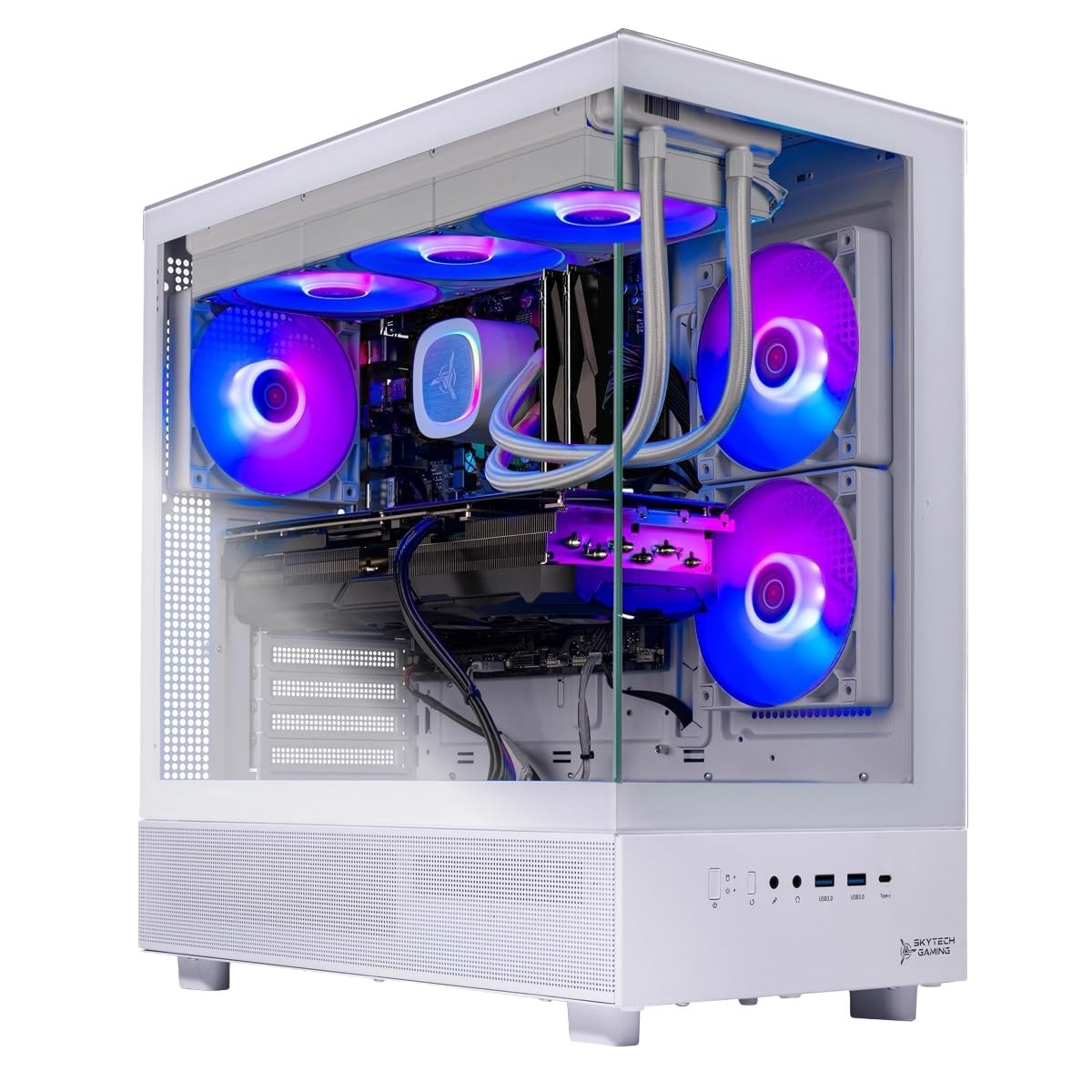
1. Skytech Gaming Azure 3
Our pick — 4.5+★ from 600+ verified ratings; the strongest balance of quality and price.
Sixteen gigabytes of video memory makes this the tower that will not flinch at 1440p.
The number that decides this pick is 16 — as in 16GB of GDDR7 memory sitting on the GeForce RTX 5060 Ti. That is the card’s own scratchpad for textures and frames, and it is the reason you can push a 1440p monitor to detailed settings without textures popping in and out. Pair that with the Ryzen 7 7800X3D running up to 5 GHz and 16GB of DDR5 6000 memory, and both halves of the work-and-gaming job are covered.
This Azure 3 gives you twice the video memory of the CyberPowerPC Ryzen 7 8700F: 16GB versus 8GB, so texture-heavy scenes have more buffer. A 360mm all-in-one liquid cooler (a sealed radiator-and-pump loop that moves heat away from the CPU) keeps the chip from throttling during long sessions. The tempered-glass white case with ARGB fans (addressable RGB lights you can control) is the visual centerpiece of a desk. A free keyboard and mouse come in the box, and the machine is assembled in the USA.
Buyers report quick starts and smooth gameplay in games like Fallout 4 and Rainbow Six Siege on high settings, with no lag or frame drops and a quiet hum rather than a roar. The honest catch is clearance: the 360mm front radiator needs a case with room to breathe, so measure your desk before it arrives. And a 16GB card is more muscle than a 1080p screen will ever ask for.
Why this tower leads
- 16GB of GDDR7 video memory handles 1440p textures with room to spare
- Ryzen 7 7800X3D boosts to 5 GHz for snappy frame rates
- 360mm liquid cooler with ARGB fans keeps thermals in check
- Quiet operation and fast startup reported across the board
Where it thins out
- The 360mm radiator needs real case clearance on your desk
- 1080p owners pay for video memory they may not use
Reach for this if: you game on a 1440p monitor and want one tower that also handles heavy work without thermal throttling.
Think twice if: your monitor tops out at 1080p — a lesser GPU would serve you fine there.
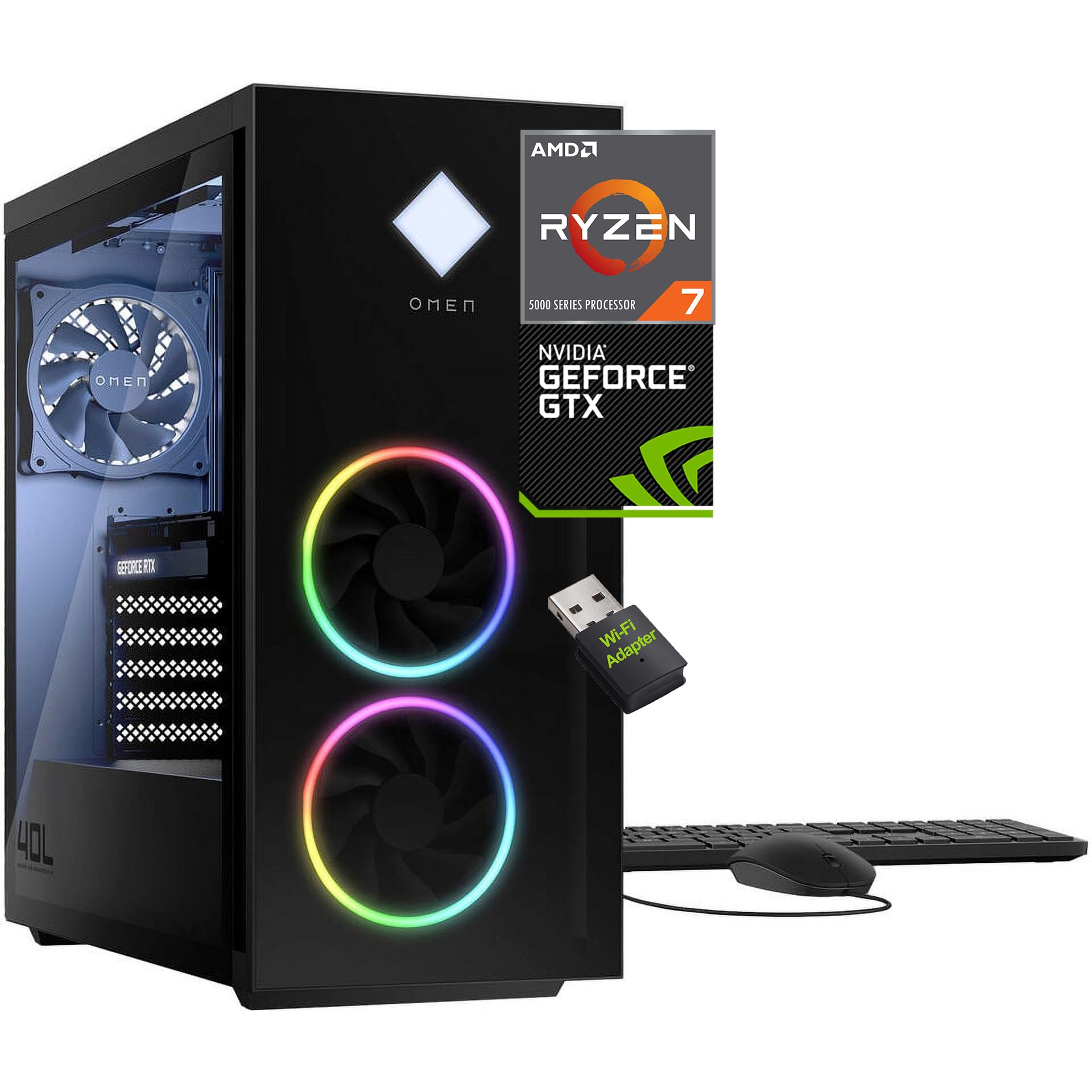
2. HP OMEN 40L
The spreadsheet-slaying, tab-hoarding workhorse of the mid-range.
If your day job lives in fifty open browser tabs, a video timeline, and a chat window, memory is your bottleneck — not frame rate. The OMEN 40L answers with 32GB of DDR4 RAM and a 1TB PCIe NVMe M.2 SSD, so games, apps, and tabs stay resident instead of reloading from scratch. The 8-core, 16-thread Ryzen 7 5700X runs up to 4.60GHz with 32MB of cache, which is the CPU’s onboard scratchpad for frequently reused data.
The graphics side is where this pick separates from the top of the list. A GeForce GTX 1660 SUPER with 6GB of GDDR6 handles 1080p gameplay and multi-monitor setups via DVI, HDMI, or DisplayPort, but it is not a 1440p card. That trade makes sense if your week is mostly spreadsheets and tabs, with 1080p gaming on the side. Owners describe it as dependable for everyday tasks, and the 4-pin fan control on the active fan-sink cooling keeps the noise reasonable under load.
Upgrades are the quiet selling point here. A tool-less chassis means you can swap parts without hunting for a screwdriver, and the 600W power supply leaves breathing room for a future graphics card. OMEN Light Studio controls the RGB across the case, and an HP wired keyboard and mouse plus a bundled wireless USB adapter mean it is usable the moment you unbox it. The 5.1 surround sound with DTS:X Ultra through Omen Audio Control gives the headphone jack real depth.
The honest read: this tower feels easy for work and competent for 1080p gaming. Do not buy it expecting to run the newest titles at max settings on a high-resolution panel — the 6GB card is the ceiling there, and that is the one place this tower gives ground to the RTX picks above.
Suits you when: multitasking and storage matter more than raw frame rates.
The trade-off: that GTX 1660 SUPER will feel long in the tooth on a 1440p display.
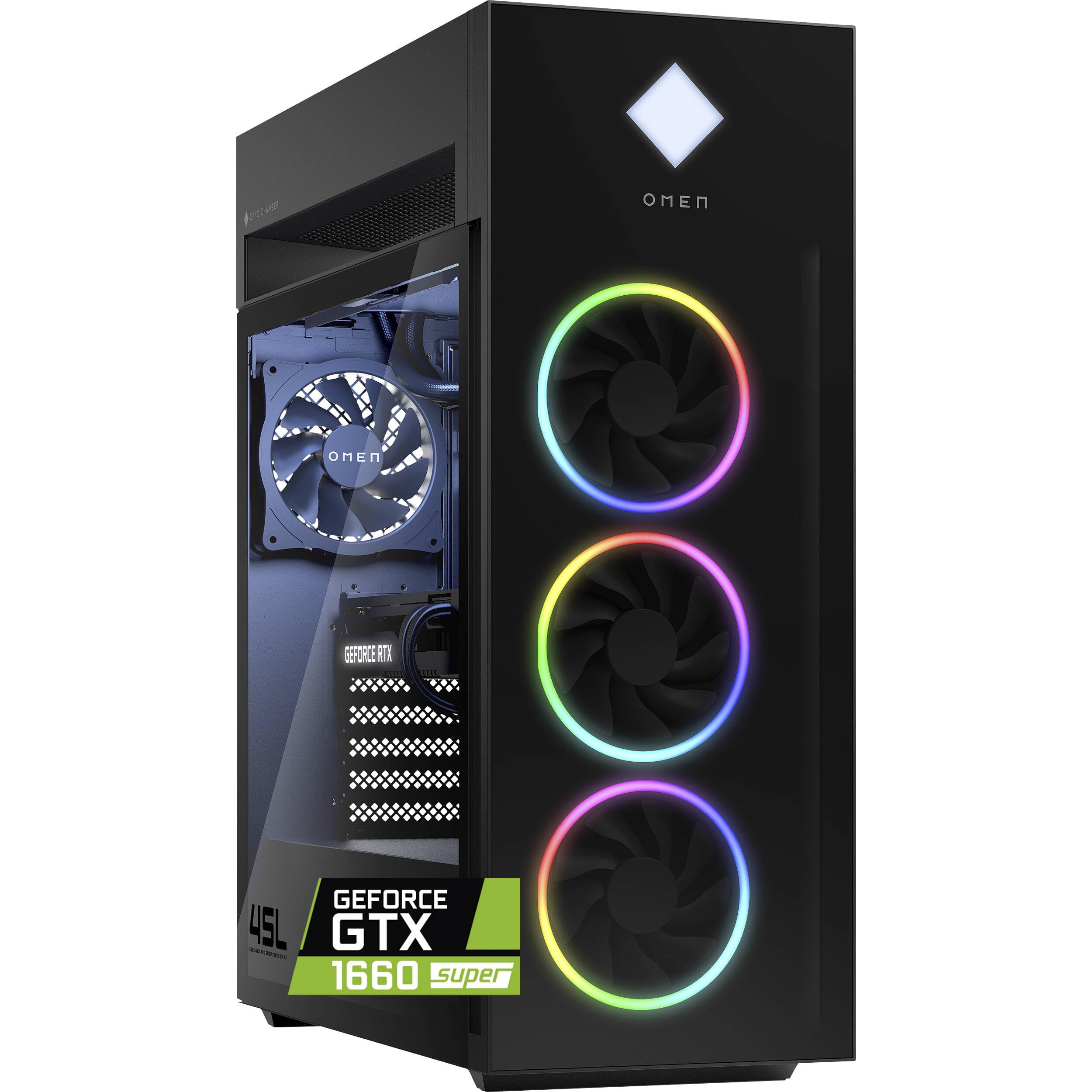
3. HP OMEN 45L
Sixty-four gigabytes of RAM and a 12-core chip built for exports that run while you sleep.
Start with the 64GB of DDR4 RAM and a 2TB PCIe Gen4 NVMe SSD, and you have a workstation disguised as a gaming tower. The Intel Core i7-12700KF runs 12 cores and 20 threads, boosting to 4.90GHz via Intel Turbo Boost Max 3.0 with 25MB of cache, on the Intel Z690 chipset in a compact MicroATX form factor. That core count is what turns a 3D render or a 4K export from an overnight job into a coffee-break one. The 2TB drive delivers up to 2x the speed of Gen3 drives, so large game libraries and project folders open fast.
This OMEN carries 25MB of cache versus 16MB on the smaller Prebuilt Gaming Desktop PC’s Ryzen 5 5500 — headroom that shows up when a workload reuses the same data repeatedly. The graphics card is the compromise: a GeForce GTX 1660 SUPER with 6GB handles 1080p smoothly across Fortnite, Valorant, Apex Legends, and Call of Duty at high frame rates. Its DVI, HDMI, and DisplayPort outputs support multi-monitor work. What it will not do is drive a high-resolution gaming panel at demanding settings.
Liquid cooling on the CPU keeps marathon sessions consistent. The 800W 80 Plus Gold power supply runs at 90% efficiency — a rating for how much drawn power actually reaches your parts — with headroom for a future graphics card. Ten USB ports, including two USB 3.2 Gen1 Type-C around back, plus Gigabit Ethernet and 5.1 surround with DTS:X Ultra, make this one of the better-connected towers here. The tempered black glass front panel looks deliberate on a desk, and OMEN Light Studio handles the RGB.
Built for creators
- 64GB RAM swallows huge project files and heavy multitasking
- 12-core, 20-thread i7-12700KF accelerates renders and exports
- 2TB Gen4 NVMe with up to 2x the speed of Gen3 drives
- 800W 80 Plus Gold supply leaves upgrade room
Where the frame rate stalls
- The 6GB GTX 1660 SUPER caps high-resolution gaming settings
- MicroATX case limits how much extra hardware you can add
Buy this one if: editing and rendering are your paying work and gaming is the reward.
Look elsewhere if: frame rates on a big 1440p screen are the priority.
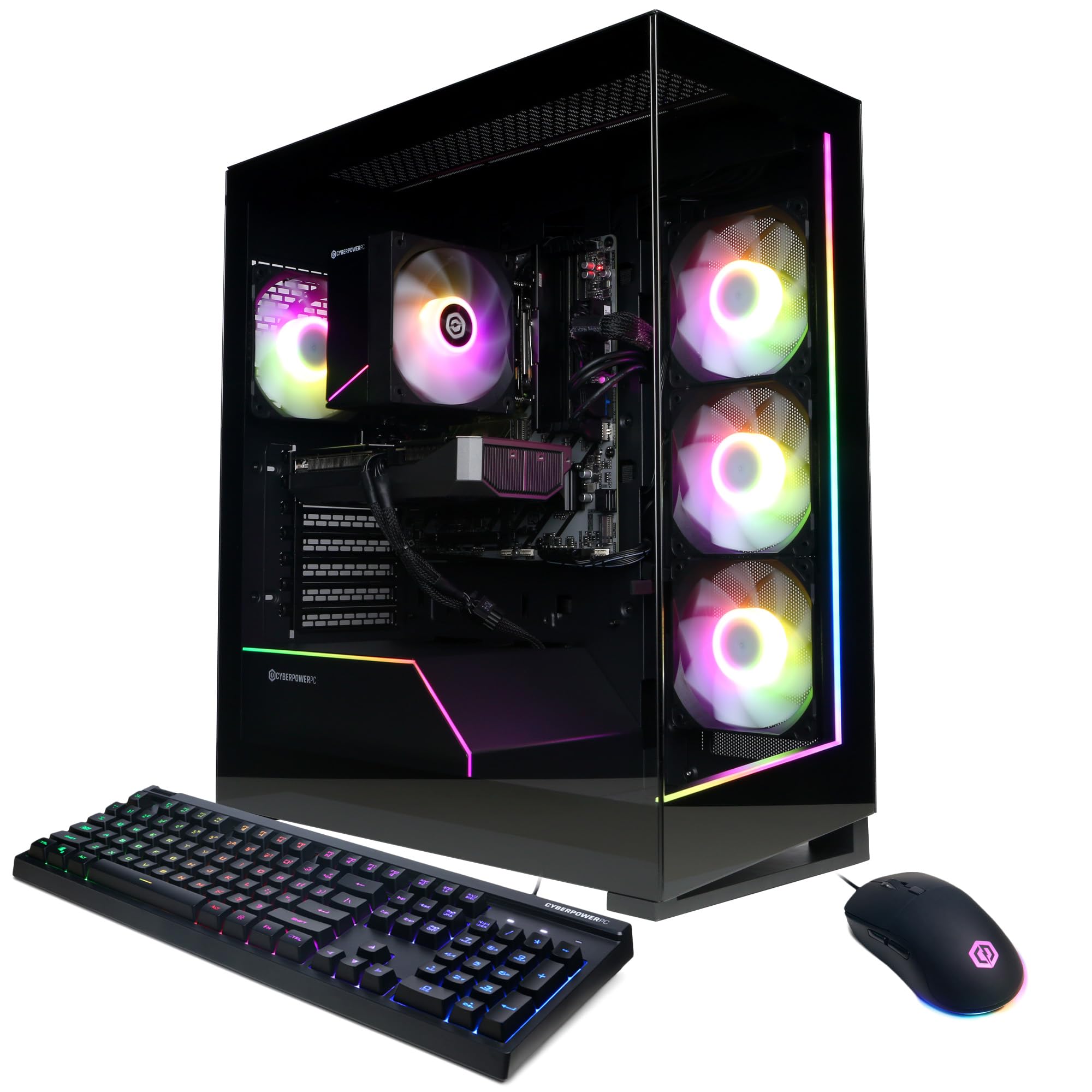
4. CyberPowerPC Gaming PC
A sensible split of processing power and graphics for people who game and work in equal measure.
Two current-generation parts anchor this build: the AMD Ryzen 7 8700F with 8 cores on the B850 chipset, and the NVIDIA GeForce RTX 5060 Ti with 8GB of GDDR7 memory. Both are current-generation parts, so neither gaming nor work feels compromised. Add 16GB of DDR5 RAM and a 1TB PCIe 4.0 NVMe SSD, and you have a machine that boots into Windows 11 Home fast and loads games without a loading-screen nap.
Connectivity is where this tower punches above its class — two USB-C 3.2 ports, four USB-A 3.2, two USB-A 2.0, WiFi 6, Bluetooth 5.3, and 7.1 channel audio. That port lineup matters if you juggle a webcam, a DAC, an external drive, and a phone charger all at once. The tempered side panel and custom RGB lighting give it a clean showcase look, and a keyboard and mouse ship in the box.
Against the Skytech Azure 3, the 8GB of GDDR7 here is the honest dividing line — the Azure 3 doubles that at 16GB for texture-heavy 1440p work. What the CyberPowerPC offers instead is a lower-stakes entry into the RTX 5060 Ti family with the same Blackwell-era feature set. Owners consistently describe smooth, stutter-free performance in demanding titles and a build that feels solid, with the 1-year parts and labor warranty plus lifetime tech support as a safety net.
Where it fits: a first serious gaming tower that doubles as a work machine, especially for 1080p play with room to grow into a better card later.
One thing to know: 8GB of video memory is the current balance for 1080p, but it is the ceiling you will bump into trying to push 1440p textures to their highest settings.
The right call for: balanced workloads and 1080p gaming with modern ports a-plenty.
Pass if: you already know you want 1440p at ultra settings — step up to the Azure 3.
5. Skytech Gaming PC Desktop
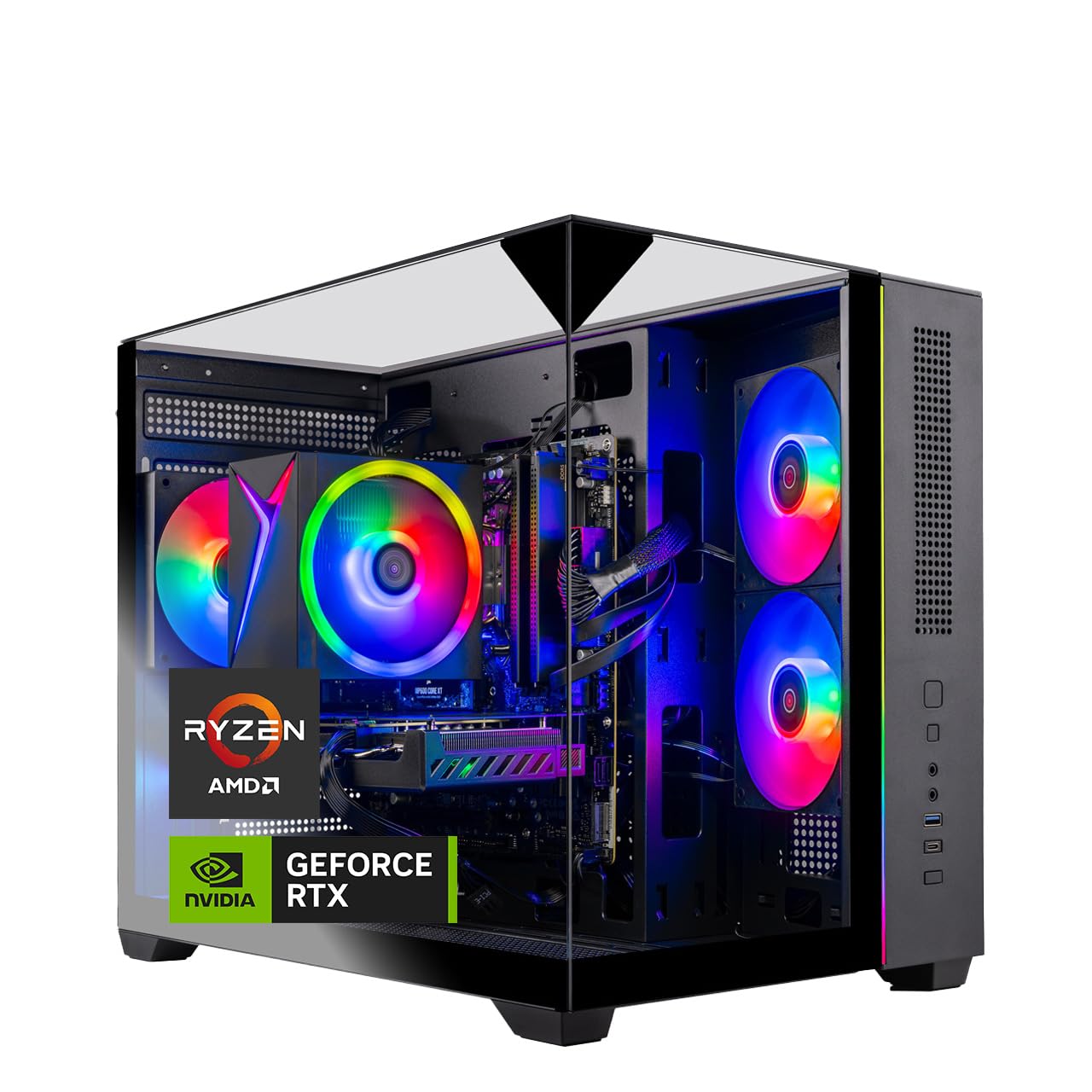
Thirty-two gigabytes of RAM on a budget-minded gaming build with tempered glass around it.
If your machine has to run a browser, a video call, a spreadsheet, and a game launcher at once, check memory headroom first. This Skytech gives you 32GB of DDR4 3200 memory with a heat spreader, twice what many towers at this level provide. The AMD Ryzen 7 5700 runs 3.7GHz base with a 4.6GHz turbo. The 1TB NVMe M.2 SSD is described as up to 30x faster than traditional HDD — the practical effect is a boot in seconds rather than minutes.
The graphics card is the NVIDIA GeForce RTX 5060 with 8GB of GDDR7 — enough for smooth 1080p gameplay at detailed settings. Owners mention it makes a solid starting PC, and what they praise most is everyday performance, with value for money a close second. The Crystal case with triple tempered glass in black edition is a real desk piece, and a free gaming keyboard and mouse complete the setup.
One recurring note is worth hearing plainly: power delivery on this model draws mixed feedback. Some units work perfectly from the first boot while others have trouble turning on at all. A 1-year parts-and-labor warranty and free technical support are the backstop if you land a dud. The high-performance air cooler with ARGB fans keeps temperatures in check under load.
The trade-off: you are getting more RAM and storage per dollar here than almost anything else on the list, and that is the whole case for this build. Check the unit on arrival during the return window, since a small share of buyers describe power issues from the start.
Best matched to: multitaskers who want 32GB of RAM and 1TB of storage without stepping into premium territory.
Skip if: you want a hands-off first-boot experience above all else.
6. LXZ Gaming PC Desktop
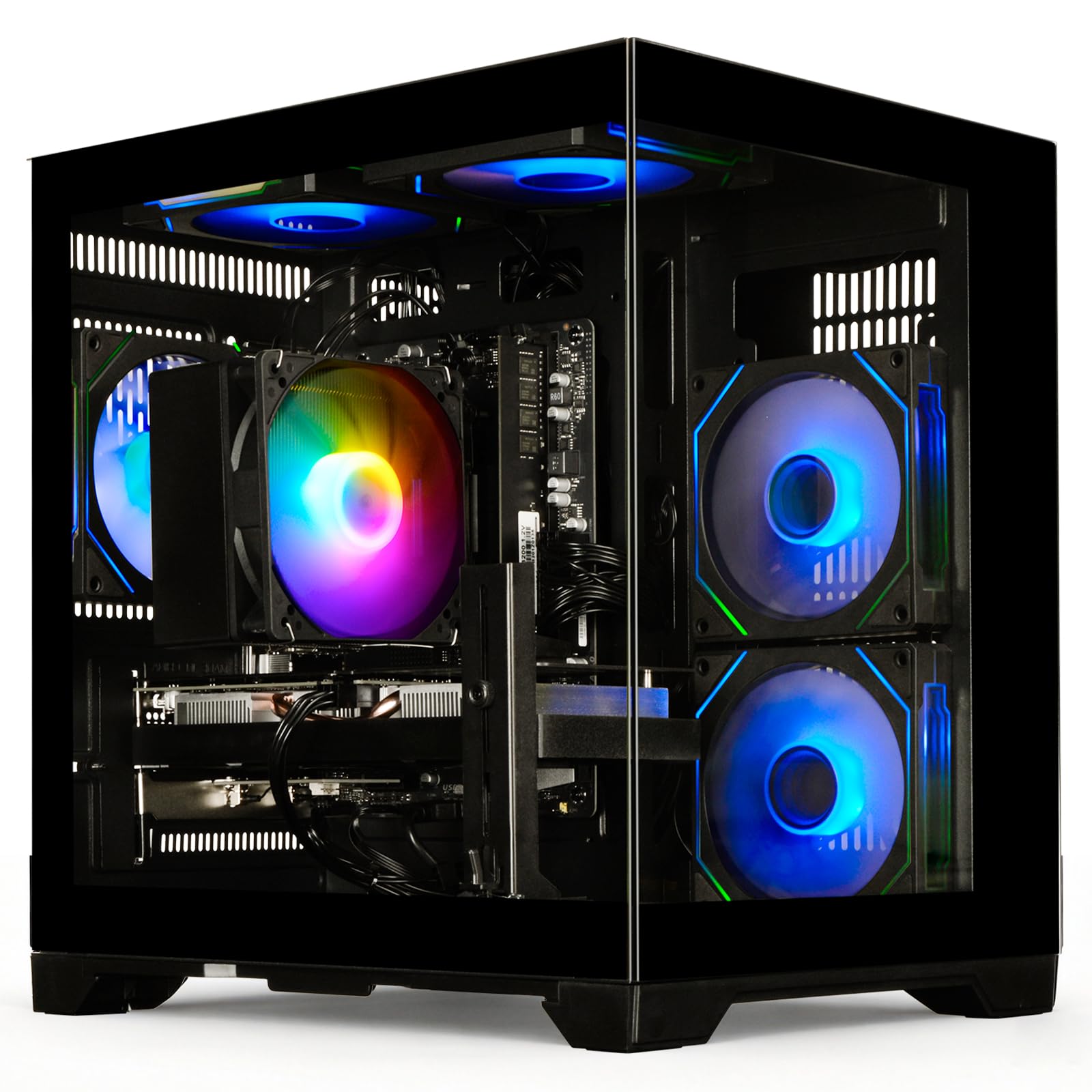
White-tower looks with Wi-Fi 6 built in for rooms the ethernet cable never reaches.
If your desk lives far from the router, the wireless spec decides whether your online games lag. This LXZ model ships with WiFi 6, the newer standard that holds a faster, more stable connection than older wireless — meaningful when you are in a match and a dropped packet costs you a round. Under the hood sits the Ryzen 7 5700X boosting to 4.6GHz with 16GB of cache, paired with 16GB of DDR4 RAM and a 1TB NVMe SSD for fast boots and quick file moves.
Graphics come from an NVIDIA GeForce RTX 5060 with 8GB of GDDR6, which handles AAA gaming, streaming, and creative work at 1080p comfortably. The build ships pre-assembled with tune air cooling, and its white finish separates it from the mostly black towers here.
Hardware quality is the standout — buyers describe the components as genuinely impressive. The honest caveat is reliability: some units report hardware failures, so the return window is your friend. Value opinions split along the same line, with satisfied owners happy and disappointed ones advising caution. The A520M-A PRO motherboard is the constraint if you plan heavy future upgrades.
What it brings
- WiFi 6 for a steadier online connection
- 1TB NVMe SSD and 16GB DDR4
- Ryzen 7 5700X boosts to 4.6GHz
- White case stands out on a desk
What to watch for
- Reliability reports are mixed — inspect and test on arrival
- 16GB of RAM is tighter than the 32GB towers above it
Fits your setup if: wireless connectivity and a white finish matter to you.
Consider the bigger names instead if: you want the longest track record behind the machine.
7. msi Codex Z2

A tower that pushes 4K-resolution output and stays quiet enough to forget it is on.
The RTX 5070 with 12GB of video memory is the engine room here, built on NVIDIA’s Blackwell architecture for a generational jump in both standard rendering and ray tracing — the lighting technique that makes reflections and shadows look physically real. An AMD Ryzen 7 8700F with 8 cores and 16 threads boosts to 5.0 GHz and pairs with 32GB of DDR5 memory and a 2TB SSD, so storage is not something you will think about for a long while.
Cooling is deliberate: four system fans, three up front and one in the rear, pull cool air in and exhaust heat out in partnership with an ARGB fan air cooler. What owners notice most is how capable it is — performance is the headline, with the quiet operation and the sense of value close behind. The built-in RGB cycles through lighting modes via the MSI LED button, and MSI Center software lets you go deeper.
One thing worth sizing honestly: reliability draws mixed reports, with a share of buyers describing failures early in ownership. That is the exception rather than the rule across a large body of owners, but it is the reason to keep the return window in mind and register the warranty promptly. The 3840×2160 maximum resolution output means the card can drive a sharp 4K panel, though 1440p is where the value sits best.
Straight take: the RTX 5070 and 32GB of DDR5 put this firmly in modern-territory for both games and creative apps. If you want one machine that handles 1440p at high settings while rendering quietly in a corner, this fits.
Worth it when: quiet operation and 32GB of DDR5 rank high on your list alongside a 12GB RTX card.
Better elsewhere if: you would rather not gamble on first-boot reliability.
8. KOTIN Prebuilt Gaming PC
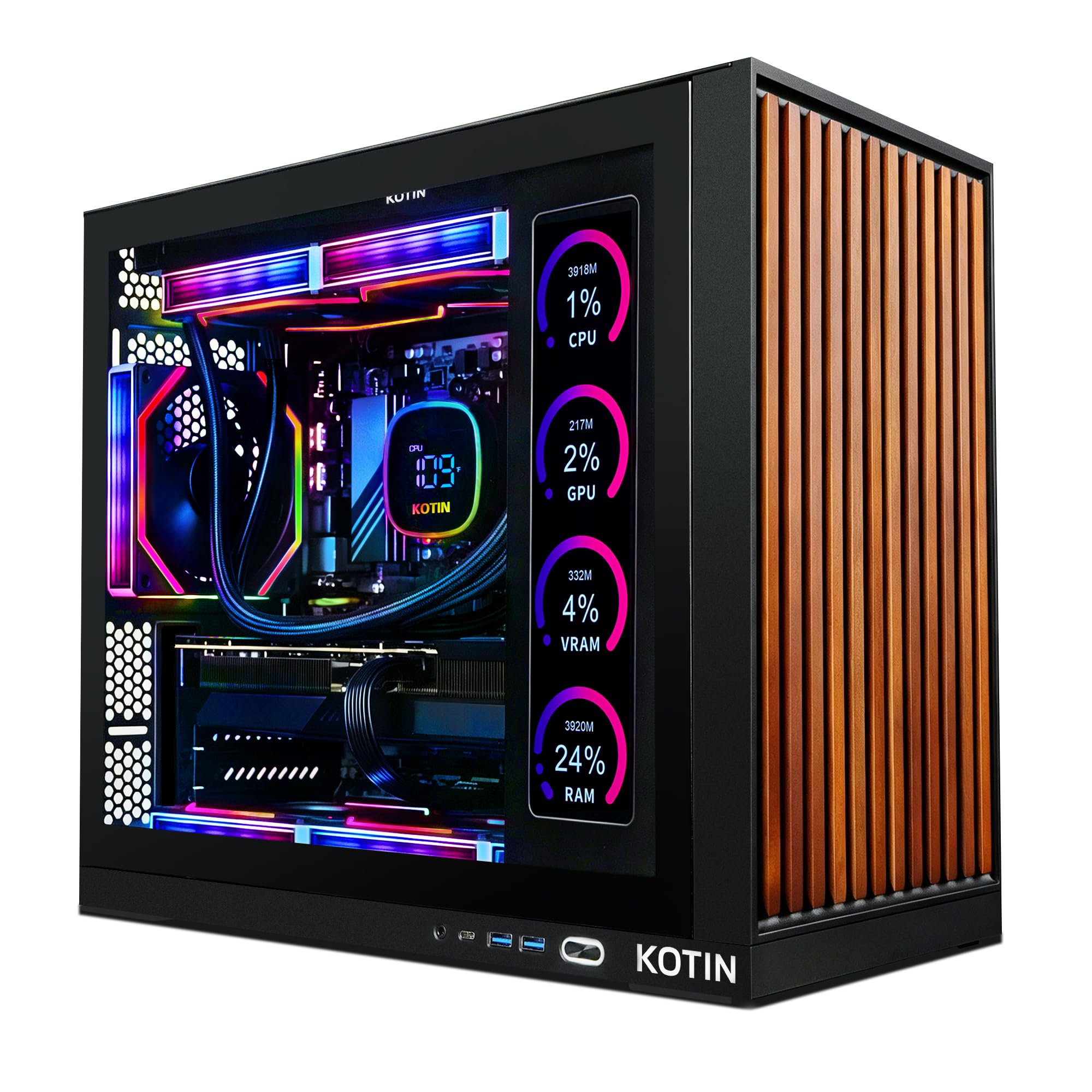
A built-in display shows your CPU and GPU temperatures while you play, and 5.5GHz answers the rest.
An 11.3-inch smart screen is the feature you will not find anywhere else on this list — it shows real-time CPU and GPU temperatures, usage, and even the weather while you game. That is genuinely useful if you like seeing when a long render or a heavy game is pushing the silicon. Behind it runs an AMD Ryzen 7 9700X with 8 cores boosting to 5.5 GHz, the highest clock speed in this roundup, working with 32GB of DDR5 memory and a 1TB PCIe 4.0 NVMe SSD.
The graphics card is an RTX 5070 with 12GB of GDDR7, aimed squarely at smooth 1440p and 4K gameplay in modern titles. An 850W 80 Plus Gold power supply runs efficiently with upgrade headroom, while a 360mm AIO liquid cooler, WiFi 7, and an ARGB mid-tower case keep the machine cool and connected. A one-year limited warranty and lifetime free tech support back the build.
What owners praise most is raw performance, with value a close second — it feels faster than their previous machine, runs quiet, stays cool, and is ready to play from the box. One practical trap the maker flags: connect your monitor to the graphics card ports on the lower back, not the motherboard ports on the vertical row, or you will get no display. Reliability draws some mixed reports, with a share describing crashes.
What stands out: the 9700X at 5.5 GHz and the RTX 5070 12GB make this a premium performer, and the secondary display adds real monitoring utility.
What to plan for: extra care when plugging in your monitor and a bit of patience during the return window if a unit misbehaves.
Matches you if: you want a top-tier CPU clock and a live temperature readout on your desk.
Not the safest bet if: out-of-box stability is your number-one concern.
9. Alienware Aurora
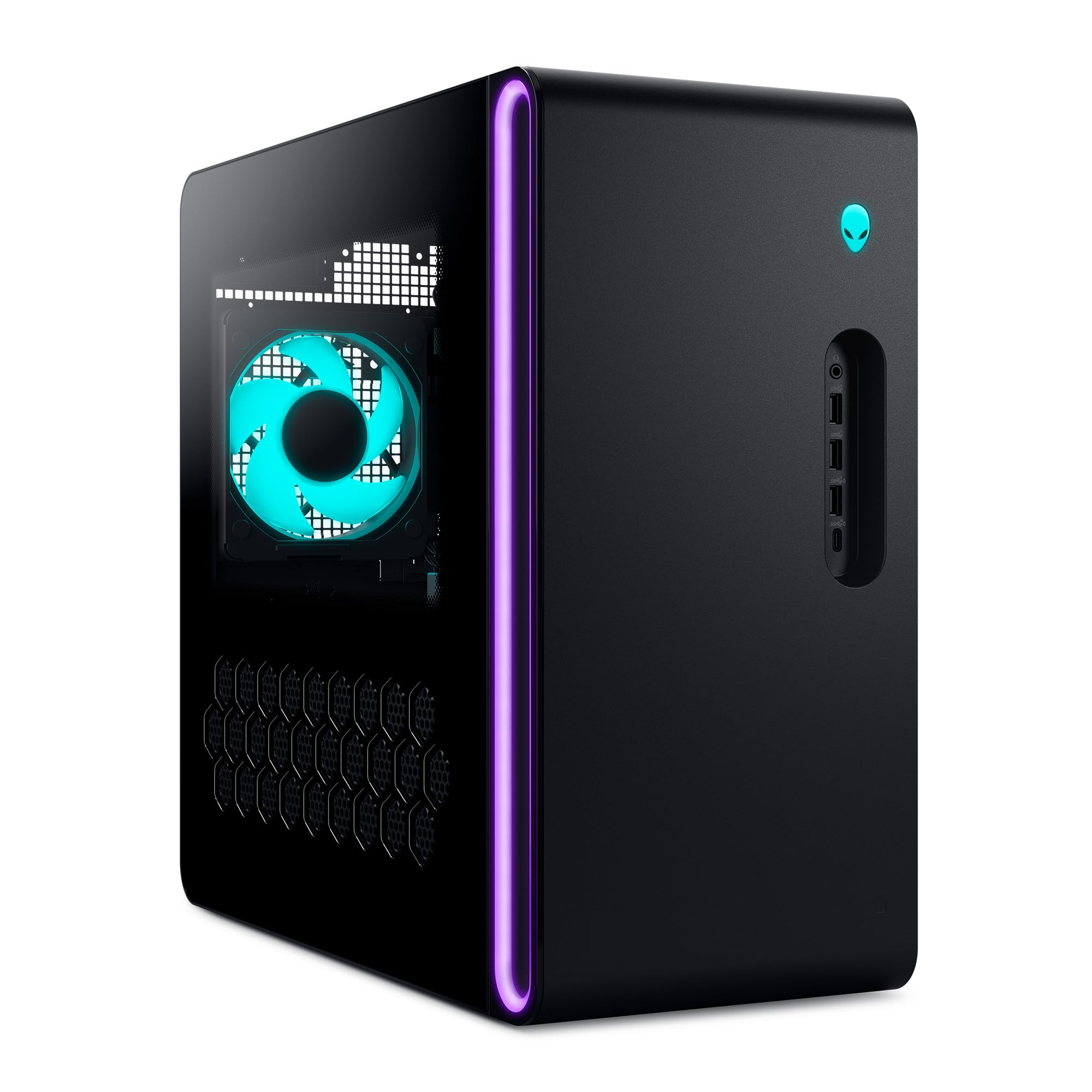
Onsite service means a technician comes to you if the tower misbehaves.
The support plan is the differentiator here: Dell’s 1 Year Onsite Service sends a technician to your home, office, or location of choice if an issue covered by the Limited Hardware Warranty cannot be resolved remotely. For a machine that has to keep working while you earn, that beats shipping a tower back in a box. Under the hood an Intel Core Ultra 7 265F boosts to 5.3 GHz, paired with an NVIDIA GeForce RTX 5070 built on Blackwell architecture for a step up in both rasterization and ray tracing. A matte basalt black finish with customizable AlienFX lighting zones, including stadium lighting, makes it visually distinct.
Alienware Command Center software ties it together — you edit lighting, monitor performance modes across power states, and build custom profiles for your whole game library. Owners describe it as quiet and cool in use, with solid performance and appearance, and it earns praise for value relative to what is inside.
The two things to weigh honestly: storage capacity draws some mixed feedback, with buyers wanting more room and more RAM slots, and the specification listing draws criticism for inaccuracy. Verify the exact configuration before you buy — check the RAM amount and drive size against the page at purchase time.
The case for it
- Onsite service means a technician comes to your location
- Core Ultra 7 265F boosts to 5.3 GHz alongside the RTX 5070
- Runs quiet and stays cool in normal use
- AlienFX lighting and stadium-zone design stand out
Check before you buy
- Storage capacity may leave you wanting more room
- Specification listing has drawn accuracy complaints — confirm the config
The pick when: hands-on support and a distinctive look matter to you more than raw parts-per-dollar.
Look around if: you want maximum storage or an easy path to adding more RAM.
10. ASUS ROG G700

A 58L chassis with a dual-glass ROG shell built for swapping parts down the road.
Upgrade path is the whole story here. The G700’s 58L capacity supports triple-slot graphics cards, and tool-less access means you can pull a side panel and change components without reaching for a screwdriver. For a tower you intend to keep for years, that capacity is what keeps it current. Inside sits an Intel Core Ultra 7 265F with an NVIDIA GeForce RTX 5070 GPU, 32GB of DDR5 RAM, and a 1TB PCIe 4.0 SSD.
Cooling uses a quad-fan system with dust filters to keep airflow clean over time. Connectivity covers 2.5Gbps Ethernet (a wired connection four times faster than standard gigabit), WiFi 6, and a spread of versatile ports. Dolby Atmos audio and AI noise cancellation sharpen sound and voice communication for streaming or calls. The ROG Slash and Aura Sync RGB lighting give the dual-glass chassis its signature look, and an RGB keyboard and mouse are in the box.
Owners describe it as reliable with solid performance — a tower that runs today’s games without complaint. Windows 11 Pro comes pre-installed rather than Home, which matters if you use remote desktop or BitLocker features for work. It is the most covered-in-glass build in this roundup, so keep a soft cloth nearby to keep those panels clean.
The long view: a 58L case, tool-less access, and a 12GB RTX 5070 make this the pick for the buyer who plans to upgrade rather than replace.
For you if: you want a tower you can grow with, panel by panel.
skip it if: you would rather set it up once and never open the case.
11. ZYNEEX Prebuilt Gaming Desktop PC
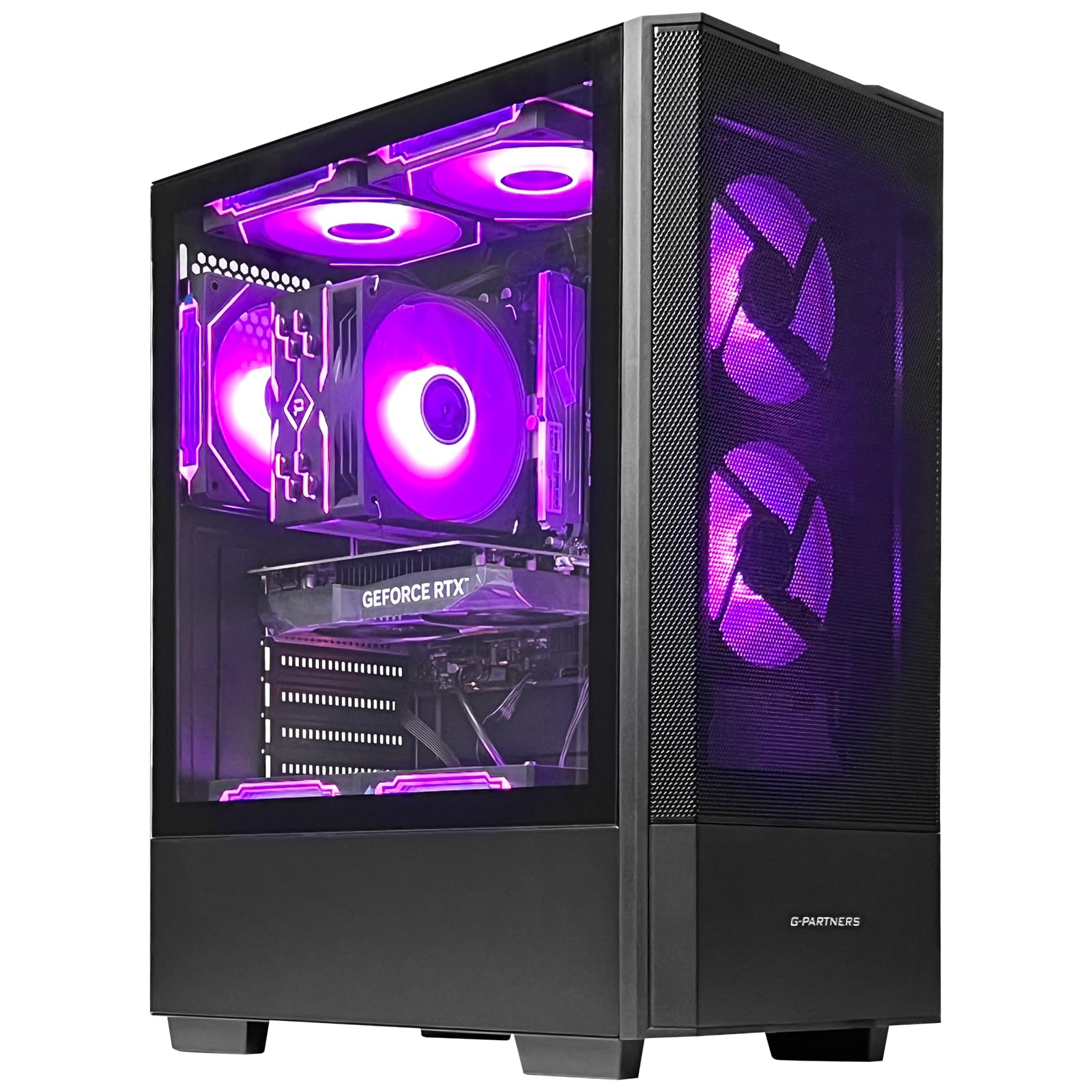
The entry ticket to a real gaming tower with room to grow.
Begin with what matters for a first machine: 16GB of DDR4 3200MHz RAM and a 1TB NVMe SSD, the same storage allotment as towers that cost noticeably more. An AMD Ryzen 5 5500 handles the CPU side with 6 cores and 12 threads up to 4.2GHz, and the GeForce RTX 3050 with 6GB of GDDR6 graphics delivers 1080p gaming with ray tracing. Plug-and-play with Wi-Fi and multiple USB, HDMI, and DisplayPort outputs means it fires up from the start.
Against the higher-spec towers, the honest comparison is processing ceiling. That Ryzen 5 5500 tops out at 4.2 GHz versus the Skytech Azure 3’s Ryzen 7 7800X3D at 5 GHz — a real gap for compute-heavy work like 4K editing. The ARGB air cooling with multiple fans keeps it stable during long play sessions, and the black finish is clean if unremarkable.
Owners find it easy to set up — Windows 11 installation went through automatically for some — and consider it a nice computer for the money. The 6GB RTX 3050 will handle 1080p well, but it is the entry point here, not the 1440p card you would want for high-resolution play.
Straight answer: if this is your first gaming tower and you want 1TB of storage without a premium bill, this delivers. Expect to upgrade the GPU before the CPU when the time comes.
Choose it if: you are buying into your first desktop and want the most storage for a budget-friendly starting point.
Wait if: your monitor is 1440p — the 6GB RTX 3050 will feel restrictive there.
Know the Specs
Graphics card video memory (VRAM)
VRAM is the graphics card’s own memory, holding textures and frames so the GPU does not have to fetch them from system RAM. More VRAM lets you run higher-resolution textures and heavier scenes without stutter. The top pick pairs an RTX 5060 Ti with 16GB of GDDR7; the budget entry runs a 6GB RTX 3050. On a 1080p monitor, 6GB often suffices, while 1440p and 4K want more headroom.
CPU core count and clock speed
Cores are independent processing lanes, and clock speed (measured in GHz) is how fast each lane runs. Gaming leans on a handful of fast cores; rendering and heavy multitasking spread across many. The HP OMEN 45L’s i7-12700KF runs 12 cores and 20 threads, while the Skytech Azure 3’s 7800X3D hits 5 GHz. For video editing and 3D work, more cores usually beat a higher clock.
RAM amount and speed
RAM is the working memory holding open apps, browser tabs, and game data. 16GB is apractical minimum for a gaming and work tower, 32GB gives comfortable headroom, and 64GB lets heavy editing and multitasking run without slowdowns. Speed matters too: DDR5 is newer than DDR4, and higher memory speeds keep large workloads responsive. Look at both the amount and the generation before deciding.
CPU cooling: air versus liquid
Air coolers move heat away with fans and metal fins, while an all-in-one liquid cooler uses a pump to push coolant through a radiator. Liquid setups like the 360mm AIO in the Skytech Azure 3 and KOTIN tower handle sustained heavy loads with less fan noise than a large air cooler. Air cooling remains reliable and simpler; the trade-off is louder fans under load.
Power supply efficiency and wattage
The power supply feeds every component, and its wattage sets how much graphics card you can support. An 80 Plus Gold rating means the supply converts drawn power with high efficiency rather than wasting it as heat. The HP OMEN 45L runs an 800W Gold supply, and the KOTIN runs 850W Gold — headroom that lets you add a bigger GPU later. Plan for future upgrades when reading the wattage.
Storage speed: NVMe versus HDD
An NVMe SSD plugs directly into the motherboard and moves data far faster than an older spinning hard drive. A 1TB NVMe boot drive means Windows and games load quickly; the makers describe these drives as up to 30x faster than a traditional HDD. A PCIe 4.0 drive such as the one in the CyberPowerPC and ASUS ROG builds goes a step beyond older Gen3 drives.
Chassis capacity and upgrade access
The case defines how far you can grow the machine. A larger chassis supports longer, thicker graphics cards and more drives, while tool-less access does away with screwdrivers for simple swaps. The ASUS ROG G700’s 58L capacity supports triple-slot GPUs, and the HP OMEN 40L’s tool-less design makes future upgrades quick. Smaller towers sacrifice this room for a tidier footprint.
Common Questions
Will a 16GB graphics card like the RTX 5060 Ti run a 1440p monitor better than an 8GB card?
Is a Ryzen 7 7800X3D better for work or for gaming?
How much RAM do I need for gaming plus video editing?
Do I need liquid cooling on a work and gaming PC?
Can I add a bigger graphics card later to these towers?
What power supply wattage matters for a high-end graphics card?
How much faster is an NVMe SSD than a spinning hard drive?
Which tower works best for a small desk?
Should I worry about bloatware on a prebuilt tower?
Is an onsite service plan worth having on a gaming desktop?
The Bottom Line
For most buyers, the work and gaming pc winner is the Skytech Gaming Azure 3 because its 16GB RTX 5060 Ti and 7800X3D cover both 1440p gaming and heavy work without compromise. If memory is your bottleneck and you want 64GB of RAM for rendering, grab the HP OMEN 45L. And for a quiet 12GB RTX 5070 tower with 32GB of DDR5, the MSI Codex Z2 is the one to reach for. The Azure 3 is the crowd favorite — 4.5+ stars across 600+ owners — and its mid-range price makes it the easiest call on the page.
How we choose
We do not accept paid placement. Every pick is matched to a real buyer and a real use-case; we do not hands-on test units.
Sources
Specifications: manufacturer listings and product documentation. Review insights: verified customer reviews, as of November 2026. Pricing: not shown on this page (it changes often); check the current price via the retailer link.
As an Amazon Associate, Tactical Gear Guy earns from qualifying purchases. This does not affect which products we feature.