Specs are compiled from manufacturer listings and verified buyer reviews and can change over time — please confirm the key details on the product page before buying.
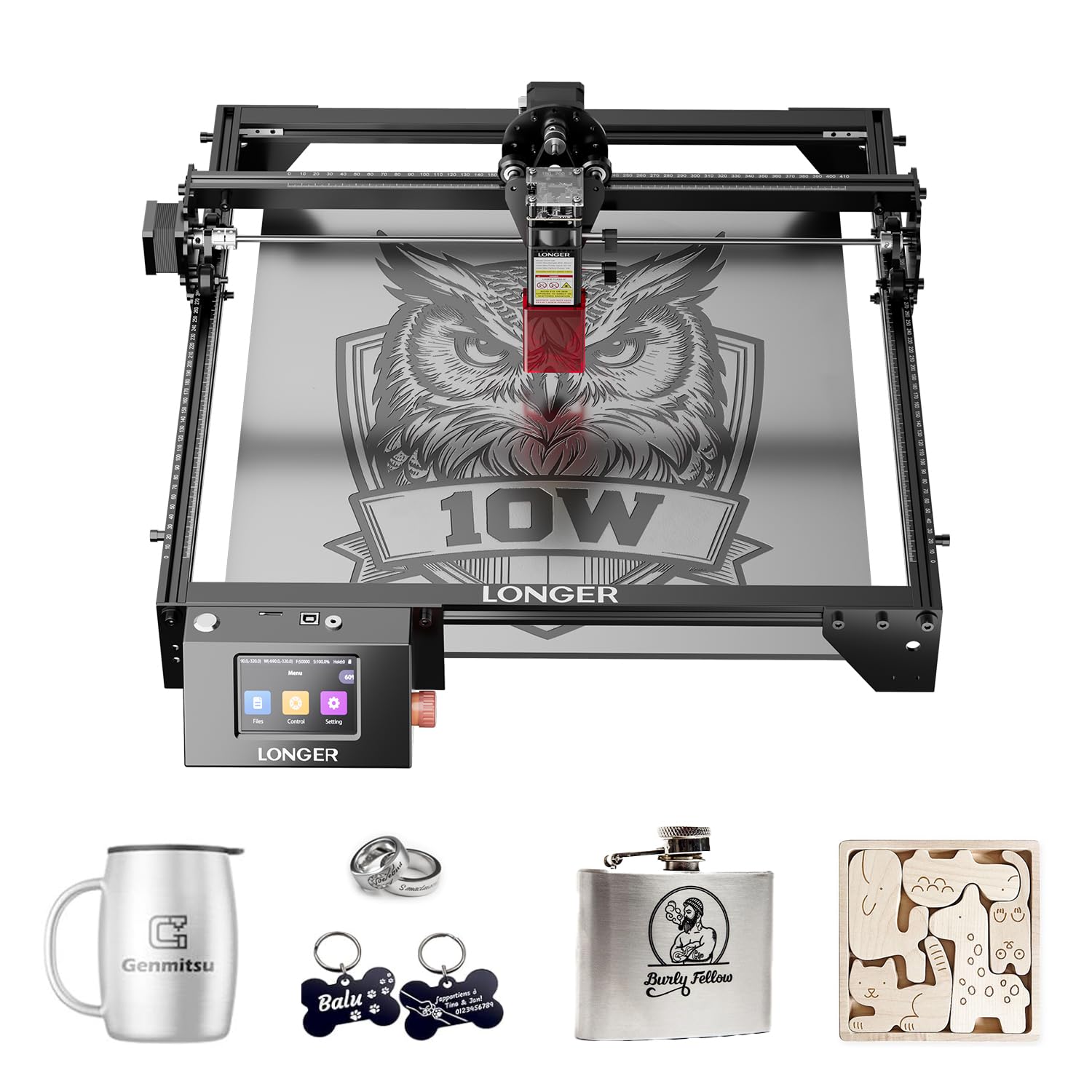
If you want one answer fast: the LGT Longer RAY5 10W is the safest first woodworking laser engraver for most people, because it cuts through 0.8 inches (20mm) of wood in one machine while still running a fine 0.06mm by 0.06mm laser spot (the tiny dot of light that burns the wood). Everything below explains why the other nine picks win for different jobs, and which one actually matches yours.
This guide is built by comparing the manufacturers’ published specifications and the patterns across verified customer reviews, so you get each pick’s real strengths and trade-offs instead of marketing spin.
You will learn what laser power really does, why spot size decides how crisp your letters look, and how to size a work area to the signs and gifts you plan to make. The short version of this whole page is that the best woodworking laser engraver is the one whose cutting depth and bed size match your projects, not the one with the biggest number on the box.
Top Picks

How To Choose The Best Woodworking Laser Engraver
The mistake most beginners make is shopping by wattage alone. Watts tell you how hard the beam hits the wood, so they set the depth you can cut in one pass. What they do not tell you is how small the burn dot is, and the burn dot is what decides whether your lettering looks crisp or fuzzy.
Start with the work, not the wattage
Write down the biggest thing you plan to run through the machine. A cutting board needs room, a stack of coasters does not. The LGT Longer RAY5 10W and the BlazeX M3 both list a 400mm by 400mm bed (roughly 15.7 inches square), so any design up to that size fits in one pass. The Creality Falcon A1 Pro lists a smaller 460 by 346mm honeycomb panel size, so check your largest blank before committing.
Thickness matters just as much. A 10W diode cuts thin basswood and acrylic, while a 20W diode gets through noticeably thicker stock. The OMTech K40+ steps up to a CO2 tube rated 45W that slices through 0.4 inch (10mm) acrylic and 0.31 inch (8mm) wood, which is a different class of cutting altogether.
Spot size and air assist decide the finish
The laser spot is the dot of concentrated light that actually burns the surface. A smaller spot means finer lines and less scorched halo around each letter. Air assist is a small pump that blows a stream of air at the burn point, which clears smoke and keeps the edge clean instead of charred. The Atomstack A20 Pro V2 lists a 60L/min airflow from its included pump, and the AlgoLaser MK3 ships with an adjustable air assist pump in the box.
Safety and setup shape your daily use
An enclosed machine keeps the beam and smoke contained, which matters in a house with kids or pets. The xTool M2 and the Creality Falcon A1 Pro both list Class 1 enclosed designs, and the A1 Pro adds dual protective covers that filter 99% of light. Think about assembly time too. The Falcon A1 Pro arrives 80% pre-assembled, while the BlazeX M3 bundles a protective enclosure and honeycomb bed so you start cutting sooner.
Side-by-Side Comparison
| Model | Best For | Laser Power | Work Area | Engraving Speed | Amazon |
|---|---|---|---|---|---|
| LGT Longer RAY5 10W★ Best Overall | All-round first machine | 10W | 400 x 400mm | 10,000mm/min | Amazon |
| Creality Falcon 10WBest Value | Tight-budget cutting | 10W | 15.7″ x 16.3″ | 10,000mm/min | Amazon |
| LE400PRO 50WBest for Beginners | New users on a budget | 5.5W | 400 x 400mm | 6000mm/min | Amazon |
| BlazeX M3 10W | Everything-in-one starter kit | 10W | 14.28″ x 11.28″ (unit) | — | Amazon |
| Twotrees TTS-20 Pro | High-speed batch work | 20W | 418 x 418mm | 30,000mm/min | Amazon |
| Atomstack A20 Pro V2 | Precision on metal and wood | 20W | — | 24,000mm/min | Amazon |
| xTool M2 10W | Enclosed home crafting | 10W | — | — | Amazon |
| AlgoLaser MK3 20W | Screen-led control | 20W | 400 x 400mm | 15,000mm/min | Amazon |
| OMTech K40+ 45W CO2 | Thick-stock small shop | 45W CO2 | 12″ x 8″ | 300mm/s | Amazon |
| Creality Falcon A1 Pro 20W | Enclosed auto-focus setup | 20W | 460 x 346mm honeycomb | 600mm/s | Amazon |
Detailed Reviews
1. LGT Longer RAY5 10W Laser Engraver
Our pick — 4.5+★ from 100+ verified ratings; the strongest balance of quality and price.
The machine that cuts 20mm of wood and still keeps its lines hair-thin.
What makes this the pick for most home woodworkers is the balance between grunt and finesse. It cuts through 0.8 inch (20mm) wood boards and 1.2 inch (30mm) acrylic, yet holds a laser spot of just 0.06mm by 0.06mm — a tiny burn dot that keeps fine lettering and tight grain detail sharp instead of smudged. That 400mm by 400mm bed gives you room for a full sign blank without repositioning.
Speed is the other half of the story. Dual-beam technology pushes the maximum engraving speed to 10,000mm per minute, so a batch of coasters or a stack of name tags finishes in a single sitting. Offline operation covers real life too: you can load a job over Wi-Fi, a USB cable, the app, or a TF card (a small memory card) and run the RAY5 without a laptop tethered to it. A 3.5-inch touchscreen handles the settings right on the machine.
What wins people over is the overall build and how quickly it gets going, and At 9.33 pounds, one person can lift it off the bench and stow it between projects.. Two-trees style app workflows and GRBL-ready software keep setup familiar. The catch is honest: durability feedback runs mixed, with most machines running solid but a few reporting early failures around the three-month mark, so register the 1-year warranty the day it arrives. This is also the higher-scoring but less-reviewed pick compared to the Twotrees TTS-20 Pro, which has 700+ owner reviews behind it versus a much shorter track record here..
Where it earns its keep
- Cuts 0.8 inch (20mm) wood and 1.2 inch (30mm) acrylic in a machine you can lift at 9.33 pounds
- 0.06mm by 0.06mm spot keeps fine engraving crisp
- Wi-Fi, USB, app, and TF card give you four ways to send a job — plus true offline running
What to plan around
- Durability feedback is mixed; keep the 1-year warranty registered and give the machine airflow
- Fewer logged owner experiences than the Twotrees, so the long-term picture is thinner
Made for: the woodworker who wants one machine that cuts thick stock and engraves fine detail without a huge footprint.
Think twice if: you want a long, heavily documented reliability record before you commit.
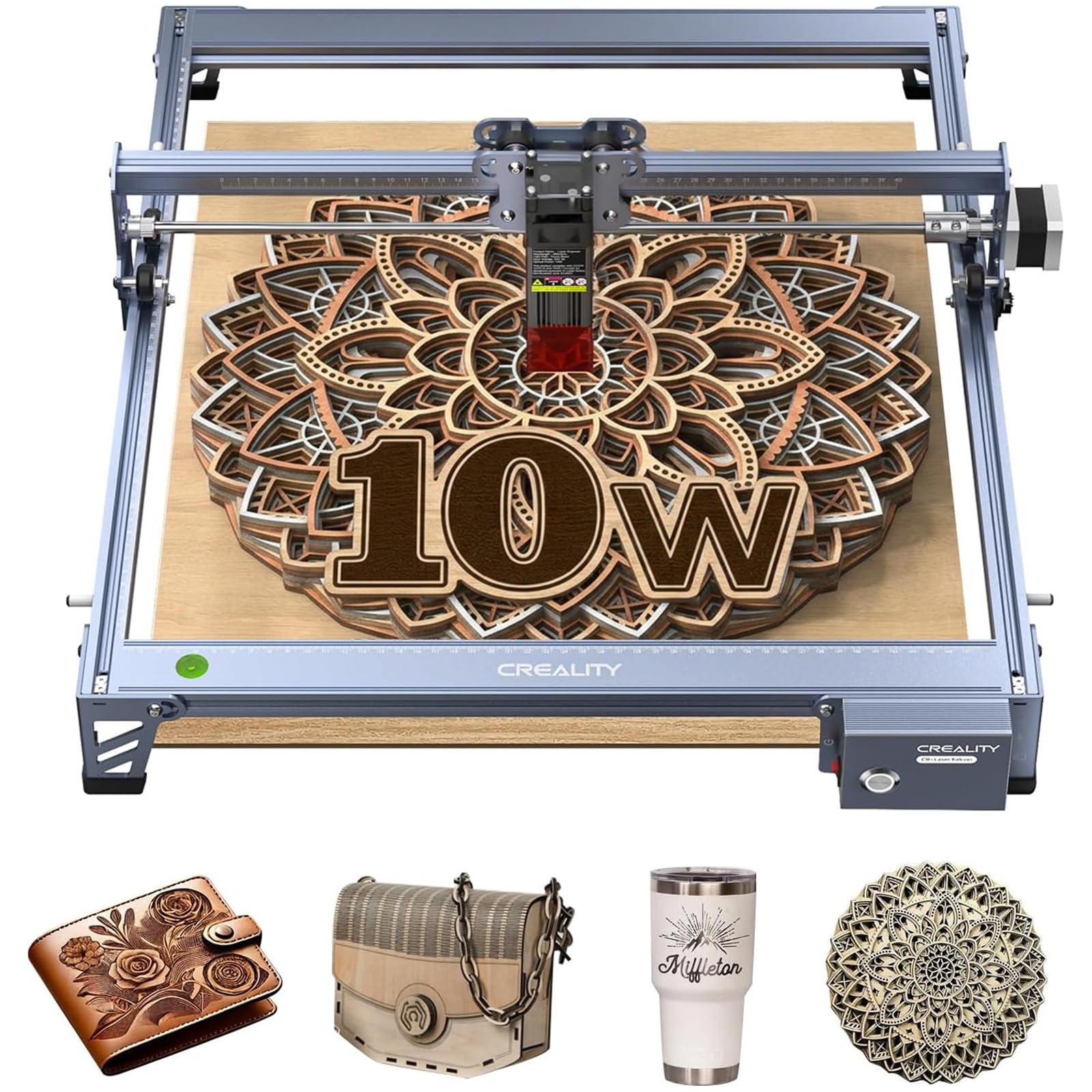
2. Creality Falcon 10W Laser Engraver
A 7.05-pound desktop cutter that matches the top pick’s speed for less money.
Here is a direct head-to-head worth knowing. The Falcon 10W hits the same 10,000mm/min ceiling as the Longer RAY5 above, but it does it at 7.05 pounds versus the RAY5’s 9.33 pounds, so it is easier to clear off a bench when the project ends. It holds a 0.06mm by 0.06mm compressed spot, so the line quality stays fine.
Cutting is genuinely useful for hobby woodwork. It slices 5mm basswood or 3mm black acrylic in a single pass, and as buyers report, it can cut through 1/4-inch birch plywood in just a few passes. The 15.7-inch by 16.3-inch work area handles larger signs and multiple pieces at once. The aluminum alloy frame, steel shaft wheel guide rails, and belt tension adjustment keep the motion steady so your engraving stays consistent.
The anti-UV acrylic filter built into the laser module filters 97% of UV rays, and a pair of protective goggles ships in the box. Software is the standard pair — LightBurn and LaserGRBL — with SD card offline operation for jobs away from the computer. The one honest friction point is assembly: some owners breeze through it and others find the steps confusing, so set aside a calm hour with the manual open. Weigh that against the price and the single-pass cutting and it is the value play on this list.
The real selling point: the low price combined with a 10W output, 10,000mm/min speed, and a genuine one-pass cut on 5mm basswood makes it a strong entry into woodworking without overcommitting.
Where it needs patience: assembly quality varies by owner, so budget time for the build rather than expecting a five-minute setup.
Grab this if: you want strong cutting performance and speed while keeping the spend modest, and you do not mind a careful assembly session.
Look elsewhere if: you need a plug-and-play machine or a lighter desktop footprint is your priority.
3. LE400PRO 50W Laser Engraving Machine
The fixed-focus starter that gets a nervous first-timer cutting in one session.
For a beginner, setup time is the number that matters, and this one is quoted at 10-20 minutes. That is the whole pitch: an all-metal engraving machine you build quickly and run the same day. Its 400mm by 400mm working area holds plenty of wood, and the X and Y axes both carry precise tick marks so you can measure material fast instead of hunting for a ruler.
Precision is the trade-off you accept at this level. It runs a 5.5W output and a 0.08mm square ultra-fine focus, a wider burn dot than the 0.06mm spot on the Longer RAY5 above, so fine lettering is slightly less sharp. The reward is versatility: it engraves wood, acrylic, glass, stainless steel, ceramic, stone, leather, cardboard, and even food, and it cuts wood up to 8mm and 5mm black acrylic.
Beginner-friendliness runs through the design. Compatibility with GRBL and LightBurn is the top theme in owner feedback, and the magnetic protective cover pops on and off while filtering 97% of UV rays. A knob lets you adjust focus without tools, and a power switch gives you an emergency stop. Owner sentiment centers on how approachable it is for first-timers and how solid the build feels for the money. A quoted 15,000-hour service life means you are not shopping for a replacement in year two.
Best first machine for a cautious starter: fast assembly, tool-free focus knob, and broad software support mean you are engraving rather than troubleshooting on day one.
Reach for this if: you are brand new to lasers and want a machine that assembles fast and supports the software everyone recommends.
skip it if: razor-sharp fine detail on tiny designs is your main goal, since its 0.08mm spot is wider than the finer-spot options here.
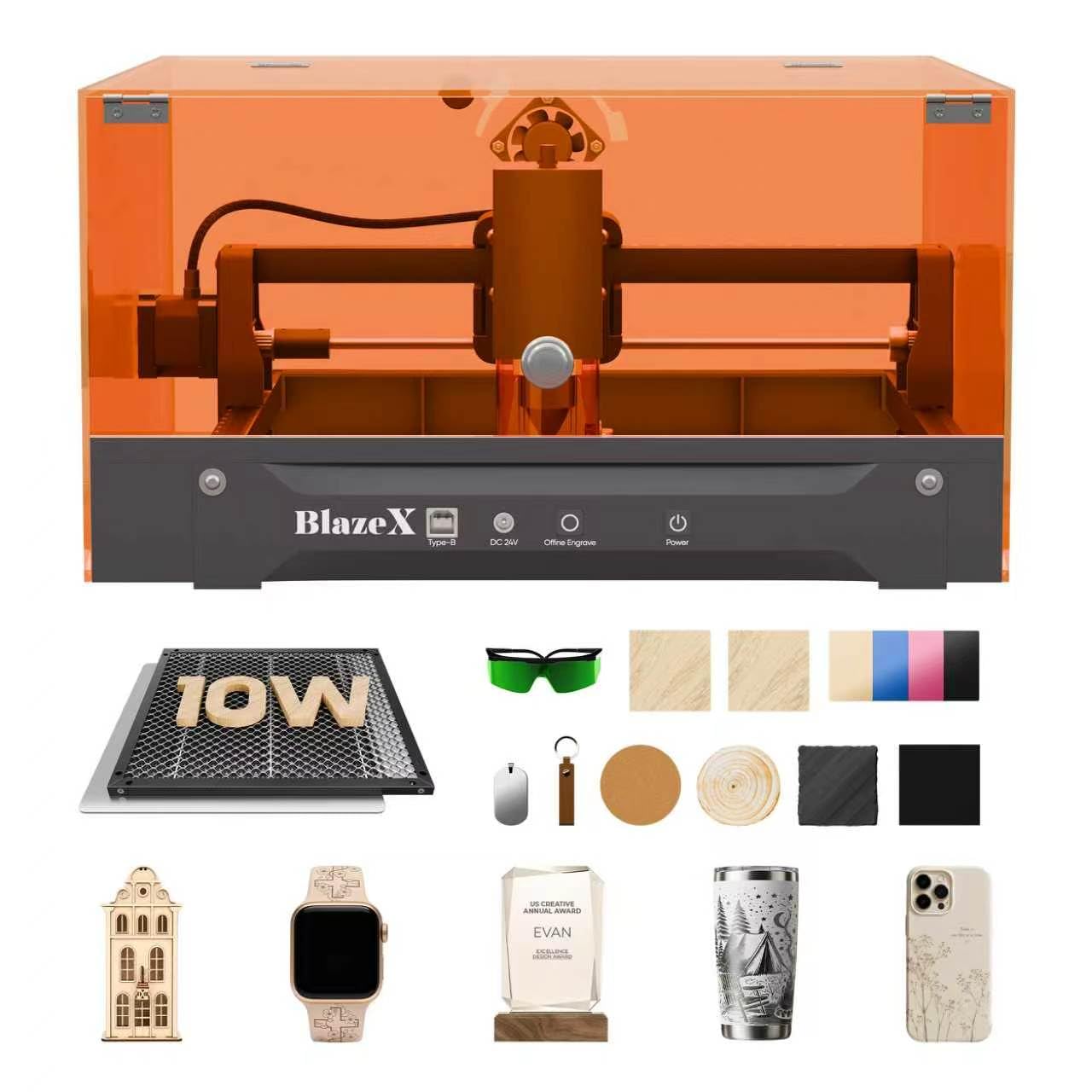
4. BlazeX M3 10W Laser Engraver Machine
The one that arrives with an enclosure, a honeycomb bed, and materials to cut.
Most people buy a laser and then realize they still need a shield, a bed, and stock to practice on. The BlazeX M3 bundles all three: a protective enclosure, a tool kit, 13 engraving materials, and a honeycomb laser bed. That honeycomb bed is the unsung hero here — it supports your work firmly, lets air flow under the burn for cleaner cuts, and shields your bench from laser damage.
A 10W laser module with 0.01mm ultra-fine accuracy covers over 300 different materials, including wood, leather, glass, and coated metal. That accuracy figure is among the finest on this list, which matters when you want fine detail on jewelry or small personalized pieces. The 14.28-inch by 11.28-inch by 8.6-inch footprint is desktop-portable, and it runs on corded electric power with a Class 1 style enclosed setup.
The catch is a simple one: the ecosystem is designed to grow with add-ons. A rotary roller and risers open up 360-degree engraving on cylindrical items, and an air assist and purifier are sold as upgrades rather than included. If you plan to engrave tumblers or run heavy cutting, factor those in. For a beginner who wants a complete, contained starting point for crafts and small-batch gifts, the out-of-the-box kit is the appeal.
Fits you if: you want a fully contained starter setup with a shield, a honeycomb bed, and practice materials all in one box.
Worth considering the add-ons if: cylindrical work or heavy cutting is on your roadmap, since the roller and air assist are upgrades.
5. Twotrees TTS-20 Pro Laser Engraver

A 20W workhorse tuned for batch runs at 30,000mm per minute.
Speed is this machine’s headline, and it is not close. It reaches 30,000mm per minute versus the 10,000mm/min of the Creality Falcon above, which changes what a Sunday afternoon produces. A 20W diode setup delivers stable optical power at 450±5nm, forming a compact rectangular array spot that concentrates energy evenly across wood, leather, bamboo, acrylic, MDF, coated stainless steel, and plastic.
The bed is genuinely generous at 418mm by 418mm, with an aluminum alloy frame and synchronous belt transmission holding the motion steady. Silent stepper drivers and 42 stepper motors keep it quiet while running, and 0.1mm positioning accuracy means patterns land without drifting. A built-in X/Y limit homing function recalibrates the origin before every job, which is exactly what repeated batch engraving needs. The whole machine weighs 4 kg, so it tucks onto a small bench.
What owners praise most is the size and overall functionality, and the auto-return-to-origin after each job suits repeat production. Offline support is real — store files on a 4GB TF card and run without a computer. The honest caveat is assembly: experiences split between easy and genuinely hard, and motor power draws mixed notes. If you are comfortable with tools and reading a manual carefully, the speed and bed size reward you.
Why it pulls its weight
- 30,000mm/min speed turns batch work from a day into an afternoon
- 418 x 418mm bed holds large signs without repositioning
- 4 kg body and TF card offline running keep it workshop-friendly
Points to weigh up
- Assembly divides owners — some find it easy, others genuinely hard
- Motor power feedback is mixed
Built for: the maker running repeated jobs for craft shows or small orders who needs speed and a big bed.
Not the one for: someone who wants a simple five-minute assembly and no tinkering.
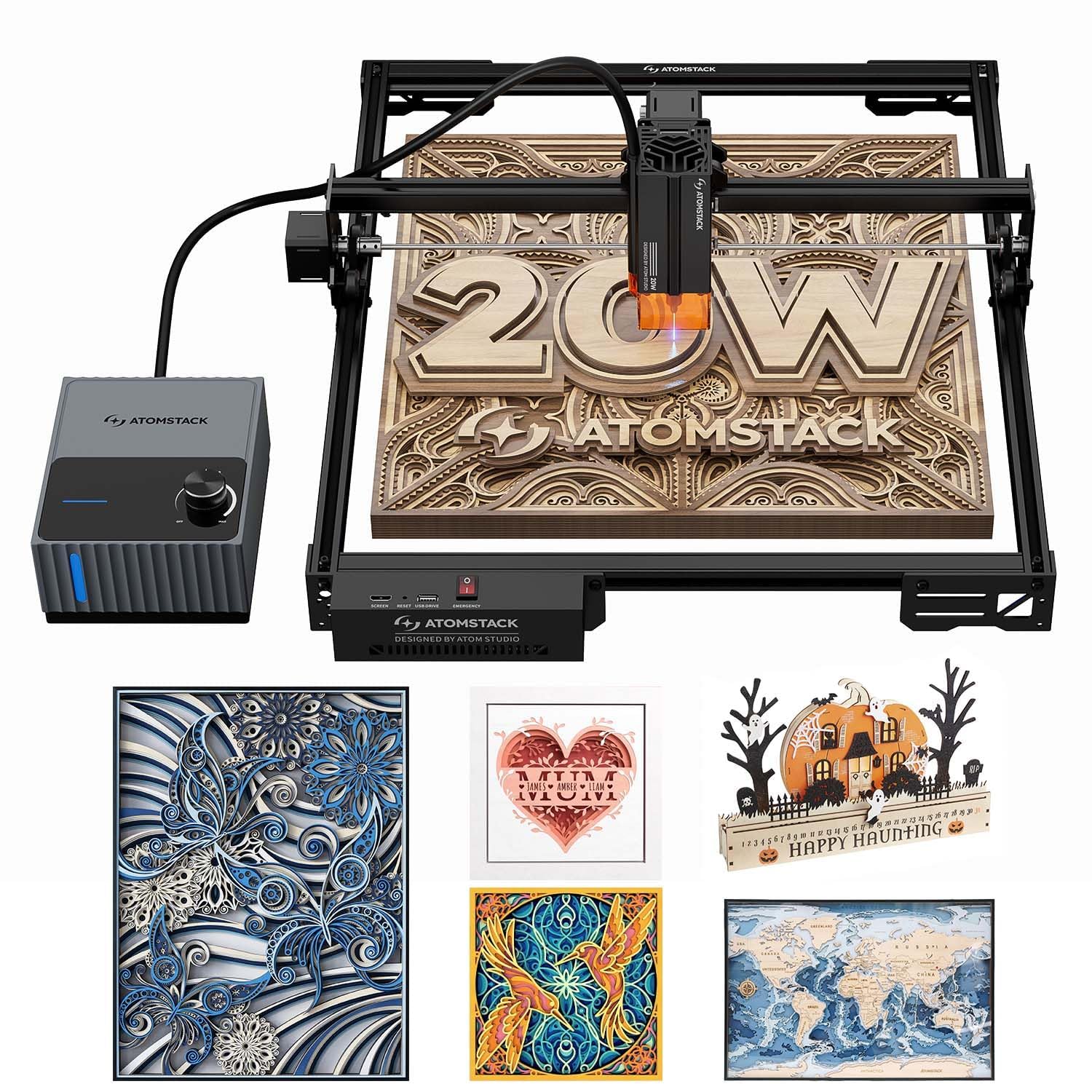
6. ATOMSTACK 20W Laser Engraver A20 Pro V2
20W of power and a 0.01mm accuracy figure, backed by an auto air pump.
If your work lives or dies on a clean edge, this is the pick to study. It pairs a 20W output with 0.01mm engraving accuracy and a 0.08 by 0.1mm spot, delivering clean high-contrast marks on metal, wood, and dark acrylic. The 60L/min airflow pump clears smoke and cools the burn point to prevent charring and wood discoloration — the difference between a crisp sign edge and a scorched one.
Speed runs high at 400mm/s (24,000mm/min), putting it well above the 10,000mm/min of the two 10W machines above. The motion system is an integrated linear guide with an aluminum alloy modular frame, built for smooth travel and a long service life. The safety package stands out: a tilt-angle sensor that beeps if the machine tips past 15 degrees, built-in limit switches, a removable magnetic eye shield, and professional safety glasses.
Connectivity is flexible with both Type-C and USB cable, plus the company’s own app and PC software, and it also works with LightBurn and LaserGRBL. The one thing to know before you buy is that this is a Class 4 laser, so it needs respect and a clear workspace rather than casual handling. For a woodworker going into paid or semi-pro work, the precision and airflow justify the step up.
The precision plus airflow combo: 0.01mm accuracy and a 60L/min pump mean fine detail with cleaner, less-charred edges than a bare diode setup.
Buy with eyes open: a Class 4 laser demands careful placement and eye protection, so it is not a toy for a shared kitchen table.
Pick this if: you want precision-grade engraving on metal and wood and you will give the machine a dedicated, respected workspace.
Pass if: you want a contained, low-fuss setup for a busy family room.
7. xTool M2 10W Laser Engraver
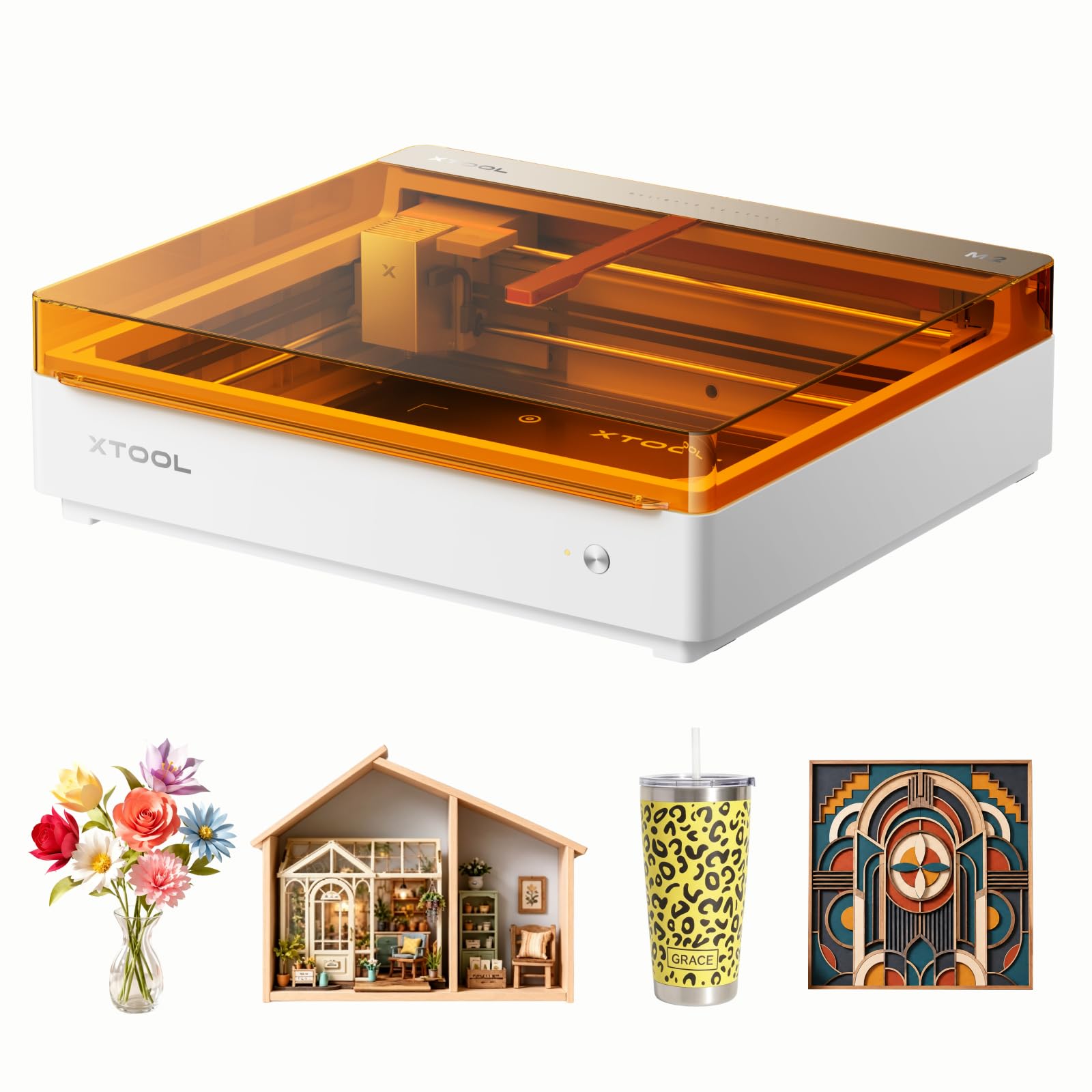
The Class 1 enclosed unit with cameras that show you exactly where the laser will land.
This is the pick for anyone nervous about an open-frame laser in a home with kids. A Class 1 enclosed design keeps the beam and smoke inside, while built-in dual cameras give a real-time preview of the workspace. That preview fuses with motion control for a “Place & Go” routine — you see the exact spot before you cut, which saves material and re-does.
The 10W diode output handles cardstock, felt, leather, wood, and more across 300+ materials. The enclosure also does the work of keeping the space tidy. It is heavy at 36.2 pounds, so plan a permanent home for it rather than moving it around. The software side keeps beginners moving with xTool Studio, which includes hundreds of ready-to-use templates.
Where it really stands out is expandability: a CMYK inkjet module and a 3W infrared laser are sold separately and add full-color printing or fine metal work. The trade-off is that those powerful extras do not come in the box, so the base 10W machine is what you get up front. For home crafters making personalized gifts and starting a side hustle, the enclosed safety and camera workflow are the reasons to choose it.
The right call for: home crafters who want sealed Class 1 safety and camera-guided placement on the first try.
Know before you buy: the inkjet printing and infrared modules are add-ons, so plan for those separately if you want them.
8. AlgoLaser MK3 20W Laser Engraver and Cutter

A 20W cutter that runs off its own touchscreen instead of a tethered laptop.
The 3.5-inch smart touchscreen and AlgoOS system are the reason to look here. You prepare designs, adjust settings, and start jobs right on the machine, with no cable and no laptop balanced on a sawhorse. A 20W diode laser pushes up to 15,000mm/min, giving clean lines and strong cutting for signs, plaques, and personalized gifts.
The bed is a genuinely roomy 400mm by 400mm, which holds larger designs and batch runs without constant repositioning. Connectivity covers Wi-Fi, USB, TF card, and app control, and it works with LightBurn and LaserGRBL on Windows and macOS. At 12.7 pounds it lifts and stows with one hand. An adjustable air assist pump ships in the box, so cleaner edges come standard rather than as an upgrade.
The thing to keep in perspective is the maturity of the track record. It tops this group at 4.5+ stars, but on the thinnest base of owner reviews here. — a short but very strong record compared with the Twotrees’ much larger review base. If you value a screen-led workflow and want a clean-edge pump in the box, the picture here is very favorable.
What stands out
- Highest rating in this group, with a screen that removes the laptop from the bench
- 20W output and 15,000mm/min speed for real cutting, not just engraving
- Adjustable air assist pump included, so edges come clean
What to consider
- Fewer owner reviews than the higher-volume machines here
Worth your attention if: a self-contained touchscreen workflow and a bundled air pump match how you want to work.
Weigh the record if: you like seeing a long, thick history of owner feedback before buying.
9. OMTech K40+ 45W Desktop CO2 Laser Engraver

A CO2 tube machine built to slice thick acrylic, not just mark its surface.
This is a different animal from every diode machine above. A 45W CO2 laser slices through 0.4 inch (10mm) acrylic and 0.31 inch (8mm) wood, and OMTech rates this CO2 upgrade at 1.5–2× the speed and 15–20% more cutting depth than the base K40.. That is the world of sign cutting and thick-stock work that a 10W diode simply cannot reach.
The trade-off arrives in the bed size. The working area is a compact 12-inch by 8-inch, so you get deep cuts but less room to spread out than a 400mm diode bed. A honeycomb bed handles flat stock, and a detachable base plus an optional rotary axis open up cylindrical and taller objects. Engraving speed runs up to 300mm/s for complex designs and bulk orders.
The integrated 45-degree air assist auto-adjusts airflow to the laser power, clearing smoke and debris, protecting the lens, and reducing wood carbonization during high-power cutting. Safety includes door and water protection, an emergency stop, and a flame-retardant acrylic panel, with a high-powered exhaust fan pulling smoke out. At 81.8 pounds it stays put once placed. It is the pick for a small shop doing real production, not a kitchen table hobbyist.
Where it wins: a 45W CO2 beam that cuts 0.4-inch acrylic and 0.31-inch wood is a capability tier above any diode here.
The real constraint: an 81.8-pound body and a 12 by 8-inch bed mean a dedicated spot and smaller blanks, so plan your largest cut before buying.
Choose it if: you are cutting thick acrylic or wood in a workshop and want a CO2 tube’s depth of cut.
Hold off if: you mostly work large flat signs, where the smaller bed and heavier frame fight you.
10. Creality Falcon A1 Pro 20W Laser Engraver

It focuses itself in three seconds and arrives nearly built.
The 20W blue laser here cuts 10mm basswood and 8mm black acrylic at speeds up to 600mm/s, and an HD camera previews the whole workspace so you place your design with confidence. Auto focus does the fiddly part for you: a red-dot ranging laser and Z-axis auto-lift settle on focus in about three seconds, quoting accuracy within 0.012 inches.
Setup is where it saves you time. It arrives 80% pre-assembled, and the smartphone-style touchscreen lets you run it cable-free with app control for real-time monitoring. Dual protective covers filter 99% of light so you can work without goggles, and the enclosed design blocks smoke and noise. An emergency stop and a lid-open halt add a second layer of safety.
The catch is the accessory path. The 2W infrared module that handles fine metal and plastic engraving is sold separately, and it only fits a specific honeycomb panel size. If you want the enclosed, automated experience with a camera and touchscreen, that is the trade you are making — a bigger frame and a higher spend for a machine that does a lot of the setup thinking for you.
Best match for: makers who want auto focus, a camera preview, and a nearly assembled enclosed machine from the first day.
Budget for extras if: metal engraving is in your plans, since the 2W infrared module is a separate purchase.
Know the Specs
Laser power and spot size
Power, measured in watts, sets how deep the beam cuts. A 10W diode handles thin basswood and acrylic, a 20W unit cuts thicker stock, and a 45W CO2 tube goes deeper still. But power alone does not decide how sharp the line looks — the spot size does. A tighter spot, like 0.06mm, burns a finer dot and keeps lettering crisp, while a wider spot softens fine detail.
Work area and cutting depth
The work area is the flat space you can run a design across, usually quoted in millimeters or inches. A 400mm by 400mm bed fits a full sign blank, while a 12 by 8-inch bed suits smaller, thicker pieces. Cutting depth tells you the thickest material you can get through in one pass — useful when you are planning a project around a specific board thickness.
Air assist and enclosures
An air assist pump blows a stream of air at the burn point. That clears smoke and keeps the edge clean rather than charred. An enclosure keeps the beam and smoke contained, which matters most in shared living spaces. Many enclosed machines also quote UV filtration percentages, so check the light protection before you rely on it.
Connection modes and software
The way you send a job changes your workflow. Some machines offer Wi-Fi, USB, app control, and offline memory cards, letting you run without a laptop. Others rely on a computer. Software support for LightBurn and LaserGRBL is the common standard, so confirm your machine accepts the tool you already know before you buy.
Common Questions
Can a diode laser engraver cut wood or only mark it?
Is a diode laser or a CO2 laser better for woodworking?
How big a work area do I need for a cutting board?
Do I need safety glasses with a laser engraver?
What is air assist and do I need it?
How fast do these laser engravers actually run?
Do these machines work with LightBurn?
Can any of these engrave metal and glass?
How much assembly is required before first use?
Can I run the engraver without a computer connected?
The Bottom Line
The single best bet for most home woodworkers is the LGT Longer RAY5 10W, because it cuts 0.8 inch (20mm) wood while keeping a fine 0.06mm spot at a fair price. If you want to spend less and still cut cleanly in a single pass, the Creality Falcon 10W is the value move. For deep cuts on thick acrylic and wood, the OMTech K40+ 45W CO2 is the one to reach for.
How we choose
We do not accept paid placement. Every pick is matched to a real buyer and a real use-case; we do not hands-on test units.
Sources
Specifications: manufacturer listings and product documentation. Review insights: verified customer reviews, as of November 2026. Pricing: not shown on this page (it changes often); check the current price via the retailer link.
As an Amazon Associate, Tactical Gear Guy earns from qualifying purchases. This does not affect which products we feature.