Specs are compiled from manufacturer listings and verified buyer reviews and can change over time — please confirm the key details on the product page before buying.
A closed laptop lying flat eats a rectangle of desk you could use for a monitor, keyboard, or notebook. A vertical wooden stand turns the machine on its side, cradles it in wood, and hands you back the footprint it was squatting on. What separates one stand from another is fit tolerance, base grip, and whether the cradle stays put when you dock one-handed. Below are nine wooden stands that do the job, sorted by what they are genuinely good at.
This guide is built by comparing the manufacturers’ published specifications and the patterns across verified customer reviews, so you get each pick’s real strengths and trade-offs instead of marketing spin.
Start with thickness tolerance, because a stand that will not grip your machine is a paperweight. The list below pairs each pick with the laptop it actually fits, so you can match your own before you read another word about veneer. These are the stands I would shortlist as the wooden laptop stand for desk worth your money.
Top Picks


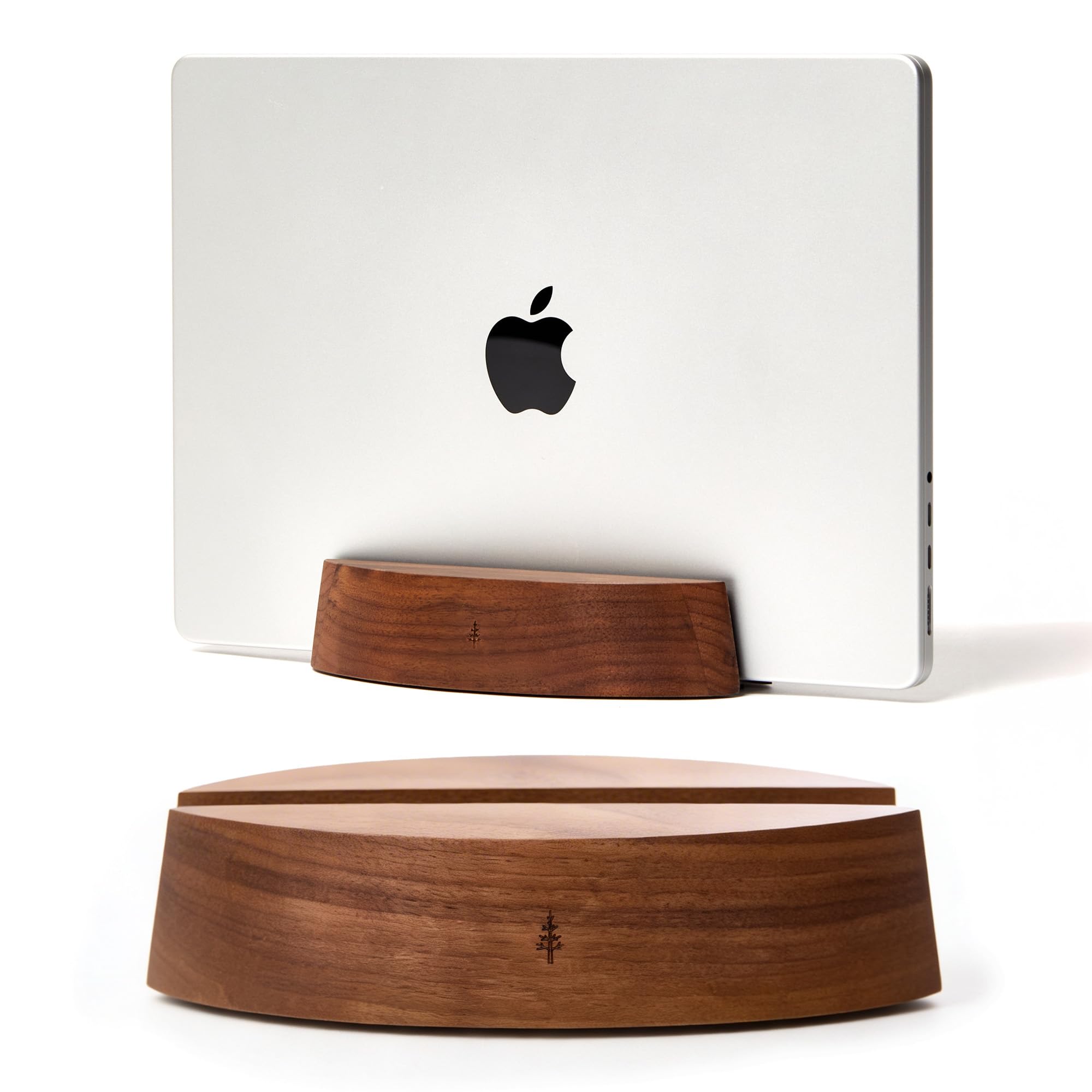
How To Choose The Best Wooden Laptop Stand for Desk
Three things decide whether a wooden vertical stand works on your desk: does it grip your laptop’s thickness, does it stay put, and does its base metal or padding keep the shell unscratched. Every stand here is wood, bamboo, or solid wood — no plastic and no aluminum-only units. The differences live in the thickness range, the lining, and the base grip.
Check your laptop thickness before anything else
The adjustable width on these stands is the one number that can rule a pick out. A stand set for 0.5″ to 1.5″ covers most MacBooks, Dell XPS, and HP Spectre machines, while a tighter range like 0.5″ to 1.4″ still fits an ordinary laptop but leaves a thick gaming rig out. Measure the closed lid thickness with a ruler. If your machine is at the top of the range, the felt lining compresses and the hold gets snug.
Vertical means clamshell — plan for it
A vertical stand holds the lid shut, so you drive the laptop through an external monitor, keyboard, and mouse. That closed-lid, external-monitor setup is the workflow a vertical stand is built for. If you use the built-in screen and keyboard all day, a vertical holder is the wrong tool — a sloped riser like the SAMDI picks further down suits that job better.
Weighted base or anti-slip pad, and why it matters one-handed
You will pull the laptop out with one hand more often than you expect. A stand with a metal base or a solid wood block resists that tug; a very light wooden shell can slide unless it has silicone pads underneath. Look for a stated non-slip or micro-suction foot, not just a nice finish. This is also where the finish matters: a lacquered or polished surface is easier to wipe clean than an open veneer.
Side-by-Side Comparison
| Model | Best For | Thickness Fit | Slots | Build | Amazon |
|---|---|---|---|---|---|
| HumanCentric Vertical Laptop Stand★ Best Overall | Docking a single machine in a shared office | 0.5″–1.5″ | 1 | Black walnut veneer over wood | Amazon |
| Nuvograin Dual Laptop HolderBest for Two Devices | Two-device desks on a tight surface | Adjustable | 2 | 100% natural wood, lacquered | Amazon |
| Nordik Vertical Laptop StandSleek Entry Pick | A solid walnut look at a lower tier | 0.5″–1.4″ | 1 | Walnut wood, non-slip base | Amazon |
| COREMINDED Adjustable Vertical Stand | Fitting both 13″ and 15″ laptops | 0.5″–1.5″ | 1 | Solid wood on weighted metal base | Amazon |
| UPERGO Vertical Laptop Stand (Single) | The best-looking finish on the list | 0.7″–1.5″ | 1 | Walnut + aluminum, handmade | Amazon |
| UPERGO Dual Slot Wood Holder | Running a laptop and a tablet upright | 0.47″–1.1″ per slot | 2 | Black walnut + anodized aluminum | Amazon |
| SAMDI Wooden Cooling Holder (Riser) | Keeping the screen up while you type | 11″–16″ laptops | — | Bentwood walnut, 33 lb load | Amazon |
| SAMDI Wood Laptop Riser with Cable Cutout | A sloped desk riser with cord routing | 13″ MacBook Pro | — | Walnut wood, clip holder | Amazon |
| Oakywood Vertical Laptop Stand | European oak finish and one-hand docking | Up to 0.8″ | 1 | Handmade oak, water-based varnish | Amazon |
Detailed Reviews
1. HumanCentric Vertical Laptop Stand in Black Walnut Wood
Our pick — 4.5+★ from 850+ verified ratings; the strongest balance of quality and price.
The stand that does the unglamorous job properly — it grips the laptop and stays put.
If you want the safe answer, this is it, and the crowd agrees: it is a 4.5+ star pick with 800+ ratings behind it. The fit range of 0.5″ to 1.5″ is the reason it works for so many people — a 13″ MacBook Air and a 15″ MacBook Pro both sit in it, because you loosen four screws on the underside and widen the cradle to your exact lid thickness. That is a real adjustment, not a decorative one.
What wins people over is how solid it feels once set. The exterior is wood with a black walnut veneer, so you get the grain look without a solid-block bill. Inside, the felt lining means you can dock the laptop in a sleeve or a thin case and the shell still does not get scuffed. Silicone padding underneath holds the base on the desk so one-handed removal does not drag the whole stand toward you.
The honest follow-up question is about the wood, not the mechanics. Some owners read the black walnut as a veneer rather than a slab, and it is — the listing says veneer plainly. If you want a solid-piece feel in the hand, that is the trade. Also budget for the real workflow: this stand pushes you into closed-clamshell mode, so an external monitor is part of the deal, not an extra.
What earned it first place
- Screws on the underside widen the cradle across 0.5″ to 1.5″ — the widest stated fit band on this list.
- Felt interior lets you dock a laptop that stays in its case.
- Silicone foot pads keep the stand from sliding when you lift the laptop out.
- 7.3″ long and 3.15″ tall, so it tucks under a monitor riser or beside a dock.
Where it gives ground
- The finish is a black walnut veneer over wood — it looks the part but is not one carved slab.
- Vertical docking means the built-in screen stays shut; you supply the monitor.
Reach for this if: you have one laptop in the 0.5″ to 1.5″ band and want a set-and-forget dock that does not wander.
Look elsewhere if: you want a single solid wood block in your hand — the veneer is stated honestly and you will feel the difference.
2. Nuvograin Dual Laptop Holder
Two machines, one footprint — a laptop and a tablet stand side by side instead of stacked.
Run two computers, or a laptop plus an iPad, and a single-slot holder stops being enough. This one carries both upright at once. The footprint is the number that sells it: 7.09 x 4.72 x 1.73 inches, which is about 19% more gap than the UPERGO single-slot stand at 8.45 x 3.35 x 2.95 inches in the width-to-depth balance. In plain terms, you get a wider two-slot base without it swallowing a bigger rectangle of your desk.
The build is 100% natural wood with a lacquered finish and EVA pads included for the slot interiors. The double-slot bracket holds a laptop and a tablet at the same time, which is the specific scenario this exists for — a MacBook docked while an iPad sits in the second slot charging. Anti-slip pads underneath keep the base from skating under the weight of two devices.
Here is the catch, and it is worth hearing clearly: the adjustability is the soft spot. Some owners find it does not widen enough to seat their machine at the thickness they expected, so measure your device before you commit. If both your devices are on the slim side, the sturdy build reads as excellent; if one is chunky, that is a fit mismatch rather than a defect.
What stands out: a two-slot bracket that doubles your upright storage without doubling your desk use.
The trade to know: adjustability is the most debated part of this stand — check your laptop thickness against the slot before you buy.
Worth it when: you dock a laptop and a tablet and want them both upright in one wood block.
Rethink it if: your primary laptop is thick enough that a snug fixed slot would frustrate you.
3. Nordik Vertical Laptop Stand — Adjustable Solid Walnut
Walnut looks without the walnut tax — an adjustable holder that simply holds.
The Nordik aims at the buyer who wants the warm walnut look on the desk and does not need a metal base to get it. The fit band runs 0.5″ to 1.4″, which seats a MacBook Pro, an Air, and most 13″ to 15″ lids — a touch tighter than the 1.5″ ceiling on the HumanCentric above, so a genuinely thick rig will not go in. Inside that band, the clip holder grips firmly and the finish is pure walnut wood.
Stability is the design brief here. The base is described as stable and non-slip, which is the one thing that turns a pretty wooden wedge into something you can pull a laptop out of with one hand without chasing the stand across the desk. A screwdriver ships in the box so you can tune the adjustable base to your laptop’s thickness yourself.
What you give up is the layered build — this is an all-wood holder, not a wood-and-metal sandwich, so it leans on the wood block and the non-slip foot rather than the mass of an aluminum base. That is a fair trade at this tier. If your laptop is on the slimmer end and you want walnut grain on a budget, it hits the mark cleanly.
Best fit for: a slim-to-mid laptop and a buyer who wants the walnut look without a layered metal build.
Know before you order: the 1.4″ ceiling leaves no room for a thick workstation-class machine.
4. COREMINDED Adjustable Vertical Laptop Stand in Solid Walnut

Solid walnut over a weighted metal base — the combo that keeps the stand from shifting when you dock.
Wood alone can feel light in the hand; wood sitting on a weighted metal base does not. That pairing is the reason to pick the COREMINDED — the solid walnut cradle carries the laptop, and the weighted base plus an anti-skid silicone layer keeps the whole thing planted on the desk. It is the sort of stand you can yank a laptop out of with one hand and not think about again.
The cradle adjusts across 0.5″ to 1.5″ in thickness, so it holds the same range as the HumanCentric and the honest middle of the laptop market — 13″ and 15″ models both seated without fuss. The inner felt is the part that protects the laptop shell: it sits between the wood and your machine, so sliding in and out does not scuff the finish. Because the base is metal, the stand has more heft to resist a tug than an all-wood holder.
Nothing on this list is a heavyweight, though. The COREMINDED stays portable if you move between a home office and a coworking desk, but the metal base does not make it a permanent fixture. What you are paying for here is the layered construction and the secure grip, and both land cleanly for everyday docking.
What lands well: the weighted metal base and anti-skid silicone layer turn the stand into something immovable for one-handed use.
What to check: the 1.5″ ceiling is generous but not unlimited — a thick gaming laptop may be a tight squeeze.
Pick this for: the buyer whose laptop gets pulled out dozens of times a day and needs the stand to stay planted.
Pass if: you want a fully solid wood piece with no metal in the build at all.
5. UPERGO Vertical Laptop Stand, Minimalist Walnut Holder

A walnut-and-aluminum sandwich that looks better than anything this practical has a right to.
This is a 4.5+ star stand, and the finish is the reason it outscores the other walnut picks on the desk. The solid walnut panel meets an aluminum base — the listing describes the demarcation between the two as tasteful, and the stainless steel finish of the base plays against the wood grain rather than fighting it. If your desk setup is as much a look as a tool, this is the piece that carries both.
The fit is where it separates from the pack. The adjustable width spans 0.7″ to 1.5″ — the HumanCentric above covers a wider low end at 0.5″, so a very slim laptop that measures under 0.7″ is better served there. Everything from a MacBook Pro to an iPad falls in this band fine. Scratch-resistant pads sit under the walnut panel, the aluminum base has a silicone cushion, and anti-slip pads keep the unit steady on any desk surface.
The sustainability angle is real, not marketing — it is handmade from leftover wood pieces and recyclable aluminum, so grain and color vary from unit to unit. The listing guarantees you an 18-month warranty and a 30-day return, and it will replace the stand if the grain or color is not to your taste. That takes the risk out of buying wood sight-unseen, which is the usual headache with a natural finish.
Where it shines
- Walnut panel over an aluminum base gives it the most polished look on this list.
- 0.7″ to 1.5″ adjustable band covers MacBooks, iPads, and most standard laptops.
- Scratch-resistant pads and a silicone-lined base protect the laptop and the desk.
- 18-month warranty and 30-day return, with wood-grain replacement included.
What you take on
- The 0.7″ floor skips ultra-slim machines — measure first if yours is thinner.
- Because the wood is leftover stock, grain and tone differ between units.
Go for it if: the stand sits in view all day and you want the best-looking walnut-and-metal pair you can put on your desk.
Check your lid first: under 0.7″ thick and the cradle will not tighten around it.
6. UPERGO Vertical Laptop Stand, Dual Slot Wood Holder

Two laptops standing shoulder to shoulder, both held in felt-lined walnut clips.
If your desk hosts a work machine and a personal machine, this is the clean answer — a single base with two slots, each adjustable from 0.47″ to 1.1″ to seat whatever you drop in. Both lids sit shut and charge in the stand, which is exactly the dock-and-go routine these holders exist for. The build is genuine black walnut on an anodized aluminum base, and the aluminum gives the base enough weight that a big laptop in one slot does not tip the whole unit.
The other thing that wins people over is the protection: soft silicone pads line the aluminum base, and there is premium felt inside the wooden clips, so your laptop lids sit against felt, not bare wood. The walnut surface and aluminum base also do a neat trick — the grain differs on every unit, because each is hand-finished from reclaimed black walnut and CNC-precision machined. Expect slight variations in color and pattern, not a factory-perfect match.
The one number to watch is that 1.1″ slot ceiling. A standard MacBook Pro or Air slot in without trouble; a thick 16″ workstation machine may not. It is also more stand than a single-laptop user needs — if you are hauling one computer to the desk, the single-slot UPERGO above is the more sensible shape.
Consider this: two devices, two slots, one base — with felt and silicone protecting both.
Mind the slot width: each slot caps at 1.1″, so measure a thick laptop before you commit.
7. SAMDI Wooden Cooling Laptop Holder, Walnut Riser

A sloped walnut riser that lifts the screen instead of standing the machine on edge.
Not every setup wants the lid shut. This SAMDI is the answer for the buyer who keeps using the laptop screen and keyboard but wants it raised — the ergonomic riser lifts the display toward eye level so you are not hunched over a flat desktop. The form factor is a bentwood walnut slope, not a vertical cradle, and the craft-bent construction is stated to give better corrosion resistance, hardness, and wear resistance than the aluminum stands it is measured against.
The load capacity is generous — 33 pounds, and a laptop in the 11″ to 16″ class is nowhere near that ceiling. The 10mm-thick deck holds the machine steady; the listing describes it as stable and not shaking. Heat is handled by a ventilation hollow that lets air move under the laptop, and silicone pads underneath grip the desk so the riser does not skate when you type.
The catch is the base. Some owners find the stability less than rock-solid and report the riser sliding around on a smooth surface, so it pays to set it on a desk with some texture or a mat. Beyond that, the walnut color and the bentwood profile read far more elegant than a metal riser — this is a piece you leave out on the desk rather than fold away.
The strong case: a 33-pound load ceiling and a ventilation hollow mean heavy laptops sit cool and still while the screen stays up.
The honest limit: stability is the debated part — on a slick desk surface the riser can slide, so a mat helps.
Right for: buyers who keep the laptop screen live and want a raised, ergonomic typing angle.
Consider the vertical picks instead: if your goal is to free desk space with the lid shut.
8. SAMDI Wood Laptop Stand with Cable Cutout, Walnut

The sloped walnut riser with a cord cutout — your charging cable disappears underneath.
Desk clutter is usually cables more than devices, and this SAMDI takes a direct swing at it. A dedicated cutout routes your data and charging cords through the stand and out of sight, which is the small fix that makes a sloped riser feel tidy instead of chaotic. Underneath the raised deck there is also open space — buyers use it to stash a hard drive or a notebook, which is genuinely useful real estate a flat stand cannot offer.
The deck itself is walnut with an air-breathing slot pattern, so the laptop breathes and stays cool rather than baking on a solid block. The decent slope and shaped height are designed to put the keyboard and screen at a comfortable typing posture, and 13″ MacBook Pro models are confirmed to fit the deck body well. The lift-and-slope approach puts the laptop screen closer to eye level, so you spend less time craning down.
Two trade-offs surface in use. The first is stability — the stand can wobble slightly on an uneven surface, so a firm, level desk matters. The second is flatness: the deck does not sit perfectly level, and some buyers find their laptop does not lay completely flush against it. Neither is a dealbreaker for most; both are the kind of thing you want to know before you set your expectations.
Why it earns a spot
- A cord cutout routes your cables out of view for a cleaner desk line.
- Open space under the deck holds a drive or notebook.
- Air-breathing slots let heat escape under the laptop.
- Sloped height eases eye strain by lifting the screen.
Where it asks patience
- The deck is not perfectly flat — laptops can sit slightly off from a flush lay.
- Some wobble on a slick or uneven desk, so a level surface helps.
Fits you if: cable chaos is the real problem and you want the cords hidden under a raised walnut deck.
Think twice if: you want the laptop to lie dead-flat — this deck sits at a slight angle.
9. Oakywood Vertical Laptop Stand in Oak

Hand-made oak dock with micro-suction feet — light in the hand, settled on the desk.
This is the one for the buyer who cares that a person made it. The Oakywood is handmade in Europe from oak with a water-based varnish, and every unit carries its own grain pattern — a natural wood finish, not a printed veneer. At 300 g it is the lightest stand on this list in the hand, but the micro-suction feet under the base keep it stable and allow one-hand docking and undocking, so you can pull the laptop out and the stand stays put.
The fit is the number to be deliberate about: adjustable felt layers hold devices up to 0.8 inches thick. That covers MacBooks, iPads, and similar-sized devices, and the felt layers compress against the lid for a secure hold. It is a tighter ceiling than the 1.5″ ranges above, so a thick laptop is simply out of range — this stand is built for the slim-device crowd, and the 7″ x 3.5″ x 1.65″ footprint leaves a tidy vertical impression on the desk. The polished finish and oak grain make it look like a design piece rather than a tool.
The one thing to accept is that you are paying for craftsmanship, not extras. It handles a laptop and a tablet, not a workstation machine, and the fine grain means each one looks a little different from the photo. If that natural variation is what you want, it is a lovely piece to leave out.
Made for: the design-minded buyer with a slim MacBook or iPad who wants handmade oak and one-hand docking.
skip it if: your laptop is thicker than 0.8″ — the felt-lined slot will not close around it.
Know the Specs
Thickness fit (the inches the cradle will hold)
This is the adjustable width a stand will clamp. The number is usually written as a range like 0.5″ to 1.5″, and it is the first thing to check — a stand rated for 0.5″ to 1.5″ grips a standard MacBook Pro or Air, while a tighter ceiling of 0.8″ leaves out a thicker machine. Measure the closed lid thickness of your laptop with a ruler before you buy, and pick a stand whose range comfortably brackets it.
Base material and non-slip footing
A vertical stand gets tugged every time you dock a laptop, so the base is doing real work. A weighted metal or solid wood base adds mass that resists the pull; silicone pads or micro-suction feet add grip so the stand does not slide. An all-wood holder relies on its own weight and a non-slip foot — perfectly fine for a light laptop, but a weighted base gives more margin.
Felt and silicone linings
A wooden clip that grips bare metal or aluminum will scuff it over hundreds of insertions. The fix is a lining — felt inside the cradle where the laptop sits, silicone pads underneath where the stand meets the desk. Felt also compresses slightly, which helps the hold on a lid that sits near the top of the fit range.
Vertical dock vs sloped riser
A vertical holder stands the laptop on edge with the lid shut, tightens desk space to a sliver, and pushes you into closed-clamshell mode with an external monitor. A sloped riser keeps the screen open and lifts it toward eye level for easier typing and viewing. Pick the vertical holder if you want desk space back, and the sloped riser if you want the built-in screen and keyboard at a comfortable angle.
Common Questions
Will a vertical wooden stand fit a 15-inch MacBook Pro?
Can I use the laptop screen while it sits in a vertical holder?
Will a wooden stand scratch my laptop?
Does a wooden stand keep the laptop cool?
How much desk space does a vertical stand actually save?
Can a wooden stand hold a laptop and a tablet at once?
What is the difference between a vertical stand and a cooling riser?
Is solid walnut better than a wood veneer stand?
Can I dock a laptop in a case in a wooden stand?
How heavy is a solid wood laptop stand to move around?
The Bottom Line
For most desks, the wooden laptop stand for desk to buy is the HumanCentric Vertical Laptop Stand, because the 0.5″ to 1.5″ screw-adjusted cradle seats the widest range of laptops and the felt lining protects the shell as you dock. If you want two machines upright in one footprint, the Nuvograin Dual Laptop Holder doubles your storage. And for a premium handmade finish in oak with one-hand docking, the Oakywood Vertical Laptop Stand is the piece to reach for.
How we choose
We do not accept paid placement. Every pick is matched to a real buyer and a real use-case; we do not hands-on test units.
Sources
Specifications: manufacturer listings and product documentation. Review insights: verified customer reviews, as of November 2026. Pricing: not shown on this page (it changes often); check the current price via the retailer link.
As an Amazon Associate, Tactical Gear Guy earns from qualifying purchases. This does not affect which products we feature.