Specs are compiled from manufacturer listings and verified buyer reviews and can change over time — please confirm the key details on the product page before buying.
Buying a wood laser cutting machine is really a decision about two things: how much laser power you actually get, and how big a piece of wood you can slide under it. Almost every headache in this hobby — charred edges, ten-pass cuts that still don’t go through, a machine that stalls halfway through a sign — traces back to picking too little power or too small a work area. This guide lines up eleven machines that genuinely cut wood, from entry diodes to a desktop CO2 unit, so you can match the laser to the boards you plan to cut.
This guide is built by comparing the manufacturers’ published specifications and the patterns across verified customer reviews, so you get each pick’s real strengths and trade-offs instead of marketing spin.
Below you’ll find the practical differences that decide whether a machine suits your workshop, followed by a plain-English breakdown of the specs that actually govern cutting depth, plus the honest trade-offs on each pick. The picks that follow are all genuine wood-capable machines, so the real question becomes which power and bed size fit the best wood laser cutting machine for your bench.
Top Picks

How To Choose The Best Wood Laser Cutting Machine
The honest starting point is that most buyers overestimate what a small diode laser can cut through. A laser’s optical output — the real wattage hitting the wood — decides how deep it cuts in a single pass. Everything else, including the advertised speed, only changes how long a job takes. So pick your wattage against the thickest board you plan to cut, then pick your bed size against your largest project.
Match the wattage to your wood thickness
A 10W diode is a light cutter. It will mark and engrave all day, but on solid wood it leans on several slow passes. A 20W diode is the working baseline for real wood cutting in a home shop. Step up to 40W and you get one-pass cuts through considerably thicker stock. A CO2 tube behaves differently again — it handles acrylic and organics with a different efficiency, so it is worth reading the manufacturer’s stated cut depth for your exact material rather than assuming wattage translates one-to-one.
Work area decides what fits on the bed
The bed is the flat space the laser can reach. A 400 x 400mm area covers most signs, coasters, and gift boxes. If you plan to cut long shelf signs or full sheet segments, a bed closer to 600mm on a side, or passthrough feeding, saves you from tiling a design across multiple runs.
Diode or CO2 — pick by material, not by hype
Diode lasers are open-frame, cheaper to run, and excellent on wood, leather, and dark acrylic. CO2 lasers are enclosed, cut clear acrylic and thicker stock more comfortably, and cost more upfront. If wood is your only material, a strong diode does the job. If you also cut clear acrylic, mirrored pieces, or run production volume, the CO2 enclosure earns its keep.
Safety and enclosure are buying criteria, not extras
An open-frame diode throws bright light and smoke into the room. Look for a protective cover or enclosure, an emergency stop, and flame detection if the machine lives near family or pets. Air assist — a small pump that blows air at the cut point — clears smoke and reduces charring, so it is worth having on your list for cleaner wood edges.
Side-by-Side Comparison
| Model | Best For | Laser Power | Work Area | Weight | Amazon |
|---|---|---|---|---|---|
| xTool S1 40W Rotary Bundle★ Best Overall | Enclosed all-rounder | 40W | 23.93″ x 15.16″ | — | Amazon |
| Ortur Laser Master 2 Pro S2Budget Entry | Budget entry build | 10000mW | 390 x 410mm | 10.46 lbs | Amazon |
| Longer RAY5 (New Upgrade)Fastest Hobby Cut | Fast hobby cutting | 20W | 15.75″ x 14.37″ | 11.03 lbs | Amazon |
| Longer RAY5 20W (Touchscreen) | On-machine control | 20W | 400 x 365mm | 10.68 lbs | Amazon |
| ATOMSTACK A20 Pro V2 | Gift and card making | 20000mW | — | 13.67 lbs | Amazon |
| Twotrees TTS-20 Pro | Offline batch work | ≥19.5W optical | 418 x 418mm | 4 kg | Amazon |
| AlgoLaser MK3 | Touchscreen with air assist | 20W | 400 x 400mm | 12.7 lbs | Amazon |
| OMTech K40+ 45W CO2 | CO2 on a budget | 45W (CO2) | 12″ x 8″ | 81.8 lbs | Amazon |
| xTool P2S 55W CO2 | Studio-grade CO2 | 55W (CO2) | 26″ x 14″ | 130.7 lbs | Amazon |
Detailed Reviews
1. xTool S1 40W Laser Cutter and Engraver — Rotary Bundle
Our pick — 4.5+★ from 250+ verified ratings; the strongest balance of quality and price.
Forty watts behind a closed lid — the enclosed cutter that turns thick boards into fast one-pass work.
If you want the wood-cutting job done without goggles, smoke in the room, or a dozen test passes, this is the machine the rest of the list is measured against. The 40W laser cuts 18mm cherry wood in a single pass, and it does it across a 23.93″ x 15.16″ bed — big enough for a full door sign in one run. Speed tops out at 600mm/s, which means a batch of small jobs doesn’t eat your afternoon.
Power means little without safety you’ll actually use. The protective cover filters 99% of laser light, so you don’t need goggles while you watch a cut, and the enclosed body blocks smoke and noise. Five flame sensors halt the machine if a flame appears, and there’s an emergency stop plus a lid-open stop. For a bench in a busy home, that package is the reason this holds the top spot — the crowd favorite at 4.5+ stars across 250+ owners.
The catch is the finish, not the function. Auto-focus and the xTool Creative Space software make a first project genuinely quick, and pre-tested settings for over 400 materials remove most of the trial-and-error, but this is a premium-tier machine built around that convenience. Plenty of cheaper diodes will cut wood; what you pay up for here is the enclosure, the safety stack, and the 40W single-pass depth — and it only makes sense if you’ll use those. It also lands fewer total ratings than the budget RAY5 pick, though it holds the higher score at 4.5+ against 4.0+ — a smaller but more satisfied owner pool.
What earns it the crown
- 40W laser slices 18mm cherry wood in a single pass
- Spacious 23.93″ x 15.16″ bed for door signs and batch runs
- 600mm/s engraving keeps large jobs moving
- Cover filters 99% of laser light — no goggles needed
- Five flame sensors, emergency stop, and lid-open stop
Where it asks more of you
- Premium-tier machine, so it costs the most for what it does
- Bulkier footprint than an open-frame diode
- You’re paying for the enclosure — skip it if you cut outdoors anyway
Worth it for: anyone who wants real 40W wood cutting with a closed, kid-and-pet-safe lid on a home bench.
Pass if: you only cut thin plywood and don’t need enclosure safety to justify the spend.
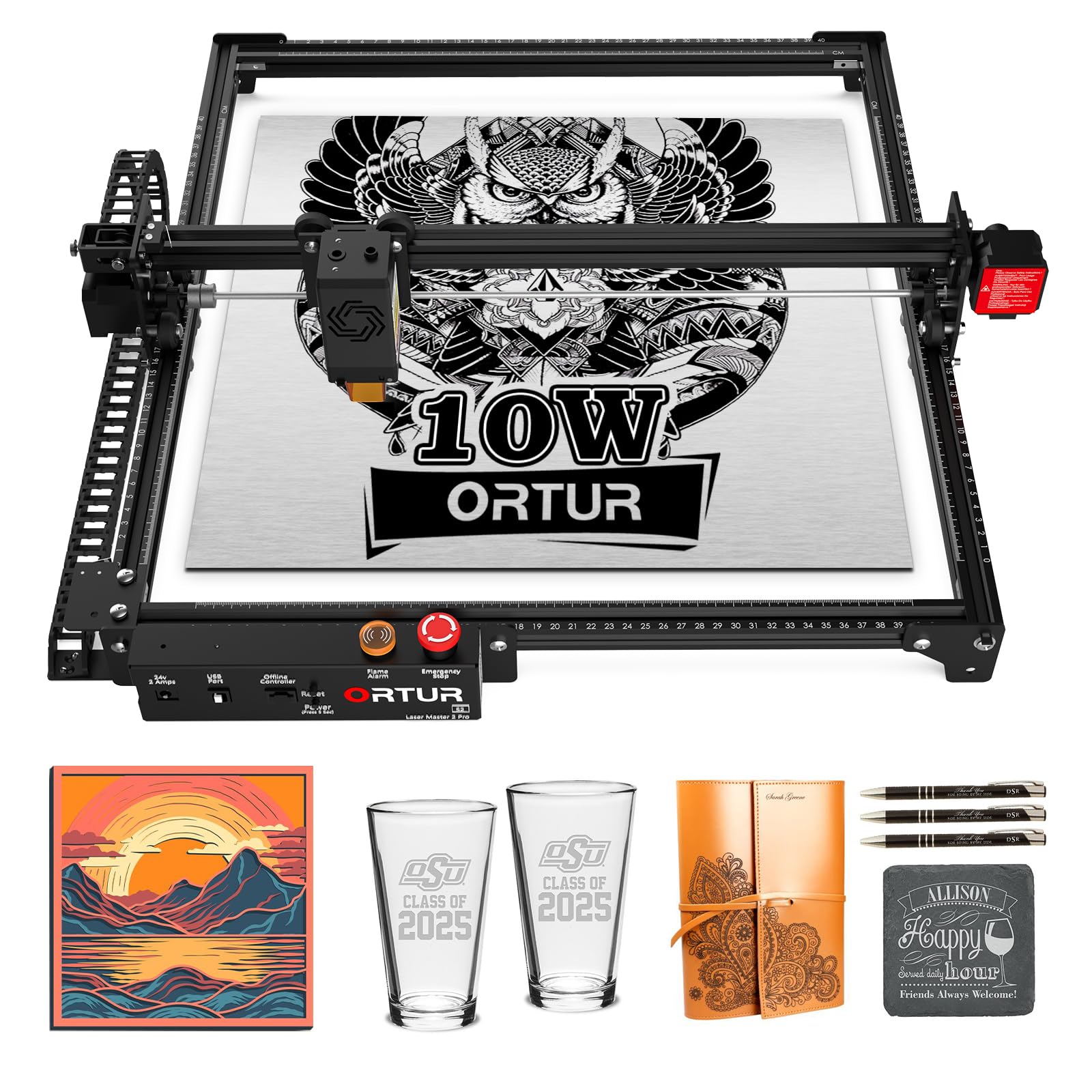
2. Ortur Laser Master 2 Pro S2 10000mW Laser Engraver
The lowest-cost way onto the ladder — a light cutter that earns its keep on engraving.
Ten watts is the entry point, and it pays to be clear about what that buys. The Ortur’s 10000mW module will cut 20mm wood and 30mm acrylic per the manufacturer, with an air-assist interface built in for cutting. Its 390 x 410mm engraving area is close to the work space of the Longers, and at 10.46 pounds it is 5% lighter than the RAY5 New Upgrade, which makes it easy to shift off a bench between sessions.
What it does well is detailed engraving. The 0.05mm x 0.1mm compressed point gives fine lines, and the module’s 235g weight helps it hit 15000mm/min without wobble. Assembly is genuinely short — the modular metal frame goes together in about 10-15 minutes. The functions and build quality are the two things buyers keep coming back to.
The honest trade-off is the setup learning curve. Difficulty with initial configuration is the most-discussed point in feedback, so budget time for dialing in settings rather than expecting plug-in results. A laser protective cover filters 98% UV light, but the open frame still means smoke and glare in the room. Pick this if you’re engraving-first and cutting occasionally; if your plans are thick board and long sessions, step up in wattage instead.
Depth check: 20mm wood and 30mm acrylic cutting, over a 390 x 410mm area — enough for light cutting and etching.
Finer point: LaserGRBL and LightBurn both work, with an App-Inspiraesth companion for simple or professional modes. Files load from SVG, DXF, JPG, PNG, and more.
Reach for this if: engraving is your main job and you want the smallest outlay that still cuts wood.
Look elsewhere if: you expect an easy first-day setup or want thick-stock cutting.
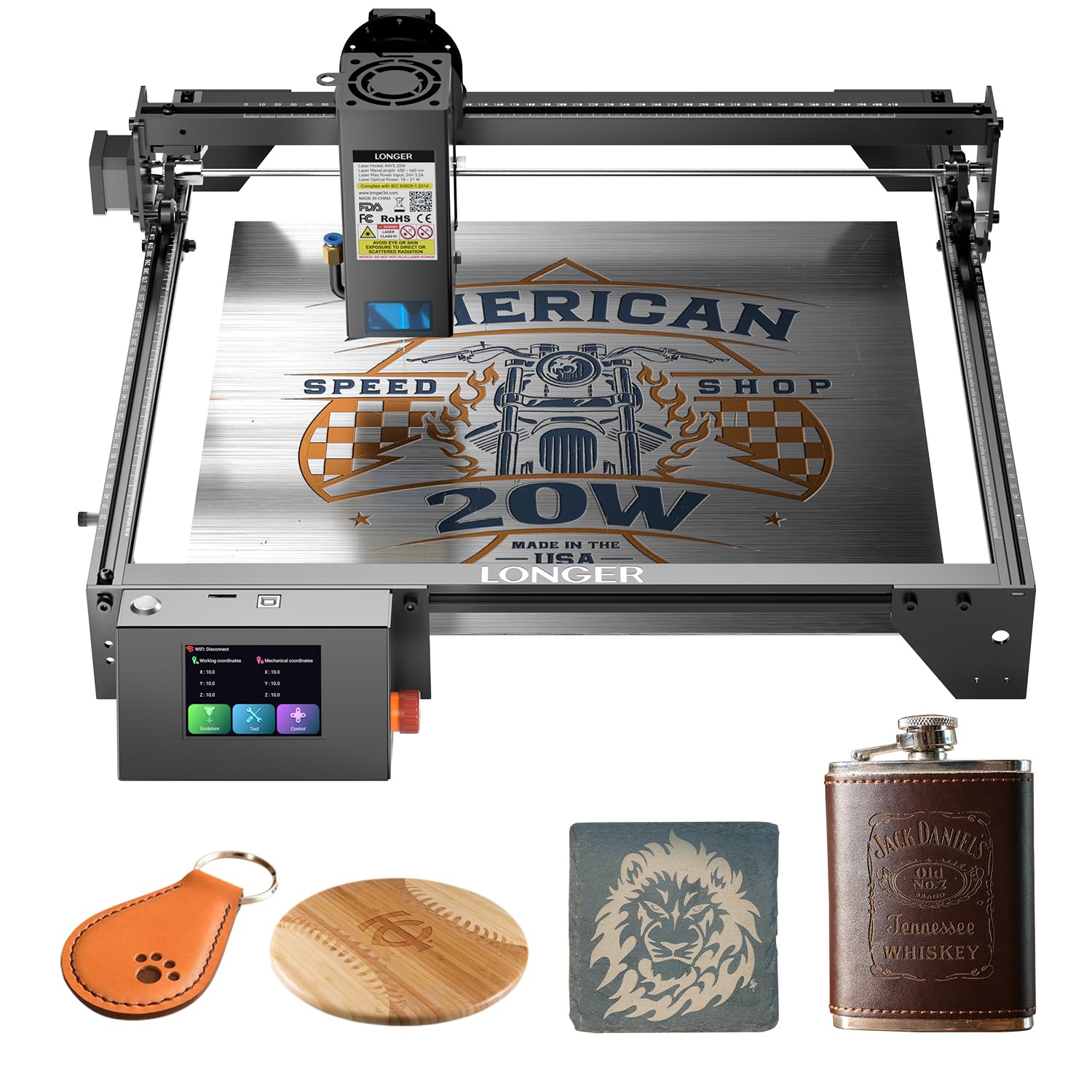
3. Longer New Upgrade RAY5 Laser Engraver Cutter
Dual-beam speed that files through small signs — and real one-pass depth on pine.
Here’s the headline number: 24,000 mm/min, versus 10000mm/min on the other RAY5 further down this list. That dual-beam tech makes this the quicker of the two by a wide margin, and 20W of optical output backs the speed with genuine cut depth. Buyers report “It can cut 0.59″ (15mm) pine wood and 0.31″ (8mm) acrylic in a single pass, and up to 25mm wood and 35mm acrylic with multiple passes.” It also cuts 0.002″ (0.05mm) stainless steel.
The detail work is handled by a 32-bit chipset motherboard with a 0.08 x 0.1mm focus area, and a built-in 256-bit color scale pushes contrast for multi-color engraving. It supports 7×24 continuous operation and lets one device drive several machines at once, which matters if you’re running batches. Four connection modes — USB, TF card, WiFi, and app — plus offline operation mean it doesn’t need a laptop tethered to work.
Before you commit, know that the open frame puts smoke in the room and it isn’t enclosed, so it’s a bench machine rather than a living-room one. Most owners treat it as a “starter unit” that over-delivers on performance, power, and value for the money spent. At 11.03 pounds it also runs 5% heavier than the Ortur above and 2% bigger in its 24 x 26.4 x 3.15 inch footprint, which is a minor bench note rather than a problem.
Where it pulls ahead
- 24,000mm/min dual-beam speed beats the other RAY5’s 10000mm/min
- Cuts 15mm pine and 8mm acrylic in one pass
- Offline USB/TF/WiFi/app operation — no laptop required
- Runs 7×24 and controls multiple machines at once
Keep in mind
- Open frame — smoke and bright light in the room
- Heavier and larger than the Ortur, so bench space counts
- Thick cuts beyond one pass call for patience and air assist
Best for: hobby makers who want the fastest small-shop cutting without jumping to premium tiers.
Skip if: you need an enclosure for safety or a smoke-free room.
4. Longer RAY5 20W Laser Engraver with Touchscreen
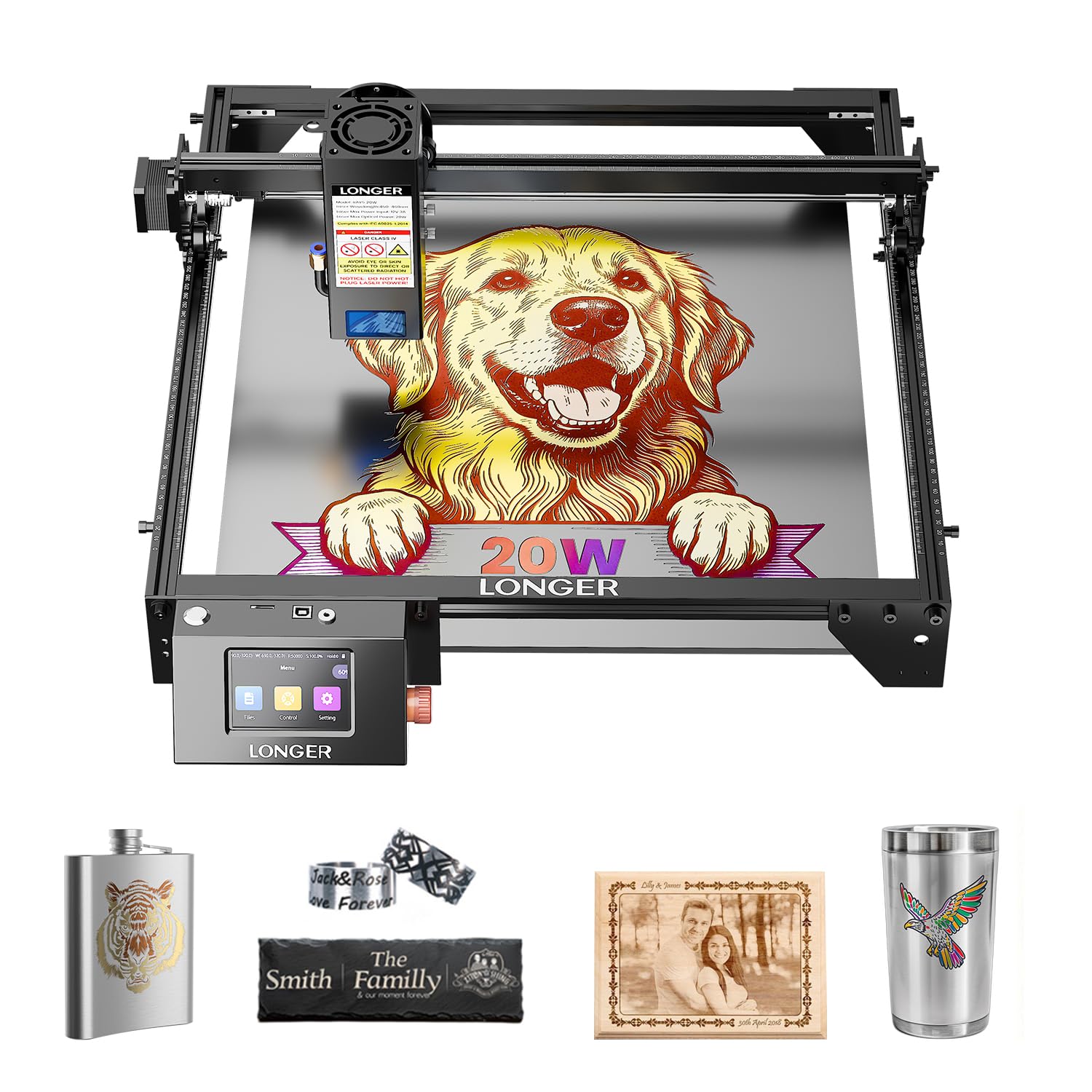
A screen on the machine so you can watch the cut without babysitting a laptop.
The built-in 3.5-inch color touchscreen sets this RAY5 apart from its speed-focused sibling. You can monitor engraving progress, tweak the speed, and run jobs right from the panel — no computer clipped to the bench. The 20W laser handles 25mm wood and 35mm acrylic, plus 0.002″ (0.05mm) stainless steel, leather, paper, and glass, so one machine covers engraving and cutting across materials.
On the engraving side, the 0.08 x 0.1mm compressed beam and precise rails reach a top speed of 10000mm/min — that is slower than the 24,000mm/min of the RAY5 New Upgrade above, so choose on speed versus control. Four connection modes (USB, TF card, WiFi, app) plus LaserGRBL and LightBurn compatibility keep the workflow flexible. The package ships with the tools, accessories, and guides, and support is on call around the clock with lifelong technical help.
Build quality is what wins people over here — it’s the quality of construction most of the feedback focuses on, followed by how simple it is to run and the value in the price. One thing to weigh: durability is a split subject, with a few reports of trouble months in against the bulk who find it solid. Treat it as a well-made hobby cutter that rewards a little care, not an industrial workhorse.
Standout detail: the 3.5-inch touchscreen turns the machine into a standalone cutter, and 4 connection modes keep it flexible.
Trade-off to weigh: 10000mm/min trails the faster RAY5, so longer jobs take longer.
Ideal for: makers who want to walk up to the machine and control a cut without a laptop in the loop.
Think twice if: raw cut speed is your priority over on-machine control.
5. ATOMSTACK A20 Pro V2 20W Laser Engraver
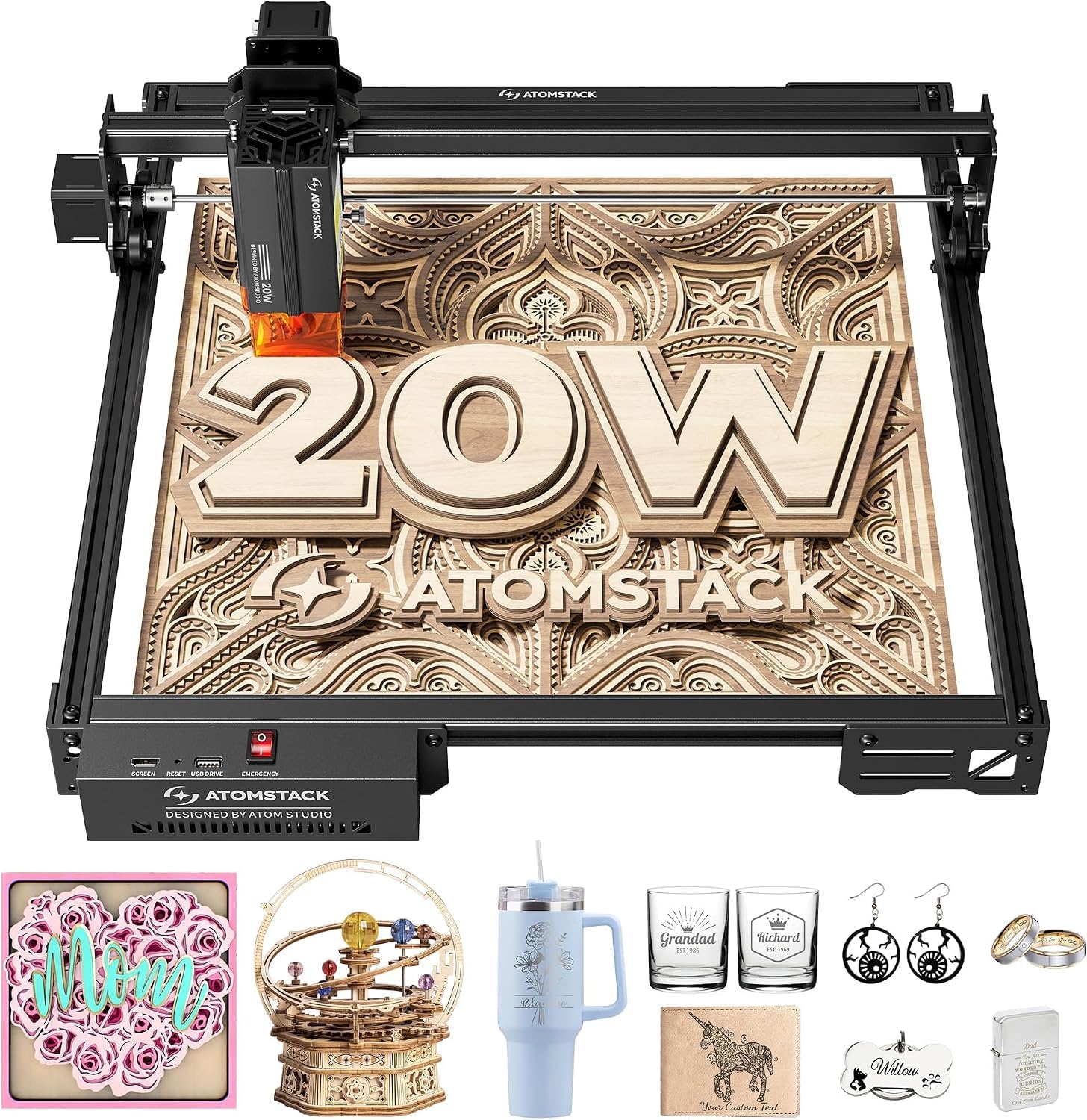
Built for personalized gifts and business cards — precision first, cut depth second.
If your work is engraved names on coasters and cards, this machine is tuned for exactly that. The 20000mW output drives engraving speeds up to 400mm/s across wood, acrylic, and metal, and a cross-line light plus limit switches hold 0.01mm engraving accuracy. An integrated linear guide motion structure means it assembles fast and stays precise, extending the machine’s working life.
The aluminum alloy frame and modular design keep it sturdy at 13.67 pounds, and it connects over Type-C or a USB stick, working with the ATOMSTACK app, PC software, LightBurn, and LaserGRBL. Safety features are meaningfully included: a removable magnetic protective cover, safety glasses, and a tilt-angle safety beep that sounds past 15°. The maker rates the module at up to 10,000 hours with low maintenance, and backs it with free replacement for faulty parts plus 24/7 support and lifetime technical help.
The caveat is one of purpose. For a small business making personalized items, the accuracy and the free-replacement backing are the reasons to pick it over a faster diode.
Precision story: 0.01mm engraving accuracy with a cross-line light makes lining up gift pieces repeatable.
Worth noting: the magnetic cover and tilt beep add safety, but this is still an open-frame machine needing airflow.
Pick this when: engraving precision on small goods is the job and you want free-replacement parts backing it.
Look past it if: your shop runs fast, high-volume cutting rather than detail engraving.
6. Twotrees TTS-20 Pro 20000mW Laser Engraver
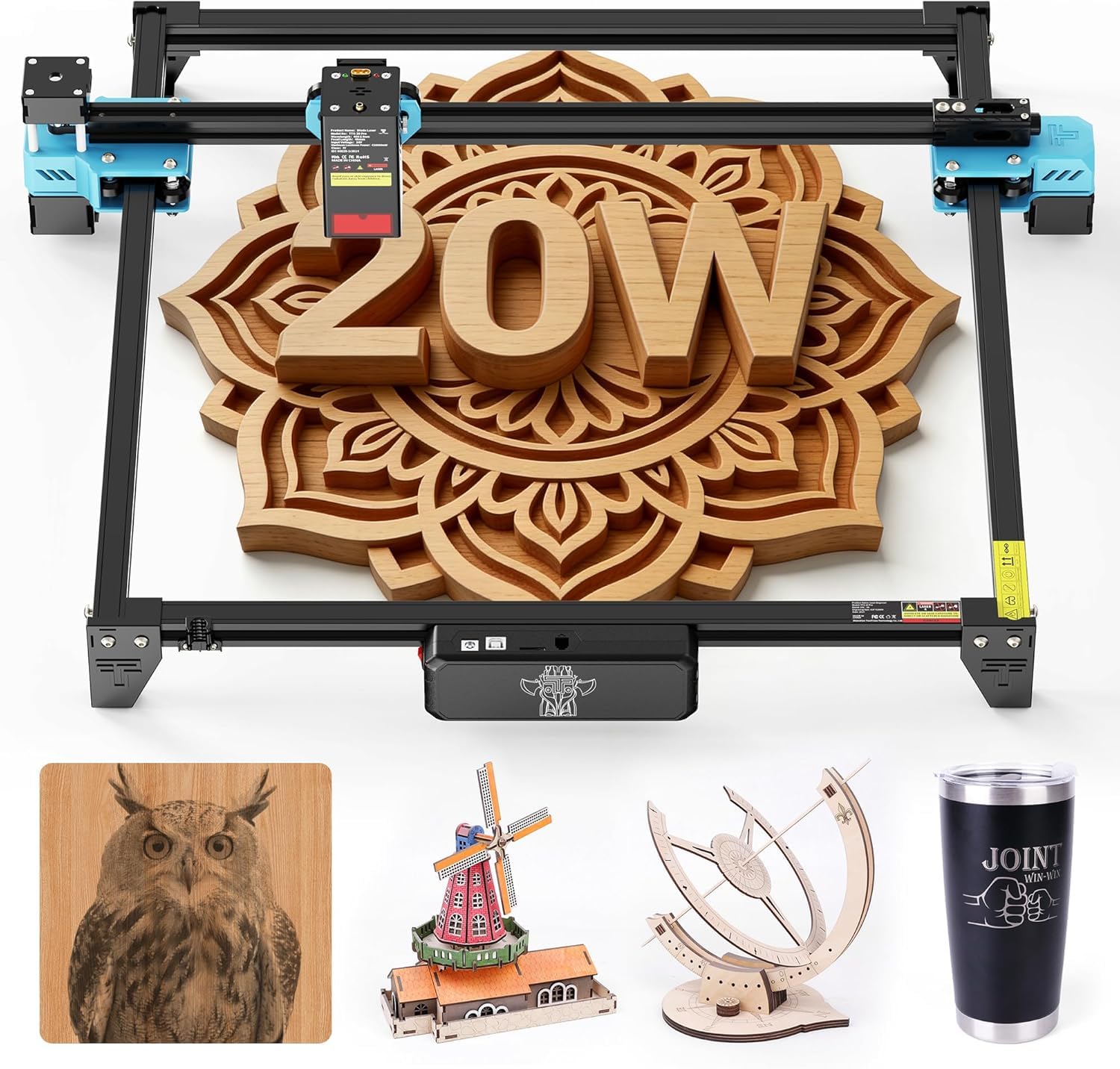
A big 418mm bed and 30000mm/min speed for repeat craft runs, no computer attached.
This machine gives you a genuinely large 418 x 418mm working area for the money, held square by an aluminum alloy frame and GT2-6mm synchronous belt. Inside, TMC2209 silent drivers and 42 stepper motors push it to 30000mm/min with 0.1mm positioning accuracy, and X/Y limit homing recalibrates the origin before every job — which is what makes batch work repeatable.
Its party piece is offline carving. Load LBRN, JPG, PNG, or GCODE files onto the 4GB TF card and run jobs straight from the machine over Wi-Fi, USB, or the card, no laptop needed. The head auto-returns to origin after each task, so you can line up the next piece and go. The 20W laser delivers ≥19.5W optical power at 450±5nm, working on wood, leather, bamboo, acrylic, MDF, coated stainless steel, and plastic.
Where it asks patience: motor power is the split point in feedback — fine for daily engraving and light cutting, not the most powerful, so very thick or dense stock will want multiple passes. Assembly is the other mixed note, so set aside a quiet hour to square the frame. The quality of the machine is what most buyers praise — that’s the thing that keeps coming up. It reserves ports for an optional touchscreen, air assist, and honeycomb panel, and at 4 kg it’s light enough to move and store between sessions.
Why makers like it
- Large 418 x 418mm area for bigger layout work
- 30000mm/min with 0.1mm positioning accuracy
- Offline 4GB TF card carving — no PC needed
- Works with LightBurn and LaserGRBL on Windows, Mac, and Linux
Honest limits
- Motor power is modest — thick stock wants multiple passes
- Assembly takes some care to get the frame square
- Touchscreen, air assist, and honeycomb are optional extras
Suits you if: you want repeat batch jobs run straight from a card without a computer.
pass on it if: one-pass thick-wood cutting is the priority.
7. AlgoLaser MK3 20W Laser Engraver with Air Assist Pump
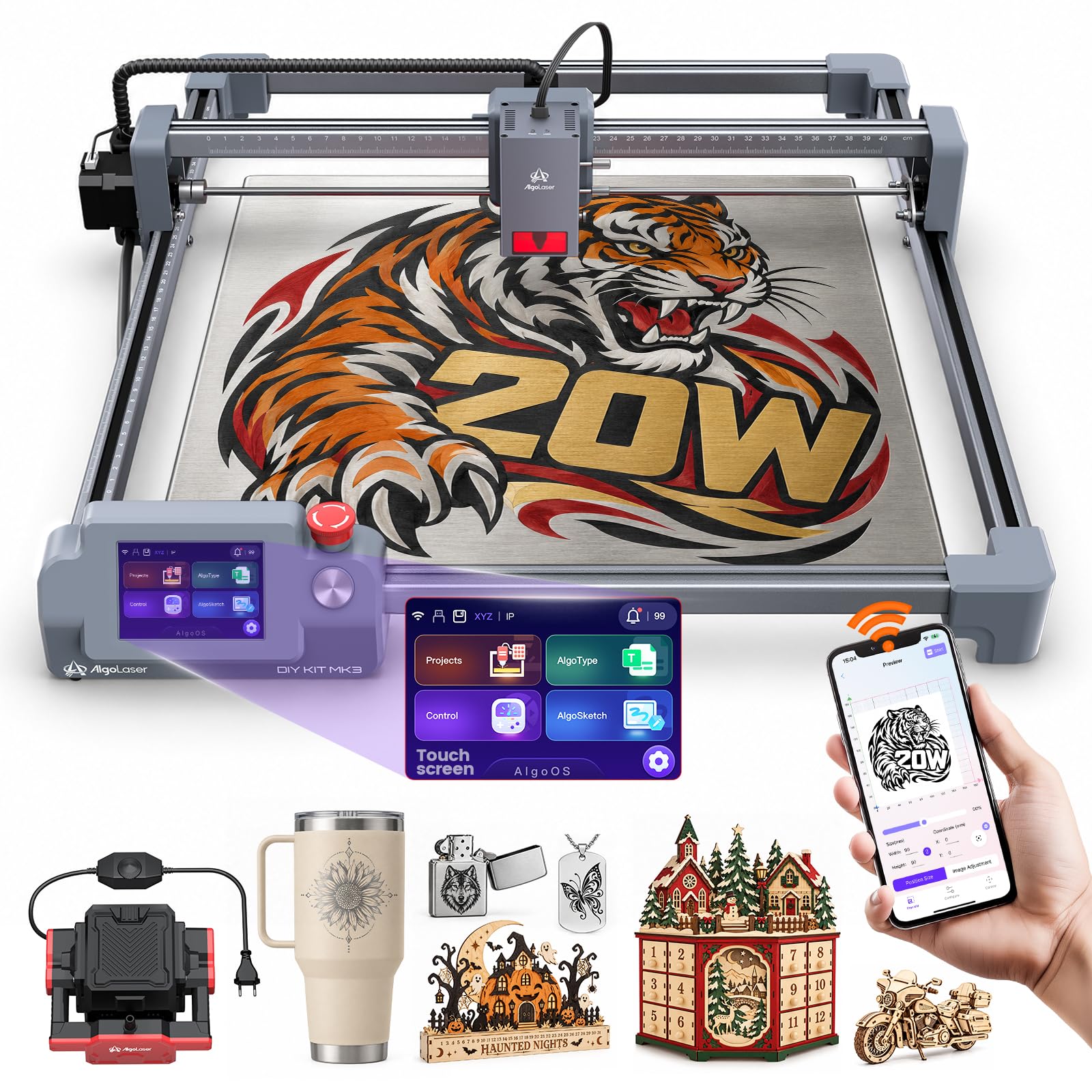
Air assist and a smart screen arrive together — the cleaner-edge setup for beginner workshops.
What separates this pick is that the air assist pump is in the box rather than the upgrade list. That pump blows air at the cut point, clearing smoke and reducing charring for cleaner wood edges from day one. The 20W diode reaches speeds up to 15000mm/min for engraving, marking, and cutting on compatible materials, producing clean lines and stronger cutting performance on signs, plaques, and decor pieces.
The 400 x 400mm working area gives room for batch jobs and larger designs, so you’re not constantly repositioning stock. On top sits a 3.5-inch smart touchscreen running the AlgoOS system, which helps you prepare designs, adjust settings, and preview projects before the laser fires — a genuinely beginner-friendly, visual way to work. Connectivity covers WiFi, USB, TF card, and app control, and it’s compatible with LightBurn and LaserGRBL on Windows and macOS.
The trade-off is that a smaller pool of owner feedback means fewer real-world reports to lean on than the established RAY5 or S1, so read the maker specs carefully against your own material plans. Air assist also rewards being dialed in — get it right and edges come out clean, get it wrong and you’ll see the difference. For a first machine where smoke control matters, having the pump included tips the value.
Value read: a 20W diode, a 400 x 400mm bed, and the air-assist pump bundled — a complete starter setup.
Newcomer caution: thinner owner history than the big names, so verify cut depth against your exact board before committing.
Choose it for: a first machine that arrives smoke-ready, with an included air-assist pump and touchscreen control.
Hold back if: you need a long track record of owner reports before you buy.
8. Longer Laser B1 40W Laser Engraver with Auto Air Assist
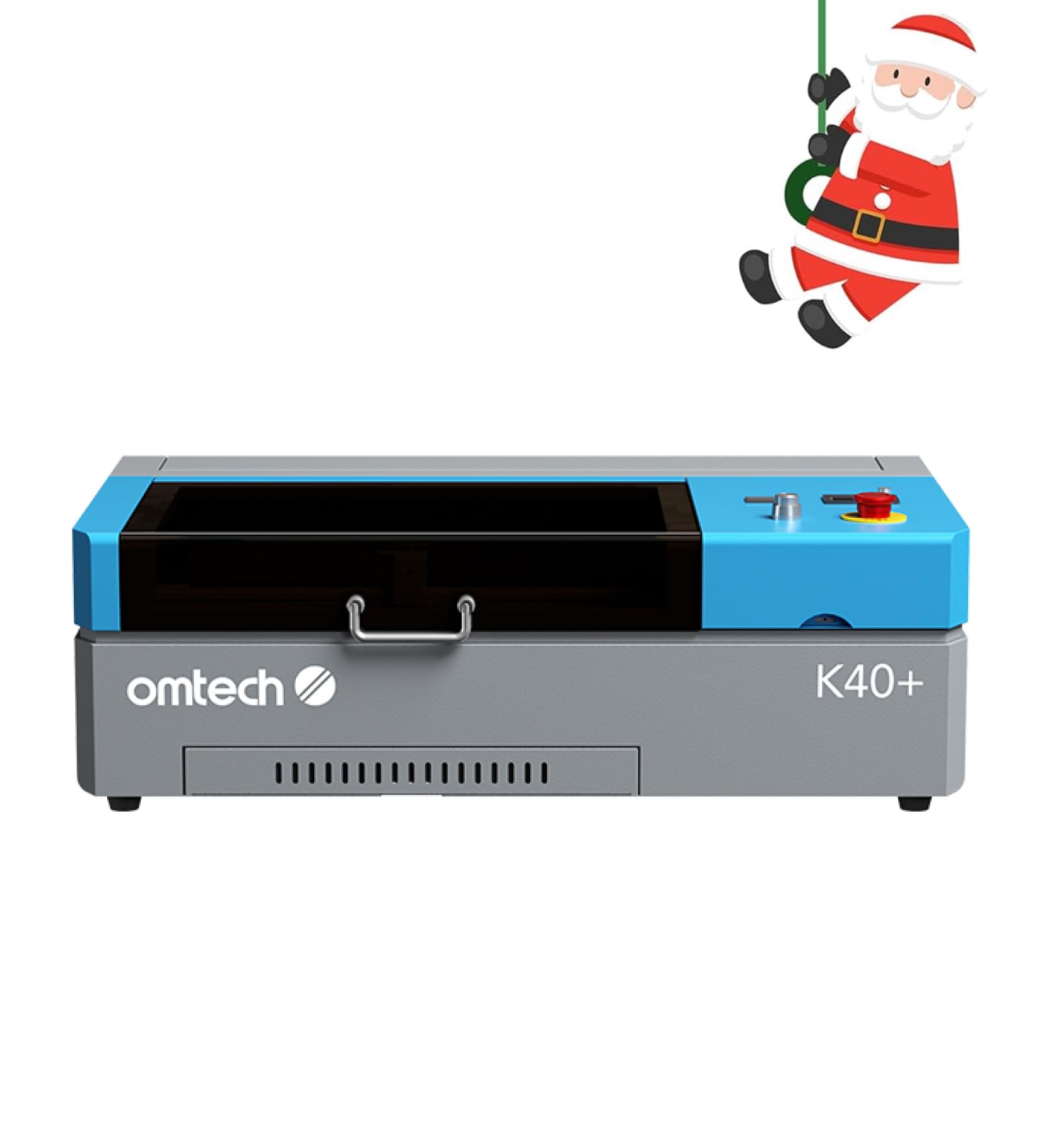
Your first CO2 tube — a compact enclosed cutter that handles acrylic and wood with a real air assist.
This is the entry door into CO2 territory, and the physics are different from every diode above. The upgraded 45W tube slices 0.4″ (10mm) acrylic and 0.31″ (8mm) wood with ease, and the maker states the upgraded tube raises cutting speed by 1.5–2× and depth by 15–20% over its prior version. Engraving reaches up to 300 mm/s for complex designs and bulk orders. Unlike a diode, a CO2 tube handles clear acrylic and organics efficiently, which is the reason to step up.
The workspace is compact at 12″ x 8″, so this is a small-job cutter, not a sign-cutting table. A honeycomb bed takes flat items, while the detachable base and optional rotary axis open up cylindrical and taller objects. A built-in 45° air assist auto-adjusts airflow with laser power, clearing smoke and debris, protecting the lens, reducing wood carbonization, and lowering fire risk on high-power jobs. It’s a Class 2 laser per the spec sheet, runs LightBurn and LaserGRBL, and adds door and water protection, an emergency stop, a flame-retardant acrylic panel, and a high-powered exhaust fan.
Be honest about the weight: 81.8 pounds means this is a fixed installation, not something you stow between projects. The compact 12″ x 8″ bed will also frustrate anyone dreaming of full-sheet cuts. But if your work is tumblers, small signage, and acrylic pieces that want a true CO2 cut, the enclosed design and integrated air assist make this the sensible first tube — and it comes with two years of comprehensive service and a 24/7 support team including local demos by appointment.
The CO2 case: 45W cuts 10mm acrylic and 8mm wood, with a 45° auto air assist that protects the lens and lowers fire risk.
Space reality: an 81.8-pound enclosed unit on a 12″ x 8″ bed — plan a permanent spot for it.
Right for you if: you want to cut clear acrylic and small wood pieces on a true CO2 tube with an enclosed, air-assisted setup.
Rethink it if: you need a large bed or a machine you can move and store.
9. xTool P2S 55W CO2 Laser Cutter

The production-grade CO2 for a serious studio — 55W, a big bed, and dual cameras watching the cut.
At 55W of CO2 output, this machine cuts through all colors of acrylic up to 20mm thick and black walnut up to 18mm in a single pass. That is the deepest single-pass figure on the list, and it rides on a custom CO2 laser tube with strong absorption for precise engraving on glass, ceramic, slate, coated metals, and anodized aluminum. Engraving speeds reach up to 600mm/s, and smart fill batch processing handles serial numbers and names in one go.
The bed is 26″ x 14″, with Auto-Passthrough for materials up to 118″ long and a Riser Base for objects up to 8.4″ high. Dual 16MP cameras give high-resolution real-time previews, and the LiDAR Ranging System holds precise 0.001″ autofocus. A 3D Curve Engraving mode builds accurate models for curved pieces, and the RA2 Pro Rotary compatibility opens up tumblers, mugs, and rings. Safety is comprehensive: AI fire detection, automatic lock, emergency stop, an enclosed body, adjustable air assist, and a 233.3 CFM exhaust fan.
Two things to know going in. It weighs 130.7 pounds, so it’s a permanent fixture needing a stable, well-ventilated spot. And onboarding is the split subject in feedback — the precision and build quality are what buyers praise, and many report no calibration was needed from the start, while a few hit startup or setup difficulty. That’s a machine to buy knowing support matters. For a studio that needs one-pass acrylic and thick walnut with camera previews, it’s the strongest CO2 here.
Where the P2S pulls clear
- 55W cuts 20mm acrylic and 18mm walnut in a single pass
- 26″ x 14″ bed with passthrough up to 118″ long
- Dual 16MP cameras and 0.001″ autofocus precision
- AI fire detection, auto lock, and a 233.3 CFM exhaust fan
What to plan around
- 130.7 pounds — needs a permanent, level, ventilated spot
- Setup can be fiddly for some first-time CO2 owners
- Premium-tier spend only pays off at production volume
Built for: a working studio cutting thick acrylic and walnut with camera-guided precision.
Not for: a hobby bench that only cuts thin wood a diode could handle.
Know the Specs
Optical Power in Watts (Diode)
A diode laser’s wattage is the real energy hitting the wood, so it directly sets single-pass cut depth. Think of it as the difference between a thin blade and a thick one — a 20W diode (20000mW) cuts 25mm wood per manufacturer specs, while a 10W module (10000mW) leans on multiple slow passes for the same board. Watch for “optical output” versus a lower “input” figure, because the optical number is what actually cuts. Air assist — a small pump blowing air at the cut point — lets a given wattage cut cleaner by clearing smoke and stopping the lens from clouding.
Work Area and Bed Size
Work area is the flat rectangle the laser can reach, written as two dimensions. A 400 x 400mm bed handles coasters, gift boxes, and small plaques; a 450 x 440mm bed gives more room for larger signs without tiling a design. Passthrough features let very long material feed through in sections, which matters for shelf signs. Bigger beds also let you lay out several small cuts at once and walk away, so treat the area as a productivity spec, not just a size note.
Diode vs CO2 Tubes
A diode laser uses semiconductor emitters and comes open-frame or lightly enclosed; it is cheaper to run and strong on wood and leather. A CO2 laser uses a gas-filled glass tube inside a sealed cabinet, cuts clear acrylic and thicker organics more comfortably, and needs more space and weight on the bench. Choose a diode for wood-only home work and a CO2 for clear acrylic, mirrored pieces, or production volume. Neither is “better” — each fits a different material list.
Safety Enclosure and Air Assist
An enclosed machine uses a lid or cover to keep laser light and smoke inside; some covers filter a stated percentage of laser light so you don’t need goggles while watching. Open-frame diodes throw smoke and glare into the room, so plan ventilation. Air assist clears debris and reduces charring on wood edges. Flame sensors, an emergency stop, and a lid-open stop are the three safety features worth checking before the machine lives near family or pets.
Common Questions
How thick a wood board can a 20W diode laser cut in one pass?
Is a CO2 laser better than a diode laser for cutting wood?
What is air assist and do I need it for wood cutting?
Can I run a laser engraver without a computer connected?
How much work area do I need for cutting signs and plaques?
Do these laser cutters need special ventilation indoors?
What safety features should a wood laser cutter have around kids and pets?
What software do these machines use and is it free?
Can a diode laser cut clear acrylic or mirrored stainless steel?
How heavy are these machines and do they need a dedicated bench?
The Bottom Line
For most buyers chasing the best wood laser cutting machine, the winner is the xTool S1 40W because it pairs real 40W one-pass cutting with an enclosed, flame-sensing body that makes it safe to run at home. If speed on a tighter bench is your aim, the Longer RAY5 New Upgrade leads on pace at 24,000mm/min against the other RAY5’s 10000mm/min. And if clear acrylic and thick walnut are on your material list, the xTool P2S 55W CO2 is the one to reach for — its 55W tube cuts 20mm acrylic and 18mm walnut in a single pass, the deepest onepass figure here. The higher-rated pick on this page also happens to be the priciest — the S1’s 4.5+ rating against the budget RAY5’s 4.4 tells you the enclosure and safety stack are worth planning for if the budget can stretch.
How we choose
We do not accept paid placement. Every pick is matched to a real buyer and a real use-case; we do not hands-on test units.
Sources
Specifications: manufacturer listings and product documentation. Review insights: verified customer reviews, as of November 2026. Pricing: not shown on this page (it changes often); check the current price via the retailer link.
As an Amazon Associate, Tactical Gear Guy earns from qualifying purchases. This does not affect which products we feature.