Specs are compiled from manufacturer listings and verified buyer reviews and can change over time — please confirm the key details on the product page before buying.
Many engravers that claim to handle wood and metal only scratch the surface of metal. Others need a lens swap (a change of the focusing lens) or a second machine to do it properly. The models below genuinely mark both, using a fiber laser (a beam that cuts and marks bare metal), an infrared laser (a beam that marks metal without a coating), or a dual-laser head (two laser sources in one machine). That means you can burn a name into a wooden cutting board and etch a permanent mark into a steel dog tag on the same machine. What separates a good pick from a frustrating one depends on one thing: which laser is doing the metal work.
This guide is built by comparing the manufacturers’ published specifications and the patterns across verified customer reviews, so you get each pick’s real strengths and trade-offs instead of marketing spin.
Some of these are enclosed desktop boxes you can set on a workbench, and others are open-frame fiber units that need goggles and a dedicated workspace. The picks below split cleanly along that line, which matters more than most spec sheets admit. Here is the honest breakdown of the wood and metal laser engraver market.
Top Picks

How To Choose The Best Wood and Metal Laser Engraver
The first decision you make is not about wattage or speed — it is about which laser type is doing the metal work. A diode laser (the common blue-light laser in hobby machines) burns wood, leather, and dark acrylic well, but it mostly bounces off bare stainless steel. To mark metal permanently you need either a fiber laser (a 1064 nm beam that metals absorb), an infrared module, or a coating that the laser can bond to. Get that wrong and you will be spraying marking compound on every metal blank.
Fiber, infrared, or dual laser — pick your metal method first
A fiber laser is the fastest, deepest option for metal and is what jewelry markers and industrial shops use. An infrared laser is a smaller module that marks metal cleanly but usually at lower power. A dual-laser machine gives you a diode head for wood and an infrared or fiber head for metal in one body, so you never swap hardware. If metal is half your workload, dual is the shape you want.
Wattage tells you depth and cutting, not speed
Higher wattage means deeper engraving and thicker cuts, not necessarily faster travel. A 20W fiber head deep-carves metal that a 5W infrared head will only mark on the surface. If you plan to cut thin metal or carve relief into steel, look hard at the wattage figure. If you only need black marks on metal, a lower-power infrared head does the job.
Work area and enclosure decide where you can run it
Small 110 mm square or 3.94-inch square beds suit tags, keychains, and jewelry blanks. Larger beds let you run coasters, phone cases, and signs in one pass. An enclosed Class 1 body lets you work indoors without goggles; an open Class 4 fiber unit needs protective glasses and fume control. Match the enclosure to your space before you match the specs to your wish list.
Side-by-Side Comparison
| Model | Best For | Laser Type | Rated Power | Work Area | Amazon |
|---|---|---|---|---|---|
| xTool F2★ Best Overall | All-round dual-laser desktop pick | Diode + IR | 15W diode / 5W IR | — | Amazon |
| Carverall A1 ProBudget Entry | Budget-friendly entry with camera | Diode (IR head optional) | 12W | 3.94 × 3.94 in | Amazon |
| IKIER FlexEnclosed Pick | Enclosed Class 1 dual laser | Diode + IR | 12W diode / 1.2W IR | — | Amazon |
| LaserPecker Dual-Laser | Batch production with smart screen | IR + Diode (auto-switch) | — | 160 × 120 mm | Amazon |
| ComMarker B4 | Jewelry and precious metal marking | Fiber | 20W | 110 × 110 mm / 200 × 200 mm | Amazon |
| GWEIKE G2 Plus | Deep metal engraving on a budget | Fiber | 20W | 150 × 150 mm | Amazon |
| xTool F1 Ultra | Large-bed dual laser for shops | Fiber + Diode | 20W / 20W | 220 × 220 mm | Amazon |
| GWEIKE G2 Max | Heaviest metal work and cutting | Fiber | 50W | 150 × 150 mm | Amazon |
| LaserPecker LP5 | Portable store-front customization | Fiber + Diode | 20W | — | Amazon |
| SFX 50W JPT | Industrial fiber marking station | Fiber (JPT) | 50W | 175 × 175 mm lens | Amazon |
Detailed Reviews
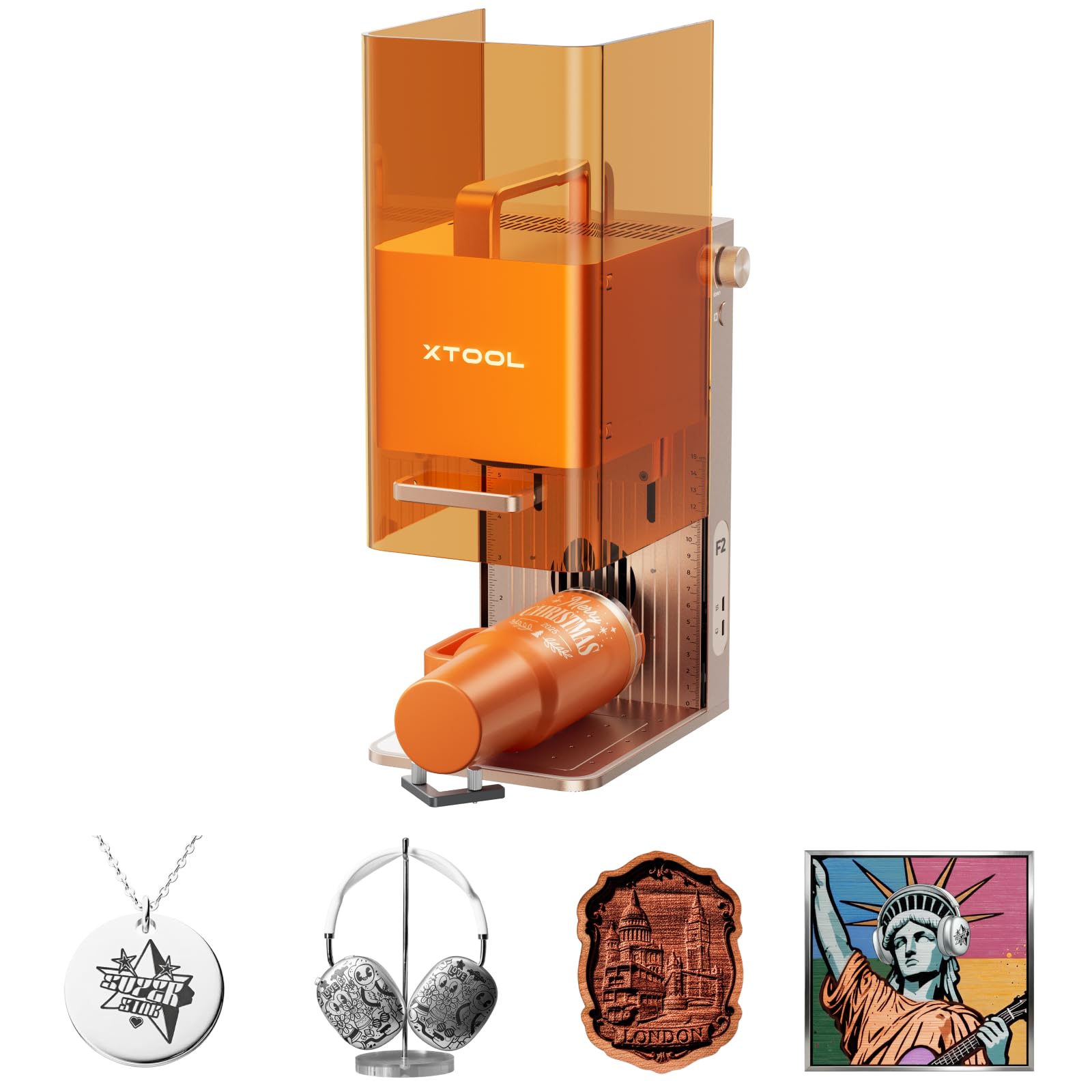
1. xTool F2 5W IR & 15W Diode Dual Laser Engraver
Our pick — 4.5+★ from 100+ verified ratings; the strongest balance of quality and price.
A dual-laser desktop box that marks metal and carves wood without a single lens swap.
Two laser heads share one body here. The 5W IR (infrared) head delivers deep, dark color marking on metal, while the 15W diode head handles 3D embossing and cutting thick material — and the machine covers 300+ materials between them. That 15W diode figure is 25% more power than the 12W unit further down this list, which shows up as heavier cuts on wood rather than faster travel.
Speed is where this one gets serious. It runs up to 6000 mm/s, fast enough to finish a card engraving in about 3 seconds, and that tops the LaserPecker dual-laser pick’s 4000 mm/s. The built-in 50MP camera maps the workspace and lines up small pieces to 0.1 mm accuracy, so you are not burning test blanks to find center. It arrives fully assembled, weighs 10 pounds, and its enclosed, leak-proof shell with a built-in fan means you can run it indoors.
Build quality is what wins people over — the fit and finish land above what most owners expected for the money. The honest catch is engraving results, the one trait that misses owner expectations more than any other; dial in your power settings on scrap before you commit a good blank. It is also a Class 4 laser, so treat it as a real laser tool, not a toy.
What earns it the top slot
- Two lasers — 15W diode for wood, 5W IR for metal — with no manual swap
- 6000 mm/s travel finishes a card engraving in roughly 3 seconds
- 50MP camera lines up small pieces to 0.1 mm accuracy
- 10 pounds and fully assembled, so it travels to fairs and pop-ups
What to weigh before buying
- Class 4 laser output — needs real fume control and respect
- Engraving results miss expectations more than any other trait
- Batch work wants the Slide Extension, sold as an accessory
Reach for this if: you want one enclosed machine that marks metal and carves wood, and you value setup speed over a giant work bed.
Look elsewhere if: you need full production batch volume on day one — that path needs the extra accessories.
2. Carverall A1 Pro 12W Desktop Laser Engraver with Camera
The entry-level way in, if you accept that metal marking needs the add-on IR head.
This is a diode machine first. Its 12W laser covers 200+ materials — wood, leather, acrylic, glass, coated metals — and cuts 12mm plywood and 8mm acrylic. For bare metal you swap in an IR head, which is the one thing you must plan for: the metal capability is a separate head, not built in like the xTool F2 above.
The workflow is genuinely beginner-friendly. A camera gives you one-click photo preview, so you place the material, snap a shot, and drag your design onto the exact spot on the image. Precision is 0.01mm, and the built-in memory plus a pre-installed TF card let you repeat a job with one button press. CutLabX software comes free on computer, tablet, and phone, and it also works with LightBurn and LaserGRBL.
The bed is small — 3.94 × 3.94 inches — which is perfect for dog tags and keychains but rules out wide signs. Three height settings up to 10.63 inches (27cm) let you fit thicker items. On safety, it is a fully enclosed Class 1 design that stops when opened and shuts off if tilted past 15°, with built-in air assist and an exhaust fan. At 12,000 mm/min it outpaces the IKIER Flex’s 10,000 mm/min by 20%.
The case for it
- 12,000 mm/min travel — 20% faster than the IKIER Flex
- Camera photo preview makes placement a drag-and-drop job
- Offline repeat from memory saves re-uploading a file
The limits to accept
- Bare metal needs the add-on IR head — diode alone will not mark it
- 3.94-inch bed rules out wide pieces
- Tumbler work needs the optional roller
The verdict: a smart first machine for crafters making tags and keychains who want the camera workflow and will add the IR head when metal work picks up.
Outgrown quickly if: you already know metal is half your workload.
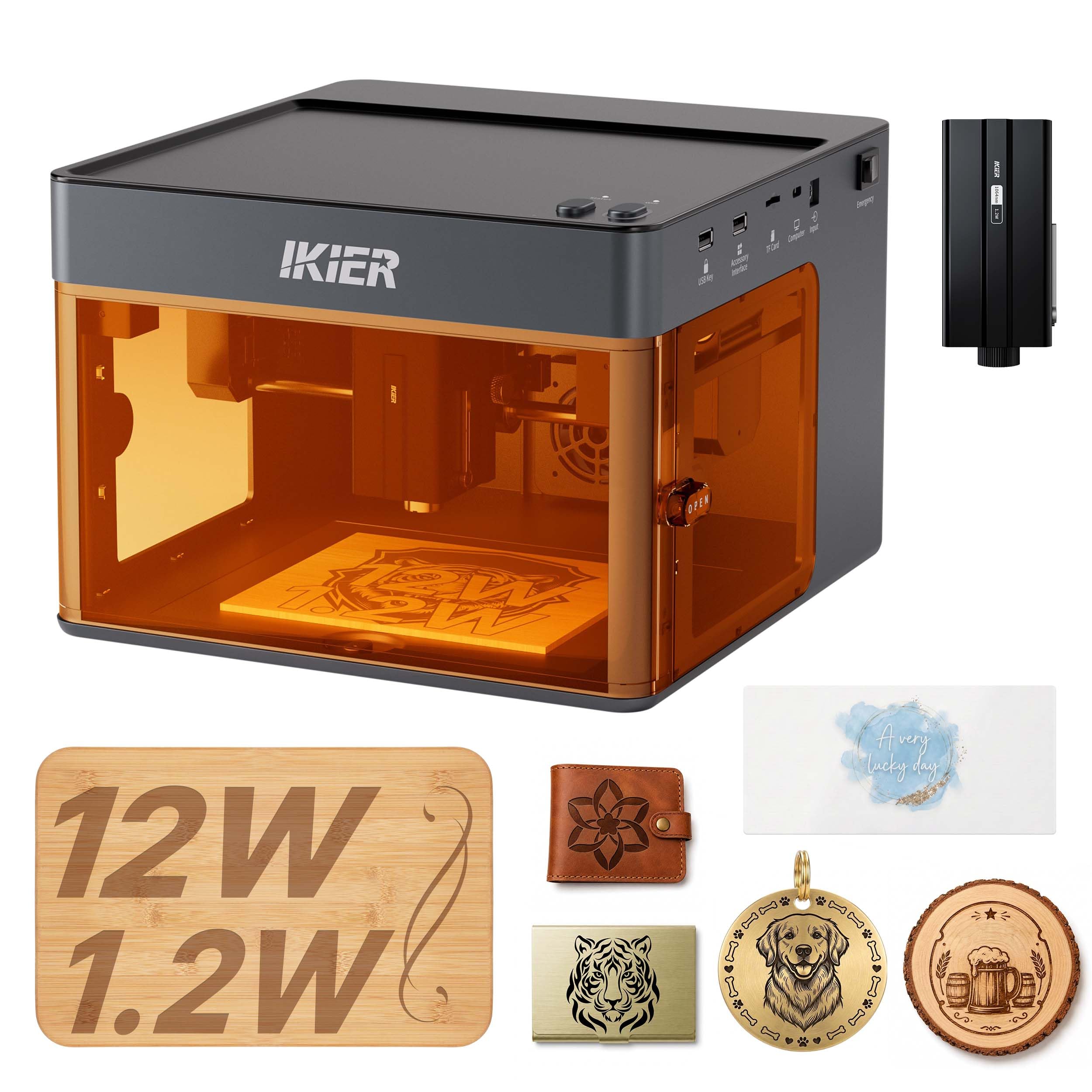
3. IKIER Flex Dual Laser Engraving Machine
A fully enclosed dual-laser box you can run without strapping on safety goggles.
The defining trait here is the 720° fully enclosed structure with a built-in viewing window — it is a Class 1 machine, which means no goggles needed during normal use. That is a real difference from the open fiber units further down this list, and it is what makes this easy to live with in a spare room or small shop. Intelligent sensors stop the machine if it tilts unexpectedly.
Two modules ship in the box: a 12W diode head and a 1.2W infrared module for metal. It handles 300+ materials from bamboo to leather to stainless steel and opaque black acrylic. Cutting work runs at up to 10,000 mm/min, quick enough to turn out coasters or phone cases in 3 to 5 minutes. The included software carries 1,000+ material presets and auto-recognizes accessories, and you can upload designs from a phone or PC.
One number to keep in perspective: the 1.2W infrared module is modest next to the 12W heads elsewhere — a quarter of the xTool F2’s 5W IR in raw output. It marks metal cleanly but will not deep-carve it. You are buying this for the enclosure and the dual-material convenience, not for heavy metal cutting. A 365-day warranty and 24/7 support round it out.
Where it fits: anyone who wants a Class 1 enclosed dual-laser machine for a home studio and mainly marks metal rather than carving it.
The number to note: the 1.2W infrared module marks but does not deep-engrave metal, so heavy metal carving needs a fiber unit.
Buy it for: the enclosed Class 1 safety and the two modules in one box.
Pass if: deep metal carving is your main goal.
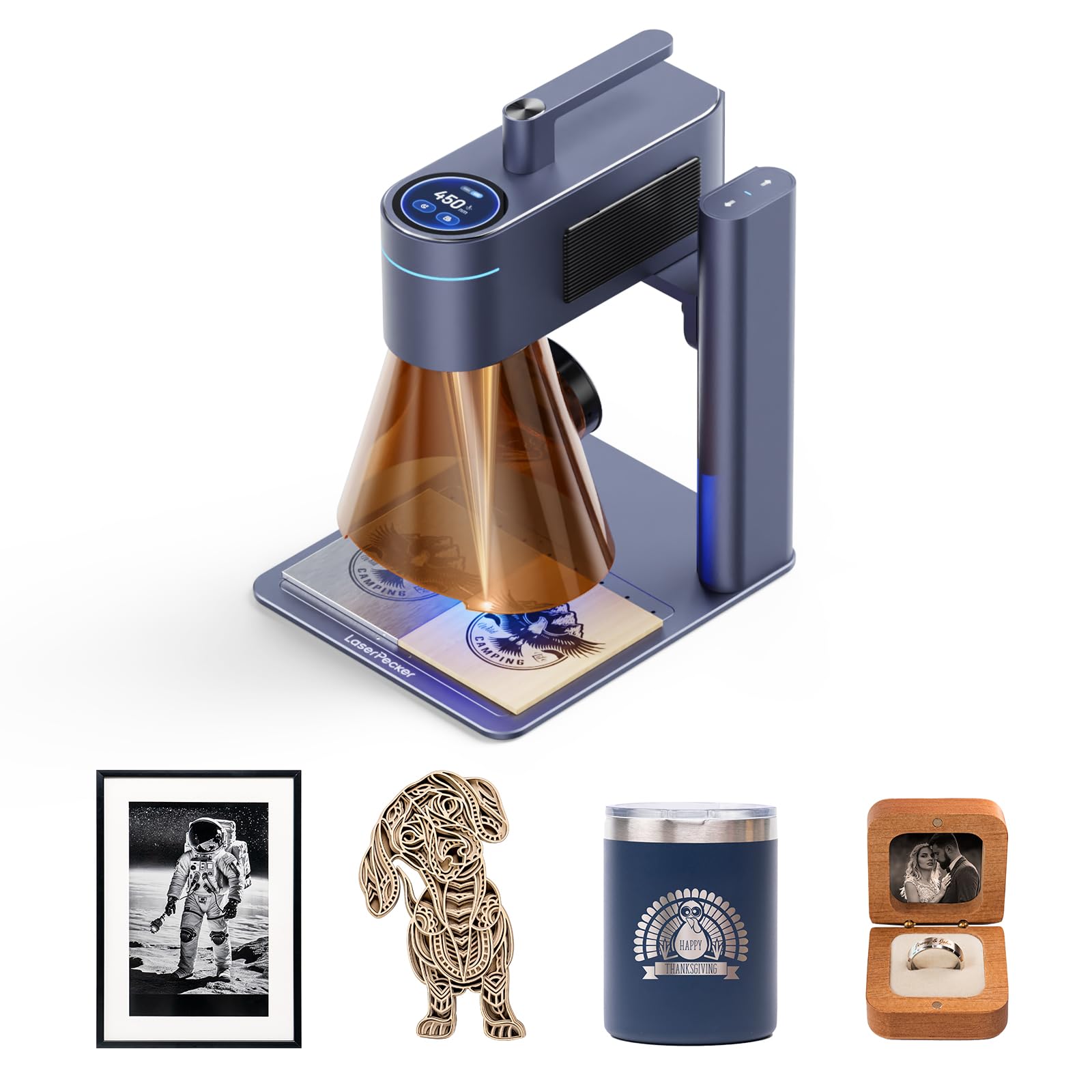
4. LaserPecker Dual-Laser Engraver
Built around repetition — save a design once, reload it for a hundred keychains.
This machine is aimed at the maker selling at markets. A smart screen lets you save and reload designs instantly for batches of 50-100 pieces, and the idea is that you skip setup time between orders. The IR laser engraves stainless steel and plastic while the diode cuts 8mm wood and 5mm acrylic — and it swaps between the two automatically, so no manual head change.
Resolution is the headline spec: 8K (1270 DPI) captures micro text and QR codes fine enough to engrave fonts on rings. Speed runs up to 4000 mm/s through galvanometer tech across a 160 x 120 mm work area. Note that the xTool F2 above travels at 6000 mm/s versus 4000 mm/s here. The LightBurn + LDS ecosystem auto-generates G-code from orders and supports variable text and multi-layer editing.
Functionality is what people talk about most, and the setup is straightforward. The instructions are the mixed part; expect to lean on tutorials rather than the manual.
Why it earns its spot: the smart screen repeat and 8K resolution target real small-batch production, where re-running the same design is the whole job.
The trade-off: at 15.07 pounds it is a bench machine, and the instructions leave gaps.
Made for: sellers running repeated identical jobs who value resolution and reload speed over raw travel speed.
Not the pick for: someone who needs to carry the machine to every event.
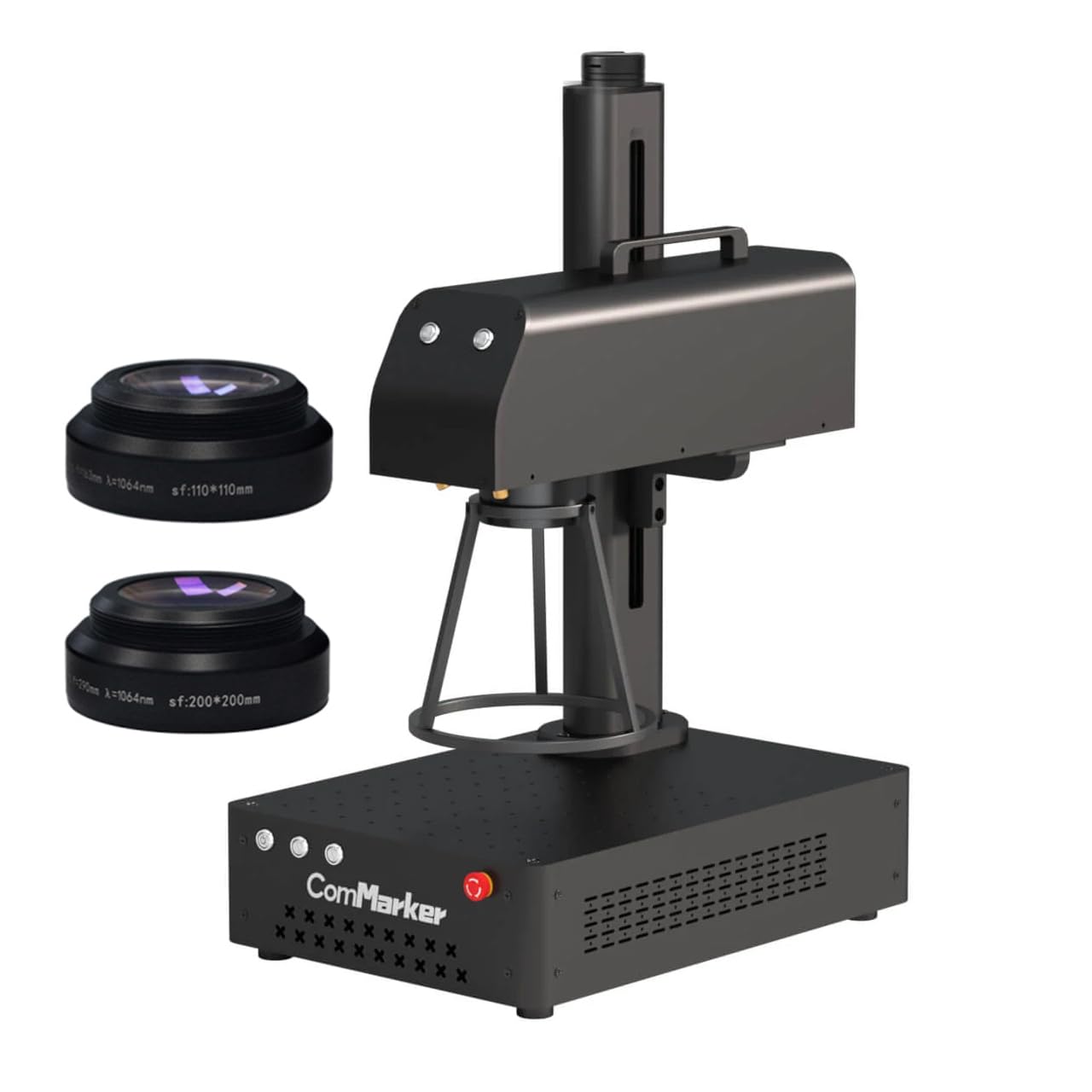
5. ComMarker B4 20W Fiber Laser Engraver
A true fiber laser aimed at gold, silver, and jewelry — with two lenses in the box.
This is the first pure fiber machine on the list, and it changes the metal conversation. A 20W maximum fiber source at a 1064 nm wavelength marks stainless steel, aluminum, gold, silver, alloy, and copper with the kind of permanence a diode cannot reach. It engraves to a depth of 0.3-0.5mm and holds a minimum line width of 0.01mm, so fine jewelry detail stays crisp.
Two field lenses ship with it — 110 x 110mm and 200 x 200mm — so you can choose the tight lens for small jewelry or the wide one for larger flats. It is a 2-in-1 desktop and handheld unit with a foot switch and positioner, and it supports LightBurn and EzCad2. Marking speed runs 0-15000 mm/s at a 20-60kHz frequency.
The reality check is size and openness. At 37.9 pounds this is a bench-bound machine, not something you tuck under an arm, and it is an open fiber setup that comes with 1064 nm goggles for a reason. Plan a dedicated station with fume control. It is a serious tool for precious-metal work rather than a casual hobby box.
Strong points
- 20W fiber source deep-marks gold, silver, and steel
- Two lenses (110mm and 200mm) cover jewelry and larger flats
- Handheld and desktop modes in one body, with foot switch
Real considerations
- 37.9 pounds — a fixed bench tool
- Open fiber design needs goggles and fume control
- No built-in wood cutting like a diode — metal is the focus
Settle on this if: jewelry and metal marking are your craft and you want two lens sizes from the start.
Skip the fiber route if: wood cutting is your main work — a diode or dual machine covers it better.
6. GWEIKE G2 Plus 20W Fiber Laser Engraver

Deep metal engraving with an electric lift column — the fiber value play.
A 20W 1064 nm fiber laser sits at the heart of this one, and it deep-engraves metal rather than just marking it — the detail and perceptibility of the designs are the selling point. It also handles plastic, leather, colored ceramic, black acrylic, and stone. The color trick is a real feature: it can mark stainless steel and titanium in more than 30 different colors.
Speed and focus are handled well. It runs to 15000 mm/s with three resolution options (2k, 4k, 8k) and 0.001 mm accuracy. The electric lifting column means you press a button to focus instead of cranking a wheel by hand, and dual red-light positioning gives you a quick preview of the work area. The bed is 150 x 150 mm.
Performance is what wins people over here, and the 20W fiber head carves deeper than buyers expect. The mixed part is ease of use — the software side takes some learning. It is also a Class 4 laser at 20,000mW output with an emergency stop, protective glasses, and a cover, so it wants a proper station. It is compatible with LightBurn and connects over WIFI or USB.
Where the value lives: a 20W fiber source with an electric lift column at a mid-range position is the fastest route to serious deep metal engraving.
What to plan for: Class 4 output plus a learning curve on the software.
Best matched to: metal-focused makers who want deep engraving and color marking without a premium-tier spend.
Think twice if: you want a plug-and-play first laser with zero learning curve.
7. xTool F1 Ultra 20W Fiber & Diode Dual Laser Engraver

Two 20W lasers and the largest desktop fiber bed on this list.
Both heads run 20W here — a fiber laser that engraves all metals in seconds and a diode that handles wood, acrylic, leather, glass, rubber, and fabric. That dual 20W setup enables 3D embossing and deep engraving across metal, wood, and rock. The 220 x 220 mm work area is the big draw, expanding to 220 x 500 mm with the separately sold auto conveyor.
For a shop, the auto-streamline production is the feature to understand: the auto conveyor plus a 16MP camera recognizes shapes on the belt, fills patterns on every piece, and runs batches at 10,000 mm/s. The diode side cuts up to 15mm wood and 12mm black acrylic, while the fiber side handles thin stainless steel (0.3mm), brass (0.4mm), and aluminum (0.2mm). The fully enclosed cover, smoke extraction, fire alarm, and emergency stop suit in-store customization.
Build quality is the standout, and the dual 20W lasers paired with a 220 x 220 mm bed are what make it versatile. The honest trade-offs: value and durability draw the most pushback, and the learning curve is real if you are new to lasers. It is also 43.8 pounds — a fixed station, not a portable box.
What you are buying: a 220 x 220 mm dual-laser bed with a 16MP camera and production-scale batching, expandable to 220 x 500 mm with the conveyor.
The honest read: durability complaints and a real learning curve mean you should budget time to master it.
The right call for: a small business that needs one big-bed dual machine for metal and wood and will use the conveyor workflow.
Not for you if: you want a simple portable engraver for occasional tags.
8. GWEIKE G2 Max 50W Fiber Laser Engraver
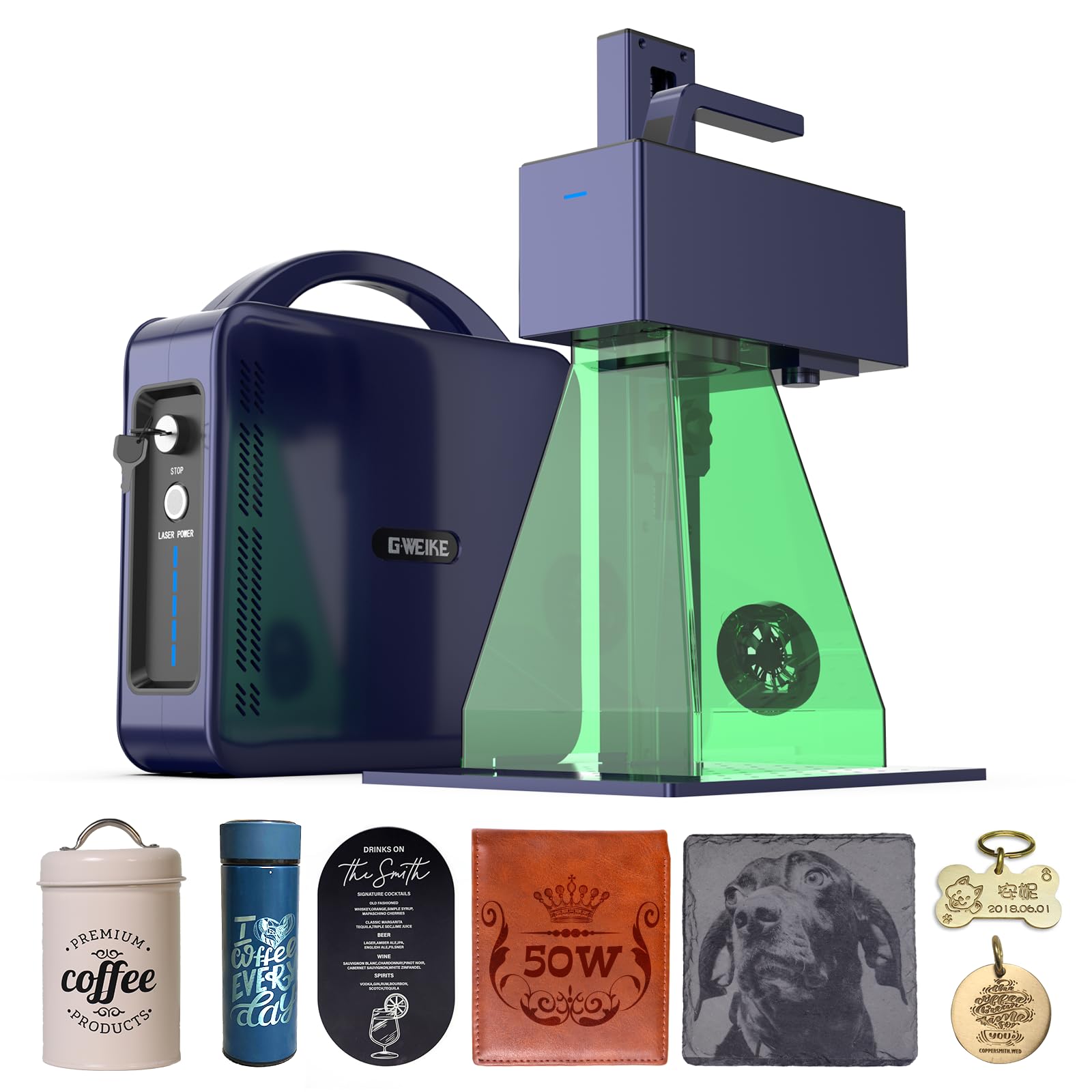
The 50W fiber head built for deep carving and thin metal cutting.
This is the heaviest hitter in the GWEIKE line, with a 50W 1064 nm fiber laser — the jump from 30W to 50W is what open up metal cutting in addition to deep engraving. It runs 15000 mm/s at 0.001 mm accuracy with 8K resolution, so heavy power does not cost you detail. It also marks 90+ colors on stainless steel and titanium.
The bed is 150 x 150 mm with an electric lift column for one-button focus, and dual red-light positioning speeds up preview. It supports GLaser and LightBurn over WIFI or USB, and the detachable head lets you engrave off the bench. On materials it covers metals plus plastic, leather, dark glass, colored ceramic, acrylic, and stone.
Engraving quality is what people talk about first, with results on brass a recurring bright spot, and the electric-lift setup is easy. Reliability is the mixed note — a few units stopped working early. It is also a Class 4 laser at 50,000mW, so this is a shop tool that needs goggles, a cover, an emergency stop, and fume control. 22 pounds keeps it movable between benches.
The draw: 50W of fiber power gives you metal cutting and deep engraving that the 20W and 30W machines cannot match.
Sized honestly: reliability is mixed, so buy from a seller with a clear warranty path.
Suits: a serious metal shop that needs cutting power and deep carve on a 150 x 150 mm bed.
Overkill if: you only need surface marks and color on flat metal.
9. LaserPecker LP5 20W Fiber & Diode Dual Laser Engraver
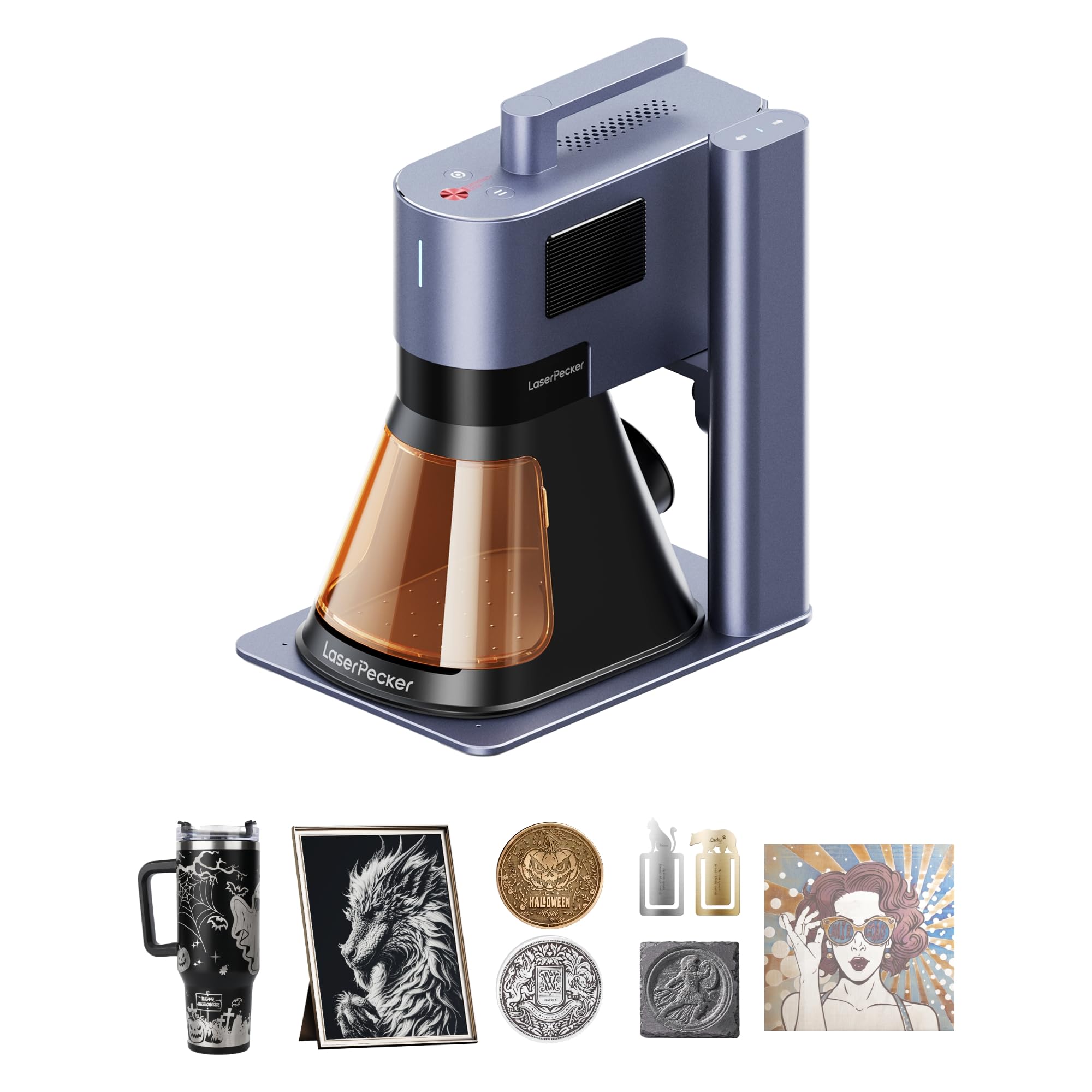
A dual-laser engraver light enough to carry into a mall kiosk.
At 6.02kg (about 23.2 pounds as shipped), this is built to travel — the maker positions it as half the weight of similar engravers, with fast setup for craft fairs and a footprint that fits a car trunk. The point is on-the-spot customization: engrave during a customer’s wait rather than taking orders home. It handles metals like gold and steel plus non-metals like wood and leather in one machine.
Both lasers run 20W. It cuts and engraves at 10,000 mm/s with 0.0027mm precision and 8K detail, and the diode side cuts 20mm wood and 15mm acrylic while the fiber side slices 0.5mm brass and titanium. A 3D grayscale function creates depth-controlled coins and relief art, and a material test array cuts down on trial runs. Setup is claimed at 92% faster than heavier 12kg machines.
Build quality is the consistent note, and the app experience is the variable — some find it easy, others hit friction. Read the app workflow before you commit if software ease matters to you. For a mobile business that needs a dual laser in a small case, it is a strong fit.
What it brings
- 6.02kg body travels to fairs and kiosks
- Dual 20W lasers cut 20mm wood and 0.5mm brass
- 3D grayscale mode for relief coins and jewelry
What to check first
- App experience is mixed — try the workflow before you buy
- Portability over raw bed size
- Premium-tier spend for the travel form factor
Made for: mobile sellers and kiosk operators who need both lasers in a carryable body.
The alternative: if the machine never leaves the shop, a bigger-bed fiber unit gives more for the space.
10. SFX 50W JPT Fiber Laser Engraver

The industrial marking station — a JPT source, a BJ JCZ board, and a big lens.
This is the machine-shop end of the list. The laser source is a JPT LP+ Series running a 1-600kHz repetition rate with a 200ns pulse duration, and the control board is an original BJ JCZ driving EzCad2. It marks up to 7m/s with a reposition precision of 0.002mm and an electrical-optical conversion rate up to 70%. The 175 x 175mm lens covers a broad work area, and a rotary axis is compatible for cylindrical work.
Materials span all metals — aluminum, stainless steel, brass, copper — plus nonmetals like nylon, ABS, and PVC. It is compatible with LightBurn and runs on Windows XP through 10. This is a production-grade marking machine, not a craft box: it wants a dedicated station and a learned operator.
Support is the quiet strength — the maker has been building laser products since 2004, offers a one-year machine warranty with lifetime one-on-one technical support, and keeps pre- and after-sales teams in the United States. If you need a fiber marker for a shop that runs all day, this is the industrial-grade route.
Built for: a production environment that needs a JPT fiber source, a 175mm lens, and a rotary-compatible bed.
Keep in mind: it is an industrial machine — plan for a dedicated bench and a trained operator.
Belongs in: a metal marking shop that wants a JPT source with US-based support.
Not the entry path: hobbyists wanting wood and metal in one beginner box should start elsewhere.
Know the Specs
Laser type: fiber vs infrared vs diode
A fiber laser uses a 1064 nm beam that metals absorb, which is why it deep-engraves steel and can even cut thin metal. An infrared module marks metal cleanly but at lower power. A diode laser burns wood and dark acrylic well but mostly fails on bare metal. Dual-laser machines combine a diode (for wood) with a fiber or IR head (for metal) so one machine covers both.
Rated power: watts and milliwatts
Power is quoted in watts (W) or milliwatts (mW). A higher figure means deeper engraving and thicker cutting, not necessarily faster travel. A 50W fiber head cuts thin metal that a 20W head only marks. Match the wattage to the depth you need, not to the biggest number on the page.
Work area and lens size
Work area is the flat space a design can cover in one run — 110 x 110mm suits jewelry and tags, 150 x 150mm and up suits coasters and signs. Fiber machines sometimes quote lens size instead (a 175 x 175mm lens). Bigger beds mean fewer repositions on larger pieces.
Safety class and enclosure
Class 1 machines are fully enclosed and designed to run without goggles during normal use. Class 4 machines are open and emit directly — those need protective glasses and careful fume control. If the machine lives in a home or retail space, the safety class matters as much as the wattage.
Common Questions
Can a diode laser engrave bare metal?
What is the difference between a fiber laser and an infrared laser for metal?
Do I need protective goggles when using a fiber laser engraver?
How big a work area do I need for dog tags and keychains?
Will these machines cut metal or only engrave it?
Does a fiber laser engraver work on wood?
How long does it take to engrave a small metal tag?
Can I run a laser engraver indoors at a market or store?
Does LightBurn work with these engravers?
What does 8K resolution mean on a fiber engraver?
The Bottom Line
For most buyers, the wood and metal laser engraver winner is the xTool F2. It covers wood and metal in one enclosed, fully assembled 10-pound body, thanks to a 15W diode head (a laser that burns wood and coated metal) and a 5W IR head (an infrared laser that marks bare metal). A 50MP camera (a high-resolution camera that maps your design onto the material) speeds up every setup. If you want a pure fiber source for jewelry and precious metals, grab the ComMarker B4 with its 20W fiber head and two lenses. And for a closed, goggle-free dual-laser box at a mid-range position, the IKIER Flex is the one to reach for. Whichever way you go, pick the laser type that matches your metal work first — fiber for deep carving, IR for surface marks — and let bed size and enclosure follow.
How we choose
We do not accept paid placement. Every pick is matched to a real buyer and a real use-case; we do not hands-on test units.
Sources
Specifications: manufacturer listings and product documentation. Review insights: verified customer reviews, as of November 2026. Pricing: not shown on this page (it changes often); check the current price via the retailer link.
As an Amazon Associate, Tactical Gear Guy earns from qualifying purchases. This does not affect which products we feature.