Specs are compiled from manufacturer listings and verified buyer reviews and can change over time — please confirm the key details on the product page before buying.
Your laptop’s Wi-Fi is only as good as the little card buried inside it — and most stock cards are the weakest link in the chain. Swapping in a better internal module is the single cheapest way to kill buffering, fix dropouts, and get a clean 6GHz signal, but only if you buy the right slot type and CPU generation for your machine. That is the whole decision in one line: match the card to your socket, then pick your band.
This guide is built by comparing the manufacturers’ published specifications and the patterns across verified customer reviews, so you get each pick’s real strengths and trade-offs instead of marketing spin.
Get the socket wrong and a card is a paperweight, so this breakdown sorts every pick by slot, CPU support, and real-world throughput. Read on for the best wireless network card for laptop.
Top Picks


How To Choose The Best Wireless Network Card for Laptop
An internal Wi-Fi card is a tiny board that slides into an M.2 slot inside your laptop. It handles both Wi-Fi and Bluetooth at once, which is why a single swap can upgrade your internet and your wireless mouse connection in the same job. The catch is that the slot has a keying notch, and only one shape fits.
Check your slot key before anything else
Wi-Fi and Bluetooth cards use an M.2 slot with a Key A or Key E notch (a small gap in the connector pins). SSD drives use Key M or Key B slots, which look similar but will not accept a Wi-Fi card. Pop the bottom panel, photograph the existing card, and compare the notch position before you order. Older laptops sometimes use Mini PCIe instead, which none of these cards fit.
Card length matters too. These modules are M.2 2230, meaning a 30mm-long board — the short size nearly all laptops use for Wi-Fi. If your existing card is longer, measure it.
Then check your CPU generation
This is where most returns come from. Intel’s AX211 only works with 12th-generation Intel CPUs and above, on a CNVio2 protocol motherboard. Intel’s BE200 Wi-Fi 7 cards will not run on AMD processors at all. If you have an AMD laptop, your safest route is the Realtek-chipset option that explicitly supports both Intel and AMD. Check your processor model before you buy, not after.
Decide whether you actually need 6GHz
The 6GHz band is a newer, wider slice of spectrum reserved for Wi-Fi 6E and Wi-Fi 7. Because it is not shared with older devices, it tends to be quieter — fewer neighbours, less congestion. But 6GHz has a shorter reach through walls than 5GHz, so a laptop in the same room as the router gains the most. If you mostly sit far from the router, the 5GHz band on a Wi-Fi 6 card may serve you better.
Side-by-Side Comparison
| Model | Best For | Top Band Speed | Slot / Key | Bluetooth | Amazon |
|---|---|---|---|---|---|
| Wi-Fi 6 Module for Intel AX200NGW★ Best Overall | Plug-and-play Wi-Fi 6 upgrades | 2.4 Gbps (5GHz) | M.2 2230 Key A/E | 5.2 | Amazon |
| AX210NGW WiFi 6E 5400Mbps (REKONG)Best Value | Budget gaming and 4K streaming | 2400Mbps (6GHz) | M.2 2230 Key A/E | 5.3 | Amazon |
| WAVLINK WiFi 6E AXE5400Cross-Platform Pick | Windows and Linux users | 2400Mbps (6GHz) | M.2 Key A/E | 5.3 | Amazon |
| EDUP M.2 Intel AX210 | Most laptop owners | 2400Mbps (6GHz) | M.2 2230 Key A/E | 5.3 | Amazon |
| EDUP Intel AX211NGW | 12th-gen Intel laptops | 2400Mbps (6GHz) | M.2 CNVio2 | 5.3 | Amazon |
| WiFi 7 BE200 5800Mbps (REKONG) | Intel 12th-gen plus Wi-Fi 7 | 5800Mbps (6GHz) | M.2 2230 E-Key | 5.4 | Amazon |
| Intel Killer BE200 1750x | Gaming on Wi-Fi 7 routers | 5.8 Gbps | M.2 PCIe Key E | 5.4 | Amazon |
| WAVLINK WiFi 7 BE6500 | AMD and Intel laptops | 2882 Mbps (6GHz) | M.2 A-E Key | 5.4 | Amazon |
| Binardat WiFi7 BE200 | Highest combined throughput | 5800Mbps (6GHz) | M.2 Key A/E | 5.4 | Amazon |
Detailed Reviews
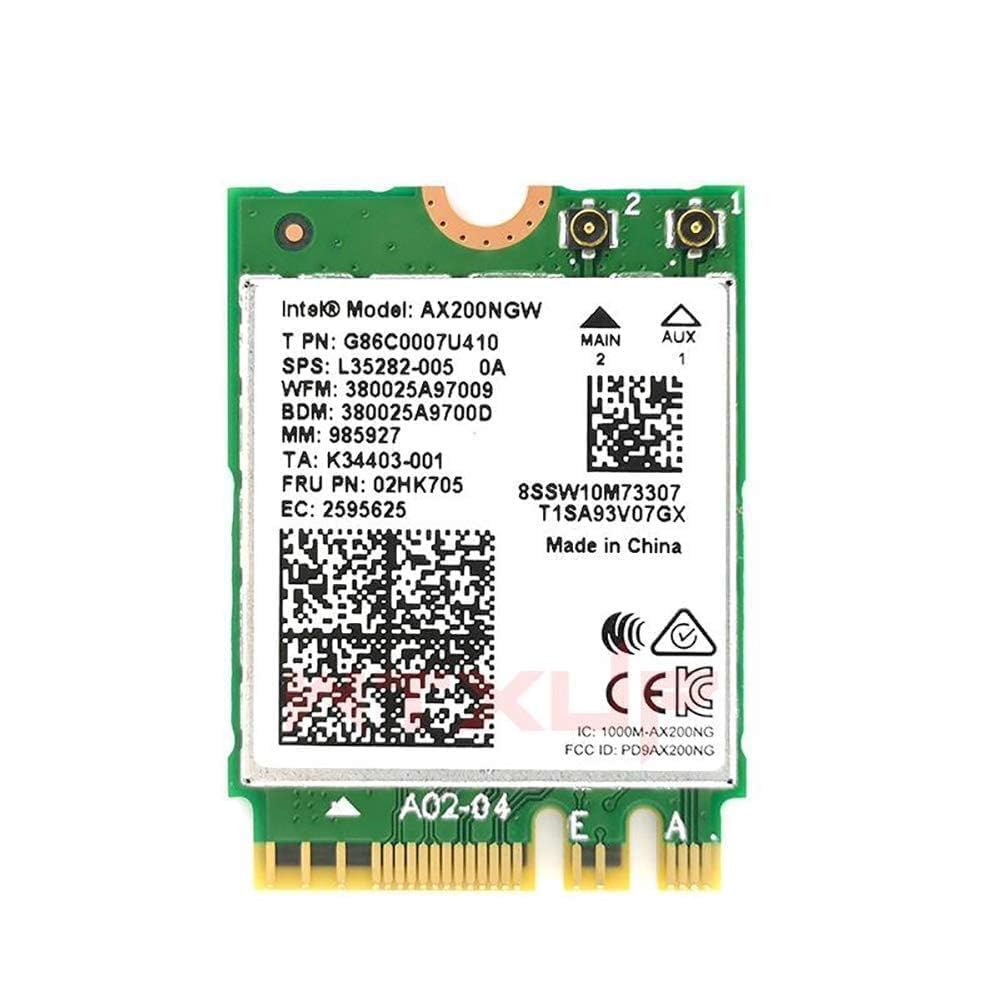
1. Wi-Fi 6 Module Intel AX200NGW
Our pick — 4.5+★ from 300+ verified ratings; the strongest balance of quality and price.
The safest Wi-Fi 6 swap here: 160 MHz channels on 5GHz and the fewest install complaints in this group.
If you want a laptop upgrade you do not have to think about, this is it. The AX200NGW delivers 2×2 802.11ax Wi-Fi on 2.4GHz and 5GHz — the standard “Wi-Fi 6” that most modern routers speak — with a theoretical 2.4 Gbps link rate on the 5GHz band when paired with a 160 MHz Wi-Fi 6 router. That figure is the raw radio ceiling, not what your internet plan will feed you, but it means the card itself will not be the bottleneck on a fast fibre line.
The thing that wins people over is compatibility — it is the most-praised aspect in its reviews by a wide margin, with speed close behind. That tracks with how this card behaves: it is the older, better-understood Intel platform, so drivers are settled, WPA3 works as expected on Windows 10 or later, and Linux support is there with the right drivers. Note it has no 6GHz band at all, so this is a Wi-Fi 6 card, not a 6E one. On weight and size, it is the careful small one of the group — at 2.9 g against the 26 g REKONG AX210 below, it is a genuinely featherweight module that sits flush in a 2230 slot.
One thing to plan around: Intel has ended production of this hardware, so long-term stock will thin out. The final Windows drivers remain downloadable, so the card keeps working — but do not count on new firmware down the road. Also know the package contains only the module. Antennas, screws, and any desktop adapter are not in the box.
What earns it the top slot
- Fits the common M.2 2230 Key A/E Wi-Fi socket with 2×2 802.11ax on 2.4/5 GHz.
- 160 MHz channel support points to a 2.4 Gbps theoretical 5GHz link rate with a matching router.
- Compatibility and speed are what buyers call out most — this is the low-drama install.
- At 2.9 g it slips into a slim 2230 slot without crowding anything.
Where it holds you back
- No 6GHz band, so a 6E or Wi-Fi 7 router cannot show its best band to this card.
- Manufacturer production has ended — final drivers exist, but new firmware is unlikely.
- Antennas and screws are not included, so reuse the ones already in your laptop.
Buy this if: you have a Wi-Fi 6 router, a Key A/E M.2 slot, and you want the safest, best-reviewed Wi-Fi 6 swap for a laptop.
Hold off if: you already own a 6E or Wi-Fi 7 router and want that quiet 6GHz band — one of the 6E picks below will serve you better.
2. AX210NGW WiFi 6E Intel AX210
The budget route into the quiet 6GHz band — 2400Mbps on tap, tools in the box, one honest caveat.
Here is the upgrade that costs the least and still gets you onto 6GHz. The AX210 splits its speed across three bands: 2400Mbps on 6GHz, 2400Mbps on 5GHz, and 574Mbps on 2.4GHz. The 6GHz slice is the point — it is a newer, less crowded strip of spectrum reserved for Wi-Fi 6E, so the lag, jitter, and cross-talk that spoil 5GHz in busy buildings thin out noticeably. What buyers keep reporting is exactly that: fast, clean throughput. Paraphrasing the review pages, people who came from an older Wi-Fi 5 card describe their speeds roughly doubling, and one measured result topping 1Gbps standing out. That is 6GHz doing its job.
Where the AX210 earns patience from a wary buyer is the fit. This is M.2 2230 Key A/E, the short 30mm Wi-Fi card, and it will not seat in a Key M or Key B SSD slot — check your notch first. It also only plays on Intel-based laptops with a matching M.2 Wi-Fi slot. That single fact causes more returns than any hardware fault, so verify the slot before you order.
The real trade-off is bulk. Against the lean 2.9 g AX200NGW above, this one tips the scale at 26 g and runs 2.36″L x 0.39″W x 3.15″H — a bigger, chunkier board that is heavier in the hand and needs a touch more room. In practice it is still a small module, but if your laptop has a tightly packed 2230 slot with a delicate antenna clip, take your time seating it.
The real-world catch: Bluetooth 5.3 only appears in Device Manager after you install Intel’s driver, which some buyers miss. Download it before the swap so the card reports cleanly on first boot.
Go this way: you want a Wi-Fi 6E card with tools included, and your laptop is Intel-based with a 2230 Key A/E slot.
Look elsewhere: you are on AMD — this module is made for Intel machines and will not behave.
3. WAVLINK WiFi 6E Intel AX210
The one that lists Linux 5.10+ on the box and still speaks Windows 10/11 without a fight.
Most of these cards are Windows-only. This WAVLINK is the rare exception: it names Linux 5.10+ right alongside Windows 10 and 11 (64-bit), which makes it the pick for a dual-boot laptop or a Linux daily driver. The AX210 chipset under the hood tops out at 2400Mbps on 6GHz, 2400Mbps on 5GHz, and 574Mbps on 2.4GHz — matching the REKONG AX210’s band speeds, with 2400Mbps on 6GHz where the AX200NGW tops out at 2.4 Gbps on 5GHz. The 6GHz band is the point: it is wider and far less crowded than 2.4GHz or 5GHz, so your movies, downloads, and games queue less.
The review pages are clear on what buyers get: this card tends to work on first boot. Paraphrasing, owners describe speeds right in line with the spec, and one very fast fibre connection tested out — a gigabit symmetric line — getting saturated almost immediately. With fewer neighbours competing for airtime on 6GHz, you keep more of the bandwidth your plan pays for.
The honest caveat is Bluetooth. Owners are split on it. It connects headsets, keyboards, and mice, and Bluetooth 5.3 brings its lower-power, longer-range refinements — but the feedback is not all glowing, and you may need a driver refresh before it behaves. Budget a little setup patience for the Bluetooth side. The card itself is the lightest of the 6E group at 0.04 kg against the EDUP AX210’s 0.05 kg, a small but real difference if you are threading a tight 2230 slot.
Linux is the headline: if you dual-boot or run Linux as your main OS, the stated 5.10+ support puts this on a very short list. Windows-only cards can work under Linux, but this one says it out loud, which saves you the guesswork.
Worth a look: you are on Linux or a dual-boot machine and want 6GHz with an Intel AX210 under the hood.
Pause first: Bluetooth matters more than Wi-Fi to you — that side of the feedback is mixed, so test it early.
4. EDUP M.2 Intel AX210

The build-quality champion — same 6GHz top end, but the reviews say this one feels solid from day one.
The EDUP AX210 earns its confidence from the chip under the hood: Intel’s AX210 NGW, the same Wi-Fi 6E silicon drawing reviews on the entry-level cards here. The three bands run at up to 5400Mbps — 574Mbps on 2.4GHz, 2400Mbps on 5GHz, and 2400Mbps on 6GHz. That top band gets you onto the quiet 6GHz spectrum so gaming, streaming, and video calls suffer less from a crowded building’s Wi-Fi. The chipset also brings MU-MIMO, 160MHz bandwidth, and OFDMA — three technologies that let the card share a channel with your phone, tablet, and smart speaker without each one tripping the others.
What earns this card its near-top spot is quality — buyers praise it most of all, well ahead of speed and installation. That lines up with the reviews: the chip is called “stellar” for the speed jump it delivers, with throughput reaching up to 1.1Gbps in reviewers’ results. Installation reads as straightforward, and one owner is credited with the most telling comparison: it “matches OEM Intel Centrino cards in fit and finish.” The 1024-QAM modulation on top is why speeds climb; squeezing more data onto every wireless signal helps your downloads land faster.
Two practical notes. This card is built for Intel CPU laptops with M.2 2230 A/E key slots — it will not fit CNVio2 protocol M.2 slots or Mini PCIe. And note it comes backed by a 1-year warranty plus lifetime technical support, with WPA, WPA2, and WPA3 all supported. If there is a niggle, it is that 6GHz reach drops faster through walls than 5GHz — so if the router is two rooms away, expect to fall back onto the 5GHz band, which still carries 2400Mbps.
Standout spec: 160MHz bandwidth plus 1024-QAM on the same AX210 platform puts real speed on the table — the fastest measured figure goes above 1Gbps.
Pick this one: you want a 6E card that feels built like the original equipment, with a warranty behind it.
Think twice if: your laptop uses CNVio2 or Mini PCIe — neither is compatible.
5. EDUP Intel AX211NGW

Only for 12th-gen Intel and newer — but on the right machine it is a clean 6E upgrade.
The AX211 is the card you buy when you already know your laptop is new enough. It runs on the M.2 CNVio2 interface, which is a different connection from the Key A/E slot the other cards use — and that connection only works on a motherboard built for 12th-generation Intel CPUs and above. Get that match right and the payoff is real: three bands at up to 5400Mbps total, split as 574Mbps on 2.4GHz plus 2400Mbps on 5GHz plus 2400Mbps on 6GHz. The 6GHz band is the quiet one, so if you run a 6E router, this card can sit on the cleanest air in the house.
The reviews show a card that gets the core job done. Buyers report it working well, one describing a Wi-Fi connectivity problem that cleared up right after the swap. The installation is friendly enough that one owner finished in under 20 minutes. Those are exactly the three things most buyers ask about — does it work, does it install cleanly, will it solve my problem — and the answer on all three is yes for the right machine. It also lists Chrome OS and Linux (5.2 kernel or above) support alongside Windows 10/11 64-bit, which makes it flexible for a larger pool of laptops than you might expect.
The one box to tick is the CPU. Install it on an older CPU and the CNVio2 interface will not talk to the board, so this is not a card for a pre-12th-gen machine. That is the whole risk here, and it is a fit question, not a fault. If your laptop is 12th-gen Intel or newer with a CNVio2 slot, the AX211 delivers a clean upgrade with all three bands — this one belongs on your shortlist.
Best for: a laptop on 12th-generation Intel or newer with an M.2 CNVio2 slot.
Not for: older laptops or AMD machines — the CNVio2 interface simply will not talk to them.
6. WiFi 7 BE200 Intel BE200NGW

The step up to Wi-Fi 7 — 5800Mbps on 6GHz, 320MHz channels, and Bluetooth 5.4 along for the ride.
This is where the air gets faster. The BE200 brings Intel’s Wi-Fi 7 silicon to a laptop, with a combined maximum of 8774Mbps split as 5800Mbps on 6GHz, 2400Mbps on 5GHz, and 574Mbps on 2.4GHz. The 6GHz number is the reason to look: it uses 320MHz-wide channels and 4096QAM modulation, both Wi-Fi 7 features that pack far more data into each wireless signal. Combined with reduced power draw, it should keep your battery happier than a Wi-Fi 6 card doing the same work.
Where owners see the payoff is in their speed. Owners mention their wireless speed nearly doubling after the swap, and 8K streaming, VR, and big file transfers stop hitching. It comes with Bluetooth 5.4 too — a step past the 5.3 on the Intel AX210 cards here — with LE enhancements, host-controlled key length, and channel classification, all of which mean lower latency and stronger anti-interference for your controllers, headsets, and mouse. If you already run a Wi-Fi 7 router, this card open up its 6GHz band and 320MHz channels inside the laptop.
The catch is the CPU match. This card is M.2 2230 E-Key and only plays on Intel 12th-generation CPUs and above, and it is not compatible with AMD processors. It also asks you to install the Intel drivers by hand before the card is fully functional — the card’s setup instructions spell out searching “BE200” on Intel’s site. Do both and you have a serious gaming card. Skip either and you get a dead slot. That compatibility wall is the most-discussed thing in its reviews, and the honest read is that it is a fit issue, not a quality knock — on a 12th-gen Intel gaming laptop, it flies.
Where it flies
- Wi-Fi 7 802.11BE delivers 5800Mbps on 6GHz and a total maximum of 8774Mbps.
- 320MHz channels and 4096QAM pack more data per signal for 8K and VR work.
- Bluetooth 5.4 brings lower latency and better interference resistance than 5.3.
- Buyers describe their speed nearly doubling after the swap.
Where it limits you
- Only works with 12th-generation Intel CPUs and above — no AMD support.
- Driver install is manual; the card will not run itself out of the slot.
- The 6GHz reach falls off faster than 5GHz, so far rooms drop to slower bands.
Right machine, right card: you have a 12th-gen Intel gaming laptop and a Wi-Fi 7 router, and want the fastest 6GHz band your hardware can take.
Wrong machine, wrong card: AMD laptops — this card explicitly will not fit the platform.
7. Intel Killer BE200 Wi-Fi 7 Card

Built for the ping-obsessed: Killer-branded 5.8Gbps, ultra-low latency, and a clean driver story.
If you care about latency more than raw throughput, the Killer badge is the reason this card sits here. It runs Wi-Fi 7 802.11BE tri-band across 2.4GHz, 5GHz, and 6GHz with speeds up to 5.8Gbps — and the pitch is ultra-low latency for gaming. In practice that means 6GHz’s clean air plus Wi-Fi 7’s smarter scheduling, so your shots land when you pull the trigger. It carries Bluetooth 5.4 for your controller, headset, and mouse, and pairs with a Wi-Fi 7 router to reach those numbers.
What buyers describe is exactly what you would hope: the card working flawlessly on both Wi-Fi 7 and Bluetooth, holding steady in networks with multiple access points, and clocking a steady 2500mbps in one testing scenario. Even more striking, the card reportedly needs no driver install — a rare thing in this category, where nearly every other card here asks you to hunt Intel’s website before it fully wakes up. That is a real time-saver if you want to swap and go.
Now the wall, and it is a firm one: this card does not support AMD processors, and it needs Windows 11 64-bit plus an available M.2 PCIe Key E slot. That AMD exclusion is the most-mentioned thing in its feedback, and it is a hard fit rule, not a quirk. One other small note worth knowing: the markings on the board — either B12-12 or A15-15 — only track the batch it came from, so do not read them as a version difference. On an Intel rig and Windows 11, the Killer BE200 is a fast, low-fuss 5.8Gbps upgrade.
Gaming-first spec: 5.8Gbps across all three bands plus Bluetooth 5.4 is the pick for someone chasing frames and milliseconds, not just download bars.
Match made if: you run an Intel laptop on Windows 11 with a Key E slot and a Wi-Fi 7 router, and you want 6GHz gaming with minimal setup.
Not your card if: you are on AMD or Windows 10 — it excludes both.
8. WAVLINK WiFi 7 BE6500
The Realtek-powered Wi-Fi 7 card that plays nice with AMD — the odd one out, in the best way.
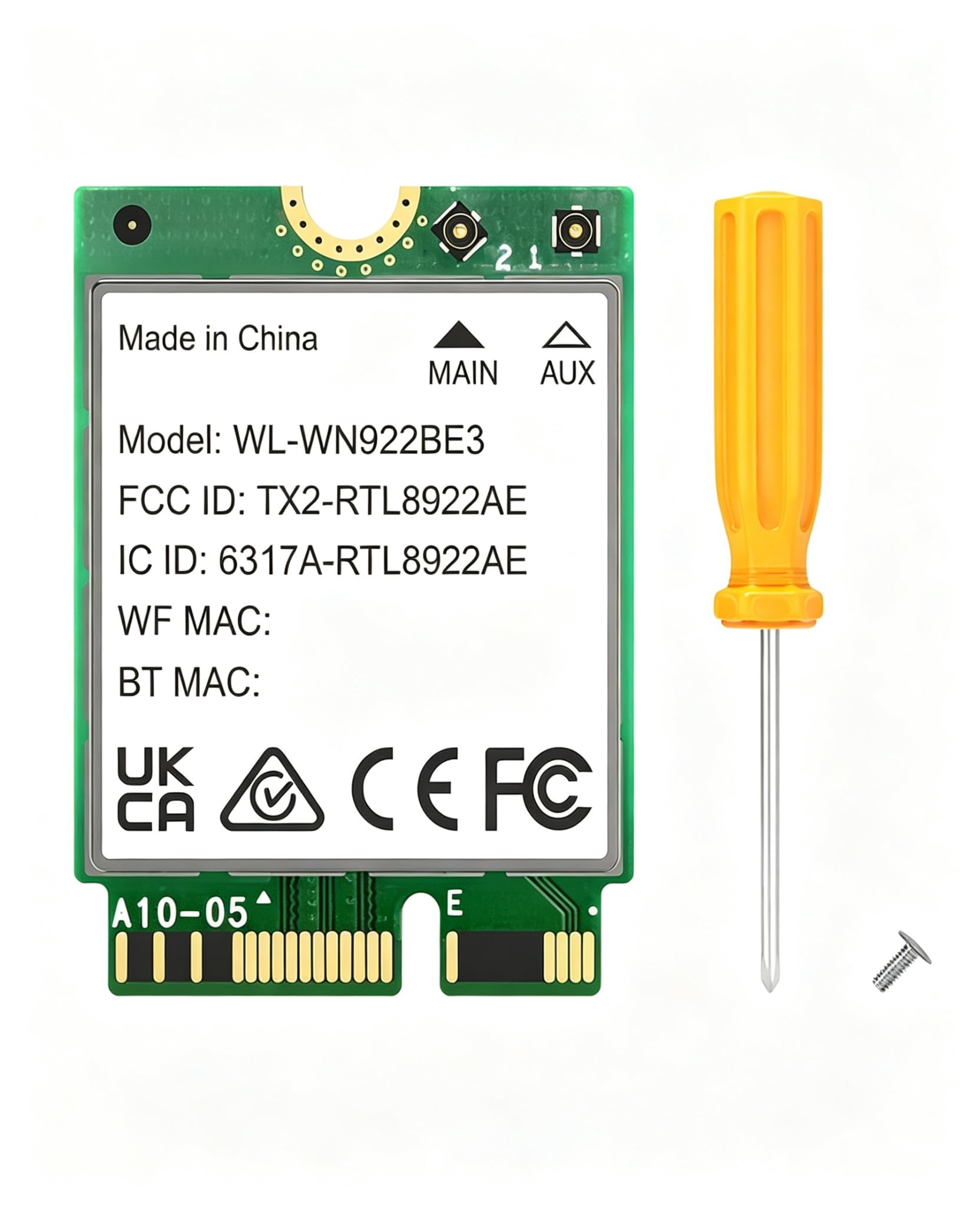
Most of the Wi-Fi 7 cards here are Intel-only. This WAVLINK is the exception: it runs on Realtek’s RTL8922AE chipset, a Wi-Fi 7 module built to deliver stable, drop-free connectivity on both Intel and AMD platforms. That single fact makes it the pick for AMD laptop owners who want onto the 6GHz band. The speeds are solid too: up to 6500Mbps total, split as 2882Mbps on 6GHz, 2882Mbps on 5GHz, and 688Mbps on 2.4GHz. The single-chip design also means no version mixing — what you buy is what runs — so you are not gambling on which variant lands in the box.
On top of the radio, you get Bluetooth 5.4 for extended range and steadier connections, WPA3 security to lock the network down, and both MU-MIMO and OFDMA for cleaner multi-device sharing. There is also MLO — Multi-Link Operation — a Wi-Fi 7 feature that lets the card use more than one band at once to cut lag and packet loss. That is what makes it a real gaming and streaming card: 4K/8K on 6GHz while gaming on 5GHz, both steady.
Two things to know before you order. This is a bare module — antennas are not included, so you reuse your laptop’s existing ones or standard IPEX MHF4 antennas. And it needs Windows 11 (64-bit) — no Windows 10 option here. On the plus side, it comes with a 3-year warranty, longer than any other card here. At 0.04 kg it is the same featherweight class as the WAVLINK 6E above, and if you are on a tight AMD laptop that has been stuck on Wi-Fi 5, this is the card that open up the 6GHz band on the newer platform.
Why AMD laptops need this one
- Realtek RTL8922AE chipset explicitly supports both Intel and AMD platforms.
- Wi-Fi 7 tri-band reaches 2882Mbps on 6GHz and 2882Mbps on 5GHz.
- MLO uses multiple bands at once to cut lag and packet loss.
- Bluetooth 5.4, WPA3, and a 3-year warranty back it up.
What you need to know
- Antennas not included — reuse your existing ones or IPEX MHF4 parts.
- Windows 11 only; no Windows 10 path here.
- It is a bare module, so plan the antenna reconnection carefully.
Made for you: you have an AMD laptop (or an Intel one) with an M.2 A-E Key slot and Windows 11, and want Wi-Fi 7 with a 3-year warranty.
Keep browsing: you are still on Windows 10, or you want antennas bundled in the box.
9. BE200 WiFi Network Adapter Intel BE200NGW

The biggest headline number here — 8774Mbps total — with the Intel BE200NGW chip doing the lifting.
If sheer speed is your measuring stick, this Binardat card wears the biggest number on the list: a combined 8774Mbps, split as 574Mbps on 2.4GHz, 2400Mbps on 5GHz, and 5800Mbps on 6GHz. That 6GHz figure matches the REKONG BE200 above — the identical 5800Mbps top band — so on raw ceiling the two Wi-Fi 7 cards are tied at the top of the range. Underneath it is the Intel BE200NGW chipset, running the Wi-Fi 7 802.11be/EHT standard and backing down to Wi-Fi 6E, 6, and 5, so it still speaks the older bands as you move around the house.
The 6GHz band is what makes that top number reachable. It uses a 320MHz wider channel for faster throughput, which is the reason to buy a Wi-Fi 7 card at all — NAS transfers, gaming, and 8K video all lean on bandwidth that 6GHz supplies. Add Bluetooth 5.4 with faster transfer and lower power than 5.3, plus OFDMA and MU-MIMO to keep multiple devices served smoothly, and you have a card built for a busy network. The reviews back the basics: owners find it easy to install, appreciate the speed, and call it good value and good quality. The best thing you can do is first confirm the fit.
That fit comes with caveats. It is an M.2 Key A/E card — not for Key M or B SSD slots — and it explicitly does not support AMD CPUs. It also asks for Windows 11, or a Windows 10 Dev build, and manual driver install by searching “BE200NGW” on Intel’s site. The CPU and OS checks are the whole game here. On a 12th-gen Intel laptop running Windows 11 with a Wi-Fi 7 router, this card gives you the widest pipe of any pick here.
The number to remember: 8774Mbps is the max this card can move — the largest combined figure on this list — and it needs a Wi-Fi 7 router and a compatible Intel laptop to reach it.
Your card if: you have a 12th-gen Intel laptop and Windows 11, and you want the highest combined throughput on this list.
Look past it if: you are on AMD or Windows 10 — neither is supported here.
Know the Specs
M.2 Key A/E vs Key M vs CNVio2
The M.2 slot has a keying notch, and only the matching card will seat. Wi-Fi cards use Key A or Key E; SSDs use Key M or Key B and will physically accept neither a Wi-Fi card nor vice versa. Intel’s AX211 runs on the separate CNVio2 interface, which only newer Intel motherboards offer. Before ordering, open the laptop, photograph the existing card, and match the notch.
Band speed in Mbps
These cards publish a total across three bands. A 6GHz figure like 5800Mbps is the maximum link rate between card and router — not what your internet plan delivers. The card’s ceiling tells you whether it can keep pace with a fast fibre line; the router and ISP decide what actually lands. The 6GHz band is faster and less crowded but shorter in reach than 5GHz.
Bluetooth versions
Each card carries a Bluetooth version — 5.2 on the AX200NGW, 5.3 on the AX210 and AX211, and 5.4 on the Wi-Fi 7 cards. Later versions bring lower latency, stronger anti-interference, and better power efficiency for connected peripherals. Bluetooth often needs its own driver install before it appears in Device Manager, so budget a step for it.
AMD vs Intel compatibility
Intel BE200 and BE200NGW Wi-Fi 7 cards do not work on AMD processors, and the AX211 requires a 12th-generation Intel CPU. AMD laptop owners should choose a Realtek-chipset card that states support for both platforms, or a card that names AMD in its listing. This is the single largest source of unsuitable purchases in this category.
Common Questions
Will a Wi-Fi 7 card work in my older laptop?
How do I know if my laptop has an M.2 Key A/E slot or a Key M SSD slot?
Do I need to install drivers for a laptop Wi-Fi card?
Will a 6GHz Wi-Fi 6E card work with my Wi-Fi 6 router?
Why does Bluetooth not show up after I install the card?
Can I put one of these Wi-Fi cards in an AMD laptop?
What is the difference between Wi-Fi 6, Wi-Fi 6E, and Wi-Fi 7 cards?
Do these cards come with antennas and screws?
Will a laptop Wi-Fi card improve my download speed if my internet is slow?
Can I use these cards in a desktop PC?
The Bottom Line
For most laptop owners, the best wireless network card for laptop winner is the Wi-Fi 6 Module for Intel AX200NGW because it pairs the smoothest install record in this group with a proper 160 MHz channel and Wi-Fi 6 across 2.4GHz and 5GHz. For a Key A/E slot and a Wi-Fi 6 router, it is the lowest-risk pick on this list.
If you want the quiet 6GHz band, grab the EDUP M.2 Intel AX210 — quality is the thing buyers praise most, and it breaks past 1Gbps in real tests with a warranty behind it. And for an AMD laptop that has been stuck on Wi-Fi 5, the WAVLINK WiFi 7 BE6500 is the one to reach for, with Realtek’s RTL8922AE chipset spanning both Intel and AMD platforms.
Whichever you pick, buy on fit first: check your slot key and CPU generation before anything else, then chase the band speed.
How we choose
We do not accept paid placement. Every pick is matched to a real buyer and a real use-case; we do not hands-on test units.
Sources
Specifications: manufacturer listings and product documentation. Review insights: verified customer reviews, as of November 2026. Pricing: not shown on this page (it changes often); check the current price via the retailer link.
As an Amazon Associate, Tactical Gear Guy earns from qualifying purchases. This does not affect which products we feature.