Specs are compiled from manufacturer listings and verified buyer reviews and can change over time — please confirm the key details on the product page before buying.
You do not need a fancy dual-band box to get a steady Wi-Fi signal through a normal house. These N300 routers run on the 2.4 GHz band at 300 Mbps — a single-band setup that reaches through walls better than the faster 5 GHz bands do. That makes them a practical fit for security cameras, smart bulbs, printers, and everyday browsing. The catch is that 300 Mbps is a shared ceiling, not a per-device guarantee, so heavy 4K streaming and big file transfers will feel the ceiling. The picks below separate the routers that stay connected from the ones that need a reboot every week.
This guide is built by comparing the manufacturers’ published specifications and the patterns across verified customer reviews, so you get each pick’s real strengths and trade-offs instead of marketing spin.
I compared antenna design, real wired port speed, and how each unit handles repeater mode, since those decide whether a budget box acts as a main router or a signal extender. The result is a shortlist of the Best Wireless N 300 Router options for a small home or office network.
Top Picks


How To Choose The Best Wireless N 300 Router
Start with the honest ceiling. A 300 Mbps router shares that bandwidth across every device on the network at once. Two phones, a smart TV, and a security camera all pulling at the same time will each get a slice, not the whole plate. That is fine for web browsing, HD video, and VoIP calls. It is not the box you buy for 4K streaming or moving 20 GB files over the network.
Do you need the 5 GHz band?
Feel the trade. The 2.4 GHz band travels through walls and floors more easily than 5 GHz, which is why N300 routers stay useful in a multi-room house. The price you pay is the crowded airwaves: microwaves, cordless phones, and every neighbor’s router share the same band. If your main devices sit in one room and you want raw speed, a dual-band router is the better tool. If coverage and cheap replacement matter more, stay on 2.4 GHz.
Wired ports: Fast Ethernet versus gigabit
Check the ports before anything else. Most N300 routers carry Fast Ethernet (10/100 Mbps) ports, which cap any wired connection at 100 Mbps even if your internet plan is faster. That matters if you plug a desktop or NAS straight into the router. If you also need to hang a printer or console off a cable, count the ports you actually need, because four is the common number and some units ship with fewer.
Repeater mode turns a router into an extender
Look for WISP or repeater mode if you already have a main router and want more coverage. In that mode the N300 unit connects wirelessly to your existing network and rebroadcasts the signal across a larger home or office. That saves you buying a dedicated extender. Not every budget unit lists this, so confirm it on the listing before you buy.
Security and parental controls
WPA2 is the current baseline for wireless security, and every pick here supports it. The older WPA and WPS options still exist for legacy devices, but WPS is a convenience button you should understand before relying on it. Parental controls and guest networks are the features that matter if kids or visitors share your Wi-Fi.
Side-by-Side Comparison
| Model | Best For | Max Speed | Band | Wired Ports | Amazon |
|---|---|---|---|---|---|
| Cisco-Linksys E1000★ Best Overall | Reliable everyday home use | 300 Mbps | 2.4 GHz | 4 Fast Ethernet | Amazon |
| DBIT T1 Pro N300Most Versatile | IPTV and smart home devices | 300 Mbps | 2.4 GHz | Fast Ethernet | Amazon |
| U-SPEED N300Best Value | Budget home and office | 300 Mbps | 2.4 GHz | Fast Ethernet | Amazon |
| D-Link DIR-619L | Three-antenna coverage | 45 Mbps | 2.48 GHz | — | Amazon |
| TP-Link TL-WR841N | Most modes and proven quality | 300 Mbps | 2.4 GHz | Fast Ethernet | Amazon |
| Netgear WNR2000 | Simple setup and legacy devices | 300 Mbps | 2.4 GHz | Fast Ethernet (10/100) | Amazon |
| D-Link DIR-615 | Fast initial setup | 300 Mbps | 2.4 GHz | 4 Fast Ethernet | Amazon |
| D-Link DIR-605L | App monitoring and range | 300 Mbps | 2.4 GHz | 4 Fast Ethernet | Amazon |
| Belkin F9K1002 | MultiBeam signal coverage | 300 Mbps | 2.4 GHz | Ethernet | Amazon |
Detailed Reviews
1. Cisco-Linksys E1000 Wireless-N Router
Our pick — 4.0+★ from 350+ verified ratings; the strongest balance of quality and price.
The set-and-forget router that just keeps serving pages without a fuss.
If you want a router that survives years of daily use without babysitting, this is the one the crowd trusts most. The Cisco-Linksys E1000 pushes up to 300 Mbps over Wireless-N on the 2.4 GHz band — plenty for HD video, email, and a house full of phones. Four Fast Ethernet (10/100 Mbps) ports let you cable in a gaming console, a printer, or a desktop directly. It’s rated for large household coverage, and the internal antennas keep the unit clean on a shelf. What wins people over is reliability: it’s the trait owners mention far more than anything else, and the second-strongest praise lands on overall performance. Gaming titles like Battlefield, Bad Company, and COD Black Ops run without stutter on it, and HD video at 720p streams without a delay.
The limits are real, though fewer than the praise. A few owners have had to power-cycle the unit when the connection drops, and signal strength sits in the mixed column — strong in a normal house, not a miracle through three brick walls. This is a 2.4 GHz-only router, so if you have 5 GHz devices expecting faster speeds, this won’t deliver them. Wired ports are Fast Ethernet, meaning any cable connection maxes out at 100 Mbps.
What earns the top spot
- Reliability is the most-praised trait by a wide margin — the router just keeps running
- Performance praise covers gaming and HD video without recorded stutter
- Four Fast Ethernet ports support desktop, console, and printer at once
- Internal antennas keep a clean look on a shelf or desk
Where it shows its age
- Rebooting is a mixed topic — some owners need it more often than they’d like
- No 5 GHz band, so dual-band devices can’t use their faster lane
- Wired throughput caps at 100 Mbps through Fast Ethernet
The right call for: a normal-sized home that needs one dependable 2.4 GHz network for browsing, streaming, and a couple of wired devices.
Think twice if: you want a 5 GHz band or gigabit wired speeds — this box can’t do either.
2. N300 2.4GHz WiFi Router with WISP Repeater Mode (T1 Pro)
A budget box that does the jobs bigger routers charge extra for.
This DBIT unit packs the most features per dollar here, which makes it the pick for a smart-home network that wants extras without a price climb. It runs 300 Mbps on the 2.4 GHz band (the older, longer-range Wi-Fi frequency). The maker is blunt about what that means: it handles HD video, web browsing, and several connected devices, but the listing explicitly says “Not for 4K/5GHz.” That honesty saves you disappointment. what separates it from the E1000 above is the feature list. WISP/Repeater mode (grabbing an existing Wi-Fi signal and rebroadcasting it) lets it spread your network across a larger home or office. IPTV with IGMP proxy and VLAN support (settings that keep TV streams flowing cleanly) keeps streaming services happy. There’s WLAN scheduling and Internet Access Control for parents who want to set Wi-Fi hours, plus a Guest Network so visitors get their own lane.
Here’s the trade most buyers should weigh. The setup is genuinely simple — the intuitive web interface and WPS button earn the most praise — but the speed reports are honest and modest. The review pages sum it up: one customer found they only got 50 mbps from a 1Gbps internet connection, though that reflects a shared 2.4 GHz edge, not a fault. Amazon’s own summary flags basic functionality, value, and compatibility as mixed. It has no built-in modem, so you must connect it to a modem or optical network terminal to get online.
Why it earns a spot: no other pick here bundles this much into one N300 box — repeater mode, IPTV/VLAN, parental controls, and a guest network — and setup is straightforward enough that most people have it running in minutes.
The honest caveat: do not expect this to match a gigabit plan. The 2.4 GHz band and shared 300 Mbps ceiling mean real-world throughput will feel the pinch if you pay for fast internet.
Pick this if: you want an N300 router stuffed with features for smart-home devices, IPTV, or as a repeater alongside a main router.
Pass if: your priority is raw download speed on a high-speed line.
3. U-SPEED N300 WiFi Router 2.4G
Two 5dBi antennas doing quiet, steady work for a small house.
For a starter network that covers a security camera, a couple of phones, and a streaming stick, this U-SPEED unit hits the balance of price and reach. The two 5dBi antennas are the piece that matters — dBi measures antenna gain (how strongly the antenna pushes the signal out), so higher gain means the signal travels farther and holds steadier. U-SPEED says exactly that, and the coverage claim backs it up. On the back, Fast Ethernet (10/100 Mbps) ports let you cable in a PC or console. WISP Wireless Repeater mode turns it into a range extender when you already have a main router. Internet access control limits what unfamiliar visitors and kids can reach, and QoS bandwidth control (priority settings for your traffic) lets you give the device that needs the network most the first share.
Functionality and ease of use are what most buyers bring up, and both land positive in Amazon’s summary. The value question is genuinely split — some see a bargain, others decide it wasn’t for them — so think of this as a fit decision rather than a consensus. The 2.4 GHz single-band limit applies here too, so 5 GHz devices get no benefit. If you want 4K streaming or heavy file transfers, this isn’t the router for that job.
What lands: the antenna reach and repeater mode together make this a useful second unit or a cheap primary for a small home — the 5dBi gain helps where the router sits far from your devices.
What to weigh: the value debate in the reviews is real. Read the feature list against your actual needs before deciding, because some buyers found it didn’t match theirs.
Good fit for: a small home or office that needs basic 2.4 GHz coverage and a repeater option, without paying premium-tier money.
Look elsewhere if: you need 5 GHz throughput or a value story that everyone agrees on.
4. D-Link DIR-619L N 300 High Power Cloud Wireless Router

Three antennas and a certified-refurb badge for a backup network.
This D-Link is the odd one in the lineup, and you should know why before you buy. It’s a certified-refurbished unit — tested, cleaned, inspected, and repackaged, with minor blemishes or light scratches possible and a generic box instead of the original. The three fixed antennas give it a distinctive silhouette. But the numbers ask a real question. The listed data transfer rate is 45 megabits per second, and against the TP-Link TL-WR841N’s 300 megabits per second that is a 6.7x gap. Its 2.48 GHz frequency sits close to the TP-Link’s 2.4 GHz, a 3% difference — the band is the same story, the throughput is not.
Quality is what buyers praise here, and value comes second — neither in huge numbers, because this is a smaller seller. Functionality is the split point: some units work great and others reportedly don’t work at all. That’s a fair risk to size for a refurb, and it’s the reason to think of this as a low-stakes spare rather than your only router. It’s also a single-band unit, so don’t expect 5 GHz benefits.
Read the spec honestly: a 45 Mbps rating means this box is for light browsing, a security camera, or a secondary network — not for a busy household streaming on several screens.
The refurb reality: a blemish or a dud unit is possible. If a working router is all you need and the price is the point, this is worth a look — check the return window first.
Best suited to: a backup or secondary network where a refurb unit and light throughput are acceptable trade-offs.
Not for you if: you need the full 300 Mbps and zero uncertainty about unit condition.
5. TP-Link N300 Wireless Extender, Wi-Fi Router (TL-WR841N)
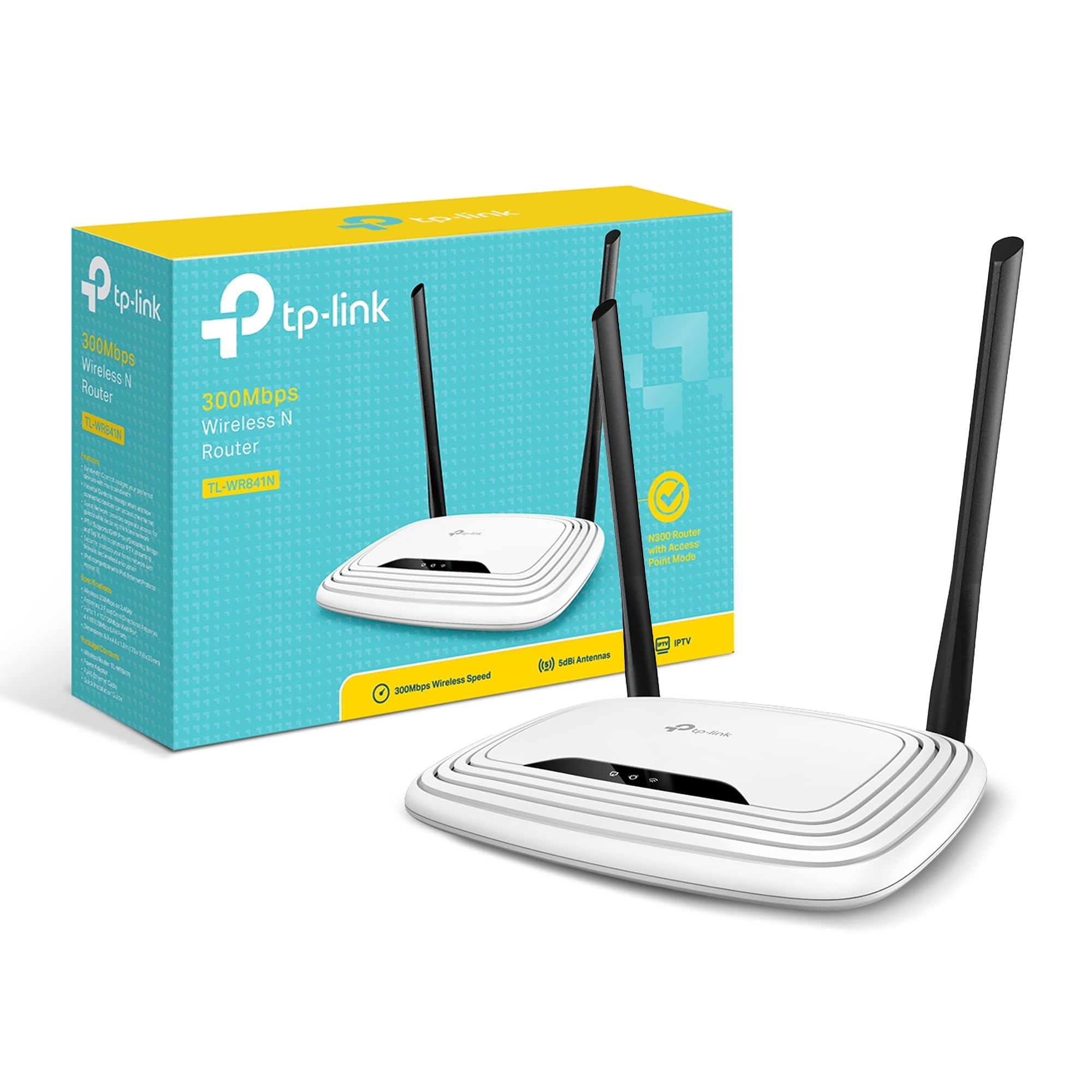
The N300 router with the biggest following — and the modes to match.
You’ve likely seen this TP-Link everywhere, and the reason is the multi-mode flexibility. It runs as a standard router, a range extender, an access point, or in WISP mode, all at 300 Mbps over 2.4 GHz. Two 5dBi antennas (gain-rated antennas that push the signal farther) are the pieces that increase the wireless robustness and stability, and the Fast Ethernet ports (10/100 Mbps) let you plug in a desktop directly. WPA/WPA2 security (the standard Wi-Fi encryption) covers the connection, and a guest network plus parental controls cover who gets online. The maker also lists a 2-year warranty with free 24/7 technical support, and
Quality and value are the two things this router is loved for most, and both are backed by the biggest review base in this lineup. The setup earns its own praise — the Easy Setup Assistant keeps the wizard short. Now the honest half. Reliability, connectivity, speed, signal strength, and range all sit mixed in the summary: some people report great performance, others hit dropped connections, slow speeds, or weak signals, and a handful say it quit after about 5 months. Those are real buyer stories, but with the size of the crowd, they’re a small slice, not the norm.
Strengths worth the hype
- Four modes in one box — router, extender, access point, and WISP
- 2 x 5dBi antennas support steadier coverage than single-antenna rivals
- Two-year warranty and free 24/7 tech support behind the unit
- Guest network and parental controls included
What to plan around
- Speed, signal, and range are mixed in owner reports — coverage varies by home
- Fast Ethernet ports cap wired speed at 100 Mbps
- A small share of units fail early; the 2-year warranty helps here
Choose this one if: you want the most popular N300 router with flexible modes and real support behind it.
Consider another pick if: you need gigabit wiring or 5 GHz speed.
6. Netgear WNR2000 N300 Wireless Router (Renewed)

The renewed Netgear that powers a mixed house of old and new gadgets.
If your shelves are full of older Wireless-G printers and laptops hanging around a couple of new devices, this Netgear is built for that mix. It works with older Wireless-G devices and newer Wireless-N devices at once. It’s a renewed unit, which usually means a lower price but a generic box and no original packaging. The internals do the heavy lifting: internal antennas deliver maximum performance and range, and the LAN ports are 10/100 Mbps Fast Ethernet. At 11.2 ounces it’s light enough to tuck behind a shelf without noticing. It also checks for and installs the latest software on its own.
Setup is the thing buyers love most here, and speed comes next. The wireless speed reports are genuinely encouraging — some people say their speed more than doubled from before — and signal reach earns praise too, with devices picking up the signal from any distance in their home.
Why the price works: for an older-gadget house or a quick replacement, the renewed Netgear delivers on the basics — Wireless-G backward compatibility, self-updating software, and internal antennas in a light 11.2-ounce shell.
Know before you buy: renewed means generic packaging and possible wear, and connectivity is the mixed spot in owner reports — so don’t expect this to dominate a crowded network.
Fits the bill for: mixed-generation gadgets and a cheap, no-drama replacement router.
Not ideal if: you need reliable performance across many devices at once.
7. D-Link Wireless N DIR-615 Router

The wizard-driven D-Link that’s online minutes after you plug it in.
Plenty of routers punish you with a long setup. This one does the opposite — the D-Link Quick Router Setup Wizard walks you through each step and usually has you online in minutes. Four RJ-45 ports let you connect wired devices, and the latest wireless security features help keep unauthorized devices off your network. It’s no heavyweight at 9.3 ounces, so mounting or shelving it is painless.
Performance is the strongest praise, and value comes next — the review base is large enough to trust the pattern. People report it performs better than Linksys and Netgear alternatives, and it hits the 300 Mbps rate. Range earns its own nod, with one owner noting it covers up to 1600 sq. ft. Connectivity and signal strength are where it splits: some report good performance, others hit poor connectivity and frequent signal dropouts.
The reliable part: a fast initial setup and solid performance across a good-sized home make this a confident pick for a first router.
The honest wrinkle: signal dropouts and connectivity complaints sit in the mixed column — worth weighing if your home has thick walls or lots of interference.
Right for you if: you want a quick, no-fuss setup and decent performance in an average home.
Reconsider if: you’ve had trouble with signal dropouts in your space before.
8. D-Link Wireless N 300 Mbps Home Cloud Router (DIR-605L)
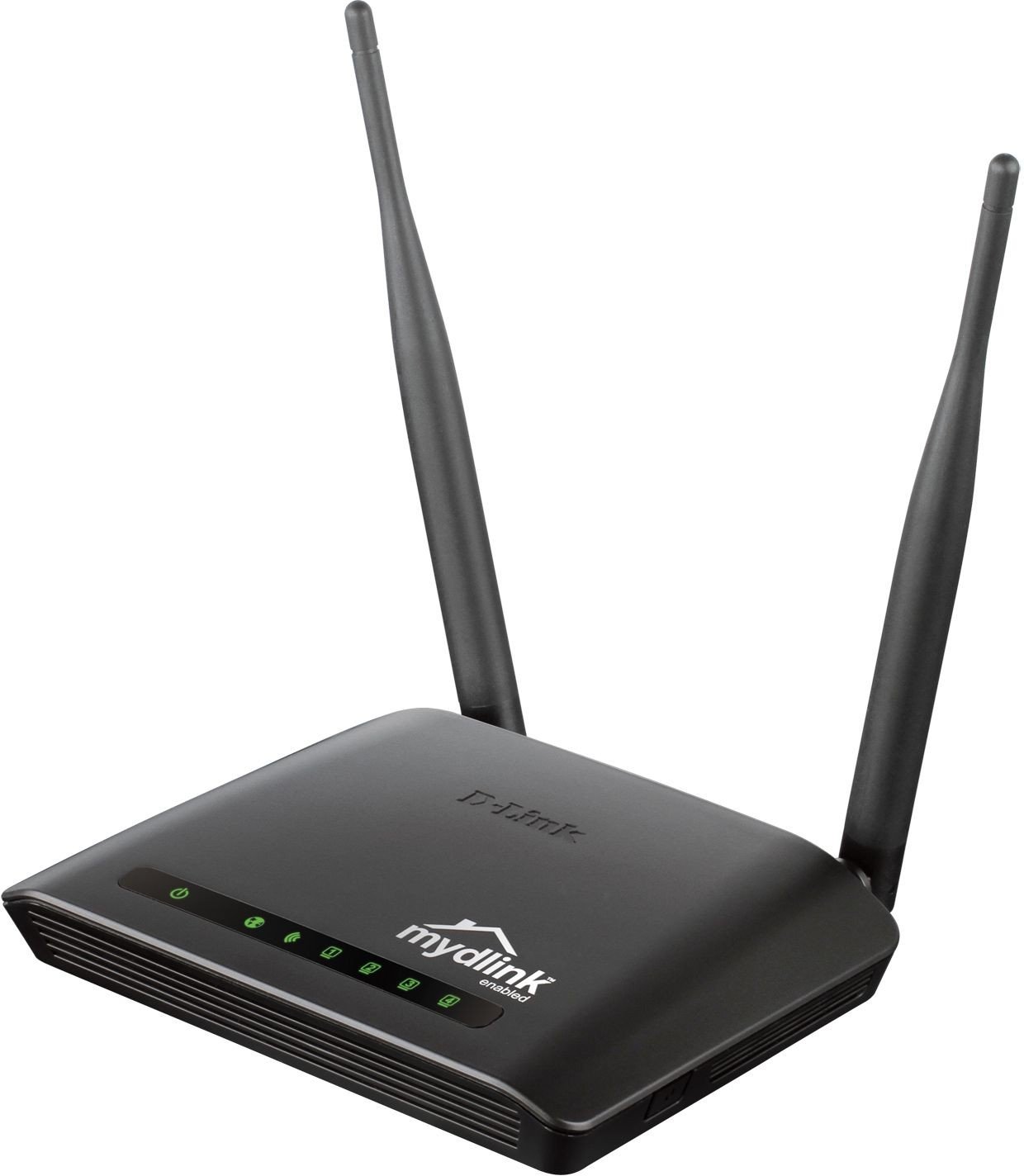
One of the few N300 routers you can watch from your phone.
Most budget routers are invisible once set up. This D-Link isn’t — the free smartphone app and mydlink service let you monitor the network remotely, view real-time browsing history, get push event alerts, and disconnect a device that shouldn’t be online. Setup runs through the QRS Mobile App, so you configure it from your phone instead of a laptop. On the wire there are four Fast Ethernet ports, and the security stack includes an SPI firewall plus WPA2. The maker also lists traffic control and time scheduling for parents who want to limit access.
Setup is the standout praise here, and speed sits right behind it — buyers report steady speeds of 27 Mbps or more on a 30 Mbps cable connection, which tells you the router isn’t the bottleneck on a modest plan. Signal reaches throughout a normal house, and one owner reports coverage up to 15 meters. Connectivity and reliability sit mixed, though, so treat those as variables rather than guarantees.
The app advantage
- Free smartphone app turns remote monitoring and control into a real feature
- SPI firewall and WPA2 give you a proper security baseline
- Traffic control and scheduling let you manage who’s online and when
- Setup runs from the QRS Mobile App — no laptop required
The consistency question
- Reliability and connectivity are mixed in owner reports
- Fast Ethernet ports cap wired speed at 100 Mbps
- 2.4 GHz single-band only, so no 5 GHz lane for newer devices
The pick for: a parent or home user who wants to see and manage the network from a phone app.
skip it if: you’d rather set and forget and won’t use the monitoring side.
9. Belkin N300 Wireless N Router (F9K1002)

Belkin’s take on steady coverage, with a self-healing twist.
Belkin’s N300 router leans on MultiBeam technology, which the maker claims gives a high-powered signal throughout your home — an internal-antenna design meant to push coverage without external sticks. It also ships with Self-Healing, which detects and resolves network problems on its own. Setup claims three steps, and Preset Security gets you online with protection from the start. Speeds run up to 300 Mbps, but internal antennas are the shape here, not bulky exterior ones.
Reliability is the trait most owners praise, and setup comes second — so the MultiBeam and Self-Healing story has support behind it. Speed and connectivity sit mixed, though: some find it super-fast with no issues, others find it a little slow at times with frequent disconnections. Signal strength is similarly split, with some praising the range and others reporting weak signals. The star rating is the lowest in this lineup, so set your expectations accordingly.
The draw: MultiBeam plus Self-Healing is a compelling combo on paper, and setup and reliability support it in practice — this is a router for someone who wants the network to fix itself now and then.
The trade: speed and signal don’t please everyone, and the rating reflects that. It’s a fair buy for light use, not the router to pick if you demand consistent throughput.
A reasonable fit for: light home use where automatic self-healing and simple setup matter more than peak speed.
Look elsewhere if: consistent speed and signal are non-negotiable for you.
Know the Specs
300 Mbps data transfer rate
This is the maximum wireless speed the router can serve across the 2.4 GHz band. Think of it as the total width of the pipe, not per-device speed — every phone, TV, and camera pulls from the same pool. That’s enough for HD video and browsing, but it won’t keep up with 4K streaming or big file transfers.
2.4 GHz single-band
The 2.4 GHz band travels farther and through walls better than the higher 5 GHz band, which is why N300 routers still work well in a multi-room home. The trade-off is crowded airwaves — microwaves, cordless phones, and neighbors’ routers share the same signals. Some listings show a frequency near 2.48 GHz; that’s the same band, just a slightly different measurement.
5dBi antenna gain
dBi measures antenna gain — how much it concentrates the signal in a direction. A 5dBi antenna reaches farther than a lower-gain one, which is why routers list it as a selling point. Two 5dBi antennas help stability, but antenna gain aids reach, not the router’s speed ceiling.
Fast Ethernet 10/100 ports
These wired ports cap any directly connected device at 100 Mbps, even if your internet plan is faster. That’s fine for a printer or a security camera, but a desktop doing large transfers will feel the ceiling. If you need wired speed to match a faster plan, look for gigabit ports — these N300 routers don’t carry them.
WISP / repeater mode
In repeater mode the router connects wirelessly to your existing network and rebroadcasts that signal to a wider area. It’s the budget way to extend coverage without buying a separate extender. Look for WISP or repeater in the listing before buying if that’s your intent.
WPA2 security
WPA2 is the current wireless encryption standard, and every pick here supports it. The older WPA and WPS options remain for legacy devices. WPS is a one-button pairing feature — handy, but you should understand what it does before relying on it. An SPI firewall, found on some picks, adds a layer of protection against outside intrusion.
Common Questions
Will an N300 router work with my security cameras?
Can an N300 router handle 4K streaming?
Do these routers have a built-in modem?
How is a 300 Mbps router different from a 5 GHz dual-band router?
What does WISP mode actually do?
Can I plug a printer or console into these routers?
Are renewed or refurbished routers a smart buy?
How many devices can one N300 router support at once?
Is WPA2 still secure enough for a home network?
Can I use an N300 router as a range extender?
The Bottom Line
For most homes, the wireless n 300 router winner is the Cisco-Linksys E1000 because reliability is the trait buyers praise most in it, and four Fast Ethernet ports plus 300 Mbps coverage handle everyday browsing, HD video, and a couple of wired devices without fuss. If you want the feature depth — IPTV, VLAN, and repeater mode in one box — the DBIT T1 Pro is the one. And for a proven crowd favorite with more modes and a 2-year warranty, the TP-Link TL-WR841N earns the reach for a busy home network.
How we choose
We do not accept paid placement. Every pick is matched to a real buyer and a real use-case; we do not hands-on test units.
Sources
Specifications: manufacturer listings and product documentation. Review insights: verified customer reviews, as of November 2026. Pricing: not shown on this page (it changes often); check the current price via the retailer link.
As an Amazon Associate, Tactical Gear Guy earns from qualifying purchases. This does not affect which products we feature.