Specs are compiled from manufacturer listings and verified buyer reviews and can change over time — please confirm the key details on the product page before buying.
Your MacBook Pro’s trackpad is excellent until hour six of a spreadsheet, and that is exactly when a wireless mouse earns its place on your desk. The tricky part for Mac owners is narrower than it looks: you need Bluetooth that pairs cleanly with macOS, a shape that does not cramp your hand by mid-afternoon, and enough battery life that charging is a monthly chore rather than a daily one. This guide covers nine mice that all connect wirelessly and all work with your Mac, from a 4.5+ star crowd favorite to a CAD specialist built for precision work.
This guide is built by comparing the manufacturers’ published specifications and the patterns across verified customer reviews, so you get each pick’s real strengths and trade-offs instead of marketing spin.
You will see which mice use Bluetooth only, which ones include a USB receiver, and where DPI and button counts actually change your day. Scroll to the Quick Comparison if you want the short version of the best wireless mouse for MacBook Pro, and read on if you want the reasoning behind each pick.
Top Picks
How To Choose The Best Wireless Mouse for MacBook Pro
The biggest mistake Mac buyers make is assuming every wireless mouse pairs over Bluetooth the way an Apple accessory does. It does not. Some mice connect over Bluetooth alone, some need a USB-A receiver that your MacBook Pro may not even have a port for, and a few support both. Check the connection type first — a receiver-only mouse is useless on a MacBook Pro with no USB-A port.
Connection type decides your ports
A Bluetooth mouse leaves both your Thunderbolt ports free for drives, docks, and chargers. A 2.4GHz USB receiver (a small dongle that plugs into a USB port) usually gives a steadier signal but claims a port. On a MacBook Pro with limited USB-C, that trade matters more than it does on a desktop tower.
Hand size and grip angle
A mouse sized for large hands will leave a small palm straining to reach the buttons and scroll wheel. Several picks here state their fit plainly — one is sized for hand lengths of 19.0–21.5 cm (7.5–8.5 inches), another is built for small to medium hands. Vertical designs tilt your wrist into a handshake position, which feels foreign for the first week before it feels normal.
DPI and what it changes
DPI means dots per inch — how far the cursor moves for every inch you slide the mouse. Higher DPI means less arm travel across a big monitor. Designers doing pixel-level work often want a lower setting; people dragging windows across a 4K display want a higher one. Every mouse here lets you adjust it.
Buttons and customization on macOS
Extra buttons are only useful if the software supports Mac. Some picks rely on a Mac-native app for per-app profiles, one uses a browser-based tool with no install at all, and a couple have side wheels that are fixed rather than programmable. Read that line carefully before you buy — an unprogrammable thumb wheel is still handy for wide spreadsheets, just not for anything else.
Side-by-Side Comparison
| Model | Best For | Max DPI | Buttons | Battery | Amazon |
|---|---|---|---|---|---|
| Logitech MX Master 3S Bluetooth★ Best Overall | All-round Mac desk work | 8000 DPI | 7 | 70 days | Amazon |
| Acer Ergonomic Wireless RechargeableBudget Champion | Budget three-device switching | 4800 DPI | 8 | 500 mAh rechargeable | Amazon |
| B18Pro Tri-Mode with LED DisplayBest for Travel | Travel and quick status checks | 4800 DPI | 6 | 600 mAh, about 1 month | Amazon |
| ProtoArc EM11 Pro | Large hands, vertical grip | 7200 DPI | 8 | 500 mAh rechargeable | Amazon |
| Apple Magic Mouse | Gesture control on macOS | — | — | About a month or more | Amazon |
| Logitech Lift for Mac | Small to medium hands, vertical | — | 4 | Up to 24 months (AA) | Amazon |
| Razer Pro Click Humanscale | Long sessions, four devices | — | 8 | Up to 400 hours | Amazon |
| Razer Pro Click V2 Vertical | Vertical shape with base support | — | 6 | Up to 6 months | Amazon |
| 3Dconnexion CadMouse Pro Wireless | CAD and precision modeling | 7200 DPI | 7 | 2 months | Amazon |
Detailed Reviews
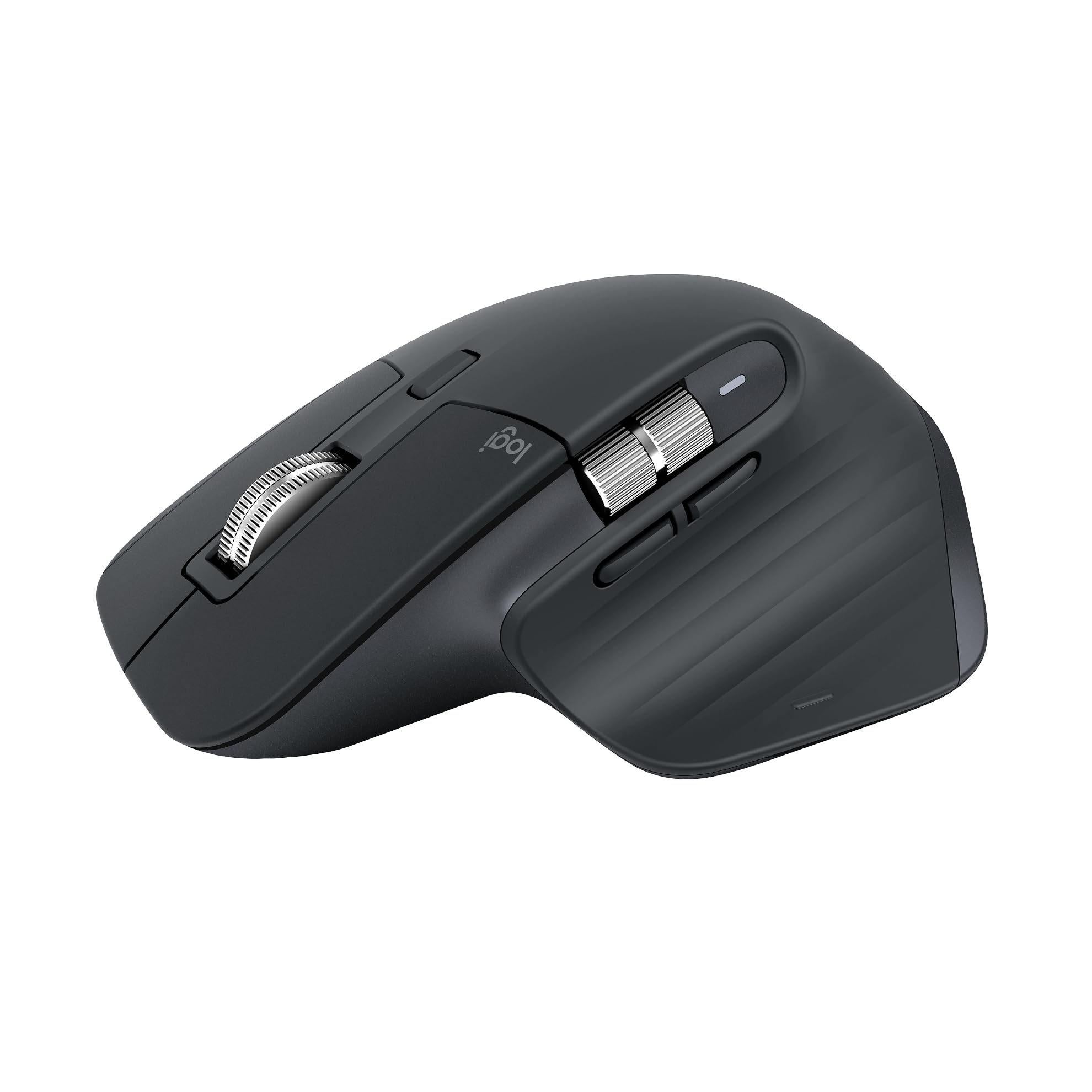
1. Logitech MX Master 3S Mouse
Our pick — 4.5+★ from 800+ verified ratings; the strongest balance of quality and price.
The desk workhorse that tracks on glass and stays quiet through a full workday.
If your MacBook Pro sits docked next to a monitor and you live in documents, timelines, and long scrolling pages, this is the mouse that makes the day smoother. Its 8000 DPI sensor means it reads movement on almost anything you put under it — including glass, which is the surface most mice give up on. In practice the cursor keeps tracking on a bare desk, a glass-topped table, or a hotel desk in a hurry.
What wins people over is performance — it is by far the most-praised thing about this mouse, with roughly 140 owners calling that out. The shape earns the next wave of credit from people with larger hands, and the quiet clicks get their own following. Owners describe the battery as lasting a month or more between charges, and the spec sheet backs the claim at 70 days average life. The 141 g weight is the heaviest pick here — it makes the mouse feel planted and deliberate rather than floaty. It also measures 4.92 inches long against the 4.41 inches of the B18Pro, so it fills a palm more fully.
Here is the catch every Mac buyer needs to know: this version is Bluetooth only. No USB receiver and no charging cable ship in the box, so you need to own a USB-C cable already. A small slice of buyers find the value and the connectivity worth grumbling about, which tracks with the fact that you are paying for build and software rather than accessories. The Logi Options+ app handles per-app button profiles and the Flow feature that moves text, images, and files between a Windows machine and your Mac. That crosses an operating-system line most multi-device mice do not.
What earns the top spot
- 8000 DPI sensor tracks on glass and off, so the cursor stays honest anywhere
- 70-day average battery life means charging is a monthly footnote
- Seven buttons with Logi Options+ per-app profiles, plus Flow file transfer between Windows and macOS
- Quiet clicks and near-silent MagSpeed scrolling keep a shared office calm
Where it asks something of you
- Bluetooth only — no USB receiver or charging cable in the box
- At 141 g it is the heaviest mouse on this list
- Costs more than the budget tier, and value is the one mixed note in its feedback
Built for: Anyone who works a full day on a Mac with a docked monitor and wants one mouse that handles scrolling, precision, and cross-computer file drags.
Think twice if: You want a receiver in the box or prefer a featherweight mouse.
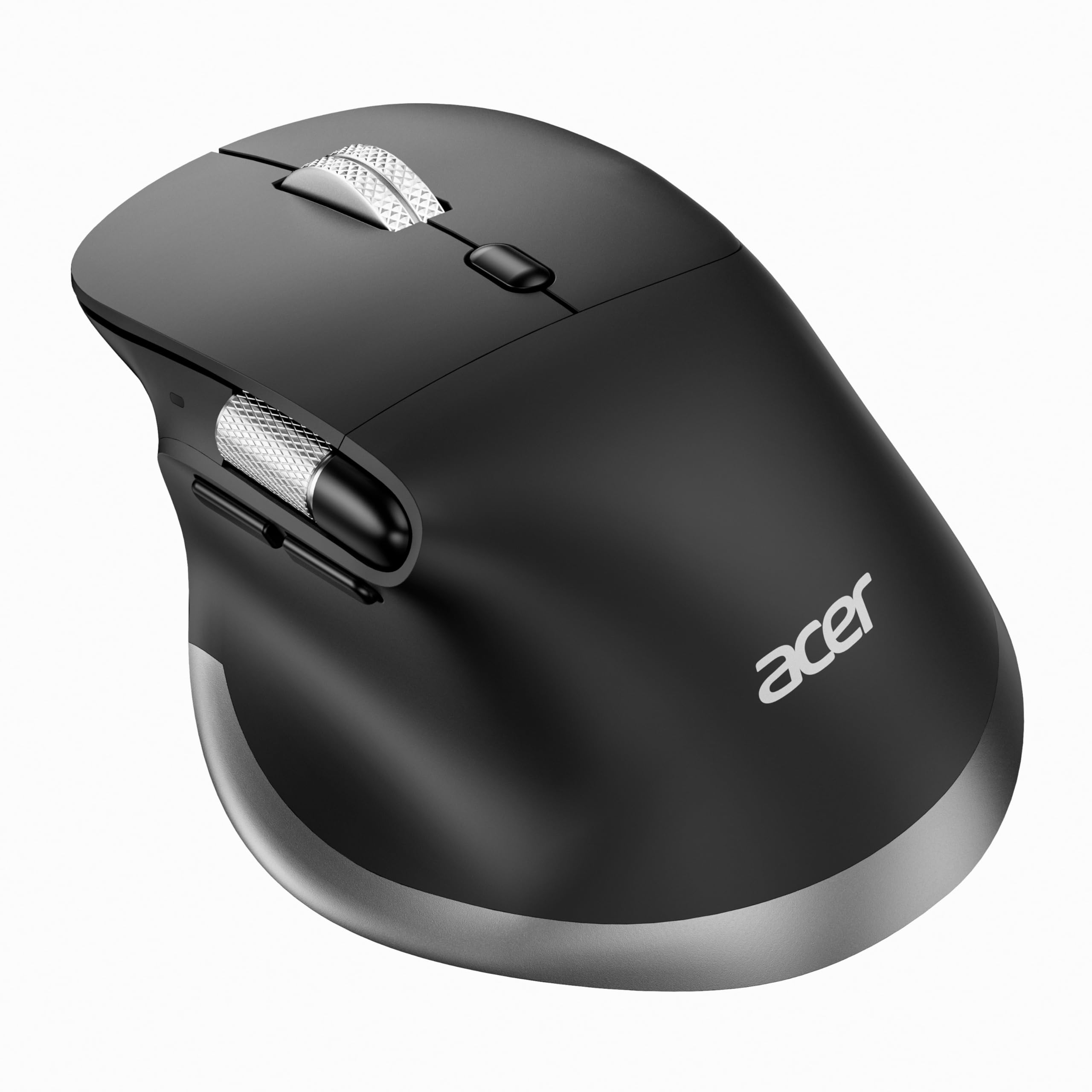
2. Acer Ergonomic Mouse Wireless
Three devices on one click, a thumb wheel for wide sheets, and the lowest entry point here.
Hybrid workers get the most out of this one. A single button toggles between 2.4GHz and two Bluetooth channels — 2.4G, BT1, BT2 — so your MacBook Pro, a work tablet, and a home desktop can all share the same mouse. Just know that Bluetooth and 2.4G cannot run at the same time, so it is a switch rather than a simultaneous link.
The side scroll wheel is the detail that sells it. It scrolls left and right in pages wider than your screen, which is a genuine relief in wide spreadsheets and video timelines. Build quality is what buyers talk about most, and it is the positive note that repeats — the shape and the three-device handoff come next. The 8 buttons beat the 6 on the B18Pro, though one of those is that fixed side wheel. The 500mAh rechargeable battery refills over USB-C, so no disposable cells land in a drawer.
Two honest notes before you commit. The side scroll wheel is not programmable — it only moves a page horizontally, full stop. And the shape is built for medium to large hands, with the maker suggesting one to two weeks of adjustment. Comfort and smoothness split opinion in the reviews, which usually means fit rather than a defect. Six DPI steps from 800 to 4800 cover design work and fast cursor runs across a big display.
Why it lands here: Full-size ergonomics, a real thumb wheel, and multi-device switching for entry-level money is a hard combination to argue with on a Mac desk.
The fine print: That side wheel is a fixed page-scroller, not a custom control, so anyone hoping to remap it will be disappointed.
Pick it when: You juggle a laptop and a second machine daily and want an ergonomic build without stretching the budget.
Pass if: Your hands run small or you need every button remappable.
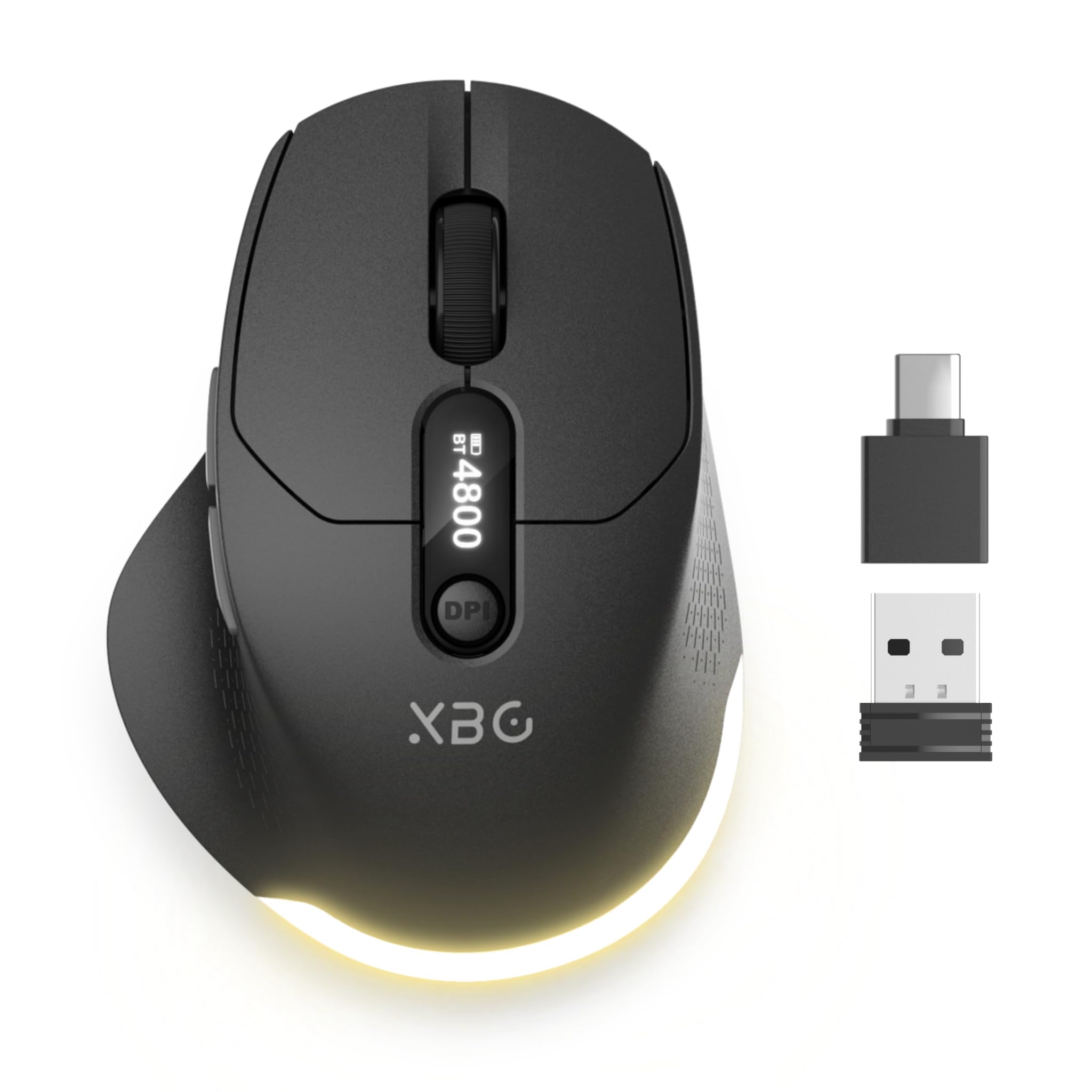
3. B18Pro Tri-Mode Wireless Mouse
A bag-friendly mouse that tells you its battery level right on its back.
Before you unplug anything, look at the weight: 86 g. That is well below the 141 g MX Master 3S, and it is the difference between a mouse that disappears into a backpack and one you notice carrying. The 4.41-inch length versus 4.92 inches on the Logitech also means it takes less room in a sleeve pocket.
The LED display on top shows DPI level, connection status, and battery life in real time, which solves the small daily annoyance of guessing whether you have charge left before a flight. Functionality is the theme buyers keep returning to, and it is the strongest thing about this mouse by a wide margin. A 1000Hz polling rate keeps cursor movement responsive, and the six DPI levels run from 800 to 4800 — half the 8000 on the MX Master 3S, which matters only if you work across very large displays.
Tri-mode means you get wired, 2.4GHz, and dual Bluetooth in one body, so a dead battery on the road is a cable problem rather than a showstopper. The 600mAh cell beats the Acer’s 500mAh and lasts about a month per charge depending on use. Silent left and right clicks suit a library or a shared hotel room. What to weigh up: this is the lesser-known brand on the list, and its review base is the smallest here — the trade-off is a shorter track record in exchange for the display and the light body.
Worth it for: Travelers and students who want status readouts, three connection modes, and a mouse that barely registers in a bag.
Look elsewhere if: You need the widest possible DPI ceiling or a long-established name behind the hardware.
4. ProtoArc EM11 Pro Ergonomic Mouse

Built for palms that outgrow normal mice, and honest that the first week feels odd.
If regular mice leave your fingers bunched and your palm hanging off the back, start with the measurement. This one is designed for hand lengths of 19.0–21.5 cm (7.5–8.5 inches), and the maker points smaller hands to a different model in the same line. That is rare specificity in a category where “ergonomic” usually means “we rounded the corners.”
The vertical angle puts your wrist and forearm in a handshake position instead of a flat twist. Comfort is the primary payoff, and the thumb-controlled side-scroller is the feature that keeps coming up in owner feedback alongside the general sense of value. Eight buttons are configurable — including the side wheel — through a browser-based tool, meaning no software install at all. That suits a work Mac where you cannot add apps freely.
Sensitivity tops out at 7200 DPI, which sits above the 4800 on the Acer and B18Pro and gives you more cursor speed per inch of hand travel on a big monitor. Three devices connect over two Bluetooth 5.0 channels plus a 2.4GHz USB-A receiver, and the 500mAh battery recharges over USB-C. The honest caveat is the adjustment period — the maker asks for one to two weeks with a relaxed palm. That is an adjustment period, not a defect. Comfortable, easy to use, and good value is the short version of what buyers report.
The real differentiator: Stated sizing for hand length rather than a vague “large” label, paired with a customizable side wheel at 7200 DPI.
Give it a fortnight: The vertical grip will feel wrong before it feels right — plan on two weeks before judging it.
Reach for this if: Your hand measures in the 7.5 to 8.5 inch range and flat mice leave your palm unsupported.
Think twice if: You have small hands, or you want to judge a mouse on day one.
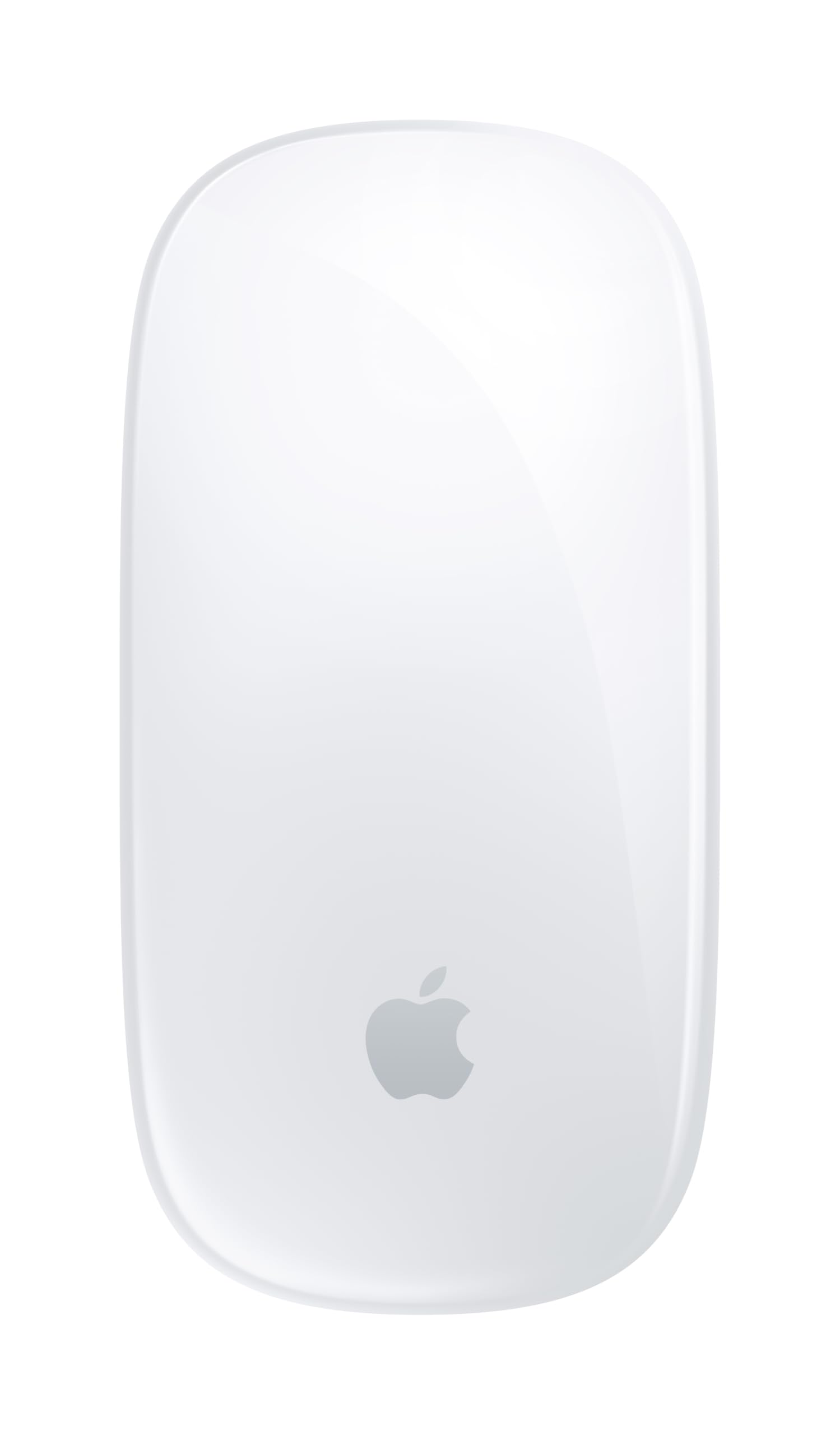
5. Apple Magic Mouse – White Multi-Touch Surface
No setup, no app, no learning curve — the mouse your Mac already expects.
The appeal here is zero friction. It pairs automatically with your Mac the moment it comes from the start, and a woven USB-C charge cable lets you pair and charge from the same port. Anyone who has spent twenty minutes wrestling a third-party mouse driver on macOS knows what that saves.
The Multi-Touch surface handles swipes between web pages and scrolling through documents the way your trackpad does, so the gestures you already know carry over. The optimised foot design lets it glide across a desk without drag. Build quality is the standout — it is the most-praised attribute by a wide margin, with the design and the ease of use following behind. Owners describe the rechargeable battery as lasting about a month or more between charges.
Now the part that decides it for you. Connectivity splits opinion sharply: it links cleanly for plenty of MacBook owners, but some report it will not work with MacBook Pro 2021 models. Scrolling, battery life, and value all draw mixed feedback too, and the flat slab shape offers no palm support for long sessions. If you have a recent MacBook Pro, verify your model before buying. If it pairs, you get the cleanest software experience on this list.
Arguments for the flat slab
- Automatic pairing with your Mac — no app, no driver, no setup
- Multi-Touch gestures mirror the trackpad you already use
- Roughly a month or more of use per charge, with the USB-C cable included
What you give up
- Some owners mention pairing trouble with MacBook Pro 2021 models specifically
- No palm support — this is a low, flat body for fingertip control
- Scrolling and battery life are the two most debated points in its feedback
An easy yes for: Gesture-first users who want a mouse that behaves like part of the operating system rather than an add-on.
Check your model first: A 2021 MacBook Pro is the one configuration worth confirming compatibility on before you order.
6. Logitech Lift for Mac Mouse

One AA battery, two years of use, and a wrist angle you notice by evening.
Two years on a single AA battery is the headline, and it is not a typo. Charging cables become irrelevant here — you put a cell in and forget the whole subject. For a mouse that lives on a desk and never travels, that is the least-maintenance arrangement on this list.
The 57-degree vertical angle tilts your hand toward a handshake position, which changes how your wrist sits by the end of a long day. It is built for small to medium hands, so check that before anything else if your palms run large. Bluetooth Low Energy handles the connection to MacBook Pro, MacBook Air, iMac, and iPad models, with four customizable buttons and a silent magnetic SmartWheel for scrolling. Setup and per-application customization are widely described as easy.
What customers note most about it is how the ergonomic shape works for wrist comfort across long sessions. The scroll wheel is whisper-quiet, which matters in an open-plan office or a shared study. Weigh the value question honestly: opinions split on whether it justifies its place in the higher tier, and that is the fair caveat. At 4.25 inches long and 4.4 ounces it is compact and light, so it suits a tight desk or a laptop bag, unlike the 6.06-inch ProtoArc.
The two-year math: A single included AA battery rated for up to 24 months removes cables, charging docks, and battery anxiety from your setup entirely.
Small-to-medium fit: If your hands are large, the tilt and compact body will feel cramped — the ProtoArc above is the better match.
Best matched to: Mac owners with small to medium hands who want a vertical grip and would rather never think about charging again.
Not your mouse if: You have large hands or you would rather not pay a premium for battery convenience.
7. Razer Pro Click Humanscale Wireless Mouse

A four-device desk mouse with 400 hours of endurance behind it.
Multi-host setups are where this one belongs. It connects to up to four devices, so your MacBook Pro, a work PC, and a tablet can all live on the same mouse with a click between them. Eight programmable buttons plus the 5G Advanced Optical sensor give you the kind of control that people who live in shortcuts actually use.
Battery is the standout number: up to 400 hours. Compare that to the 70 days average on the MX Master 3S and the B18Pro’s roughly one month per charge — this is a runtime you charge every few weeks at most, not every few evenings. The ergonomic form is what owners describe most favourably, with the smooth touch and the clean design close behind. It is ambidextrous too, which none of the vertical picks here are.
The catch is the charging, and it is worth knowing before you buy. Battery feedback splits: some find it entirely satisfactory while others report the mouse stops charging after about six months. That is a real durability risk for a premium-tier purchase, and it is the main reason to think carefully. If you want a mouse you will keep for years without touching a cable much, this is a strong fit — as long as you are comfortable with that reported failure pattern.
Choose it for: A multi-computer desk where one mouse needs to jump between four hosts and keep running for weeks.
Know going in: Charging reliability is the unsettled question — enough reviewers point out charging trouble that it belongs in your decision.
8. Razer Pro Click V2 Vertical Mouse

Vertical comfort plus a base support that lifts your wrist off the desk.
Most vertical mice just tilt the body. This one adds a base support that raises your wrist and reduces the drag as you move — a small extra that shows up over an eight-hour day. The angled shape puts your hand in a handshake grip for extended sessions.
Battery is a genuine strength at up to 6 months per charge, with three working days from a five-minute USB-C top-up. That five-minute number is the one that matters on a busy morning. Connectivity spans up to five devices across 2.4GHz HyperSpeed Wireless, Bluetooth with three hosts, and wired mode, so a MacBook Pro, a desktop, and a tablet can share it. The Focus Pro 30K Optical Sensor tracks on glass with 99.8% resolution accuracy, and the mechanical switches are rated for a 60 million click lifecycle.
There is more under the hood than most people need: 18 zones of RGB underglow, customizable through Chroma Workshop with over 300 integrated games, and an AI Prompt Master button that summarizes text or drafts emails through Razer Synapse 4. Ergonomics is the most-praised quality by a distance, with build quality next. The trade-offs are real, though — button placement draws mixed feedback, with some owners finding the buttons need harder clicks, and the weight and grip split opinion too. It is a heavier, fuller mouse, not a light travel companion.
What it does that others here do not: A raised wrist base, 18-zone lighting, a one-click AI prompt tool, and five-device switching in a single vertical body.
The honest weight of it: Extra features bring extra heft, and the click force on some buttons is stiffer than owners expected.
Suits you if: You want a vertical shape with wrist support and do not mind paying for lighting and macro features you may rarely touch.
Skip the extras if: Light clicks and a lighter body matter more to you than an RGB light show.
9. 3Dconnexion CadMouse Pro Wireless Mouse
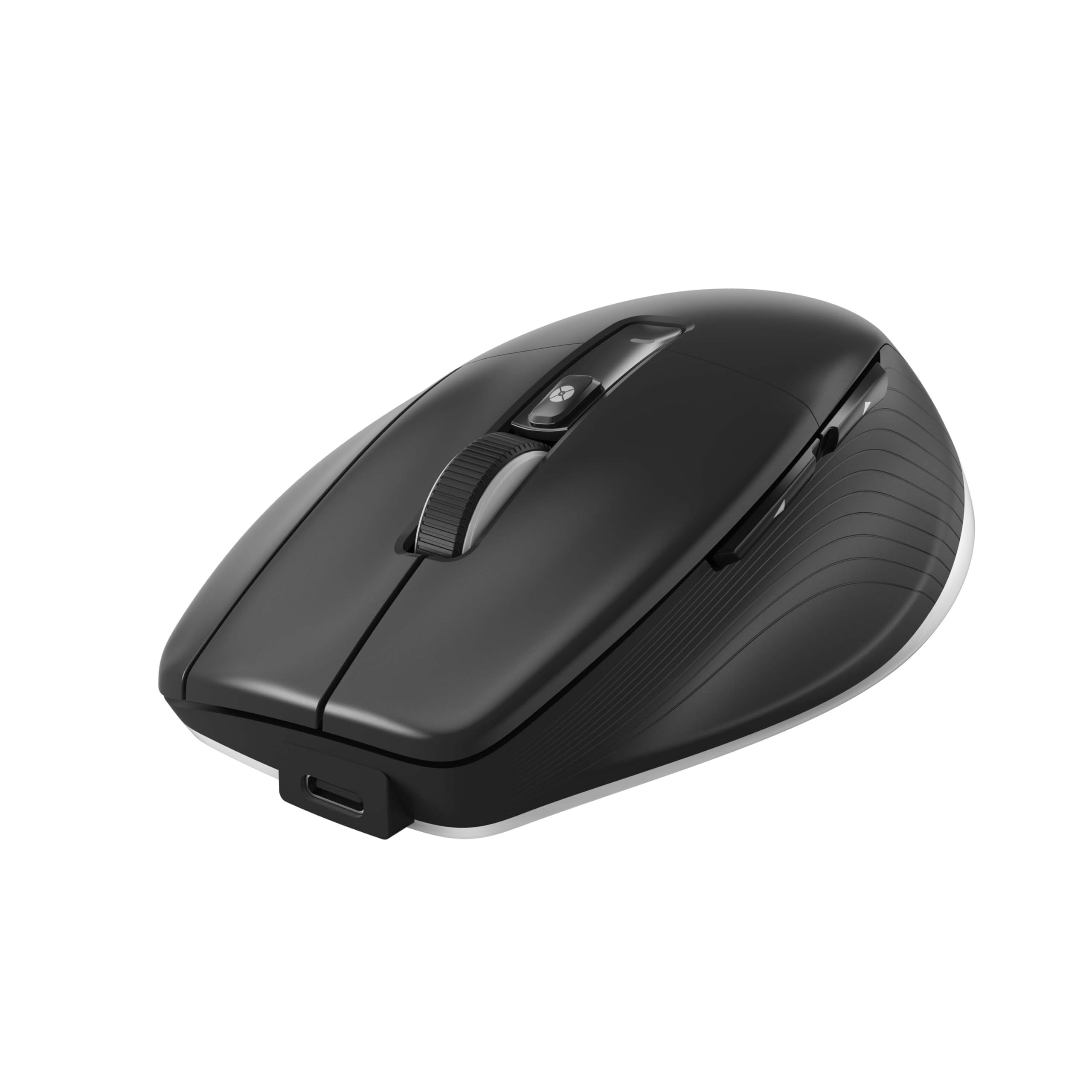
A precision tool for people who model in CAD, not a general desk mouse.
If your MacBook Pro runs modeling or design software, this is the pick built for that work rather than for browsing. The 7200 dpi optical sensor gives you the fine control that CAD and precision drawing demand, and the Smart Mouse Wheel 2 handles zoom and scroll with more nuance than a standard wheel. Seven buttons cover the commands you reach for repeatedly.
Connection options are the most varied here: 2.4GHz RF, Bluetooth, and USB-C in one mouse. That means no adapter hunt when you move between a docked setup and a laptop on battery. Functionality is what owners praise most, and it is the clear lead in its feedback — ergonomics and general comfort follow. The ambidextrous body means left-handed designers are not shut out, which is not true of most of this list.
Two things to be clear-eyed about. This is a specialist tool, and the button layout draws mixed feedback from people who expected a more conventional arrangement. It is also a conspicuous presence on a desk — 14.4 ounces is the heaviest mouse here by a wide margin, so it stays put rather than traveling. The 2-month battery average is solid for desk work. If your day is spreadsheets and email, this is more mouse than you need.
Made for: CAD users and precision designers who want a wired-quality sensor in a wireless body with three connection types.
Not the one if: You want a light, general-purpose mouse or a familiar button layout.
Know the Specs
DPI and Sensitivity
DPI stands for dots per inch — the distance the cursor travels for each inch you move the mouse. Higher numbers let you cross a large monitor with less arm travel. The mice here range from 4800 up to 8000 DPI, and every one lets you dial it down when you need fine control in design work. For everyday Mac use, anything in that range is more than enough; the practical difference shows up on multi-monitor setups or when you switch to a slower setting for detailed editing.
Bluetooth vs 2.4GHz Receiver
Bluetooth connects directly to your MacBook Pro with no dongle, freeing your USB-C ports. A 2.4GHz receiver plugs into a USB-A port — which many MacBook Pros lack without an adapter — but often holds a steadier link. Several picks here support both, and a few let you store the receiver inside the mouse body so it travels safely. Check which you have before ordering, because a receiver-only mouse on a port-starved laptop is an avoidable headache.
Battery Specs Decoded
Battery life is stated three different ways here: in days (70 days on the MX Master 3S), in hours (up to 400 hours on the Razer Pro Click), and in months (up to 24 months on the Lift for Mac, up to 6 months on the Pro Click V2, and 2 months on the CadMouse). Rechargeable picks list their capacity in mAh — 500mAh on the Acer and ProtoArc, 600mAh on the B18Pro. A single AA battery in the Lift changes the math entirely for a desk-bound mouse.
Vertical vs Flat Shape
A vertical mouse tilts your hand toward a handshake position; a flat one keeps your palm down. Vertical designs usually ask for a week or two of adjustment before they feel natural. Manufacturers often state hand-size fit plainly — the ProtoArc is sized for 19.0–21.5 cm hand lengths, the Lift for small to medium hands. Getting that measurement right matters more than any spec sheet number.
Common Questions
Will any of these mice connect to a MacBook Pro without a USB adapter?
What DPI do I actually need on a MacBook Pro?
Do the extra buttons work on macOS without extra software?
How long does the battery really last per charge?
Is a vertical mouse better for long work sessions?
Can I switch one mouse between my MacBook Pro and a work PC?
Does the Apple Magic Mouse work with every MacBook Pro model?
What is the difference between the Razer Pro Click and the Pro Click V2 Vertical?
Can I use a wireless mouse while the MacBook Pro is closed in clamshell mode?
Do the rechargeable picks come with a charging cable?
The Bottom Line
For most MacBook Pro desks, the Logitech MX Master 3S is the pick because an 8000 DPI sensor that reads on glass, 70 days of battery, and Flow cross-computer file transfer cover the whole workday in one mouse. If vertical comfort is what you are after and your hands are on the larger side, the ProtoArc EM11 Pro measures your hand rather than guessing. And if you want a mouse that never needs a charging cable, the Logitech Lift for Mac runs up to two years on one AA battery.
Shopping the entry tier? The Acer Ergonomic has the larger body of owner feedback behind it and still gives you three-device switching and a thumb wheel. Whichever you choose, confirm the connection type and your hand size before you click buy — those two details shape your daily experience more than any spec on the box.
How we choose
We do not accept paid placement. Every pick is matched to a real buyer and a real use-case; we do not hands-on test units.
Sources
Specifications: manufacturer listings and product documentation. Review insights: verified customer reviews, as of November 2026. Pricing: not shown on this page (it changes often); check the current price via the retailer link.
As an Amazon Associate, Tactical Gear Guy earns from qualifying purchases. This does not affect which products we feature.