Specs are compiled from manufacturer listings and verified buyer reviews and can change over time — please confirm the key details on the product page before buying.
Pick the wrong wireless monochrome laser printer and you will spend your first evening on your knees behind a desk, rebooting your router for the fourth time while a job sits in the queue. The short answer: buy on the connection first and the specs second. A 35-page-per-minute engine is useless if the printer keeps dropping off your Wi-Fi. Every pick below has a real wireless radio and a real paper path, and each one is matched to the buyer it genuinely suits.
This guide is built by comparing the manufacturers’ published specifications and the patterns across verified customer reviews, so you get each pick’s real strengths and trade-offs instead of marketing spin.
Below you will find how to read the numbers that matter, a one-screen comparison of every model, and a full breakdown of which printer fits a home desk versus a busy shared office. Every pick here earns its place as a genuinely strong wireless monochrome laser printer.
Top Picks


How To Choose The Best Wireless Monochrome Laser Printer
A monochrome laser printer does one job: it lays down black toner on paper fast, and it does it for years. The buying decisions that actually matter are narrower than the spec sheets suggest. Here is what to check, in the order a buyer should check it.
Wireless that holds the connection, not just makes one
The Wi-Fi radio inside the printer, not its speed rating, is what decides your daily mood. Look for a model that lists dual-band wireless (2.4GHz and 5GHz), because the 5GHz band is less crowded and tends to hold up better in an apartment block full of routers. Some models pair that with a self-reset routine that reconnects after a router reboot without you touching anything. A printer that lists only “Wi-Fi” with no band detail is the one most likely to send you crawling under the desk.
Pages per minute versus first page out
Print speed is measured in ppm — pages per minute, the rate a long document feeds out once the printer is warm. First page out is a separate number: the seconds you wait for a single page to appear after you hit Print. For a home user who prints two pages at a time, that first-page figure matters more than a headline speed. For a shared office pushing long reports, the ppm rate is the number that clears the queue.
Print-only, all-in-one, or multifunction
A print-only machine is smaller and simpler. An all-in-one adds scan and copy, which needs a flatbed glass or an auto document feeder — the ADF, a tray that pulls a stack of pages through the scanner on its own. Decide this before you shop. Upgrading a print-only printer later means buying a second machine.
Duplex and toner: the running-cost pair
Automatic duplex means the printer flips each sheet and prints both sides without you re-stacking paper. It halves your paper consumption on long documents. Toner yield is the other half of running cost: a starter cartridge that ships in the box is not the same as the high-capacity cartridge you will buy later. Check which cartridge model the printer takes and whether a high-yield version exists for it.
How much paper it swallows
Tray capacity in sheets is the difference between refilling once a month and refilling every few days. A 250-sheet input tray covers a home office comfortably. High-volume offices need more, and some models expand with optional trays. Paper handling also covers the manual feed slot, which is what lets you push an envelope or a sheet of card stock through without opening the main tray.
Side-by-Side Comparison
All three spec columns measure the same thing across every row, so you can scan down the table and see the real trade-offs at a glance.
| Model | Best For | Print Speed | First Page Out | Functions | Amazon |
|---|---|---|---|---|---|
| HP LaserJet Pro 3101sdw★ Best Overall | Small teams who print, scan and copy daily | 35 ppm | 7 seconds | All-in-one | Amazon |
| Brother HL-L2480DWFastest First Page | Home offices that want an easy, quiet all-rounder | 36 ppm | 8.5 seconds | Copy, scan | Amazon |
| HP LaserJet Pro 3001dwBest for Shared Desks | Shared desks that need security and speed | 35 ppm | ~6.6 seconds | Print only | Amazon |
| Lexmark MS431dw | Fast, compact printing with both Wi-Fi and Ethernet | 42 ppm | 5.9 seconds | Print only | Amazon |
| HP LaserJet MFP M234sdw | Small teams wanting hands-free scanning | 30 ppm | — | All-in-one | Amazon |
| Canon imageCLASS MF273dw | The fastest first page on this list | 30 ppm | 5.3 seconds | Print, copy, scan | Amazon |
| Xerox B225DNI | AirPrint and Mopria mobile printing on a budget | 36 ppm | 6.4 seconds | All-in-one | Amazon |
| Brother HL-L6210DW | High-volume offices with expandable paper | 50 ppm | — | Print only | Amazon |
| Canon imageCLASS D1620 | Big departments that need a 3-year warranty | 45 ppm | — | Copy, scan | Amazon |
Detailed Reviews
1. HP LaserJet Pro 3101sdw
Our pick — 4.5+★ from 650+ verified ratings; the strongest balance of quality and price.
The do-everything office workhorse that prints, scans and copies without making you wait.
If you run a small team and want one machine to handle everything, this is the pick. It puts out up to 35 pages per minute — that is ppm, pages per minute, the rate a long document feeds out once it warms up — so a 40-page report clears in a little over a minute of steady output. The first page arrives in about 7 seconds, which is the wait you feel when you print a single label or a boarding pass.
What wins people over is the build quality, and there is a reason it is the most-praised trait of this machine. It reads like office equipment, not a desk toy, and it keeps printing day after day in the accounts where owners depend on it. The all-in-one functions are not an afterthought either: a 250-sheet input tray and a 50-sheet automatic document feeder handle a stack of invoices without you feeding them one at a time. Automatic duplex flips each sheet to print both sides, so a double-sided contract comes out finished.
The catch is connectivity, and it is the one thing to think about before you buy. This printer’s wireless signal draws mixed reactions from owners — some setups are smooth, others take patience — so if your router lives far away and you can reach it with a cable, use the Ethernet port instead. It also takes only genuine HP-chip toner cartridges by design, and the box includes an introductory cartridge yielding roughly 1,000 pages, so plan for a replacement sooner rather than later.
Why this one takes the top slot
- Up to 35 pages per minute with a first page in about 7 seconds, so long and short jobs both move fast
- Print, scan and copy in a single unit, with a 250-sheet tray and a 50-sheet auto document feeder
- Automatic duplex printing means finished double-sided documents with no manual flipping
- Owners treat its durability as the headline — it holds up to daily office volume
What to weigh before you commit
- Wireless connectivity is the recurring sore point; a wired Ethernet connection sidesteps it entirely
- The included toner is an introductory cartridge — around 1,000 pages — not a full-size refill
- Genuine HP-chip cartridges only, so cheaper third-party toner is blocked by design
Made for: a small team that needs print, scan and copy in one footprint and can reach the router with a cable.
Think twice if: the printer will sit far from your router and never gets an Ethernet drop.
2. Brother HL-L2480DW
The quiet home-office all-rounder with a touchscreen that actually tells you what is going on.
Two numbers tell you what this machine is for. Print quality is the trait owners rave about most, and the engine runs at up to 36 pages per minute — the fastest in this group alongside the HP 3101sdw, and it beats the Canon MF273dw’s 30 pages per minute for long jobs. The 2.7-inch touchscreen is the other half of the story: navigation happens on the printer itself, and you can print from and scan straight to cloud apps like Google Drive and Dropbox without opening a laptop.
Where it gives ground is the single-sheet wait. First page out runs about 8.5 seconds, against the Canon MF273dw at 5.3 seconds — three seconds you will notice every time you print one page. For a two-page home job that is fine. For a print-on-demand rhythm where you fire single pages all day, it adds up.
Connection-wise this is the most flexible unit here: built-in dual-band wireless on both 2.4GHz and 5GHz, plus Ethernet and USB. The 250-sheet tray has a manual feed slot for envelopes and specialty paper, and automatic duplex is standard. It takes Brother’s TN830 and TN830XL toner, and the box includes a drum unit alongside the starter toner — the long-life part most people forget to budget for.
The verdict in one line: a compact print-scan-copy unit at up to 36 pages per minute with dual-band Wi-Fi and a real touchscreen — it fits a home office desk and handles cloud scanning without extra software.
The honest trade-off: the 8.5-second first page is the slowest on this list, so if your day is dozens of single-sheet jobs rather than long documents, the Canon MF273dw handles that rhythm better.
Reach for this if: you want an all-in-one that is easy to live with, connects to both Wi-Fi bands, and scans to the cloud from its own screen.
Look elsewhere if: your printing is mostly one-page jobs and you want the quickest single sheet.
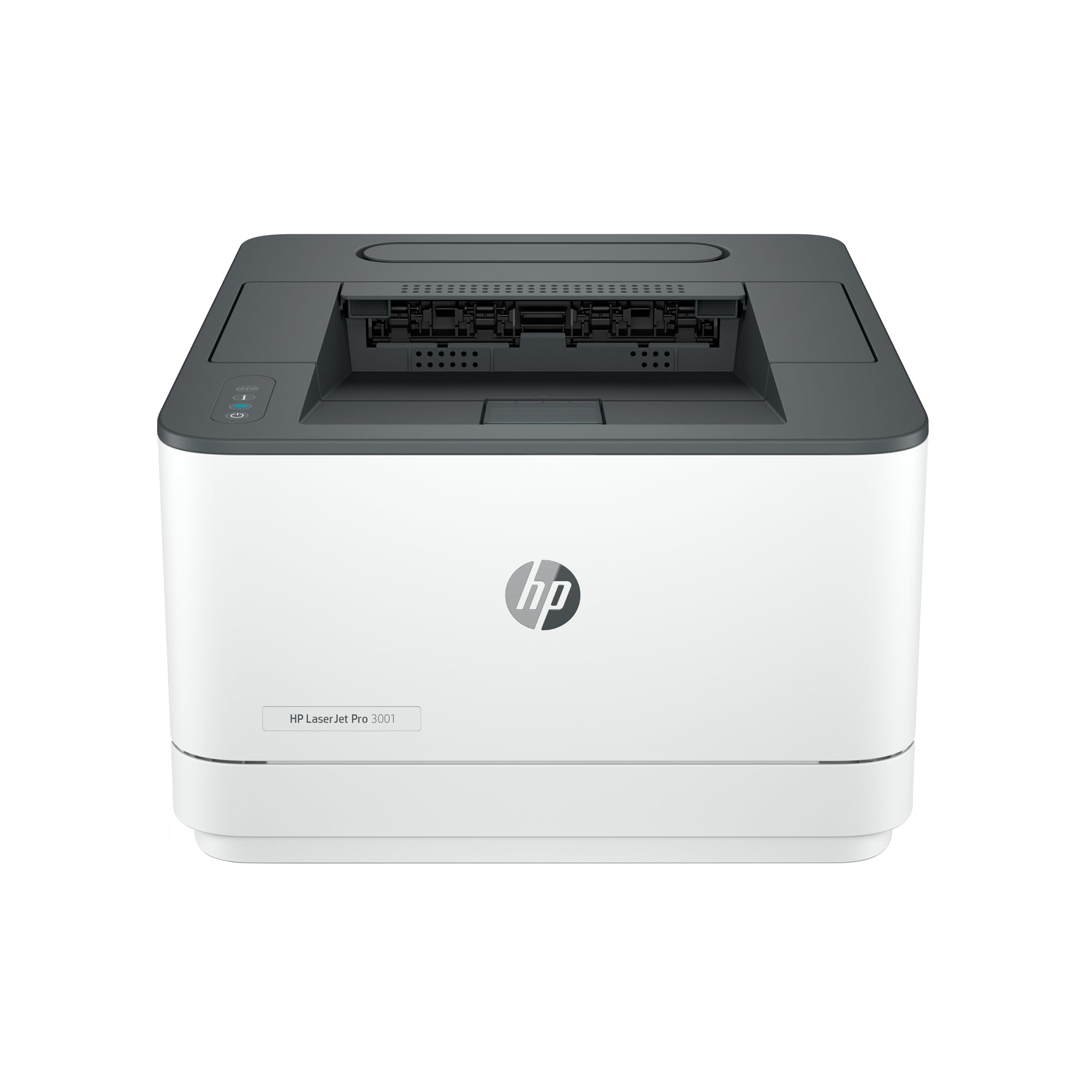
3. HP LaserJet Pro 3001dw
A print-only speed machine built for a desk that up to seven people share.
HP rates this one for up to seven people, and the spec sheet backs that up. It prints at up to 35 black-and-white pages per minute single-sided and fires the first page out in roughly 6.6 seconds — that is the single-page wait, and it is quicker than the Brother HL-L2480DW’s 8.5 seconds. Automatic duplex comes standard, so double-sided documents are handled without anyone touching the paper. What owners consistently value is exactly what you would want in a shared machine: crisp, sharp text on every page.
The build sits lower than the others here. At 8.5 inches tall against the Canon MF273dw’s 14.4 inches, it slides under a shelf or into a tight corner beside a monitor. That compactness is the practical appeal for a small business squeezing a printer onto a shared bench.
The catch is the wireless. Intelligent Wi-Fi is designed to look for the best connection and stay online, but the set-up process is where this model frustrates people — some get connected fast, others struggle to join it to a network at all. If your office has a wired drop, use Ethernet and this becomes a far calmer machine. Note that it is print-only: no scanner, no copier. On the plus side there is HP Wolf Pro Security with customizable settings, which matters if the printer sits on a network that carries client files.
Where it shines: up to 35 pages per minute, a fast ~6.6-second first page, automatic duplex and a low 8.5-inch profile — plus Wolf Pro Security for a printer on a shared network.
The catch to face head-on: print-only functions and a wireless set-up that divides opinion. Budget for a cable and this trade-off disappears.
Suits this buyer: a small team of up to seven who need fast black-and-white documents, double-sided output and a security layer, and who can plug in an Ethernet cable.
Wrong pick for: anyone who needs to scan or copy — this model does neither.
4. Lexmark MS431dw
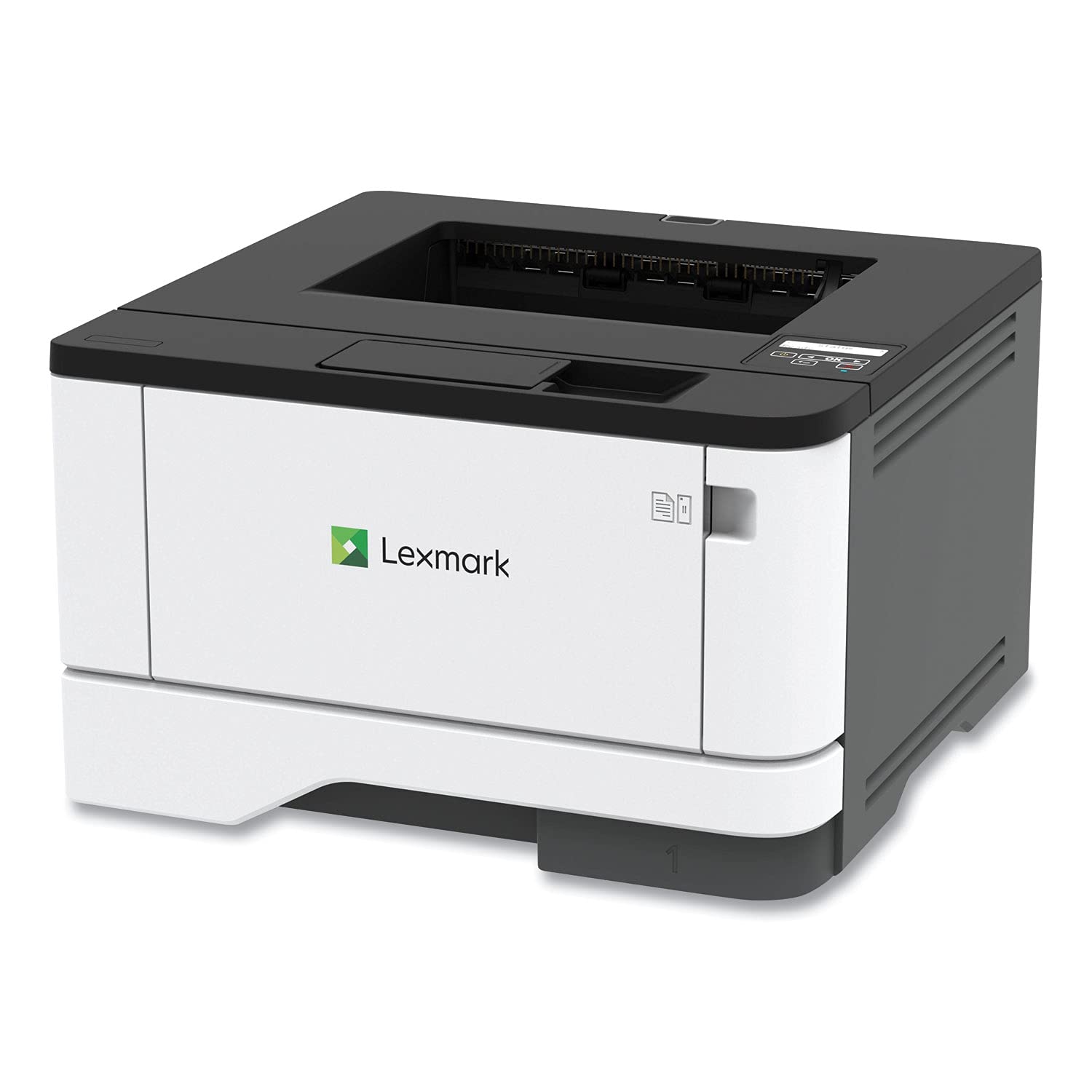
The small-frame printer that outruns almost everything here and hides in a corner.
Look at the engine first: up to 42 pages per minute, which beats the HP 3101sdw and the Brother HL-L2480DW at 35 and 36. The first page lands in about 5.9 seconds — the quickest single-sheet wait in this group apart from the Canon MF273dw — so a one-page invoice appears almost the moment you click Print. What people praise above all here is the print quality, sharp black text and clean graphics that make a report look finished.
The format is the quiet advantage. Lexmark rates it for a recommended monthly page volume of 800 to 8,000 pages, so it is comfortable as a light shared machine or a busy home office. A steel frame and long-life imaging components are why it is built for years of service, not a season or two. Automatic two-sided printing is standard, and a two-line display lets you see system status and configure settings without hunting through a menu on your laptop.
Connections are the widest of any print-only pick: Wi-Fi for mobile devices, Ethernet for a fixed network, and USB for one machine. Built-in energy-saving modes support EPEAT Silver and Energy Star ratings if efficiency is on your checklist. The honest limit is function count — this is print-only, with no scanner and no copier — and the wireless is standard Wi-Fi rather than the dual-band kind, so a crowded 2.4GHz home network is worth a wired fallback.
What you are buying: a compact steel-framed printer at up to 42 pages per minute with a 5.9-second first page, Wi-Fi, Ethernet and USB in the same box.
What it will not do: scan or copy. If your desk needs either, step up to an all-in-one.
Pick this if: speed and a small footprint are your priorities and your printing is documents only.
Pass on it if: you need a scanner on the same machine.
5. HP LaserJet MFP M234sdw

For the home office that scans a stack of paper and does not want to sit there feeding it.
This is the pick for a one-to-five-person setup where paper comes in as often as it goes out. The auto document feeder lets you load a stack and walk away while the machine copies and scans hands-free — a job that eats an afternoon on a flatbed-only printer. Print speeds reach up to 30 black-and-white pages per minute single-sided, and up to 19 black-and-white images per minute in two-sided mode. Crisp black-and-white output is the trait owners single out, and the compact frame suits a desk at home rather than a back room.
Connectivity here is the strongest argument for the pick. Dual-band Wi-Fi with a self-reset routine automatically detects and resolves connection issues — exactly the failure that ruins most wireless printers — and Ethernet is included for a fixed line. Wireless printing works from Microsoft, Mac, AirPrint, Android and Chromebook devices, and the HP Smart app handles scanning to the cloud and repeat print tasks from your phone.
The trade-offs are real but narrow. It is the slowest engine in this group at up to 30 pages per minute, so it is not the machine for a department pushing hundreds of pages a day — the Lexmark MS431dw at 42 or the Brother HL-L6210DW at 50 handle that volume far better. The box toner runs about 700 pages, an introductory cartridge rather than a long-haul one. Built-in security features help protect it from outside attacks, which is worth knowing if it shares a network with client documents.
The case for putting it on your desk
- Auto document feeder makes scanning and copying hands-free, not a page-by-page chore
- Dual-band Wi-Fi with self-reset that reconnects itself instead of dropping the job
- Up to 30 pages per minute single-sided and up to 19 images per minute two-sided, with duplex standard
- Works with Microsoft, Mac, AirPrint, Android and Chromebook, plus the HP Smart app
Where it runs out of road
- The lowest ppm rating here — up to 30 pages per minute won’t clear a heavy daily queue fast
- The included toner yields only about 700 pages before you buy a full cartridge
- Essentially a home-office footprint, not a departmental printer
Best fit: a home office of one to five people who scan as much as they print and want the printer to fix its own Wi-Fi.
Not your machine: a busy department that needs raw throughput above speed and volume.
6. Canon imageCLASS MF273dw

The printer that wins the race for a single page, at 5.3 seconds flat.
If your printing is a page here and a page there, this is the machine that removes the wait. The first page out arrives in about 5.3 seconds — nearly three seconds quicker than the Brother HL-L2480DW’s 8.5 seconds, and quicker than the HP 3101sdw’s 7 seconds. That gap is small on paper and very obvious when you are printing a boarding pass with one hand while holding a coffee in the other. Print quality is what people praise above anything else: crisp black text and clean graphics, with value second.
Print speed sits at up to 30 pages per minute, so it falls short of the HP 3101sdw’s 35 pages per minute on long documents. Automatic two-sided printing is included, and the one-year limited warranty covers the first year of ownership. It is a full multifunction unit: print, copy and scan, with an automatic document feeder for stacks and a LCD display on the front.
Set-up and the wireless connection are the honest sticking points. This model’s feedback splits roughly down the middle — plenty of easy installs, and a real share of frustrating ones where the printer is stubborn about joining a network. The documentation draws more criticism than anything else on this machine. Toner is Canon 071 or 071 High-Capacity, and the box starter yields about 700 pages, so pick up a high-capacity cartridge when that runs dry.
Read the numbers: a 5.3-second first page, 30 pages per minute and a 14.6-inch depth — it holds the fastest single-sheet wait on this list and still fits an office shelf.
The fair warning: plan your set-up for a quiet half hour. Get it on the network once and it stays a fast, sharp printer for years.
Go with this if: you print short, frequent jobs and a fast first page is worth more to you than peak pages per minute.
Keep looking if: you push long documents all day and need the higher throughput of the HP or Lexmark models.
7. Xerox B225DNI

An all-in-one with AirPrint and Mopria built in, for people who print from a phone.
Printing from a phone is the point of this machine. Apple AirPrint and Mopria are both built in, so an iPhone or an Android device finds the printer and sends a job without an app or a driver install. The engine runs at up to 36 pages per minute with automatic duplex and a 6.4-second first page. The Xerox Easy Assist App handles guided installation on your phone instead of a paper manual, which is the fastest route in.
This is a true all-in-one: print, scan and copy, with an LCD panel and a pre-installed starter cartridge rated at 1,200 pages. Xerox rates it for small businesses printing up to 2,500 pages a month, and high-yield toner options exist for fewer interruptions over time. Printing works over Wi-Fi and Ethernet, and the machine takes a steel-framed beat from a hybrid office where nobody sits still.
Two things to understand before you buy. Reliability is where this model divides people — plenty of units run without trouble, and a small number of owners have had a printer refuse to print at all. Print quality is the most-discussed topic overall and lands as a mix, with some describing output as high quality and others calling it cheap. If your work is graphical or brand-sensitive, that is a genuine reason to compare more closely before you commit. For plain black text documents, the print speed and mobile workflow carry the day.
Straight read: up to 36 pages per minute, AirPrint and Mopria built in, a 1,200-page starter cartridge and a rated 2,500 pages a month — a strong mobile-first all-in-one.
Worth knowing: print quality is a mix of opinions and a rare unit stops printing, so keep the paperwork and test it early.
Right for you if: you print from phones and tablets, want scan and copy in the same box, and mostly send plain text documents.
Look at another model if: you need brand-sensitive graphics and can’t tolerate any variation in output.
8. Brother HL-L6210DW

A fifty-page-a-minute print room in a box that swallows a ream and a half of paper.
This is the fastest machine on the list by a wide margin: up to 50 pages per minute. That is the engine for a business that measures work in reams, and it is the reason to look here rather than at a compact home unit. Paper handling matches the speed — a 520-sheet main tray plus a 100-sheet multipurpose tray, expandable to 1,660 sheets with optional trays, so the tray does not run dry halfway through a mailing run. Owners consistently praise the print quality and the outright speed.
The running-cost math is where this model earns its keep. Brother Genuine ultra high-yield toner cartridges for this printer run up to 18,000 pages, cutting how often you swap supplies. The box ships with a TN920 toner cartridge rated at 3,000 pages and a DR920 drum unit rated at 45,000 pages. Connections include built-in Gigabit Ethernet and dual-band wireless, so the printer can sit on a wired backbone and still serve phones and laptops over the air.
Now the honest part, and it matters for a high-volume box. Reliability is mixed in owner reports — a lot of printers work exactly as promised, and a few stop working properly. Durability follows the same pattern, with some units lasting over two years and others failing within months. Power management draws more complaints than anything else. Print-only functions are the other limit: no scanner, no copier. For a business that must never wait, the 50 ppm engine, Triple Layer Security and 18,000-page cartridge still make it the volume champion here.
The volume argument
- Up to 50 pages per minute — the fastest engine here by a clear margin
- 520-sheet main tray plus 100-sheet multipurpose tray, expandable to 1,660 sheets
- Ultra high-yield toner rated up to 18,000 pages drives running cost down
- Gigabit Ethernet and dual-band wireless for shared office networks
The reliability question
- Owner experience on reliability is mixed, and a small number of units stop working early
- Print-only: no scan and no copy on this model
- Power-management behaviour is the frequently flagged annoyance
Built for: an office that prints hundreds of pages a day and needs paper and toner to last the run.
Not for you if: you need to scan or copy, or you want the simplest low-volume home machine.
9. Canon imageCLASS D1620

A departmental workhorse with a three-year warranty and a paper tray that keeps going.
Three years of limited warranty is the number no other printer on this list matches, and it is the reason a department buys this one. Behind it sits a 45-page-per-minute engine for black-and-white documents up to 8 1/2 x 14 inches — legal-size pages go through without a special tray. It handles heavy jobs at speed, and print quality is the trait owners rate highest here. A copy-and-scan multifunction with an automatic document feeder rounds out the package.
Paper capacity is the other headline: up to 2,300 sheets maximum, so a busy floor can go a full run without refilling. The box includes Canon Genuine Toner 121 with a 5,000-page yield, which is a real working cartridge rather than a token starter. Automatic duplex handles two-sided output, and the LCD panel covers setup and status. Maximum power consumption is listed at approximately 1,390 watts, and typical energy consumption is 0.47 kWh.
This is also the largest machine in the group, so measure the space before ordering — it wants a real desk, not a shelf. Set-up and connectivity are the honest sore points: some installations go smoothly, and others find the instructions confusing and the wireless fussy. Scanning works well once it is running, though the setup for it frustrates some. For a department that wants a three-year warranty and a 2,300-sheet tray, that first rough hour of setup is a cost worth weighing.
Why a department picks it: 45 pages per minute, a 2,300-sheet maximum paper capacity, a 5,000-page toner cartridge in the box and a three-year limited warranty.
The trade-off to accept: setup and connectivity are the recurring gripes, and the frame is large. Budget the time and the floor space up front.
Consider it when: a department needs a big paper tray, legal-size handling and long warranty cover more than a fast first page.
Skip if: your space is tight or you want a printer that connects without a set-up session.
Know the Specs
First page out (the seconds you actually feel)
This is the time from pressing Print to the first page dropping into the output tray, with the printer already warm. It is different from ppm, which measures how fast pages follow once the engine is running. For home users who print one or two sheets at a time, this number decides whether printing feels instant or like a chore.
Pages per minute (the queue-clearing number)
PPM — pages per minute — is the sustained rate the engine produces on a long document. A higher figure means a 200-page mailing finishes sooner. It matters most in a shared office, and least for someone printing a boarding pass now and then.
Duplex printing (how it saves paper)
Automatic duplex means the printer flips each sheet and prints the second side itself, so you never re-stack paper. On long reports this handles double-sided output without supervision. Every printer on this list has automatic duplex.
Toner yield (the running-cost figure)
Yield is the page count a toner cartridge is rated for before it needs replacing. Starter cartridges that ship in the box are usually smaller than the retail cartridge you buy later. High-yield toner cartridges hold more pages, so you swap them less often — the number that governs what the printer costs you to own.
Dual-band Wi-Fi (why 5GHz helps)
Dual-band means the printer can join both the 2.4GHz and the 5GHz wireless bands. The 5GHz band is less crowded, which makes the connection steadier in a building full of routers. A model that lists dual-band with a self-reset routine is a better bet for staying online than one that lists plain Wi-Fi.
Paper tray capacity (refill frequency)
Tray capacity is measured in sheets for the main tray, with some models adding a multipurpose tray for specialty paper and envelopes. A larger main tray means fewer refills, and an optional expansion tray means you can grow capacity if your printing volume climbs.
Common Questions
Can a wireless monochrome laser printer print from a phone without an app?
What is the difference between pages per minute and first page out?
Will these printers scan and copy or only print?
Can I use third-party toner in these printers?
How much paper does the standard tray hold?
Does a monochrome laser printer print color at all?
How long does a toner cartridge last in one of these printers?
Can I connect a wireless laser printer with an Ethernet cable instead?
Is automatic two-sided printing included or an upgrade?
Why would an office pick a print-only machine over an all-in-one?
The Bottom Line
For most buyers, the wireless monochrome laser printer that holds the whole package is the HP LaserJet Pro 3101sdw, because it prints at up to 35 pages per minute, scans and copies, and takes a 250-sheet tray and a 50-sheet auto document feeder. If a fast single page is what you want most, the Canon imageCLASS MF273dw leads here at5.3 seconds. And for a department that needs paper capacity and warranty cover, the Canon imageCLASS D1620 handles up to 2,300 sheets under a three-year limited warranty.
The one honest nudge: the HP LaserJet Pro 3101sdw is the crowd favorite at 4.5+ stars across 600+ ratings, and it earns that standing on day-after-day reliability rather than a single flashy spec. Buy on the connection and the functions you actually need, and whichever of these nine you choose will keep feeding out crisp black pages for years.
How we choose
We do not accept paid placement. Every pick is matched to a real buyer and a real use-case; we do not hands-on test units.
Sources
Specifications: manufacturer listings and product documentation. Review insights: verified customer reviews, as of November 2026. Pricing: not shown on this page (it changes often); check the current price via the retailer link.
As an Amazon Associate, Tactical Gear Guy earns from qualifying purchases. This does not affect which products we feature.