Specs are compiled from manufacturer listings and verified buyer reviews and can change over time — please confirm the key details on the product page before buying.
A streaming device has one job: press play and the show starts. The app grid, voice remote, and free channels only count if the 4K picture holds when the router is loaded. This guide ranks nine boxes and sticks by how well they hold a 4K stream, translates each spec, and names who each one fits.
This guide is built by comparing the manufacturers’ published specifications and the patterns across verified customer reviews, so you get each pick’s real strengths and trade-offs instead of marketing spin.
Below you’ll find nine devices ranked for real living rooms, along with the honest trade-offs you’ll hit after the honeymoon phase ends: wireless media streaming device picks that stay quick under a busy home router.
Top Picks
How To Choose The Best Wireless Media Streaming Device
The first question isn’t “which device has the longest feature list” — it’s “which one keeps a steady picture in my house.” A streaming stick is basically a tiny computer that plugs into your TV’s HDMI port (the rectangular video-and-sound socket on the back). It has to hold a video signal over your Wi-Fi while everyone else’s phones and laptops share the same router. That single job drives most of the specs below.
The Wi-Fi chip inside decides your 4K night
Wireless standard is the spec you should read first. Wi-Fi 6 is a newer, more efficient version of home Wi-Fi that handles many devices on one router better than the older standard. Farther up the list, Wi-Fi 6E adds a separate, less-crowded band. If your router is several rooms away, a long-range Wi-Fi receiver or an Ethernet port on the box is worth more than any app count. A stick with an older Wi-Fi chip is the most common cause of buffering at 8pm.
Picture specs: 4K, HDR, and what they change
4K means the screen has roughly four times the pixels of ordinary HD, so edges and text look sharper. HDR (high dynamic range) is the part that actually makes the picture look richer: it lets bright highlights and dark shadows both show detail at once. Dolby Vision and HDR10+ are two formats for that dynamic range, and a device that supports both is more likely to match whatever your specific TV can display. 2K or 1080p is the older HD tier — fine for a smaller or older set, less useful on a big 4K panel.
Remote, voice, and daily patience
The remote is the part you touch every single day, and it’s where a lot of the long-term frustration shows up. A voice remote lets you say a show name instead of typing it letter by letter. TV power and volume buttons mean one remote instead of two. Some boxes ship a backlit remote so you can see the keys in a dark room. Owners rate backlit keys and one-remote control among the most-used features after the first month.
Side-by-Side Comparison
| Model | Best For | Max Resolution | Wi-Fi / Network | Storage | Amazon |
|---|---|---|---|---|---|
| Roku Streaming Stick 4K★ Best Overall | Everyday 4K on any TV | 4K (Dolby Vision, HDR10+) | Wi-Fi with long-range receiver | — | Amazon |
| Amazon Fire TV Stick 4K PlusSmart Home Hub | Alexa homes and free TV | 4K Ultra HD (Dolby Vision, HDR10+) | Wi-Fi 6 | — | Amazon |
| Roku Streaming Stick 2025Travel Companion | Older HD TVs and travel | HD up to 1080p (up-scales from 720p) | Wi-Fi | — | Amazon |
| ONN Android TV 2K FHD Stick | Casting from your phone | 2K FHD | Wi-Fi | — | Amazon |
| ONN Android TV 4K UHD Device | Low-cost entry to 4K | 4K Ultra HD | Wi-Fi | 8 GB | Amazon |
| Xiaomi TV Box S 3rd Gen | Fast 4K with room for apps | 4K at 60FPS (Dolby Vision, HDR10+) | Dual-band Wi-Fi, Bluetooth 5.2, HDMI 2.1 | 32 GB | Amazon |
| Google Streamer 4K | Whole-home Google TV | 4K HDR with Dolby Vision | Ethernet and Wi-Fi | 32 GB | Amazon |
| Formuler Z12 Ultra | Custom, ad-free home screen | 4K (Dolby Vision, HDR10+, HLG) | Gigabit LAN, Wi-Fi 6E, Bluetooth | 128 GB | Amazon |
| NVIDIA Shield Android TV Pro | Home theater and gaming | 4K HDR (Dolby Vision, AI upscaling) | Gigabit Ethernet, dual-band AC Wi-Fi | 16 GB | Amazon |
Detailed Reviews
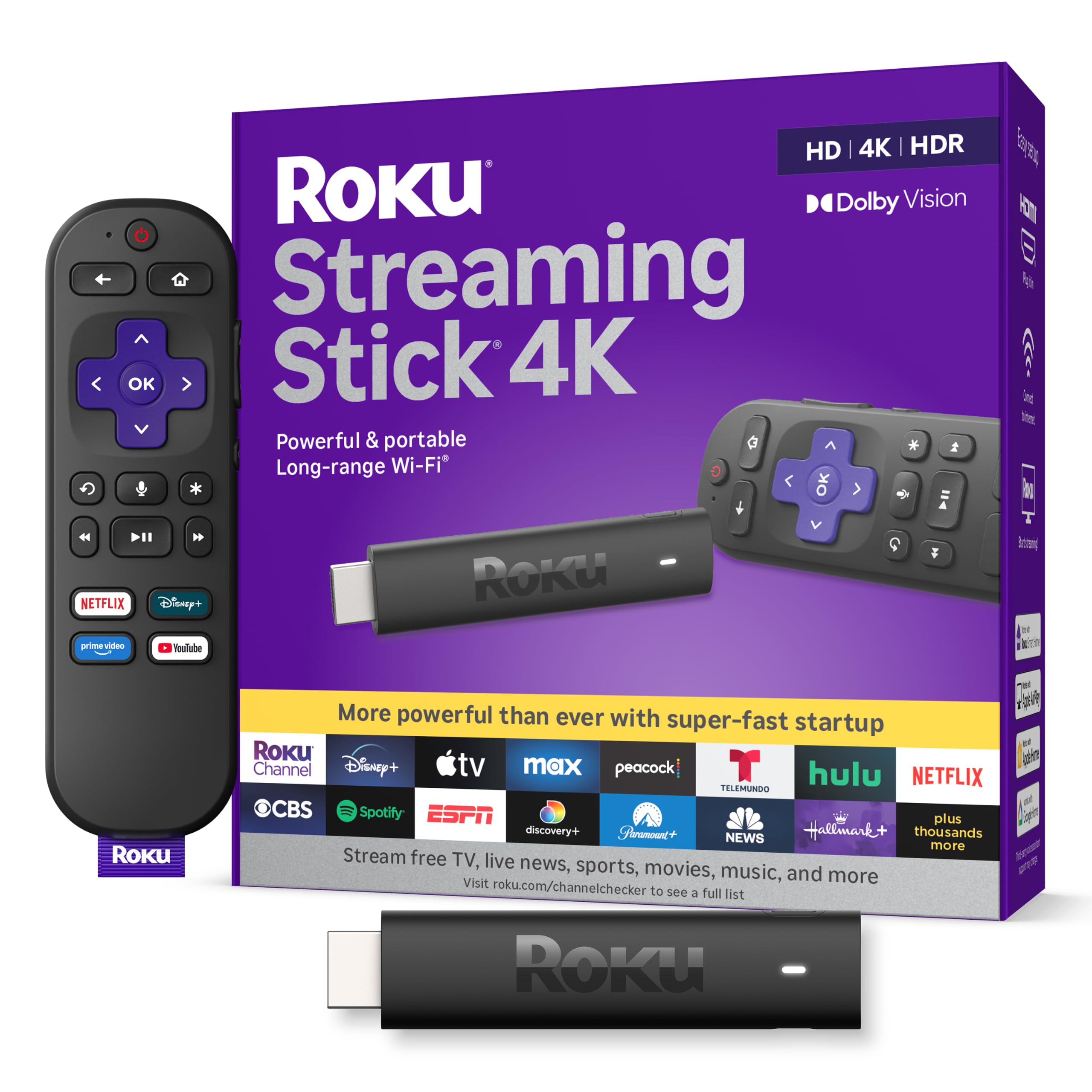
1. Roku Streaming Stick 4K
Our pick — 4.5+★ from 99,500+ verified ratings; the strongest balance of quality and price.
A stick so small it hides behind the TV but strong enough for a smooth 4K picture.
This is the pick that gets out of the way. It measures just 3.7 inches long and 0.45 inches thick, so it tucks behind the panel and leaves the neighbouring HDMI ports free for a game console or soundbar. The long-range Wi-Fi receiver is the piece that does the heavy lifting — it’s designed to keep a steady 4K signal even in rooms farther from your router. That is the spec that matters most here, because a clean picture at peak hours is the whole point.
The picture side is equally complete: Dolby Vision and HDR10+ are both supported, so bright and dark scenes hold detail, and the 4K resolution brings out sharp text on a big screen. You get voice search right on the remote, plus TV power, volume, and mute buttons, so one clicker handles the whole job. The setup is quick — owners consistently describe it working right from the start, without a lot of fiddling.
The thing buyers keep coming back to is the price-to-experience ratio: this is a full 4K streamer that owners say feels like more device than they paid for, and the interface is simple enough that guests and family pick it up without a tutorial. The honest follow-up question is the remote. It’s the one part with a split reputation over the long term — a handful of units have been described as failing around the six-month mark, which is worth knowing if you’re hard on clickers. The stick itself is smaller than the newer HD version, which measures 5.51 inches long versus 3.7 inches here, so it’s the easier fit in a tight TV recess.
What holds up well
- Long-range Wi-Fi receiver keeps the 4K stream steady in far rooms
- Small 3.7-inch body doesn’t block neighbouring HDMI ports
- Voice remote also controls TV power, volume, and mute
- Dolby Vision and HDR10+ cover both big HDR formats
Where it asks for patience
- Remote lifespan is the part with the most mixed long-term feedback
- You’ll need your own HDMI extender if the TV’s port is deeply recessed
Right for you if: you want one dependable 4K streamer that hides behind the TV and just works, in any room.
Think twice if: you need a remote built to survive heavy daily wear and tear over several years.
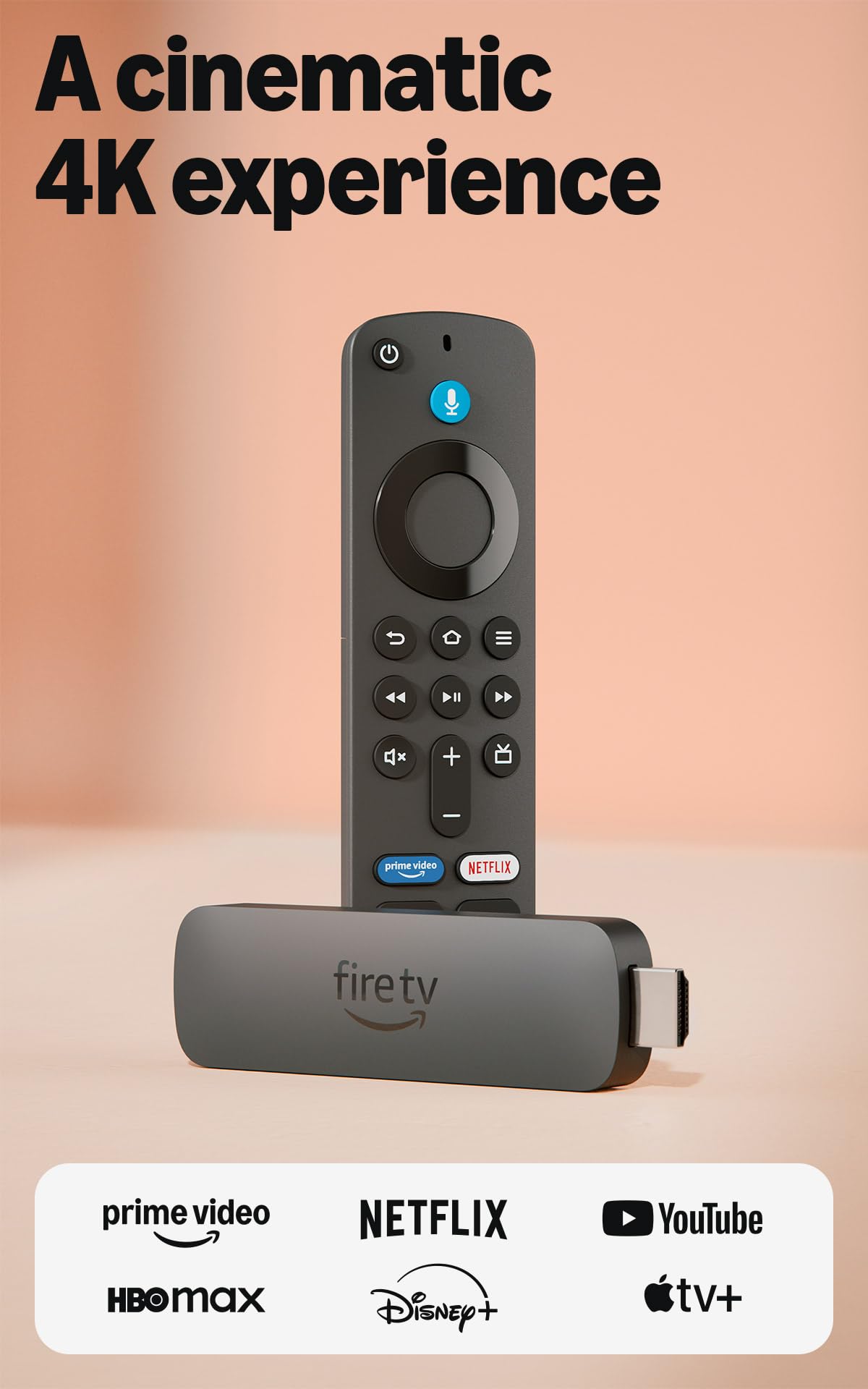
2. Amazon Fire TV Stick 4K Plus
The one that turns your TV remote into a talk-to-Alexa assistant for the whole house.
Wi-Fi 6 is the headline here, and it’s the right headline for a crowded home. This standard handles a router loaded with phones, tablets, and laptops far more gracefully than older Wi-Fi, which is why the company positions it for smooth 4K “even when other devices are connected to your router.” Wi-Fi 6 is the spec that most often stops a 4K stream freezing mid-scene.
Under the hood, the picture run supports Dolby Vision, HDR10+, and Dolby Atmos audio, so both the visuals and the sound get the full format treatment. The bigger separators, though, are on the remote: a dedicated voice button lets you talk naturally to Alexa+ to find a show across your apps, and the same remote can check the weather, dim compatible lights, and manage cameras. Preset buttons jump straight into your favourite apps, and TV power and volume live on the same clicker. The new 2026 Fire TV interface adds dedicated content rows and more pinnable apps, which trims the scrolling between you and something to watch.
What buyers notice first is how little work setup is — most describe it running within minutes and being straightforward to navigate from there. Free ad-supported channels are a real perk for cord-cutters, since hundreds of thousands of free movies and episodes are there without another subscription. The catch worth naming: the remote pairing is where a small slice of units have been reported to refuse to connect. It’s an outlier rather than a pattern, but if it happens to you, a fresh set of batteries and a re-pair is the first move.
Edge over the pack: compared with Wi-Fi-only sticks that lean on an older wireless standard, the Fire TV Stick 4K Plus leads on the network side — Wi-Fi 6 is the spec that keeps a 4K stream alive while the rest of the house is online.
The living-room reality: this is the pick for a household already comfortable asking Alexa for things, because the remote slides into that role without a second hub.
Best matched to: a busy Wi-Fi household that already lives inside the Amazon and Alexa ecosystem.
Look elsewhere if: you want a device that runs on a platform completely outside the Amazon universe.
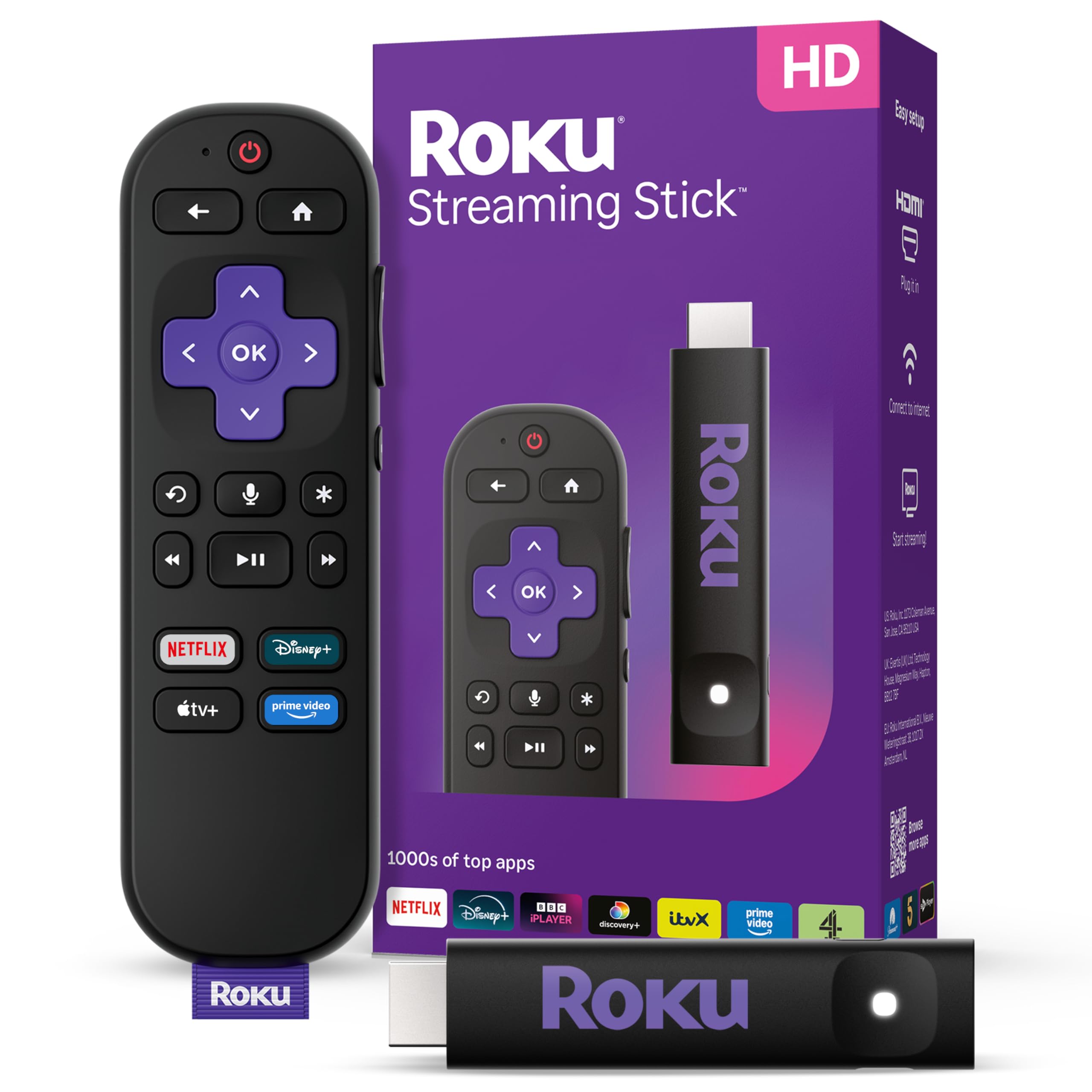
3. Roku Streaming Stick 2025
Slips into a bag and turns any borrowed TV into your own on the road.
The cleverest bit about this HD stick is what it doesn’t need: a wall socket. It draws power from the TV itself over the USB-C to USB-A cable included in the box, so there’s no extra cord, no plug, and no clutter behind the set. That makes it the easiest one to pull out of a suitcase and drop into a hotel TV or a rental property’s screen without leaving your logins behind on someone else’s device.
On picture quality, be clear about what this is. It tops out at HD, up to 1080p (1920 x 1080), and it up-scales from 720p — meaning it improves a lower-resolution feed but will not deliver 4K. If your main living-room panel is a large 4K set, this isn’t the box for that job. For a smaller bedroom TV or an older screen, it’s a much better match, and the slim 5.51-inch body won’t block the neighbouring HDMI ports. One remote handles TV power, volume, and Roku voice search, so you’re not juggling clickers.
Your top apps — the usual streaming suspects plus free films, shows, and live TV — are all gathered in one place, and the voice search means you say a title rather than typing it. The box itself carries a compact design and stops there. There’s no reason to oversell it: this is a simple HD streamer that does one job for a small or older screen, and does it without a power brick.
Where it earns its spot: the whole device is powered off the TV’s USB port, which is the detail that separates it from every stick that still demands a wall outlet.
Know before you buy: HD maxes at 1080p, so a big 4K set will leave this pick under-used — pair it with a smaller or older panel instead.
Worth grabbing for: guest rooms, bedrooms, and frequent travellers who want their own apps on a borrowed screen.
Not the one for: anyone chasing 4K on a large main television.
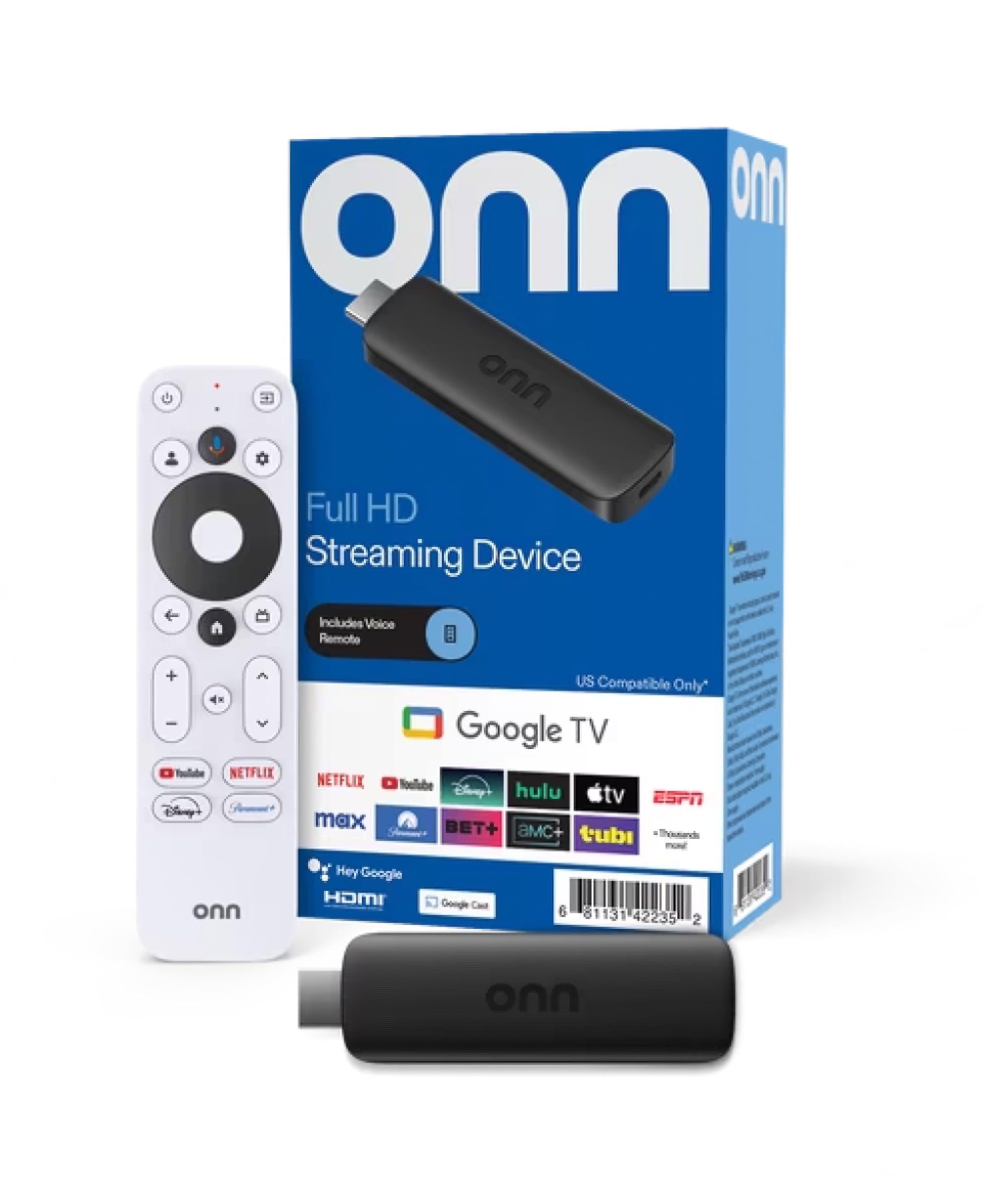
4. ONN Android TV 2K FHD Streaming Stick
The budget Android stick that turns a phone full of photos into a living-room slideshow.
If your main habit is throwing content from your phone up onto the big screen, this stick’s Chromecast built-in does that without an extra app. You press the button, and photos, videos, and music travel from your phone, tablet, or PC straight to the TV. The built-in virtual assistant means the mic button on the remote fetches what you ask for, and the box ships with YouTube, Play Movies & TV, and thousands more apps from the Play Store already reachable.
On the picture front this is a 2K FHD device — good enough for a mid-size or secondary TV, not a 4K panel. The detail owners keep praising is the build and overall feel of the thing; the quality impression is the most common positive the device draws, followed by how quick the setup goes. One owner’s read is that it punches above a Firestick in daily use. At 2K, set your expectations on resolution and it delivers on the rest.
Here’s the honest caveat, and it’s the one that matters. Connectivity is where this stick has drawn its share of complaints — units that won’t hold a Wi-Fi or phone-hotspot connection. It’s the sort of thing you want to test inside your return window if your router sits far from the TV. Beyond that, this is a straightforward Android experience for a small screen, with a remote that needs two AAA batteries (included) and an 11.8-inch HDMI cable in the box.
Strengths readers respond to
- Chromecast built-in makes phone-to-TV casting one tap
- Android with thousands of Play Store apps
- Full setup kit in the box, right down to the batteries
What to test early
- Wi-Fi and hotspot connections have been a weak spot for some units
- Capped at 2K resolution, so no 4K for a bigger TV
A fit for: casters and budget Android fans running a smaller secondary television.
Rather not, if: your router lives far from the screen and a stable signal is non-negotiable.
5. ONN Android TV 4K UHD Streaming Device
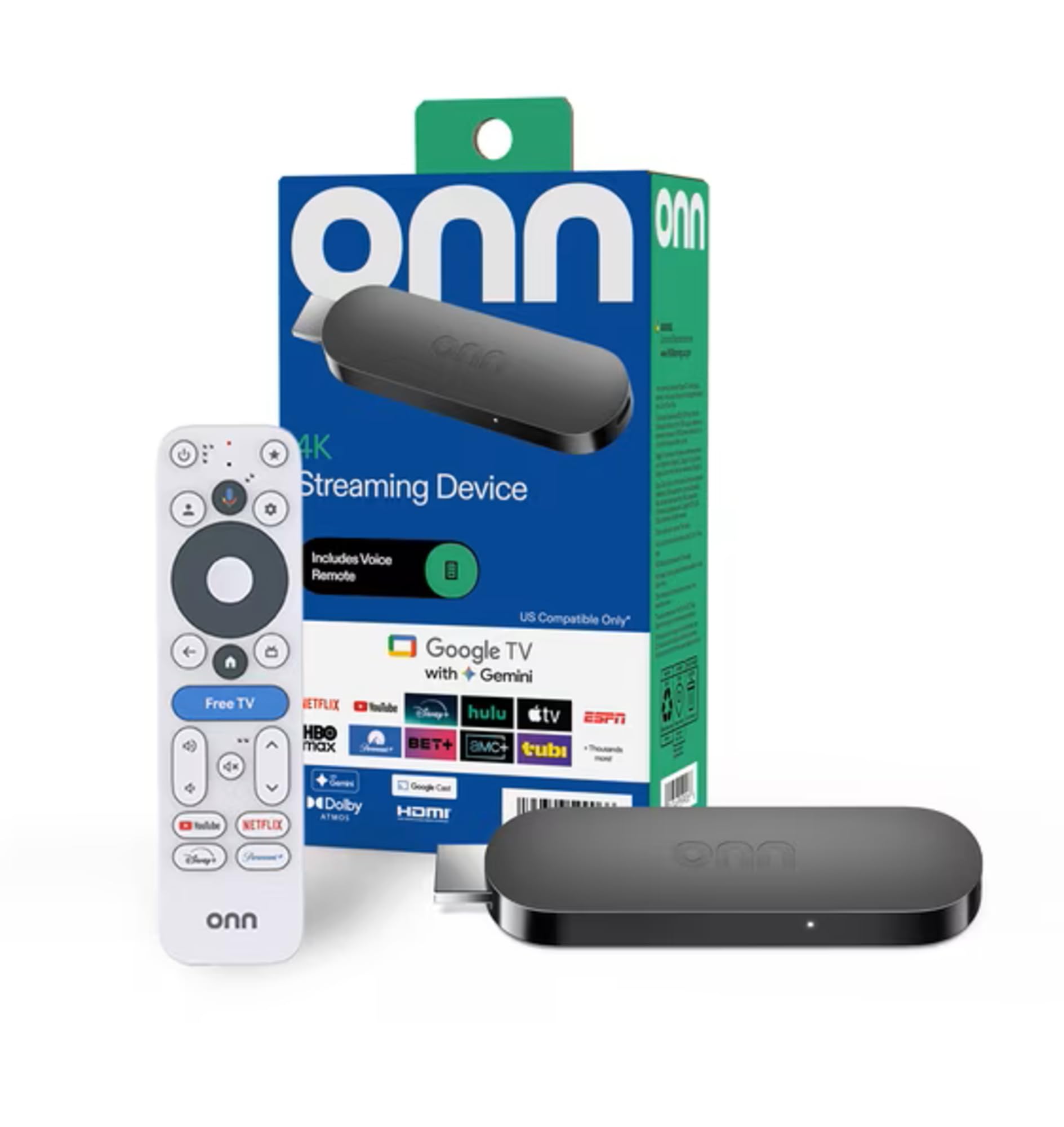
Gets a 4K picture onto your screen without the flagship price tag attached.
This box does the core 4K job — Ultra HD resolution at four times the pixels of Full HD — which is the upgrade most people are actually after. It runs the Android TV operating system, so the Google Play Store is your app library, and Chromecast built-in means Android and iOS devices can both cast straight to the television. A Google Assistant button on the remote handles find, play, and control by voice.
Setup goes through your Google account, then language and Wi-Fi, which keeps the process familiar if you already use Android. With 8 GB of storage you have room for a healthy app lineup, though it’s the leaner figure in this group compared to boxes that carry 16 GB or more. The HDMI cable is included, so you can plug the device into the TV’s HDMI port and start without hunting for a spare cord. It lists compatibility across a wide range of TV brands, including Samsung, Sony, Vizio, Hisense, TCL, Philips, and Magnavox.
The picture of daily use is a device that mostly feels quick and responsive, with the occasional lag that shows up when the box gets busy. That smoothness is the thing owners value most here. It’s worth keeping the expectation realistic: this is an affordable entry to 4K Android TV, not a high-refresh gaming machine, and the storage ceiling is the limit you’ll notice first if you pile on apps.
The value read: you get 4K resolution, Android TV, and Chromecast built-in in one box that most owners describe as smooth in normal use.
The honest limit: 8 GB of storage is the smallest capacity here, and some owners describe moments of lag when the device is loaded up.
Pick this if: you want a 4K Android experience without moving up into the flagship tier.
Step up instead if: you keep a large app library and want more storage headroom than 8 GB.
6. Xiaomi TV Box S 3rd Gen

A quad-core box with enough storage that you stop rationing which apps you install.
Start with the number that changes daily life: 32 GB of internal storage. That’s twice the 16 GB the NVIDIA Shield Pro carries, and it’s the reason you can install a full roster of streaming apps plus a few games without deleting something to make room. The 2GB of RAM and a quad-core CPU running up to 2.5GHz, paired with an ARM G310 V2 GPU, are what keep the navigation snappy as you move between them. Owners put the performance first and foremost — the speed is the thing this box is known for, and it holds up in use.
The picture run is fully loaded: 4K resolution at 3840 x 2160 and 60FPS, with Dolby Vision, HDR10+, and both Dolby Audio and DTS:X surround. HDMI 2.1 is the newer, higher-bandwidth video connection, and dual-band Wi-Fi (2.4GHz and 5GHz) plus Bluetooth 5.2 keep the networking flexible. Google TV is the platform, so you get personalised recommendations across thousands of apps and voice control through Google Assistant. It’s compact at 95.25 x 95.25 x 16.7 mm and light enough to sit discreetly near the TV.
What buyers keep coming back to is how much easier it is than the older Fire TV Sticks they’re replacing, and setup takes minutes. Connectivity is the mixed spot — some units hold a strong internet connection, others struggle, so it’s worth testing the signal in your space early. The remote also draws a split reaction, working fine for some and failing to respond for others. Neither is a reason to avoid the box; it’s a reason to know your return window.
Why it climbs the list
- 32 GB storage is the roomiest app locker in this group, second only to the Formuler
- Quad-core CPU up to 2.5GHz and 2GB RAM keep navigation fluid
- Dolby Vision, HDR10+, Dolby Atmos, and DTS:X on the audio side
- HDMI 2.1 plus dual-band Wi-Fi and Bluetooth 5.2
Check this before buying
- Wi-Fi connection strength varies by unit
- Remote reliability is split, so test it within the return window
Ideal when: you want fast navigation and a big app library without paying the very top tier.
Hold off if: your home network is already unreliable and you need a box with rock-solid Wi-Fi out of the gate.
7. Google Streamer 4K

The polished Google TV box that a whole family can pick up in five minutes.
Picture quality is where this one separates itself. Up to 4K HDR with Dolby Vision gives high-contrast, detailed images, and Dolby Atmos support lets a compatible speaker setup deliver three-dimensional sound. The 4K clarity and its speed of navigation are the two things people point to again and again — the interface moves without the stutter you feel on cheaper sticks, and it feels quick even for a full evening of channel-flipping. That’s the case for stepping up from a budget box.
The Google TV platform is built around recommendations, collecting shows from all your services on one home screen and tailoring suggestions per household member. If someone spots a title on a phone app or in Google search, a tap adds it to a shared watchlist so it’s waiting on the TV later. The 32 GB of storage gives you room to grow. On the port side, it takes Ethernet as well as Wi-Fi — the wired option is a genuine advantage if your router and TV sit close enough to run a cable. One requirement to note up front: an HDMI 2.1 cable is required and sold separately.
Where this pick has the widest appeal is with less tech-confident households. The interface is intuitive enough that older family members can navigate it, and setup is straightforward. The honest counterpoint is value — with functionality and value drawing a more divided response than the picture does, this is a box you buy for the polish and ease rather than the bargain. The remote also carries some mixed feedback, so don’t treat it as bulletproof.
Where it beats budget boxes: wired Ethernet plus faster, smoother navigation makes it the calmer pick for a main living-room television.
Built for: families who want one polished, easy-to-learn Google box on the main TV.
Go cheaper if: you weigh every dollar against features and don’t need wired networking.
8. Formuler Z12 Ultra

128 GB of room and a home screen with no ads clawing for your attention.
If storage is your bottleneck, this is the box that ends the argument. 128 GB of ROM — eight times what the Shield Pro holds — means apps, recordings, and downloads fit without curating. The 4GB of DDR4 RAM is paired with a high-performance quad-core processor to keep navigation fast and multitasking smooth. And the home screen is the other headline: no ads, no clutter, just the apps and content you choose, including direct access to MYTVOnline3.
The picture package is flagship-grade. Dolby Vision and Dolby Atmos deliver cinematic 4K with deep contrast and 3D surround. Decoding covers 4K at 60fps 10-bit across AV1, H.265 (HEVC), and H.264, with HDR formats HDR10+ and HLG supported for compatibility with current broadcast standards. Networking is the most advanced here — Gigabit LAN and Wi-Fi 6E (AX) are built for stability and freedom from interference, which matters most on 4K. The included GTV-BT3 Bluetooth voice remote adds backlit keys, programmable hotkeys, and “Find My Remote,” so the buttons glow in a dark room.
In daily use, the performance and picture quality are what buyers highlight, and the owner community specifically calls out the Dolby Vision and Atmos experience. The honest concern is reliability: crashes and random reboots have been reported across a portion of units. It’s the most-discussed negative on this box, and if the sole purpose is a set-and-forget streamer, that’s the risk to weigh. A 0.5W standby figure keeps it quietly sipping power when idle.
What it brings that others don’t
- 128 GB storage, the largest capacity on this list
- Ad-free, customisable home screen with MYTVOnline3 access
- Wi-Fi 6E and Gigabit LAN for the most stable 4K connection
- Backlit Bluetooth remote with Find My Remote
The trade-off to weigh
- Crashes and random reboots have been reported on some units
- Premium-tier price for a box whose stability isn’t guaranteed
Best suited to: power users who want massive storage and an ad-free interface they fully control.
Look past it if: rock-solid stability is your top priority and you don’t want to babysit reboots.
9. NVIDIA Shield Android TV Pro

The powerhouse that polishes older video into 4K and doubles as a Plex server.
Its party piece is AI upscaling — a chip-driven process that sharpens a lower-resolution signal up to 4K in real time for clearer, crisper visuals. Owners point to exactly that, describing how it lifts a 1080P Blu-ray MKV file into something that looks far closer to native 4K. Underneath is the NVIDIA Tegra X1+ chip, 3GB of RAM, and 16 GB of storage, with 2x USB 3.0 ports for expanded storage, cameras, keyboards, or controllers. Add the built-in Plex Media Server and this box can run your own movie library, not just stream from apps.
For connectivity you get Gigabit Ethernet, dual-band AC Wi-Fi, and Bluetooth 5.0, while the remote adds motion-activated backlit buttons, a customizable menu button, voice control, IR control for the TV, and a built-in locator so you can find it down the sofa cushions. Dolby Vision HDR and Dolby Atmos plus Dolby Digital Plus handle the picture-and-sound end. The design is substantial — 2.1 pounds and 6.26 inches long — and the port selection backs up that size.
The spec that separates this from everything else here is the gaming capability: a GeForce Now library and support for a controller (sold separately) turn it into a 4K gaming box as well as a streamer. The honest caveat is value. It’s the priciest pick, and while plenty of owners consider it well worth the outlay, others find the price steep for a streaming device. Reliability also gets a mixed read, so factor in that the early weeks are the time to confirm everything holds.
The standout spec: 2x USB 3.0 ports plus AI upscaling make this the only box on the list that can expand its own storage and polish old footage on the fly.
Where the money goes: gaming and Plex support are what justify the top-tier position — if you won’t use either, the cheaper 4K boxes cover the streaming basics.
Buy it if: you want one box for 4K movies, gaming, and a personal media server in a serious home theater.
Skip the upgrade if: you only stream and never touch games or a Plex library — a mid-range box will do the job.
Know the Specs
Resolution and HDR formats
Resolution is the pixel count of the picture, and 4K has roughly four times the pixels of HD, so text and edges stay sharp on a large screen. HDR is the range between the brightest and darkest parts of a scene. Dolby Vision and HDR10+ are two dynamic HDR formats that adjust brightness scene by scene. A device supporting both is more likely to match your TV’s capabilities — the Roku Streaming Stick 4K, Fire TV Stick 4K Plus, Xiaomi TV Box S, and NVIDIA Shield Pro each list both. If your set is an older HD model, a 1080p stick like the Roku Streaming Stick 2025 is the sensible match.
Wi-Fi standard and network ports
Wi-Fi 6 is a newer wireless standard that handles a router full of devices more efficiently than older Wi-Fi. Wi-Fi 6E adds a separate band that’s less crowded, and Gigabit LAN is a wired connection that removes wireless interference entirely. The practical test: if your TV sits near the router, a wired port is the most stable option. If it’s across the house, a long-range receiver or a 6E radio buys you headroom. Budget-tier sticks that rely on older Wi-Fi are more likely to buffer when the household shares one router.
Common Questions
Is a streaming stick as good as a streaming box for a 4K TV?
Will a 4K streaming device work on an older 1080p TV?
Do I need Wi-Fi 6 or is regular Wi-Fi enough for streaming?
How much storage do I really need on a streaming device?
Can I use a streaming device without a smart TV?
Can I control my TV and streaming device with one remote?
Do these streaming devices support Dolby Atmos sound?
Why does my stream stutter even with a 4K device?
Do USB ports on a streaming box let me add storage?
What is AI upscaling and do I need it?
The Bottom Line
For most homes, the pick that earns its place is the Roku Streaming Stick0″>Roku Streaming Stick 4K — it hides behind the TV, holds a steady 4K signal with its long-range Wi-Fi receiver, and lands at a price most households can justify. If you live inside the Amazon world and want Wi-Fi 6 headroom, grab the Fire TV Stick 4K Plus. And for a home theater that doubles as a gaming box with AI upscaling and expandable storage, the NVIDIA Shield Android TV Pro is the one to reach for.
Every pick here streams 4K or HD cleanly; the differences come down to your room, router, and app library. A far-flung router favors the Roku’s long-range receiver or an Ethernet port. A big app library favors the 32 GB on the Xiaomi TV Box S or Google Streamer. A suitcase favors the TV-powered Roku Streaming Stick 2025. Match the device to the room and router, and the buffer wheel stops interrupting your evening.
How we choose
We do not accept paid placement. Every pick is matched to a real buyer and a real use-case; we do not hands-on test units.
Sources
Specifications: manufacturer listings and product documentation. Review insights: verified customer reviews, as of November 2026. Pricing: not shown on this page (it changes often); check the current price via the retailer link.
As an Amazon Associate, Tactical Gear Guy earns from qualifying purchases. This does not affect which products we feature.