Specs are compiled from manufacturer listings and verified buyer reviews and can change over time — please confirm the key details on the product page before buying.
If you print a handful of pages a week and you are tired of inkjet cartridges drying out before you finish them, a wireless laser printer is the fix. Laser toner sits as a dry powder inside a sealed cartridge, so it does not clog or evaporate while the printer sits idle. That single difference is why so many home offices and small teams have quietly moved over. Below you will find the nine machines worth your attention, sorted by what each one actually does best rather than by sticker shock.
This guide is built by comparing the manufacturers’ published specifications and the patterns across verified customer reviews, so you get each pick’s real strengths and trade-offs instead of marketing spin.
To find your best wireless laser printer fast, start with two answers: your monthly page volume and if you need color. Those two answers eliminate most of this list immediately — and that is exactly how the picks below for Best Wireless Laser Printers were ranked.
Top Picks


How To Choose The Best Wireless Laser Printers
Start with one honest number: how many pages you actually print in a month. A single person printing shipping labels and the odd return form has completely different needs from a five-person office pushing out client reports. Get that number roughly right and the rest of the spec sheet falls into place.
Monochrome or color decides your whole budget
A monochrome (black-only) laser printer uses one toner cartridge, so every replacement is a single purchase. A color laser carries four cartridges — cyan, magenta, yellow and black — and you replace each one separately. That means a color machine is cheaper to buy than it looks but more expensive to keep fed over several years. If your printing is contracts, invoices, packing slips and internal memos, black-only is the sensible answer. Color earns its keep for proof sheets, marketing handouts and school projects.
Pages per minute, and why the duplex figure is the one to read
Print speed is quoted in ppm (pages per minute) for single-sided output. A 36 ppm machine pushes out 36 single-sided sheets in a minute under ideal conditions. When you switch on duplex (automatic two-sided printing), the paper has to pass through the mechanism twice, so real-world throughput drops well below the headline number. If most of your work is double-sided, weigh the duplex experience heavily — several picks here handle it automatically, and a couple make you flip the pages by hand.
First-page-out time and your actual workflow
A laser printer spends most of its life asleep. The number that decides whether it feels fast to you is the first page out time — how many seconds pass between tapping print and hearing paper move. Several units here hit 7 seconds, which is quick enough that you will not notice a wait. Units with a longer warm-up feel sluggish precisely because you only ever print a page or two at a time.
In-box toner yield tells you the true starting cost
The cartridge that ships inside the box is your starter supply, and its yield is quoted in pages. Some printers include a modest introductory cartridge; others bundle an XL toner that carries thousands of pages. Compare the starter yield before you compare anything else, because a machine with a generous in-box cartridge can run cheaper across the first year even when the printer itself looks more expensive on the shelf.
Wi-Fi details worth checking before you commit
Dual-band Wi-Fi (2.4GHz and 5GHz) gives the printer a second radio to fall back on when your busy 2.4GHz band is crowded — which it usually is. A self-reset connection feature means the printer detects a dropped link and re-establishes it without you touching anything. Built-in Ethernet is the reliable backup for a machine parked next to your router. If you work from a laptop that moves rooms, favor the dual-band units.
Side-by-Side Comparison
| Model | Best For | Print Speed | Color | Duplex | Amazon |
|---|---|---|---|---|---|
| HP LaserJet Pro 3101sdw★ Best Overall | Small teams printing black-and-white reports | 35 ppm | Monochrome | Automatic | Amazon |
| HP LaserJet MFP M235sdwBudget Champion | One to five people in a home office | 30 ppm | Monochrome | Automatic | Amazon |
| Brother HL-L2480DWCompact Pick | Compact work-from-home all-in-one | 36 ppm | Monochrome | Automatic | Amazon |
| Brother HL-L3280CDW | Color-only offices that never scan | 27 ppm | Color | Automatic | Amazon |
| HP Color LaserJet Pro MFP 3301cdw (Renewed) | Full-featured color on a tighter budget | 26 ppm | Color | Automatic | Amazon |
| Canon Color imageCLASS MF753Cdw II | Color, fax and heavy scanning | 35 ppm | Color | Automatic | Amazon |
| Canon imageCLASS LBP632Cdw | Color printing with no scan or copy | 22 ppm | Color | Automatic | Amazon |
Detailed Reviews
1. HP LaserJet Pro 3101sdw
Our pick — 4.5+★ from 650+ verified ratings; the strongest balance of quality and price.
Seven seconds to the first page and 35 a minute after that — this is the machine that stops you noticing printing.
Buy this one if you run a small team and almost everything you print is black and white. It prints 35 pages per minute single-sided, and it delivers the first page in 7 seconds — the number that matters when the printer has been asleep since yesterday and you are already walking to the tray. That 7-second first page beats the 10.3 seconds of the Canon Color imageCLASS MF652Cw. For a document you need in your hand right now, the difference is real.
What wins people over is sheer dependability. This unit has gone through power outages and come back online by itself with no manual reconnection — precisely the failure mode that makes people dread office printers. Setup is described as genuinely simple, and owners single out the wireless configuration as the easy bit. The 250-sheet input tray (the drawer holding your blank paper) means you are not topping it up every other day, and the 50-sheet ADF (auto document feeder — the tray that pulls pages through the scanner for you) handles multi-page copies without you standing over it.
Auto duplex is standard here, so two-sided reports come out without you flipping anything. Printing is described as crisp and clear on the very first wireless test page, and the machine runs quieter than the models it replaced in several households. The honest catch: this printer is locked to HP-chipped toner cartridges and will refuse third-party ones, and a few owners hit Wi-Fi drops where others connected instantly even on slow satellite internet. Neither ruins the machine — just know that your toner comes from HP.
Where it delivers
- 35 ppm single-sided with a 7-second first page out — meaningfully quicker off the mark than the Canon MF652Cw’s 10.3 seconds
- 250-sheet input tray plus a 50-sheet ADF for unattended multi-page copying
- Recovers itself after a power cut and rejoins the network without a fix
Where it asks something of you
- Black-and-white only — no color documents, ever
- HP-chip toner only; third-party cartridges are blocked by the firmware
- The Wi-Fi link is the one part owners describe inconsistently
Reach for this if: your output is contracts, invoices and internal reports, and you want a printer that comes back online by itself.
Look elsewhere if: you need color at all, or you like sourcing cheap third-party toner.
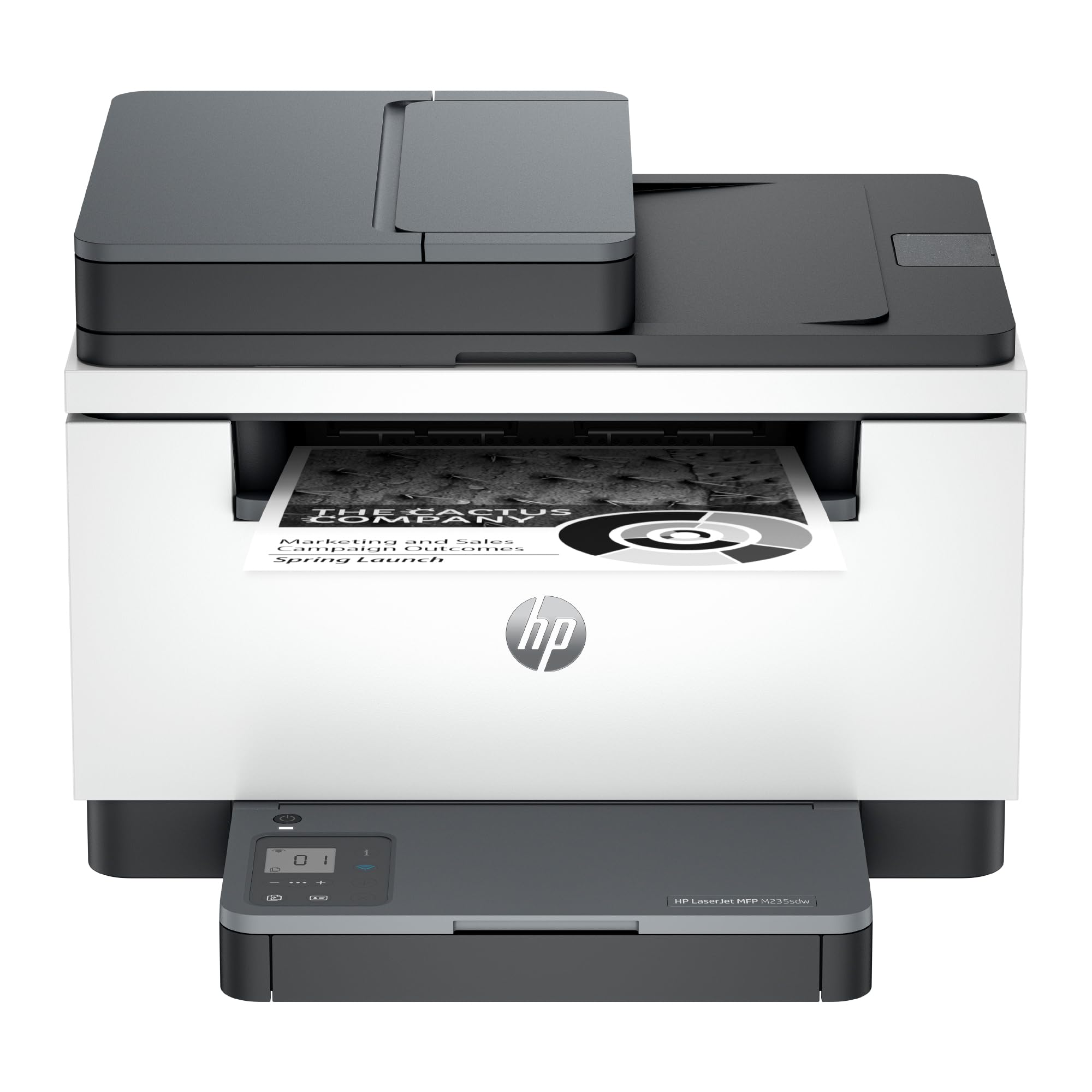
2. HP LaserJet MFP M235sdw
The entry ticket to a proper all-in-one laser — scan, copy and duplex, without the premium price.
HP built this for one to five people in a shared office, and the spec sheet matches that brief closely. It runs 30 pages per minute single-sided, warms up to a first page in 7 seconds, and handles two-sided printing automatically. Cropping up on the HP LaserJet Pro 3101sdw’s 35 ppm, it gives away a little raw throughput, but for a household or a two-desk office the difference is hard to feel.
The print quality is the strongest thing here. Output comes out crisp, text sits sharp on the page, and the machine runs fairly quietly while it works. Setup leans friendly too, with Bluetooth helping the initial pairing and Wi-Fi following after. There is no fax on board — a non-issue for most homes and a genuine gap for anyone replacing an old fax-capable machine. Scanning and copying are set up the same way and land in the same easy bucket.
Here is the follow-up question you will actually have: does the connection hold? Sometimes it drops off the internet, and the HP app is the route back in — it reconnects once you open it, but nobody enjoys that detour. The app itself is the slowest part of the experience, and the scanner can be stubborn about reconnecting. Connectivity is the one area to weigh against the price you are paying, and if your router sits far away, run Ethernet instead — the port is there.
The spec that earns its place: dual-band Wi-Fi with a self-reset feature, which means the printer spots a dropped link and rebuilds it on its own. Combined with the built-in Ethernet port, you have two ways to keep it online rather than one.
The trade-off to know: this is the cheapest way into a full all-in-one in this group, and the app-heavy setup experience is where that shows.
Best for: a home office of one to five people who want print, scan and copy without stretching the budget.
Think twice if: you need fax, or you rely entirely on app-based control rather than a direct cable.
3. Brother HL-L2480DW
The highest print speed in this group, packed into a footprint small enough for a corner desk.
At 36 pages per minute, this Brother matches the MFC-L2820DW XL for the fastest single-sided output here — and it does it in a compact three-in-one body with a flatbed scan glass (a flat pane you lay a document on, rather than a feeder that pulls it through). For a work-from-home setup where the printer lives beside the monitor, that flatbed matters: passports, book pages and receipts all scan without a fight.
Print quality is what carries this machine. Text comes out clean, copies look right, and it keeps up with high-volume runs without complaint. The 2.7-inch touchscreen gives you a real interface rather than a row of blinking buttons, and it prints from and scans to cloud services like Google Drive, Dropbox and OneNote. The paper tray holds 250 sheets, and a manual feed slot takes envelopes and specialty stock when you need it. It is quiet enough to run while the house is asleep — a detail that comes up more than you would expect from anyone printing after bedtime.
One owner took this on the road in a motorhome specifically because it runs wirelessly, which tells you how portable the setup is. The trade-off: wireless is the mixed part of the story, with some units holding the link for months and others needing attention. The first page takes 8.5 seconds, marginally slower off the mark than the 7 seconds of the HP LaserJet Pro 3101sdw, though once it starts it outpaces that HP on sustained speed. Brother also pushes its Refresh toner subscription with a free trial included in the box, which you can simply not use.
The arguments for it
- 36 ppm — tied for fastest here, ahead of the HP 3101sdw’s 35 ppm
- Flatbed scan glass means books and passports scan flat, no feeder required
- 2.7-inch touchscreen with direct print-from and scan-to cloud apps
What to weigh honestly
- 8.5-second first page is the slowest warm-up among the quick starters here
- Wi-Fi reliability is genuinely uneven unit to unit
- Black and white only — no color output
Choose it when: desk space is tight but page volume is high, and you want a real touchscreen plus flatbed scanning.
Pass on it if: you need color, or a predictable connection is more important than raw speed.
4. Canon Color imageCLASS MF652Cw
ss=”whk-product-body”>

Color at 27 pages a minute, with no scanner you will never use bolted on top.
If your work is color documents and nothing else, this is the cleaner buy. It is print-only — no scanner, no copier, no fax — which means you are not paying for hardware that gathers dust. Color output runs at 27 pages per minute with automatic duplex, so a double-sided color deck prints while you get on with something else. The 2.7-inch touchscreen prints directly from Google Drive, Dropbox and Evernote, and voice control is supported.
Setup is the friendliest part of the story, and there is a practical detail that shows up repeatedly: it does not fall offline the way older laser printers do. Documents come out sharp and professional-looking, and the machine runs at a low volume while it works. For craft projects and design proofs that demand laser toner rather than inkjet, it does the job properly. It is a weighty unit, so give it a solid table rather than a flimsy shelf.
Now the honest part. The four-toner setup means running costs bite — the color cartridges deplete at different rates, and by the time you are replacing one, another is heading toward empty. Color output reads duller than some buyers expect for a machine in this bracket, which is worth knowing if accurate color matters to you. Connectivity can be fussy across both the printer-to-router and printer-to-laptop links. This is a capable color engine that asks you to keep an eye on cartridge levels.
Pick it for: color printing at 27 ppm with automatic duplex, in a body with no scanner to pay for.
Go in knowing: four cartridges mean four ongoing costs, and the color rendition is not the strongest in this group.
Suits you if: you print color documents daily and already own a separate scanner.
Better to skip if: you want scan and copy in one box, or color accuracy is a core requirement.
5. HP Color LaserJet Pro MFP 3301cdw (Renewed)
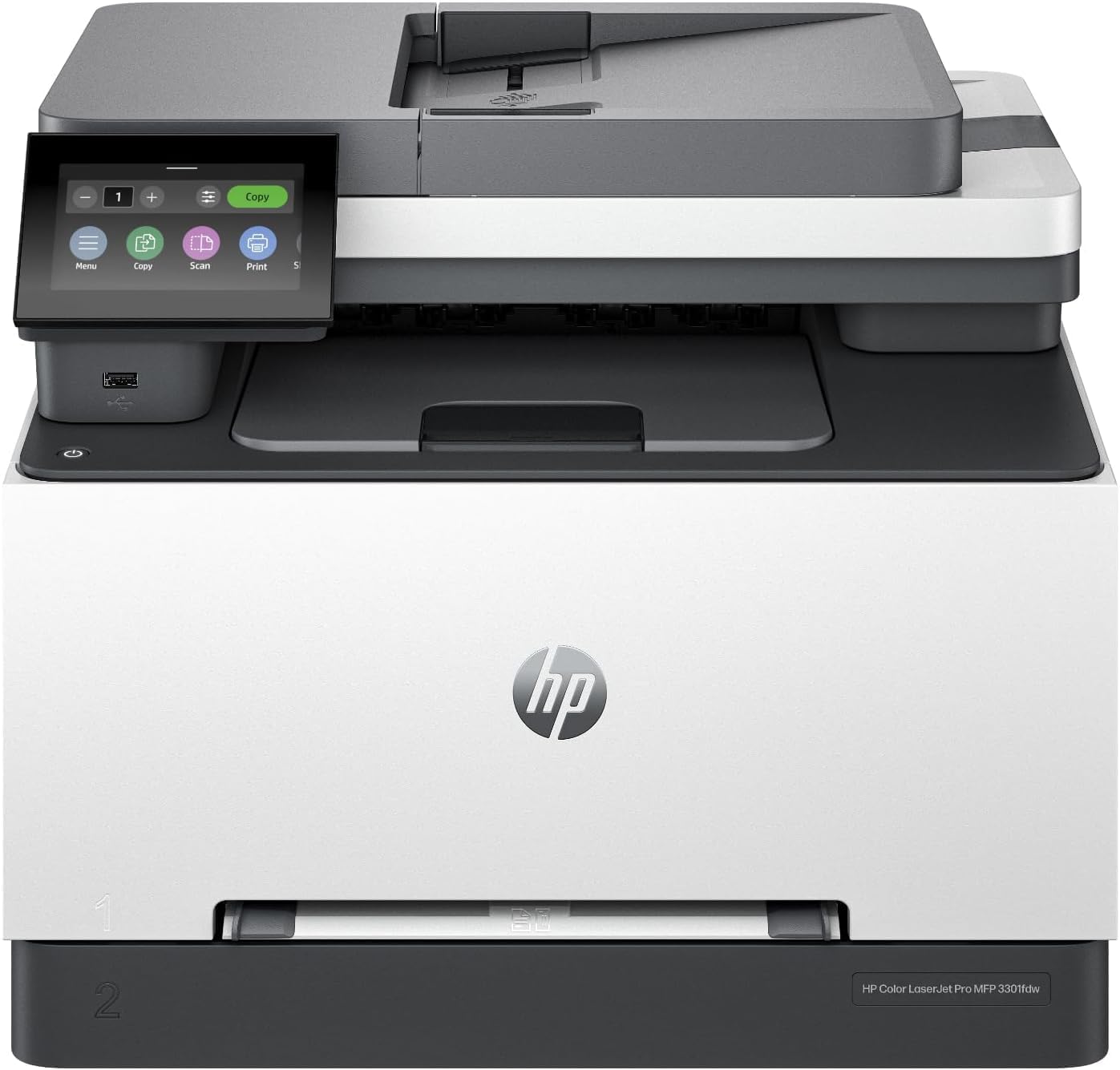
Official HP refurbishment that arrives looking new, with a one-year warranty behind it.
This is the color all-in-one for someone who wants fax, duplex, a document feeder and a security suite without paying the brand-new premium. It comes from HP’s official refurbished program — genuine parts and toner, a one-year warranty, and a plain brown box with a certified-refurbished label. Printing runs at 26 pages per minute in both black and color, and you can be printing within about 15 minutes of opening the box. Auto two-sided printing plus two-sided single-pass scanning means both sides of a stack go through the feeder in one pass, which is the genuinely useful trick here.
What people notice first is that it does not feel like a used machine. The print quality is excellent, setup on an HP laptop is quick, and the small color control screen makes the settings easy to read. TerraJet toner handles the color. HP Wolf Pro Security is built in, which matters if the printer shares a network with anything you care about. The 250-sheet input tray takes standard paper and the machine accepts a wide range of media sizes, from letter and legal down to envelope formats.
The thing to plan around is toner. In-box supplies can read low faster than expected — one owner hit a very low toner warning after fewer than 500 pages inside 30 days. Color quality also lands mixed, with some delighted and some finding it flat. And on wireless, a handful of buyers find the machine will not print from the internet. If you print mostly from local devices over your home network, those points are manageable.
What the refurb program delivers
- One-year official warranty with genuine HP parts and toner
- 26 ppm black and color with automatic duplex and single-pass two-sided scanning
- HP Wolf Pro Security built into the unit
Points to plan around
- Starter toner can run down faster than expected — budget for a replacement early
- Color rendition is not uniform across units
- Wi-Fi from the internet is unreliable for some owners
Buy it when: you want full color, fax and an ADF from HP and are happy to take a certified refurbished unit at a lower tier of spend.
Leave it when: you print from remote locations over the internet, or you need a fresh full toner set from day one.
6. Canon Color imageCLASS MF753Cdw II

Color at 35 pages a minute with copy, scan and fax — a genuine office workhorse.
Speed is where this Canon pulls away from the other color machines. It prints color and black at 35 pages per minute, well ahead of the Canon MF652Cw’s 22 ppm and the Brother HL-L3280CDW’s 27 ppm. First page out in 7 seconds, automatic duplex, and a full 4-in-1 toolkit: print, scan, copy and fax. The starter cartridges are a mixed-yield set — 1,100 pages for cyan, magenta and yellow, and a 2,100-page standard black — which tells you straight away that color replacement will come earliest.
Quality is the part that carries this model. Output rivals what you would get from a dedicated photo printer, which is a strong thing to say about a laser. Color is described as excellent and clearly above an inkjet’s output, and duplex printing moves quickly. It stays in sleep mode and wakes ready to print, rather than making you wait every time. Setup is fast on each computer you add, and you can connect without downloading an app at all.
The friction is around the network. Setup workflows confuse some buyers, and Wi-Fi disconnections recur for a slice of owners. One unhappy account describes constant jamming, which is note but is not the pattern across the lineup. Canon’s own drivers for this model work noticeably better than older PCL drivers, so use those if the connection misbehaves. Line up the trade-off: the best color quality and speed in this group, paired with a temperamental wireless link.
What makes it the top color pick: 35 ppm in color, 7-second first page, and a 4-in-1 body that prints, scans, copies and faxes — the fastest color output here.
Where it will test you: the network link and the setup workflow, both of which need patience.
The one for: an office that prints color every day and needs scan, copy and fax in the same machine.
The one to leave: if your Wi-Fi is already congested and you cannot run a cable, or if setup headaches will undo the speed gains.
7. Canon imageCLASS LBP632Cdw

A pure color printing engine for people who already own a scanner.
This is the single-function member of the group: print only, no scanning, no copying. It handles color and mono at 22 pages per minute, prints two-sided automatically, and holds 250 sheets in the standard cassette plus a one-sheet multipurpose tray for envelopes and card stock. The starter cartridges are a 680-page yield for cyan, magenta and yellow against 910 pages for black, so the color set is your first replacement on the horizon. It carries a 1-year warranty and Chromebook compatibility.
Crisp output at speed is the pitch, and it holds: printing comes out sharp and accurate, and the wireless link does not drop the way it did on the machines these buyers replaced. Color looks good, and setup is described as easy even by people who do not think of themselves as technical. It prints in double-sided mode cleanly and quickly. For color proofs and handouts where you own other kit for scanning, the simplicity is the point.
Two things push back. The machine is loud — that comes up plainly, and if it shares a room with phone calls you will notice. Toner is locked to Canon cartridges, so there is no cheaper route on refills, and envelopes in the multipurpose tray can be a genuine fight to feed. On a pure printing job with Canon toner stocked, it delivers; just plan for the noise and the cartridge cost.
Lean and capable: 22 ppm color, automatic duplex, 250-sheet cassette and a 1-year warranty — nothing you do not need.
The parts to accept: loud operation, Canon-only toner, and a multipurpose tray that resists envelopes.
Made for: the buyer who prints color documents and already has a scanner elsewhere.
Not for: shared quiet spaces, or anyone hoping to run third-party toner.
Know the Specs
Pages per minute (ppm)
This is the quoted print speed for single-sided sheets under ideal conditions — a 35 ppm machine produces 35 one-sided pages in a minute. When you enable duplex, the paper travels through the mechanism twice, so real output drops well below the headline figure. Treat ppm as a way to compare machines against each other, not as a stopwatch on your own jobs. If most of your printing is two-sided, focus on the duplex experience more than the headline number.
First page out time
How many seconds pass between sending a job and the first sheet landing in the tray. A laser printer sleeps most of the day, so this is the figure you actually feel. Seven seconds is quick enough that you will not consciously wait; ten seconds and up starts to register on every single-page job. Compare this number before you compare raw speed, because a fast machine with a slow wake-up feels sluggish in light use.
Toner yield
The number of pages a cartridge is rated to print, quoted in pages rather than grams. It matters twice: once for the starter cartridge that comes in the box, and again for every replacement afterward. A generous in-box yield of several thousand pages means you may not buy toner for a long time. A modest introductory cartridge means your first refill arrives sooner than the price tag suggests. The number applies to the cartridge, not the printer, so read it as a running cost.
Dual-band Wi-Fi and self-reset
Dual-band means the printer can use both the 2.4GHz and 5GHz radio bands. The 5GHz band is typically less crowded, so a dual-band printer has a quieter channel to fall back on. Self-reset is a feature that lets the printer detect a dropped connection and re-establish it without you intervening. Together they reduce the most common wireless complaint. Built-in Ethernet is the final backstop — a cable removes wireless uncertainty entirely.
ADF and flatbed scanning
An ADF (auto document feeder) is the tray on top that pulls pages through the scanner one after another, so a multi-page contract scans without you lifting a finger. A flatbed is the glass pane you lay a single document on. An ADF suits stacks; a flatbed suits books, passports and anything with an odd shape. A machine with both covers every scanning job. ADF capacity is worth checking if you regularly scan long documents.
Duplex printing
Duplex means the printer turns the sheet and prints both sides automatically. Automatic duplex saves you the manual flip-and-reload step, which is the single biggest time drain on any two-sided job. Simplex machines print one side only, so any duplex work needs you to re-feed the stack by hand. For contract-heavy work, automatic duplex is close to essential.
Common Questions
Can I use third-party toner in these wireless laser printers?
Do I need color, or is a monochrome laser enough?
What is the difference between automatic duplex and simplex printing?
How many pages will the toner that ships in the box actually print?
Will a wireless laser printer work with my Mac, iPhone or Chromebook?
How fast is the first page compared with the quoted pages per minute?
Is dual-band Wi-Fi worth choosing over single-band on a printer?
How large a paper tray should I look for?
Should I buy a refurbished color laser printer?
Does a laser printer need special paper or a different setup from an inkjet?
The Bottom Line
For most buyers, the best wireless laser printers pick is the HP LaserJet Pro 3101sdw, because it pairs 35 pages per minute with a 7-second first page and an automatic document feeder — the fastest warm-up of any quick starter here. Its 4.5+ star rating across 600+ ratings makes it the crowd favorite as well as the spec winner. If color is non-negotiable and you want the speed to match, the Canon Color imageCLASS MF753Cdw II leads on color output at 35 ppm with print, scan, copy and fax in one body. And for a small business that will run through thousands of mono pages, the Brother MFC-L2820DW XL arrives with 4,200 pages of toner already in the box.
One honest note on the winner: the Brother HL-L3280CDW carries a bigger pool of ratings, but the HP holds the higher score at 4.5 against 3.9 — which is why it sits at the top of this list. If you are still torn, start with your monthly volume, add color as a yes-or-no, and the right machine will be obvious within a minute.
How we choose
We do not accept paid placement. Every pick is matched to a real buyer and a real use-case; we do not hands-on test units.
Sources
Specifications: manufacturer listings and product documentation. Review insights: verified customer reviews, as of November 2026. Pricing: not shown on this page (it changes often); check the current price via the retailer link.
As an Amazon Associate, Tactical Gear Guy earns from qualifying purchases. This does not affect which products we feature.