Specs are compiled from manufacturer listings and verified buyer reviews and can change over time — please confirm the key details on the product page before buying.
You want a printer that sits on a shelf, connects without a fight, and prints a boarding pass or a school form without dragging you into a cartridge subscription. That is the whole game with a compact wireless printer. The list below is built for small spaces and real deadlines: all-in-one inkjets that scan and copy, inkless thermal units that slip into a backpack, and one monochrome laser that eats a 250-sheet stack without flinching. The crowd favorite here is the Canon PIXMA TR4720, sitting at 4.5+ stars across 200+ ratings, because it does the boring jobs — print, copy, scan, fax — and stays small doing it.
This guide is built by comparing the manufacturers’ published specifications and the patterns across verified customer reviews, so you get each pick’s real strengths and trade-offs instead of marketing spin.
Answer three questions first: do you need color, do you need scanning, and do you want to skip ink entirely? Those answers narrow the field faster than any spec sheet. Every model below connects wirelessly — over Wi-Fi, Wi-Fi Direct, or Bluetooth — and the office-grade picks also add Ethernet or USB for a direct wired link, so the only real question left is which one fits your desk and your documents. Pick the wireless compact printer that matches your actual workload, not the loudest listing on the page.
Top Picks


How To Choose The Best Wireless Compact Printer
Start with the job, not the brand. A printer that scans and copies solves homework, tax forms, and contracts. An inkless thermal model solves signatures, invoices, and travel documents — but never color. Get that one decision wrong and no amount of extra features rescues the purchase.
Ink or no ink
Inkjet models put color on the page and let you adjust photo output. The cost is cartridges, and the machine will hint loudly when one runs dry. Thermal printers skip ink and toner entirely — they heat special paper to form the image, which is why the packs of thermal sheets matter as much as the hardware. Expect black-and-white output only, and plan on buying that specific coated paper.
Footprint and travel weight
A compact printer has to earn its space. All-in-ones tend to be boxy and sit permanently on a desk or shelf, while thermal portables drop into a bag and go to a job site or a hotel room. If the printer leaves your house, weight and a travel case matter more than a paper tray. If it never moves, favor a bigger input tray and automatic duplex printing — the feature that flips each sheet by itself.
Connection type and app quality
Wi-Fi treats the printer as part of your home network, so every laptop and phone can reach it. Dual-band Wi-Fi means it can join either the 2.4GHz or 5GHz band, which helps in crowded apartment buildings. Bluetooth is the travel standard — it pairs straight from a phone app with no router involved. Some portables pair only over Bluetooth for phones and require a USB cable for computers, so read that line carefully before buying.
Side-by-Side Comparison
| Model | Best For | Print Speed | Duplex | Tech | Amazon |
|---|---|---|---|---|---|
| Canon PIXMA TR4720★ Best Overall | Home all-in-one | — | Automatic | Inkjet, 4-in-1 | Amazon |
| Brother Work Smart MFC-J1410DWFastest Office Pick | Home office | 16 ppm black / 9 ppm color | Automatic | Inkjet, 3-in-1 | Amazon |
| Canon PIXMA TR160Best Travel Color | Travel color printing | 9 ppm black / 5.5 ppm color | Simplex | Inkjet, print only | Amazon |
| Brother HL-L2480DW | High-volume monochrome | 36 ppm black | Automatic | Laser, 3-in-1 | Amazon |
| Phomemo M08D | Bag-friendly thermal | 7 ppm | Simplex | Thermal, print only | Amazon |
| HP Envy 6155 | Everyday home color | 10 ppm black / 7 ppm color | Automatic | Inkjet, 3-in-1 | Amazon |
| Phomemo M832D | Touchscreen thermal | 6 ppm | Simplex | Thermal, print only | Amazon |
| D90E Inkless Portable | Lightest travel option | 4 ppm | Simplex | Thermal, print only | Amazon |
Detailed Reviews
1. Canon PIXMA TR4720 All-in-One Wireless Printer
Our pick — 4.5+★ from 200+ verified ratings; the strongest balance of quality and price.
Four machines in one small box — and the fax line is still there if you need it.
Most people shopping this shelf need one box that handles everything a household throws at it. The TR4720 is exactly that: print, copy, scan, and fax in a single compact unit, with a starter set of PG-275 black and CL-276 color cartridges in the box plus the RJ-11 telephone cable for the fax side. If your kitchen counter has to host a school permission slip, a signed lease, and a scanned passport in the same week, this is the unit that never asks you to own a second device.
The control method is app-based with an LCD display on the body, and the machine takes media up to A4 or Letter size. Copy output is sharp where it counts: color copying tops out at 4800 x 1200 dpi, so a duplicated color page comes back looking like the original rather than a grey smear.
The honest catch is functionality, which is the most-discussed topic around this model and reads genuinely mixed — some units behave perfectly, others frustrate. Think of it as a fit note rather than a flaw: this is a light-duty home machine, not a print shop. Also budget for ink, because the starter cartridges are just that. What wins people over is the price-to-capability ratio; it is the most balanced all-rounder on this list, and that is why it holds first place even though other picks here carry far larger review histories.
Where it earns its keep
- Four functions — print, copy, scan, fax — from one compact footprint with no second machine needed.
- Automatic duplex printing flips each sheet itself, so two-sided handouts come out without manual reloading.
- 4800 x 1200 dpi color copy resolution keeps duplicated color pages crisp instead of washed out.
- Starter PG-275 and CL-276 cartridges plus the fax cable ship in the box, so nothing extra blocks day-one setup.
The trade-offs to weigh
- Functionality is the most-discussed topic and comes back mixed — treat it as a light-duty home printer, not a workhorse.
- Ink cartridges run dry, and replacements are a recurring cost the thermal picks below avoid completely.
Reach for this if: you want one small box that prints, scans, copies, and faxes, and you value a sharp color copy over raw speed.
Look elsewhere if: you print hundreds of pages a month — step up to the Brother laser below instead.
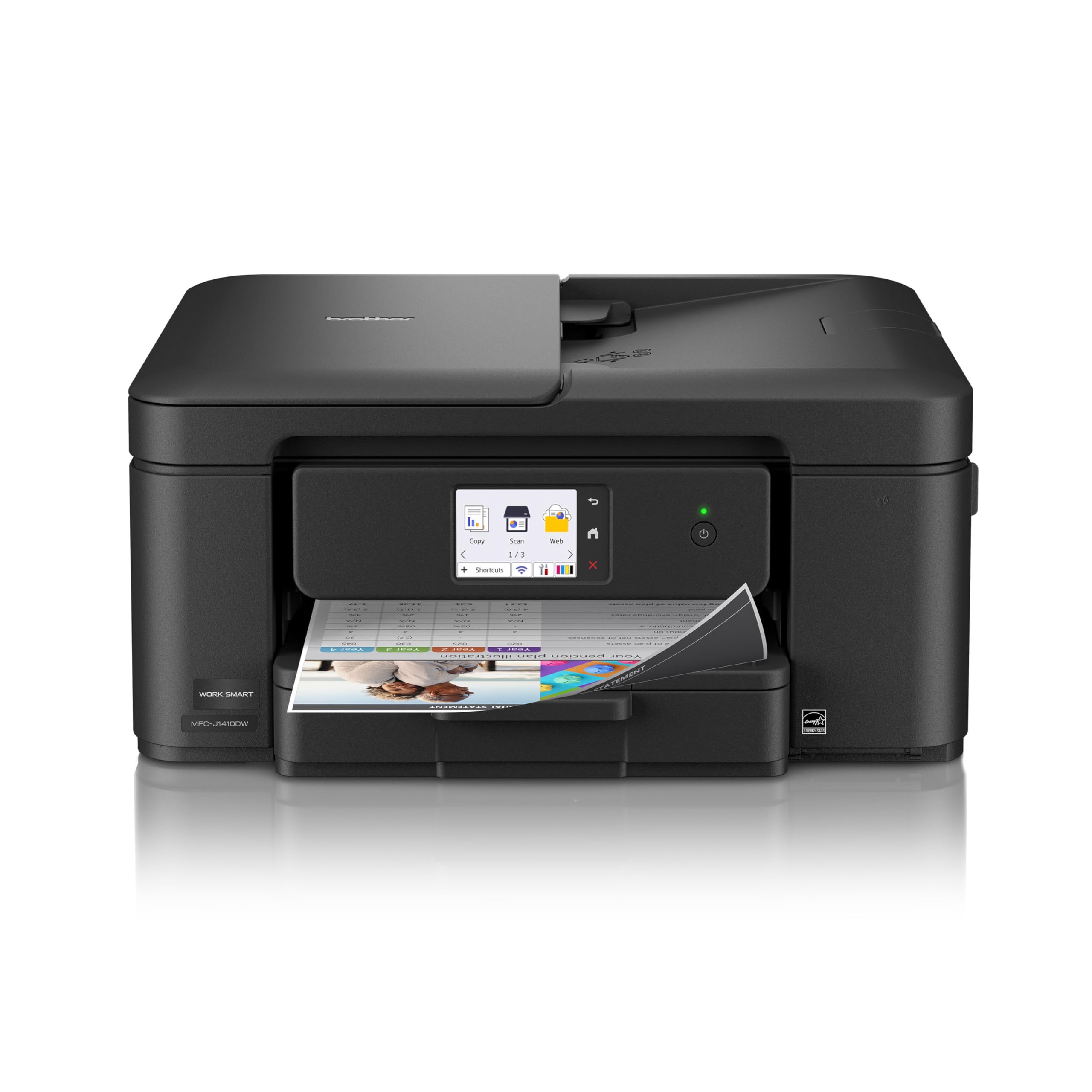
2. Brother Work Smart 1410 Wireless Color Inkjet All-in-One
A small-office inkjet that moves paper at 16 pages per minute in black.
This is the pick for a home office where the printer is a tool, not a gadget. Black pages come out at 16 pages per minute and color at 9, which is the fastest inkjet output on this list — the Canon TR7120 below manages 14 black and 9 color by comparison.
The rest of the hardware is built around volume. A 150-sheet paper tray means fewer refills, and a 20-sheet single-sided Automatic Document Feeder (that is the top tray that pulls pages through for scanning or copying) handles multi-page contracts without you lifting the lid each time. Automatic duplex printing flips sheets on its own, and first pages land in roughly 6.2 seconds in black. Navigation runs through a 2.7-inch color touchscreen, which also reaches Google Drive, Dropbox, Box, and OneDrive directly so you can scan to the cloud without a computer.
Two things temper the enthusiasm. Setup is the most-praised aspect after overall quality, but a chunk of owners still describe hours spent getting it onto a home network — plan on a relaxed evening, not five minutes. The other is the ink: Brother Genuine LC501 cartridges are the only ones the maker recommends, and there is a subscription trial in the box. If you want the cheapest possible page, use the Brother Mobile Connect app to watch ink levels before they bite you.
Scorecard read: Quality leads the feedback here by a wide margin, with value close behind — owners rate it as a durable office workhorse rather than a feature showcase.
Plan for this: if you walk in expecting a five-minute Wi-Fi pairing, you may be disappointed; if you expect a durable office machine, it delivers.
Best-suited owner: remote workers and small offices printing multi-page documents in color every day.
Consider another route: single-person households printing a page a week will find this more machine than they need.
3. Canon PIXMA TR160 Color Wireless Portable Printer
Color inkjet printing that travels, without a router waiting at the other end.
This is the pick for the sales rep, the insurance adjuster, or the parent printing a borderless photo at a family gathering. It prints 9 pages per minute in black and 5.5 in color, so a short client packet comes out in a couple of minutes. A five-color hybrid ink system (a cartridge set that adds dedicated color channels beyond the usual four) keeps bold text sharp and gradients smooth on pages up to 8.5 x 11 inches. It also makes square and borderless prints, which the plain thermal units here simply cannot attempt.
Wireless Direct Mode is the feature that saves the trip. It connects your phone or tablet straight to the printer with no wireless router in sight — handy in a hotel conference room or a client’s lobby where you have no network access. The 1.44-inch monochrome OLED display shows ink levels and status at a glance, and Canon PRINT, Apple AirPrint, and Mopria cover the common phone platforms. At 4.5 pounds it is carryable, and it fits in a bag with room left over.
The trade-off lives in the connectivity. Portability and compact size are the strengths everyone agrees on, while reliability and wireless pairing come back mixed — a fair slice of users fight the initial Wi-Fi setup. If you lean on Wireless Direct from a phone rather than joining it to a network, you sidestep most of that friction. Color quality, where it works, is genuinely good for a machine this size.
What keeps it in the bag
- Five-color hybrid ink delivers real photo output up to 8.5 x 11 inches, including borderless prints.
- Wireless Direct Mode connects a phone with no router required — hotel rooms and client sites included.
- 1.44-inch monochrome OLED shows ink and status without digging through an app.
Where it fights you
- Simplex only — no automatic duplex, so two-sided documents mean a manual flip.
- Initial Wi-Fi pairing is the recurring headache; lean on Wireless Direct for phone-only printing.
The stand-out spec: a five-color ink set inside a 4.5-pound travel body — color photo output that no inkless portable on this list can match.
The caveat that matters: if your workflows depend on auto-duplex or a rock-solid network join every time, choose a desktop all-in-one instead.
4. Brother HL-L2480DW Wireless Compact Monochrome Laser Printer

A black-and-white laser that swallows a 250-sheet stack and never complains.
If your printing is text — invoices, packing slips, shipping labels, forms — this is the machine that ends the ink argument permanently. It prints 36 pages per minute in black versus 16 ppm for the Brother color inkjet above, and a 250-sheet paper tray means you load a ream and forget it. First page out takes about 8.5 seconds, so a one-page label is a twitch rather than an errand.
It is also the most connected unit on this list, which surprises people who assume laser printers are office furniture. You get dual-band wireless on 2.4GHz or 5GHz, plus Ethernet for a wired desk, plus USB to a single computer. The 2.7-inch touchscreen reaches Google Drive, Dropbox, Evernote, and OneNote directly, and there is a flatbed scan glass plus copier built into that same compact footprint. Print quality is the single strongest point of consensus around this model, with reliability close behind — owners describe it as the printer that just keeps working.
The obvious cost is color: nothing here prints it, ever. The second cost is the toner setup — Brother Genuine TN830 or TN830XL is the recommended path, and the Refresh subscription trial in the box is a nudge toward ongoing supply. Wireless connectivity also draws mixed notes, so a short Ethernet cable removes that variable entirely if the printer lives near your router.
Straight read: 36 ppm and a 250-sheet tray in a compact body is a serious throughput advantage, and the quiet operation many owners mention makes shared rooms friendlier.
Sharp limit: no color, no exceptions — if a school project needs a colored poster, this machine cannot help you.
Lock it in if: your output is text-heavy and you are done paying per page for cyan.
Walk past if: color photos, children’s projects, or design proofs are part of your week.
5. Phomemo M08D Portable Printer with Touchscreen
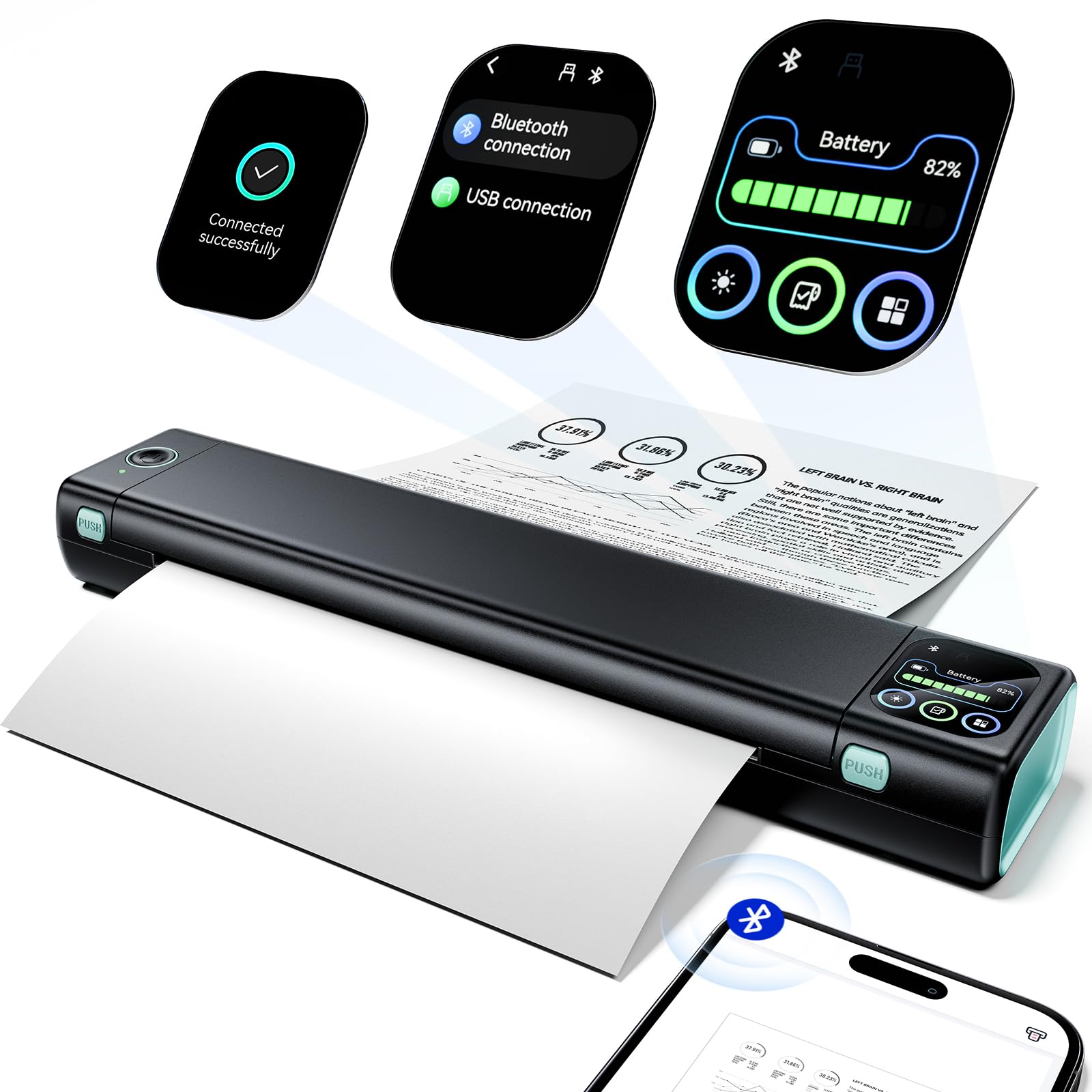
A backpack thermal printer with a status screen that answers before you ask.
The M08D is for the person who prints in the truck cab, the dorm room, or the hotel desk. It weighs 1.5 pounds and outputs 7 pages per minute on 8.5 x 11 inch thermal paper, and the built-in battery carries you through printing bursts without a wall outlet. Truckers printing permits, drivers printing bills of lading, students printing lecture notes — this is the exact use case the design targets, and the bag-friendly footprint is why it earns the slot.
The touchscreen is the upgrade over plain thermal units. It shows battery level and Bluetooth status without opening an app, and it walks new users through setup with on-screen steps — useful if the last printer you owned had a paper tray and a power button. Output resolution is 600 dpi, which is the sharpest thermal figure on this list and noticeably cleaner than the 203 dpi of the D90E further down. Phone and tablet printing runs over Bluetooth through the app; computers require a USB-C cable and a driver download, so you cannot Bluetooth a laptop to this.
The recurring caution is functionality, which comes back mixed — some units work straight away, others take fiddling before the first clean page. Buy thermal paper designed for the machine and read the app instructions before you panic. On the positive side, printer quality and ease of use dominate the feedback, and the price-to-portability balance is hard to argue with for a device this small.
Why it travels well
- 600 dpi output versus 203 dpi on the D90E, so small print on invoices stays legible.
- Touchscreen reports battery and Bluetooth status directly, no app-diving required.
- 1.5 lb with a built-in battery and 7 ppm output on standard US Letter thermal paper.
Read before you buy
- Black and white only, on thermal paper — ordinary copy paper will not work.
- Computers need a USB-C cable and driver; Bluetooth covers phones and tablets only.
Where it belongs: in a truck, a tote, or a dorm shelf where a full printer has no home.
Where it stumbles: if you need color or a document that lasts like ink on bond paper, this is the wrong tool.
6. HP Envy 6155 Wireless All-in-One Color Inkjet Printer
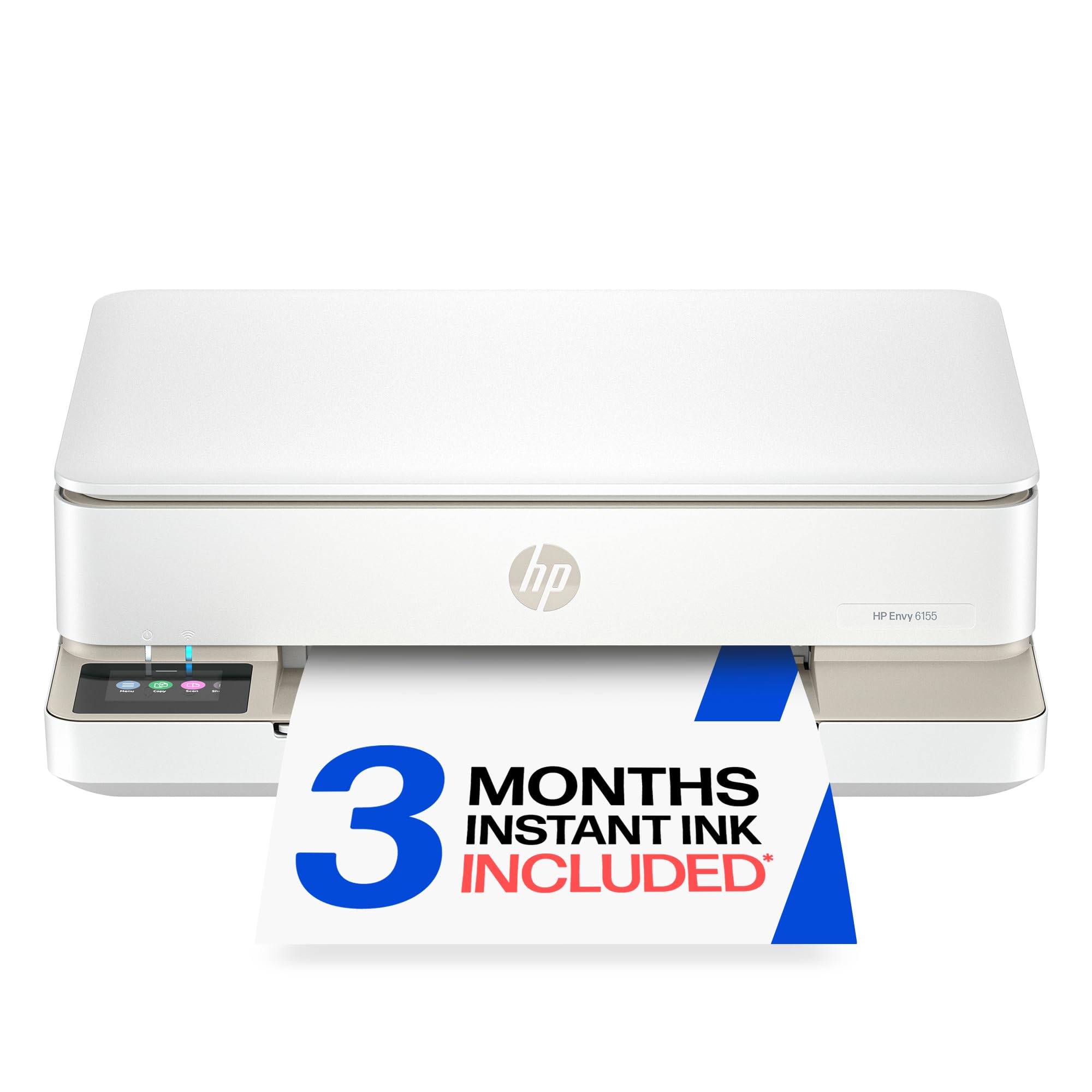
The family printer — homework, photos, and a 100-sheet tray that keeps up.
For a household running homework, coloring pages, and the occasional borderless photo, the Envy 6155 hits the right balance. It prints at 10 pages per minute in black and 7 in color, scans and copies in color, and holds 100 sheets of input so you are not feeding paper every third day. Automatic two-sided printing is included, which roughly halves paper use on multi-page handouts.
The interface is the friendliest part of the package. A 2.4-inch color touchscreen replaces the usual cryptic button array, and dual-band Wi-Fi automatically detects and resolves connection hiccups on its own — a small thing that saves a lot of evenings. HP AI punches in on web-page printing by stripping ads and awkward columns so you get the article and not a ream of banner junk. There is also a three-month Instant Ink trial in the box, and the chassis is made with at least 60% recycled plastic content.
Two honest notes before you commit. First, this unit is built to accept only cartridges with original HP chips, and firmware updates keep that lock in place — third-party refills are out. Second, while printer quality and easy setup are the strongest points of praise, functionality and Wi-Fi behavior both come back mixed across the field. The printer is small enough for an office corner, but the printing habit matters: subscribe to Instant Ink only if you actually print a steady volume, because a monthly fee kicks in after the trial unless you cancel.
Go with it when: the family needs color documents, occasional photos, and a touchscreen nobody has to explain twice.
Hold off if: you buy discount cartridges — the chip lock means they will not run here.
7. Phomemo M832D Touchscreen Portable Inkless Printer
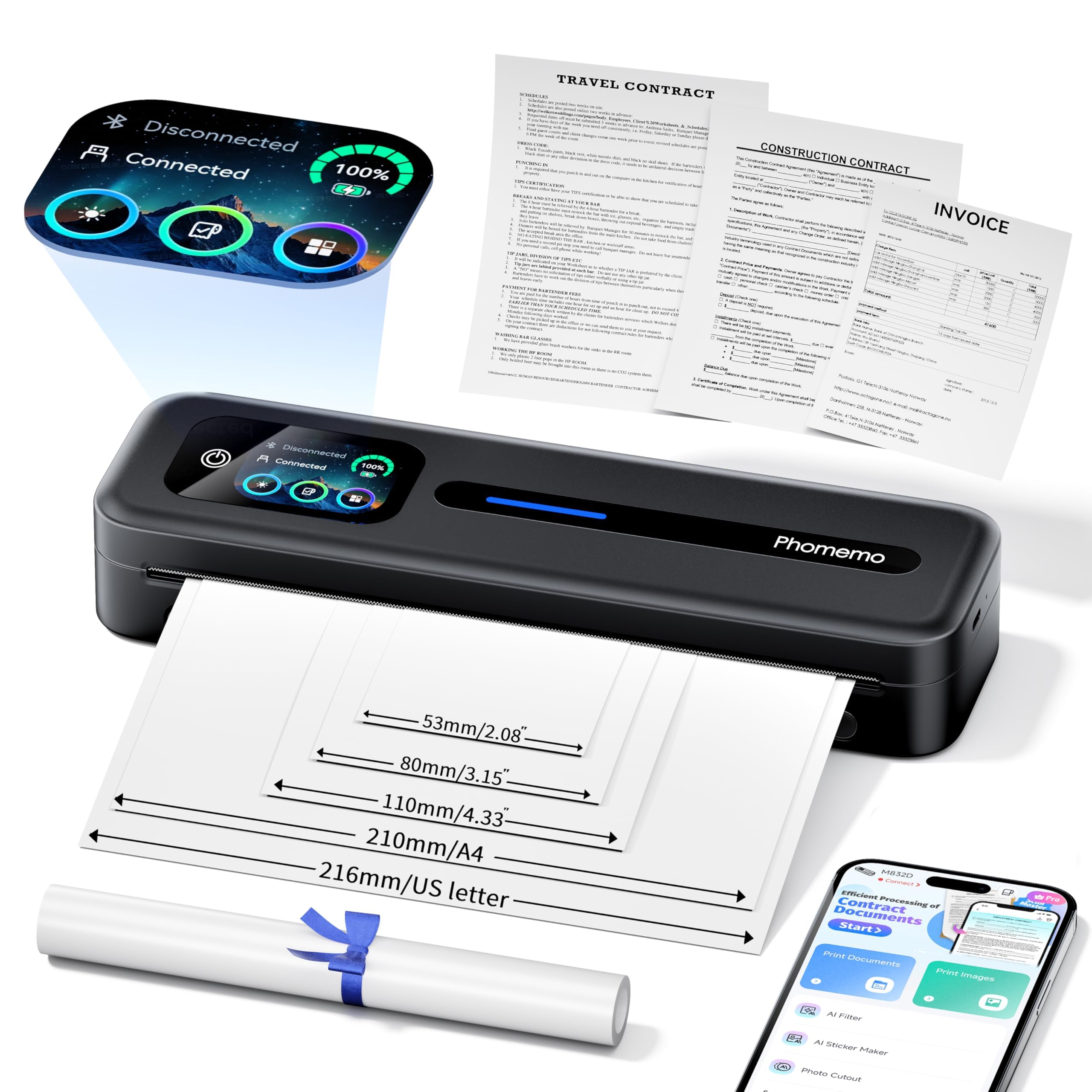
The thermal printer that shows you its battery, its paper, and its status.
Screen-first is the whole pitch here. The M832D’s digital display shows battery and connection status and intelligently reads where the paper sits, so a first-time user can check the charge before a job instead of guessing. It prints 6 pages per minute on Letter-size thermal paper versus 4 ppm for the D90E, and its 300 dpi output keeps contract text and invoice details clean.
The battery is the second advantage: 2600mAh delivers up to 200 pages of continuous printing on a charge, the longest battery run on this list, versus 150 pages for the M08D. The maker also claims motor and print-head refinements cut printing noise by 30%, which matters in a hotel room or a parked car. Paper flexibility is unusually broad: it takes 8.5 x 11 Letter, A4, plus 53mm, 80mm, and 110mm thermal rolls and folded sheets.
Quality is the clear consensus strength, with ease of use close behind — 300 dpi and the on-screen guidance do the heavy lifting. The trade-off sits in reliability and value, which both read mixed. There are reports of a unit quitting after a handful of prints, so test yours thoroughly in the first week and keep the return window open. At 600 grams with a 12.17-inch depth it still slips into a briefcase, though it is the bulkiest of the thermal trio here.
Pick this for: a long print run away from an outlet — 2600mAh and a live status screen make it the most self-sufficient thermal option.
Think twice for: mission-critical single prints where a dead unit would ruin your day; run a test batch first.
8. ETIKEZ D90E Inkless Portable Thermal Printer with Case
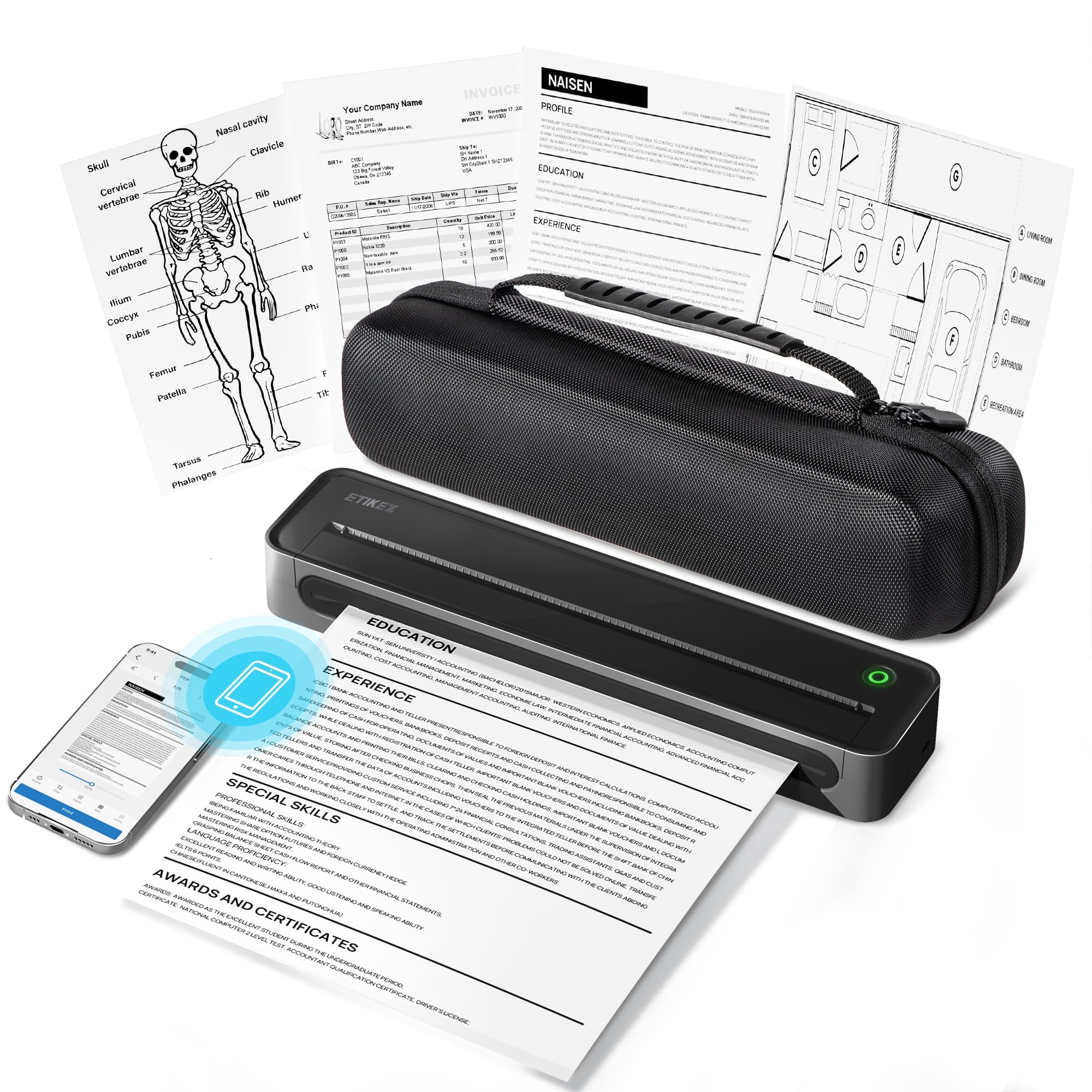
The lightest no-ink option here, and the only one that ships in its own case.
For a commuting student or a notary who needs a signature page on demand, weight decides the purchase. At 2.08 pounds the D90E is the lightest full-Letter thermal printer on this list, so it drops into a backpack without weighing you down. It ships with a portable carry case, a USB-C cable, and 10 sheets of US Letter thermal paper, so you can print the first document the day it arrives. Output runs 4 pages per minute at 203 dpi (dots per inch, the print resolution) — modest, but enough for a boarding pass or a single-page contract.
You connect by Bluetooth for iPhone and Android through the Labelnize app, or by USB to a computer using drivers from Labelnize.com or the included USB drive. It pairs fast and the phone flow is straightforward. Paper is the constraint to internalize: this machine takes 8.5 x 11 inch thermal paper only and will not accept ordinary copy paper. Keep a stock of flat thermal sheets on hand — curled paper causes most feed trouble, not the printer.
The review picture is genuinely warm: portability, compact size, and phone-print ease all draw consistent praise, with document clarity landing above expectations for a printer this small. The paper jam fix is simple, by the way — press the power button once and the machine ejects the sheet. Skips include Chromebooks entirely, and there is no color, no scanner, and no charging adapter in the box.
Travel-kit strengths
- 2.08 lb with a carry case, USB-C cable, and 10 sheets of Letter thermal paper included.
- Bluetooth phone printing through the Labelnize app pairs quickly, no router needed.
- Press the power button once to eject a jammed sheet — no cover wrestling required.
Hard boundaries
- Thermal paper only — ordinary copy paper and Chromebooks are both out.
- 4 ppm at 203 dpi is the slowest and softest output on this list; fine for one page, slow for ten.
Its moment: a signature page in a parking lot, printed from a phone, forty seconds after you needed it.
Not its moment: a ten-page report — 4 ppm will test your patience, and the paper stock must be thermal.
Know the Specs
Pages per minute (ppm)
This is how many sheets the printer pushes out in a minute, and it changes how the machine feels in use. A 36 ppm black laser like the Brother HL-L2480DW clears a big document batch before your coffee cools. A 4 ppm thermal portable like the D90E is fine for one boarding pass and painful for a long report. Note that speeds are usually quoted for black text — color pages tend to run slower.
dpi (dots per inch)
Resolution tells you how fine the print detail can be. Higher dpi usually means sharper small text and smoother gradients, which shows up on invoices, fine print, and photo edges. Thermal portables in this category often sit around 203 dpi, while a 600 dpi model keeps tiny type clearly readable. Inkjets quote copy resolution separately, since scanning and printing are measured differently.
Automatic duplex
Duplex means two-sided printing. Automatic duplex flips the sheet itself, so a two-sided handout comes out without you re-feeding paper. Simplex means one side only. If you print contracts, school packets, or anything with a back page, this is the one feature worth paying attention to before you order.
Thermal vs inkjet
A thermal printer heats special coated paper to form the image, so there is no ink to replace and no cartridge to run dry. The catch is that it needs that specific paper and typically prints only in black and white. An inkjet uses cartridges and can print color, scan, and copy — but you will buy ink again. Decide which cost model fits your printing habits.
Common Questions
Can a thermal printer like the D90E use regular copy paper?
Which of these printers can scan and copy, not just print?
Do I need a wireless router to print from my phone?
Is the Brother HL-L2480DW worth it if I only print in black?
Can I connect a laptop to the Phomemo M832D over Bluetooth?
What is automatic duplex printing and which models have it?
How long does a charge last on the portable thermal printers?
Will the HP Envy 6155 accept third-party ink cartridges?
Can any of these printers handle A4 paper as well as US Letter?
Do I need the manufacturer app to set up a compact wireless printer?
The Bottom Line
For most homes, the wireless compact printer to buy is the Canon PIXMA TR4720. It bundles print, copy, scan, and fax into one small box, with automatic duplex (two-sided printing without flipping the page yourself) and a starter cartridge set already included. If your printing volume is real and your documents are mostly text, the Brother HL-L2480DW is the workhorse you want: 36 pages per minute and a 250-sheet tray, so you refill paper far less often. And when the printer has to leave the house, the Phomemo M08D trades color and ink for 600 dpi thermal output at 1.5 pounds. Whichever you pick, decide first if you need color, scanning, or neither — that single answer points straight at the right machine.
How we choose
We do not accept paid placement. Every pick is matched to a real buyer and a real use-case; we do not hands-on test units.
Sources
Specifications: manufacturer listings and product documentation. Review insights: verified customer reviews, as of November 2026. Pricing: not shown on this page (it changes often); check the current price via the retailer link.
As an Amazon Associate, Tactical Gear Guy earns from qualifying purchases. This does not affect which products we feature.