Specs are compiled from manufacturer listings and verified buyer reviews and can change over time — please confirm the key details on the product page before buying.
Losing the case to your AirPods hurts more than losing the buds, because a bare earbud is useless without a shell to charge it in. You do not need new AirPods to fix this — just a replacement case. A replacement case that accepts Qi wireless charging (the flat-pad charging standard most charging mats use) gets you back to drop-and-go charging, and the three options below are the ones actually built for the 1st and 2nd generation buds.
This guide is built by comparing the manufacturers’ published specifications and the patterns across verified customer reviews, so you get each pick’s real strengths and trade-offs instead of marketing spin.
Two things decide whether you will be happy: whether the case pairs cleanly with your buds the first time, and whether it holds enough charge to get you through a few days away from a cable. Everything below filters through those two tests to find the right wireless charging case for AirPods 2.
Top Picks

How To Choose The Best Wireless Charging Case for AirPods 2
A replacement case is a small shell with a battery, a charging coil and a pairing chip inside it. Get the fit right and it behaves like the one that came in the box. Get it wrong and you own a plastic box that will not talk to your buds. Here is what to check before you order.
Generation fit comes before everything else
AirPods 2 and AirPods 3 do not share a case shape, and neither does AirPods Pro. Look for a listing that names the 1st and 2nd generation explicitly, because a case cut for a different model will not seat the buds deep enough to charge. The Apple case here is stated to work with AirPods 1st and 2nd generation, and the two third-party shells are both sold as AirPods 1/2 replacements.
Wireless plus a cable port is the combination you want
Qi charging (the wireless pad standard used by most charging mats) lets you drop the case on a pad and walk away. A cable port as well means you can still charge from a laptop or a car socket when no mat is around. All three cases here accept both methods, though the third-party two use a Lightning or Type-C port rather than Apple’s own connector.
The pairing button is not optional on a third-party shell
A genuine Apple case pairs itself to your buds the moment they snap in. A third-party replacement cannot do that, so it ships with a sync and pairing button on the body. Both buds must be inside the case for that pairing to start.
Side-by-Side Comparison
| Model | Best For | Battery Capacity | Charging Methods | Weight | Amazon |
|---|---|---|---|---|---|
| Apple Wireless Charging Case for AirPods★ Best Overall | Matching the original setup | — | Qi wireless + Lightning | 1.41 ounces | Amazon |
| NOCRLG Replacement Case for AirPods 1/2 | Most charge per charge | 550 mAh | Qi wireless + Lightning | — | Amazon |
| J.M.SHOW Charging Case for AirPods 1/2 | Type-C households | 550 mAh | Qi wireless + Type-C | — | Amazon |
Detailed Reviews
1. Apple Wireless Charging Case for AirPods
Our pick — 4.5+★ from 24,000+ verified ratings; the strongest balance of quality and price.
The one that needs no instructions because it never asks you to press anything.
If you want the case that came in the box back in your pocket, this is it. Slide both buds in and the case does the pairing work itself, with no button to hold and no app to open. Set it on a Qi-compatible charging mat and it starts taking power, with the small LED on the front telling you the buds are charging. When no mat is nearby, the Lightning port at the bottom takes over.
At 1.41 ounces it stays light in a pocket, and the shell is built for AirPods 1st and 2nd generation and can hold multiple charges for the buds. What wins people over most is the sheer consistency of the thing — the fit, the pairing, the finish all behave exactly as expected. You are paying for fit, pairing and finish that behave exactly as expected.
There is a real split over what that costs, and some buyers think the money is hard to justify when the third-party replacement below charges the same buds for less. That is a fair argument, and it is the main reason to think twice here: you are paying for the Apple name and the automatic pairing, not for extra capacity. A cautious buyer who wants the most charge for the least money has a better fit further down this list.
Where it earns its keep
- Pairs to your buds with no button press at all
- Qi mat charging plus a Lightning port as backup
- Front LED confirms the buds are actually charging
- 1.41 ounces keeps it invisible in a pocket
What to weigh first
- The value question is genuinely contested among buyers
- Capacity figure is not published, so you fly blind on top-up count
Worth it for: anyone who wants the original experience with zero setup and a Lightning port they already own a cable for.
Think twice if: you want the most charge stored per case, because this one does not publish its capacity while the alternatives state theirs.
2. NOCRLG AirPods Charging Case Replacement
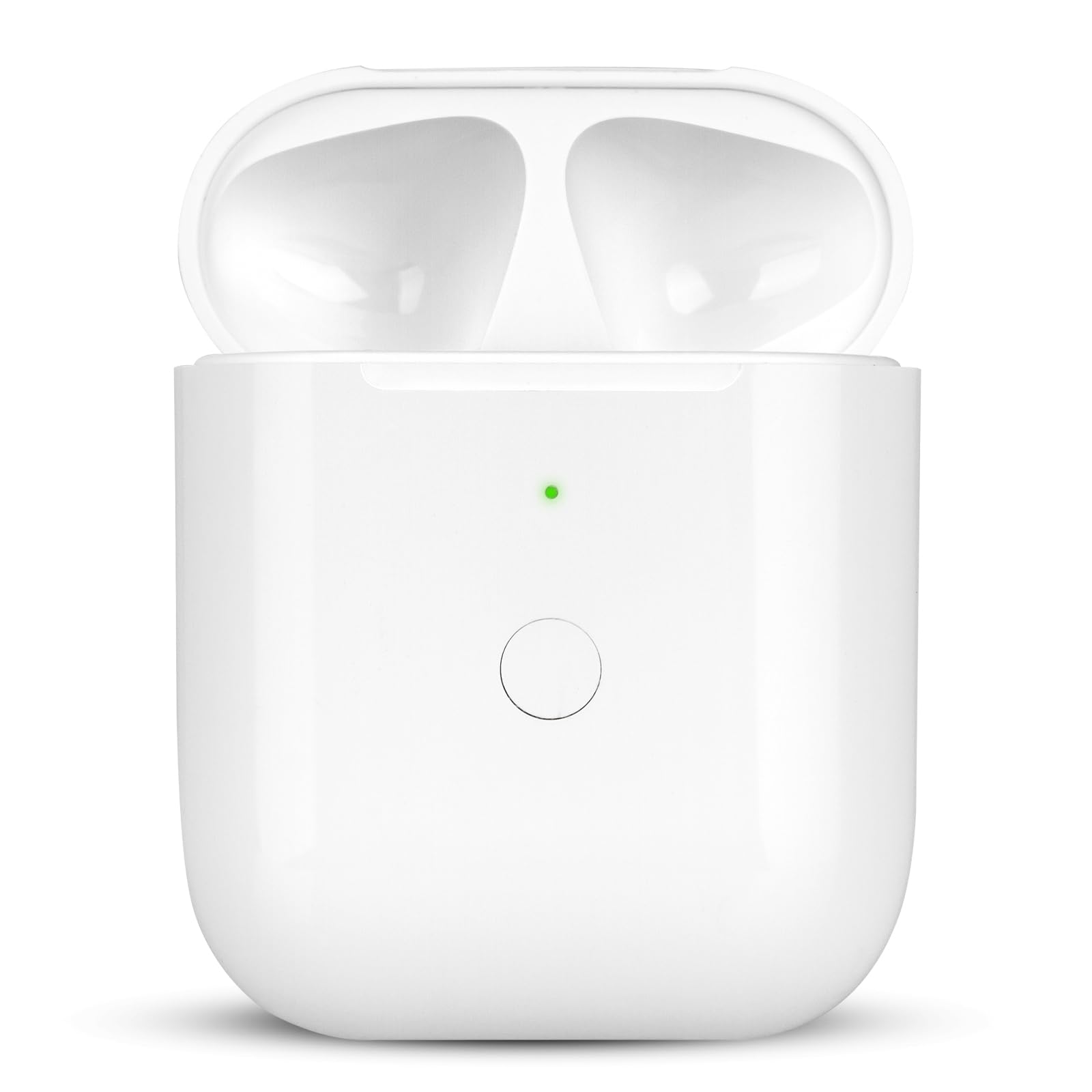
The 550 mAh shell that keeps your buds alive for days between wall sockets.
The number that sells this one is 550 mAh — that is the battery capacity inside the case, and NOCRLG rates it at more than 5 full charges for your buds. In practice, buyers report buds staying charged for 3-4 days between top-ups. Owners mention exactly that, with buds staying charged for 3-4 days between top-ups.
Charging is flexible in both directions. Drop it on a Qi-compatible mat and it draws power wirelessly, or plug in a Lightning cable when you are at a desk. A sync button on the body handles Bluetooth pairing, and the case is built to match itself to your buds the same way the original does once they are inside. Externally it reads almost identical to the Apple case, so nobody will spot the swap.
The honest trade-off is water resistance — it is listed as not water resistant, so a sweaty gym bag or a rainy commute is not where this one belongs. The shell is hard plastic, which protects against knocks but not against moisture. Keep it dry and the hard plastic shell protects against knocks for years.
Charge math: the stated 550 mAh and its 5-plus top-up rating are the whole pitch here, and it is the single most useful spec on the page for anyone who hates hunting for a cable.
Speed claim to note: NOCRLG states 15 minutes of charging gives 3 hours of listening, so a short plug-in before a commute is genuinely worth doing.
Reach for this if: you lose the charging cable constantly and want the case to carry the reserve for you.
Look elsewhere if: your AirPods live in a gym bag, because this shell is not water resistant.
3. Charging Case for AirPods 1st and 2nd Generation

A 550 mAh replacement that finally lets one Type-C cable charge everything in your bag.
Here is the case for people who have already moved their whole kit to USB-C. It holds a 550 mAh lithium battery, rated to charge your buds 4-5 times, and it takes power either from a Qi wireless mat or through a Type-C port. One Type-C cable in your bag now charges your phone, your laptop and this case. The shell itself is hard ABS plastic, which shrugs off being tossed in a rucksack.
Pairing works through the sync button on the body, and J.M.SHOW notes that both buds have to be seated in the case before pairing or charging will start. There is also a small quirk worth knowing: a long press of about 15 seconds on the pairing button switches off the audible tone the case makes, which is useful if you pair in a quiet office. Bud charging time is listed at 30 minutes.
This is the least-proven option of the three — it simply has far less of a track record than the other two, and it is rated lower than both. That does not make it a bad case; it makes it the one to buy when the Type-C port is the deciding factor. If you want a long history of buyers behind your choice, the Apple case is the safer bet.
The case for the port
- Type-C input means one cable for your whole bag
- 550 mAh battery rated for 4-5 buds charges
- Hard ABS shell handles being thrown in a pack
- Tone can be muted with a 15-second button hold
Before you commit
- Very thin review history compared with the other two picks
- Both buds must sit in the case before anything charges
Best fit for: a Type-C-only household that wants one cable to rule the whole backpack.
Worth knowing: it carries the least buyer history here, so pick it for the port rather than for reassurance.
Know the Specs
Battery capacity in mAh
This is the size of the tank inside the case, measured in milliamps-hours. A bigger number means more full top-ups for your buds before the case itself needs a wall socket. The two third-party cases here both state 550 mAh; the Apple case does not publish a figure, so if the reserve matters to you, that is a real difference between the picks.
Qi wireless charging
Qi is the pad standard most charging mats use. A case that supports it will start taking power the moment you set it down on a compatible mat, with no plugging in at all. Every case on this list supports it, so the wireless side is not where these three differ.
The pairing button
A genuine Apple case pairs itself automatically. A third-party shell cannot, so it carries a small sync button on the body that starts Bluetooth pairing with your device. Both buds have to be inside the case for that to work, and on the J.M.SHOW case a long hold of about 15 seconds also mutes the pairing tone.
Charging port type
The port at the bottom decides which cable you need when no mat is around. Apple and NOCRLG use Lightning, which most AirPods owners already have a cable for. The J.M.SHOW case uses Type-C instead, which suits anyone who has standardised on USB-C across their gear.
Common Questions
Will these cases fit my AirPods 2 or only the first generation?
Can I charge the case on any wireless charging pad?
Do I need to press the pairing button every time I use the case?
How many times can the replacement case recharge my AirPods?
Is a third-party replacement case worse than the Apple original?
Can I use the case while the buds are charging inside it?
What happens if I put the case on a wireless pad with water on it?
Does the replacement case still show my battery percentage?
How long does it take to charge the buds in a replacement case?
The Bottom Line
For most people, the wireless charging case for airpods 2 that makes the most sense is the Apple Wireless Charging Case, because it pairs itself with no button to press, takes a Qi mat or a Lightning cable, and fits the buds exactly as the original did. If your priority is how long you can go between wall sockets, the NOCRLG replacement states a 550 mAh battery rated for more than 5 charges and costs less than the Apple shell. And if every cable in your bag is already Type-C, the J.M.SHOW case keeps you to one lead — just accept that it has the shortest track record of the three. Pick the one whose trade-off you can live with, and it will keep your buds charged for years.
How we choose
We do not accept paid placement. Every pick is matched to a real buyer and a real use-case; we do not hands-on test units.
Sources
Specifications: manufacturer listings and product documentation. Review insights: verified customer reviews, as of November 2026. Pricing: not shown on this page (it changes often); check the current price via the retailer link.
As an Amazon Associate, Tactical Gear Guy earns from qualifying purchases. This does not affect which products we feature.