Specs are compiled from manufacturer listings and verified buyer reviews and can change over time — please confirm the key details on the product page before buying.
The short answer: a keyboard that switches cleanly between a cable and a wireless link is the only one you will not regret. You want the lag-free feel of a wired board at your desk. You also want to flop back on the sofa and keep typing without dragging a cord across the room. Almost every board below manages both — the real differences sit in the keys themselves, the battery size, and how many devices you can hop between. This page sorts those differences out so you can pick once.
This guide is built by comparing the manufacturers’ published specifications and the patterns across verified customer reviews, so you get each pick’s real strengths and trade-offs instead of marketing spin.
Some boards here are soft and quiet, others clack like a typewriter, and a couple give you a full number pad without eating your whole desk. Every pick supported a cable and a wireless link, and each one below states exactly what its connection modes and key feel are so you know which one fits your hands and your desk.
Top Picks


How To Choose The Best Wired and Wireless Keyboard
Before you read a single spec sheet, answer one question about your week: how many devices do you actually type on? A board that pairs with five devices and swaps between them with a key combo solves a genuinely messy desk. If you only ever sit at one PC, that feature is just extra buttons to remember.
Start with the mode count, not the brand
A dual-mode keyboard gives you a cable and one wireless type. A tri-mode board adds a third path, so you typically get USB-C wired, a 2.4GHz dongle link (the small USB plug that gives a near-instant, lag-free signal), and Bluetooth 5.0 for pairing to a phone or tablet. The 2.4GHz dongle is the one to use for gaming because it holds a steadier connection than Bluetooth. Bluetooth is the one to use when you want to hop to a tablet without moving the dongle.
Then decide how loud you want your desk to be
Switch type defines the whole experience. A red linear switch (one that slides straight down with no bump) is quiet and smooth, so it suits late-night typing in a shared room. A blue clicky switch (one that makes an audible click and a small bump as it registers) gives a satisfying snap and a typewriter-like racket. Between them sit tactile switches that bump without the noise. If a colleague sits nearby, lean linear; if you type alone and love the clatter, lean clicky.
Match the layout to your desk and your number habit
Size decides comfort more than people expect. A 60% layout drops the function row and often the number pad, so it frees up desk for a mouse swing during games. A 75% layout keeps the arrow keys and squeezes in a compact cluster. A full-size board brings back the number pad and media keys. If you regularly type numbers, the pad saves you from reaching into a function layer.
Side-by-Side Comparison
Every number below comes straight from the maker’s specs. Use the switch and layout columns to narrow the field, then read the reviews for the real-world feel.
| Model | Best For | Keys | Switch Type | Battery | Amazon |
|---|---|---|---|---|---|
| AULA F75 Pro★ Best Overall | Best Overall | 81 | LEOBOG Reaper (hot-swap) | 4000mAh | Amazon |
| Redragon K768 PROQuietest Typist | Quiet, creamy typing | 100 | Custom linear (gasket) | 8000mAh | Amazon |
| AULA F99Biggest Battery | Big battery, number area | 99 | Pre-lubed linear (hot-swap) | 8000mAh | Amazon |
| Redragon K710 Typewriter | Typewriter looks and clack | 104 | Blue clicky | 4000mAh | Amazon |
| MOFII Transparent Full-Size | Full-size quiet office board | 108 | Quiet membrane | — | Amazon |
| RedThunder K75 Combo | Keyboard plus mouse together | 80 | Membrane | 4000mAh | Amazon |
| DIERYA DK63 | Tiny, loud, compact setup | 63 | Red switch | 3000mAh | Amazon |
| TMKB T68 | Budget 60% with red switches | 68 | Red linear | 3000mAh | Amazon |
| MageGee GK960 | Cheapest entry into tri-mode | 98 | Membrane | 4000mAh | Amazon |
Detailed Reviews
1. AULA F75 Pro Wireless Mechanical Keyboard
Our pick — 4.5+★ from 1,500+ verified ratings; the strongest balance of quality and price.
The creamy, cushioned board that finally feels like it costs more than it does.
The F75 Pro is an 81-key 75% board (a compact layout that keeps the arrow keys but drops the number pad), and it covers all three connections: Bluetooth 5.0, 2.4GHz wireless through a dongle, and USB-C wired. It pairs with up to five devices and swaps between them with a shortcut key or the side button. That means your work laptop, your desktop, and a tablet can all live on one keyboard.
What wins people over is the typing feel. Inside sits a five-layer filling silencer, a design that fills the empty space between the circuit board and the plate so the keystroke hits with a soft, cushioned thud rather than a hollow clack. The factory-lubed LEOBOG Reaper switches arrive already smooth, and the hot-swap base accepts 3-pin or 5-pin replacements, so you can change the feel years later without a soldering iron. It holds 4.5+ stars across 1,900+ owner reviews, the highest rating among the compact picks here.
The battery is a 4000mAh cell (a battery’s capacity, so bigger means longer between charges) and the board ships with a cable, a dust cover, spare switches, and a puller. The side-printed PBT keycaps (a tough plastic that resists shine and fading) let the backlight glow through the lettering. One catch worth naming: 81 keys means no dedicated number pad, so heavy spreadsheet users will want a separate one or the F99 below.
hot-swap 75% layout
- Tri-mode with five-device pairing, so a laptop and desktop share one board.
- Five layers of sound damping and pre-lubed switches for a soft, creamy sound.
- Hot-swap sockets let you change the feel without buying a new keyboard.
software feels basic
- No dedicated number pad in the 75% layout.
- Stands slightly raised, so a wrist rest helps during long sessions.
grab for typing: this is the one if you want mechanical feel and tri-mode switching in a compact desktop footprint.
skip for macros: a number pad and you had a full-size desktop in mind.
2. Redragon K768 PRO Wireless 100-Key Gasket Gaming Keyboard
A soft gasket-mounted board with an 8000mAh battery and a knob that does it all.
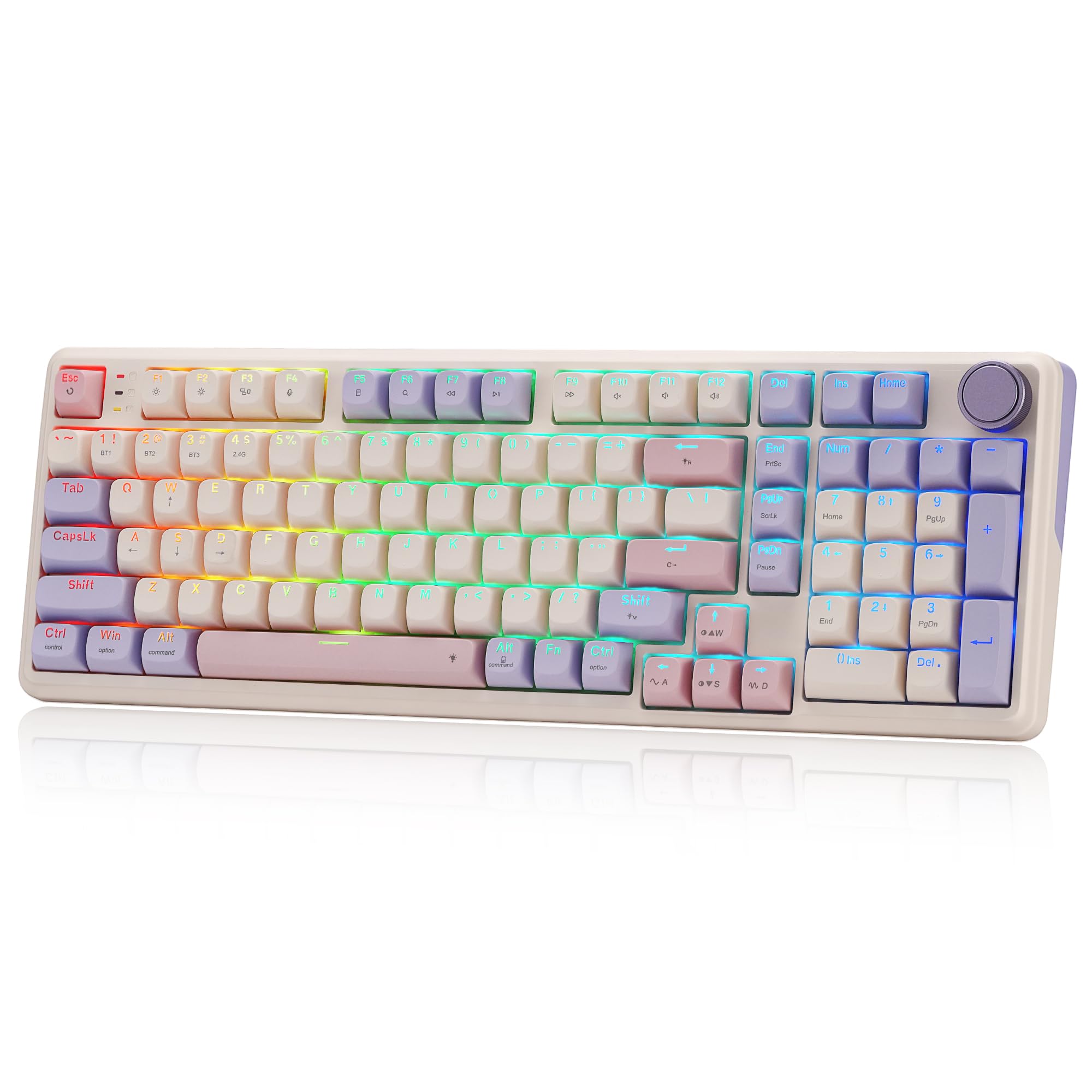
The part that matters most here is the battery: 8000mAh, a huge cell for a keyboard, which means days of wireless use between charges. It connects through USB-C wired, Bluetooth, and 2.4GHz wireless, and it hops between devices without re-pairing each time. The 100-key layout keeps an arrow cluster and a number area in a practical 95% size, so it feels almost full-size without taking over the desk.
Owners adore the buttery typing sound, and the gasket covers — a mounting design that floats the plate on soft supports so the keystroke bounces rather than bottoms out hard — deliver that creamy, cushioned feel. The custom linear switch is smooth and silent, and like the F75 Pro above it accepts almost any 3-pin or 5-pin replacement, so you can swap the feel later. PBT keycaps (the tougher plastic that keeps its texture and color) resist the shine that cheaper keycaps pick up.
The recurring gripe is an occasional key going quiet, and responsiveness gets mixed reads across the reviews. The single knob handles backlight brightness and media playback at once, which saves memorizing key combos. It is a gasket keyboard with real dampening and a frankly enormous battery, and for quiet office or late-night sessions there is little to fault in the feel.
buy for spreadsheets: a quiet, cushioned keystroke and a battery you rarely charge matter more than a full 104-key layout.
pass for travel: you want macro-heady software depth or a loud, snappy switch from the start.
3. AULA F99 Wireless Mechanical Keyboard
The one for spreadsheet lovers who refuse to give up creamy mechanical feel.
If the F75 Pro’s 75% layout felt too bare, the F99 answers with a 99-key 96% layout that keeps the arrow keys and the number area while shaving the outer edge off a full-size board. It carries an 8000mAh battery, which means days of wireless typing between charges, and it runs the full tri-mode set: Bluetooth 5.0, 2.4GHz, and USB-C.
What people rave about is the sound and the texture. A five-layer silencer and PCB single-key slotting bring a soft, elastic feel, and the double-shot PBT keycaps hold their legend without fading. Pre-lubed linear switches arrive smooth, and the hot-swap PCB lets you replace 3-pin or 5-pin switches without soldering. The 16 RGB effects and macro recording round out the package.
An intermittent dead key surfaces as the main gripe across the reviews, though far more buyers report it working perfectly. It also weighs 1500 g, so this is a desk board rather than a travel one. If you value a number area and an 8000mAh battery in one quiet package, this is the closer.
pick for office: you need the number area back and want a long battery run plus swappable switches.
avoid small desks: you carry your keyboard between rooms and count the grams.
4. Redragon Wireless Typewriter Mechanical Gaming Keyboard
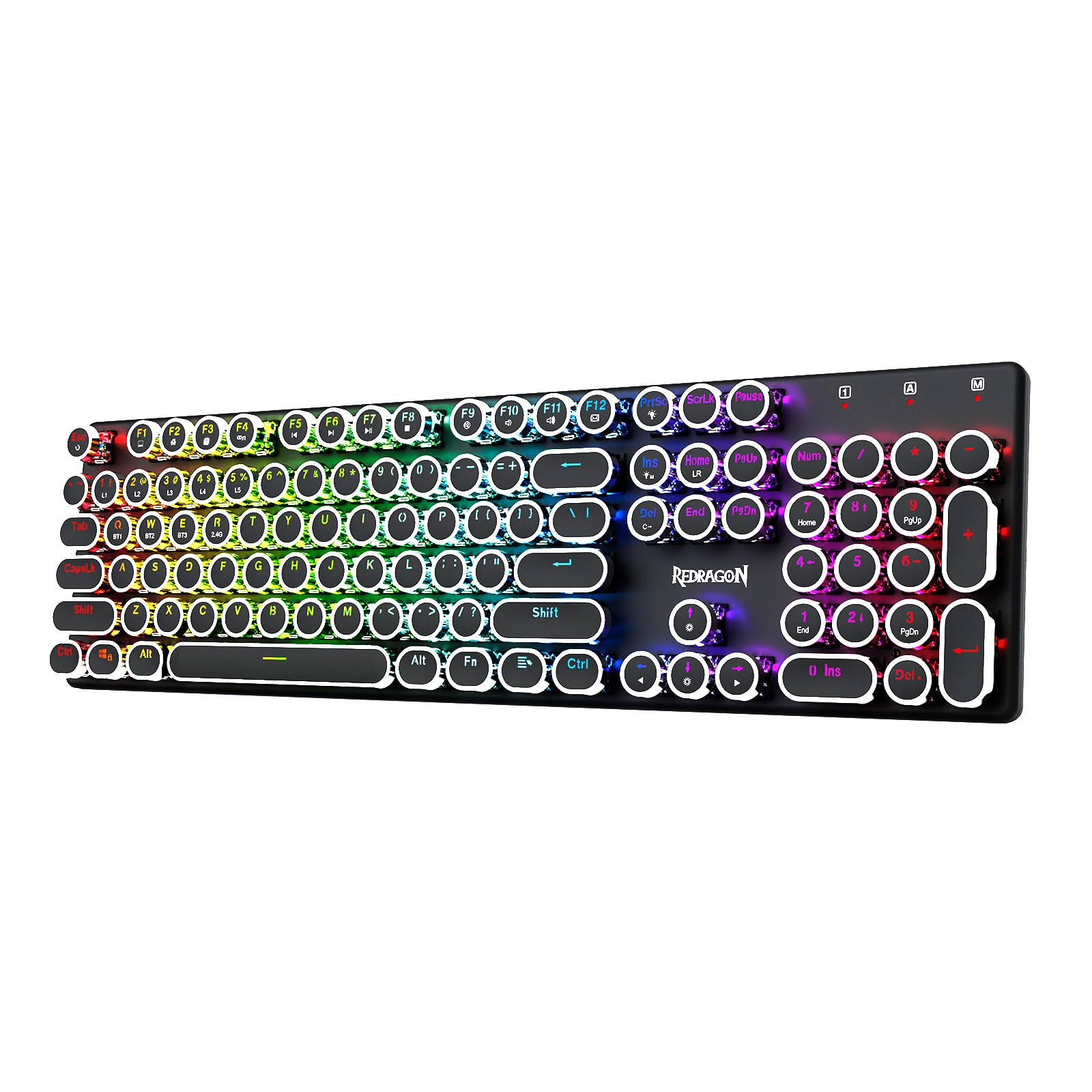
A full-size steampunk board that clacks and rings like the old machines.
This board belongs to anyone who wants the desk to sound like a 1950s newsroom. The blue mechanical switches give a medium resistance and an audible click with a tactile bump — the kind of feedback that makes each keypress feel decisive. Round keycaps on a metal panel sell the typewriter look, and the 104-key layout keeps the number pad and function row.
The typewriter sound is the headline here, and the color-changing backlighting earns its own fans. You can pick from 16 presets with seven solid colors and customize each key. A 4000mAh battery keeps it going wirelessly, and the tri-mode connection (USB-C wired, Bluetooth 3.0/5.0, 2.4GHz) gives you a cable-free option when you want it. The metal panel keeps the board steady and hefty at 950 g.
Honest trade-off: clicky blue switches are loud, so a shared office or a late-night roommate may notice. The typewriter keycaps are also round, which some typists find takes a day or two to relearn. If you want audible click and tactile snap above all else, this is the one to reach for.
retro typewriter caps
- Clicky blue switches for real tactile snap.
- Typewriter look with a solid metal panel and 104 keys.
- Tri-mode with 4000mAh battery and 16 RGB presets.
loud clicky switches
- Audible click can bother people nearby.
- Round keycaps take a little getting used to.
buy for looks: the desk that should sound and look like a vintage machine.
pass for quiet: silence matters to anyone sharing your room.
5. MOFII Tri-Mode Wireless Keyboard
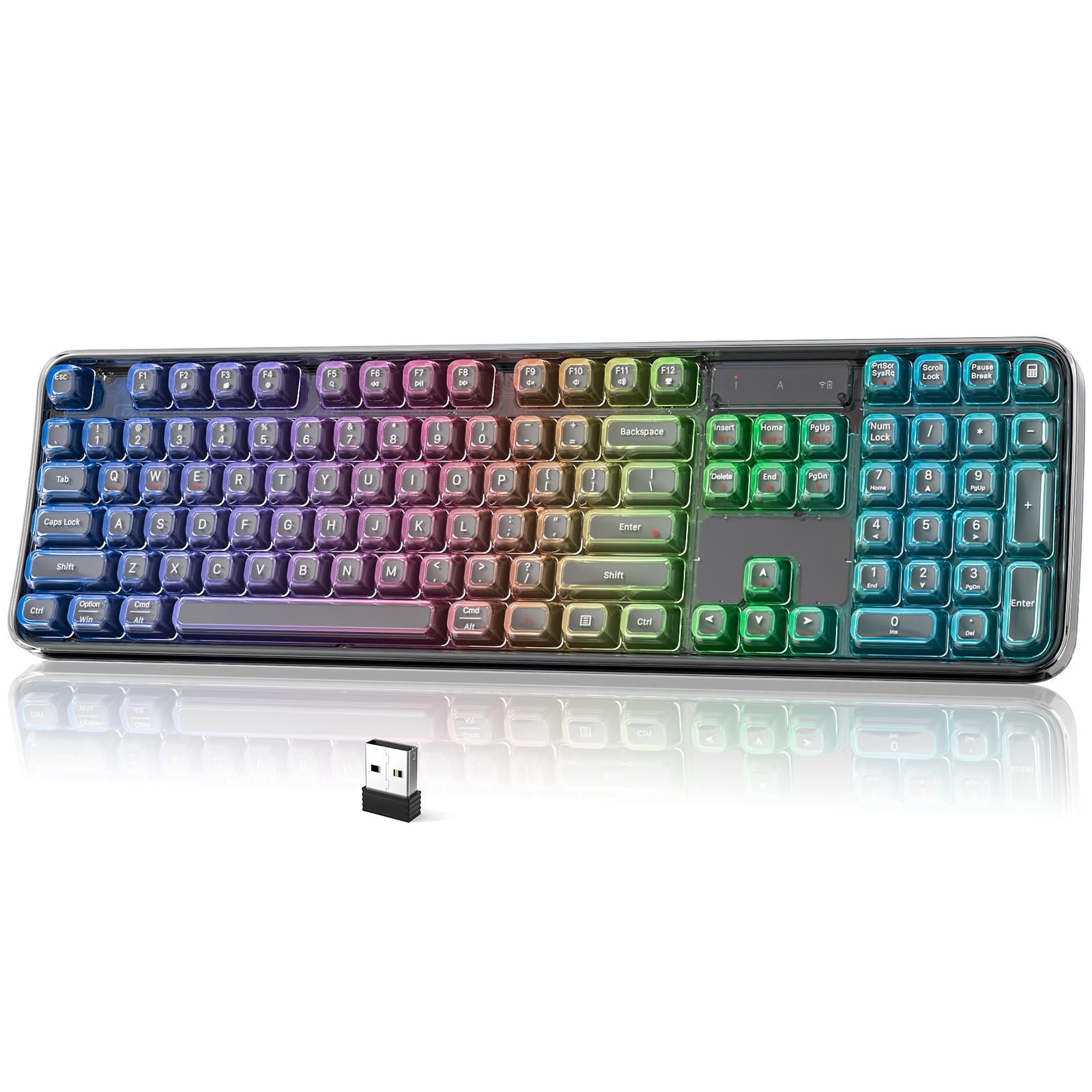
A full 108-key desk board that keeps things quiet and connects to nearly anything.
Office workers and shared-desk users get the most from this one. The 108-key full-size layout brings the number pad and function row back, and the gently curved design follows the hand’s natural rest. Quiet membrane switches give a smooth, low-noise press without the mechanical clatter, which makes it a good fit for a library, an open office, or a late-night home desk.
Connectivity is the strong suit: 2.4GHz wireless, Bluetooth 5.0 for pairing up to three devices, and wired USB-C. The transparent frame is spill-resistant and built for daily wear, and the RGB backlighting helps in dim rooms. It runs on Windows, macOS, iOS, and Android with no extra drivers.
One fair note: this is a membrane board, so it will not give you the snappy mechanical feedback that the F75 Pro or K768 PRO does. The catch is that some buyers have had trouble with the bundled mouse, so treat the keyboard as the main buy. If you want a full-size, quiet board that pairs with up to three devices, this is the practical pick.
go for budget: you want a full number pad and a quiet, low-key membrane press for shared spaces.
steer to mechanical: mechanical feedback and swappable switches are the whole point for you.
6. RedThunder K75 Wireless Membrane Keyboard and Mouse Combo

Buy the keyboard and walk away with a 4800DPI gaming mouse in the same box.
This combo suits someone setting up a whole desk at once. The 75% side-engraved keyboard leaves more desk free than a full-size board, and the characters are wear-resistant so they stay legible in the dark. The included optical mouse offers 5-level DPI up to 4800, with color-coded lights at each level so you know where you are at a glance.
Connection is tri-mode: BT5.0, 2.4GHz, and wired USB. A single 2.4GHz receiver is shared by the keyboard and mouse and sits hidden in the base. One-key Fn+A/S swaps between Windows and macOS. The 4000mAh keyboard battery and 800mAh mouse battery keep both running, and auto-sleep in 2 minutes (keyboard) and 1 minute (mouse) stretches the runtime.
Compatibility has a sharp edge — this set is not compatible with PlayStation, so console gamers should confirm their setup first. The membrane keys are quiet rather than snappy. If you want one box that covers keyboard and mouse, this bundle delivers both with the same tri-mode flexibility.
keyboard plus mouse bundle
- Keyboard and mouse both included, both tri-mode.
- 4000mAh keyboard battery and 800mAh mouse battery.
- Side-engraved keycaps stay readable in low light.
membrane keys only
- Not compatible with PlayStation consoles.
- Membrane keys lack mechanical snap.
right for starters: a brand-new desktop that needs both input devices in one purchase.
rethink for gaming: you play on a PlayStation or want mechanical feel.
7. DIERYA DK63 60% Wireless Mechanical Gaming Keyboard

A tiny 63-key board that frees desk space and delivers a big mechanical sound.
Gamers chasing a clean desk will like this one. At 63 keys in a 60% layout, it keeps the arrow keys but drops the number pad and function row, and every extra function lives behind the FN key. That means more room for the mouse swing during fast play. The 3000mAh battery gives roughly 8 hours at maximum backlight or about 90 hours with the light off, plus a 360-hour standby.
What shoppers love most is the sound — a mechanical, satisfying clack — followed by the key feel. The red switches are linear and smooth, and the 18 RGB modes with 16.8 million colors make it easy to type at night. The tri-mode set gives you 2.4GHz, Bluetooth 5.0, and wired USB, so it jumps between a laptop and a desktop with a quick switch.
The caveats are real but narrow. Bluetooth has its dodgy moments for some units, and a broken key occasionally shows up weeks in. At 1.4 pounds it is light enough to carry. If you want maximum desk space and a loud, linear mechanical clack, look here. If you need a number pad, look above instead.
grab for portability: you want a compact, loud mechanical board that leaves room for the mouse.
think twice for coding: you rely on Bluetooth stability above all else.
8. TMKB T68 60% Wireless Mechanical Gaming Keyboard

An entry-level 60% board with red linear switches and a long battery claim.
This is the value option for someone who wants mechanical feel and tri-mode connectivity without overspending. The 68-key layout retains the arrow keys and essential function layers, and the red linear switches deliver quiet, smooth keystrokes. TMKB rates them for up to 50 million keystrokes, and at 670 g it slips into a backpack with little fuss.
The tri-mode set is USB-C wired, 2.4GHz, and Bluetooth 5.0 — matching the connectivity the bigger boards offer. The 3000mAh battery gives up to 12 hours with RGB on or 333 hours with the backlight off. Auto-sleep kicks in after 3 minutes to stretch the charge. Full N-key rollover keeps every keystroke registered during fast, overlapping presses.
This is a smaller reviewer base and the Bluetooth link is the mixed part — several users report connection trouble. The board itself gets good marks for quality. If you want a light, compact, cheap tri-mode board and mostly use wired or 2.4GHz, it is a sensible bet.
choose for budget: your budget is tight and you want a compact mechanical board for desk or bag.
skip for heavy use: Bluetooth is your main connection and you need it rock-solid.
9. MageGee GK960 Wireless Keyboard
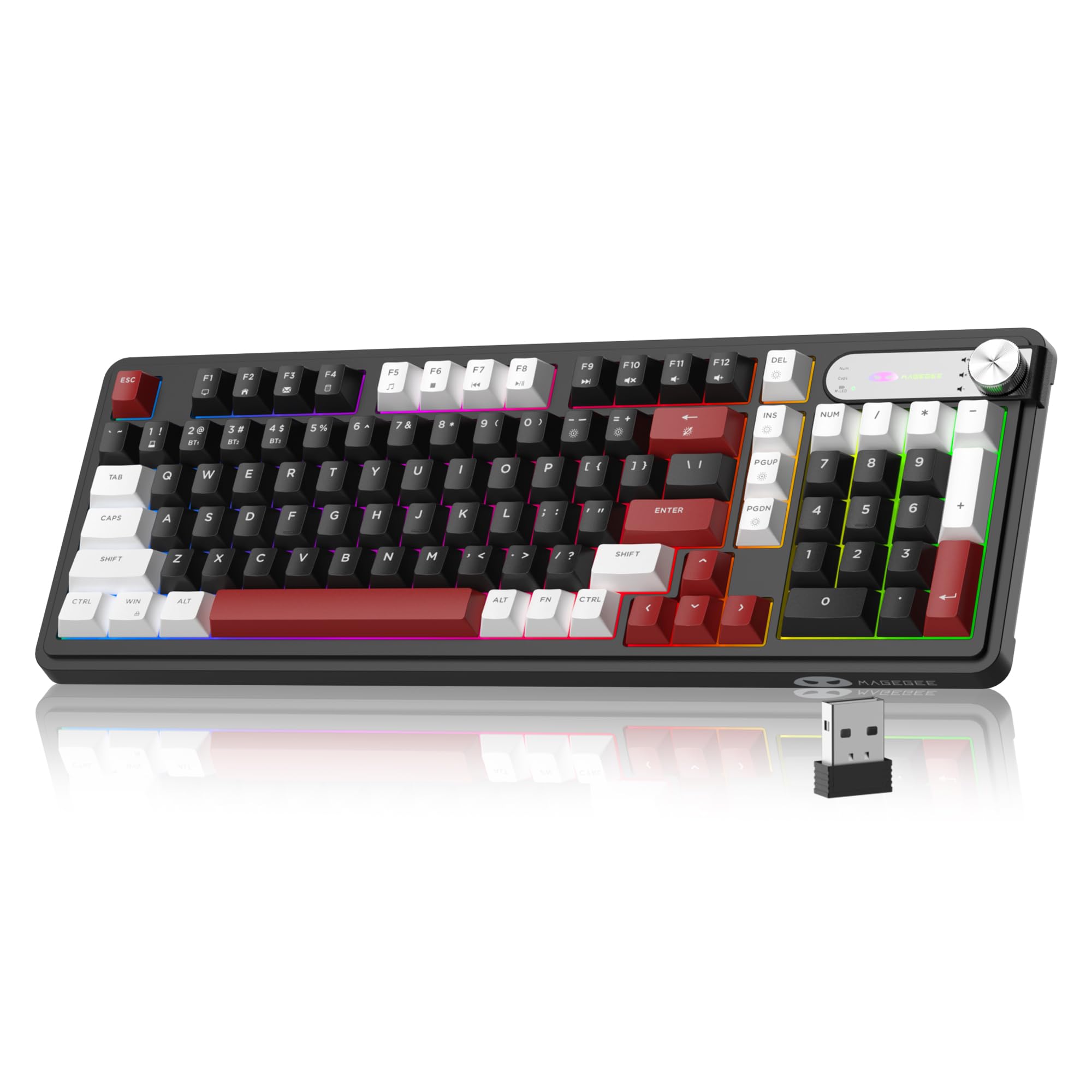
The cheapest way into a 98-key board with a big battery and three connection modes.
Here is the budget entry point for tri-mode typing. The 98-key streamlined layout cuts the unused keys while keeping the arrow cluster and number area, so your desk stays tidy without losing the number pad. The white-and-black color scheme and mixed keycaps give it a modern look, and the double-shot injection keycaps resist wear and fading.
Connectivity is USB-C wired, 2.4GHz, and Bluetooth, with pairing for up to five devices and dual-system support for Windows and Mac. The built-in 4000mAh battery keeps it wireless for days, and the included cable lets you charge and type at the same time. A single rotary knob handles volume (twist to adjust, press to mute) or RGB brightness and speed, depending on how you set it.
Some owners mention the keyboard and mouse occasionally cut out, and the flashing lights take a moment to get used to. The 26-key anti-ghosting keeps fast games clean. If you want a 98-key tri-mode board with a number pad at the lowest entry price, this is where to start.
start here cheaply: budget is the deciding factor and you still want the number pad and tri-mode.
step up for RGB: you want mechanical feel and a quieter, sturdier build.
Know the Specs
Connection Modes: Why Tri-Mode Wins
A tri-mode keyboard gives you three paths: a USB-C cable, a 2.4GHz wireless dongle, and Bluetooth 5.0. The cable carries power and a rock-solid signal, so it is the fallback when a charge runs low. The 2.4GHz dongle (a tiny USB plug that communicates on a dedicated frequency) gives a low-lag link that is the best pick for fast games. Bluetooth pairs to phones, tablets, and laptops and often pairs with several devices at once, so you can swap between them. The best boards here let you pair with up to five devices and switch with a key combo or a knob.
Battery Capacity in mAh
The mAh number (milliamp-hours, a measure of how much charge a battery holds) tells you how long the wireless stretches between charges. A 3000mAh cell powers a compact board for a day or two with the backlight on. A 4000mAh or 8000mAh cell stretches that much further, which matters most if you leave the RGB lighting cranked. Backlight intensity is the single biggest drain, so turning the light off between sessions is the quickest way to stretch a charge.
Switch Type and Feel
Linear switches slide straight down with no bump and are quiet, so they suit shared offices and late-night typing. Clicky switches give an audible click and a bump, and they are loud enough for friends and coworkers to notice. Tactile switches add the bump without the click. Hot-swappable sockets (a design that lets you pull out a switch and push in a new one) let you change the feel later without a soldering iron; most boards here accept 3-pin or 5-pin switches.
Layout Size and Key Count
Key count tells you what survives the cut. A 60% board around 63 to 68 keys drops the function row and often the number pad, which saves desk space but pushes more into function layers. A 75% board around 81 keys keeps the arrow keys in a compact cluster. A 98 to 108-key board brings back the number pad and function row. Count the keys you actually press before choosing.
Common Questions
Can a wired and wireless keyboard connect to a laptop and a desktop at the same time?
Which connection mode is best for gaming?
How long does the battery actually last?
Does a hot-swappable keyboard mean I can use any switch?
What is the difference between a 60% and a 75% keyboard?
Are membrane keyboards quieter than mechanical ones?
Will these keyboards work with a Mac or an iPad?
How do I switch a tri-mode keyboard between Bluetooth, 2.4GHz, and wired?
Can I charge the keyboard while typing?
Do I need software to use the RGB and macro features?
The Bottom Line
For most people, the wired and wireless keyboard winner is the AULA F75 Pro because it pairs a soft, creamy typing feel with all three connection modes in a compact 81-key frame, and it holds the highest rating of the compact picks. If you want a full number area and the longest battery run, grab the AULA F99 with its 8000mAh battery. And for a quiet, cushioned board that skips the mechanical clatter, the Redragon K768 PRO is the one to reach for.
The Redragon K768 PRO rates 4.5+ stars across 170+ owners, so it is the pick to beat if quiet, creamy feel is your priority. Whichever way you lean, match the connection mode and switch type to your week and the rest falls into place.
How we choose
We do not accept paid placement. Every pick is matched to a real buyer and a real use-case; we do not hands-on test units.
Sources
Specifications: manufacturer listings and product documentation. Review insights: verified customer reviews, as of November 2026. Pricing: not shown on this page (it changes often); check the current price via the retailer link.
As an Amazon Associate, Tactical Gear Guy earns from qualifying purchases. This does not affect which products we feature.