Specs are compiled from manufacturer listings and verified buyer reviews and can change over time — please confirm the key details on the product page before buying.
You want your Windows laptop on the conference room TV in the ten seconds before the meeting starts — not after five minutes of fighting a projector menu. A Windows wireless display adapter does that one job: it takes the HDMI signal (the video and audio cable standard) out of your laptop and sends it across the room with no cable, no driver disc, and ideally no Wi-Fi network to log into. The picks below split into two real categories — kits that pair a transmitter with a receiver for a private, direct link, and single dongles that rely on Miracast (a built-in screen-sharing standard) or AirPlay (Apple’s casting standard). That split is the most important thing to understand before you buy.
This guide is built by comparing the manufacturers’ published specifications and the patterns across verified customer reviews, so you get each pick’s real strengths and trade-offs instead of marketing spin.
The short version: if your laptop has a plain HDMI port and you present in rooms you do not control, a transmitter-and-receiver kit is the safest bet. If you mostly cast from a phone or a newer USB-C machine, a single dongle does the same job with less to carry. Here is how each of these windows wireless display adapter options actually behaves once the novelty wears off.
Top Picks
How To Choose The Best Windows Wireless Display Adapter
Two adapters can both say “1080p wireless HDMI” (1920×1080 pixels, the resolution of a standard HD TV) and behave nothing alike in your bag. The difference almost always depends on how the signal travels. A paired kit builds its own private radio link, so it works even with no Wi-Fi in the room. A standalone dongle borrows your existing Wi-Fi and the Miracast or AirPlay protocol, so it depends on that network. Decide that first, and the rest of the shopping narrows fast.
Transmitter-and-receiver kit, or a single dongle?
A kit gives you a transmitter that plugs into your laptop’s HDMI port and a receiver that plugs into the TV. The two talk directly to each other, so you never join a network or type a password on a client’s Wi-Fi. That reliability is why kits dominate the presenting crowd. A single dongle is smaller and cheaper, and it casts from phones and tablets as easily as from a laptop — but it depends on the room’s wireless environment, and the connection quality follows.
Does your laptop have HDMI or USB-C?
Older Windows laptops and most desktop PCs have a full-size HDMI port, which any transmitter here will accept. Newer ultrabooks may only have USB-C, and that port has to support video output (often called DisplayPort Alt Mode) before a USB-C transmitter will work. Check the port before you fall for a kit that physically will not plug in.
Resolution: decoding versus output
Many listings advertise 4K and mean the chip can decode a 4K file. That is not the same as sending 4K to your TV. Look for the output figure — 1080p at 60Hz is the realistic standard across this group, and it looks sharp for slides, documents, and video. Only one pick here claims true 4K out, and it says so in plain words.
The HDCP wall you will hit eventually
Netflix, Prime Video, Hulu, and similar paid services wrap their streams in HDCP copyright protection, and several of these adapters simply will not carry that signal. Plan around it: cast those apps from the TV’s own built-in app, and use the adapter for your own files, slides, browser tabs, and photos.
Side-by-Side Comparison
| Model | Best For | Max Output Resolution | Stated Range | Wireless Bands | Amazon |
|---|---|---|---|---|---|
| COTOWE Wireless HDMI Transmitter and Receiver★ Best Overall | Rooms you don’t control | 1080p (1920×1080) | Up to 150 ft / 50 m | 2.4G / 5G | Amazon |
| Unitek True 4K Wireless HDMI DongleSharpest Picture | Sharp text and true 4K sources | True 4K output | Up to 164 ft / 50 m | 5G + 2.4G | Amazon |
| j5create ScreenCast 328ft Transmitter & Receiver | Large venues and long throws | 1080p at 60Hz | 328 ft / 100 m outdoor | Dual-band Wi-Fi | Amazon |
| Ogzvhypl Wireless HDMI Display Dongle Adapter | Portrait video and privacy mode | 1080p / 60Hz | Up to 16 ft / 5 m | 2.4 / 5GHz | Amazon |
| j5create ScreenCast HDMI Receiver | Everyday casting and meetings | Full 1080p HD | Up to 50 ft | 2.4 / 5GHz | Amazon |
| Tongtion Wireless Display Dongle Adapter | Phone-first casting on a budget | 1080p | — | 5G | Amazon |
| Alxum USB-C Wireless HDMI Transmitter & Receiver | USB-C laptops and privacy-sensitive rooms | 1080p at 60Hz | 165 ft / 50 m | 5G + 2.4G | Amazon |
Detailed Reviews
1. COTOWE Wireless HDMI Transmitter and Receiver
Our pick — 4.5+★ from 250+ verified ratings; the strongest balance of quality and price.
The one that crosses a whole room and still gets the picture there
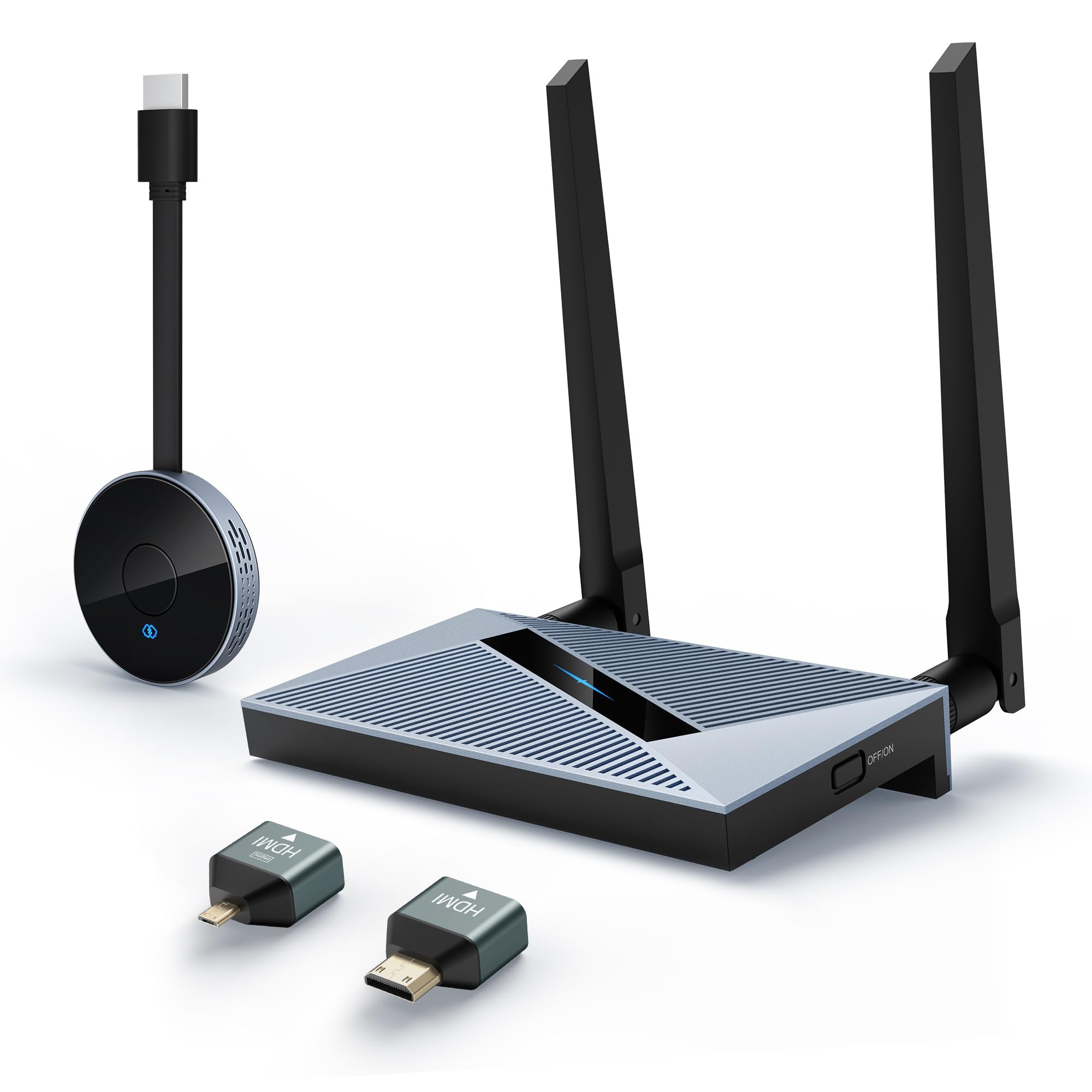
If your laptop has a normal HDMI port and the TV is on the far wall, this kit is the one to start with. COTOWE ships a transmitter for your laptop and a receiver for the TV, and the pair build their own link over 2.4G and 5G (two radio bands, so the dongle can pick a quieter channel). The stated range is up to 150 feet or 50 meters, with the honest caveat in the listing that walls and obstacles eat into that. For a conference room or a lecture hall where the projector is nowhere near the podium, that is a lot of slack.
What actually wins people over is dependability — performance is far and away the most-praised thing about this adapter. The picture side is straightforward: it decodes up to 4K video and outputs 1920×1080 pixels, which is crisp enough for slides, spreadsheets, and web pages on a big screen. The nice surprise is the transmitter. It works on its own as a wireless HDMI display dongle adapter, so you can hand it to a phone or tablet and mirror from there without lugging the receiver into the room. It also plays nicely with Windows, MacOS, iOS, and Android screen sharing.
The catch is worth saying plainly: this is a 1080p output, so if your source material is genuinely 4K and you care about every pixel, the Unitek below does more. Also, an occasional owner finds the pairing needs a second attempt in a crowded wireless environment. Neither is a reason to walk away — it is a reason to match the pick to the room.
What it gets right
- Up to 150 ft / 50 m of stated range — enough to present from the back of a large room
- 2.4G and 5G bands give it a second channel when the air is crowded
- Transmitter doubles as a standalone dongle for phones and tablets
- Works across Windows, MacOS, iOS, and Android screen sharing
Where it stops short
- Output tops out at 1920×1080 pixels, so 4K material gets scaled down
- Stated range shrinks fast with walls in the way
- Slightly bigger body than a bare dongle
Pick it for: presenters with an HDMI laptop who walk into unfamiliar rooms and need the link to just work.
Think twice if: your source is true 4K and you want the full resolution on the TV.
2. Unitek True 4K Wireless HDMI Display Dongle Adapter
The one that refuses to shrink your 4K spreadsheet to 1080p
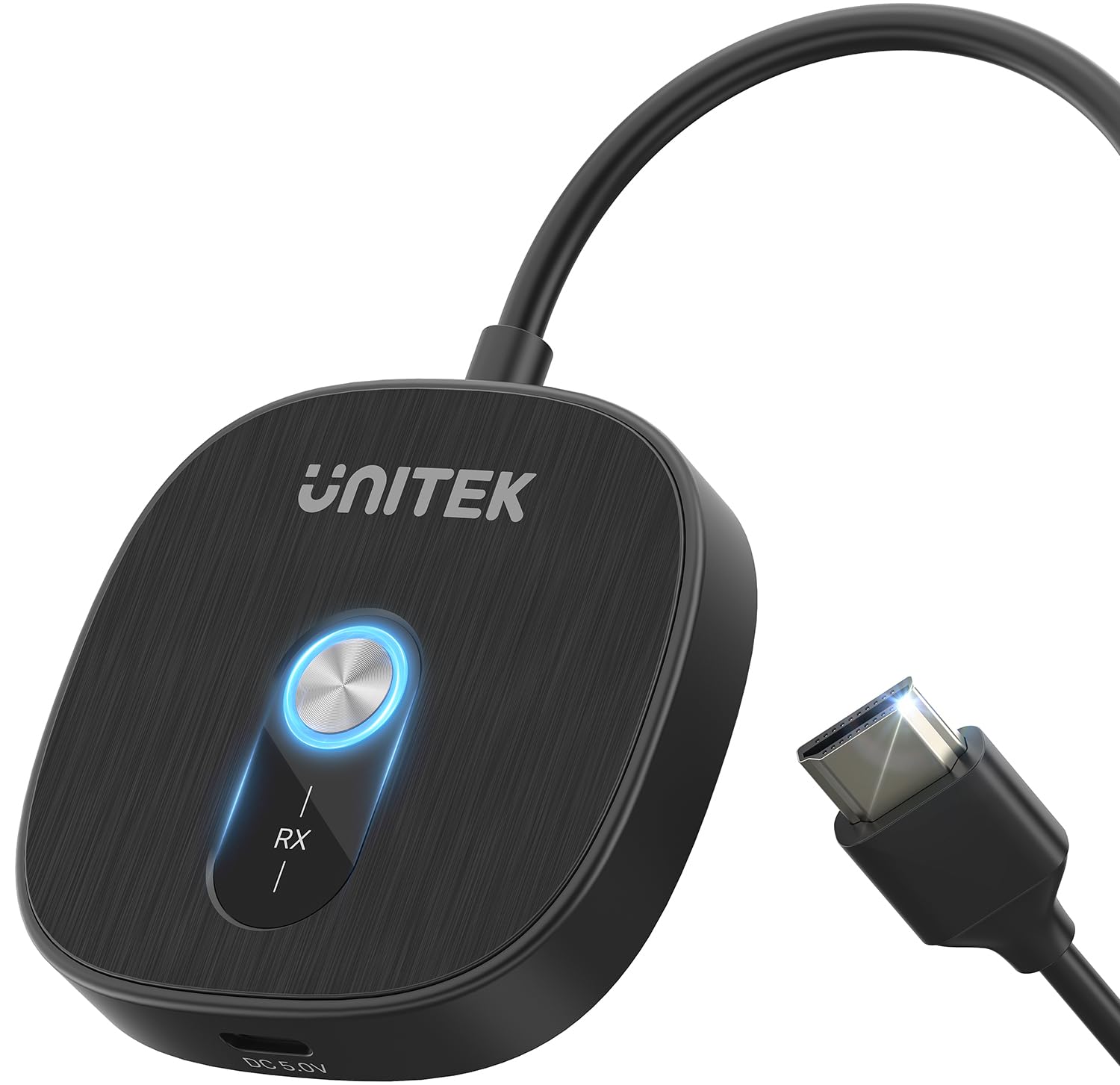
Here is the distinction that separates this Unitek from almost every other pick on this list. Plenty of dongles advertise 4K and mean decoding — the chip can read a 4K file and then hands your TV a 1080p picture. This one claims true 4K screen mirroring end to end, so small text in a spreadsheet arrives readable and movie night projections keep their contrast. If you have ever squinted at a “4K” adapter that looked soft, that is the difference you were feeling.
The radio setup is dual-band 5G and 2.4G. The 5G side keeps latency low for real-time mirroring, and the 2.4G side pushes through walls and obstacles for a stated range up to 164 feet or 50 meters. AirPlay handles iPhone, iPad, and Mac; Miracast covers Android and Windows, so your Dell XPS or HP laptop is covered natively. There is also a one-button rotation that flips the output to fill the screen for portrait video — TikTok live streams and Instagram Reels stop sitting in that sad little vertical strip.
Two things to know before you commit. It is not compatible with the Google Pixel series, and HDCP-protected content from Netflix, Prime Video, or Disney+ may need app-specific casting support rather than a straight mirror. Both are spelled out by the maker, which is more honesty than most listings offer. It is the biggest-ticket pick in this group, and for a true 4K output that is the trade you are making.
Why the extra spend: true 4K output instead of 4K decoding, which is the one spec that changes how documents and film both look.
The honest limit: Pixel phones are out, and streaming apps with HDCP protection may not cast directly.
Reach for this if: you work with dense text, photos, or 4K footage and the picture quality is the whole point.
Look elsewhere if: you own a Pixel handset or you mainly want to cast subscription apps.
3. j5create ScreenCast Wireless HDMI Transmitter and Receiver
Built for the room where the screen is nowhere near the laptop
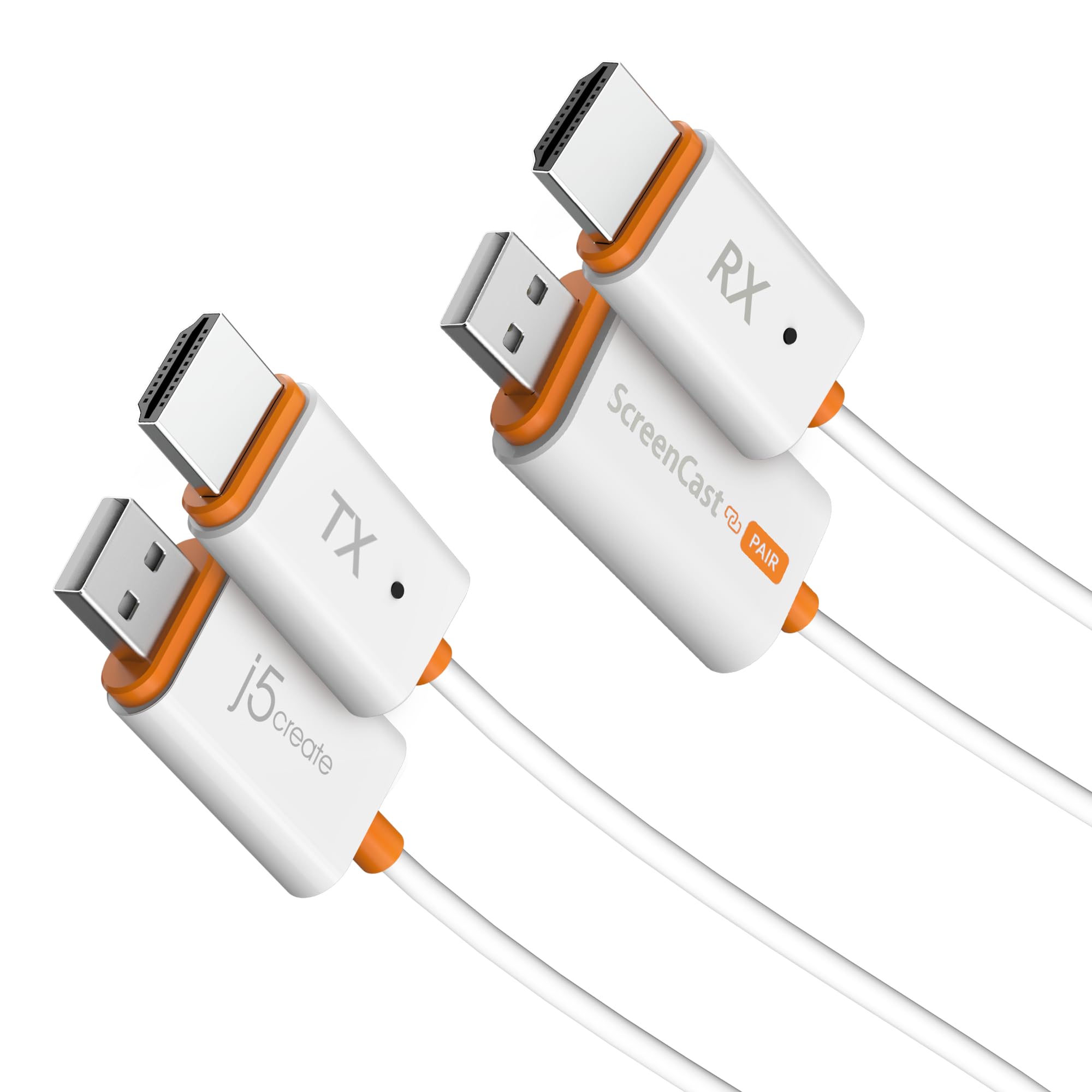
The number that matters here is 328 feet — 100 meters of stated range in open outdoor space, plus up to 98 feet or 30 meters indoors with a clear line of sight. That is a different class of reach from a pocket dongle, and it is the reason this one belongs in a venue, an auditorium, or a backyard projection setup rather than a living room. For everyday AirPlay or Miracast casting with the receiver alone, the listed figure drops to a reliable 49 feet or 15 meters, which is still plenty for a meeting table.
What sets this setup apart is that it needs nothing. The transmitter plugs into the HDMI port of your Windows or macOS laptop, the receiver plugs into the TV, and the two build a direct link — no apps to install, no network to join, no password to type. The receiver also stands alone for AirPlay and Miracast, so an iPhone, iPad, or Android phone can cast without the transmitter at all. Day to day it pushes a smooth 1080p stream at 60Hz (60 frames per second, so motion looks fluid), and it is fully DRM/HDCP compliant (the copy-protection handshake streaming services require), which is a genuine convenience for services that usually refuse to cast.
There is a trade-off in the body itself: a transmitter plus a receiver means two pieces to keep track of, and the kit is priced at the top of this group. Owners are fond of it, but the review base is still modest, so treat the early praise as promising rather than proven. For the specific job of throwing a signal across a genuinely long distance, though, nothing else here comes close.
The standout: 328 ft / 100 m outdoors and 98 ft / 30 m indoors with line of sight, plus full DRM/HDCP compliance.
What you give up: two pieces to carry and a top-tier price, on a still-small review base.
Best suited to: venue presenters, teachers in big halls, and anyone projecting outdoors over a real distance.
Not the pick if: you want one small dongle for a single room and nothing else to lose.
4. Ogzvhypl Wireless HDMI Display Dongle Adapter
A pocket dongle that turns your phone sideways and fills the screen
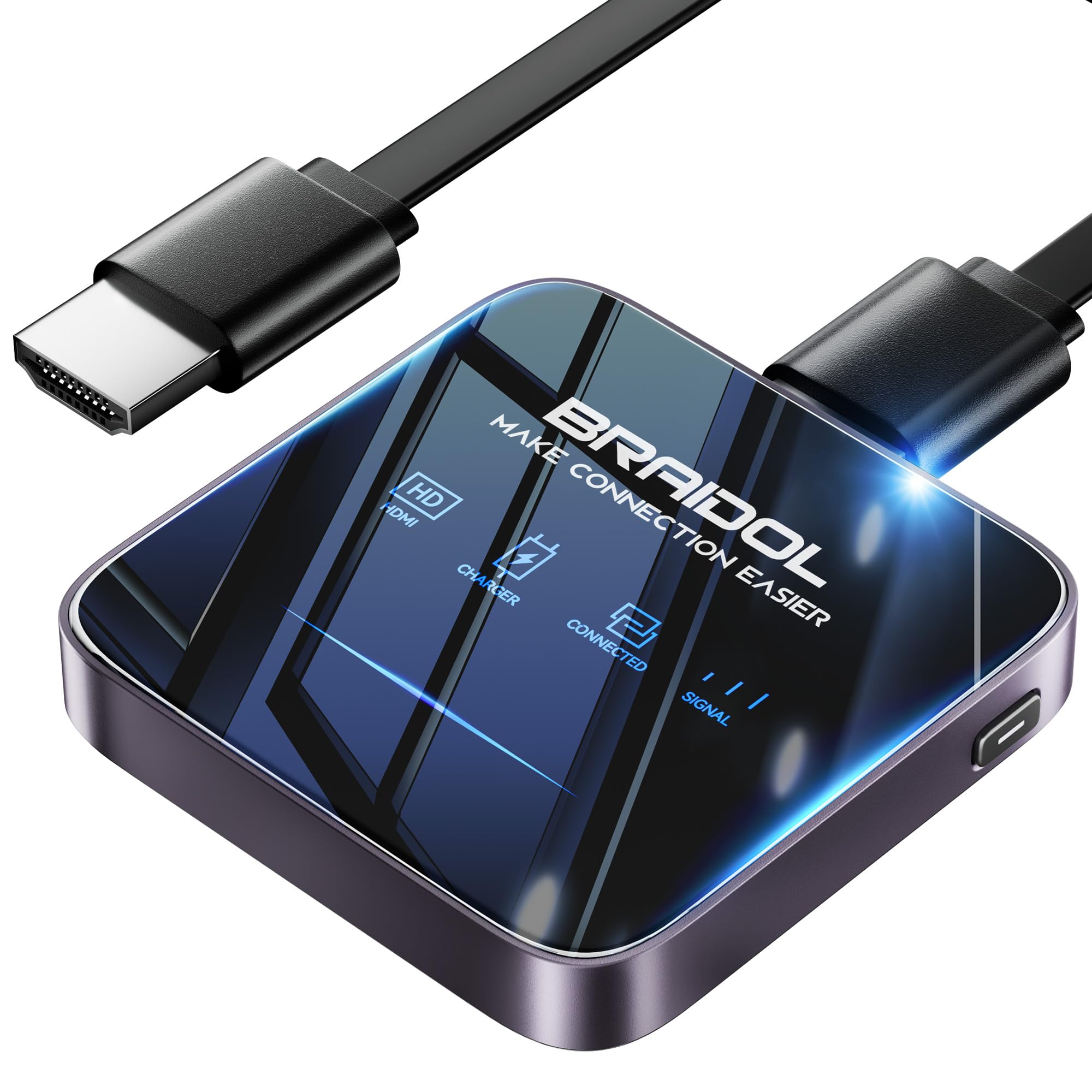
At 2.2 by 2.2 by 0.4 inches, this is a body that disappears in a jacket pocket — which makes it easy to compare against the Tongtion below, whose listed dimensions run 0.7 by 4.3 by 5.9 inches. Both do the same core job, but the Ogzvhypl packs the features you notice at the moment of use. A side button switches landscape to portrait and back, there is a privacy mode plus one-click disconnect, and the listed latency is 100ms — a tenth of a second, quick enough that lip movement and audio stay believable.
Functionality is the thing buyers talk about most here, and it tracks with a dongle that just does what the box says. Setup is genuinely no-fuss: no apps, no Bluetooth pairing, no Wi-Fi login. Press once and the phone or laptop mirrors to the big screen. It supports AirPlay for Apple iOS and Mac and Miracast for Android and Windows, and the built-in chipset covers a wide span of HDMI output devices. It handles up to 1080p at 60Hz from a 4K decode path, so slides and video both look clean. The maker also backs it with a 24-month replacement service.
Now the limitation every buyer needs to hear: the stated range is only 16 feet or 5 meters. This is a same-room device, designed for a conference table or a living room, not a lecture hall. And as with most dongles here, HDCP-protected apps like Netflix, Prime Video, and Hulu may not be supported. The instruction sheet draws mixed reactions — some find it clear, others want more detail — so plan on a couple of minutes of trial and error the first time.
Worth knowing
- 100ms latency keeps audio and video believable
- Side button flips portrait to landscape for phone video
- Privacy mode and one-click disconnect are built in
- Backed by a 24-month replacement service
Keep in mind
- 16 ft / 5 m stated range is strictly same-room
- HDCP-protected streaming apps may not cast
- Instructions split opinion between clear and thin
Choose it when: your casting happens within a few feet and you care about flipping vertical video to fill the TV.
Pass on it when: the screen is across a large room, where 16 feet will not stretch.
5. j5create ScreenCast HDMI Wireless Display Adapter Receiver

The receiver that makes any conference-room TV a cast target
If you do not want two pieces to carry, this is the receiver-first answer. The j5create ScreenCast plugs into a TV or projector’s HDMI port and waits for a Windows laptop, MacBook, iPhone, iPad, or Android device to cast to it over Miracast or AirPlay. The stated range is up to 50 feet, which covers a normal conference room. It is 74 grams, light enough to toss in a laptop bag and forget about until the next meeting.
Dual-band 2.4/5GHz antennas are the reason it holds a stable link for smooth playback, and it carries full 1080p HD, so slideshows and video both read clearly. It is at its best for everyday sharing — a quick screen cast from an Android phone, a laptop hooked up for a client deck, a movie on the hotel TV. One practical note: it is not compatible with Chromebook, so check your fleet before buying a stack for the office.
The honest part: this is the most mixed bag on the list. Picture quality and latency draw divided opinions — some find the image crisp and the connection quick, others describe a pixelated picture and occasional dropouts. That is the nature of a dongle that borrows the room’s wireless rather than building its own private link, and it is why a paired kit like the COTOWE is the safer choice for a critical presentation. For casual casting in a fixed room, it earns its keep.
Where it shines: a plug-and-forget receiver at 74 grams, supporting Miracast and AirPlay across Windows, macOS, iOS, and Android.
The honest caveat: divided reports on picture quality and connection stability, and no Chromebook support.
Right for: light daily casting in an office or home where one receiver lives permanently on the TV.
Wrong for: mission-critical presentations where a dropped link costs you the room.
6. Tongtion Wireless Display Dongle Adapter

The lightest-spend way to get a phone onto a hotel TV
This is the entry point to the whole category, and it aims at the phone-first caster rather than the laptop presenter. The Tongtion dongle runs 5G wireless transmission for a fast, stable, low-latency link, and it handles AirPlay, DLNA, Miracast, and Cast, covering iOS and macOS devices plus Windows and Android. Setup quality is what people notice most, with easy setup and connectivity both getting steady praise, and the picture holds sync — no lag between lips and audio on the review pages.
Two features set it apart within its price band. A center button zooms and switches between mirror mode and off-screen mode, so you can adjust the view without touching the source. And it takes both phone and laptop casting, which makes it a sensible travel dongle for a hotel room where you just want your own shows on the bigger screen. The body is small and orange, easy to find in a bag.
Know the walls before you buy. It is not compatible with Google protocol devices such as the Pixel series, and it will not carry HDCP-protected paid apps like Netflix, Prime Video, Hulu, Comcast TV, Xfinity, Vudu, Sky Go, or BT Sport. The maker is direct that it is not recommended for gaming. Within those limits, it gets a phone screen onto a TV for the least money here.
Ideal for: travelers and casual casters who want a small, low-cost dongle for phone-to-TV mirroring.
skip it if: you have a Pixel phone or you mainly want to stream protected subscription services.
7. Alxum USB-C Wireless HDMI Transmitter & Receiver, 2-in-1 Kit
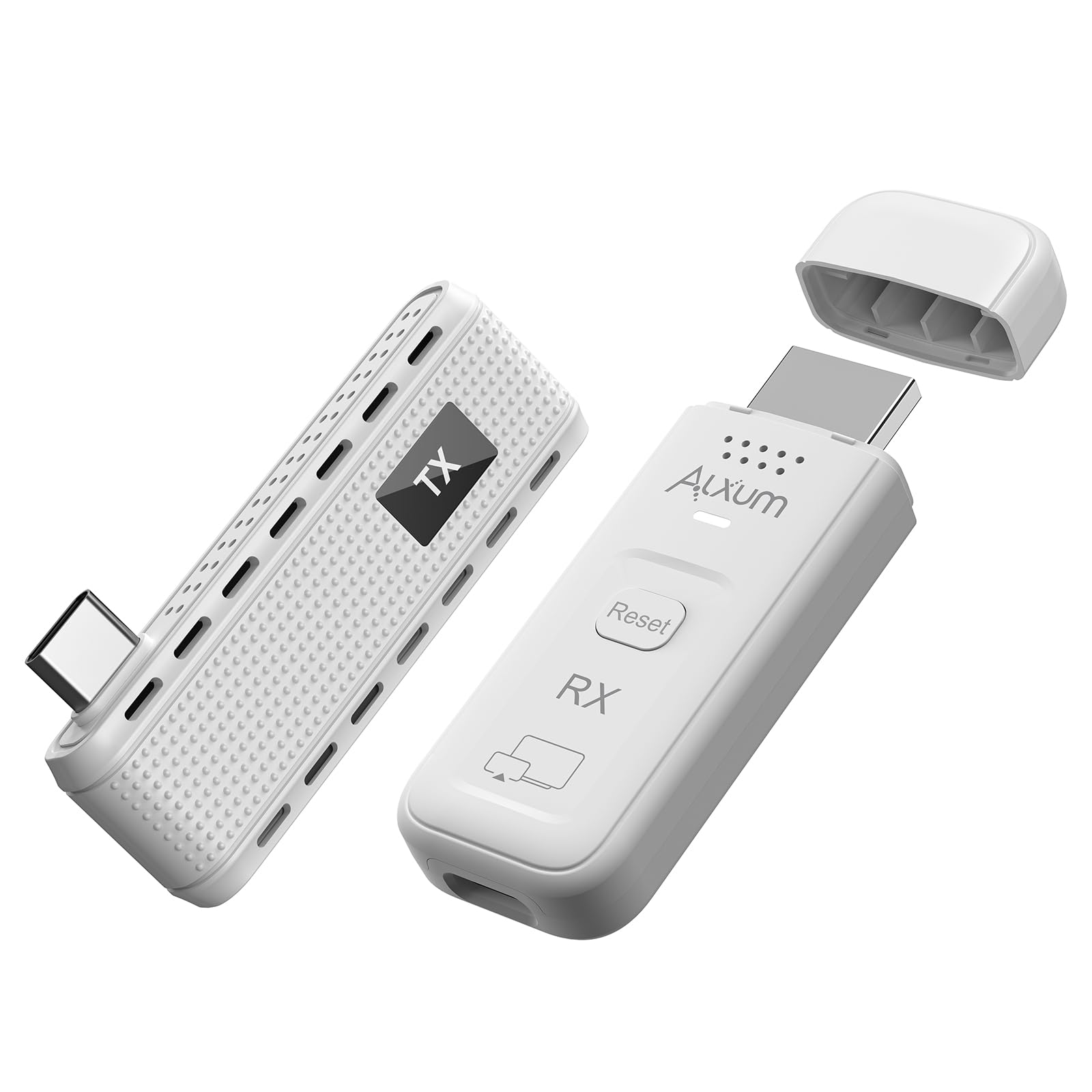
Purpose-built for the modern laptop that dropped its HDMI port
Most kits here want a full-size HDMI port on your laptop. This one is engineered for the newer machines that left it behind — the transmitter is USB-C, and the port needs to support DisplayPort Alt Mode, meaning it can carry a video signal. If your ultrabook has that, the direct mode is plug and play with no drivers, no Wi-Fi network, no Bluetooth pairing. The two pieces create a dedicated link, and the receiver also stands alone for AirPlay and Miracast casting from a phone or older laptop.
The details are thoughtful in ways frequent presenters appreciate. The transmitter’s USB-C port sits on the side, so it does not block the neighboring port on a slim laptop. A one-tap privacy button blanks the public screen during sensitive moments without unplugging anything. You can mirror or extend the display, turning a hotel TV into a second desktop for spreadsheets and video calls. Dual-band 5G and 2.4G push a 1080p at 60Hz stream up to a stated 165 feet in open space.
The realistic knock is reliability — the reports on connection consistency are split, with some setups working flawlessly and others needing a retry. That is worth knowing if you are buying for a critical recurring meeting. Confirm the USB-C port carries video before you commit, because a data-only USB-C port will not drive this kit. For a USB-C laptop owner, though, it solves a problem the HDMI-based kits cannot: no HDMI port required.
Built for modern laptops
- USB-C transmitter for machines without an HDMI port
- Side-positioned port won’t block its neighbor
- One-tap privacy button blanks the screen on demand
- 165 ft / 50 m stated range with mirror or extend modes
Worth confirming first
- Requires a USB-C port that supports DisplayPort Alt Mode
- Connection consistency divides owners
- Not the choice for a data-only USB-C port
Made for: USB-C laptop owners who present regularly and want a dedicated link without adapters.
Check first: that your USB-C port carries video, since a data-only port will not work.
Know the Specs
Resolution: output versus decoding
Two numbers get confused constantly. Decoding is what the chip can read; output is what actually reaches your TV. A dongle that decodes 4K but outputs 1920×1080 is fine for slides and documents, but a 4K source gets scaled down. True 4K output keeps the pixels intact, which matters for dense spreadsheets and film. Check the output figure, not the marketing headline.
Range and what it really means
The listed distance is the best case, usually line of sight. Walls, furniture, and crowded Wi-Fi air all cut into it. A 165-foot figure is great for a big open room; a 16-foot figure is a same-table device. Match the range to the actual space you present in, and remember the outdoor numbers are more generous than the indoor ones.
Dual-band 2.4G and 5G
These are two radio frequencies. 5G is faster with lower latency, ideal for real-time mirroring; 2.4G pushes through walls and obstacles better. A dual-band adapter can pick the better one for the room. Single-band dongles give you only one option, so they struggle more when the air is busy.
HDCP and the apps that won’t cast
HDCP is copyright protection built into paid streaming. Many adapters cannot carry it, so Netflix, Prime Video, and similar services may refuse to mirror. Some kits are DRM/HDCP compliant and handle it. For the rest, use the TV’s built-in app for those services and the adapter for your own content.
Common Questions
Will a wireless display adapter work with my Windows laptop?
Why won’t Netflix or Prime Video cast to my adapter?
Is a transmitter-and-receiver kit better than a single dongle?
What does “4K decoding, 1080p output” actually mean?
Do I need Wi-Fi or an internet connection for these adapters to work?
Will these adapters work with an iPhone or Android phone too?
How much does a wall interfere with the wireless range?
Can I extend my desktop onto a second screen, or is it mirror only?
How portable is a paired kit compared to a single dongle?
Are these adapters good for gaming?
The Bottom Line
If you look at one pick, look at the COTOWE Wireless HDMI Transmitter and Receiver: it covers 150 feet of range and works with Windows, MacOS, iOS, and Android, so it survives almost any room you walk into with a laptop. Buyers rate it 4.5+ stars across 200+ reviews. Step up to the Unitek if true 4K output (3840×2160 pixels, four times the detail of 1080p) is non-negotiable and your source material is genuinely sharp — it is the only pick here that keeps every pixel. And if you need to throw a signal across a venue, the j5create 328ft kit reaches where the pocket dongles simply cannot, with DRM/HDCP compliance as a bonus. Pick by the room you present in: a paired kit for unfamiliar rooms, a dongle for casual casting.
How we choose
We do not accept paid placement. Every pick is matched to a real buyer and a real use-case; we do not hands-on test units.
Sources
Specifications: manufacturer listings and product documentation. Review insights: verified customer reviews, as of November 2026. Pricing: not shown on this page (it changes often); check the current price via the retailer link.
As an Amazon Associate, Tactical Gear Guy earns from qualifying purchases. This does not affect which products we feature.