Specs are compiled from manufacturer listings and verified buyer reviews and can change over time — please confirm the key details on the product page before buying.
If your TV stutters every time a scene gets busy, the box plugged into it is usually the reason, not your internet plan. The right WiFi streaming media player streams 4K without buffering and hears your voice commands at normal volume. Below are nine WiFi streaming players that do exactly that, sorted by use case.
This guide is built by comparing the manufacturers’ published specifications and the patterns across verified customer reviews, so you get each pick’s real strengths and trade-offs instead of marketing spin.
The list runs from mid-range boxes to flagship hardware, and every pick connects over Wi-Fi rather than a cable. If you want the short version, the Roku Ultra LT is our pick for the most buyers — a balanced WiFi streaming media player that keeps setup simple and picture quality high.
Top Picks

How To Choose The Best WiFi Streaming Media Player
The single biggest mistake buyers make is blaming the internet when the box is the bottleneck. A player with a weak Wi-Fi radio drops frames even on a fast connection, so the wireless standard on the box matters as much as your router. Here is what to weigh before you buy.
The Wi-Fi radio is the real engine
Look for dual-band support (2.4GHz and 5GHz radios) so the player can use the cleaner 5GHz lane when your router is in the same room. Wi-Fi 6 and Wi-Fi 6E are newer standards that handle crowded networks better — useful in apartments where every neighbor’s router competes for airtime. If your router lives two rooms away, a player with a wired Ethernet port gives you a fallback the moment wireless gets flaky.
Storage decides how many apps fit
Streaming boxes run on a small amount of internal storage, measured in GB, and every app you install eats into it. A player with 8 GB fills up quickly once you add Netflix, a live-TV app, and a game or two. A box with 32 GB or 128 GB leaves room to breathe. More storage does not change picture quality, but it stops you from deleting apps to make space.
Match the picture format to your TV
4K (3840 x 2160) is the resolution most new TVs display, and it is four times the detail of Full HD. HDR boosts contrast and color, and Dolby Vision is a premium version of that. Only helpful if your TV supports the same format — a Dolby Vision player on a non-Dolby TV simply falls back to standard HDR.
Side-by-Side Comparison
| Model | Best For | Storage | Wi-Fi | Resolution | Amazon |
|---|---|---|---|---|---|
| Roku Ultra LT★ Best Overall | Most buyers | 2 GB RAM | 802.11ac dual-band | 4K UHD | Amazon |
| ONN Android TV 4KBudget Champion | Budget streaming | 8 GB | Wi-Fi | 4K UHD | Amazon |
| Roku PremiereSimplest Setup | Simple setup | — | Wi-Fi | 4K/HDR | Amazon |
| Infomir MAG555 | Wired fallback | 16 GB | Dual-band 2×2 MIMO | 4K 60fps | Amazon |
| Fire TV Cube | Hands-free control | — | Wi-Fi 6E | 4K Ultra HD | Amazon |
| Xiaomi TV Box S 3rd Gen | Dolby on a budget | 32 GB | Dual-band + BT 5.2 | 4K 60FPS | Amazon |
| Google Streamer 4K | Google TV fans | 32 GB | Wi-Fi + Ethernet | 4K HDR | Amazon |
| Formuler Z12 Ultra | Power users | 128 GB | WiFi 6E + Gigabit LAN | 4K 60fps | Amazon |
| NVIDIA Shield TV Pro | Home theater | 16 GB | Dual-band AC + Ethernet | 4K HDR | Amazon |
Detailed Reviews
1. Roku Ultra LT Streaming Device
Our pick — 4.5+★ from 450+ verified ratings; the strongest balance of quality and price.
The one that opens apps in seconds and keeps the Roku OS interface quick.
Roku’s Ultra LT wins because it does the unglamorous things reliably. The dual-band Wi-Fi radio means it can hop onto the 5GHz lane when your 2.4GHz band is crowded, which is exactly the situation in apartments with a dozen routers nearby. And the 4K picture with Dolby Vision support brings out the sort of detail you notice on a big screen — deeper blacks and richer color on compatible TVs.
The 2 GB of RAM is not a headline number. But it is enough to keep the Roku OS interface quick, and that is what makes the difference between a box you tolerate and one you stop thinking about. The included Roku Voice Remote handles volume and power on your TV, so you can drop a second remote rather than hunting for it.
The trade-off is worth naming. Reviews on reliability are mixed, and there are reports of the remote needing a re-pair when the TV goes off. Those tend to be edge cases, but if your Wi-Fi is stubbornly weak in the room where the TV sits, consider a box with an Ethernet port.
What earns its place
- Dual-band 802.11ac Wi-Fi grabs the cleaner lane
- 4K with Dolby Vision looks its best on a modern TV
- Voice Remote also controls your TV’s volume and power
- Fast app loading — the interface does not feel cheap
Where it thins out
- No wired Ethernet port for a dead-zone room
- Remote pairing is the recurring gripe in owner feedback
Reach for this if: you want a streaming box that gets out of your way and you have a 4K TV ready for HDR.
Think twice if: your router sits two walls away — this one leans entirely on wireless.
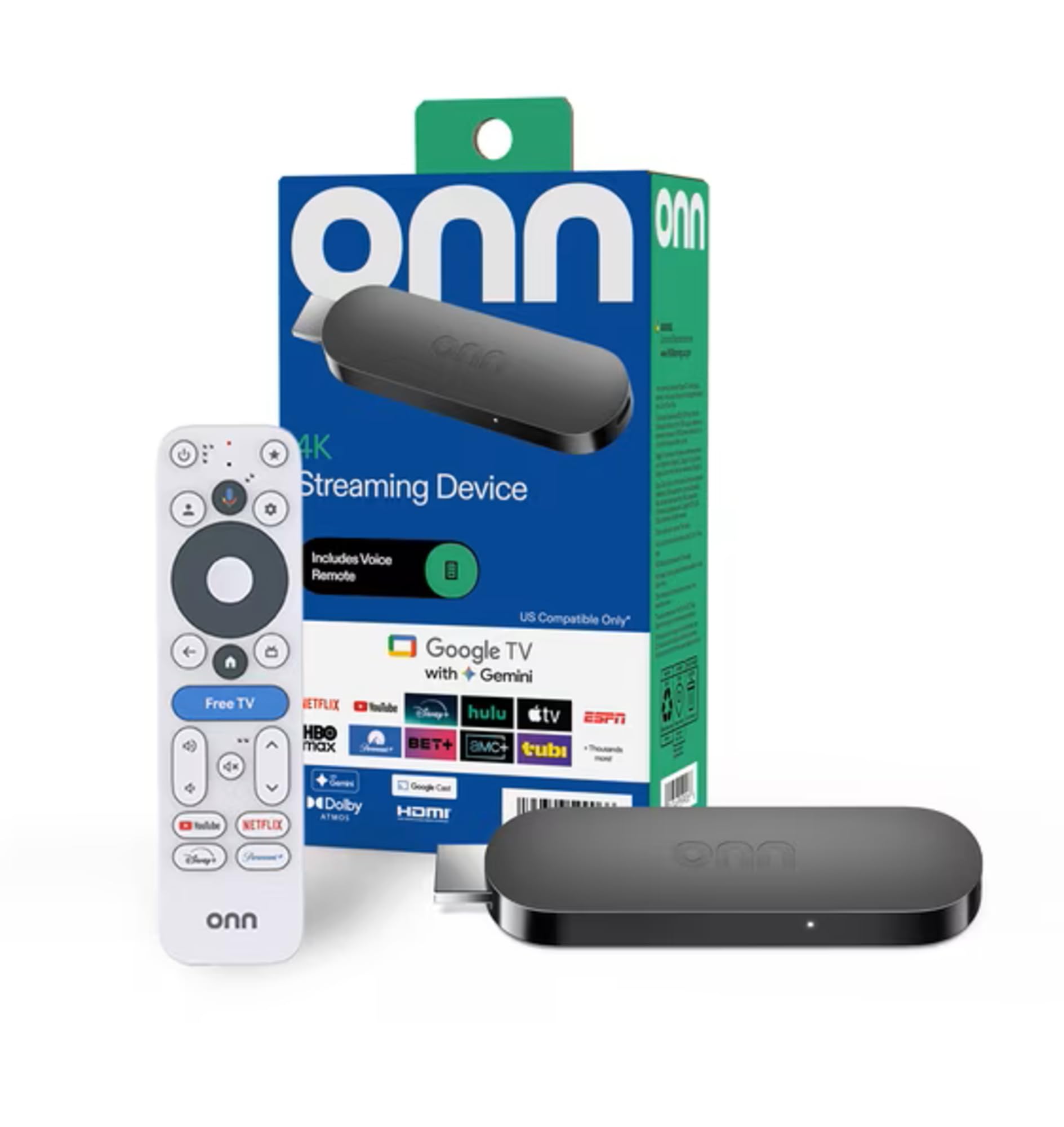
2. ONN Android TV 4K UHD Streaming Device
The Android TV box that undercuts every other pick on price.
If you already live inside Google’s ecosystem — Gmail on your phone, YouTube on your tablet — this 4K Android TV box is the shortest path from your TV to all of it. The Google Play Store is there in full, so you install what you want rather than what a manufacturer picked for you. Chromecast is built in, which means you can flick a video from your phone to the TV in one tap.
Storage is where the value shows up: the ONN holds 8 GB of app space. That is real breathing room when you install a live-TV app, a few streaming services, and a couple of games. Set up is guided through your Google account, so most people get through it in minutes.
The honest caveat is pacing. The box runs fast most of the time, but owners describe occasional lag when switching between heavier apps. At this tier, that is about what you should expect — it is a budget box, not a speed demon.
What you get: a full Google TV-style experience with voice search through the included remote’s Google Assistant button, plus an HDMI cable in the box so you are not scrambling for one.
What you give up: the responsiveness that higher-priced player offers — it does the job, but you feel the difference if you switch apps constantly.
The right call for: a first streaming box, a spare-room TV, or any household that already lives in Google’s apps.
Not the pick for: someone who’ll be annoyed by a half-second pause when a demanding app opens.
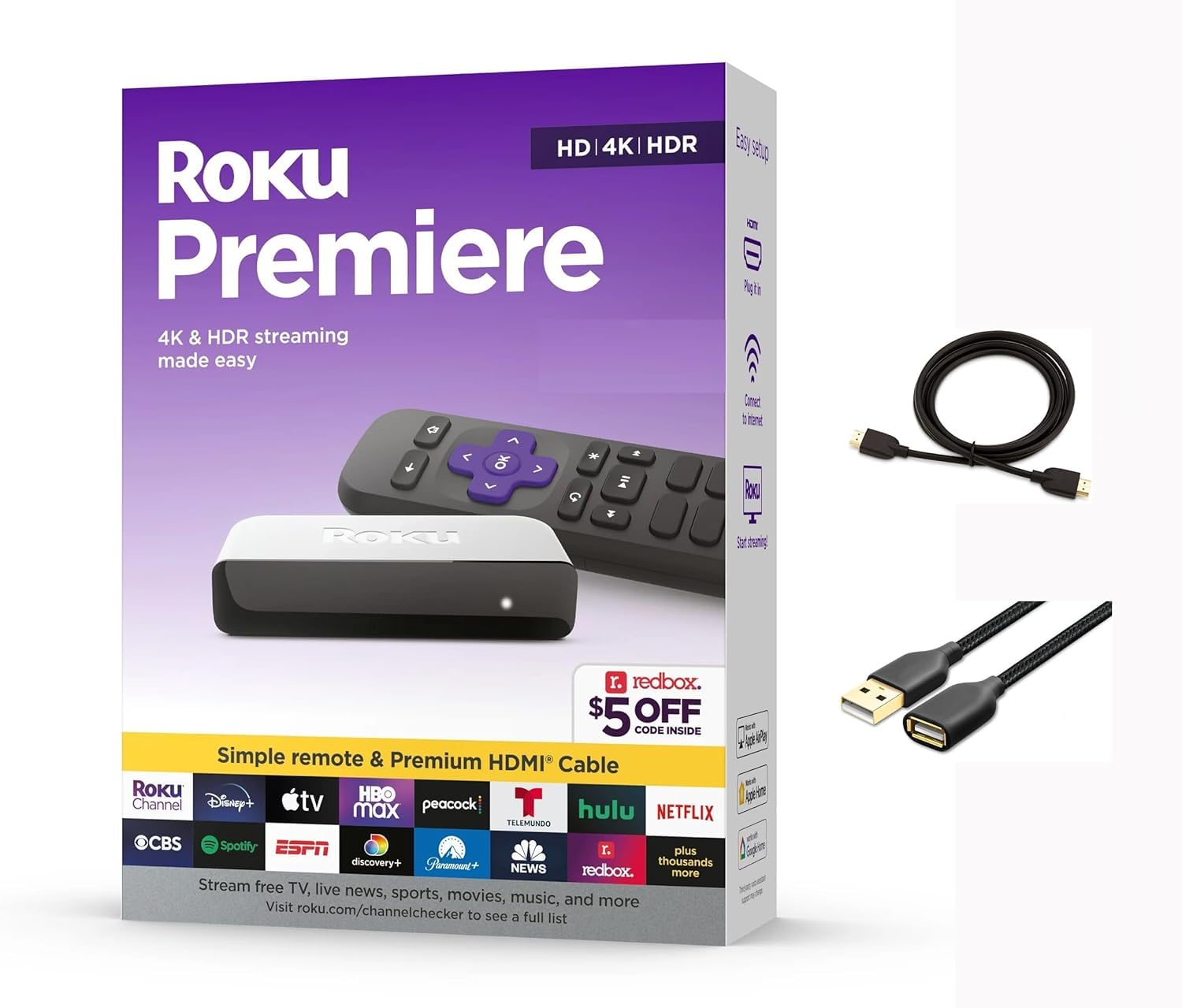
3. Roku 3920RW-SW Premiere
A plug-in 4K HDR upgrade for the spare-bedroom TV.
This Premiere is the “it’s good enough for the other TV” pick — the box you buy when you want streaming in a room that doesn’t get the flagship setup. You get 4K and HDR support, plus the Roku Channel with its free live-TV lineup, which adds variety without another subscription.
The physical footprint is worth a note. At 6.5 by 5 by 2 inches it is noticeably chunkier than the Infomir MAG555, which measures 4.17 by 4.17 by 0.92 inches — that compactness matters if you are trying to tuck the box behind a wall-mounted TV. The Premiere wants a little shelf space.
Voice control reaches beyond Roku’s own remote: it works with Siri, Alexa, and Google Assistant, so the voice routine you already use can drive it. Apple AirPlay is supported too, meaning you can beam video and photos from an iPhone straight to the screen.
The trade that stings: the simple remote omits volume buttons and voice search, so you will juggle a second remote or control the TV by app. Some owners call it the box’s weakest point.
Buy this for: a simple, low-effort second TV in the bedroom or den.
Skip this if: you want one remote that does everything — the included one is deliberately basic.
4. Infomir MAG555 4K Streaming Media Player

The Ethernet-equipped box with 16 GB of app storage.
If your Wi-Fi keeps fading in the room where your TV lives, this MAG555 takes the guesswork out of the equation. A dedicated Ethernet port lets you plug in directly for the most stable high-bitrate 4K streaming you can get, while the dual-band Wi-Fi with 2×2 MIMO handles the wireless days.
Inside, the Amlogic S905Y4-B chipset pushes 4K at 60 fps with Dolby Audio, and the box carries 16 GB of storage, against 8 GB on the ONN above. That storage bump is meaningful if you want to keep apps installed without deleting one to fit another.
Google TV 12 sits on top as an official, licensed platform, so the streaming apps you install are the sanctioned versions from the Play Store, with Chromecast built in for phone-to-TV casting. Voice search runs through the included Bluetooth remote.
Where owners split: picture quality gets universal praise, but ease of use and app compatibility draw more mixed reaction than the top picks — it’s a box that rewards setup.
Made for: anyone whose router can reach the TV with a cable, or who wants maximum local streaming stability.
Better elsewhere if: you want a zero-fuss interface that anyone in the house can navigate cold.
5. Amazon Fire TV Cube
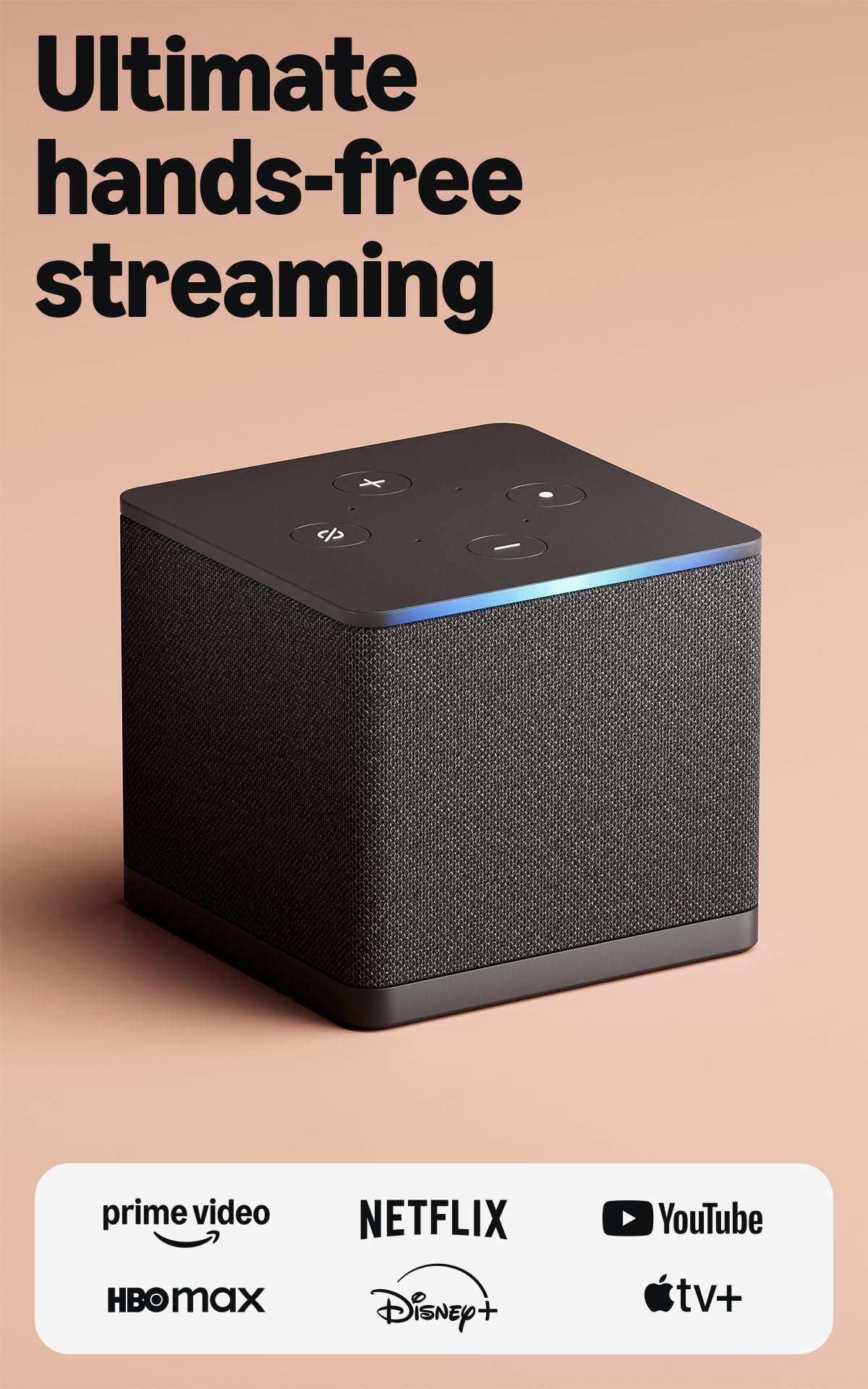
Hands-free Alexa changes the channel from across the room, no remote needed.
Wi-Fi 6E is the headline — this is the first streaming media player to support that standard, which means it uses the newer, less crowded wireless band when your router offers it. In practice, a denser apartment building feels smoother. Add the octa-core processor and app starts feel near-instant: there is no delay between tapping a show and the first frame loading.
The hands-free part is the real magic. The built-in mic and speakers let you say “Play Stranger Things” from across the room without picking anything up. The newest Fire TV interface is the biggest update yet, with dedicated content categories and Alexa+ jumping to whatever you ask for.
Picture-wise, 4K with Dolby Vision, HDR, and Dolby Atmos audio lands you in the same tier as far pricier players. There is also an off button that physically disconnects the microphones, which is a nice touch for anyone wary of an always-listening box.
Why this one earns the hype
- Wi-Fi 6E is a genuine upgrade in crowded wireless environments
- Octa-core processor keeps the interface snappy without pauses
- Hands-free Alexa hears you from across the room
The honest caveats
- Streaming subscriptions are required for most content
- The AI features are Amazon-centric — works best if you already use Alexa
Perfect for: the household that wants to control the TV by voice without hunting for a remote.
Less ideal for: staunch Google TV users — the experience is tuned to Amazon’s world first.
6. Xiaomi TV Box S 3rd Gen

Dolby Vision and 32 GB in a 3.82-inch-square chassis.
The Xiaomi TV Box S packs a Quad-Core CPU up to 2.5GHz and an ARM G310 V2 GPU into a chassis just 3.82 by 3.82 by 0.67 inches — small enough to tuck behind almost any TV. Inside is 2GB of RAM and 32GB of storage — the same 32GB as the Google Streamer 4K, and second only to the Formuler’s 128GB.
Picture support is where this punches above its class. You get 4K at 60FPS with Dolby Vision and HDR10+, plus Dolby Audio and DTS:X surround. On a compatible TV, that translates to the sort of contrast you might otherwise need a flagship box to get. Google TV runs the show, with Assistant voice control through the remote.
The connectivity is generous — dual-band Wi-Fi plus Bluetooth 5.2 and Google Cast. Owners note it performs above what a Firestick-type stick manages. The caveat is the recurring note about internet connection drops and remote pairing, so if your Wi-Fi is already shaky, a box with Ethernet would serve you better.
The practical read: what wins people over is the performance and the format range, not the interface. Picture quality does the heavy lifting, and 32 GB keeps your downloaded apps in place.
Grab this if: you want Dolby Vision and Atmos without paying flagship money.
Look elsewhere if: your home network is already dropping connections — this box leans on Wi-Fi only.
7. Google Streamer 4K

Google’s own box, tuned to make browsing feel like flipping a magazine.
There is a reason this one carries Google’s badge: the interface is as polished as the platform gets. Movies and shows from every service sit on one home screen, and the recommendations are personalized per viewer in the house. You can add anything to a watchlist from your phone or a Google search and it shows up here.
Picture quality gets Dolby Vision, and you can route audio to a Dolby Atmos system. Storage is 32 GB — generous enough that an installed app library does not force deletions. The 4K HDR experience is the main reason people go for it, and it delivers.
Connectivity is dual-path: Wi-Fi for normal use and Ethernet for a wired fallback in tricky rooms. Note that the HDMI 2.1 cable is sold separately — if you do not have one on hand, order it at the same time. Owners appreciate that the interface stays understandable for older family members, which is not always the case with deeper Android setups.
The thing everyone raves about: the picture and the speed. Nothing feels laggy here, which separates it from cheaper players that stutter on app switching.
Worth knowing: remote and value feedback is more mixed than the picture praise — some want more from the remote given the price tier.
Suits you if: you want the cleanest Google TV experience and a box that everyone in the house can navigate.
Reconsider if: you’re expecting a bundled HDMI cable — you’ll need to supply your own.
8. Formuler Z12 Ultra

Four gigabytes of RAM, 128 GB of storage, and a backlit remote for the dark.
On raw hardware, nothing else here comes close: 4GB DDR4 RAM and 128GB of storage — against the Infomir MAG555’s 16 GB and the Xiaomi’s 32 GB. Gigabit LAN and WiFi 6E round out what is essentially a small computer for your TV. If you hoard recordings and apps, this is where that capacity pays off.
The decoder is future-proofed against standards that will keep arriving: 4K 60fps 10-bit with AV1, H.265 (HEVC), H.264, and HDR10+ and HLG formats. The home screen is clean — no ads, no clutter, customizable with your apps. That clean interface is a real pleasure if you are tired of recommendation overload.
The remote is the part people either love or shrug at. It is a Bluetooth backlight voice remote with hotkeys and Find My Remote, and some owners find the design less comfortable than the feature list suggests. The bigger note is reliability — the device crashes and reboots for some owners, so if stability is your top priority, know that going in.
When it’s the right tool: you are the person who wants the most capable box on the shelf and doesn’t mind a little rough-edge polish.
The thing to keep in mind: performance and picture get praise, but the crash reports in owner feedback mean it’s not the pick for a household that expects zero fuss.
For the tinkerer: someone who wants 128 GB of room and the fastest wireless standard in the room.
Not the fit for: a set-and-forget household that values uptime over spec sheets.
9. NVIDIA Shield TV Pro

The living-room tank that turns old HD video into something worth watching.
The Shield TV Pro’s trump card is the NVIDIA Tegra X1+ chip and its AI upscaling — a feature that takes 1080p video and enhances it in real time toward 4K. If you have a library of older shows or Blu-ray rips, this is the box that makes them look modern again. Plex Media Server is built in, so your own media collection plays direct from the Shield.
The hardware is the most expandable in this roundup. There are two USB 3.0 ports for storage, cameras, keyboards, or controllers — genuinely useful if you have an existing drive or want to plug in a keyboard. Combined with 3 GB RAM and 16 GB storage, plus Dolby Vision HDR and Dolby Atmos, the box is a serious home-theater piece rather than a convenience gadget.
Connectivity covers both bases with Gigabit Ethernet and dual-band AC Wi-Fi, plus Bluetooth 5.0 for remotes and gamepads. The remote has motion-activated backlit buttons and a locator, which solves the “where did the remote go” problem. The trade is that this is a 2.1-pound box that expects a dedicated spot — not something you tuck in a corner.
Where the Shield wins
- AI upscaling brings 1080p sources closer to 4K
- Two USB 3.0 ports for drive expansion and accessories
- Plex Media Server built in — play your own library
- Dolby Vision and Atmos for cinema-grade playback
What to know before you buy
- Value-for-money feedback is mixed — some owners think it’s steep for the jump
- Reliability and stability aren’t universally glitch-free
Take this route if: you have a dedicated home theater and care about upscaling and expandable storage.
Pass if: you stream only from apps and don’t need USB ports or Plex.
Know the Specs
Wi-Fi standards
Dual-band means the player can swap between 2.4GHz and 5GHz channels. The 5GHz band is faster over short distances and less crowded, while 2.4GHz reaches farther. Wi-Fi 6 and 6E are newer standards that handle crowded networks better, which matters in apartments where dozens of routers compete for airtime.
Storage in GB
Storage is where your apps and downloads live. An 8 GB box fills up quickly if you install heavy streaming apps; a 32 GB or 128 GB box leaves room for a big app library and recordings. More storage does not change picture quality — it just keeps you from juggling apps.
Resolution and HDR
4K (3840 x 2160) is four times the detail of Full HD, and it’s the resolution most modern TVs display. HDR boosts contrast and color contrast. Dolby Vision is a premium flavor of HDR that requires a compatible TV to show its full benefit.
Voice remotes
Voice search lets you say a show’s name instead of typing it letter by letter. Bluetooth remotes do not need line of sight, so they work if the box is tucked behind a TV. Some remotes also control TV power and volume, which can replace a second remote.
Common Questions
Does a streaming media player need Wi-Fi to work?
Will a 4K player work with my older non-4K TV?
How much app storage do I really need?
Can I use my phone as a remote for these boxes?
Will the box still stream smoothly while other devices use the Wi-Fi?
Do these players come with an HDMI cable?
Which of these supports Dolby Vision and Dolby Atmos?
Is a streaming box better than the smart features built into my TV?
Can I play games on these streaming players?
Do these players need a separate power adapter?
The Bottom Line
For most people, the wifi streaming media player that gets out of your way is the Roku Ultra LT — it combines dual-band Wi-Fi, 4K Dolby Vision, and a voice remote that also runs your TV, all with the quickest interface in this roundup. If you already live inside Amazon’s world, the Fire TV Cube earns its premium with hands-free Alexa and Wi-Fi 6E. And if you own a home theater and want upscaling, USB expansion, and Plex built in, the NVIDIA Shield TV Pro is the ceiling.
One nudge: the Roku Ultra LT is close to a sure thing in this category — a balanced pick that owners widely call one of the best devices on the market. That kind of steady reputation is the reason it tops the list, not because it’s the cheapest or flashiest.
How we choose
We do not accept paid placement. Every pick is matched to a real buyer and a real use-case; we do not hands-on test units.
Sources
Specifications: manufacturer listings and product documentation. Review insights: verified customer reviews, as of November 2026. Pricing: not shown on this page (it changes often); check the current price via the retailer link.
As an Amazon Associate, Tactical Gear Guy earns from qualifying purchases. This does not affect which products we feature.