Specs are compiled from manufacturer listings and verified buyer reviews and can change over time — please confirm the key details on the product page before buying.
If half your house gets a weak signal while the router sits in one corner, a mesh system with multiple access points is the fix. Match the node count to your rooms and the band class to your device load. Below you’ll find nine real mesh kits sorted by what each one actually does well, from gigabit-capable entry systems to quad-band units built for multi-gig fiber.
This guide is built by comparing the manufacturers’ published specifications and the patterns across verified customer reviews, so you get each pick’s real strengths and trade-offs instead of marketing spin.
Start with the node count and the square footage you actually need, then match the band class to your internet plan. Each spec below is translated into what it means for your rooms and your plan.
Top Picks


How To Choose The Best WiFi Mesh Access Point
A mesh system is a set of identical units that share one network name and hand your phone, laptop or TV from one to the next as you walk around. Most buyers shop by square footage alone and ignore the walls between rooms. Plaster, brick, and a kitchen full of appliances eat a signal far faster than open floor plan advertising suggests.
Start with node count and coverage, not headline speed
Two nodes typically handle a floor and a half or a single-floor home. Three nodes make sense when you have a basement, a detached garage, or a long rectangular layout — which is why the three-packs here stretch from 4,500 sq. ft. up to 9,000 sq. ft. Three spread-out nodes beat one centrally placed node every time, whatever the box claims.
Understand band class before you pay for it
Dual-band means your system runs on the 2.4 GHz and 5 GHz frequencies. Tri-band adds a 6 GHz lane (often called Wi-Fi 6E or Wi-Fi 7 territory) — a wide, less congested lane that carries the traffic between your nodes. Quad-band splits that even further. If you live in a dense apartment block with twenty visible neighbour networks, the extra lanes are not marketing fluff; they are what stops your mesh from talking over itself.
Check the wired ports against your internet plan
If you pay for a gigabit plan, a 1 Gbps port is fine. If your provider sold you a multi-gig plan, a 2.5 Gbps or 10 Gbps port is the only way to actually receive it. Buying a system with a slower port than your plan silently caps your speed before it ever reaches your devices.
Side-by-Side Comparison
| Model | Best For | Coverage | Band Class | Max Speed | Amazon |
|---|---|---|---|---|---|
| Amazon eero 6+ (3-pack)★ Best Overall | Whole-home basics on a gigabit plan | Up to 4,500 sq. ft. | Dual-band (Wi-Fi 6) | Up to a gigabit | Amazon |
| Google Nest Wifi AC2200 (2-pack)Best for Small Homes | Smaller homes wanting easy roaming | 1,600 sq. ft. | Dual-band | 1200 Mbps | Amazon |
| Google WiFi AC1200 (3-pack)Best Three-Node Value | Simple three-node coverage | Up to 4,500 sq. ft. | Dual-band | 1200 Mbps | Amazon |
| TP-Link Deco 7 BE23 (2-pack) | Wi-Fi 7 on a mid-range budget | Up to 4,500 sq. ft. | Dual-band (Wi-Fi 7) | 2500 Mbps | Amazon |
| TP-Link Deco XE70 Pro (3-pack) | Large homes with lots of devices | Up to 7,200 sq. ft. | Tri-band (Wi-Fi 6E) | 4.9 Gbps | Amazon |
| ASUS ZenWiFi BT6 (3-pack) | Big houses plus outdoor yards | Up to 7,600 sq. ft. | Tri-band (Wi-Fi 7) | 8643 Mbps | Amazon |
| TP-Link Deco 7 Pro BE14000 (3-pack) | 10 Gbps fiber and heavy device loads | Up to 8,100 sq. ft. | Tri-band (Wi-Fi 7) | 14000 Mbps | Amazon |
| ASUS ZenWiFi BT10 (3-pack) | Multi-gig setups wanting dual 10G ports | 9,000 sq. ft. | Tri-band (Wi-Fi 7) | 18 Gbps | Amazon |
Detailed Reviews
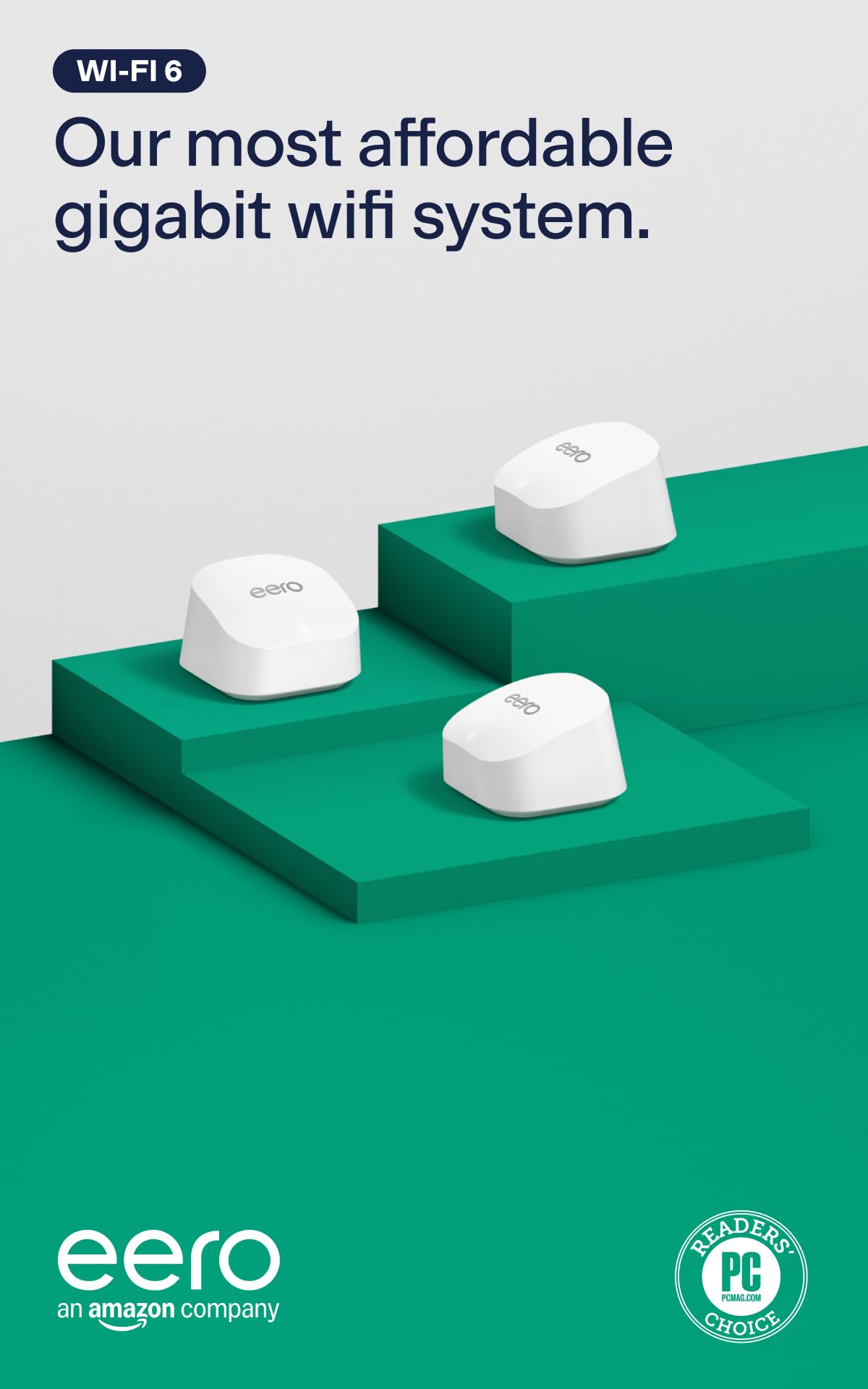
1. Amazon eero 6+ mesh wifi system – 3-pack
Our pick — 4.0+★ from 10,500+ verified ratings; the strongest balance of quality and price.
Three nodes, a gigabit ceiling, and a hub baked in — the least fiddly way to blanket a normal house.
This is the pick for the household that just wants the whole place covered and does not want to babysit a network. Three units spread up to 4,500 sq. ft., each one supporting internet plans up to a Gigabit, and the system handles 75+ connected devices at once. That’s enough for a family of four with phones, laptops, a smart TV and a dozen smart-home gadgets pulling at the same time.
What wins people over is how little work the install is. The eero app walks you through setup node by node, and being easy to get running is the single thing owners bring up again and again. The TrueMesh routing and the app’s guidance mean it also just keeps running in the background instead of asking for your attention. There’s a smart-home bonus too: each unit has a built-in hub that connects compatible Thread and Zigbee devices through Alexa, so you don’t need a separate bridge for those sensors.
Here’s the honest catch: the system leans on a subscription for its fuller online security and network-management features. The wide 160 MHz radio channel (a frequency slice that pushes more data at once) is only as useful as the devices you own that can use it. That 160 MHz channel is great for a busy household working and streaming simultaneously, but your older phones may not benefit. A few owners have hit connection drops under heavy load; it is not the norm, but it is worth knowing if your whole work-from-home setup hinges on one network.
Why this earns the top spot
- Three nodes cover up to 4,500 sq. ft. and 75+ devices on one network name
- Gigabit-capable internet support without a premium-tier price
- Setup is guided node by node in the eero app — no separate controller needed
- Built-in Thread and Zigbee hub replaces a separate smart-home bridge
Where it asks more of you
- Fuller security and network-management features sit behind a subscription
- Dual-band only — no dedicated 6 GHz lane for the link between nodes
- Occasional connection drops reported under heavy simultaneous load
Reach for this if: you want a whole-home mesh that installs in an afternoon and quietly stays up, with smart-home sensors talking to it directly.
Look elsewhere if: you need a dedicated 6 GHz band for backhaul or run a multi-gig internet plan that a gigabit ceiling would hold back.
2. Google Nest Wifi AC2200 2-Pack
A two-piece kit for the apartment or small house that never needs a third node.
Here’s the number that decides it: 1,600 sq. ft. of coverage from the two units, against the 4,500 sq. ft. the eero 6+ three-pack reaches with three. This is a smaller footprint by design, and it suits a flat or a compact single-floor home where three nodes would be one too many. The data transfer rate sits at 1200 Mbps, which is the realistic ceiling for a standard home plan.
The system runs on a dual-band setup with the 5 GHz frequency doing the heavy lifting and a 1200 Mbps cap. Setup goes through the Google Home app, and reliability is the quality that carries the day with the people who own it. One buyer described it as completely changing how their home network behaved. The internal antenna keeps the units clean on a shelf, and control runs through the app or a Google Assistant or Nest controller, so voice commands work if you’re already in that ecosystem.
The trade-off is real for anyone with a big plan or a big house. You get a dual-band 1200 Mbps ceiling and 1,600 sq. ft. of reach, so a multi-floor home or a heavy gaming household will outgrow it quickly. There’s also the value question: this is a Nest Wifi system sold outside Google’s own storefront, and some buyers felt the money was better spent elsewhere. It is a strong small-home pick, not a whole-house flagship.
Clear winner for: a compact home or flat where 1,600 sq. ft. of reach is genuinely enough and you want app-plus-voice control.
Better off skipping if: your floor plan runs long or multi-storey — the 1200 Mbps ceiling and 1,600 sq. ft. radius will run out before your rooms do.
3. Google WiFi AC1200 3-Pack
Three identical routers, one box, and 4,500 sq. ft. of coverage without any decoding of tiers.
Three Google WiFi AC1200 routers arrive in one box and together reach up to 4,500 sq. ft. Each unit carries a 1000 Mbps LAN port and a 1200 Mbps data transfer rate, so a standard home plan syncs up cleanly. This is the simplest three-node proposition here: no router-plus-extender distinction to sort out, just three of the same unit.
The Google Home app handles the setup in minutes and then keeps earning its keep. You manage connected devices, switch on parental controls and spin up a guest network from your phone, which is the kind of thing that matters when the kids’ tablets need a separate lane. Quality is what people talk about most with this kit, and they pair that with signal strength that reaches the far rooms. The units are compact enough to tuck on a shelf or behind a TV.
What you give up for the three-node coverage is speed headroom. At 1200 Mbps dual-band, this is a system for a standard plan, not a gigabit-plus household — the reverse of the gigabit-capable beam the eero 6+ carries. If your provider has already sold you multi-gig internet, this kit becomes the bottleneck.
Where it plugs in cleanly: a three-bedroom home on a standard plan where three evenly spaced nodes matter more than raw speed, and parental controls plus a guest network are daily-use features.
Best matched to: families who want three matched units, app-based kid controls, and a guest network they can flip on from their phone.
Not the fit if: your internet plan already runs past a gigabit — the 1200 Mbps dual-band ceiling will cap it.
4. TP-Link Deco 7 BE23 2-Pack

The first Wi-Fi 7 kit here to hit 2,500 Mbps and 4,500 sq. ft. from just two units.
Two nodes, 4,500 sq. ft., 150 devices and a 2500 Mbps data transfer rate — that last number is 2.1 times the 1200 Mbps the Google Nest Wifi two-pack tops out at, and it does it from the same node count. That is the whole point of buying into Wi-Fi 7 early: the newer standard squeezes more throughput out of the same two boxes. The 4,500 sq. ft. reach also holds up against the eero 6+ three-pack’s coverage, here from a node fewer.
The spec sheet is unusually dense for the price position. Each unit has two 2.5 Gbps WAN/LAN ports, so a multi-gig modem is not wasted. The radio supports Multi-Link Operation (MLO — pulling from more than one band at once for a steadier link), Multi-RUs and 4K-QAM (a denser encoding that packs more data per signal). AI-Roaming keeps you on the best node as you move. The HomeShield layer adds a private IoT network on a separate name with WPA3 encryption — handy for keeping smart plugs off the same lane as your work laptop. Buyers report real-world throughput near 950 Mbps on the 5 GHz band.
Because this is a dual-band Wi-Fi 7 design rather than tri-band, the 6 GHz lane that the pricier systems use for node-to-node traffic is not here. The newer 2.5 Gbps ports are only as useful as the wired devices and modem you plug into them.
What the port spec buys you: two 2.5 Gbps ports on each node means your desktop PC or NAS can pull from a multi-gig modem at full wired speed.
What it will not do: serve a multi-gig plan past its ports or give you a dedicated 6 GHz backhaul lane — both live in the tri-band systems further down this list.
Make this your pick if: you want current-generation Wi-Fi 7, 2.5 Gbps wired ports and 150-device capacity from a two-piece kit.
Hold off if: you specifically need a 6 GHz band for backhaul — this is dual-band by design.
5. TP-Link Deco XE70 Pro 3-Pack

Three nodes, 7,200 sq. ft. and a clean 6 GHz lane — the large-home answer that converts skeptics.
Where the two-pack systems start to strain, this one keeps going: three nodes reach up to 7,200 sq. ft., and one owner went from 26 Mbps to 453 Mbps after adding the third node. It covers 6 GHz, the newer, less crowded frequency that gives more room for devices to talk, and the tri-band design tops out at 4.9 Gbps across 6 streams. Every unit carries a 2.5 Gbps port plus two Gigabit ports, so gaming PCs and NAS drives get a fast wired line.
The 6 GHz band is the real differentiator here. It is a wide lane with fewer neighbours competing for it, which is why a house full of phones, tablets and streaming TVs feels less congested. AI-powered roaming keeps the handoff smooth as you move between nodes, and the Deco app walks you through setup and stays useful for management afterward. HomeShield software sits on top for parental controls and network protection. Wiring in a backhaul is optional — wired and wireless backhaul can run together.
The catch is that a mesh system is only as fast as the internet feeding it. A 2.5 Gbps port is wasted if your modem only pushes a gigabit, so this is a step up best matched to a plan that can feed it. And with three nodes, placement is work — spread them badly and 7,200 sq. ft. of theoretical reach turns into two strong rooms and a weak one.
Where it pulls ahead
- Tri-band Wi-Fi 6E with a dedicated 6 GHz lane for less congested traffic
- 7,200 sq. ft. from three nodes, with 2.5 Gbps plus two Gigabit ports per unit
- Deco app setup guides you through each node
- Works with any internet service provider and every earlier Wi-Fi generation
What to plan around
- The 2.5 Gbps ports only pay off if your plan and modem can exceed a gigabit
- Three nodes demand thoughtful placement to hit the coverage figure
- Premium security features are part of a HomeShield service
This is your system if: the house is large or the walls are thick, and you want the 6 GHz lane doing the difficult work between rooms.
Overkill for you if: you’re in a compact home on a standard plan — the ports and the third node have nothing to feed them.
6. ASUS ZenWiFi BT6 3 PK

Fourteen antennas’ worth of reach for the house plus the yard that the router usually forgets.
The coverage number is the reason this one exists: up to 7,600 sq. ft. from a three-pack, and it is the yard that separates it. ASUS pairs that reach with seven internal antennas and eight high-power front-end modules per design — the front-end modules are the amplifiers that push the signal out the door. Speed tops out at a reported 9.4 Gbps with MLO, on an 8643 Mbps Wi-Fi 7 data rate.
Stability and reliability are the two words that come up most with the people who own it — coverage that handles the house and the surrounding outdoor space without the signal collapsing past the back door. AiMesh is the extendibility story: this unit will join with compatible ASUS routers, so if you already own one, the mesh can grow rather than compete. AiProtection Pro runs commercial-grade security around the clock, and the setup goes through the ASUS app.
The honest trade-off is a step-behind rating relative to the top three picks. For the reach you get it’s a fair swap, but you should know it: the BT6 lands at 4.0+ stars, less sterling than the 4.4s at the top of this list.
The scenario it’s built for: a big house where the WiFi needs to survive the trip to an outdoor camera, a shed, or a patio speaker without a second brand of gear mixed in.
Strong fit when: you need the signal to break the walls and reach outdoor space, and you may want to add more ASUS nodes later.
Worth passing on if: you are chasing top-tier ratings above all — this sits below the leaders on that count.
7. Deco 7 Pro BE14000 3 Pack
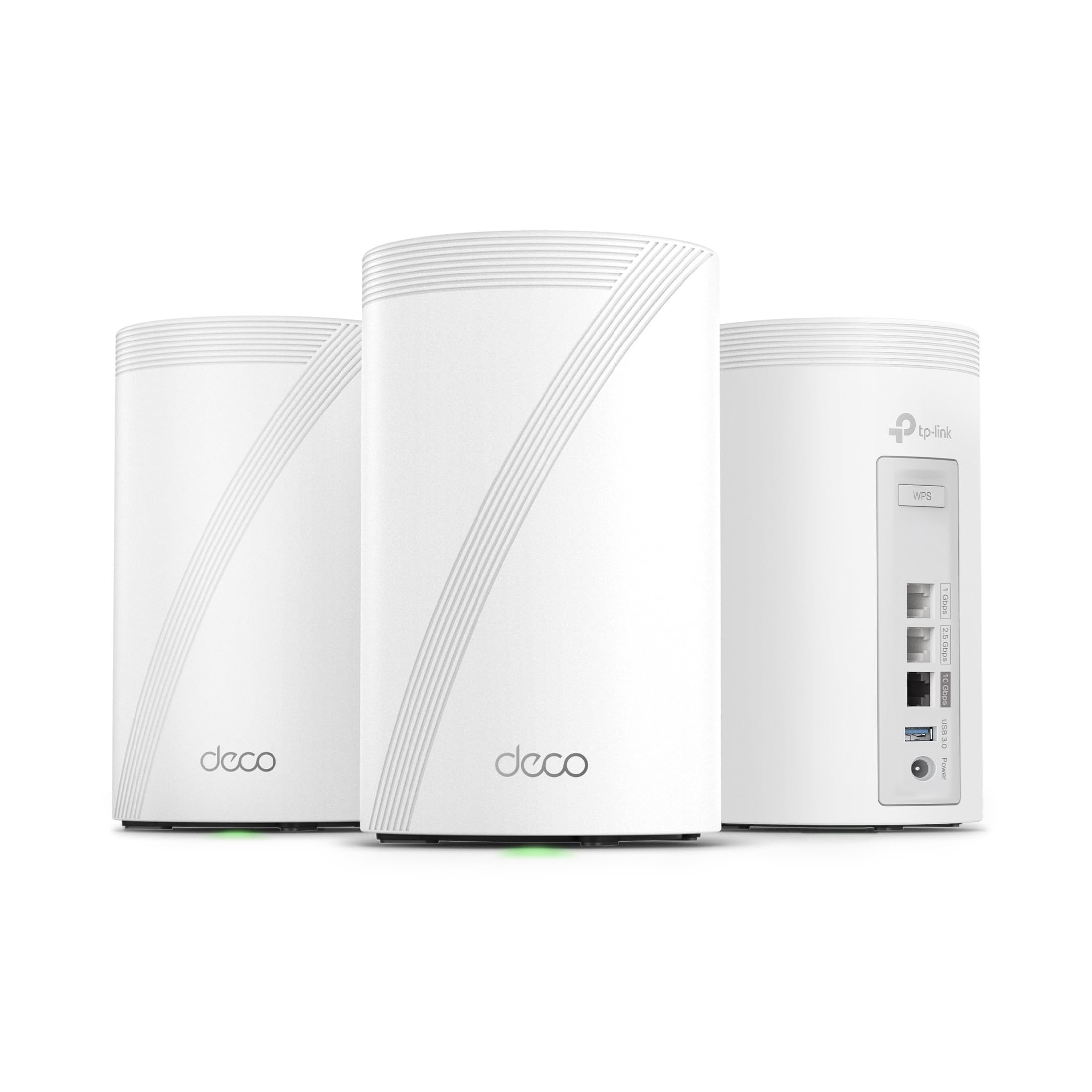
A 10 Gbps port per node and eight streams — built for people who paid for the fast plan.
If your provider sold you a multi-gig line, most mesh kits throttle it at the door. This one doesn’t: each Deco 7 Pro BE67 unit carries a 10 Gbps WAN/LAN port, so a 10-gigabit plan lands at full speed without a separate switch. The tri-band radio splits 8,647 Mbps to the 6 GHz band, 4,324 Mbps to 5 GHz and 688 Mbps to 2.4 GHz across 8 streams, and the system covers up to 8,100 sq. ft. with over 200 devices online at once.
That 200-device figure is the second reason to look here. Tri-band Wi-Fi 7 plus the 10 Gbps wired backhaul keep node-to-node traffic moving, MLO blends bands for a steadier link, and AI-Roaming handles the handoff. There’s a built-in USB 3.0 port for a shared drive or printer, and the Deco app runs setup.
Its 8,100 sq. ft. is below the 9,000 sq. ft. the ASUS BT10 claims, and its wireless ceiling is looser than the 18 Gbps figure that unit carries. You buy this one for the 10 Gbps ports and the 200-device headroom, not for the biggest coverage number on the page.
The head-to-head that matters: the BT10 advertises 18 Gbps and 9,000 sq. ft.; this kit advertises 14000 Mbps and 8,100 sq. ft. The BT10 leads on both raw numbers, but this one carries a 10 Gbps WAN/LAN port on every node — the spec that actually lets a multi-gig plan breathe.
Grab this if: you already pay for multi-gig internet and want 10 Gbps wired ports plus 200-device capacity spread over three nodes.
Not the priority if: coverage size is your main worry — a rival here claims more square footage.
8. ASUS ZenWiFi BT10 3 Pack
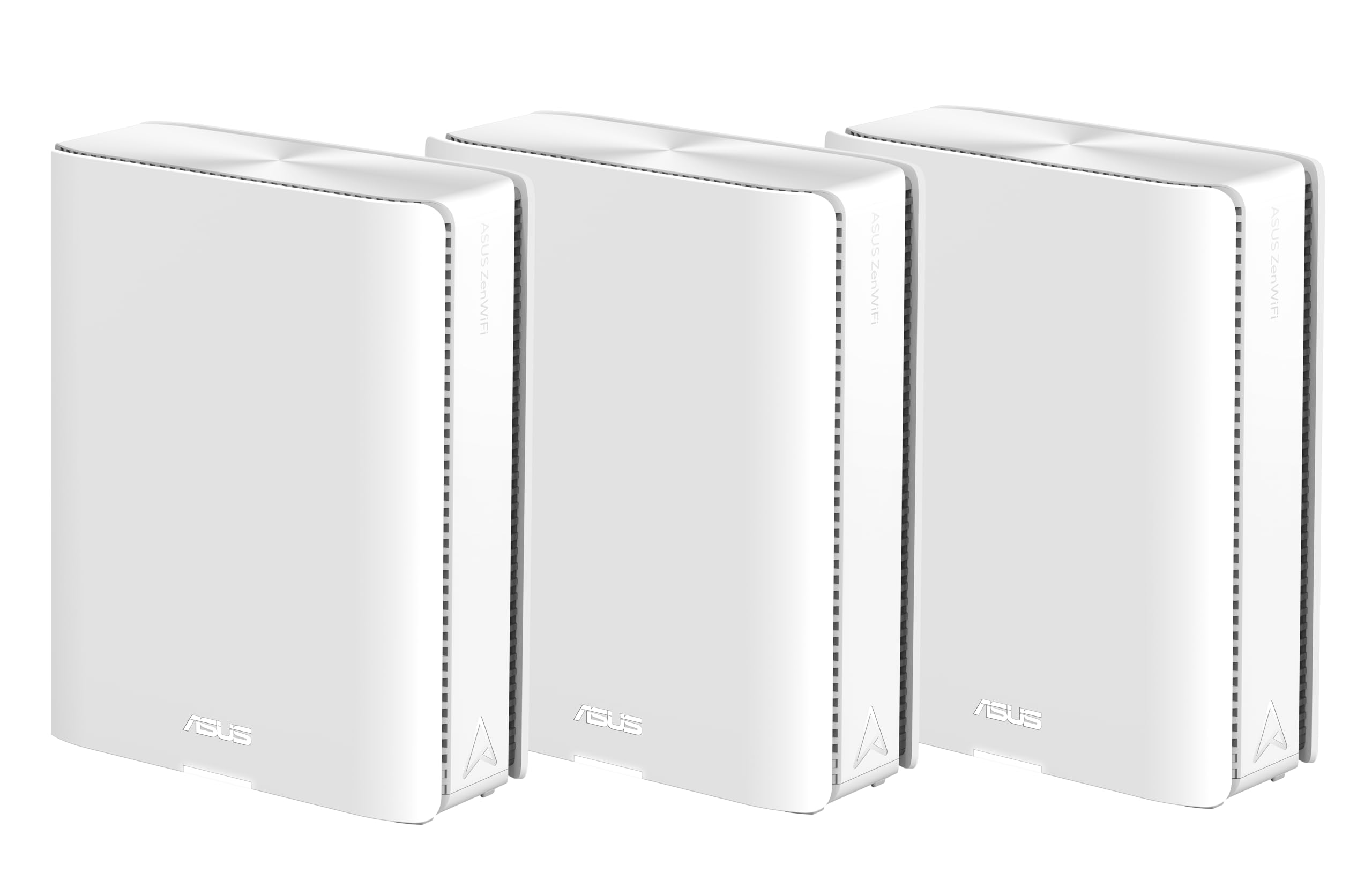
The biggest coverage number and the biggest speed number on this list, in one three-pack.
This is the coverage champ: 9,000 sq. ft. across a three-pack, the largest footprint here, with tri-band Wi-Fi 7 speeds up to 18 Gbps and an 18 gigabits_per_second data rate behind it. Two 10G WAN/LAN Ethernet ports per unit handle a serious wired backbone. 4G LTE plus 5G mobile tethering keeps you online if the wired line drops — a genuinely useful fallback if you work from home and can’t afford to be down.
Eight internal antennas and ten high-power front-end modules drive the reach, while AiProtection Pro and advanced VPNs run the security side around the clock. Speed is what owners notice most — big file uploads to a NAS move noticeably faster — and the setup is straightforward through the ASUS app. The three SSID slots let you wall off IoT devices and kids’ profiles on their own networks.
You do need to go in with eyes open. This flagship lands at a lower overall rating than the kits at the top of this list, and the reviews point at reliability and 2.4 GHz performance as the uneven spots. The older 2.4 GHz band is where smart plugs and older gear live, so that matters if your home gadgets lean on it. If you want a near-flawless crowd score, the leaders above are safer; if you want maximum reach and dual 10G ports and can tolerate some fine-tuning, this delivers both.
Pick it for: the largest single-system coverage here, dual 10G ports, and LTE/5G fallback when the cable goes quiet.
Think twice if: you want a proven crowd-pleaser — this one’s rating sits below the leaders and the 2.4 GHz band has its rough edges.
Know the Specs
Coverage in square feet
This is the total floor area the makers claim a kit can reach when every node is placed well. In practice it is an optimistic ceiling, not a promise. Take the number as a starting point and subtract for thick walls, multiple floors, and a node tucked in a corner. A two-node kit that claims 4,500 sq. ft. and a three-node kit that claims the same figure are not equivalent — the three-node version has more chances to survive walls.
Band class: dual, tri and quad
Dual-band means the system uses 2.4 GHz and 5 GHz. Tri-band adds a 6 GHz lane — often called Wi-Fi 6E or Wi-Fi 7 — and quad-band splits it further. The extra lanes matter most in a busy home where many devices compete for a single channel, because the system can spread traffic rather than pile it on one frequency. If you live somewhere with lots of neighbouring networks visible, the higher band count earns its keep.
Data transfer rate and streams
This is the peak throughput the radio advertises — usually the sum of what each band can carry. Streams are the parallel lanes the radio uses; more streams mean more traffic can pass at once. Treat the headline number as a ceiling, not an everyday speed, and check the band split to see where the bulk of it sits.
Wired ports and backhaul
Backhaul is the link between your mesh nodes, and it decides whether speeds survive the trip between rooms. It can run wirelessly or over Ethernet, and some systems use both at once. Port speed is a separate limit: a 2.5 Gbps or 10 Gbps port lets a multi-gig internet plan through, while a 1 Gbps port caps it regardless of what the radio advertises. Match the port to your plan before you buy.
Common Questions
How many mesh nodes do I need for my house?
Is a mesh system better than a range extender?
What is backhaul and why does it matter?
Do I need a dedicated 6 GHz band?
Will a WiFi mesh access point work with my internet provider?
How many devices can a mesh system handle at once?
Can I mix a mesh system with my old router?
Does a mesh system slow down my speed?
How long does a mesh system typically last?
Where should I put the mesh nodes?
The Bottom Line
For most households, the wifi mesh access point that makes the most sense is the Amazon eero 6+ three-pack — it covers up to 4,500 sq. ft., handles 75+ devices on a gigabit plan, bakes in a smart-home hub, and gets you online in an afternoon. That ease of setup is the thing that earns it the top slot. If your home is larger or your walls are thicker, the TP-Link Deco XE70 Pro adds the 6 GHz lane and 7,200 sq. ft. of reach for the extra outlay. And if you already pay for multi-gig internet, the Deco 7 Pro BE14000 puts a 10 Gbps port on every node so the plan isn’t held back at the door.
Before you click anything, do the two-minute check: measure the rooms you actually need to cover, count the devices that live on your network, and look at your modem’s speed. Those three answers point at one kit on this page faster than any spec headline.
How we choose
We do not accept paid placement. Every pick is matched to a real buyer and a real use-case; we do not hands-on test units.
Sources
Specifications: manufacturer listings and product documentation. Review insights: verified customer reviews, as of November 2026. Pricing: not shown on this page (it changes often); check the current price via the retailer link.
As an Amazon Associate, Tactical Gear Guy earns from qualifying purchases. This does not affect which products we feature.