Specs are compiled from manufacturer listings and verified buyer reviews and can change over time — please confirm the key details on the product page before buying.
Your neck usually tells you first. The far corner of a wide screen gets harder to reach the wider you go, so the real question is how much screen real estate you need across your desk. The short answer: the Z-Edge 49″ DQHD 165Hz is the safest overall bet, and the Samsung 57″ Odyssey Neo G9 is the one to save for if you want a 32:9 panel (a screen twice as wide as it is tall) at 7680×2160, as wide as two UHD monitors in one frame. Everything else here is a variation on those two: some cheaper, some faster, some brighter.
This guide is built by comparing the manufacturers’ published specifications and the patterns across verified customer reviews, so you get each pick’s real strengths and trade-offs instead of marketing spin.
A 32:9 super-ultrawide (a screen with a 32:9 width-to-height ratio) replaces two QHD panels (2560×1440 screens) with one smooth curve, so you stop losing your cursor in the bezel gap. Below are the widest curved monitor picks worth your desk space, ranked by how they actually behave.
Top Picks
How To Choose The Best Widest Curved Monitor
A curved ultrawide is a big, heavy, long-term purchase, and most regret comes from buying the wrong width for the wrong job. A 32:9 screen replaces two monitors, but only if your desk is deep enough to sit back from it. Start with what you actually do all day — spreadsheets, shooters, or photo editing — then match the specs to that.
Aspect ratio and resolution come first
A 32:9 aspect ratio is the widest consumer format available here, and it behaves like two monitors joined with no gap in the middle. Every pick in this round is 32:9, so the widest dimension is already settled. What separates them is resolution: DQHD at 5120×1440 keeps text sharp across the whole sweep, while 3840×1080 (DFHD) gives you the same physical width with far fewer vertical pixels, so documents feel cramped top to bottom.
How much curve you actually want
Curvature is measured as an R number — 1000R means a tighter bend, 1500R a gentler one, 1800R gentler still. A tighter curve wraps the far edges closer to your eyes, which helps if you sit close to a very wide panel. A gentler curve suits buyers who sit farther back or who share the screen. If you mount the monitor on an arm, check the curve first because a deep bend changes how much of the screen faces you at the sides.
Refresh rate, response time, and what your GPU can push
Refresh rate is how many times per second the panel redraws the image, and response time is how quickly a pixel changes color. A 165Hz panel paired with a 1ms response time feels dramatically smoother than a 60Hz screen. The catch is that pushing 5120×1440 at high refresh needs a strong graphics card, and 7680×2160 needs even more. Buy the refresh rate your graphics card can actually feed at 5120×1440.
The desk, the stand, and the ports
A 49-inch curved monitor is a physical commitment. Check the stand’s tilt and height range, and whether there is a VESA mount if you plan to replace the stand. For connections, a USB-C port with power delivery lets one cable run video and charge a laptop. A KVM switch lets you drive two computers with one keyboard and mouse, which matters if you mix a work laptop and a desktop.
Side-by-Side Comparison
| Model | Best For | Resolution | Refresh Rate | Curvature | Amazon |
|---|---|---|---|---|---|
| Z-Edge 49″ DQHD 165Hz★ Best Overall | All-round daily driver | 5120×1440 | 165Hz | 1500R | Amazon |
| Deco Gear 49″ 5K2KBest Value | USB-C laptop users | 5120×1440 | 120Hz | 1500R | Amazon |
| 49″ Curved Ultrawide GamingBrightest Color | Bright vivid color | 5120×1440 | 165Hz | 1500R | Amazon |
| INNOCN 49C1R | Port-heavy workstations | 5120×1440 | 120Hz | 1800R | Amazon |
| CRUA 45″ DQHD 240Hz | Fastest frame rate | 5120×1440 | 240Hz | 1500R | Amazon |
| Deco Gear 49″ 165Hz | One-cable hybrid work | 5120×1440 | 165Hz | 1500R | Amazon |
| Z-Edge 5K 49″ 240Hz | Competitive plus color work | 5120×1440 | 240Hz | 1800R | Amazon |
| Samsung Odyssey G9 G91F | Deep 1000R immersion | 5120×1440 | 144Hz | 1000R | Amazon |
| INNOCN 49Q1R QD-OLED | OLED contrast lovers | 5120×1440 | 144Hz | 1800R | Amazon |
| ASUS ROG XG49VQ | Budget-grade super-wide feel | 3840×1080 | 144Hz | 1800R | Amazon |
| Samsung 57″ Odyssey Neo G9 | Absolute maximum width | 7680×2160 | 240Hz | 1000R | Amazon |
Detailed Reviews
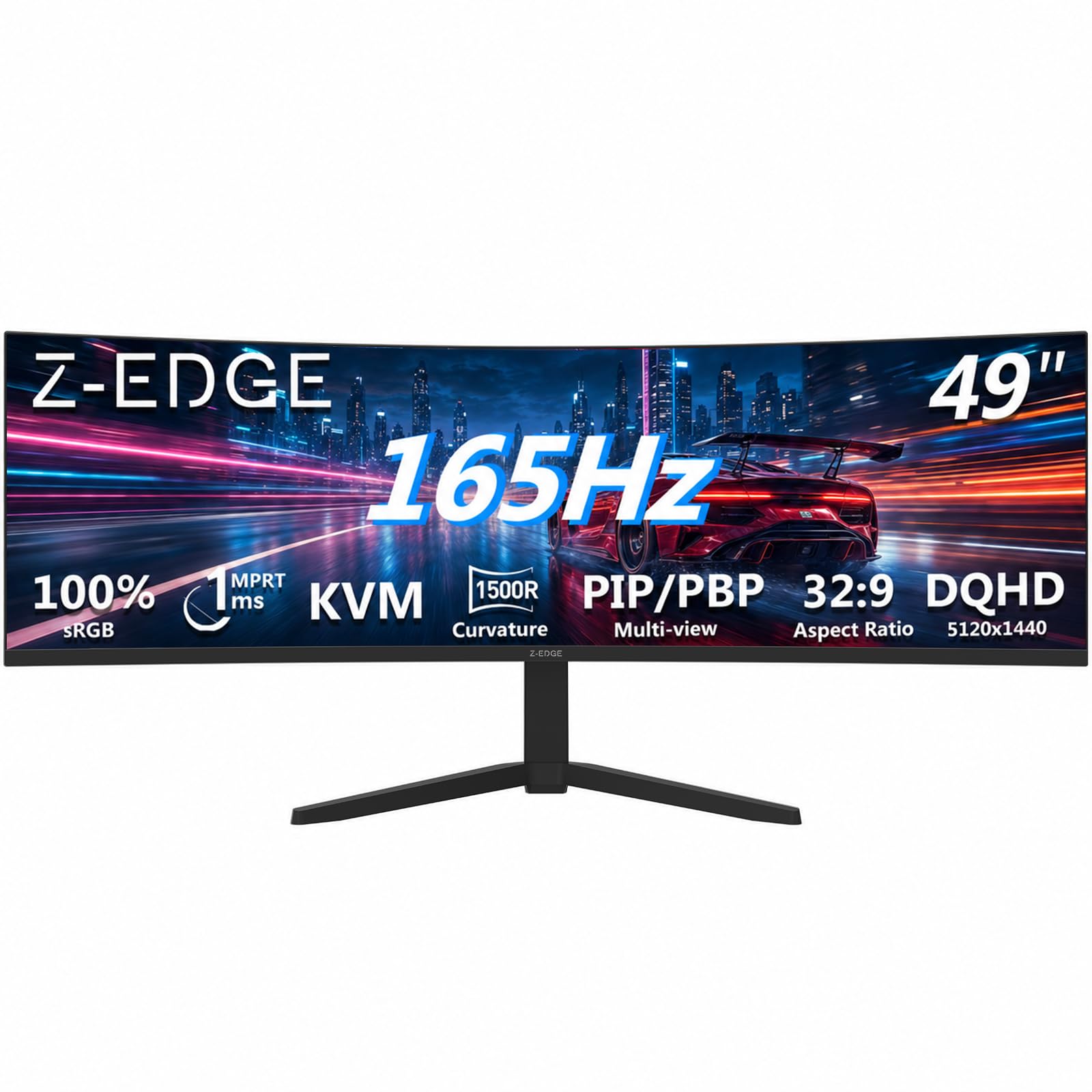
1. Z-Edge 49 inch Curved Monitor
Our pick — 4.5+★ from 800+ verified ratings; the strongest balance of quality and price.
Two QHD screens in one smooth curve, with the build quality to match
This is the pick to start with if you want the wide-screen experience without paying premium money for it. The 1500R curve wraps the panel around your view, and the 32:9 aspect ratio hands you the working width of two side-by-side monitors with no bezel splitting the middle. The 5120×1440 DQHD resolution means the pixels are actually there to keep spreadsheets and code sharp across the entire sweep — not just in the center like a stretched 1080p panel.
Owners rate the overall build quality highest, with picture quality close behind and genuine value in the mix. Fast action stays clean instead of smearing, thanks to a 165Hz refresh rate (the screen redraws 165 times a second) over HDMI 2.1 or DisplayPort 1.4, paired with a 1ms MPRT response time (how fast a pixel clears its motion blur). FreeSync support (a feature that syncs the screen to your graphics card) helps kill the tear you would otherwise see when your frame rate dips. For a panel this wide the practical extras matter as much as the speed: built-in KVM (one keyboard and mouse drive two machines), dual built-in speakers, and Picture-in-Picture and Picture-by-Picture modes for running two sources at once. The stand tilts and adjusts in height, which is more than many rivals offer at this level.
The honest catch is long-term reliability — that is the most-discussed trade-off here, and a portion of owners do report units that stopped working or developed yellow lines on the right side of the screen. Treat the durability grumbles as a real reason to register the warranty early and buy from a seller with easy returns. If long-term reliability matters more than price, the Samsung and INNOCN picks further down this list cost considerably more.
DQHD resolution at 49 inches
- 5120×1440 across 32:9 gives you two sharp QHD work areas with no center bezel
- 165Hz with 1ms MPRT keeps fast motion clean and tear-free with FreeSync
- Built-in KVM plus PIP/PBP means two computers on one keyboard and one screen
no USB-C input
- Reliability is the recurring concern — some panels have quit or shown yellow edge lines
- Color accuracy is a mixed bag, so a colorist should not rely on it uncalibrated
- A panel this wide needs a deep desk to sit at a comfortable distance
buy for work: you want a versatile 49-inch daily driver that covers work, gaming, and dual-PC life without a premium badge.
skip for Mac: you need guaranteed color precision or the longest service life above all.
2. Deco Gear 49 Inch Curved Monitor
The one-cable desk cleaner that powers your laptop while it fills the screen
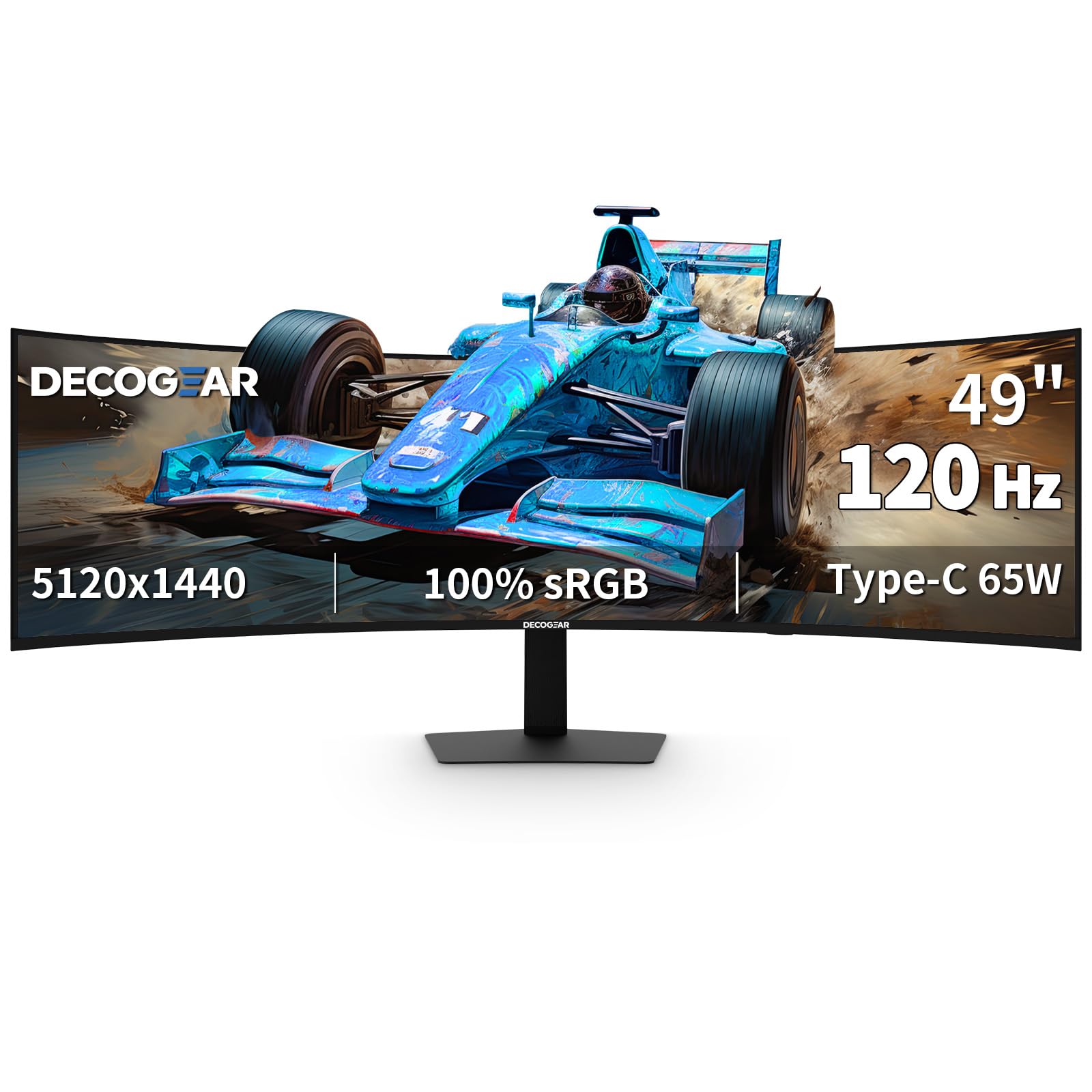
If your day is a mix of a work laptop and a desktop, this is the pick built around that exact mess. A single USB-C cable carries video and pushes 65W of power back to your laptop, so you dock and go without a second charger cluttering the desk. The built-in KVM then lets one keyboard and mouse jump between machines. That combo is the real reason to choose this over the Z-Edge above — the Z-Edge runs faster at 165Hz, but this one is the tidier hybrid-work setup.
The 49-inch 5120×1440 canvas splits into two full QHD work zones, with PIP and PBP so you can park a video call on one half and a spreadsheet on the other. Color is handled by HDR support with 100% sRGB coverage and a 3000:1 contrast ratio, which keeps editing and entertainment looking rich rather than washed out. Speed tops out at 120Hz rather than the 165Hz of the fastest panels here, but with FreeSync and a 1ms MPRT response it still feels fluid for most gaming. The height, tilt, and swivel adjustments plus built-in speakers round out a package that reads as a complete workstation rather than a bare panel. What buyers rate highest is the overall monitor quality, with value close behind — this lands as a strong dollar-for-screen proposition.
5K2K pixel density: reliability shows up as the recurring worry, with a share of owners reporting early failures, and the color controls sometimes need adjusting per input rather than globally.
hybrid desk pick: a laptop plus desktop setup that wants one cable and one keyboard across two machines.
avoid for gaming: competitive gaming at the highest frame rates is your main use.
3. 49 Inch Curved Ultrawide Gaming Monitor, DQHD 165Hz, 1500R
A wide panel tuned for punchy color and bright, high-contrast scenes
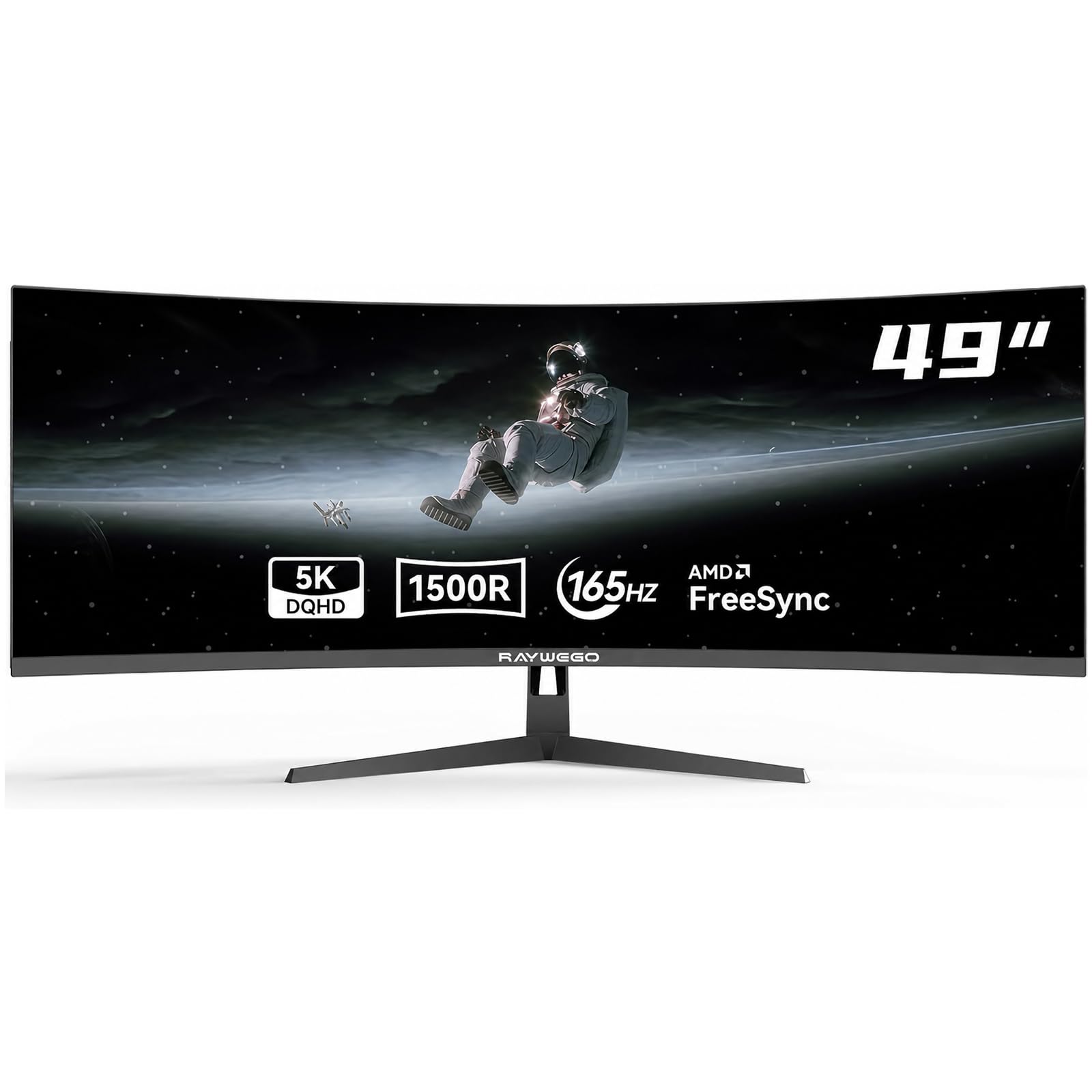
Here is the interesting swap: this panel runs the same 165Hz as the Z-Edge up top, but it pushes a wider 127% sRGB color gamut (the range of colors it can show) against the Z-Edge’s 100, and a brighter 400-nit output (a nit measures screen brightness) against the Z-Edge’s 350 cd. That is a measurable step up in saturation and pop, so HDR400 content (high dynamic range, which keeps bright and dark areas detailed) and vivid game worlds look richer across the whole curve. If color punch is what you notice first, this is the one to look at.
The 5120×1440 DQHD resolution and 1500R curve deliver the same two-monitors-in-one workspace, and the 32:9 span means racing, simulation, and strategy games fill your peripheral vision without a bezel break. The VA panel pairs a 3000:1 contrast ratio with HDR support to keep dark scenes detailed. Connections are handled by HDMI 2.0 and DisplayPort 1.4, and DisplayPort is the port to use if you want the full resolution and refresh at once. A VESA 100×100 mount and an adjustable stand give you placement options. What buyers appreciate most is the quality of the panel itself, with the value close behind — the crisp picture and easy setup come up again and again.
The trade-off to plan for is durability — that is the most-discussed downside, and a few units have failed within months rather than years. It is worth buying with a return window you trust. Set against that, the color and brightness advantage over the cheaper 165Hz alternatives is real and visible.
best for esports: buyers who want saturated, bright color on a fast wide panel and will keep the warranty close.
skip for color work: you cannot take a durability risk on a large screen.
4. INNOCN 49C1R Curved Monitor

A connectivity hub disguised as a 49-inch curved screen
The port count is the reason this one exists on the list. You get DisplayPort 1.4, HDMI 2.1, a USB-C port with 65W power delivery, two USB-A ports, a USB-B, an RJ45 Ethernet jack, and a 3.5mm audio out — all on one panel. That RJ45 alone makes it unusual, because you can wire a laptop to the network through the monitor instead of hunting for a dongle. Connect a MacBook, a phone, a Switch, or a PS5 straight into the USB-C and skip the hub.
The 1800R curvature is gentler than the Z-Edge’s 1500R, so the edges sit farther from your eyes — a fair fit if you sit back rather than lean in. Resolution holds at 5120×1440 with a VA panel that delivers a 3000:1 contrast ratio and 400 nits of brightness, a touch brighter than several rivals here. The 99% sRGB coverage and HDR400 support suit content creation and streaming, and the 120Hz refresh with FreeSync keeps motion clean. Height, tilt, and swivel adjustment plus built-in speakers mean it is ready to work from the start. Panel quality and value are what buyers praise most, with the crisp picture and good contrast singled out repeatedly.
120Hz 5K2K balance: connectivity and performance are the mixed notes — some USB-C ports have misbehaved and some panels have lost sections of the screen. The tilt action also feels reversed to some. Buy from a seller that handles returns cleanly.
pick for creators: a workstation that wants Ethernet, USB-C charging, and a full port stack in the monitor itself.
look elsewhere for HDR: you need the highest refresh rate or a plug-and-play USB-C guarantee.
5. CRUA 45″ DQHD 240Hz Ultrawide Curved Gaming Monitor, 1500R
A 240Hz curve for players who chase every frame
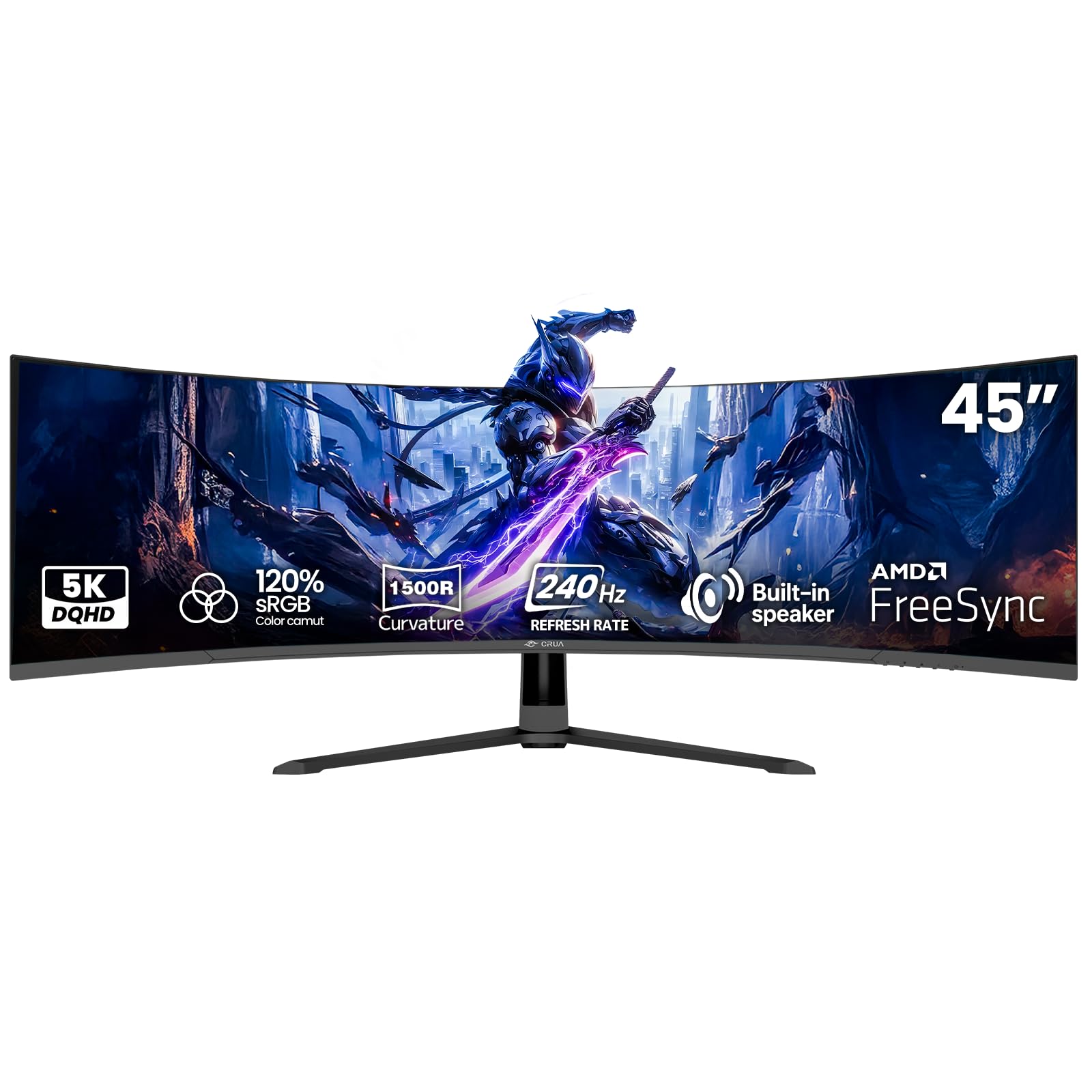
This is the speed play. A 240Hz refresh rate with AMD FreeSync is the highest on this list alongside one other pick, and it is aimed squarely at fast shooters and fluid scrolling. At 45 inches with a 5120×1440 DQHD resolution and a 1500R curve you still get the two-QHD-workspaces feel, just in a slightly more compact footprint than the 49-inch options. The 120% sRGB color gamut, 350 cd brightness, and 3000:1 contrast keep the VA panel looking lively, and the 16.7 million colors give game scenes real depth.
Built-in speakers cover meetings and casual viewing, and the 100×100mm wall-mount option frees desk space if you are short on depth. The sheer volume of owner feedback here tells you it is a popular, well-worn screen, and the picture quality is what people respond to most — crisp visuals and vibrant color show up constantly. A few owners also single out the LED circular lighting on the back as a nice touch.
240Hz gaming speed
- 240Hz refresh with FreeSync is the top frame rate in this round
- 120% sRGB and 3000:1 contrast keep color and black levels rich
- Wall-mountable design saves desk depth on a tight setup
45 inch smaller size
- Reliability and durability are the loudest worries, with failures reported over months
- Refresh rate is disputed, with some owners unable to exceed 120Hz
- Value splits opinion — some call it a great buy, others disagree
suits competitive gamers: raw refresh rate drives your purchase and you can lean on the return policy.
not for office multitask: long-term reliability outweighs speed on your list.
6. Deco Gear DGEVOLUTION495K Curved Monitor
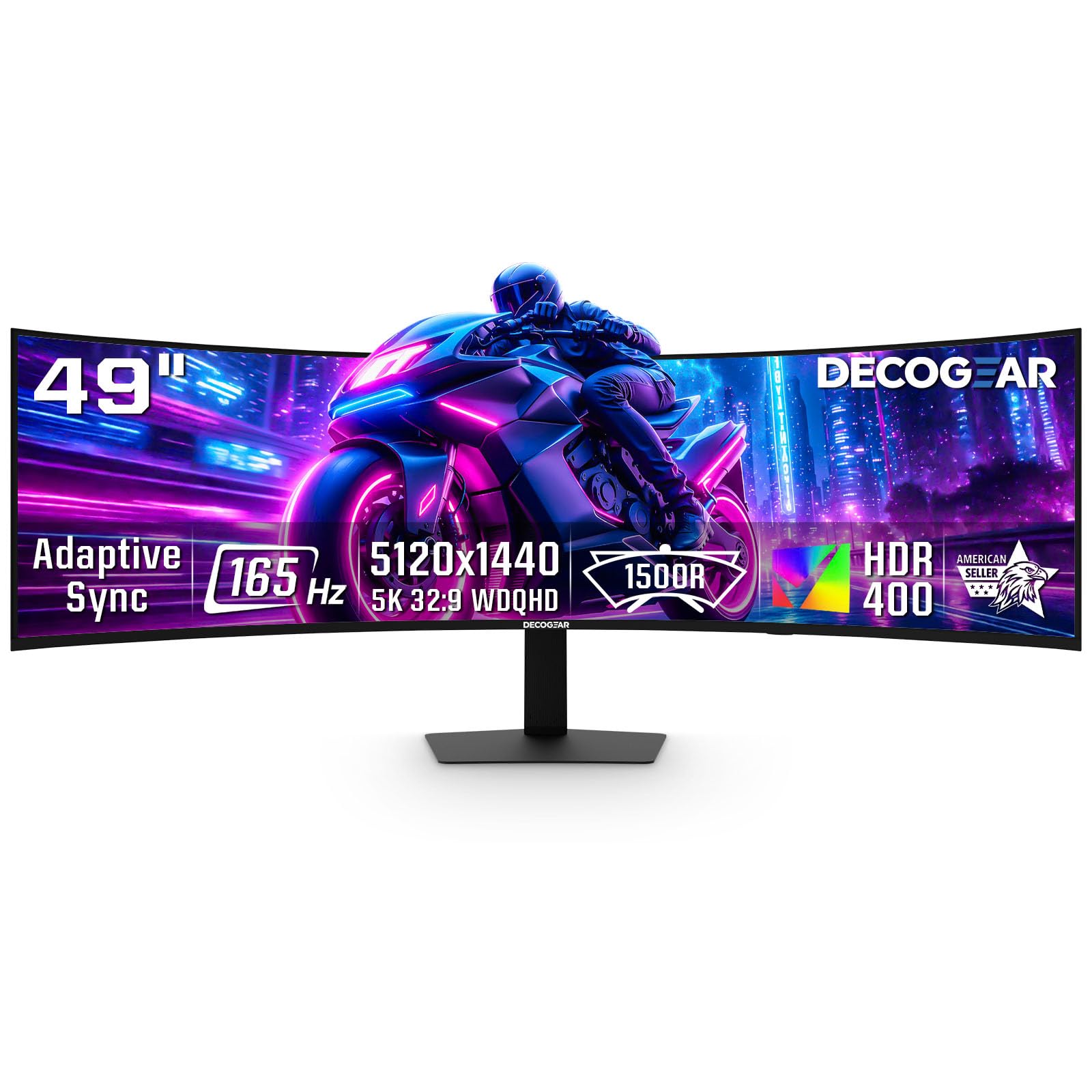
The 165Hz take on the one-cable ultra-wide desktop
You get the same one-cable setup as the Deco Gear above, but faster. The refresh rate steps up from 120Hz to 165Hz with a 1ms MPRT response (how fast a pixel clears its motion blur), so gameplay feels snappier. The USB-C 65W delivery (enough power to charge a laptop over the same cable) and built-in KVM (one keyboard and mouse drive two machines) stay in place, so a laptop charges and switches devices over a single cable. That combination — fast refresh plus one-cable docking — is the reason to pick it over the slower Deco Gear model.
The 5120×1440 DQHD resolution across a 32:9 curve gives you dual-monitor space with no gap, and the 1500R bend pulls the sides toward you to ease eye strain over long hours. Color is rated at 100% sRGB with 93% DCI-P3 coverage, and HDR support with a 3000:1 contrast ratio keeps blacks deep and highlights bright. HDMI 2.1 and DisplayPort 1.4 with VRR and ALLM suit a PS5 alongside a PC, and rear RGB lighting plus PIP/PBP round out the feature set. Overall monitor quality is what buyers respond to most here, with the value and the easy plug-and-play assembly close behind.
The honest limit is the mixed picture and brightness feedback — a portion of owners find the image merely fine rather than spectacular. The 250 candela brightness (a candela measures screen brightness) is on the lower side for a bright room, so glare and backlight bleed can show up if you sit near a window. Plan the lighting around the panel rather than the other way around.
go for immersion: you want faster refresh and one-cable docking in a single 49-inch screen.
be careful with text: your desk faces a bright window and peak brightness matters.
7. Z-Edge 5K 49 Inch Curved Gaming Monitor

A 240Hz curve that also wants to be taken seriously for color work
Z-Edge’s second entry throws everything at the wall: a 240Hz refresh rate with a 1ms response and FreeSync for the gamers, and a 99% sRGB gamut with a 3000:1 contrast ratio and a △E<2 rating for the creators. That triangle-E figure is the color-deviation number, and a value under 2 means color accuracy is tight enough for photo and design work rather than just gaming. It is the pick that refuses to choose between the two jobs.
Long sessions feel easier on the eyes, because the 1800R curve (a gentler bend than the tighter 1500R panels elsewhere on this list) wraps the 49-inch 5120×1440 panel. PIP and PBP (Picture-in-Picture and Picture-by-Picture, which show two sources at once) let you run a laptop and a console at the same time. The port stack includes one HDMI 2.1, two DisplayPort 1.4, a USB-C, and an audio out — generous enough to skip a dock. Height adjustment and built-in speakers finish it off. Owners rate the overall quality highest, with value and vivid color close behind.
5K DQHD 240Hz: picture quality splits opinion and durability is the recurring worry — some panels have arrived with dead pixels, and a few have cracked or gone dark within months. The reliability risk is the main reason to buy from a seller with a generous returns window.
made for speed: the buyer who games competitively and edits photos on the same desk and wants 240Hz and color accuracy together.
hold off if budget: a long, trouble-free service life is your top priority.
8. SAMSUNG Odyssey G9 G91F Curved Gaming Monitor

The tightest 1000R bend here, built to swallow you whole
You stop swiveling toward the corners, because a 1000R curvature (the most aggressive bend in this group) pulls the far edges right into your field of view. If the whole reason you want super-ultrawide is feeling enveloped by the screen, this is the shape that delivers it. It is a genuine step tighter than the 1500R and 1800R panels that dominate this list.
DisplayHDR 600 is the other draw, pushing deeper blacks and brighter whites than the HDR400 panels nearby, so shadowed scenes keep their detail. The 144Hz refresh with a 1ms response and AMD FreeSync Premium Pro keeps fast action fluid and tear-free, and Auto Source Switch+ jumps to a device the moment you power it on. The 5120×1440 DQHD resolution fills the 32:9 span with sharp pixels, and Picture-in-Picture lets you keep chat or video tips on the main display without a second screen. Quality is what buyers rate highest, with the superb resolution and clean panels singled out.
What to know before you commit: brightness and Mac compatibility are the mixed notes. It plays nicely with a Microsoft Surface Pro but has been reported to fight a MacBook Pro, so check your setup if you are Apple-first. Brightness splits opinion between better-than-expected and merely adequate.
choose for Samsung polish: the deep 1000R wrap and DisplayHDR 600 contrast are what you are chasing on a Windows rig.
look at another if flat: you drive a MacBook Pro daily or you want guaranteed brightness.
9. INNOCN 49Q1R Curved Monitor
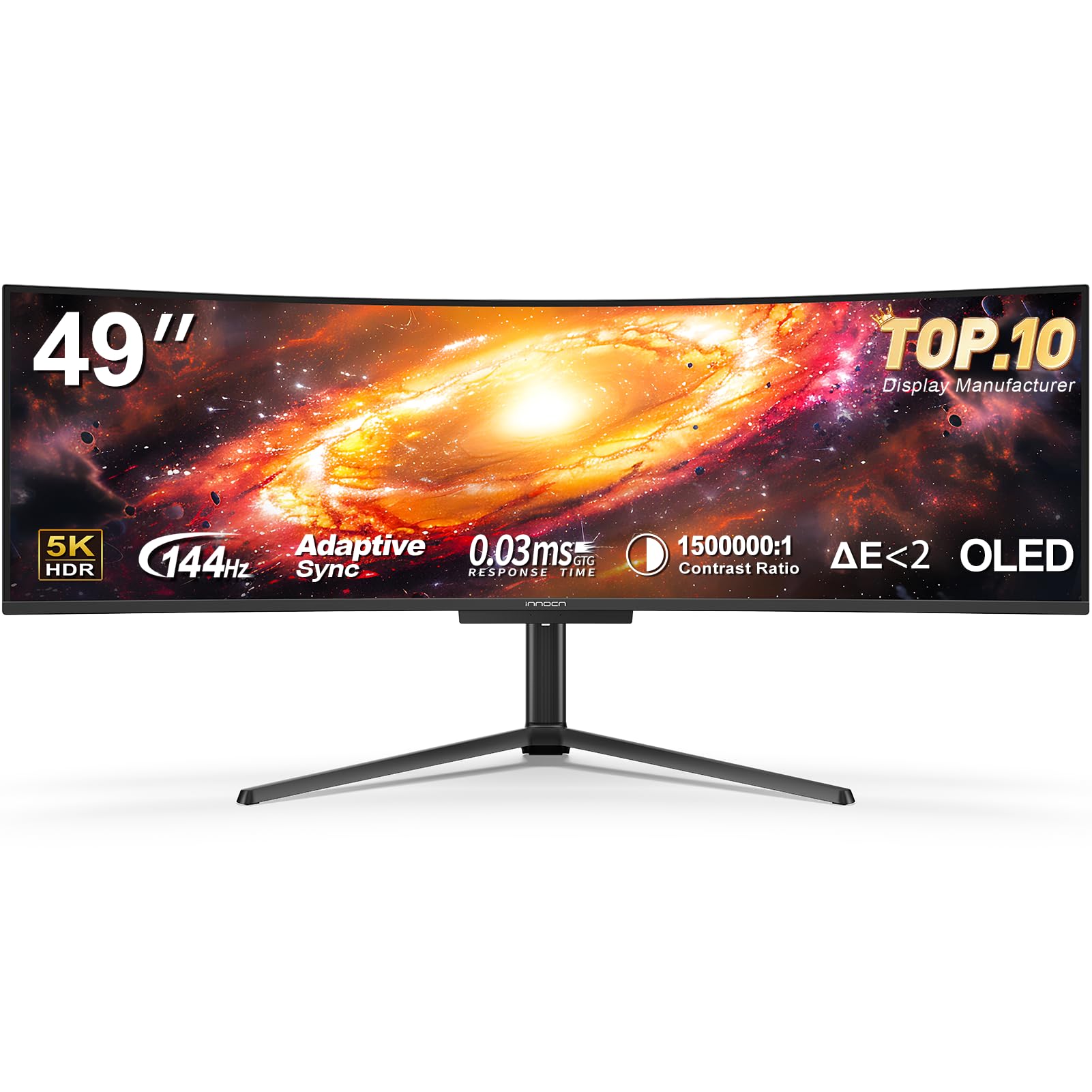
The only OLED on the list, and that changes everything about the picture
A QD-OLED panel is built from pixels that switch themselves off, and that is why its contrast ratio reads 1500000:1 — a completely different order of black from the 3000:1 VA panels around it. Dark scenes go truly black, colors glow against them, and the 99% sRGB gamut and HDR400 support make content creation and gaming look a cut above. At 5120×1440 across a 32:9 curve it keeps the dual-monitor workspace intact, and the 144Hz refresh with FreeSync handles motion cleanly.
The USB-C port delivers 90W of power — the highest charging rate in this round — so it can feed a laptop while carrying video over a single cable. You also get two HDMI 2.1 ports, a DisplayPort 1.4, two USB-A, a USB-B, an RJ45 network jack, and an audio out, plus PIP and PBP for two sources at once. The 1800R curve eases eye strain over long sessions, and the height, tilt, and swivel stand lets you find a comfortable angle. Panel quality is what buyers praise most, with the sheer resolution and bright display called out.
The counterweight is screen reliability, which is the most-discussed concern here — a share of buyers report the screen going blank, and value splits between those who call it excellent and those who feel the premium is steep. As OLED goes, that fragility is part of the deal, so factor in a solid warranty path.
for contrast chaser: someone who wants true-black OLED and top-tier USB-C charging on a wide curved canvas.
not safe for static: you want the calmest long-term reliability in the group.
10. ASUS ROG XG49VQ Curved Gaming Monitor

The widest shape for the least resolution — and that is the honest trade
This one takes a different path to 32:9. Instead of 5120×1440, the ASUS runs 3840×1080 — the same physical 49 inches of curve, but with far fewer vertical pixels. The result is a panel that gives you the super-wide wrap and a 144Hz refresh with FreeSync 2 HDR, yet asks a fraction of the graphics-card muscle a DQHD screen needs. If your GPU struggles to feed 5120×1440 at high refresh, this is the format that keeps frame rates high without a hardware upgrade.
DisplayHDR 400 certification with 90% DCI-P3 coverage gives it cinematic color and strong contrast for a 1080p-vertical panel, and ASUS Eye Care with a flicker-free backlight and blue-light filters helps on long sessions. Swivel, tilt, and height adjustment plus VESA mounting make placement flexible, and GamePlus and GameVisual overlays tune the image for different game types. Quality is what buyers rate highest, with its suitability for hardcore gaming close behind — the “full resolution looks great” feedback shows up repeatedly.
The clear limit is pixel density: that 1080 vertical resolution is the mixed note, and some owners find it noticeably soft for text and detail across a screen this wide. If sharp spreadsheets and small text matter more than silhouette and frame rate, the DQHD panels above are the better fit.
right for budget: gamers with a modest GPU who want the 32:9 shape and 144Hz without demanding DQHD pixel counts.
wrong for detail: anyone whose day is dense text, code, or detail work where 1080 vertical pixels will show.
11. Samsung Odyssey Neo G9 G95NC Curved Gaming Monitor

The literal widest thing on this list — and the heaviest ask on your GPU
Nothing else here matches it for raw span. A 57-inch panel at 7680×2160 DUHD is the widest, sharpest screen in this group, giving you the equivalent of two UHD monitors side by side, and the 1000R curve wraps that vast canvas toward you. If “widest curved monitor” means the maximum, this is where the search ends. The 240Hz refresh with a 1ms GTG response and DisplayPort 2.1 keeps that huge resolution flowing at high frame rates, which is a spec most cables and cards still cannot fully feed.
Quantum Matrix Technology with 2,392 local dimming zones and 12-bit black levels gives it depth that ordinary LED panels cannot touch, while VESA DisplayHDR 1000 pushes 1,000-nit peak brightness and a 1,000,000:1 contrast ratio. AMD FreeSync Premium Pro keeps fast scenes stutter-free. The port mix of DisplayPort 2.1, HDMI 2.1, and a USB hub connects a PC and a console without a bird’s nest, and PBP lets you run two sources at native resolution. Quality control is what buyers rate highest, with the size and the matte finish close behind.
The reality check is twofold: reliability shows up as the recurring worry, with some units failing within months, and the sheer pixel count means you need a top-tier graphics card to drive it well. An occasional panel has also shown diagonal lines. This is the enthusiast’s buy, priced and powered accordingly.
for maximum screen: someone who wants the widest curved screen available and has the GPU and desk to justify it.
look down if space: you cannot feed DUHD resolution or want the lowest failure odds.
Know the Specs
Curvature (the R number)
The R figure describes how tightly the panel bends, and it shapes your whole viewing experience. A 1000R screen curves hard and pulls the far edges close, so you feel wrapped in the image. A 1800R screen is gentler, with the sides sitting farther from your eyes. Sit close to a very wide panel and a tighter curve keeps the corners readable; sit back or share the screen and a gentler curve is easier on the neck. Match the curve to your seat distance, not the other way around.
DQHD vs DUHD resolution
DQHD means 5120×1440 — two QHD panels side by side, sharp enough for everyday text and design work at a normal distance. DUHD means 7680×2160 — two UHD 4K panels joined, with far more pixels to push. More pixels look crisper on a huge screen, but they also demand a stronger graphics card and faster cables. If your GPU cannot hold a high frame rate at the higher count, DQHD will actually feel smoother in games.
Refresh rate and response time
Refresh rate is how many frames per second the panel can show, and higher numbers mean smoother motion — 144Hz and 165Hz feel clearly better than 60Hz, and 240Hz is best of all for fast shooters. Response time is how fast a pixel changes color, and a 1ms figure keeps fast pans crisp instead of ghosted. The two work as a pair, so a high refresh with a slow response still looks muddy.
Brightness, HDR, and contrast
Brightness in nits or cd tells you how punchy the screen gets in a lit room; HDR400 and HDR600 are certification tiers that dictate how much contrast and peak brightness the panel can hit. Higher HDR tiers (like 600 or 1000) deliver deeper blacks and brighter highlights. Contrast ratio measures the gap between the brightest white and darkest black — 3000:1 is the typical VA number, while an OLED panel jumps to vastly higher figures because its pixels switch fully off.
Common Questions
Will a 49-inch 32:9 monitor actually replace two monitors?
How much desk depth do I need for a super-wide curved monitor?
Is a 1000R curve better than 1500R or 1800R?
What graphics card do I need to run 5120×1440 at high refresh?
Does a curved ultwide monitor support HDMI and DisplayPort together?
What does a KVM switch in a monitor actually do?
Is QD-OLED worth it over a VA panel on a wide curved monitor?
Will a 5120×1440 monitor look sharp for spreadsheets and code?
Do these ultra-wide monitors include built-in speakers?
Can I wall-mount a 49-inch curved monitor to save desk space?
The Bottom Line
For most desktops, the widest curved monitor winner is the Z-Edge 49″ DQHD 165Hz because it hands you two sharp QHD work areas on one smooth 1500R curve, backed by a 165Hz refresh, KVM, and dual speakers at a sensible position on the value ladder. If one-cable laptop docking is your priority, grab the Deco Gear 49″ 5K2K with its USB-C 65W and KVM. And for the absolute maximum span, the Samsung 57″ Odyssey Neo G9 is the widest, sharpest screen here at 7680×2160 — the pick that ends the search if width is the whole point. A final nudge: the Z-Edge sits at a strong 4.5+ stars across a large body of owners, the clearest signal it earns the top spot.
How we choose
We do not accept paid placement. Every pick is matched to a real buyer and a real use-case; we do not hands-on test units.
Sources
Specifications: manufacturer listings and product documentation. Review insights: verified customer reviews, as of November 2026. Pricing: not shown on this page (it changes often); check the current price via the retailer link.
As an Amazon Associate, Tactical Gear Guy earns from qualifying purchases. This does not affect which products we feature.