Specs are compiled from manufacturer listings and verified buyer reviews and can change over time — please confirm the key details on the product page before buying.
You have a stack of A3 drawings, a bound book you cannot crack flat, or a rolled blueprint that no ordinary desktop scanner will take. A wide format scanner reads media past the letter-size platen, so an A3 drawing or rolled blueprint comes through in one pass instead of two stitched halves. Below you will find eleven machines that genuinely handle large media, sorted by what each one is actually good at.
This guide is built by comparing the manufacturers’ published specifications and the patterns across verified customer reviews, so you get each pick’s real strengths and trade-offs instead of marketing spin.
The big fork in the road is flatbed versus overhead camera, and it decides how you work every day. A flatbed presses paper flat under glass; an overhead camera shoots down at a page and uses software to flatten the curve. Pick the wrong type and you fight the machine on every job, so the right wide format scanner starts with that one decision, not with the spec sheet.
Top Picks


How To Choose The Best Wide Format Scanner
Start with the physical size of the originals you handle most. If your work is bound books, magazines, or anything with a spine, a flatbed glass platen fights you because the middle never touches the glass. If your work is flat paper — blueprints, posters, maps — a flatbed is the simpler, more predictable tool.
Flatbed, overhead camera, or a hybrid printer
A flatbed lays the original on glass and a sensor bar passes underneath, so it treats every page the same way. An overhead camera sits on a column and photographs the page from above, which means you never press a book down. The hybrid route — a wide printer with a scanner built into the top — is worth considering only if you also print at that width, because you are paying for both functions in one box.
The sensor inside changes what you can scan
A CIS sensor (contact image sensor) is a short strip of sensors that rides close to the glass, and it reads flat paper well. Feed it a three-dimensional object, clothing, a CD, or an acrylic sleeve and the result goes soft and blurry. A CCD sensor uses a lens and reads with more depth tolerance, which is why the graphic-arts machines carry one.
Resolution is two different numbers
Optical resolution is what the hardware actually captures. Software-enhanced DPI is interpolated afterward, and it cannot invent detail that was never recorded. Several scanners here list a high optical figure but cap the driver at a lower number on Windows — the VF3240 reaches its full 2400 DPI on an A3 page through MacOS and the native ICA driver, while Windows users reach 1200 DPI for A3 through the ViiScan software.
Software is half the machine
Bundled software decides whether scanning is a two-tap job or a fifteen-minute fight. Look for automatic page-size detection, automatic blank-page removal, and a job button you can program once. OCR quality matters too — ABBYY-based packages convert a scan into an editable Word or Excel file, and several here support 180+ languages for text recognition.
Side-by-Side Comparison
| Model | Best For | Max Media | Optical Resolution | Sensor Type | Amazon |
|---|---|---|---|---|---|
| CZUR ET24 Pro★ Best Overall | Bound books and mixed documents | A3 (16.5″ x 11.7″) | 5696*4272 camera | CMOS | Amazon |
| VIISAN S21Largest Capture Area | Newspapers and oversized journals | A2 (594 x 420 mm) | 26MP, up to 600 DPI enhanced | Camera | Amazon |
| VIISAN VF3240Sharpest Optical Spec | High-detail flat artwork | A3 (12″ x 17″) | 2400 x 2400 dpi | CIS | Amazon |
| VIISAN VF3120 | Thick albums and magazines | 304 x 426 mm | 1200 x 1200 dpi | CIS | Amazon |
| Plustek OS1180 | Schools and small offices | 11.7″ x 17″ | — | — | Amazon |
| CZUR ET18 Pro | Whole-book digitizing | A3 (16.5″ x 11.7″) | 4896*3672 camera | CMOS | Amazon |
| Plustek S30 | High-volume office paperwork | Up to 12″ wide | 600 dpi | CIS | Amazon |
| Epson SureColor T3170M | Printing and scanning combined | 24″ roll, 11″ x 17″ sheet | Up to 600 dpi (scanner) | — | Amazon |
| Colortrac SmartLF | Full-width 36″ plans | 36″ wide | 600 | CIS | Amazon |
| Epson Expression 12000XL-GA | Graphic-arts and photo work | 12.2″ x 17.2″ | 2400 x 4800 dpi | CCD | Amazon |
Detailed Reviews
1. CZUR ET24 Pro Book Scanner
Our pick — 4.0+★ from 300+ verified ratings; the strongest balance of quality and price.
A book scanner that flattens the curve in software instead of asking you to press the spine flat.
If your originals are bound — a hardback, a stitched manual, a magazine you cannot break the spine on — this is the machine the rest of the list gets measured against. The camera captures a 5696*4272 image, which CZUR describes as 24MP at 320 DPI, and the software straightens the 3D curve of a page after the shot. That single trick is why it takes A3 originals (16.5″ x 11.7″) without a glass platen and without slicing a page in half.
Speed is the other reason it sits at the top. Scanning takes about two seconds a page once you have the rhythm, and one buyer reports finishing a 300-page book in under 15 minutes. The bundled ABBYY OCR converts a JPG into an editable PDF, Word, or Excel file and recognises 180+ languages, so a scanned contract becomes text you can search the same afternoon. A 2.0-inch display on the head gives you a live preview, so you catch an off-centre page before you shoot fifty more.
Owners praise its effectiveness — it scans books as advertised, and the software interface stays out of the way. Reliability and image quality draw a more even split, and the honest reason is glare: the maker itself warns that very glossy paper is not recommended. The fix is on the machine, since two side lights plus a head light illuminate from three angles, and CZUR’s own advice is to switch the head light off and use sidelight alone on shiny stock. Note also that it is USB only — there is no Wi-Fi, and the HDMI port is a faster data path, not a wireless one. For context on size, its footprint runs 14.76″D x 8.66″W x 15.35″H versus the 15.51″D x 22.24″W x 2.4″H of the VIISAN VF3240 below — it stands taller on a desk and takes noticeably less width, which matters in a small office.
Where it earns its keep
- Auto-flattening handles the curved page of a bound book without pressing the spine flat.
- 24MP camera at 5696*4272 resolution captures an A3 original in one shot.
- ABBYY OCR across 180+ languages turns the scan into an editable file.
- Three-angle lighting gives you a workaround for glossy stock instead of a dead end.
Where you will notice the limit
- Cable connection only — no Wi-Fi, so you scan where the laptop is.
- Very glary paper is explicitly not recommended.
- Arabic OCR is limited to Windows systems on the ET series.
Reach for this if: you digitise books, bound manuals, or a mix of documents and want them flattened automatically.
Look elsewhere if: your library is glossy magazine stock or you need a wireless setup.
2. Large Format Book & Document Scanner A2/A3
A2 at 594 x 420 mm — the widest sheet on this list that does not eat your whole desk.
Newspapers, large journals, and folded maps are the reason this one exists. The S21 shoots 594 x 420 mm at full A2, and the column folds on a 90-degree hinge with an adjustable height for A2 or A3 work. That is a meaningful step past the A3 scanners here, which top out at 16.5 inches on the long edge — a broadsheet still needs stitching on those, and it does not on this.
Resolution lands at 26MP, or 5888 x 4522 pixels, with software-enhanced output up to 600 DPI. The bundled software does the tidying that saves real hours: it digitally flattens a curved page, erases fingers from the shot, repairs damaged edges, and splits a double-page spread into two separate images. The embedded OCR outputs PDF or editable Word, Excel, Epub, or Txt, so a scanned page becomes a working document. Three levels of built-in LED light let you shoot in a dim archive room, though VIISAN advises against running those LEDs in bright light and against very glary paper.
Value for money is the positive theme in how owners describe it — the A2 reach is the draw, and the cost of entry is what convinces people to try it. Software is the split in the room: plenty find it does the job, and a share hit problems with it, so plan on learning the app before you blame the camera. One compatibility detail to check at the cart: the bundled OfficeCam software runs on x64 and x86 Windows PCs and macOS only, and will not work on ARM-based devices such as the Surface Pro X. It is also UVC/UAC compliant, which means you can use it as a video source in third-party conferencing software for a remote walkthrough.
The A2 advantage: 594 x 420 mm of capture means a whole broadsheet or a large map fits in one frame, and the foldable 90-degree hinge lets the column drop down and out of the way between jobs.
Check before you buy: ARM-based laptops are off the table with the bundled software, and glossy originals need the LED lighting managed carefully.
Built for: newspaper archives, oversized journals, and map collections that run past A3.
Think twice if: you work from an ARM laptop like a Surface Pro X — the bundled software will not run on it.
3. VF3240-VIISAN A3 Flatbed Scanner
A frameless glass platen that swallows a full A3 sheet and reads it at 2400 x 2400 dpi.
For pencil drawings, fine-line CAD work, and anything where the detail lives in the texture, this is the resolution pick. The hardware captures 2400 x 2400 dpi optical at 48-bit colour, which VIISAN describes as up to 196 million effective pixels per image, and the frameless glass lets you place an original edge to edge with no border cutting into the artwork. One buyer’s report of a 12″ x 16″ highly-detailed pencil drawing coming through well is exactly the use case this was built for.
The speed figures split by settings and are worth reading carefully. At 200 DPI an A3 colour page scans in 4 seconds, which is the high-volume number; at 600 dpi it takes roughly 20 seconds, which is the everyday quality setting. Windows users face a real ceiling here: the WIA driver is limited to 600 DPI by Microsoft restrictions, and the ViiScan software reaches 1200 DPI for a full-size A3 page, while the full 2400 DPI path on A3 runs through MacOS with the native ICA driver. Auto-Scan kicks off the moment you close the lid, and the four-button panel maps to Scan, Email, Print, and PDF.
Buyers praise its ease of use — close the lid and Auto-Scan fires — with the full A3 platen as the second thing they name. The catch you should size before ordering is the sensor: it is a CIS unit built for flat paper, and VIISAN is explicit that 3D objects, clothing, CDs, and acrylic sleeves are not what it is for. Feed it something with depth and the image goes soft. It also has a wide desk footprint at 15.51″D x 22.24″W x 2.4″H, against the taller, narrower 14.76″D x 8.66″W x 15.35″H CZUR ET24 Pro — this one spreads out, that one stands up.
The resolution case: 2400 x 2400 dpi optical with 48-bit colour means small print and fine pencil lines survive the scan at full size, not just in a crop.
The setting reality: that full resolution on an A3 page is a MacOS-and-ICA path; the Windows workflow reaches 1200 DPI for A3 through ViiScan, and WIA stops at 600 DPI.
Flat paper only: the CIS sensor wants documents and photos, not objects with height.
Best matched to: artists, engineers, and archivists scanning flat originals who need maximum optical detail.
The honest caveat: Windows users do not get the top A3 resolution through every driver path — check your workflow before committing.
4. VF3120-VIISAN A3 Flatbed Scanner

The narrow-boundary platen built for fat photo albums and magazines that will not lie flat.
Thick items are the whole point here. The frameless, narrow boundary design lets a bulky photo album, a stack of magazines, or a bound book overhang the glass edge while the page you want lies on it, which a standard bordered platen will not allow. It scans originals up to 304 x 426 mm, roughly 11.98″ x 16.8″, and the four-panel buttons cover scan, email, print, and PDF — single page or multipage.
Resolution is 1200 x 1200 dpi optical, and scanning an A3 colour page takes 8 seconds at 200 dpi. Colour work captures 48-bit input and produces 24-bit output. There is a driver wrinkle to know: the WIA driver is capped at 600 dpi by Microsoft’s restrictions, so reaching the full 1200 dpi on a full-size A3 page means using the supplied ViiScan software on Windows or the VF3120 software on MacOS. The LED light source needs no warm-up, and Auto-Scan fires when the lid closes, which keeps a continuous run moving.
Scan quality is what owners praise most, and the narrow-boundary platen that takes LP album covers and thick magazines is what sells it. Colour quality is the weaker spot in owner experience — colour problems that owners could not calibrate out come up more than once, so treat colour-critical reproduction as a test-first job rather than a certainty. It is a CIS sensor too, so flat paper only; VIISAN flags clothing, CDs, and acrylic sleeves as the wrong material. Desk space is the trade-off nobody mentions in the listing: at 21.65″D x 24.8″W x 5.12″H it wants a deep, dedicated surface, so measure before you clear a shelf for it.
Why the album owner picks it: the narrow boundary edge means a thick album can hang over the side while the target page sits flat on the glass.
What to expect on colour: colour accuracy is the recurring soft spot — plan a calibration test on your own originals before a big job.
Pick this for: photo albums, magazines, and thick bound material that needs the overhang.
Consider the alternative if: colour fidelity is the top priority or your desk is shallow.
5. Plustek OS1180 Flat Scanner

A straightforward A3 flatbed aimed at the library counter and the small-office back room.
Not every job needs clever software. Sometimes you have a stack of A3 pages, a class of students, and a front desk that has to keep moving. The OS1180 takes 11.7″ x 17″ originals — full tabloid or A3 — and gives you a pre-set one-touch button so the person at the counter does not have to learn a scanning suite to send a page.
The LED light source needs no warm-up, which matters in a shared machine where people walk up and expect the first page to start immediately. Colour depth runs 48-bit with 16-bit grayscale, so artwork and graphics scan with room to adjust afterward. Black-and-white output is rated at 6.67 pages per minute. The software bundle is the practical part: ABBYY OCR for text recognition and DocAction for file sharing, so a scanned page can go out as a searchable document rather than a flat image.
Owners praise the value — a true A3 flatbed at the entry end of the professional bracket — and the speed, with magazine spreads moving through fast enough for a busy counter. It is the machine for the school office that occasionally needs a big page, not the design studio chasing 2400 dpi. If you need a higher optical resolution figure, the VF3240 above lists 2400 x 2400 dpi; if you want raw speed on tabloid pages, the OpticSlim 1680 below quotes 3 seconds at 300 dpi in grayscale.
The counter argument: one-touch scanning plus ABBYY OCR in a bundle makes this the least intimidating A3 flatbed for staff who scan occasionally.
Know the ceiling: the spec sheet does not quote an optical resolution figure here, so buyers chasing maximum detail should look at the higher-DPI picks.
Fits: school offices, small libraries, and shared front desks that need A3 capability without a specialist operator.
Not the tool for: artwork reproduction where the optical DPI figure is the deciding factor.
6. CZUR ET18 Pro Document Scanner

A whole 650-page book in under an hour, without pressing a single spine flat.
Digitising a run of bound volumes is the job this was designed around. The 18MP camera captures 4896*3672 at 275 DPI, and CZUR’s patented flattening technology takes the 3D curve of a page and transforms it flat after the shot. Scanning takes about 2 seconds per page once you are proficient, and there is no warm-up wait the way a lamp-based flatbed makes you wait. One buyer reports working through a 650-page book in under an hour.
The reach is A3 at 16.5″ x 11.7″, covering books, documents, receipts, and business cards. ABBYY OCR converts into editable PDF, Excel, or Word across 180+ languages, with the same regional limits as the rest of the ET series — Thai and Hebrew unsupported, and Arabic only on Windows. You also get free lifetime VIP access to CZUR Image+ while the scanner is connected to your computer; unplug it and the VIP features pause until you plug back in. The unit runs 2 kg and measures 13.81″D x 14.26″W x 5.87″H, so it sits on a side table rather than claiming a desk.
Scan quality leads in owner experience, with ease of use close behind — the overhead camera beats pressing pages on a flatbed, and the laser-based flattening is the detail people single out. The catch is compatibility, the one genuinely negative theme in the reviews: this is cable connection only, with no Wi-Fi support, and the Mac requirement differs by chip — macOS 13 or later for Apple Silicon, macOS 12 or later for Intel. Check your machine before you order, because that gap will stop you dead.
What makes a book run fast
- About 2 seconds per page with no warm-up before the first scan.
- Patented flattening takes the curve out of a bound page after capture.
- A3 reach at 16.5″ x 11.7″ covers books, manuals, and loose documents.
- Free lifetime VIP access to CZUR Image+ while the device stays connected.
What to check at the cart
- No Wi-Fi — cable connection only.
- Mac support depends on chip generation, so verify your OS version first.
- Arabic OCR is a Windows-only feature on this series.
Right for: anyone converting shelves of bound books into searchable digital files.
Hold off if: you need a wireless scan station or run an older Mac operating system.
7. Plustek S30 Large Format Document Scanner

Twelve inches of scan width for blueprints and engineer drawings, in a body you can stand upright.
This is the paperwork machine of the group, not the artwork machine. It scans documents up to 12 inches wide, taking standard office paper in various sizes alongside blueprints, architectural plans, and engineering drawings. Thin stock gets a dedicated path too — purchase orders and delivery notes can ride in a carrier sheet, and anything larger than tabloid but smaller than cut-sheet size can be folded into the carrier and saved as a single image.
Automatic paper detection is the feature that changes the workflow. You do not set a scan size per document; the scanner reads each sheet’s size, drops blank pages, and optimises the image even across a continuously mixed stack. The included software lets you register frequent tasks to the job button, so one press runs the whole routine. Resolution is 600 dpi on a CIS sensor, and when you are done the unit stores upright — Plustek notes it is only about 4 inches wider than a standard scanner, so it can live on a desk without taking over the room.
Reliability is the thing to weigh honestly here, and it is a split picture rather than a settled one: the DocAction II driver has been reported to crash at random, and build quality reads as being on the weaker side for some owners. That said, this is the only pick here that combines 12-inch width with automatic size detection, so if you process mixed-size paperwork all day the trade may be worth it — just set up the driver on the machine you will actually use, and keep your document-management app’s own import as a backup path.
Why an office wants it: automatic size detection and blank-page removal mean a mixed stack of invoices, plans, and notes can go through without babysitting.
The honest risk: driver stability is the most-discussed issue with this model, so a trial run on your own stack beats assuming it will be smooth.
Suits: high-volume offices pushing mixed-size paperwork, plans, and thin purchase orders through one machine.
Look elsewhere if: you need verified colour accuracy or a bulletproof driver from the start.
8. Epson SureColor T3170M
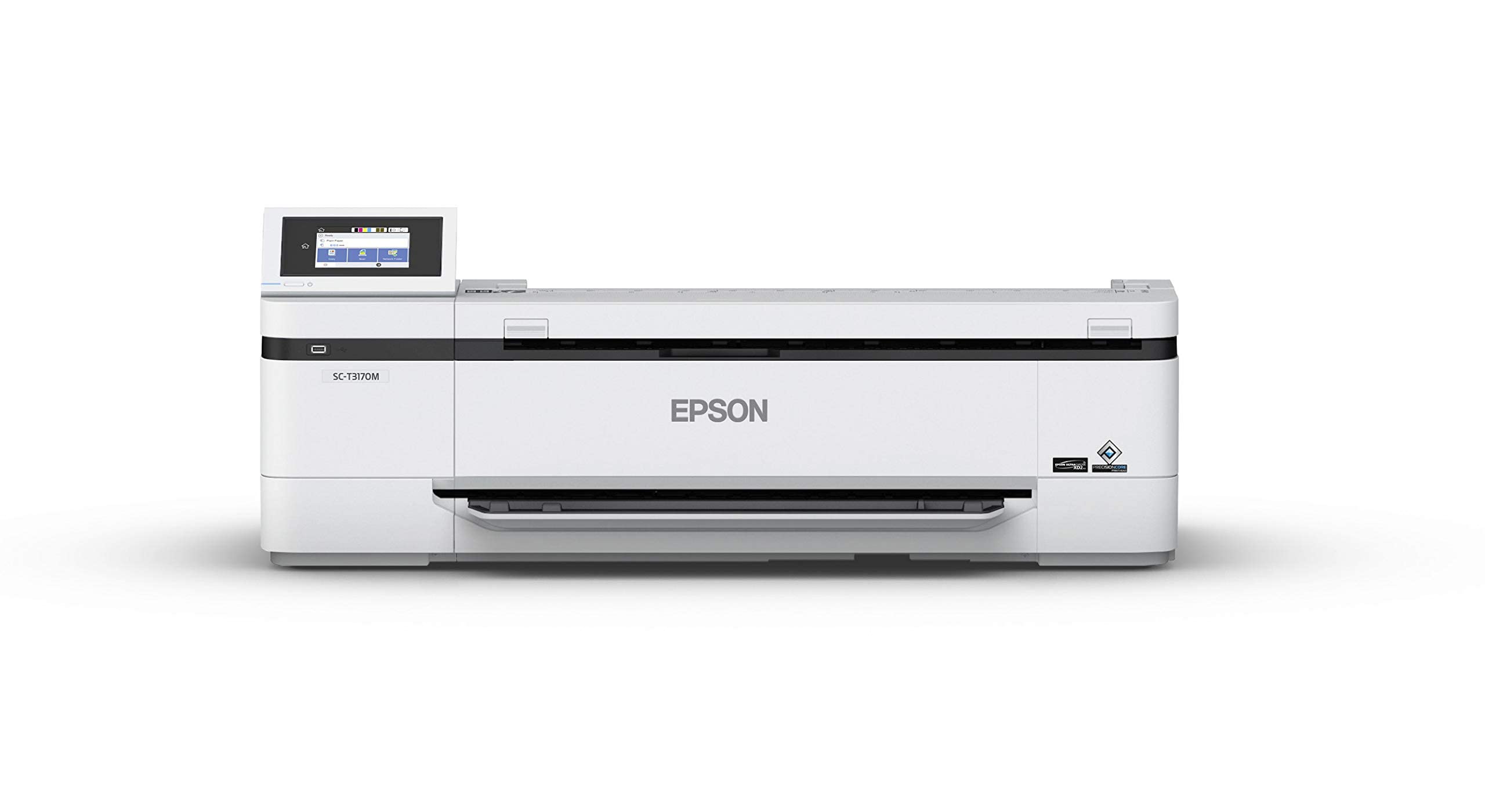
Scan 24-inch drawings and print them back out in the same pass — one box, two jobs.
Buy this only if you also print. The T3170M pairs an integrated 24-inch scanner with a 24-inch printer, and that scanner reads up to 600 dpi with highlight detection, which is what lets it pick up annotated marks on a marked-up blueprint. Print a D-size sheet in as fast as 34 seconds, then scan the signed copy back without walking to a second machine. For a small architecture or engineering shop, that is the whole case.
Media handling covers rolls up to 24 inches wide and sheets up to 11″ x 17″ through the auto-sheet feeder. The inks are all-pigment UltraChrome XD2, which Epson describes as archival-quality with smudge and water resistance — relevant when a drawing leaves the office in a bag. Build quality is the trait owners come back to most, and setup draws similar warmth. One 24×36 print job landing well is the kind of result this machine is bought for.
Printability is where the honest split sits, and it is a real one: a share of buyers report the printer never worked for them at all. That is the detail to weigh if you are ordering sight unseen — this is a heavy integrated unit, and a dead-on-arrival printer takes the scanner down with it. It is also comparatively inexpensive for a 24-inch all-in-one, which is the trade: you are buying convenience and footprint in one package, and the reviews suggest testing both functions thoroughly inside the return window.
The one-box argument: a 600 dpi 24-inch scanner and a 24-inch printer in one compact body, with D-size prints in as fast as 34 seconds.
The gamble to size: print reliability is the split in owner experience, so test the printer hard and early.
Choose it for: a drafting room that both prints and scans 24-inch sheets and wants one footprint instead of two.
Don’t choose it for: scanning alone — the printer is half the purchase, and it is the half with the divided reviews.
9. SmartLF 36-inch wide color scanner

Thirty-six inches of width — the pick for plans that would otherwise be stitched from halves.
A 36-inch scanner exists for one reason: the drawing is bigger than everything else on this list will take. Full-size architectural sheets, large-format technical drawings, and rolled plans come through in one pass here, where the 24-inch and A3 machines force you into two halves and a stitching step. That single spec is the whole argument for this unit.
The connection is Ethernet, which is worth noticing — this is a network device for a studio or print room, not a USB gadget you plug into a laptop for ten minutes. The light source is LED, and the CIS sensor works with paper media at a quoted 600 resolution. At 31 pounds it is a permanent installation, so plan a surface for it and leave it there. Colour depth is 24 bpp, and the software support list starts at Windows 7.
Ease of use is what owners praise most, and the recurring note is that it does the 36-inch job without the price ladder of the large production scanners. Scan quality draws a more mixed read, so if colour-critical reproduction is the goal, test with your own drawings first. The 4.0+/5 rating across 20+ ratings tells you this is a bought-and-used tool, not a popularity contest — a small, specific group of people who needed 36 inches and got it.
Buy this when: your originals run to full 36-inch width and stitching two halves is not acceptable.
The catch: Ethernet-only networking and 31 pounds mean it stays where you install it.
10. Epson Expression 12000XL-GA Flatbed Scanner

The graphic-arts flatbed — 2400 x 4800 dpi, a CCD sensor, and 3.8 Dmax for shadow detail.
This is the one that reproduces rather than merely records. Resolution runs 2400 x 4800 dpi with micro Step drive technology, and the 3.8 Dmax figure is the one that matters to a photographer or print house — it describes how deep into the shadows the scanner can read before detail collapses into black. The CCD sensor and Epson MatrixCCD technology separate it from the CIS flatbeds here, which is why it can take reflective media up to 12.2″ x 17.2″ with a tolerance for material that is not perfectly flat.
Colour handling comes through ColorTrue II with a fast warm-up LED lamp, and the one-touch colour restoration uses Epson’s Easy Photo Fix to bring faded colour photos back and strip dust automatically. Batch scanning lets you lay multiple printed images on the glass and save them all to a PC or Mac in one pass. The bundle leans professional: LaserSoft Imaging SilverFast Ai software and 2x IT8 targets ship in the box, which is calibration kit most scanners make you buy separately.
Quality is what owners praise most, with the large image size second — tabloid-sized documents at 2400 x 4800 dpi are exactly its lane. The trade is physical: at 31.5 pounds and 18″D x 25.8″W x 6.2″H it claims real desk space and is not moving once placed. It is also thehighest-priced unit in this group by a wide margin, so it earns its place on output quality, not on versatility. If you scan negatives and reflective photos and need the Dmax, this is the pick; if your work is plain office paperwork, the A3 flatbeds above give you the size for far less.
Why a print house picks it
- 2400 x 4800 dpi with 3.8 Dmax reads deep shadow detail instead of blocking it up.
- CCD sensor and MatrixCCD handle reflective media up to 12.2″ x 17.2″.
- SilverFast Ai and 2x IT8 targets ship in the box for real calibration.
- Batch scanning lays multiple printed images on the glass and saves them in one pass.
What you are signing up for
- 31.5 pounds and a 18″D x 25.8″W x 6.2″H footprint — it needs a permanent desk.
- The highest-priced unit here by a wide margin, justified only by the output quality.
- Overkill if your originals are ordinary office paperwork.
Reserve it for: graphic-arts studios, photographers, and print houses that reproduce rather than record.
Skip the spend if: you only need A3 office paperwork — the flatbeds above do that job without the Dmax premium.
Know the Specs
Optical resolution versus software-enhanced DPI
Optical resolution is the number of dots the sensor actually captures across the width of the scan, and it is the figure that decides whether fine print and thin pencil lines survive. Software-enhanced DPI is interpolated afterward — the software guesses the pixels between the real ones. A scanner can quote “up to 600 DPI enhanced” and still capture at 26MP, and that gap is why a spec sheet with two DPI figures should be read as two separate promises. When you enlarge a scan for a poster, only the optical figure is doing honest work.
Why the driver caps your resolution
Hardware capability and driver permission are separate things, and the Windows drivers here are the usual bottleneck. WIA on Windows is limited to 600 DPI by Microsoft’s own restrictions, so a scanner that advertises 1200 DPI reaches it only through the manufacturer’s software — on the VIISAN VF3240 the full 2400 DPI on an A3 page runs through MacOS with the native ICA driver, and Windows reaches 1200 DPI for A3 via the ViiScan app. Before you buy any high-DPI flatbed, confirm which driver path gets you the number printed on the box.
CIS, CCD, and camera sensors
A CIS sensor sits close to the glass and reads flat paper well, but it has almost no depth tolerance — clothing, CDs, acrylic sleeves, and three-dimensional objects come out blurry, and several makers here say so plainly. A CCD sensor uses a lens and reads with more tolerance for material that is not perfectly flat, which is why graphic-arts machines carry one. An overhead camera is a third route entirely: it shoots a page from above at a fixed resolution and uses software to flatten the curve, which is the only way to scan a bound book without cutting or pressing it.
Maximum media size and what it costs you
A3 is 11.7 x 16.5 inches, and A2 is 594 x 420 mm — the difference decides whether a broadsheet or a large map fits in one pass. Every extra inch of width adds physical footprint and weight, and the 36-inch class weighs 31 pounds and wants an Ethernet drop. The practical rule is to measure your largest frequent original, add a margin, and buy to that figure. Buying wider than you need means paying for glass you never use and surrendering desk space you will miss daily.
Common Questions
Will an A3 scanner take an 11×17 tabloid page?
Can I scan a bound book without cutting the pages off?
Is 600 DPI enough for scanning blueprints?
Why does my scanner scan slower than the advertised speed?
What is a CIS sensor and what can it not scan?
Can I scan into an editable Word or Excel file?
Does a wide format scanner need a special computer or connection?
How do I stop glare from glossy paper?
Can I scan negatives and slides on these scanners?
Is a printer with a built-in scanner worth it over a separate unit?
The Bottom Line
Across the board, the wide format scanner winner is the CZUR ET24 Pro because it turns the hardest scanning job — a bound book you cannot press flat — into a two-second shot with automatic flattening, and the 24MP camera covers a full A3 original in one frame. If you want to capture originals wider than A3, grab the VIISAN S21 and its 594 x 420 mm A2 reach. And for flat artwork where optical detail is the deciding factor, the VIISAN VF3240 at 2400 x 2400 dpi optical is the one to reach for.
Two narrower routes are worth naming. If your originals run to full 36 inches, the Colortrac SmartLF is the only pick here that takes them in a single pass, and if you reproduce rather than record, the Epson Expression 12000XL-GA with its 3.8 Dmax and CCD sensor is the graphic-arts answer. The CZUR ET24 Pro is where most buyers should start — a 4.0+ star rating across 300+ owners backs that call, and the flattening feature is the one thing no flatbed on this list can replicate.
How we choose
We do not accept paid placement. Every pick is matched to a real buyer and a real use-case; we do not hands-on test units.
Sources
Specifications: manufacturer listings and product documentation. Review insights: verified customer reviews, as of November 2026. Pricing: not shown on this page (it changes often); check the current price via the retailer link.
As an Amazon Associate, Tactical Gear Guy earns from qualifying purchases. This does not affect which products we feature.