Specs are compiled from manufacturer listings and verified buyer reviews and can change over time — please confirm the key details on the product page before buying.
You pay for internet that only reaches half your house. The bedrooms upstairs drop calls, the garage gets nothing, and the back garden might as well be on another planet. A Wi-Fi repeater router fixes exactly that — it grabs your existing router’s signal and rebroadcasts it into the dead spots. But picking the wrong one wastes your money and leaves you with a slow, flaky connection. This guide separates the nine units that actually extend coverage from the ones that only claim to.
This guide is built by comparing the manufacturers’ published specifications and the patterns across verified customer reviews, so you get each pick’s real strengths and trade-offs instead of marketing spin.
Below are the exact units worth your attention, sorted by what they do best — indoor coverage, outdoor reach, or raw next-generation speed — with honest notes on where each one falls short. The right pick for your home depends on knowing which wi-fi repeater router matches your walls, your square footage, and your devices.
Top Picks

How To Choose The Best Wi-Fi Repeater Router
Most people buy an extender by reading the top speed on the box and hoping for the best. That is the wrong measure. Check coverage area in square feet first (or range in feet for outdoor models), because an extender that cannot reach your far room will never serve it no matter how fast the wireless standard is. Speed matters after coverage — and even then, an extender rebroadcasts your existing signal, so it will never deliver more than your router already sends.
Match the unit to your indoor or outdoor space
Indoor extenders plug into a wall outlet and push signal through bedrooms, basements, and garages. Outdoor models are sealed against weather and mount on a post or wall, powered over Ethernet cable so you do not need a socket near them. If your dead zone is a garden, barn, or RV pad, an indoor unit will not survive the moisture. Go outdoor-rated and check the IP number — IP65 and IP67 both mean sealed against dust and water jets, with IP67 rated against full immersion.
Check the standard before you chase the speed number
A WiFi 7 extender only gives you WiFi 7 benefits if your router and devices also support WiFi 7. Pair a WiFi 7 extender with an old WiFi 5 router and you get the lower speed. That said, the newer standard usually delivers better efficiency and handles more connected devices. Measure your priorities: if you just need the far bedroom online for a laptop and a TV, an AC-class unit does the job for far less. If you are running a houseful of 4K streams and smart devices, the newer standard earns its keep.
Understand how many devices each unit can carry
Manufacturers list a maximum device count, ranging from up to 35 on the smaller indoor units to up to 256 on the outdoor access points. Count your phones, laptops, smart TVs, tablets, cameras, and smart plugs. Most homes sit between 15 and 40 devices. If you are near a unit’s ceiling, the connection quality drops for everyone. Buying one tier above your count gives breathing room.
Decide if you need Mesh or a standalone extender
A mesh system shares one network name across all units and hands your phone off automatically as you walk through the house. A standalone extender often creates a second network name that you may have to switch to manually. Some extenders on this list support EasyMesh (a standard that lets different brands form one network) or a manufacturer-specific mesh mode. If a single smooth network matters, check compatibility before you buy. Note that some mesh modes only work with matching-brand routers.
Side-by-Side Comparison
| Model | Best For | Max Speed | Coverage | Device Count | Amazon |
|---|---|---|---|---|---|
| WAVLINK AX1800 Outdoor WiFi 6★ Best Overall | Large outdoor properties | 1800 Mbps | Up to 200-300m radius | Up to 256 | Amazon |
| NETGEAR WiFi Extender EX6400Whole-Home Pick | Whole-home indoor coverage | 1.9 Gbps (AC1900) | Up to 2,100 sq ft | Up to 35 | Amazon |
| TP-Link RE515X AX1500Fast Setup Pick | Fast setup and EasyMesh | 1500 Mbps | Up to 1800 sq ft | Up to 64 | Amazon |
| BrosTrend AC1200 Outdoor | Budget outdoor coverage | 1200 Mbps | Up to 656 ft | — | Amazon |
| ASUS RP-BE58 BE3600 | AiMesh homes and WiFi 7 | 3600 Mbps | 202.16 meters | — | Amazon |
| TP-Link BE3200 RE223BE | WiFi 7 on a mid-range budget | 3200 Mbps | Up to 2400 sq ft | Up to 64 | Amazon |
| WAVLINK AC1200 Outdoor | Farm, yard, and factory outside | 1200 Mbps | 4x 7dBi antennas | Up to 64-96 | Amazon |
| NETGEAR Nighthawk EXS27 | WiFi 7 on a single network name | 5 Gbps (BE5000) | Up to 1,500 sq ft | Up to 45 | Amazon |
Detailed Reviews
1. WAVLINK AX1800 Outdoor WiFi 6 Extender Long Range
Our pick — 4.0+★ from 550+ verified ratings; the strongest balance of quality and price.
Four fiberglass antennas and a sealed IP67 shell that shrugs off rain, heat, and dust.
If your dead zone is outdoors — a back acre, a barn, a workshop far from the house — this is the unit to beat. It runs four detachable 8dBi fiberglass antennas (8dBi means the antenna focuses signal in a flatter, longer direction rather than a ball) and covers up to 200-300m radius in line-of-sight conditions. That is the difference between a camera at the far fence registering and one that times out. It supports up to 256 devices at once, which is a small crowd’s worth of phones, cameras, and sensors all staying connected.
Speed lands at WiFi 6 AX1800 — a combined 1800 Mbps split into 1201 Mbps on the 5GHz band and 574 Mbps on 2.4GHz. The 5GHz number is what your 4K camera feed uses; the 2.4GHz number is what your smart plugs and doorbell use through walls. The IP67 casing handles temperatures from -20°C to 50°C and resists 6KV lightning and 15KV static shock, so a summer storm or a hard freeze does not take it offline. Six modes — Mesh, AP, Router, Repeater, AP+Repeater, and more — let you convert a wired line into WiFi or extend an existing network by wireless. PoE powering through a single Ethernet cable means you can mount it far from any outlet.
The trade-off is the setup experience. The instructions are the weakest part of the package, and the unit does not work with any app, so you configure it manually through a browser. Plan on an afternoon if networking is not your comfort zone. Connectivity also draws mixed feedback — an occasional unit drops its link, which WAVLINK backstops with a 2-year warranty that replaces the unit if it fails. The included 1-meter Ethernet cable is short; buy a longer Cat5e or better run if your mounting spot is far from the PoE injector.
Where it wins big
- Up to 200-300m radius coverage in line-of-sight outdoor environments
- True IP67 sealing against rain, snow, dust, and UV exposure
- Up to 256 connected devices at once
- Works with Starlink Gen 2/3 via a Starlink Ethernet Adapter
- 2-year warranty with free unit replacement
Where it asks patience
- No app support — browser-based configuration only
- Instructions are thin; first-time setup takes time
- Included 1-meter Ethernet cable is short for many installs
- PoE adapter must be mounted indoors
Built for: Farms, large yards, RV pads, and remote properties where the dead zone is measured in hundreds of meters, not rooms.
Not your pick: If you want an app-guided setup in five minutes, a plug-in indoor extender serves you better.
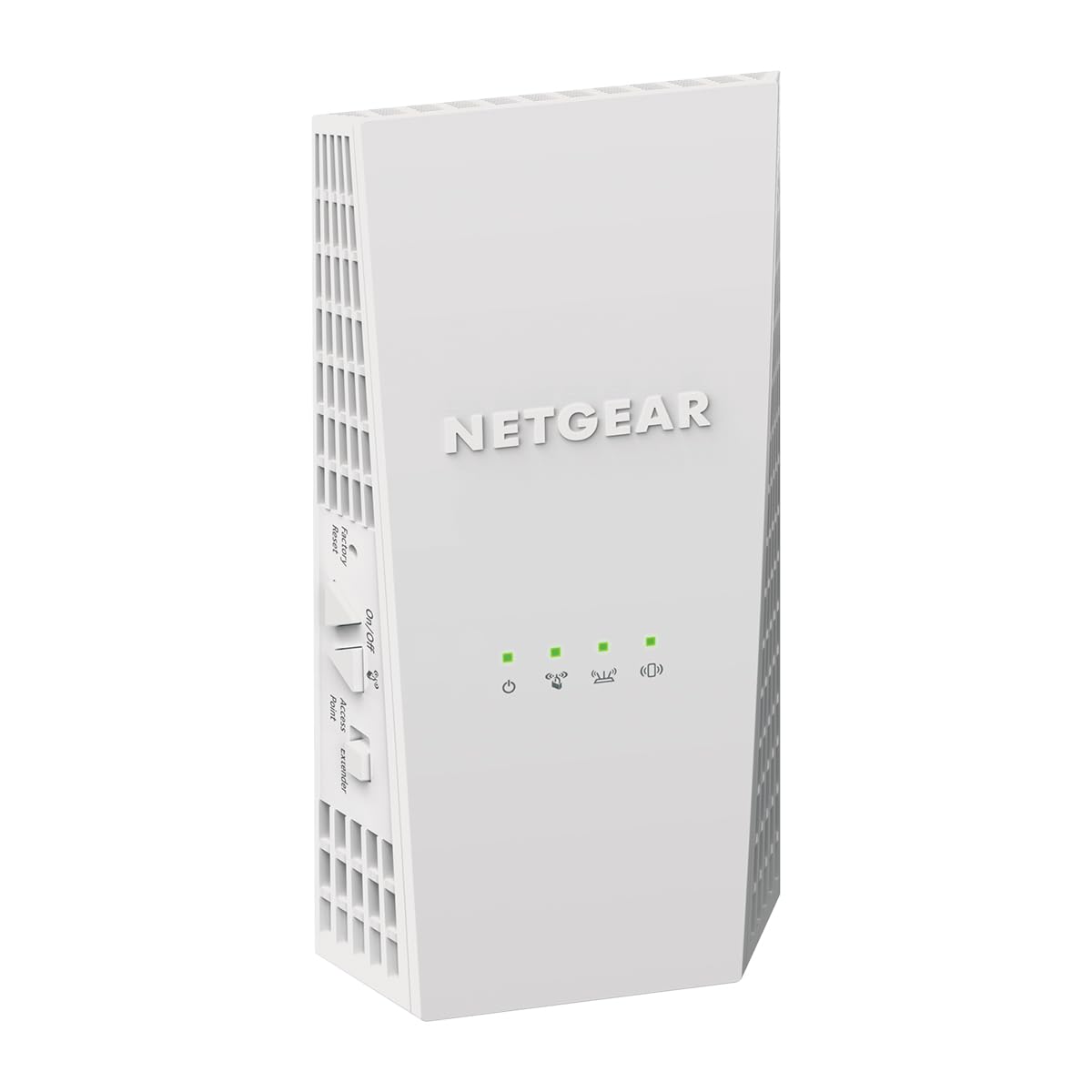
2. NETGEAR WiFi Extender EX6400
The wall-plug extender that covers more rooms than any indoor unit here.
Up to 2,100 sq ft of added coverage is the biggest indoor footprint in this guide, and it runs on 6 streams across two bands — meaning the extender can hold six separate lines of signal at once rather than splitting one. It handles up to 35 devices. For a three-bedroom house where the basement and the back bedroom both go dark, this pushes signal into both. Its 1.9 Gbps (AC1900) top rate is the highest indoor speed you can get without jumping to the newer standards, and it bests the TP-Link RE515X on raw transfer — 1900 megabits per second against that unit’s 1500 — if your router and devices are still on WiFi 5.
Setup is the part everyone agrees on. The NETGEAR Nighthawk app walks you through it step by step, or you press WPS on the router and on the extender and let them pair. Buyers report coverage reaching the front and back of a house with three bars held throughout. WPA3 security is included on every connected device — that is the current wireless encryption standard, so your password and traffic stay protected from casual intrusion.
The honest caveat sits in its connectivity behavior. Some units refuse to hold a link to the router, and a wired Gigabit Ethernet port — the socket on the back for a cable — is what you lean on when the wireless handoff is shaky. Use it for a smart TV or game console and you get a full-speed wired link that skips the wireless round trip entirely.
The wireless handoff gamble: When a repeater-wireless handoff sticks, the wired port saves you. Plug in the device that matters most and it sidesteps the issue.
Who this room-covers: Anyone with a WiFi 5 router who wants signal pushed into multiple rooms without spending on next-gen hardware. The biggest indoor coverage area on this list earns the position.
Reach for this if: You have a standard house with a few dead rooms and want a plug-and-play solution that does not care what router brand you already own.
Look elsewhere if: Your devices have all moved to WiFi 6 or WiFi 7 — the AC speed here will be the bottleneck.
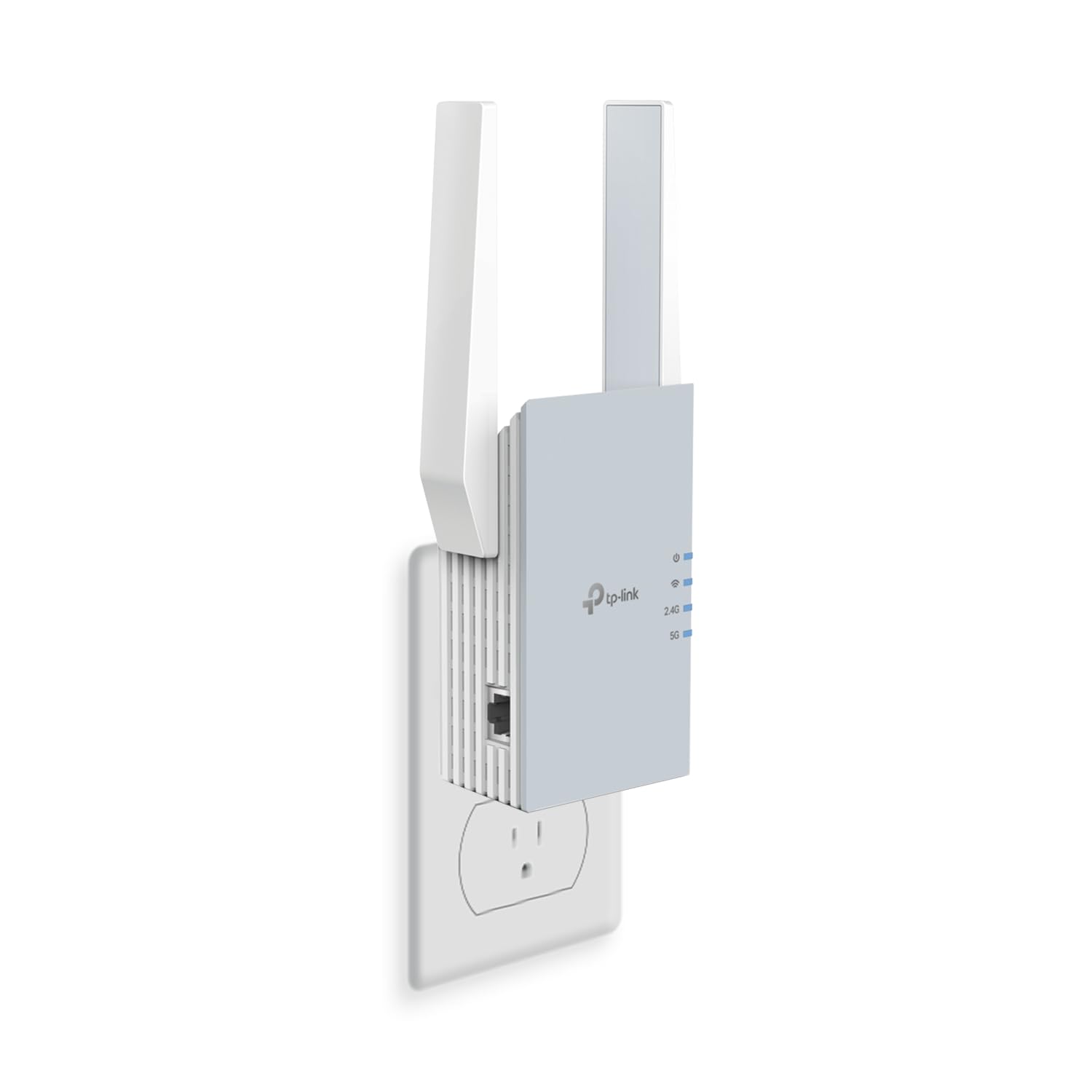
3. TP-Link RE515X AX1500 WiFi 6 Range Extender
WiFi 6, EasyMesh, and a Tether app that gets you online in minutes.
For a first extender, this is the friendliest starting point. TP-Link’s Tether app on iOS or Android walks you through setup, and an intelligent signal indicator shows you where the strongest spot is before you commit a wall outlet. It spreads WiFi 6 across up to 1800 sq ft and handles up to 64 devices — double the NETGEAR EX6400’s 35. Two high-gain directional antennas with Beamforming tech aim the signal at your devices rather than spraying it in every direction. That is how it holds a 4K stream at the far end of the house.
Speed totals a combined 1500 Mbps, split into 1201 Mbps on the 5GHz band and 300 Mbps on 2.4GHz. The 5GHz figure is the one you care about for streaming and gaming; the 2.4GHz side carries smart devices and covers the devices that still run on the older band. The unit carries the EasyMesh label, so it joins any EasyMesh-compatible router into one smooth network that hands off automatically as you move. There is also a Gigabit Ethernet port (the wired socket) for a TV or desktop that needs full-speed, no-wireless. AP mode turns a wired connection into a WiFi hotspot.
The catch is reliability. TP-Link’s own documentation warns that extenders improve coverage and not speed, and an occasional unit simply quits. Some households see slower rates through the extender than direct to the router — which is physics, not a defect: any repeater spends half its capacity talking back to the router. That is the trade-off every extender on this list shares. What you get in exchange is range push across a whole home and a setup process that takes a few quick taps.
Strongest signal: Beamforming on two directional antennas keeps devices locked even in the far room, and the intelligent signal indicator tells you the best mounting spot.
Honest repeat: Expect the extender to repeat your router’s pace, not exceed it. If the router line is slow, the extended line inherits that limit.
Best when: You want a modern WiFi 6 extender with app-guided setup and EasyMesh support for a whole-home smooth network.
Skip when: You already know that any repeater can occasionally drop a link and you need wired-grade certainty at a specific location.
4. BrosTrend AC1200 Outdoor WiFi Extender
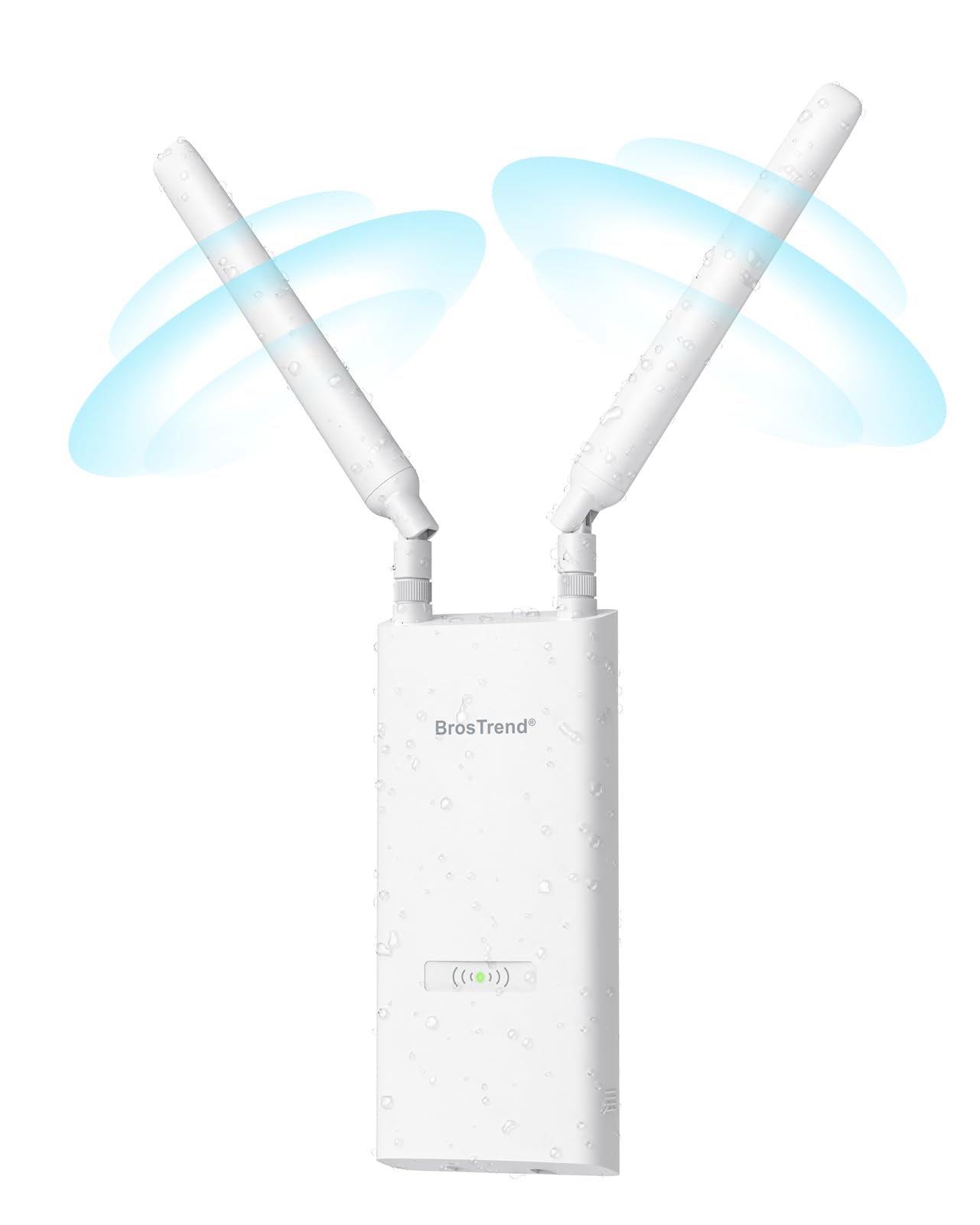
The outdoor unit for a garden, deck, or barn that does not need the maximum.
The BrosTrend reaches up to 656 feet from your router and covers gardens, yards, decks, and poolside areas with a strong, stable signal. That range comes via dual-band AC1200 speed — 867 Mbps on 5GHz and 300 Mbps on 2.4GHz. Two adjustable 5dBi omni-directional antennas (omni means they spread signal in all directions rather than focus it) with Beamforming technology handle the aiming, so you point at the far corner and let the antenna do the work.
The casing carries an IP65 rating — meaning it shrugs off dust and water jets from any angle — backed by 6kV lightning protection and 8kV ESD protection. That is enough for rain and snow, though not full immersion. Power runs through a single Ethernet cable from an included passive PoE injector, so you can mount the unit where there is no socket within reach. The injector itself is for indoor use only, so keep it in the garage or the house. Cable runs up to 164 feet are supported, giving you real mounting flexibility.
The practical limit is the antenna count. Two 5dBi antennas are modest next to the four 8dBi antennas on the WAVLINK units — 5dBi versus 8dBi on the gain figure is the difference between a spread-out signal and one aimed farther, exactly as the numbers suggest. For a garden or a front-yard camera, it is enough. For a barn a quarter mile away, reach for the higher-gain WAVLINK. The unit weighs 272 g, light enough for a single mounting bracket, and reliability is the honest question mark — some units run faultlessly, while a few stop working after a short run.
Budget outdoor win: Up to 656 feet of reach and full IP65 sealing come in a package priced below the indoor NETGEAR EX6400’s tier — an unusual combination this low on the list.
The install caution: You get 2x 5dBi antennas, not the 4x 8dBi gain of the WAVLINK models, so this is the right fit for a yard-sized dead zone, not an acreage one.
Fit: A garden, deck, or front-yard camera that needs weatherproof coverage without a premium price tag.
Misfit: A multi-acre property where the signal has to travel several hundred more feet than the 656-foot rating provides.
5. ASUS RP-BE58 BE3600 WiFi 7 Range Extender

A WiFi 7 extender that keeps its end of the deal — if your router keeps its end.
The pitch here is straightforward: WiFi 7 dual-band speeds up to 3600 Mbps, backed by 4096-QAM, a modulation method that increases a single frequency band’s transmission speed by 1.2 times. Multi-link operation links to both bands at once, so if one band gets congested, the other fills in. It is the newest standard and the most forward-looking unit on this list. The RP-BE58 also supports AiMesh, ASUS’s mesh system that keeps one network name and hands off cleanly between units — but only with compatible ASUS gear, not with a mixed-brand network.
What this unit does for a single-room gap is close to ideal. It works with virtually all WiFi routers, modems, and cable routers on the market, so you are not locked to ASUS. Coverage reaches throughout the house, including rooms the router could not hit. Setup is a few taps in the ASUS Router app or the ASUS Extender app. Weight is 8 ounces, the lightest here — it will hang from a wall outlet without a wobble.
The honest risk is that WiFi 7 only shines when the router is also WiFi 7. On an older network, the headline 3600 Mbps figure drops to whatever your router can actually deliver. And since value for money draws the most negative feedback of any aspect on this unit, buyers arrive with high expectations and find themselves paying for capability their existing hardware cannot use. The rule: buy WiFi 7 only when your router is WiFi 7, or buy it as a stepping stone you plan to upgrade alongside.
What’s forward-facing: 3600 Mbps of WiFi 7 throughput, 4096-QAM modulation, and multi-link operation put it years ahead of AC extenders on efficiency, not just peak speed.
Setup ease it inherits: The ASUS apps make initial pairing fast, and AiMesh pairing is smooth when both ends are ASUS. Mixed-brand homes need to treat this as a standalone extender, not a mesh node.
The right buyer: Someone with a WiFi 7 or WiFi 6E router who wants to extend a high-throughput network into a distant room, or an ASUS AiMesh household adding a node.
The wrong buyer: A WiFi 5 household whose router tops out below the WiFi 7 standard — you would pay for speed you cannot reach.
6. TP-Link BE3200 Wi-Fi 7 Dual-Band Range Extender RE223BE
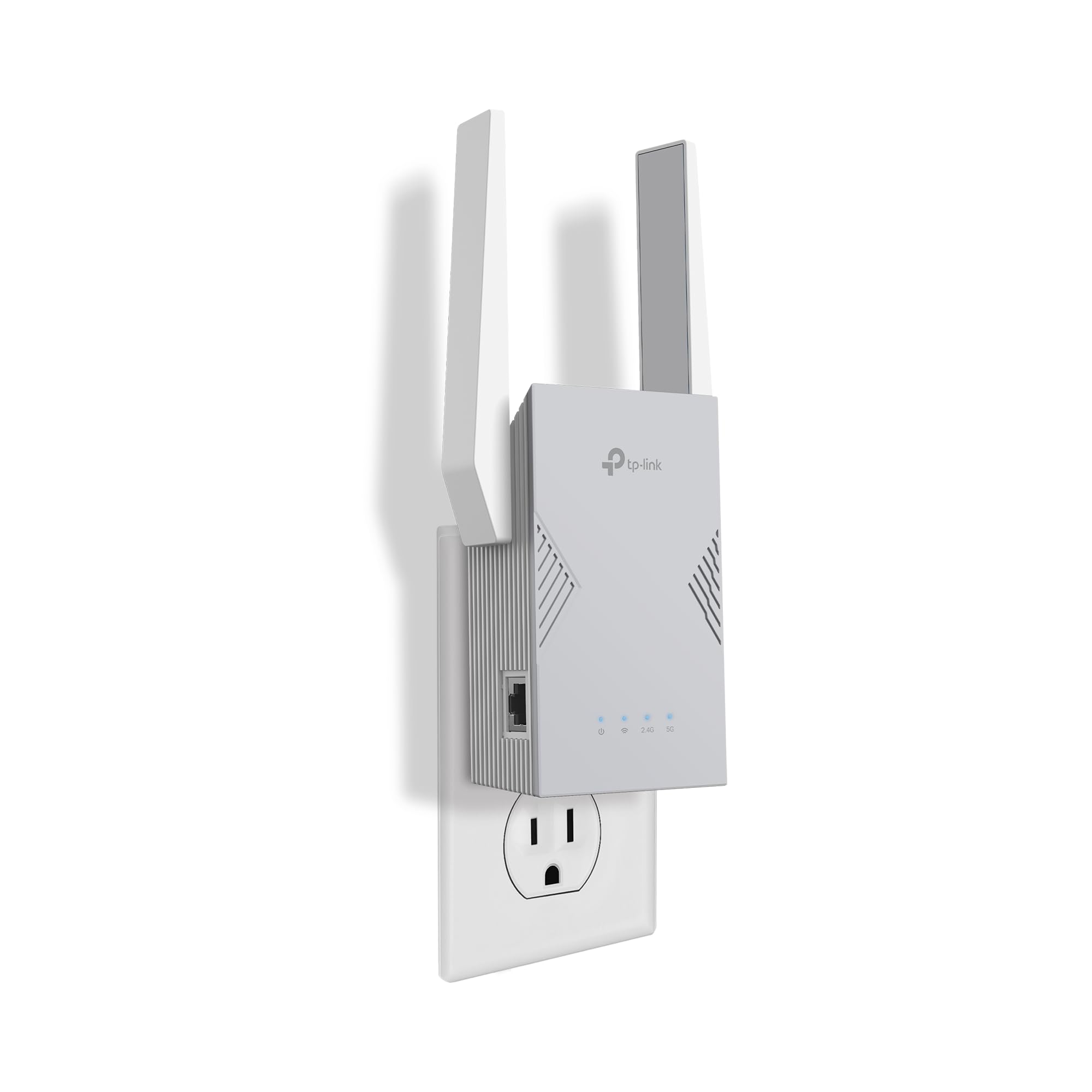
WiFi 7 performance, four antennas, and up to 2400 sq ft — for less than most mid-range WiFi 6 extenders ask.
This is the unit for someone who wants WiFi 7 without paying the ASUS premium. Up to 2400 sq ft of coverage beats every indoor competitor, running four optimally positioned antennas with Beamforming and holding up to 64 devices. It reaches 3200 Mbps total bandwidth split into 2594 Mbps on the 5GHz band and 688 Mbps on 2.4GHz. The MLO tech — Multi-Link Operation — straps both bands together when it pairs with a WiFi 7 router, cutting latency and boosting reliability. That is the kind of throughput that lets 4K or 8K streams run without stutter.
What owners mention is unusually consistent. Set up takes under five minutes through the TP-Link Tether app, and setup draws the highest positive ratio of any aspect on this unit. The intelligent signal indicator points you to the strongest mounting spot, then you are done. Customers note coverage stretching past the stated 2400 sq ft once the unit is mounted well, and signal strength is the most-praised aspect. EasyMesh compatibility lets it join a mesh network for smooth roaming — but only with EasyMesh routers, and not with Deco mesh systems.
The deal-breakers are specific, not cosmetic. This unit does not support the 6GHz band — it runs dual-band 2.4GHz and 5GHz only. If you came from a tri-band router and expected the high-speed lane that the 6GHz band provides, this cannot deliver it. TP-Link also states plainly that actual speed through the extender will be 50% or less than your current speed — the standard physics of repeating signal, no exception. Treat it as a coverage extender, not a speed booster, and it holds up well.
What stays consistent: Setup and reliability both hold up across the review pages, and the four-antenna design pushes real signal into rooms that were dead. Under five minutes is accurate, not marketing.
The dual-band limit: No 6GHz band here, so this is the WiFi 7 pick for dual-band households. Tri-band owners need to look elsewhere.
Reach for it if: You have a WiFi 7 or WiFi 6 router and want maximum coverage per dollar in a single indoor unit.
Look past it if: Your network relies on a 6GHz band that this extender cannot mirror.
7. WAVLINK AC1200 Outdoor WiFi Range Extender

Designed for factories, communities, and streets — not just back yards.
Four high-gain 7dBi antennas and anti-interference technology put this unit in a class above single-yards extenders. The signal holds across large spaces like factories, community areas, and streets — anywhere the dead zone is measured in hundreds of feet across multiple buildings. Speeds reach 867 Mbps on 5GHz and 300 Mbps on 2.4GHz, which handles 4K streaming, online gaming, and heavy browsing across up to 64–96 connected devices. It runs on the MT7621A chip and supports Easy Mesh — though the mesh only pairs with WAVLINK devices that support full mesh tech, not with other brands.
Weatherproofing is where the engineering shows. The IP65 housing handles temperatures from -20°C to 50°C, backed by 15KV ESD protection and 4KV lightning protection. That is genuine outdoor durability, not a marketing label. Power comes through Ethernet PoE, so a single cable delivers both data and juice from up to 100m away — the whole point of an outdoor install where no socket exists. Two Gigabit Ethernet ports each deliver 10x faster speeds than standard Ethernet ports, according to WAVLINK’s own spec, giving you a wired out-pipe for whatever you mount alongside.
Reliability is the recurring question mark. Some units run for years; a handful stop after two months. WAVLINK’s 2-year warranty with free unit replacement backstops that, and their support line answers within 8 hours. Setup splits the room — some find it quick, others find the instructions sparse and the lack of an app annoying. A word on the PoE adapter: it is not waterproof, so mount it inside, above the lowest loop of the Ethernet cable, to keep rainwater off the connector. Camera installers, take note.
Where the coverage wins: Four 7dBi antennas and 64–96 device support mean this unit can serve a whole community or a factory floor, not just a back garden.
Where to plan ahead: The PoE adapter belongs indoors, and the setup instructions reward a patient installer. Budget extra time, and buy a longer Cat5e-or-better cable if your mount is far from the injector.
For the multi-building property: A factory yard, a community space, or a farm where signal has to cross open ground with dozens of devices attached.
Not for the small yard: A single garden or deck is handled by the cheaper BrosTrend — no need to pay for the extra antenna gain.
8. NETGEAR Nighthawk WiFi 7 Extender EXS27
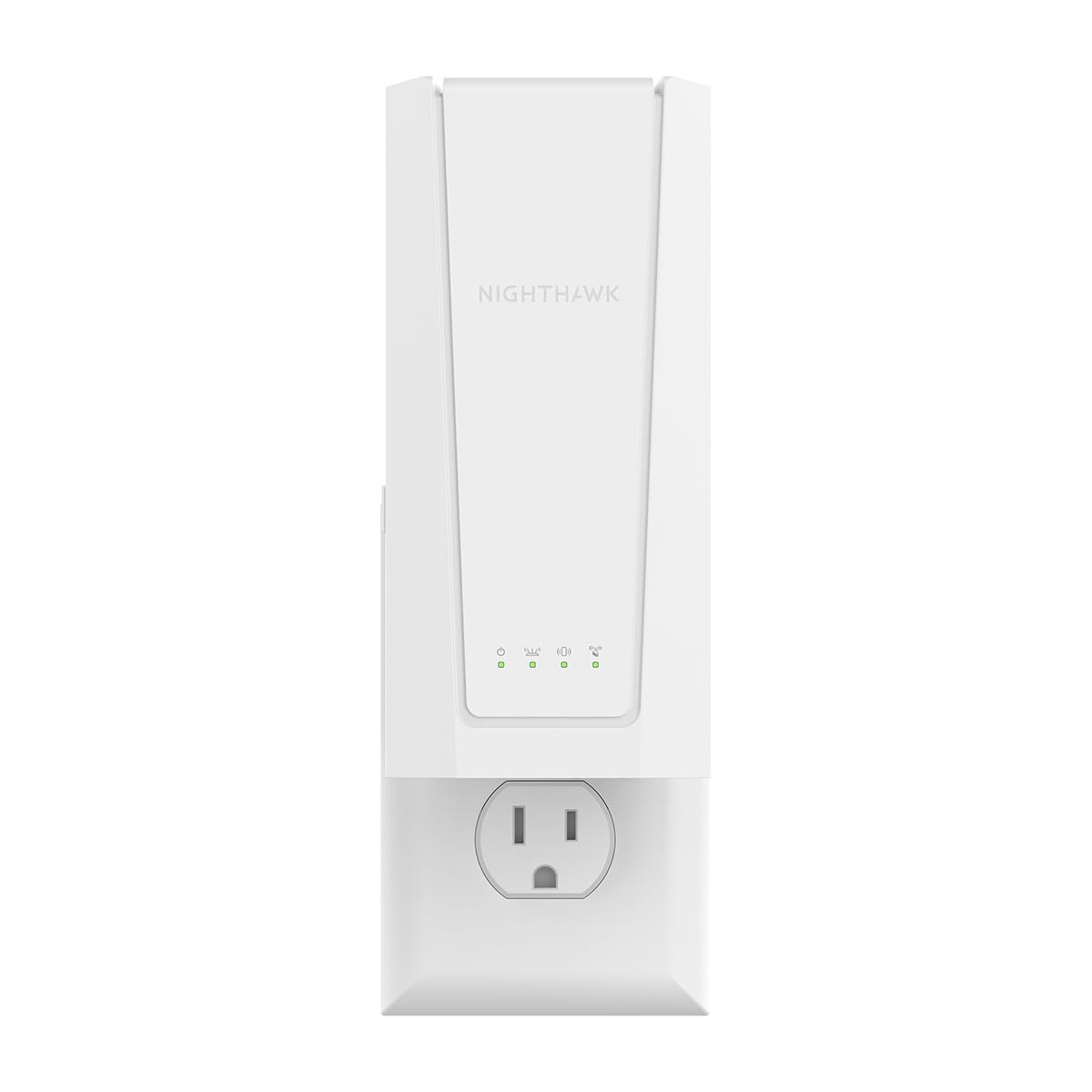
WiFi 7 at the highest speed in this guide, with a wired port that matches it.
The EXS27 runs WiFi 7 at up to 5 Gbps — BE5000 class — which is by far the highest indoor number on this list and roughly 2.7x faster than previous WiFi, per NETGEAR’s own marketing. It adds up to 1,500 sq ft of coverage for up to 45 devices. It covers bedrooms, garage, basement, and backyard. Smart Roaming is the standout feature here — it keeps your existing network name and moves each device to the strongest signal automatically. You walk from living room to kitchen to bedroom without switching networks and without dropping a call.
Wired performance is exceptional. A 2.5 Gigabit Ethernet port (the wired socket) gives you a full-speed link for a smart TV, a game console, or a desktop — the kind of connection that makes the extender feel less like a compromise and more like an extension of the router itself. Setup uses the NETGEAR Nighthawk app, or you pair through WPS (Wi-Fi Protected Setup, a one-button pairing method) in one press on the router and one on the extender. The unit weighs 1.1 pounds and lives in a wall outlet.
Here is the honest part: functionality is the most-discussed point on the EXS27, and it splits both ways. Some units work flawlessly; others stop working entirely after a few months of service. Setup, speed, and signal strength all carry the same mixed split. Buy this knowing that NETGEAR’s coverage is fine when the unit performs, and warranty support covers the units that do not. If you want the fastest consumer extender available, the trade-off is a higher chance you will need to contact support.
Where it pulls ahead
- 5 Gbps WiFi 7 throughput — the highest indoor speed in this guide
- 2.5 Gigabit Ethernet port for full-speed wired links
- Smart Roaming keeps one network name with automatic handoff
- Up to 45 devices across up to 1,500 sq ft
What to keep in mind
- Functionality is the most-discussed aspect, and it splits positive and negative
- Smaller coverage area than the TP-Link BE3200 RE223BE
- WiFi 7 benefits arrive only with a WiFi 7 router
Best suited for: A WiFi 7 household that wants the fastest possible extender speed and a wired 2.5G link for a high-end TV or gaming rig.
Think twice if: You want a larger square-footage footprint — the TP-Link BE3200 RE223BE covers up to 2400 sq ft versus this unit’s 1,500.
Know the Specs
Data transfer rate and dual-band speed
The rated rate (for example 1800, 3200, or 5000 Mbps) is the combined throughput across all bands, not the speed you will see on any one device. The split matters: 5GHz carries the heavy work like 4K streaming and gaming, and 2.4GHz punches through walls and carries smart devices. A WiFi 7 extender running at 5000 Mbps still cannot beat your router’s own throughput — it can only repeat what it receives. Treat any speed number as a ceiling, not a promise.
IP rating and weatherproofing
IP (Ingress Protection) is a two-digit code. The first digit scores dust resistance and the second scores water resistance. IP65 means sealed against dust and low-pressure water jets; IP67 adds protection against full immersion. Both will survive rain, snow, and wind. Neither protects the PoE adapter, which plugs indoors in every unit on this list. 6KV and 15KV lightning and ESD figures describe how much electrical shock the unit survives — higher is better for exposed outdoor installs.
Mesh compatibility and one-network-name roaming
Mesh hands your phone from one unit to the next as you walk around, keeping one WiFi name and one login. An extender that supports EasyMesh or AiMesh can join a mesh network, but only if your router also supports the same standard. A unit that labels its mesh mode brand-specific (like WAVLINK’s) only pairs with same-brand routers. Buy mesh support only when you have matching network gear, or plan to stay with the standalone repeater mode.
PoE, Ethernet ports, and mounting flexibility
Power over Ethernet (PoE) sends both power and data down one cable, so an outdoor extender can go anywhere you can run a cable — no power socket needed. Gigabit Ethernet ports let you plug a wired device into the extender for a full-speed link, skipping the wireless handoff. 2.5 Gigabit ports go higher, matching the newest routers. Watch cable length limits — active PoE typically supports around 100m runs, and WAVLINK’s BrosTrend and AX1800 units both list explicit cable-length limits in the manual.
Common Questions
Will a Wi-Fi repeater router actually make my internet faster?
Can an outdoor extender work with Starlink?
Do I need a WiFi 7 router to use a WiFi 7 extender?
Where do I mount an outdoor extender for the best signal?
How many devices can a Wi-Fi repeater handle at once?
Does a Wi-Fi repeater router work with any brand of router?
What is the difference between IP65 and IP67 on an outdoor extender?
Can I use a Wi-Fi extender without an app or smartphone?
Will a Wi-Fi repeater help with a security camera or doorbell at the far end of the yard?
Do I need one extender or several for a large property?
What wall or mounting surface does an outdoor extender need?
The Bottom Line
For most readers shopping for the best wi-fi repeater router, the winner is the WAVLINK AX1800 Outdoor WiFi 6 Extender because it combines four 8dBi fiberglass antennas, 200-300m radius coverage, IP67 sealing, and up to 256 device capacity — a package no other unit here matches for outdoor reach. If your dead zone is indoors, the NETGEAR WiFi Extender EX6400 covers more square footage than any other indoor option, and if you want the fastest indoor unit on this list, the NETGEAR Nighthawk EXS27 delivers 5 Gbps with a 2.5 Gigabit wired port for your critical devices.
One honest nudge: the crowd has clearly gravitated toward the NETGEAR EX6400 in volume, while the WAVLINK AX1800 tops out at 4.0+ stars across 500+ ratings — the outdoor unit earns the crown on capability for the right property, not on review volume. Buy the extender that matches your wall construction, dead zone size, and device count, and you get coverage that reaches the far room.
How we choose
We do not accept paid placement. Every pick is matched to a real buyer and a real use-case; we do not hands-on test units.
Sources
Specifications: manufacturer listings and product documentation. Review insights: verified customer reviews, as of November 2026. Pricing: not shown on this page (it changes often); check the current price via the retailer link.
As an Amazon Associate, Tactical Gear Guy earns from qualifying purchases. This does not affect which products we feature.