Specs are compiled from manufacturer listings and verified buyer reviews and can change over time — please confirm the key details on the product page before buying.
If half your house gets full bars and the other half can’t hold a video call, the fix is a mesh system — several small routers that share one network name and hand your phone off as you walk from room to room. The short answer: the Amazon eero 6+ three-pack is the safest pick for most homes, because it covers up to 4,500 sq. ft., handles 75+ devices, and sets up through a phone app in minutes. Below are nine systems sorted by what they actually do well, from budget-friendly mesh kits to premium Wi-Fi 7 tri-band setups.
This guide is built by comparing the manufacturers’ published specifications and the patterns across verified customer reviews, so you get each pick’s real strengths and trade-offs instead of marketing spin.
You’ll see which systems use Wi-Fi 6, 6E, or 7, how much square footage each kit claims, and where the honest catches sit. Every pick here is a real mesh system with real owner feedback behind it, so you can match one to your floor plan instead of guessing — this breakdown of the wi-fi mesh network systems worth your money makes the choice much simpler.
Top Picks


How To Choose The Best Wi-Fi Mesh Network Systems
The mistake almost every first-time buyer makes is shopping by the biggest coverage number on the box. Square footage is measured in open air. Your house is full of drywall, brick, tile, and a metal garage door, and every one of those eats signal. Size the kit for your worst room, not your best one.
Start with your internet plan, not the router
A mesh system can only pass along the speed your provider gives you. If you pay for a gigabit plan, look for a kit that supports gigabit speeds — the eero 6+ is built for exactly that. If you’re on a multi-gig plan, you need a system with 2.5 Gbps or 10 Gig ports, or the extra bandwidth stops at the wall. Paying for a multi-gig plan your router’s ports can’t pass through is the most common way people waste money here.
Wi-Fi 6, 6E, or 7 — what actually changes
Wi-Fi 6 is the current baseline and covers nearly every phone and laptop you own. Wi-Fi 6E adds a 6 GHz band (a newer, less crowded radio lane) that’s fast but short-range — great for a living-room laptop, weaker through two walls. Wi-Fi 7 adds multi-link operation (MLO), which lets a device use more than one band at once for a steadier connection. Only buy 6E or 7 if you own devices that support it; otherwise a solid Wi-Fi 6 kit does the same job.
Node count decides your dead zones
Two units suit a compact home. Three cover most two-story houses. If you have a garage, a basement, or a detached room, plan on a third node or a system that lets you add satellites later. Each unit needs a power outlet and, ideally, a spot roughly central to the area it serves — tucking a node in a closet defeats the point.
Backhaul is the quiet spec that rules everything
Backhaul is the link between your mesh units. A dedicated wireless backhaul or a wired Ethernet backhaul keeps that link off the same lane your devices use, so the far node stays fast. Cheaper dual-band kits share one lane for everything, which is fine for light use but sags under heavy simultaneous streaming. If you can run an Ethernet cable to one satellite, do it — wired backhaul is the biggest free upgrade in home networking.
Match the app to the person who’ll actually manage it
Some systems are phone-app simple, with guided steps and automatic updates. Others expose parental controls, guest networks, VPNs, and per-device rules. Be honest about who will troubleshoot at 10 p.m. A simpler app you understand beats a powerful one you don’t. Several picks here include built-in security subscriptions — check whether the useful features are free or paid before you commit.
Side-by-Side Comparison
| Model | Best For | Claimed Coverage | Wi-Fi Generation | Rated Speed | Amazon |
|---|---|---|---|---|---|
| Amazon eero 6+ (3-pack)★ Best Overall | Most homes, easiest setup | Up to 4,500 sq. ft. | Wi-Fi 6 | Up to a gigabit | Amazon |
| NETGEAR Orbi RBK752PStrongest Coverage Value | Large homes, wired ports | 5,000 sq. ft. | Wi-Fi 6 (tri-band) | AX5200 / up to 5.2Gbps | Amazon |
| Google WiFi AC1200 (3-pack)Budget-Friendly Pick | Simple smart-home mesh | Up to 4,500 sq. ft. | Wi-Fi 5 (dual-band) | AC1200 | Amazon |
| TP-Link Deco 7 BE23 (3-pack) | Wi-Fi 7 on a budget | 6,500 sq. ft. | Wi-Fi 7 (dual-band) | BE3600 | Amazon |
| TP-Link Deco XE70 Pro (3-pack) | Congested neighborhoods | Up to 7,200 sq. ft. | Wi-Fi 6E (tri-band) | AXE4900 / up to 4.9 Gbps | Amazon |
| Amazon eero 7 (3-pack) | Future-proofing a big home | Up to 6,000 sq. ft. | Wi-Fi 7 (dual-band) | Up to 2.5 Gbps plans | Amazon |
| ASUS ZenWiFi BT6 (3-pack) | Big houses, strong backhaul | Up to 7,600 sq. ft. | Wi-Fi 7 (tri-band) | Up to 9.4 Gbps MLO | Amazon |
| ASUS ZenWiFi BT10 (2-pack) | 10G wired households | Up to 6,000 sq. ft. | Wi-Fi 7 (tri-band) | Up to 18 Gbps | Amazon |
| NETGEAR Orbi 970 (3-pack) | Very large homes, top speed | Up to 10,000 sq. ft. | Wi-Fi 7 (quad-band) | Up to 27Gbps | Amazon |
Detailed Reviews
1. Amazon eero 6+ Mesh Wi-Fi System (3-Pack)
Our pick — 4.0+★ from 10,500+ verified ratings; the strongest balance of quality and price.
The three-node kit that gets you gigabit Wi-Fi without a premium bill or a manual.
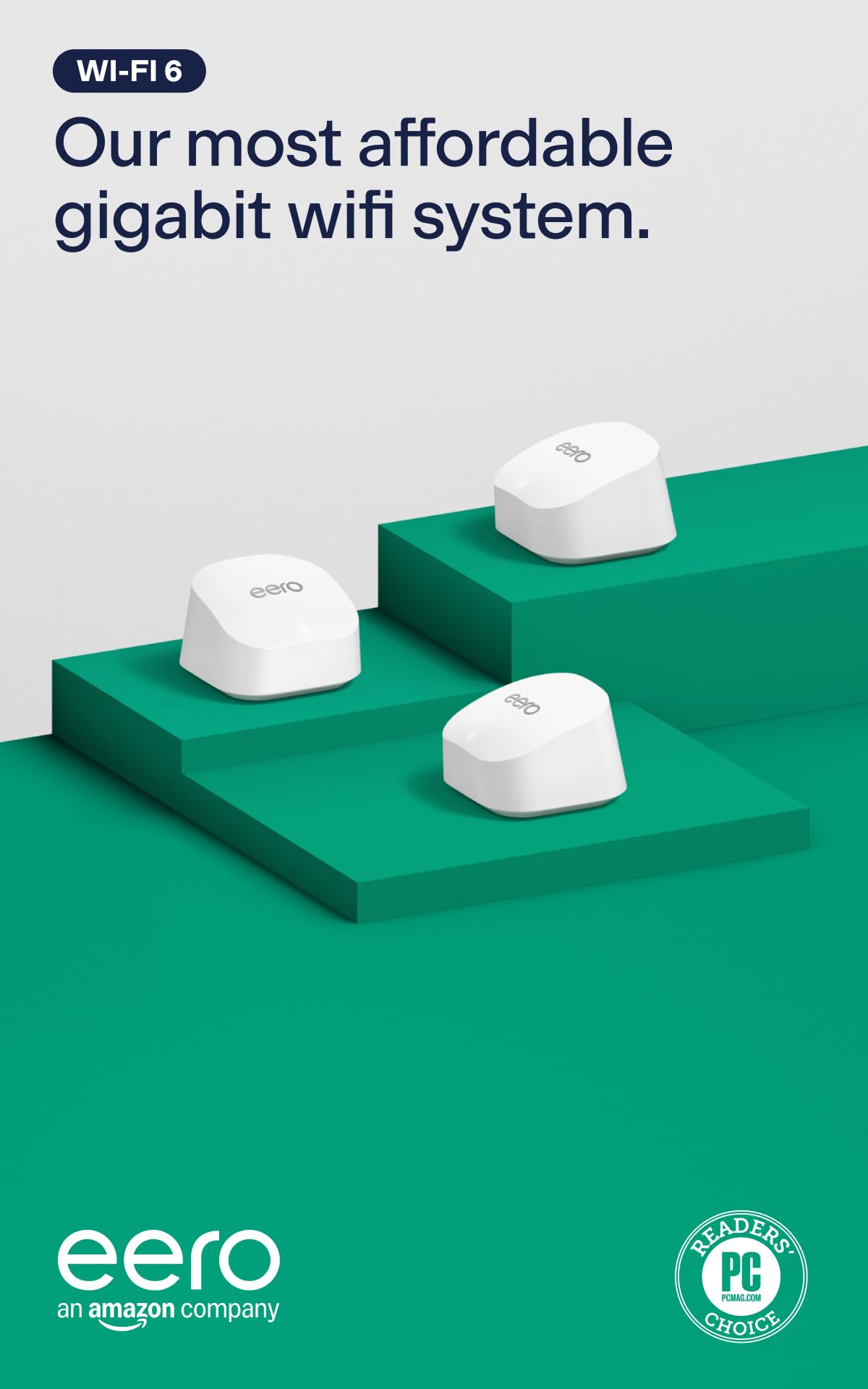
Three small white pucks that claim coverage up to 4,500 sq. ft. and support internet plans up to a gigabit — that’s the eero 6+ in one line. It handles 75+ connected devices, so a house full of phones, laptops, a smart TV, and smart-home gadgets all stay online at once. For most people in a two-story house, this is the pick that just works.
What wins people over is the setup. It’s the most-discussed aspect by a wide margin, and the pattern is consistent: the eero app walks you through it step by step, and you’re online without touching a settings page or remembering an IP address. Signal strength and coverage get plenty of praise too, including garages that used to be dead air. The eero 6+ also has a built-in smart-home hub for Thread and Zigbee devices, so smart bulbs and sensors connect straight to your network instead of through a separate plug-in bridge.
The honest catch is connectivity reliability. A meaningful slice of owners hit constant disconnections or app crashes, and that’s the trade-off you’re accepting. Most buyers never see it, but if you already run a demanding home office or a rack of wired gear, know that a few units prove fussy. Security features beyond basic automatic updates require a separate subscription, too. Still, 4.0+ stars across 10,000+ owners makes it the crowd favorite — the reliability complaints are the exception, not the rule.
What earns it the top slot
- Guided app setup — no config pages, no IP juggling
- Gigabit-capable Wi-Fi 6 covering up to 4,500 sq. ft.
- Handles 75+ devices, so a busy house stays connected
- Built-in Thread and Zigbee hub for smart-home gear
- 160 MHz radio channel adds bandwidth for the whole family
Where you’ll feel the limits
- Connectivity gripes show up in the review pages — some units drop connections
- Advanced security and network features require a subscription
- Dual-band sharing means heavy simultaneous streaming can strain the far node
Reach for this if: you want a whole-home network set up in an evening with zero networking knowledge and a gigabit plan.
Think twice if: you need rock-solid consistency for a home office and can’t tolerate the occasional dropout many owners never hit.
2. NETGEAR Orbi RBK752P
One router plus a satellite that stretches a tri-band signal to five thousand square feet.
Here’s the number that matters for a big house: 5,000 sq. ft. of claimed coverage from a two-piece kit, versus the 4,500 sq. ft. the eero 6+ three-pack reaches. The Orbi also sets aside a dedicated tri-band lane for its backhaul, the link between router and satellite, so the satellite keeps its speed instead of splitting one channel with your devices. It’s rated AX5200 with up to 5.2Gbps of combined Wi-Fi.
Speed and reach are what buyers talk about most, and the pattern is clear: whole-home coverage with speeds holding well over 225 Mbps in the far rooms, not just next to the router. Wired gear gets real ports here — 3 x 1 Gig Ethernet ports on the router and 2 x 1 Gig on the satellite — so a console, a desktop, or a streaming box can plug straight in. You can also add an RBS760 satellite to stretch coverage another 2,500 sq. ft. per unit later.
Setup draws mixed feedback. Some owners breeze through the Orbi app; others find it more involved than the guided eero flow. That’s the second-system dip you pay for more coverage and more ports. Also note the built-in security tools for hackers, malware, and identity theft are a 30-day trial before they need their own subscription, and the system is made for use in the U.S. only. If your home runs past 4,500 sq. ft. and you have wired devices to feed, the extra reach and ports here earn their place.
Why it lands second: That 5,000 sq. ft. reach plus dedicated tri-band backhaul is a real step up in coverage for a home that’s spread out — the far satellite stays fast instead of throttling to keep the link alive.
What to plan around: Setup can take more patience than the app-simple kits, and the Armor security suite is a trial before it asks for a subscription.
Worth it when: your house exceeds 4,500 sq. ft. and you have consoles or desktops that benefit from Ethernet ports at both ends.
Hold off if: you want the two-minute phone setup and don’t need the extra floor coverage or wired ports.
3. Google WiFi AC1200 Mesh WiFi Router System Bundle (3-Pack)
Three AC1200 pucks for a small-to-mid home that mostly streams and browses.
Three routers in one box covering up to 4,500 sq. ft., managed from the Google Home app — that’s the whole pitch. It runs Wi-Fi 5 dual-band at 1200 megabits per second, with 1000 Mbps LAN ports. That’s not the fastest kit here, but for a house that streams, games casually, and keeps a few smart-home gadgets online, it’s plenty.
Owners praise quality and setup most, and the app genuinely does the heavy lifting: you set up, name, and manage everything from your phone, including parental controls and a guest network. Signal strength comes up too, with successful range extension reported room to room. It plays well with existing Google mesh gear, so if you already own some, adding these is straightforward. A 30-day return window softens the risk if the AC1200 ceiling turns out too low for your plan.
The limit to know: 1200 megabits per second is a Wi-Fi 5 ceiling. On a gigabit plan with many devices, a Wi-Fi 6 or 7 system here will feel more responsive. This is the pick for a smaller home or an entry-level plan, not a household pushing multi-gig speeds. For light-to-moderate use in an apartment or a modest house, the price-to-coverage math is honest and the setup is genuinely painless.
The value read: A three-node mesh kit you can live with, covering 4,500 sq. ft. with a phone app running the show — the entry point for anyone who just wants full bars and no more dead spots.
The real limit: AC1200 on Wi-Fi 5 caps your throughput; this is a match for standard plans, not gigabit-plus households.
Pick this when: you’re in a smaller home or an apartment on a modest plan and want mesh coverage with a familiar app.
Pass if: you’re on a gigabit plan or own Wi-Fi 6/7 devices — the older standard here won’t feed them.
4. TP-Link Deco 7 BE23 3-Pack

The cheapest way into Wi-Fi 7, with 2.5 Gbps ports that keep pace with a fast modem.
Wi-Fi 7 on a dual-band budget: that’s what the Deco 7 BE23 brings, with BE3600 speeds and a 3600 megabits per second data rate. By comparison, the Google WiFi kit tops out at 1200 megabits per second. If you want the newer standard without leaping to a premium tri-band system, this is where the entry ramp starts.
Each unit carries two 2.5 Gbps WAN/LAN ports — faster wired connections than the 1 Gig ports on the Orbi above — so a multi-gig modem or a gaming PC isn’t bottlenecked at the jack. Multi-Link Operation lets Wi-Fi 7 devices use more than one band at once, and the 5GHz band alone delivers up to 2882 Mbps. Setup runs through the Deco app, which owners find quick, and the signal holds with speeds reported up to 950mbps in both directions. Coverage claims reach 6,500 sq. ft.
The catch is dual-band, not tri-band. The 5GHz and 2.4GHz bands share the backhaul duty, so a Wi-Fi 7 laptop gets the headline speeds while older devices fall back to 2.4GHz. That’s normal for this tier, but it’s the reason a tri-band system costs more. If you own a Wi-Fi 7 phone or laptop — an iPhone 16 Pro or Galaxy S24 Ultra — this is the value way to use it today.
Reasons this earns its keep
- Wi-Fi 7 MLO and 4K-QAM at a BE3600 dual-band tier
- Two 2.5 Gbps ports per unit for fast wired gear
- Quick Deco app setup with AI-driven roaming
- HomeShield safety features and a private IoT network included
The trade-offs you accept
- Dual-band means no dedicated third band for backhaul
- Older non-Wi-Fi-7 devices won’t feel the new-format speed gain
Worth a look if: you own a Wi-Fi 7 phone or laptop and want to use it now without a tri-band price.
Skip if: your devices are all Wi-Fi 6 or older — the new radios won’t do much for them.
5. TP-Link Deco XE70 Pro 3-Pack

A fresh 6 GHz lane that slices through the congestion of a packed neighborhood.
If every apartment around you is fighting over the same Wi-Fi channels, the XE70 Pro answers with a whole new band. Wi-Fi 6E adds a 6 GHz radio — a newer, less crowded lane — alongside the usual bands, for up to 4.9 Gbps across 6 streams and coverage up to 7,200 sq. ft. Tri-band means the 6 GHz lane can carry backhaul, so your mesh link isn’t the bottleneck.
What gets owners recommending it, the most-praised aspect here, is the difference it makes day to day. Buyers report a jump from 26 Mbps to 453 Mbps after switching, with coverage reaching 5,000 sq. ft. including outdoor areas. Setup is close behind, with the Deco app’s step-by-step guidance doing the walking. Wired connections are strong too: each unit carries one 2.5 Gbps port plus two Gigabit ports for a NAS or gaming desktop. HomeShield adds parental controls and IoT protection, and a separate IoT network keeps smart devices off your main SSID with WPA3 encryption.
Here’s the reality check: the 6 GHz band improves speed and reduces interference, but it travels less far through walls than 2.4GHz or 5GHz. You get the most out of it with the nodes placed reasonably close together. Connectivity is rated mixed, so a few units prove finicky. For a congested building or a home packed with connected gear, though, that uncrowded lane is the whole point — and this is the cleanest path to it.
The standout: Wi-Fi 6E’s 6 GHz band gives you a lane the neighbors aren’t on, and tri-band backhaul keeps the mesh fast across up to 7,200 sq. ft.
The honest caveat: 6 GHz is short-range, so placement matters — spread the nodes too far and you lose the main benefit.
Reach for this if: you live where the airwaves are crowded and interference has been dragging your speed down.
Look elsewhere if: your home is very spread out and you can’t place nodes within a reasonable distance.
6. Amazon eero 7 Dual-Band Mesh Wi-Fi 7 Router (3-Pack)

Wi-Fi 7, three nodes, and a three-year warranty for a large home that keeps growing.
Three eero 7 units support 120+ devices across up to 6,000 sq. ft. and internet plans up to 2.5 Gbps — that’s the headline for a big, busy household. Two auto-sensing 2.5 GbE ports per unit give you fast wired backhaul if you can run a cable, and the wireless side tops out at 1.8 Gbps. Wi-Fi 7 features like multi-link operation are built in, so the network is ready for the phones and laptops you’ll buy over the next few years.
Setup lands around 15 minutes in owner accounts, and the app interface is consistently called easy to use. Coverage over 2,000 sq. ft. reaches into a home office, and signal strength holds out there — the kind of “the shed gets Wi-Fi now” story that makes a mesh system worth it. The eero software layer, with TrueMesh, TrueRoam, and TrueChannel, actively steers you to the best connection as you move. It’s also backward compatible with every earlier eero generation and works with eero Built-in on select Echo devices.
The trade is the usual eero one: security extras like advanced protection, ad blocking, and the VPN sit behind the optional eero Plus subscription. And dual-band means no dedicated third band for backhaul — wired backhaul via those 2.5 GbE ports is how you open up the best from it. What you do get, rarely in this category, is a three-year warranty. For a large home that wants Wi-Fi 7 without tri-band cost, the math is sound.
Why it suits a growing home
- 120+ devices across up to 6,000 sq. ft. on one network
- Two 2.5 GbE ports per unit for wired backhaul and fast gear
- Around 15-minute setup with an easy-to-use app
- Three-year warranty — the longest of any system in this guide
What you give up
- Dual-band — wired backhaul is how you get peak mesh speed
- Advanced security features need the eero Plus subscription
Fits you if: you’re future-proofing a large home with a 2.5 Gbps-capable plan and want the security of a long warranty.
Not your pick if: you’d rather keep security tools free — eero’s best extras live behind a subscription.
7. ASUS ZenWiFi BT6 WiFi 7 Tri-Band Mesh Router (3 PK)

Seven internal antennas and eight high-power front-end modules built to erase dead zones.
The BT6 is built to blanket a big property. Tri-band Wi-Fi 7 with MLO and 4K-QAM pushes speeds up to 9.4 Gbps, and the three-pack claims coverage up to 7,600 sq. ft. Seven internal antennas and eight high-power front-end modules per system are the hardware behind the “no dead zones” claim. For a sprawling house, that physical setup is the reason it gets picked over a smaller kit.
Reliability is what owners call out most, with setup right behind it — a strong pairing. The wireless backhaul, the link between nodes, is singled out as fast and stable, which is exactly where cheaper kits struggle. The system also works with compatible ASUS routers, so you can extend your mesh with hardware you already own. AiProtection Pro brings commercial-grade security, and Smart Home Master lets you spin up separate SSIDs for IoT devices, parental controls, and VPNs — all from the app.
Connectivity draws mixed feedback, a reminder that even a well-built mesh can be finicky during the switch-over from plugging into the modem to mesh. Worth knowing: the 9.4 Gbps figure is the combined MLO rate across bands, not the speed any single device sees. If your home is long or multi-level and wired backhaul isn’t an option, the seven-antenna hardware here does the heavy lifting wirelessly.
Where it wins: Seven antennas and a strong wireless backhaul make it a wireless-only mesh that actually holds its speed across up to 7,600 sq. ft.
Note the fine print: The 9.4 Gbps is a combined multi-band figure, and connectivity gripes show up during smaller setups.
Suits you when: you’ve got a long or multi-level home and can’t run cables between network points.
Maybe not if: you expect a single device to see the full headline speed every time.
8. ASUS ZenWiFi BT10 WiFi 7 Mesh Router (2 Pack)

Dual 10G ports and tri-band Wi-Fi 7 for a house wired for the very fastest speeds.
The BT10 is a two-piece setup for a home or studio with a serious wired backbone. Up to 18 Gbps of tri-band Wi-Fi 7 speed and coverage up to 6,000 sq. ft. from the pair. Eight internal antennas and ten high-power front-end modules do the broadcasting. Where it earns its keep is the wired side: dual 10 Gig WAN and LAN ports, plus Multi-WAN with 4G LTE and 5G mobile tethering via USB for a backup connection.
Speeds are the draw, especially faster NAS uploads for anyone moving big files around a local network. AiMesh adds smart backhaul and easy scaling with compatible ASUS routers. Smart Home Master opens up to three separate SSIDs — one for IoT devices, one for VPN traffic, one for the family — which keeps a busy smart home from becoming one big tangled network. Setup is reported as straightforward for a system this capable.
This one asks for an honest read, because reliability, signal strength, and 2.4GHz performance draw mixed feedback. Some owners see excellent performance and clean dropped connections; a portion hit weak 2.4GHz reach and stability hiccups. The 2-pack also means less redundant coverage than a 3-pack. Buy the BT10 if your priority is 10G wired throughput and you can place the two units well; if you’re a plug-in-and-forget household, a simpler system will serve you with less tuning.
Why 10G households want it
- Dual 10G WAN and LAN ports for very fast wired gear
- Tri-band Wi-Fi 7 up to 18 Gbps across 6,000 sq. ft.
- Multi-WAN with 4G LTE and 5G tethering for a backup line
- Three SSIDs via Smart Home Master for clean segmentation
Where it can let you down
- Reliability and 2.4GHz performance are mixed in owner feedback
- Two units is less coverage redundancy than a three-node kit
Built for: a power user with a wired home network, a NAS, and a need for 10G throughput.
Not for: a household that wants zero setup tinkering and reliable coverage in every corner.
9. NETGEAR Orbi 970 Series RBE973S

A router and two satellites claiming ten thousand square feet and twenty-seven gigabits.
This is the largest system here by every measure: a router plus two satellite extenders, up to 27Gbps of Wi-Fi 7 speed, coverage up to 10,000 sq. ft., and support for 200 devices. A 10 Gig internet port feeds a multi-gig plan properly. Quad-band with a dedicated backhaul is the reason it can push that much — one band is reserved for the link between units, so your devices keep their lanes.
Speed is the thing owners rave about: consistent maximum Wi-Fi speed throughout the house and no lag with multiple people online at once. Full interior and exterior coverage is the other big win, which matters if you want Wi-Fi in the yard, the basement, and the back rooms all at the same time. Setup is well-liked in the pattern — plan on a longer session (the review pages mention a couple of hours to reconnect everything), but the payoff is coverage that reaches places other kits don’t.
The honest side: quality, reliability, and value for money land mixed in the feedback, and connectivity draws the sharpest notes. That’s the reality of a system pushing this much data over a large area — it can be fussy to dial in. Made for use in the U.S. only, and the top-tier speed assumes you have the internet plan to feed it. If your property is genuinely huge and you want the fastest, most far-reaching mesh available, this is the ceiling.
The big picture: 27Gbps of quad-band Wi-Fi 7 with a dedicated backhaul and a 10 Gig port — the most coverage any pick here claims, across up to 10,000 sq. ft.
The honest read: Reliability and value draw mixed notes, and setup runs longer than the app-simple kits. This is for a buyer who needs the reach and can tune it.
Choose it if: you have a very large property, a multi-gig plan, and want Wi-Fi reaching the yard and every far room.
Reconsider if: your home is closer to 4,000–5,000 sq. ft. — a mid-tier kit fits better and is easier to tame.
Know the Specs
Mesh vs. Extender: What the Difference Really Is
A range extender rebroadcasts a signal, often halving the speed and creating a second network name to reconnect to. A mesh system uses several units that talk to each other over a backhaul link and share one network name, so your phone moves between them without you doing anything. That shared link is why mesh holds speed better in far rooms.
Wi-Fi Generations in Plain Numbers
Wi-Fi 6 handles today’s phones and laptops with room to spare. Wi-Fi 6E adds a 6 GHz band — a newer, less crowded radio lane that’s fast but short-range. Wi-Fi 7 adds features like multi-link operation (using more than one band at once) for a steadier connection. The higher the generation, the newer the gear you need to feel the gain.
Backhaul: The Invisible Speed Limiter
Backhaul is the link between your mesh units. A dedicated wireless backhaul (or a wired Ethernet run between nodes) keeps the inter-unit traffic off the lane your devices use. Dual-band kits share one lane for everything; tri-band and quad-band kits set a band aside. If two systems look similar on the box, the backhaul design is often the real difference.
Coverage Claims and Square Feet
Manufacturers measure coverage in open air. Your walls, floors, and appliances cut into that. Treat the number as a target for an open floor plan and plan on adding a node for a garage, basement, or detached room. Node count and placement matter more than the single biggest number on a box.
Common Questions
Do I really need a mesh system or can one strong router do the job?
Will a mesh system work with my existing internet provider?
Is Wi-Fi 7 worth it over Wi-Fi 6 right now?
How many mesh nodes do I need for a two-story house?
What is backhaul and why does it matter?
Can I add more units to a mesh system later?
Does the 6 GHz band on a Wi-Fi 6E system travel through walls well?
Do I have to pay a subscription to use these systems?
Can a mesh system lower my gaming ping compared to my old router?
Will a mesh system reach my garage or backyard?
The Bottom Line
For most homes, the wi-fi mesh network systems winner is the Amazon eero 6+ because it turns a gigabit plan into full-house coverage across up to 4,500 sq. ft. with a phone-guided setup that takes minutes and a built-in smart-home hub to boot. If your house is bigger and you have wired gear to feed, grab the NETGEAR Orbi RBK752P and its 5,000 sq. ft. of tri-band coverage. Want the newer standard without tri-band cost, the eero 7 three-pack future-proofs a large home at up to 6,000 sq. ft. And if a very large property is the whole point, the NETGEAR Orbi 970 pushes up to 10,000 sq. ft. and 27Gbps — the ceiling of this list.
One last note: the eero 6+ earns its standing on a 4.0+ star score across 10,000+ owners, a tally the pricier Orbi 970 can’t touch. Buy the coverage and the Wi-Fi generation your devices can actually use, and the extra node pays for itself.
How we choose
We do not accept paid placement. Every pick is matched to a real buyer and a real use-case; we do not hands-on test units.
Sources
Specifications: manufacturer listings and product documentation. Review insights: verified customer reviews, as of November 2026. Pricing: not shown on this page (it changes often); check the current price via the retailer link.
As an Amazon Associate, Tactical Gear Guy earns from qualifying purchases. This does not affect which products we feature.