Specs are compiled from manufacturer listings and verified buyer reviews and can change over time — please confirm the key details on the product page before buying.
Your hotspot has bars, so why does the back room of the RV drop to nothing? A mobile hotspot’s signal is weak and short-throwing compared with a home router. A repeater-mode extender grabs that weak hotspot signal and rebroadcasts it to the far end of the camper, the truck cab, or the cabin porch.. Below are nine units that genuinely repeat a hotspot feed — from pocket travel routers to a weatherproof outdoor mast — sorted so you can pick the one that fits how you actually use your hotspot.
This guide is built by comparing the manufacturers’ published specifications and the patterns across verified customer reviews, so you get each pick’s real strengths and trade-offs instead of marketing spin.
Expect honest talk on speeds that halve, hotspot pairing quirks, and which units need a cable run instead of a wall outlet. The list below covers the best Wi-Fi extender for mobile hotspot setups, with plain explanations of every spec that actually changes how your connection behaves in the field.
Top Picks

How To Choose The Best Wi-Fi Extender for Mobile Hotspot
Repeating a hotspot is different from extending a home router. A hotspot is a small radio with a short throw, so the extender has to sit close enough to hear it clearly, then rebroadcast that same feed. Pick the wrong hardware and you waste a device on a signal it can never reach.
Match the extender’s wireless mode to your hotspot
You need a repeater or WISP-capable unit, not a plain access point. Repeater mode hears the hotspot’s signal wirelessly and re-sends it — that is the mode that matters when there is no cable to run. WISP mode goes a step further and creates a fresh private network behind the hotspot, which is handy when the hotspot’s login or device limit gets in your way. An access point mode only helps once you have a wired feed, so it does nothing for a purely wireless hotspot unless you pair it with a cable.
Expect the speed to drop, and size your needs around that
Every extender moves data twice — once receiving from the hotspot, once sending to your devices — so the throughput you see downstream is always lower than the hotspot’s own output. That is normal, not a fault. If you mainly browse, email, and stream standard video, a modest repeated signal is plenty. If you are counting on large downloads over the hotspot, plan around the halving rather than fighting it.
Placement beats raw power
Put the extender roughly halfway between the hotspot and the dead zone, where it still hears the hotspot clearly. An extender planted in the dead zone hears nothing and repeats nothing, no matter its antenna count. Higher-gain antennas help push through walls and distance, but they cannot fix a device sitting outside the hotspot’s reach.
Check the power path and the weather exposure
Indoor units plug into a wall outlet or a USB port. Outdoor-rated units often run on PoE, which sends both power and data down one network cable so you do not need an outlet at the mast. If the unit lives outside, look at its weatherproof rating and its temperature range, plus where the power adapter itself has to sit — most adapters are not weatherproof.
Side-by-Side Comparison
| Model | Best For | Data Transfer Rate | Frequency Bands | Coverage Claim | Amazon |
|---|---|---|---|---|---|
| WAVLINK AX1800 Outdoor WiFi 6 Extender★ Best Overall | Outdoor and long-throw hotspot coverage | 1800 Mbps | 2.4 GHz, 5 GHz | 200–300 m radius line-of-sight | Amazon |
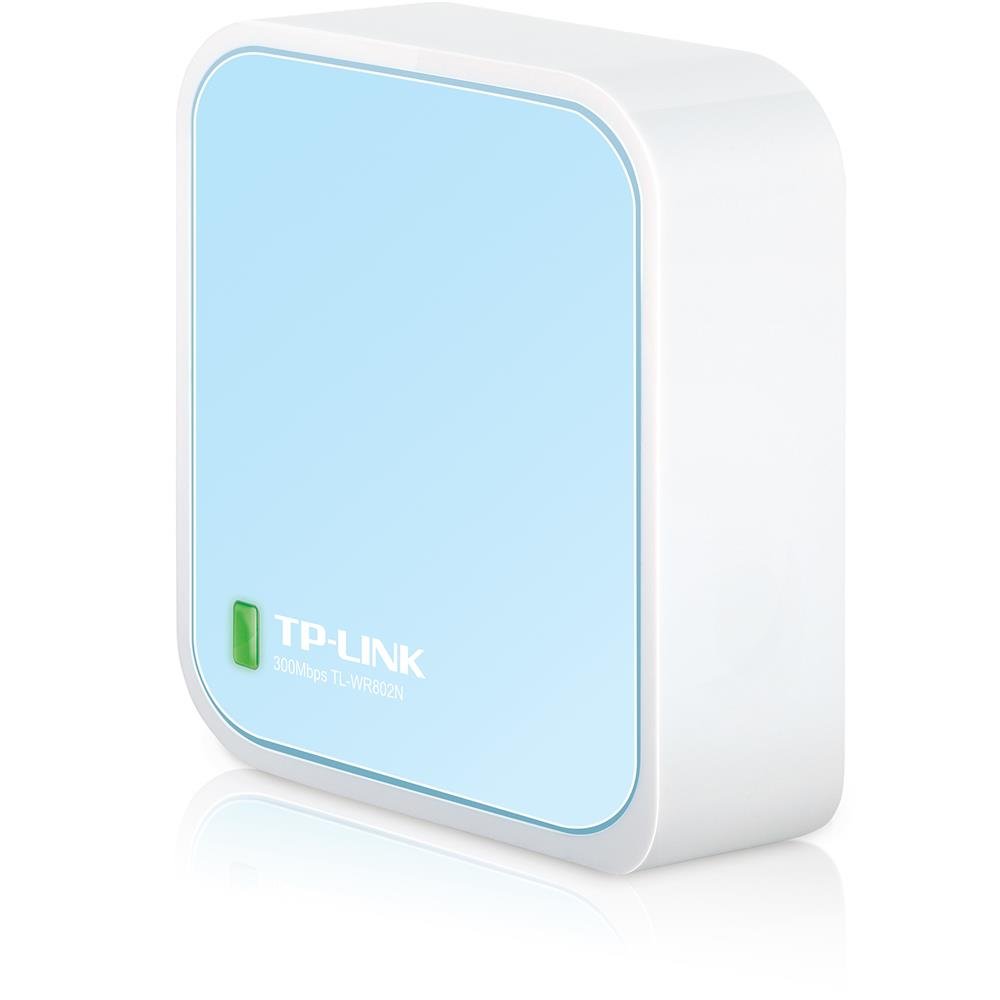
| TP-Link N300 Nano Travel RouterPocket Pick | Pocket repeater for travel hotspots | 300 Mbps | 2.4 GHz | 2 bedroom houses | Amazon |
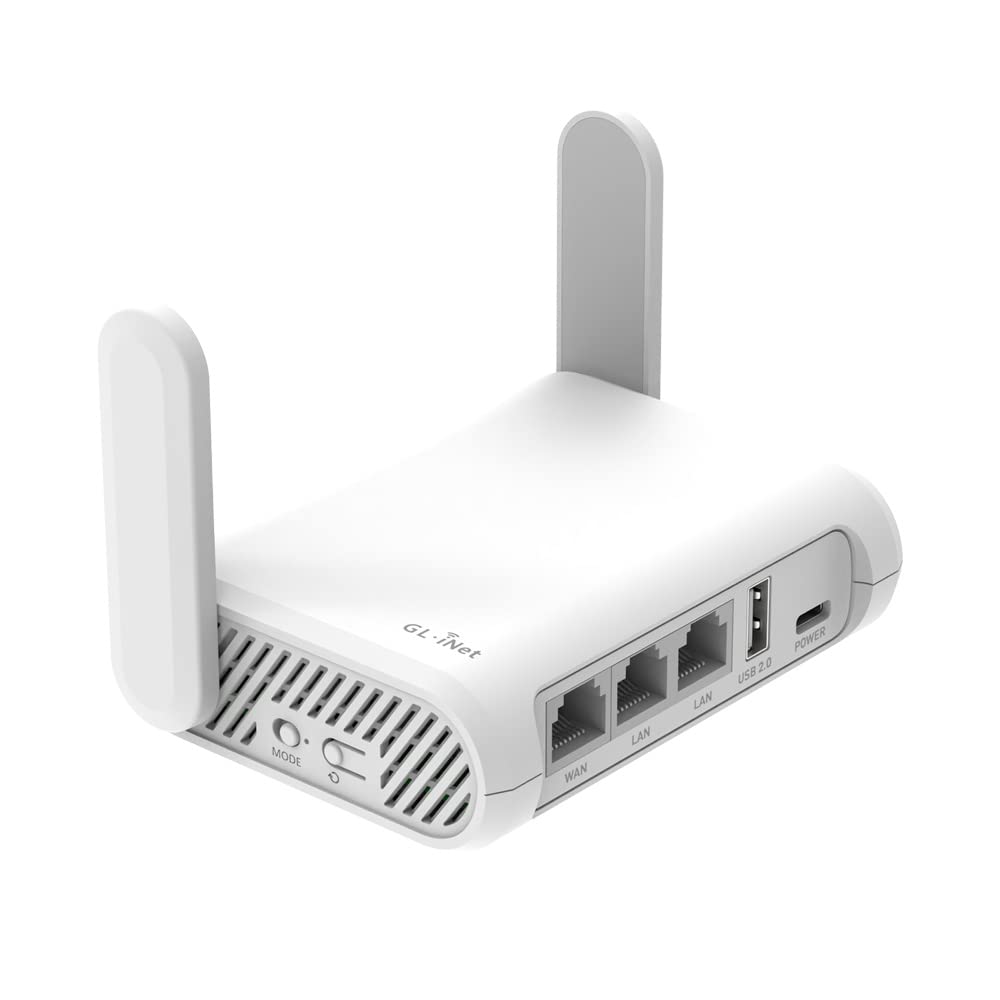
| GL.iNet GL-SFT1200 Opal Travel RouterBest for Security | VPN and secure travel repeating | 1200 Mbps | 2.4 GHz, 5 GHz | Improved with extended antennas | Amazon |
| FLBI WiFi Extender Signal Booster | Simple WPS pairing indoors | — | 802.11bgn | Up to 16K sq ft | Amazon |
| Hyzom WiFi Extender Signal Booster | Budget-friendly dead-zone filling | 750 Mbps | Quad-Band | 18,000 | Amazon |
| AERVY WiFi Extender Signal Booster | Quick browser-based setup | — | 802.11b/g/n | Up to 16,899 sq ft | Amazon |
| NETGEAR EX6150 Mesh Range Extender | Mesh smart roaming on an existing home network | 1200 Mbps | 2.4 GHz, 5 GHz | Up to 1200 sq ft, 20 devices | Amazon |
| TP-Link RE815X AX5400 Tri-Band Extender | Whole-home Wi-Fi 6 coverage | 5400 Mbps | 2.4 GHz, 5 GHz | Up to 2800 sq ft, 96 devices | Amazon |
| C.Crane CC Vector Long Range Receiver | Pulling a distant hotspot into a building | 150 Mbps | 2.4 GHz, 5 GHz | About 1/2 mile typical, max about 3 miles | Amazon |
Detailed Reviews
1. WAVLINK AX1800 Outdoor WiFi 6 Extender, IP67 Weatherproof
Our pick — 4.0+★ from 550+ verified ratings; the strongest balance of quality and price.
Four fiberglass antennas and a sealed IP67 shell — a repeater built to strand a hotspot’s signal across a yard.
You get long reach here, and the numbers back it up: four high-gain 8dBi omni-directional detachable fiberglass antennas (8dBi describes how strongly each antenna focuses a weak signal) push the rebound coverage to roughly 200–300 meters in line-of-sight conditions. That radius is what makes it the pick for a farm, an RV pad, or a yard where you need the hotspot’s feed to reach a barn or a far gate. It carries 1800 Mbps of throughput — 1201 Mbps on the 5 GHz band and 574 Mbps on 2.4 GHz — which keeps 4K streaming and security cameras smooth when they sit well away from the source.
The cabling is where this thing earns its place. It runs on 802.3 AF/AT active PoE or the included 54V/0.3A passive PoE adapter, meaning power and data ride the same Ethernet cable. So you can mount the unit in a garden or on a fence with no outlet nearby and power it from inside. The included 1-meter cable is short, so plan on a longer CAT5E-or-better run under 100 m for a real install. One plain warning from the listing: the PoE adapter itself is not waterproof, so it has to live indoors or in a sealed enclosure.
Setup is the honest trade-off. This is the deepest value on the list, and the functionality, range, and signal-strength feedback reads overwhelmingly positive — but setup and connectivity draw mixed notes, with firmware instructions faulted and occasional connection drops. It also has no app, so every setting goes through the web interface. The other catch: the IP67 sealing and -20°C to 50°C range are meant for brutal conditions, and the unit weighs 2255 g, so a mast or sturdy mount is required outdoors.
Where it wins outright
- 200–300 m line-of-sight radius from four 8dBi detachable antennas
- IP67 sealed casing rated for -20°C to 50°C, plus 6KV lightning and 15KV static resistance
- PoE power means no outlet at the mast — one Ethernet cable handles both
- 1800 Mbps dual-band WiFi 6 with 1201 Mbps on 5 GHz
- Up to 256 devices supported, and Starlink-compatible via an Ethernet adapter
You should know before you buy
- No app — everything is configured in the web interface, and setup draws mixed feedback
- PoE injector is not waterproof, so it must be housed indoors
- One-meter included cable is too short for many outdoor installs
- At 2255 g, it needs a proper mount or mast
Take this one when: you need to carry a hotspot feed across open ground — a farm, yard, RV pad, or a metal building that blocks signal.
Think twice if: you want a click-and-go smartphone app. This one makes you learn its web menu.
2. TP-Link N300 Wireless Portable Nano Travel Router, TL-WR802N
The tiny repeater that turns one hotspot into a shared pocket network.
Think of this as the simplest way to stretch a hotspot’s reach without hauling a full router. It runs 300 Mbps on the 2.4 GHz band (a single-radio channel) and fits in a pocket, so it is the easy travel companion — the size and portability feedback is the loudest positive in its history. In repeater mode it picks up your hotspot and rebroadcasts it to a nearby laptop, tablet, or a Chromecast, and it also handles router, AP, client, and WISP modes when the situation shifts.
You can power it almost anywhere: a micro-USB port lets it run from an external adapter or straight off a USB port, so you can power it from a power bank or a vehicle’s USB socket when there is no wall outlet at the campsite. That single choice makes it a flexible hotspot partner for a car, a tent, or a hotel room where you cannot trust the wall socket in the room.
Two things to set straight before you buy. It is a single-band, 2.4 GHz-only repeater — the slowest unit here at 300 Mbps versus the WAVLINK’s 1800 Mbps — and even at that lower cap, the connectivity and speed feedback is genuinely split, with some users reporting drops and sluggish hotel-Wi-Fi performance. If your hotspot is your only internet and you need video calls to hold, keep expectations modest or bump up to the GL.iNet below. For a second screen and basic browsing on 2.4 GHz, this pocket unit does the job, backed by a two-year warranty and around-the-clock support..
The value read: for a travel kit that fits in a jacket pocket, this is the easiest starting point for sharing a hotspot.
What to watch: 2.4 GHz only and 300 Mbps means it is a browsing repeater, not a streaming one. Plan around that before you pack it. Setup is genuinely quick, taking roughly five minutes in client mode, so it earns its keep as a backup rather than a primary.
Reach for this if: you want a spare, palm-sized repeater you can run off USB in a car or tent and do not need high throughput.
Look elsewhere if: your hotspot is your only line and you need steady speed for streaming or calls — the 2.4 GHz cap will frustrate you.
3. GL.iNet GL-SFT1200 Opal Travel Router
The travel router that wraps your hotspot feed in its own VPN.
You get more range plus protection while it works. It carries 1200 Mbps with both bands running at once — 300 Mbps on the 2.4 GHz road and 867 Mbps on the 5 GHz lane — which lets simple browsing ride the slower band while video and gaming use the 5 GHz channel. It also weighs just 145 g, so it disappears into a bag, and the pocket-sized, portable design is the most consistently praised thing about it.
The real draw is the security stack: OpenVPN and WireGuard come pre-installed and work with 30+ VPN service providers, and there is a physical toggle switch on the body to turn a chosen VPN on or off. Cloudflare encryption support rounds it out. Pair that with repeater mode, which converts a public or hotel network into a private Wi-Fi for your devices, and you have a hotspot repeater you can trust on shared networks. One setup note straight from the listing: the toggle ships with no function assigned, so you have to set it in the admin panel first.
Speed claims do not always materialize in the field. Connectivity and reliability feedback splits down the middle with periodic disconnection complaints, and users report the advertised speeds are sometimes not reached, particularly on stubborn hotel networks. It still gets the job done as a travel device, and a compact USB-repeater that runs on 145 g is a reasonable trade for the security controls you get.
Why the security crowd likes it: pre-installed VPN support you can flip with a hardware switch, plus repeater mode for turning a foreign hotspot into a private bubble.
The honest crease: reliability feedback is split, so a periodic dropout is a real possibility — and it needs a quick reconnect to the hotspot when that happens, not a firmware fix. It also does not support easytethering.
Built for: a traveler who repeats hotel or hotspot Wi-Fi and wants VPN protection baked in from the start.
Not the pick for: someone who just wants raw distance on a farm — the retractable antennas are fine at short range but the WAVLINK outdoors is the long-throw machine.
4. FLBI WiFi Extender Signal Booster for Home, 16K Sq Ft

Four antennas, a one-tap button, and a claim it will fill 16,000 square feet.
The headline number here is coverage: four high-performance external antennas and a claimed reach up to 16K square feet, which is aimed at pushing a signal into a basement or attic. Its most-praised trait is reliability — the signal holds up — followed closely by how easy the unit is to set up. The one-click WPS button (Wi-Fi Protected Setup, which pairs the extender to your hotspot without typing a password) means you press, wait a few seconds, and you are paired. The device also handles up to 99+ devices at once and claims 99% router compatibility.
A couple of specs deserve plain translation. The throughput is not published, and it works on 802.11bgn — the older 2.4 GHz family of wireless standards — so it is a coverage tool, not a speed booster. It offers five working modes, including an access point mode and repeater use, so it can listen to your hotspot and re-send it. The security side lists WPA/WPA2 encryption and real-time risk monitoring, which handles the basic protection you want when repeating a shared feed.
The honest catch is scale. The pool of feedback is small — it sits at 4.5+ stars, but on a modest number of ratings — so you are reading confidence, not a mass verdict. It is also the bigger of the indoor units at 220 g and leans on those older wireless standards, so a hotspot’s 5 GHz speed cannot fully pass through it. The 20-month warranty is a solid safety net. For a corner install on a 2.4 GHz hotspot feed, its one-tap WPS pairing is tough to top..
Go for it if: you want to press one button and fill a couple of rooms from a 2.4 GHz hotspot feed.
Hold off if: you need to carry 5 GHz throughput or have a hotspot-heavy workload — this accepts the older 2.4 GHz standards only.
5. Hyzom WiFi Extender Signal Booster, 1-Tap Setup
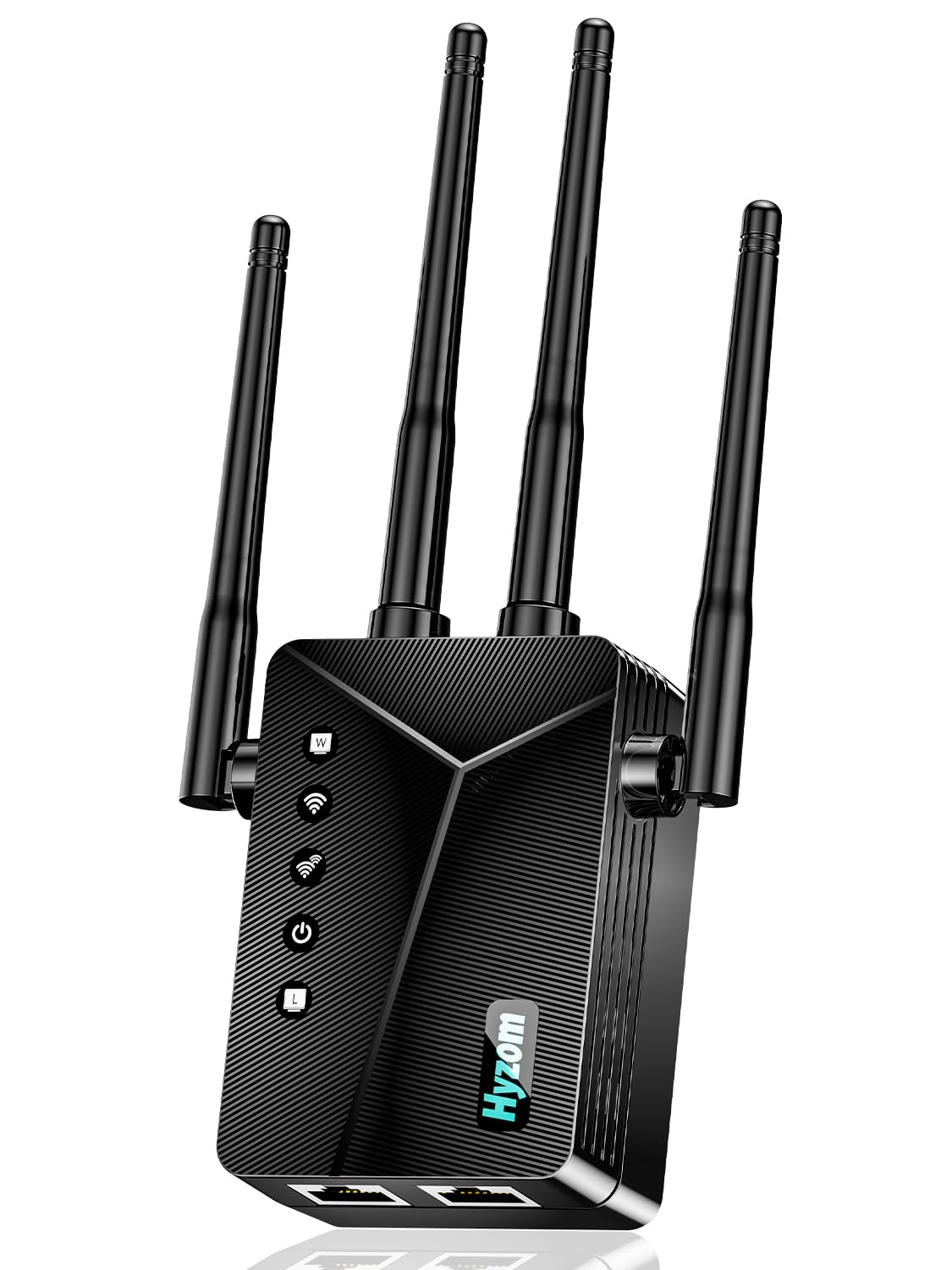
A small black box that quietly kills dead zones in bedrooms and garages.
This is the cheapest-feeling unit on the list that still works hard, and it is a legitimately compact one — 180 g and slim enough to disappear on a shelf. Its 750 Mbps rating rides a quad-band radio (four separate channel sets) and the published range claim is 18,000. In practice it extends a hotspot into bedrooms, basements, and garages where the source signal fades. There is an Ethernet port too, so a television or console near it can take a wired connection instead of Wi-Fi.
What makes it a budget favorite is how little fuss it creates. The 1-tap setup is what wins people over — the setup feedback reads near-unanimous. You pair it to the hotspot once, then it holds. Its working pattern is 802.11a/b/g/n, which spans older and current 2.4 GHz standards and adds 5 GHz throughput — this is why it can pick up a dual-band hotspot rather than only the older 2.4 GHz family. The 1-year warranty covers the basics.
The trade-off is the published rate versus the setup. 750 Mbps is a healthy number on paper, but it sits under the WAVLINK’s 1800 Mbps, and this unit is a repeater, so the practical rebound rate will be lower. It also carries a 1-year warranty versus the FLBI’s 20 months. On the plus side, the ease of pairing means it suits a hotspot-driven weekend setup as well as a permanent install. For a price-focused buyer who wants 750 Mbps quad-band coverage with one-tap pairing, it holds up well..
Best little detail: the one-tap pairing. You touch it once to your hotspot and it is done.
The small ask: it cannot do 1200 Mbps-class speeds, so streaming several 4K feeds at once will not impress. For standard video and browsing, the 750 Mbps rating is comfortable.
Settle on this: if you want cheap, quick dead-zone coverage from a hotspot and will not need max throughput.
Do not choose it for: high-demand households running several big streams at once, where the higher-rated units win.
6. AERVY WiFi Extender Signal Booster, 16,899 Sq Ft

A brand-new booster that promises 16,899 square feet and a minute of setup.
It publishes a 16,899 sq ft coverage claim and runs through a 2.4 GHz ultra-core processor with two high-gain antennas. The setup promise is short: press WPS and the booster matches your router in under a minute, or you finish in about three minutes through a phone browser. It also claims compatibility with any internet service provider and any standard router or gateway. The security belt is WPA/WPA2, and AERVY says it complies with FCC and IEEE802.11b/g/n standards — the older 2.4 GHz family again.
Here is the part every buyer needs spelled out. This listing carries no customer review text yet, and it just came to market — the date first available sits in late 2026 — so there is no owner history to lean on. That makes it the useful option only for someone who is fine being an early adopter of a freshly launched product. Weight is a feathery 6 ounces, so it is easy to move from room to room. Because the wireless standards top out at 802.11n, expect 2.4 GHz coverage rather than 5 GHz speeds.
Will it extend a hotspot? The mode logic says yes — the manufacturer describes repeater/booster behavior and WPS pairing to a router, which is the same handshake a hotspot uses. But since it relies on 802.11b/g/n, it is the slowest tier of the indoor units. Its 16,899 sq ft coverage claim and sub-minute WPS pairing will tempt spec-sheet buyers.. If you want proof before you buy, this is the one to pause on until the feedback builds. It is light, simple, and secure on paper — just untested by a crowd.
Choose it if: you want a brand-new, lightweight 2.4 GHz booster and are comfortable being one of the first owners.
Skip the gamble if: you need a proven repeater for a mission-critical hotspot — this one has no feedback record yet to stand on.
7. NETGEAR WiFi Mesh Range Extender EX6150, AC1200 Dual Band

The familiar name that dials in mesh roaming instead of raw distance.
You keep one network name as you move. It adds up to 1200 square feet of coverage and connects up to 20 devices such as laptops, phones, cameras, and tablets. It delivers 1200 Mbps over dual-band and uses patented FastLane technology to keep high-definition streaming and online gaming working. The smooth roaming piece — using your existing SSID so you do not drop off as you walk the house or yard — is the thing that earns it a spot on this list.
You get the most flexible repeater to wire into a fixed setup: one gigabit port lets you plug in a console or streaming box for a wired link, and it works with any wireless router, gateway, or cable modem with Wi-Fi. So if your mobile hotspot behaves like a standard router, the EX6150 can listen and repeat. The setup and range feedback is positive and consistent, with the range covers reported across whole backyards and outbuildings.
The trade is the published price of admission at 3.5+ stars, which is the lowest rating here. Connectivity and reliability feedback carries real weight, and the unit lands on the concerning side of the reliability mentions. Still, most buyers land on strong function — hundreds of owners lean into how well it works and how good it is. For a fixed install with a wired console or streaming box nearby, its gigabit port makes it a sensible repeater.. Be aware its AC1200 speed is a step down from the RE815X’s AX5400, and its reported reliability is the reason this sits down the list.
Where mesh roaming pays off: one network name across the whole property, so your phone hands off instead of reconnecting.
The reliability caveat: a meaningful share of feedback reports periodic dropouts and stops-working complaints. If you rely on a continuous hotspot link, keep a spare unit or choose the WAVLINK instead.
Pick it for: a fixed home or shop setup with a wired device and you want one network name while roaming.
Better to pass if: you need iron-clad uptime from a hotspot feed — the drop feedback is the loudest honest signal against it.
8. TP-Link RE815X AX5400 Tri-Band Range Extender

Whole-home Wi-Fi 6 power with a tri-band radio — when your source can feed it.
On specs alone this is the most capable indoor repeater here: 5.4 Gbps total bandwidth, split as up to 2402 Mbps on the dual 5 GHz channels and 574 Mbps on 2.4 GHz. The reach claim is 2800 sq ft across four high-gain directional antennas and six powerful FEM with beamforming, and it is rated to hold up to 96 devices. Speed is the most-praised quality, and the range and signal-strength notes back that up with whole-house coverage. An intelligent signal indicator helps you place it where it will actually pick up the source.
The clarity point comes straight from the maker: no range extender increases speed, since the data moves twice, and actual speeds will be 50% or less of what you currently see. This is the best place to say plainly what that means — a hotspot that throws 400 Mbps will hand you far less through any extender in this list. The RE815X does not cheat that rule; it just has the most bandwidth to give back. It also supports AP mode over its gigabit Ethernet port, so with a wired feed it can create a fresh hotspot where there was no coverage.
The tri-band label can mislead. The bands supported are 2.4 GHz and 5 GHz — the third radio is a second 5 GHz lane, not a separate 6 GHz band — so this needs a 2.4/5 GHz source, which most hotspots provide. Setup runs through the Tether app and is praised as easy, but reliability and connectivity feedback is genuinely mixed, with some users reporting erratic behavior and units stopping after a few months. That is the honest limiter. With 4.0+ stars across a solid base, most buyers get a strong, fast repeater — just one with a smart-roaming setup you have to place well.
The headline wins
- 5.4 Gbps tri-band bandwidth — 2402 Mbps on dual 5 GHz plus 574 Mbps on 2.4 GHz
- 2800 sq ft and 96 devices from four directional antennas and beamforming
- OneMesh compatible for whole-home coverage with a TP-Link router
- Gigabit Ethernet port plus AP mode for wired feeds
- Tether app setup with a signal indicator for placement
The fair caveats
- Maker confirms speeds will be 50% or less than the source — expected of any extender
- Not compatible with Deco mesh systems
- Reliability and connectivity feedback is mixed, including erratic units
- Tri-band label is a second 5 GHz lane, not 6 GHz coverage
It earns the spot when: your hotspot or router runs 2.4/5 GHz and you want the highest-bandwidth indoor repeater on this list.
Look past it if: you are wired to a Deco system or run a mesh brand that is not TP-Link OneMesh.
9. C.Crane CC Vector Extended Long Range WiFi Receiver System

An outdoor dish that pulls a distant hotspot signal into a metal building.
You get a proper long-range receiver system, not a plug-in box. A directional 15 dBi parabolic antenna (15 dBi being a focused gain figure that suppresses interference from other networks) mounts outdoors on stainless hardware and hears an available Wi-Fi signal roughly half a mile away, with the published max range listed as about 3 miles. That feed travels down to the CC Vector repeater inside, which then broadcasts a fresh signal into your barn, shop, office, or other building. It is the tool for a remote site where a hotspot’s own radio cannot reach.
Inside, the CC Vector handles the repeat function and has two Ethernet jacks for wiring additional computers or routers. It uses the long-distance 2.4 GHz band, with 5 GHz supported for shorter ranges, and it handles phones, computers, smart TVs, consoles, and internet radios. U.S.-based support comes with it. The published capacity is modest — the system is typically capable of two users watching standard-definition Netflix or several browsing at once — and the maker notes speed drops as distance grows, since all repeaters move data twice. Data rate is listed at 150 Mbps.
This one is for a fixed install, and the weight tells you so: 3.3 lbs of antenna plus a wired run outdoors. The mast is not included, and the 30-foot USB split cable plus sealant and silicone grease are bundled for the outdoor splice. The installation feedback reads strongly positive for a system this involved. The catch is that it is the most involved and the most capable-at-distance of the nine — and at 150 Mbps it is a reach-first, speed-second tool.
What makes it unique here: a directional antenna that can hear a source half a mile off, far beyond any plug-in repeater on this list.
What you accept: a mast-less install means you source your own mounting, and throughput caps at 150 Mbps. The value feedback is split because it is clearly a specialist purchase, not a plug-and-play one.
Designed for: bridging a distant hotspot into a metal barn, shop, or remote building where no indoor extender can hear the source.
Not worth it if: your hotspot is in the same building — its range and install effort would be overkill for a simple dead-zone fill.
Know the Specs
Data transfer rate and why it is not your real speed
The advertised rate — 300 Mbps, 1200 Mbps, 5400 Mbps — is the ceiling of the radio, not the speed you will see. Every extender receives and re-sends the same data, so the figure downstream lands noticeably lower than the source. Treat a higher Mbps rating as more headroom to give back, not a guarantee. The higher Wi-Fi 6 and tri-band units hand you more bandwidth to work with when many devices are connected.
Frequency bands and band class
2.4 GHz reaches farther and goes through walls better but runs slower. 5 GHz is faster but shorter-ranged. A dual-band extender repeats both; a single-band one is 2.4 GHz only. Tri-band adds a second 5 GHz lane for more capacity, not a new frequency. Check that your hotspot actually broadcasts on the band your extender prefers, or you will not see the throughput tied to it.
Operating modes: repeater, WISP, and AP
Repeater mode wirelessly hears the hotspot and rebroadcasts it — the core mode for a mobile hotspot. WISP mode builds a separate private network behind the source, useful for shared or login-limited feeds. Access point (AP) mode only works once you feed the device with a cable. Some units add mesh modes that only work with same-brand routers, so a mixed-brand setup will not gain that feature.
PoE and weatherproofing for outdoor mounts
PoE (power over Ethernet) sends both power and data down one network cable, so an outdoor unit needs no outlet at the mast — but the injector that supplies power is usually not waterproof and must sit indoors. Look for a stated IP rating and operating temperature range if the unit lives outside. Keep any outdoor Ethernet run under 100 m and rated CAT5E or better to avoid signal loss.
Common Questions
Can any of these repeat a mobile hotspot’s signal, or do they need a home router?
Will my hotspot internet get slower with an extender in the path?
Do I need a dual-band hotspot for a dual-band extender to help?
How far away can I put the extender from the hotspot?
What does PoE mean for mounting an extender outdoors?
Is a travel router the same as a hotspot extender?
Why do some listings say the extender does not increase speed?
How do I connect an extender to a hotspot that needs a password or login page?
Can I hardwire a device through the extender’s Ethernet port?
What should I check before buying if the extender will live outside?
The Bottom Line
Your best Wi-Fi extender for mobile hotspot depends on where you need the signal to land. For open-ground reach— a farm, yard, RV pad, or a building the signal can’t enter — the WAVLINK AX1800 Outdoor WiFi 6 Extender is the one to beat, because its 200–300 m line-of-sight radius, IP67 sealing, and cable-fed PoE power let you mount it anywhere without an outlet.
If you would rather wrap your hotspot feed in VPN protection, grab the GL.iNet GL-SFT1200 Opal Travel Router, with its pre-installed WireGuard and OpenVPN support and its 1200 Mbps dual-band radio.
And for pulling a distant hotspot into a metal barn or a remote shop where no plug-in box can hear the source, the C.Crane CC Vector is the one to reach for — its directional 15 dBi parabolic antenna listens from roughly half a mile away.
One honest nudge before you commit: the WAVLINK is the strongest all-around pick here at 4.0+ stars across 500+ ratings, and its 200–300 m line-of-sight range justifies the web-interface setup.. If your hotspot feed must cross a field, take the WAVLINK; for a hallway, the FLBI or Hyzom handles it..
How we choose
We do not accept paid placement. Every pick is matched to a real buyer and a real use-case; we do not hands-on test units.
Sources
Specifications: manufacturer listings and product documentation. Review insights: verified customer reviews, as of November 2026. Pricing: not shown on this page (it changes often); check the current price via the retailer link.
As an Amazon Associate, Tactical Gear Guy earns from qualifying purchases. This does not affect which products we feature.