Specs are compiled from manufacturer listings and verified buyer reviews and can change over time — please confirm the key details on the product page before buying.
Here is the short answer: buy a printer whose wireless radio actually holds a connection, not one that only looks good on the spec sheet. Almost every complaint about home printers traces back to the same moment — you hit print, the job vanishes, and the printer sits there blinking. All eight machines below have Wi-Fi built in, but each earns its spot differently: some hit 30-plus pages per minute, some ship with years of ink, some scan and copy without extra gear.
This guide is built by comparing the manufacturers’ published specifications and the patterns across verified customer reviews, so you get each pick’s real strengths and trade-offs instead of marketing spin.
Every pick below comes with its honest trade-offs spelled out, including the models where ink costs and connection quirks split opinion. That is what you need to sort a crowded shelf and land on the best wi-fi capable printer for your desk.
Top Picks

How To Choose The Best Wi-Fi Capable Printer
A printer has to work on demand, for every family member, from three different devices, often in a hurry. That makes the wireless radio the most important part of the machine. Pick a printer whose Wi-Fi matches your router and your habits, then match the ink system to how many pages you actually push through in a month.
Start with the Wi-Fi band, not the box art
Dual-band Wi-Fi means the printer can join either a 2.4GHz or a 5GHz network. The 2.4GHz band reaches further through walls; the 5GHz band runs faster at close range. A printer with both gives you a fallback when one band gets crowded. Several models here list dual-band support, which is why they handle a busy household better than a single-band unit.
Wireless Direct (Epson calls it Wi-Fi Direct) lets a phone talk straight to the printer with no router in the middle. That is what saves you when the internet drops but you still need a boarding pass printed.
Know your monthly page count before you pick ink
Cartridge printers are cheaper up front and fine for a few dozen pages a month. Ink-tank printers — Epson’s EcoTank and HP’s Smart Tank lines — hold liquid ink in refillable reservoirs and stretch that supply across a long stretch of printing. If your household prints school packets, work documents, and the odd photo every week, the tank math usually wins over a couple of years.
Check what the box includes before you assume the ink is free. Some models ship with small starter cartridges; others ship full bottles.
Automatic duplex is worth paying for
Automatic duplex means the printer flips the sheet itself and prints both sides. Manual duplex means you pull the stack out, flip it, and feed it back in. On a long report that difference is the whole evening. If you print double-sided as a habit, treat automatic duplex as a must-have.
Match the paper path to what you print
If you print multi-page contracts or scan receipts, an automatic document feeder (the tray that pulls pages through one at a time) saves real time. A flatbed scanner alone means lifting the lid for every page. Look at paper tray capacity too — a 100-sheet tray needs refilling far more often than a 500-sheet setup.
Side-by-Side Comparison
| Model | Best For | B&W Speed (ppm) | Color Speed (ppm) | Duplex | Amazon |
|---|---|---|---|---|---|
| Canon PIXMA TR7120★ Best Overall | All-round home and hybrid work | 14 | 9 | Automatic | Amazon |
| HP OfficeJet Pro 8125Fast First Page | Home office documents | 20 | 10 | Automatic | Amazon |
| Brother HL-L2405WFastest Text Output | Fast black-and-white text | 30 | — | Manual | Amazon |
| Epson WorkForce Pro WF-4930 | High-volume office work | 25 | 12 | Automatic | Amazon |
| Xerox B230 | Small-business text output | 36 | — | Automatic | Amazon |
| HP Smart Tank 5003 | Low-cost long-run printing | 10 | 5 | Manual (driver support) | Amazon |
| Canon PIXMA TS9521Ca | Crafting, vinyl and wide paper | 15 | 10 | Automatic | Amazon |
| Epson EcoTank ET-2900 | Set-and-forget ink supply | 11 | 6 | — | Amazon |
| Brother INKvestment Tank 780 | Busy home office workhorse | 16 | 15.5 | Automatic | Amazon |
Detailed Reviews
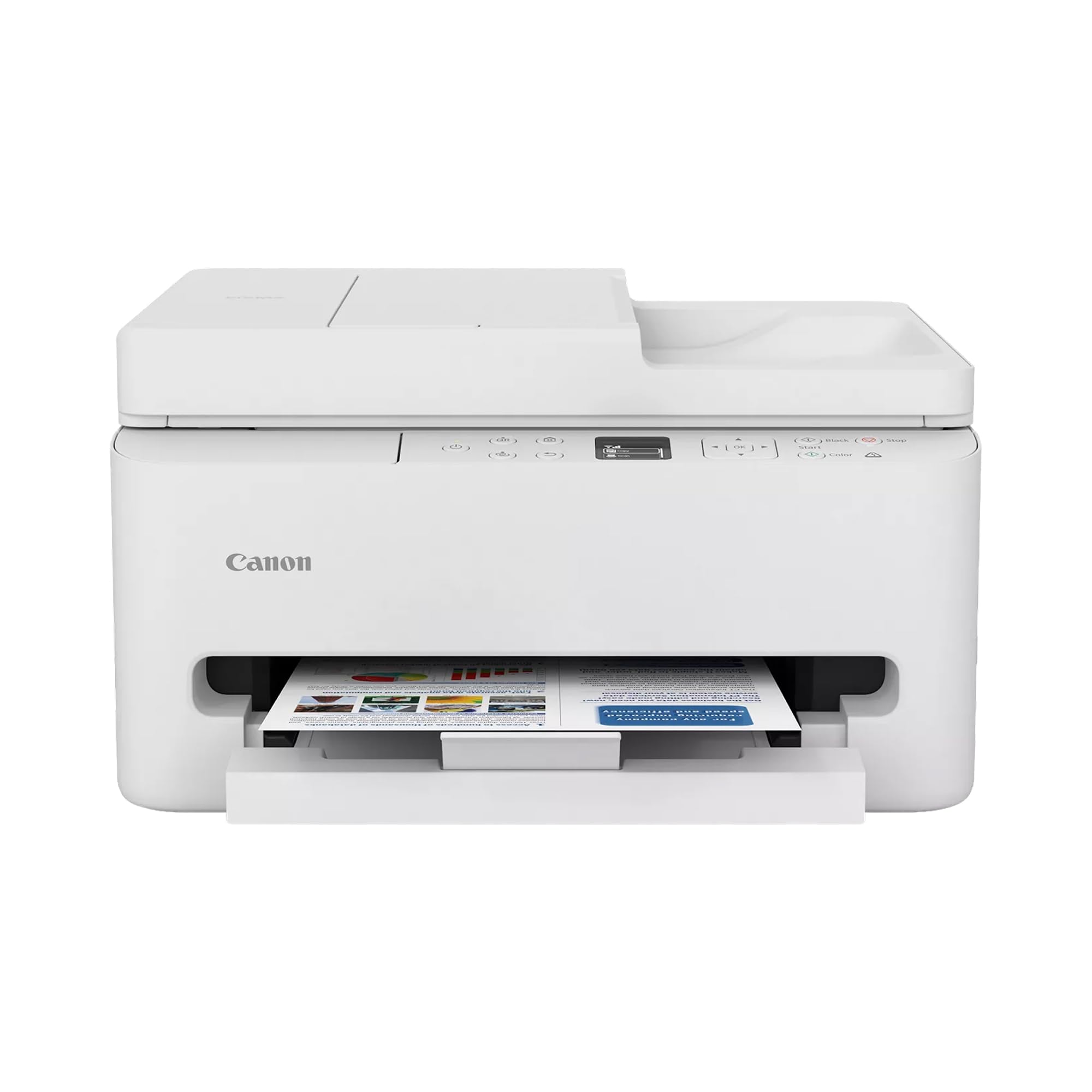
1. Canon PIXMA TR7120 Wireless Color Inkjet Printer
Our pick — 4.0+★ from 700+ verified ratings; the strongest balance of quality and price.
The do-everything box that prints, scans and copies without a second machine on the desk.
The feature that makes this the top pick is the radio inside it: dual-band Wi-Fi on both 2.4GHz and 5GHz, so it can follow your router instead of fighting it. That is the spec that decides whether a printer survives a house full of phones and a microwave. Add a 1.42-inch monochrome OLED screen for checking ink levels at a glance, and you have a machine you can operate without opening an app first.
Speed lands where a home office needs it. Canon rates it at 14 pages per minute in black and 9 in colour. You will notice the colour number most on photo prints — 9 pages per minute is a rating for plain colour documents, not a borderless 8×10, which always takes longer. The auto document feeder pulls multi-page scans through for you, and the automatic duplex flips sheets so two-sided handouts come out finished.
What wins people over here is the build quality — it is the single most-praised thing about this machine, and quiet operation comes up often alongside it. Setup is the second thing buyers talk about, and it mostly goes smoothly for smartphone users. The split opinion sits on the wireless link: some households connect on the first try, others need a round of updates before both bands behave. That matches the honest picture of a budget all-in-one — great hardware, a network handshake that occasionally needs patience.
Where it earns its place
- Dual-band Wi-Fi on 2.4GHz and 5GHz gives you a fallback band when one gets crowded
- Automatic duplex printing saves paper on every multi-page job
- Auto document feeder handles multi-page scans and copies without hand-feeding
- Compact footprint at 14.8″D x 14″W x 8.2″H — it fits a small desk corner
What to keep in mind
- Starter cartridges run dry quickly; budget for a spare set early
- The 5GHz handshake can need a firmware update before it settles
- Colour output is capped at 9 pages per minute, so photo batches are slow
Reach for this if: you want one compact box to print, scan and copy for a home or hybrid-work setup, and you value a second Wi-Fi band.
Pass on it if: you print photos in batches and need colour to move faster than 9 pages per minute.
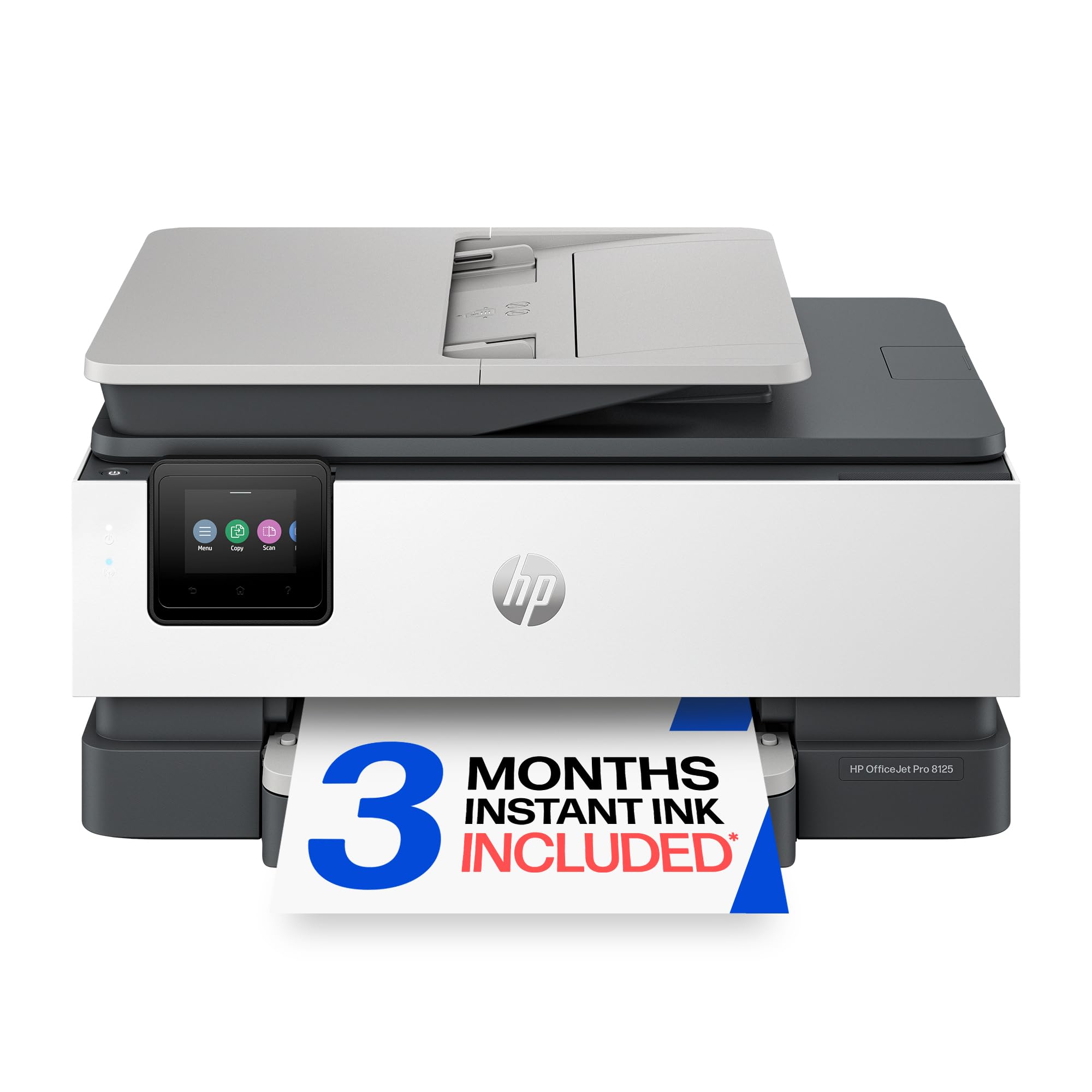
2. HP OfficeJet Pro 8125 Printer
Eighteen seconds from cold to first page — this is the office printer that does not make you wait.
Anyone who prints invoices between meetings cares about one moment: how long the machine takes to wake up and start. The OfficeJet Pro 8125 gets its first page out in 18 seconds, against 8.5 seconds for the Brother HL-L2405W below. That gap matters when you are already running late. Once it is awake, it holds 20 pages per minute in black and 10 in colour, so a stack of client reports clears in one pass.
The hardware is genuinely office-grade. There is a 225-sheet input tray, automatic two-sided printing, an auto document feeder for scanning and copying, and a 2.7-inch colour touchscreen laid out like a phone. HP’s AI print feature strips out ads and clutter from web pages before they hit paper, which is the sort of thing you notice on the second print, not the first.
Where this one divides people is the ink. The machine is built to run on HP cartridges with original HP chips and will block third-party cartridges, and the included Instant Ink trial turns into a monthly fee unless you cancel. If you are happy inside that system, you get ink delivered before you run out and a tidy workflow. If you want to buy cheap cartridges at the shop down the road, this is the wrong machine for you — a fit decision, not a fault.
Fast-document machine: the 18-second first page and 20 pages per minute black output make it a good fit for a home office that prints reports and forms on a deadline.
The ink rule: original HP chips only, plus a trial that auto-rolls into a paid plan — check that arrangement suits your budget before you commit.
Suits the deadline printer: a home office that needs a fast first page, a big paper tray and a screen you can tap without squinting.
Not for cartridge bargain hunters: the firmware locks out non-HP cartridges, so plan on staying inside HP’s ink supply.
3. Brother HL-L2405W Wireless Compact Monochrome Laser Printer
A black-and-white laser that fires its first page in 8.5 seconds and never asks about colour.
If your printing is contracts, shipping labels and school essays, colour is a cost you do not need. The HL-L2405W prints black and white at 30 pages per minute — more than double the Canon PIXMA TR7120’s 14 pages per minute — so a 60-page batch is done in about two minutes. It also gets the first page out in 8.5 seconds, versus the HP OfficeJet Pro 8125’s 18, so a single label prints before you sit down. Laser toner (powder ink that fuses to the page with heat) also sits dry on the shelf, so the machine is ready the morning you need it rather than after a cleaning cycle.
This is a Brother Certified Refurbished unit, which the listing describes as cleaned, inspected and tested to the same standards as new stock, arriving with all accessories, cables and software. Connection options are solid: dual-band wireless on 2.4GHz and 5GHz, plus USB for a single computer. The Brother Mobile Connect app lets you order toner and track usage from your phone. It prints one-sided only, though — duplex is manual, so two-sided essays mean re-feeding the stack.
Print quality is what carries this machine, and the value comes close behind. Buyers report output that looks clearer than they expected from an inkjet. Reliability is where the story splits: some units run clean for months, while a few turn up with a drum unit (the part that transfers toner onto the page) missing or a mechanical fault out of the carton. That is exactly what a refurbished machine’s warranty is there for. Check the box contents on arrival and you sidestep the main risk.
The speed case: 30 pages per minute black and an 8.5-second first page turn a 40-page print job into a coffee-break errand, not a lunch-break one.
The refurb note: verify the drum unit and toner are in the box on day one — that is the one thing that goes wrong with refurbished stock, and the one-year limited warranty covers it.
Made for text-only households: students, small offices and anyone whose printing is 90% black-and-white documents.
Look elsewhere for colour: this model prints black only, and it has no scanner built in at all.
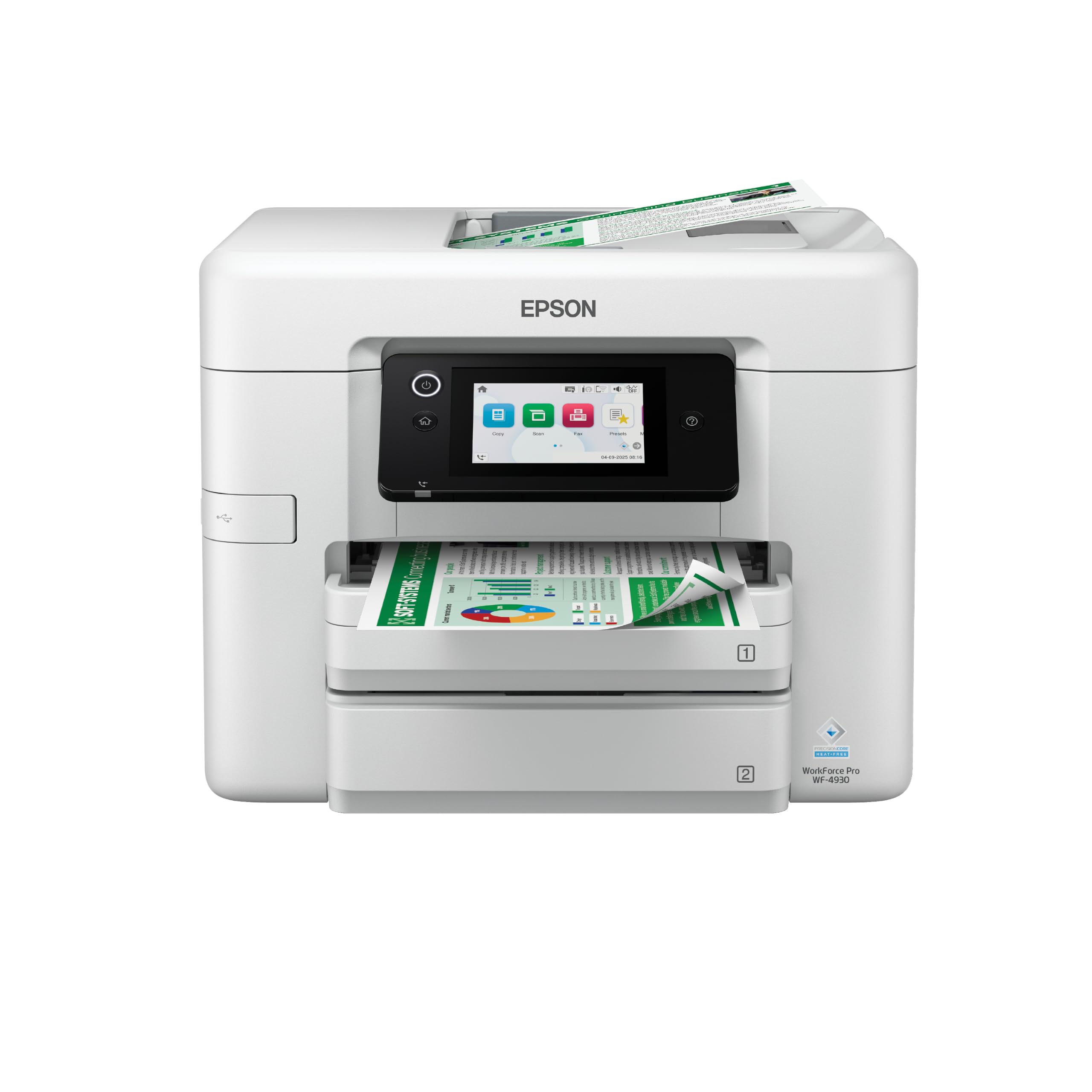
4. Epson WorkForce Pro WF-4930 Wireless All-in-One Printer
Two paper trays, a 50-sheet feeder and 25 pages per minute — a small office in one box.
Paper capacity is the headline here: 500 sheets split across two 250-sheet trays. Load letter stock in one drawer and envelopes or letterhead in the other, and you stop babysitting the machine mid-job. The print engine runs at 25 pages per minute in black and 12 in colour, so it leads the Canon PIXMA TR7120’s 9 pages per minute on colour output — a real advantage if your work involves branded colour documents.
Epson’s PrecisionCore heat-free print head is the technology behind the durability claim. There is no warm-up wait, and the DURABrite Ultra pigment inks dry on contact, which keeps a finished report from smearing when it hits a folder. Around the front panel you get automatic two-sided print, copy, scan and fax, a 50-sheet auto document feeder, a 4.3-inch colour touchscreen, and Wi-Fi Direct for router-free printing from a phone. AirPrint and Mopria are both supported, so iPhone and Android users get native print menus.
The catch is ink freedom. Epson designs this machine for genuine Epson 842 cartridges, and the listing warns that non-genuine ink can cause damage outside the warranty. Buyers also flag that drivers take some digging to find on Epson’s site. Set against that, the run-it-hard crowd reports the machine eating a 43-page job without complaint — which is exactly the workload this model was built for. Note that at 23.6 pounds and 15.3″D x 16.7″W x 13″H it wants a dedicated surface, not a shelf you share with books.
Built for the busy desk: a home office or small team that burns through multi-page reports and needs two paper sources and a document feeder.
The trade-off to weigh: genuine Epson 842 cartridges only, plus a 23.6-pound footprint that needs its own table.
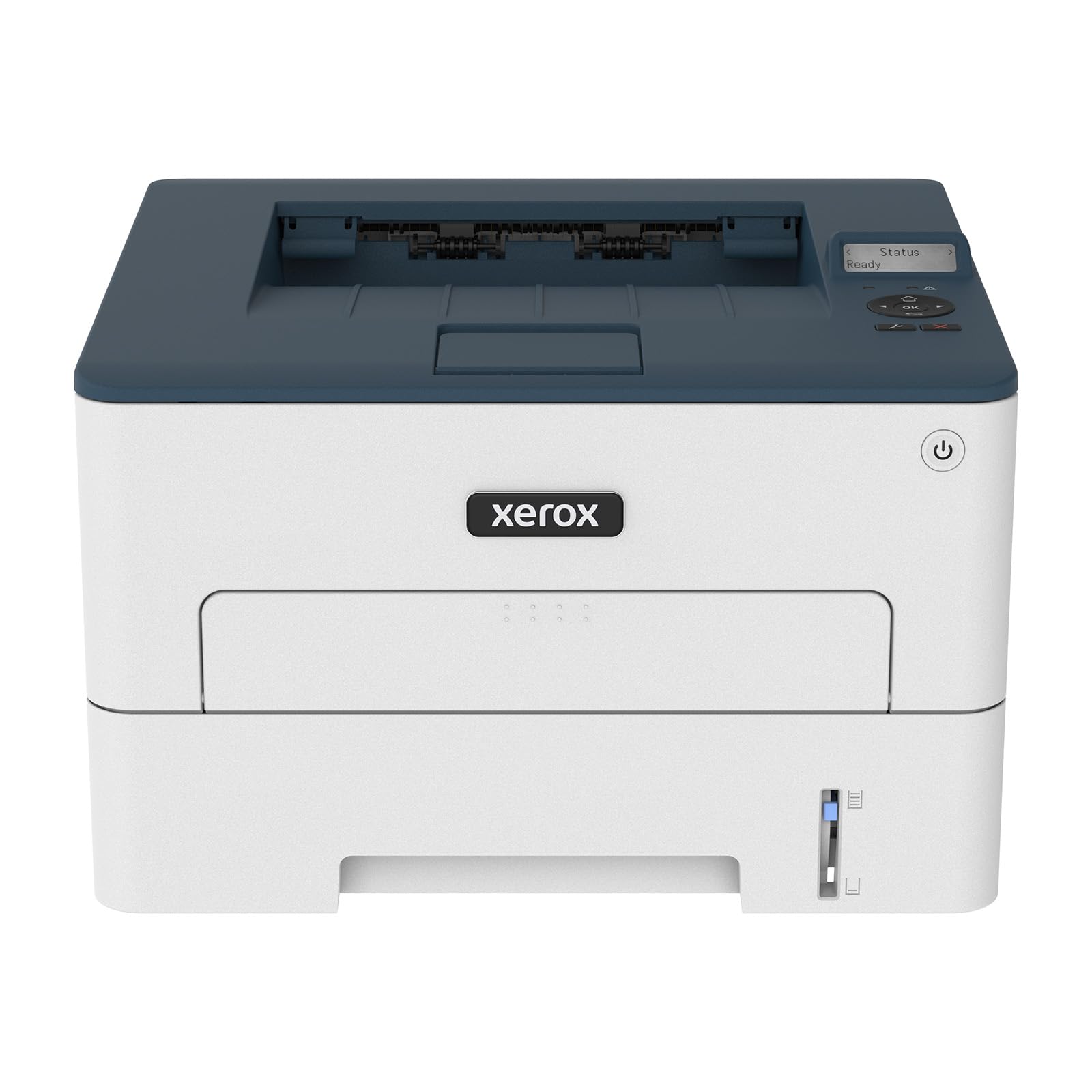
5. Xerox B230 Wireless Black and White Laser Printer
Thirty-six pages a minute in mono — the fastest sheet feeder on this list, built for volume.
Xerox rates this machine at 36 pages per minute in black and white, and that beats the Brother HL-L2405W’s 30 pages per minute. For a small business printing invoices, packing slips and statements, that ceiling is the reason to pick it. The desktop footprint is modest at 13.1″D x 14″W x 9.1″H, and automatic duplex means the second side prints without you touching the stack. Xerox positions it for offices running up to 2,500 pages a month, with high-yield toner as the cost-control lever.
The setup story has a clean helper: the Xerox Easy Assist app walks you through installation on a phone, which is how most people get this running. Apple AirPrint and Mopria cover iPhones, iPads and Android devices without a driver hunt. A 200-page brief at speed with no jams is the kind of job this printer was tuned for.
What wins people over is print quality on black text — crisp, dense, business-grade output, paired with a genuinely reasonable long-run cost. The recurring gripe is the wireless link: units occasionally drop off the network and need a restart to rejoin. That is fixable, but if you want set-and-forget wireless with zero fuss, it is worth knowing before you buy. There is no scanner and no colour here, so pair it with a separate scanner if you need one.
Choose it for throughput: a small business that lives on black-and-white documents and needs 36 pages per minute at its back.
skip it if: you need colour, scanning, or a wireless link you never have to think about.
6. HP Smart Tank 5003 Ink Tank Printer
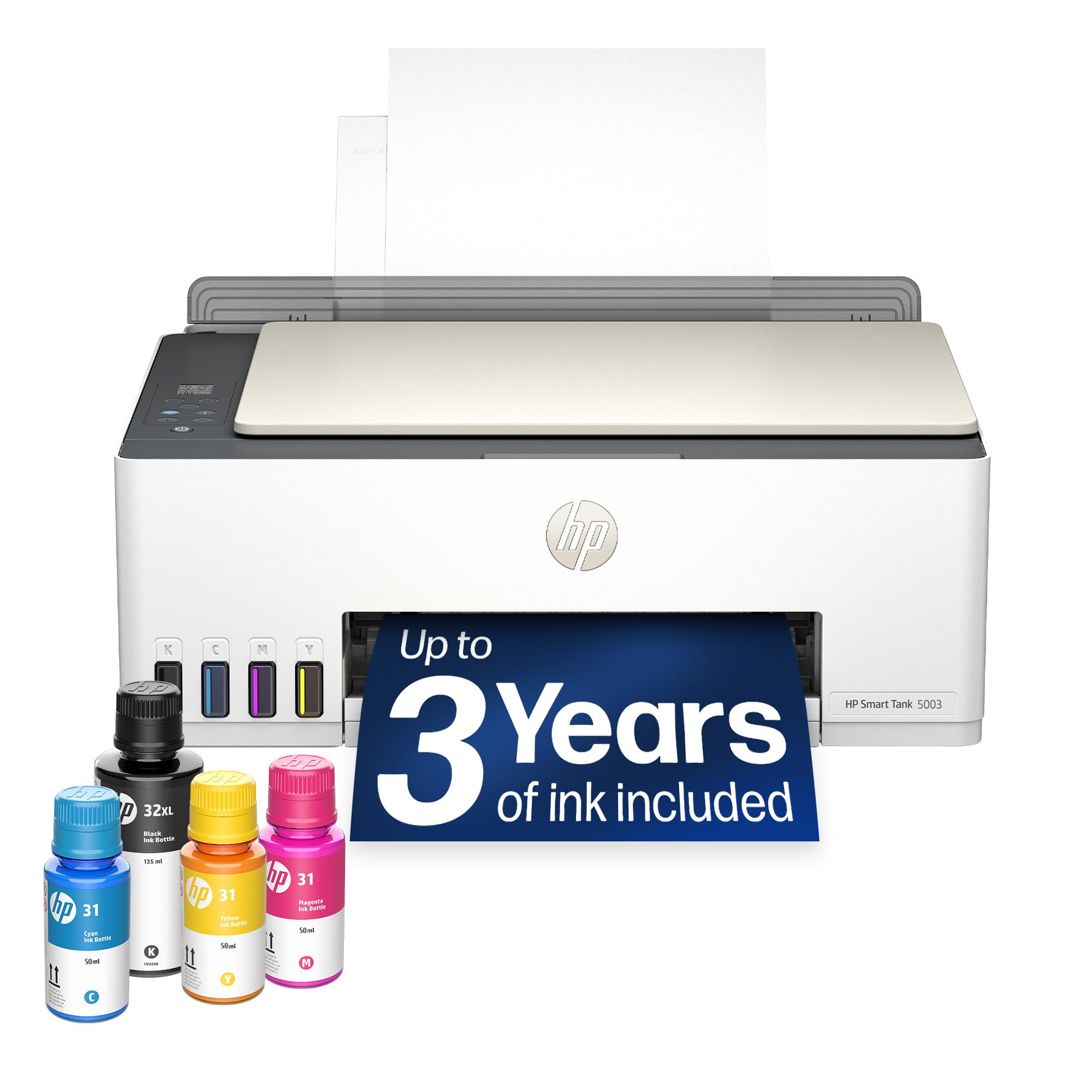
The tank that skips cartridges entirely — and ships with enough ink for years of printing.
The number to focus on here is not speed, it is supply. This machine arrives with HP ink claimed to cover up to 6,000 black or colour pages and up to 3 years of printing, and you refill it by plugging bottles into cartridge-free tanks that drain on their own. There is no squeezing and no spilling. Compare that with a cartridge model that ships with starter cartridges and you can see where the long-run money goes. If a big chunk of your printing is school packets, recipe pages and photos, the ink economics here are the whole point.
Speed is the sacrifice. HP rates it at 10 pages per minute in black and 5 in colour, which puts it well behind the Canon PIXMA TR7120’s 9 pages per minute colour figure and far behind the laser picks. The first page arrives in 21 seconds. It is built for steady output, not for printing a 60-page manual while you hover. Paper handling is one-sided: duplex is listed as manual with driver support, so two-sided printing means re-feeding sheets. Print, copy and scan are all on board, and the flatbed handles borderless prints and even iron-on transfers.
Print quality earns its share of praise, with colour pages described as bright and sharp. Setup mostly goes smoothly, and the unit is compact enough at 14.23″D x 17.11″W x 6.19″H to sit at the end of a desk. A few units do arrive faulty or jam repeatedly, which is true of any printer line — and the connectivity can be fussy depending on the network. Buy it for the ink math, not for speed.
The real product is the tank: 6,000 pages of included ink and bottle refills mean you stop shopping for cartridges for a long stretch.
Patience required: 10 pages per minute black is slow enough that a big print run becomes a chore.
A fit for families and photo printers: you print often, you print in colour, and you want to stop buying cartridges for a long stretch.
Wrong choice for speed: 10 pages per minute black output will feel sluggish if your job needs a document stack printed in a hurry.
7. Canon PIXMA TS9521Ca Wireless Home All-in-One Inkjet Printer

The craft-desk printer that takes cardstock, vinyl and posters up to 11×17 without flinching.
This is the pick for people whose printer feeds a hobby, not just an office. Paper support runs from envelopes and business cards up to 11×17 and 12×12 sheets, which is what makes it a favourite for calendars, scrapbook pages and printable vinyl. Owners mention it walking through 110 lb cardstock without jams. Canon rates it at 15 pages per minute in black and 10 in colour, and the five-tank ink system means you swap only the colour that runs dry instead of tossing a combined cartridge.
The hardware is comfortable to live with. A 4.3-inch touchscreen handles settings without a phone, automatic duplex prints both sides on its own, and the paper path is split between a 100-sheet bottom cassette and a 100-sheet rear tray for a total of 200 sheets. A 20-sheet auto document feeder handles multi-page copies, and the free Canon PRINT app covers phone and tablet printing. The aesthetic is a clean white body that does not look like office equipment on a craft table.
Where this one frustrates people is the initial network handshake — the wireless setup can refuse to connect even after a long call with support, and that is the one weak spot worth knowing. Once connected, the story improves sharply. Print quality on stickers and vinyl is described as excellent, with the caveat that vinyl needs a specific setting so the ink cures properly. If you plan to use specialty media, take five minutes with the manual first.
Why crafters keep buying it
- Handles paper up to 11×17 and 12×12 for posters, calendars and scrapbooking
- Five individual ink tanks mean you replace only the colour that runs out
- 200-sheet total capacity across two trays, so less refilling mid-project
- Automatic duplex and a 20-sheet document feeder handle the office side too
Watch out for
- The Wi-Fi pairing can be stubborn on the first attempt
- Vinyl and specialty media need a specific print setting to stop ink rubbing
Buy it for the media, not the speed: crafters and small makers who need cardstock, vinyl and 11×17 output from one desktop machine.
The one caveat: budget time for the wireless setup, which is the part most likely to test your patience.
8. Epson EcoTank ET-2900 Printer
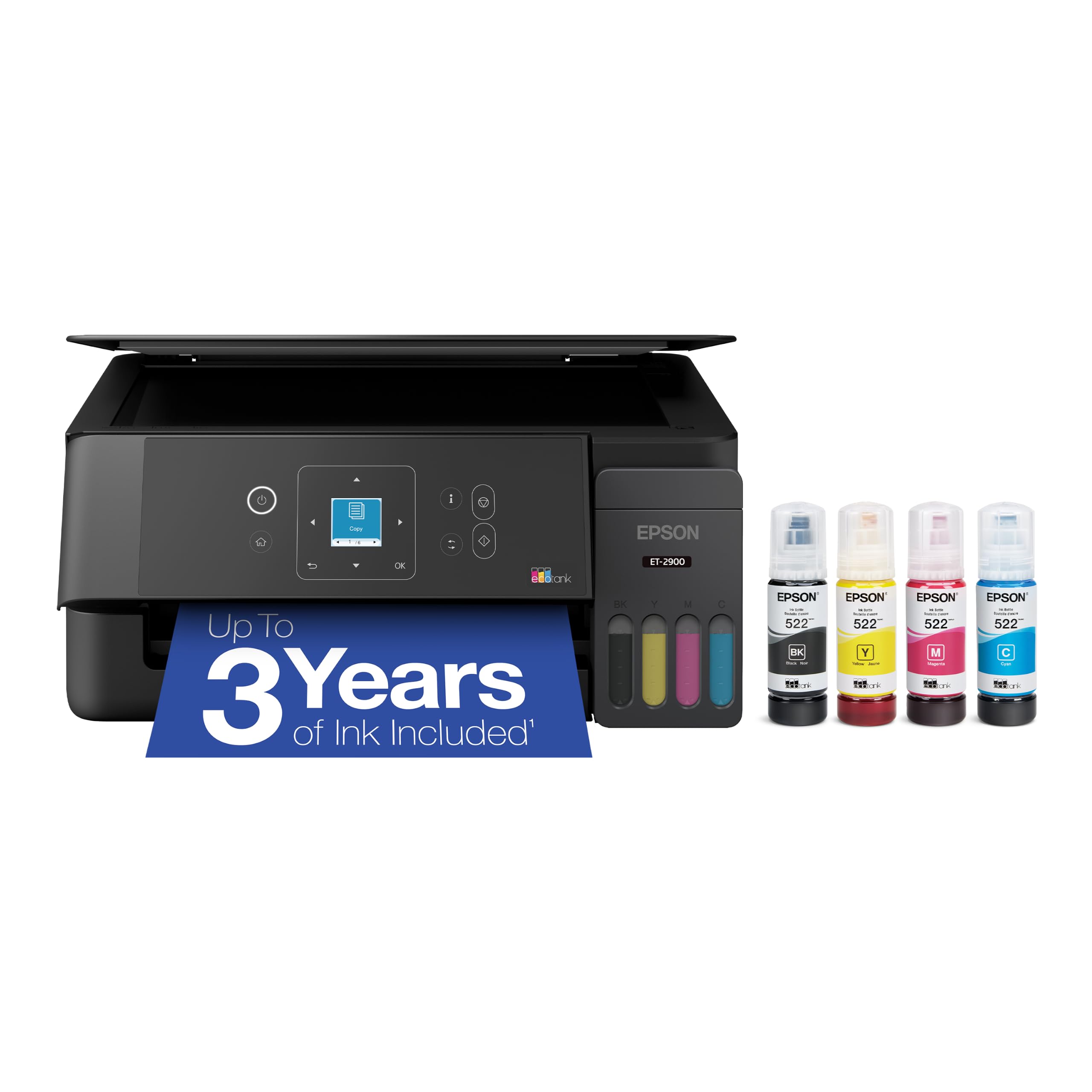
Ink that ships in bottles, not cartridges — and enough of it to last up to three years.
Epson’s headline claim for this machine is supply life: the included bottles hold enough ink for up to 3,600 black pages or 6,500 colour pages, and Epson puts that at up to three years of printing. Each replacement bottle set is equivalent to about 80 cartridges. Those are the numbers that make an ink-tank printer worth the extra desk space — you stop thinking about ink for months at a time. The EcoFit bottles are keyed so the wrong colour cannot go into the wrong tank.
Around that core, the hardware is modest but tidy. Print speeds are 11 pages per minute in black and 6 in colour with no warm-up wait, and there is a 100-sheet paper tray. A high-resolution flatbed scanner and a 1.44-inch colour display round out the copy and scan side. The whole thing weighs 9.3 pounds at 12.5″D x 14.2″W x 6.4″H, so it slips onto a shelf or a small desk without a fight.
Here is the honest part: the included warranty information covers spare parts availability for three years, but check the paper handling against your routine, because this listing’s spec sheet does not spell out automatic two-sided printing. The trade-off for the ink savings is speed — 6 pages per minute in colour is a crawl on any photo batch. Think of it as a supply machine, not a sprint machine.
Why the tank wins: 3,600 black pages from the included bottles means the ink question disappears from your monthly budget for a long stretch.
The pace you accept: 11 pages per minute black and 6 colour mean big print runs demand patience.
Good for steady households: a family printing homework, forms and photos who would rather buy ink once in a blue moon than every month.
Not a speed pick: if your work involves printing stacks of documents quickly, look to the laser models instead.
9. Brother INKvestment Tank 780 Printer
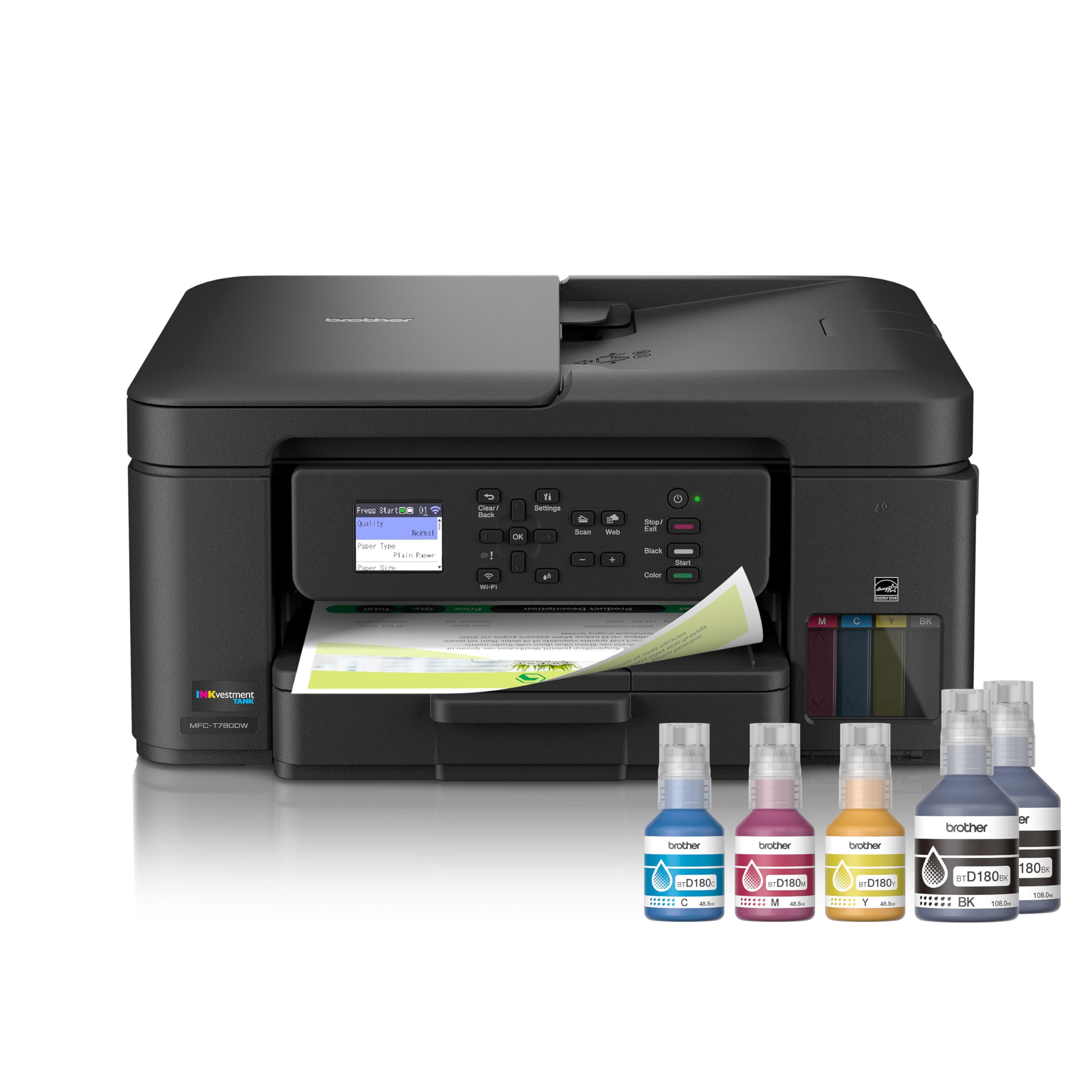
Refillable tanks, a 20-page feeder, and 15.5 pages per minute in colour — a full home office.
Brother’s take on the ink tank is built around speed and a complete feature set. This model runs at 16 pages per minute black and 15.5 in colour, which is the quickest colour output on this list — well ahead of the Canon PIXMA TR7120’s 9 pages per minute. The refill ritual is the showpiece: Brother claims the no-spill bottles fill the tank in 30 seconds for colour and 65 seconds for black, and the design blocks you from inserting the wrong bottle for the wrong colour.
Around that you get automatic two-sided printing, a 150-sheet paper tray, a 20-page single-sided auto document feeder and a 1-sheet manual feed slot for odd media. The 1.8-inch colour display handles cloud connections straight from the panel, including Google Drive, Dropbox, Box and OneDrive, so scanning to a cloud folder is a button press. The Brother Mobile Connect app puts print, copy and scan controls on your phone. You also get a three-year limited warranty and enough ink in the box to cover up to three years.
The ink system is where opinions split hardest. Others describe the setup software fighting them, especially on older versions of creative apps, and the initial network pairing can stall. Loading paper is not the smoothest job on this machine either. Go in expecting a short setup session and you will be rewarded with a fast, well-equipped colour printer.
The pick for a busy colour office: print, scan and copy with fast colour output, an auto document feeder and tanks that refill in half a minute.
Set aside setup time: the wireless pairing and driver software need patience on the first attempt, and paper loading is fiddly.
Know the Specs
Pages Per Minute (ppm)
This is how many plain black or colour pages the printer can push through in one minute, measured on a standard document. It tells you the machine’s top speed, not the speed of a photo print, which always takes longer. A 30 pages per minute laser clears a stack of essays quickly; a 5 pages per minute colour tank is built for steady use, not sprints. Compare ppm within the same type of printer, since inkjet and laser engines behave differently.
Dual-Band Wi-Fi
A dual-band printer can join either a 2.4GHz or a 5GHz wireless network. The 2.4GHz band travels further through walls; the 5GHz band carries data faster over a short distance. Having both means you can move the printer to whichever band your router handles better, which usually ends the dropped-connection problem. Wi-Fi Direct goes one step further and lets a phone talk straight to the printer with no router involved.
Ink Tanks vs Cartridges
Cartridge printers use sealed ink boxes that you swap out; ink-tank printers hold liquid ink in reservoirs that you refill from bottles. Tanks cost more up front and print more slowly, but the ink stretches much further. Cartridges print faster and cost less to start with, yet the refills add up quickly if you print a lot. Match the ink system to your monthly page count before you match it to your budget.
Automatic vs Manual Duplex
Duplex means printing on both sides of a sheet. Automatic duplex does the flipping inside the machine, so a two-sided document comes out finished. Manual duplex means the printer pauses, you take the stack out and re-feed it, then it prints the other side. On a 40-page report, automatic duplex is the difference between a finished job and an evening project. If you print two-sided by default, look for automatic duplex in the spec sheet.
Common Questions
Will a Wi-Fi printer work if my router only broadcasts one band?
Can I print from my iPhone or Android phone without installing a driver?
Is an ink-tank printer cheaper than a cartridge printer over time?
Do these printers print double-sided automatically?
Can I use third-party ink in any of these printers?
What is an auto document feeder and do I need one?
Why does my printer drop off the Wi-Fi network?
How long does the ink in the box actually last?
Can a monochrome laser printer handle colour at all?
Do I need paper handling specifics to match the print job?
The Bottom Line
For most households and hybrid workers, the wi-fi capable printer winner is the Canon PIXMA TR7120. It covers print, scan and copy in one compact body, thanks to dual-band Wi-Fi on both 2.4GHz and 5GHz (two radio lanes, so busy networks stay stable), an auto document feeder (it pulls and scans pages for you) and automatic duplex (two-sided printing without flipping the sheet). If your work is black-and-white text and speed is king, grab the Brother HL-L2405W — 30 pages per minute and an 8.5-second first page make it the fastest practical choice for documents. And for crafters feeding cardstock, vinyl and 11×17 posters, the Canon PIXMA TS9521Ca is the one to reach for. Whichever way you go, buy from a listing that spells out the Wi-Fi band and paper handling — those two facts decide whether the machine earns its desk space.
How we choose
We do not accept paid placement. Every pick is matched to a real buyer and a real use-case; we do not hands-on test units.
Sources
Specifications: manufacturer listings and product documentation. Review insights: verified customer reviews, as of November 2026. Pricing: not shown on this page (it changes often); check the current price via the retailer link.
As an Amazon Associate, Tactical Gear Guy earns from qualifying purchases. This does not affect which products we feature.