Specs are compiled from manufacturer listings and verified buyer reviews and can change over time — please confirm the key details on the product page before buying.
You have a Wi-Fi 7 router and your laptop still stutters on video calls. A laptop only joins a Wi-Fi 7 (the newest wireless standard, built to move large files with less waiting) network at full speed if its own wireless chip supports it. Many laptops sold as current still ship with older Wi-Fi 6 or 6E radios inside. So the router sits half-idle while you blame the internet provider. Every pick below has Wi-Fi 7 support stated in its own specifications, so you can buy with confidence that the wireless hardware is actually there.
This guide is built by comparing the manufacturers’ published specifications and the patterns across verified customer reviews, so you get each pick’s real strengths and trade-offs instead of marketing spin.
You want a laptop that stays fast on the newest Wi-Fi 7 routers (the latest wireless standard, built for less lag and more devices at once). Each pick below pairs its Wi-Fi 7 chip with the screen and memory that change your daily work. So finding the best Wi-Fi 7 laptop depends on checking the radio, the memory and the panel instead of guessing.
Top Picks

How To Choose The Best Wi-Fi 7 Laptop
Start with the radio, not the badge. “Wi-Fi 7” printed on the router box does not mean the laptop next to it can use the full channel. Look for Wi-Fi 7 or 802.11be written in the laptop’s own connectivity list. If it is not there, the machine will fall back to an older standard and you get none of the benefit you paid for.
Wireless first, everything else second
The Wi-Fi 7 radio is the reason you are here, so it gets checked before screen or storage. Some laptops pair the radio with Bluetooth 5.4, others with Bluetooth 6, and that gap decides how cleanly your mouse and earbuds behave when several devices are connected. The radio also matters for file transfers over a home network, where a stronger link moves large video files without the dropouts a weaker connection gives you.
Memory and storage weight the long game
Memory (RAM) is what keeps apps from fighting each other when you have a dozen browser tabs, a video call and a spreadsheet open at once. On Apple machines it is unified memory, meaning the processor and graphics share one pool, while Windows laptops use DDR5 or LPDDR5X modules. More memory keeps the machine comfortable for more years as software gets heavier. Storage in SSD terms controls how quickly files open and how much you can keep installed without reaching for a drive.
The screen decides whether you enjoy using it
Resolution, refresh rate and panel type each do a different job. A higher refresh rate in Hz makes scrolling and cursor movement feel smoother, which matters if you read long documents all day. OLED panels give deeper blacks and richer color, which is what designers and editors reach for. Anti-glare coatings cut reflection under office lighting. Match the panel to your work — OLED for color editing, anti-glare IPS for all-day documents — not to the biggest number on the box.
Side-by-Side Comparison
| Model | Best For | Memory | Storage | Display | Amazon |
|---|---|---|---|---|---|
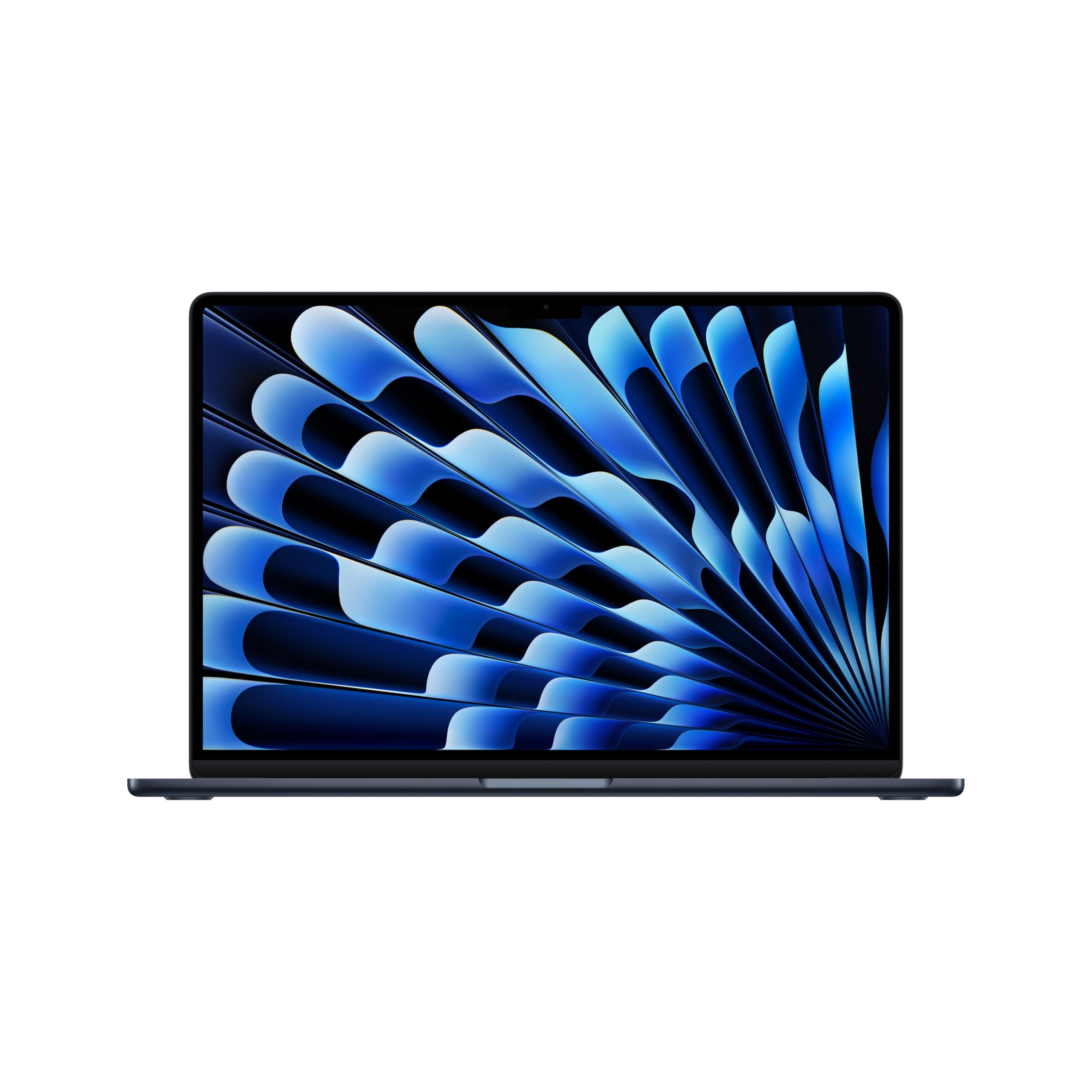
| Apple MacBook Air 15-inch (M5)★ Best Overall | All-day everyday work | 24GB unified | 1TB SSD | 15.3-inch Liquid Retina | Amazon |
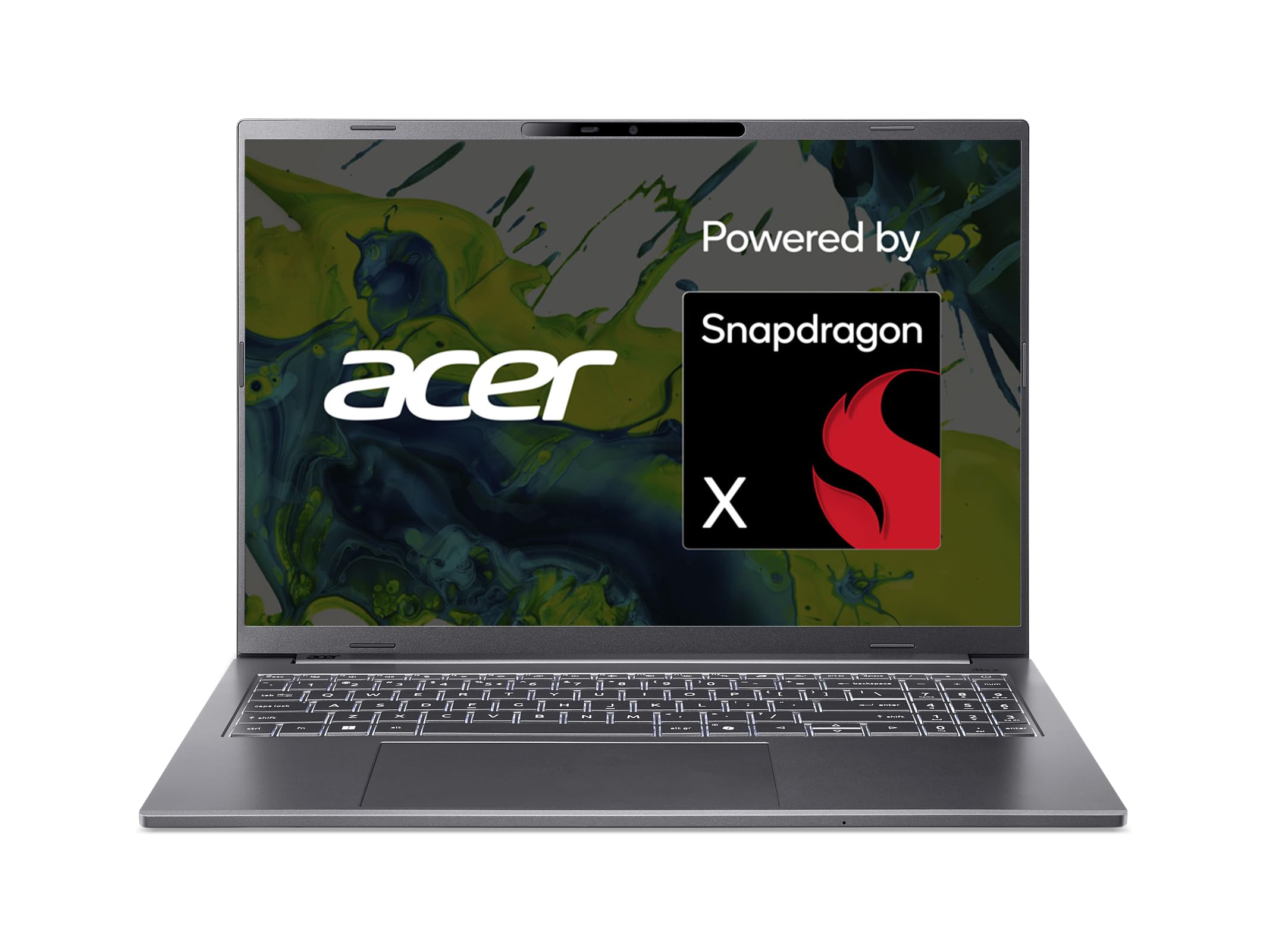
| Acer Aspire 16 AI Copilot+Budget Champion | Big touchscreen on a budget | 16GB LPDDR5X | 512GB PCIe Gen 4 | 16-inch WUXGA 120Hz touch | Amazon |
| Alienware 16 AuroraGaming Value Pick | Gaming with a 120Hz screen | 24GB DDR5 | 1TB SSD | 16-inch WQXGA 120Hz | Amazon |
| Lenovo ThinkPad T14 Gen 6 | Business and IT fleets | 32GB LPDDR5X | 1TB SSD | 14-inch FHD+ IPS anti-glare | Amazon |
| Lenovo ThinkPad X1 Carbon Gen 13 | Travel-light business | 32GB DDR5 | 2TB SSD | 14-inch 2.8K OLED | Amazon |
| LG gram 17 AI Copilot+ | Large screen, light bag | 32GB | 2TB SSD | 17-inch WQXGA touch anti-glare | Amazon |
| Lenovo Legion 5 15IRX10 | OLED gaming | 32GB DDR5 | 1TB PCIe Gen4 NVMe | 15.1-inch WQXGA OLED 165Hz | Amazon |
| ASUS Zenbook Duo (2026) | Dual-screen multitasking | 32GB | 1TB SSD | Dual 14-inch 3K OLED 144Hz | Amazon |
| HP ZBook 8 G1i | Engineering and CAD | 32GB DDR5 | 1TB SSD | 16-inch FHD+ touch | Amazon |
| MSI Vector 16 HX AI | High-refresh gaming | 32GB DDR5 | 2TB NVMe SSD | 16-inch QHD+ 240Hz | Amazon |
| Apple MacBook Pro 14.2-inch (M5 Max) | Pro creative workloads | 36GB unified | 2TB SSD | 14.2-inch Liquid Retina XDR | Amazon |
Detailed Reviews
1. Apple 2026 MacBook Air 15-inch with M5 chip
Our pick — 4.5+★ from 300+ verified ratings; the strongest balance of quality and price.
A 15.3-inch screen that still travels in one hand — and a radio that keeps up.
The Air is the pick for the person who wants one laptop to cover email, video calls and a full day away from a wall socket. Its radio is the Apple N1 chip, listed for Wi-Fi 7 and Bluetooth 6 (the newest short-range wireless standard), so the wireless side is current rather than one generation behind. You get 24GB of unified memory (one shared pool the processor and graphics draw from), a 1TB SSD, and two Thunderbolt 4 ports plus MagSafe charging and a headphone jack. That mix means two external displays can run off a machine that weighs 3.32 pounds.
What wins people over is the display size paired with the simplicity — a 15.3-inch Liquid Retina panel that supports 1 billion colors, so photos keep their depth and text stays clean at arm’s length. The 12MP Center Stage camera (it pans and zooms to keep you in frame) is the part that quietly improves every call. Battery is rated up to 18 hours, which is the figure that lets you leave the charger at home for a normal workday. Apple Intelligence runs on-device, and the M5 chip’s Neural Engine and GPU with Neural Accelerators are what carry that AI load.
Against the ThinkPad T14 in this list, the Air carries 24GB where the T14 lists 32GB — its advantage is portability and panel quality, not raw memory count. The honest catch is the port count and the price tier. Two Thunderbolt 4 ports means a dock or adapter once you add a card reader and a wired mouse. macOS also rules out some Windows-only engineering tools, so check your software list before you commit. If your work lives in a browser and creative apps, none of that will bother you.
What earns it the top spot
- Wi-Fi 7 and Bluetooth 6 via the Apple N1 wireless chip for a current, fast link.
- 3.32 pounds for a 15.3-inch Liquid Retina screen that supports 1 billion colors.
- Up to 18 hours of battery so a full workday can run without a charger.
- 24GB unified memory and 1TB SSD keep heavy app switching comfortable.
Where it asks you to compromise
- Two Thunderbolt 4 ports only — you will want a hub for peripherals.
- Sits in the upper value tier, so it rewards buyers who keep a laptop for years.
- No SD card slot, which adds an adapter for photographers.
Pick this one if: your day is browser tabs, calls, photo edits and writing, and you want a light bag with a big screen.
Think twice if: you need three or four built-in ports or Windows-only engineering software.
2. Acer Aspire 16 AI Copilot+ PC
The big-screen touch machine that costs less than most laptops half its ambition.
If a 16-inch touchscreen matters more to you than a metal chassis, this is where the money goes furthest. It runs a Qualcomm Snapdragon X X1-26-100 processor with an NPU (the on-chip AI engine) rated at 45 TOPS and an integrated GPU listed up to 1.7 TFLOPs. Snapshot specs: 16GB LPDDR5X memory and a 512GB PCIe Gen 4 SSD. Wi-Fi 7 and Bluetooth 5.3 are both in the connectivity list, so the wireless side is fully current.
The display is the headline — a 16-inch WUXGA (1920 x 1200) panel at 120Hz with 100% sRGB color, and it responds to touch. That 120Hz refresh rate is what makes scrolling a long PDF feel smooth rather than smeary. Against the Lenovo ThinkPad T14, this machine has the larger screen at 16 inches versus 14 inches, while the T14 counters with 32GB of memory versus this one’s 16GB. For students and home offices that live in documents and video, the Acer’s balance is the more useful one. What buyers consistently point to is raw performance for the money, with multitasking cited as the place the Snapdragon chip holds up. Battery runs to 18 hours by the listed figure.
The honest limit is reliability — camera failures after about a month show up among the reports, and that is the one hardware gripe worth knowing about. There are also compatibility notes, since some Windows apps built for Intel chips need emulation on Snapdragon. If you run specialized software, confirm it works on ARM before buying. AcerSense software bundles the AI settings into one dashboard, which keeps the learning curve low. On value alone this is the easiest recommendation on the list for a first Wi-Fi 7 machine.
The value math: a 16-inch 120Hz touch panel, 45 TOPS of NPU, Wi-Fi 7 and 18-hour battery in one package — it is the pick that gives a first-time Wi-Fi 7 buyer the most screen per dollar.
The one to watch: reliability is the mixed note in its reviews, and ARM compatibility needs checking if your work uses Intel-specific apps.
Reach for this if: you want a large touch display for school or home use and you are buying your first Wi-Fi 7 laptop.
Look elsewhere if: your work depends on Intel-only software or you want the longer track record of a business line.
3. Alienware 16 Aurora Gaming Laptop
Gaming muscle and a 120Hz panel, without jumping to the top price tier.
The Aurora is the entry into real gaming hardware on this list. It runs an Intel Core 7 240H processor — 10 cores, 16 threads, up to 5.2 GHz max turbo — so games and heavy apps keep pace. That pairs with an NVIDIA GeForce RTX 5050 graphics card with 8GB of GDDR7 video memory (the card’s own dedicated memory for textures and frames), which keeps textures and frames moving smoothly. For context, that 5.2 GHz top speed compares to the 3 GHz listed on the Acer Aspire 16, so the Alienware is the faster-clocked chip by a wide margin. Memory is 24GB DDR5 and storage is a 1TB M.2 PCIe NVMe SSD (a fast solid-state drive).
The display is a 16-inch 16:10 WQXGA (2560 x 1600) panel at a 120Hz refresh rate, 300 nits brightness and 100% sRGB coverage. That is the spec that decides whether fast motion reads cleanly in games. Cooling is Alienware’s Cryo-Chamber system with dual fans and copper heat pipes, built to push heat away from the components during long sessions. Ports cover two USB-A, two USB-C, HDMI 2.1 and RJ45 Ethernet, so a wired network connection is there when latency matters more than convenience. Wi-Fi 7 is listed for the wireless side.
Quality is the thing worth saying plainly — it is the aspect buyers praise most often, and the value read lands right behind it. The trade-off is that performance and cooling both draw a split verdict. Some machines are reported as fast and cool, others sluggish or warm under load. That pattern usually points to how hard a given unit is pushed rather than a design flaw, but buyers who expect silent, cool running at full tilt should look at the hardier cooling setups higher up this list. Fit and finish and speaker sound each come up mixed as well, which is the shape of a mid-tier gaming chassis. Weigh all that against the price tier and it still makes a strong case.
Why gamers shortlist it
- RTX 5050 with 8GB GDDR7 video memory handles modern titles at the panel’s resolution.
- 16-inch WQXGA 120Hz screen with 100% sRGB coverage.
- Two USB-C, two USB-A, HDMI 2.1 and RJ45 Ethernet give you real wired options.
What to expect going in
- Cooling and performance reports split — heavy sessions can run warm.
- Build quality and speaker sound come in for mixed remarks.
The straightforward verdict: a solid first gaming laptop with a 120Hz WQXGA display and Wi-Fi 7, at a price tier that undercuts the true premium rigs.
The caveat to carry: if you push the GPU hard for hours at a stretch, expect fan noise and warmth on the chassis.
4. Lenovo ThinkPad T14 Gen 6 Business Laptop

Built to survive a truck, a plane and a locked-down corporate image.
This is the pick for the buyer who wants a machine that a company IT department would hand out. It holds MIL-STD 810H military-grade certification (a test standard for shock, vibration and temperature survival) and ships with Windows 11 Pro. Inside is an Intel Core Ultra 7 268V with integrated Intel Arc graphics, plus 32GB of LPDDR5X memory and a 1TB NVMe SSD. Memory here is the highest fixed count among the 14-inch business options on this list and double the 16GB listed on the Acer Aspire 16.
Office lights won’t wash out your screen: the 14-inch FHD+ (1920 x 1200) IPS anti-glare panel keeps glare off your eyes. The machine drives up to three external monitors through its HDMI and two Thunderbolt 4 ports at a maximum 4K resolution at 60Hz (sharp enough for spreadsheets and video). Connectivity is unusually complete for a 14-inch: two Thunderbolt 4, two USB-A 3.2 Gen 1, HDMI, an Ethernet jack and a headphone/mic combo. Wi-Fi 7 and Bluetooth 5.4 cover wireless. Security is handled by a fingerprint reader and a 5MP webcam with a privacy shutter, so you can cover the lens when the camera should not be watching.
The practical upside is the port set — an RJ-45 Ethernet port on a 14-inch laptop is increasingly rare, and it means a reliable wired link for IT tasks and video calls without a dongle. The trade-off sits in how the hybrid Intel chip and the 32GB LPDDR5X memory shape value: memory is soldered, so it cannot be upgraded later. That is fine at 32GB, less fine if you planned to grow it. Lenovo ships a 1-year manufacturer warranty plus a 1-year memory and hard drive limited warranty, which is the spec to weigh against the upper price tier. Software compatibility is broad thanks to Windows 11 Pro and Copilot support.
Built for the long haul: MIL-STD 810H certification, 32GB LPDDR5X and a 1TB SSD mean this is the config that ages gracefully.
The rigid part: memory is soldered to the board, so buy the 32GB you need on day one.
Best matched to: IT-managed fleets, remote workers who need real Ethernet, and anyone who values a rugged build over a slim one.
Not for you if: you want to upgrade memory later or you need a large 16-inch screen for design work.
5. Lenovo ThinkPad X1 Carbon Gen 13 Aura Edition

Weighs less than a kilogram, yet opens with one finger and takes a 2880 x 1800 OLED panel with it.
If you carry a laptop between buildings all week, the X1 Carbon’s defining number is its weight — under a kilogram, light enough to lift with one hand. That frame wraps an Intel Core Ultra 7 258V processor running up to 5 GHz, 32GB of DDR5 memory and a 2TB Gen 5 SSD. The SSD generation is the part to notice: Gen 5 bandwidth means large media files open faster than on older storage. Wi-Fi 7.0 is listed, and Bluetooth 5.3 covers accessories.
The 14-inch 2.8K (2880 x 1800) OLED screen gives deep blacks and accurate color, which suits editors who care about how a photo or a rough cut looks on the road. The 1080p IR camera with a privacy shutter handles Windows face sign-in, and there is a fingerprint reader for a second option. Performance is what carries this machine in the eyes of its owners, with weight the next thing they call out — the combination is the reason it exists. There is also one free M.2 slot, so storage can grow later. Lenovo’s short description makes the point that connectivity was not sacrificed for thinness: you can hook up a monitor, charge other devices and plug in a wired headset.
Where it stings is value. This sits high in the price tiers, and the value read comes back mixed rather than glowing, with some noting it is not the least expensive laptop in its class. Compatibility notes return mixed as well, so run your software list first. None of that changes the core pitch — if the laptop lives in a bag, the weight and the OLED panel justify the outlay, and the 2TB of Gen 5 storage is the kind of headroom you rarely touch again. The build is reported as exceptionally solid, and for a business machine that gets opened and closed fifty times a day, that matters.
Carry weight is the argument: under a kilogram with a 14-inch 2.8K OLED and a 2TB Gen 5 SSD — this is the machine that disappears into a bag.
The honest check: it holds a premium tier, and value is the split opinion in its reviews — worth it if the weight is your daily reality.
Made for: consultants, sales travellers and anyone who values a light bag over a bigger screen.
Skip the splurge if: you mostly work at a desk where weight does not matter and you would rather spend on internal power.
6. LG gram 17 AI Copilot+ Laptop
A 17-inch screen you can carry all day without feeling it in your shoulder.
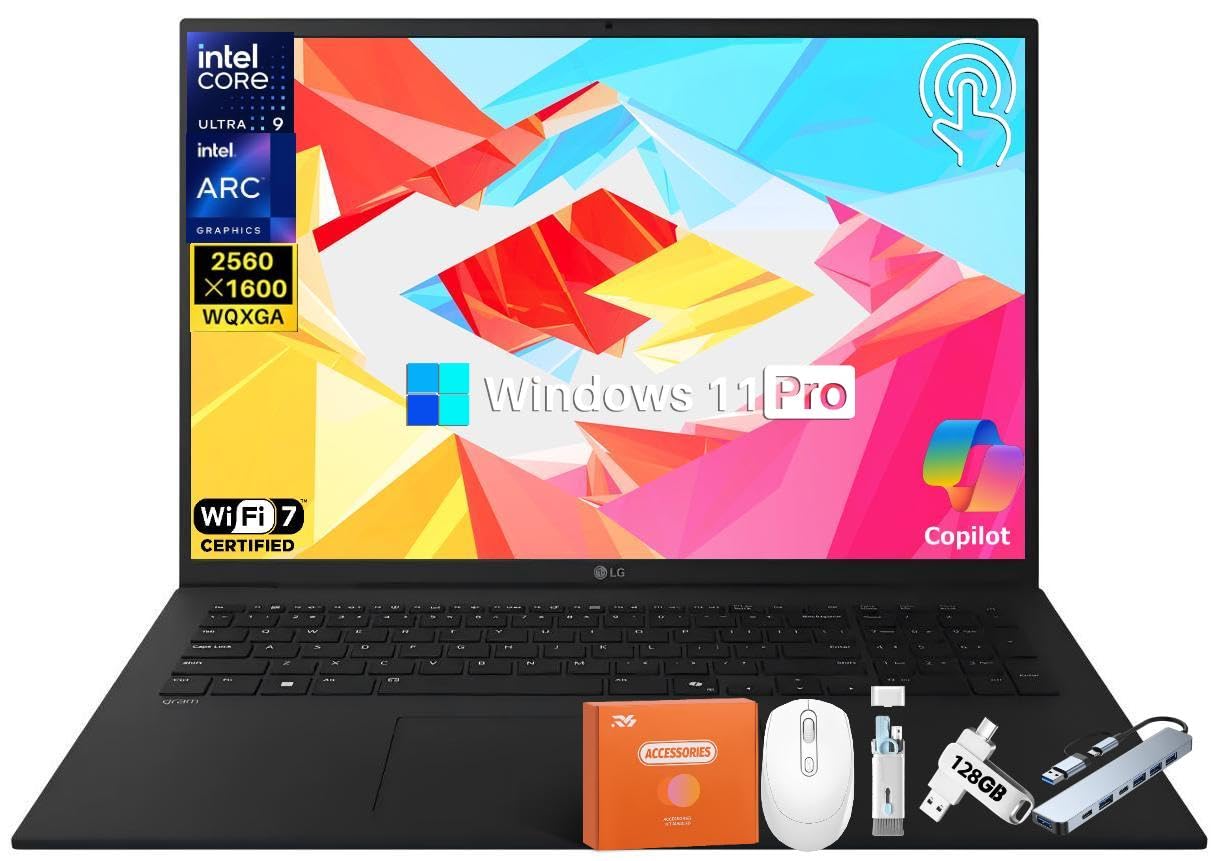
The gram is the answer for the buyer who needs a large canvas but hates a heavy bag. It weighs 3.2 pounds and measures.74 inches thick, which is how a 17-inch panel ends up in a frame you would happily ride a train with. The screen is a 17-inch WQXGA (2560 x 1600) touch display with 99% DCI-P3 color and an anti-glare coating. Under it sits an Intel Evo Edition Core Ultra 9 (Series 2) processor with an NPU rated at 47 TOPS, backed by 32GB of RAM and a 2TB SSD. Wi-Fi 7 is listed, and there are dual Thunderbolt 4 ports.
For comparison, that 17-inch panel is the biggest screen here — the Acer Aspire 16 and the Alienware 16 Aurora both sit at 16 inches. Battery is a 77Wh cell with a listed figure of up to 23.5 hours of video playback, which is the spec that makes a cross-country flight comfortable. The build passed seven military-grade standards for resilience, so the thin frame is not the delicate one it looks like. Quad speakers with Dolby Atmos handle sound, and the anti-glare touch surface keeps fingerprints visible but reflections down.
The mixed note is battery expectation. Reports split between praise for how long it runs and complaints that the real runtime falls short of the claim, which is the classic gap between a playback figure and real work. Performance and weight are what buyers celebrate most — the machine genuinely is light for its size. Value and reliability each come back mixed, so treat this as a very portable tool with a screen-first priority rather than a rugged field machine. Writers, analysts and editors who mostly read and type on a big screen get the most from it.
The case for the big-screen traveler
- 17-inch WQXGA touch panel with 99% DCI-P3 color and anti-glare coating.
- 3.2 pounds and.74 inches thick for a laptop of this screen size.
- 47 TOPS NPU with 32GB RAM and a 2TB SSD.
Before you assume
- Battery reports split — the playback rating is not the same as heavy-work runtime.
- Reliability is the other mixed strand in owner feedback.
Choose it when: you want the biggest screen available in a bag you can carry and you value a light frame over a tank-like build.
Pass if: you need a hardened chassis for field work or a battery that matches its playback spec hour for hour.
7. Lenovo Legion 5 15IRX10
An OLED panel at 165Hz, which is the combination gamers notice first.
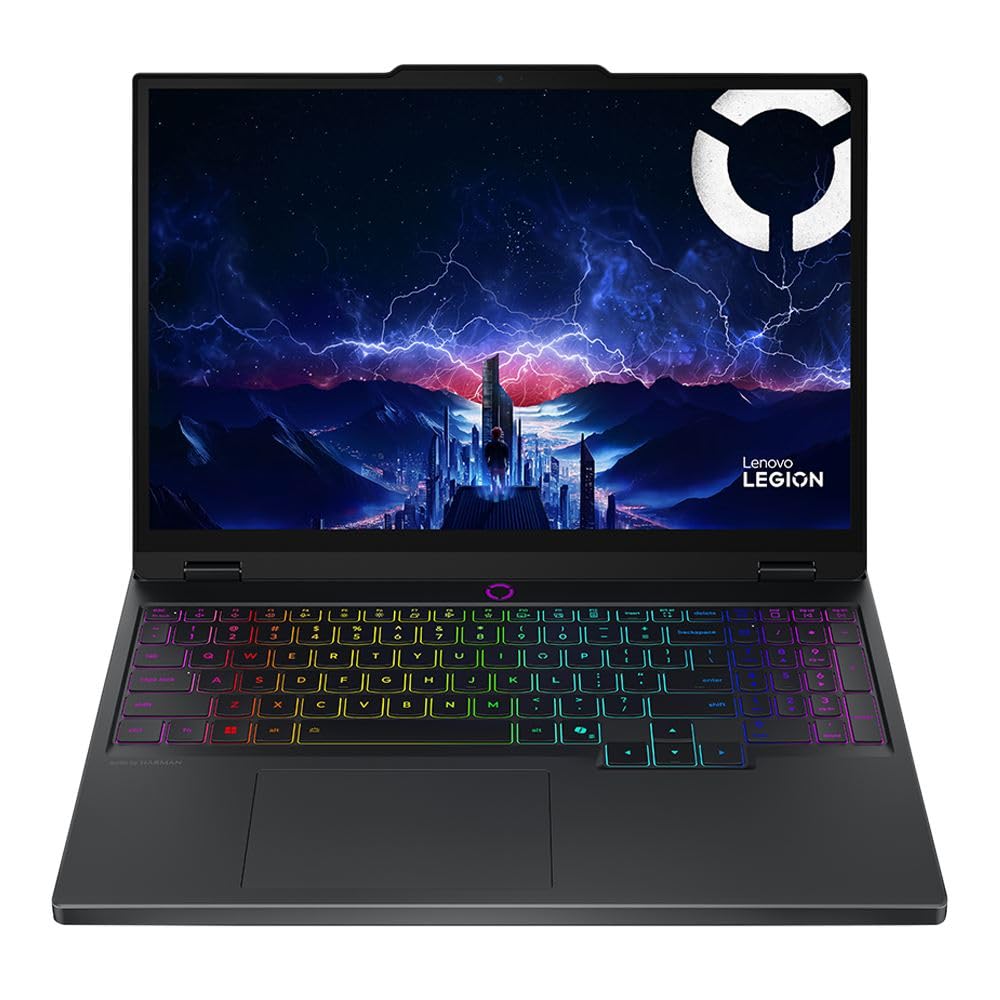
Take the Alienware’s gaming pitch and add an OLED screen. The Legion 5 runs an Intel Core i9 14th Gen 14900HX at 1.6 GHz base with a max speed listed up to 5.8 GHz, plus an NVIDIA GeForce RTX 5070 with 8GB of GDDR7. Memory is 32GB DDR5-5600 and storage is a 1TB PCIe Gen4 x4 NVMe M.2 SSD. At 4.19 pounds it stays portable for a gaming rig. Wireless is 2×2 Wi-Fi 7 (802.11be) with Bluetooth 5.4, and there is a Gigabit LAN port for wired play.
The panel is the star — a 15.1-inch WQXGA (2560 x 1600) OLED with a 165Hz refresh rate. OLED means each pixel makes its own light, so dark scenes stay truly dark instead of washing grey, and 165Hz makes fast motion glide. Compare that to the Alienware’s 120Hz LCD panel and the Legion’s screen is both the higher refresh rate and the deeper-contrast technology. The 5.0 megapixel front camera is well above the usual gaming-laptop webcam. Windows 11 Home is the preinstalled system, and the 14th-gen i9 gives this machine the clock headroom of a desktop-class chip.
What that means in real terms is a laptop built for two jobs: competitive gaming at high frame rates, and creative work where the OLED color matters. The catch is weight and heat. A 4.19-pound gaming chassis with an i9 and an RTX 5070 will move air and make noise when pushed, and the glossy OLED surface reflects overhead light. Buyers who want a silent machine for quiet offices should look at the business picks above. For everyone who wants the prettiest gaming screen on this list, this is the one.
Worth it for: gamers and creators who want OLED contrast and a 165Hz refresh rate in a chassis that still fits a backpack.
Sidestep if: you need a quiet, cool laptop for a shared office or you dislike glossy reflective screens.
8. ASUS Zenbook Duo (2026)
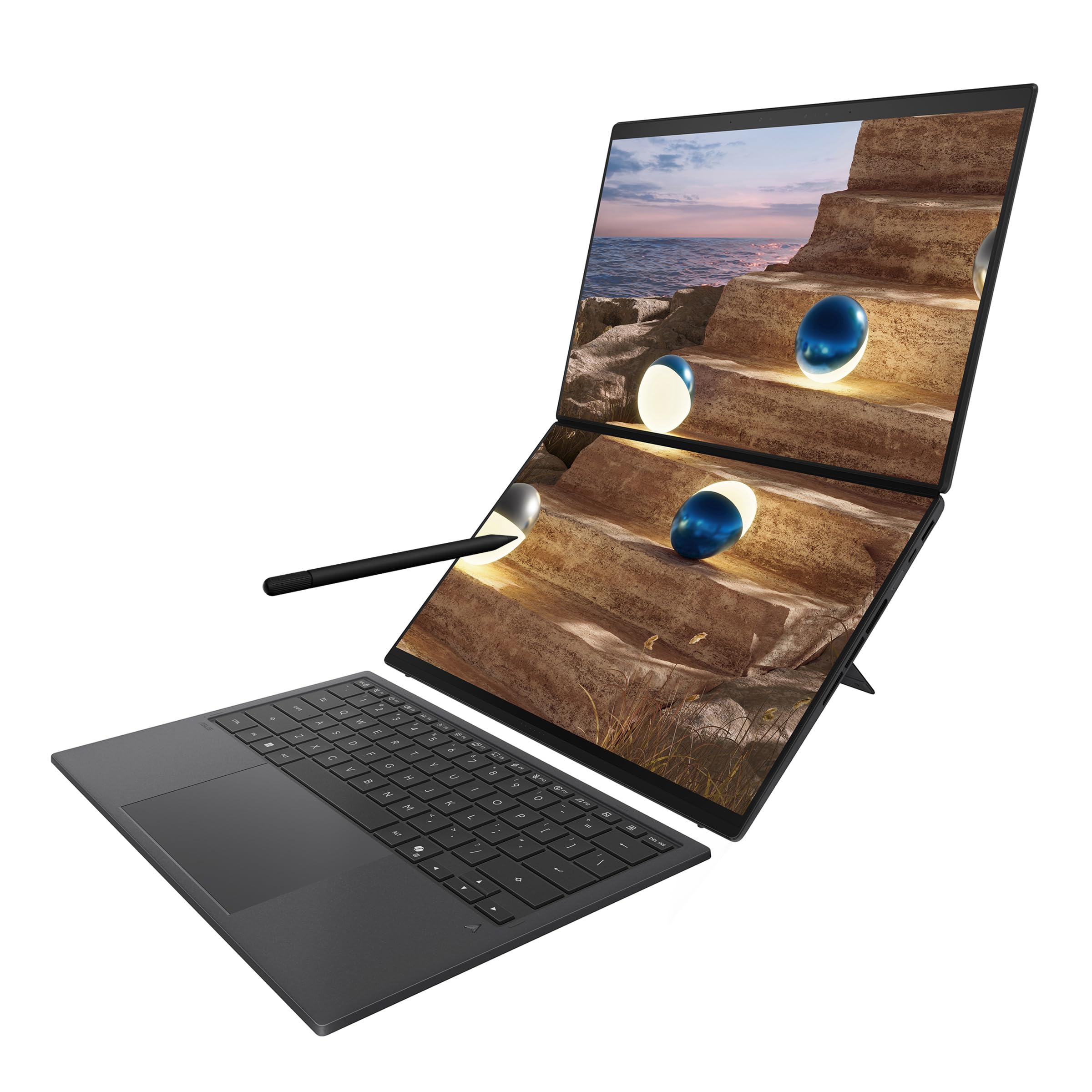
Two 3K OLED touchscreens in one hinged frame — the screen real estate play.
The Duo exists for the buyer who never feels they have enough display. It carries two 14-inch 3K (3000 x 1600) ASUS Lumina OLED touchscreens, each running at 144Hz with 100% DCI-P3 color and up to 1000 nits of HDR brightness. The brains are a 16-core Intel Core Ultra 9 Processor 386H with 50 TOPS on Copilot, paired with 32GB of RAM and a 1TB SSD. Wi-Fi 7 and Bluetooth 5.4 are listed, and the package includes a sleeve and an ASUS Pen 3.0 with wireless charging and MPP 2.6 support.
The trick is the magnetic keyboard and integrated kickstand. You flip from dual-screen mode into a normal laptop or into sharing mode in seconds, so the same machine covers focused work and a client presentation. A 99Wh battery keeps it running and fast-charge is rated to reach 60% in 49 minutes — useful on a layover. The full Ceraluminum chassis covers hinge and kickstand as well as the screens, which is the durability story ASUS is telling here. Ports include two Thunderbolt 4, one USB 3.2 Gen 2 and one HDMI 2.1 FRL, so an external monitor needs no adapter.
The honest question a buyer should ask is whether two screens actually fit their workflow. If you juggle a spreadsheet and a reference document side by side, or edit video timelines across two panels, the answer is yes and no other laptop here matches it. If you mostly write in one window, the second screen is weight and cost you carry without using. That is the split to settle before buying. For multitaskers and presenters, the form factor earns its place as the most distinctive machine on the list.
The form-factor leap: two 14-inch 3K OLED touchscreens at 144Hz with a magnetic keyboard that flips modes — nothing else here works this way.
The buy-in question: if your work stays in one window, the second panel is overhead you will feel in the bag.
The right buyer: multitaskers, coders and presenters who want two full screens without a second monitor.
The wrong buyer: you write in a single window and want the lightest, simplest laptop you can find.
9. HP ZBook 8 G1i AI Mobile Workstation
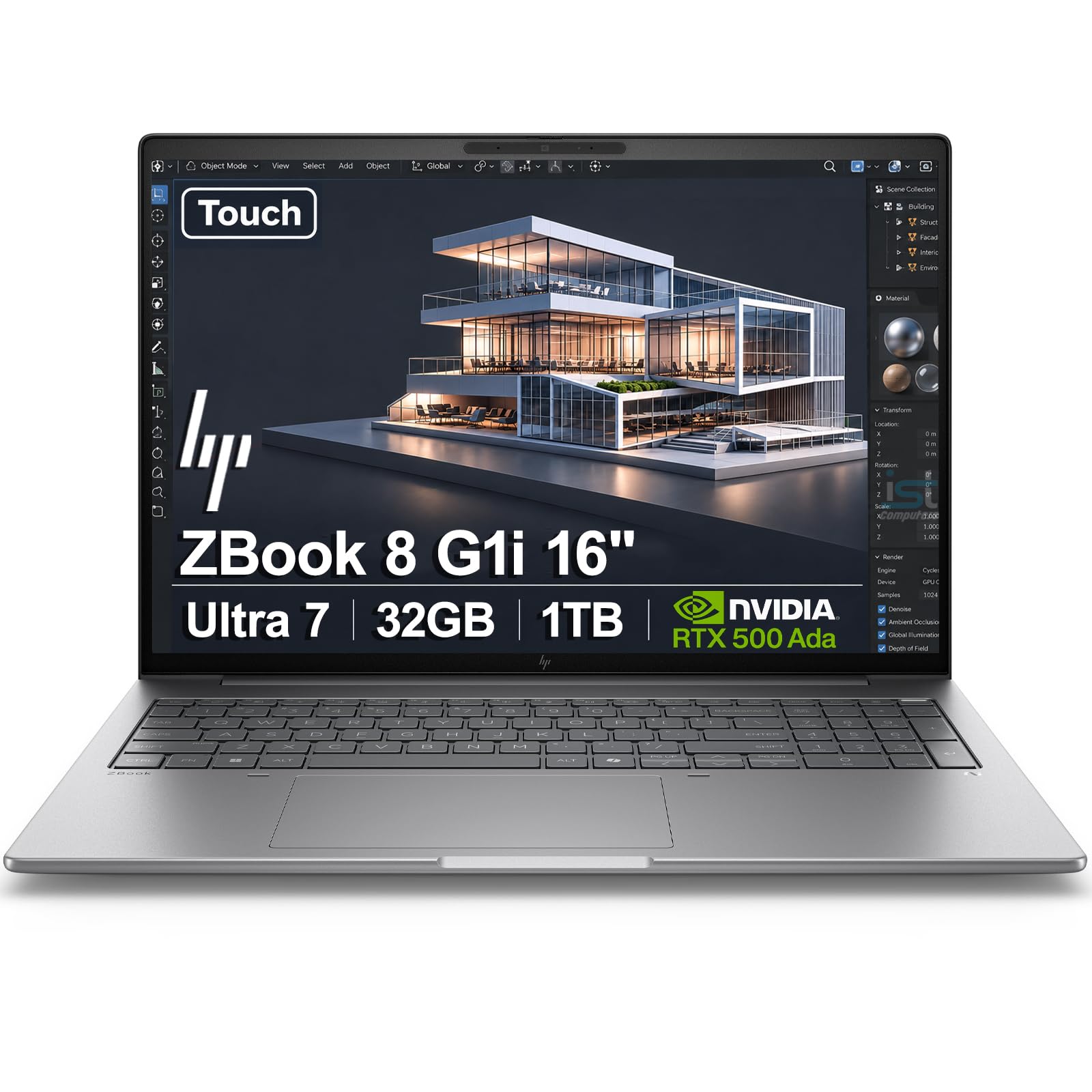
Built for CAD files, simulation runs and the software that refuses to run on anything else.
The ZBook is a workstation, and that word has a specific meaning here. It carries ISV certifications for apps like SolidWorks, AutoCAD, ANSYS, Revit and MATLAB, which means those professional tools are confirmed to run rather than hoped to. The processor is an Intel Core Ultra 7 255H — 16 cores, 16 threads, up to 5.1GHz, with 24MB L3 cache. Graphics come from an NVIDIA RTX 500 Ada GPU with 4GB of GDDR6 dedicated memory. Around it sit 32GB DDR5 and a 1TB PCIe NVMe M.2 SSD, with Wi-Fi 7 and Bluetooth 5.4 for wireless.
The 16-inch WUXGA (1920 x 1200) touchscreen is bright at 300 nits with anti-glare treatment, so site plans stay readable. Display output reaches up to 8K at 60Hz over Thunderbolt 4 and 4K at 60Hz over USB-C and HDMI 2.1. Ports are generous: two Thunderbolt 4, one USB-C 3.2 Gen 2×2, one USB-A 3.2 Gen 1, HDMI 2.1, an Ethernet jack and a headphone/mic combo. There is a 5MP IR privacy-shutter webcam with AI noise reduction and dynamic voice leveling, plus a fingerprint reader and a backlit keyboard with a numeric keypad.
The niche here is real. Engineers, architects and data analysts who run heavy simulation or 3D modeling get a machine that has been certified for the software they live in, and HP Wolf Pro Security adds enterprise protection for a year. Performance is the strength buyers point to, with the value read close behind. The trade-off is that 4GB of dedicated video memory is modest for a workstation GPU, which matters if your renders push large textures. This purchase also involves a resealed unit where HP covers remaining components for three years, so read that warranty detail before you buy. For the certified-software crowd, it is the safest bet on the list.
Why engineers pick it
- ISV certifications for SolidWorks, AutoCAD, ANSYS, Revit and MATLAB.
- Intel Core Ultra 7 255H with 16 cores, 24MB L3 cache and 32GB DDR5.
- Full port set including Ethernet, two Thunderbolt 4 and HDMI 2.1.
The fine print worth reading
- 4GB of GDDR6 on the RTX 500 Ada is limited for texture-heavy renders.
- Sold as a resealed unit with a three-year warranty on remaining components.
Suits you if: your day runs on certified CAD or simulation software and you need a 16-inch touchscreen with a full port set.
Not the fit if: you want the biggest video memory for rendering or you prefer a factory-sealed box.
10. MSI Vector 16 HX AI

A 240Hz panel fed by an RTX 5080 — the spec sheet of a serious gaming rig.
On paper this is the fastest gaming machine here. An NVIDIA GeForce RTX 5080 Laptop GPU sits alongside an Intel Core Ultra 9-275HX running up to 5.4 GHz, with 32GB of DDR5 memory and a 2TB NVMe SSD. The display is a 16-inch QHD+ panel at 240Hz — the highest refresh rate on this list, well above the 165Hz on the Legion 5 and the 120Hz on the Alienware. Connectivity includes Thunderbolt 5, a step newer than the Thunderbolt 4 ports on the machines above, plus Wi-Fi 7 and Bluetooth 5.4. Windows 11 Pro comes preinstalled, and face recognition handles sign-in.
Build quality is what buyers celebrate most about this model, which is a notable thing to lead with on a gaming laptop. The Intel Core Ultra 9 with an RTX 5080 and Thunderbolt 5 makes it a machine for someone who wants a desktop replacement that can drive fast external storage and high-refresh monitors. Wi-Fi 7 handles downloads of large game files, and 2TB of storage means fewer games get deleted to make room.
Here is the part to weigh honestly. Performance feedback on this model splits, with some owners reporting significant usability issues, and heat management draws complaints that the device runs hot. Value opinions divide too. That is a real pattern to know about before spending at the top of the price ladder — it does not erase the hardware, but it does mean you should go in expecting a machine that needs good ventilation and a firmware update or two to find its footing. If you want the highest refresh rate and strongest GPU here and you will tune and cool it properly, the spec sheet is genuinely at the top of this group.
The raw numbers: RTX 5080, a 240Hz QHD+ display, Thunderbolt 5 and 32GB DDR5 — the fastest stack on this list.
The honest warning: heat and performance reports split, so treat cooling and setup as part of owning it.
Buy it for: the highest refresh rate and strongest GPU here, if you are willing to manage heat and settings.
Walk away if: you want a plug-in-and-play machine that stays cool and quiet from day one.
11. Apple 2026 MacBook Pro 14.2-inch with M5 Max chip
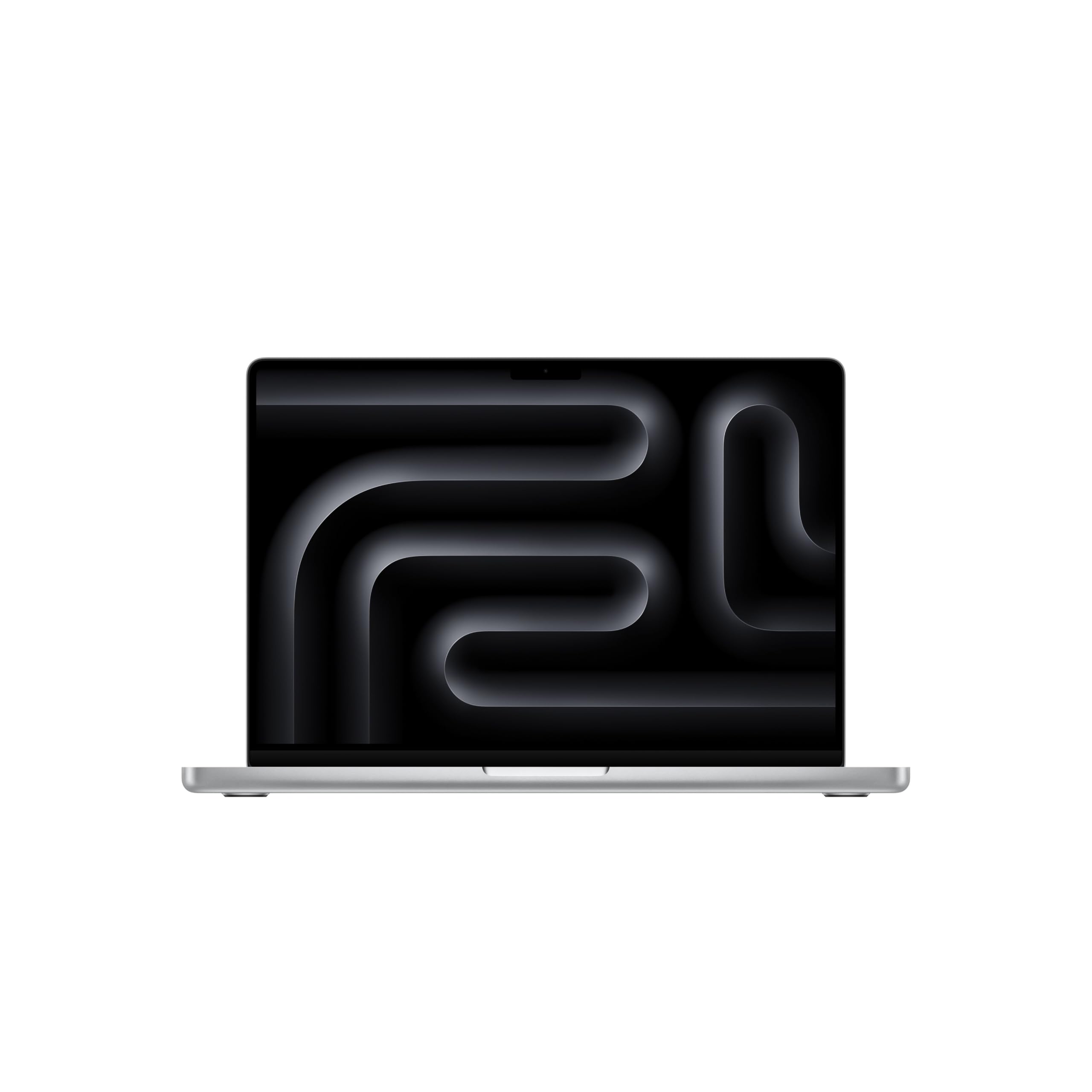
Eighteen CPU cores, thirty-two GPU cores and a screen that hits 1600 nits.
The 14.2-inch MacBook Pro carries an M5 Max chip with an 18-core CPU and a 32-core GPU, plus 36GB of unified memory and a 2TB SSD. That is the largest memory pool on this list — bigger than the 32GB listed on the ThinkPad T14 and the LG gram. The display is a 14.2-inch Liquid Retina XDR panel rated at 1600 nits peak brightness, 1000 nits sustained and a 1,000,000:1 contrast ratio, which is what makes HDR footage look the way it was graded. It weighs 3.59 pounds.
The wireless side runs on the Apple N1 chip for Wi-Fi 7 and Bluetooth 6, matching the MacBook Air’s radio. Ports are unusually generous for an Apple machine: three Thunderbolt 5, MagSafe 3 charging, an SDXC card slot, HDMI and a headphone jack. It drives up to three external displays with M5 Pro or up to four with M5 Max. A 12MP Center Stage camera, three studio-quality mics and six speakers with Spatial Audio and Dolby Atmos cover calls and sound. The GPU has a Neural Accelerator built into each core, which is the hardware carrying on-device AI work like LLM inference and training.
Against the MacBook Air 15-inch above, this machine trades screen inches for raw cores and brightness — 15.3 inches versus 14.2 inches, but a 32-core GPU with 36GB of memory against 24GB. Performance is the strength buyers name first, with battery life the next thing they mention, and on-device gaming on battery gets specific praise. The catch is the tier. This is the highest-investment pick here, and an SD card slot plus four-display support only matter if that is how you work. Editors, developers and musicians running heavy sustained loads will feel the return; a document-and-call user will not.
Where the money goes: an 18-core CPU and 32-core GPU with 36GB unified memory, driving a 1600-nit Liquid Retina XDR display and three Thunderbolt 5 ports.
The reality check: it is the most expensive machine here, and much of that headroom sits unused if your work is light.
Matches this buyer: editors, developers and musicians running sustained heavy workloads who can use the cores and the port set.
Overkill for: everyday browsing, calls and writing, where the MacBook Air 15-inch covers the same ground with less cost.
12. Apple 2026 MacBook Pro 14.2-inch with M5 Max chip
Eighteen CPU cores, thirty-two GPU cores and a screen that hits 1600 nits.
The 14.2-inch MacBook Pro carries an M5 Max chip with an 18-core CPU and a 32-core GPU, plus 36GB of unified memory and a 2TB SSD. That is the largest memory pool on this list — bigger than the 32GB listed on the ThinkPad T14 and the LG gram. The display is a 14.2-inch Liquid Retina XDR panel rated at 1600 nits peak brightness, 1000 nits sustained and a 1,000,000:1 contrast ratio, which is what makes HDR footage look the way it was graded. It weighs 3.59 pounds.
The wireless side runs on the Apple N1 chip for Wi-Fi 7 and Bluetooth 6, matching the MacBook Air’s radio. Ports are unusually generous for an Apple machine: three Thunderbolt 5, MagSafe 3 charging, an SDXC card slot, HDMI and a headphone jack. It drives up to three external displays with M5 Pro or up to four with M5 Max. A 12MP Center Stage camera, three studio-quality mics and six speakers with Spatial Audio and Dolby Atmos cover calls and sound. The GPU has a Neural Accelerator built into each core, which is the hardware carrying on-device AI work like LLM inference and training.
Against the MacBook Air 15-inch above, this machine trades screen inches for raw cores and brightness — 15.3 inches versus 14.2 inches, but a 32-core GPU with 36GB of memory against 24GB. Performance is the strength buyers name first, with battery life the next thing they mention, and on-device gaming on battery gets specific praise. The catch is the tier. This is the highest-investment pick here, and an SD card slot plus four-display support only matter if that is how you work. Editors, developers and musicians running heavy sustained loads will feel the return; a document-and-call user will not.
Where the money goes: an 18-core CPU and 32-core GPU with 36GB unified memory, driving a 1600-nit Liquid Retina XDR display and three Thunderbolt 5 ports.
The reality check: it is the most expensive machine here, and much of that headroom sits unused if your work is light.
Matches this buyer: editors, developers and musicians running sustained heavy workloads who can use the cores and the port set.
Overkill for: everyday browsing, calls and writing, where the MacBook Air 15-inch covers the same ground with less cost.
Know the Specs
Wi-Fi 7 vs Older Wireless Standards
Wi-Fi 7 (sometimes written 802.11be) is the newest wireless standard, and a laptop needs its own compatible chip to join a Wi-Fi 7 network at full speed. The Apple N1 chip, for example, is listed for Wi-Fi 7 alongside Bluetooth 6 on the MacBook Air and MacBook Pro. The ThinkPad T14 lists Wi-Fi 7 with Bluetooth 5.4, and the LG gram lists Wi-Fi 7 too. If a laptop’s connectivity list only names Wi-Fi 6 or 6E, it will connect but not use the newer standard. Always check the model’s own spec list instead of assuming.
Unified Memory vs DDR5 Modules
Both are memory, but they are built differently. Apple’s machines use unified memory, one shared pool that the processor and graphics draw from, which is why the MacBook Air lists 24GB and the MacBook Pro lists 36GB in that form. Windows laptops list DDR5 or LPDDR5X modules, such as the 32GB LPDDR5X on the ThinkPad T14 and 32GB DDR5 on the Legion 5. On most thin Windows laptops that memory is soldered, so it cannot be upgraded later — you buy the amount you need on day one.
NPU and TOPS Ratings
An NPU is a dedicated on-chip engine for AI tasks, and TOPS measures how many operations it can do in a second. The Acer Aspire 16 lists an NPU at 45 TOPS; the LG gram lists 47 TOPS; the ASUS Zenbook Duo lists 50 TOPS on Copilot. On Windows these ratings connect to features like Live Captions and AI-assisted search. A higher TOPS figure does not make a laptop faster for spreadsheets, so weigh it against memory and storage, which shape day-to-day speed more.
Display, Refresh Rate and Panel Type
Refresh rate in Hz describes how many times per second the screen updates; a 120Hz panel scrolls more smoothly than a 60Hz one, and the MSI Vector’s 240Hz is the highest on this list. Panel type changes how the image looks. OLED screens, like the Legion 5’s 15.1-inch WQXGA 165Hz panel and the Zenbook Duo’s dual 3K 144Hz screens, give each pixel its own light so blacks stay truly dark. Liquid Retina and Liquid Retina XDR panels are Apple’s naming for its high-brightness displays, with the MacBook Pro reaching 1600 nits peak.
Common Questions
Will a Wi-Fi 7 laptop work with my older Wi-Fi 6 router?
How do I confirm a laptop really has Wi-Fi 7 and not Wi-Fi 6E?
Is 24GB of memory enough for heavy multitasking?
Do these laptops have Ethernet ports for wired networking?
What does the NPU TOPS number actually change for me?
How long does the battery last on these Wi-Fi 7 laptops?
Can I upgrade the memory or storage later?
What is the difference between a gaming laptop and a mobile workstation here?
Is OLED worth it on a laptop screen?
Do I need Thunderbolt 5 or is Thunderbolt 4 enough?
The Bottom Line
For most buyers, the wi-fi 7 laptop worth starting with is the Apple MacBook Air 15-inch with M5, because it puts a Wi-Fi 7 radio, 24GB of unified memory and an 18-hour battery into a 3.32-pound body with a 15.3-inch display. If you want a big touchscreen on a tighter budget, grab the Acer Aspire 16 AI Copilot+ PC. And for certified engineering software, the HP ZBook 8 G1i is the one to reach for.
The MacBook Air 15-inch holds a 4.5+ star average across 300+ owners, and the pattern behind that score is consistent: people who buy a current wireless radio tend to keep the machine for years. Before you commit, decide which two specs you will actually feel every day — screen size, memory, or weight — and let the rest of the list stay optional. Settle the Wi-Fi 7 question first, since every other upgrade is wasted on a laptop that connects to your router at an older standard.
How we choose
We do not accept paid placement. Every pick is matched to a real buyer and a real use-case; we do not hands-on test units.
Sources
Specifications: manufacturer listings and product documentation. Review insights: verified customer reviews, as of November 2026. Pricing: not shown on this page (it changes often); check the current price via the retailer link.
As an Amazon Associate, Tactical Gear Guy earns from qualifying purchases. This does not affect which products we feature.