Specs are compiled from manufacturer listings and verified buyer reviews and can change over time — please confirm the key details on the product page before buying.
Your new Wi-Fi 7 laptop card can be a fast, cheap upgrade — or a card that never shows up in Windows. Two facts decide which: whether your motherboard’s M.2 slot (the small internal slot for expansion cards) is Key E, and whether your processor is Intel or AMD. Get both right and the swap takes minutes. Get either wrong and the card stays invisible. The six realistic options below are sorted by chip, slot, and speed so you can match one to your machine quickly.
This guide is built by comparing the manufacturers’ published specifications and the patterns across verified customer reviews, so you get each pick’s real strengths and trade-offs instead of marketing spin.
Almost every Wi-Fi 7 card here drops into the same M.2 2230 slot your old Wi-Fi 6E module used. The differences are in the chipset, the top speed, and whether AMD is supported at all. The cards below cover that spread, and the picks in this wi-fi 7 laptop card comparison are ordered by what actually fits your board.
Top Picks
How To Choose The Best Wi-Fi 7 Laptop Card
You are not shopping for a router here. You are shopping for a tiny internal module that replaces the Wi-Fi card already screwed into your laptop or desktop motherboard. The single biggest mistake buyers make is buying on speed alone, then finding out their slot or their processor rules the card out.
Check the slot key before anything else
Your motherboard needs an M.2 slot wired for Wi-Fi — usually labeled Key E or Key A/E. A Key M slot is for an SSD and will not take these cards. One of the picks below calls this out directly: it uses a Key A or E interface and is not applicable to Key M or Key B slots.
Most of these modules are the 2230 size, which is the short, stubby card format laptops use. If you are upgrading a desktop, check that your board has the matching M.2 network slot rather than assuming it does.
Then check your processor
The Intel BE200 chipset inside several of these cards is built for Intel platforms. Listings here state plainly that AMD is not supported, and one requires an Intel 12th generation processor or newer. If you run a Ryzen machine, the MediaTek-based EDUP card is the one in this group that lists both AMD and Intel support.
Understand what the speed numbers mean
The big numbers on these boxes — 5800Mbps, 6500Mbps, 8774Mbps — are combined maximums across the 2.4GHz, 5GHz, and 6GHz bands added together. You will not see that figure on a single download. What you will notice is the 6GHz band and the wider 320 MHz channels, which open up clean airspace if your router supports Wi-Fi 7.
Plan for the driver install
Windows 11 carries some of these drivers already, and others need a manual download from Intel or the vendor site. A card that shows nothing in Device Manager is usually a driver issue, not a dead card. Budget ten minutes for that step before you decide anything is broken.
Side-by-Side Comparison
| Model | Best For | Top Speed | Chipset | AMD Support | Amazon |
|---|---|---|---|---|---|
| BE200 WiFi 7 Card (M.2 PCIe, BT 5.4)★ Best Overall | Most Intel laptops | 5.8 Gbps | Intel BE200NGW | No / limited | Amazon |
| EDUP M.2 WiFi 7 BE6500Best for AMD | AMD and Intel builds | 6500 Mbps | MediaTek MT7925 | Yes | Amazon |
| DERAPID BE200NGW Wi-Fi 7 Card | Intel 12th gen and newer | 8774 Mbps | Intel BE200NGW | No | Amazon |
| REKONG WiFi 7 BE200 5800Mbps | Manual driver installs | 8774 Mbps | Intel BE200NGW | No | Amazon |
| Binardat WiFi7 Card M.2 BE200 | Long-term reliability | 8774 Mbps | Intel BE200NGW | No | Amazon |
| GigaPlus BE200 NGW | Windows and Linux dual boot | 8774 Mbps | Intel BE200NGW | No | Amazon |
Detailed Reviews
1. BE200 WiFi 7 Card
Our pick — 4.5+★ from 700+ verified ratings; the strongest balance of quality and price.
The no-driver drop-in that gets an Intel laptop onto the 6GHz band in minutes.
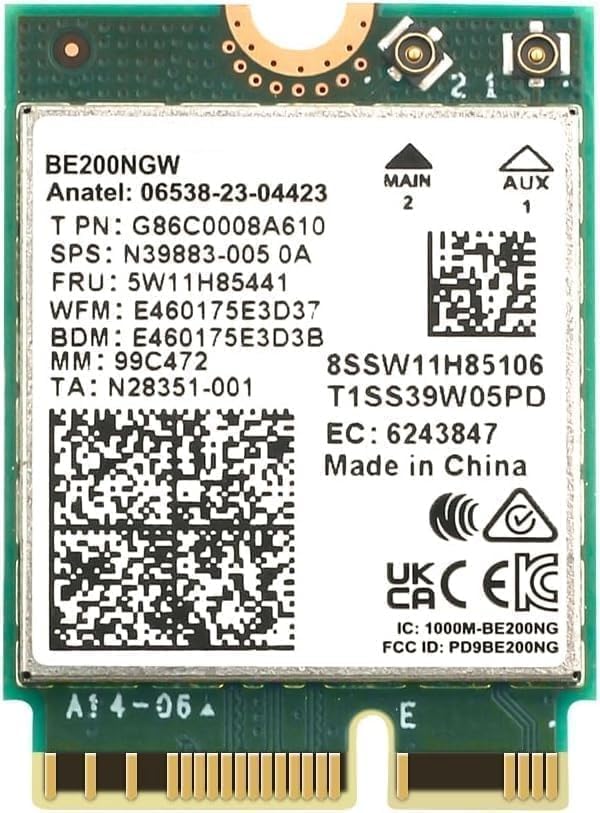
For an Intel laptop owner who wants to stop tethering to Ethernet, this is the safest of the six. It runs the Intel BE200NGW chip with a rated data transfer rate of 5.8 Gbps across 2.4GHz, 5GHz, and 6GHz, and it fits an M.2 PCIe Key E slot on Windows 10 or 11. That 5.8 Gbps figure is the card’s rated ceiling, not a promise your apartment will deliver it. What it really buys you is the clean 6GHz airspace and the 320 MHz channel width that Wi-Fi 7 routers open up.
The rest of the spec sheet adds convenience and security: Bluetooth 5.4 for your accessories, 4K QAM (a denser encoding scheme that packs more data into each signal burst), MU-MIMO (the router serving several devices at once), WPA3 encryption, and MLO (Multi-Link Operation, which lets the card hold two bands at once). One caveat from the listing: some Wi-Fi 7 features stay locked until operating-system support catches up, so treat the advanced set as forward-looking rather than switched on today.
What puts this card ahead of the others is how little work the install takes. Buyers report the adapter working immediately upon reboot with no driver hunt, holding download speeds of 400-500 Mbps consistently on their connections. No drivers, no firmware dance — you open the laptop, swap the tiny 2230 module (a 22 mm by 30 mm card), and it’s live. The catch is the platform lock: this is built for Intel PCs, with no or limited AMD support, so a Ryzen owner should not buy it hoping to force it. It is also not a replacement for Intel CNVio modules such as the 9560, AX201, AX211, or AX1675i, and the listing makes clear antennas and screws are not included — so keep the two antenna leads from your old card.
What makes it the safe bet
- Often works straight after reboot with no driver download on Windows 10/11
- Tri-band with 6GHz and 320 MHz channels for clean airspace
- Bluetooth 5.4 on the same module, so peripherals upgrade too
- Backward compatible from Intel AX200 or AX210 M.2 cards
Where it stops
- Built for Intel platforms with no or limited AMD support
- Antennas and screws not included — reuse your existing pair
- Some Wi-Fi 7 features wait on pending OS support
Reach for this if: your laptop has an M.2 Key E slot and an Intel processor, and you want the least fiddly path to Wi-Fi 7.
Look elsewhere if: you run AMD, or your machine originally shipped a CNVio Intel module that this card cannot replace.
2. EDUP M.2 WiFi 7 Card
The one card in this lineup that lists AMD support alongside Intel.
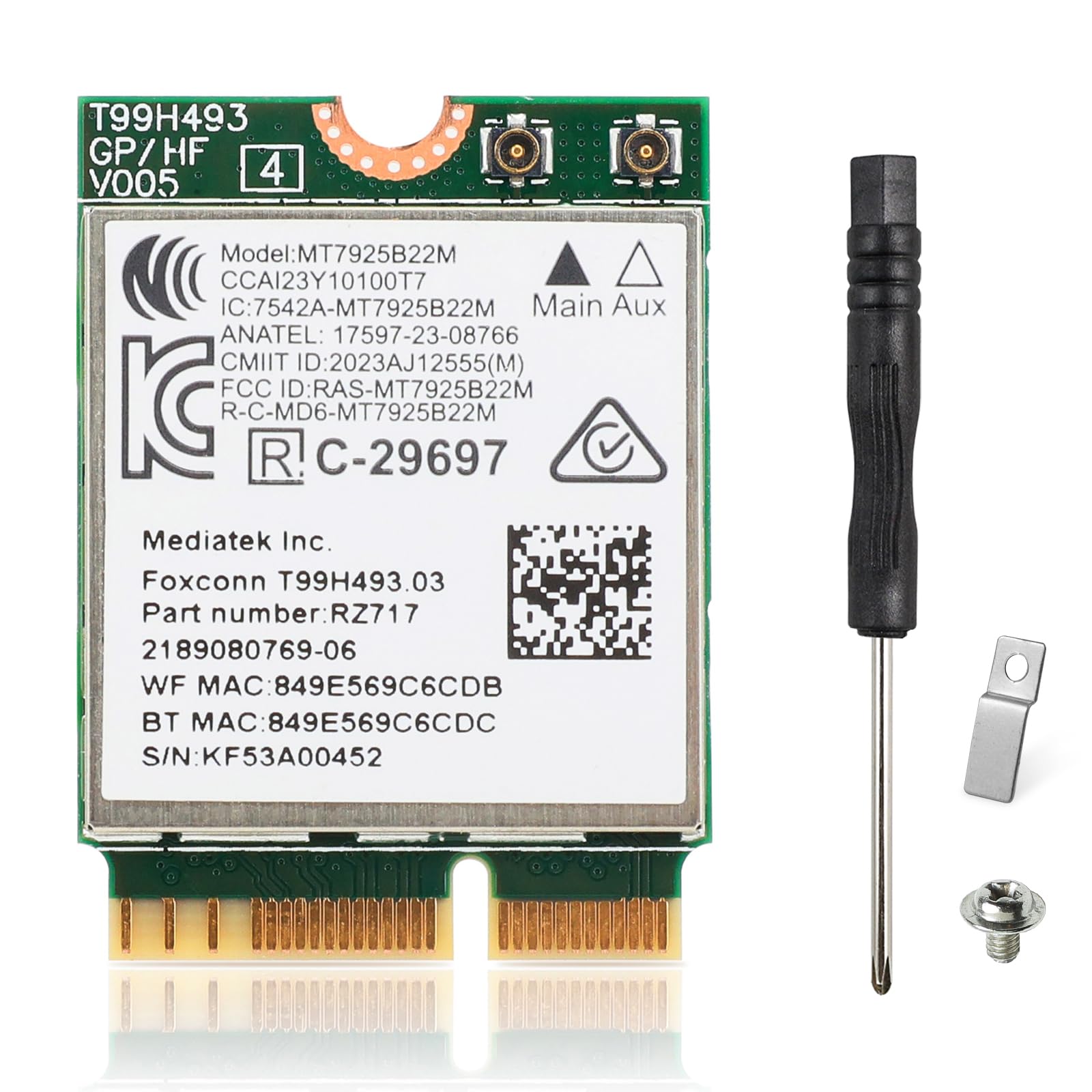
If your processor is AMD, this is the answer and most of the rest of the list is not. It runs the MediaTek MT7925 chipset and lists compatibility with both Intel and AMD platforms that have an M.2 2230 A/E key slot. That single line of spec disqualifies it from nothing and qualifies it for everything the BE200 cards rule out. Its rated data transfer rate is 6500 Mbps, split across the bands as 688 Mbps on 2.4GHz and 2882 Mbps on both 5GHz and 6GHz.
Compare the top-line numbers honestly: the BE200 cards in this group list 8774 Mbps against this card’s 6500 Mbps. In real use the gap is the point of the 8774 on paper, not a wall you will hit on a home connection. You still get the 6GHz band, MLO, and Bluetooth 5.4 here, and the Bluetooth side can hold up to 7 devices at once — useful if you run a headset, mouse, and controller together.
The build and compatibility are what owners keep coming back to. The performance is described as rock solid, installation is quick, and it handles both AMD and Intel chipsets in the same box. Installation needs the M.2 2230 A/E key slot and Windows 11 (64-bit) or Linux Kernel 6.7+, so an older Windows 10 machine is not covered. Drivers come from the EDUP website rather than Windows Update, which is the one step that catches people out.
Why AMD buyers pick it: it is the only card here that lists AMD support alongside Intel, so it fits machines the BE200 set cannot touch.
The honest trade-off: that official driver download is not optional — the review pages describe driver availability as mixed, so plan for the vendor site and disable your old Bluetooth before you swap in.
Buy it if: your laptop is AMD-based, or you want one card that covers both chip brands for a future machine.
skip it if: you are still on Windows 10 — this one asks for Windows 11 (64-bit) or Linux Kernel 6.7+.
3. BE200NGW WiFi 7 Wireless Card
The MLO card aimed at competitive shooters, with an 8774 Mbps combined ceiling.
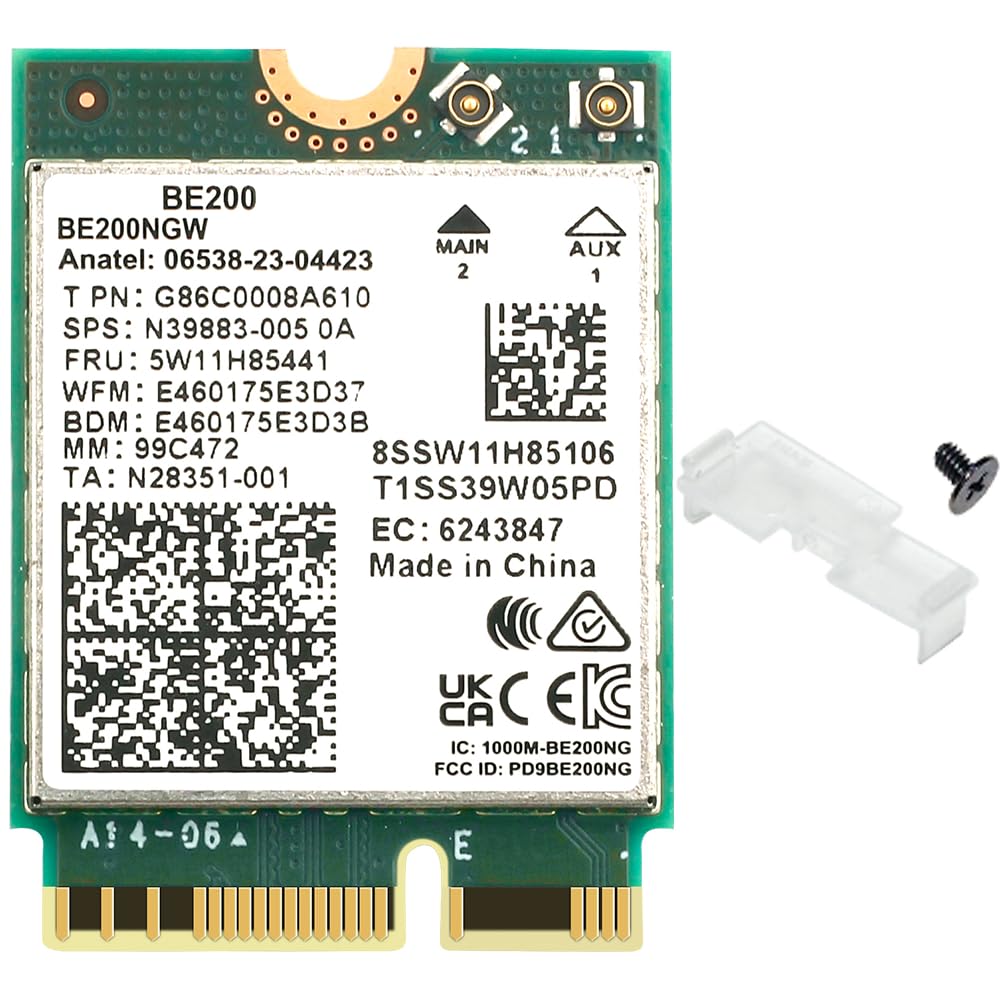
Gameplay is where the BE200NGW chip shows its cards. This card lists a 8774 Mbps data transfer rate — the same ceiling as the REKONG and GigaPlus cards in this lineup and a step above the 5.8 Gbps of the top pick. That number is a combined figure across 2.4GHz, 5GHz, and 6GHz, not one download speed. The part that matters for gaming is Multi-Link Operation: the card can hold more than one band at once, which helps when one channel gets crowded mid-match.
The physical module is a compact 1.2″ by 0.9″ by 0.1″, which is the standard short 2230 shape that drops into an M.2 Key E NGFF slot. You get Bluetooth 5.4 for a headset and controller, and support for Windows 10/11 64-bit plus Linux Kernels 6.5 and up. That Linux support separates it from several cards here that only list Windows.
Read the compatibility note twice before ordering. The listing states this is built for Intel platform motherboards and does not support AMD processors, and it wants Intel 12th gen or newer. Owners rate it effective and easy to install, and it is pitched as a clear step up from Wi-Fi 6E. The one thing that gives buyers pause is aggregate throughput — some report only reaching part of the rated speed. That is the honest limit of a Wi-Fi card in a normal home, not a defect in the module, but it is worth knowing if you expect the full rated number to appear on a speed test.
For the frame-chasers: MLO and the 8774 Mbps ceiling are aimed squarely at online gaming and HD streaming, cutting lag and packet loss where it shows.
The caveat to weigh: Intel 12th gen and newer only, no AMD — check your CPU before this box goes in the basket.
Best fit for: an Intel gamer on a 12th-gen or newer chip with a Wi-Fi 7 router waiting at the other end.
Think twice if: your board is AMD, or you expect the full rated speed on a basic home router.
4. REKONG WiFi 7 BE200

A 6 g BE200 with 5800 Mbps on 6GHz that asks for a manual Intel driver pull.
The band split on this card is transparent: 5800 Mbps on 6GHz, 2400 Mbps on 5GHz, and 574 Mbps on 2.4GHz, adding to a 8774 Mbps combined rating. The 5800 Mbps on the 6GHz band is the number to care about if you do 8K streaming, VR, or large file transfers, because that is the band with the most headroom. The module itself weighs 6 g, so it adds nothing to a laptop you already carry.
Bluetooth 5.4 here goes beyond a version bump, with LE enhanced connectivity, host-controlled key length, and channel classification working to lower latency and hold a signal against interference. If your wireless keyboard and mouse sometimes stutter, that is the part of the spec aimed at fixing it. MU-MIMO and WPA3 round out the feature set, so multiple devices on the network get served at once without one hogging the router.
Easy installation is the praise that comes up again and again, and the speed is what buyers notice once it’s running. The setup reality: the Wi-Fi and Bluetooth drivers must be installed manually from Intel’s site by searching “BE200,” so plan on that step. It needs an M.2 2230 E key or A/E key slot on an Intel 12th generation or newer CPU and does not support AMD. The listing includes a one-year warranty. One thing to set expectations on: compatibility is the theme running through the buyer feedback, and it tends to trace back to the same AMD exclusion — so confirm your processor and slot key before you buy.
What owners like
- Easy install once the manual Intel driver is in place
- 5800 Mbps on the 6GHz band for high-bitrate streaming and VR
- Bluetooth 5.4 with LE enhancements for lower-latency peripherals
- One-year warranty backing the module
What to be ready for
- Wi-Fi and Bluetooth drivers are not automatic — you pull them from Intel
- Intel 12th gen and newer only, no AMD support
- Needs the M.2 2230 E key or A/E key slot specifically
Pick this when: you are comfortable fetching the Intel driver yourself and want a light, 6GHz-focused upgrade with a warranty behind it.
Not for you if: you want a plug-in-and-reboot experience or you are on an AMD chip.
5. Binardat WiFi7 Card M.2 BE200

Built for the long haul — owners mention it holding a strong signal past the one-year mark.
Signal strength and staying connected is where this one draws its following. The BE200NGW chipset supports the IEEE 802.11be/EHT standard and steps backward to Wi-Fi 6E, Wi-Fi 6, and Wi-Fi 5, so it plays nicely with an older router today and a Wi-Fi 7 one later. The 6GHz band carries 5800 Mbps of its 8774 Mbps combined rating, with 2400 Mbps on 5GHz and 574 Mbps on 2.4GHz.
A 320 MHz wide channel (a single lane of spectrum that wide) is what makes the 6GHz band worth having — it opens a fatter pipe for NAS transfers, gaming, and 8K video while the 2.4GHz band keeps the rest of the house humming. OFDMA (splitting one channel among several devices at once) and MU-MIMO (the router juggling several devices at once) help keep latency low when the network is busy. Add Bluetooth 5.4 on top, and your controller, speaker, earbuds, and keyboard ride along.
What anchors this pick is staying power. That kind of long-term feedback is rare in a category where most cards are judged in the first week. The slot matters: this uses a Key A or E M.2 interface, and the listing flags that it is not for Key M or Key B (those are the SSD slots). One clear fit-note comes from the listing itself, printed in capitals: it does not support AMD CPUs, so this is an Intel machine’s card.
What earns the loyalty: the connectivity stays strong month after month, which is what you actually want from a part you never look at again.
Who should walk past: AMD laptops and anyone whose board only offers a Key M or Key B slot.
The one for set-and-forget: install it on an Intel laptop with a Key A or E slot and forget it’s there.
The single catch: it will not touch an AMD processor — that’s the line the listing draws firmly.
6. GigaPlus WiFi 7 Wireless Card

Dual-booters get Wi-Fi 7 on both Windows and Linux, with a listed one-year warranty.
If your machine runs Windows most days and Linux on the weekends, this card lists both in its supported operating systems, which is why it closes the list. It runs the Intel BE200 chipset and the 7th-generation IEEE 802.11a/b/g/n/ac/ax/be standard, so Wi-Fi 7 features are at the top of its to-do list. The band split reads 574 Mbps on 2.4GHz, 2400 Mbps on 5GHz, and 5800 Mbps on a 320 MHz 6GHz channel, adding to 8774 Mbps.
The Bluetooth 5.4, MU-MIMO, and WPA3 that show up on other cards in this group are here too. What differentiates this pick is the insurance: it carries a listed one-year warranty, which is the kind of cover you want on a tiny internal part that is easy to damage during a swap. The module weighs 0.03 kg, so it is in the same featherweight class as the other 2230 cards.
The honest read is mixed. Buyers appreciate how easy the install is and how reliable the connection stays, and the speed impressed. Performance and connectivity drew a spread of opinions, and the Linux support is the reason a dual-boot user would pick it over the rest. Note that the BE200 chip inside means no AMD support, and the card is for Intel machines — so this adds Linux compatibility, not AMD compatibility, to the family.
The differentiator: Windows and Linux support on one module, backed by a listed one-year warranty.
The honest reality: performance and connectivity feedback is split, so treat it as a solid choice for a dual-boot Intel rig rather than a guaranteed speed jump on every network.
Worth grabbing if: you boot both Windows and Linux on an Intel laptop and want one card that covers the whole drive.
The limiting factor: that same BE200 chip rules out AMD processors here too.
Know the Specs
Key E vs Key M slots
The M.2 slot has a notch pattern called a key. Key E is the version wired for Wi-Fi, and Key M is the one wired for an SSD — they are not interchangeable. Before buying, check your motherboard or laptop model for an M.2 2230 A/E key slot. A card dropped into a Key M slot will not register, which is a common reason a new module looks dead.
Intel BE200 vs MediaTek MT7925
The chipset inside your card decides which processor it talks to. The Intel BE200NGW modules in this group are built for Intel platforms and several state they will not work with AMD. The MediaTek MT7925 in the EDUP card is the one that lists both AMD and Intel support. Match the chipset to your processor first, then compare speed.
Combined speed vs real speed
Figures like 5800Mbps or 8774Mbps are the sum of the 2.4GHz, 5GHz, and 6GHz bands added together, and sometimes include the widest channel widths. You will not see that single number on a download. On a normal home connection, the practical ceiling is whatever your broadband and router deliver — what changes with Wi-Fi 7 is 6GHz airspace and 320 MHz channels, not the headline figure.
MLO and Bluetooth 5.4
MLO (Multi-Link Operation) lets the card hold more than one band at once, so a crowded channel does not stall the whole connection. Bluetooth 5.4 sits on the same module and adds LE enhancements over 5.3, with lower latency for mice, headsets, and controllers. Both are reasons to replace the old card rather than add a dock or dongle.
Common Questions
Will a Wi-Fi 7 laptop card fit my existing M.2 slot?
Do these cards work with an AMD Ryzen laptop?
Will I get the full 8774 Mbps the box promises?
Do I need to install a driver for a Wi-Fi 7 card?
Does my Wi-Fi 7 card need a Wi-Fi 7 router to work?
Why does Bluetooth on my laptop stop working after the swap?
Can a Wi-Fi 7 card go into a desktop PC?
Are the antennas included with these Wi-Fi 7 cards?
Is Wi-Fi 7 better than the Wi-Fi 6E card I already have?
Can I replace an Intel CNVio card with one of these?
The Bottom Line
If your laptop runs Intel, the BE200 WiFi 7 Card is the straightforward pick — it drops into a Key E slot, often works right after a reboot with no driver hunt, and covers all three bands with Bluetooth 5.4 on the same module. On AMD, none of the BE200 cards will help, and the EDUP M.2 WiFi 7 BE6500 with the MediaTek MT7925 chipset is the one that lists both AMD and Intel support. And if you want a light, 6GHz-focused card with a warranty and don’t mind pulling the Intel driver yourself, the REKONG WiFi 7 BE200 is the one to reach for.
How we choose
We do not accept paid placement. Every pick is matched to a real buyer and a real use-case; we do not hands-on test units.
Sources
Specifications: manufacturer listings and product documentation. Review insights: verified customer reviews, as of November 2026. Pricing: not shown on this page (it changes often); check the current price via the retailer link.
As an Amazon Associate, Tactical Gear Guy earns from qualifying purchases. This does not affect which products we feature.