Specs are compiled from manufacturer listings and verified buyer reviews and can change over time — please confirm the key details on the product page before buying.
If your desktop is stuck on the crowded 2.4GHz and 5GHz bands, a Wi-Fi 6E PCIe card (a card that slots inside your PC to add Wi-Fi) can fix that. It drops into a spare slot and opens the clean 6 GHz band your router already broadcasts. For most people the GIGABYTE GC-WBAX210 is the one to buy: it holds 4.5+ stars across 3,700+ owners, and it’s the most consistently recommended card for adding 6 GHz Wi-Fi to a desktop.
This guide is built by comparing the manufacturers’ published specifications and the patterns across verified customer reviews, so you get each pick’s real strengths and trade-offs instead of marketing spin.
Nearly every card below runs the same Intel AX210 chip, so the real differences are antenna design, Bluetooth version, and how painless the driver install is. Here is the honest shortlist of the best Wi-Fi 6E PCIe card for your desktop, ranked by what actually matters once it is screwed into the case.
Top Picks


How To Choose The Best Wi-Fi 6E PCIe Card
Most of these cards carry the identical Intel AX210 module, so you are rarely choosing a chip. You are choosing the antennas bolted to it, the Bluetooth version and the driver experience. Get those three right and the rest is price-tier preference.
The 6 GHz band is the whole point
Wi-Fi 6E adds a third band at 6 GHz — clean spectrum with no legacy devices fighting for it. That is why latency and interference drop. To actually reach it you need a Wi-Fi 6E or Wi-Fi 7 router and, on Windows, Windows 11. A Windows 10 machine will run the card on 5 GHz and 2.4 GHz only.
Antennas decide real-world range
The chip is the same; the aerials are not. Cards with two external high-gain antennas, or a magnetized base you can sit on top of the desk, hold signal through walls better than a stubby fixed setup. If your router lives on another floor, antenna design is the spec that matters most.
Bluetooth 5.2 versus 5.3
Bluetooth 5.3 is the newer version and tends to hold a longer, steadier link to headsets and controllers. Many cards still ship Bluetooth 5.2, which is fine for keyboards and mice. Either way, the Bluetooth radio needs the included cable run to a USB header on your motherboard — skip that and Bluetooth simply will not appear.
Side-by-Side Comparison
| Model | Best For | Rated Speed | Bluetooth | Band Support | Amazon |
|---|---|---|---|---|---|
| GIGABYTE GC-WBAX210★ Best Overall | Best Overall | 2400 Mbps | 5.2 | 2.0+ / 5 / 6 GHz | Amazon |
| EDUP AX210 PCIe CardBudget-Friendly | Budget-Friendly | 3000 Mbps | 5.2 | 2.0+ / 5 / 6 GHz | Amazon |
| FENVI FV-AXE3000Easy Install | Easy Install | 5400 Mbps | 5.3 | 2.0+ / 5 / 6 GHz | Amazon |
| Cudy WE3000S | Compact Pick | 5400 Mbps | 5.3 | 2.0+ / 5 / 6 GHz | Amazon |
| FENVi AXE5400 | Long-Range Antennas | 5400 Mbps | 5.3 | 2.0+ / 5 / 6 GHz | Amazon |
| WAVLINK AXE5400 | Magnetic Antennas | 5400 Mbps | 5.3 | 2.0+ / 5 / 6 GHz | Amazon |
| ASUS PCE-AXE5400 | Brand Trust | 5400 Mbps | 5.2 | 2.0+ / 5 / 6 GHz | Amazon |
| TP-Link Archer TXE73E | Top Rated | 5400 Mbps | 5.3 | 2.0+ / 5 / 6 GHz | Amazon |
| Cudy WE4000 | Premium Pick | 5400 Mbps | 5.3 | 2.0+ / 5 / 6 GHz | Amazon |
Detailed Reviews
1. GIGABYTE WiFi 6E GC-WBAX210
Our pick — 4.5+★ from 3,500+ verified ratings; the strongest balance of quality and price.
The all-rounder that adds Wi-Fi 6E, Bluetooth and 6 GHz to a desktop in one slot
If you want one card that handles Wi-Fi, Bluetooth and 6 GHz and gets out of the way, start here. The GC-WBAX210 uses the Intel AX210 module and tops out at 2400 Mbps — a rated ceiling that buyers report matching their actual router output, with downloads clocking over 850 Mbps across the house.
That 2400 Mbps is the lowest rated speed in this lineup, and it does not matter for most home routers. Where it counts is stability: 2.4, 5 and 6 GHz all run, the dedicated 6 GHz spectrum keeps latency low, and owners treat the card as a set-and-forget upgrade. Owners consistently describe it as a set-and-forget card that works the same on every install.
The honest catch is size. At 8.27″L x 5.83″W x 2.16″H this is a big board, roughly 2.4 times the footprint of the compact Cudy WE3000S, so check clearance in a tight or small-form-factor case. Bluetooth runs 5.2 — a step behind the 5.3 cards here, fine for a keyboard or mouse but note if you want the newest radio.
Where it earns its keep
- Intel AX210 module with real 6 GHz band support
- Owners mention router-matching speeds and 850 Mbps+ downloads
- Handles Wi-Fi and Bluetooth from one quietly stable card
Worth knowing before you buy
- Big board — 8.27″L x 5.83″W x 2.16″H needs case room
- Bluetooth 5.2, not the newer 5.3
- Rated 2400 Mbps is lower than some 5400 Mbps rivals
Reach for this if: you want the safest, best-reviewed 6 GHz upgrade and have a roomy case.
Look elsewhere if: you are building in a slim chassis or insist on Bluetooth 5.3.
2. EDUP PCIe WiFi 6E Card AX210 Tri-Band
The cheapest card here that still delivers the full 6 GHz band
The EDUP is the cheapest way onto this list that does not cut the important corner. It runs the Intel AX210 chipset, supports the 6 GHz band, and pairs it with the handy Target Wake Time scheduling feature that helps dense, crowded networks stay responsive. Customers note it hitting up to 1.1 gigabits per second.
Speed mode differs from the GIGABYTE above in rating but not in spirit — EDUP lists 3000 Mbps against the GIGABYTE’s 2400 Mbps, both well past what a typical home router feeds. What earns it a spot is the package: MU-MIMO and OFDMA for busy households, 160 MHz bandwidth for peak bursts, and both full-height and low-profile brackets in the box.
A quick reality check: to touch 6 GHz you need Windows 11 or the Windows 10 Dev version, and the driver comes from Intel’s site or EDUP’s own download page rather than a plug-and-play process. Set that expectation and it is a genuinely good value card.
The value math: same AX210 silicon, same 6 GHz band, a lower rated ceiling than most — and a price that reflects it. For a bedroom desktop that needs reliable Wi-Fi more than bragging rights, the trade is sensible.
Suits you if: you want 6 GHz on a tight budget and do not mind a manual driver download.
Secondary note: Bluetooth 5.2 and no magnetic antenna base, so plan the aerial placement yourself.
3. FENVI FV-AXE3000 WiFi 6E AX210 PCIe Card
Two external high-gain antennas and a compact board that fits smaller builds
This is the card for someone who wants the antennas to actually do something. Two external high-gain aerials do the work of pushing signal through walls, and the board itself is compact — 4.72″L x 3″W x 0.78″H — so it slides into smaller builds without grazing a drive cage.
Spec-wise the FENVI pairs the AX210 chip with the full 5400 Mbps tri-band ceiling (2400 on 6 GHz, 2400 on 5 GHz, 574 on 2.4 GHz), Bluetooth 5.3, WPA3 security, and both full-height and low-profile brackets. Installation is the trait buyers single out, with speed jumps of up to 200 Mbps noted as a welcome after-effect.
The trade-off worth sizing honestly: the value and connectivity feedback is mixed, and a minority find it less of a bargain than expected. It is a capable card with strong antennas, not a guaranteed signal miracle in a concrete-walled basement.
Why it climbs the list: dual antennas plus a 5400 Mbps ceiling plus BT 5.3 for a modest step up in spend — that is the package that makes it easy to recommend for mid-size homes.
Pick this when: strong external antennas matter more to you than a magnetic base or a brand logo.
Keep in mind: it needs a free PCIe slot and a manual firmware-and-driver setup for 6 GHz on Windows.
4. Cudy AX5400 WiFi 6E PCIe Card WE3000S

The smallest board here, yet it still rates the full 5400 Mbps
At 3.46″L x 2.07″W x 0.94″H the WE3000S is the compact one — roughly 2.4 times smaller in footprint than the GIGABYTE, which matters in a slim home-theater PC or a cramped ITX case. It packs an onboard heatsink to keep the AX210 module cool, plus two detachable antennas you can aim for better reception.
The rated 5400 Mbps matches the best cards here, coverage of 6 GHz/5 GHz/2.4 GHz is complete, Bluetooth 5.3 is present, and BSS Color helps cut interference from neighboring networks. Reviewers point out it saturating 250 Mbps up and down with a strong, steady signal. Linux support is listed for kernel 6.16+ with compatible Intel firmware.
Cudy also runs the newer Wi-Fi 6E-capable WE4000 for more money — same brand, slightly different feature emphasis. This one is the value pick for tight spaces. Setup is standard: PCIe slot for Wi-Fi plus the cable to a 9-pin USB header for Bluetooth.
What it gets right
- Compact 3.46″L x 2.07″W x 0.94″H footprint
- Heatsink plus detachable antennas
- 5400 Mbps tri-band with Bluetooth 5.3
Where it asks a little
- Needs Windows 11 for the 6 GHz band
- Bluetooth needs the USB header cable hooked up
Best fit for: small-form-factor builds and home-theater PCs where board space is precious.
Watch for: the detachable antennas need clear mounting room to do their job.
5. FENVi WiFi 6E AX5400 PCIe Card
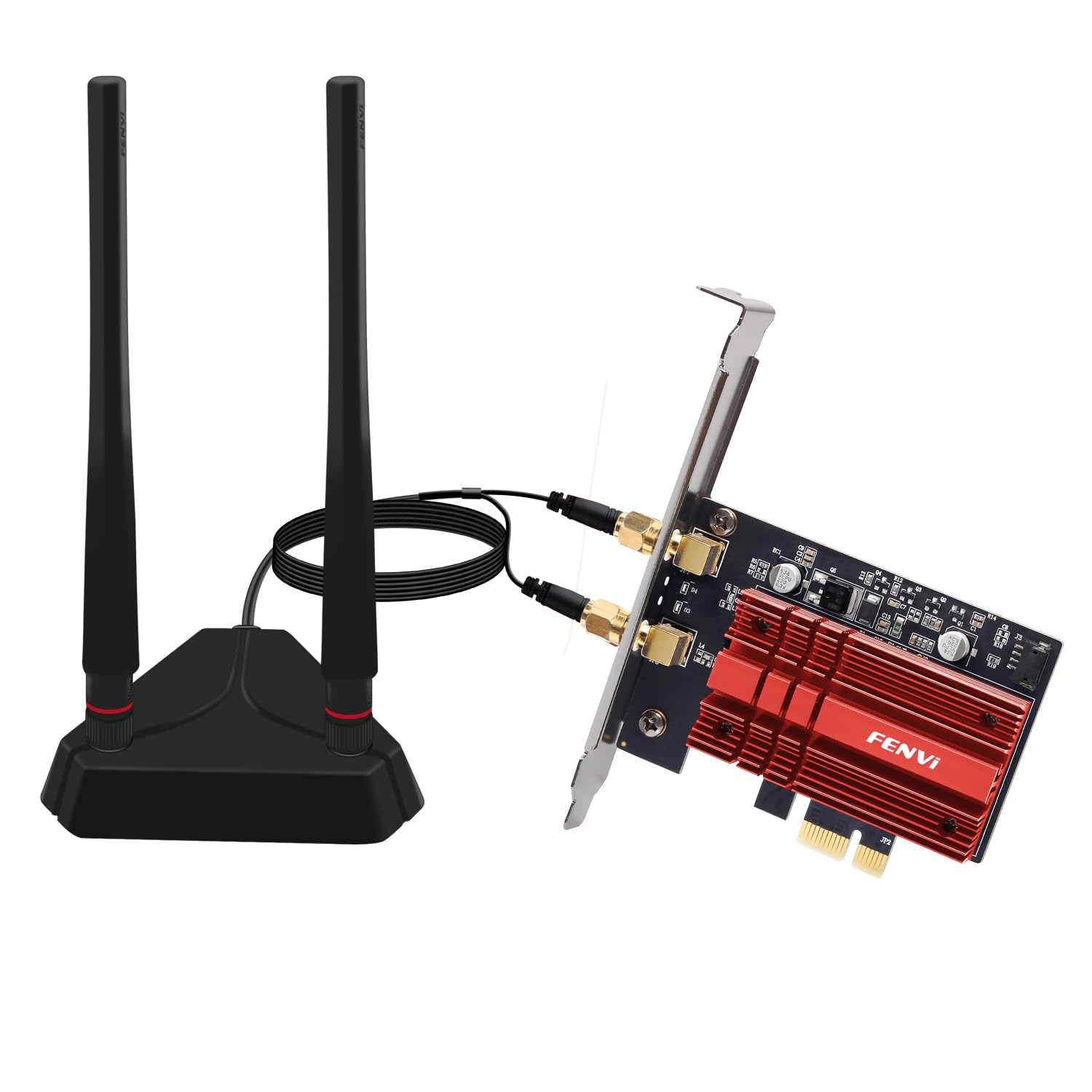
1.2m high-gain antennas, the longest reach in this lineup
If your router is upstairs and your PC is downstairs, start with the aerials. The FENVi AXE5400 ships 1.2m high-gain antennas — the longest reach in this group — to pull in stronger signal across a whole home. It pairs that with a 5400 Mbps tri-band ceiling and Bluetooth 5.3.
Under the hood is again the AX210 module, joined by 160 MHz channels, OFDMA and MU-MIMO for lower latency in games and 4K streaming. Quality and signal strength are the traits that shine in owner feedback, with downloads noted in the 280 to 390 Mbps range depending on the setup.
That longer antenna is also the thing to plan around: it means more desk caveat than the compact Cudy WE3000S. One recurring note is Bluetooth on Windows 10 64-bit — some setups wrestle with it even while the range itself is called excellent.
Signal-first verdict: the antenna length is the headline — long enough to bridge a floor — and the AX210 core keeps latency low. It is the card for poor-router placement, not for a desk right next to the box.
Choose it if: you need to close a real distance between a distant router and a desktop.
Think twice if: you are on Windows 10 64-bit and Bluetooth is a must-have.
6. WAVLINK AXE5400 PCIe WiFi 6E Card
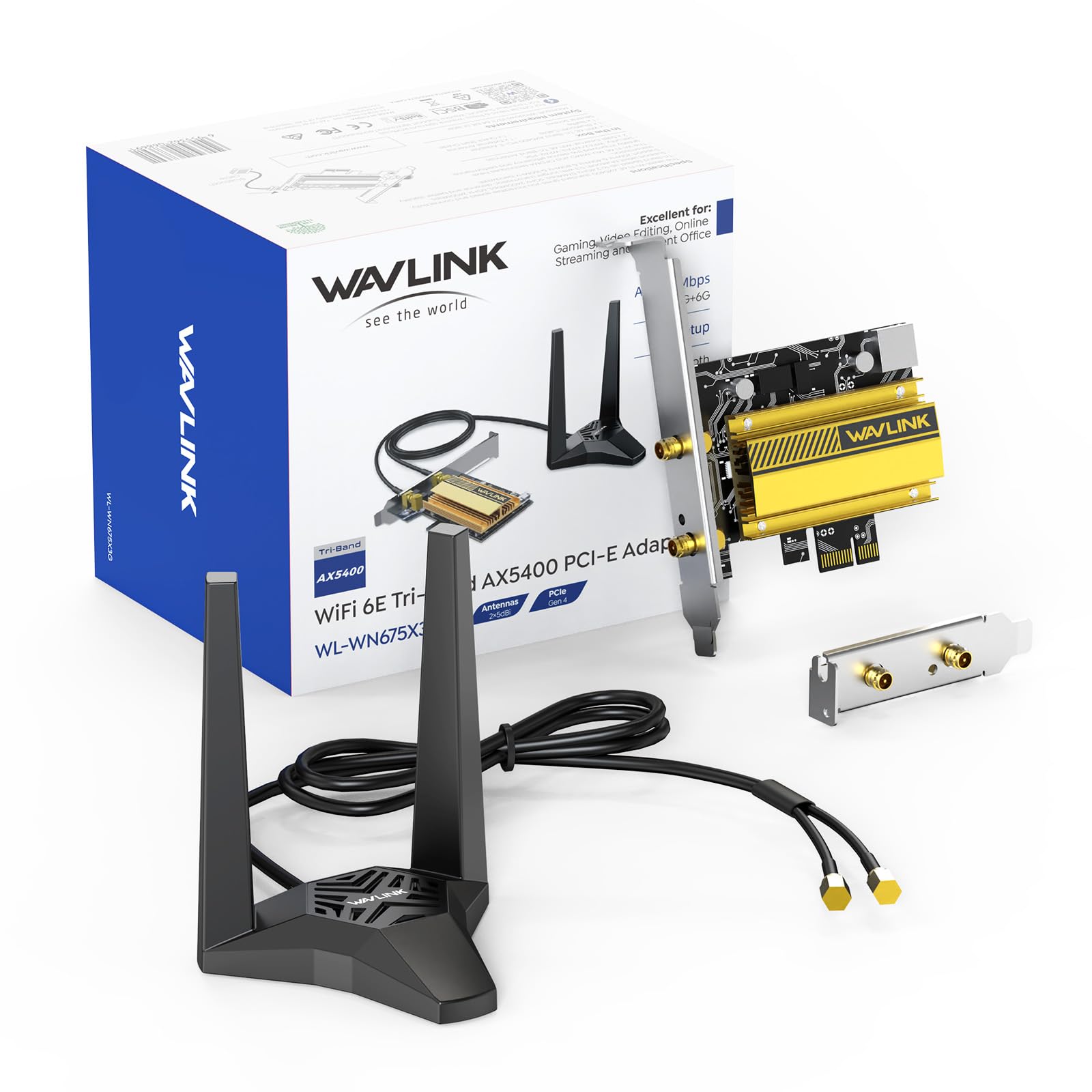
Two 5dBi antennas on a detachable magnetic base you can move around the desk
The WAVLINK trades fixed aerials for a magnetic base. Two 5dBi antennas sit on a detachable magnetic pad you can move around the desk, which is a real advantage when your tower lives low under a desk and signal fights the metal. The AX210 chip behind it runs the full 5400 Mbps tri-band ceiling.
Bluetooth 5.3, WPA3 encryption, MU-MIMO and OFDMA all round out the kit, and the box includes both standard and low-profile brackets. Easy, no-fuss installation is the trait that stands out in feedback — this is a card people say drops in without driver wrestling. It also covers Linux alongside Windows 10 and 11.
The caveat here is on paper, not in build: the community around this card is small compared to the giants on this list, so you are trusting the spec sheet and a short track record. For a newer model that is fair, just go in knowing it is less battle-tested than the GIGABYTE.
Why the magnet matters: a moveable base solves the placement problem that fixed antennas create — you can chase signal without moving the whole PC.
Right pick for: desks where the tower sits out of signal range and you want the antennas elsewhere.
Caveat to weigh: a newer, less-reviewed model than the household names above.
7. ASUS PCE-AXE5400 WiFi 6E PCIe Adapter

The name-brand card for a build that wants a familiar logo inside
Some buyers want the card to match the motherboard brand, and ASUS fills that lane. The PCE-AXE5400 is a tri-band Wi-Fi 6E adapter rated at 5400 Mbps with OFDMA and MU-MIMO, plus Bluetooth 5.2. It slots into the same PCIe standard every other card here uses.
The 5400 Mbps ceiling puts it on par with the FENVI and Cudy models for raw rated throughput, and it comes with Windows 10 as the minimum OS. ASUS markets it as an tune Wi-Fi 6E “total solution,” which in practice means a card built to work with the rest of an ASUS or standard PCIe desktop rather than any exotic feature.
Know the trade-offs before you buy. Bluetooth is 5.2 rather than 5.3, so newer Bluetooth 5.3 gear won’t get its full benefits. The listing gives less feature detail than the others. The listed physical dimensions are unusual enough that you should measure your case clearance yourself rather than trust the spec sheet. It is a solid brand-name pick, not a standout.
The case for ASUS: a well-known brand at a 5400 Mbps ceiling with the expected OFDMA and MU-MIMO — a safe, familiar choice for a mainstream build.
Good for: buyers who value brand familiarity and a 5400 Mbps tri-band ceiling over the newest Bluetooth.
Check first: your case clearance — the listed dimensions are unusual, so verify against your slot space.
8. TP-Link Archer TXE73E WiFi 6E PCIe Card
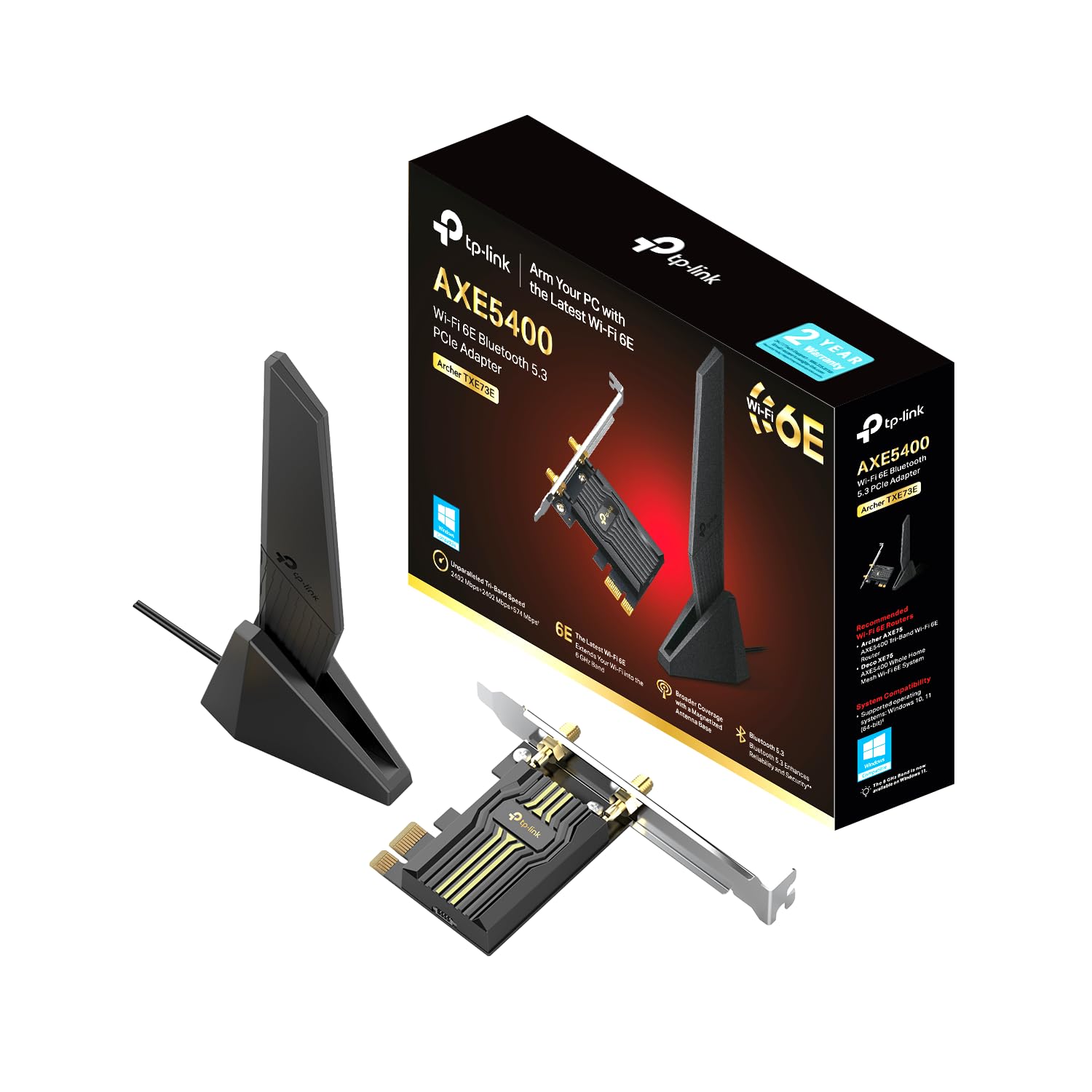
One antenna, magnetized base, and the highest owner score in the lineup
The Archer TXE73E does more with one antenna than most cards do with two. A single high-gain aerial on a magnetized base gives you strong, consistent 6 GHz reception without eating desk space, and the flexible cable lets you aim it exactly where the signal is best. It reaches a 5.4 Gbps total bandwidth, with 2402 Mbps on 6 GHz, 2402 Mbps on 5 GHz and 574 Mbps on 2.4 GHz.
Bluetooth 5.3, OFDMA, MU-MIMO and WPA3 encryption round out the spec sheet, and the entire package weighs just 1.76 ounces. Windows 11 and Windows 10 64-bit are both supported, and TP-Link’s simple setup process is designed for a clean first install.
The trade: this crowd is younger than the GIGABYTE’s, so you are betting on a strong debut rather than a long track record. Performance also depends on pairing it with a Wi-Fi 6E or newer router and, for 6 GHz, Windows 11 — same rule as every card here.
What stands out: an ingenious single-antenna design with a magnetic base, a 5.4 Gbps ceiling, Bluetooth 5.3, and the highest owner score of any card on this list — a compelling blend of compact and capable.
Pick it for: a tidy desk build where you want top-rated performance with one antenna instead of two.
Second thought: it is newer and less-reviewed than the GIGABYTE, so some trust is still being earned.
9. Cudy Wi-Fi 6E Bluetooth 5.3 PCIe Adapter WE4000

The heatsink-and-BT-5.3 build that handles 6 GHz without breaking a sweat
The WE4000 is Cudy’s step-up card and it earns the premium label on features. It runs the AX210 module with a heatsink to manage heat under load, pairs it with Bluetooth 5.3 for long-range headsets and controllers, and adds WPA3 security plus MU-MIMO and OFDMA for low-latency gaming and VR.
Speeds follow the familiar 5400 Mbps split — 2402 Mbps on 6 GHz and 574 Mbps on 2.4 GHz — and it is rated for Windows 10 as a minimum. Owners describe it as easy to set up, with Windows 10 auto-installing the driver on first boot, and speeds over 400 Mbps with low ping. Good signal strength and solid build are recurring notes.
The honest question at the premium end is whether the heatsink and 5.3 radio justify the higher tier over Cudy’s own WE3000S. For most desk builds the difference is modest. If you game hard and want thermal margin, it is a reasonable step up.
The premium read: a heatsink-cooled AX210 with Bluetooth 5.3 and WPA3 — one of the better-sorted 5400 Mbps cards, and it sits near the top of the pile on completeness rather than raw speed.
Worth it for: heavy gamers and VR users who want the thermal margin and Bluetooth 5.3.
Otherwise consider: Cudy’s own compact WE3000S if you do not need the heatsink grade.
Know the Specs
Intel AX210 chipset
The engine inside almost every card here. It is the module that open up the 6 GHz band and delivers the tri-band speeds. Because it is shared across brands, the chip rarely separates one card from another — the antennas and Bluetooth version do. Look for AX210 if 6 GHz support is your goal.
Rated data rate (Mbps)
Megabits per second, a measure of maximum throughput — one 5400 Mbps card lists 2400 on 6 GHz and 5 GHz plus 574 on 2.4 GHz. These are ceilings, not guarantees; your router, walls and distance cap real speed far below. Use the number to compare cards, not to predict your downloads.
Common Questions
Do I need Windows 11 to use the 6 GHz band?
Will a Wi-Fi 6E PCIe card work with my Wi-Fi 6 router?
Does the card need a Wi-Fi 6E router to be worth it?
What PCIe slot do these cards need?
Why does Bluetooth not show up after installing the card?
Is a PCIe card better than a USB Wi-Fi adapter?
Can I use two Cudy cards — the WE3000S and the WE4000 — in the same PC?
Which card is best for gaming with low latency?
How do I get the drivers if Windows does not find them?
Do these cards support Wi-Fi 6E or just Wi-Fi 6?
The Bottom Line
The GIGABYTE GC-WBAX210 is the safest way to add Wi-Fi 6E to a desktop — the AX210 module, real-world speeds that track your router, and the most settled track record of any card here. If you want newer Bluetooth and a tighter footprint, the compact Cudy WE3000S gives you 5.3 and a heatsink in a small board. And for a poor router placement where antennas must do battle with walls, the FENVi AXE5400 and its 1.2m high-gain antennas are the ones to reach for. One honest nudge: any of these only earns its keep once you confirm your router broadcasts 6 GHz and your PC runs Windows 11.
How we choose
We do not accept paid placement. Every pick is matched to a real buyer and a real use-case; we do not hands-on test units.
Sources
Specifications: manufacturer listings and product documentation. Review insights: verified customer reviews, as of November 2026. Pricing: not shown on this page (it changes often); check the current price via the retailer link.
As an Amazon Associate, Tactical Gear Guy earns from qualifying purchases. This does not affect which products we feature.