Specs are compiled from manufacturer listings and verified buyer reviews and can change over time — please confirm the key details on the product page before buying.
A white wireless keyboard looks simple until you try to buy one. The colour hides dust beautifully, but it also shows every shortcut in build quality — soft keycaps that shine after a month, a receiver that drops mid-spreadsheet, batteries that die without warning. The single most useful thing to know up front: match the keyboard to the machine you actually type on. A Mac-first board can feel wasted on a Windows desktop, and a budget combo with a nano receiver is the wrong fit if you want one clean desk with no dongle at all. Everything below is sorted by that reality, not by spec-sheet bragging.
This guide is built by comparing the manufacturers’ published specifications and the patterns across verified customer reviews, so you get each pick’s real strengths and trade-offs instead of marketing spin.
You’ll see which boards run for weeks on a charge, which ones stay whisper-quiet in a shared room, and which layouts suit spreadsheets rather than email. Here is the honest shortlist of the white wireless computer keyboard options worth your desk space.
Top Picks


How To Choose The Best White Wireless Computer Keyboard
The wrong assumption most first-time buyers carry is that every wireless keyboard connects the same way. It does not. Some pair over Bluetooth with no dongle at all, some need a small USB receiver plugged into your machine, and a few do both. That single choice decides how many devices you can hop between and whether you lose a USB port for good.
Bluetooth or a USB receiver — pick by your devices
A Bluetooth keyboard (the short-range radio built into most laptops and tablets) pairs straight to your Mac, iPad or phone with nothing sticking out of the side. It is the cleaner choice for a laptop you carry around. A 2.4GHz receiver keyboard (a tiny USB dongle that creates its own private wireless link) tends to wake instantly and hold a steady signal, and it often pairs a mouse on the same dongle. If your desktop tower sits under a desk with a spare USB-A port, the receiver route is the low-drama one.
Layout: full-size keypad or compact?
A full-size board carries a numeric keypad on the right, which saves real time if you enter figures, invoices or formulas all day. The trade-off is width — a full-size board eats desk space and pushes your mouse hand further out. A compact board with around 78 keys keeps your mouse closer and slips into a bag, but you give up the number pad. Decide which of those two annoyances you can live with before anything else.
Quiet keys and the palm rest question
“Quiet” on a keyboard usually means membrane keys (a rubber dome under each cap instead of a mechanical switch), which soften the bottom-out clack. If you share a room or take calls at your desk, that matters more than any other feature. A cushioned palm rest is the second comfort lever — it lifts your wrists to a natural angle during long sessions, though it also adds footprint to the board.
Battery setup and what it costs you in routine
Three setups exist here: AA or AAA batteries you swap, a built-in rechargeable cell you plug in, and boards that stretch a single set of cells for a very long stretch. Disposable cells mean no charging cable on your desk but a spare-battery drawer habit. A rechargeable board means one more cable in your life but no shopping. Neither is wrong — pick the chore you’d rather have.
Side-by-Side Comparison
| Model | Best For | Connection | Key Count | Weight | Amazon |
|---|---|---|---|---|---|
| Apple Magic Keyboard with Numeric Keypad★ Best Overall | Mac and iPad desks | Bluetooth | Full-size with numeric keypad | 1 lb | Amazon |
| QUASIO Wireless Keyboard and Mouse ComboQuietest Combo | Shared quiet offices | 2.4GHz USB receiver | Full-size with numeric keypad | — | Amazon |
| QUASIO Wireless Keyboard with Wrist RestWrist Support Pick | Long typing with wrist support | 2.4GHz wireless | 104 keys | 0.63 kg | Amazon |
| Macally White Wireless Keyboard and Mouse Combo | Bag-friendly portability | 2.4GHz RF | 78 keys | 0.42 kg | Amazon |
| AUSDOM Full Size Bluetooth Keyboard | Three-device switching | Bluetooth 5.0 + 2.4GHz | Full-size with numeric keypad | — | Amazon |
| Sablute Wave Ergonomic Combo | Wrist comfort on a budget | 2.4GHz USB wireless | 104 keys | 2.7 lb | Amazon |
| Sablute Quiet Wave Combo for MacBook & Windows | Silent shared workspaces | 2.4GHz USB wireless | 104 keys | — | Amazon |
| Logitech Wave Keys for Mac | Mac ergonomic typing | Bluetooth | 78 keys | — | Amazon |
| Logitech Signature Slim K950 | Multi-device laptop-style typing | Bluetooth | Full-size | 685 g | Amazon |
Detailed Reviews
1. Apple Magic Keyboard with Numeric Keypad – White
Our pick — 4.5+★ from 650+ verified ratings; the strongest balance of quality and price.
The board that makes a Mac desk feel finished — and lets you type for a month without a cable.
If your desk is built around a Mac, an iPad or an iPhone, this is the keyboard to beat. It connects over Bluetooth (the short-range radio built into Apple devices) with no dongle to lose, and it pairs quickly so you can be typing within a minute of unboxing. Apple’s own spec lists macOS 10.12.4 or later, iPadOS 13.4 or later, and iOS 10.3 or later as the requirements, so check your device generation before you commit.
You get more done in a spreadsheet because the layout is extended. A numeric keypad, document navigation controls for quick scrolling, and full-size arrow keys turn a data-entry session into a straight run of digits. Apple says the built-in rechargeable cell lasts about a month or more between charges. A Lightning to USB cable ships in the box, so pairing and charging use the same wire. The typing itself is what wins people over: smooth, precise keystrokes on a shallow, minimal profile that many Mac owners rate as the best they’ve used. This pick holds 4.5+ stars from a large base of buyers.
Here is the honest catch. This is a Mac-only board, so a Windows desktop is out unless you enjoy missing keys. It is also the priciest non-combo in this lineup, and the value question is the one piece of feedback that splits buyers down the middle — plenty call it worth it, others balk. There is no wrist rest and no angle adjustment, so if you type eight hours a day your wrists rely entirely on your desk setup.
Where it pays off
- Bluetooth pairing with Mac, iPad and iPhone, no receiver needed
- Numeric keypad plus document navigation controls for finance work
- Rechargeable cell rated for roughly a month between charges, with a Lightning cable included
- Shallow, precise keystrokes on a clean minimal white deck
Where it holds you back
- Apple-only — Windows and Android machines are not supported
- Premium price with no wrist rest or tilt adjustment
- Value is the most argued-over point among owners
Buy it for: a Mac, iPad or iPhone setup where the numeric keypad and a cable-free desk matter daily.
Look elsewhere for: a Windows tower — this board will not talk to it.
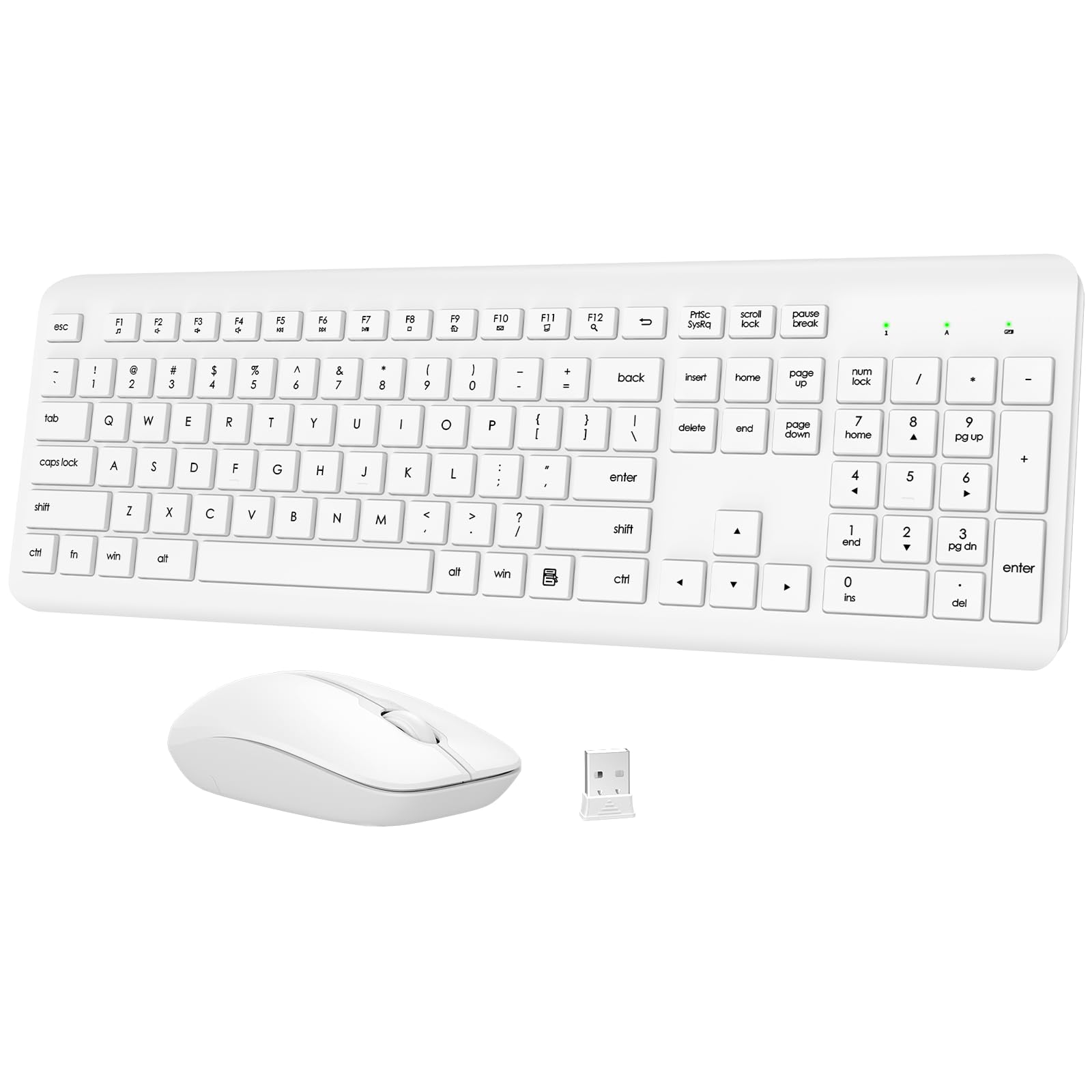
2. QUASIO Wireless Keyboard and Mouse Combo
One dongle, two devices, and a keyboard quiet enough to type through a phone call.
A full-size keyboard and a mouse on a single USB receiver is the most practical package here for a shared office or a home desk with a desktop tower. The 2.4GHz link (a private wireless signal from the tiny USB dongle) reaches up to 10m, or 33ft, so you can leave the tower under the desk and still type from across the room. Plug and play, no software — the receiver lives in the mouse’s battery compartment, so slide the cover off first if you think it’s missing.
Battery life is the standout number. QUASIO rates the pair at up to 365 days, and after 10 minutes idle both devices sleep and wake on any keypress. You will still buy batteries eventually — the keyboard takes one AAA and the mouse one AA — but a full year between swaps is a genuinely low-maintenance rhythm. The membrane keys are built to stay quiet, and the mouse uses silent micro-motion switches so clicks barely register. Build quality is what owners talk about most, with reliability running a close second in their feedback.
Key feel is the trade-off to know about. It splits opinion: some find it premium, others find it too stiff under the fingers. If you like a light, short-travel laptop key, you may notice the difference on day one. The mouse is a modest 1600 DPI optical unit (DPI is dots per inch, a measure of pointer sensitivity). That is fine for documents and browsing, but it is not a precision tool.
Who it quietly suits: anyone sharing a room who wants the pair to disappear into the background for months at a time.
Reach for this if you want one dongle, a full numeric keypad and a mouse in the box without touching a charging cable.
Worth grabbing if: a quiet shared space and a year between battery swaps are your two biggest wishes.
Hold off if: you like a light, crisp laptop-style key press — this one pushes back.
3. QUASIO Wireless Keyboard with Wrist Rest, Full-Sized 2.4G
A full 104-key deck with a built-in palm rest for people who type until their wrists complain.
Long sessions cost you less because of the built-in palm rest. It holds your wrists at an angle while you type and pairs with folding tilt legs that set an optimum slope. Anti-slide pads underneath keep the board planted when you type fast. The whole thing weighs 0.63 kg, noticeably heavier on the desk than the Macally compact combo at 0.42 kg. That extra weight is exactly what you want from a board that should not skate around.
It connects over 2.4GHz wireless up to 33ft, or 10m, with plug-and-play setup and no software to install. The layout is the classic 104-key QWERTY with a number pad plus Number Lock, Caps Lock and power indicators in the upper right corner. Power saving is aggressive: after 30 minutes idle it sleeps, and any keypress wakes it. You will need one AA battery, which is not in the box — buy it at the same time or you’ll be hunting a drawer on day one.
The soft, smooth, quiet key feel is the bright spot in owner feedback, and the connection holds up with no lag or random dropouts reported. The caution is longevity: a concerning share of long-term feedback describes boards failing within months of use. That does not describe every unit, but it is the pattern worth knowing before you commit a desk to it.
The comfort read: a palm rest, tilt legs and a planted base at a mid-range price — comfort features usually reserved for pricier ergonomic boards.
Buy it if wrist support is the feature you keep missing, and budget for a battery on arrival.
Best match: long spreadsheet or writing sessions where wrist angle matters more than portability.
Think twice if: you want a board you can carry between rooms — the palm rest adds bulk.
4. Macally White Wireless Keyboard and Mouse Combo

The mini white duo that slides into a messenger bag and sets up before your coffee cools.
This is the compact pick — a 78-key scissor-key board paired with a slim mouse, both white, both on one 2.4GHz dongle with a 30ft range. The scissor mechanism (the same low-profile style Apple uses on its laptops) gives short, even travel, and the board carries 12 shortcut keys plus LED indicators so you are not hunting menus. At 0.42 kg it is the lightest keyboard in this whole lineup — the QUASIO wrist-rest board above weighs 0.63 kg, so you feel the difference the moment you pick it up to travel.
Portability is where this thing earns its keep. Owners describe it as small enough to carry around everywhere and a clean fit in a messenger bag, and the setup is a single dongle plugged in with instant connection — no Bluetooth pairing dance. The mouse runs three DPI modes at 800, 1200 and 1600 for sensitivity, and the three-button layout keeps things simple. Build quality is what customers praise most, with the compact size a close second, and the set is backed by up to 2 years of warranty.
The honest split is noise and durability. The mouse is genuinely quiet, but the keyboard is not — the noise level reads mixed in feedback. If the board sits in a shared quiet room, you will hear the scissor keys. Durability is the other mixed point, so treat it as a desk-to-bag commuter rather than a forever board.
The bag test: 78 keys, 0.42 kg and one dongle — this is the one you actually take to a client’s office.
For a compact white set you can carry daily, this earns the spot.
Pick this for: commuters and small desks where the bag, not the desk, is the real storage.
Pass if: you need a numeric keypad all day — 78 keys means no number pad.
5. AUSDOM Full Size Bluetooth Keyboard, 2.4G Quiet Slim
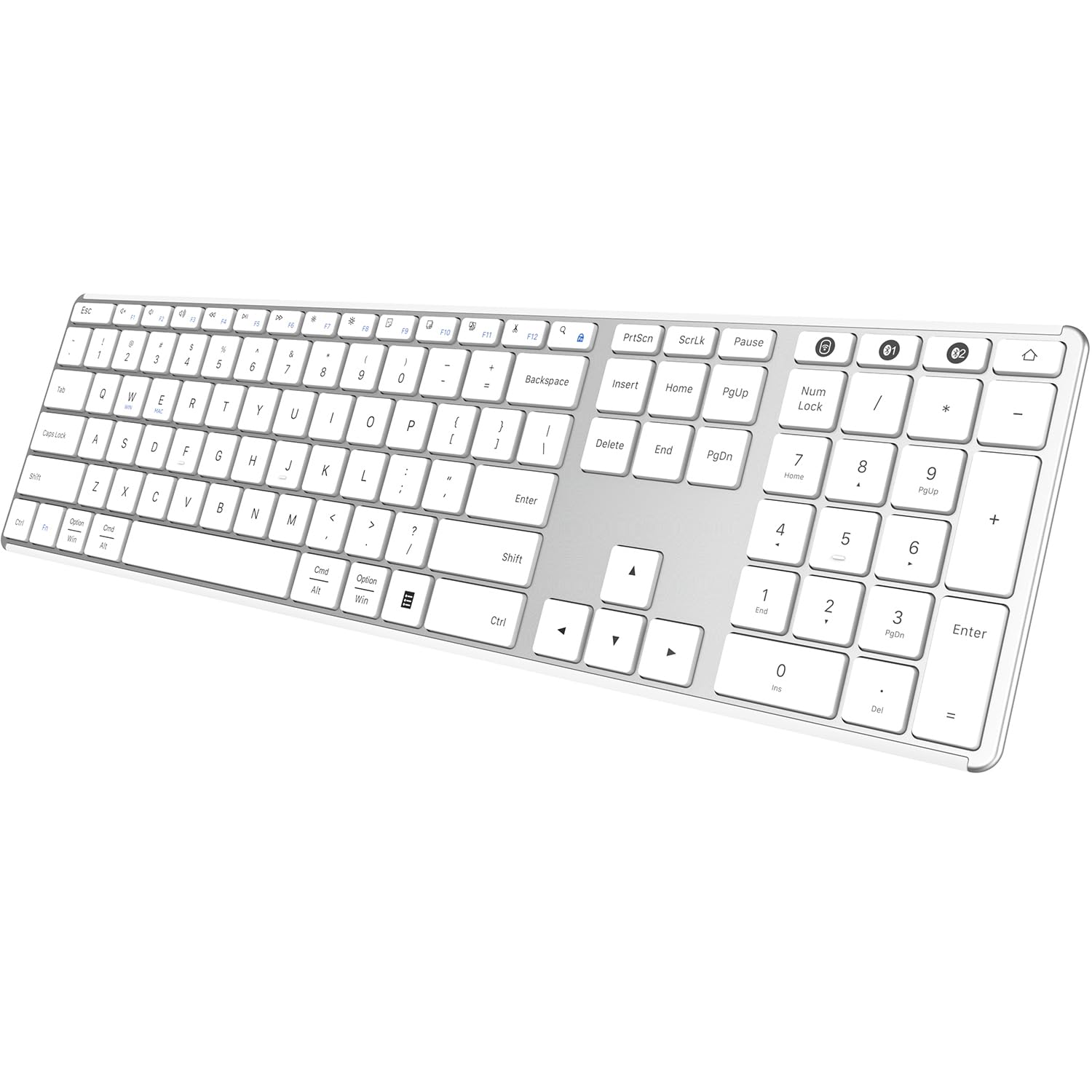
Three devices, one slim white deck, and a rechargeable cell instead of a battery drawer.
You can run three devices from one board thanks to the three-device memory. Pair a laptop, a desktop and a tablet, then hop between them with a single key. Both Bluetooth 5.0 (a short-range wireless standard) and a 2.4GHz USB receiver ship in the box, so you choose the link per device. The low-profile scissor keys stay quiet and quick. The full layout gives you 14 shortcut keys plus a numeric keypad for data entry.
Unlike the AA-powered boards above, this one runs a built-in rechargeable lithium battery. AUSDOM rates one full charge at over 30 days of use, and it sleeps after 30 minutes idle to stretch that further. The deck is thin and light enough to move between rooms, sits on an aluminium and plastic build, and covers Windows, Mac, iOS and Android — with Amazon Fire tablet generations also listed as compatible.
Connectivity is the fair warning. People like the design and the quiet operation, but feedback trends negative on the wireless link. Frequent Bluetooth drops are a recurring theme, and mixed reports on reliability note some units stopping after a month. The value question is genuinely mixed too. Use the 2.4GHz receiver where you can; it is the more stable path here.
What you trade: sleek looks, three-device memory and a rechargeable cell in exchange for a connection that can misbehave — pair it by dongle if stability is non-negotiable.
The slim aluminium look is genuinely nice on a white desk, and the rechargeable battery saves you buying cells.
Good fit for: someone juggling three machines who wants a rechargeable slim board and can use the USB receiver.
Risky if: you need rock-solid Bluetooth for back-to-back calls — drops are a known pattern.
6. Sablute White Ergonomic Wave Combo with Cushioned Palm Rest
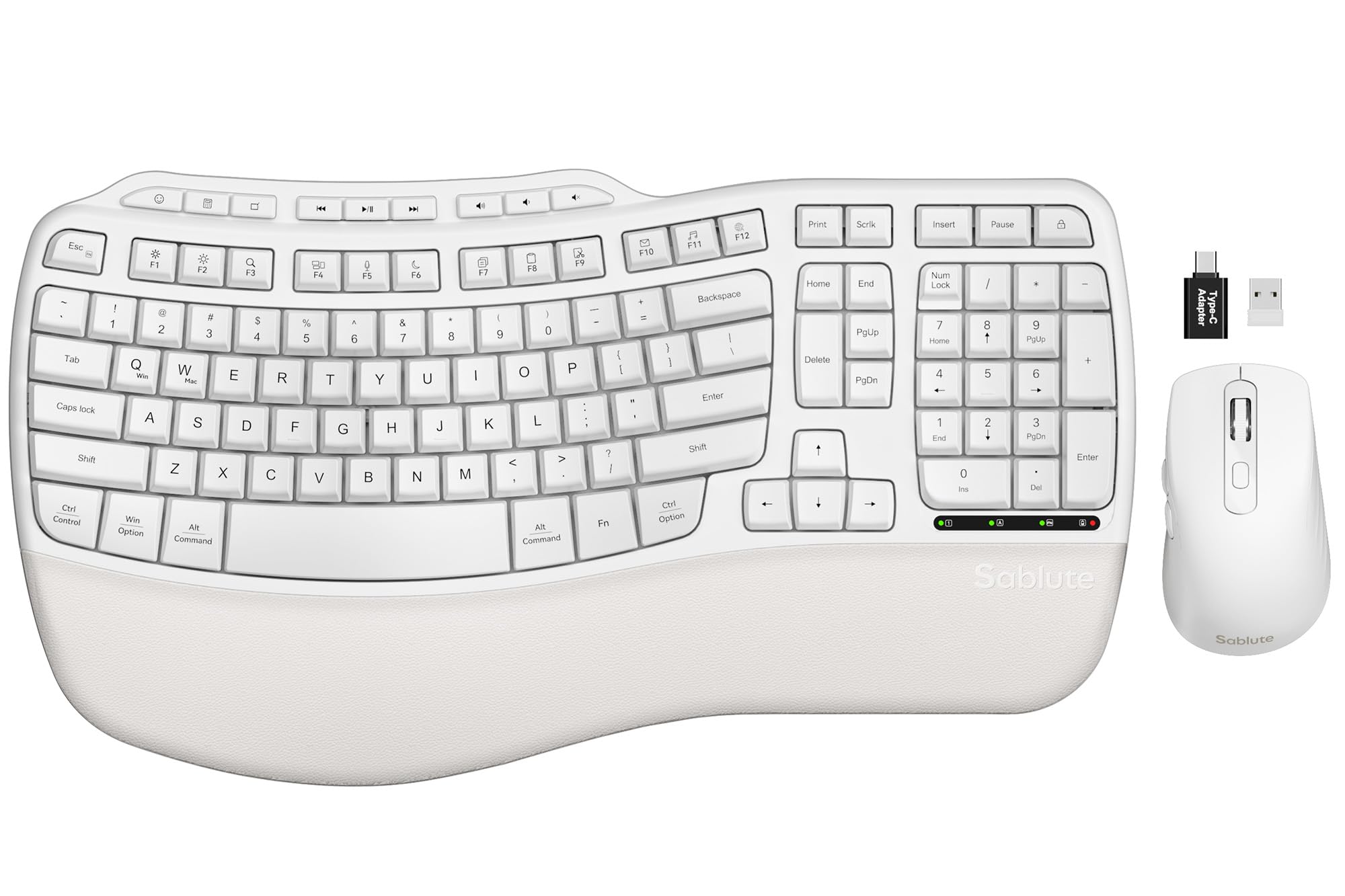
Wave-shaped keys and a faux lambskin wrist rest — ergonomic comfort without the flagship price.
Wave keys are the idea here: the key rows curve instead of running flat, so your fingers fall on them at their natural reach rather than stretching. Pair that with dual-angle tilt legs and a palm rest finished in faux lambskin, and you have a comfort-first full-size board at a mid-range price. The leatherette surface is sweat-proof, so it wipes clean instead of absorbing what a fabric pad would.
Durability is the headline spec — Sablute rates the keys at 10 million keystrokes, twice the 5M it says standard keyboards reach, which justifies the higher outlay over a bargain combo. The mouse carries three DPI settings (800, 1200 and 1600), and 9 shortcut keys handle apps, media and volume. One 2.4GHz receiver at 33ft range drives both, and an FN+Q / FN+W switch flips between Windows and macOS on the fly.
Weight is the physical reality to absorb: at 2.7 lb this is a stay-put keyboard, not one you shuttle between rooms. And while keyboard quality and comfort draw the most praise, reliability is the usual cross-current — most sets work immediately, but some arrive or turn not-quite-right, so keep the 30-day return and 1-year replacement terms in mind.
Comfort arithmetic: wave keys plus a wipe-clean palm rest plus 10M keystroke rating — comfort features that usually cost more, bundled at a mid-tier number.
If your wrists ache after a long day and you want the ergonomic shape without paying flagship money, start here.
Strongest for: eight-hour desk workers who want ergonomic shaping and a real palm rest.
Not for: anyone who needs to move the keyboard around — 2.7 lb keeps it anchored.
7. Sablute 30dB Quiet Wave Combo for MacBook & Windows
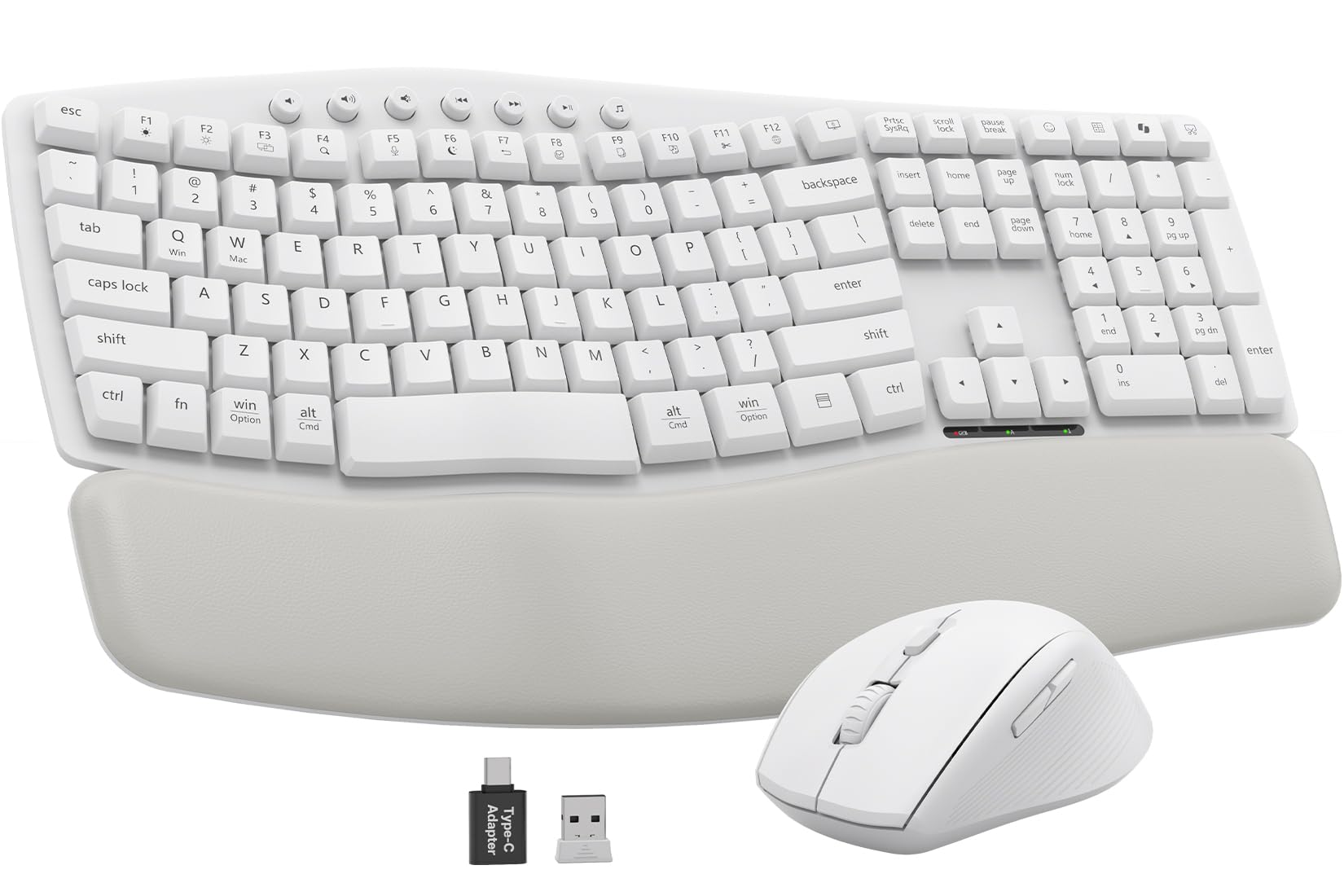
Built for the person whose desk sits two feet from someone else’s — 30dB-quiet keys and a soft rest.
Sablute rates this board at 30dB of typing noise — quiet enough to type through a call in a shared room. Wave-shaped keys and a waterproof, stain-resistant faux lambskin palm rest carry the comfort side, and Sablute claims a 40% reduction in wrist strain — a manufacturer figure, not a measured promise. The build is spill-resistant, which matters on a white board more than most.
One USB-A/C receiver drives both keyboard and mouse over a 33ft wireless range, so it plugs into newer laptops with USB-C ports as easily as older USB-A kit. Compatibility runs across Windows, macOS, Chrome OS, Linux and Android, with a dual-system switch on the board for flipping between Mac and Windows. The mouse adds three DPI settings and a raised-left design, and the keyboard carries 7 shortcuts. There are 104 keys, so the numeric keypad is present for figure work.
The caution is battery and connection. It runs on two AAA batteries in the keyboard and one AA in the mouse, none included — so add cells to your order. And while quality and comfort are the strong suits, connectivity and battery life are the mixed notes, with some reporting dropped links and dead cells sooner than expected.
The call-room test: 30dB keys plus a waterproof rest plus a spill-resistant shell — a combo built for shared space, not a silent study.
For open-plan offices where every clack carries, this is the white set that keeps your typing to yourself.
Choose it if: a shared room, a spill-prone desk and both Mac and Windows machines are all in play.
Plan around: no batteries in the box and a link that occasionally needs re-plugging.
8. Logitech Wave Keys Ergonomic Wireless Bluetooth Keyboard

The wave-shaped Mac board with a palm rest, a three-year battery claim and no dongle at all.
Bluetooth-only, so it pairs straight to a MacBook, iPad or iPhone with nothing sticking out of your ports — the cleanest Mac desk setup in this group. Logitech rates the battery at up to 3 years — the longest claim on the page — and Easy-Switch keys flip typing between your MacBook and iPad or iPhone with a tap. The 78-key compact layout keeps your mouse hand closer, though you lose the numeric keypad that the Apple board carries.
Your wrists get support through long sessions from the cushioned palm rest, and that comfort is where this earns its price. Logitech says the board was designed and tested against criteria from leading ergonomists and approved by United States Ergonomics — a manufacturer claim. That certification is the manufacturer’s, so treat it as their claim. It is also made with 46% recycled plastic. The Logi Options+ App (available for customising shortcuts) handles Smart Actions if you like automating repetitive steps.
Connection reliability is the honest soft spot. Many describe a trouble-free Bluetooth link, but a portion report connection problems, so a busy wireless environment may test it. It is also Mac-first by design — this is not the board to buy for a Windows tower.
Long-haul maths: a 3-year battery rating and a Bluetooth-only link mean one less cable and one less charger on a Mac desk.
For a Mac user who wants ergonomic shaping and a cable-free setup, this is the natural step up from the flat Apple deck.
Made for: MacBook and iPad owners who type all day and want wrist support without wires.
Skip if: you need a numeric keypad or a Windows-compatible board.
9. Logitech Signature Slim K950 Wireless Keyboard – White
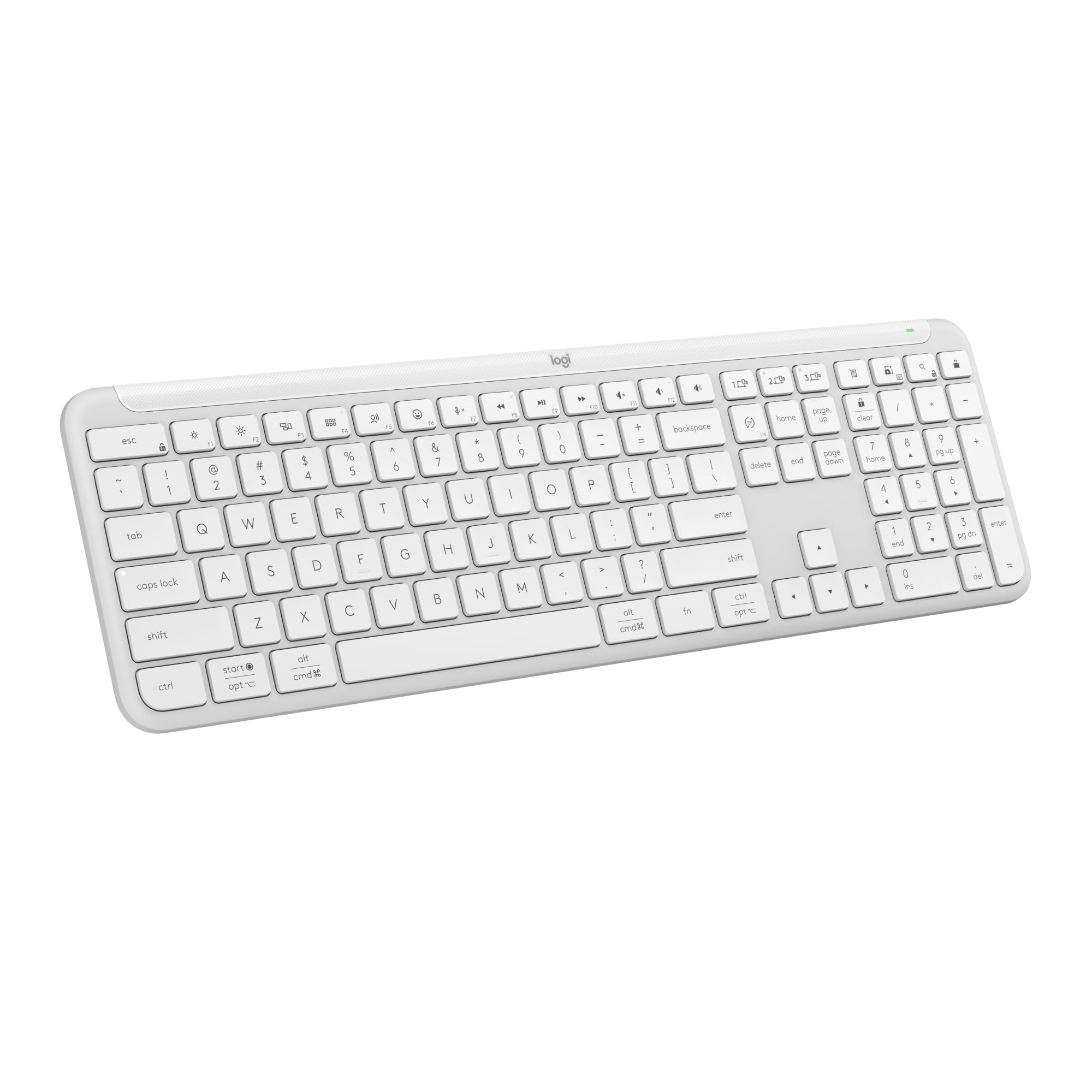
Laptop-style keys in a full-size white frame, switchable across three devices with one tap.
If you split your day between a work laptop, a personal tablet and a phone, this is the board that handles all three without re-pairing. Logitech’s Easy-Switch keys flip typing between three devices with a single tap, and the connection runs over Bluetooth or the included Logi Bolt USB receiver — so you have both options in the box. It weighs 685 g, sits on a slim membrane build with a familiar laptop-like key feel, and the full-size layout keeps the number pad.
The typing feel is what owners single out — smooth, quiet membrane keys that people compare to typing on a MacBook Pro. Quiet operation is a stated feature too, which suits shared spaces, and the keyboard carries one-tap shortcut functions for work and home: music, mute, the snipping tool, volume control. Compatibility runs across Windows, macOS, Chrome OS, Linux, iPadOS, iOS and Android, and it is made with recycled plastic.
The caveats are real but sized. Responsiveness and the noise level both read mixed in feedback, and value is the most argued point — it is the priciest board here after the Apple. Pairing is a small chore the first time, since the Bolt receiver usually ships inside the packaging, and the multi-device switching is the feature you are paying the premium for.
Why it costs more: three-device memory, a Bolt receiver included and MacBook-style keys — the premium buys flexibility, not silence.
For a hybrid worker who hops between three machines daily, the switching alone justifies a look.
The reason to buy: you routinely type on three different devices and want one keyboard to serve all of them.
Look again if: you only have one computer — the multi-device premium buys you nothing there.
Know the Specs
Connection: Bluetooth versus 2.4GHz receiver
Bluetooth is the short-range radio built into your laptop, tablet and phone, so a Bluetooth keyboard pairs with nothing plugged in — the cleanest choice for a MacBook you carry. A 2.4GHz receiver keyboard uses a small USB dongle that creates its own private link, which usually wakes instantly and can drive a mouse on the same dongle. Some boards, like the AUSDOM, give you both. Match the link to the device you type on most, not to whichever sounds more advanced.
Key count and layout
A full-size board carries a numeric keypad on the right for figure work; compact boards run around 78 keys and drop the pad to save the width. The trade-off is real: a keypad speeds up spreadsheets but pushes your mouse hand further away and eats desk space. Compact boards suit people who travel or work on a small desk. Decide which annoyance you can live with before you compare anything else.
Quiet keys and key travel
Most quiet boards here use membrane or scissor keys — a rubber dome or a scissor mechanism under each cap — which softens the clack. One board rates its typing at 30dB, a useful reference figure for shared rooms. Shorter travel feels snappier and is easier to type on lightly; deeper travel can feel premium or stiff, depending on your fingers. “Quiet” is a range, not a switch, so read the key-feel feedback for a board before you assume silence.
Battery setup and range
Power comes in three patterns. AA or AAA cells you swap mean no charging cable, but you need a spare-battery habit. A built-in rechargeable cell means one more cable, but no battery shopping. Long-stretch disposables are the third, and some boards claim up to a year or more. Wireless range is usually quoted as 30ft to 33ft, plenty for a home office. Whichever you pick, expect sleep mode after inactivity and a wake on keypress; that is how these boards stretch their cells.
Common Questions
Will a white wireless keyboard connect to both a Mac and a Windows PC?
Does a compact 78-key keyboard lose features compared with a full-size one?
How long do the batteries actually last on these keyboards?
My keyboard has no visible USB receiver — where is it?
Are quiet keyboards actually quiet enough for an open-plan office?
Is a palm rest really worth the extra desk space?
Why does my Bluetooth keyboard drop its connection?
Can I use a white wireless keyboard with an iPad or tablet?
Do these keyboards need software to work?
Why do white keyboards look dirty sooner than black ones?
The Bottom Line
Your machine decides the honest shortlist for a white wireless computer keyboard. On a Mac, iPad or iPhone, the Apple Magic Keyboard with Numeric Keypad is the strongest overall pick. The numeric keypad, document navigation controls and smooth, precise keys make it the crowd favourite, and it holds 4.5+ stars from a large base of buyers despite costing more than most here. That price is the single honest reason to hesitate, and it only matters if the value question keeps you up at night; the typing does not.
If you want a full-size white set with a quiet mouse in the box and one dongle, the QUASIO Combo delivers a year between battery swaps and near-silent clicks. If wrist comfort drives the decision, the Sablute Wave Combo gives you wave keys, a wipe-clean palm rest and a 10M keystroke rating at a mid-range price.
And if you shuttle between three devices, the Logitech Signature Slim K950 is the one to reach for — three-device switching and laptop-style keys in a full-size white frame. Whichever you pick, match the connection to your desk first; everything else is comfort tuning.
How we choose
We do not accept paid placement. Every pick is matched to a real buyer and a real use-case; we do not hands-on test units.
Sources
Specifications: manufacturer listings and product documentation. Review insights: verified customer reviews, as of November 2026. Pricing: not shown on this page (it changes often); check the current price via the retailer link.
As an Amazon Associate, Tactical Gear Guy earns from qualifying purchases. This does not affect which products we feature.