Specs are compiled from manufacturer listings and verified buyer reviews and can change over time — please confirm the key details on the product page before buying.
If you want a webcam that doesn’t look like a black plastic wart on a white monitor, the Logitech Brio 100 in white is the one worth grabbing first. It shoots Full HD 1080p, has a built-in privacy shutter you can slide shut, and corrects bad room lighting automatically. 1080p, a sliding shutter, and automatic light correction together make it the easiest pick for a first white webcam. This guide sorts nine white webcams by what actually matters on a call: how sharp the picture is, whether you can block the lens, and how the thing grips your screen.
This guide is built by comparing the manufacturers’ published specifications and the patterns across verified customer reviews, so you get each pick’s real strengths and trade-offs instead of marketing spin.
The list below runs from simple plug-and-play 1080p cameras to 4K streaming rigs, so you can match the pick to your desk setup. Read on for the best white webcam for PC if you want a clean match without overspending on resolution you won’t upload.
Top Picks


How To Choose The Best White Webcam for PC
Buying a webcam is mostly about one question: what do the people on the other end of the call actually see? Resolution gets the headlines, but light handling and focus matter just as much on a normal desk in a normal room. The white finish is the easy part — plenty of cameras come in white — so the real work is picking the sensor and the mounting that suit your screen.
Resolution and frame rate, in plain terms
Full HD 1080p (a picture with roughly two million pixels across) is sharp enough that your face reads clearly in a Zoom call or a Teams meeting. Going up to 4K means four times the pixel count of 1080p, which only helps if your software and your viewers’ screens can show it. Frame rate is the second number — 30 fps means 30 pictures per second, which looks smooth for talking, and 60 fps is noticeably smoother if you move around on stream. One pick here runs 1440p at 60 FPS, a middle ground between sharpness and a heavy file.
Light correction and low-light behavior
Most rooms look terrible to a cheap camera because the light comes from behind you or from one lamp. Automatic light correction — Logitech calls its version RightLight — analyzes the frame and lifts brightness to even out shadows. The manufacturer states up to 50% more brightness than previous-generation Logitech webcams on the Brio 100, which is the difference between a face you can read and a dark silhouette. A built-in ring light is the other route: it adds its own fill light in white, natural, or warm tones.
Mounting, privacy, and the white finish
A clip-on mount folds over a laptop lid or a monitor edge; a 360-degree swivel or pivoting mount lets you angle the camera up or down. A sliding or twisting privacy shutter physically covers the lens, which is the only kind of privacy you can trust. And be honest about the color: white looks right on a white monitor and a light desk, but it will stand out against a matte black gaming setup.
Side-by-Side Comparison
| Model | Best For | Max Resolution | Connection | Privacy Cover | Amazon |
|---|---|---|---|---|---|
| Logitech Brio 100 (White)★ Best Overall | Everyday calls | 1080p | USB-A | Built-in shutter | Amazon |
| Logitech Brio 100 (Off White, Renewed)Best Value | Budget 1080p | 1080p | USB-A | Integrated cover | Amazon |
| QMKKX White WebcamMost Flexible Mount | Flexible mounting | 1080p at 30 fps | USB | — | Amazon |
| JLab Go Cam | Clean desk setups | 1080p at 30 fps | USB | — | Amazon |
| Galyimage 4K Webcam with Ring Light | Streaming with fill light | 4K at 30FPS | USB | Sliding cover | Amazon |
| Logitech Brio 300 (White) | Cleaner audio | 1080p | USB-C | Rotating shutter | Amazon |
| NexiGo N660P Pro | Gaming and streaming | 4K / 1080p 60 fps | USB | External slide | Amazon |
| Razer Kiyo V2 X | Smooth 1440p streaming | 1440p at 60 FPS | USB | Twist shutter | Amazon |
| Razer Kiyo V2 | 4K creators | 4K at 30fps | USB | — | Amazon |
Detailed Reviews
1. Logitech Brio 100 Full HD Webcam (White)
Our pick — 4.5+★ from 600+ verified ratings; the strongest balance of quality and price.
The white 1080p default that handles your bad lighting without asking you to fix anything.
What earns the Brio 100 the top spot is the automatic light correction. RightLight (Logitech’s software that reads the frame and lifts brightness) is quoted by the manufacturer as delivering up to 50% more brightness than previous-generation Logitech webcams. In practice that means a face lamp-lit from one side stops showing up as a dark half-moon on Teams. It shoots Full HD 1080p at 30 fps, and the plug-and-play USB-A connection works with most calling platforms, including Microsoft Teams, Zoom, and Google Meet, with no drivers to install.
Privacy is handled by a built-in shutter you slide across the lens — physical blockage, not a software toggle. The body is compact and white, so on a white monitor it reads as part of the bezel instead of a black square. And it’s the crowd favorite here, holding 4.5+ stars from a large pool of owners, which lines up with how straightforward it is to set up and forget.
The honest catch is fixed focus. It’s a fixed-focus camera with automatic exposure only, so if you lean in and out or hold objects up to the lens, it won’t chase focus the way the autofocus picks below will. It’s also USB-A, so a laptop with only USB-C ports will need an adapter — worth checking before you buy.
What earns its spot
- RightLight brightness correction up to 50% over older Logitech webcams
- Full HD 1080p resolution for clear calls
- Sliding privacy shutter blocks the lens physically
- Works with Teams, Zoom, and Google Meet from the start
Where it asks you to adapt
- Fixed focus, so fast-moving close-ups soften
- USB-A plug means USB-C-only laptops need an adapter
Reach for this if: you want a white 1080p camera that fixes dim rooms on its own and blocks the lens with a slide.
Look elsewhere if: you need autofocus that tracks your face as you move around on stream.
2. Logitech Brio 100 (Off White, Renewed)
The same 1080p Logitech internals in a softer off-white shell, sold as a renewed unit.
This is the Brio 100 recipe at an entry-level tier, and the specs match the white model almost line for line: Full HD 1080p resolution, a built-in microphone, automatic exposure, and RightLight boosting brightness by up to 50% compared to previous-generation Logitech webcams. The privacy cover is integrated, and it handles Teams, Zoom, and Google Meet through USB-A plug-and-play. The one visible difference is the shell — off-white rather than pure white — which actually suits a cream or beige desk better.
The “Renewed” label is the fact you have to weigh. That means it’s a previously returned unit that has been inspected and resold, not a factory-fresh camera, so it comes without the same unopened-box certainty. The rating sits at 4.0+ stars with a small review pool, and the overall picture is that buyers get the familiar Logitech experience at the budget tier.
For a secondary desk, a spare room, or a kid’s first setup, this is the sensible way to get the same light-correction behavior for less. For your main camera, the fresh white unit above carries more reassurance.
Why it makes the cut: identical 1080p resolution, RightLight correction, and built-in mic to the top pick, with an integrated privacy cover and USB-A simplicity.
The detail to note: fixed focus and USB-A only, plus the renewed status means it’s a resold unit rather than a new one.
Suits the spare-room desk: a second or third camera where the same Logitech light handling matters more than a sealed box.
Pass on it if: you want the full confidence of a brand-new unit on your primary machine.
3. QMKKX White Webcam with Microphone
A white camera that twists 360 degrees and tilts 180, so it lands on almost any screen.
The mount is the standout here. The head rotates a full 360 degrees and the clip tilts up and down 180 degrees, so you can hang it on a laptop lid, an LED monitor, a tripod, or just stand it on the desk. That flexibility is rare at this tier. The camera itself shoots Full HD 1080p at 30 fps through a glass lens, uses auto focus, and includes automatic low-light correction plus noise-reduction on the microphone for clearer voice in a loud room.
It plugs in over USB 2.0 with no drivers, runs on Windows, Mac OS, and Linux, and switches between a 16:9 image aspect ratio for standard widescreen calling. Compatible devices span laptops, desktops, tablets, phones, and LED screens, which is a wider list than most cameras at this level.
Be clear-eyed about the quality picture, though. Owner feedback on this one is genuinely split — the recurring theme across the reviews is that some units please and some disappoint on build and image consistency. It’s a fair fit if you mainly need an adjustable white camera for casual meetings and light streaming on a budget, and less so if pixel consistency on every call is non-negotiable.
The mount story: 360-degree head rotation and 180-degree tilt make this the most position-flexible camera on the list, and it runs 1080p at 30 fps with auto focus.
The fair warning: reviews land mixed on overall quality, so expect a competent casual-use camera rather than a fussy pro tool.
Worth it when: your screen is awkward to clip to and you need a white camera that angles wherever you point it.
Think twice if: you need every call to look identical no matter the unit.
4. JLab Go Cam 1080p USB Webcam

A low-key white clip-on built for tidy desks and quick hops between workspaces.
JLab designed this one around portability. The clip-on build is light and minimal, mounting to a laptop or monitor and slipping into a bag when you move desks. It captures 1080p at 30 fps with 2.1 megapixels and auto exposure that adjusts to whatever light you’re sitting in, and the omni-directional microphone picks up sound from all directions so you don’t have to sit dead-center. JLab backs it with a 2-year warranty.
On pure pixel count it trails the Galyimage ring-light camera sharply — the Galyimage lists 8 megapixels of effective video resolution against JLab’s 2.1 megapixels, a 3.8x gap on the spec sheet. If you’re streaming or recording, that gap shows. For a weekly meeting where you just need to be seen and heard, the JLab is more than enough, and its owner feedback leans positive on how easy it is to set up and on picture quality.
JLab’s 2-year warranty covers the modest 2.1-megapixel sensor for two years of desk duty.
Why the minimalists like it
- Lightweight clip-on design for easy transport between desks
- Plug and play on PC, Mac, and Chromebook with no drivers
- Omni-directional mic captures voice from any angle
- Backed by a JLab 2-year warranty
Where it stops short
- 2.1 megapixels is modest next to higher-resolution rivals
- Reliability reports are mixed across units
Pick it for the commute: a bag-friendly white cam for meeting rooms, home desks, and travel.
Skip the upgrade pressure if: you only need clear talking-head calls, not recording-quality video.
5. Galyimage 4K Webcam with Ring Light
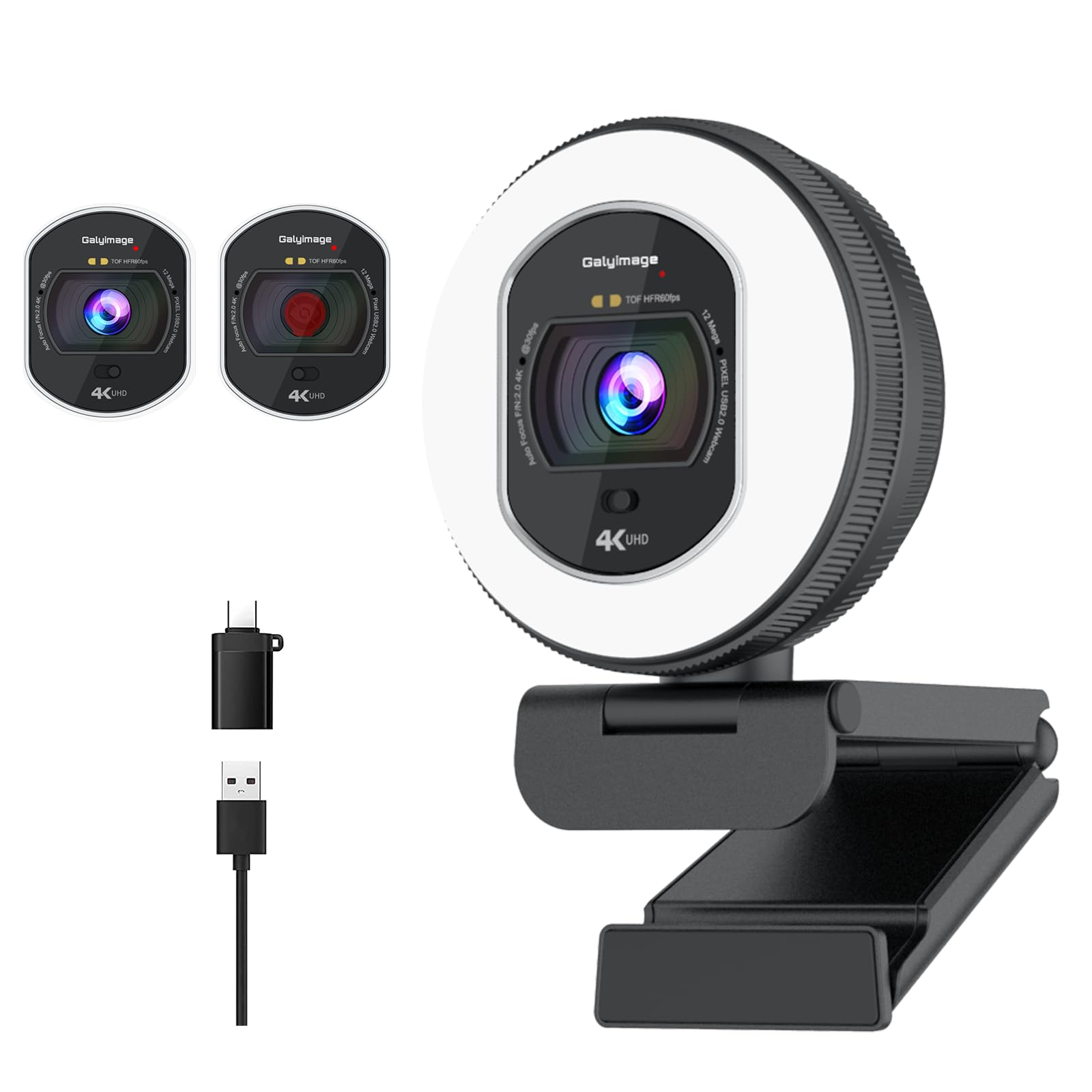
A white 4K camera with its own dimmable ring light for rooms that refuse to cooperate.
Here’s where resolution jumps. This Galyimage runs from 4K at 30FPS down to 1080p at 60FPS, so you can pick a sharper picture for clear detail or a smoother one for movement. The spec sheet lists 8 megapixels of effective video resolution and 8 megapixels of effective still resolution. Against the JLab’s 2.1 megapixels, that’s a 3.8x gap in the raw sensor count, and it’s the reason this one reads sharper the moment a stream gets bright.
The headline feature is the ring fill light. It has three color temperature settings — white, natural, and warm — that you adjust by touching the sensor area on the back, and a rotary outer ring handles brightness. Combined with TOF (time-of-flight) autofocus that locks onto faces quickly and dual noise-canceling microphones that cut keyboard clatter and air-conditioning hum, it’s built for recording, not just calling. A built-in sliding privacy cover blocks the lens with a push, and it plugs in over USB with no drivers.
The one thing to size up is the ring light’s intensity. The ring light divides people: some love the fill, some find it harsh and too bright up close. If you sit close and don’t want extra glow on your face, that’s the piece to think about.
The case for 4K: flowing video from 4K at 30FPS to 1080p at 60FPS, 8-megapixel stills and video, and a three-tone dimmable ring light for dim rooms.
The honest limit: the ring light is polarizing — helpful fill for some, harsh brightness for others at close range.
The streamer’s fit: creators who want a white camera to shoot 4K and light their own face without a separate lamp.
Second-guess it if: you sit close to the lens and don’t want a bright ring reflection on your skin.
6. Logitech Brio 300 Full HD Webcam (White)

The step up from the Brio 100 — same white shell, sharper light handling and a mic that mutes the room.
If the Brio 100 handles bad lighting, the Brio 300 corrects it more aggressively. Its RightLight 2 technology (a newer version of the automatic light correction) adapts to poor lighting so you stay visible even when the room turns dim. It shoots 1080p HD with a 2-megapixel effective still resolution and a noise-reduction mono microphone that suppresses background sound, so the people on the call hear your voice, not the fan. It’s certified for Zoom, Microsoft Teams, and Google Meet.
The connection is USB-C rather than USB-A, which is the practical fork in the road. On a modern MacBook or a USB-C laptop, that’s a clean single cable; on a desktop with only USB-A ports, you’ll need an adapter. The rotating privacy shutter twists to lock the lens when you’re off screen, and the free Logi Tune app lets you tweak color and image quality. The body is made with at least 48% recycled plastic. What wins people over across the reviews is the overall build and video quality — this is a camera people tend to be happy with.
Two things get mixed feedback. The field of view is fine for Zoom classes for some and tight for others, and the mounting can feel less than rock-solid on certain screens. Nothing that breaks the camera — just points to check against your setup.
Where it pulls ahead
- RightLight 2 corrects poor lighting more aggressively than the Brio 100
- Noise-reduction mono microphone quiets background sound
- Certified for Zoom, Microsoft Teams, and Google Meet
- At least 48% recycled plastic in the body
What to check first
- USB-C connection needs an adapter on USB-A-only desktops
- Field of view and mounting draw mixed reactions
Best for USB-C laptops: a white 1080p camera with newer light correction and a quieter mic for noisy rooms.
Hold off if: your machine only has USB-A and you’d rather not add an adapter.
7. NexiGo N660P Pro 4K Webcam
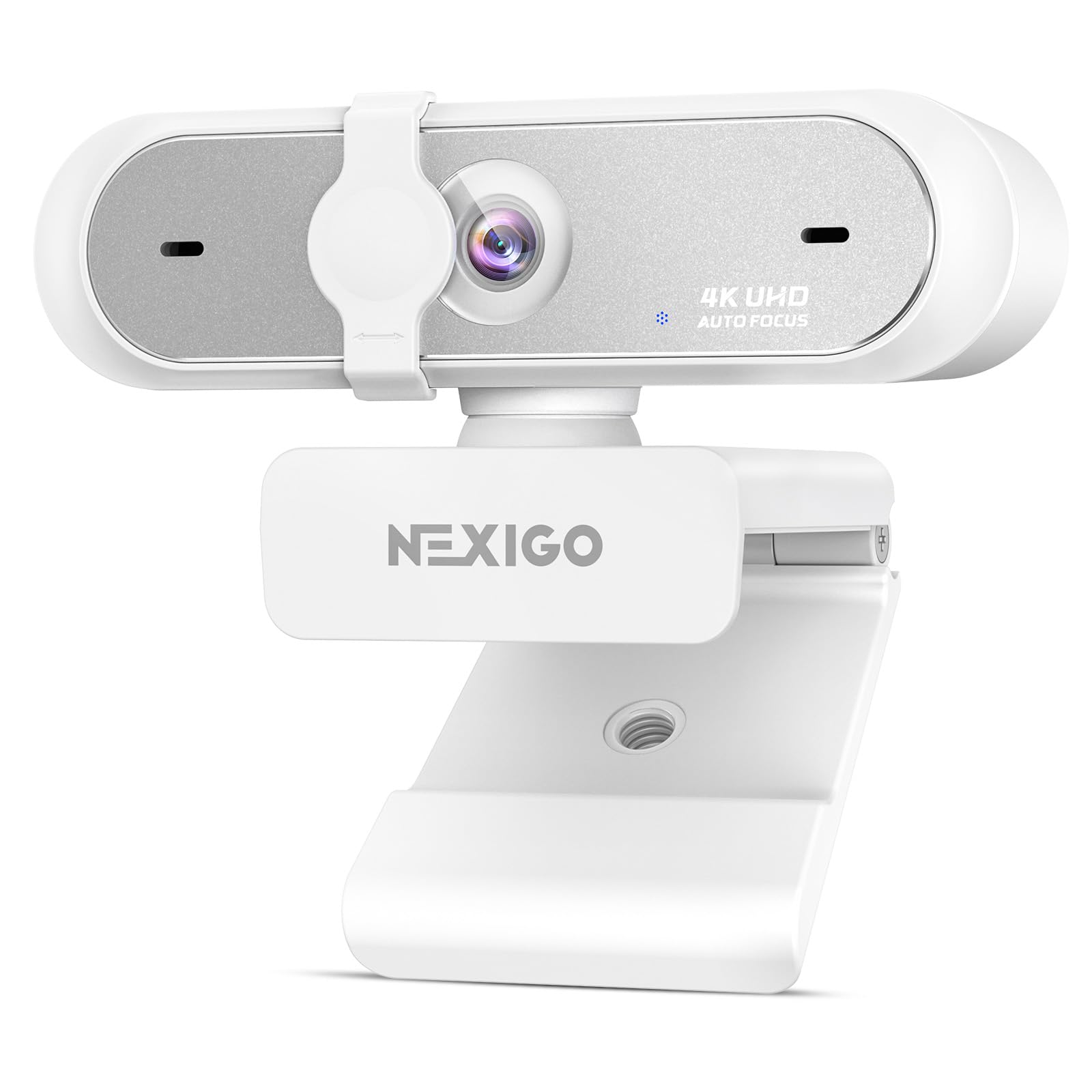
A white 4K workhorse with a distortion-free lens built to keep your setup looking straight, not warped.
The defining spec here is the 3840-pixel effective video resolution — 4K — paired with a distortion-free lens that keeps your proportions and shapes looking natural instead of fisheye-warped. It also steps down to 1080p at 60 fps and adds 3DNR (3D noise reduction), which identifies and removes visual grain in real time for a cleaner 4K image. If you stream your desk or your face on Twitch or OBS, that combination is exactly the point. It’s the most-reviewed camera on this list by a wide margin, and the consensus is a satisfied one.
Setup is USB plug-and-play with no drivers or Wi-Fi. Compatibility runs to Switch 2 (with your own USB-C to USB-A adapter), Windows 7–11, Mac OS 10.6+, and Chrome OS, plus Zoom, Teams, Hangouts, Twitch, and OBS. For mounting, a 360-degree swivel and an integrated 1/4-inch tripod thread give you freedom to angle it anywhere, and an external sliding privacy shutter blocks the lens when you’re away.
The cost of all that is complexity. A 4K pipeline plus 3DNR plus a distortion-free lens is more camera than a simple Zoom caller needs. If you only take meetings, the cheaper Brio 100 will feel identical on the other end of the call.
The standout: 4K resolution with a distortion-free lens and real-time 3D noise reduction, on the most-reviewed body here, plus a 1/4-inch tripod thread for flexible mounting.
The overkill warning: 4K and 3DNR are built for content creators — for plain video calls, this is more camera than you’ll use.
The creator’s pick: streamers and gamers who want a straight, grain-free 4K image with a tripod-ready mount.
Not needed for: anyone whose only camera job is a weekly team meeting.
8. Razer Kiyo V2 X Webcam (White)
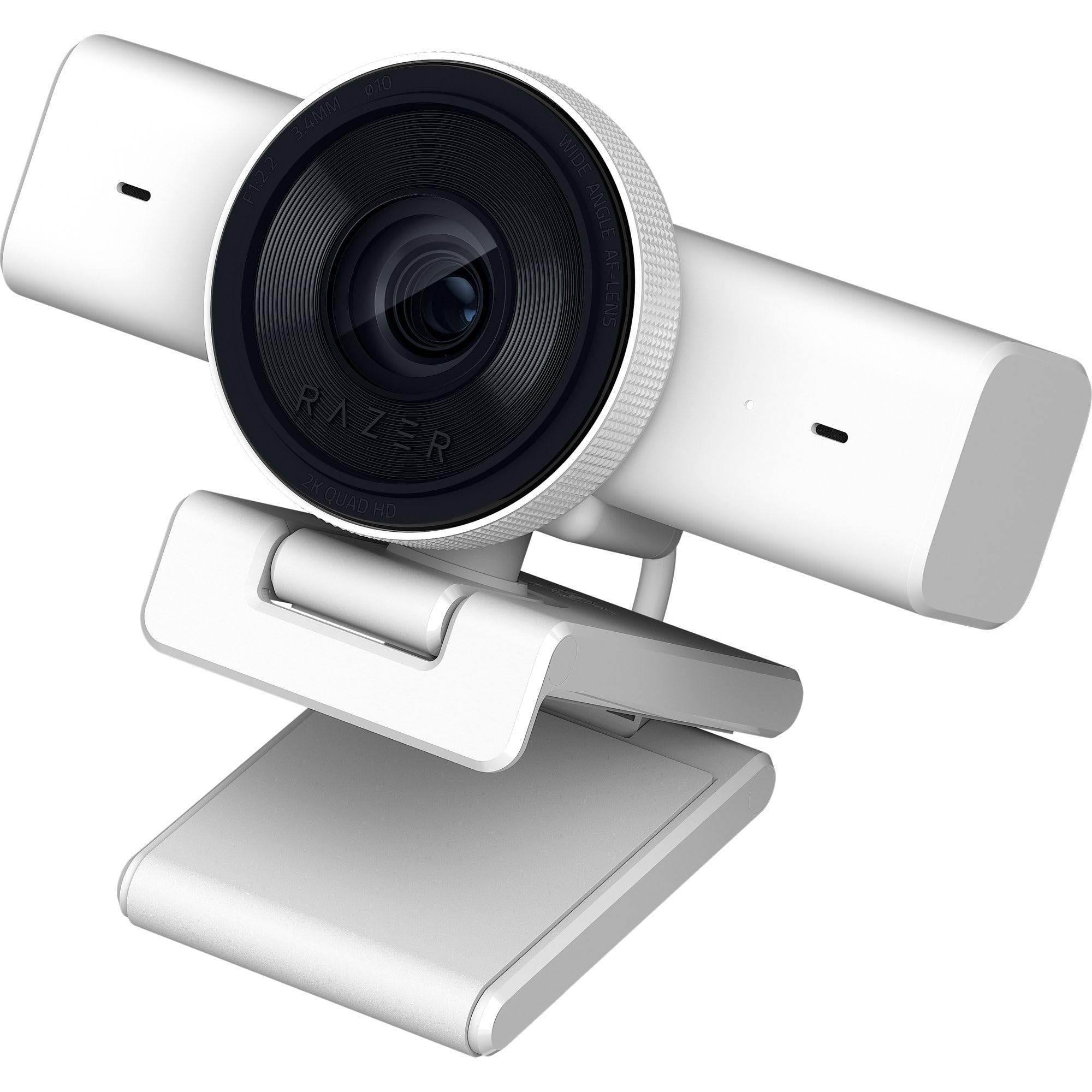
Razer’s white mid-tier camera bets on smooth motion — 1440p at 60 FPS for streams that move.
Where most cameras here settle for 1080p at 30 fps, the Kiyo V2 X shoots 1440p at 60 FPS, which is the difference between a choppy recording and natural movement when you’re gaming or unboxing. It pairs that with fast, accurate auto focus that stays locked whether you’re mid-play or reacting to chat, and a wide-angle lens so you can widen the frame to show a full desk or push in close. A built-in mic handles audio, a twist of the shutter covers the lens, and the universal pivoting mount tilts and swivels onto a monitor or a tripod thread.
Software customization runs through Razer Synapse, where you can start from presets or fine-tune color and lighting precisely. Set up is plug-and-play, and what buyers consistently like is the color quality — this one reads richer on a good monitor than its price tier suggests. It’s a solid step up for the streamer who wants 60 fps without leaping to 4K file sizes.
The mixed part is image consistency and software compatibility. Some footage reports smooth video while other units show blurring, and while it plays well with OBS, some setups report it not working at all. Worth confirming it’s a clean fit with your streaming software before you commit.
Why streamers like it: 1440p at 60 FPS gives smooth, natural motion, backed by fast auto focus, a wide-angle lens, and Synapse software control.
The question mark: image quality and compatibility split owners — some get smooth footage, others see blurring or software trouble.
A fit for motion: gamers and live streamers who want smooth 60 fps at 1440p and a wide-angle frame.
Pause if: your setup is fussy with streaming software and you want a plug-and-forget camera.
9. Razer Kiyo V2 Webcam (White)
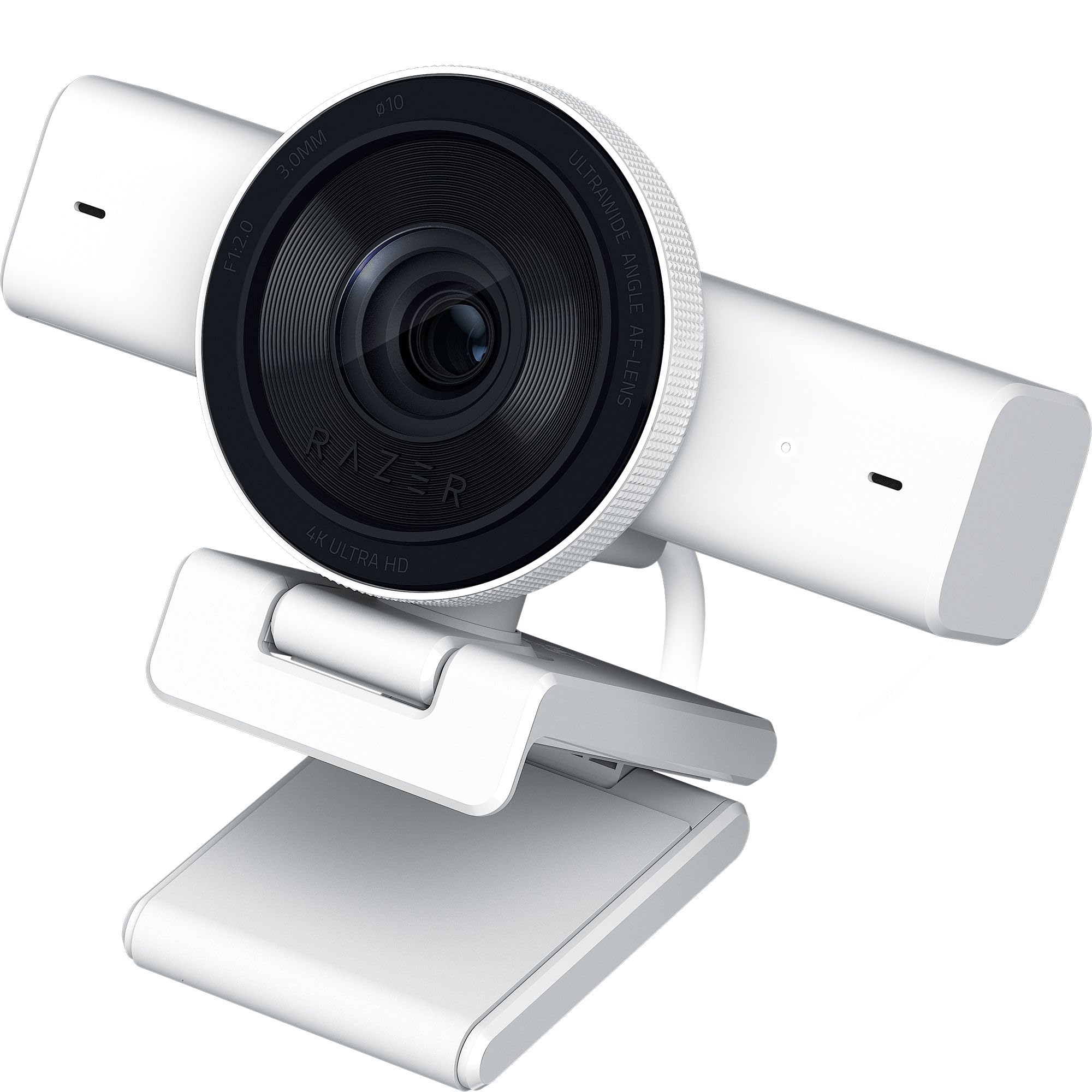
The premium white 4K pick for creators, built on a Sony STARVIS sensor with AI that follows your face.
This is the top tier of the list, and it shows in the sensor. The Kiyo V2 runs on a high-performance Sony STARVIS sensor at 4K 30FPS with 3840 pixels of effective video resolution and 8.3 megapixels of effective still resolution. That combination is why its picture quality comes across as excellent among people who’ve used it — detail holds up in a way the 1080p picks can’t match. Add HDR (high dynamic range) for richer hues and contrast, and one-click image enhancement that handles low-light and backlit setups with automatic exposure, white balance, and noise reduction.
The AI auto-framing is the showpiece. The camera tracks your face with natural pan, tilt, and zoom, so it keeps you framed without you nudging the mount. The ultrawide lens lets you pull in a full setup or push in close without warping at the edges. Through Razer Synapse you get pro-grade control like ISO and shutter speed, and the universal pivoting mount works on a monitor or a tripod thread.
The honest accounting is uneven reliability and mixed software feedback. The software side of this camera draws mixed reactions, and some units hold up while others freeze repeatedly. It’s the most expensive route to a white 4K camera here, so if you just need clean calls, the cheaper 4K Galyimage covers the basics. For a creator who wants Sony-sensor quality and facial tracking, it’s the one that delivers it.
What you’re paying the extra for
- Sony STARVIS sensor at 4K 30FPS with 8.3-megapixel stills
- HDR for richer color and contrast
- AI auto-framing with pan, tilt, and zoom face tracking
- Ultrawide lens without edge distortion
The trade-offs to accept
- Software draws mixed reactions from owners
- Reliability is uneven — some units freeze repeatedly
The creator’s splurge: content makers who want Sony-sensor 4K and AI framing in a white body.
Don’t reach for it if: you’re a plain caller — the 4K Galyimage does the job for much less.
Know the Specs
Resolution and frame rate
Resolution is the pixel count of the picture — 1080p means roughly two million pixels, and 4K means about four times that. Higher resolution shows more detail, but the gains only appear if your software and viewers’ screens can display it. Frame rate is how many pictures per second the camera captures. 30 fps is smooth for talking; 60 fps is noticeably smoother for movement like gaming or unboxing. On this list, 1080p at 30 fps covers calls, while 4K at 30FPS and 1440p at 60 FPS target recording and streaming.
Light correction and privacy shutters
Automatic light correction reads the frame and adjusts brightness and shadows so your face stays visible in a dim room. A privacy shutter is a physical slide or twist that covers the lens, which is stronger than a software mute because it blocks the glass itself. Worth checking: which one uses a slide, which uses a twist, and which has no cover at all.
Connection: USB-A versus USB-C
Most cameras here connect over USB. USB-A is the rectangular port found on older desktops and many laptops; USB-C is the smaller reversible port on modern laptops. The Brio 300 uses USB-C, so a desktop with only USB-A ports needs an adapter. Everything else here is USB-A or a standard USB connection, so match the plug to your ports before you buy.
Microphone and noise handling
A built-in mic keeps your setup to one cable. Noise reduction and noise-canceling microphones cut keyboard clatter, fans, and air-conditioning so callers hear your voice. An omni-directional mic picks up from all directions, which means you don’t have to sit dead-center. If you call from a busy room, prioritize a camera with noise-reduction on the mic.
Common Questions
Is 1080p enough for a white webcam on work calls?
Do these webcams work with a USB-C only laptop?
What does a physical privacy shutter actually do?
Will a white webcam look bad on a black monitor?
How much does a ring light help a webcam?
What is autofocus and do I need it on a webcam?
Is 4K worth it over 1080p for streaming?
Can I mount these webcams on a tripod?
Why do webcam microphones pick up keyboard noise?
Do white webcams need special software to work?
The Bottom Line
For most desk setups, the winner among these white webcam for pc picks is the Logitech Brio 100 in white, because it pairs Full HD 1080p with RightLight brightness correction, a sliding privacy shutter, and simple USB-A plug-and-play at the value tier. If clearer voice in a noisy room matters most, step up to the USB-C Logitech Brio 300 with its RightLight 2 correction and noise-reduction mic. And for streaming and recording, the Galyimage 4K webcam with ring light gives you 4K detail and adjustable fill light in one white body — the pick to make if you stream or record and want 4K detail plus adjustable fill light in one white body.
How we choose
We do not accept paid placement. Every pick is matched to a real buyer and a real use-case; we do not hands-on test units.
Sources
Specifications: manufacturer listings and product documentation. Review insights: verified customer reviews, as of November 2026. Pricing: not shown on this page (it changes often); check the current price via the retailer link.
As an Amazon Associate, Tactical Gear Guy earns from qualifying purchases. This does not affect which products we feature.