Specs are compiled from manufacturer listings and verified buyer reviews and can change over time — please confirm the key details on the product page before buying.
Most laptop keyboards light up in blue or full RGB, which is exactly why finding a genuine white backlight takes real digging. A white backlight is the plainest to read in a dim room and the easiest on your eyes during a late-night spreadsheet or a red-eye flight. This guide covers seven laptops that actually ship with white-lit keys, matched to the workload each one handles best.
This guide is built by comparing the manufacturers’ published specifications and the patterns across verified customer reviews, so you get each pick’s real strengths and trade-offs instead of marketing spin.
Typing in a dim room is where a white backlit keyboard earns its keep, and the screen and battery you pair it with decide how long you can keep going. For most people, the HP 14″ FHD i5 is the one to buy — it holds 4.0+ stars across 300+ ratings, a crowd favorite. Keep reading for the picks built for bigger screens and heavier work: best white backlit keyboard laptop.
Top Picks

How To Choose The Best White Backlit Keyboard Laptop
The white backlight is the reason you are here, so start there. Some listings call a keyboard “backlit” when the light is actually a colored glow, and a few only light up the edges. Confirm the words “backlit keyboard” sit in the spec block for the exact model you are buying, not just the brand family.
Match the screen size to where you type
A 14-inch panel keeps the whole machine light enough to carry daily, while a 17.3-inch screen gives side-by-side windows real room. Bigger screens mean more weight and a larger bag, so decide which matters more before you chase specs.
Read the resolution and panel type together
A 1920 x 1080 IPS panel (in-plane switching, which keeps colors steady when you look from an angle) is the baseline you want for documents and video. A 1366×768 panel is cheaper and dimmer at 250 nits (a nits is a unit of screen brightness), which shows in bright rooms.
Weigh renewed against new
Renewed laptops are tested, cleaned and repackaged machines that often carry a 90-day warranty. They stretch your budget further, but condition varies, so buy from a seller with a real return window and check the listing’s exact specs on arrival.
Check RAM and storage before anything else
4GB of RAM (working memory that holds your open tabs and apps) feels tight the moment you open several browser windows. 8GB is a comfortable floor for everyday work, and 16GB gives you headroom for photo editing and heavy multitasking.
Side-by-Side Comparison
| Model | Best For | Screen | RAM / Storage | Battery | Amazon |
|---|---|---|---|---|---|
| HP 14″ FHD i5-1035G4★ Best Overall | Everyday carry | 14″ FHD IPS | 8GB / 128GB SSD | 5 hours | Amazon |
| Dell Latitude 7420 (Renewed)Premium Refurb | Refurb value | 14″ FHD Touch | 16GB / 512GB SSD | — | Amazon |
| HP 15.6″ HD Touch (Renewed) | Budget touch | 15.6″ HD Touch | 4GB / 128GB UFS | 41WHr | Amazon |
| HP Pavilion 15.6″ Ryzen 7 | Home office | 15.6″ FHD IPS Touch | 16GB / 512GB SSD | 10 hours | Amazon |
| HP OmniBook 3 17.3″ | Big-screen work | 17.3″ FHD IPS Touch | 12GB / 512GB SSD | 8 hours | Amazon |
| HP OmniBook 3 AI Ryzen 7 | Power multitasking | 17.3″ FHD IPS Touch | 16GB / 512GB SSD | 5 hours | Amazon |
| Lenovo LOQ RTX 4050 | Gaming | 15.6″ FHD 144Hz | DDR5 / PCIe SSD | — | Amazon |
Detailed Reviews
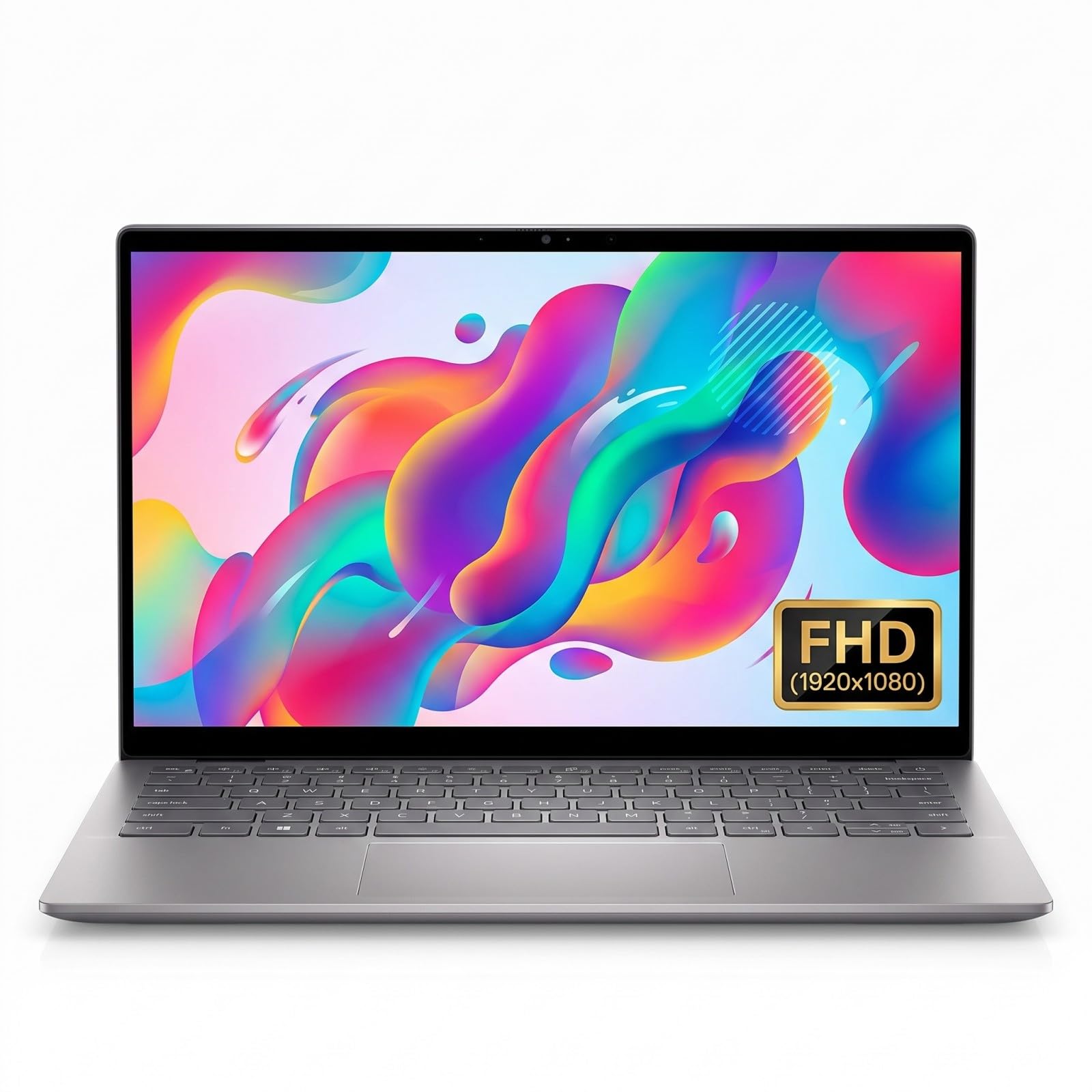
1. HP 14″ FHD IPS Laptop i5-1035G4
Our pick — 4.0+★ from 350+ verified ratings; the strongest balance of quality and price.
A 14-inch all-rounder that lights its keys and still fits in a tote.
Start with the screen you stare at all day: a 14-inch IPS panel at 1920 x 1080, which means sharp text and colors that hold up when you tilt the lid back. The 10th Gen Intel Core i5-1035G4 runs at 1.1GHz and boosts to 3.7GHz (turbo is the short burst of extra speed when a task gets heavy), with 6MB of Intel Smart Cache. In practice, tabs, documents and video calls stay snappy without the fan ramping up.
It is the lightest way into this list at 14 inches — the HP Pavilion below is a 15.6-inch machine, and the OmniBook AI tops out with a 17.3-inch display. If you commute or carry a laptop between rooms, that smaller footprint pays off daily. The white backlight is the feature owners keep coming back to — type in a dim room once and a dark keyboard feels like typing blind.
The honest catch is memory. 8GB of DDR4 at 2666 and a 128GB M.2 solid state drive cover everyday work, but photo libraries and big game installs fill that drive fast. The listing notes it is expandable to 32GB if you want to grow it later, and Windows 10 in S Mode means you start locked to Microsoft Store apps until you switch it off.
What earns it the top spot
- 14-inch 1920 x 1080 IPS panel keeps documents and video crisp
- White backlit keyboard stays readable in a dark room or on a night flight
- Core i5-1035G4 boosts to 3.7GHz for everyday multitasking
- Upgradable to 32GB RAM if you want room to grow
Where it asks you to compromise
- 128GB SSD fills quickly with photos, games or large files
- 5-hour battery means carrying the AC adapter on long days
- S Mode limits you to Microsoft Store apps until you exit it
Made for: commuters and students who want crisp 1080p, a genuinely readable white keyboard and a bag-friendly 14 inches.
Think twice if: you store big media libraries — the 128GB drive will send you shopping for external storage soon.
2. Dell Latitude 7420 Touchscreen Laptop
Business-grade internals at a renewed price, if you can stomach the gamble.
Here is the trade this machine offers: 16GB of RAM and a 512GB SSD inside a 14-inch 1920 x 1080 touch display, running an 11th Gen Core i7-1165G7 that boosts to 2.8GHz. Compare that storage to the HP 14″ above, which carries 128GB — the Dell holds four times the space, enough for years of documents, photos and a pile of apps without a second drive. It also adds a fingerprint reader for one-touch sign-in and ships with Windows 11 Pro.
What wins people over is raw everyday speed — start it up and the machine feels immediately quick, and the backlit keyboard pairs well with the touchscreen for quick taps and edits. A 90-day warranty and a proper refurbishment process (testing, cleaning, inspection, repackaging) back the whole package, which softens the renewed risk considerably.
The catch is consistency. Refurbished units vary, and a few arrive with hardware faults or a battery that runs dry in about two and a half hours. Treat the return window as part of the purchase: run it hard for a week, check the screen brightness from an angle, and confirm the touch layer responds before the window closes. Some buyers report the battery dropping from 100% to 50% in two hours.
The refurbishment math: 512GB of SSD and 16GB of RAM at a renewed-tier cost is the strongest storage-per-dollar story on this list, and the 90-day warranty covers the early-failure window that matters most.
The condition lottery: every renewed laptop is an individual unit, so inspect on arrival and lean on the return policy rather than assuming a flawless machine.
Reach for this if: you want a fast i7 with 16GB and a touchscreen and you are comfortable checking a renewed unit in the first week.
Look elsewhere if: you need all-day unplugged runtime without a wall outlet nearby.
3. HP 15.6″ HD Touchscreen Laptop
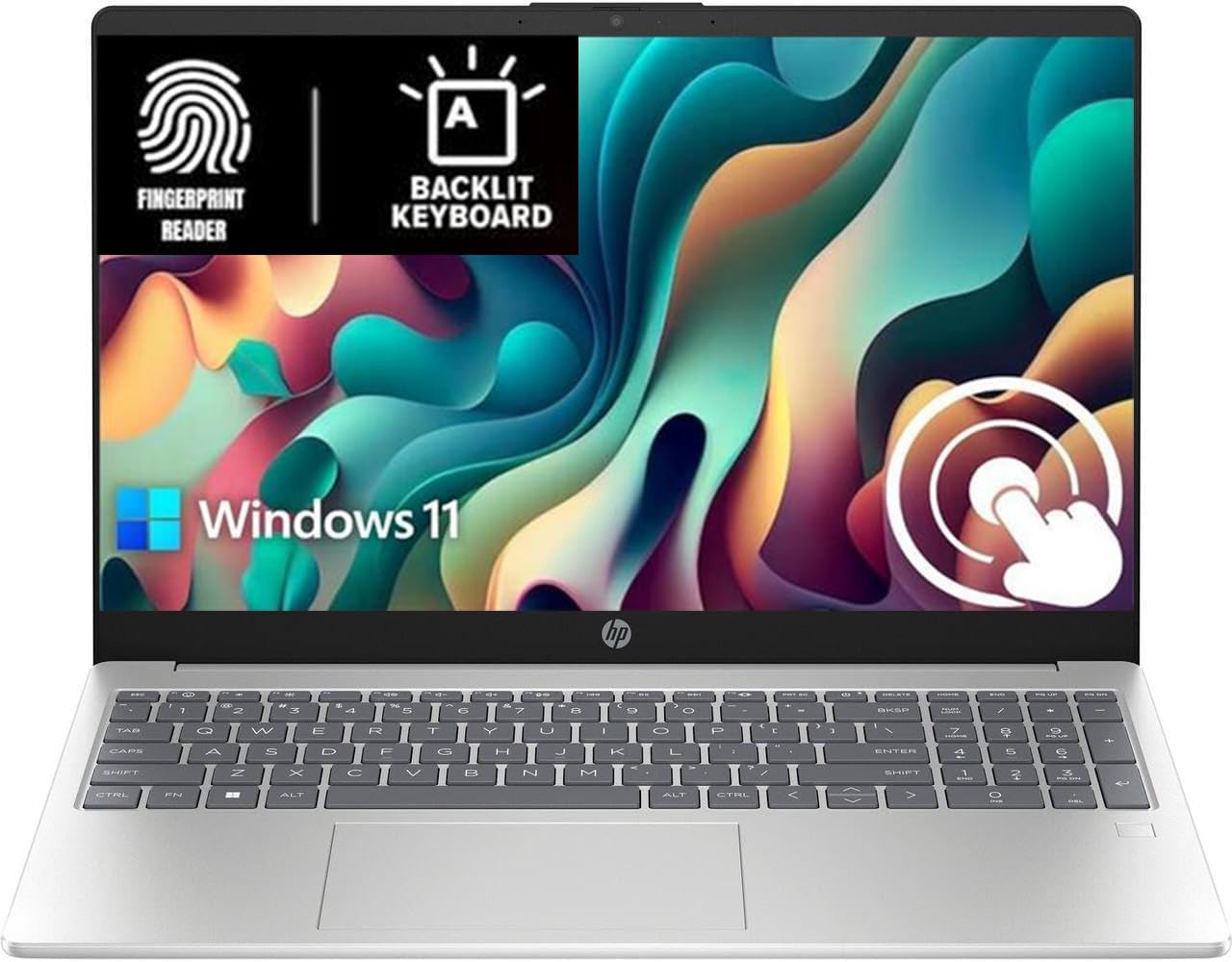
The budget pick that still gives you a lit keyboard and a full number pad.
For spreadsheets and number-heavy work, the full-size backlit keyboard here includes a numeric keypad — a rare find at this tier and genuinely useful if you type figures all day. The keys are minty teal, and the backlight keeps them visible in low light. Battery is a 3-cell 41WHr lithium-ion pack paired with a 45W adapter for quicker top-ups between sessions.
The 15.6-inch screen is HD at 1366×768 with 250 nits, which is fine for browsing and documents indoors but washes out near a bright window. An Intel N-series quad-core processor runs up to 3.40GHz, and you get Wi-Fi 6 plus Bluetooth 5.3 for a stable connection and easy pairing with headphones or a mouse. A fingerprint reader handles sign-in without typing a password.
Be clear about the limits: 4GB of DDR4 RAM and 128GB of storage is a light workload setup. A couple of browser tabs and a document are comfortable; a dozen tabs, a video call and a photo editor at once will make it drag. Also note the USB-C port carries data only — it will not charge the laptop or drive an external monitor.
Best use case: a second household machine for email, banking, streaming and homework, where the numeric keypad and touchscreen carry the day.
Plan around it: expect to lean on cloud storage and close tabs — 4GB of memory is a ceiling, not a starting point.
Suits you if: numbers, taps and a lit keyboard matter more than raw speed, and the workload stays light.
Pass if: you juggle many apps at once or keep large files on the machine itself.
4. HP 15.6″ Pavilion Touchscreen Laptop

The one that stays off the charger longest, with the screen to match.
Ten hours of battery is the headline — twice the runtime of the HP 14″ up top, which lists 5 hours. That gap is the difference between hunting for an outlet mid-afternoon and finishing a workday unplugged. The 15.6-inch BrightView screen is full HD 1920 x 1080 on an IPS panel, so spreadsheets and video stay clear from wide angles, and it responds to touch.
Inside sits an AMD Ryzen 7 5700U with 8 cores, paired with 16GB of DDR4-3200 memory and a 512GB PCIe NVMe solid state drive. That combination handles heavy multitasking, big browser sessions and photo work without strain, and the fast NVMe drive keeps boot times and file opens quick. Wi-Fi 6 and Bluetooth 5.0 round out the connection side, along with a fingerprint reader and a 720p HD camera with dual array microphones for calls.
Owners praise the build and finish for the price — it feels like a more expensive laptop in daily use. The recurring gripe is the Windows 11 licensing headache that steered some buyers away, so confirm the operating-system situation with the seller before you commit. It arrives with Windows 10 Home, and the upgrade path is the one thing to check up front.
Why it stands out
- 10-hour battery outlasts most of this list on a single charge
- Ryzen 7 5700U with 8 cores and 16GB of DDR4-3200 RAM
- 15.6-inch 1920 x 1080 IPS touch panel with wide viewing angles
- 512GB NVMe SSD keeps startup and file access fast
What to confirm first
- Ships with Windows 10 Home, and the Windows 11 upgrade path has been a sticking point
- At 15.6 inches it is a bigger carry than the 14-inch HP above
Right for: a home-office desk where ten hours away from the wall and a big FHD touchscreen matter most.
Check before buying: the exact Windows licensing on the unit you order, since that is the one thing that has tripped up previous buyers.
5. HP OmniBook 3 17.3″ FHD Laptop
A desktop-sized screen for people who live in spreadsheets.
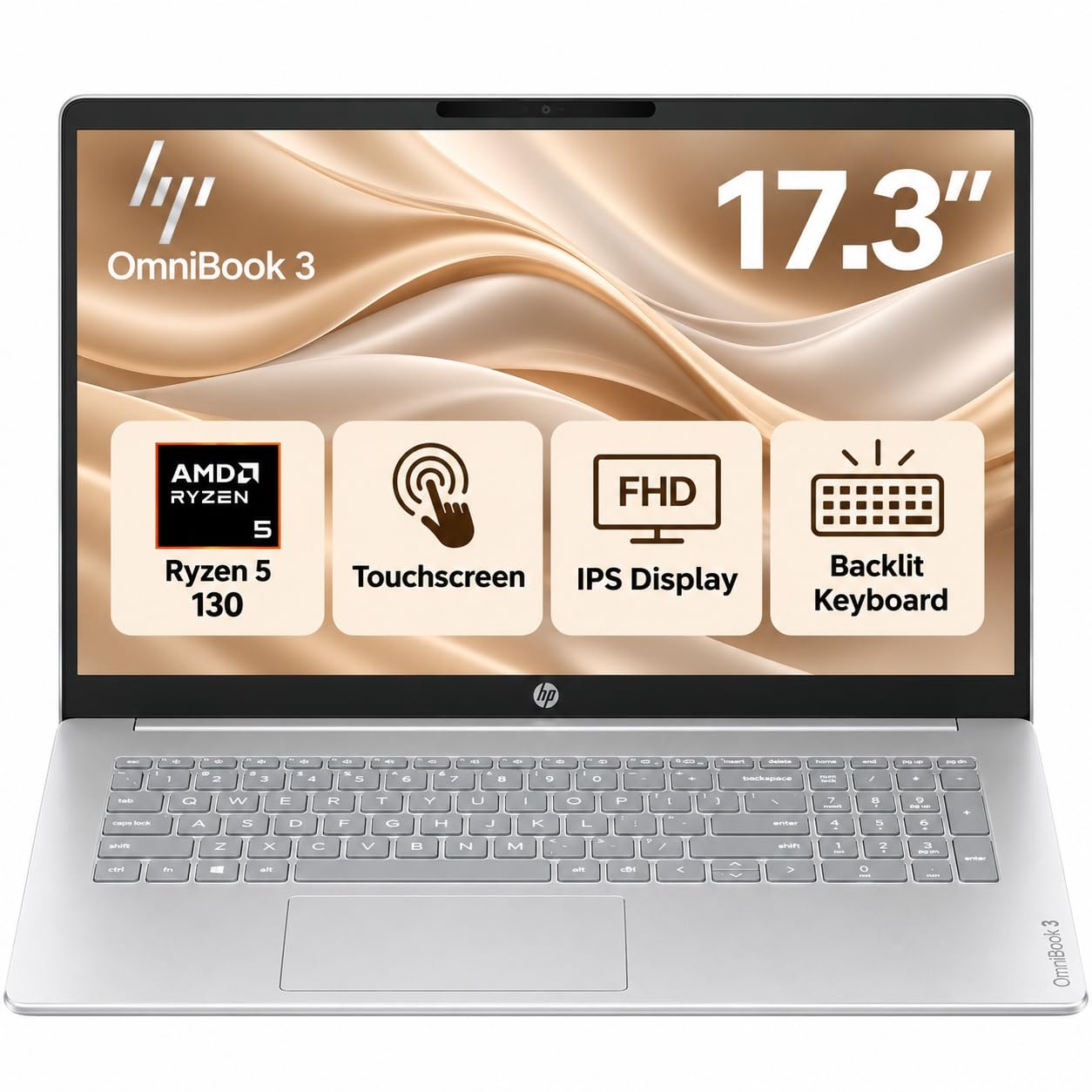
Seventeen-point-three inches is the reason to pick this one. That 1920 x 1080 IPS touchscreen runs at 300-nit brightness with an anti-glare finish, so side-by-side windows and wide spreadsheets get real breathing room. Compare it to the 15.6-inch Pavilion above and the extra vertical space is the kind you notice on every scroll. The backlit keyboard includes a numeric keypad, which keeps figure entry comfortable in dim light.
Inside, an AMD Ryzen 5 130 with 6 cores and 12 threads boosts to 4.55GHz, backed by 12GB of RAM and a 512GB PCIe SSD. There is a bonus 512GB of external storage in the box for photos and backups. A 1080p FHD camera with dual microphones handles video calls, and a physical shutter slides over the lens when you are done.
The connectivity is unusually complete for the price: Wi-Fi 6 and Bluetooth 5.4, a USB-C port that carries 10Gbps data plus charging and video output, and HDMI for an external monitor. Expect around 8 hours of standby battery. The realistic caveat is size and weight — a 17.3-inch machine is a stay-put desk companion, not a daily backpack carry.
Where it wins: the 17.3-inch FHD anti-glare touchscreen and the keypad turn a cramped laptop into a workstation, and the USB-C video output means one cable to an external display.
Know the trade: a big panel plus a full keyboard means you will leave it on the desk rather than sling it over a shoulder.
Pick this if: your laptop basically lives on a desk and you want maximum screen real estate at a mid-range position.
Not for you if: you commute daily and need something you can tuck under an arm.
6. HP OmniBook 3 Touchscreen AI Laptop
The fastest chip here, in a thin 17.3-inch body that still fits a bag.
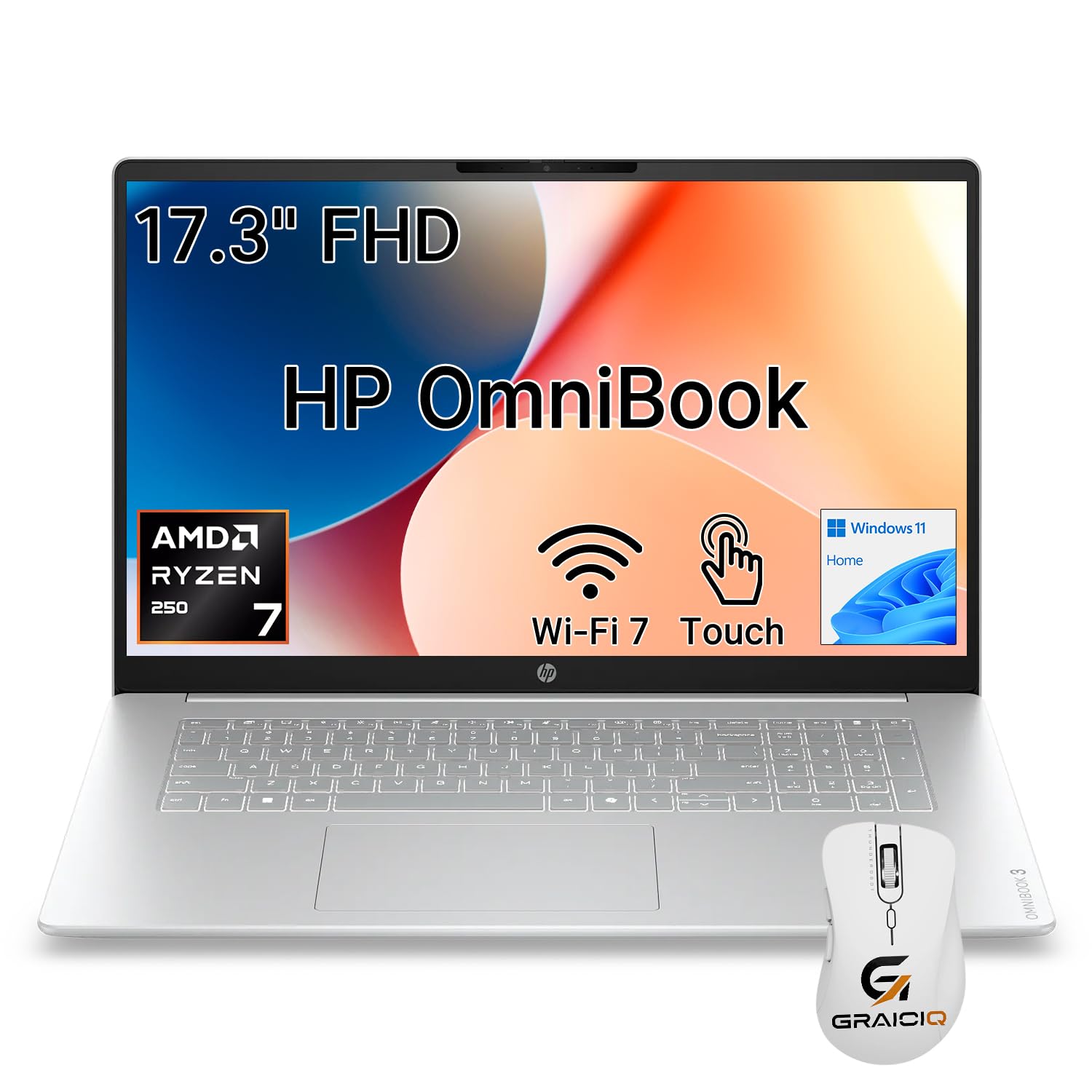
The AMD Ryzen 7 250 with 8 cores and 16 threads boosts to 5.1GHz, and it is the highest max turbo on this entire list — the Dell Latitude tops out at 2.8GHz by comparison. Add 16GB of DDR5 memory and a 512GB SSD and you have headroom for heavy multitasking, big browser sessions and light creative work without waiting on the machine. It also carries an AMD Ryzen AI engine rated at 16 NPU TOPS (a measure of on-chip AI processing speed) for AI-assisted apps.
The 17.3-inch FHD IPS touchscreen at 1920 x 1080 offers 300 nits with an anti-glare coating, so you can tap and swipe through windows on a bright, roomy panel. It weighs 4.43 lbs and measures 0.65 inches thin, which is remarkable for a screen this size. Wi-Fi 7 and Bluetooth 6.0 are the newest wireless standards on this list, and the 1080p camera with HDR auto switch keeps calls clear when lighting shifts.
HP rates the hinge for 25,000 lid openings and the keys for 10 million keystrokes. The realistic limit is battery: it lists 5 hours, so a full day unplugged needs the charger. Ports are generous for the size, with 2 USB-A, 2 USB-C at 10Gbps, HDMI 2.1 and a headphone/mic jack.
The performance peak: 5.1GHz boost and 16GB of DDR5 make this the quickest everyday machine in the group, and the 17.3-inch touchscreen lets you see more of what you are running.
One honest limit: 5 hours of battery means this is a desk-to-couch laptop you charge nightly, not a cross-country flight companion.
Best for: power users who want the fastest chip, the newest wireless and a big touchscreen, and who work near an outlet.
Skip if: you need the longest possible unplugged runtime — the Pavilion above goes twice as long.
7. Lenovo LOQ Gaming Laptop
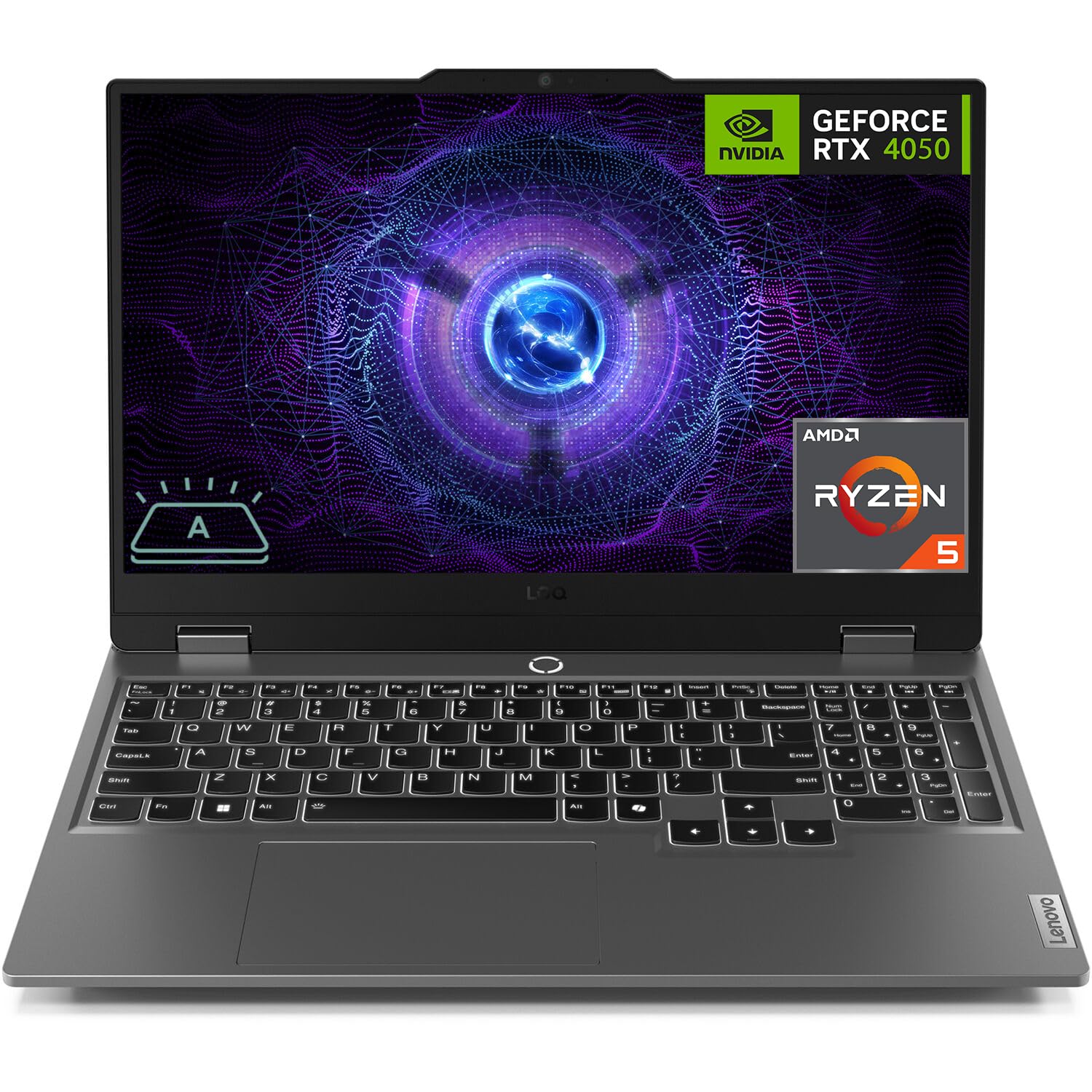
A 144Hz gaming screen with a white-lit keyboard and a real graphics card.
Gamers get the one spec the rest of this list skips: an NVIDIA GeForce RTX 4050 with 6GB of GDDR6 memory. That dedicated card drives games that integrated graphics cannot handle, and it pairs with a 15.6-inch non-touch FHD 1920 x 1080 IPS panel running at 144Hz. The refresh rate (how many times the screen redraws each second) is what makes fast motion look smooth, a real edge over every 60Hz panel here.
The display also carries G-SYNC and a 300-nit anti-glare coating, so screen tearing is reduced and glare stays manageable. Power comes from an AMD Ryzen 5 7235HS with 4 cores and 8 threads, boosting to 4.2GHz from a 3.2GHz base. Owners say it runs Guild Wars 2 and Palworld without effort, and the 144Hz screen draws the most praise.
Clean white keys and a graphics card in one laptop is rare, because most gaming machines go full RGB — this one keeps the white backlight. WiFi 6 (the newer, faster WiFi standard) and Bluetooth 5.2 (the current short-range wireless version) keep your connection solid, so video calls and game downloads stay steady. The ports cover USB-C, three USB-A, HDMI, Ethernet and a headphone jack, so you can plug in a monitor, wired mouse and headset without an adapter. The main caution is unit-to-unit consistency, so buy from a seller with a clear return path and test the display on arrival.
The gaming case
- RTX 4050 with 6GB GDDR6 for titles integrated graphics cannot run
- 144Hz FHD IPS panel with G-SYNC for smooth fast-motion visuals
- White backlight instead of the usual gaming RGB
- Ryzen 5 7235HS boosts to 4.2GHz for everyday tasks
Worth knowing
- Non-touch display and the heaviest build category here
- Unit consistency varies, so lean on the return policy
The buy if: you want to game and still get clean white keys, and a 144Hz screen is the thing you refuse to give up.
Not the one if: you want a touchscreen or the lightest carry — this is a heavier machine built around a graphics card.
Know the Specs
White backlight and keyboard brightness
A white backlight is a row of LEDs under the keys set to plain white light. It reads cleanly in a dark room and avoids the color cast that RGB lighting throws on your hands and screen. Brighter key lighting draws a little more power, so on long unplugged days dial the brightness down; on the 5-hour HP 14″ and the 5-hour OmniBook AI, every bit of saved power helps.
IPS panel versus standard LED
IPS (in-plane switching) keeps colors and contrast steady when you look at the screen from the side, which matters for a shared couch or a tilted-back lid. Standard LED panels can wash out at an angle. Resolution matters too: 1920 x 1080 fits more text and detail than 1366×768, and a higher nits figure means the screen stays readable in a bright room.
RAM and SSD: what decides long-term speed
RAM is your working desk — the more you have, the more apps and tabs stay open without lag. 4GB is a light-duty floor, 8GB suits everyday work, and 16GB handles heavy multitasking and creative apps. The SSD (solid state drive) is your storage, and its size decides how much you can keep locally; a 128GB drive fills fast, while 512GB gives years of room.
Battery hours versus screen size
Battery life and screen size pull against each other — a bigger, brighter panel drains more. A 17.3-inch machine tends to need the charger sooner than a 14-inch one, and runtime figures in the listing reflect typical everyday use, not heavy gaming or video. Match the hours to how you actually work: desk-bound buyers can trade runtime for screen space.
Common Questions
How do I know a laptop’s keyboard backlight is actually white?
Will the backlit keyboard drain the battery faster?
Is a renewed laptop safe to buy for everyday work?
Can I upgrade the RAM or storage later on these laptops?
What is the difference between 1920×1080 and 1366×768 screens?
Do I need a dedicated graphics card like the RTX 4050?
How many hours of battery should I expect from a big 17.3-inch laptop?
Is a 144Hz screen worth it for non-gamers?
Which laptop is lightest for carrying every day?
The Bottom Line
For most people, the white backlit keyboard laptop winner is the HP 14″ FHD i5 — a crisp 1080p IPS screen, a genuinely readable white keyboard and a bag-friendly 14 inches at a comfortable mid-range position. If you want maximum screen space and the fastest chip, grab the HP OmniBook 3 AI Ryzen 7 with its 5.1GHz boost. And for gaming with clean white keys, the Lenovo LOQ and its 144Hz RTX 4050 panel is the one to reach for.
How we choose
We do not accept paid placement. Every pick is matched to a real buyer and a real use-case; we do not hands-on test units.
Sources
Specifications: manufacturer listings and product documentation. Review insights: verified customer reviews, as of November 2026. Pricing: not shown on this page (it changes often); check the current price via the retailer link.
As an Amazon Associate, Tactical Gear Guy earns from qualifying purchases. This does not affect which products we feature.