Specs are compiled from manufacturer listings and verified buyer reviews and can change over time — please confirm the key details on the product page before buying.
A webcam with a built-in light solves one very specific problem: your face is the darkest thing in the frame because the window is behind you. The ring light sits around the lens and throws fill straight at your face, so you stop looking like a silhouette on every call. The catch most buyers miss is that not all built-in lights are equal — some are genuinely adjustable fill lights, others are a tiny LED that only brightens your forehead. Below are nine webcams with a built-in ring light, sorted by strength — stepless dimming, color temperature control, autofocus speed — so you can match one to your room and budget.
This guide is built by comparing the manufacturers’ published specifications and the patterns across verified customer reviews, so you get each pick’s real strengths and trade-offs instead of marketing spin.
Light placement matters more than resolution here, because a sharp 4K sensor still delivers a grainy, orange-tinted picture when the room is dim. The picks below cover resolution, light adjustability, autofocus speed and privacy shutters, and each one is matched to a real desk setup. If you want the short version, this breakdown of the webcam with light category puts the adjustable-light models first and the fixed-glow budget units last.
Top Picks


How To Choose The Best Webcam with Light
What decides whether you look good on a call is not resolution but how much control you have over the ring light’s brightness and color temperature. A camera with only an on/off ring light gives you either a washed-out face or no visible fill at all. A camera with stepless dimming and multiple color temperatures lets you tune the fill to the room you are actually sitting in.
Light control beats light power
Look for a light you can dim in small steps, not just switch between fixed levels. Stepless brightness adjustment lets you dial the glow down at night so your face does not turn into a white circle against a dark background. Multiple color temperatures matter too: cool white reads clinical, warm white reads cozy, and natural white usually looks most like real daylight on skin.
Autofocus type decides how often you blur
ToF (Time-of-Flight) and PDAF (Phase Detection Auto Focus) both lock onto your face quickly by measuring distance rather than slowly hunting back and forth. Plain contrast-based auto focus can drift when you lean in or wave a hand. If you present at a whiteboard or move around during streams, the faster focus types keep you sharp without a visible wobble.
Resolution and frame rate trade off against each other
Many of these cameras shoot 4K at 30 frames per second but drop to 1080p to reach 60 frames per second. Higher frame rate gives smoother motion for gaming or fast hand gestures; higher resolution gives crisper detail for close-up product shots. Check which mode you actually need, because you usually cannot have both at once on the same camera.
Side-by-Side Comparison
| Model | Best For | Top Resolution | Light Modes | Autofocus | Amazon |
|---|---|---|---|---|---|
| NexiGo N960E Plus★ Best Overall | Remote-controlled streaming setups | 4K at 30fps | 3 color modes, stepless | ToF | Amazon |
| TOALLIN 2KBest for Travel | Tight budgets and travel | 2K | 5 brightness levels | — | Amazon |
| PixelForge 2KBudget Champion | Everyday work calls | 2560 x 1440 | 2 modes, 3 levels | Auto Focus | Amazon |
| Galyimage 4K | Mixed-light offices | 4K at 30fps | 3 color temps, dimmable | ToF | Amazon |
| Angetube 967 Ultra | Low-light home offices | 4K at 30fps | 3 brightness levels | PDAF | Amazon |
| UGREEN 4K | Night streams | 4K at 30fps | 6 levels | PDAF | Amazon |
| EMEET C60E Light | Creators who want beauty effects | 4K at 30fps | 3 color modes, 10 levels | PDAF | Amazon |
| EMEET S600L | Dual-purpose desk and call lighting | 4K at 30fps | 4 modes, dial | PDAF | Amazon |
| NexiGo N930E Pro | Sony-sensor color accuracy | 4K at 30fps | 3 color temps, stepless | PDAF | Amazon |
Detailed Reviews
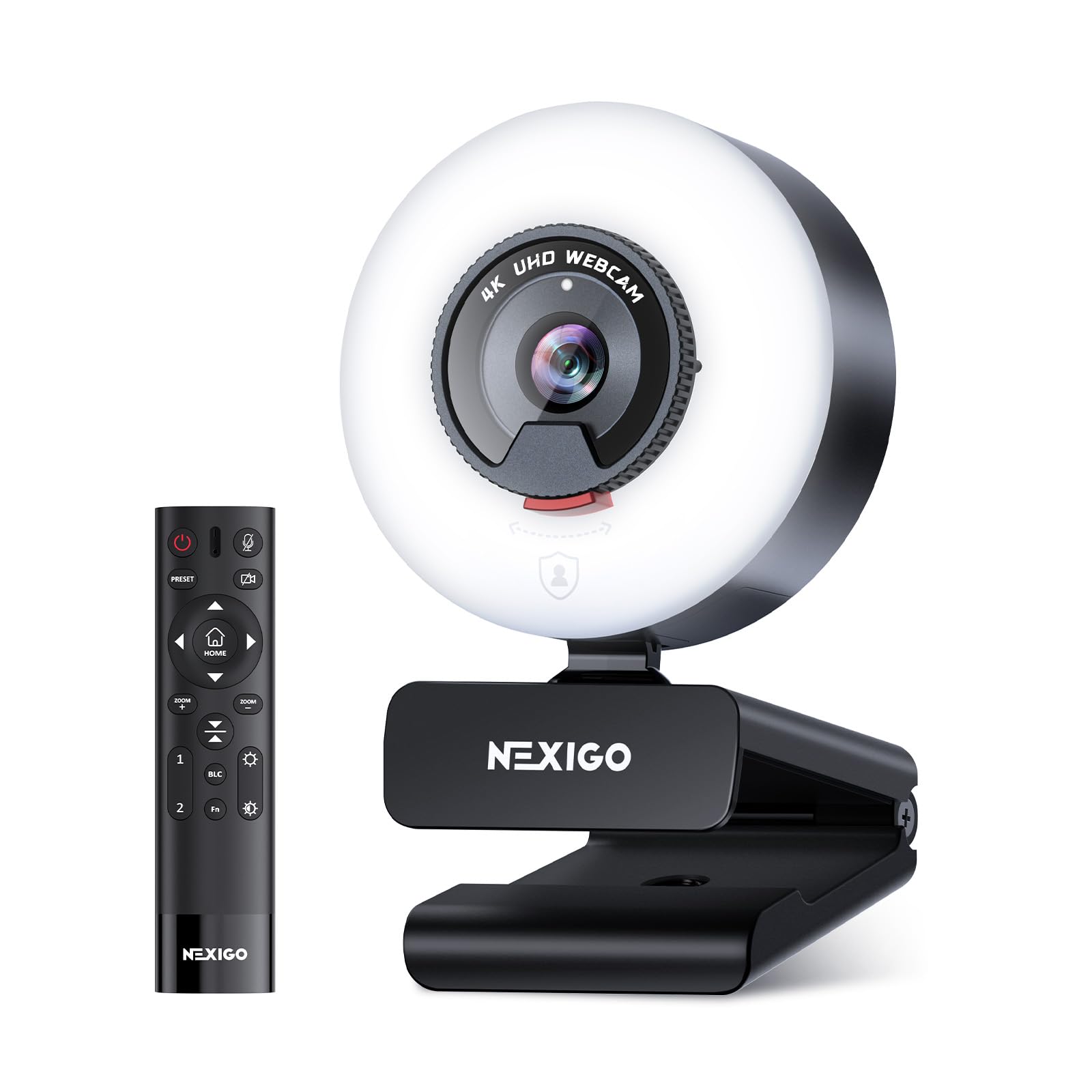
1. NexiGo N960E Plus 4K Webcam with Ring Light & RF Remote
Our pick — 4.0+★ from 18,000+ verified ratings; the strongest balance of quality and price.
The one camera here you can adjust without ever reaching for the screen.
The feature that separates the NexiGo N960E Plus is the little RF remote. You change the ring light’s color and brightness, save preset camera positions, and pull off up to 4X digital zoom from your chair instead of fiddling with a slider mid-meeting. That matters when you switch from a full desk shot to a tight talking-head crop between calls.
The video itself is genuinely high-end: a 1/2.5″ CMOS sensor (the chip that turns light into the image) captures real 4K at 30 frames per second, or drops to 1080p at 60 frames per second for smoother motion. Owners overwhelmingly land on picture quality — “excellent” is how the consensus reads, and the sharpness holds up on wide-angle desk setups. Setup is a two-minute plug-in, no drivers.
The honest trade-off: reliability is the mixed part of the story, with some units working right away and some stopping after a few months. And the dual noise-canceling mics are fine for calls but not broadcast-grade. This is the most capable light camera in the list — 3840-pixel effective video against the 2560 pixels on the PixelForge below — but you are paying for the remote and the resolution.
What makes it the top pick
- RF remote changes light color, brightness and 4X zoom without touching the PC
- Real 4K at 30fps, plus 1080p at 60fps for smooth motion
- ToF autofocus locks on fast with no focus hunting
- Settings save to built-in flash memory even after unplugging
- 3 color modes with stepless brightness
Where it gives ground
- Long-term reliability is the most-discussed concern in the reviews
- Dual mics are adequate, not studio quality
- Premium tier pricing for the remote and resolution
Built for: streamers and presenters who want remote light and zoom control.
Think twice if: you only need a set-and-forget light for weekly calls.
2. TOALLIN 2K Webcam with Ring Light for Streaming
A pocket-sized pop-up studio that shoots 2K and slips into a laptop bag.
For a camera that lives in a bag and comes out on hotel Wi-Fi, the TOALLIN makes real sense. The 90° wide-angle lens (a field of view wide enough to fit a small conference table or a chunk of your room) means you are not stuck in a tight talking-head crop. It shoots 2K QHD, and you can switch to 1080p at 60 frames per second for smooth motion.
The ring light is tap-controlled with 5 brightness levels — no software, no dial to hunt for. In a dim hotel room that touch control is faster than opening a settings app. Dual noise-canceling mics handle voice pickup, and the box includes a USB A-C adapter so it hooks to modern laptops directly.
Where it asks patience: it is an entry-level pick with a new-ish listing, so you are choosing it for portability and the plug-and-play light rather than a long track record. The 2K ceiling is also below the 4K models further up this list if you need fine-detail close-ups.
The value read: a 90° lens, 5-level touch ring light and dual mics in an entry-level body — the package that makes a hotel desk usable.
The small print: 2K resolution limits how much detail you can crop into; fine for full-frame calls, not for macro product shots.
Worth it for: frequent travelers and students who want light control with zero setup.
Skip if: your work depends on 4K detail or long-term proven reliability.
3. PixelForge 2K Webcam with Microphone & Light & Privacy Cover
The everyday desk camera that makes a dim home office look like a meeting room.
The most useful number here is the 2560-pixel effective video resolution — a 2K image sharp enough that faces stay readable when you are sharing a screen and your head sits small in the corner. Autofocus keeps you in frame as you move. And the built-in privacy cover is a slider over the lens, a physical block rather than a software toggle.
The ring light is where this camera earns its keep. Two lighting modes and three brightness levels cover the usual mix of morning gloom and evening lamp glare, and owners consistently flag the built-in lighting as a real help on calls. Setup is USB plug-and-play with no drivers.
One honest caveat: a small number of buyers have had the light shut off on its own mid-call. It is not the norm, but if your light is mission-critical you may want the more adjustable models above. Image quality itself is well-regarded.
Why it earns the budget crown
- 2560 x 1440p autofocus video keeps you sharp at a modest price
- Built-in adjustable light: 2 modes, 3 brightness levels
- Sliding privacy cover blocks the lens physically
- Plug-and-play USB with no drivers
Fair warning
- The ring light can occasionally cut out on its own
- 2K resolution trail behind the 4K picks further up
Reach for this if: you want clear 2K video and usable fill light without moving up a tier.
Look elsewhere if: your calls live or die on a light that never blinks.
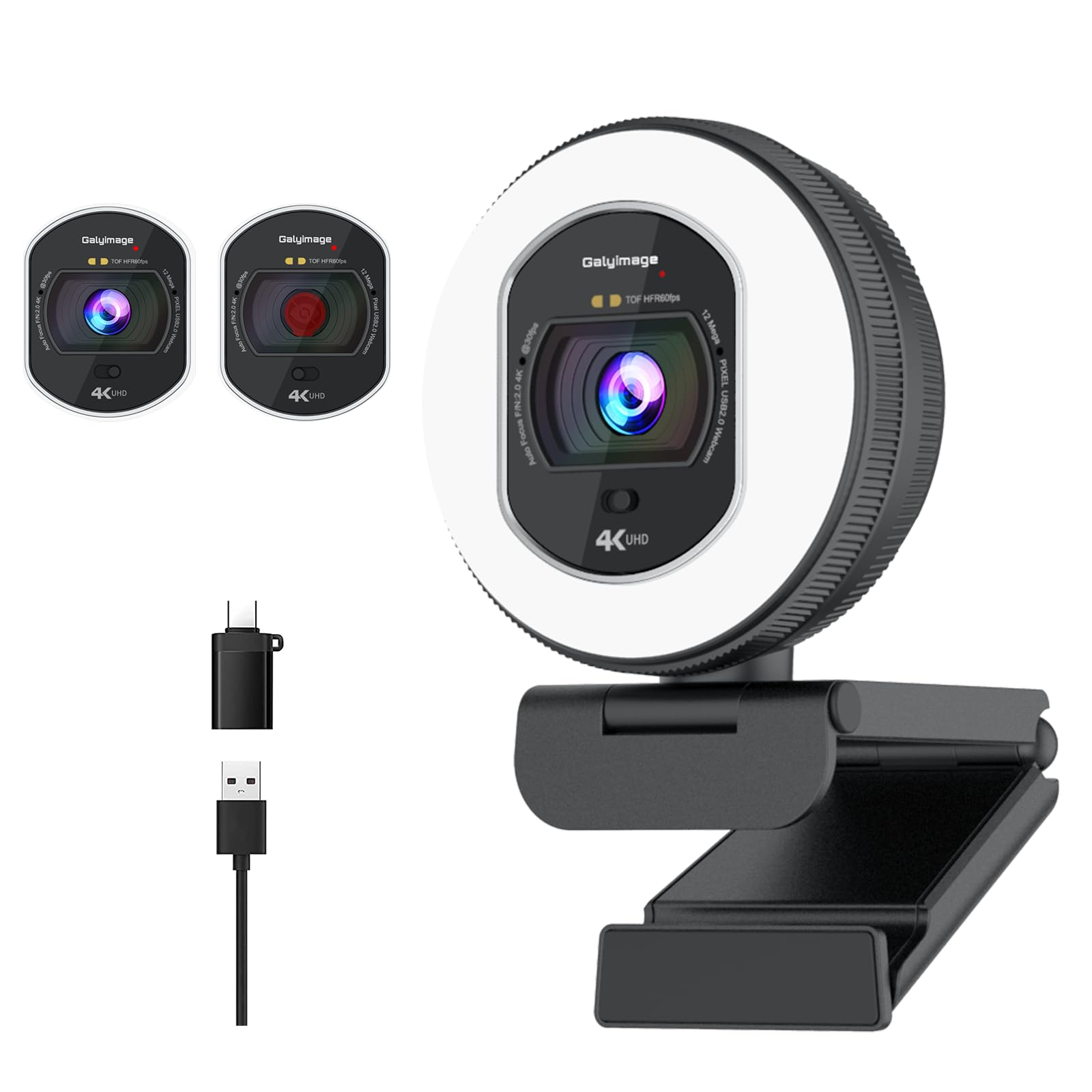
4. Galyimage 4K Webcam with Ring Light & Built-in Microphone
Three color temperatures and a rotary dimmer for people stuck in changing light.
If your room shifts from bright window to warm evening lamp in the same workday, the Galyimage’s light control is the draw. It gives you three color temperatures — white, natural and warm — set by touching a sensor on the back of the camera. Then a rotary ring on the outer edge dims the brightness infinitely, so there is no fixed-step guessing.
On the video side it supports 4K at 30 frames per second down to 1080p at 60 frames per second. ToF autofocus locks onto faces or moving objects quickly, and dual noise-canceling mics filter out keyboard taps and air-conditioning hum. A built-in sliding privacy cover blocks the lens with one push.
Here is the split the reviews reveal: the ring light is a love-or-tolerate feature. Some find it a nice touch, others find it annoying and over-bright. Camera quality is the part that consistently holds up. If you want a light you can dim right down, this one lets you; if you want a light that stays subtle by default, dial it down on day one.
The standout spec: infinitely dimmable, three-temperature ring light plus ToF focus at 4K — a mix you rarely see below premium tier.
What to know going in: the light is bright enough that a few owners find it too much; treat the dimmer as the first thing you set.
Choose it for: mixed lighting and a face you can tune to look right in any room.
Not the pick if: you want a barely-there glow that never needs adjusting.
5. Angetube 967 Ultra 4K Webcam with Ring Light

Built for late-night streams where the only light in the room is the monitor.
The Angetube 967 Ultra leans hard into low light. Clear video in dim rooms is the pitch, and 4K at 30 frames per second (or 1080p at 60fps) backs that up with real detail. PDAF autofocus, which measures phase to lock focus fast, keeps you sharp even as you lean toward the mic.
The ring light offers 3 brightness settings you flip with a touch, giving you a soft, even glow that cuts the harsh shadow under your eyes at night. A privacy shutter physically blocks the lens. Dual mics pick up voice clearly even in a busy room. The box includes a USB-C adapter so it fits both older and newer laptops.
The trade-off: the light has three fixed steps rather than stepless dimming, so the lowest setting is the lowest you get. If you want infinite fine-tuning on brightness, the Galyimage or the NexiGo above give you more. For most night-shift workers and late streamers, three levels cover it.
Where it shines
- 4K at 30fps and 1080p at 60fps for smooth motion
- PDAF autofocus locks quickly on movement
- Clear image in genuinely dim rooms
- Physical privacy shutter plus USB-C adapter included
Where it holds back
- Only 3 fixed light levels — no infinite dimming
- Light is tuned for fill, not for lighting the whole room
Good match for: night streamers and shift workers whose rooms are dark when they call.
Consider a step up if: you want to dial brightness in fine increments rather than three clicks.
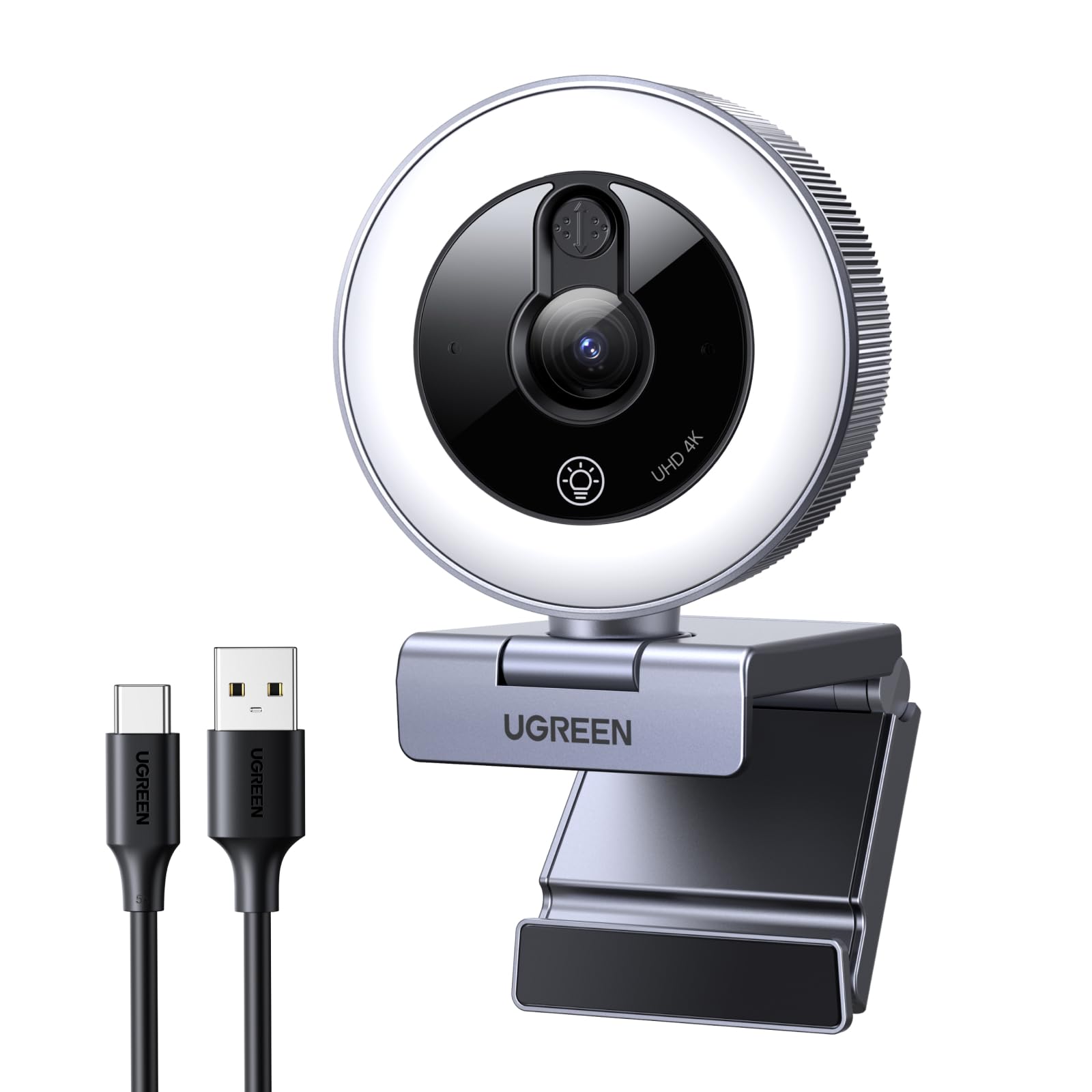
6. UGREEN 4K Webcam with Ring Light
Six light levels — two cool, two warm, two mixed — for the fussiest about skin tone.
The UGREEN’s light ring is the most granular in this group for color. It gives you 6 lighting levels: 2 cool, 2 warm and 2 natural mixed light modes. That means you can match the fill to whatever lamp is already throwing orange or blue across your face, rather than fighting it. The light is designed as face fill, not room lighting, so it brightens you without washing out the background.
Video runs 4K at 30 frames per second, backward compatible with 1080p at 60 frames per second for smoother motion. PDAF autofocus (a phase-based method that locks fast) is quoted at 0.3 seconds, among the quickest lock times here. A sliding privacy cover blocks the lens when you are done, and the mics actively suppress typing and air-conditioning noise.
One practical note from the maker: the light does not replace your room lighting, it only brightens your face. And turning it off takes a 1.5-second press and hold, which surprises people the first time. Nothing complicated, just worth knowing so you are not jabbing at it.
The differentiator: 6 light levels across two cool, two warm and two mixed settings — the widest color palette in this list.
The one quirk: the fill light shuts off with a 1.5-second hold, and it is face fill, not room illumination — you still need a lamp somewhere.
Smart pick for: anyone who has ever looked orange or blue on a call and wants to fix it.
Not for: people expecting the ring light to light the whole desk.
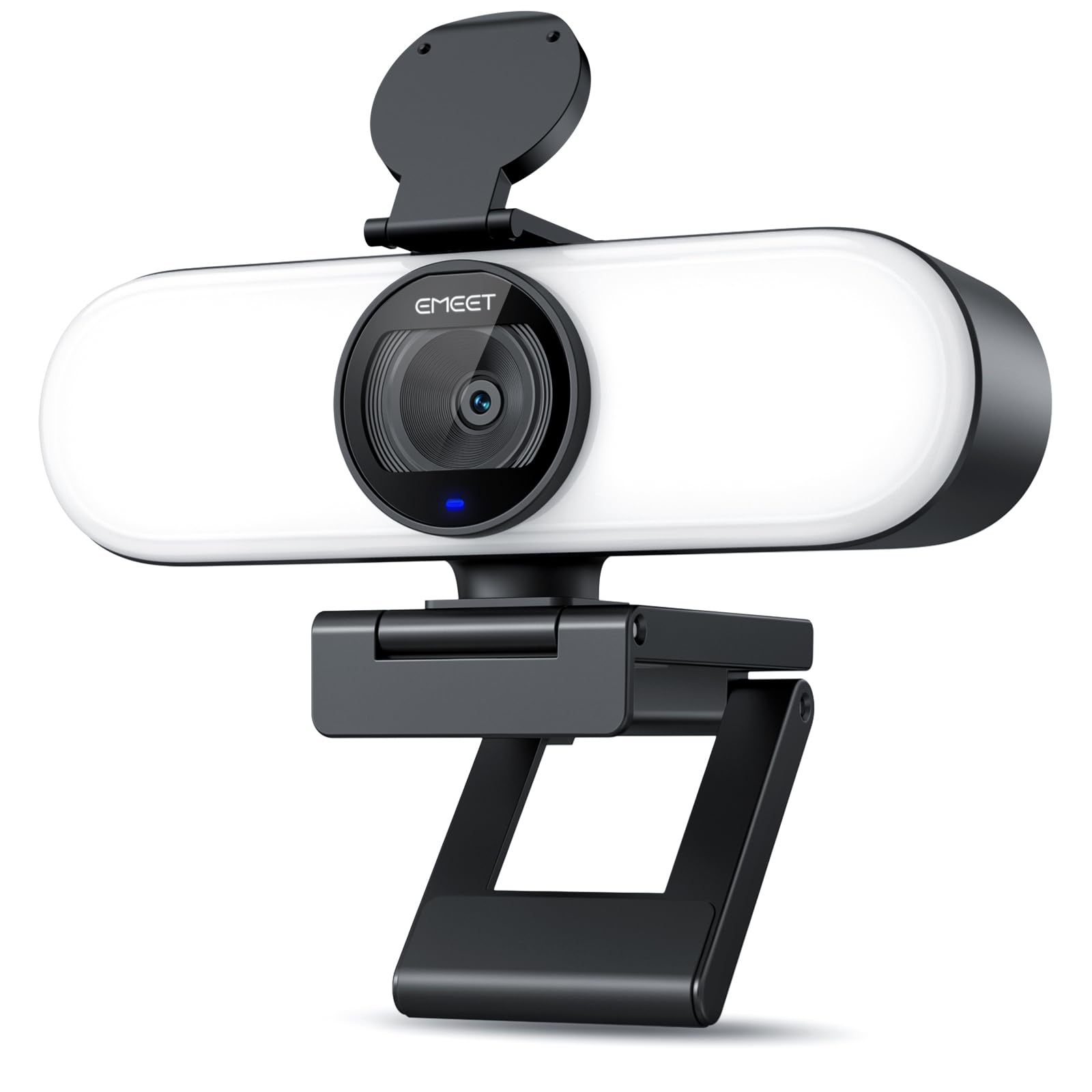
7. EMEET C60E Light 4K Webcam for Streaming
A 4K camera with a built-in filter and light rig for people who are on camera daily.
The C60E Light is built for content, and the beauty effects are the giveaway. Smooth, Skin Tone, Slim and Eye adjustments are part of the package, along with a smart lighting system that blends image, light and video processing to balance exposure automatically. It gives you Cool White, Natural White and Warm White modes, with touch control that switches color on a short press and dims brightness across 10 levels on a long press.
Video is true 4K at 30 frames per second or 1080p at 60fps, with a 73° field of view, a 1/2.8″ sensor and 0.2-second PDAF autofocus. The 1/4″ mount (a standard tripod screw thread) plus 360° rotation and horizontal-to-vertical switching means it flips to portrait framing for shorts and reels. There is also an EMEET STUDIO app for stepless light and image tweaks beyond the touch controls.
The catch is the privacy cover: an adhesive add-on that sticks once over the lens rather than a slider built into the body. That is a small step down in convenience, but the trade-off for the camera’s smaller footprint.
What the camera is built to do
- 4K at 30fps with 1080p at 60fps and 0.2s PDAF focus
- 10 brightness levels and 3 color temperatures via touch
- Beauty Effects: Smooth, Skin Tone, Slim, Eye
- Portrait or landscape framing with 360° rotation and 1/4″ mount
The trade-offs
- Privacy cover is an adhesive add-on, not a built-in slider
- Dual mics capture voice but are entry-level audio
Pick this if: you shoot vertical video and want a light you can blend with a filter-style look.
Look past it if: you insist on a shutter built into the body.
8. EMEET S600L 4K Webcam for Streaming with Light
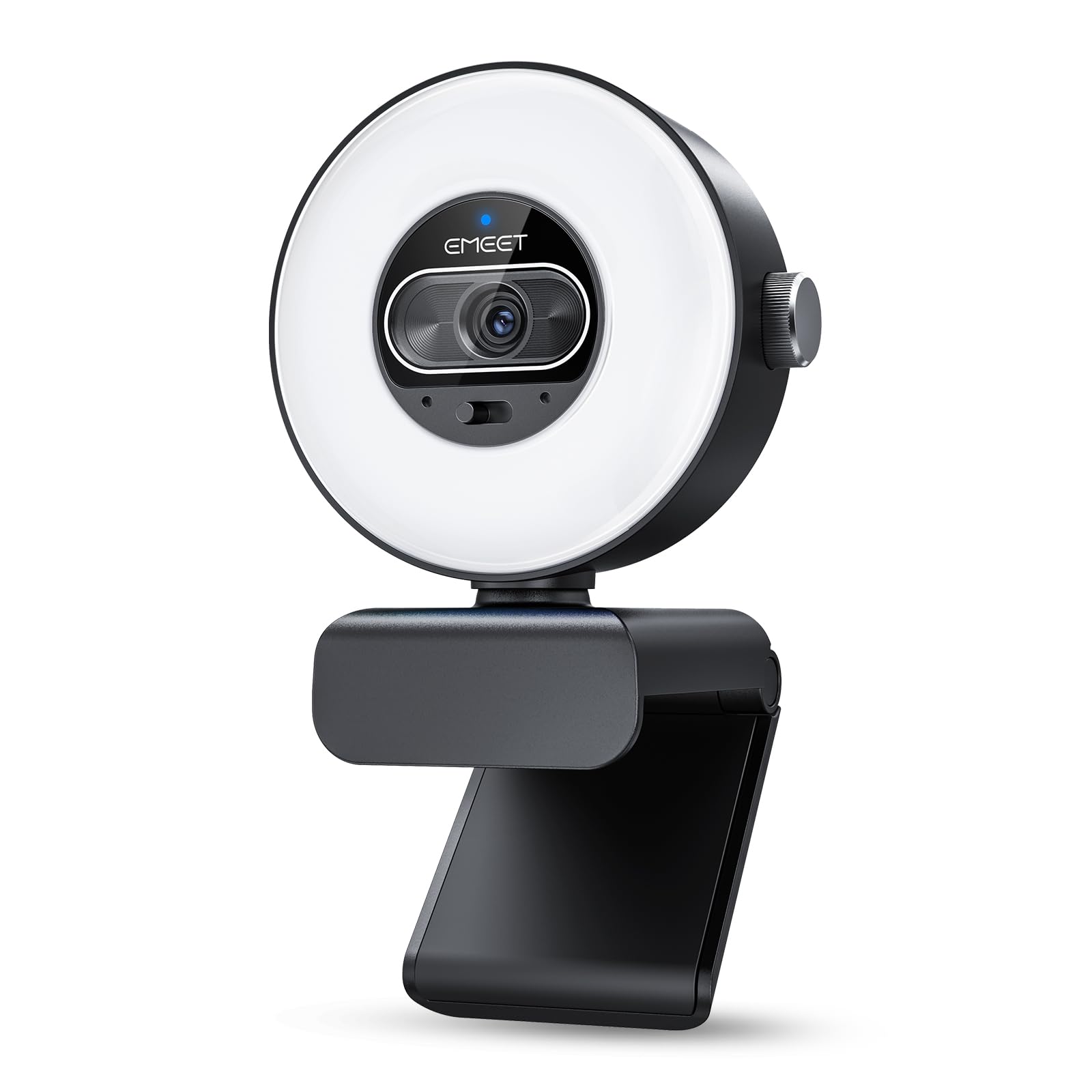
The desk lamp that becomes a webcam — or the webcam that becomes a desk lamp.
The S600L’s defining feature is the light doing double duty. When the camera is on, the ring light does fill lighting across 4 modes — Cool White, Warm White, Natural White and Ambient — and the camera automatically balances exposure so turning the light on does not blow out your face. When the camera is off, the same light becomes a decorative desk accent with a rainbow boot-up effect. A physical dial switches modes and rotates to change brightness.
Underneath that, the imaging is serious: a large 1/2.0″ Samsung sensor that captures more light for brighter low-light detail than smaller sensors. It shoots 4K at 30 frames per second or 1080p at 60fps, with 0.2-second PDAF autofocus and a 73° field of view. You get 360° horizontal rotation and ±15° tilt, plus a 1/4″ mount and a built-in privacy cover.
The catch: the ring light gets mixed reception. Some find it a great addition; others call the ring light feature misleading because it is not as bright as they pictured. It is fill lighting that flatters your face, not the room — set expectations there and it delivers.
What everyone notices: the 1/2.0″ Samsung sensor paired with the dial-controlled light — a genuinely large sensor for this price range.
Set your expectation: the light flatters your face and brightens the desk but will not light the room; that mismatch is why a few find the ring light underwhelming.
Best for: YouTubers who want a camera-and-lamp in one footprint.
Skip if: you need a light bright enough to fill a whole room.
9. NexiGo N930E Pro 4K Webcam with Ring Light
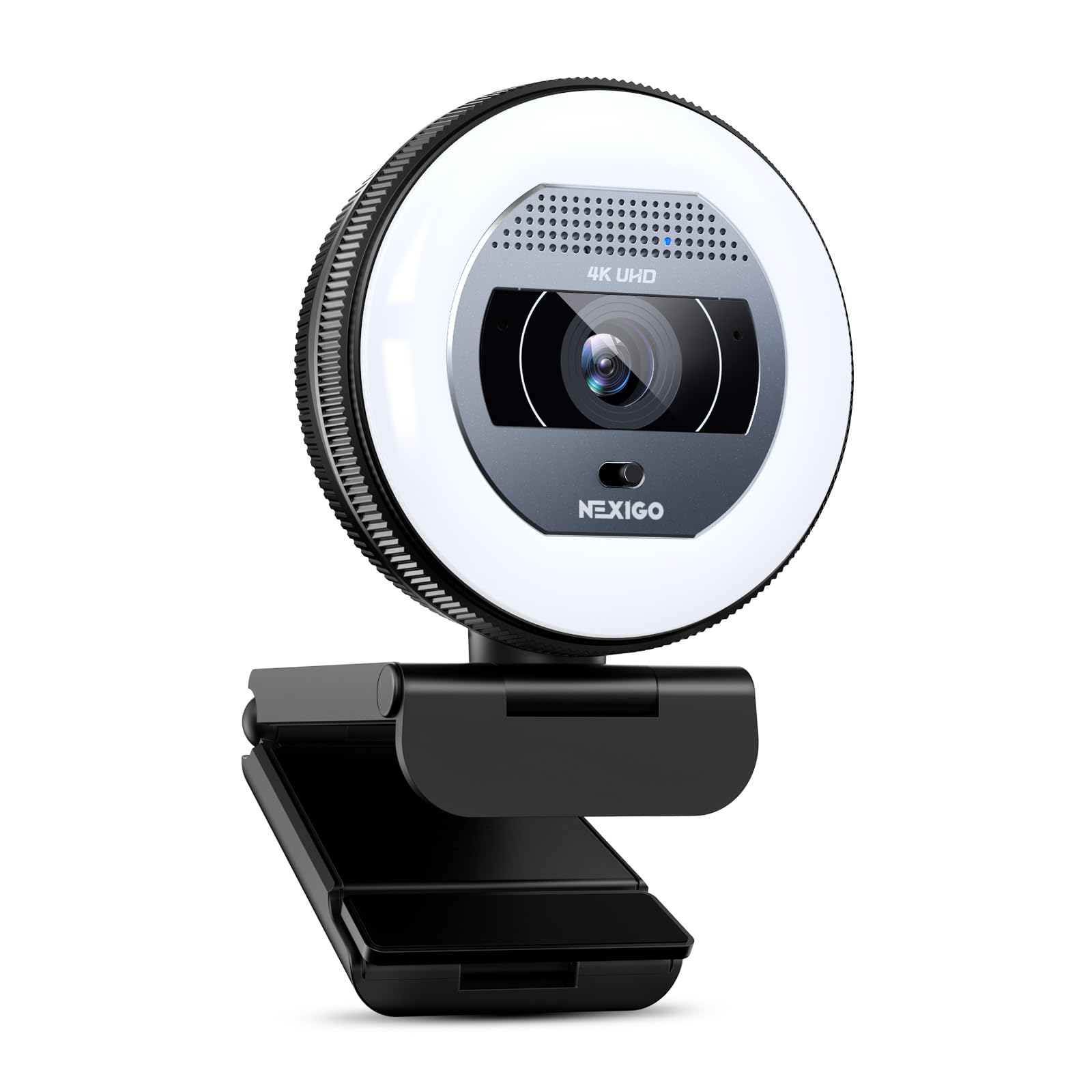
A Sony sensor and a coated six-layer lens for people who care about true color.
The N930E Pro is the colour-accuracy pick. It uses a 1/2.5″ Sony sensor behind a 6-layer coated lens, which the maker says reduces glare and improves light transmission for genuine detail rather than upscaled smear. It delivers 8.29 megapixels of effective resolution on real 4K, plus 1080p at 60 frames per second for smooth motion. Output resolution depends on the app you use, so check your software settings.
The ring light is controlled two ways: tap the touch sensor to cycle white, natural and warm, then rotate the brightness dial for stepless dimming — the same smooth adjustment the N960E above offers, but in a more compact body. PDAF autofocus holds steady as you move. Dual noise-reducing mics keep your voice clear. A USB-C adapter comes in the box, and there is a built-in 1/4″ tripod thread plus a flexible clip.
The honest shortfall: this is sleek and simple, but it lacks a remote and preset memory like the NexiGo N960E at the top. You get better glass and sensor, but fewer convenience features. That is the trade.
Reasons to pick it
- Sony 1/2.5″ sensor with 6-layer coated lens for true 4K detail
- 8.29MP effective resolution plus 1080p at 60fps
- Stepless dimming across 3 color temperatures
- PDAF autofocus and a built-in privacy shutter
The honest gaps
- No RF remote or preset memory like the N960E Plus
- Output resolution caps at your software, so check the app first
For the color-focused buyer: someone who wants the most faithful skin tone in the room.
Step down if: remote control and preset memory matter more than sensor quality.
Know the Specs
Resolution in pixels
Resolution is the size of the image the camera captures — 3840 pixels wide is 4K, 2560 pixels wide is 2K. Higher numbers mean more detail, so a 4K camera keeps faces sharp when you crop in. But resolution only matters when there is enough light; a grainy 4K image is worse than a clean 1080p one.
Frame rate in fps
Frame rate is how many pictures the camera takes each second, written as fps. 30fps suits meetings and still shots; 60fps gives smoother motion for gaming or fast gestures. Many cameras give you 4K at 30fps or 1080p at 60fps, so you pick detail or smoothness, not both.
Autofocus: ToF vs PDAF vs standard
ToF (Time-of-Flight) and PDAF (Phase Detection Auto Focus) both lock onto you quickly by measuring distance, so focus does not visibly hunt. Standard auto focus is slower and can drift when you move. For live presenting and gaming, the faster focus types are worth having.
Color temperature of the ring light
Ring lights come in warm (yellow-orange), natural (daylight-like) and cool (blue-white) settings. Matching the light to your room’s existing lamps stops you looking orange or washed out. A dimmer or multiple brightness levels lets you soften the light late at night so you do not glow against a dark background.
Common Questions
Will a webcam with a built-in light work with Zoom and Teams?
Is the built-in ring light actually bright enough, or is it just a gimmick?
What is the difference between ToF and PDAF autofocus?
Can a ring light make my skin look washed out or over-bright?
Do I need a 4K webcam or is 2K enough?
Does the privacy cover block the ring light too?
Will these webcams mount on a monitor and a tripod?
How do I switch on the ring light and change colours?
Will a 4K webcam with light overload my USB port?
What if my face is lit from behind by a window?
The Bottom Line
The camera that does the most for the widest range of buyers is the NexiGo N960E Plus, because the RF remote lets you adjust light, zoom and presets from your chair without touching the screen. If you would rather have the most faithful skin tone, the NexiGo N930E Pro puts a Sony sensor and 6-layer coated lens behind the same stepless light. And for night-shift workers in dark rooms, the Angetube 967 Ultra is the camera built around low-light performance. Whichever you pick, dial in the ring light’s brightness and color temperature on day one — that adjustment does more for how you look on camera than any jump from 2K to 4K.
How we choose
We do not accept paid placement. Every pick is matched to a real buyer and a real use-case; we do not hands-on test units.
Sources
Specifications: manufacturer listings and product documentation. Review insights: verified customer reviews, as of November 2026. Pricing: not shown on this page (it changes often); check the current price via the retailer link.
As an Amazon Associate, Tactical Gear Guy earns from qualifying purchases. This does not affect which products we feature.