Specs are compiled from manufacturer listings and verified buyer reviews and can change over time — please confirm the key details on the product page before buying.
Buying a VR game system is mostly a decision about where your games will come from. A standalone headset like the Quest 2 runs everything inside the device, so you unbox it and play. A PC-tethered headset like the Valve Index leans on your gaming computer for sharper, faster frames but asks for a capable rig and a cable. Decide that one thing first and the rest of the shopping gets much simpler.
This guide is built by comparing the manufacturers’ published specifications and the patterns across verified customer reviews, so you get each pick’s real strengths and trade-offs instead of marketing spin.
Below you will find nine headsets sorted by what they actually do well — standalone all-in-ones, PC-tethered rigs, and mixed-reality units — so you can match one to your setup before you spend. That is the whole job of this vr game system breakdown, and it starts with the one headset most people should buy first.
Top Picks

How To Choose The Best VR Game System
The fastest way to pick wrong is to buy on resolution alone. A headset with a huge pixel count still feels bad if it runs at a low refresh rate or needs a gaming PC you do not own. Work through these four decisions in order.
Standalone or PC-tethered
A standalone headset runs the game itself, like the Quest 2 with its built-in battery and no PC or console needed. A PC-tethered unit like the Valve Index plugs into your computer and draws its power from that rig. Standalone is the lower-friction path; tethered is the higher-ceiling one, and it only pays off if your computer can keep up.
Resolution per eye and refresh rate
Resolution per eye decides how much detail you can read on distant objects. Refresh rate, measured in Hz, decides how smooth motion feels when you turn your head fast. A 120 Hz panel like the Valve Index’s redraws the image far more often than a 90 Hz one, which matters in fast shooters and racing. Both numbers together tell the real story — one alone does not.
Field of view and lenses
Field of view, given in degrees, is how wide the window into the world is. A 120-degree view wraps further around your vision than a 106-degree one, so the headset edges feel less like looking through a box. Pancake lenses, used in the Quest Pro, let the maker build a slimmer headset while keeping the image sharp.
Tracking and controllers
Two tracking styles split this category. Base-station tracking uses external sensors placed around your room, like the Vive Cosmos Elite’s Lighthouse setup and its 160 sq. feet of play space. Camera-based inside-out tracking uses cameras on the headset itself, with no external boxes to mount. Inside-out is tidier to set up; base stations can be more precise for full-room movement.
Side-by-Side Comparison
| Model | Best For | Display Resolution | Refresh Rate | Field of View | Amazon |
|---|---|---|---|---|---|
| Meta Quest 2 256 GB★ Best Overall | First-time standalone buyers | 1832 x 1920 | 90 Hz | — | Amazon |
| Meta Quest 3 512GB Renewed PremiumBest Mixed Reality | Wireless mixed reality | 4K+ | 120 Hz | — | Amazon |
| HTC Vive XR Elite Deluxe PackStandalone Plus PC | Standalone plus PC VR | 3840 x 1920 combined | 90 Hz | 110 degrees | Amazon |
| Quest 3 512GB + Elite Strap | Long sessions with storage | 1920×1080 per eye | 90 Hz | 110 degrees | Amazon |
| Valve Index | High-refresh PC VR | 1440×1600 | 120 Hz | 120 degrees | Amazon |
| HTC Vive Cosmos Elite | Room-scale base-station play | 1440 x 1700 | — | 97 degrees | Amazon |
| Oculus Rift S | Budget PC VR | 1440×1600 | 80 Hz | — | Amazon |
| Pimax Crystal Super | Flight sims and detail | 3840 x 3840 per eye | 72 Hz | 106 degrees | Amazon |
Detailed Reviews
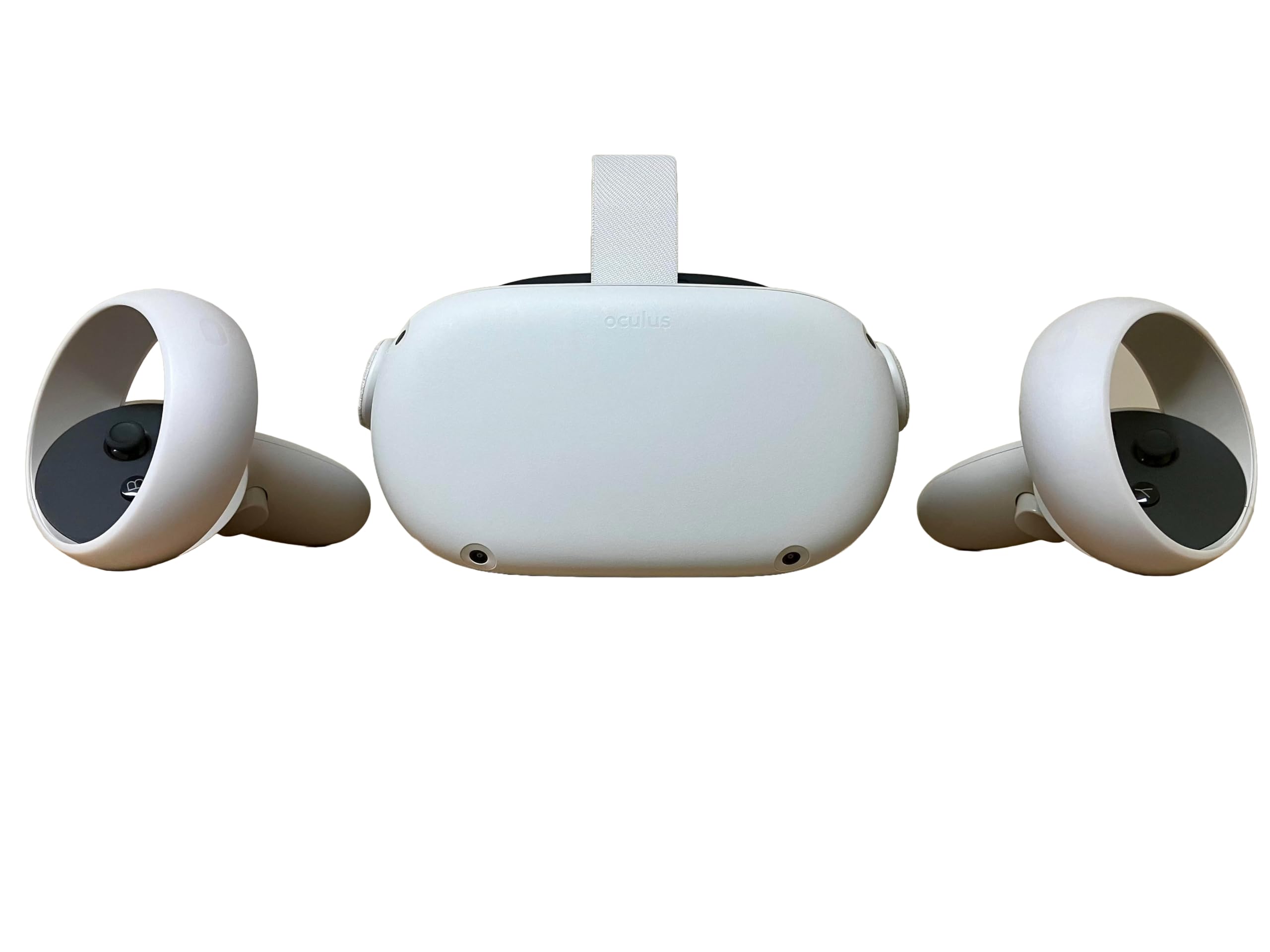
1. Meta Quest 2 256 GB
Our pick — 4.5+★ from 22,000+ verified ratings; the strongest balance of quality and price.
The no-PC starter kit that lets you unbox and play the same afternoon.
This is the headset you hand someone who has never put one on. It runs entirely on its own with a built-in battery, so there is no computer to switch on and no cable running to your legs. Power it on and a library of over 250 titles is already there — games, fitness apps, multiplayer rooms and live events.
The screen inside each eye runs at 1832 x 1920 at a 90 Hz refresh rate, which is plenty sharp for party games and room-scale movement. What wins people over is reliability: it boots, tracks your hands and loads a game without fuss. The Touch controllers add haptic feedback, a small rumble that lands when your virtual bat connects or your arrow leaves the string, and 3D positional audio puts sound around your head rather than in front of it.
The honest catch sits with the controllers and the value question. A few buyers report a controller giving up over time, and reliability and value-for-money gripes run alongside the praise — so treat the Touch controllers with reasonable care. It is also the older generation now, which means sharper and faster headsets sit above it, but nothing here is easier to actually start playing.
Where it earns its place
- Runs solo on a built-in battery — no PC, console or cable to wrangle
- 1832 x 1920 display at 90 Hz handles room-scale games and fitness well
- 250+ title library, including exclusive releases, ready on day one
- Hand tracking plus haptic feedback makes virtual worlds feel tangible
What to weigh first
- Older generation than the Quest 3 options above it in this list
- Some controllers have died on owners; a protective case is cheap insurance
Owners back that up: 4.5+ stars across 22,000+ reviews, the deepest review base in this guide. Yes, several of the premium picks below wear sharper screens. None of them lower the barrier this much, and for a first headset that is the number that matters.
Pick this if: you want to be in VR tonight without owning a gaming PC or buying sensors.
Hold off if: you already own a capable rig and want maximum frame rate or resolution.
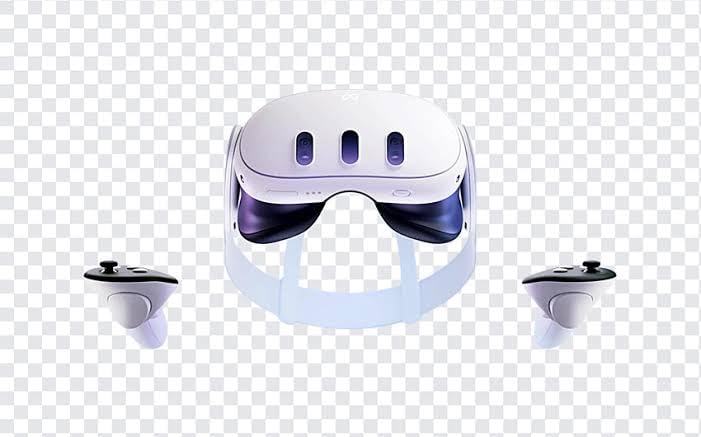
2. Meta Quest 3 512GB
Full-color passthrough that lets the real room bleed into your game.
Two RGB color cameras on the front are the heart of this one. They feed a full-color, high-fidelity Passthrough view, so virtual objects sit on your actual floor and your living room appears in color instead of grainy grey. That passthrough is what separates shutting the room out from deliberately blending it into play.
Inside, the Snapdragon XR2 Gen 2 processor drives the image, and the display is a 4K+ panel listed at 120 Hz with an “Infinite Display” spec. You get a 2+ hour battery pack rated at 2.2 hours, 8 GB of RAM and 512 GB of storage for games and apps. Those 2.2 hours edge out the HTC Vive XR Elite’s 2 hours, so you get slightly more play per charge. Comfort splits the room though — some find it comfortable, others leave with a headache, so fit matters.
One honest flag: the “Renewed Premium” label means you are buying a refurbished unit, and reliability is the most mixed note in its record. If a deal on this storage size is worth a slightly riskier purchase to you, it is otherwise the most modern standalone package in this list.
Why owners stick with it: the pass-through camera work is what draws the praise — putting real furniture in the game is the trick people show their friends first.
Set your expectations: renewed stock means no factory-fresh guarantee, and battery life is the most common complaint. Buy it as a value play, not a certainty.
The right call for: mixed-reality fans who want color pass-through and 512 GB without paying the newest retail premium.
Think twice if: you want untouched factory stock or absolutely depend on a long battery session.
3. HTC Vive XR Elite
The only headset here that works as a standalone and plugs into a PC.
This is the headset for someone who cannot decide between freedom and power. It runs standalone with no base stations, and plugs into a VR-ready PC for low-latency, high-fidelity PC-VR gaming. The Deluxe Pack sweeps in the face gasket 2.0, a deluxe strap, temple clips and an MR gasket, so the fit kit is already in the box.
Here is where the numbers get interesting. Combined resolution lands at 3840 x 1920 with 19 pixels per degree across a 110-degree field of view and a 90 Hz refresh rate. That combined figure runs well clear of the Valve Index’s 1440×1600. The eye angle matters more than raw pixels, though — those 19 pixels per degree are what keep text readable inside the headset. The battery is swappable, giving up to 2 hours before you slide in a fresh pack. Stepless IPD and diopter dials let you tune the lens alignment and correct your vision without glasses.
The trade-off here is fit and polish. Comfort and setup both land in mixed territory, and the eye tuning helps but does not rescue everyone. Treat it as a headset that asks you to spend a little time dialing it in before it rewards you.
What you get for the money
- Standalone XR and PC VR in one headset — no base stations to mount
- 3840 x 1920 combined resolution at 110 degrees and 90 Hz
- Hot-swappable battery for true portability on long days
- Stepless IPD and diopter adjustment for a personalized focus
The fine print
- Comfort and setup feedback is mixed — expect a fitting session
- 2-hour rated battery means a spare pack is almost essential
Buy it because: you want the freedom of a standalone and the horsepower of PC VR from one headset.
skip it if: you want it perfectly comfortable from the moment you open the box.
4. Quest 3 512GB + Elite Strap

Half a terabyte of storage with a strap that keeps the thing on your head.
Storage is the whole pitch. 512 GB of memory holds a serious stack of games and apps without you deleting anything to make room, which is the headache most standalone owners hit around their third title. The Elite Strap comes bundled, so the fit is sorted before you start.
The display runs at 1920×1080 per eye at a 90 Hz refresh rate, with a 110-degree field of view and an adjustable IPD dial you rotate to match the gap between your eyes. USB Type-C handles charging and connection to the Quest ecosystem. The bundled Elite Strap is the practical win here, since comfort over a multi-hour session often decides whether you keep playing.
Compare this to the Quest Pro’s 110 degrees of field of view or the Valve Index’s 120 degrees and it sits mid-pack on the visual front. Where it pulls ahead is the sheer library space and the included strap — a bundle that skips the accessories run-around.
The practical argument: 512 GB plus the Elite Strap solves the two things that send first-time owners back to the shop — full storage and a headset that slips.
The honest limit: 90 Hz and 110 degrees are solid but not the widest or fastest numbers in this list, so sim-heavy players may want higher refresh rates.
Reach for this if: you want a big game library and a comfortable fit without buying a strap separately.
Look elsewhere if: frame rate is your priority over storage space.
5. Valve Index VR Headset, Black, for PC/SteamVR

The high-refresh PC headset built for people who already own the rig.
Speed is the headline. The 120-degree field of view wraps wider around your vision than the Quest 3 and Elite Strap bundle’s 110 degrees. Stereo OLED panels at 1440×1600 per eye produce deep blacks and rich color that LCD panels struggle to match.
This is heads only, though — controllers and base stations are sold separately, and the listing notes the head strap adjustment pad may not be included. Budget for the rest of the kit before you commit, or plan to pair it with existing Index hardware you already own.
Reliability is the honest caveat. Some units run perfectly; others have stopped within days of use. That is not the profile of a throwaway product, but it is the trade-off when the fast-panel engineering is the priority. Against first-generation PC VR headsets, the jump in motion clarity is the upgrade you feel first.
Speed and vision
- 120 Hz refresh rate for genuinely smooth fast-motion gaming
- 120-degree field of view — the widest in this list
- OLED panels at 1440×1600 per eye for rich contrast
- Microphone included, so you are ready for social play
Costs beyond the headset
- Heads only — controllers and base stations cost extra
- Head strap adjustment pad may not be in the box
- Reliability of individual units has been uneven
This is your headset if: you are a PC gamer chasing the smoothest possible frame rate and already own (or will buy) the tracking kit.
Think hard if: you want an all-in-one box or maximum durability certainty.
6. HTC Vive Cosmos Elite Virtual Reality System

Base-station tracking and a flip-up lid for stepping back into the room.
This is the full package — headset, base stations and controllers in the box — for PC players who want tracked, room-scale play. The Lighthouse base station 1.0 opens up to 160 sq. feet of play space, so you can actually move around in a cleared garage or lounge. Combined resolution is 2880 x 1700 across LCD panels, and the flip-up design lets you glance at the real world without pulling the whole rig off.
The field of view is 97 degrees, which is the narrowest in this list — noticeably tighter than the Quest 3 and Elite Strap’s 110 degrees. The LCD panels reduce the gap between pixels to fight the screen-door effect, so the grid of the screen is less visible even if the view is narrower. Viveport Infinity adds access to hundreds of games, apps and videos.
The honest note is on reliability and value, which is the most mixed part of this headset’s record. Some units have stopped working after a few days and the price feels steep to a share of owners. Buy it for the tracking setup and the flip-up convenience, and keep your expectations of long-term service realistic.
Why the setup matters
- Lighthouse base station 1.0 provides up to 160 sq. feet of play space
- Flip-up design lets you switch between reality and VR instantly
- 2880 x 1700 combined resolution on LCD panels
- Full system boxed — headset, base stations and controllers
What to brace for
- 97-degree field of view is the narrowest in this list
- Reliability and value feedback is mixed — a few units failed fast
The match for: PC players who want base-station room tracking and a complete boxed system.
Pass if: you need the widest view or rock-bottom running costs over long years.
7. Oculus Rift S PC-Powered VR Gaming Headset

A tethered PC headset for buyers easing into desktop VR.
The Rift S keeps things simple: it connects to your computer over USB and runs PC games on 1440×1600 LCD panels at an 80 Hz refresh rate. Integrated VR audio means the sound comes from the headset itself, so there are no headphones to add. Improved optics over the original Rift sharpen the view from an older era of desktop VR.
That 80 Hz refresh rate is the lowest here — the Quest 2’s 90 Hz and the Valve Index’s 120 Hz both spin smoother. For slower exploration, puzzle and seated sim play, that difference fades; for twitchy shooters, it shows. This is a sensible low-cost route into PC VR if the cable does not bother you.
Functionality is the soft spot in this headset’s history. Some units have arrived defective and the value question divides owners. Buy from a seller with a clean returns policy and you sidestep most of that risk.
The budget logic: a full boxed headset with all relevant accessories and integrated audio is the cheapest way into your first PC-tethered VR game.
Where it shows its age: 80 Hz and 1440×1600 sit below the rest of this list, and the defective-unit reports mean you should test on arrival.
Choose this to: try PC VR with little upfront outlay and a simple USB connection.
Move on if: you want high refresh rates or a spotless reliability reputation.
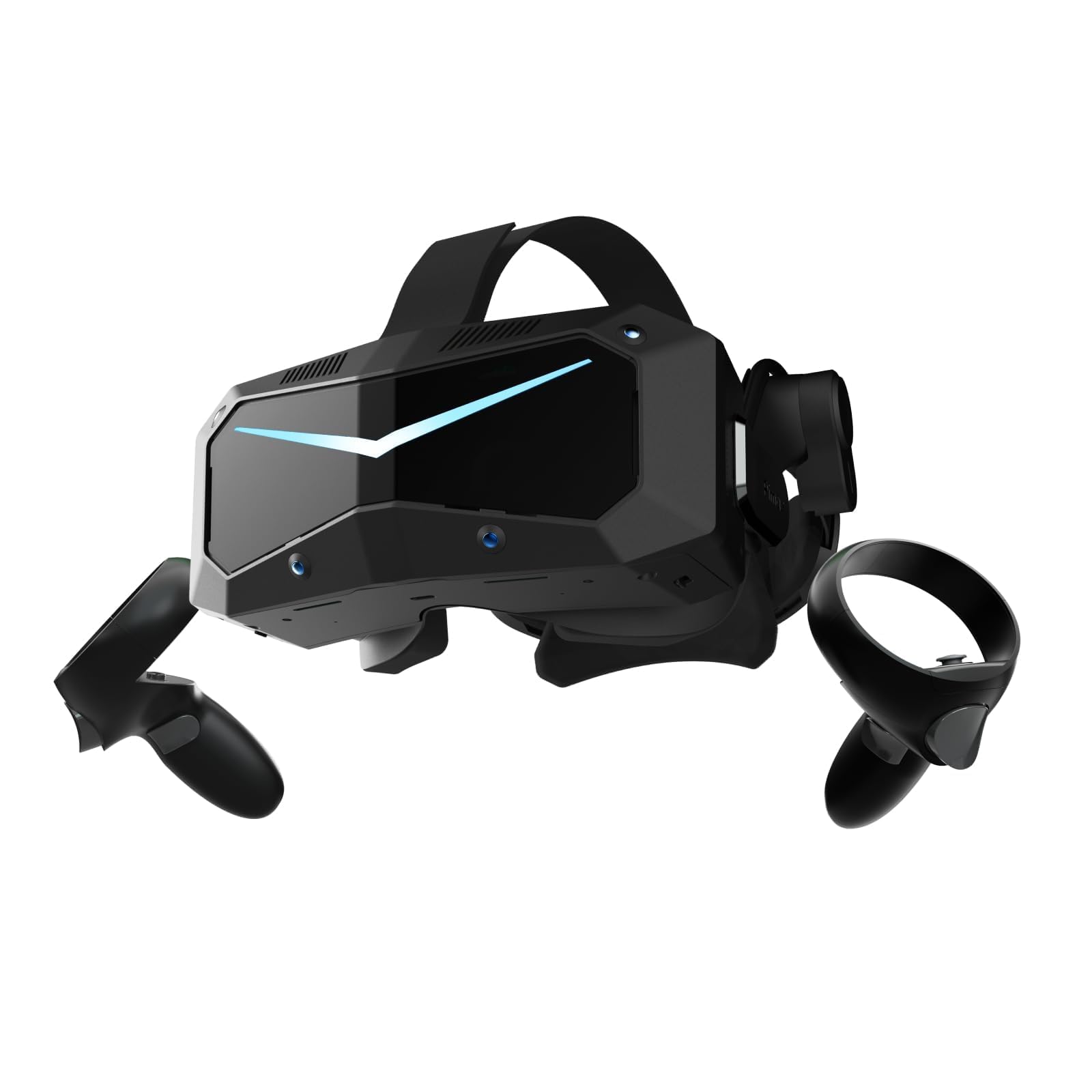
8. Pimax Crystal Super
A pixel-count monster aimed squarely at flight sim cockpits.
If you want to read the gauges on a simulated 737 dash without squinting, this is the headset built for it. Each eye gets a 3840 x 3840 QLED panel with MiniLED backlighting at 57 pixels per degree, and local dimming adds depth and contrast. In a cockpit sim, where tiny gauge text and far-off dials have to stay legible, that per-eye resolution is the whole reason to buy.
The field of view is 106 degrees, matching the Quest Pro and trailing the Valve Index’s 120 degrees, but it is the reverse of that trade — Pimax pushes detail over width. Variable refresh rates run at 72 Hz and 90 Hz, and automatic IPD adjustment spans 58 to 72mm to line up the lenses with your eyes. A removable head cushion and replaceable facial interface let you tune comfort for extended sessions.
Two things to plan for. It is PC-only with a USB connection, so a strong gaming computer is a prerequisite, not an option. The hardware quality and field of view are what that first wave keeps circling back to.
The detail argument
- 3840 x 3840 per eye with 57PPD for true-to-life fine detail
- QLED + MiniLED panels with local dimming for deep contrast
- Variable 72 Hz and 90 Hz refresh for different content
- Auto IPD 58 to 72mm plus a replaceable facial interface
The commitment
- PC-only — needs a strong gaming rig to drive all those pixels
- Small review base, so long-term experience is less documented
Buy for: flight simmers and detail-obsessed PC players who will feed it a powerful computer.
Not for: anyone without a gaming PC or looking for a quick, simple all-in-one.
Know the Specs
Resolution per eye and pixels per degree
Resolution tells you how many pixels the screen puts in front of each eye, and more of them means finer detail — readable text on a distant gauge, crisper faces in a meeting. Pixels per degree (PPD) is the more useful companion number: it measures how densely those pixels pack into each slice of your view. A headset with a very high per-eye count and a low PPD can still look soft, so read both.
Refresh rate in Hz
Refresh rate is how many times per second the screen redraws the image — 90 Hz redraws 90 times a second, 120 Hz redraws 120. Higher rates make fast head movement feel smooth rather than smeared, which is why 120 Hz headsets suit shooters and racing games so well. Slower content like seated sims and puzzle games get along fine at 72 Hz or 80 Hz.
Field of view in degrees
Field of view is how wide the window into the virtual world sits around your eyes. A 120-degree view wraps further toward your peripheral vision than a 97-degree one, so the headset’s frame feels less like a box around your face. Wide views suit room-scale and open-world games; narrower views trade width for other strengths like pixel sharpness.
Tracking: base stations vs cameras
Base-station tracking uses external sensors set up around your room, which can give precise coverage for full-room movement. Camera-based inside-out tracking uses cameras on the headset itself, with nothing to mount and nothing to charge separately. Neither is “better” universally — base stations suit dedicated play spaces, while inside-out suits living-room setups you set up and pack away.
Standalone battery vs tethered power
A standalone headset carries a battery inside, so you play untethered and simply recharge when the rated hours run out. A PC-tethered headset draws power from the computer over a cable, so there is no battery to run down but also no wandering — your play space is limited by cable length. Hot-swappable batteries on a standalone unit soften the limit by letting you swap in a fresh pack.
Lens type: pancake vs LCD vs OLED
Pancake lenses fold the light path so the headset can be built slimmer without losing clarity. OLED panels light every pixel individually, which produces deep blacks and vibrant color, while LCD panels tend to be cheaper and brighter overall. MiniLED backlighting on top of a QLED panel adds local dimming, which sharpens contrast in dark scenes and bright highlights.
Common Questions
Do I need a gaming PC to use a VR headset?
What refresh rate actually matters for VR games?
Is 512 GB of VR storage worth having over 64 GB?
Can the Valve Index work without controllers and base stations?
Does a standalone headset like the Vive XR Elite also run PC VR games?
How do I handle eye distance and glasses in a headset?
Why does a headset’s field of view matter for room-scale play?
Will I be able to see the grid between pixels, like older headsets?
Is a renewed or refurbished VR headset a sensible way to save?
What is mixed reality and which headsets support it?
The Bottom Line
For most people buying a vr game system, the winner is the Meta Quest 2 because it works without a PC, a console or cables, and its 250+ title library covers games, fitness and social rooms right from the start. If you want current mixed-reality hardware with a bigger drive, the Quest 3 512GB + Elite Strap brings 512 GB and the included strap. And for players chasing the smoothest possible frame rate on a gaming PC, the Valve Index is the one to reach for, with its 120 Hz panel and 120-degree field of view.
How we choose
We do not accept paid placement. Every pick is matched to a real buyer and a real use-case; we do not hands-on test units.
Sources
Specifications: manufacturer listings and product documentation. Review insights: verified customer reviews, as of November 2026. Pricing: not shown on this page (it changes often); check the current price via the retailer link.
As an Amazon Associate, Tactical Gear Guy earns from qualifying purchases. This does not affect which products we feature.