Specs are compiled from manufacturer listings and verified buyer reviews and can change over time — please confirm the key details on the product page before buying.
Your smart TV, your laptop, your kid’s tablet and your phone all leave your house through the same internet pipe. Unless something on your network runs a VPN tunnel (an encrypted private link to the internet), every one of those devices browses on your raw ISP connection. A VPN router fixes that at the source. It puts the encrypted tunnel at the network level, so every device that joins your Wi-Fi is protected without you installing a single app. The picks below cover the whole spread: budget-friendly boxes that handle a basic tunnel, mid-range models with fast WireGuard throughput (WireGuard is a lightweight, fast VPN protocol), and premium units built for heavy traffic and deep network control.
This guide is built by comparing the manufacturers’ published specifications and the patterns across verified customer reviews, so you get each pick’s real strengths and trade-offs instead of marketing spin.
You will see how VPN throughput, protocol support and device capacity actually change your day-to-day browsing, streaming and gaming. Every pick here has real VPN client or server support built in. The short version: the GL.iNet GL-MT6000 Flint 2 is the strongest all-round pick for most homes, pairing 900 Mbps WireGuard throughput with OpenWrt control at a mid-range price.
Top Picks


How To Choose The Best VPN Router for Home Network
A VPN router does one job that a phone app cannot: it encrypts everything on your network at once. That means your smart TV, your game console and your guest’s laptop all ride the same tunnel without you touching a single device. The tricky part is that “VPN support” means different things on different boxes. Some run fast tunnels for all your traffic heading out; some let you dial back into your home network from a hotel room. A few do both. Knowing which one you need is half the buying decision.
Throughput beats headline Wi-Fi speed
A router might advertise 6 Gbps of Wi-Fi, but that number says nothing about how fast your encrypted traffic moves. What matters is the VPN throughput figure — the speed the router can push through an encrypted tunnel. WireGuard is the leaner protocol and usually runs faster than OpenVPN on the same hardware. Look for the specific Mbps number the maker publishes for each protocol, and treat it as the real ceiling on your protected connection.
Client mode versus server mode
Client mode means the router connects out to a VPN provider, so your whole home appears to browse from somewhere else. Server mode means the router hosts the tunnel, so you can safely reach your home files and cameras while travelling. Some units support both, and a few let you route only certain devices or network segments through the tunnel while the rest use your normal connection. If you run a home office or a media setup, that selective routing is genuinely useful.
Device capacity and network segmentation
A busy home might have thirty or forty devices online at once — phones, tablets, cameras, thermostats, consoles. Check the recommended device count, not just the theoretical maximum. VLAN support, which lets you split your network into separate isolated zones, is a bonus for anyone who wants their smart-home gadgets quarantined from work laptops. It also makes selective VPN routing possible, since you can send one zone through the tunnel and leave another alone.
Side-by-Side Comparison
| Model | Best For | VPN Protocols | Data Transfer Rate | Coverage | Amazon |
|---|---|---|---|---|---|
| GL.iNet GL-MT6000 Flint 2★ Best Overall | All-round home pick | OpenVPN, WireGuard | 6000 Mbps | Wide coverage | Amazon |
| NETGEAR Nighthawk RAX36Simple Choice | Simple built-in VPN | Built-in VPN | 3000 Mbps | 2000 sq. ft. | Amazon |
| Cudy BE11000 WR11000Wi-Fi 7 Value | Wi-Fi 7 value | WireGuard, OpenVPN, ZeroTier, IPsec, PPTP, L2TP | 11000 Mbps | 1500 sq. ft. | Amazon |
| Omada ER706W | Business mesh setups | SSL, IPSec, GRE, WireGuard, PPTP, L2TP, OpenVPN | 2402 Mbps | Mesh-extendable | Amazon |
| ASUS RT-BE58U | Wi-Fi 7 on a budget | VPN compatible | 2882 Mbps | 2000 sq. ft. | Amazon |
| PCWRT PW-AX1800 | VLAN + VPN routing | OpenVPN, IPsec, WireGuard | 1800 Mbps | Small to medium home | Amazon |
| ASUS RT-BE82U | Premium dual-band speed | VPN compatible | 5764 Mbps | Extended coverage | Amazon |
| GL.iNet GL-BE6500 Flint 3e | Fastest VPN throughput | OpenVPN, WireGuard | 12.5 Gbps | 2500 sq. ft. | Amazon |
| Firewalla Purple SE | Deep network security | OpenVPN, WireGuard | 500 Mbps | All network devices | Amazon |
Detailed Reviews
1. GL.iNet GL-MT6000 Flint 2 Router
Our pick — 4.5+★ from 3,000+ verified ratings; the strongest balance of quality and price.
A near-gigabit WireGuard tunnel for every device in the house, with OpenWrt control on top.
This is the pick that handles the full VPN job for a normal home. Its WireGuard tunnel runs up to 900 Mbps and its OpenVPN tunnel up to 880 Mbps — the two numbers that decide whether your protected connection feels instant or feels like dial-up. Those figures come with an honest caveat: actual speed depends on your internet provider, network environment, VPN server location and VPN service provider. But on paper this is genuine near-gigabit encrypted throughput, which is rare in this price bracket.
Beyond the tunnel, it is a proper Wi-Fi 6 router, with speeds up to 6 Gbps, 8-stream Wi-Fi 6 technology and 1GB of DDR4 memory plus 8GB of eMMC storage. It ships with OpenWrt pre-installed, so you get a full open-source router operating system rather than a locked-down app-only box. AdGuard Home support lets you block tracking and digital ads at the network level through a web interface. The spec sheet reads like a small office device, and it carries 4.5+ stars across 3,000+ owners — the crowd favorite of this group.
Speed is what wins people over here, with reliability close behind. Buyers report it “performs excellently, delivering speeds up to 800 Mbps and improved wireless coverage” — fast enough to stream and game on several screens at once. Setup is quick too: the customers-say summary notes it takes just minutes to configure VLANs (separate network zones for guests, work and smart gadgets) and guest networks, which is unusually fast for an OpenWrt-based router (OpenWrt is open-source router software you can customize). It also handles over a hundred connected devices, so a busy smart home will not choke it.
Where it earns its keep
- WireGuard up to 900 Mbps and OpenVPN up to 880 Mbps — fast enough to protect a whole home without a speed wall
- OpenWrt pre-installed for deep, plugin-friendly control
- Dual 2.5G multi-gig ports plus Wi-Fi 6 up to 6 Gbps
- Handles 100-plus devices; AdGuard Home ad and tracker blocking built in
Things to weigh first
- Connectivity is the one mixed signal — a few setups need extra coaxing
- You must update the firmware on first setup for peak performance
- OpenWrt rewards tinkerers but asks more of you than a plug-and-play app
Go this way if: you want one box that runs a fast encrypted tunnel for every device and still leaves room to tinker.
Look elsewhere if: you want a set-and-forget app experience and never want to see an admin panel.
2. NETGEAR Nighthawk RAX36 Router
A name-brand AX3000 box whose built-in VPN server gets you into your home network remotely, with no client mode.
Netgear’s Nighthawk line is the familiar face of home networking, and the RAX36 brings built-in VPN support to a dual-band AX3000 box. It covers up to 2,000 square feet for up to 25 devices, and it pushes up to 3 Gbps of Wi-Fi 6 speed. The built-in VPN is the headline for this list — it lets you reach back into your home network securely, which is the server-side half of the VPN story. There is no separate VPN client mode the way the GL.iNet boxes offer, so if your goal is routing all your traffic out through a provider, this is not the tool.
Reliability and range are where it shines. Its 2,000-square-foot coverage number sits comfortably ahead of the Cudy BE11000’s 1,500 square feet, so a mid-size home gets one strong signal instead of dead corners. Nighthawk owners mention signal that carries well beyond the published figure. As the review pages sum it up, the device “effectively covers large areas like 3,400sf houses and delivers good signal strength, with one customer noting it pumps WiFi to every corner of their home.” The 4 x 1G Ethernet ports (wired ports at 1 gigabit per second) handle consoles and PCs, and USB 3.0 gives you a port for shared storage or a device.
The catch to plan for: this is a router only, with no built-in cable modem. You need a separate cable modem with coax inputs, and it works with any provider up to 1Gbps across cable, satellite, fiber and DSL. A handful of owners hit trouble getting it to connect to their systems at first. Set against that, the straightforward app setup and the brand-name support make it a low-drama option if you want the server side of VPN done simply.
Range that earns its keep: 2,000 square feet of declared coverage and a reputation for pumping signal into far corners make this a solid fit for larger single-floor homes.
One thing to plan for: it needs a separate cable modem and is best suited to the server side of VPN use rather than a client tunnel.
The right call for: households that want reliable Wi-Fi 6 coverage and a no-fuss built-in VPN for remote access.
Not the fit for: anyone wanting to route all home traffic out through a VPN provider, which needs client mode this box does not advertise.
3. Cudy WR11000 Router
11,000 Mbps tri-band Wi-Fi 7 and six VPN protocols in client and server mode, with build quality the main complaint.
If raw speed is the number you care about, start here. The Cudy BE11000 declares a data transfer rate of 11,000 Mbps (megabits per second) — the most of any non-GL.iNet pick in this group, and a huge jump over the Omada ER706W’s 2,402 Mbps, so big downloads and 4K streams finish faster. On the 2.4 GHz band (the slower band that reaches furthest) it manages 688 Mbps against the Omada’s 574 Mbps. The Be11000 pulls that off with three bands (6 GHz at up to 5.7 Gbps, 5 GHz at up to 4.3 Gbps and 2.4 GHz at 688 Mbps) running on six streams, powered by a Qualcomm 1.5 GHz quad-core CPU (the router’s main processor).
The VPN story is broad. It supports WireGuard, OpenVPN, ZeroTier, IPsec, PPTP and L2TP as both server and client, so you can route out through a provider or reach back home in one box. There are four 2.5G Ethernet ports for multi-gig internet and NAS drives, plus 200-device capacity out of a 384-client maximum. Cudy Mesh works over wired or wireless backhaul, and it runs in Router, Access Point, Range Extender, WISP and Client modes. Customers note it “delivers three times faster speeds” and praise the mobile app, which makes meshing easy.
Now the honest part. Quality is the most-discussed topic here and the verdict is mixed, not praise — some owners find the build and finish fall short of the spec sheet’s promise. Coverage is also the tightest in this list at 1,500 square feet, so a larger home will want the mesh option or a different pick. Setup and value land firmly positive, with one buyer describing it as the best WiFi7 bargain on the planet. If you have a mid-size space and want Wi-Fi 7 speeds plus a full protocol menu, this is real value; if you need wide single-unit coverage, look up the list.
The speed case: 11,000 Mbps declared throughput and four 2.5G ports make this the value play for high-bandwidth wired and wireless use.
The protocol menu: six VPN types in both client and server mode give you flexibility the bare-bones boxes cannot match.
Reach for it when: you want Wi-Fi 7 speed, a full spread of VPN protocols and multi-gig wired ports without paying top-tier prices.
Think twice if: you live in a big home that needs broad single-unit coverage, or you judge a router first by physical build quality.
4. Omada ER706W, Gigabit AX3000 WiFi 6 VPN Router

Five WAN ports for load balancing and Omada mesh support, in an AX3000 box with seven VPN protocols.
TP-Link’s Omada ER706W looks like a small business box because it is one — and that is the appeal. The wired side is the standout: one Gigabit SFP slot and five Gigabit RJ45 ports, plus load balancing across up to five WAN ports. If you have ever wanted a second internet line for backup, or you split traffic between a fiber line and a cellular modem, that is the feature that earns this pick its place. On the wireless side it is AX3000, with 2,402 Mbps on 5 GHz and 574 Mbps on 2.4 GHz.
The VPN menu is wide: SSL, IPSec, GRE, WireGuard, PPTP, L2TP and OpenVPN all get a mention, so whether you are building a site-to-site tunnel or dialing back home, the protocol is there. You can also add Omada access points to extend Wi-Fi without extra cabling, which is the smart move for a larger property. The functionality scores well with buyers — the customers-say summary notes it runs for years without issues — and speed gets positive feedback, with buyers reporting it passes full gigabit speeds through Ethernet.
Set your expectations on the raw wireless figures. That 2,402 Mbps 5 GHz rate is the lowest declared data transfer rate in this group, so this is not the pick for someone chasing the fastest wireless benchmark. Connectivity and value are described as mixed, which is worth knowing if you expect world-beating coverage from a single unit. Buyers who come for the port count, the WAN flexibility and the mesh option tend to be the happy ones.
Built for growth: five WAN load balancing and Omada mesh support make this a fit for a home office or a property that plans to expand.
Pay attention to: the wireless rate and single-unit coverage are the modest parts; plan on access points or a mesh node for big spaces.
Pick this one if: you run a home office, want multiple internet lines and like the idea of adding mesh points as you grow.
Pass if: you are chasing maximum wireless speed or need strong coverage from a single box.
5. ASUS RT-BE58U Router

Wi-Fi 7 with three separate SSIDs for IoT gear and USB cellular tethering when the main line drops.
This ASUS is the pick for someone who lives with a lot of connected gadgets. Smart Home Master lets you set up to three SSIDs — separate network names — for easy IoT device setup and management, plus instant VPN connections and parental controls. That matters because a single network full of cheap smart plugs is a single point of failure. Wi-Fi 7 (802.11be) dual-band delivers speeds up to 3,600 Mbps, with 4096-QAM lifting a single band’s transmission speed by 1.2 times, though the declared data transfer rate spec lists 2,882 Mbps.
The VPN angle is “VPN compatible” plus a genuinely useful trick: the USB port is ready for 4G LTE and 5G mobile tethering, backed by AI WAN detection for an always-on connection. If your main line goes down, you can keep the household online through a cellular link. There is also Multi-link Operation (MLO), which links multiple bands at once for stable data transfers. Coverage is declared at 2,000 square feet, and ASUS’s AiProtection Pro, powered by Trend Micro, adds a one-tap security scan and Safe Browsing on top.
Buyers describe the setup as easy and the coverage as complete, with signal that reaches all corners of the home and speeds that push past 800 Mbps. That 4.0+ rating is the lowest of the strong picks here, and the VPN capability is more a compatibility statement than a deep protocol menu — do not expect the same protocol breadth as the GL.iNet or Cudy boxes. This is the house-organizer’s Wi-Fi 7 router with a safety net, not the tunnel specialist.
Why a smart home likes it: three separate SSIDs keep IoT gear, family devices and guests from stomping on each other.
The backup card: USB-ready cellular tethering with AI WAN detection keeps the house online when the main line fails.
Worth it for: homes packed with smart devices that want Wi-Fi 7, separate networks per group and a cellular fallback.
Skip if: you need a deep VPN protocol menu and true client-mode routing for every device.
6. PCWRT PW-AX1800 Router

Five prebuilt VLANs with per-VLAN VPN routing, plus free ad blocking and parental controls.
This is a router built for people who want to send different devices down different paths. The PW-AX1800 comes with five preconfigured VLANs that isolate IoT devices, guests and work systems into their own secure networks. Every LAN port and every Wi-Fi SSID can be assigned to a VLAN, so you get complete control over how traffic moves inside the home. That is the feature you will actually use: put the smart plugs on one zone, the work laptop on another, and guests on a third.
From there the VPN story is genuinely flexible. It runs as both client and server, supporting OpenVPN, IPsec and WireGuard, and you can route selected VLANs through the VPN while leaving others on your regular ISP connection. That means the work laptop can ride an encrypted tunnel while the smart TV stays on the plain connection. Add full dual-band Wi-Fi 6 (2.4 GHz and 5 GHz), hardware NAT acceleration, and a spec sheet listing 128MB flash and 256MB RAM. One-click ad blocking and DNS over HTTPS round it out.
Family controls come free of any subscription — filter through OpenDNS, CleanBrowsing or Cloudflare, then add custom block lists, allow lists and schedules. The functionality, privacy and setup ratings all land positive with buyers. The catch is small-scale: the AX1800 wireless rate is the lowest tier of Wi-Fi 6 here, and Wi-Fi Mesh only appears after a firmware update. If you need wide coverage, plan to add a mesh point. If you want fine-grained control over what goes where, this box is a quiet specialist.
Control over the flow: five VLANs and per-VLAN VPN routing let you protect work traffic while leaving entertainment on the normal connection.
No subscriptions: ad blocking, encrypted DNS and parental controls are all included in the box.
The right fit for: work-from-home professionals and privacy-minded buyers who want segmented networks and selective tunneling.
Not for you if: you need top-tier Wi-Fi 6 speeds or out-of-the-box mesh coverage without a firmware update.
7. ASUS RT-BE82U Router
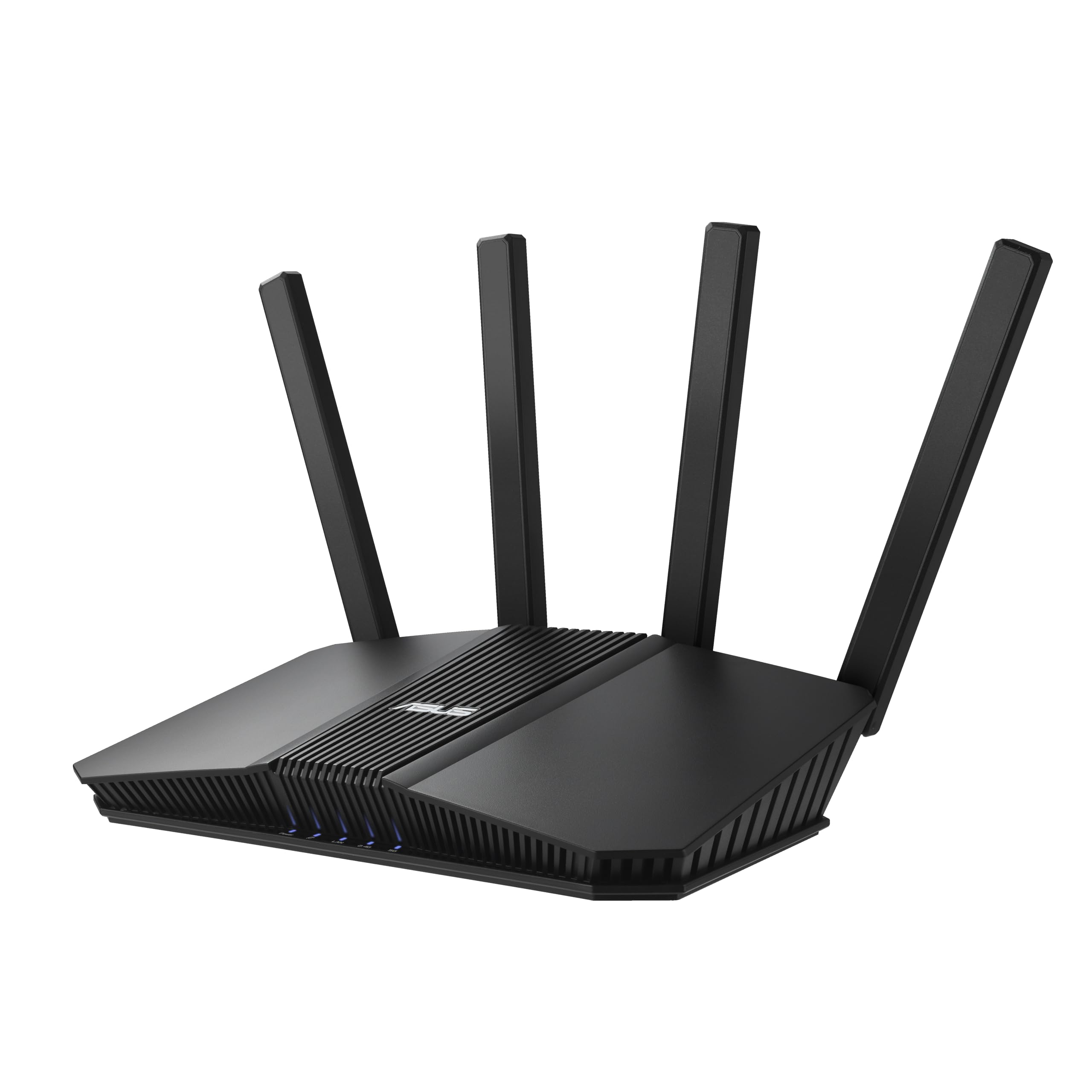
Five 2.5GbE ports and Wi-Fi 7 up to 6,500 Mbps, with VPN compatibility rather than a deep protocol menu.
If you are wiring a home office or a gaming setup, count the ports before anything else. The RT-BE82U gives you five 2.5GbE Ethernet ports that prioritize traffic for maximum wired performance — a genuine step up from the RT-BE58U’s more modest wired setup. Wi-Fi 7 dual-band pushes speeds up to 6,500 Mbps, and the 4096-QAM trick again lifts a single band’s transmission rate by 1.2 times. Multi-link Operation links multiple bands at once for stable transfers, and AiMesh lets you extend coverage wall to wall with matching routers.
The brain of the thing is commercial-grade AiProtection Pro, powered by Trend Micro, with a one-tap security scan and Safe Browsing. VPN support sits in the “VPN compatible” column alongside MLO — this is a router that will work with your VPN rather than one that ships a deep protocol menu of its own. Coverage is declared “extended,” and the customer consensus is clear: reviewers point out the device works from the start and handles most devices well, with one noting it took less than 20 minutes to reconfigure the network.
Where the RT-BE82U earns its keep is speed on the wire. The declared data transfer rate spec sits at 5,764 Mbps, and signal strength is a repeated highlight — banishing buffering is the phrase that keeps coming up in owner experiences. The trade-off is the familiar one: “VPN compatible” is not “VPN specialist,” and this box’s deep protocol routing is thinner than the GL.iNet entries. What you buy here is Wi-Fi 7 headroom and a lot of fast Ethernet.
The case for the BE82U
- Five 2.5GbE ports prioritize wired traffic — ideal for NAS, gaming PCs and multi-gig internet
- Wi-Fi 7 dual-band up to 6,500 Mbps with MLO for stable band-linking
- AiMesh lets you extend coverage with matching ASUS routers
- Solid signal strength that clears buffering on most devices
Where it stops short
- VPN compatibility rather than a deep protocol menu or client routing
- Rooms-to-rooms coverage likely needs a mesh node
- Overkill if you are not using multi-gig wired devices
Best for: wired-heavy homes that want Wi-Fi 7 speed, five multi-gig ports and ASUS’s security suite.
Not needed if: your main goal is running a VPN tunnel with granular routing control.
8. GL.iNet GL-BE6500 Flint 3e Router
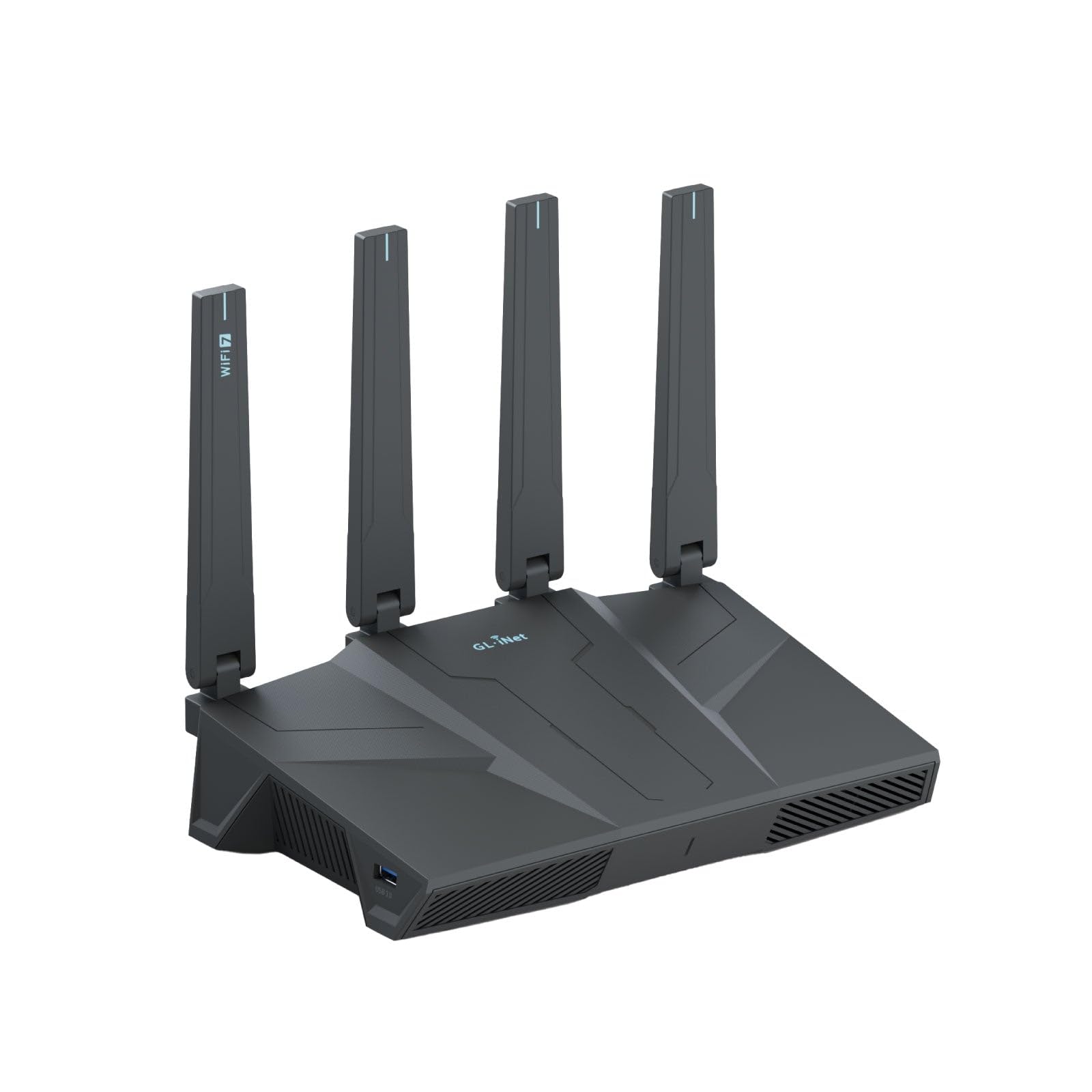
The fastest encrypted tunnel in this lineup, with Wi-Fi 7 juice to spare.
Here is the number that matters most if you run everything through a tunnel: both WireGuard and OpenVPN deliver up to 1,100 Mbps on this router. That is a meaningful edge over the Flint 2’s 900 Mbps WireGuard and 880 Mbps OpenVPN figures, and it makes the Flint 3e the quickest encrypted connection in this group. Actual speed depends on your provider, network environment, VPN server location and VPN service provider, but on paper this is the ceiling-setter. Wi-Fi 7 speeds reach up to 6.5 Gbps, with 1GB of DDR4 memory behind it.
Coverage is a genuine upgrade: up to 2,500 square feet, versus the Flint 2’s “wide coverage” claim and the Cudy’s 1,500 square feet. MLO, 4K-QAM, enhanced OFDMA, preamble puncturing and multi-RUs all make an appearance, aimed at high-density homes. It also runs AdGuard Home for network-level ad blocking and supports Bark, a child-monitoring tool, for website filtering, safe search and usage limits. Like all GL.iNet boxes, you get a full router interface rather than a locked-down app — more setup choices, more places to learn.
The honest trade-off is connectivity. That is the one mixed signal here — signal strength is praised, with buyers reporting it solves Wi-Fi issues in far corners of the house, but the connection story is less consistent, with some reporting drops and others reporting superb strength. Quality and functionality drive the strongest positive reactions. If you want the fastest tunnel, big coverage, and the freedom to tinker, this is the premium pick. If consistency above all else matters most, the Flint 2 remains the steadier bet.
What the premium buys
- WireGuard and OpenVPN up to 1,100 Mbps — the fastest VPN throughput here
- Up to 2,500 sq. ft. of coverage with MLO and 4K-QAM
- AdGuard Home, DNS filtering and Bark parental controls built in
- Handles over a hundred devices and installs extra plugins
What to keep in mind
- Connectivity is the mixed signal — some report drops, some report superb strength
- Premium positioning means a bigger outlay upfront
- Rich admin interface rewards tinkerers but slows down first-timers
Reach for this if: you want the fastest encrypted throughput, wide coverage and a full privacy toolkit in one box.
Second-guess it if: rock-solid connectivity consistency matters more to you than top-end VPN speed.
9. Firewalla Purple SE

Not really a router first — a security appliance that can also run your network.
The Purple SE is the odd one on this list, and that is exactly why it belongs. It is a firewall with an intrusion prevention system (IDS and IPS) watching every wired and wireless device on your network for viruses, malware, hacking, phishing and unwanted data theft. It can serve as your main router or sit in Transparent Bridge Mode alongside your existing one, which is the big selling point for anyone who loves their current router. Setup runs through the Firewalla app, and it ships with a Cat 6 Ethernet cable.
The VPN role is real but specific: a built-in OpenVPN server keeps your device usage secure, and buyers praise its ability to run a WireGuard VPN server. There is also policy-based routing for forwarding traffic where you want, a smart queue to prioritize important traffic, and deep insight with cloud-based behavior analytics that block problems as they arise. Parental controls let you cut off all access or just gaming and social networks with a few taps. Effectiveness and ease of use drive the strongest reactions, and shoppers say it automatically blocks bad site accesses.
Size your expectations around the IPS limit. When running the full intrusion prevention function, throughput is capped at 500 Mbps — the lowest data transfer rate in this group, so a multi-gig fiber line will feel the ceiling. Network speed and reliability are the weaker spots, with some owners reporting speed drops and setup friction. Setup may also require logging into your router for basic configuration. If you want a dedicated security guard first and a full-speed router second, this is the tool.
Security is the point: an intrusion prevention system plus deep insight and behavior analytics gives you visibility and automatic blocking that plain routers do not offer.
The ceiling to know: the IPS function works at up to 500 Mbps, so very fast internet lines will notice the cap.
Choose it if: protection and visibility of every device matter most, and you are fine adding it alongside your existing router.
Look past it if: you need full multi-gig throughput everywhere or want a router designed for raw wireless speed.
Know the Specs
VPN Throughput (Mbps)
This is the speed your router can push through an encrypted tunnel — the real ceiling on how fast your protected connection feels. A router might advertise 6 Gbps of Wi-Fi, but if its VPN throughput is 500 Mbps, that is the number that matters when the tunnel is on. WireGuard usually runs faster than OpenVPN on the same hardware, so look for the specific figure per protocol. Faster throughput means streaming, video calls and gaming stay smooth inside the tunnel.
Client vs Server Mode
Client mode means the router connects out to a VPN provider, so your whole home appears to browse from a different location. Server mode means the router hosts the tunnel, so you can securely reach home files and cameras while travelling. Some routers do both, and a few let you route only selected devices or network segments through the tunnel. For most homes, client mode for privacy plus server mode for remote access is the ideal combo.
Wireless Standard (Wi-Fi 6 vs Wi-Fi 7)
Wi-Fi 6 is the current mainstream standard and handles busy homes well. Wi-Fi 7 adds wider channels and features like Multi-link Operation (which links several bands at once for steadier data transfer), so video calls and downloads stutter less when many devices are online. It is not a requirement for a good VPN router, but it does give more headroom for high-density homes and future devices. Choose based on how many gadgets you run and if you want room to grow.
VLANs and Network Segmentation
A VLAN (a logically separate network inside your home) lets you split IoT gadgets, guests and work devices into isolated zones. This matters for both security and VPN flexibility, because you can send one zone through a VPN tunnel while leaving another on your normal connection. If you run a home office, VLAN support is among the most useful features you can get in a router.
Common Questions
Will a VPN router work with ExpressVPN or SurfShark?
What does WireGuard speed on a router actually mean in daily use?
Do I lose internet speed when I route my whole home through a VPN?
Can I keep my existing router and add a VPN firewall alongside it?
What is the difference between VPN client mode and VPN server mode?
How many devices can a home VPN router handle at once?
Do I need a separate modem to use a VPN router?
Can a VPN router also block ads and trackers?
What is VLAN support and why does it matter for VPN routing?
Will a VPN router slow down my gaming or streaming?
The Bottom Line
For most homes shopping for the vpn router for home network, the GL.iNet GL-MT6000 Flint 2 is the pick to beat — its WireGuard tunnel runs up to 900 Mbps, it ships with OpenWrt pre-installed, and it stays steady across a house full of devices. If raw encrypted throughput is your priority, the GL.iNet GL-BE6500 Flint 3e pushes both WireGuard and OpenVPN to 1,100 Mbps and covers up to 2,500 square feet. And if you want fine-grained control over which devices ride the tunnel, the PCWRT PW-AX1800 with its five preconfigured VLANs is the quiet specialist worth grabbing.
The honest nudge: the Flint 2 is the one the crowd already trusts, holding 4.5+ stars across 3,000+ owners — a track record that matters more than any single spec on a box.
How we choose
We do not accept paid placement. Every pick is matched to a real buyer and a real use-case; we do not hands-on test units.
Sources
Specifications: manufacturer listings and product documentation. Review insights: verified customer reviews, as of November 2026. Pricing: not shown on this page (it changes often); check the current price via the retailer link.
As an Amazon Associate, Tactical Gear Guy earns from qualifying purchases. This does not affect which products we feature.