Specs are compiled from manufacturer listings and verified buyer reviews and can change over time — please confirm the key details on the product page before buying.
You want a laptop that actually plays games without wrecking your bank account — and the good news is that a handful of machines genuinely do it. This guide walks through the models worth your money, what each one really gives you, and where each one asks you to compromise.
This guide is built by comparing the manufacturers’ published specifications and the patterns across verified customer reviews, so you get each pick’s real strengths and trade-offs instead of marketing spin.
Some of these machines run modern titles smoothly while others struggle once the settings climb. Below you will find the full breakdown of the very cheap gaming laptop market, sorted so you can match a machine to how you actually play.
Top Picks


How To Choose The Best Very Cheap Gaming Laptop
The budget gaming shelf is crowded with machines that look similar on the box and behave very differently once a game loads. The trick is knowing which three or four numbers actually steer your experience. Here is what to check before you commit.
Start with the graphics card, not the processor
The graphics card (the chip that renders every frame of a game) sets your ceiling. An NVIDIA GeForce GTX 1650 handles older and lighter titles comfortably at 1080p. An RTX 3050 adds ray tracing hardware and generally runs modern games at medium settings. An RTX 4050 sits a step above both and brings DLSS 3.5, an AI upscaling feature that boosts frame rates. Match the card to the games you actually play, not to the biggest number you can afford.
Decide whether 8GB of RAM is enough
Memory (RAM) is the short-term workspace your games and browser tabs share. 8GB covers most single-game sessions, but it fills up fast if you stream or keep twenty tabs open. Several machines here ship with 16GB, and a few expose open slots so you can add more later. If you plan to keep the laptop for years, an upgrade path matters more than the starting figure.
Look at refresh rate and panel type together
A 144Hz screen redraws the image 144 times a second, which makes fast motion look smoother than a standard 60Hz panel. That number only helps if the graphics card can push frames that fast, so pair a high refresh screen with a card that can feed it. An IPS panel (a screen type with wide viewing angles) keeps colors stable when you tilt the lid.
Plan for heat and battery reality
Gaming laptops run hot under load, and small chassis fans get loud trying to keep up. Expect to game plugged in — most of these machines drain a full battery in a couple of hours of play. Treat the battery as a backup for class notes and browsing, not as a way to game untethered all afternoon.
Side-by-Side Comparison
| Model | Best For | Graphics Card | Memory | Storage | Amazon |
|---|---|---|---|---|---|
| HP Pavilion Gaming 15-dk0096wm★ Best Overall | Everyday gaming on a tight budget | GTX 1650 4GB | 8 GB | 256 GB SSD | Amazon |
| HP Victus 15 (15-fa0025nr)Top Performer | AAA titles at medium settings | RTX 3050 | 8 GB | 512 GB SSD | Amazon |
| HP Victus 15.6″ 144Hz (i5-13420H)Smooth Operator | Fast screen on a budget | RTX 3050 6GB | 8 GB | 512 GB SSD | Amazon |
| Acer Nitro 5 (AN515-54-5812) | Upgrade-friendly budget pick | GTX 1650 4GB | 8 GB | 256 GB SSD | Amazon |
| MSI GF63 Thin 11SC-693 | Lightweight everyday gaming | GTX 1650 | 8 GB | 256 GB SSD | Amazon |
| HP Victus 15.6″ 144Hz (i5-12450H) | 16GB RAM from the start | RTX 3050 6GB | 16 GB | 512 GB SSD | Amazon |
| MSI GF63 Thin 11UC-1276US | 144Hz RTX 3050 with 16GB | RTX 3050 4GB | 16 GB | 512 GB SSD | Amazon |
| Lenovo LOQ (Ryzen 5 7235HS) | 144Hz G-SYNC on RTX 4050 | RTX 4050 6GB | Up to 64GB DDR5 | Up to 8TB | Amazon |
| Acer Nitro 5 (AN515-55-53E5) | High-refresh RTX 3050 all-rounder | RTX 3050 4GB | 8 GB DDR4 | 256 GB SSD | Amazon |
Detailed Reviews
1. HP Pavilion Gaming Laptop 15-dk0096wm
The dependable first gaming laptop — a 1080p screen and a real graphics card that keep the whole thing sensible.
If you are stepping up from an old homework machine and want a proper gaming laptop without a big spend, this is the machine to start with. The 15.6-inch panel runs at 1920 x 1080 (Full HD), so games fill the screen with a crisp image rather than a stretched one. Inside sits the NVIDIA GTX 1650 with 4 GB of its own graphics memory, which is what lets it run games at all instead of just spreadsheets.
The processor is a 9th Gen Intel Core i5-9300H, backed by 8 GB of RAM and a 256 GB solid state drive (SSD — a fast chip-based drive with no spinning parts). That combination boots Windows quickly and loads most casual and older titles fine. It should be understood for what it is: an everyday gaming machine, not a high-end one. Owners consistently report it handles games smoothly at high video settings and that the price feels fair for what you get.
Two limits will hit you: storage and the graphics card’s ceiling. The 256 GB drive fills fast once Windows and a couple of big games land, so plan on adding a drive or uninstalling as you go. The GTX 1650 (an older NVIDIA graphics card) will want settings turned down on the newest releases. Reliability is a genuine mixed bag in the review history — some machines work flawlessly, a few cut out after roughly two months. Buy from a seller with a clear return window, and register the warranty the day it arrives.
What it does well
- Full HD 1920 x 1080 screen that keeps games sharp
- Dedicated GTX 1650 with 4 GB of graphics memory
- Windows 10 preinstalled and ready to game
Where it asks for patience
- 256 GB SSD runs out fast with multiple big games
- Reliability history is mixed, so keep the return window handy
The best pick if: you want a genuine gaming laptop at the gentlest end of the market and you play older or lighter titles.
Think twice if: you need to keep five modern 100GB games installed at once — the 256 GB drive will force choices.
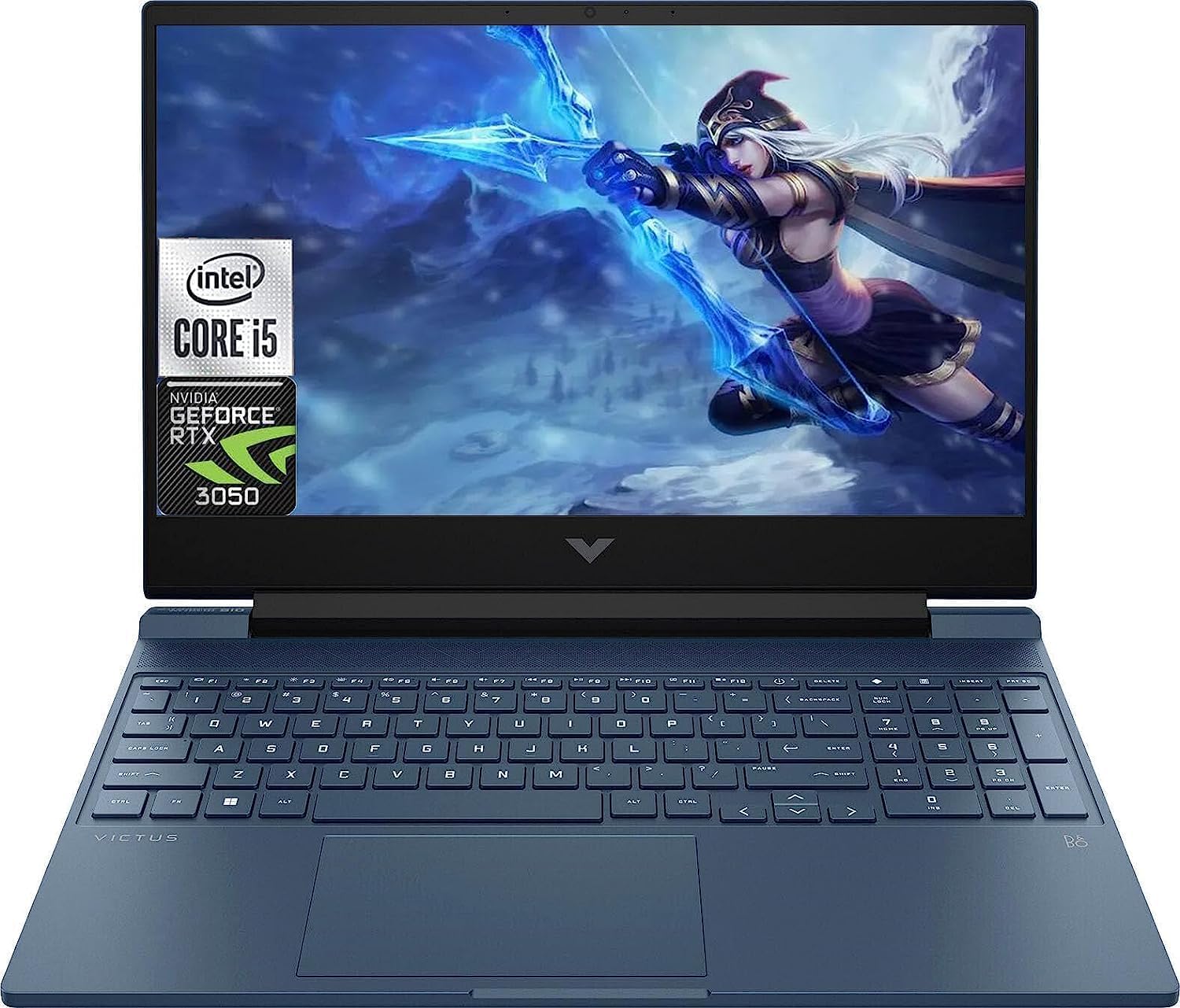
2. HP Victus 15 Gaming Laptop (15-fa0025nr)
Modern ray tracing and a 12th Gen chip — a real step up in frame rates for not much more money.
Modern games run smoothly because of three parts. An RTX 3050 graphics card with second-generation ray-tracing hardware (a rendering trick that simulates realistic light) handles the visuals. A 12th Gen Intel Core i5 boosts to 4.5 GHz (GHz measures how many cycles the processor runs per second) for quick load times. And a 12 MB L3 cache — the fast scratchpad the processor keeps close — feeds it data. That cache beats the older Acer Nitro 5 AN515-54-5812’s 4 MB by a wide margin, and that headroom is what keeps modern titles from hitching.
You can watch from anywhere on the couch, because the 15.6-inch IPS panel (a screen type with wide, even color) holds 178-degree viewing angles at 1920 x 1080 (Full HD). You get 8 GB of RAM and a 512 GB SSD (solid-state drive, fast flash storage). Buyers report it handles titles up to roughly 2022 without drama; newer high-end games need settings tweaked. Buyers praise it for running AAA games at 60 FPS (frames per second) on medium or high settings.
The trade-off is battery. Multiple buyers describe barely an hour of high-graphics gaming before the battery dies, so treat it as a desk-and-plug machine. A 31-mention reliability thread also reports some machines failing after around six months, so keep the receipt and warranty close. Storage at 512 GB doubles what the HP Pavilion above offers, though you can upgrade the RAM to 32GB later if you outgrow the 8 GB start.
Where the money goes: frames. The RTX 3050 and its 12 MB cache outpace the entry picks here on modern game settings, which is the whole point of stepping up a tier.
The honest limit: it wants a wall outlet. Budget for a long charging cable and don’t plan on gaming through a full battery on a plane.
Reach for this if: your games are recent and you want a real ray-tracing card without paying premium money.
Look elsewhere if: the machine has to live off battery half the week — the runtime here is measured in minutes of gameplay.
3. HP Victus 15.6″ 144Hz Gaming Laptop (i5-13420H)
A 144Hz anti-glare panel paired with an RTX 3050 — the smoothest budget screen in this group.
The 144Hz display is the headliner. It redraws the picture 144 times every second, so a fast strafe or a sudden flick of the camera stays sharp instead of smearing. The panel is also IPS and micro-edge anti-glare, meaning it keeps colors steady at angles and cuts down reflections under classroom lights. Pair that with an RTX 3050 graphics card and you have a budget machine built to actually feed that fast refresh.
Build quality is what buyers single out most, and owner reports describe it as sturdy with speed that handles both games and work. The RAM is 8GB DDR4-3200 and storage is a roomy 512GB SSD, so you are not deleting the last game to install the next. A 1.5GHz Intel Core i5-13420H processor (boosting up to 4.5 GHz) handles the multitasking load.
Two honest follow-ups. First, the listed GPU memory and processor generation on the page have been disputed — some owners mention getting an RTX 3050 with 4GB and an i5-12450H instead of the advertised 6GB and 13420H. Confirm the exact spec with the seller before checkout if that matters to you. Second, the battery is real-world short: a couple of hours of gaming is about right, and owners note it runs roughly four hours on light work. The Victus’s 3050 does fine at 1080p low-to-medium settings, and a sportier screen than the older Victus above is the main reason to choose this one.
Strong suits
- 144Hz IPS anti-glare screen for smooth motion
- 512GB SSD and 8GB DDR4-3200 RAM
- Buyers rate the build quality highest here
Watch-outs
- Battery lasts a couple of hours under gaming load
- Listed GPU memory and chip generation sometimes differ from what ships
The pick for you if: a fast, glare-resistant screen is your priority and you mostly play plugged in.
Skip the gamble if: you need the exact advertised spec sealed in writing — double-check the GPU memory at checkout.
4. Acer Nitro 5 Gaming Laptop (AN515-54-5812)
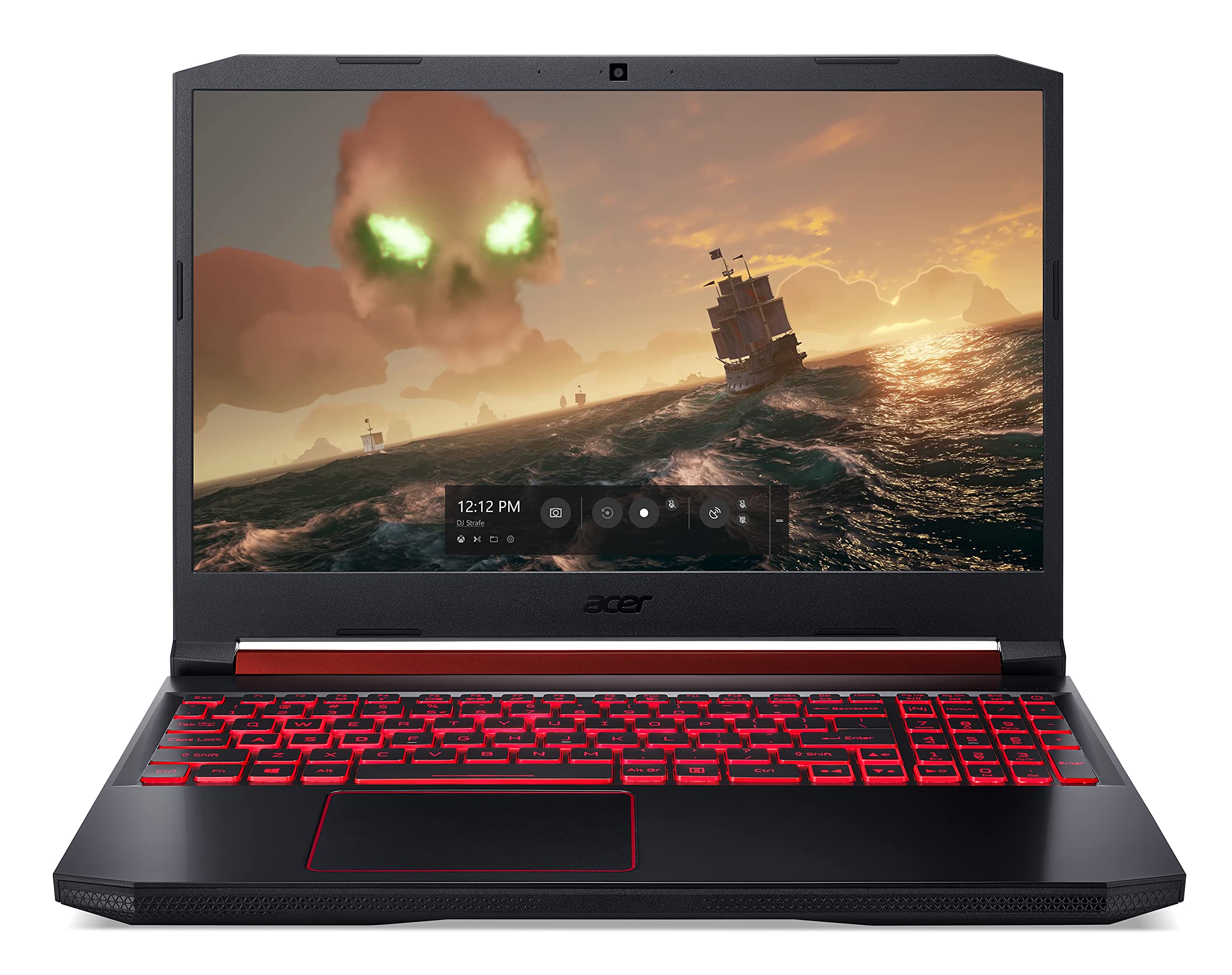
The laptop that proves a budget machine can be upgraded instead of replaced — leave a slot, add a drive.
Most cheap gaming laptops are sealed boxes. This one is not: it carries two PCIe M.2 slots (one left open) and an available hard drive bay, so you can drop in more storage the moment 256GB stops being enough. It has the biggest review pool in this group — 5,000+ ratings on Amazon — and the crowd consensus is that it handles games smoothly at high video settings and feels like decent value. That is a lot of owners landing on the same verdict. What buyers praise most is the performance, with value following close behind.
The 9th Gen Intel Core i5-9300H pairs with an NVIDIA GTX 1650 with 4GB of dedicated GDDR5 video memory on a 15.6-inch IPS LED screen at 1920 x 1080. Wi-Fi 6 keeps the connection modern, and a backlit keyboard plus Acer’s CoolBoost twin-fan setup help when a long session heats the chassis. The screen is Full HD and bright enough to make games look their age rather than worse.
The recurring gripe is battery: gaming drains it fast, and some owners note it runs around 8 hours on standby but a fraction of that under load. Reliability has a mixed thread — most machines work fine, and a few report boot failures around the two-month mark. This is the classic budget-gaming trade: a fast machine with a short battery and the occasional lemon. Its 4.5+ star rating across that crowd makes it the safest bet in the group for most buyers.
The upgrade angle: buy it now, add a drive when you need to — that open M.2 slot and hard drive bay are exactly why this machine ages well.
The size of the caveat: battery is short under load, so game on the charger. A rare boot issue shows up in reviews; buy with a return window.
Ideal for: a buyer who wants to grow storage over time rather than buy twice, and who values proof from a huge owner base.
Less ideal for: anyone who needs all-day unplugged runtime.
5. MSI GF63 Thin 11SC-693

A thin-frame gaming machine that fits in a backpack — with an honest ceiling on what it can play.
You can work away from a wall for a stretch, because MSI built the GF63 around mobility. Its 10-hour battery rating beats the MSI GF63 Thin 11UC-1276US’s 4-hour figure by a wide margin, so this is the GF63 variant to pick for unplugged sessions. The 15.6-inch 60Hz FHD thin-bezel IPS screen (60Hz means it refreshes 60 times a second) keeps the frame slim. An 11th Gen Intel Core i5-11400H boosts to 4.5 GHz, and a GTX 1650 does the drawing. It ships with 8GB of memory and a 256GB NVMe SSD (fast flash storage on the M.2 slot).
The review history is even-keeled rather than glowing. Performance lands mixed — some owners find it quick, others note 8GB of RAM makes it feel sluggish, and the consensus is that it is good for online gaming but not suited to graphically demanding titles. Reliability is likewise mixed, with a few glitches reported. That is not a machine that will impress a hardcore shooter player, and it makes no attempt to.
Its real home is a student or commuter who plays lighter online games, streams, and does coursework in between. The 60Hz refresh here is the slowest in this group — if fast motion matters, look at the 144Hz and 165Hz options above. For everything else, the thin chassis and seven-hour battery make a balanced everyday machine.
Go with it if: portability and battery matter and your games lean toward online multiplayer and lighter titles.
Pass if: you want to run demanding single-player games — the 60Hz screen and mixed performance reports cap what it does well.
6. HP Victus 15.6″ 144Hz Gaming Laptop (i5-12450H)

Sixteen gigs of RAM from the start — the difference between smooth and stuttering when a browser is open behind your game.
The standout spec here is straightforward: 16GB of DDR4-3200 RAM, double the 8GB you get on the HP Victus 15.6″ i5-13420H above. Even better, the page lists it as expandable up to 64GB, alongside a 512GB PCIe SSD that can climb to 2TB. For a player who streams, browses, and games at the same time, that extra memory means fewer stutters when the machine has to hold more than one thing in the workspace.
Fast action stays smooth on the 144Hz FHD IPS anti-glare screen (144Hz means it refreshes 144 times a second), and the RTX 3050 with 6GB of GDDR6 graphics memory (video memory) gives it the same sharp gaming canvas as its sibling. A 12th Gen Intel Core i5-12450H drives it up to 4.4 GHz. Buyers describe it as a great value and note games like Arc Raiders and Street Fighter 6 running perfectly on a 144Hz display. Its quality is the aspect buyers highlight most. It also runs lighter than the Lenovo LOQ on paper — the LOQ has a 6GB RTX 4050, this has the RTX 3050 6GB — so the LOQ wins raw power while this one wins memory for the money.
The caveat: this is still a 3050-class card, so the heaviest modern releases will want settings dropped. Bluetooth 5 and Wi-Fi connectivity are on board, and one available M.2 slot leaves room for a second drive down the road. If you want the biggest memory and storage start for a budget price, this is the one to choose over the 8GB Victus.
The smart-money spec: 16GB RAM and 512GB storage together future-proof the machine better than a faster card would at this price point.
The real limit: the RTX 3050 will need medium settings on the newest titles, so expect to trim shadows and textures on heavy releases.
Pick it if: you multitask while gaming and want the biggest memory start in the budget tier.
Look up a tier if: you want top-end frame rates — the RTX 4050 machines below carry more raw GPU muscle.
7. Acer Nitro V (ANV15-52-586Z)

A 144Hz screen, an RTX 3050, and 16GB of memory — a full spec sheet that skips the compromise on paper.
You get a machine built to game rather than a thin ultrabook that can game, because the GF63 Thin 11UC-1276US is the higher-spec version of the thin MSI above. The spec card tells the story: a 144Hz FHD display instead of 60Hz, an NVIDIA RTX 3050 with 4GB of graphics memory instead of the older GTX 1650, 16GB of DDR4 memory, and a 512GB NVMe SSD. The i5-11400H up to 4.5 GHz holds up through multitasking, and Windows 11 ships ready to install your library.
The one number that drags it down is battery: the listed 4-hour figure is the shortest in this group, and the 10-hour rating on the HP Victus 15.6″ (i5-12450H) makes it look particularly power-hungry. Where the 11SC-693 trades video memory for battery, this one trades battery for a faster screen and card. If your gaming happens at a desk near an outlet, that trade is fine; if you travel, it will annoy you.
On the whole this is a machine for the player who wants a modern card and a fast screen and understands that they come with a short leash. It delivers 16GB and 512GB without breaking the budget, which many cheaper 8GB machines cannot. Just plan on being near a plug.
The right call if: you want the high-refresh RTX 3050 experience and 16GB of memory on a budget, and you game at a desk.
Not the right call if: you need to move between rooms without a charger — the 4-hour rating is the shortest here.
8. Lenovo LOQ Gaming Laptop (Ryzen 5 7235HS)
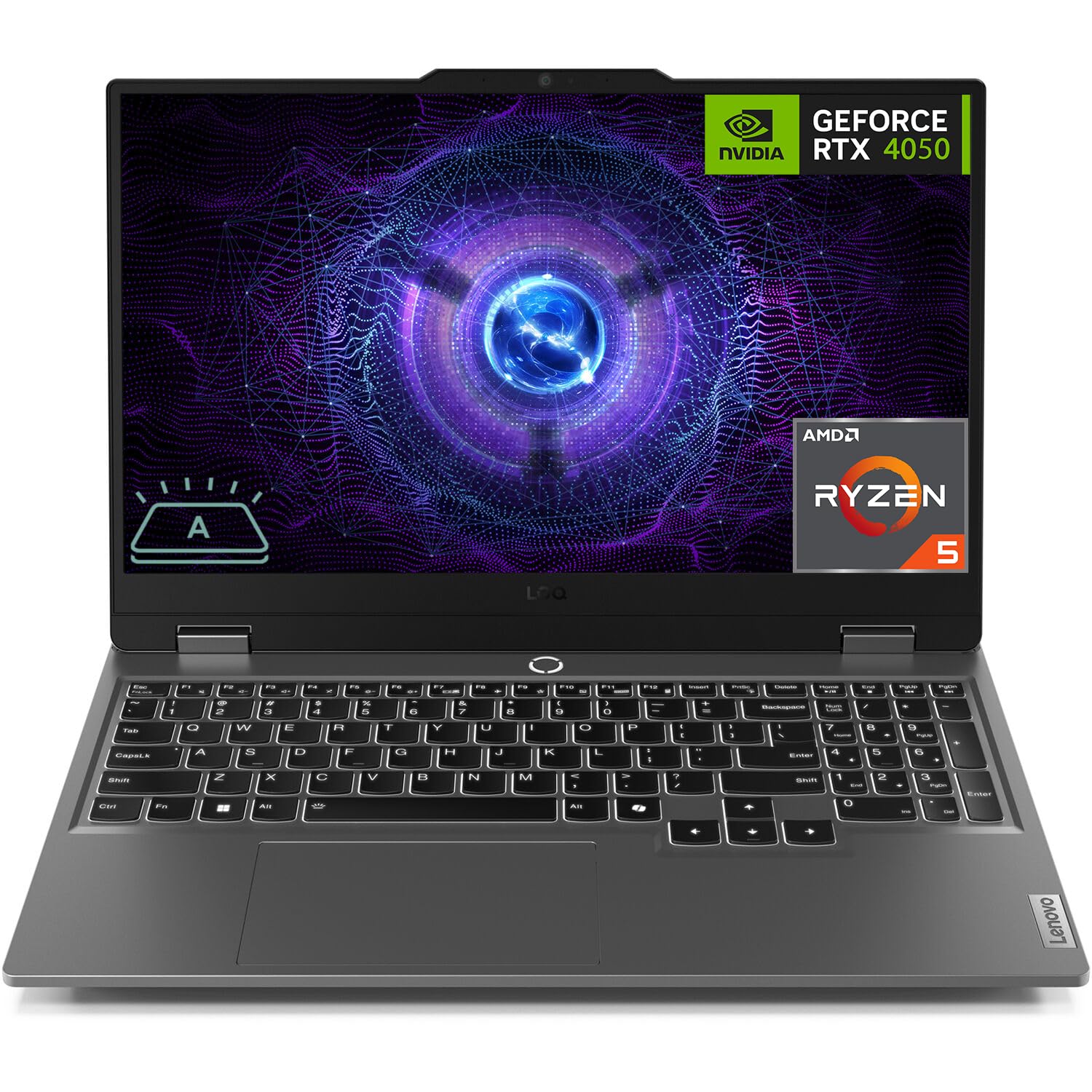
G-SYNC and a 6GB RTX 4050 — the anti-tear pairing that makes a 144Hz screen feel finished.
The LOQ marries a 144Hz FHD IPS anti-glare screen with an RTX 4050 carrying 6GB of GDDR6 memory. The G-SYNC feature matches the screen’s refresh to the card’s output so tearing and stutter disappear, which is a real advantage over the fixed-refresh panels on several picks here. Under it sits an AMD Ryzen 5 7235HS with 8MB of L3 cache, boosting up to 4.2 GHz, and the platform offers up to 64GB DDR5 and up to 8TB of PCIe M.2 storage.
The connection suite is complete — USB-C, three USB-A, HDMI, Ethernet RJ45, a headphone/mic combo jack, Wi-Fi 6 and Bluetooth 5.2 — so a headset, external monitor, and wired controller can all stay plugged in. Buyers describe it as a solid gaming machine that handles everything they have thrown at it, durable, with a screen they call fantastic. What wins people over is the performance, with gaming follow-up close behind.
The catch is consistency. A minority of owners describe a 50/50 shot of a defective unit and a painful refund process, so order from a seller with an easy return path and don’t rely on luck. The value side of the ledger still favors it — gamers who play titles like Guild Wars 2 and Palworld report the machine handles the graphics without effort.
Best-in-group pairing: G-SYNC plus a 144Hz panel is the smoothest, tear-free setup on this page, and the RTX 4050 6GB outguns the 3050 cards.
The wildcard: defect reports exist, so buy with returns. Everything about the spec sheet is right; the roll of the dice is the risk.
Choose this if: tear-free high-refresh gaming with a modern RTX 4050 is worth a premium and you buy with a safety net.
Weigh the risk if: a smooth return process matters to you — order where exchanges are easy.
9. Acer Nitro 5 (AN515-55-53E5)

The do-it-all Nitro — 144Hz, an RTX 3050, and CoolBoost thermals for the long session.
The higher-tier Nitro 5 puts an NVIDIA GeForce RTX 3050 with 4GB of GDDR6 memory behind a 15.6-inch 144Hz IPS panel at 1920 x 1080, with an 80% screen-to-body, 16:9 layout. A 10th Gen Intel Core i5-10300H pairs with 8GB of DDR4-2933 memory on two slots (up to 32GB) and a 256GB NVMe SSD across two PCIe M.2 slots plus a 2.5-inch drive bay. Acer’s CoolBoost raises fan speed by 10% and CPU/GPU cooling by 9% versus auto mode to keep the chassis in check.
Performance is what buyers praise most — the streak of gaming and streaming runs without lag, the upgradable design, and the way ports cover everything from an external monitor to a controller. This is the machine for someone who wants one laptop to do homework, stream, and game. The connectivity includes Killer Ethernet E2600 and Intel Wi-Fi 6, which prioritizes your gameplay traffic over other devices.
The clear limit is the battery and power side. Customers note it needs a charge within a couple of hours and that a rare unit simply won’t turn on. Treat that as a buy-with-a-warranty issue and the machine rewards you; the 11-hour listed battery life is a best-case standby figure, not gaming runtime. Its 4.5+ star rating across thousands of ratings makes it a fairly confident mid-tier pick.
The draw: a proven 144Hz RTX 3050 gaming laptop with CoolBoost cooling and lots of expandability options.
The honesty note: real gaming drains the battery in a couple of hours, and a rare DOA unit ships — buy the one with a clear return policy.
Pick it for: a do-it-all Nitro that handles games, streaming, and study without babysitting.
Not for: gamers who expect a full day off the charger — it is built to run near an outlet.
Know the Specs
Graphics Card (GPU)
The graphics card draws every frame your screen shows, so it is the single biggest lever on how games run. A GTX 1650 handles older titles well. An RTX 3050 adds ray-tracing hardware and generally runs modern games at medium settings. An RTX 4050 sits above both and pairs with DLSS 3.5, an AI feature that rebuilds frames to lift frame rates. When two machines here differ only in GPU, the higher model usually wins on raw speed.
Refresh Rate (Hz)
Refresh rate is how many times per second the screen redraws the image. A 60Hz panel redraws 60 times, a 144Hz panel 144 times, and a 165Hz panel 165 times. Higher numbers make fast motion look smoother — a swiping camera or a quick strafe stays sharp instead of smearing — but only if the graphics card can push frames that fast. Pair a high refresh screen with a card that can feed it.
Memory (RAM) and Storage (SSD)
RAM is the short-term workspace games and tabs share; 8GB covers most single-game sessions, while 16GB keeps things smooth when you stream or keep many tabs open. Storage is the long-term shelf for Windows and your games, and an SSD loads levels far faster than an old spinning drive. 256GB fills quickly with big games, so an open upgrade slot matters as much as the starting figure.
Battery and Thermals
Gaming laptops are built to run near an outlet — a full charge typically lasts a couple of hours of play. Treat the battery as a backup for notes and browsing. Heat is the other reality: small fans get loud keeping a fast card cool, and some machines warm up after 15 minutes of demanding play. A cooling pad can help, but plan on a well-ventilated desk for long sessions.
Common Questions
What graphics card should I look for in a very cheap gaming laptop?
Is 8GB of RAM enough for gaming on these laptops?
Does a 144Hz screen matter if I mostly play single-player games?
How long does the battery actually last on a budget gaming laptop?
Can I add more storage or memory to these laptops later?
Is an RTX 3050 better than an RTX 4050 for cheap gaming?
Will these laptops get hot or loud during long gaming sessions?
What should I do if the laptop arrives with a spec different from the listing?
Do I need to buy a cooling pad for a cheap gaming laptop?
Is a Ryzen-based gaming laptop different from an Intel-based one?
The Bottom Line
For most buyers, the very cheap gaming laptop winner is the HP Pavilion Gaming 15-dk0096wm because it delivers a real dedicated graphics card and a crisp 1920 x 1080 screen at the gentlest end of the market. If you want modern ray tracing and 16GB of memory for smoother multitasking, grab the HP Victus 15.6″ (i5-12450H). And for a 165Hz screen fed by an RTX 4050 with DLSS, the Acer Nitro V is the one to reach for. One last nudge: the Acer Nitro 5 AN515-54-5812 carries the largest owner base in this group at 4.5+ stars, and its open M.2 slot and hard drive bay mean it rewards you with room to grow.
How we choose
We do not accept paid placement. Every pick is matched to a real buyer and a real use-case; we do not hands-on test units.
Sources
Specifications: manufacturer listings and product documentation. Review insights: verified customer reviews, as of November 2026. Pricing: not shown on this page (it changes often); check the current price via the retailer link.
As an Amazon Associate, Tactical Gear Guy earns from qualifying purchases. This does not affect which products we feature.