Specs are compiled from manufacturer listings and verified buyer reviews and can change over time — please confirm the key details on the product page before buying.
Most people buying a capture card have the same worry: they plug it in, open OBS, and get either a black screen or a two-second delay that makes gameplay unplayable. The fix is almost never the software — it is picking a card whose capture chipset and output format match your console or camera. This guide separates the cards that hand you clean 1080p60 footage from the ones that quietly cap out at a lower resolution than the box claims.
This guide is built by comparing the manufacturers’ published specifications and the patterns across verified customer reviews, so you get each pick’s real strengths and trade-offs instead of marketing spin.
You will see which cards pass a 4K signal straight to your monitor while recording, which ones need a mic plugged straight into the card, and which ones struggle the moment you ask for a high frame rate. Every pick below is a real product backed by verified owner reviews, sorted so the strongest all-rounder sits first. Here is the honest breakdown of the usb video capture card market.
Top Picks
How To Choose The Best USB Video Capture Card
You can buy a card that says “4K” on the box and still record only 1080p. On almost every card in this category, 4K is the input — the signal the card accepts from your console or camera — while the actual recording is capped at 1080p. That is not a trick, it is how the hardware is built at this level. Read the output line, not the headline.
Input resolution versus capture resolution
Your console sends a signal in; the card converts it and sends it down the USB cable to your computer at a set resolution. A card that takes a 4K input and records at 1080p60 gives you a clean, smooth picture that most viewers cannot tell apart from native 4K on a livestream. What matters is that the capture format is uncompressed YUY2 rather than heavily squeezed MJPEG, because YUY2 keeps colours truer and text sharper.
Loop-out and pass-through explained
Loop-out (sometimes called pass-through) means the card has a second HDMI port that feeds your TV or monitor directly. You play on the big screen at full refresh rate while the card records a separate copy for your stream. Without loop-out you are stuck watching the delayed capture preview, which is fine for recording a camcorder but miserable for anything reaction-based.
Latency and why it decides your use case
Latency is the gap between what happens on your console and what appears in your capture software. A card with low latency can feed a preview window you play through; a card with heavy latency cannot, and you will need loop-out instead. If you plan to play through the capture preview itself, latency is the spec that matters most — more than resolution.
Audio inputs worth having
A built-in 3.5mm microphone port lets you plug a headset or mic straight into the card, so your commentary and game audio land in the same recording without a separate audio interface. If you record tutorials, teach online, or do live commentary, that one 3.5mm jack removes a separate audio interface and the sync work that comes with it.
Side-by-Side Comparison
| Model | Best For | Capture Output | Input / Pass-Through | Interface | Amazon |
|---|---|---|---|---|---|
| Magewell USB Capture HDMI Gen 2★ Best Overall | Demanding long-session streaming | Up to 1080p60 | Up to 2048×1080 60fps | USB 3.1 Gen 1 Type-A | Amazon |
| UGREEN 2K@30Hz 1080P 60FPSBest Value | Budget streaming and camera capture | 2K@30Hz / 1080p60 | 4K@30Hz input | USB 3.0, USB-A and USB-C | Amazon |
| acer USB 3.0 HDMI Capture CardBest for Commentary | Commentary and online teaching | 1080P@60Hz (YUY2) | 4K input, loop-out | USB 3.0 Type-A and Type-C | Amazon |
| Guermok 4K60FPS Capture Card | VR and iPad capture on a budget | MJPEG 4K/60Hz, YUY2 4K/25Hz | 4K@60Hz input and output | USB 3.0 (A to C adapter) | Amazon |
| Swudloe USB3.0 Capture Card | Clean YUY2 recording with mic input | YUY2 1080P 60FPS | 4K@30Hz input and pass-through | USB 3.0 Type-A | Amazon |
| BENFEI 4K@60Hz Loop Out | Competitive gaming with loop-out | 1080P 60FPS | 4K@60Hz loop-out | USB-C | Amazon |
| AVerMedia GC551G2 Live Gamer Extreme 3 | High-refresh gaming pass-through | 4Kp30 | 4Kp60 HDR / 1080p240 pass-through | USB 3.2 Gen 1 Type-C | Amazon |
| AVerMedia Live Gamer ULTRA S GC553Pro | 4K60 console capture and ultrawide | 4K60 / 1080p60 HDR | VRR up to 1440p60, 1080p240 | USB 3.2 Gen 1 Type-C | Amazon |
Detailed Reviews
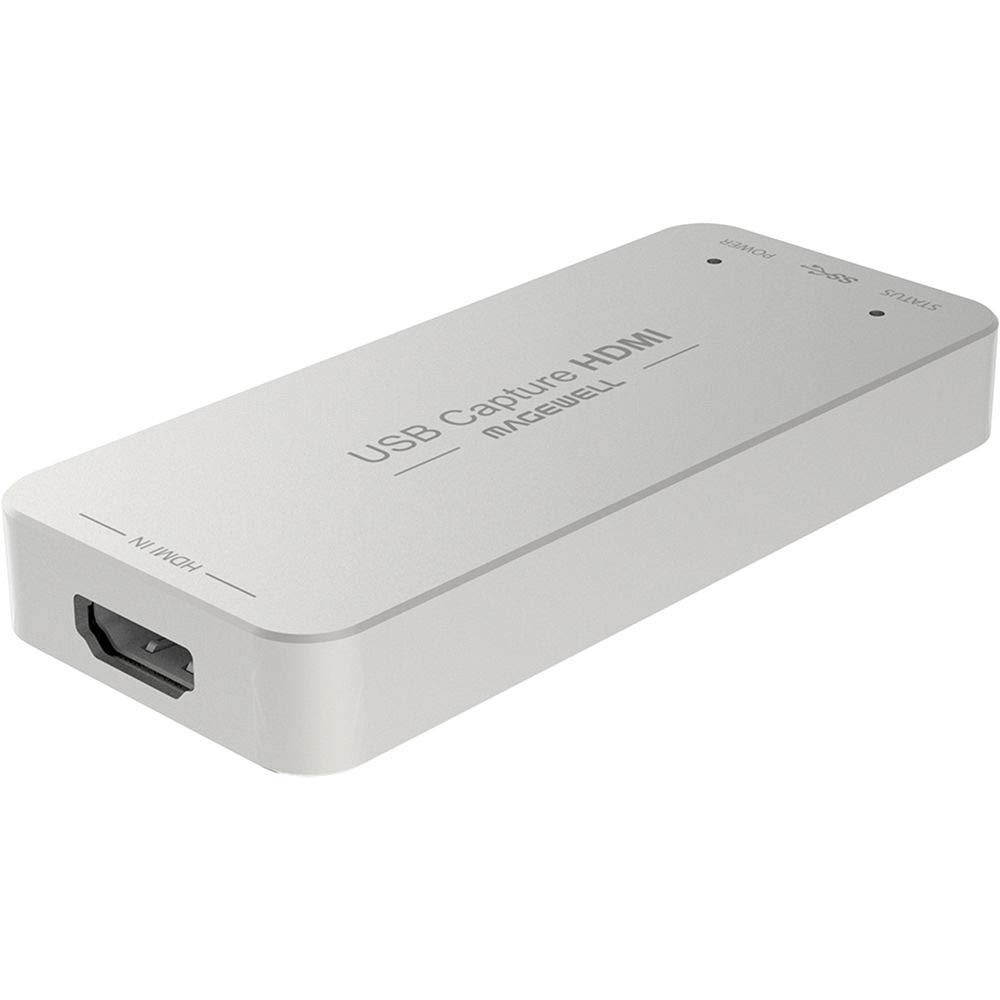
1. Magewell USB Capture HDMI Gen 2
Our pick — 4.5+★ from 600+ verified ratings; the strongest balance of quality and price.
The card broadcasters reach for when a dropped frame costs them an audience.
If your streams run long and your computer already sweats under OBS, this is the pick that takes the load off. The Magewell does its cropping, scaling, de-interlacing, colour conversion and flip or mirror work on the card itself — the FPGA-based video processing inside the device, rather than your CPU. That keeps your CPU free for encoding, so a three-hour broadcast does not degrade into a stuttering slideshow by hour two.
The capture ceiling is 1080p60, and it accepts an HDMI input up to 2048×1080 at 60fps in 4:4:4 colour. In plain terms, that full-colour sampling keeps fine text and sharp edges intact instead of smearing them, so scoreboards and on-screen chat stay readable in your recording. It is a plug-and-play USB 3.1 Gen 1 device that installs on Windows, macOS, Linux and Chrome OS with no driver hunt, and it falls back to USB 2.0 if that is the port you have. Linux users in particular report it simply working.
What owners praise most is sheer functionality — 172 of them single it out — and reliability under real conditions sits right behind at 122. The card is rated for 24/7 operation, with thermal protection and status LEDs so you can see what it is doing, plus a 3-year limited warranty. Two honest notes. It does run warm, and a minority find the warmth shows up as stutter under sustained load; a small heatsink fixes it for those who hit it. And at 3.2 ounces in a 3.32 x 1.69 x 0.5 inch body, it is tiny — noticeably more compact than the acer card at 6.3 x 5.2 x 0.6 inches.
Where it earns the top spot
- On-card processing keeps your CPU free for encoding during long streams
- 1080p60 capture with 4:4:4 colour keeps text and edges sharp
- Driver-free on Windows, macOS, Linux and Chrome OS
- Built for 24/7 use with thermal protection and a 3-year warranty
What to weigh first
- Runs warm, and the minority who push it hard see stutter until they add cooling
- 1080p60 is the ceiling — no 4K recording here
- The premium tier means you pay for build and support, not resolution
Settle on this if: you livestream for hours, run Linux, or want a card that behaves like installed hardware instead of a peripheral.
Move along if: you need 4K recording or you play competitive games through a live preview — the warmth-and-latency combination is not built for that.
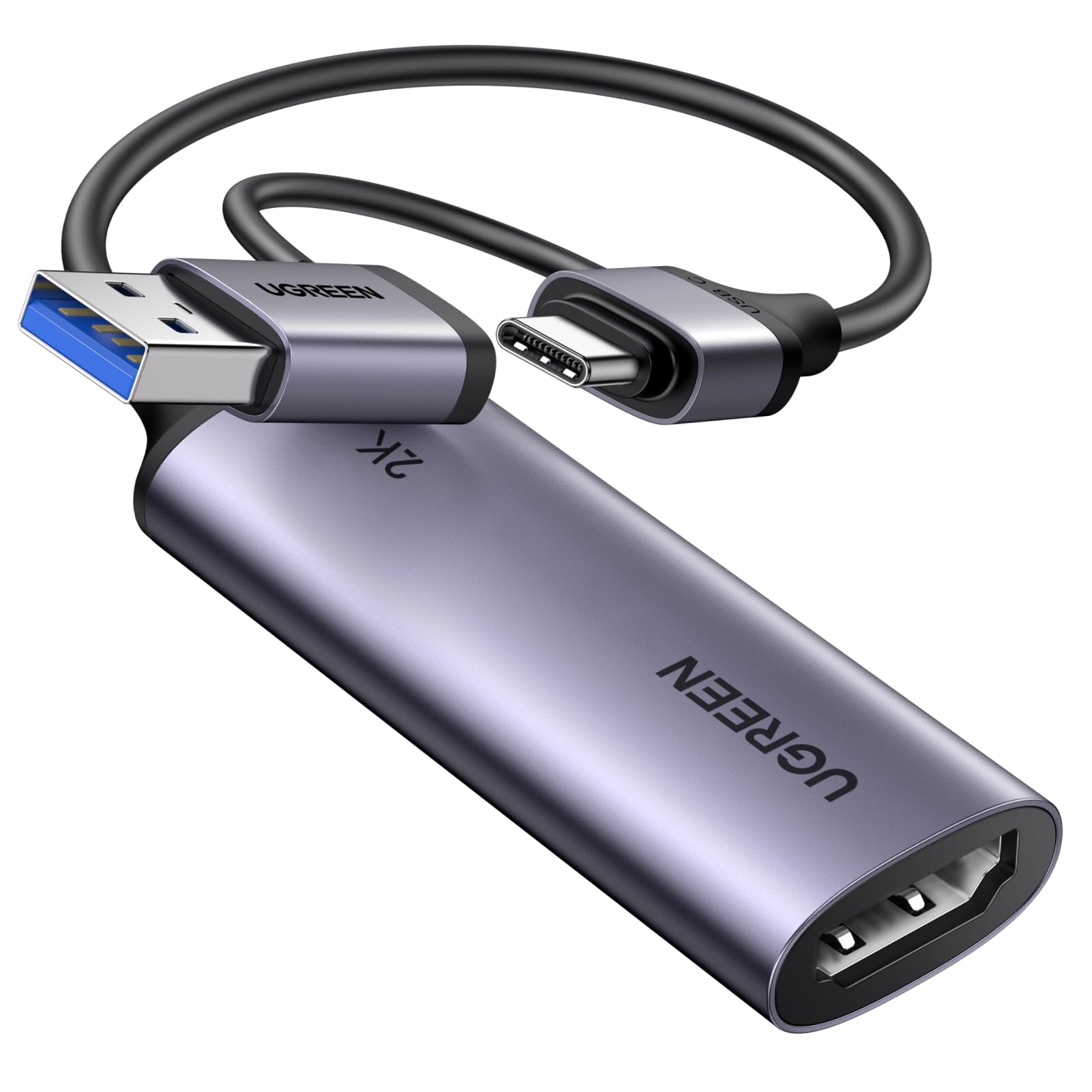
2. UGREEN 2K@30Hz 1080P 60FPS Capture Card
A pocket-sized aluminium card that turns a mirrorless camera into a webcam in minutes.
You get a 4K@30Hz input and a 2K@30Hz or 1080p60 output, all over a USB 3.0 link rated at 5 Gbps. The card also carries both USB-A and USB-C plugs, so it goes into a laptop, an iPad or a desktop without hunting for an adapter.
The aluminium alloy shell does double duty as a heat spreader and electromagnetic shielding, and at 50 grams it disappears in a bag. Owners note it is recognised instantly by OBS, QuickTime and PotPlayer with no drivers at all — one of the smoothest parts of the whole setup. It is also genuinely good with game consoles: Switch, Switch 2, PS4, PS5, Xbox Series X and Quest 3 all feed it happily once you toggle HDCP off on the console side.
The one caveat is latency, and it is a real one. Reaction-heavy games played through the capture preview show a visible delay — owners have clocked it well above what a rhythm game tolerates. Recording a camera feed or casting a menu-driven console game to your laptop? Zero problem. Disable buffering in your software too, or you inherit an audio delay on top. What wins people over is straightforward functionality and the build quality of an aluminium body at this size.
Straight read: a 50-gram aluminium card with USB-A and USB-C plugs, 4K@30Hz input and 1080p60 output, at a price that undercuts the AVerMedia options by a wide margin.
The honest catch: if your plan involves playing through the preview window in a fast game, the delay will fight you — this is a recording card first, a low-latency play card second.
Right for: camera-to-webcam setups, console menu games, and anyone who wants clean 1080p60 without a big spend.
Wrong for: competitive play-through-preview, where the latency is genuinely too long.
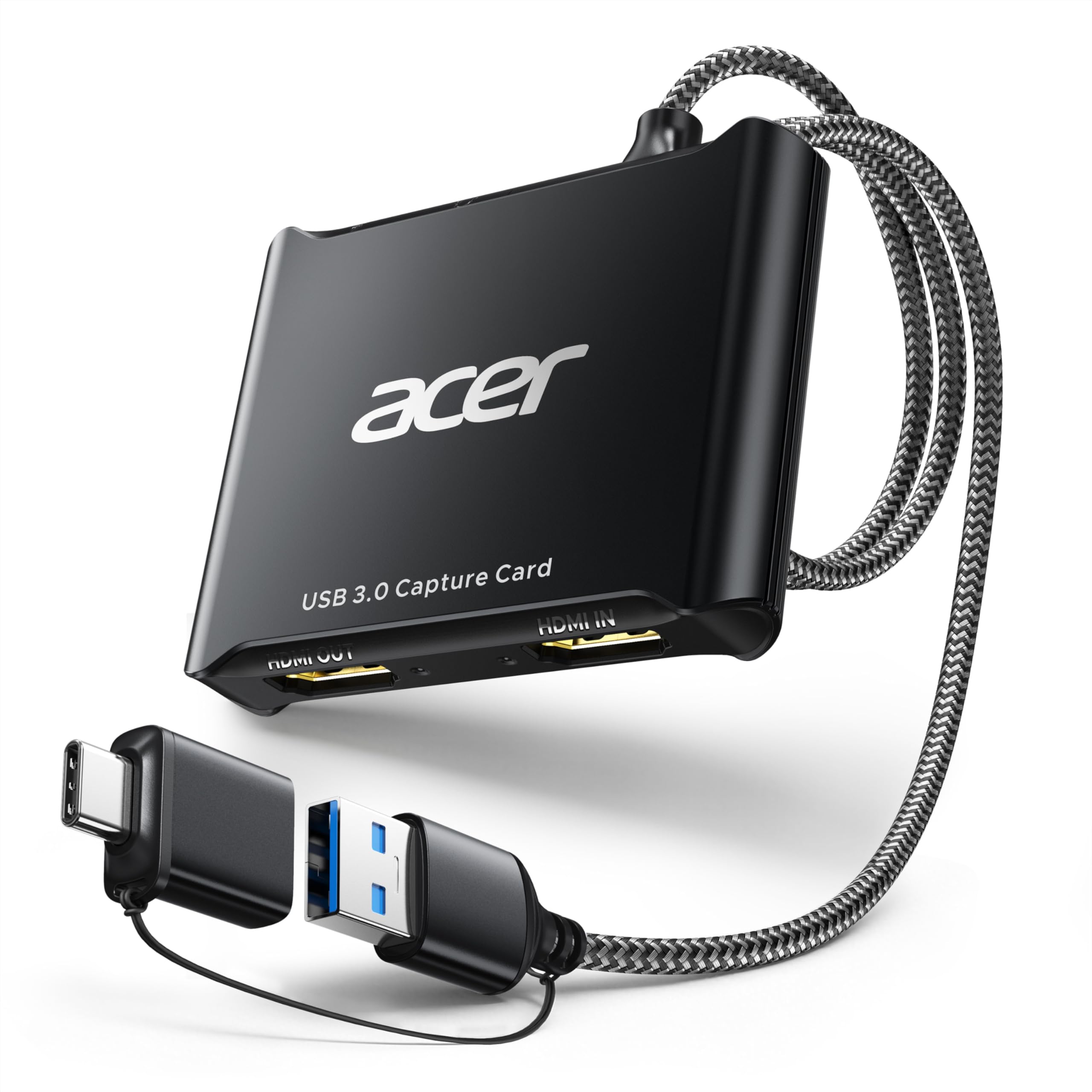
3. acer USB 3.0 HDMI Capture Card
One 3.5mm jack is the whole reason to pick this one — mic straight into the card.
Plug a headset or a microphone into the acer and your voice lands in the same recording as your game or camera feed, with no second audio interface and no post-editing sync work. For online teaching, vlog dubbing or live gaming commentary, that one 3.5mm port removes a separate audio interface from your chain. It records at 1080P@60Hz using YUY2, which keeps colours fuller than MJPEG compression does, and it accepts a 4K input while looping a clean picture out to your monitor.
The reviews reflect how smoothly this behaves: lag barely registers, setup takes minutes, and the braided cable with its aluminium case feels sturdier than the price suggests. Owners describe it as the best-looking resolution they have tried among the entry-level cards, and true to its stated settings. It also runs both USB Type-A and Type-C ports, so phones, tablets, PCs and Macs all connect without an adapter hunt.
One correction worth knowing before you buy: despite the 4K spotlight, the input tops out at 4K 30 FPS rather than 4K 60. That is a spec clarification, not a flaw — at 1080p60 the card delivers exactly what it promises. It is also noticeably larger than the Magewell, at 6.3 x 5.2 x 0.6 inches, so it lives on a desk rather than disappearing into a pocket. At 4.0+ stars across 300+ ratings, this is a well-liked card with a clear niche.
Why it lands here: the built-in 3.5mm mic input plus 1080P@60Hz YUY2 capture covers the commentary crowd that most budget cards ignore entirely.
Be aware: the 4K input is capped at 30 FPS, so treat the headline as input capability rather than recording capability.
Pick it when: you talk over your footage and want the mic and the video in one box.
Leave it if: you need a pocket-sized card or true high-frame-rate 4K input.
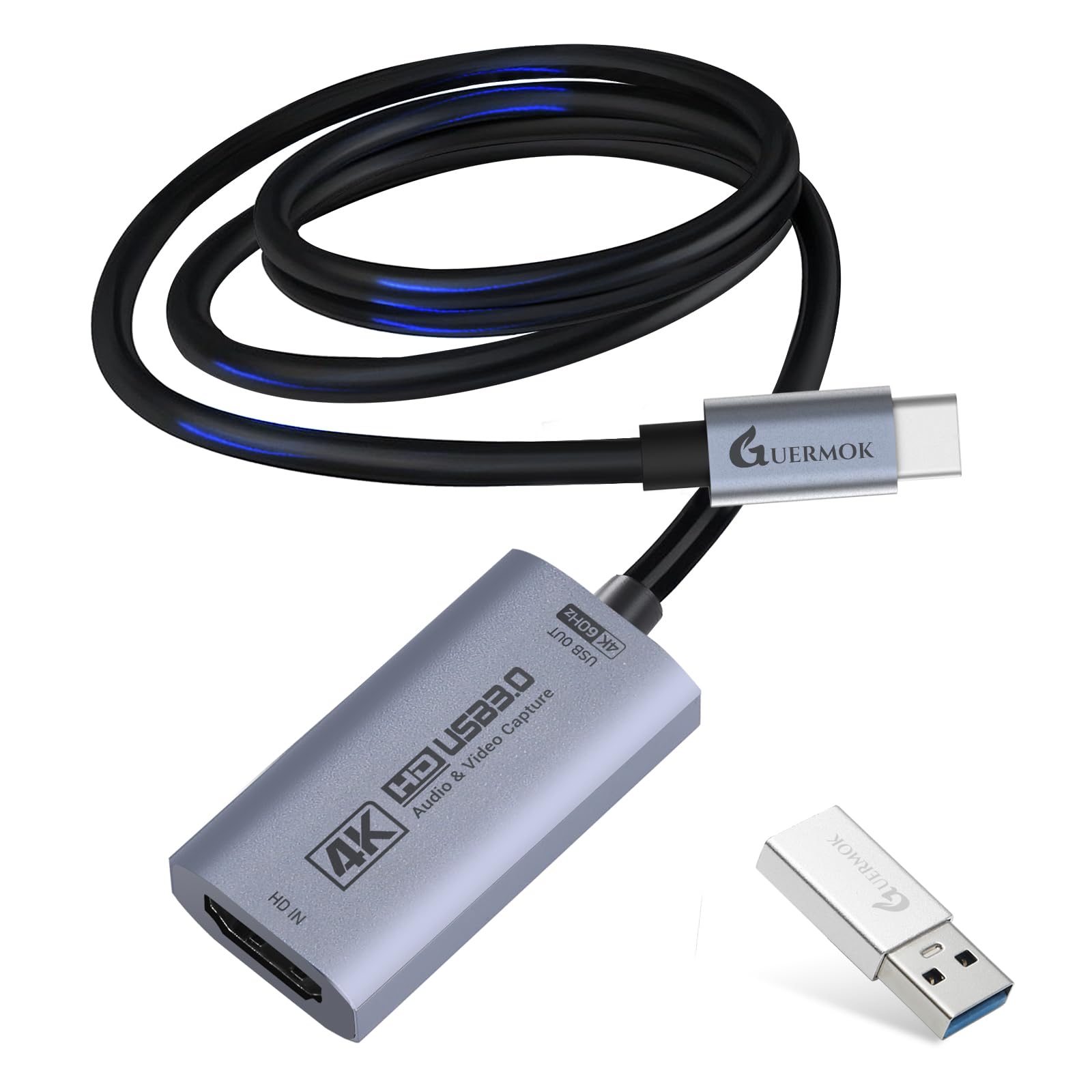
4. Guermok HDMI Capture Card 4K60FPS
A format menu you can tune — MJPEG for 4K60, YUY2 for cleaner frames at lower rates.
This is the card for the tinkerer. It supports MJPEG up to 4096×2160 or 3840×2160 at 60FPS, 2560×1440 at 120FPS, and 1920×1080 at 120FPS, plus YUY2 and NV12 up to 2560×1440 at 50FPS and 1920×1080 at 120FPS. The short version: you choose your trade-off between resolution, frame rate and compression, and the card follows. It is 1.6 ounces with a 3.3ft cable, and it ships with a USB-A male to USB-C female adapter so either port works.
It handles VR capture in particular well — PS5 into a Meta Quest 3 or Quest 2 over this card is a documented happy path, plug and play with no setup drama. There is one quirk to file away: if you connect it to a USB 3.0 port and still see 1080P output, flip the USB-C connector 180 degrees and reconnect. That single tip resolves a lot of the frustration this card generates in the wrong hands.
Here is the fair warning. The 4K60 mode runs only in MJPEG (a compressed video format), so the image carries compression; at 1080p and 1440p the picture is genuinely good, but the top-end mode is not the cleanest footage in this guide. Some consoles also show lag through the preview, and a few units have played up after first use. At 4.0+ stars across 500+ ratings, most buyers are happy — but this is the card that rewards a buyer who reads the format list before plugging in.
Sharpest reason to buy: the widest format menu in this list — 4K60 in MJPEG, 1440p120, 1080p120 — with a VR-ready PS5-to-Quest workflow.
The trade-off: the 4K60 mode is MJPEG only, so cleanest footage means stepping down a resolution or accepting compression.
Suits you if: you want to experiment with formats, record VR, or need 120FPS at 1080p.
Not for you if: you want a set-it-once card and never want to touch a resolution setting again.
5. Swudloe USB3.0 Capture Card
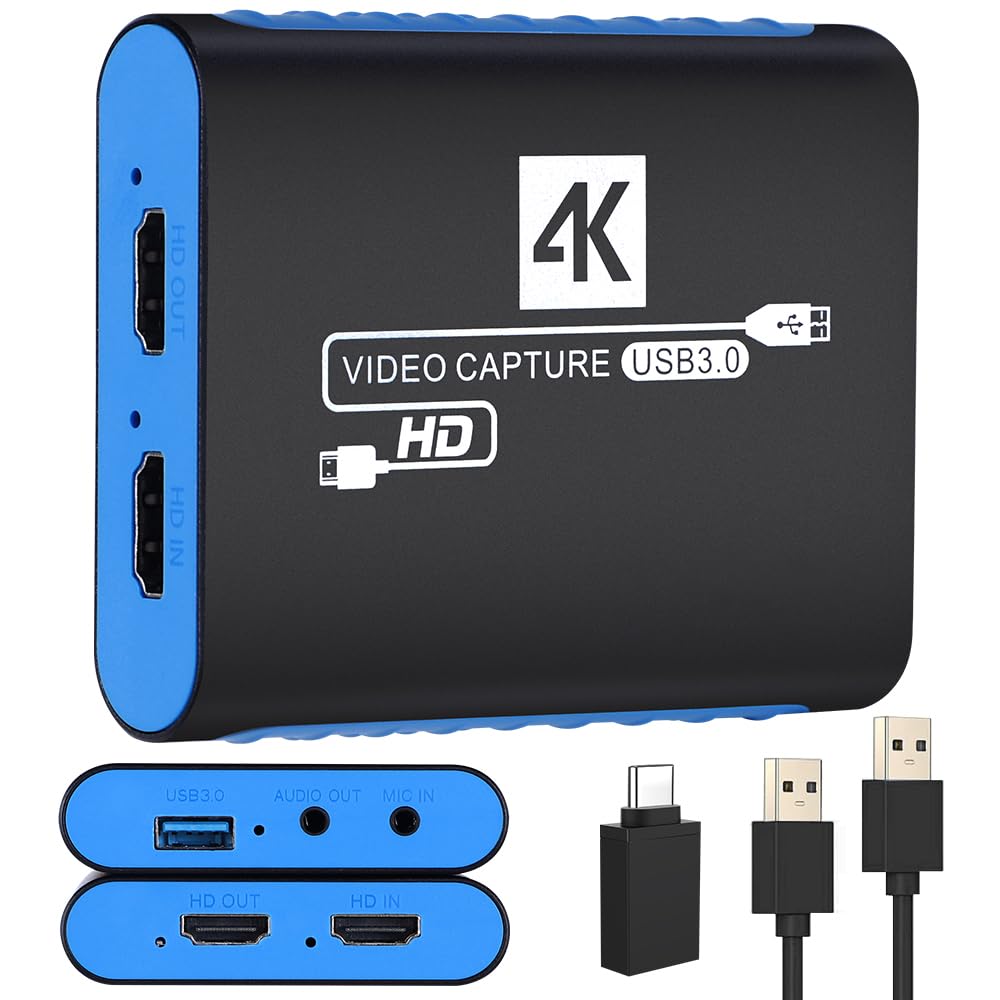
Uncompressed YUY2 at 1080p60, with an audio jack for anything you plug into it.
The Swudloe records in uncompressed YUY2 at 1080P 60FPS, which is the format you want if compression artifacts have been eating into your footage. It also takes a 4K@30Hz HDMI input and passes it straight through to your monitor free of frame lag, so you can watch the game live while the card captures a separate copy. Both a 3.5mm audio input and output sit on the body, letting you pull audio from a microphone, headphones or a musical instrument without a converter in the chain.
It has been used to push PowerPoint presentations to a livestream computer, to send a Switch feed to a MacBook in OBS, and to feed a DSLR into a streaming rig. Setup is beginner-friendly, the instructions that come with it are comprehensive, and the 88.5 gram body in a 3.15 x 3.15 x 0.79 inch housing feels packed rather than flimsy.
The audio side is where it splits opinion. Passing audio through to another computer works well; capturing your own commentary cleanly takes a little gain fiddling. Video quality is much-discussed and generally positive, with the occasional recording that looks softer than expected.
Strongest points
- Uncompressed YUY2 1080P 60FPS capture keeps footage open and clean
- 4K@30Hz input and pass-through with no frame lag
- Built-in 3.5mm audio input and output for mic or instrument
- USB-A to USB-C adapter included for laptop and tablet use
Points to plan around
- Recording your own commentary takes some audio gain tuning
- No 4K recording — input is 4K@30Hz, capture stays at 1080p60
- A larger desktop footprint than pocket-sized alternatives
Top choice for: streamers who want uncompressed capture and a dedicated audio port on the card itself.
Look elsewhere if: you demand 4K recording or a card small enough for a jacket pocket.
6. BENFEI 4K@60Hz HDMI to USB-C Capture Card
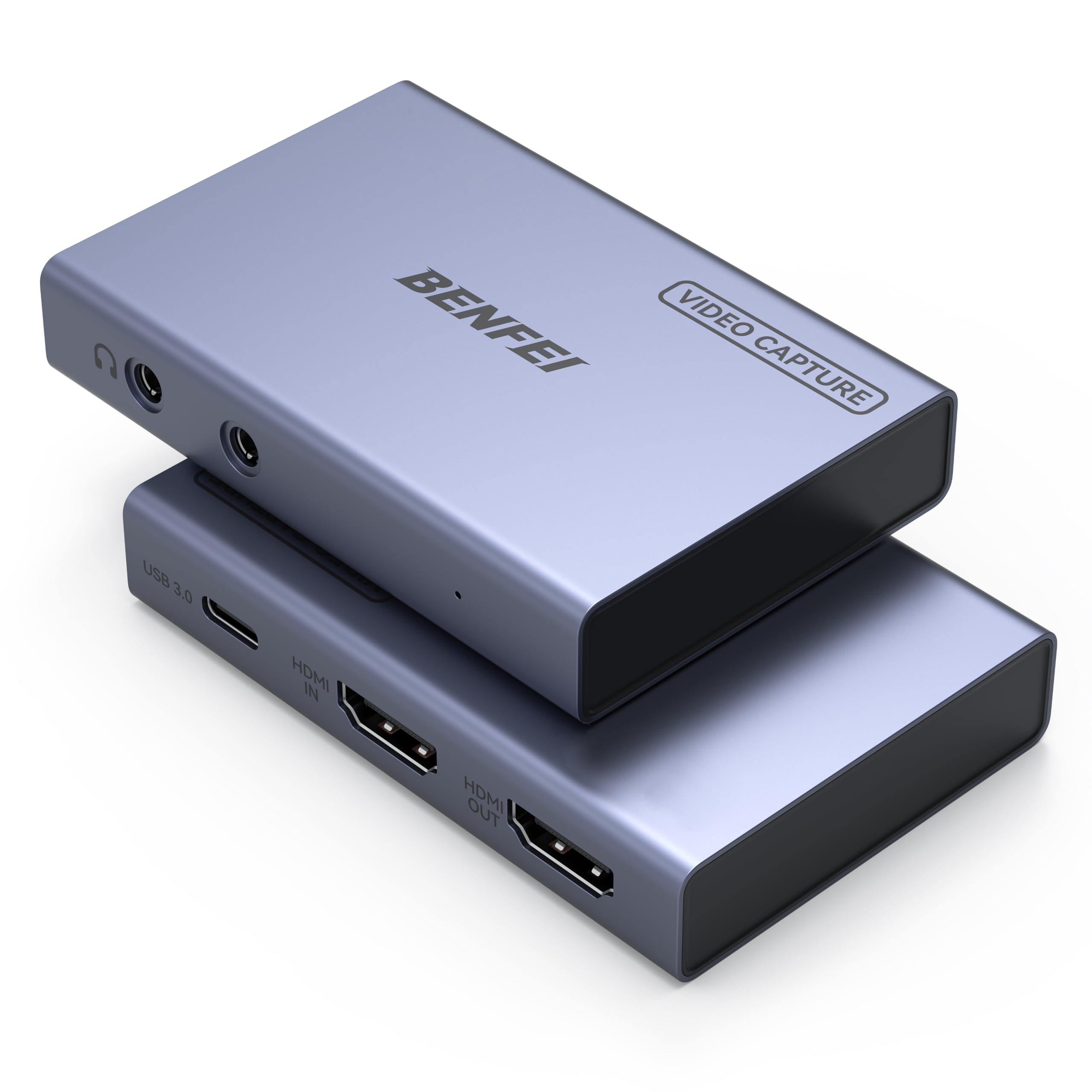
Play at 4K60 on your monitor, record at 1080p60, and talk over both.
Loop-out is the feature that makes this card a gaming pick rather than a recording pick. It passes 4K@60Hz video straight to your monitor while recording at 1080P 60FPS at the same time, so gameplay speed and capture quality do not compete. The chipset is built for smooth transmission with no drops, and the card records at 1080P 60FPS with near-zero latency in the capture path.
Commentary comes through a dedicated 3.5mm microphone port, which puts your voice in the recording without extra gear. The aluminium alloy casing acts as a heat sink, so long sessions do not throttle the card. It connects via USB-C and starts capturing on Windows, Mac OS, Linux, iOS17 and Android with no drivers — OBS, XSplit, Zoom, Teams and Discord all pick it up. Console support covers Switch, PS4, PS5, Xbox Series X and Quest 3 or 2, feeding an iPad, laptop or phone.
The card weighs 6 ounces, and you get an 18-month warranty with it. Because this one is newer to the market, verified owner feedback is still building, so treat the advertised latency and format claims as the maker’s figures rather than road-tested ones. What it does have going for it is the right architecture for competitive gaming: loop-out for the display, mic-in for the voice, and a capture path separate from both.
What it is built for: 4K@60Hz loop-out to the monitor, 1080P 60FPS capture, and a 3.5mm mic input — the three features a competitive streamer needs simultaneously.
Weigh before buying: the model is recent, so the latency claim has not yet been corroborated by a wide body of owners.
The one to grab if: you play fast games on a 4K monitor and record alongside at 1080p60 with commentary.
Give it a pass if: you want a deep track record of owner reports before committing.
7. AVerMedia GC551G2 Live Gamer Extreme 3

Record in 4Kp30 while your monitor runs up to 1080p240 — no compromise on either end.
The GC551G2 splits its job cleanly in two. It records 4Kp30 gameplay while passing a high refresh rate signal to your monitor of up to 1080p240, and it supports VRR pass-through at 1440p120 or 1080p120. If you run a high-refresh display and do not want your capture card to drag it back to 60Hz, this is exactly what that feature is for. The 4Kp60 HDR pass-through keeps your HDR picture intact while the recording happens separately.
Reliability is what owners highlight most — 20 of them — with quality right behind at 15. HDMI-CEC still passes through the device, so your console can wake your TV, and the 3.5mm audio in and out lets you capture game chat and commentary without extra software. It is plug-and-play on Windows 10/11, Mac 13/14 and iPadOS 17 or later, and it works with PS5 and PS5 Pro, Switch, and Xbox Series X/S. It is also NDAA and TAA compliant, which matters for government and secure procurement.
The setup experience divides buyers in two: some find it painless and get the highest quality out of their system, others struggle and report having to unplug and replug on every PC boot. Latency split opinion as well. At 4.0+ stars across 170+ ratings, most owners are content, but this is not the hands-off card in the group — plan on a short setup session and the right expectations.
Why it stands out: 1080p240 pass-through and 1440p120 VRR support give high-refresh players their frame rate back while the card records 4Kp30.
Fair warning: setup is not universally smooth, and a minority need a replug each boot — budget patience for the first session.
Made for: high-refresh gamers and SMB or government buyers who need NDAA and TAA compliance alongside capture.
Think twice if: you want a card you never have to think about again after the first install.
8. AVerMedia Live Gamer ULTRA S GC553Pro
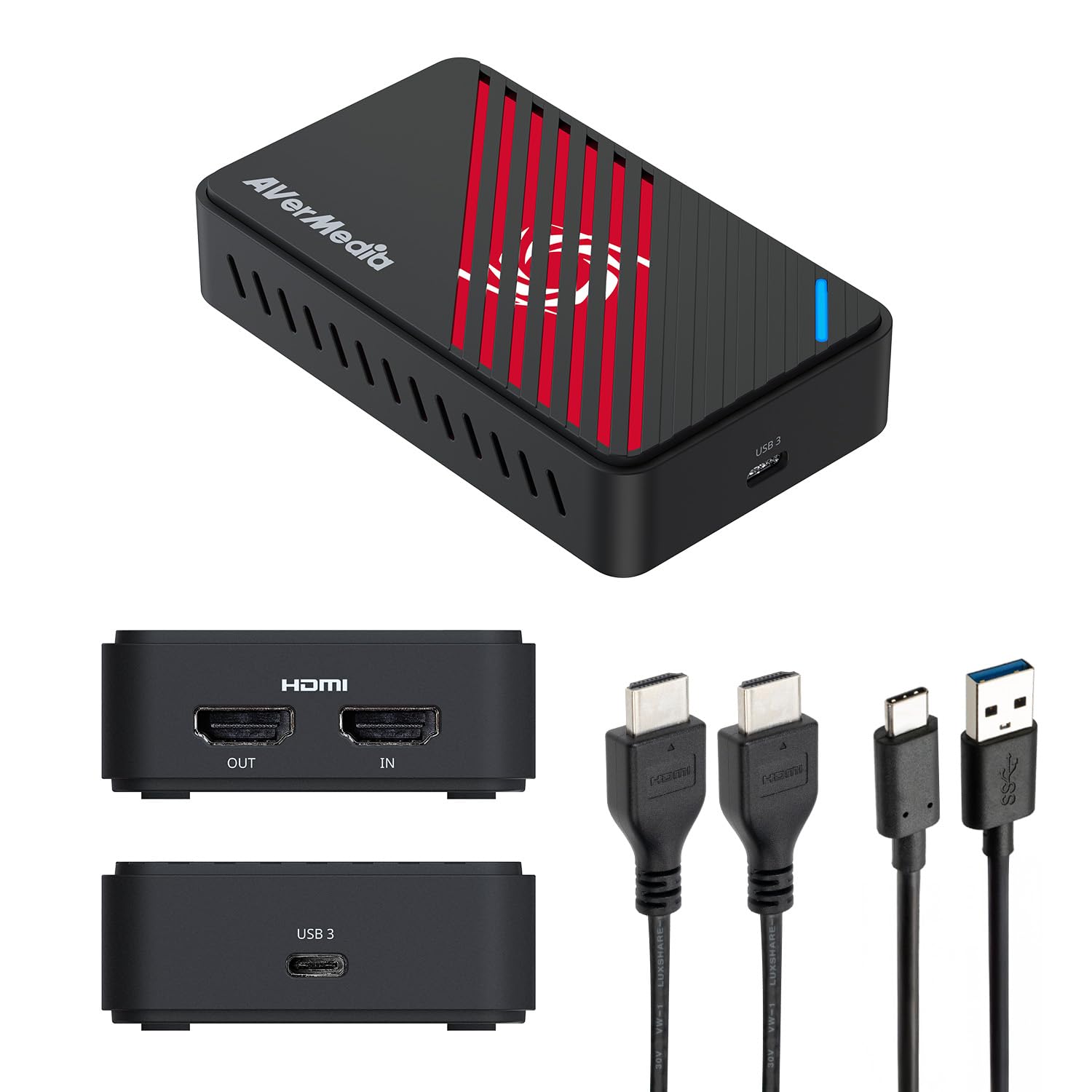
It records at actual 4K60 — the spec most cards in this guide only pretend to meet.
Where the GC551G2 records at 4Kp30, this one records at 4K60. Console gameplay from PS5, PS5 Pro and Xbox Series X/S goes to Twitch, YouTube or Discord at up to 4K60, or 1080p60 HDR, and it works with OBS Studio, Streamlabs or AVerMedia Streaming Center. For a Nintendo Switch 2 there is no extra setup: dock the console in TV mode and start capturing. That single format jump is the whole argument for stepping up a tier.
VRR recording reaches 1440p60, 1080p120 or 1080p240, and the card accepts 3440×1440 and 2560×1080 input for 21:9 ultrawide panels — a niche nothing else in this list covers. On Windows you can capture 5.1-channel audio through Streaming Center or its OBS plug, and everything rides a USB 3.2 Gen 1 Type-C connection. It runs on Windows 10/11, macOS 13/14+ and iPadOS 17+, with the HDMI 2.1 cable and Type-C to Type-A cable in the box. At 99 grams it is light for a card with this much capability.
Performance and reliability are what the feedback centres on, and it handles both retro and modern consoles in true 4K and HDR on a Mac desktop. The honest limits: owner reviews for this model are still relatively thin compared to the rest of the list, so the track record is shorter. EDID handshakes — the negotiation between a device and the card over what signal to send — can misbehave with certain older consoles. At 4.0+ stars, it is a strong card with a shorter reputation than its stablemate above.
The case for the step up
- True 4K60 recording, not just 4K input
- VRR recording to 1440p60, 1080p120 or 1080p240
- 3440×1440 and 2560×1080 ultrawide input support
- 5.1-channel audio capture on Windows
Where it holds back
- Shorter track record than the older AVerMedia model in this guide
- Older consoles can hit EDID handshake trouble through pass-through
- You pay the most in this list for the 4K60 jump
This is your card if: 4K60 console recording, ultrawide support or 5.1 audio is on your requirement list.
Skip the upgrade if: you record at 1080p anyway — the GC551G2 above covers that for less, with more owner history behind it.
Know the Specs
Input resolution versus capture resolution
The input number is the largest signal the card can accept; the capture number is the size of the file it hands to your computer. They are often different. A card taking a 4K input but recording at 1080p60 is doing normal, honest work — the console sends 4K, the card converts it down to a crisp 1080p60 frame your USB bandwidth can carry. Read the output figure when you compare cards, because that is what actually reaches your stream.
YUY2 versus MJPEG
These are two ways of packing video down the USB cable. YUY2 keeps colour information roughly intact, which is why text and edges stay sharp and why it fills more bandwidth; MJPEG compresses each frame like a sequence of photos, which uses less data but softens detail. For recording you care about, YUY2 is the cleaner format whenever the card and your port can manage the rate you want.
Pass-through and loop-out
Pass-through feeds your TV or monitor a direct copy of the HDMI signal; loop-out is the port that makes it possible. It lets you watch your game live at full refresh rate while the card records a separate copy for your stream. If your card has no loop-out, you watch the delayed preview instead, which is fine for a camera feed but not for anything you react to.
USB bandwidth and the 3.0 requirement
Plug into a USB 3.0 port and the card gets enough bandwidth for high-frame-rate capture; a USB 2.0 port is the bottleneck that quietly drops you to a lower resolution. Several cards in this guide fall back to USB 2.0 compatibility, and that is fine for general use, but if your footage looks softer than the box suggested, check the port first — it is the most common cause of a card seeming to underperform.
Common Questions
Will a USB capture card work with my PS5 or Xbox Series X?
Do capture cards record in 4K or just accept a 4K input?
Can I play games through the capture card preview window?
Do I need to install drivers for these cards?
Can I use a capture card with an iPad?
Why does my recording look worse than what I see on my TV?
Can I connect a microphone directly to the capture card?
What does HDMI loop-out actually do?
Will a capture card add lag to my actual gameplay?
How much does the HDMI cable length matter?
The Bottom Line
For most people, the usb video capture card worth starting with is the Magewell USB Capture HDMI Gen 2. It does its processing on the card so your computer stays free, it runs driver-free on four operating systems, and it is rated for 24/7 use with a 3-year warranty. If your budget is tighter and you mostly capture a camera or a console menu, the UGREEN 2K@30Hz hands you 1080p60 in a 50-gram aluminium shell. And if 4K60 recording genuinely matters, the AVerMedia Live Gamer ULTRA S GC553Pro is the only card here that records at that size. Pick by the capture output figure — it is the number that tells you what resolution actually reaches your stream.
How we choose
We do not accept paid placement. Every pick is matched to a real buyer and a real use-case; we do not hands-on test units.
Sources
Specifications: manufacturer listings and product documentation. Review insights: verified customer reviews, as of November 2026. Pricing: not shown on this page (it changes often); check the current price via the retailer link.
As an Amazon Associate, Tactical Gear Guy earns from qualifying purchases. This does not affect which products we feature.