Specs are compiled from manufacturer listings and verified buyer reviews and can change over time — please confirm the key details on the product page before buying.
Buying an enclosure is really a bet that your loose M.2 drive will survive the trip. The chip inside decides your real transfer speed, the shell decides whether your drive cooks itself mid-copy, and the sled decides whether installing it takes thirty seconds or thirty minutes. Get those three right and a spare internal drive becomes pocket storage you keep using.
This guide is built by comparing the manufacturers’ published specifications and the patterns across verified customer reviews, so you get each pick’s real strengths and trade-offs instead of marketing spin.
Below you’ll find nine enclosures sorted by what they actually do best, from a drop-proof shell built for a rucksack to a fan-cooled dock that holds 40Gbps. Every pick here accepts an M.2 drive over USB — the shortlist below covers the whole spread of a good USB M.2 enclosure.
Top Picks


How To Choose The Best USB M.2 Enclosure
An M.2 enclosure is a bridge: your bare SSD plugs into a slim board, and that board hands the drive’s data out through a USB cable. The bridge only works if the protocol, the keying, and the drive size all match. Most returns on these come from a mismatch, not a fault.
Match the protocol before anything else
NVMe and SATA M.2 drives look nearly identical and behave nothing alike. An NVMe-only enclosure will not read a SATA M.2 drive at all — a limitation Sabrent states plainly on its listing. If you own a mixed drawer of drives, buy a dual-protocol model such as the SSK or the VCOM, both of which handle M-Key and B+M-Key drives across 2242/2260/2280 sizes.
Know what your USB port can actually carry
10Gbps (gigabits per second, the raw signaling rate of USB 3.2 Gen 2) is the common ceiling here. A “20Gbps” enclosure only hits that figure over USB 3.2 Gen 2×2 — UGREEN says so directly, and notes that a Thunderbolt 4 port runs at 10Gbps instead. And a 40Gbps model needs a Thunderbolt 4 or USB4 host to stretch its legs. Paying for 20Gbps or 40Gbps on a 10Gbps port is money left on the table.
Treat heat as part of the spec
A fast drive under sustained load makes real heat, and an aluminum shell plus a thermal pad (a squishy pad that presses the drive against the metal) is the usual fix. The GRAUGEAR and ACASIS go further with a built-in fan. If you move whole project folders rather than a few photos, favor the fan.
Decide if you want a screwdriver in your life
Tool-free sleds — ASUS’s Q-Latch, Sabrent’s flip-open lid, ORICO’s sliding closure, GRAUGEAR’s toolless dock — matter if you swap drives often. One-screw designs are fine for a drive you install once and forget.
Side-by-Side Comparison
| Model | Best For | Rated Speed | Drive Support | Weight | Amazon |
|---|---|---|---|---|---|
| ASUS TUF Gaming A1★ Best Overall | Rucksack duty and console use | 10 Gbps | NVMe + SATA, 2242/2260/2280 | 249 g | Amazon |
| fanxiang MP83Pocket Pick | Pocket carry on a tight budget | 10 Gbps | NVMe, M and B+M keys, 2230 | 24 g | Amazon |
| VCOM M.2 AdapterDual Protocol | Mixed NVMe and SATA drive drawers | 10 Gbps NVMe / 6 Gbps SATA | NVMe + SATA, 2230/2242/2260/2280 | 0.09 kg | Amazon |
| SSK M.2 Enclosure | Dual-protocol value with a big track record | 10 Gbps | NVMe + SATA, 2242/2260/2280 | 0.1 kg | Amazon |
| SABRENT EC-PNVO | Fast drive swaps, no tools | 10 Gbps | NVMe only, 2230–2280 | 2.62 oz | Amazon |
| ORICO TCM2 | Seeing the drive work through clear plastic | 10 Gbps | NVMe M-Key, 2230/2242/2260/2280 | 0.09 kg | Amazon |
| GRAUGEAR Docking Station | Desk use and frequent drive changes | 10 Gbps | NVMe + SATA, 2230–22110 | — | Amazon |
| UGREEN 20Gbps | Fast transfers with the right port | 20 Gbps (Gen 2×2) | NVMe + SATA, 2230/2242/2260/2280 | 0.15 kg | Amazon |
| ACASIS TBU405 Pro | Video editing straight off the drive | 40 Gbps | NVMe, 2230/2242/2260/2280 | 164 g | Amazon |
Detailed Reviews
1. ASUS TUF Gaming A1 External M.2 NVMe SATA PCIe SSD Enclosure
Our pick — 4.5+★ from 600+ verified ratings; the strongest balance of quality and price.
IP68 sealing and MIL-STD-810H drop resistance mean a drop in mud doesn’t end the drive.
Most enclosures treat your drive as desk cargo. This one treats it as gear. ASUS rates the shell to MIL-STD-810H drop resistance (a military standard for surviving drops) and IP68 water and dust resistance (sealed against dust and against water immersion). So a spilled bottle or a rainy walk back from a shoot is not a data-loss event. That sealing is why it takes the top slot.
It is also genuinely flexible on drives. The dual M.2 interface takes NVMe PCIe or SATA SSDs in 2242, 2260 and 2280 sizes, so a drive pulled from an old laptop and a drive pulled from a build both fit. The USB-C 3.2 Gen 2×1 connection is rated to 10 Gbps, with SATA drives capped at their own 6 Gbps ceiling. ASUS’s Q-Latch holds the drive without a screwdriver, which matters if you swap drives between machines weekly.
The honest catch is mass. That weight is the price of the armor. The bundled USB-C cable also means console owners get a straight path to a PS5 or Xbox without hunting for a second cord.
Where the TUF earns it
- IP68 sealing and MIL-STD-810H drop rating keep the drive alive outdoors.
- Q-Latch mounting removes the screwdriver from the install entirely.
- Runs NVMe PCIe and SATA drives in three sizes, 2242 through 2280.
- Ships with the USB-C cable and works with PS5 and Xbox.
What you trade for the armor
- At 249 g it is a chunk in a pocket compared with featherweight rivals.
- 10 Gbps tops out well below the 20Gbps and 40Gbps picks here.
- The rugged shell adds bulk for anyone who only ever uses it at a desk.
Reach for this if: your drive travels in a rucksack, a camera bag, or between a console and a laptop in weather that is not always kind.
Look elsewhere if: you want the smallest possible lump in a pocket — the fanxiang does that job far better.
2. fanxiang MP83 SSD Enclosure
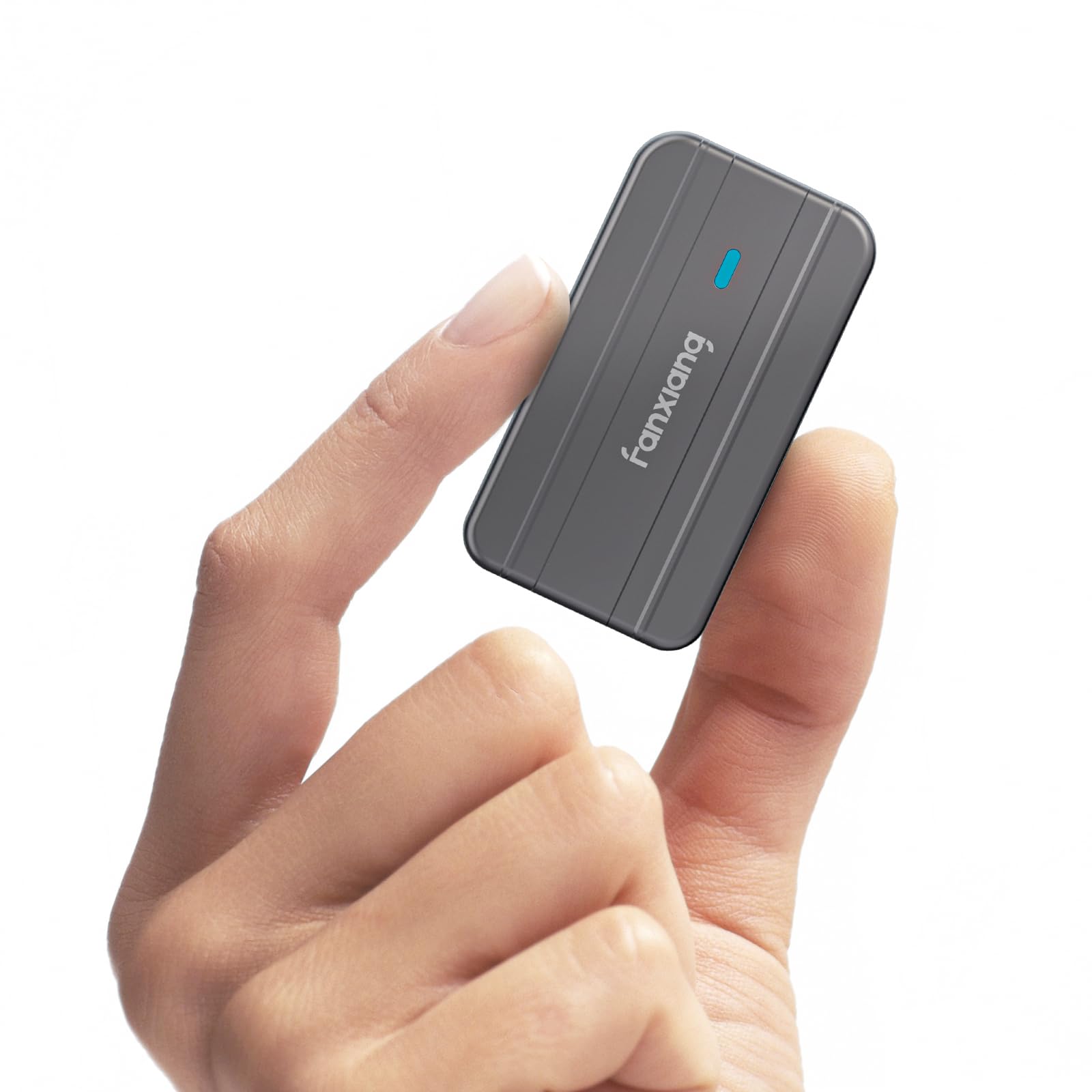
Twenty-four grams of aluminum that disappears into a jeans pocket.
The number that sells this one is 24 g. Against the ASUS TUF at 249 g, that is a different class of object entirely — it slips into a shirt pocket alongside a phone and you forget it there. The aluminum alloy body is designed to be shock-resistant and drop-proof, and a thermal silicone pad pulls heat off the drive into the shell.
The MP83 takes NVMe drives on M and B+M keys, including 2230-size SSDs up to 2TB — note that ceiling is 2TB versus the 4TB the SSK and VCOM handle. Speed is USB 3.2 Gen 2 rated to 10 Gbps, with UASP acceleration (a transfer protocol that cuts the overhead on bulk file moves) and backward compatibility with USB 3.1 and USB 3.0. Both a USB-C and a USB-A cable arrive in the box, so an older laptop is covered.
Heat is the one conversation to have. Some owners find it runs cool; others find it gets extremely hot during file transfers, which is normal physics for a tiny metal body with no fan inside it. Load a couple of hundred gigabytes and let it sit on a hard surface rather than a duvet. One odd note in the spec sheet: the enclosure is listed for 2230 drives, so check your drive’s length before you commit.
What carries it: the tiny footprint and the twin-cable bundle make this the enclosure you actually carry and actually use — no adapter hunting, no bulk.
The one variable: sustained large transfers warm the shell noticeably, so plan long copies on something that conducts rather than insulates.
Suits: anyone who carries a spare drive in a bag or pocket and works from borrowed machines.
Skip the case for: a 2280-length drive — this one is built around the short 2230 form factor.
3. VCOM M.2 NVME SATA SSD Enclosure Adapter
One sled that reads both the drives in your drawer without a compatibility argument.
VCOM built this to settle the NVMe-versus-SATA question rather than pick a side. It handles M.2 NVMe M-Key and B+M-Key drives and M.2 SATA B+M-Key drives, across 2230, 2242, 2260 and 2280 sizes. Speed is split accordingly: up to 10 Gbps on NVMe and 6 Gbps on SATA, over a USB-C 3.1 Gen2 interface. UASP and TRIM support help keep the drive healthy over repeated write cycles.
The cooling design is more thoughtful than most at this level — a striped aluminum shell that increases surface area, plus a silicone thermal pad, plus a 5-minute automatic sleep that parks the drive when idle. Two 25 cm cables come in the box, one USB-A to USB-C and one USB-C to USB-C, so neither an older laptop nor a modern one leaves you stuck. Setup is open-the-lid, insert, secure — no tools.
Expect one thing going in: durability is the weak seam on this particular model, with a handful of units failing after a few weeks of use. That is a minority outcome, not the rule, but if you plan to leave a work drive permanently seated and never think about it again, a beefier shell is the safer emotional buy. For a utility adapter that moves files between machines, it does the job.
Why it earns the slot: dual protocol support at this size is the practical answer for anyone inheriting drives from old laptops and new builds alike.
Worth knowing: the automatic sleep function is a quiet bonus — it stops a forgotten drive from cooking overnight.
Best for: the person with a shoebox of mixed M.2 drives who wants one adapter to rule them all.
Think twice if: you want a permanent, permanently-mounted desktop drive — build quality here is utility-grade.
4. SSK M.2 NVME SATA SSD Enclosure with RTL9210B Chip

The enclosure with the longest track record in this lineup, and the spec sheet to back it.
Among the dual-protocol picks, the SSK pairs the largest stated drive ceiling with the most proven track record — and the crowd has noticed. It holds a 4.5+ star rating across a 21,000-plus owner base, which is a volume of feedback very few enclosures in this category ever accumulate. That rating is the reason to buy it.
The controller is the Improved RTL9210B, a well-known chip that complies with UASP and TRIM to keep write performance steady and extend drive lifespan. It accepts NVMe PCIe and SATA M-Key and B+M-Key drives in 2242, 2260 and 2280 sizes, up to a stated 4TB. Both a 10Gbps USB-A cable and a 10Gbps USB-C cable come with it, plus two thermal pads and a screwdriver.
Here is the honest seam: the install is screw-and-driver, and some owners find it fiddlier than a tool-free sled. SATA drives also run at their own 6 Gbps ceiling while NVMe drives can use the full 10 Gbps, so don’t expect PCIe speeds from an older NGFF drive. Neither is a fault — just decide if you want the Q-Latch convenience of the ASUS TUF or the bigger drive ceiling and chip reputation here.
The case for the SSK
- Stated 4TB capacity is the ceiling among the dual-protocol picks.
- RTL9210B controller with UASP and TRIM support is a known quantity.
- Ships with both a USB-A and a USB-C cable plus two thermal pads.
- Aluminum shell with slim dimensions makes it easy to carry.
What could annoy you
- The screwdriver install is fussier than a toolless latch.
- SATA drives are limited to the SATA ceiling, not the full NVMe rate.
Pick this if: you want a dual-protocol enclosure with a proven controller and the biggest stated drive ceiling in its class.
Pass if: you want a toolless latch and nothing else will do.
5. SABRENT USB-C NVMe Enclosure & Reader (EC-PNVO)
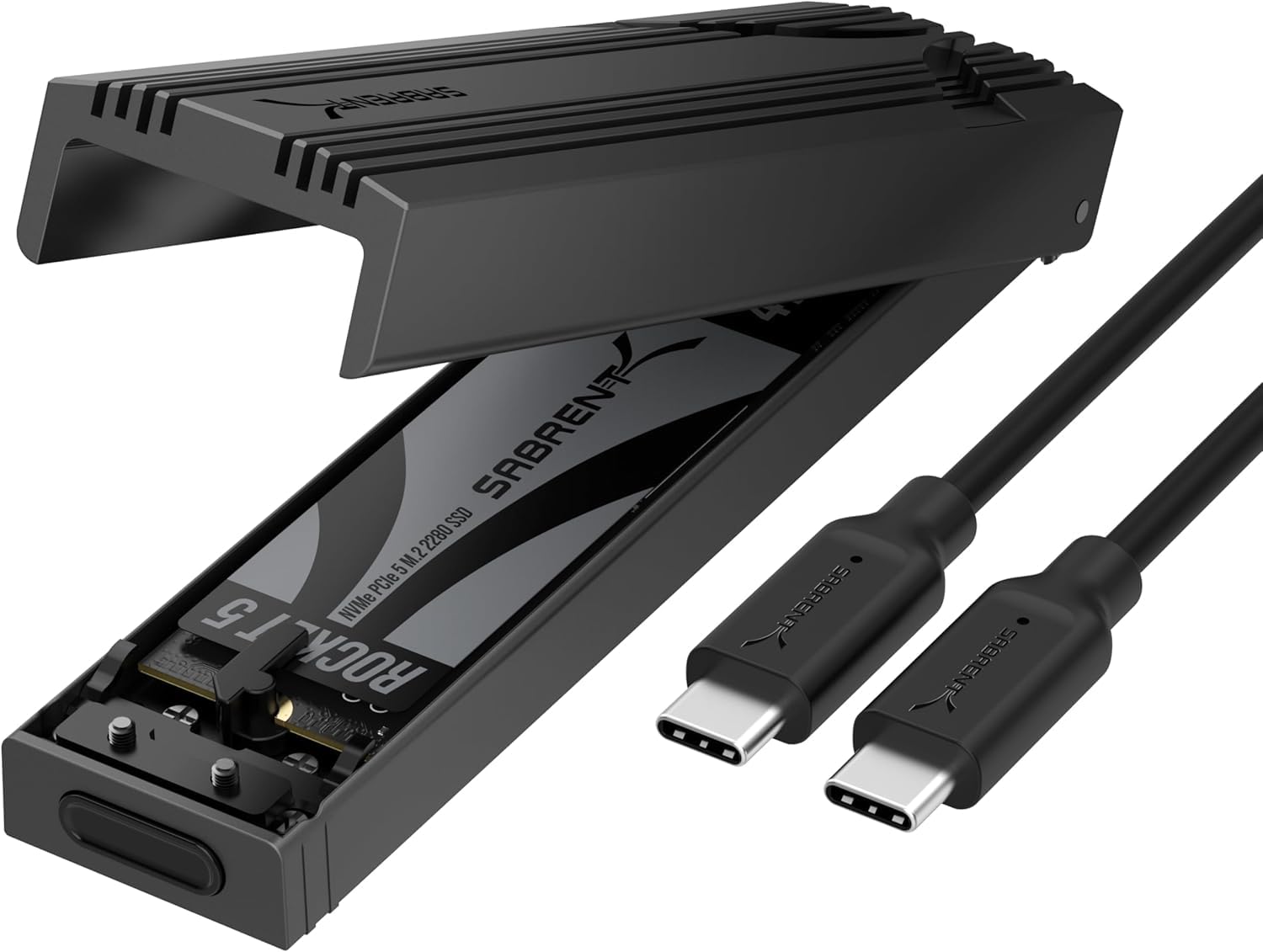
Lid up, drive in, lid down — the swap takes less time than renaming the folder.
If you move drives between machines often, the mechanics are the whole purchase. Sabrent’s flip-open lid means open, insert, lock, close, with no screws and no tools — for cloning a boot drive at the kitchen table it is about as frictionless as this category gets.
The aluminum top presses the thermal pad straight against your SSD, and Sabrent argues that direct contact beats the slide-in designs for holding a steady rate over long transfers. It takes NVMe M.2 drives in 2230, 2242, 2260 and 2280 sizes up to at least 8TB. The interface is USB 3.2 Gen 2 rated to 10 Gbps over USB-C, with no drivers and no external power. One hard limit to plan for: it is NVMe only, and will not read an M.2 SATA drive.
Two things to know. It runs the same warm-to-hot as any metal enclosure under sustained load — keep it on a hard surface during big copies. And because the frame is reinforced ABS with an aluminum top rather than solid metal all round, it feels light rather than tank-like; the ASUS TUF is the pick for actual rough handling. The listing covers laptops, desktops, PS5, Xbox Series X|S and handhelds like the Steam Deck, so the device list is long.
The decisive bit: tool-free flipping is not a gimmick when you clone a drive twice a month — it removes the one step that makes people stop bothering.
The limit: NVMe only, so leave your SATA M.2 drives to the SSK or VCOM.
Right call for: technicians and tinkerers who pull drives in and out weekly.
The wrong call for: anyone whose drive is an old M.2 SATA — it simply won’t be read.
6. ORICO M.2 NVMe SSD Enclosure TCM2

Transparent plastic, sliding closure, and your drive visible while it works.
The TCM2’s party piece is its clear body — you slide the shell closed and can still see the drive sitting inside, LED status blinking through. Novelty or not, the clear shell makes it obvious at a glance whether the drive is seated.
Underneath, it is a straight NVMe M-Key enclosure: PCIe M.2 drives in 2280, 2260, 2242 and 2230 sizes, USB 3.1 Gen2 rated to 10 Gbps, with UASP and TRIM support. Cooling is triple-layered — copper bars on both sides, integrated silicone, and a grooved aluminum alloy frame — which is more engineering than the clear shell first suggests. A 10-minute intelligent sleep function parks the drive when idle. Two cables ship with it: a C-to-A rated 5 Gbps for older PCs and a C-to-C for modern laptops and USB-C phones.
The honest trade-off is heat, and it is the most-mentioned quirk on this model. A populated drive in this clear shell runs hot during transfers. It is also NVMe only, so SATA M.2 drives stay out. Fit a good thermal pad, don’t rest it on fabric mid-copy, and the TCM2 is a quirky, perfectly usable enclosure.
The TCM2’s good news
- Sliding, tool-free closure means assembly takes seconds.
- Triple-layer cooling with copper bars, silicone, and alloy frame.
- 10-minute auto-sleep protects the drive when you forget it.
- Twin cables cover both modern USB-C ports and older USB-A.
The trade to accept
- Runs noticeably warm under sustained transfer, as the clear shell suggests.
- NVMe M-Key only — no SATA drive support.
Good match for: a builder who likes seeing the hardware and swaps one NVMe drive between devices.
Not for: long unattended multi-hundred-gigabyte copies on a soft surface.
7. GRAUGEAR M.2 NVMe SATA SSD Docking Station with Cooling Fan

A little desktop dock with a real fan inside it, built for drives that run warm all day.
A 50 mm quiet fan plus an aluminum heatsink is a different cooling class from the pad-only shells above. A 50 mm fan plus an aluminum heatsink keeps an M.2 SSD from throttling during long transfers. The RTL9210B-CG controller is the same chip family the SSK and UGREEN use, rated to 10 Gbps over USB 3.2 Gen 2.
You get the widest drive-length compatibility here: it takes 2230, 2242, 2260, 2280 and the longer 22110 drives (those numbers are the drive length in millimeters), on both NVMe PCIe and NGFF SATA protocols (two connection types for M.2 drives). That 22110 support is unusual and worth knowing if you pulled a long server-style drive. It also ships with a rubber rim and thermal pads (they help keep the drive cool), is rated for 8TB capacity, and the tool-free dock design means you swap drives without a screwdriver — which is the reason to buy a dock in the first place.
The honest catch: buyers report connection dropouts as the recurring gripe, and the dock’s stability under long sessions is mixed. Most units run flawlessly for a long time — the reliability reputation on this model is its strongest suit — but if you intend to leave a critical work drive plugged in around the clock, keep a backup routine regardless of what you buy.
Standout: the fan plus 22110-length support makes this the pick for warm, long drives in a fixed desk setup.
The gripe to size: the occasional dropout keeps this from being a set-and-forget desktop drive.
Made for: a desk setup where drives get swapped daily and heat is the real enemy.
Not ideal for: bag-and-go carry — it’s a stationary dock, not a pocket case.
8. UGREEN 20Gbps M.2 NVMe and SATA SSD Enclosure

A 20 Gbps ceiling versus the 10 Gbps of most picks here — if your port can feed it.
This is the one to read carefully before you buy. UGREEN rates it to 20 Gbps over USB 3.2 Gen 2×2 — a specific double-lane version of the USB standard — and the listing warns that other interfaces, including Thunderbolt 4, run at 10Gbps instead. So the 20 Gbps figure is real but conditional: it needs a host port that supports USB 3.2 Gen 2×2 specifically.
Drive support is generous. It handles NVMe PCIe and SATA NGFF drives up to a stated 8TB in 2230, 2242, 2260 and 2280 sizes, across Windows, Mac OS, Linux, Android and iOS systems, with m-SATA explicitly excluded. The aluminum case has a thermal pad that presses against a grooved body to keep a high-speed drive from overheating, and a silicone surround guards against accidental drops. A single screw secures the drive; plug-and-play with no external power.
It is compact — one of the smallest USB 3.2 Gen 2×2 enclosures out there, according to UGREEN. The real question is whether your laptop has a Gen 2×2 port, because without one you are paying for speed you cannot reach. Check the port spec before you fall in love with the number.
The number that matters: 20 Gbps over USB 3.2 Gen 2×2 is the fastest standard-port enclosure here short of Thunderbolt.
The honest condition: on a Thunderbolt 4 or plain USB-C port it drops to 10 Gbps — check yours first.
Worth it if: you know your laptop has a genuine USB 3.2 Gen 2×2 port and you move large files weekly.
Overkill if: you’re not sure what port you have — start with a 10Gbps pick and save the upgrade.
9. ACASIS 40Gbps M.2 NVMe SSD Enclosure with Cooling Fan
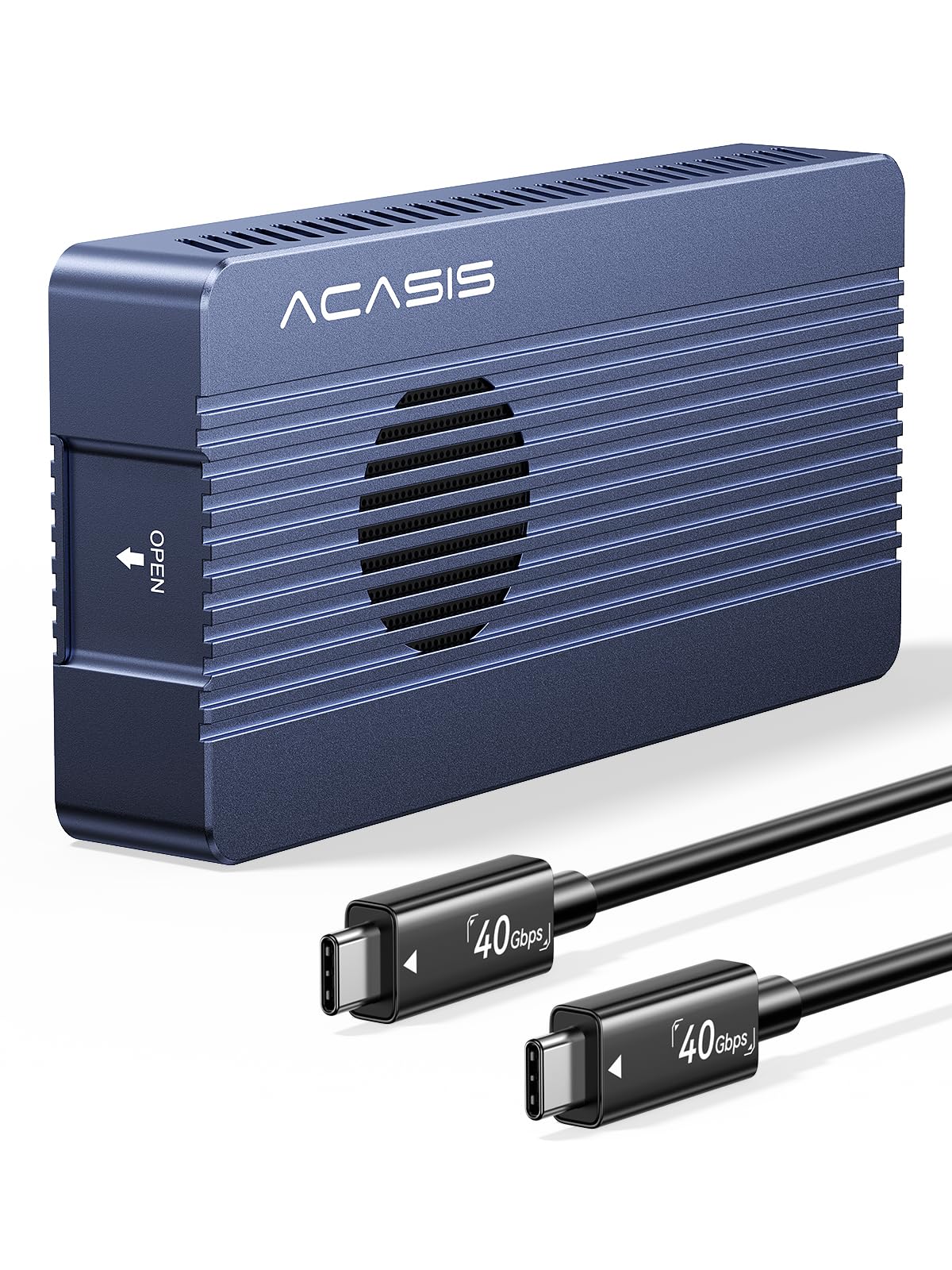
Forty gigabits of Thunderbolt speed with a fan fighting to keep the drive cold.
This is the fastest thing on the page and it is built for a specific buyer: someone editing 4K footage off an external drive rather than moving spreadsheets. ACASIS quotes tested Read/Write speeds of up to 2805/2734 MB/s (megabytes per second) from a Samsung 980 Pro on a MacBook — and that test result only happens over Thunderbolt, because 40 Gbps requires it.
The cooling is the reason it holds those speeds. The built-in silent fan plus aluminum heat dissipation is designed to stop the drive from throttling mid-editing, and ACASIS claims it keeps the SSD at 45°C — a temperature figure from the manufacturer, not from independent testing. The Intel JHL7440 dual-chip design is stated to hold a stable connection across Thunderbolt 5/4/3 and USB4/3.2/3.1/3.0. It supports M.2 NVMe drives of 2230, 2242, 2260 and 2280 sizes up to a stated 8TB.
Two trade-offs to weigh before you commit. At 164 g it is a solid aluminum brick in the bag — fine for a studio commute, not a forget-it-in-your-pocket case. And reliability comes up as a mixed note on this model, which is worth hearing if your entire project library is going to live on it: keep a second copy of anything irreplaceable.
Speed, plainly: 2805/2734 MB/s quoted from a Samsung 980 Pro makes this the only pick here built to edit directly from the drive.
Honest footnote: the “45°C kept cool” line is ACASIS’s own claim — treat it as a design intention, not a lab result you can bank on.
Built for: videographers and editors who already own Thunderbolt hardware and edit straight off the SSD.
Money wasted on: a standard laptop — without Thunderbolt the 40 Gbps ceiling never opens.
Know the Specs
Transfer rate (Gbps)
Gbps means gigabits per second — the raw signaling rate of the USB link, not what your files actually move at. A 10 Gbps enclosure is the common standard, and its real-world throughput sits below that figure once overhead is counted. 20 Gbps exists only on USB 3.2 Gen 2×2 hosts, and 40 Gbps requires Thunderbolt. Paying for 20Gbps or 40Gbps on a 10Gbps port is the most common waste in this category.
Keying and drive size
M.2 drives come in lengths — 2230, 2242, 2260, 2280, occasionally 22110 — and keyed notches marked M-Key or B+M-Key. An NVMe drive generally uses M-Key; SATA M.2 usually uses B+M. An enclosure that lists only NVMe support will not read a SATA M.2 drive, so match the protocol first, then the length, then worry about speed.
Thermal pad and heatsink
A thermal pad is a soft, thermally conductive strip that bridges the gap between the SSD and the metal shell so heat leaves the drive. Paired with an aluminum body, it manages normal transfers. Add a fan — as the GRAUGEAR and ACASIS do — and you can sustain long copies without the drive slowing itself down to cool off.
UASP and TRIM
UASP is a transfer protocol that reduces overhead on bulk file moves, and TRIM is a housekeeping command that tells the drive which blocks are no longer in use. Together they keep an external SSD from degrading in speed over time. Most enclosures here support both, so verify before buying if you plan long-term daily use.
Common Questions
Will a USB M.2 enclosure read a drive pulled from a laptop?
Why does my enclosure not reach the advertised 10Gbps speed?
Do I need a fan inside the enclosure?
Can I use an enclosure with a PS5 or Xbox?
What is the difference between M-Key and B+M-Key M.2 drives?
Will the enclosure work with my phone or tablet?
Do I need to format a new SSD before using it?
Is it safe to leave a drive in the enclosure plugged in all day?
How do I know if my laptop can hit the 20Gbps or 40Gbps speed?
Can I clone a drive through an M.2 enclosure?
The Bottom Line
For most buyers in the market for a usb m.2 enclosure, the ASUS TUF Gaming A1 is the pick to beat — IP68 sealing and MIL-STD-810H drop rating turn a loose drive into something you can carry without a second thought. If you just want something tiny for quiet file moves, the fanxiang MP83 is the pocket-sized answer. And for editing video straight off the drive on Thunderbolt hardware, the ACASIS TBU405 Pro is the one built to keep that pace. One steady nudge: if you buy nothing else, buy one with the right protocol and keying for the drive you actually own — the rest sorts itself out from there.
How we choose
We do not accept paid placement. Every pick is matched to a real buyer and a real use-case; we do not hands-on test units.
Sources
Specifications: manufacturer listings and product documentation. Review insights: verified customer reviews, as of November 2026. Pricing: not shown on this page (it changes often); check the current price via the retailer link.
As an Amazon Associate, Tactical Gear Guy earns from qualifying purchases. This does not affect which products we feature.