Specs are compiled from manufacturer listings and verified buyer reviews and can change over time — please confirm the key details on the product page before buying.
Your Vizio TV’s on-screen keyboard is slow, and typing a movie title with a remote can take five minutes. A USB keyboard changes that instantly — but only if it actually talks to your set. This guide covers the wired keyboards that plug straight into the TV’s USB port and start working, plus the ones worth avoiding for a living-room setup.
This guide is built by comparing the manufacturers’ published specifications and the patterns across verified customer reviews, so you get each pick’s real strengths and trade-offs instead of marketing spin.
You’ll learn which layout size fits a lap and a TV stand, which keys you actually need, and which models people keep using long after the box is open. Below is the full breakdown of the best USB keyboard for Vizio TV.
Top Picks


How To Choose The Best USB Keyboard for Vizio TV
The purchase is simpler than most TV accessories. You need a keyboard with a USB plug your Vizio will recognize, a size that works where you sit, and keys that don’t need a desk under them. Everything else is preference.
Start with the plug, not the brand
A Vizio TV’s USB port expects a standard USB-A keyboard — the rectangular plug you already know from thumb drives. A Bluetooth-only keyboard will not connect to most Vizio sets, and a wireless keyboard that talks through its own USB dongle is a gamble on TV firmware. The wired boards here skip all of that. Plug in, and the on-screen text fields start accepting keystrokes.
One caveat worth knowing before you buy: TV manufacturers do not guarantee every USB keyboard works, and menu navigation only works where the TV accepts keyboard input. Typing into search and login boxes is the common use; hopping around the settings menu is not always supported.
Pick a layout that fits your lap
For typing from the couch, a 78-key mini board (a compact keyboard with 78 keys) is the balance. It keeps the letters, numbers, and arrow keys you need for search fields. It also drops the wide number pad that pushes a full-size board onto your knees. A 104-key full-size board works if the keyboard lives on a TV stand or a side table. The Adesso AKB-132HB here runs 104 buttons, compared with 78 on the Macally mini.
Decide if you want a built-in touchpad
Searching for a film means moving a cursor, and a TV remote is clumsy at it. One or two boards on this list carry a touchpad on the right side, so you can point and click without picking up the remote. It’s a real convenience, but budget touchpads vary in how reliably they register a right-click, so treat it as a bonus rather than the reason to buy.
Weigh key feel against living-room noise
Scissor keys — the mechanism under a laptop keyboard — sit low, travel a short distance, and click quietly. Membrane keys sit on a rubber dome and can be louder. If someone else is watching, a quiet board matters more than a snappy one. Look for “scissor” or “low profile” in the listing if silence is the goal.
Side-by-Side Comparison
| Model | Best For | Keys | Connection | Footprint | Amazon |
|---|---|---|---|---|---|
| Perixx PERIBOARD-426★ Best Overall | Sofa typing | 80 | USB-A wired | 10.87 x 5.43 x 0.55 in | Amazon |
| Perixx PERIDUO-212Keyboard And Mouse | Keyboard plus mouse | QWERTY mini | USB wired | 11.46 x 5.43 x 0.77 in | Amazon |
| Adesso AKB-132HBExtra USB Ports | Extra USB ports | 104 | USB wired | 17.7 x 6.6 x 0.8 in | Amazon |
| Macally USB-C + A Mini | Modern TV ports | 78 | USB-C and USB-A | Slim compact | Amazon |
| Macally Small Wired | Everyday value | 78 | USB-A wired | Compact mini | Amazon |
| MCSaite Super Mini | Tight spaces | 78 | USB-A wired | 8.66 x 4.65 x 0.76 in | Amazon |
| Arteck Backlit | Dark-room typing | 104 | USB wired | 16.7 x 4.5 x 0.24 in | Amazon |
| Adesso AKB-410UB | Touchpad control | Embedded numeric + 12 function | USB wired | 11.75 x 8.25 x 0.5 in | Amazon |
Detailed Reviews
1. Perixx PERIBOARD-426 Wired Mini Low Profile Keyboard
Our pick — 4.5+★ from 500+ verified ratings; the strongest balance of quality and price.
An 80-button mini board that sits at 0.55 inches tall — thin enough to disappear on a TV stand shelf.
For most living rooms, this is the one. It measures 10.87 inches long and 5.43 inches wide, so it takes up less surface than a hardback book. At 0.55 inches tall, it slides into a shelf gap under the screen without scraping. Plug it into the Vizio’s USB port and the driver-free setup does the rest — no pairing, no app.
The keys are the reason it holds the top spot. Low-profile keys with a short travel distance mean your fingertips don’t have to lift far, and the response is crisp enough to type a movie title without hunting for keystrokes. The case is ABS plastic with a membrane switch underneath — a familiar, sturdy combination for a board that sits in one place. You also get built-in hot keys for media control, and the box includes a manual and a one-year limited warranty.
Where it gives ground: the mini layout takes adjustment, and a small number of owners have run into intermittent unresponsive keys after long use. That’s the trade-off for a board this compact and this quiet. It’s nothing like a wide full-size board with a number pad, so if you do spreadsheet work on the TV screen, look elsewhere. But for typing into a search bar from the couch, it leads the group on footprint and key feel together.
What earns it the top spot
- 0.55-inch height fits under a low TV shelf
- 80 buttons cover letters, numbers, and arrows without the wide pad
- Short-travel low-profile keys keep typing from the lap easy
- Plug-and-play into a USB port, no pairing step
Where it makes you compromise
- Compact layout demands a short relearn for touch typists
- No backlighting, so a dim room means reading keys by feel
- Occasional reports of intermittent key response after long use
Reach for this if: you type movie titles and passwords from the couch and want the smallest full-function board.
Look elsewhere if: a backlit board matters for a dark-room setup.
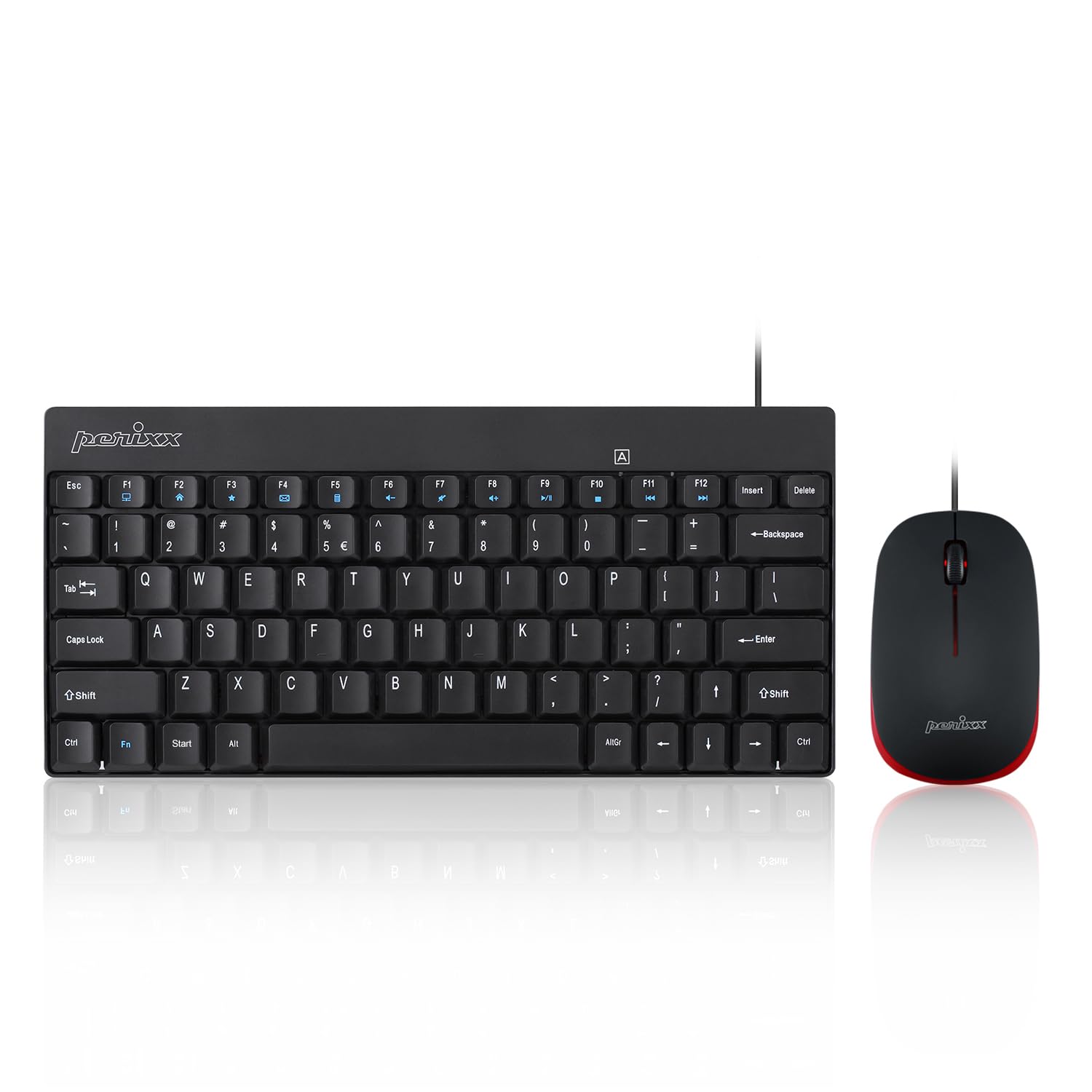
2. Perixx PERIDUO-212 Wired Mini Keyboard and Mouse Set
A matched keyboard and mouse pair for the TV stand — two USB devices, one box, one setup.
For a media screen, a mouse is genuinely useful — pointing at a film title beats pressing arrow keys twenty times. This set pairs a compact keyboard measuring 11.46 by 5.43 by 0.77 inches with a three-button optical mouse at 1000 DPI, which means the cursor moves a reasonable distance across the screen without wild overshoot. The whole package weighs 14.08 ounces, compared with 12 ounces for the compact Macally mini. It also carries 12 multimedia hot keys for one-touch media control.
The keyboard is a QWERTY layout in a space-saving shell — roughly the size of a laptop deck — so it lives comfortably on a coffee table or on the sofa arm. What wins people over is the touch feel. Keys are soft and clicky in a way that reads comfortable rather than mushy, and buyers repeatedly describe the set as solid value that works from the start.
The caveat is key placement. The right shift key sits in a spot that bothers fast typists, and a slice of buyers have found durability shorter than expected over months of use. Neither takes away from the appeal for search bars and movie titles. If you need a full-size board for long writing sessions, it’s not that. If you want a keyboard and mouse that both plug into the TV and work, this is a clean pickup.
What the set delivers: a keyboard and a 1000 DPI mouse, both on USB, both ready without a driver install.
The recurring gripe: the right shift key placement trips up people used to standard layouts — a small adjustment, not a dealbreaker.
Worth picking if: you want pointing control for streaming apps without buying two separate peripherals.
Skip if: you type fast and rely on the standard shift position.
3. Adesso AKB-132HB Multimedia USB Keyboard with 3 Hubs
A full 104-key board that doubles as a three-port USB hub for the TV stand.
Here the keyboard does something no other board on this list does: it gives you three extra USB ports. If your Vizio only has one spare port and you’re already using it for the keyboard, those extra sockets mean you can leave a flash drive or a mouse plugged in beside it. That earns the strongest response of any feature on the board — owners call the built-in hub a genuine help rather than a gimmick.
The rest of the package is a standard desktop keyboard. It runs 104 buttons and 14 hotkeys for quick access, with Windows one-touch controls to jump to Calculator, Mail, or Search. At 17.7 inches long and 6.6 inches wide, it’s by far the widest board here — roughly double the footprint of the 4.57-inch-wide Perixx PERIBOARD-432. Plan on a surface, not a lap. The switches are membrane, and the maker lists them for up to five million keystrokes.
The catch is the typing feel and the sound. It’s a louder, more hollow board than the scissor-key options, and that noise is the most-discussed trait across its reviews. Some owners take to the keys quickly, others find the layout takes retraining. And a few have hit a USB port that stops passing data. If a hub is what you came for, this is the one. If you type quietly in a shared room, the compact Perixx boards above suit better.
Why it earns its place
- Three built-in USB ports free up your TV’s single socket
- 104 full-size buttons with a number pad and arrow cluster
- 14 hotkeys plus one-touch Windows app shortcuts
- Up to five million keystroke rating on the membrane switches
Read this before you commit
- Noisy for a room where others are watching
- 17.7-inch length needs a table, not a lap
- Typing feel draws mixed reactions from fast typists
Made for: a TV setup where you want extra ports at the keyboard, not at the back of the set.
Not for: quiet living rooms or lap typing.
4. Macally Small Wired Keyboard for Mac and PC (Dual USB C + A)
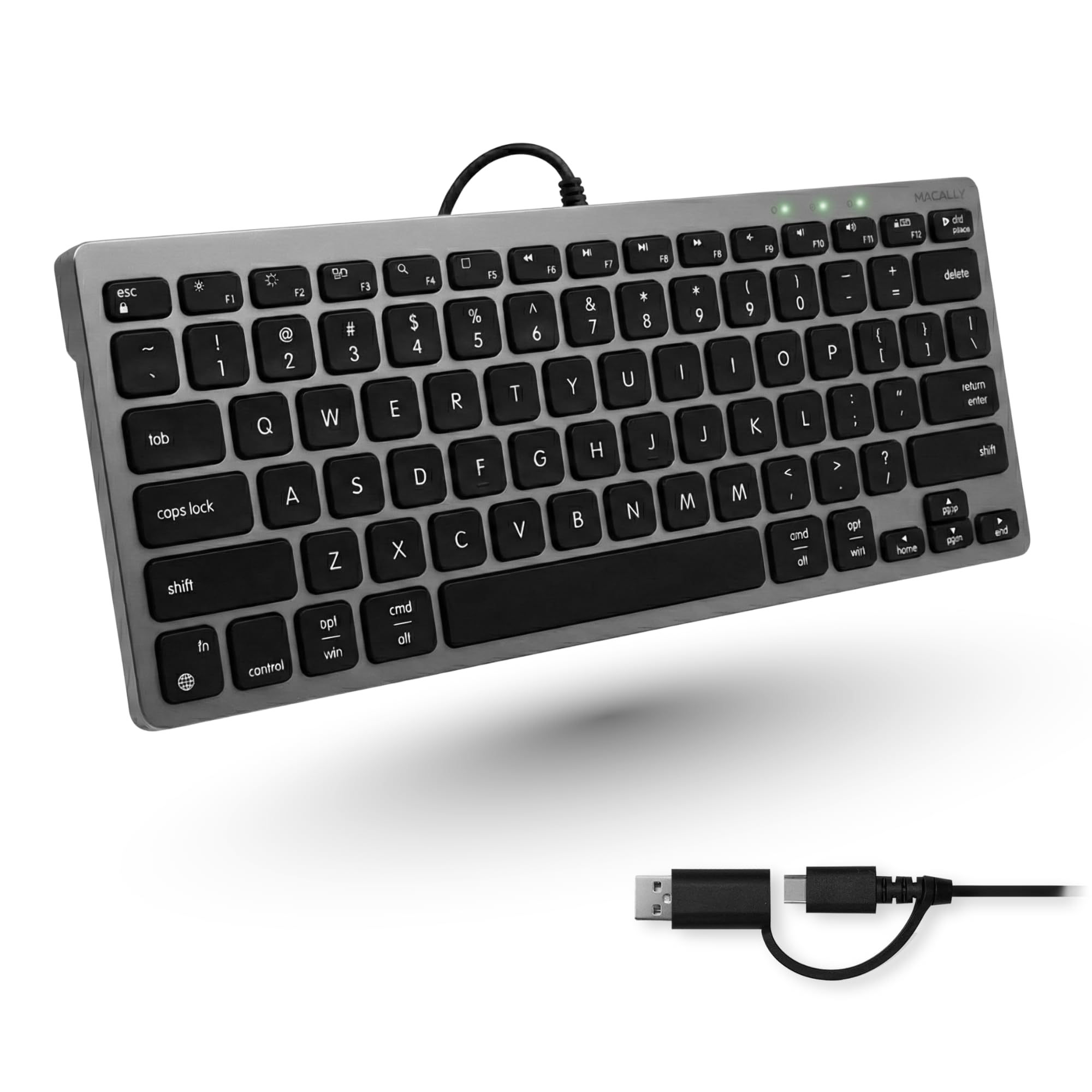
Two plugs built into one cable — a USB-C and a USB-A — so no adapter goes missing.
Most TVs still offer USB-A, but if you have a newer set with a USB-C port, or you want one keyboard that hops between the TV and a laptop, this is a smart pick. The dual plug arrangement means you never need a dongle. It runs 78 keys in a slim space-saving shell, so it slides into a bag or onto a narrow TV shelf. It is the second 78-key model here alongside the Macally board below, though this one swaps the single USB-A plug for the dual connector option.
The key feel is scissor-switch with a short travel and soft touch — the same family as laptop keys. That translates to a quiet press and a comfortable rhythm for short typing bursts. It carries 13 dedicated shortcut keys covering Mission Control, brightness, media, and volume. Plug it in, and the driver-free setup gets you typing in seconds. Owners consistently call it one of the best keyboards they’ve bought for mobile-like setups, and the appearance draws praise for looking sharp on a desk.
Two honest checks. First, compatibility is mixed across reviewers — it works perfectly with some Mac laptops, while others say it does not play well through adapters. On a Vizio’s USB-A port it’s the cleaner path. Second, the long-term reliability reports split between working from day one and stopping properly after a month or so. A small share of boards are the outlier, but it’s worth buying from a seller with a straightforward return path.
What makes it stand out: the USB-C and USB-A plugs built into the cable remove the adapter question on modern TVs.
The real check: some buyers report connection issues through hubs or adapters, so plug directly into the TV rather than a splitter.
Buy it for: a newer TV with a USB-C port, or a keyboard that travels between set and laptop.
Think twice if: you plan to route it through a dock or adapter.
5. Macally Small USB Wired Keyboard for Mac and Windows
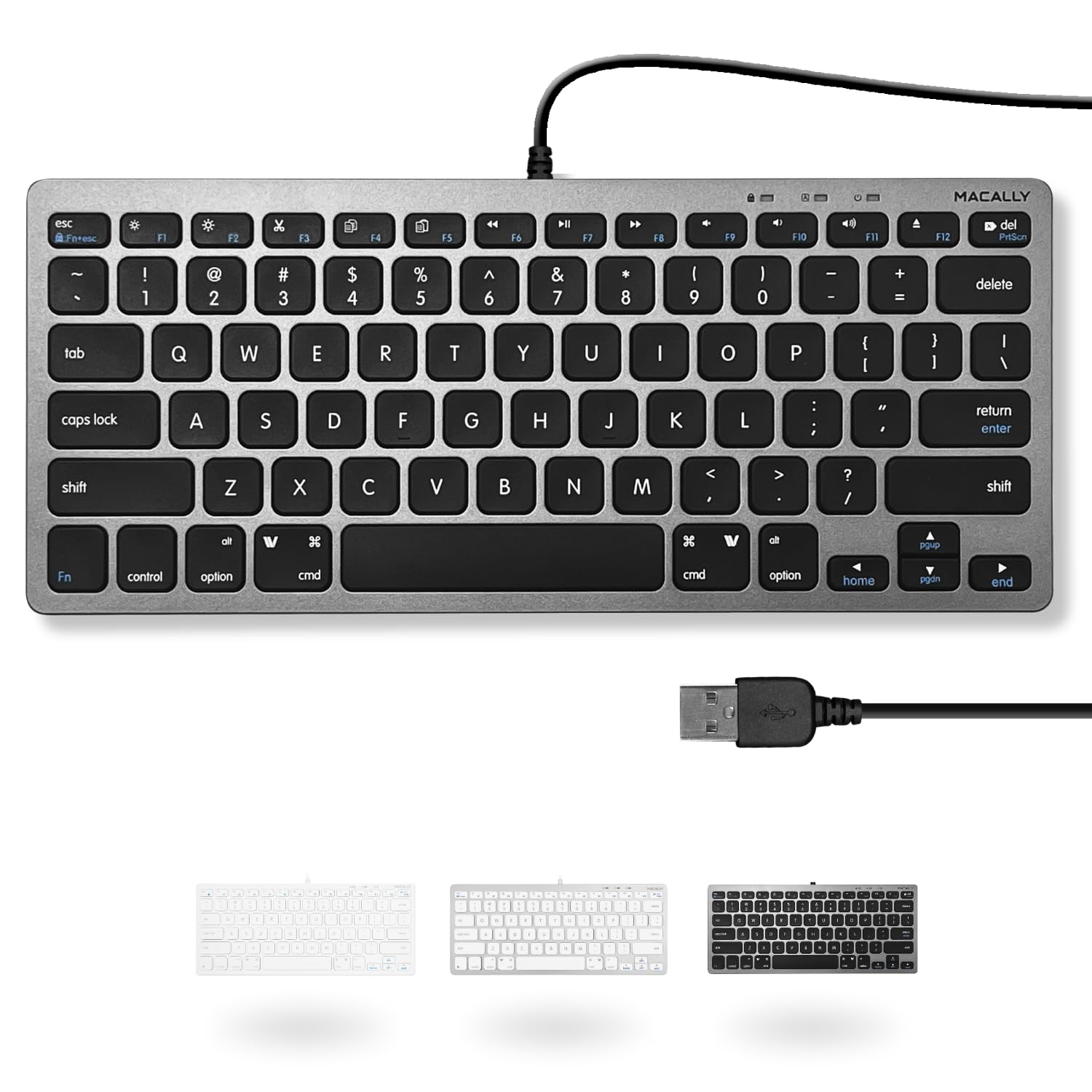
The compact 78-key board that owners treat as a workhorse — quiet, light, and genuinely plug-and-play.
This is the most-proven board on the list by a wide margin, and the reason is simple: it just works. Owners describe it reliably working with Mac Minis without a setup step. Compatibility covers Apple Mac, Lenovo, Dell, Linux, HP, Microsoft Surface, Acer, Asus, Samsung, Chromebook, Alienware, LG, and Razer. On a Vizio’s USB port, the driver-free start behaves the same way — you plug in, and typing begins.
Build quality is what the crowd praises most. It’s a lightweight plastic shell at 12 ounces in Space Gray, small enough to sit on a narrow shelf but with full-size keys, so your fingers don’t feel squashed. The 4’7″ cable gives you room to route it from the back of the TV to the sofa. You get 13 shortcut keys — cut, copy, paste, and iTunes on Mac, media hotkeys on Windows. A 2-year warranty and lifetime tech support round it out.
The size is the one thing to check. It’s a compact board, and that means fewer keys than a full-size layout — no separate number pad in the main body. If you type long documents, it’s a short relearn. If you type movie titles, logins, and search queries, it’s exactly the size you want. It’s also not a TV-specific product — it’s a general-purpose mini keyboard that happens to be a comfortable Vizio companion.
What the crowd notices
- 78 scissor keys with full-size caps in a compact shell
- 12-ounce build with a 4’7″ cable for sofa distance
- 13 shortcut keys for Mac and multimedia hotkeys for Windows
- 2-year warranty plus lifetime tech support
The honest trade-offs
- Compact layout drops the wide number pad
- Weighs little, so it can shift under a firm hand
- Long typing bursts feel cramped compared to a desktop board
Most people should pick this: compact, wired, and backed by a 2-year warranty.
Skip if: you need a full number pad in front of you.
6. MCSaite Super Mini Wired Keyboard

An 8.66-inch board — the smallest here — for shelves where nothing else fits.
If your TV stand has a shallow shelf, this is the one that slides in. At 8.66 inches long and 4.65 inches wide, it takes less space than a paperback on its side. The 1.5-meter cable (about five feet) reaches from the TV’s back port to the sofa. The 78-key layout is compact but complete, with laser-engraved keys in PVC. Plug-and-play works on any desktop or laptop, so a Vizio’s USB port is an easy target.
What’s attractive here is the fit for specific gadgets. Owners describe it as perfectly suited to their needs, and buyers have used it with mini PCs, Jetson Nano, Raspberry Pi, and C64 mini units. That’s the board for anyone who wants a small wired terminal around a TV or a media box. The mat underneath helps it stay put when it’s sitting on a hard shelf.
The key size is where this board asks for compromise. Some keys are noticeably smaller than standard, and typing fast on them is a real effort — owners describe needing to press with more force than a normal board. If your main use is a search bar, that’s a quick tap. If you plan long typing sessions, the compact keys will slow you down. Buy it for the footprint, not for speed.
Fit for purpose: miniature enough to sit on a TV shelf next to a media box without covering it.
What’s harder: tiny keys need a firmer press than a full-size board — a real cost for anyone who types fast.
The right call if: space is scarcer than patience, and you mainly type short search queries.
Not the right call if: you touch-type and want a full-size feel under the fingers.
7. Arteck Backlit USB Wired Full Size Keyboard
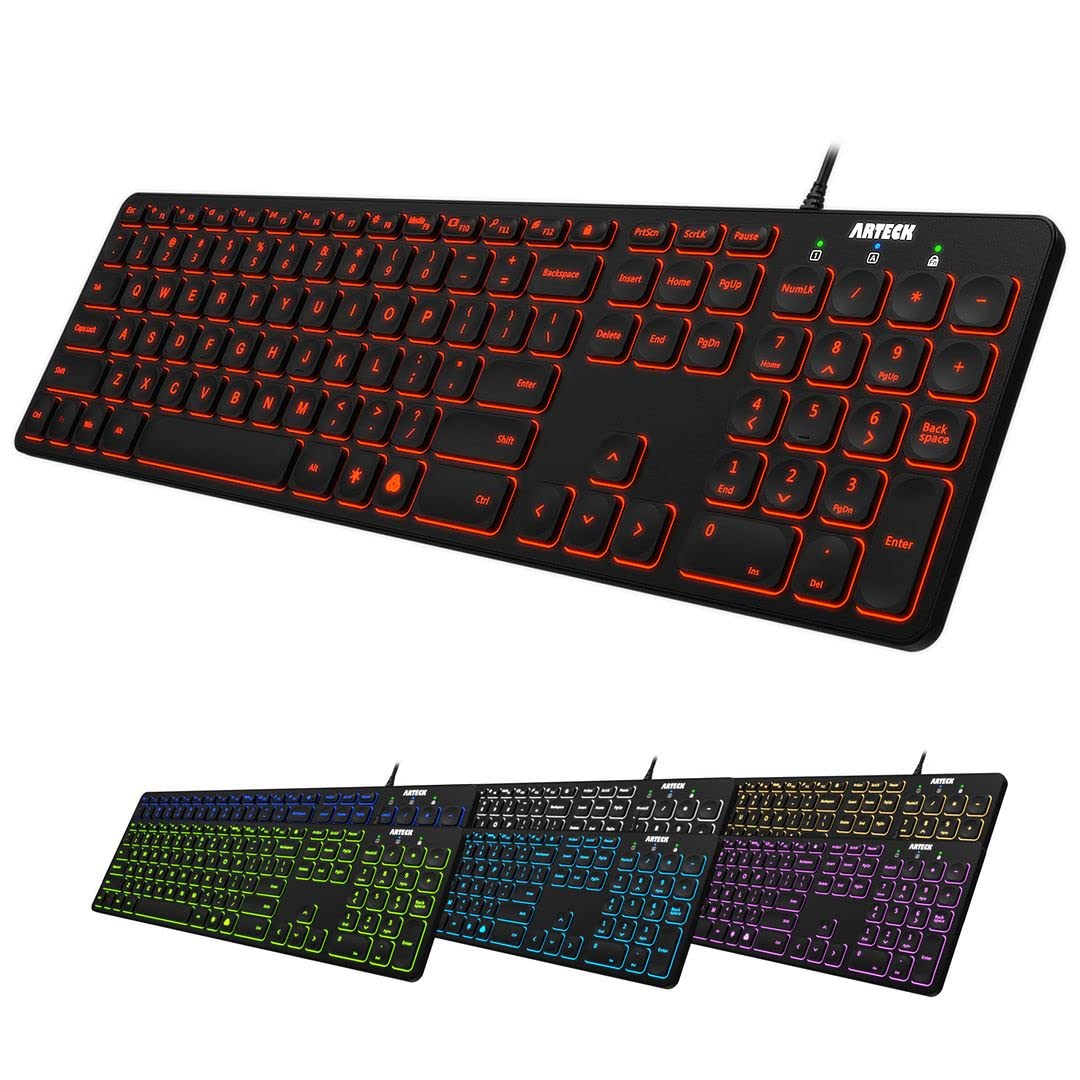
Seven backlight colors and three brightness levels — the keyboard you can see in a dark room.
If your TV goes into a dark living room at night, this keyboard solves the one problem a printed board can’t. The keys light up in seven colors with three brightness steps, illuminating both letters and the edges of the keys. That’s the feature owners talk about most, and it’s practical for late-night typing where reading a dark keycap is the whole battle. The backlight is LED, so it adds no extra cable or battery to manage.
The rest of it is designed for the lap. At 16.7 inches long and 4.5 inches wide, it’s full width but thin — the maker lists 17.4 ounces and 104 buttons, including a number pad and arrow keys. The 1.8-meter (six-foot) USB cable reaches comfortably from a TV’s back port to the sofa. The switch design is a scissor-X structure for a quiet, low-profile press. A key benefit: the quiet, laptop-like feel — owners compare the sound to a laptop keyboard rather than a mechanical board.
The check worth knowing is reliability over time. The board works immediately when you plug it in, but a share of owners mention keys or lights failing after long use. That’s an outlier rather than the common outcome, and the maker backs it with a 24-month warranty. Also note: this is not for Apple devices. On a Windows-based Vizio media setup, that’s not an issue.
Its standout strength: 7 backlight colors with 3 brightness levels, so the keys are legible in a dark room.
The one to watch: long-term reliability is mixed — keys and lights have failed for some owners, though the 24-month warranty covers the early window.
Pick it for: a dim living room where you need to see the keys without a lamp.
Move on if: you want one keyboard for an Apple setup — this one is Windows-focused.
8. Adesso AKB-410UB SlimTouch Mini Wired USB Keyboard

A keyboard with a touchpad on the deck — the closest thing to a remote that types.
For a TV setup, a touchpad is the natural partner for a keyboard. It lets you glide a finger to move the on-screen cursor, tap to click, and type without ever switching devices. This board builds that pad right under your thumbs. It runs low-profile keys for quieter typing with a laptop feel, plus an embedded numeric pad and 12 function keys. At 0.5 inches tall and 8.25 inches wide, it’s built to sit in front of a TV or on a presentation desk.
Quality is the strongest signal on this board — owners call it excellent and useful for its purpose, and the compact size fits neatly wherever it’s placed. The intended setting is explicitly listed as an LCD monitor, a Plasma TV, a Tablet PC, a notebook, or a presentation environment, so a Vizio in a living room is squarely in the brief. Plug the wired USB in, and it starts working without a setup step.
The trade-off is the pad’s behavior and the plastic feel. Right-click double-tap is inconsistent for some owners, and an occasional accidental click lands where you didn’t mean. The case is also described as cheap-feeling, and durability draws more critical notes than most of the boards here. If you mainly type and rarely point, an ordinary mini board is the safer buy. If you want one gadget that types and points on the TV screen, this is the only one on the list that does both.
The case for the touchpad
- A built-in touchpad replaces the remote for pointing tasks
- Embedded numeric keypad and 12 function keys in a mini shell
- Low-profile keys with a quiet, laptop-style press
- 0.5-inch height and 11.75-inch length sit flat in front of a screen
What to know before buying
- Right-click double-tap is inconsistent for some owners
- Plastic build feels lighter than the price suggests
- Durability notes are more critical than on other boards
Choose it when: the remote’s arrow buttons are the thing you want to leave on the table.
Keep looking when: you need confident right-click behavior every time.
Know the Specs
USB-A vs USB-C connection
The plug type is the first thing to check. A USB-A port is the familiar rectangular socket — it’s the one on nearly every Vizio TV, and it works with a standard USB keyboard the moment you plug it in. A USB-C port is the newer oval socket found on some recent sets. If your TV has USB-C but your keyboard uses USB-A, you need the dual-plug arrangement, like the Macally board here that carries both connectors in one cable. Skip any Bluetooth-only or wireless-dongle keyboard, because those connection methods can fail on a TV’s operating system where a direct wired USB link is simpler for the set to recognize.
Scissor switches vs membrane switches
These are the two mechanisms under the keys. A scissor switch uses a pair of linked plastic supports under each key, the way a laptop is built — the result is a short, even travel with a quiet click. A membrane switch sits on a rubber dome, giving a softer, deeper press that can be louder. For a TV room where other people are watching, the quieter scissor style tends to be the better fit. For quick taps in a search field, either works. Key travel is the distance the key moves before it registers — shorter travel means less finger effort per keypress.
How many keys you actually need
A 104-key board is the classic full desktop layout, complete with a number pad on the right side. A 78-key or 80-key mini board trims that pad and squeezes the arrow cluster into a smaller body. For a TV, the mini layout is usually the smarter choice — you get the letters, numbers, and arrows needed to search and enter a password, without a wide footprint that spreads across your knees. The full-size boards are the right choice if the keyboard lives on a table or stand and never leaves it.
Backlighting and multimedia hotkeys
A backlight is a set of LED lights behind the keys, so the letters stay visible in a dark room — the Arteck board here lights up in seven colors with three brightness levels. Multimedia hotkeys are dedicated keys that control play, pause, volume, and brightness without a trip through the TV menu. Whether your Vizio responds to those hotkeys depends on the set’s own keyboard support, so treat them as a bonus rather than the reason to buy.
Common Questions
Will a USB keyboard work with my Vizio TV?
Can I use a Bluetooth keyboard with a Vizio TV?
Does a USB keyboard need a receiver or driver?
Is a mini keyboard better than a full-size one for TV use?
How long should a wired keyboard last?
Can a Vizio TV keyboard also be used with a PC or laptop?
What is the difference between the Macally dual USB-C board and the single USB-A model?
Is a touchpad keyboard useful for a TV?
Do the multimedia keys work on a Vizio TV?
What cable length do I need for a TV keyboard?
The Bottom Line
For most living rooms, the usb keyboard for vizio tv answer is the Perixx PERIBOARD-426. Its 0.55-inch profile (how thick it is) and 10.87-inch length slide into a TV shelf. Its short-travel keys (keys that press down a short distance) type fast from the lap. That balance of size and feel makes it the obvious starting point. If legibility is the priority, the Perixx PERIBOARD-432 prints bolder letters on a scissor-key deck (flat keys that press like a laptop). And for a late-night room, the Arteck Backlit board lights up in seven colors so you can see every key without a lamp.
If a proven track record is what you want, the Macally Small Wired Keyboard has built an unusually loyal following thanks to its compact 78-key shell, lifetime tech support, and a 2-year warranty that covers the early window. One honest nudge: check your TV’s port first — USB-A covers all but the newest sets, and the dual-plug Macally board is the safe choice if you find a USB-C socket instead.
How we choose
We do not accept paid placement. Every pick is matched to a real buyer and a real use-case; we do not hands-on test units.
Sources
Specifications: manufacturer listings and product documentation. Review insights: verified customer reviews, as of November 2026. Pricing: not shown on this page (it changes often); check the current price via the retailer link.
As an Amazon Associate, Tactical Gear Guy earns from qualifying purchases. This does not affect which products we feature.