Specs are compiled from manufacturer listings and verified buyer reviews and can change over time — please confirm the key details on the product page before buying.
Your MacBook has two or three USB-C ports and no patience for accessories. A good hub turns one of those ports into a display output, a charging inlet, and a stack of fast data sockets — and the wrong one drops your Wi-Fi, runs hot, or blacks out your second monitor. This guide sorts the nine hubs worth your desk space, and every pick below lists the exact port count, video resolution, and power figure so you can match it to your machine.
This guide is built by comparing the manufacturers’ published specifications and the patterns across verified customer reviews, so you get each pick’s real strengths and trade-offs instead of marketing spin.
You will see where 4K 60Hz beats 4K 30Hz, why a 100W charging label rarely means 100W reaches your laptop, and which hubs quietly refuse to drive two screens on an M1 or M2 chip. Everything you need to choose a usb hub for macbook is below, sorted by how you actually work.
Top Picks

How To Choose The Best USB Hub for MacBook
Start with your chassis, not the hub. A MacBook Air with two USB-C ports and a MacBook Pro with three Thunderbolt ports need different things from an adapter, and the hub that fits one may block a port on the other. Count your permanent accessories first — charger, external drive, monitor, card reader — then buy a hub with one socket spare.
Match the video resolution to your monitor, not the marketing
A 4K monitor at 60Hz needs a hub that passes 4K at 60Hz. A hub capped at 4K 30Hz will still show a picture, but the cursor drags and video looks stepped. Several picks here list 4K at 60Hz — the UGREEN Revodok Pro, the Selore dock, the VANGREE 8-in-1, and the Satechi — while others top out at 4K at 30Hz.
Understand what pass-through charging really delivers
Pass-through charging means your MacBook’s own charger plugs into the hub, and the hub passes that power along to the laptop. Some of it is spent running the hub’s own chips. The UGREEN reserves 15W for that job, the VANGREE reserves 20W, and the DockteckExpand notes 8W goes to the hub itself. Budget for that gap before you assume your full charger wattage arrives.
Check the chip before you buy a dual-monitor dock
Apple’s M1 and M2 chips generally drive only one external display, and a dock cannot change that. The Selore dual-HDMI dock states plainly that M1 and M2 support a single extra monitor, and that a second screen goes black. If dual monitors matter to you, read the chip note on the listing before anything else.
Decide if you need ports or speed
A hub with four USB-C sockets that share one 10Gbps pipe is not the same as four independent 10Gbps lanes. The Acer splitter states its 10Gbps is shared across all four ports, and the VANGREE 8-in-1 shares 10Gbps across three USB-C data ports. For a keyboard and a mouse that is irrelevant; for two external SSDs it decides your copy times.
Side-by-Side Comparison
| Model | Best For | Video Output | Data Speed | Power Delivery | Amazon |
|---|---|---|---|---|---|
| DockteckExpand 5-in-1★ Best Overall | Tight budgets, single screen | 4K@30Hz HDMI | 5Gbps | 100W PD port | Amazon |
| UGREEN Revodok Pro 8-in-1Best for Creators | Photographers and editors | 4K@60Hz HDMI | 10Gbps | 85W pass-through | Amazon |
| Anker 7-in-1Most Trusted | Daily desk workhorse | 4K@30Hz HDMI | 5Gbps | 85W max PD | Amazon |
| Acer 10Gbps Splitter | Four fast USB-C sockets | No video output | 10Gbps shared | 100W PD port | Amazon |
| Belkin 7-Port | Travel and safety features | 4K@60Hz HDMI 2.0 | 5Gbps | 100W PD | Amazon |
| Selore Dual-HDMI Dock | Two-monitor MacBook Pro | Dual 4K@60Hz HDMI | 5Gbps | 100W PD | Amazon |
| VANGREE 8-in-1 | Ten-gig file shuffling | 4K@60Hz HDMI | 10Gbps shared | 80W pass-through | Amazon |
| Satechi 8-in-1 V3 | 8K display plus Ethernet | 8K@30Hz / 4K@120Hz HDMI | 10Gbps | 85W PD | Amazon |
Detailed Reviews
1. USB C HUB, DockteckExpand 5 in 1 USB-C Multiport Adapter
Our pick — 4.5+★ from 550+ verified ratings; the strongest balance of quality and price.
Five ports, one HDMI, and a pocket-sized frame that vanishes into a laptop sleeve.
This is the pick for anyone who wants their MacBook’s port shortage solved without buying a brick. You get a 4K@30Hz HDMI output for a monitor or projector, a 100W PD charging port, and three USB 3.0 data sockets moving at 5Gbps. That last figure is ten times faster than USB 2.0 by the maker’s own comparison, so an external drive stops crawling.
This hub wins on size: it weighs 1.6 ounces and measures 4.17″L x 1.18″W x 0.43″H, so it slips into a coat pocket. Next to it, the Anker 7-in-1 looks bulky — that Anker weighs 3.52 ounces in an 8.27″L x 2.13″W x 0.59″H shell, and by the same measure runs roughly double this hub’s length. The aluminum housing resists scuffs better than the plastic shells on the Anker and Belkin.
Owners consistently report it just works for hanging accessories off a two-port MacBook Air. The PD port doubles as a power feed for a laptop, an iPad, or a Steam Deck, so you charge while you work. Two things to know: the PD port does no data transfer, and 8W of your charger’s output is spent running the hub itself rather than reaching the laptop.
What earns it the top spot
- 4K@30Hz HDMI plus a 100W PD port and three 5Gbps USB 3.0 sockets in a 1.6-ounce body
- Fits Windows, Mac OS, Linux, and Chromebook OS, so it moves between machines
- Aluminum shell survives daily bag life better than plastic rivals
Where it asks you to compromise
- HDMI tops out at 4K@30Hz — fine for slides, not for a 60Hz editing monitor
- The PD port carries no data, and 8W goes to the hub itself
- Five ports leaves little slack once charger, drive, and monitor are all plugged in
Reach for this if: you want one small adapter that covers charging, a single screen, and a few USB accessories without eating desk space.
Look elsewhere if: your work monitor runs at 60Hz 4K or higher — the 30Hz cap here will show.
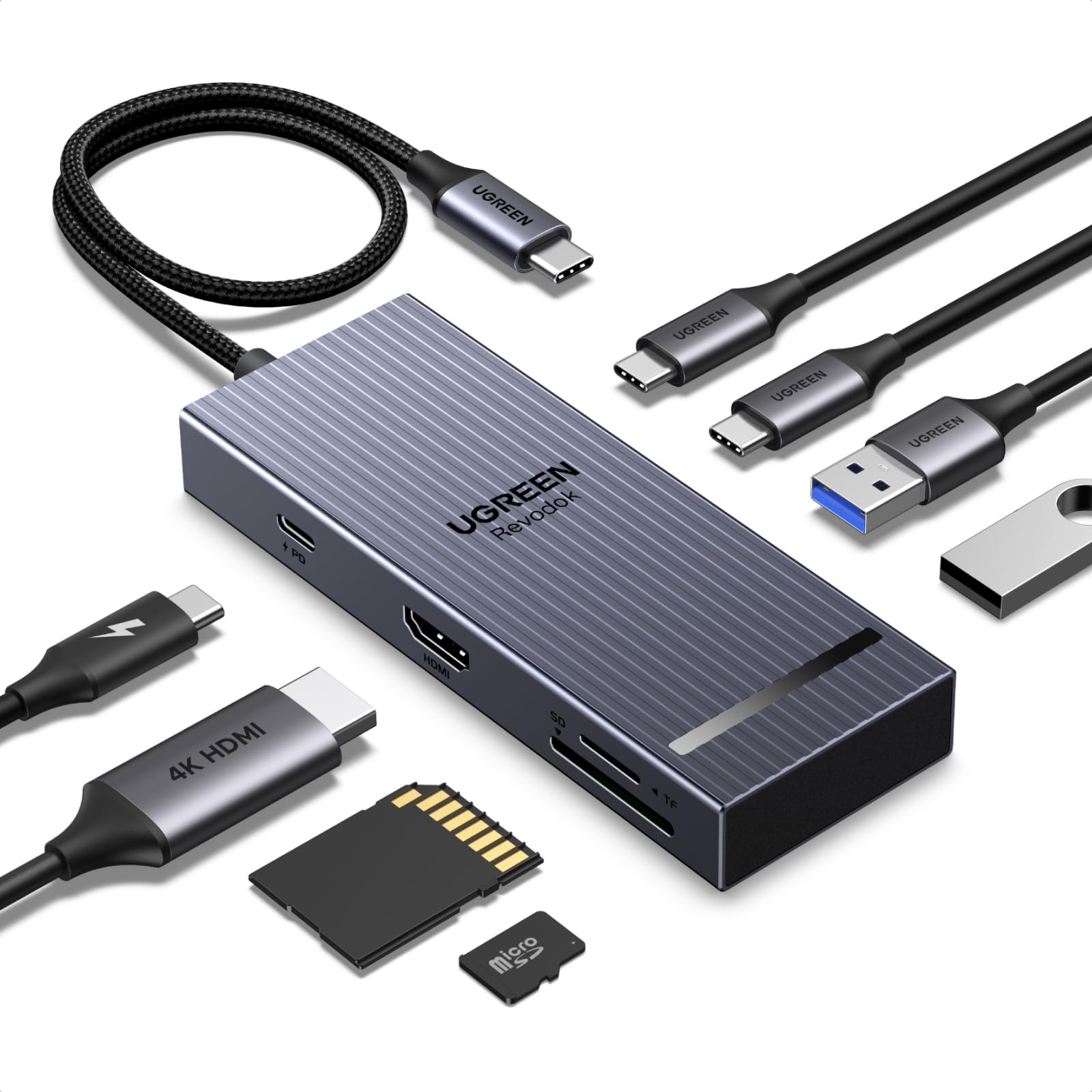
2. UGREEN Revodok Pro USB C Hub
A card reader, a 60Hz monitor feed, and 10Gbps data crammed into 80 grams.
Photographers and video editors should start here. The HDMI port pushes 4K UHD at 3840 x 2160 and 60Hz, and the two USB-C plus two USB-A data ports run at 10Gbps — double the 5Gbps on the DockteckExpand and the Belkin. Pulling a card from a camera and dumping it to an SSD is a single-cable job rather than a shuffle of adapters.
The port list is where the thought went in. You get 4K@60Hz HDMI, two USB-C data ports, two USB-A data ports, a 100W PD inlet, and both SD and Micro SD card readers, all on a 30CM cable. Charging passes 85W of that to your laptop, with 15W reserved for the hub’s own chips. It runs macOS 14 Sonoma or newer and covers MacBook Air and Pro across M1 through M5, plus iPad Pro, Chromebook, Surface, and Steam Deck.
The honest catch is build consistency. Reports of half the ports arriving dead do exist, and that is the kind of unit-level fault you fix with a return rather than tolerate. What everyone praises is the port layout itself — the mix is sensible enough that most buyers stop carrying a second adapter. The aluminum body and indicator light round out a hub that costs about the same as far simpler five-port rivals.
The port-juggling payoff: ten ports for roughly the same money as a five-port plastic hub is the whole argument here, and the SD/Micro SD pair is the part you cannot fake.
Built for: the editor who moves camera cards to a drive and wants a 60Hz second screen at the same time.
Test it on arrival: plug something into every socket in the first week so a dead port shows up while returns are still simple.
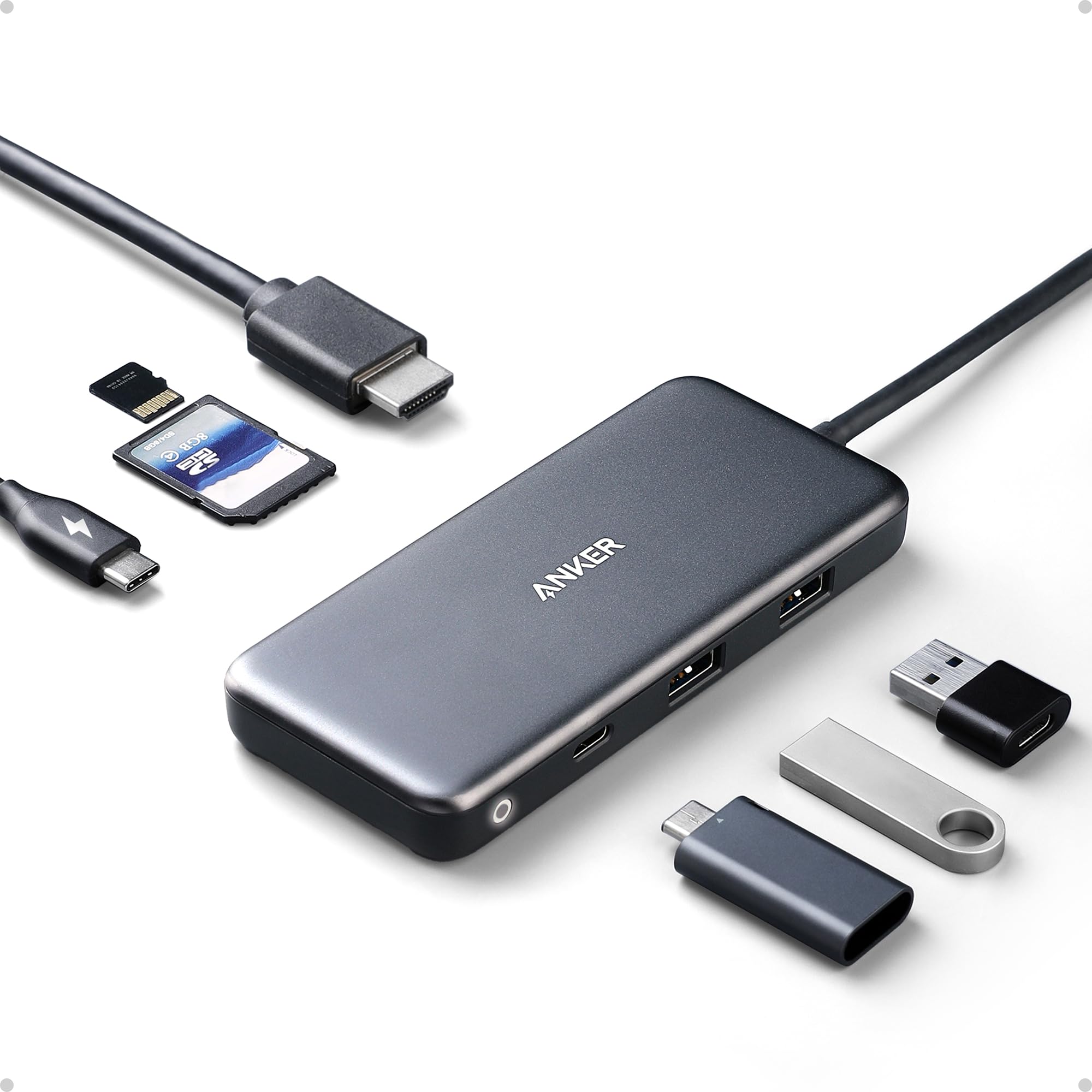
3. Anker USB C Hub 7-in-1
The hub with the longest track record on this page: 4.5+ stars across 35,000+ owners.
Its 4.5+ stars across 35,000+ owners is the largest track record in this group by a wide margin. The 7-in-1 layout gives you 4K@30Hz HDMI, one USB-C and two USB-A data ports at 5Gbps, SD and TF card slots, and pass-through charging at up to 85W. Nothing exotic, everything present.
Anker’s physical design is the deliberate part. It measures 8.27″L x 2.13″W x 0.59″H and weighs 3.52 ounces, so it is the long-flat style that lies still on a desk rather than dangling from the port. The ABS plastic shell is lighter on the wallet than aluminum but shows scuffs sooner. It wants Windows 10 or a current macOS build, and it explicitly ships without a charger, so your existing USB-C brick does the charging work.
Where the ownership experience sours slightly is reliability over months — a portion of long-term buyers hit a port giving up, which is the trade-off for a hub this cheap and this widely sold. Its 7-port spread covers the exact gaps on a two-port MacBook Air: HDMI, SD, TF, and three data ports. Function is the other consistent note: it handles a Steam Deck, a monitor, and an external drive in the same session without complaint.
The strongest reason to buy it: the longest real-world history of any hub here, and a 7-port layout that covers the exact gaps on a two-port MacBook Air.
Where to set expectations: the 85W pass-through will not feed a high-wattage MacBook Pro at full speed while drives are attached, so charge on a lighter day or accept a slower top-up.
Pick this one when: you want a known quantity and you do not need 60Hz 4K output.
Step up instead if: your monitor is 4K at 60Hz — this caps at 30Hz and will feel it.
4. Acer 10 Gbps USB C Hub
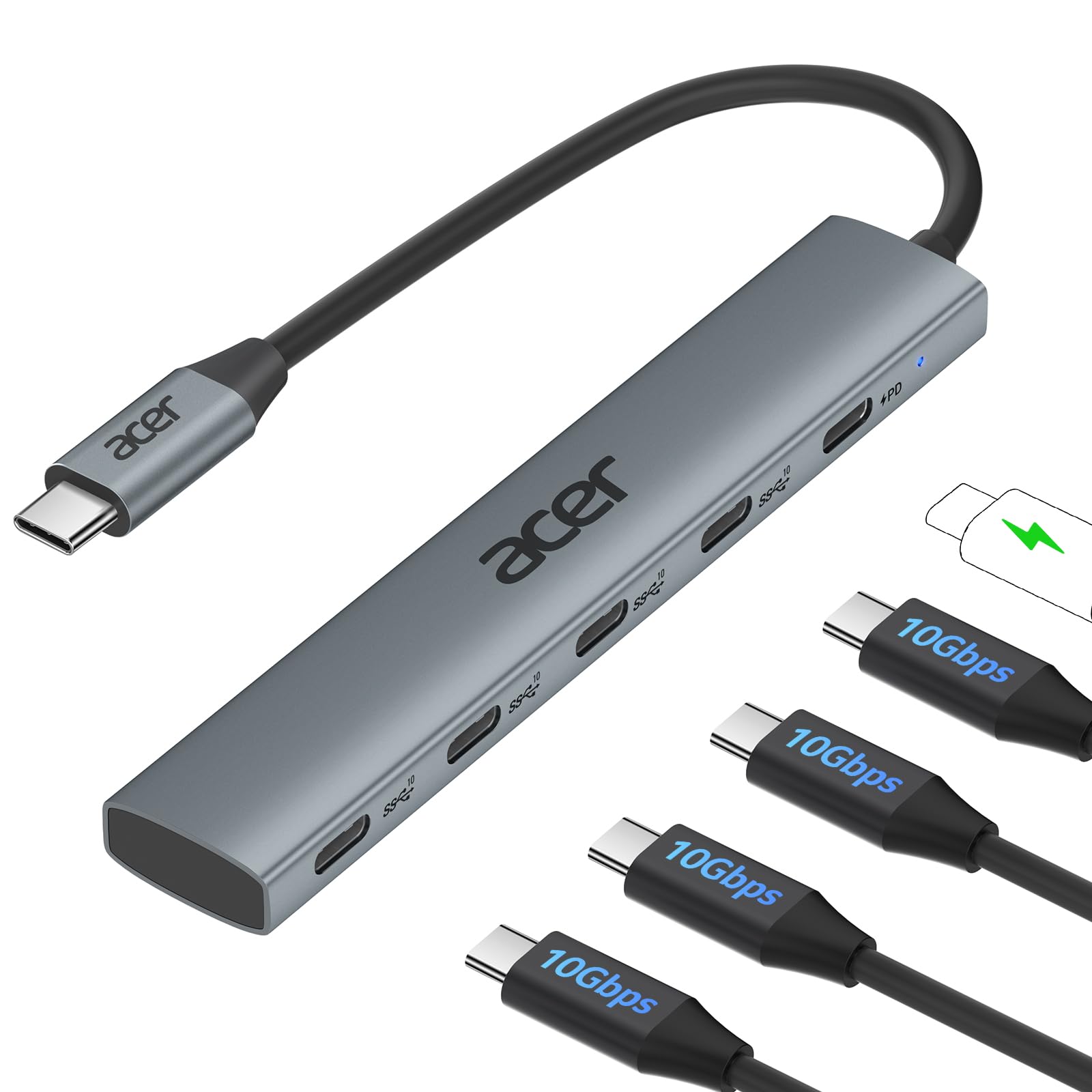
Four USB-C sockets at 10Gbps, with no HDMI in sight — and that is the point.
Buy this when your monitor already has its own cable and what you actually lack is fast USB-C sockets. Acer fits four USB-C 3.2 Gen 2 ports plus a 100W PD port into a 60-gram aluminum body. At that weight it is lighter than the 80-gram UGREEN Revodok Pro and lighter still than the 93-gram VANGREE 8-in-1 — you will not notice it in a bag.
The speed claim needs one clarification the listing makes itself: that 10Gbps is a single pool shared across all four ports. Acer frames it as roughly 1GB per second of transfer, and for a single drive that holds. Connect four busy drives at once and they queue. The PD side wants a 65W+ charger and a laptop port that speaks the PD protocol; actual speed also depends on your MacBook’s own USB controller and your cables.
The clear limit: there is no video output at all. Acer states it flatly on the listing, so this will not drive a monitor no matter how you plug it in. What earns it a place is the data side — build quality and transfer speed are the recurring positives, and the aluminum case handles heat far better than plastic rivals during a long backup. One quirk worth knowing: only two of those USB-C ports can interlink with each other.
Why it earns a slot
- Four USB-C 3.2 Gen 2 sockets at 10Gbps, the most USB-C data ports here
- Aluminum shell and 60 grams make it the lightest multi-port pick in this group
- 100W PD port keeps the host laptop fed while drives run
Before you commit
- No HDMI or DisplayPort — zero video output whatsoever
- 10Gbps is shared across four ports, not dedicated per socket
- Acer advises connecting only one or two external drives at a time
Best fit for: a MacBook user whose display is sorted and who needs a bank of fast USB-C sockets instead.
Wrong turn if: you were hoping to run a monitor through it — there is no video port at all.
5. Belkin USB-C Hub 7-Port

You get seven ports, HDMI 2.0 at 60Hz (a video output that refreshes 60 times a second, so motion looks smooth), and six separate safety circuits (individual protection paths that guard each port) for confidence on the road.
The HDMI 2.0 port is the headline for anyone driving a modern monitor. Belkin lists 4K at 60Hz, matching the UGREEN Revodok Pro and the VANGREE 8-in-1 and beating the 30Hz cap on the DockteckExpand and the Anker. Add one USB-C connection that splits into HDMI plus six more devices, and a single cable covers a hotel desk or a client meeting room.
Charging runs up to 100W through the PD port, which Belkin points at a MacBook Pro M4 or an iPhone 16 Pro. Data moves at 5Gbps, and the built-in SD and microSD readers save you carrying a separate dongle for camera cards. The housing uses 75% PCR materials — post-consumer recycled plastic — and Belkin backs it with two-year coverage. It also lists Thunderbolt 5, 4, and 3 port compatibility alongside standard USB-C.
Its six protection circuits cover over-voltage, overload, overcurrent, over-temperature, short circuit, and fire-resistant materials. Six protections cover over-voltage, overload, overcurrent, over-temperature, short circuit, and fire-resistant materials — the sort of thing that matters when a hub charges a laptop unattended overnight. It is plastic rather than aluminum, and at 0.14 kg it stays light in a bag. The catch is simply that 5Gbps data is half the speed of the 10Gbps hubs here, so large video files move at a more ordinary pace.
Standout detail: a 6-point safety system on a hub this small is rare, and it is the reason to trust it with a laptop overnight.
Ideal for: frequent travellers who want 60Hz 4K, a full port spread, and built-in protection circuits.
Consider a faster rival if: you regularly move multi-gigabyte video files — 5Gbps is the slower lane here.
6. Selore Docking Station

Two HDMI outputs at 4K 60Hz — as long as your Mac’s chip agrees to it.
This is the hub you buy when one external monitor is not enough. Selore fits two HDMI ports onto an 8-in-2 adapter that claims dual 4K@60Hz output, alongside 2 USB-A 3.0 ports, a USB-C data port, 100W PD, and SD/TF readers. It uses two USB-C male connectors on the host end, so it takes two of your MacBook’s ports rather than one.
The chip caveat defines the whole purchase. Selore spells out that M1 and M2 chips support only one extra monitor, and a second display goes black when both are connected. M3 supports MST — multi-stream transport, which lets one connection carry two separate screens — but only with the lid closed. The listing also states it does not support the newest MacBook Neo models. Check your chip and your model year before anything else.
Data runs at 5Gbps on the USB-A 3.0 and USB-C ports, with USB 2.0 at up to 480Mbps for a keyboard or mouse and SD/TF at up to 200Mbps. The plastic body measures 4.2″L x 4.2″W x 0.5″H and weighs 0.16 kg. Function is the thing people praise — it expands a port-starved MacBook and works with Dell machines too. HDMI faults do get reported, and buyers split on whether this hub sits flush against the laptop’s edge.
The dual-screen argument
- Two HDMI ports at up to 4K@60Hz, the only true dual-display dock in this lineup
- 100W PD plus SD/TF readers and 5Gbps USB-A and USB-C data on one adapter
- Works across MacBook Pro 2017 through recent years and MacBook Air 2020 onward
The caveats that decide it
- M1 and M2 drive only one external monitor — a second screen stays black
- Does not support the newest MacBook Neo models
- Occupies two USB-C ports on the host, leaving less room for other gear
Reach for this if: you run an M3 or older MacBook Pro with Thunderbolt or DisplayPort Alt Mode and want two screens.
Check first: your exact chip — on M1 or M2 this becomes a single-monitor hub.
7. USB C Hub 8 in 1
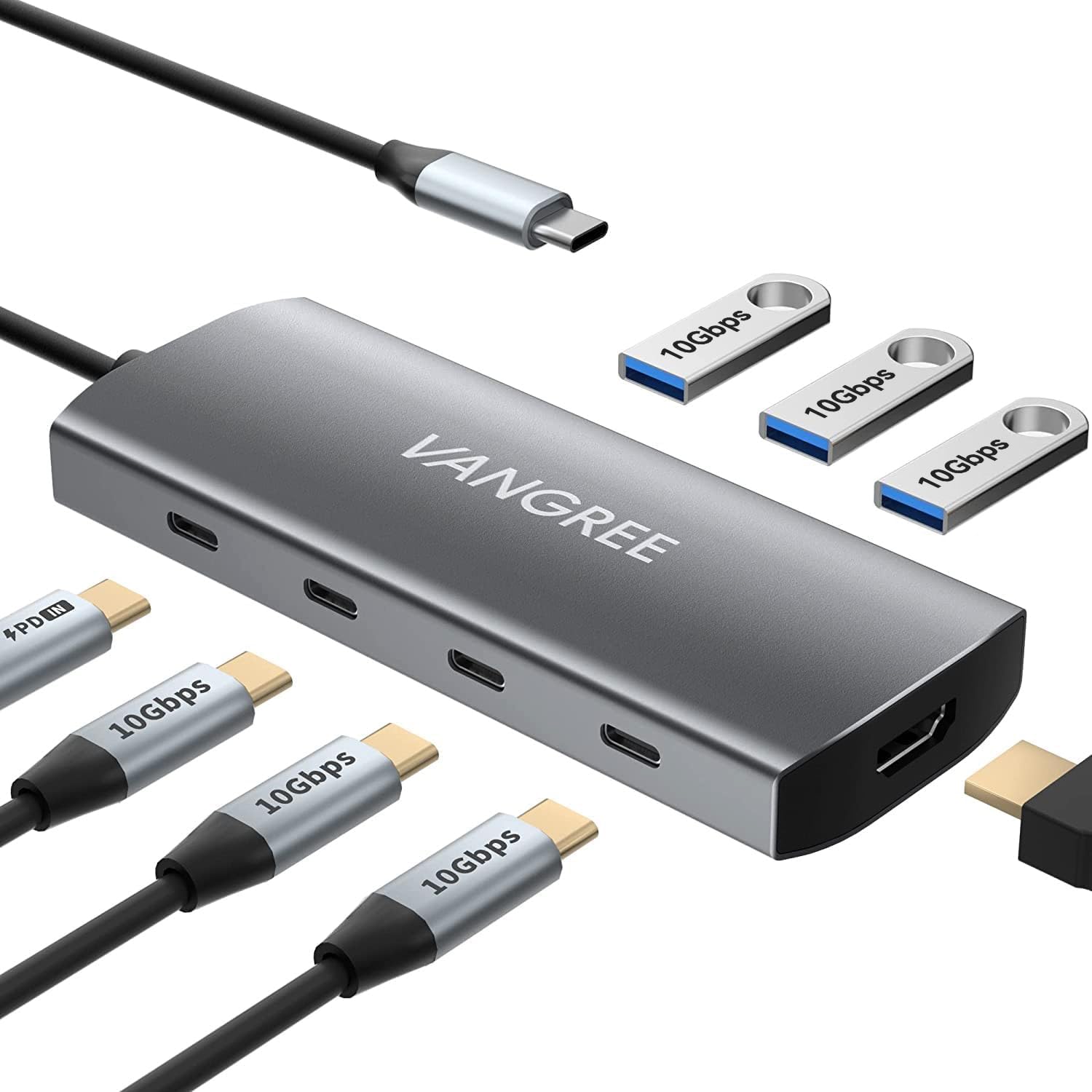
Six data ports at 10Gbps plus a 60Hz HDMI feed, all on a one-foot cable.
Count the sockets: three USB-C 3.2, three USB-A 3.2, one 100W PD inlet, and one 4K@60Hz HDMI. That is eight ports on a 93-gram aluminum body, with a cable measuring 1 ft or 11.8 in so the hub sits where you put it rather than dangling from the laptop. It works with Thunderbolt 3, 4, and 5 hosts.
The video side mirrors or extends your display at 3840×2160 and 60Hz, with 1080p and 3D output also listed. Charging passes through up to 80W with 20W reserved for the other interfaces — so a 100W charger is the right partner, and your MacBook’s port needs to speak the PD protocol. Buyers praise the aluminum build most, which matters with eight sockets to stress.
Here is the one number that decides whether it suits you. That 10Gbps is shared across the three USB-C data ports, and each USB-C port outputs 5V 3A. There is also no USB-C DisplayPort, so USB-C video output is off the table entirely.
Where the value sits
- Eight ports including three USB-C and three USB-A 3.2 data sockets
- 4K@60Hz HDMI on a 1 ft cable that reaches where you need it
- Aluminum body at 93 grams with Thunderbolt 3, 4, and 5 compatibility
What to plan around
- 10Gbps is pooled across three USB-C ports, not per-port
- Peripherals above roughly 15W total can trigger disconnects
- No USB-C video output — HDMI is the only display path
Choose it for: a desk crowded with USB-A and USB-C accessories that all need a home.
Size your load: keep heavy draws to one or two drives so the shared power budget holds.
8. Satechi 8-in-1 USB-C Hub V3
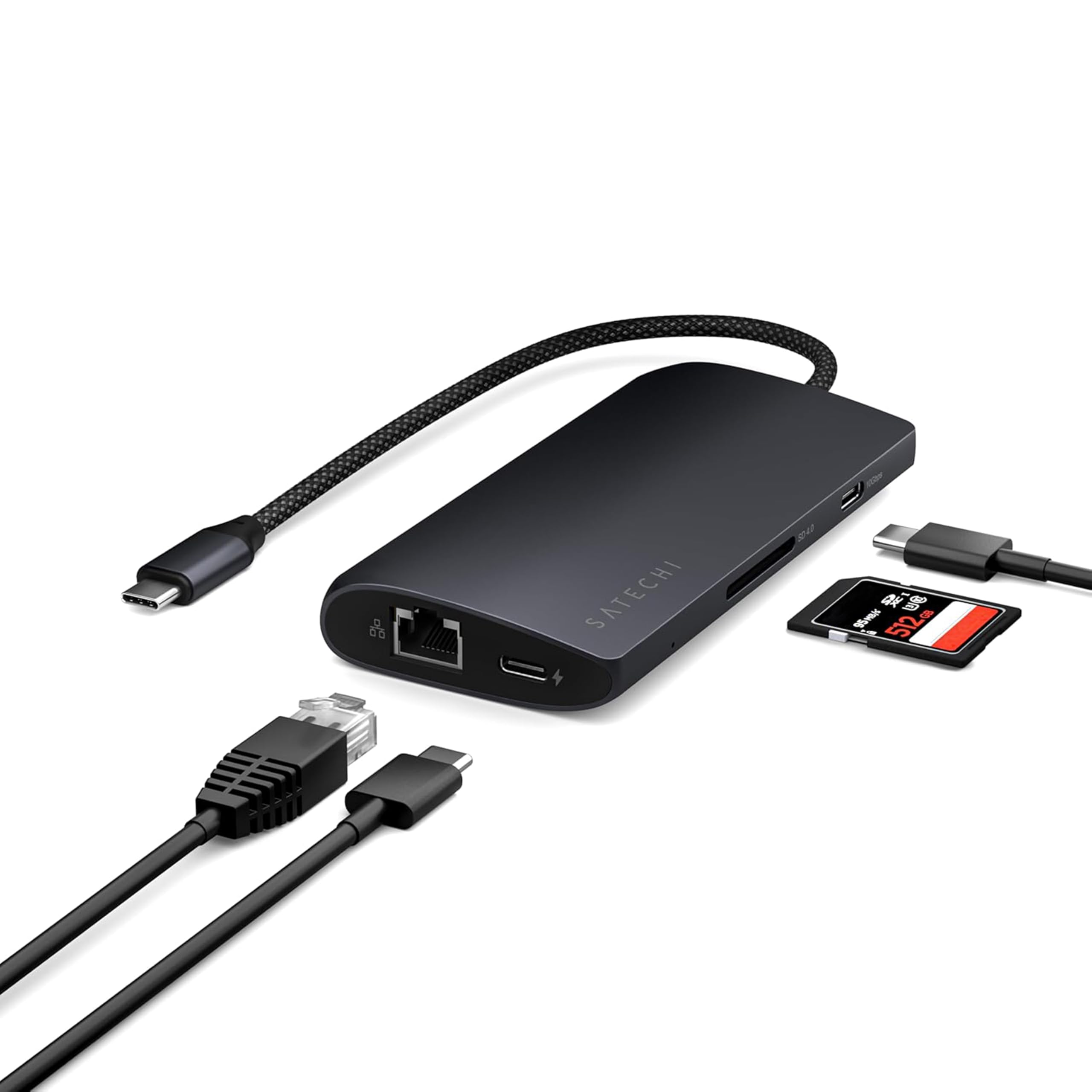
The only hub here with a wired network jack, plus display modes up to 8K.
Hotel Wi-Fi and office dead zones are what sell this one. Satechi puts an Ethernet port (a wired network jack) on an 8-in-1 body — the single feature no other pick in this lineup carries — alongside HDMI, a 100W PD charging port (Power Delivery, which charges your laptop fast), three USB 3.2 ports at 10Gbps (10 gigabits per second, fast enough to move a big file in seconds), one more USB 3.2 at 5Gbps, and UHS-II Micro/SD card readers (a fast card-reader standard). If you present over a client network or work in a building that swallows Wi-Fi, the cable fixes it.
The display spec is the highest on the page: up to 8K at 30Hz, with 4K at 120Hz and 2K at 144Hz available depending on the host. Satechi is careful to note that Intel-based Macs and some M1 through M3 MacBooks cannot exceed 4K at 60Hz over HDMI — that is the host’s limit, not the hub’s. Charging reaches 85W through the PD port on a 123-gram aluminum shell measuring 4.49″L x 2.13″W x 0.63″H.
Two honest notes belong with a hub this ambitious. Heat is a real thing — several owners describe the metal body getting surprisingly hot in use, which is normal for aluminum dissipating power but worth knowing. Reliability is also split, with some units running fine and others quitting after a few weeks, which the two-year limited warranty covers. Buyers consistently call it good value for a hub with Ethernet and 8K support.
What you are really paying for: Ethernet plus 8K and 4K@120Hz display output, a combination nothing else in this group offers.
The fair warning: it runs warm under load, so give it open air rather than burying it under a monitor stand.
Made for: presenters and remote workers who want a wired network connection and high-refresh display support from one adapter.
Know the ceiling: on an Intel or some M1–M3 MacBooks, HDMI video will not pass 4K at 60Hz no matter what the hub lists.
Know the Specs
Pass-Through Power Delivery (PD)
Pass-through charging means you plug your MacBook’s own charger into the hub, and the hub forwards that power to the laptop. It is measured in watts, and the number on the listing is usually the maximum the port accepts, not what reaches your laptop. The UGREEN Revodok Pro passes 85W from a 100W inlet and reserves 15W for its own chips; the VANGREE passes 80W and keeps 20W back. Plan for that gap — a hub does not create power, it just borrows some.
Video Resolution and Refresh Rate
A hub’s HDMI output is described by resolution plus refresh rate, such as 4K@60Hz or 4K@30Hz. Refresh rate is how many times per second the picture redraws; 60Hz looks smooth under a moving cursor, and 30Hz looks stepped. Resolution is the pixel count, and 4K UHD is 3840 x 2160. Two hubs can both say 4K and behave very differently, so read the number after the @ sign. Remember too that your Mac’s own chip may cap the output below what the hub claims.
Data Transfer Speed and Shared Bandwidth
Data speed is measured in Gbps, or gigabits per second. A 5Gbps hub copies files at roughly half the pace of a 10Gbps one. Some listings hide a catch: the 10Gbps figure is a pool shared across several ports rather than a dedicated lane for each. The Acer splitter states this openly for its four USB-C ports, and the VANGREE 8-in-1 does the same for its three. For a mouse and keyboard it is irrelevant; for two external SSDs it decides your copy times.
USB-C, Thunderbolt, and DisplayPort Alt Mode
USB-C is the physical connector shape. Thunderbolt is a faster protocol that runs over the same connector, and Thunderbolt 4 in this lineup carries 40Gbps and up to 5K@60Hz video on one socket. DisplayPort Alt Mode is a mode where a USB-C port sends video, and a laptop must support it for HDMI output through a hub to work. This is why two docks can look identical and one drives a monitor while the other shows nothing.
Common Questions
Will a USB-C hub work with my M1 or M2 MacBook Air?
Does a 100W port actually charge my MacBook at 100W?
Why does my second monitor stay black through a dual-HDMI dock?
Is 4K at 30Hz good enough for a work monitor?
Can I plug my charger and an external SSD into the same hub?
Do I need Thunderbolt 4, or is a plain USB-C hub enough?
Why do some hubs fit flush and others hang off a cable?
Will a hub with Ethernet work with macOS without extra software?
Can I charge my MacBook through the same hub that runs a monitor?
Is it normal for a hub’s metal body to feel hot?
The Bottom Line
For most people, the winner is the DockteckExpand 5-in-1 — five ports, a 4K HDMI feed, and a 100W PD inlet in a 1.6-ounce aluminum body that slips into a pocket and stays out of the way. It covers charging plus one screen plus a few accessories with nothing wasted.
If a camera card and a 60Hz monitor are part of your day, the UGREEN Revodok Pro adds double the data speed and built-in SD and Micro SD slots for roughly the same money. And when you need two screens of your own, the Selore dual-HDMI dock is the only pick here built for it — on an M3 MacBook with Thunderbolt or DisplayPort Alt Mode.
Whatever you choose, plug something into every socket in the first week. Ports are the one thing you cannot test from a listing, and it turns a maybe into a confident keep.
How we choose
We do not accept paid placement. Every pick is matched to a real buyer and a real use-case; we do not hands-on test units.
Sources
Specifications: manufacturer listings and product documentation. Review insights: verified customer reviews, as of November 2026. Pricing: not shown on this page (it changes often); check the current price via the retailer link.
As an Amazon Associate, Tactical Gear Guy earns from qualifying purchases. This does not affect which products we feature.