Specs are compiled from manufacturer listings and verified buyer reviews and can change over time — please confirm the key details on the product page before buying.
You want a second screen you can actually carry, and one cable is the whole promise of a USB display monitor. The short answer: the cocopar 16-inch 2.5K is the smartest buy for most people because it pairs a 144Hz panel (a screen that redraws 144 times per second, so motion looks smooth) with a 2560 x 1600 resolution (sharp enough to read small text clearly) and weighs only 1.5 lb — and the crowd agrees, giving it 4.5+ stars across thousands of ratings. Everything below explains who should pick something else instead: laptop owners who need a screen that clips straight onto the lid, desk workers who want a full 27-inch panel driven over USB-C (a single cable that carries video and power), and photo editors who need OLED (a panel type that shows deeper blacks).
This guide is built by comparing the manufacturers’ published specifications and the patterns across verified customer reviews, so you get each pick’s real strengths and trade-offs instead of marketing spin.
A portable panel lives or dies on three things: does your laptop push video over USB-C, how bright is the screen, and how much weight lands in your bag. This breakdown of the best USB Display Monitor separates the gimmicks from the panels that genuinely earn their place in a backpack or on a desk.
Top Picks
How To Choose The Best USB Display Monitor
The first question is not screen size or brand — it is whether your laptop can send video out of its USB-C port. That feature is called DisplayPort Alt Mode, and without it a single-cable monitor will not light up at all. Cheaper USB-A-only laptops usually need a separate HDMI cable plus a USB cable for power.
Check your port before you fall in love with a panel
Look up your laptop model and confirm it supports video over USB-C, or Thunderbolt 3, 4 or 5. MacBook, Surface Pro, and most modern Dell, HP and ASUS laptops do. Older budget laptops often do not, and some Surface Pro models are specifically called out as unsupported by certain clip-on extenders.
Brightness and contrast decide your real-world view
Brightness is measured in nits, and a portable screen sitting in a café window needs more of them. Something in the 300 to 400 nit range handles indoor work comfortably. Contrast ratio is the spread between the darkest black and brightest white — higher numbers mean text pops and movies look less washed out.
Weight and thickness travel with you every day
A 1.5 lb panel disappears into a backpack; a 2.49 lb panel is noticeable by the end of a commute. Think about how you plan to carry it, because a monitor you leave at home helps nobody.
Side-by-Side Comparison
| Model | Best For | Resolution | Refresh Rate | Weight / Brightness | Amazon |
|---|---|---|---|---|---|
| cocopar 16″ 2.5K 144Hz★ Best Overall | Gaming and creative work on the move | 2560 x 1600 | 144Hz | 1.5 lb / 470 nits | Amazon |
| ASUS ZenScreen MB169CKBudget Champion | Budget single-cable travel | 1920 x 1080 | — | 0.78 kg / 300 nits | Amazon |
| ViewSonic VA1653Lightest Carry | Lightweight everyday second screen | 1920 x 1080 | — | 1.5 lb / 250 nits | Amazon |
| Acer PM191Q 18.5″ | Biggest picture in a small footprint | 1920 x 1080 | 100Hz | 2.49 lb / — | Amazon |
| DZVW 14″ Screen Extender | Clip-on dual display for laptops | 1920 x 1080 | 60Hz | 2.34 lb / 300 nits | Amazon |
| InnoView 15.6″ 1440p | Sharp 2K on a budget | 2560 x 1440 | 120Hz | 1.65 lb / 300 nits | Amazon |
| Lenovo L15 | Height-adjustable office travel | 1920 x 1080 | 60Hz | Under 2 lb / 250 nits | Amazon |
| ASUS ZenScreen MB16ACV | USB-A or USB-C hybrid flexibility | 1920 x 1080 | — | — / — | Amazon |
| Dell 27 Plus S2725DC | Desk setup with 65W laptop charging | 2560 x 1440 | 144Hz | — / 350 nits | Amazon |
| LG 27UP850K-W | 4K editing and 90W power delivery | 3840 x 2160 | — | — / 400 nits | Amazon |
| ViewSonic VX1655-4K-OLED | OLED color on the road | 3840 x 2160 | — | 1.5 lb / 400 nits | Amazon |
Detailed Reviews
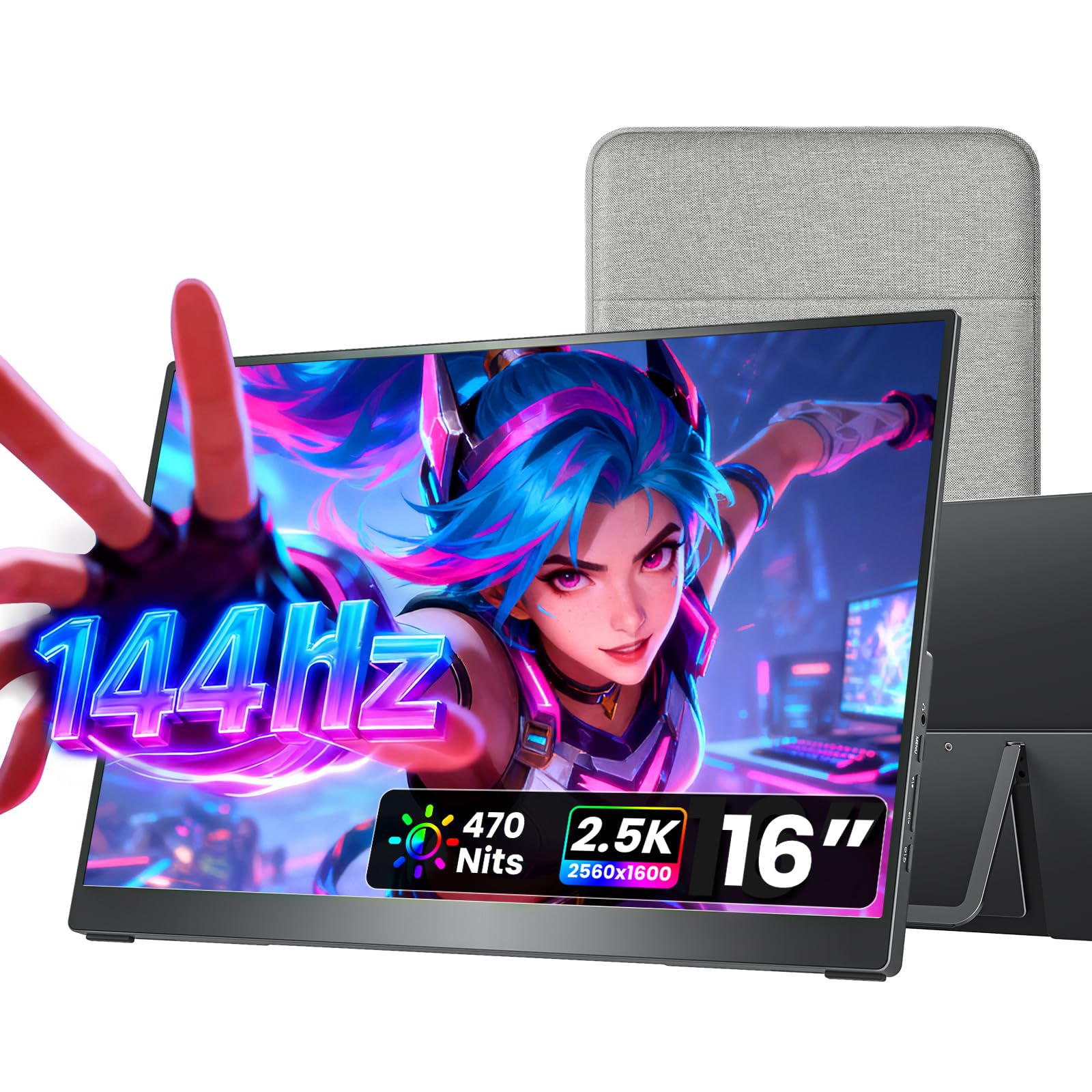
1. cocopar Portable Monitor 16 Inch 2.5K QHD 144Hz USB-C
Our pick — 4.5+★ from 6,000+ verified ratings; the strongest balance of quality and price.
A 144Hz 2.5K panel that weighs 1.5 lb — this is the one that stops a portable screen feeling like a compromise.
The number that earns this monitor its spot is the 2560 x 1600 resolution — that is 2.5K, meaning a sharper, denser picture than the standard 1080p on almost every rival here. Compared with the ViewSonic VA1653’s 1920 x 1080, you get a noticeably finer image, which matters most when you are reading code, spreadsheets or long documents side by side.
Speed backs it up. The 144Hz refresh rate (how many times per second the screen redraws, so motion looks fluid rather than stepped) is roughly 44% higher than the Acer PM191Q’s 100Hz, and that is the difference between a smeared pan in a game and a clean one. Brightness lands at 470 nits (a measure of screen brightness), which is the highest here for a portable panel — outdoor café work stays readable — while the 1200:1 contrast ratio (the difference between the darkest and brightest parts of the image) and 110% sRGB color coverage (how much of the standard color range the screen shows) keep photos looking rich rather than flat.
Carrying it is the easy part: 1.5 lb and 0.2 inches at the thinnest point, plus a protective fabric sleeve in the box. Two full-function USB-C ports and one HDMI port mean plug-and-play with a single cable on any laptop that supports USB-C video. The full metal chassis and a kickstand that adjusts from 0° to 90° keep it steady on a tray table, and dual 1.5W speakers cover a call without extra gear. What wins people over, above all, is the image — owners praise the sharp 2.5K image first and the 1.5 lb weight second.
Where it pulls ahead
- 2560 x 1600 resolution out-resolves every 1080p panel in this lineup
- 144Hz with FreeSync keeps fast games and video smooth
- 470 nits is the brightest portable screen here
- 1.5 lb with a metal kickstand and VESA mounting holes
What to plan around
- Your laptop must support Thunderbolt 3/4/5 or USB-C DP Alt Mode for the single-cable setup
- Mac mini and Mac Studio owners need to use the rear USB-C ports
Reach for this if: you want one screen that handles gaming, photo editing and a second work display without adding bulk to your bag.
Check your ports first: an older USB-A-only laptop will not drive it over a single cable.
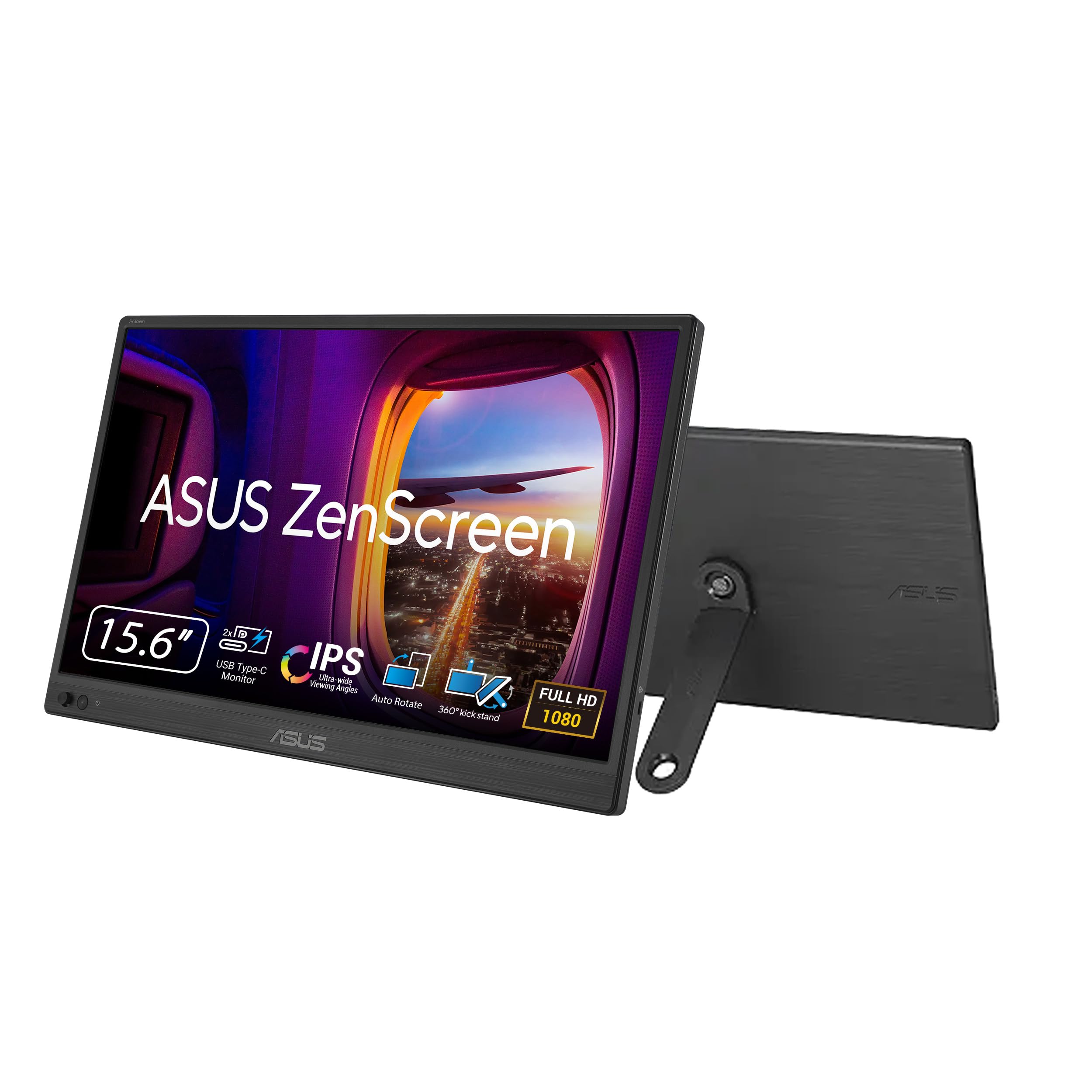
2. ASUS ZenScreen MB169CK 15.6 Inch 1080p Portable Monitor
The entry ticket to a one-cable second screen, with a 360-degree kickstand and a socket for a tripod.
If your whole goal is to stop dragging a charger around, the ZenScreen MB169CK does the job with a single USB-C cable carrying both power and video. The 15.6-inch anti-glare IPS panel runs at 1920 x 1080, which keeps text crisp for spreadsheets and email in a café or coworking space. At 0.78kg and just 11.8mm thin, it slides into a standard backpack without argument.
The 360-degree kickstand and tripod socket are the practical touches — you can angle it on a hotel desk or bolt it to a stand for an ergonomic dual-screen setup. DisplayWidget software flips the picture between portrait and landscape automatically, so long documents and code stay readable without digging into menus. Flicker-free and low blue light handling keep late sessions comfortable, and a three-year warranty with advanced replacement covers the long haul.
Here is the honest part: brightness sits at 300 nits (a measure of screen brightness) and the contrast ratio is 2000:1 (the difference between the darkest and brightest parts of the image), and the screen quality draws genuinely split reactions — some buyers find the picture clean, others want more brightness and a sharper panel. Nothing about that is fatal for office work, but if you edit photos or game, the cocopar above gives you far more panel for a similar footprint. This one is the sensible, low-cost entry into USB-C travel displays.
The setup win: one cable, no power brick, and a kickstand that works at any angle — one cable, no power brick, and a kickstand that works at any angle.
Know your ceiling: at 300 nits and 1080p, it is a productivity panel, not a color-critical one.
Ideal for: students and remote workers who want a second screen that lives in the laptop bag.
Look elsewhere if: you need punchy brightness or a high-resolution panel for creative work.
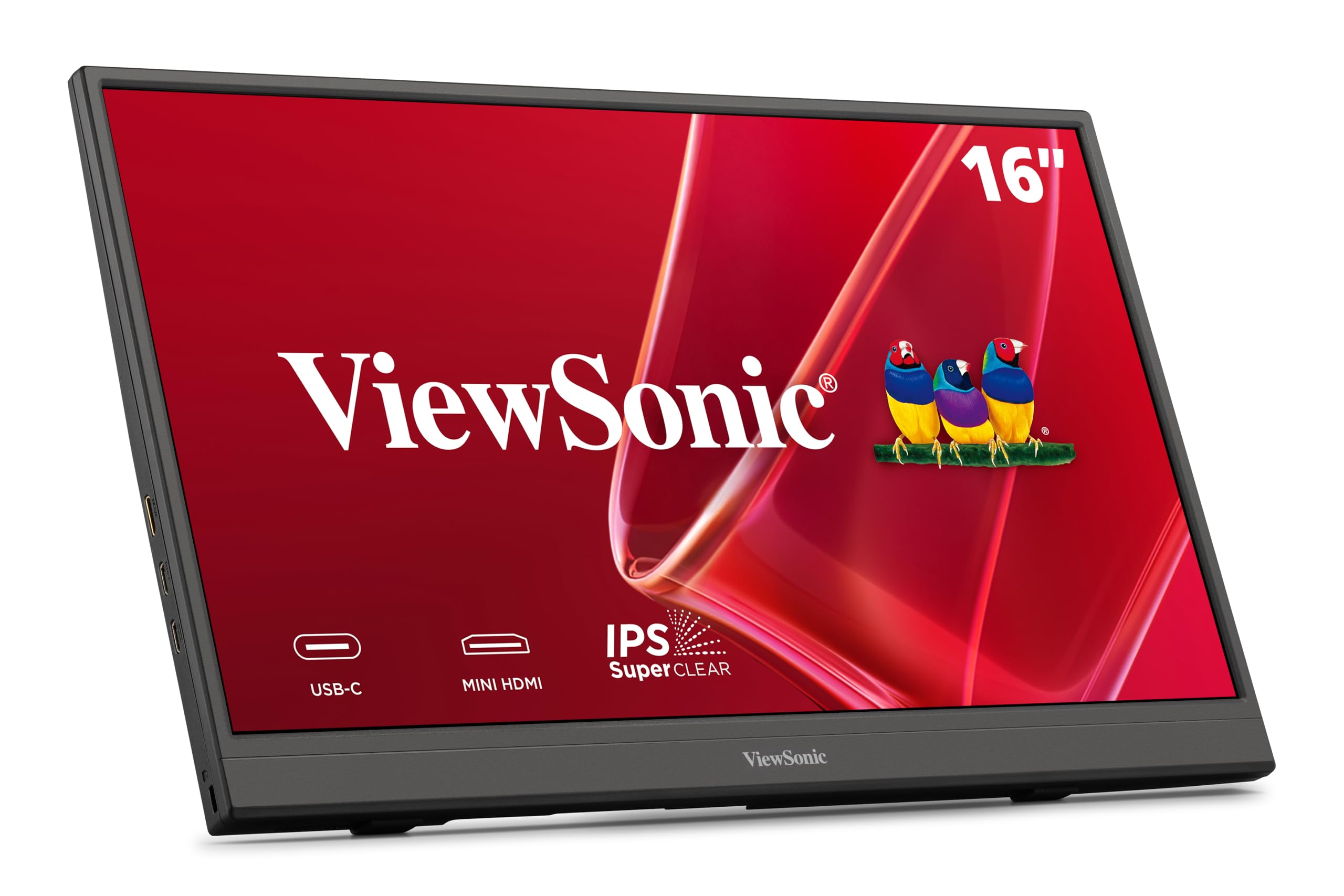
3. ViewSonic VA1653 16 Inch 1080p Portable Monitor
A 1.5-pound second screen with wide viewing angles — the carry-on companion that barely registers in your bag.
Weight is the headline: 1.5 lb and 0.7 inch thick, with a sleeve case in the box to protect the glass on flights and road trips. The 15.6-inch IPS panel runs 1920 x 1080 with an anti-glare finish that cuts reflections from windows and overhead lights, and 178-degree viewing angles keep colors consistent when you and a colleague both look at the screen.
One USB-C cable carries power, video and sound from a compatible laptop, phone or tablet, so there is no charger to pack. A mini HDMI port covers game consoles and older laptops that lack USB-C video. Two built-in speakers handle calls and video without external gear, and the stand tilts and rotates the screen sideways for long documents. A three-year limited warranty is a real comfort on a travel item.
The genuine caveat: contrast sits at 1000:1 — the lowest ratio in this group alongside the InnoView — and brightness reaches 250 nits, which is dim for direct sunlight. Most owners find it clear and easy, though some report a unit that stops working after the first use. That is a rare outcome, not a pattern, but buy from a seller with easy returns. For café and hotel desk work it is a featherweight workhorse.
Choose it when: portability matters more than panel punch and you want a sleeve and warranty included.
Think twice if: you regularly work beside a bright window — 250 nits will struggle.
4. Acer 18.5in FHD 1920×1080 IPS 100Hz PM191Q

Eighteen and a half inches of screen — the largest panel here that still counts as portable.
Screen real estate is the whole reason to pick this one. At 18.5 inches, it gives you roughly 19% more diagonal than the 15.6-inch ASUS ZenScreen MB169CK — which translates to noticeably more spreadsheet columns and more of a document visible before you scroll. Owners specifically notice the extra room compared with a 15.6-inch panel.
Picture quality holds up too. The 2000:1 contrast ratio is double the ViewSonic VA1653’s 1000:1, so dark scenes and text edges carry more depth. The IPS panel runs 1920 x 1080 in 16:9, and Adaptive-Sync at 100Hz keeps gaming and video playback tear-free. A single USB-C cable shares the display, transfers data and supplies power, and you can also hook it to a phone or tablet.
The trade-off is bulk: 2.49 lb and 0.54 inch thick, and the size that makes it great on a desk is the same size that barely fits in a backpack — several owners flag exactly that. If it lives on a desk or comes out during presentations, that is a fair swap. If it rides in a bag daily, the cocopar or ViewSonic will treat your shoulders better.
The size payoff: 18.5 inches is the widest view here, and 2000:1 contrast keeps it looking rich.
The size cost: at 2.49 lb it is the heaviest panel in this list — a desk-first screen, not a daily carry.
Best fit for: presentation days and desk-based travel where a big picture beats a light bag.
Pass if: you commute with your monitor every single day.
5. Laptop Screen Extender 14″ FHD 1080P IPS Dual Monitor
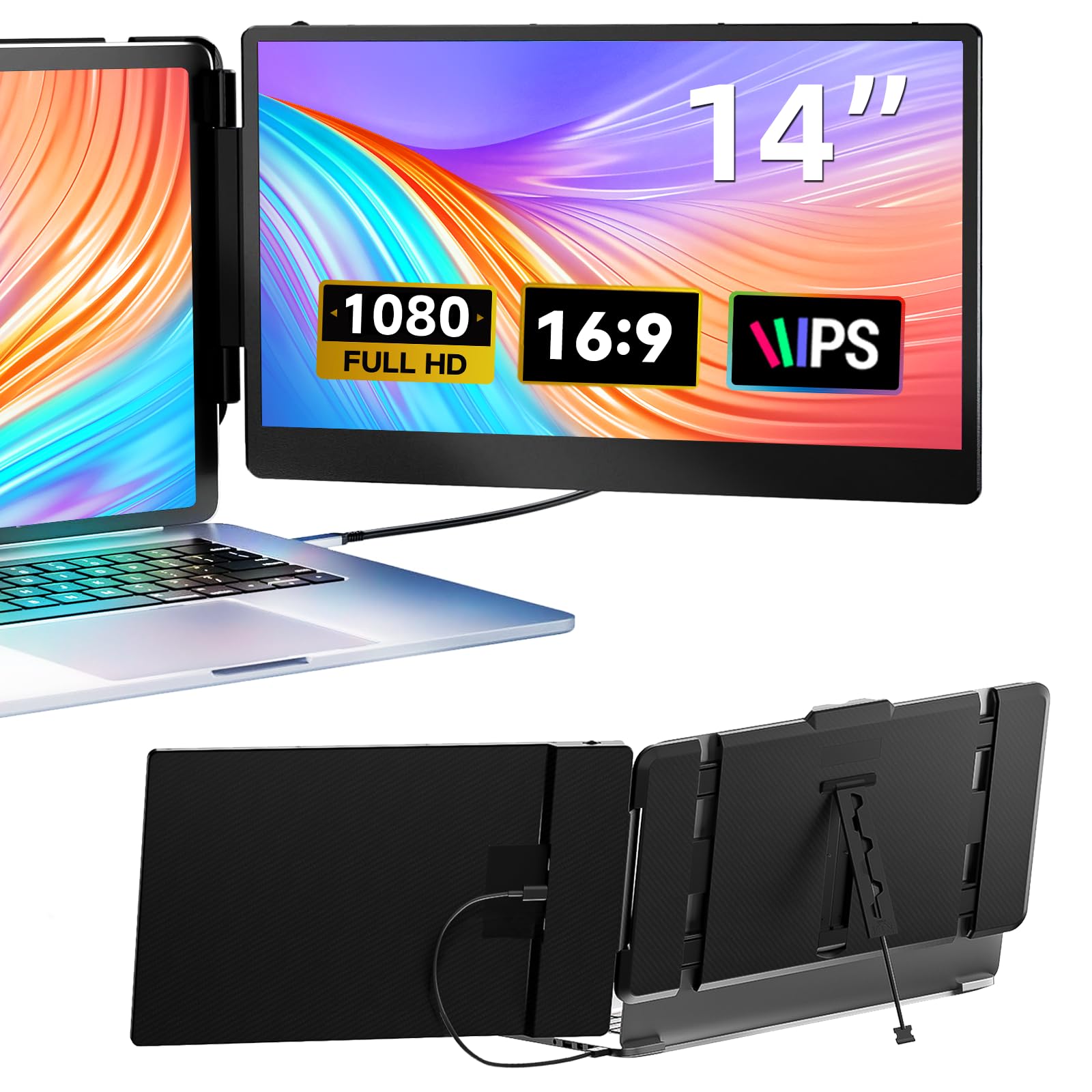
Instead of a screen beside your laptop, this folds onto the laptop itself — a sliding second display you carry as one piece.
This is a different animal from the standalone panels. The 14-inch extender clips to laptops from 13.3 to 17 inches and folds to 0.9 inch thick and 2.34 lb, so laptop and second screen travel as a single unit. The panel runs 1920 x 1080 at 60Hz with a 1000:1 contrast ratio and 300 nits of brightness — enough for indoor work and entertainment.
Owners single out the tool-free setup: cables in the box, no driver install. Product-specific cables come in the box (one Type-C, one HDMI, one USB-C to USB-A), and you connect by Type-C alone or HDMI plus USB-A for power — no driver install. It supports Windows, Mac including M1/M2/M3, Chrome, Linux, Type-C phones, PS4, Xbox and Switch. Mirror, extension and portrait modes cover trading desks, tab-heavy research and gaming.
The one thing to confirm before buying: some devices, Surface Pros among them, are not supported, and your laptop needs a full-featured Type-C or HDMI port. Get past that and you get a genuinely clever multitasking tool — it stays clipped to the lid as one piece, so there is nothing to prop up or pack separately. A 365-day warranty backs it up.
Why it earns the clip-on slot
- Folds onto the laptop, so nothing extra to pack or prop up
- Works with Windows, Mac M1/M2/M3, Chrome, Linux, PS4, Xbox and Switch
- Mirror, extension and portrait modes for different workflows
- Cables included and no driver install
The compatibility check
- Some Surface Pro models are not supported
- HDMI use needs an extra USB-A to USB-C cable for power
Made for: traders, developers and remote workers who want two screens with zero assembly.
Verify first: confirm your exact laptop model is on the supported list.
6. InnoView 15.6-Inch Portable Monitor 1440p 120Hz
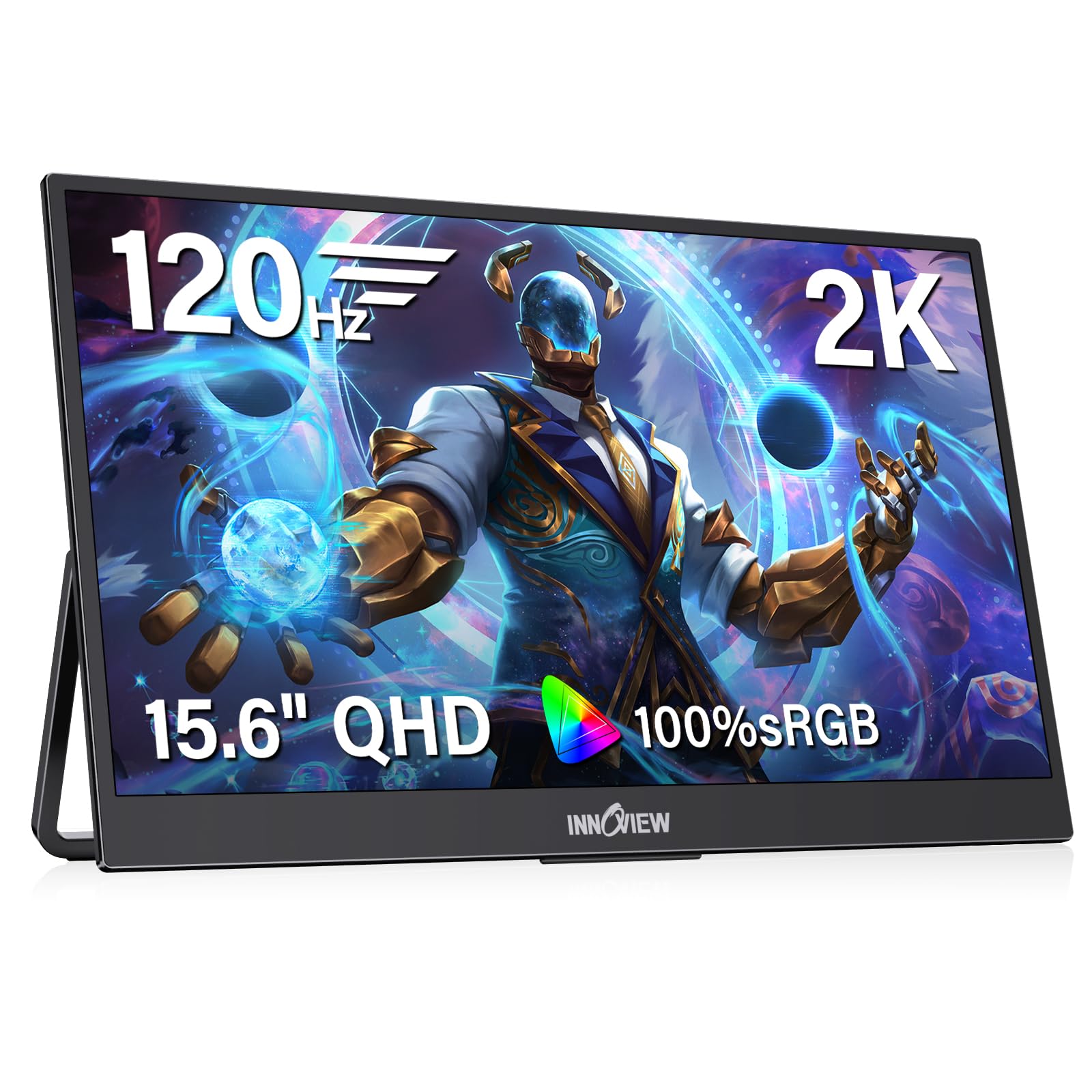
A 1440p panel that skips the 1080p compromise without stretching to the top of the price tree.
If sharp text matters more than sheer brightness, this is the value pick. The 2560 x 1440 resolution is a real step up from the 1920 x 1080 on the ViewSonic VA1653 and ASUS ZenScreen MB169CK, and it is the same family of clarity the cocopar delivers. HDR support and 16.7 million colors give games, video and creative files more depth.
Gaming gets attention too: 120Hz with FreeSync (which matches the screen’s redraw to your graphics card to kill tearing) is a big jump over the 60Hz clip-on extender. The IPS panel covers 100% sRGB with a hardware low-blue-light mode, so color work stays honest and long sessions stay comfortable. It weighs 1.65 lb at 0.25 inches at the thinnest point, with a metal stand and a backpack-friendly profile.
Two notes worth knowing. Reaching 120Hz requires an HDMI 2.0 or later port on your device, and if your source cannot supply enough power the screen can flicker — a 20W or higher adapter is the fix. An 18-month warranty and 30-day return policy soften the risk. For a budget 2K gaming and work screen, the trade-offs are reasonable.
Where it shines: 2560 x 1440 at 120Hz is a serious spec sheet for an entry-level 2K panel.
Worth knowing: 120Hz needs HDMI 2.0+, and weak power can cause flicker without a 20W adapter.
Pick it if: you want 2K sharpness and 120Hz gaming without going premium.
Budget a cable or adapter: your port and power supply have to keep up with the panel.
7. Lenovo L15 Portable Monitor 15.6″ FHD IPS

A portable screen with a height-adjustable stand — the rare travel monitor built to save your neck.
Most portable panels give you a fixed kickstand that sits low. The L15’s height-adjustable stand raises and lowers the 15.6-inch panel, which matters for long sessions at a coffee shop or home desk. The IPS display runs 1920 x 1080 Full HD with 250 nits of brightness and flicker-free technology, and two USB-C ports handle connectivity.
It sits just under two pounds, keeps a small desk footprint and is designed for software demos and video as much as spreadsheets. The display quality is the thing that draws the most praise — several buyers call out how sharp it looks for its size. A three-year-style professional feel comes from the Lenovo name, and the build reads as a work tool rather than a toy.
Two honest notes. The 250 nits is dim for bright rooms, and reliability shows some mixed signals alongside stability — a small share of buyers report issues, so buy with a clear return path. Between the flimsy-kickstand crowd and this, though, the adjustable stand genuinely earns its keep for anyone who types all day.
The comfort edge: a height-adjustable stand on a portable monitor is uncommon and kind to your posture.
Set expectations: 250 nits is an indoor number, and the panel is 1080p at 60Hz.
Worth it for: long work sessions where screen height decides your comfort.
Skip the idea if: you need bright outdoor visibility — the panel tops out at 250 nits.
8. ASUS ZenScreen MB16ACV 15.6 Inch USB-C Portable Monitor
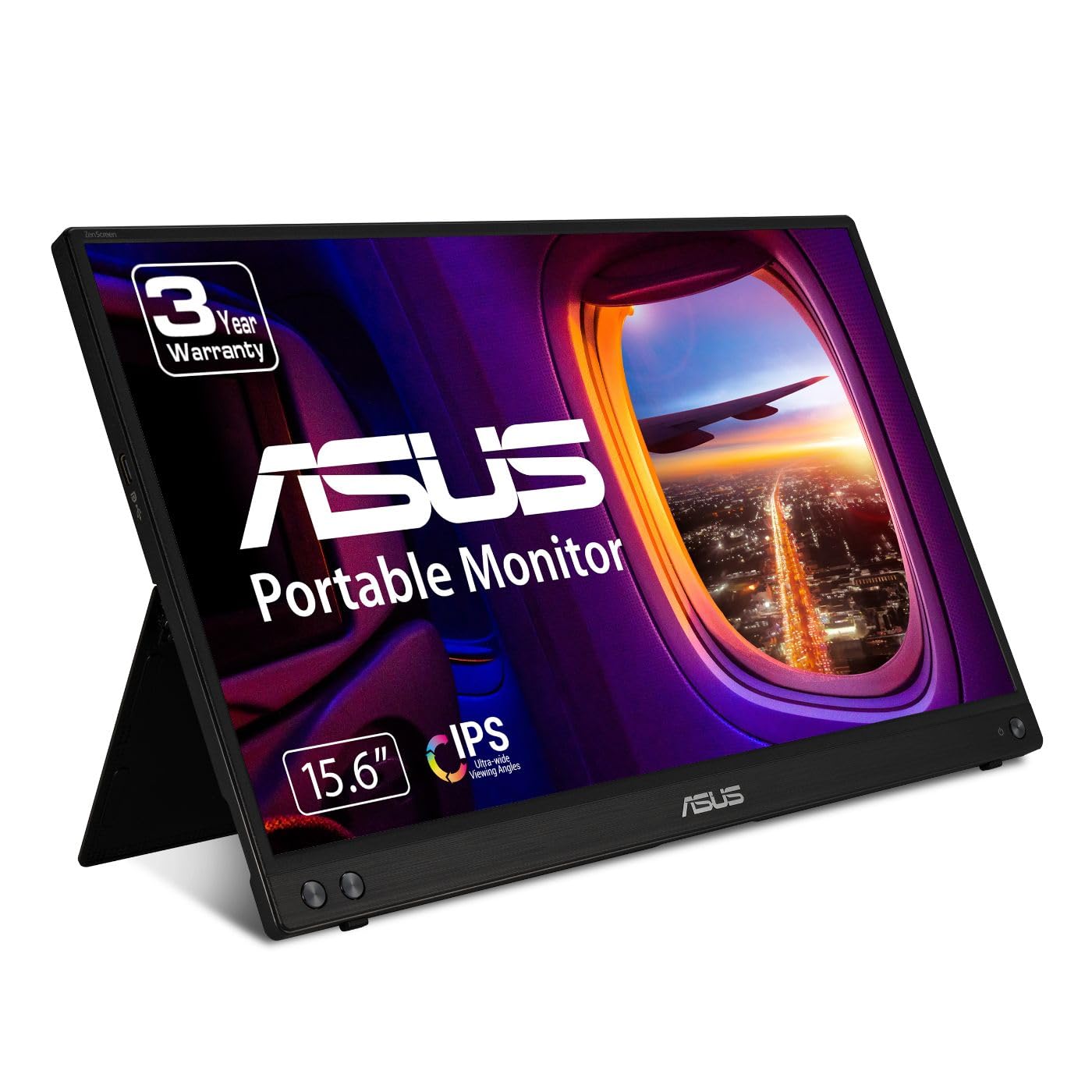
The monitor for the old-laptop owner — its hybrid-signal design works from either USB-C or USB-A.
Most panels here demand a USB-C port that carries video. The ZenScreen MB16ACV sidesteps that with a hybrid-signal solution that supports both USB Type-C and the older USB Type-A, so a laptop without USB-C video can still run it. The 15.6-inch Full HD anti-glare IPS panel runs 1920 x 1080 for crisp documents and wide viewing angles.
USB-C Power Delivery lets a single cable carry both power and video, which cleans up a desk or a train tray table. The kickstand props the screen in portrait or landscape. TÜV Rheinland-certified flicker-free and low blue light handling keep long reading sessions comfortable, and the panel is compatible with laptops, PCs, phones and gaming consoles. A three-year warranty with advanced replacement rounds it out.
The catch is contrast: it is listed in a 1000:1 to 3000:1 range, so black depth is not its strong suit compared with the cocopar’s 1200:1 or the Acer’s 2000:1. Owners rate the 1080p picture as solid for office work, and owners appreciate that it needs no separate power cable — it runs from USB-A or USB-C without a separate power cable. For a mixed fleet of old and new laptops, this is the safest single-cable choice.
Choose this if: you own a USB-A-only laptop and still want a true single-cable second screen.
Set the bar at: solid office clarity rather than deep blacks or high refresh.
9. Dell 27 Plus QHD USB-C Monitor S2725DC
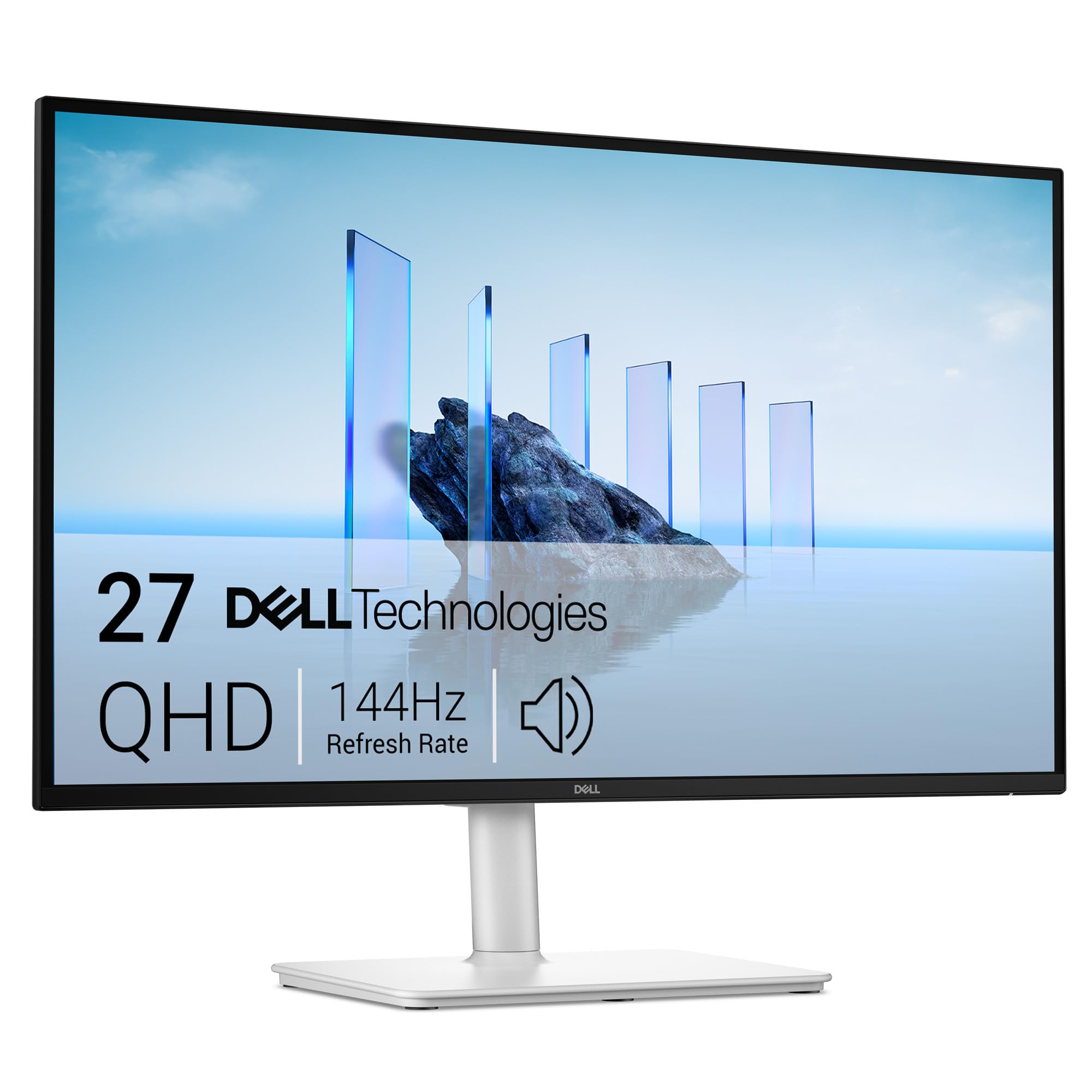
A full-size desk monitor that charges your laptop over the same USB-C cable — 65W of it.
This is the desk anchor of the list. The 27-inch panel runs 2560 x 1440 QHD at 144Hz with a 1ms MPRT (moving picture response time, which cuts motion blur so fast movement stays clean). The 1500:1 contrast ratio gives depth well beyond the portable crowd, and dual 3W speakers cover audio without extra gear.
The real story is the single USB-C cable with up to 65W power delivery — it runs the screen and tops up your laptop at once, one cable runs the screen and tops up the laptop at once. A pop-out quick access port adds a USB-C (up to 15W) and a USB Type-A for charging a phone or plugging in a drive without reaching behind the panel. The stand does height, tilt, pivot and swivel, so it can sit in portrait for code or documents.
Understand what this is not: it does not travel, and it has no built-in battery. Ash white keeps it looking tidy on a home desk. Picture quality and monitor quality both draw strong reactions — this is a monitor people are happy to stare at all day. If your work happens at one desk, this beats any portable panel for comfort.
What earns it a desk
- Single USB-C cable with up to 65W laptop charging
- 2560 x 1440 at 144Hz with 1ms MPRT and FreeSync
- Height, tilt, pivot and swivel on the stand
- Pop-out USB-C and USB-A quick access port
Where it stays put
- Not portable — it lives on one desk
- Wants a USB-C laptop that can drive video and accept power delivery
Made for: the home office where one cable should do everything.
Not for: anyone who needs a second screen in a bag.
10. LG 27UP850K-W 27-inch UltraFine 4K UHD IPS Monitor
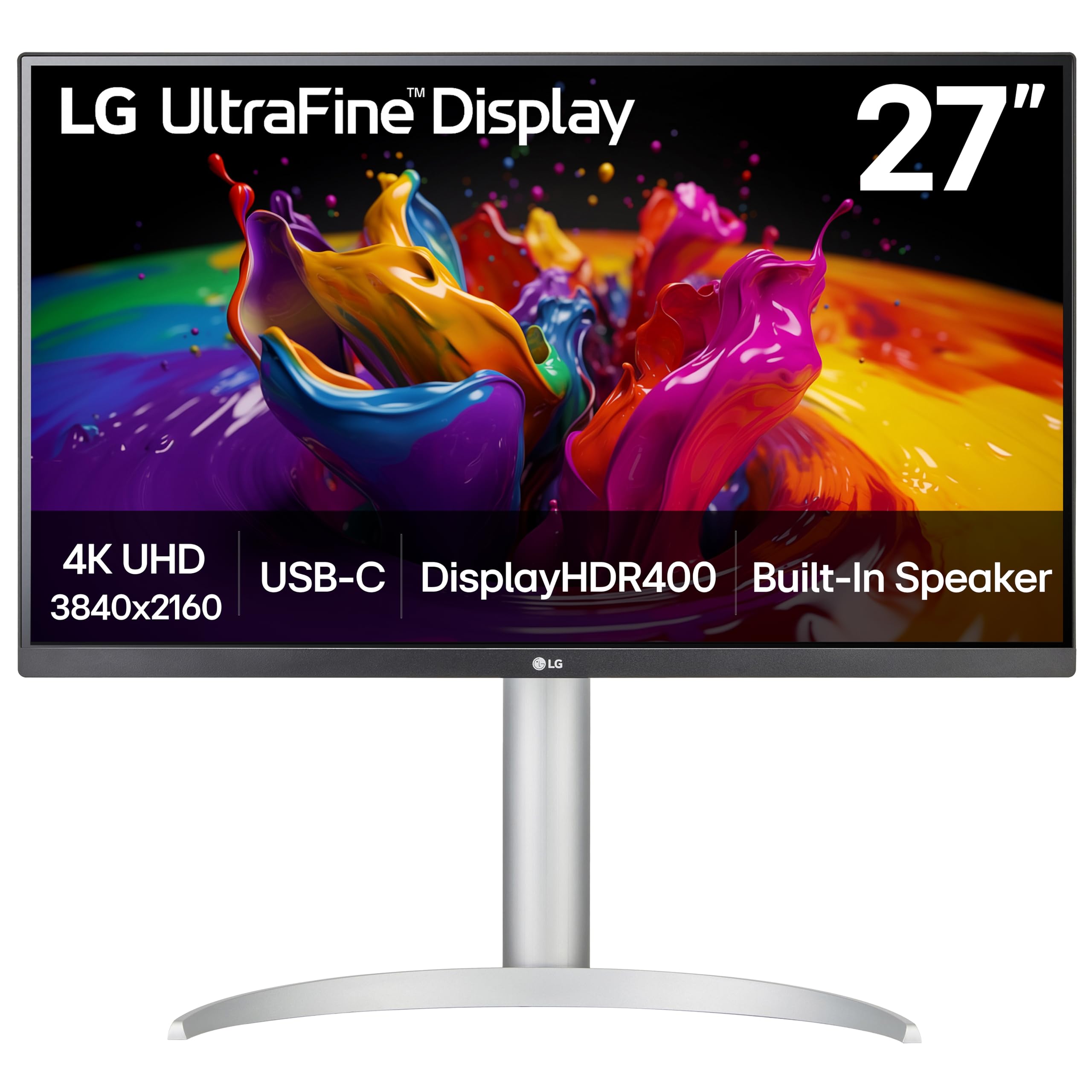
Four times the pixel count of 1080p on a 27-inch panel — the editor’s screen for color and detail.
3840 x 2160 is the reason this exists. Double the resolution of a 1440p panel per axis means photo retouching and video timelines show far more detail before you zoom. Up to 95% DCI-P3 color gamut and VESA DisplayHDR 400 support give you a wide, bright palette that video editors and photographers notice immediately.
USB-C carries data and up to 90W of power delivery, so it will charge a laptop while driving the screen — the highest wattage in this list. DisplayPort, two HDMI connections, two USB 3.0 ports and a headphone jack mean no adapters needed. Stereo speakers with Waves MaxxAudio and a stand that adjusts height, tilt and pivot complete the setup.
Two caveats worth hearing. Sound quality and USB connectivity both draw mixed reactions — the speakers are adequate rather than impressive, and the USB-C handshake (the connection process between the screen and your laptop) is not always smooth. And at 27 inches it is a fixed desk screen, not a travel one. For MacBook owners who want one cable for video and charging, this is a strong fit, and the color quality is what keeps owners happy.
For pixel peepers: 4K UHD at up to 95% DCI-P3 is a real editing canvas, with 90W charging over one USB-C cable.
The honest limit: built-in speakers are modest and USB-C can occasionally be fussy — budget for external speakers if audio matters.
Best for: MacBook-based photographers and editors who want color accuracy plus charging.
Look elsewhere for: a travel monitor or a gaming-first screen.
11. ViewSonic VX1655-4K-OLED 16 Inch 4K UHD Portable Monitor

The only OLED portable here — self-lit pixels that hit 100,000:1 contrast in a 1.5-pound frame.
OLED changes the math. Self-lit pixels turn off completely for true black, so the listed 80,000,000:1 contrast ratio (and the 100,000:1 figure the maker cites for contrast) delivers the kind of depth no LCD here can match. The 15.6-inch panel runs 3840 x 2160 with 1ms response and 100% DCI-P3 color, which is why photo and video editors want it on the road.
Power is clever: USB-C 60W two-way delivery lets the laptop run the monitor, or lets the monitor charge your laptop or phone from a power bank or the included adapter — video, data and charging over one cable. At 0.6 inch thick and 1.5 lb it fits a laptop bag, and a screen cover protects it in transit. Ports live in the kickstand to keep cables tidy, and dual USB-C, mini HDMI and a headphone jack connect laptops, cameras and consoles. Two built-in speakers handle calls.
The cost is real, on two fronts. It is the priciest screen here, and brightness, color and connectivity all draw mixed reactions — some find the colors excellent, others call them dull, and connectivity has its complaints. Buyers praise the OLED color most, with the 1.5 lb frame a close second. If OLED color is the whole reason you are buying, this delivers it; if you want safe and steady, the cocopar costs less and draws a more uniform reaction.
Step up to it if: OLED depth and 4K detail on the road are worth the premium to you.
Stay with LCD if: you want the most consistent experience for the least outlay.
Know the Specs
Resolution and pixel density
Resolution is the number of pixels across and down the panel — 1920 x 1080 is Full HD, 2560 x 1600 and 2560 x 1440 are 2K, and 3840 x 2160 is 4K. More pixels on the same screen size means sharper text and more on screen at once. A 2560 x 1600 panel shows noticeably more spreadsheet rows than a 1920 x 1080 one, which is why resolution matters more than size for document work.
Refresh rate in Hz
Refresh rate is how many times per second the screen redraws, measured in hertz. A 60Hz screen redraws 60 times a second and feels fine for email and spreadsheets. A 144Hz screen redraws 144 times and makes fast motion — gaming, video pans, scrolling — look fluid. Higher is smoother, and it pairs with FreeSync or Adaptive-Sync to stop tearing.
Brightness in nits
Brightness measures how much light the panel throws, in nits. Around 250 nits is fine for a dim room but washes out near a window; 300 to 400 nits handles most indoor situations; 470 nits is the brightest portable here. If you work outdoors or beside glass, higher nits keep the image readable.
Power delivery over USB-C
USB-C Power Delivery lets one cable carry video to the screen and power back to your laptop. Wattage tells you how fast that charge runs — a monitor rated for up to 65W or 90W power delivery can keep a laptop topped up while it drives the display. Always confirm your laptop supports video over USB-C, called DP Alt Mode, or the single-cable setup will not work.
Common Questions
Will a USB display monitor work with my laptop over one cable?
Is 1080p enough for a portable second screen?
Does a higher refresh rate matter on a work monitor?
How bright does my portable monitor need to be?
Can a USB-C monitor charge my laptop while it displays?
What is the difference between a portable monitor and a laptop screen extender?
Do I need a driver or software to use a USB display monitor?
Will an OLED portable monitor look better than an IPS one?
What should I check before buying a laptop screen extender?
Can I use a portable monitor with a game console or phone?
Why does my portable monitor flicker or dim sometimes?
The Bottom Line
For most people, the usb display monitor that makes the most sense is the cocopar 16-inch 2.5K because it pairs a 2560 x 1600 resolution with 144Hz and 470 nits in a 1.5 lb frame — the sharpest, brightest, smoothest portable here, and the one the crowd rates highest. If you want a big desk picture with one cable charging your laptop, grab the Dell 27 Plus S2725DC. And for editing on the move where color is everything, the ViewSonic VX1655-4K-OLED gives you OLED depth and 4K detail (a resolution of 3840 x 2160 pixels, so fine details stay crisp). Whichever you pick, confirm your laptop supports USB-C video first — that single check decides whether the whole one-cable promise comes true.
How we choose
We do not accept paid placement. Every pick is matched to a real buyer and a real use-case; we do not hands-on test units.
Sources
Specifications: manufacturer listings and product documentation. Review insights: verified customer reviews, as of November 2026. Pricing: not shown on this page (it changes often); check the current price via the retailer link.
As an Amazon Associate, Tactical Gear Guy earns from qualifying purchases. This does not affect which products we feature.