Specs are compiled from manufacturer listings and verified buyer reviews and can change over time — please confirm the key details on the product page before buying.
Most chargers that claim USB Power Delivery quietly split their wattage the moment you plug in a second device — so your laptop crawls while your phone tops up. The picks below hold their rated wattage under multi-port load and stay cool enough to leave plugged in overnight. If you want the short answer, the UGREEN Nexode 200W is the standout: eight ports, a 100W single-port ceiling, and the kind of owner satisfaction that only comes from a charger people stop thinking about.
This guide is built by comparing the manufacturers’ published specifications and the patterns across verified customer reviews, so you get each pick’s real strengths and trade-offs instead of marketing spin.
Some bricks promise Power Delivery and deliver a trickle once the second cable goes in. What follows is a plain-English walk through real wattage, port sharing, and heat behavior, so you can match a charger to your actual hardware — the fastest route to a usb charger with power delivery that keeps up.
Top Picks

How To Choose The Best USB Charger with Power Delivery
A Power Delivery charger is only as good as the wattage it hands to your laptop when everything else is plugged in. That per-port wattage figure decides most of the buying decision here; port count and plug design come second.
Match total wattage to your biggest device
Your laptop sets the floor. A MacBook Pro 16-inch needs a 140W-class charger to run and top up at the same time, while a MacBook Air or a Dell XPS 13 is comfortable on 65W. Phones and earbuds sip power and are happy on 20W to 25W ports.
Size the charger for the hungriest device you carry, not the average of everything in the bag. A charger that maxes out below your laptop’s own adapter will charge it slowly or not at all while you work.
Read the port-sharing chart before you trust a number
A charger might say 200W in the title and still give a single port only 100W. That is normal — the total is spread across ports. What matters is the per-port figure and how the power shifts as you add cables.
Look for a chart that spells out solo, two-device, and three-device splits. INIU publishes exactly that, and it is why a 65W brick can still charge two gadgets at full speed when one of them is a phone.
Heat is the spec nobody prints in bold
Every watt turns into heat somewhere. GaN (gallium nitride) builds run cooler than older designs at the same power, and thermal management is what keeps a charger from throttling itself down to a trickle after an hour.
Anker quotes a peak of 117℉ (47℃) on its 65W Nano Charger Neo, which is 54°F (30°C) below the 170°F (77°C) safety standard it tests against. A 47℃ peak is the figure that matters when the brick sits within arm’s reach on a nightstand.
Do not forget the cable and the outlet
Power Delivery travels through the cable, so a weak or short cable caps the whole setup. Several picks here bundle a braided cable or a built-in cord, which saves you buying one.
Foldable prongs keep the brick from snagging bag fabric and let it sit flush in a recessed outlet. For frequent travelers, that hinge is the difference between a charger that stays in the bag and one that tears the lining.
Side-by-Side Comparison
| Model | Best For | Max Watts | Ports | Single-Port Ceiling | Amazon |
|---|---|---|---|---|---|
| UGREEN Nexode 200W GaN Desktop Charger★ Best Overall | Charging a whole desk at once | 200W | 8 (6 USB-C, 2 USB-A) | 100W | Amazon |
| Anker Nano Charger Neo 65WTravel Pick | Pocket-size travel brick | 65W | 1 USB-C | 65W | Amazon |
| VUOHOEG 100W USB-C Wall ChargerCable Built In | Replacing a lost laptop adapter | 100W | 1 USB-C (built-in cable) | 100W | Amazon |
| Hzevn 2-Pack 85W USB-C Charger | One block per room | 85W | 3 (2 USB-C, 1 USB-A) | 65W | Amazon |
| Belkin 25W Compact USB-C Charger | Two small bricks for phone duty | 25W | 1 USB-C | 25W | Amazon |
| DJW 100W MacBook Pro Charger | MacBook replacement with a long cord | 100W | 1 USB-C | 100W | Amazon |
| INIU 65W Type-C Charger | Laptop plus two phones on the road | 65W | 3 (2 USB-C, 1 USB-A) | 65W | Amazon |
| Baseus PD3.1 140W USB-C Charger | Two MacBooks at once | 140W | 4 (3 USB-C, 1 USB-A) | 140W | Amazon |
| MFish 140W 4-Port GaN Charger | A full 140W desk swap | 140W | 4 (3 USB-C, 1 USB-A) | — | Amazon |
Detailed Reviews
1. UGREEN Nexode 200W GaN USB C Charging Station
Our pick — 4.5+★ from 500+ verified ratings; the strongest balance of quality and price.
Eight ports, 200W total, and one brick that ends the outlet fight on your desk.
This is the desk charger for the household that owns three laptops, four phones, and a tablet that always seems to be at 4%. UGREEN spreads 200W across eight outputs — six USB-C and two USB-A — and lets a single port pull up to 100W when nothing else is drawing. That 100W ceiling is enough for a MacBook Pro, an XPS 13, or an HP laptop to charge at their own full speed rather than sipping.
Put those numbers against the Anker Nano Charger Neo, which tops out at 65W: the UGREEN’s 200W total is 3.1x the Anker’s figure, and you get 6 USB-C ports versus the 2Pack 85W’s 2. Neither gap matters if you own one phone. Both matter enormously the moment a second person plugs in.
The GaN build (gallium nitride, a semiconductor that wastes less energy as heat than older silicon) is what UGREEN claims makes this 65% more efficient than traditional chargers. Owners consistently report the top three ports each holding up to 100W, which is the detail that separates a real charging station from a glorified splitter. A 6ft extension cord lets the brick sit out of sight while the ports stay within reach.
Where it earns its keep
- 200W total with a 100W single-port maximum — a laptop charges at full speed alongside phones.
- 6 USB-C plus 2 USB-A means the whole family plugs in without swapping cables.
- GaN internals and temperature control keep it from cooking on a shelf.
- A 6ft cord keeps the brick off your desk surface entirely.
Where it asks something of you
- It is a desktop brick with a cord, not something you toss in a jacket pocket for a flight.
- Only the top ports carry the full 100W — you need to know which is which before plugging in the laptop.
Built for the shared desk: buy this if multiple people or multiple laptops charge in one spot every day.
Keep shopping past it: if you need a charger that lives in a carry-on, this one wants a permanent home.
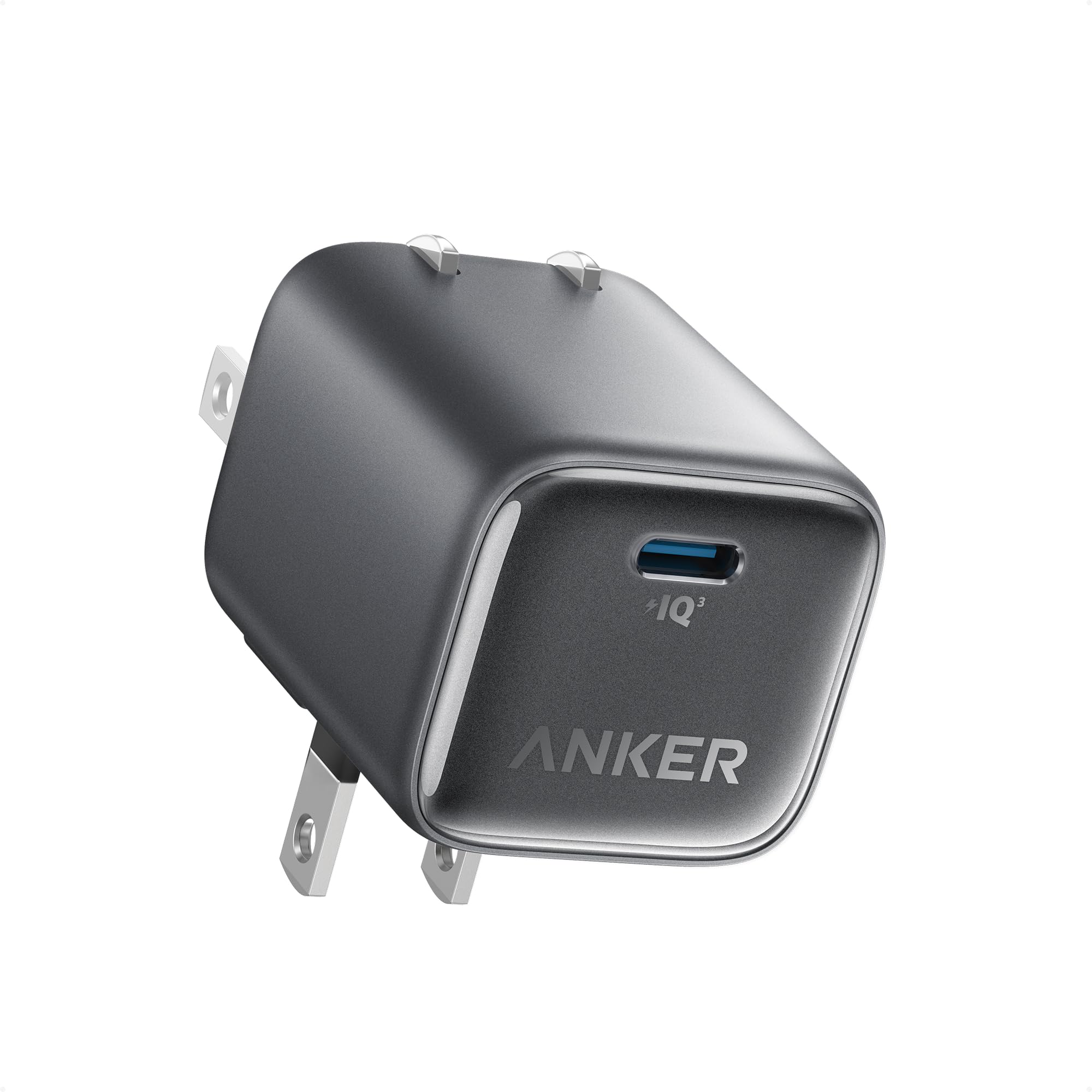
2. Anker Nano Charger Neo 45W
The one that disappears into an airline seat pocket and still drives your laptop.
Frequent flyers end up caring about two things a spec sheet rarely brags about: whether the brick fights the outlet, and whether it stays cool enough to touch. The Nano Charger Neo wins the first with a plug that hinges through 180° — Anker says it is tested for 4 folds a day for over 8 years — so it lies flat in a lamp outlet or a recessed airplane socket. It wins the second by capping heat at a measured peak of 117℉ (47℃) on an iPhone 18 Pro Max.
Speed is where this thing surprises people. Anker quotes 80% on an iPhone 18 Pro Max in 32 minutes and a 60% top-up on the 17 Pro Max in 30. Buyers report it charging an iPhone 18 Pro at roughly 1% every 35 seconds, which is the kind of pace that turns a 20-minute gate wait into a usable phone.
At 80 g it is genuinely pocket weight, and the single USB-C port is the whole point — no chart to memorize, no split to worry about. ActiveShield 4.0 monitors temperature repeatedly through the day, and the 18-month warranty covers the part that usually fails first. It is a 65W ceiling against the UGREEN’s 200W total, so know your lane before choosing.
One port, zero compromise: everything the brick can give goes to the one device you plug in, so your laptop or phone never shares the wattage with anything else.
The honest catch: one port means one device at a time. Charge your laptop and your phone on the same trip and you will be swapping cables every hour.
Reach for this if: travel is your main use and you mostly charge one device at a time.
Look elsewhere if: your desk holds a laptop, a phone, and earbuds that all need juice overnight.
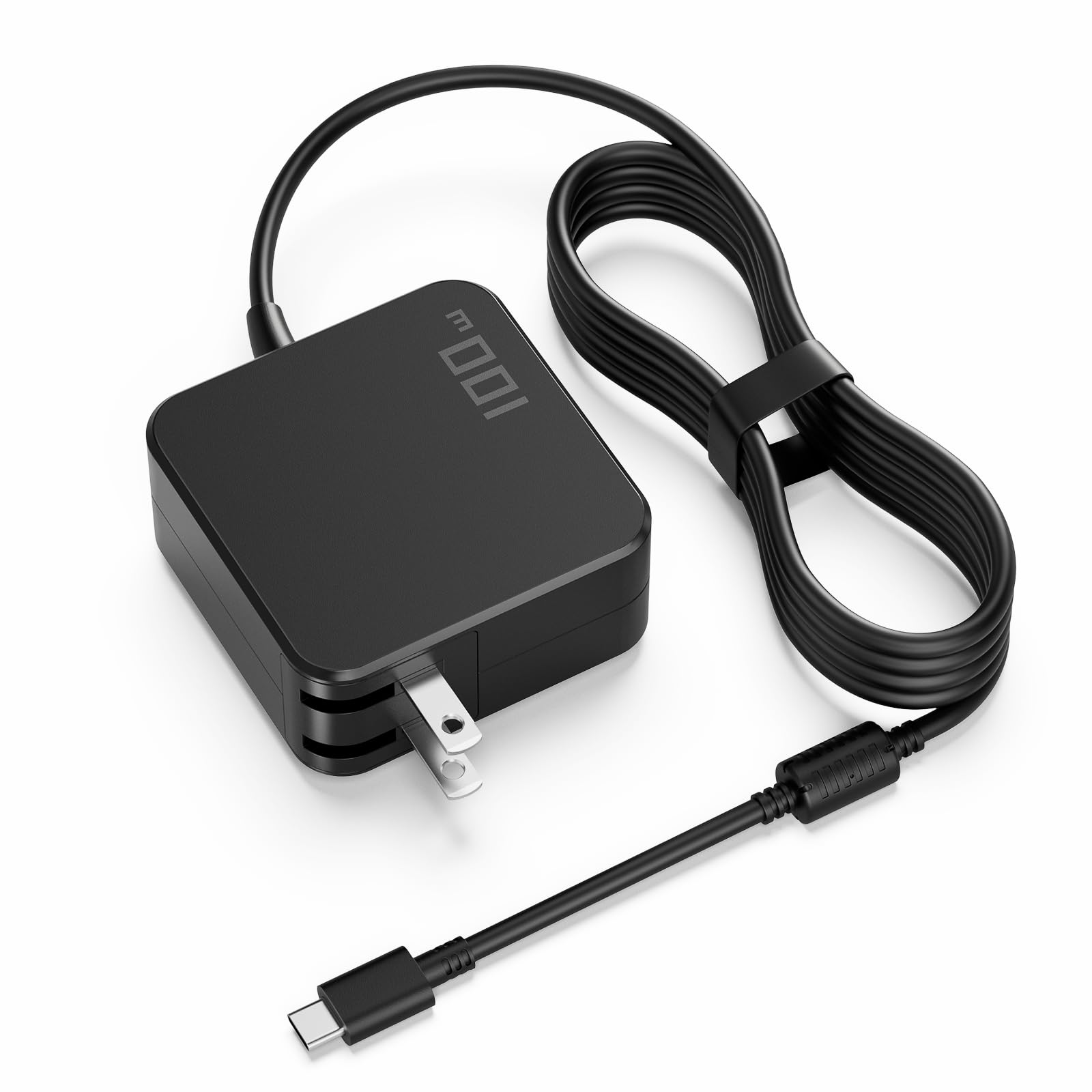
3. 100W USB C Laptop Charger
One piece from outlet to laptop — no brick on the floor, no cable to lose.
This is the charger you buy when your original laptop adapter vanished and you refuse to pay OEM money for a replacement. It swallows the wall plug, the adapter, and a 6-foot USB-C cable into a single unit, so there is nothing to misplace. Power Delivery runs up to 100W, and PPS (Programmable Power Supply — a mode that lets the charger negotiate fine-grained voltage steps with compatible phones) handles the precise part of the job.
Voltage steps down from 20V all the way to 5V, which means the same brick can hand a laptop its full 5A draw and still treat earbuds gently. Output is 20V at 5A for the laptop, then 15V, 12V, 9V, or 5V for smaller gear. For reference, that 5A rating is 54% higher than the Anker Nano Charger Neo’s 3.25A.
Here is the part you need to hear plainly. Durability is the weak spot — some units give out within a couple of weeks, and the reviews say so. The compatibility list is also strict: USB-C Power Delivery laptops only, with no support for round-tip, square-tip, Surface Connect, or barrel connectors, and nothing that needs more than 100W. Check your port shape before you commit.
What it nails: the foldable plug and 6-foot cord make it the simplest possible desk or dorm setup, and the 100W ceiling carries ThinkPad, XPS, Spectre, and MacBook Air classes without breaking a sweat.
What to go in knowing: reliability is the gamble here, so buy it as a spare rather than the only charger you own, and confirm your laptop charges over USB-C before it ships.
For the cord-loser: ideal if you keep misplacing adapters and want the whole chain built into one piece.
Skip if: your laptop uses a barrel or rectangular plug, because this will not connect at all.
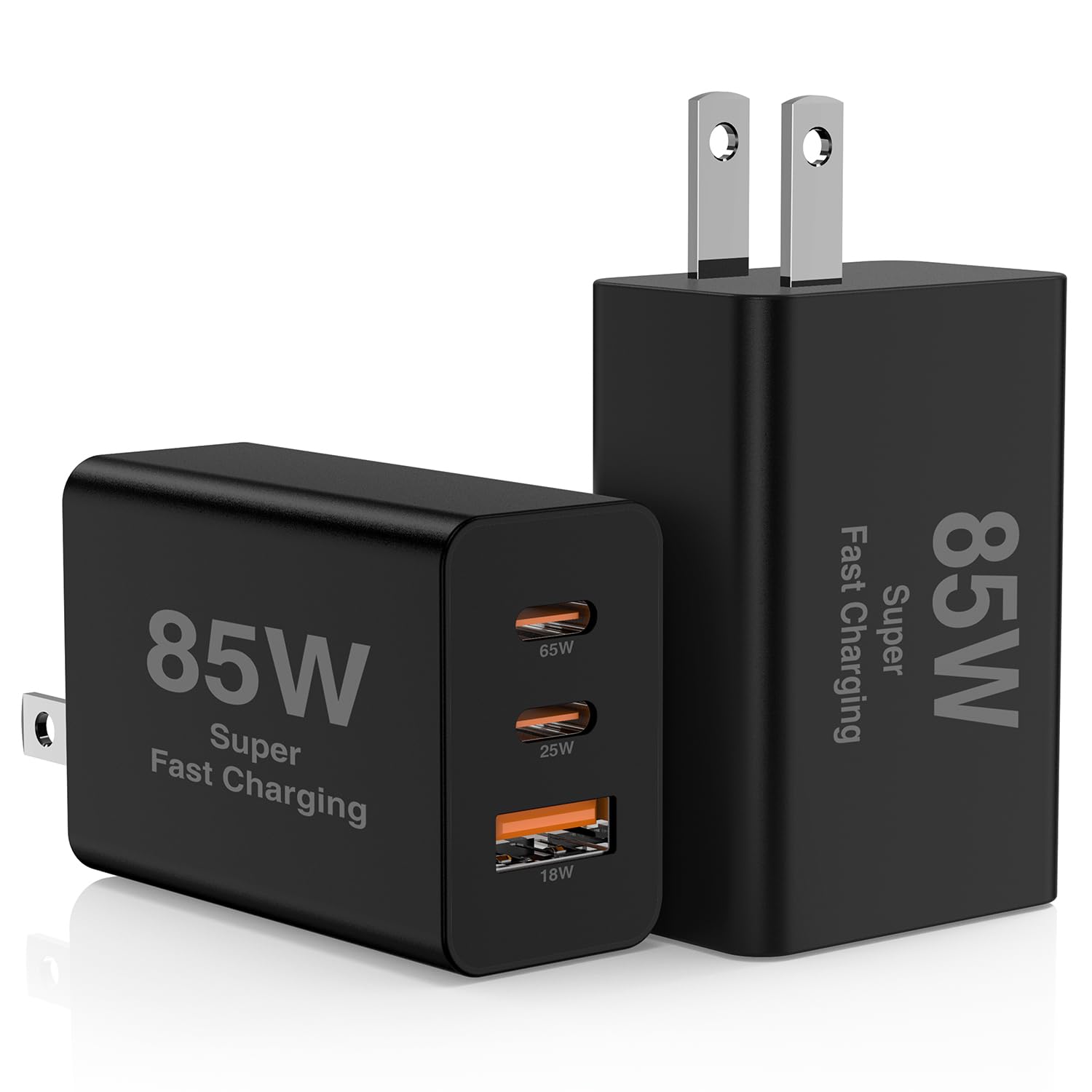
4. 2Pack 85W USB C Wall Charger Block
Two identical three-port bricks, so the living room and the office stop competing.
Buying one charger always creates the same problem a week later: you need it somewhere else. This pair solves that by duplication. Each block carries 3 ports — 2 USB-C plus 1 USB-A — against the UGREEN’s 8 ports, and each has a 65W USB-C port that Hzevn says takes a MacBook Pro to 50% in 30 minutes. The 20W USB-C and 18W USB-A partners handle a phone and earbuds at the same time.
Thermal sensors hold the brick under 115℉, and the housing is flame-retardant polycarbonate with protection against over-current, over-voltage, overheating, and shorts. The 65W port is PD 3.0 compliant, which is the version that matters for MacBook compatibility. Owners praise the reliability most consistently, and the general verdict is that these punch well above what the price suggests.
The honest wrinkle: some buyers find the power output does not fully deliver the promised 65W, and port availability gets mixed signals when several devices are attached. That is a sharing chart doing its job, but it is worth knowing that you should not expect 65W on every port at every moment.
Best for the multi-room household: one brick for the desk, one for the nightstand, and no more unplugging to relocate.
The trade-off to accept: shared power means the 65W port is the only one that clears a laptop, so route your MacBook there and let the phone take the 20W.
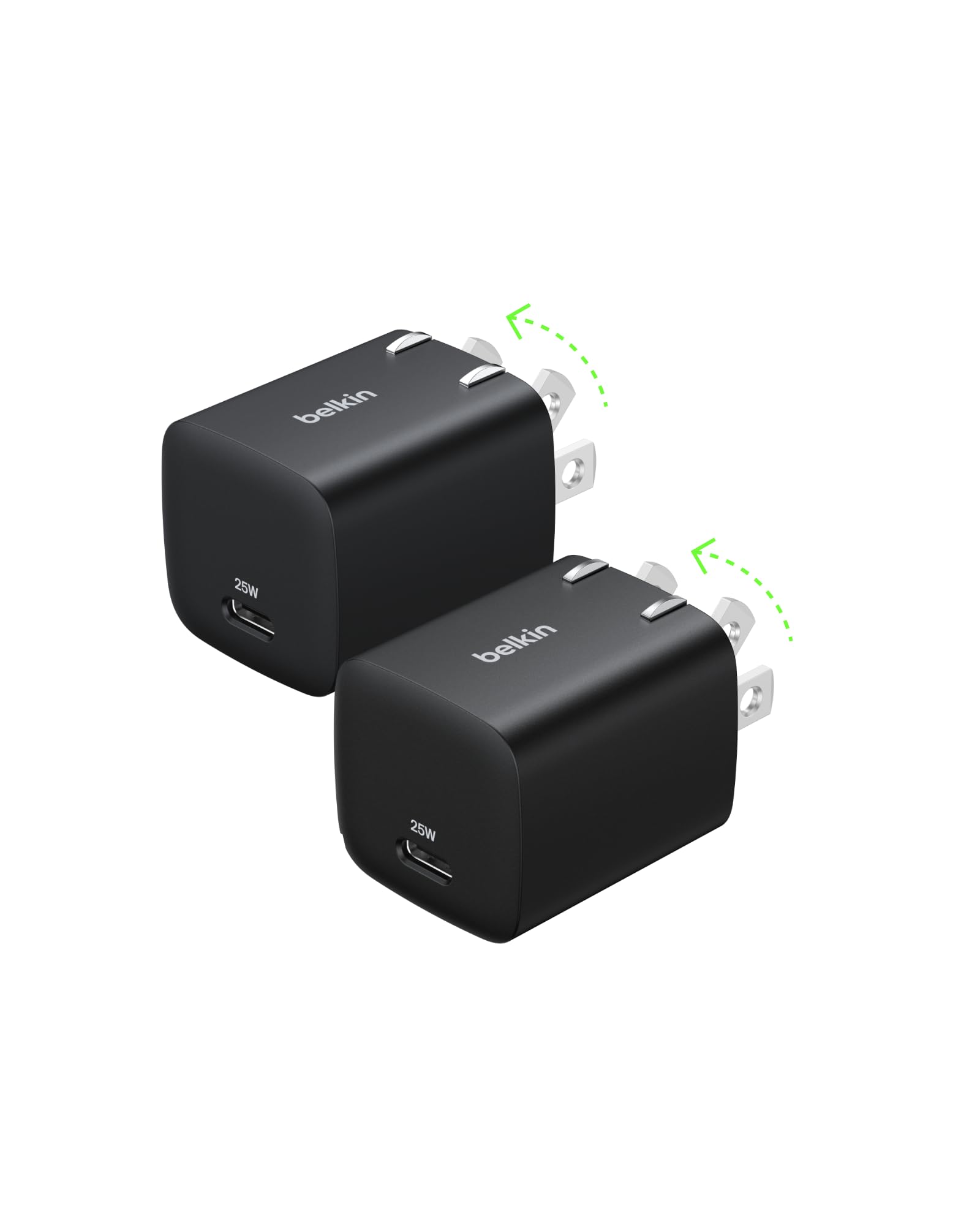
5. Belkin 25W Compact USB C Charger Block
Two small bricks built for phones, not laptops — and honest about it.
Not every outlet needs to feed a MacBook. Belkin’s pair is aimed squarely at the phone-and-tablet crowd: 25W of USB-C Power Delivery, certified to PD 3.0 with PPS for real-time power adjustment. Belkin says it takes an iPhone 16 Pro or a Galaxy S24 from 0-50% in 30 minutes or less, and owners mention landing in the 30-to-40-minute range, which tracks.
The foldable prongs are the quiet star. A slim body with collapsible pins slips into a jacket pocket without snagging a lining, and the two-pack means one lives in a bag permanently while the other stays plugged in at home. It is a 25W ceiling, so it is not a laptop charger — put it against the Belkin’s stablemate, the 65W Anker Nano Charger Neo, and the gap is obvious and intentional.
Belkin’s SmartProtect system runs six reliability tests on each unit, and the build feels denser than the price would suggest. If your laptop already has its own brick and you just want fast, tidy phone charging in two places, this does that and nothing more.
Exactly right for phones: 25W with PPS covers iPhone and Samsung fast-charge behavior, and the foldable prong design makes it a bag-friendly spare.
Not a laptop answer: plug a MacBook into this and it will charge slowly at best. Keep it for the devices it was built for.
Suits the phone-first traveler: two compact bricks covering home and bag, with no laptop ambitions to trip over.
Wrong pick for: anyone hoping to top up a laptop on the road — 25W will not carry that load.
6. Mac Book Pro Charger – 100W USB C Charger with 6.6ft Cord

A spare adapter for the MacBook crowd, with a cord long enough to matter.
Losing the adapter that came in the box is a specific kind of annoyance, and this DJW unit is built to be the answer. It outputs 20V at 4.7A with a 100W maximum, and comes with a 6.6ft charging cord — longer than most built-in options, which means the outlet no longer dictates where you sit. The kit includes the adapter, the cord, and an instruction sheet.
The compatibility list covers MacBook Pro 14-inch and 16-inch through the M1, M2, and M3 generations, plus Air 13-inch through M3 and Air 15-inch through M3. It also handles iPad Pro, iPad Air, iPad mini, Surface Pro through the USB-C port, and most USB-C phones, with a built-in cooling system and an IC chip guarding against overload, short circuit, and overheating. Data syncing runs at 480Mbps alongside the charging.
Heat is the recurring note — the reviews split between units that stay cool and units that get warm during use. The 60-day support window is shorter than the warranty you get elsewhere, so weigh that against the low entry cost. Owners generally land on reliability and build quality as the things that justify the buy.
The practical upside: a 6.6ft cord plus 100W of Power Delivery in one box, priced like a spare should be, with a model list that names your MacBook directly.
The honest caveat: warmth during use is a known behavior, and the support window is brief — treat it as a second charger, not your only lifeline.
Pick this if: you want a cheap, long-corded backup for a MacBook Pro or Air and already have a main adapter.
Pass if: you need a long warranty or a charger that stays stone cold through an eight-hour day.
7. INIU Laptop Charger 65W

Three ports, a braided cable in the box, and a footprint smaller than Apple’s own brick.
INIU’s pitch is simple: carry less. The brick is nearly 30% smaller than Apple’s 70W charger, so it avoids blocking the next outlet over, and the prongs fold flat to stop snags inside a bag. You get 3 ports — 2 USB-C and 1 USB-A — and the included 5ft 100W nylon-braided cable means you are not buying a second cord on day one.
The sharing rules are printed clearly, which is rarer than it should be. USB-C1 delivers the full 65W solo; C1 plus C2 splits into 45W plus 20W; C1 plus the USB-A port gives 45W plus 18W; C2 plus USB-A share up to 15W; and all three together run 45W plus 15W shared. In practical terms, a 14-inch MacBook Pro reaches 52% in 30 minutes, an iPhone 17 Pro hits 67%, and a Galaxy S26 Ultra gets to 78%.
TempGuard checks heat 1,000 times per second to limit heat-related slowdowns, and the general consensus from owners is that quality and day-to-day function are what make it a keeper. Durability draws mixed signals, so it is worth handling the cable gently at the connector. The 65W ceiling will not satisfy a 16-inch MacBook Pro at full load.
Why it earns the top all-rounder slot: 65W, three ports, a 100W braided cable, and a smaller body than the Apple original — a complete kit rather than a bare brick.
The one thing to watch: durability comes back mixed, so a bit of care at the cable joint goes a long way.
Best for laptop-plus-phones: a 14-inch laptop and two smaller devices share it comfortably, with the cable already in the box.
Not enough for: a 16-inch MacBook Pro that wants 140W — step up to the Baseus or MFish instead.
8. Baseus PD3.1 140W USB C Charger
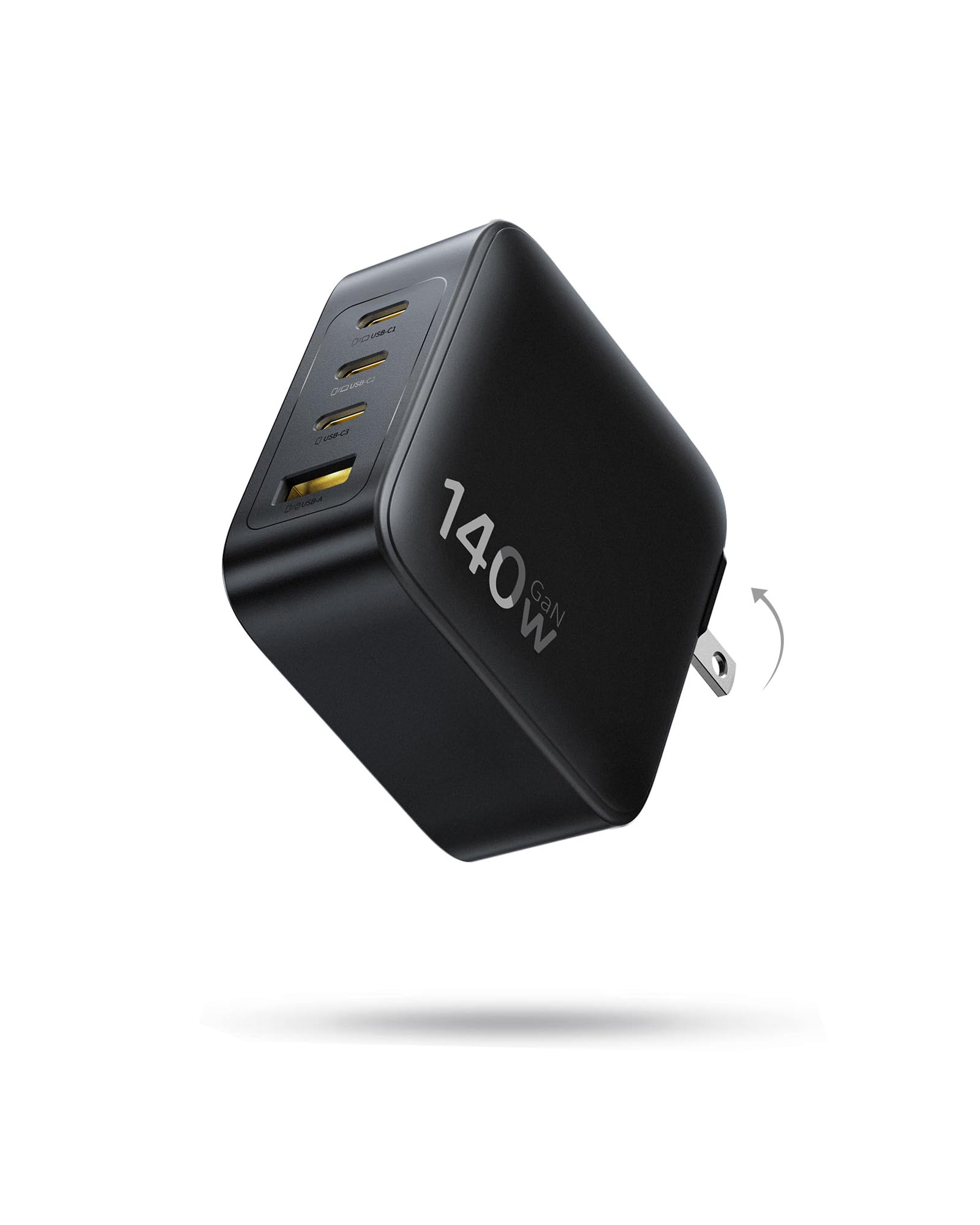
Enough headroom to run two MacBooks from a block smaller than Apple’s own.
PD 3.1 changes what a wall charger can do for laptops, and Baseus uses it to the edge: two USB-C ports that each deliver up to 140W when used alone, or up to 70W apiece when two MacBooks share the load. Baseus says a single MacBook goes from 0% to 100% in 97 minutes. There are 4 ports total — 3 USB-C and 1 USB-A — so phones and accessories join without evicting the laptops.
It is roughly 35% smaller than Apple’s 140W adapter, with foldable prongs that keep it from scratching anything in a backpack. GaN internals run at a claimed conversion rate of up to 90%, and the charger monitors temperature continuously to guard battery health. It supports AVS, PD3.1, and PPS, so it negotiates properly with iPhones, Galaxy phones, Switch, drones, and Steam Deck alike.
Heat is the fair question. Some customers note it running cool; others find it warm under sustained load. Neither is alarming for a charger pushing this much power, but it argues for keeping it on a hard surface rather than under a cushion. Compared with the INIU’s 65W, the Baseus doubles the ceiling and doubles the port count for laptops.
The big-power case: 140W on a single port, 70W each when two laptops share, and 4 ports total in a body Apple’s own brick would envy for size.
The fair warning: sustained high output produces noticeable warmth, so give it airflow rather than burying it.
Made for two laptops: the pick when a 16-inch MacBook Pro and a second machine both need serious wattage from one outlet.
Overkill if: your heaviest device is a phone and a tablet — the INIU handles that for far less bulk and heat.
9. 140W USB C Charger Block 4-Port
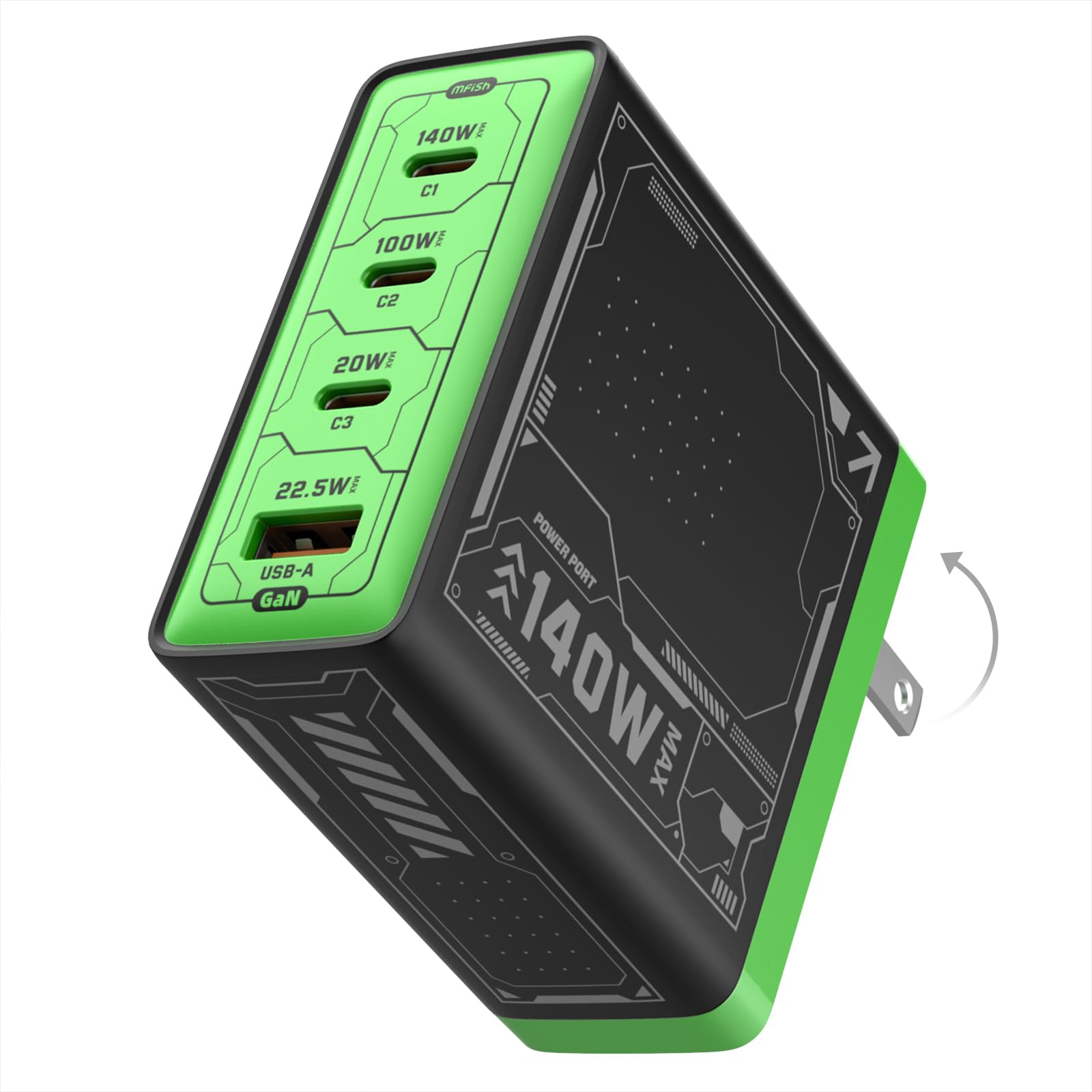
A 140W brick that behaves like a small appliance and sits flat on the desk.
MFish takes the same 140W PD 3.1 ceiling as the Baseus and wraps it in a slightly different shape: 2.92 x 2.90 x 1.22 inches and 10.89 oz, with 3 USB-C ports and 1 USB-A. That footprint is small enough to live permanently on a desk without becoming a desk ornament, and the foldable plug lets it pack down for travel. PD 3.1 is the standard that lets a 16-inch MacBook Pro draw the power it expects.
Smart power distribution adjusts across connected devices automatically, so a laptop, an iPhone, an iPad, and a Galaxy can share without you replugging anything. The housing is PC 94V-0 flame-retardant material, and temperature control plus over-current, over-voltage, and short-circuit protection are built in. Owners describe multiple devices charging together without current degradation, which is the behavior you want from a shared brick.
It backs that with an 18-month warranty, which is a longer safety net than several picks here offer. Two 140W chargers in one list can feel redundant, so here is the split: the Baseus is the one to take on the road for two laptops, while this MFish is the one to leave plugged in at a fixed desk.
What makes it a desk fixture
- 140W PD 3.1 covers a 16-inch MacBook Pro at its own expected draw.
- 3 USB-C plus 1 USB-A with automatic power distribution across all four.
- Foldable plug and a compact 10.89 oz body that travels when it needs to.
- An 18-month warranty and temperature control round out the safety story.
Where expectations need calibrating
- Four ports sharing 140W means each one drops as you add devices — the chart is not published in the listing, so plan around the total.
- It is a desk-first charger by design; the compact body still weighs more than a pocket brick.
Right for the fixed workstation: a laptop plus three accessories, all drawing from one outlet that never moves.
Better left on the shelf if: you want a charger to carry daily — the smaller INIU or Anker Nano suits that job better.
Know the Specs
Wattage: Total vs Single-Port
A charger’s headline wattage is the sum it can hand out across all ports, not what any one port gets. The UGREEN’s 200W total pairs with a 100W single-port ceiling — that 100W is the number your laptop actually sees. When you read a listing, hunt for the per-port figure and the sharing chart. If a 140W brick gives one port 140W solo but splits to 70W when two laptops plug in, that split is the real spec.
Power Delivery and PPS
Power Delivery (PD) is the handshake protocol that lets a charger and a device agree on voltage and current rather than guessing. PPS (Programmable Power Supply) is a refinement that adjusts voltage in fine steps, which some phones use to charge faster with less heat. PD 3.1 raises the ceiling high enough for big laptops. A cable rated for the same wattage matters too — a 100W charger behind a weak cable still delivers a weak charge.
Common Questions
Will a 65W USB-C PD charger charge a 16-inch MacBook Pro?
What does PPS actually do for my phone?
Why does my charger drop wattage when I plug in a second device?
Can I leave a USB-C PD charger plugged in all the time?
Do I need a special cable for Power Delivery?
Will a 140W charger damage my phone?
Is GaN worth paying more for?
What is the difference between a round-tip laptop plug and USB-C Power Delivery?
How many ports do I really need on a PD charger?
Does a foldable plug matter for anything beyond packing?
The Bottom Line
For most desks, the usb charger with power delivery winner is the UGREEN Nexode 200W because 8 ports and a 100W single-port ceiling end the outlet fight for good, and the owner satisfaction backs it up. If portability comes first, grab the Anker Nano Charger Neo — a 65W brick with a hinge plug that fits where others will not. And for a 16-inch laptop that needs real power, the Baseus 140W carries two MacBooks without flinching.
One last nudge: the picks that hold up under real ownership are the ones that publish their port-sharing math and keep their heat under control. Start with the port-sharing chart, and the headline wattage stops being the only number you trust.
How we choose
We do not accept paid placement. Every pick is matched to a real buyer and a real use-case; we do not hands-on test units.
Sources
Specifications: manufacturer listings and product documentation. Review insights: verified customer reviews, as of November 2026. Pricing: not shown on this page (it changes often); check the current price via the retailer link.
As an Amazon Associate, Tactical Gear Guy earns from qualifying purchases. This does not affect which products we feature.