Specs are compiled from manufacturer listings and verified buyer reviews and can change over time — please confirm the key details on the product page before buying.
You bought a fast USB-C cable, and now your laptop sits an arm’s length from the wall like a dog on a leash. A USB-C extension cable fixes that — it’s a male-to-female lead you plug into the end of your existing cable or port so you gain reach without unplugging the good stuff. The catch most buyers miss: not every extender passes through full speed, full wattage, and video at the same time. This list uses flexible, human-like matching for USB-C male to USB-C female extension, so not every pick is the exact number you searched — the nearest same-type size or wattage serves the same purpose. You’ll find a sensible option for a dock, a short hop for a monitor, and cables strong enough to carry 240W charging without drama.
This guide is built by comparing the manufacturers’ published specifications and the patterns across verified customer reviews, so you get each pick’s real strengths and trade-offs instead of marketing spin.
An extension cable can quietly slow your transfers if its rated speed doesn’t match your gear. Below you’ll see which extenders keep their promised bandwidth (the data speed printed on the box) and which quietly throttle it. The short version: match the cable’s rated speed and wattage (power rating in watts) to your devices, and you’ll never notice the extra length.
Top Picks

How To Choose The Best USB-C Extension Cable
An extension cable is a pass-through, not an upgrade. Whatever speed and wattage your existing cable and port provide can only travel through the extension at the extension’s own maximum — never above it. That single rule decides most of your shopping.
Start with the speed your port already offers
A 40Gbps USB4 extender is only useful if both the device and the far end of the chain run USB4 or Thunderbolt 4. Plug a 40Gbps cable into a plain USB 3.2 port and it falls back to whatever that port supports. The makers of the CHENLENIC cable say this outright: you’ll get “less than 20gbps” unless both ends are USB 3.2 Gen 2, USB4, or Thunderbolt 3/4. So don’t overpay for speed your laptop can’t send.
Then match the wattage
Charging wattage is the number people overlook. A 100W-rated extender will happily run your phone or tablet, but a 16-inch workstation laptop that wants more than 100W will charge slowly through it. If you’re extending a dock or a high-draw laptop, look for 240W support, which is the top of what USB-C Power Delivery currently specifies.
Check the connector gender, not just the pictures
These are male-to-female cables: the male plug goes into your device or into the end of a standard USB-C cable, and the female socket is where your charger or hub plugs in. That direction matters. A few of these cables even need you to flip the female end if a USB 2.0 accessory like a mouse misbehaves — a quirk of how the data lines are wired.
Think about where it will live
A short 3.3-foot lead is enough to lift a dock off the back of a monitor. A 6-foot or 10-foot run gives you real desk freedom, but longer passive cables carry signal with more effort, which is why several makers recommend keeping the total chain under 10 feet for full speed. Stiffer, thicker jackets resist kinks but make tight bends around a laptop stand annoying.
Side-by-Side Comparison
| Model | Best For | Max Speed | Max Wattage | Length | Amazon |
|---|---|---|---|---|---|
| Cable Matters 40Gbps USB4 Extension Cable 3.3ft★ Best Overall | All-round pick for USB4 laptops | 40Gbps | 240W | 3.3 ft | Amazon |
| Silkland 40Gbps USB4 Extension Cable 240W, 3.3ftTop Performer | Daily desk extension with strong build | 40Gbps | 240W | 3.3 ft | Amazon |
| UGREEN USB C Extension Cable, 10Gbps/100W, 3.3ftMost Compatible | Widest device compatibility | 10Gbps | 100W | 3.3 ft | Amazon |
| Cable Matters 80Gbps USB4 Extension Cable 3.3ft | Top speed for Thunderbolt 5 gear | 80Gbps | 240W | 3.3 ft | Amazon |
| Silkland 80Gbps USB4 USB C Extension Cable 3.3FT | Multi-monitor video runs | 80Gbps | 240W | 3.3 ft | Amazon |
| ZIKNYDO 8K USB C Extension 6.6FT | 8K video and PSVR2 setups | 20Gbps | 240W | 6.6 ft | Amazon |
| 20Gbps USB C 3.2 Extension Cable, 240W, 1M | External SSD and eGPU hookups | 20Gbps | 240W | 1 m | Amazon |
| USB C Extension Cable 6ft 2 Pack, 10Gbps | Two-cable value for a desk | 10Gbps | 100W | 6 ft (2 pack) | Amazon |
| AINOPE USB C Extension Cable, 20Gbps, 10FT | Long reach across a room | 20Gbps | 100W | 10 ft | Amazon |
Detailed Reviews
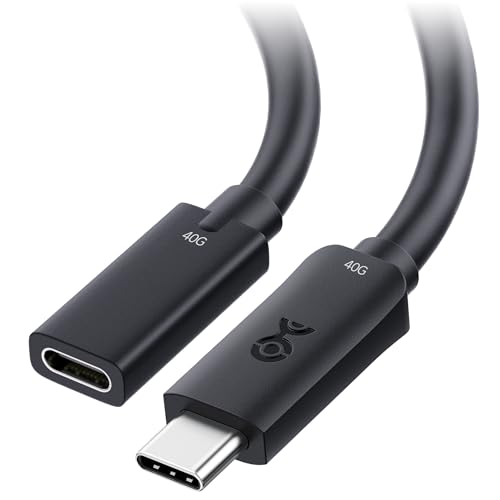
1. Cable Matters 40Gbps USB4 Extension Cable 3.3ft
Our pick — 4.5+★ from 950+ verified ratings; the strongest balance of quality and price.
Forty gigabits of headroom in a stubby three-footer that keeps your dock exactly where it was.
If you’ve got a USB4 or Thunderbolt laptop and a dock that lives behind the monitor, this is the cable to buy. It carries a 40-gigabits-per-second data rate (that’s the ceiling USB4 allows), pushes up to 240W of power delivery to a connected device, and handles an 8K monitor over a longer device-to-screen run without dropping frames. You plug the male end into your device or the tail of a standard cable, and the female socket becomes your new, further-away port.
Where it earns the top spot is the everyday reliability. The buyers who use it specifically as a MacBook dock extension form the biggest group of happy owners — functionality is what wins them over, by a wide gap over any other topic. It also holds up to constant plugging and unplugging, thanks to reinforced connectors that take daily wear better than the average molded plug. There’s a real durability story here, not just a datasheet line.
Now the honest part. This cable is stiff. Flexibility is the one topic where sentiment dips — the cable resists bending and doesn’t drape neatly around a tight laptop stand. That’s the trade-off for the extra shielding inside. If your run needs to snake around a corner, plan for it. If it just needs to travel six inches behind a monitor, you’ll never think about it again.
What earns it the crown
- 40Gbps USB4 speed so a fast dock stays fast
- 240W Power Delivery handles a demanding laptop
- Reinforced connectors resist daily plug wear
- 3.3 ft length lifts a hub off a monitor cleanly
Where it asks patience
- The jacket is stiff and resists tight bends
- Only worth it if your gear actually runs USB4
Buy it if: you run a USB4 or Thunderbolt 4/5 laptop with a dock or 8K display and need a clean short hop.
Pass on it if: your setup needs a cable to curl around a stand — the stiffness will fight you.
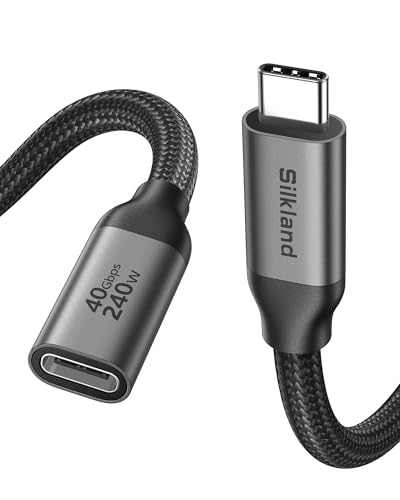
2. Silkland 40Gbps USB4 USB C Extension Cable 240W
Same 40Gbps envelope as the winner, wrapped in a jacket built to survive bending tests.
Silkland’s 40Gbps run matches the top pick on paper for speed and charging, and then leans hard on toughness. It’s tested to 15,000 bending cycles, with a tinplate shield and 86% tinned-copper conductors to keep interference down. Inside sits an E-marker chip — a tiny identifier that tells your charger how much current is safe — and that chip matches current automatically so a battery isn’t pushed past what it wants.
The video capability here is genuinely generous. It drives a single 8K@60Hz or 4K@240Hz display, or two 4K@60Hz screens at once, which is the sort of thing that matters when you’re running a two-monitor desk off one laptop. The female end is reversible and needs no flipping. The advertised ceiling is real only if your hub, cable, and monitor all support the resolution you’re chasing — that’s the note the maker attaches, and it’s the single biggest cause of disappointment with any video extender.
Owners agree the thing simply works; functionality and build quality are the two things people bring up most. A few do hit dropouts, though, so if your chain involves an older hub, test it early. The bigger caveat is length: at 3.3 feet you get a clean short run, not a lap-friendly one.
Ruggedness where it counts: 15,000 bend cycles and an E-marker chip put this a step above the plain molded cables at this size.
Worth knowing: the mixed reports on connection stability mean older docking hardware deserves a trial run before you commit your whole desk to it.
The pick when the cable lives a hard life: dual 4K owners and anyone who flexes a laptop lid cable daily.
Look elsewhere if: you need the lead to stretch across a room — three feet is the whole story here.
3. UGREEN USB C Extension Cable 3.3 ft
The one that already fits almost everything you own, from Steam Deck to iPhone to that old monitor.
Rather than chase the fastest number, this cable bets on compatibility — and wins. It’s rated at 10Gbps for data — 20 times USB 2.0’s 480Mbps — so a 10GB file moves in roughly 10 to 20 seconds. Charging runs to 100W (20V/5A), enough to fill a phone from empty in about half an hour and to keep a MacBook or iPad topped up. Video output reaches 4K@60Hz when both ends support DisplayPort over USB-C.
It covers more devices than most picks here, which matters if you own a mix of gear. The list names Steam Deck, USB-C hubs, MagSafe wireless chargers, the iPhone 15 family, MacBook Pro and Air, iPad Pro and Air, Surface Go, Switch, and Dell XPS 13 and 15. Buyers praise one thing most: it just works, mostly for charging, with build quality close behind. Shielding (a wrap that blocks signal interference) keeps the signal tidy over short runs. One catch before you buy: it does not work with active Thunderbolt 3 docking stations, hubs, or cables.
Two honest limits. A run of 3.3 feet keeps it near the desk, and the mixed reports about devices disconnecting and reconnecting point to the same truth as every extender — a long chain of pass-throughs stresses marginal ports. But the sheer number of buyers using it without complaint says the miss rate is small. The flexibility complaints are real too; this one runs on the stiff side.
The compatibility spread: Steam Deck, iPhone 15, MacBook, XPS — the list reads like a checklist of what people actually plug in.
Speed ceiling: 10Gbps and 100W are plenty for phones, tablets, and everyday drives, but a Thunderbolt dock owner gets left behind.
Right call for a mixed drawer of devices: phones, tablets, Steam Deck, and a laptop all benefit from a cable with this long a compatibility list.
Not the one for: active Thunderbolt 3 docks, which the maker explicitly rules out.
4. Cable Matters 80Gbps USB4 Extension Cable 3.3ft
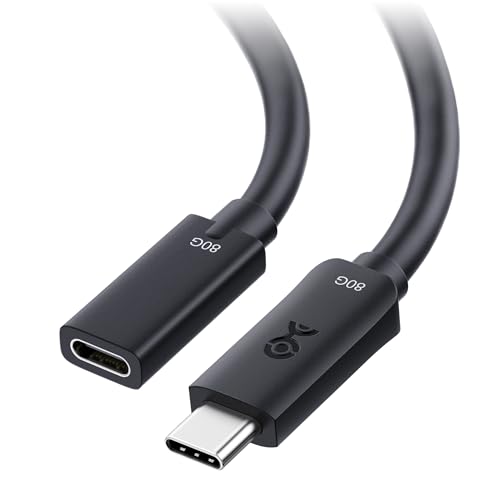
Eighty gigabits — double the winner’s ceiling — for anyone running a Thunderbolt 5 machine.
Here’s the head-to-head that matters: the standard Cable Matters USB4 extender carries 40Gbps, and this one carries 80. That’s the gap between passing a Thunderbolt 5 signal and throttling it. It’s backward compatible with Thunderbolt 4, USB4 40Gbps, and USB 3.2 20Gbps, so it won’t strand you if you upgrade or downgrade devices. Video runs to 8K@120Hz, 4K@480Hz, 4K@240Hz, or 4K@120Hz depending on the display and chain behind it.
It charges at the same 240W as the cheaper Cable Matters pick, so a high-performance laptop or dock gets its full draw. That 240W comes from USB PD 3.1 EPR (the top tier of USB-C power delivery). The connector is reversible, so the female socket takes a plug either way. Where this cable earns its higher place is sustained speed: owners describe steady read and write performance with no delay on big transfers. You’ll notice that when you’re cloning an SSD or moving footage off a camera card.
The catch is the price tier and the audience. Eighty gigabits is wasted if your laptop or dock tops out at 40 or 20. The three-footer is again a short run — this isn’t the cable for reaching across a desk. If you’re already paying for a Thunderbolt 5 dock, though, the speed is the whole point.
Speed with a real purpose
- 80Gbps doubles the 40Gbps USB4 cables here
- Backward compatible down to USB 3.2 20Gbps
- 240W PD 3.1 EPR charging for demanding laptops
- Handles 8K@120Hz and high-refresh 4K displays
The trade that comes with it
- Premium tier — you pay for speed few devices can use yet
- Short 3.3 ft run only
The right buy for a Thunderbolt 5 owner: if your dock and drives push past 40Gbps, this is where the extra money goes.
Save it for later if: your current gear maxes at USB 3.2, where the 40Gbps pick already covers you.
5. Silkland 80Gbps USB4 USB C Extension Cable 240W
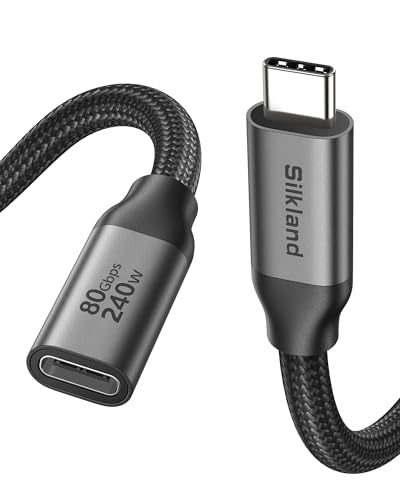
The video-first 80Gbps cable — triple 4K@144Hz off one USB-C laptop, if that’s your desk.
Silkland’s 80Gbps version sits at the high end of this list, and it earns the spot on display flexibility. It supports single 4K@540Hz, dual 8K or 6K@60Hz, and triple 4K@144Hz, which is the widest video spread of any cable here. Data moves at 80Gbps, and the maker quotes 6200MB/s — the sort of throughput you notice when a dock feeds a high-speed SSD.
Charging reaches 240W at 48V/5A, and it steps down cleanly to 140W, 100W, 65W, and 30W adapters. The build is aluminum with a tinplate layer and 28AWG tinned copper for conductivity, and the package includes a cable tie to keep the run tidy. Compatibility stretches to USB-C hubs, the iPhone 15 and 16 lines, Steam Deck, MacBook, iPad, Switch, and Dell XPS 16, 15, and 14. Owners find it reliable and nicely built, with compatibility a common point of praise.
One caveat on value: whether the higher tier fee feels fair depends on whether you can actually use the triple-monitor output. If you’re running one screen, you’re paying for headroom you won’t touch. On transfer speed, the maker notes that your device’s own maximum is the real limit — plug into a USB 3.2 port and you’ll see that lower number, not 80.
Built for the three-screen desk: triple 4K@144Hz and 80Gbps make it the choice for multi-monitor workstations on TB5 hardware.
Overkill for one monitor: if you’re on a single display, a lower-tier pick spends your money better.
6. ZIKNYDO 8K USB C Extension 6.6FT
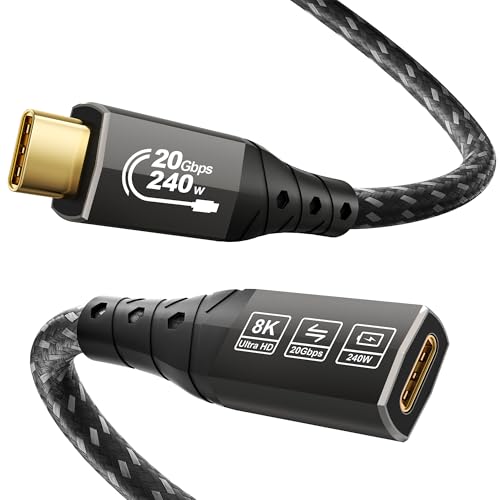
A 6.6-foot run that pushes 8K while still charging a PSVR2 or a laptop at 240W.
You get both reach and video here: the ZIKNYDO runs 6.6 feet, longer than the three-foot USB4 picks above. It still outputs up to 8K@30Hz or 4K@144Hz/60Hz, as long as your input and display support DisplayPort over USB-C (a video signal sent through the USB-C port). Data moves at 20Gbps over the USB 3.2 Gen 2×2 standard, the maker says, with a 10GB file backed up in under ten seconds. Charging is 240W at 48V/5A under PD 3.1, and it accepts lower-wattage adapters too.
The construction gets real attention. A tensile steel core adds strength, the aluminum housing manages heat, the plug is gold-plated against oxidation, and a 48-strand nylon braid resists tangling. In the field, buyers report it works great and describe the quality as excellent — a clean record with almost no dissent. It’s aimed at Thunderbolt 5, Thunderbolt 4, USB4, and USB 3.2 chains, and it handles PSVR2 and Steam Deck style setups.
The one gotcha is speed versus length. To hit full transfer rate, the maker warns that the total extended length should stay under 10 feet. Beyond that, buy the maker’s longer model and accept slower data. It also won’t work with active Thunderbolt 3 docks, and some USB 2.0 mice or keyboards need the female end flipped. Small quirks for a longer cable that keeps its video output.
Where the 6.6 feet pays off: a monitor across a desk or a VR headset that wants slack — this cable stretches without giving up 8K video.
The catch: full 20Gbps needs the total chain under 10 feet, so don’t daisy-chain it with another long cable and expect top speed.
Choose it for: a longer desk run where 8K or 144Hz video and 240W charging both matter.
Think twice if: you plug in USB 2.0 accessories — you may need to flip the female connector to get them recognized.
7. 20Gbps USB C 3.2 Extension Cable

The braided workhorse for external SSDs and eGPUs that need 240W more than they need 80Gbps.
This one is built for the middle ground: enough speed for a fast external drive, enough power for a hungrier charger. Data moves at 20Gbps, the maker notes, with backward compatibility to USB 3.1, 3.0, and 2.0. Charging runs to 240W at up to 50V/5A with PD 3.1 and QC4.0 support, stepping down through the usual adapter wattages and staying compatible with PD 3.0/2.0 and Samsung adaptive fast charging. Video goes to 4K@60Hz when both ends support it.
Its build is the standout. The braided construction is what owners praise most — well-made, exactly as advertised, and visibly more substantial than a plain rubber jacket. It’s one of the shorter runs here at 200 centimeters (about 6.5 feet), which is a decent middle distance. The maker backs it with an 18-month warranty and lifetime technical support.
Two honest notes. For full 20Gbps you need both ends plugged into USB 3.2 Gen 2, USB4, or Thunderbolt 3/4 — otherwise you get less. And the reliability reports split: plenty say it works, some say it doesn’t, and the length feels short for a handful of users. It’s an extender that rewards matching to the right gear.
For external storage and charging first: a 20Gbps, 240W extender with a braided jacket is a sensible middle pick for an SSD or eGPU.
Skip if: you want a single braided cable to run 80Gbps — this one stops at 20.
8. USB C Extension Cable 6ft 2 Pack
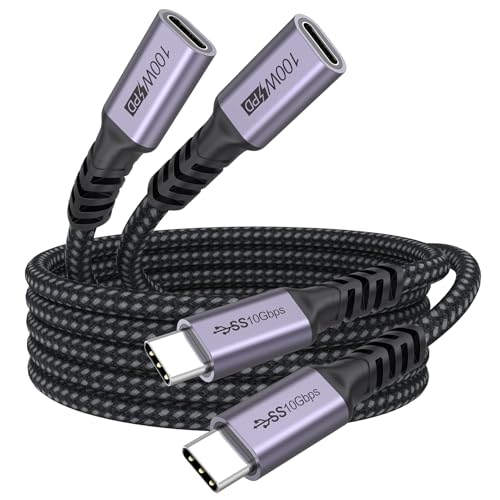
Two six-foot braided cables for less than one of the premium runs — and they still do 4K video.
When you need a pair of cables rather than one, this is the practical answer. The pack gives you two 6-foot extenders of gray nylon-braided cable over an aluminum shell — the same length as the AINOPE single below, but doubled. Data moves at 10Gbps, which the maker pitches as a 10GB file in 10 to 20 seconds. Charging tops out at 100W, enough for a phone or a lighter laptop. Video reaches 4K@60Hz.
Build quality is the thing buyers talk about most, and for good reason. The aluminum shell resists corrosion and oxidation and manages heat better than plastic, and the nylon braid resists the pulls and snags of daily use. It also carries a 24-month warranty, longer than most cables here. It’s rated only for indoor use, though, so don’t plan on running it outside.
The honest limit is what 100W and 10Gbps leave out. It won’t work with any Thunderbolt 3 docking station, hub, or cable, and the maker says so plainly. If your transfer sometimes fails, the fix is flipping the cable direction — a quirk of the wiring. Owners who hit the 4K@60Hz pairing with some displays under 4K noticed it, so check your monitor chain before you commit. Otherwise, this is the value pick that covers the desk twice over.
Value math that works: two braided 6-foot cables with a 24-month warranty cover a desk or a travel bag better than buying twice.
The caveat to respect: Thunderbolt 3 docking stations are off the table, and the 100W ceiling won’t satisfy a high-draw laptop.
For the multi-device desk: if you want a spare plus one for the hub, a two-pack is the tidiest way to get both.
Not for: a Thunderbolt 3 dock owner or anyone whose laptop wants chained 100W-plus charging.
9. AINOPE USB C Extension Cable 10FT
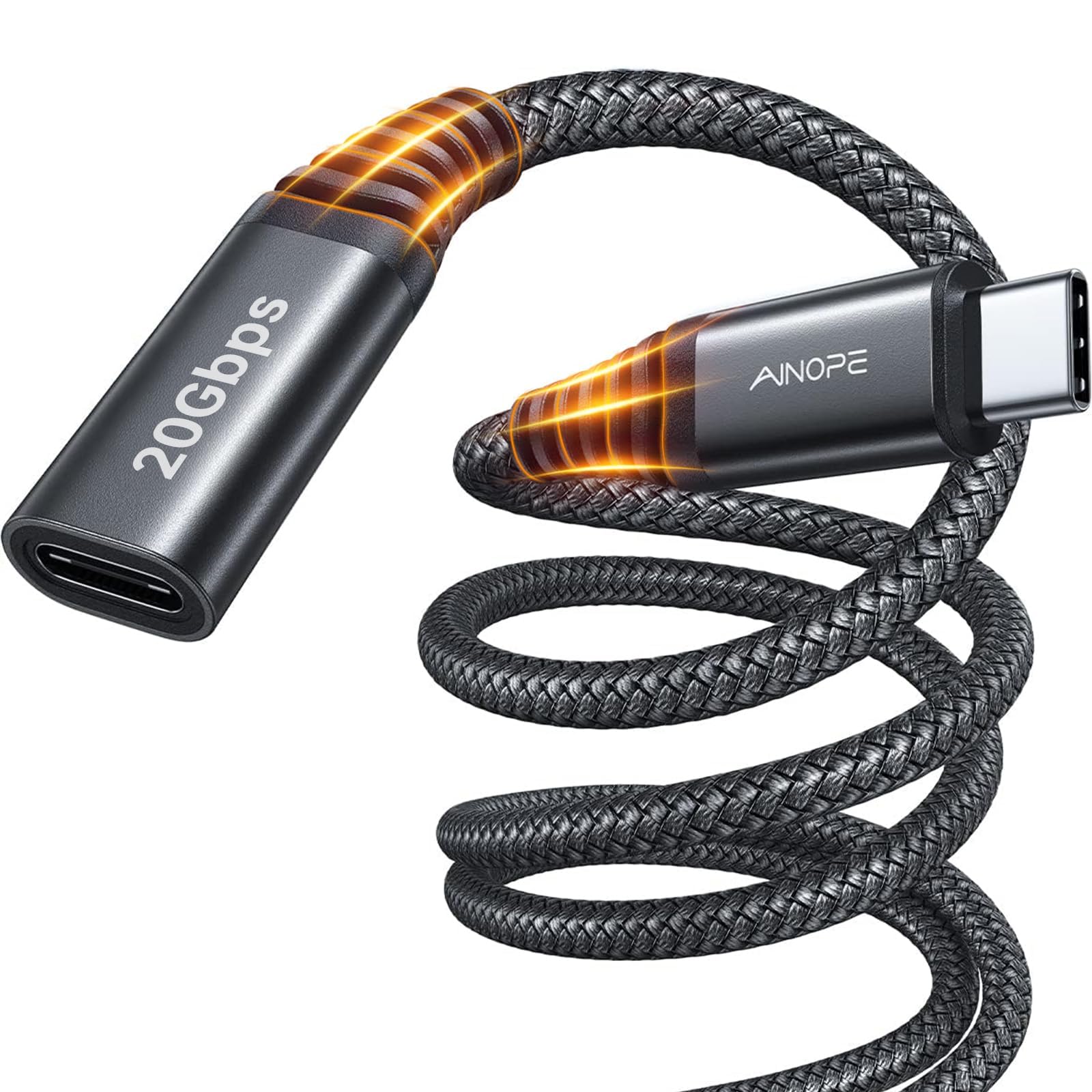
Ten feet of braided reach — the cable that finally gets you off the floor next to the wall outlet.
When the problem is distance, only one cable on this list solves it: ten full feet. Charging reaches 100W at 5A, and data moves at 20Gbps, which is 10 times faster than USB 2.0.
One note that trips people up: the “20Gbps” speed is really USB 3.2 Gen2 territory, and the maker elsewhere quotes 10Gbps for the same cable family — this is where the listing and the real world separate. Treat it as a fast-reach cable, not a bandwidth king. Owners praise the build; the thing that earns the most praise is quality. Some report it flatly doesn’t work with their device, though, which is the standard risk with a long passive run.
That’s the real trade on a 10-foot cable. Passive extenders are working harder to carry signal over that distance, and the longer you go, the more sensitive the chain. Use it to extend a charger or a phone, and it’s a joy. Use it for a picky dock or a high-bandwidth display, and test it before you trust it with the whole desk.
The reach nobody else has: ten feet of braided cable, tested to 40,000 bends — it genuinely untethers a laptop from the outlet side of the room.
The catch: it’s a long passive run, so some devices won’t cooperate; the cabling speed labels drift between 10 and 20Gbps, so don’t count it as your fastest cable.
Get it for the couch-and-wall scenario: a long charging reach where the wall is far from the seat.
Don’t make it your dock cable: for a fixed high-bandwidth setup, a short USB4 pick serves you more reliably.
Know the Specs
Data rate (Gbps) — the speed ceiling of the chain
Gbps means gigabits per second, and it tells you the most data the cable can push. A 40Gbps cable carries twice what a 20Gbps cable does, and 80Gbps doubles that again. But speed is a chain: your device, your cable, and your display or drive all need to support the same rate. Plug a 40Gbps extender into a USB 3.2 port and it behaves like a 20Gbps cable at most. Match the cable’s rate to your slowest device and you’ll spend the right amount.
Power delivery (W) — what gets to your charger
Watts measure how much power can flow to charge a device. Most USB-C extenders here carry 100W or 240W. A phone or tablet is happy with 100W. A high-draw laptop or a docking station wants 240W to charge at full speed. If you’re extending a charger run, buy for the device with the biggest draw, or it will charge slower than it would with the cable it came with.
Male-to-female — the direction that matters
An extension cable has a male plug on one end and a female socket on the other. The male plugs into your laptop or the end of a standard USB-C cable. The female socket becomes your new port, where your charger, hub, or display cable plugs in. Buy the wrong direction and it won’t work at all. Also check the reversible claim: USB-C plugs go in either way, but some cables need the female end flipped for certain USB 2.0 accessories.
Video support (Hz) — the refresh rate on screen
The Hz figure tells you how many times a second a display refreshes. Higher numbers mean smoother motion, especially in gaming or fast video. An extender only delivers a resolution and refresh rate when the laptop, the cable, and the display all support it. That’s why makers keep repeating a note about checking the whole chain — the cable is one link, not the whole story.
Common Questions
Will a USB-C extension cable slow down my data transfer?
Can I charge my laptop through a USB-C extension cable?
Why does my extension cable not work with my Thunderbolt 3 dock?
Does a USB-C extension cable work in both directions?
Is a 3.3-foot extension long enough for a desk setup?
Will a USB-C extension cable carry 8K video?
How long can a USB-C extension cable be before speed drops?
Do I need a Thunderbolt cable or a USB-C cable for my dock?
Can a stiff extension cable cause connection dropouts?
Is a 20Gbps extension better than a 10Gbps one for an external SSD?
The Bottom Line
For most people, the usb-c extension cable worth buying is the Cable Matters 40Gbps USB4 Extension Cable 3.3ft. It hits the USB4 balance, 40Gbps and 240W, without paying for speed your Thunderbolt gear can’t use. If you run Thunderbolt 5 or expect to, grab the Cable Matters 80Gbps USB4 Extension Cable. For a longer desk run where 8K video still matters, reach for the ZIKNYDO 8K USB C Extension 6.6FT. Match the speed and wattage to your own gear first; the right length follows close behind.
How we choose
We do not accept paid placement. Every pick is matched to a real buyer and a real use-case; we do not hands-on test units.
Sources
Specifications: manufacturer listings and product documentation. Review insights: verified customer reviews, as of November 2026. Pricing: not shown on this page (it changes often); check the current price via the retailer link.
As an Amazon Associate, Tactical Gear Guy earns from qualifying purchases. This does not affect which products we feature.