Specs are compiled from manufacturer listings and verified buyer reviews and can change over time — please confirm the key details on the product page before buying.
If your laptop’s Wi-Fi keeps dropping during a video call, a USB-C Ethernet adapter fixes it in about ten seconds. You plug one end into your laptop’s USB-C port, the other into a router or switch with a standard network cable, and your connection becomes wired and steady. The real decision is speed: most people only need 2.5Gbps, and that’s where nearly every pick here lands. Only go higher if your router, cabling and computer all support it.
This guide is built by comparing the manufacturers’ published specifications and the patterns across verified customer reviews, so you get each pick’s real strengths and trade-offs instead of marketing spin.
Below you’ll find nine adapters sorted by what they actually do well — from a top pick that pairs a Realtek chip with an aluminum shell to a 5Gbps unit built for serious file movers. Every listing here gives you a plain-English read on which usb-c ethernet adapter fits your desk, your travel bag, or your home network.
Top Picks


How To Choose The Best USB-C Ethernet Adapter
Start with the speed your network can actually deliver, not the number printed on the box. A 2.5Gbps adapter is the sensible default because most home routers and switches either support 2.5Gbps or fall back cleanly to 1Gbps. Buying a 5Gbps unit for a 1Gbps router means you pay for speed you’ll never see.
The speed ceiling is set by your weakest link
Every adapter here plugs into a USB-C port and outputs to an RJ45 jack — the familiar rectangular network port that takes a standard Ethernet cable. To reach 2.5Gbps you need a router or switch that supports 2.5Gbps, plus a Cat6 or better cable. Miss any one of those and the link drops down to whatever the slowest piece can handle. That isn’t a fault; it’s how wired networking negotiates.
Why the chip inside matters more than the shell
The controller chip (the small processor that handles the network traffic) decides heat, power draw and driver behavior. The Realtek RTL8156B and RTL8157 appear across several picks here — both are designed to keep power consumption and heat low during sustained transfer. A cooler-running chip means fewer mid-download disconnects on long file moves.
Plug-and-play versus driver install
Modern operating systems usually recognize these adapters the moment you plug them in. Older Windows builds, some Linux kernels, and a couple of the higher-speed units need a driver first. If you’re on a locked-down work laptop, check that before you buy — that’s the single most common stumble.
What to check before you order
Confirm your laptop’s USB-C port is rated for the speed you want, confirm your cable is Cat6 or above, and confirm your router has the matching port. If you travel, weight and a flexible cable matter more than raw throughput. If you sit at a desk moving big files to a NAS, throughput wins every time.
Side-by-Side Comparison
| Model | Best For | Max Speed | Chip | Weight | Amazon |
|---|---|---|---|---|---|
| UGREEN USB C to Ethernet Adapter 2.5G★ Best Overall | All-around daily pick | 2.5Gbps | RTL8156BG | 33.5 g | Amazon |
| uni USB-C to Ethernet Adapter 2.5 GbpsBest Value | Travel and tight budgets | 2.5Gbps | RTL8156B | — | Amazon |
| WAVLINK USB C to Ethernet Adapter 2.5 GbpsMost Versatile | USB-C and USB-A in one | 2.5Gbps | — | 1.41 oz | Amazon |
| Acer 2.5Gbps USB C to Ethernet | Lightweight desk companion | 2.5Gbps | RTL8156B | 1.16 oz | Amazon |
| TP-Link USB C to Ethernet Adapter UE302C | Foldable pocket carry | 2.5Gbps | — | 27.22 g | Amazon |
| Cable Matters USB C to 2.5Gb Ethernet | Braided-cable durability | 2500 Mbps | — | 0.03 kg | Amazon |
| Plugable 5Gbps USB-C to Ethernet | 5Gbps on a USB 10Gbps port | 5Gbps | RTL8157 | 1.6 oz | Amazon |
| UGREEN USB C to Ethernet Adapter 5Gb | NAS and content work | 5Gbps | RTL8157 | 82 g | Amazon |
| Belkin USB Type C to 2.5 Gb Ethernet | Certified reliability | 2500 Mbps | — | 60 g | Amazon |
Detailed Reviews
1. UGREEN USB C to Ethernet Adapter 2.5G
Our pick — 4.5+★ from 3,500+ verified ratings; the strongest balance of quality and price.
A 2.5Gbps link in a space-grey aluminum shell, with the chip that runs cool
Buy the UGREEN USB C to Ethernet Adapter 2.5G if you want a wired connection that simply works and keeps working. It moves data at up to 2.5Gbps (gigabits per second — the speed your network passes data), so you get smooth 4K or 8K streaming and fast downloads from a NAS (a network-attached storage drive on your own home network). The RTL8156BG chip inside is built to sip power and shed heat at full speed, so long transfers don’t turn the aluminum warm in your hand.
What wins people over is how consistently it just connects — the adapter’s reliability is the trait that shows up again and again in owner feedback, and the build quality runs a close second. Plug it into a Mac mini or a MacBook and the network appears without a driver conversation. The aluminum body also survives the plug-and-unplug cycle of a commuting laptop, which is more than plastic shells manage.
The honest catch is fit, not function. This is a 2.5Gbps adapter, so pairing it with a 1Gbps router caps you at 1Gbps no matter what the box says — and the design assumes a modern USB-C laptop with no built-in Ethernet port. If you’re on an older machine or a network that tops out at Gigabit, you’re buying headroom you won’t use yet. For everyone else, this is the safest all-rounder on the list.
Where it earns its place
- 2.5Gbps throughput handles NAS transfers, 4K/8K streaming and online gaming without a bottleneck
- RTL8156BG chip keeps power draw and heat low during sustained full-speed runs
- Space-grey aluminum housing resists repeated plugging and unplugging
- Indicator lights show transfer status so you can see the link is live
- Works across MacBook Pro/Air, Dell XPS, iPad Pro/Air, Mac Mini and iPhone models
What to weigh first
- Needs a 2.5Gbps-capable router or switch plus Cat6 cabling to hit full speed
- No Ethernet port in your laptop is the whole point — this is for USB-C-only machines
- Value perception splits in owner feedback; some see it as priced above the basics
Reach for this if: your laptop has no Ethernet port and you want one adapter that handles home, office and travel without fuss.
Look elsewhere if: your network gear is still 1Gbps-only — you’d be paying for speed the rest of your setup can’t pass through.
2. uni USB-C to Ethernet Adapter 2.5 Gbps
The travel-friendly 2.5Gbps pick that slips into a bag without scratching anything
The uni USB-C to Ethernet Adapter 2.5 Gbps leads with its rounded, sleek body — a small detail that matters when the adapter shares a bag with a phone or a tablet screen. It moves data at 2.5Gbps and steps back cleanly to 1000, 100 and 10 Mbps on older networks, so it won’t strand you on a slower office switch. The RTL8156B chip keeps power draw and heat down over long sessions, which is what you want on a work laptop that stays plugged in all day.
Compatibility is where this one shines brightest. It’s built to work across MacBook Pro and Air, Mac mini M2, HP Envy x360 and Dell XPS 13/15/17, and it’s the adapter that earns the most owner satisfaction on exactly that front. The braided nylon cable is longer than a stub tail, which helps keep the adapter away from your laptop’s other ports and reduces interference with Bluetooth peripherals sitting nearby.
There’s a real 18-month warranty and round-the-clock support behind it, which is more coverage than most adapters at this end of the market offer. The trade-off is that hitting 2.5Gbps depends on every other piece in the chain supporting it too — the adapter can only pass through what your router and cable allow. Some owners find the value math debatable, but the compatibility record is hard to argue with.
Compatibility is the headline: Mac, Windows, Surface and Pixel Slate owners all report this one playing nicely with their machines, which is the single biggest reason it lands this high.
Fits best: frequent travellers and mixed-device households who want one adapter that works on a MacBook and a Windows laptop without swapping.
Think twice if: you’re on a fixed 1Gbps network and only need the basics — a lower-speed adapter would do the same job.
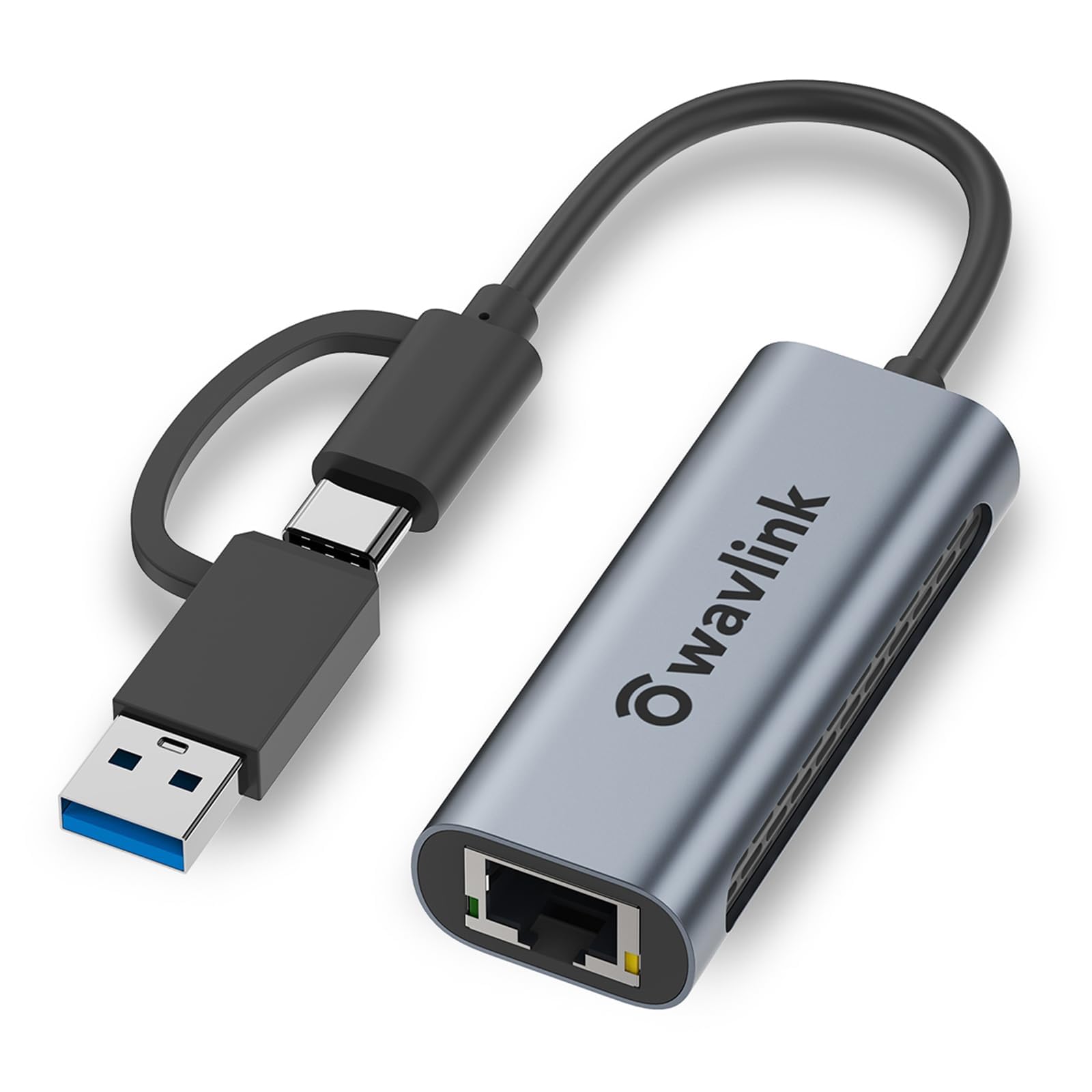
3. WAVLINK USB C to Ethernet Adapter 2.5 Gbps
One adapter that switches between USB-C and USB-A, for mixed hardware desks
Most adapters pick a side. The WAVLINK USB C to Ethernet Adapter 2.5 Gbps converts from USB-C to USB-A so you have the right connector for whichever machine is in front of you — useful if your desk has a modern laptop and an older tower that both need a wired line. It outputs up to 2500Mbps and steps down to 10, 100 and 1000Mbps on older gear.
The aluminum shell has an anti-fingerprint finish and built-in ventilation holes that help it shed heat during long transfers. At 1.41 ounces it’s light enough to live in a laptop sleeve, but it’s slightly heavier and slightly larger than the UGREEN 2.5G — 2.64 by 1.06 by 0.59 inches against that pick’s 2.4 by 1 by 0.6 inches. The gap is small enough that you’d never notice it in daily use. Functionality is what buyers praise most, and quality follows right behind.
Here’s the fit note that matters: it won’t work with smartphones. It’s built for computers, laptops, tablets and 2-in-1 PCs. Speed results also vary by setup — some users see full 2.5Gb/s, others see slower downloads, and a few have hit compatibility walls with enterprise Windows builds. Older systems may need a driver install, so check your OS version before you assume plug-and-play.
The dual-connector advantage: if you ever need to move the same adapter between a USB-C laptop and a USB-A desktop, this saves you buying two units.
Sized honestly: the two-year warranty plus an extra six months for registered owners is generous, but the driver requirement on legacy systems is the one thing to verify first.
Pick it for: a mixed-hardware desk that still runs an older USB-A machine alongside a newer USB-C one.
Not the one for: phone tethering or enterprise Windows LTSC machines, where compatibility has proven uneven.
4. Acer 2.5Gbps USB C to Ethernet Adapter
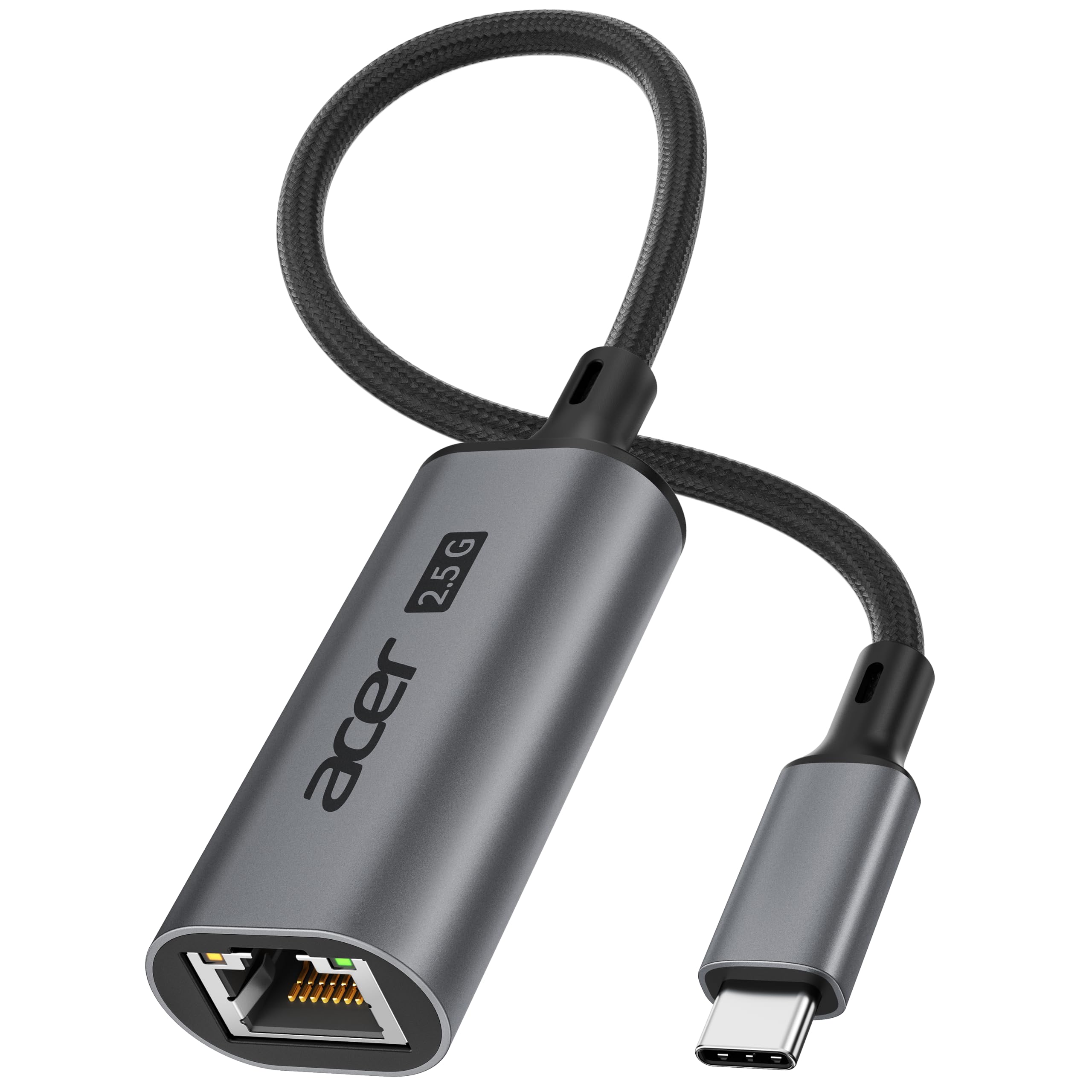
At 1.16 ounces, this is the lightest way to add a 2.5Gbps wired line
If weight in your bag is the deciding factor, the Acer 2.5Gbps USB C to Ethernet Adapter wins that contest outright. At 1.16 ounces it undercuts the WAVLINK 2.5G, which sits at 1.41 ounces — a small gap on a scale, but one you feel over a long trip with a packed backpack. The RTL8156B chip inside delivers up to 2.5Gbps for gaming, streaming and large NAS downloads, and steps back to 1G, 100M and 10M on slower networks.
Acer is upfront about what it takes to hit full speed: a USB-C 5Gbps-or-faster port, a Cat6-or-better cable, and 2.5G network equipment on the other end. Older systems — including some Linux builds and Windows 7 — may need a Realtek driver first. That’s not a flaw, it’s honest documentation, and it saves you a frustrating afternoon of wondering why your speed test stalls at Gigabit.
The aluminum housing adds durability and helps heat escape, while the braided cable keeps the connection flexible at the joint — the spot where budget adapters usually fray first. Dual LEDs show power and network activity, so a dead cable is obvious in a second. Compatibility runs from MacBook and XPS to Surface, Chromebook, iPad and iPhone, across Windows, macOS, ChromeOS, Linux, iPadOS and iOS.
Where it lands: a desk-and-travel adapter for USB-C laptop owners who want 2.5Gbps and the lightest possible carry — backed by a one-year manufacturer warranty.
Best suited to: travellers and commuters who count every ounce in the bag and still want full 2.5Gbps throughput.
Check first: whether your older operating system needs a Realtek driver before it will recognize the adapter.
5. TP-Link USB C to Ethernet Adapter
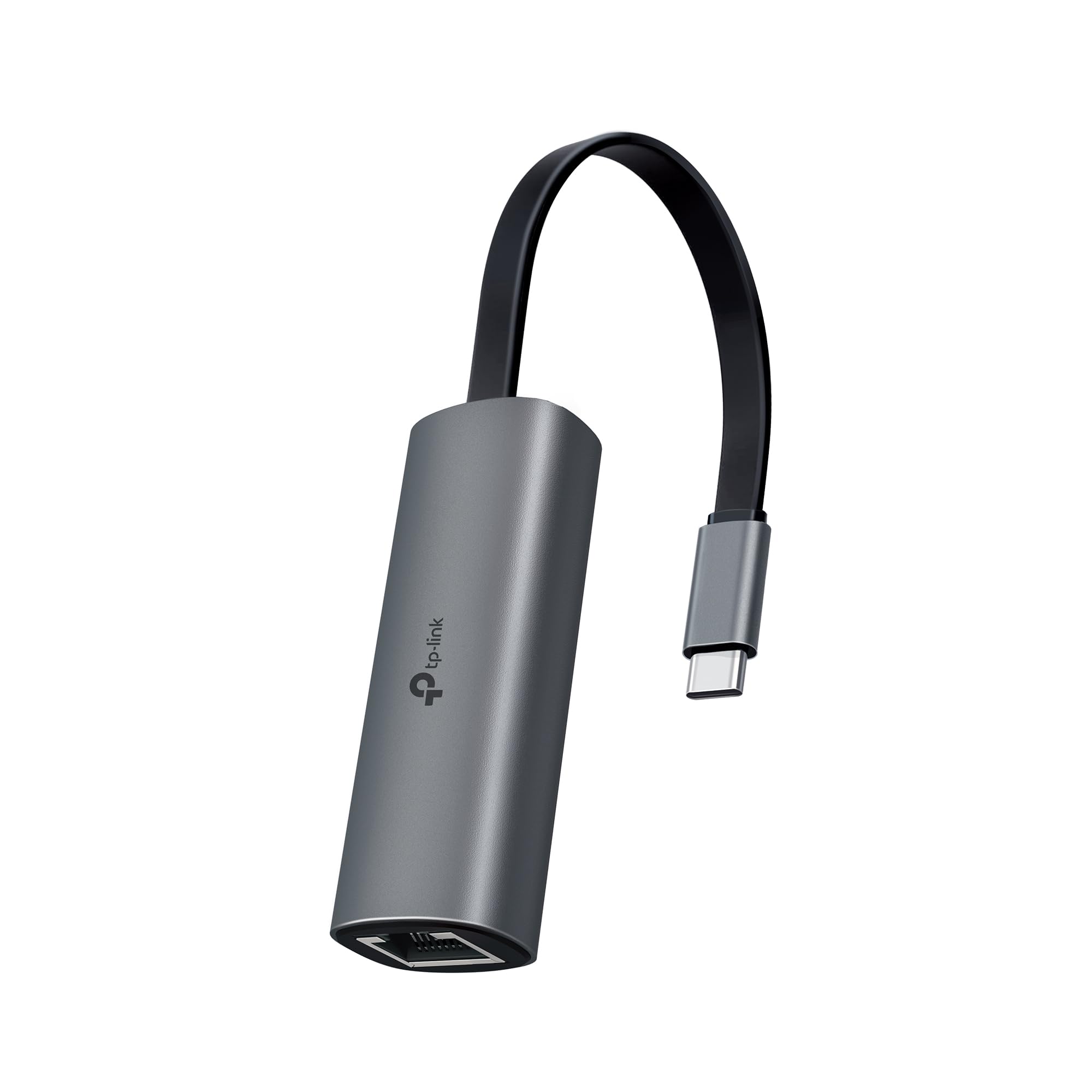
A foldable 2.5Gbps adapter that disappears into a pocket, no driver needed
The TP-Link UE302C leans on convenience: a foldable body that tucks into a pocket, backpack or laptop sleeve, and true plug-and-play setup with no software and no manual driver install. It brings 2.5Gbps wired connectivity to USB-C laptops, desktops, tablets and smartphones, and works with Thunderbolt 3 and 4 machines. If you’re on a hotel desk with flaky Wi-Fi, this is the one you want in your bag.
TP-Link’s cybersecurity stance is note for business users — the company is a signatory of the U.S. Cybersecurity and Infrastructure Security Agency’s Secure-by-Design pledge, and this device is built and maintained with that as a stated requirement. Functionality is the trait buyers praise most, with compatibility a strong second across MacBook Pro, MacBook Air, iPad Pro, Dell XPS, Surface, Chromebook and Lenovo ThinkPad.
The honest caveat sits with long-term durability, where owner experience is divided — some units hold up well to constant plugging, others have been reported to burn out. Treat it as a travel companion rather than a permanently bolted-on desk fixture and it behaves. At 27.22 g it’s light enough to forget you packed it.
The pocket argument: the folding design is the single feature that sets this apart from every rigid-bodied adapter on the list — it genuinely vanishes into a bag.
A fair caveat: durability divides owner opinion, so this suits a commuter or traveller more than a machine that stays plugged in for years.
Reach for this if: you want a folding, driver-free 2.5Gbps adapter for hotel rooms, coworking desks and coffee-shop networks.
Look past it if: you need one adapter to live permanently attached to a desktop and survive years of wear.
6. Cable Matters USB C to 2.5Gb Ethernet Adapter
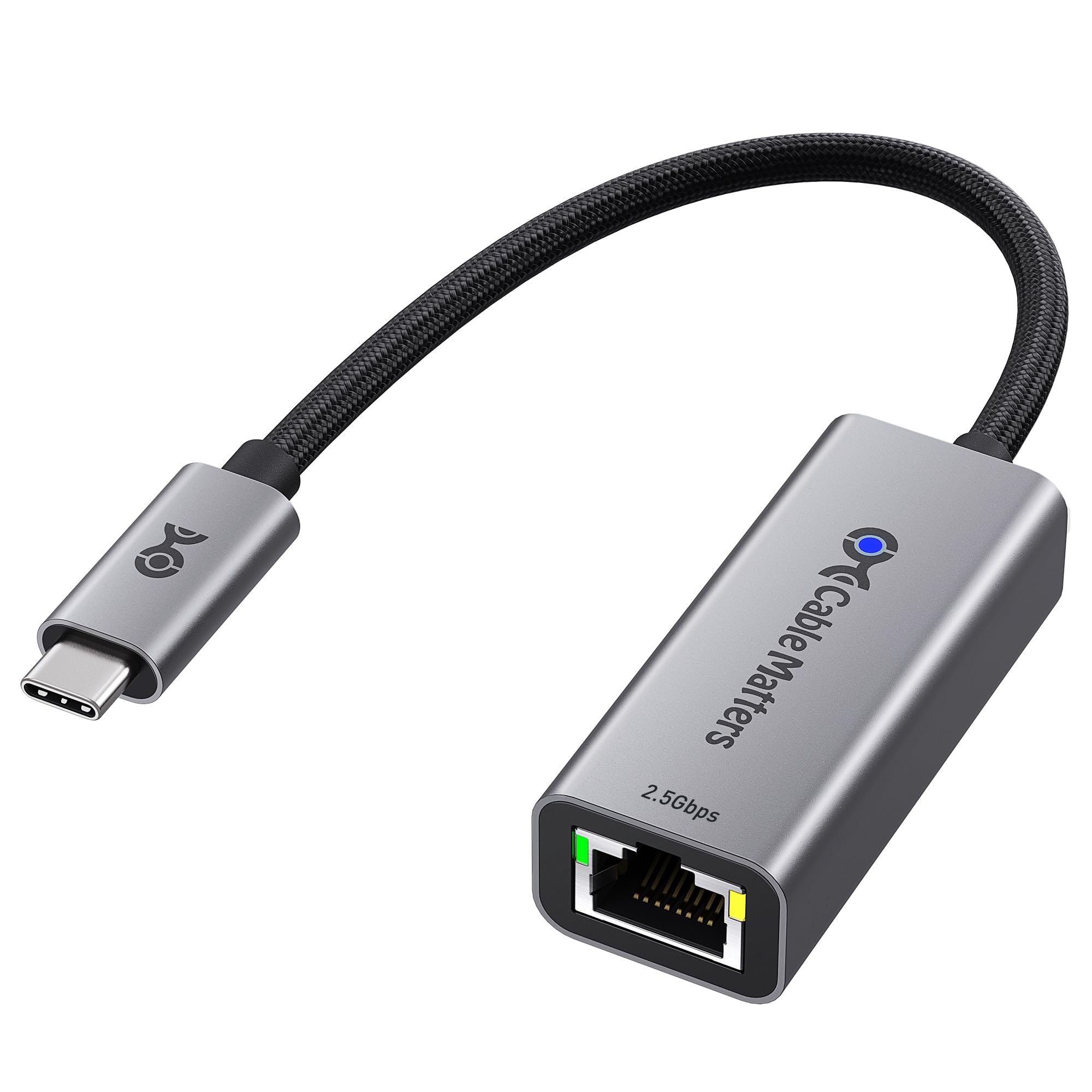
The braided-cable build that’s meant to take a beating, not just a desk life
The Cable Matters USB C to 2.5Gb Ethernet Adapter treats the cable as part of the product. A braided pigtail doesn’t fray at the bend the way a stiff stub can, and that’s the wear point that kills most cheap adapters first. It pushes 2500 Mbps for UHD, 8K and 4K streaming, online gaming and large file transfers, and it pairs with USB4 and Thunderbolt 4 and 5 ports alongside plain USB-C.
The advanced chipset keeps performance stable while keeping power draw and heat down, and the aluminum housing handles the thermal side. Functionality is the trait buyers praise most, with speed right behind it — owners on MacBook Pro and AT&T fiber report fast, smooth plug-and-play. One caveat worth knowing: Linux users have seen downstream performance capped around 1.5Gbps, so if you’re on a Linux box, install the latest Realtek USB 2.5G Ethernet Controller driver before you judge the speed.
This one does not support Android devices — that’s a hard limit, not a maybe. On Windows, macOS, Linux, Chrome OS and iOS it’s built to work from the start. It’s the adapter for someone who wants a rugged everyday unit that survives a bag and a busy desk rather than a featherweight for occasional use.
Why it stands out
- Braided pigtail cable resists fraying at the bend point
- Aluminum housing adds durability and lets heat escape
- 2500 Mbps suits 8K/4K streaming, gaming and large NAS transfers
- Compatible with USB4 and Thunderbolt 4 and 5 as well as plain USB-C
- Works across Windows, macOS, Linux, Chrome OS and iOS
The fine print
- No Android support — a hard limitation, not a maybe
- Linux users have reported downstream speeds around 1.5Gbps without the latest Realtek driver
- Older operating systems benefit from a driver install for best stability
Best for: a busy desk or a kit bag where the adapter gets plugged and unplugged all day and needs to hold together.
Skip if: you need to tether an Android phone — this adapter explicitly won’t do it.
7. Plugable 5Gbps USB-C to Ethernet Adapter

Five-gigabit throughput for the one buyer whose network actually gets there
Buying the Plugable USBC-E5000 only makes sense if your whole chain can feed it. To see 5Gbps you need a 5Gbps-capable router or switch, Cat 6a or better cabling, and a computer with a USB-C 10Gbps interface — which includes Thunderbolt and USB4 ports. Miss one piece and the link negotiates down to whatever your slowest component can do. That’s the deal with any 5Gbps adapter, and Plugable states it plainly.
When the chain holds, this is the fastest adapter in this lineup by the numbers — 5Gbps against the 2.5Gbps ceiling on the UGREEN 2.5G and most of the picks here. It also steps up in physical size: 3.1 by 1.1 by 0.6 inches, larger than the WAVLINK 2.5G’s 2.64 by 1.06 by 0.59 inches, and at 1.6 ounces it’s heavier than the Acer’s 1.16 ounces. None of that matters at a desk; all of it matters if bag space is tight.
Compatibility earns the most praise, with plug-and-play close behind — Windows 11 and 10, macOS 10.7 and newer, and Chrome OS all work. Speed experience is genuinely uneven, though: some run faster than 2.5Gbps, others land in the 300 to 500 Mbps range. Heat draws negative attention in owner feedback, so give it airflow. Lifetime support from a North American team is the real differentiator here, and it’s what IT departments pay for.
The support angle: lifetime support from a connectivity-focused team is the reason this earns its premium over the generic 2.5Gbps crowd.
Speed reality check: results swing widely depending on the router, cable and port in front of it, so treat 5Gbps as a ceiling, not a promise.
Choose it when: you’ve already got 5Gbps network gear, Cat 6a cabling and a 10Gbps USB-C port, and you want the fastest wired line this list offers.
Pass on it when: your router is 2.5Gbps or slower — you’d be paying for throughput the rest of your setup can’t feed.
8. UGREEN USB C to Ethernet Adapter 5Gb

A 5Gb adapter aimed squarely at people moving big files to a NAS
The UGREEN USB C to Ethernet Adapter 5Gb is the heavier-duty sibling of the 2.5G UGREEN at the top of this list, and it’s built for the same kind of buyer with a bigger appetite. At 5Gb it’s aimed at fast NAS downloads and efficient content creation, and UGREEN rates it at 5Gbps. That claim assumes a lot: a Cat6 or better cable, a router or switch or server that supports 5Gb, and a USB-C port rated at USB 3.2 Gen2 (10Gbps) or higher.
The RTL8157 chip is the thermal story here. It cuts power consumption and heat generation while holding performance, and at 5Gb or 2.5Gb speeds the adapter automatically switches to a Lite mode to avoid overheating. An aluminum casing with hidden integrated ventilation holes backs that up. It also supports ACPI and LPM power management, EEE high-performance Ethernet, Wake-on-LAN and Auto MDI/MDIX — features a small office or a home lab will actually use.
Compatibility is where this one demands attention before you buy. It supports Windows 11, macOS 15 and above, and Linux Kernel 5.17 — and nothing else. Windows 11 and Linux need a driver install; macOS 15 and above is plug-and-play. On Apple hardware it only works with M3 and above chips, not M1 or M2. There’s also no indicator light, and UGREEN asks that you plug it straight into the host port rather than through a hub or dock.
Read the fine print twice: the M3-and-above Apple limit and the absence of an indicator light are the two details that decide whether this adapter suits you.
Built for load: at 82 g it’s the heaviest adapter here, and that weight comes with thermal design meant for sustained 5Gb transfers rather than occasional use.
Fits: content creators and home-lab users on Windows 11, macOS 15+ with an M3 chip, or Linux Kernel 5.17, moving large files to a 5Gb NAS.
Doesn’t fit: older Apple silicon owners, plug-and-play-only setups, or anyone who relies on a hub or dock to add ports.
9. Belkin USB Type C to 2.5 Gb Ethernet Adapter

Two certifications, a 3.57-inch tethered cable, and a reputation for not failing
The Belkin USB Type C to 2.5 Gb Ethernet Adapter leads with paperwork most adapters don’t carry. It’s USB-IF certified — an independent standards body that tests USB products for safety and performance — and WWCB certified for Chromebook compatibility. Those two stamps are why this is the pick for anyone buying on behalf of a school, a company, or a person who simply doesn’t want to troubleshoot.
It delivers up to 2,500Mbps through a 90mm (3.57-inch) tethered cable that gives you room to reposition without yanking on the laptop’s port. A built-in LED shows when the connection is live, so a dead cable is obvious at a glance. Reliability is the trait owners praise most, with build quality right behind it — MacBook Air users report it working smoothly from the start with no drivers needed.
Value is the mixed note here. At 60 g it’s heavier than the Acer’s 1.16 ounces, and the tethered-cable design is less packable than a folding body like the TP-Link UE302C’s — but that same fixed cable is part of why it holds up. If you want the cheapest adapter that works, plenty of picks above will do it. If you want the one you hand to a new hire and never hear about again, this is that adapter.
Why the certifications matter: USB-IF and WWCB stamps are testing you can point to, which is a different kind of assurance than a spec sheet number.
What you trade: the fixed 90mm cable and 60 g body make this the least pocketable pick here — a desk-first design, not a travel-first one.
Worth it for: IT buyers, Chromebook users and anyone who values certified compatibility over saving a few dollars.
Overkill if: you just need a cheap adapter for a single home laptop and don’t care about certification stamps.
Know the Specs
2.5Gbps vs 5Gbps — the actual difference
Gbps means gigabits per second, the rate your network moves data. A 2.5Gbps adapter carries 2.5 times the throughput of a 1Gbps (Gigabit) connection, while a 5Gbps unit doubles that again. The catch is that every link in the chain has to match: your router or switch, your Ethernet cable, and the USB-C port on your computer. A 5Gbps adapter on a Gigabit router just runs at Gigabit. For most homes and offices, 2.5Gbps is the realistic ceiling — and 5Gbps is worth paying for only if your network gear already supports it.
Which adapter actually needs a driver
Plug-and-play means the operating system recognizes the adapter the moment you connect it, with nothing to download. Most modern systems do this automatically. The exceptions tend to be older Windows builds, some Linux kernels, and the 5Gbps units — the UGREEN 5Gb, for example, needs a driver on Windows 11 and Linux Kernel 5.17 but is plug-and-play on macOS 15 and above. Check your OS version against the listing before you buy, especially on a locked-down work machine where you can’t install software yourself.
The chip, the heat, and why it matters
The controller chip (the small processor handling network traffic) decides how hot the adapter runs and how much power it draws. The Realtek RTL8156B and RTL8157 turn up across several picks here, and both are designed to keep power consumption and heat low during sustained transfer. Why care? A hot adapter can throttle or drop the link mid-download. Aluminum housings and ventilation holes — like those on the WAVLINK 2.5G and the UGREEN 5Gb — help dissipate that heat, which is why the metal-bodied adapters tend to outlast plastic ones.
Cable, port and the RJ45 jack
The RJ45 jack is the rectangular port that takes a standard Ethernet cable. Speeds depend on the cable category: Cat6 or better is the usual requirement for 2.5Gbps, and Cat 6a or better for 5Gbps. Your USB-C port matters too — 2.5Gbps adapters generally need a 5Gbps-or-faster USB-C port, while 5Gbps adapters want a USB 3.2 Gen2 (10Gbps) or Thunderbolt/USB4 port. Connecting through a hub or dock rather than straight into the laptop can also cap throughput, which is why some makers advise a direct connection.
Common Questions
Will a 2.5Gbps USB-C Ethernet adapter speed up my internet if my plan is only 500Mbps?
Do I need a special Ethernet cable to hit 2.5Gbps?
Why does my adapter show Gigabit speed when it’s rated for 2.5Gbps?
Will a USB-C Ethernet adapter work with my iPad or iPhone?
Do I have to install a driver for a USB-C Ethernet adapter?
Is a 5Gbps adapter wasted on a 2.5Gbps network?
Why does my adapter get hot during large file transfers?
Can I plug a USB-C Ethernet adapter into a hub or dock?
Does the USB-C Ethernet adapter work with Linux?
Is USB-IF certification worth paying more for on an Ethernet adapter?
The Bottom Line
For most people, the usb-c ethernet winner is the UGREEN USB C to Ethernet Adapter 2.5G — a 2.5Gbps link, a heat-shy RTL8156BG chip and a space-grey aluminum shell that survives daily plug-and-unplug. If your bag is the priority, the Acer 2.5Gbps USB C to Ethernet carries the same 2.5Gbps ceiling at 1.16 ounces, lighter than the WAVLINK’s 1.41 ounces. And if you already run 5Gbps network gear with Cat 6a cabling and a 10Gbps USB-C port, the Plugable USBC-E5000 takes you past the 2.5Gbps crowd.
The honest buying nudge: match the adapter to the network you actually have, then buy one notch of build quality above the cheapest thing that fits. A metal-bodied 2.5Gbps unit with a Realtek chip is the balance for almost every buyer — it costs less than the certified or 5Gbps units above and handles the streaming, gaming and NAS transfers most of us actually do.
How we choose
We do not accept paid placement. Every pick is matched to a real buyer and a real use-case; we do not hands-on test units.
Sources
Specifications: manufacturer listings and product documentation. Review insights: verified customer reviews. Pricing: not shown on this page (it changes often); check the current price via the retailer link.
As an Amazon Associate, Tactical Gear Guy earns from qualifying purchases. This does not affect which products we feature.