Specs are compiled from manufacturer listings and verified buyer reviews and can change over time — please confirm the key details on the product page before buying.
Two identical-looking USB-C cables can behave completely differently, and that is the trap with this category. One moves a 100GB file in half a minute; the other crawls and quietly caps your charging. The short answer: buy a cable whose speed and wattage ratings match what your laptop, drive and monitor actually support, and ignore everything else. This guide sorts nine real options by what they genuinely do.
This guide is built by comparing the manufacturers’ published specifications and the patterns across verified customer reviews, so you get each pick’s real strengths and trade-offs instead of marketing spin.
Most buyers overpay for bandwidth their ports cannot use, or underpay and throttle a fast SSD. Below, each pick is matched to the hardware it actually serves, so you spend once. That is the whole point of a smart usb 3.2 cable purchase.
Top Picks


How To Choose The Best USB 3.2 Cable
Your laptop’s USB-C port, not the cable, usually sets the real speed ceiling. Before you compare any two cables, check what your laptop’s USB-C port actually supports. A 40Gbps cable plugged into a 10Gbps port runs at 10Gbps, and you have paid for bandwidth you will never see.
Match the speed rating to your port, not to the marketing badge
Speed is written in gigabits per second, shortened to Gbps — that is how much data moves each second. A 10Gbps cable handles everyday file shuffling and external SSDs fine. A 20Gbps or 40Gbps cable earns its keep when you edit video off a fast drive or run a high-refresh monitor. Going higher than your device supports buys nothing.
Wattage decides how fast your laptop refills
Wattage is the power ceiling the cable can carry — 60W tops out small laptops, while 240W with PD 3.1 (Power Delivery, the standard that negotiates charging) feeds a large laptop at full speed. If your charger is 100W and your cable caps lower, the cable wins the argument and you charge slower. Check the wattage figure before you buy.
Video output needs a specific mode, not just a USB-C plug
DisplayPort Alt Mode is the feature that lets a USB-C cable carry a picture to a monitor. Without it, the cable moves files and power only. If you plan to drive an external screen, the listing must name that mode and a resolution like 8K@60Hz — otherwise the picture simply will not appear.
Connector type changes what the cable can do
A USB-A to USB-C cable plugs into older rectangular ports, but the A end often limits speed and never carries video. A straight USB-C to USB-C cable is the one that reaches the highest transfer rates and monitor output. Buy the connector pair your actual hardware has.
Side-by-Side Comparison
| Model | Best For | Max Speed | Power Rating | Length | Amazon |
|---|---|---|---|---|---|
| Anker Prime Thunderbolt 5★ Best Overall | Fastest all-round cable | 80Gbps | 240W | 3.3 ft | Amazon |
| Elfesoul USB-A to USB-C 2 PackBudget Champion | Legacy USB-A ports | 10Gbps | 3A | 6.6 ft | Amazon |
| UseBean 240W 2-in-1Most Versatile | One cable, two port types | 20Gbps | 240W | 6.6 ft | Amazon |
| Silkland USB4 Thunderbolt 4 | 8K video work | 40Gbps | 240W | 3.3 ft | Amazon |
| CHENLENIC 2-in-1 | Charging flexibility | 20Gbps | 240W | 3.3 ft | Amazon |
| Acer USB4 | Certified reliability | 40Gbps | 240W | 3.3 ft | Amazon |
| Cable Matters 80Gbps USB4 | High-refresh gaming displays | 80Gbps | 240W | 6.6 ft | Amazon |
| StarTech USB-C | Rigorous plug cycles | 20Gbps | 240W | 3.3 ft | Amazon |
| OkyLink Active Extension | Long-run PC extensions | 10Gbps | 5W output | 10 ft | Amazon |
Detailed Reviews
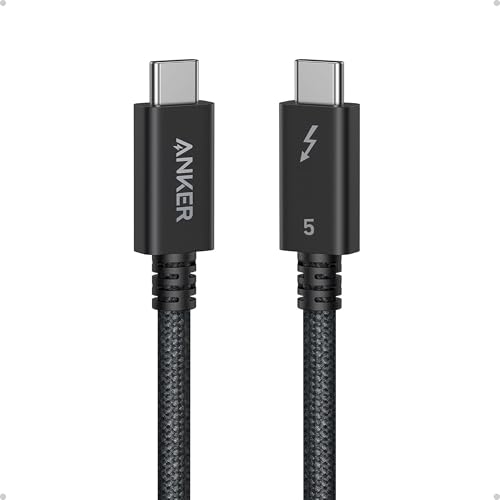
1. Anker Prime Thunderbolt 5 Cable, 3.3ft USB-C to USB-C
Our pick — 4.5+★ from 700+ verified ratings; the strongest balance of quality and price.
An 80Gbps cable that Anker says moves a 5GB file in about 1 second.
If your laptop has a modern Thunderbolt port, this is the cable that stops you waiting. Anker rates it for 80Gbps data transfers — gigabits per second, the raw pipe width — which their listing translates as moving a 5GB file in just 1 second. That is a real, workable number for video editors and anyone shuffling huge drive images.
Charging is the quieter headline. It carries up to 240W, so a 16-inch MacBook Pro (M3 Pro) refills to 50% in just 26 minutes according to Anker. The cable also pushes dual 8K displays at 60Hz, with up to 120Gbps of bandwidth available in that mode, so a two-screen desk setup runs off one cord. Plugged into the B0DXZCXK2C listing’s listed phones — iPhone 16, Galaxy S25, Pixel 9 — it handles data and power without complaint.
Owner reviews praise the build quality above every other trait. It works straight from the start, supports the high-speed transfer it promises, and the connectors feel sturdy rather than thin. The trade-off is length: at 3.3 feet the reach is short, and that is the one point owners split on. Fine for a desktop dock, tight for a couch setup.
Where it earns the crown
- 80Gbps ceiling moves a 5GB file in about 1 second per Anker
- 240W charging takes a 16-inch MacBook Pro to 50% in 26 minutes
- Dual 8K at 60Hz with up to 120Gbps of headroom
- Sturdy connectors and clean out-of-box performance dominate owner feedback
Where it asks you to compromise
- 3.3 feet is short — plan a desk or dock setup, not a couch run
- You only see 80Gbps if both your ports allow it
Made for: modern Thunderbolt laptops that need maximum speed and charging off one cord.
Look elsewhere if: you need reach beyond 3.3 feet across a room.
2. Elfesoul USB-C Cable 6.6ft, USB-A to USB-C 10Gbps, 2 Pack
Two braided workhorses for the desk that still has rectangular USB-A ports.
Not every machine moved to USB-C, and this two-pack is built for the older rectangular port. It pushes 10Gbps — ten gigabits per second — which is a real step up from a basic charging cord. Elfesoul’s own figure translates to 1000MB/s, enough to move music, movies or a full season of TV in seconds rather than minutes.
The durability story is where it punches above its tier. The nylon braid is rated for 20000+ cycles of a 90-degree bend test, and a solid aluminum shield sits inside. There is also a 56kΩ resistor, a small component that steadies the current so your devices and charger do not take a shock. Charging runs at 3A, and a USB-C to USB-A adapter is included in the box.
Reliability is what the review pages keep returning to, which tells you people are using these daily without drama. One honest catch: Apple phones cap out at 7.5W over the A-to-C connection, and Pixel phones use a private charging protocol that does not do fast charging here. Buy it for Samsung, laptop, or PC duty and it will not disappoint.
Built for the daily grind: the 20000+ bend rating and aluminum shield mean these survive a bag, a pocket, and a car console without fraying.
The honest snag: if you need peak charging on an iPhone or Pixel, the A-to-C path will feel slow — this is a data and Samsung-friendly cable first.
Reach for this if: your laptop or monitor uses USB-A and you want 10Gbps for very little.
Skip the pair if: premium iPhone or Pixel fast-charge is your main need.
3. UseBean 240W USB C Cable 6.6FT, 20Gbps USB 3.2 Gen 2
One cord that pretends to be two, with the wattage to run a big laptop.
This one solves a very specific annoyance: chargers that still use the old rectangular port. It is effectively two cables in one — a USB-C to USB-C line rated for 240W, plus a USB-A to USB-C path, with a USB-C-to-USB-A adapter in the box to bridge them. That means it works whether your wall charger has a C port or an A port.
Speed is honest and clearly labelled. The C-to-C side runs 20Gbps — twenty gigabits per second — which moves an HD movie in seconds. UseBean is upfront that the A-to-C side only reaches 10Gbps, so route heavy transfers through the C end. Video tops out at 4K@60Hz (3840×2160), and that only works if your device’s C port supports DisplayPort Alt Mode.
Connectivity is what owners notice first, and the same cable is reported working on both Mac and PC at the full 20Gbps. The construction gets laser welding and a strain relief joint at each end for extra flex life. At 6.6 feet it reaches comfortably across a desk or to a floor outlet, which is the everyday win here.
Two cables for one job: 240W over USB-C and a working USB-A path means you stop hunting for the right charger somewhere in the house.
The part to know: heavy transfers belong on the C-to-C side — the A branch gives you 10Gbps, not 20Gbps.
Best matched with: mixed-port chargers and laptops where 240W and 6.6 feet both matter.
Second-guess if: you need 8K video — this one caps at 4K@60Hz.
4. Silkland USB4 Thunderbolt 4 Cable 3.3FT
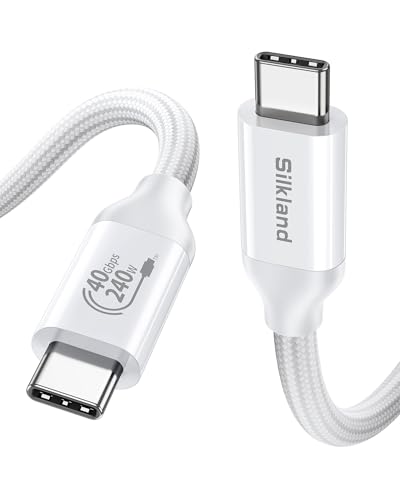
A 40Gbps workhorse built for 8K footage and a two-monitor desk.
Here is the number that separates it from the 20Gbps crowd: Silkland rates this at 40Gbps — double the transfer rate of the UseBean and CHENLENIC 20Gbps cables above. Their own example is moving a 100GB file in 30 seconds. For anyone editing RAW video off an external SSD, that gap is the whole reason to pay attention.
Display duties are serious too. It runs a single 8K@60Hz HDR screen, or 5K@60Hz, or 4K@144Hz, and can feed dual 4K@60Hz monitors with HDR. Charging holds up alongside the data: 240W with PD 3.1, and an E-Marker chip — the small chip inside that manages power negotiation — keeps temperatures in check during long edit sessions. The builder even rates the braid for 5,000+ 180° bends, well past the 1,500 that Silkland says most cables fail at.
Owners describe the feel as better than most high-quality alternatives, and functionality is the most-mentioned positive. The catch worth knowing is that value gets a mixed reaction — some find it worth it, others do not. If you only charge a phone, this is more cable than you need; for 8K workflows it is the right tool.
The speed case: 40Gbps moves a 100GB file in 30 seconds by Silkland’s own measure, which is what makes this a video-editing pick rather than a charging pick.
The money question: value opinions split — the performance is real, but only worth it if your ports actually reach 40Gbps.
Worth it for: 8K RAW editing, dual-monitor desks, and Thunderbolt 4 docks.
Hold off if: your devices max out at 10Gbps — the extra headroom stays unused.
5. CHENLENIC 2-in-1 USB C 3.2 Gen 2X2 Cable, 240W, 8K@60Hz

A five-amp, 240W cable that also takes an old USB-A charger in stride.
The amp number is what matters if you charge a big laptop: this cable handles up to 5A at 50V, the current and voltage figures behind its 240W rating. CHENLENIC builds in a PD E-Marker chip — the small negotiator that tells your charger how much power to send — and it steps back to PD 3.0/2.0 and QC charging without fuss. Your 240W, 100W or 60W adapter will all talk to it.
Data runs at 20Gbps, and the manufacturer is clear that both ends must sit in USB 3.2 Gen 2, USB4, Thunderbolt 3 or Thunderbolt 4 ports to reach it. Plug one end into a slower port and you get less. Video goes to 8K@60Hz, provided your laptop and display both support video over USB-C.
The build is a braided nylon sleeve over aluminum alloy housings, with molded strain relief at both connectors to protect the bend point. It is a light cable at 50 g, so it travels without dragging on your bag. The 2-in-1 design means one cable covers both a C-to-C and an A-to-C job, which is the practical reason to pick it over a plain C-to-C cord.
Where it shines: 20Gbps over the C ends and a real 8K@60Hz video path, wrapped in braid and aluminum for daily carry.
What to keep in mind: USB-A does not carry video here, so monitor duty always runs through the C-to-C connection.
Pick it if: you charge a power-hungry laptop and still own USB-A chargers.
Move on if: you want 40Gbps or 80Gbps transfers instead of 20Gbps.
6. Acer USB4 Cable 40Gbps, 8K@60Hz 240W, USB-IF Certified

The brand-name cable that trades on certification and a braided shell.
Some buyers want a name they recognize, and Acer leans on that with a USB4 cable that moves files at 40Gbps — forty gigabits per second, the same ceiling as the Silkland above. Acer notes the actual speed depends on your host and device, which is the honest caveat every 40Gbps cable carries. It also handles 8K@60Hz video, dropping to 4K@30Hz, 2K@165Hz or plain HD depending on what your screen accepts.
Charging reaches 240W when paired with a compatible brick, and it works with QC and PD protocols plus adapters running 100W, 66W, 60W, 40W, 30W, 20W and 18W. The shell is high-strength braided material over an aluminum alloy casing, which Acer says adds heat and pressure resistance. At 3.3 feet and 68 g it is a desk cable, not a travel coil.
Build quality is the aspect that climbs to the top of owner feedback, and reliability follows right behind it. The one honest split is compatibility — some buyers report it refusing to work with certain Apple devices, so if you are all-in on Apple gear, check your exact model first. Everyone else gets a solid, certification-backed cord.
Why it holds its ground
- 40Gbps transfers with 8K@60Hz video support
- Drops to 4K@30Hz, 2K@165Hz or HD where the display asks for less
- Braided jacket and aluminum casing rated for heat and pressure resistance
- Build quality and reliability lead the owner feedback
Where to check before buying
- Some buyers hit compatibility trouble with Apple devices
- Actual speed depends on your host and device ports
Fits best with: Windows laptops, docks and monitors where a certified USB4 cord is wanted.
Ask yourself first: if your whole desk is Apple, confirm your model plays nice before ordering.
7. Cable Matters 80Gbps USB4 Cable, Thunderbolt 5/4, 6.6ft
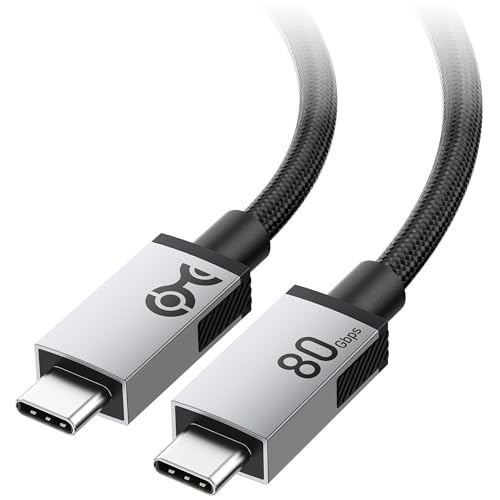
Double the bandwidth of a 40Gbps cable, and double the reach at 6.6 feet.
Two numbers make this the heavy hitter of the group. First, 80Gbps bandwidth — twice the ceiling of the 40Gbps Silkland and Acer cables above — for next-generation data, display and power. Second, 6.6 feet of length, which is roughly double the 3.3 feet of the shorter premium picks. That combination is rare: most 80Gbps cables stop at 3.3 feet, so a desktop run gets easier here.
Display output is built for high-refresh work. It supports 8K@120Hz or 4K@480Hz when your host and display allow it, which suits gaming and content creation. Power runs through PD 3.1 Extended Power Range up to 240W, and it steps back to 140W adapters and earlier PD standards without complaint. It is fully compliant with the USB4 V2.0 spec and works as a Thunderbolt 5, Thunderbolt 4 or Thunderbolt 3 cable.
The build earns praise for a premium feel, with reinforced woven jacket and solid aluminum connector housings that help shed heat. The trade-off is stiffness — this is a naturally firm cable, not a supple one, so tight right-angle runs around a monitor arm need more room. Also, compatibility gets mixed notes, which is normal for a spec this new; confirm your ports before you commit.
The bandwidth payoff: 80Gbps and 6.6 feet together beat the shorter 40Gbps picks on both throughput and reach, which is what a professional desk needs.
Feel before you buy: stiffness is real — plan a gentle cable path rather than a sharp tuck.
Choose this for: high-refresh monitors, Thunderbolt 5 laptops, and long desk runs.
Pass if: you need a soft, easily-coiled cable for bag travel.
8. StarTech 3ft USB-C Cable, 20Gbps, 8K 60Hz/4K 144Hz, 240W

The cable engineers buy when they want a plug that survives a decade of desks.
Plug-cycle counts separate serious cables from cheap ones. StarTech rates this cord for 10,000+ insertions plus 4000+ bends at a plus-or-minus 60° angle — the kind of number you only publish when the connector has been tested to destruction. The TPE jacket is halogen-free, and 32 AWG conductors with Al-Mylar foil shielding and 85% braid coverage keep the signal clean.
Performance is mid-tier on purpose: 20Gbps SuperSpeed data, DisplayPort 1.4 Alt Mode up to 8K@60Hz or 4K@144Hz, and 240W via PD 3.0 (5A at 20V max). It is certified to meet USB 3.2 Gen 2×2 standards, which is the testing a lot of budget cables skip. It works with docks, external drives, MacBook, Surface Book, X1 Carbon, iPad Pro and Samsung phones from S8 upward.
The practical read is that this is a monitor and dock cable first. Functionality and quality are what the review pages highlight, with people running it for display video. If durability is your priority, the plug-cycle rating is the reason to look here.
What the testing backs up
- 10,000+ insertion and 4000+ bend ratings on the connector
- Certified to USB 3.2 Gen 2×2 standards at 20Gbps
- 8K@60Hz or 4K@144Hz over DisplayPort 1.4 Alt Mode
- 85% braid coverage with Al-Mylar foil for signal integrity
The fair caveats
- Value opinions split — it costs more than a basic cord
- 20Gbps is half the ceiling of the 40Gbps picks
Right for: permanent desk setups where the connector gets plugged in daily for years.
Think twice if: you chase peak transfer speed over long-term toughness.
9. OkyLink Active USB 3.2 Gen 2 Extension Cable, 10Gbps, 10ft
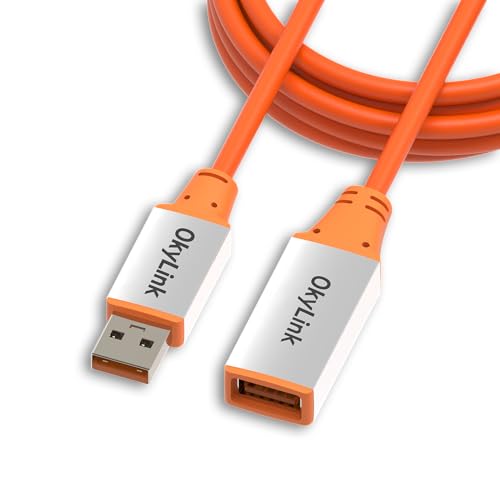
Ten feet of reach that holds 10Gbps, thanks to a chip inside the plug.
Most cables in this list are point-to-point; this one is an extension, and the A-to-A-female design is the giveaway. It moves 10Gbps — ten gigabits per second — across a full 10 feet, which ordinary passive cables struggle to do at that distance. The trick is an amplifier chip inside the housing, what OkyLink calls an all-active design.
That chip is why the listing mentions heat: it may run 5-25℃ above ambient during use, which the maker frames as normal for low-voltage operation. It is a powered extension, so it suits printers, scanners, security cameras and external drives that live across the room from the PC. It still handles USB 3.0/2.0/1.1 devices without a fuss. Just know this cable carries up to 5W output and is built for data, not charging a laptop.
Owners call it well-made and durable, with reliable connectivity and the speeds it promises. The length itself earns praise, because ten feet solves the awkward-plug problem without a tangle. Compatibility and quality are the two traits owners raise most, and both land positive. Aluminum alloy housings and a flexible PVC jacket survive repeated plugging and bending.
The reach advantage: 10 feet with an active amplifier keeps 10Gbps intact, which passive cords cannot promise over that run.
Do not ask it to charge: 5W output is for keeping data devices alive, not filling a laptop battery.
Suits you if: your PC sits far from a printer, camera or drive and you need a clean long-run connection.
Not for you if: you need the cable to carry power to a laptop.
Know the Specs
Gbps (gigabits per second)
This is the speed ceiling of the cable, measured in billions of bits each second. A 10Gbps cable moves ten, a 40Gbps moves forty, and an 80Gbps doubles that again. The catch is that both your laptop’s port and the cable must support the number — plug a 80Gbps cord into a 10Gbps port and you get 10Gbps. Buy for the port you have, not the badge on the box.
PD and E-Marker wattage
PD (Power Delivery) is the charging standard that lets a cable and charger agree on how much power to push. The wattage figure — 60W, 100W, 240W — is the ceiling. An E-Marker is a small chip inside the cable that reports its own rating to your charger so power stays safe. Higher wattage cables and adapters soak up bigger laptops like a 16-inch MacBook Pro.
DisplayPort Alt Mode
This is the feature that turns a USB-C cable into a video cable. Without it, the cord only carries files and power, and no picture reaches your monitor. When the listing names 8K@60Hz or 4K@144Hz, that is Alt Mode at work. Your laptop’s port and your display both need to support it, and short C-to-C runs handle it best.
Active extension vs passive cable
A passive cable is one long wire and loses signal strength over distance. An active cable adds an amplifier chip to keep the speed intact over a longer run, such as 10 feet. That chip is why an active cord can list a small heat gain — it is working while plugged in. For sending data across a room, an active extension is the reliable choice.
Common Questions
Will a USB 3.2 cable charge my laptop as fast as the charger allows?
Do I need Thunderbolt or is USB 3.2 enough for an external SSD?
Why does my USB-A to USB-C cable feel slower than USB-C to USB-C?
Can a USB 3.2 cable send video to my monitor?
What does 10Gbps, 20Gbps or 40Gbps actually change in daily use?
How long can a USB 3.2 cable run before speed drops?
Is the USB-IF certification worth choosing a cable over?
Will a braided cable last longer than a plain one?
Do I need an E-Marker chip on a 240W cable?
Can I use a USB 3.2 cable with my iPhone or Android phone?
The Bottom Line
For most desktop setups the usb 3.2 cable that earns the top spot is the Anker Prime Thunderbolt 5, where 80Gbps transfers and 240W charging live on one 3.3-foot cord. If you want raw bandwidth without the short reach, the Cable Matters 80Gbps gives you double the length at 6.6 feet for the same speed class. And for anyone still working with USB-A ports, the Elfesoul two-pack delivers 10Gbps and a bend-rated braid at the budget end. Whichever you pick, confirm your port speed first — that is the one detail that decides whether the cable you buy runs at full tilt or waits for you to finish reading the specs.
How we choose
We do not accept paid placement. Every pick is matched to a real buyer and a real use-case; we do not hands-on test units.
Sources
Specifications: manufacturer listings and product documentation. Review insights: verified customer reviews, as of November 2026. Pricing: not shown on this page (it changes often); check the current price via the retailer link.
As an Amazon Associate, Tactical Gear Guy earns from qualifying purchases. This does not affect which products we feature.