Specs are compiled from manufacturer listings and verified buyer reviews and can change over time — please confirm the key details on the product page before buying.
You have a disc and no slot to put it in. The catch most shoppers miss: a lot of listings now shout about USB 3.0 speed that a DVD will never use, while quietly changing how the drive behaves on an older laptop. Below are seven drives that genuinely run on USB 2.0, ranked by how reliably they read and burn, so you can pick the one that matches your machine and your stack of discs.
This guide is built by comparing the manufacturers’ published specifications and the patterns across verified customer reviews, so you get each pick’s real strengths and trade-offs instead of marketing spin.
Slim external drives fail more often than their price suggests, so the gap between a good one and a bad one shows up within months. The drives below were chosen on interface honesty, disc-format support, and how owners describe them after months of use, and this breakdown of the usb 2.0 external dvd drive covers the exact trade-offs you will hit.
Top Picks

How To Choose The Best USB 2.0 External DVD Drive
The first decision is not brand, it is what you need the drive to do with a disc. Reading old family photo discs is a different job from burning a wedding video for a relative. Settle that question first and the rest of the spec sheet falls into place.
Read-only versus a real writer
A combo drive will play your DVDs and burn CDs, but it will not write a DVD. If you only need to pull files off old discs, that is fine and often cheaper. If you plan to make a DVD at any point, confirm the listing says it writes DVD±R/RW, not just CD-RW.
Why USB 2.0 is not the weak link
USB 2.0 moves data at up to 480 megabits per second, which is roughly 60 megabytes a second. A DVD spinning at 8x write speed feeds data far slower than that pipe can carry, so the interface is never what holds you back. A drive advertising USB 3.0 will still fall back to USB 2.0 speeds on an older port, and that is fine for discs.
The formats that actually matter
Look for DVD±R/RW and DVD-RAM if you handle rewritable media, and DVD+R DL and DVD-R DL if you ever use dual-layer discs. M-DISC support is worth having if you want an archival copy of anything important, because M-DISC media is built for long-term storage.
Check the power situation
Most of these drives draw power straight from the USB port. Some laptops, especially thin ones, cannot supply enough, which is why a bundled power cable or a note about an external 5V charger matters. If your laptop is on the lean side, a drive with a power cable option saves you a frustrating afternoon.
Side-by-Side Comparison
| Model | Best For | Write Speed | Interface | Extra Ports | Amazon |
|---|---|---|---|---|---|
| LG GP65NW60★ Best Overall | Everyday burning and playback | 8x DVD / 24x CD | USB 2.0 | — | Amazon |
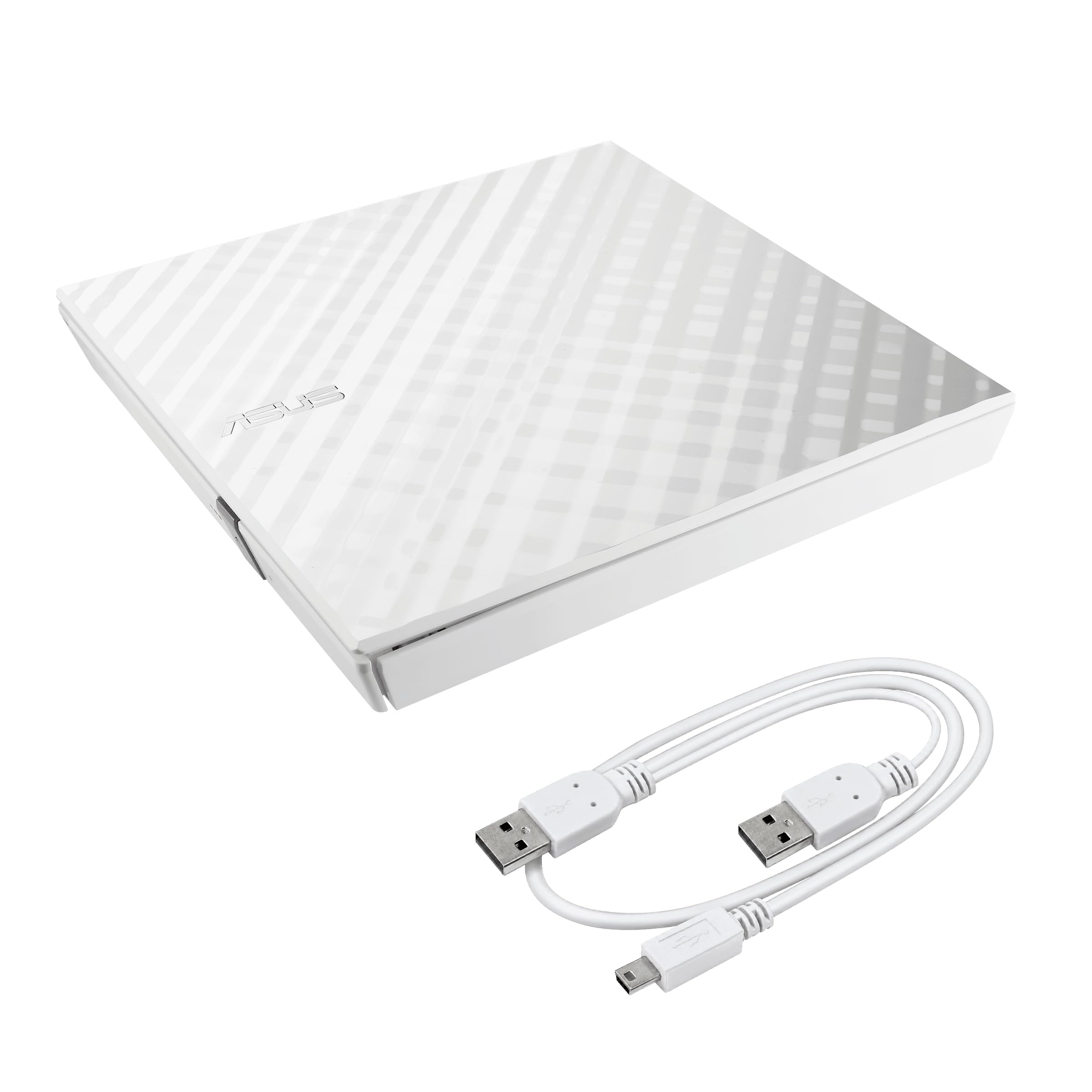
| ASUS SDRW-08D2S-UBest for Privacy | Encrypted, private disc burning | 8x DVD | USB 2.0 | — | Amazon |
| LG GP65NB78 | M-DISC archival backups | 8x DVD / 24x CD | USB 2.0 | — | Amazon |
| Verbatim External Slimline | Software and adapter included | 8x DVD / 24x CD | USB 2.0 | — | Amazon |
| ORIGBELIE 6-in-1 | Port hub plus disc drive | 8x DVD / 24x CD | USB 3.0 (USB 2.0 back-compat) | 2 USB-A, 2 USB-C, SD/TF | Amazon |
| Wbacon 7-in-1 | Cameras and card transfers | 8x DVD / 24x CD | USB 3.0 (USB 2.0 back-compat) | 1 USB 3.0, 3 USB 2.0, SD/TF | Amazon |
| SAN-OXY Slim Combo | CD burning on a small budget | CD-RW only | USB 2.0 | — | Amazon |
Detailed Reviews
1. LG GP65NW60 External Optical Drive
Our pick — 4.0+★ from 15,000+ verified ratings; the strongest balance of quality and price.
The white workhorse that burns a DVD at 8x and reads almost anything you feed it.
The spec that earns this drive the top spot is breadth: it writes DVD-RAM as well as the usual DVD and CD discs, and it handles M-DISC media. DVD-RAM is a rewritable format that behaves more like a USB stick than a burnt disc, so you can reuse the same disc repeatedly without the wear worry. Add M-DISC and you have a drive that covers both everyday rewriting and long-term archiving in one 14mm-tall body.
Burning speed sits at a max 8x for DVD and max 24x for CD, which is the pace nearly every slim external drive in this class runs at. The USB 2.0 interface handles up to 480 megabits per second and plays nicely with USB 3.0 ports too, so it will not choke a newer laptop. Plug it into a Windows machine and it simply appears — no drivers, no installation dance. The same goes for Linux.
Buyers report it burns reliably disc after disc, and DVD-RAM plus M-DISC support is a lot of format coverage for the price. Owners do note the noise, and it is fair to say the drive is not silent despite the Silent Play label — a few discs spin up with a grind you will hear across a quiet room. It is also a Windows-and-Linux drive in practice; MacBook users run into trouble, so check your machine before you commit. One honest note on the numbers: the budget picks in this list have accumulated more ratings, but this one holds the strongest overall standing and the widest disc support.
Why it takes the crown
- Writes DVD-RAM and reads M-DISC media for archiving
- Max 8x DVD and max 24x CD burning speed
- Genuine plug-and-play on Windows and Linux
- Cyberlink software bundled in the box
Where it asks patience
- Some discs spin up louder than the Silent Play name suggests
- Not a reliable match for MacBook users
- Long-term durability draws a skeptical streak in the reviews
Worth buying if: you want one drive that reads, writes, rewrites, and archives without checking a compatibility chart first.
Think again if: you are on a MacBook, where this drive has a poor track record.
2. ASUS SDRW-08D2S-U External DVD Writer
A slim writer with password-protected burning and a hidden-file trick built in.
Most drives in this bracket burn a disc and stop there. This ASUS does something extra: disc encryption with both password control and a hidden-file function, so a burnt disc stays locked to whoever knows the password. If you burn work documents, medical records, or anything you would rather not hand over loose, that one feature justifies the pick on its own. It still writes at 8x DVD speed and supports M-DISC media for archival copies.
Physically it is the small one of the group — 0.6 inches tall against the 0.7 inches of the ORIGBELIE, and shorter front to back as well. The diamond-cut top means it does not look like a beige brick on your desk. Drag and Burn keeps burning a three-step job, and the drive is ready the moment you plug it in on both Windows and Mac.
ASUS laptop owners mention it appears instantly on plug-in with no driver install. Durability is where the story splits — plenty of these run for years, and a minority give up within months, which is the risk you accept with any slim optical drive. Treat the disc tray gently and expect it to earn its keep. It is also the pick here for anyone who remembers a burnt disc going missing.
The encryption edge: password-protected burning and a hidden-file function are rare in this price tier, and they are what separates this drive from the LG GP65NW60 for anyone handling sensitive media.
The honest caveat: durability is a coin flip in the long run — a slim drive like this rewards careful handling rather than rough storage in a bag.
Reach for this if: the discs you burn carry files you would not want read by anyone else.
Look elsewhere if: you need a cheap burner for casual media and encryption means nothing to you.
3. LG GP65NB78 Portable DVD Writer
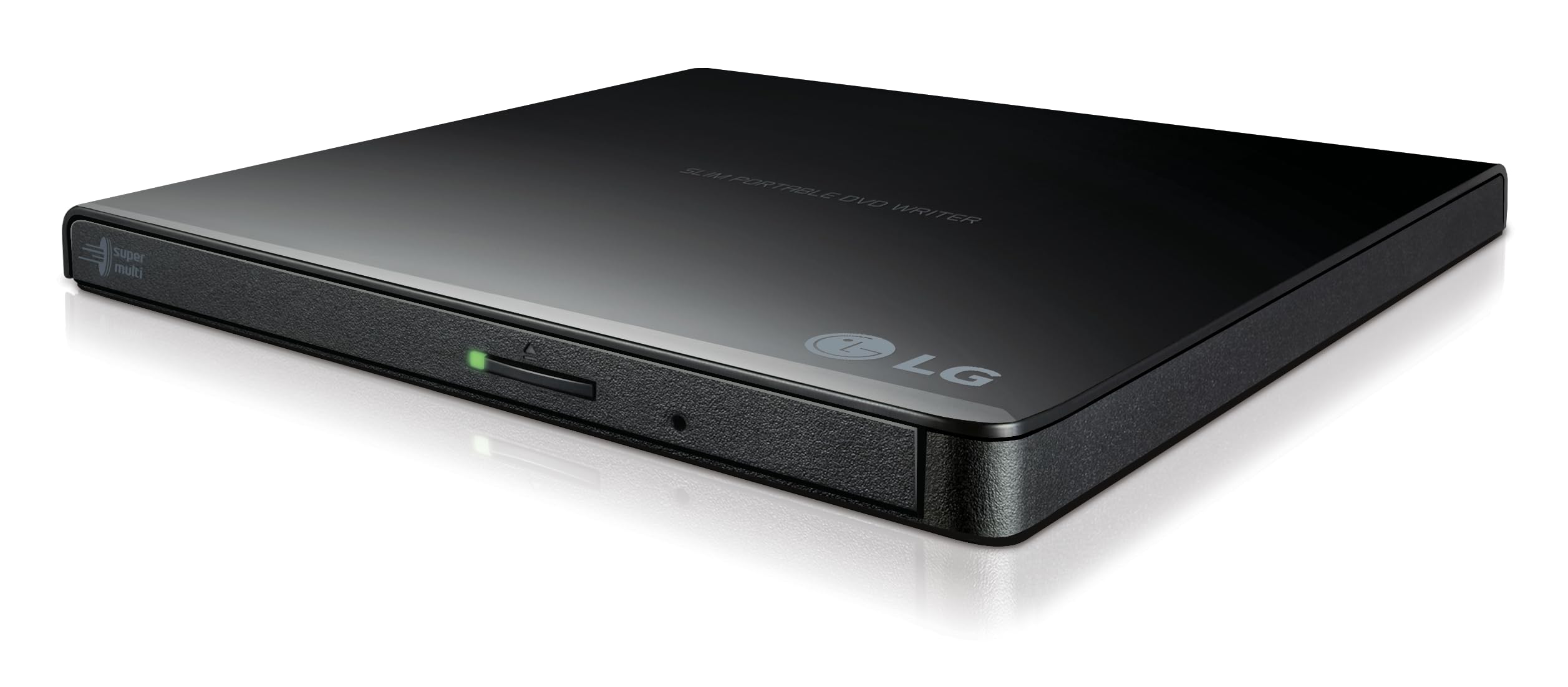
The black twin of the top pick, built for anyone who wants M-DISC backups in a darker shell.
If the white LG looks out of place next to a black laptop, this is the same core idea in a black body. It writes at a max 8x for DVD and max 24x for CD, runs on a USB 2.0 interface that also accepts USB 3.0 ports, and supports M-DISC media for archival burning. It ships with Cyberlink software and a 14mm ultra-slim profile that slides into a laptop sleeve without a bulge.
It burns CDs without complaint and sets up in minutes, which is what you want from a drive you touch a few times a year. The build tells a more mixed story: the shell feels light in the hand, and a minority find it on the flimsy side. Compatibility is the other watch point, with some machine pairings simply refusing to cooperate. Check your operating system against the listing before you order.
Compared with the top-ranked LG, this one has a smaller review base and a slightly lower overall score, so the white version is the safer bet if you have no colour preference. The black shell is the reason to choose this one, and it is a good reason. Just confirm your laptop is on the supported list first.
Choose it for: a black-finish LG that archives to M-DISC and burns CDs at 24x.
Pass if: you have no colour preference — the white LG carries stronger backing for the same job.
4. Verbatim External Slimline CD/DVD Writer

Comes with the cable and the USB-C adapter you would otherwise have to hunt down.
The headline here is what is in the box. You get a USB 2.0 cable, a USB-A to USB-C adapter, Nero and Verbatim backup software, and a two-year limited warranty. On a modern laptop with only USB-C ports, that adapter is the difference between plugging in and scrambling for a dongle. The drive itself reads and writes most CD and DVD formats at up to 8x DVD and 24x CD write speed, and it handles M-DISC media for long-term archiving.
It is USB-powered, so no AC brick to carry, and at 0.6 inches tall it slides into a laptop bag alongside the machine. Note that DVD playback software is not included, so you will need your own player if you plan to watch films rather than burn them.
The recurring gripe is reliability over the long haul. Some units burn happily for years, and a smaller set stop responding partway through a stack of discs. It is a light-duty drive, and treating it that way gets the most from it. The warranty gives you a cushion if a bad unit slips through.
What the box delivers: a USB-C adapter and Nero software included, plus a two-year warranty, which is more completeness than most drives offer.
What to watch: light-duty reliability — this is not the drive to trust with a hundred-disc archiving marathon in one sitting.
Best fit for: a USB-C-only laptop where you want everything in the box and no extra shopping.
Skip the splurge if: you burn rarely and heavily — a sturdier single-job drive may outlast it.
5. External CD/DVD Drive 2 SD/TF Slots
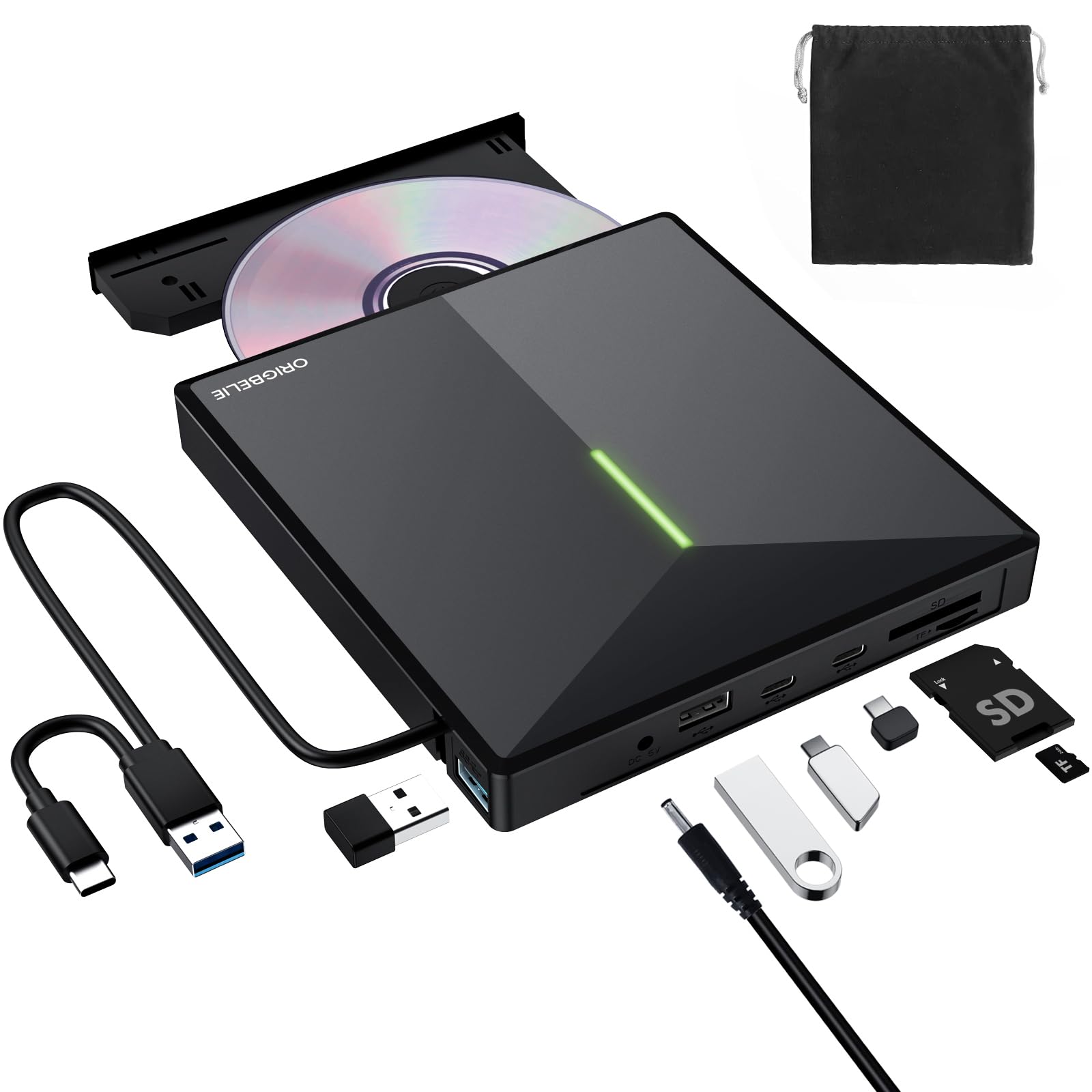
A disc drive and a port hub in one slim slab, with a storage bag thrown in.
This ORIGBELIE drive does double duty: it burns discs and acts as a 6-in-1 USB 3.0 hub with 1 USB-A 3.0, 1 USB-A 2.0, 2 USB-C ports, plus TF and SD card slots. For a laptop with only a couple of ports, that is real value — with only two USB-C ports on a modern laptop, the four extra ports and card slots earn their keep even on days you never open the tray. It supports CD±R/RW, DVD±R/RW, DVD-RAM, and both dual-layer formats, so it covers a wide spread of media.
It is powered straight from USB, with a bundled USB A to DC power cable for laptops that cannot supply enough juice. The integrated cable means you never lose it in a bag, and a matching storage pouch is included. The design carries a full-size 6″L x 5.6″W x 0.7″H footprint — a touch more compact than the Wbacon 7-in-1 at 6.22″L x 5.78″W x 0.67″H — so it fits neatly beside a laptop rather than sprawling across a desk.
Owners praise the quick setup and the light build that slips into a bag. The main snag is compatibility: some MacBook Pro users find it does not play ball, so verify your model first. The SD and TF slots also cannot be used at the same time, so plan one card transfer at a time. The RGB indicator adds a bit of flair you will either love or ignore.
Where the value stacks up
- 6-in-1 hub with 2 USB-C and 2 USB-A ports plus SD/TF slots
- 8x DVD and 24x CD burning speeds
- Bundled storage bag and power cable
- Compact 6″ x 5.6″ x 0.7″ frame
What to check before ordering
- Some MacBook Pro machines are not compatible
- SD and TF slots cannot run at once
- RGB lighting is not for everyone
Pick it when: you want disc reading and extra ports from one device on a port-starved laptop.
Reconsider on: a MacBook Pro, where compatibility is uneven.
6. External CD/DVD Drive USB 3.0

A disc burner that moonlights as a seven-slot hub for cameras and flash drives.
The composition here is what sells it: 1 USB 3.0 port, 3 USB 2.0 ports, a TF slot, and an SD card slot, all wrapped around a CD/DVD burner. That makes it the drive to reach for if you shoot photos or video and pull files off a camera card. The SD and TF slots move camera files to your computer without a separate card reader. One rule: the SD and TF ports cannot be used at the same time, so empty one before filling the other.
The Wbacon measures 6.22″L x 5.78″W x 0.67″H — slightly taller than the ORIGBELIE at 0.7″ and a touch longer, but the difference is negligible on a desk. It burns at max 8x for DVD and max 24x for CD, with error correction and a slip-resistant base that keeps it planted. The embedded data cable keeps things tidy in a bag.
Owners appreciate the extra ports and the convenient placement of the Type-C and Type-A openings, and it is a genuine plug-and-play device on PC. Noise is where it splits — some find it super quiet, others find it loud enough to notice during a burn. Compatibility is broad across Windows, Linux, and Mac OS10.6 and above, though it explicitly does not support Surface Pro, Ubuntu, TV, Blu-ray, iPad, projectors, Chromebook, or cars. That list is long, so read it before you buy.
Go for it if: you need a card reader and a disc burner in one tidy package.
Wait if: your machine is on the unsupported list — Surface Pro, Chromebook, or Ubuntu users should look at the LG instead.
7. SANOXY USB 2.0 External DVD Combo Drive

The entry-level combo drive that reads DVDs but only burns CDs.
Read the listing carefully on this one, because it is the key distinction in the whole category. This SANOXY reads CD-RW and DVD-ROM, but it can only burn CD-RW — it will not write a DVD. If your job is pulling files off old DVDs or making a music CD, that is all you need. If you want to burn a DVD of family videos, this is not the drive for that job, no matter how low the sticker looks.
Build is a durable plastic casing in a slim travel-friendly shape, powered by USB, with a USB data cable and power cable in the box. It is USB 2.0 compliant and plug-and-play across PC, Mac, laptops, and netbooks. The colour ships as black, so there is no guesswork on the finish — you get a clean, neutral drive that matches most setups.
Experiences here are genuinely mixed. Plenty of units work exactly as advertised for reading discs, and that is the realistic expectation at this tier. A slice of buyers find theirs does not work at all, which points to a drive that rewards a careful check of the return window rather than blind trust. For a one-off disc-reading task, the risk is manageable. For anything critical, buy a step up.
What it does well: reads CDs and DVDs and burns CD-RW on a tiny footprint, with a plastic shell that travels easily.
The limit to know: DVD writing is off the table entirely — this is a combo reader with CD burning, not a full DVD writer.
Right for: a cheap, occasional disc reader for a drawer full of old CDs and DVDs.
Wrong for: anyone who needs to write a DVD, because this drive cannot do it.
Know the Specs
USB 2.0 Data Rate
USB 2.0 carries up to 480 megabits per second, roughly 60 megabytes a second. A DVD burning at 8x cannot feed data anywhere near that fast, so the interface is never the bottleneck. A drive labelled USB 3.0 still drops to USB 2.0 speed on an older port, and that is fine for disc work.
Write Speed (8x DVD / 24x CD)
The x figure is a multiple of the base read speed for that disc type. A max 8x DVD write and max 24x CD write are the standard slim-drive numbers, and they translate to roughly a DVD in ten to fifteen minutes and a CD in a few. Faster drives exist, but a slim external is rarely the place to pay for them.
M-DISC Archival Support
M-DISC is a recordable disc format built for long-term storage of files you want to keep for years. A drive that supports M-DISC can burn one, and a drive that does not cannot, no matter what media you insert. If archiving photos or documents matters, this line on the spec sheet is the one to check.
Hub and Card Slots
Several drives here double as USB hubs, adding USB-A and USB-C ports or SD and TF card slots. These are handy on a port-starved laptop, and card slots let you pull camera files without a separate reader. Watch for the note that SD and TF slots usually cannot run at the same time.
Common Questions
Will a USB 2.0 external DVD drive work on a USB 3.0 port?
Can I burn a DVD with the SANOXY combo drive?
Why does my external DVD drive not show up on my MacBook?
Do I need to install drivers for an external DVD drive?
What is M-DISC and do I need it?
Why is my external DVD drive noisy during a burn?
Can I use the SD and TF slots at the same time on these hub drives?
Does my laptop supply enough power for a USB DVD drive?
Can I watch DVDs on a TV or Chromebook with these drives?
What disc formats should I look for in an external DVD writer?
The Bottom Line
The best usb 2.0 external dvd drive for most people is the LG GP65NW60, because it writes DVD-RAM and reads M-DISC, burns at 8x DVD and 24x CD, and works plug-and-play on Windows and Linux without a driver. If keeping burnt discs private matters, grab the ASUS SDRW-08D2S-U for its password-protected burning. And for a laptop that is short on ports, the ORIGBELIE 6-in-1 gives you a disc burner, four USB ports, and a card reader in one package. If you want a burner that also adds four USB ports and a card reader, the ORIGBELIE is the pick.
How we choose
We do not accept paid placement. Every pick is matched to a real buyer and a real use-case; we do not hands-on test units.
Sources
Specifications: manufacturer listings and product documentation. Review insights: verified customer reviews, as of November 2026. Pricing: not shown on this page (it changes often); check the current price via the retailer link.
As an Amazon Associate, Tactical Gear Guy earns from qualifying purchases. This does not affect which products we feature.