Specs are compiled from manufacturer listings and verified buyer reviews and can change over time — please confirm the key details on the product page before buying.
An ultrawide monitor is a big, heavy, awkward slab of glass, and the wrong arm lets it droop, wobble, or lean forward the moment you let go. Your desk surface is only part of the problem — what matters is a mount with enough weight capacity, a wide enough VESA head, and a tension system you can actually dial in by hand. Everything below is chosen for that exact job: holding a large curved screen dead still at eye level.
This guide is built by comparing the manufacturers’ published specifications and the patterns across verified customer reviews, so you get each pick’s real strengths and trade-offs instead of marketing spin.
You will see which mounts carry the biggest weight ratings, which ones clamp to thin desktops, and where each one asks you to compromise. My pick for the strongest all-rounder is the HUANUO TitanLift, a mount rated for screens up to 49 inches and 44 lbs. That is the shape of the whole list you are about to read through in this ultrawide monitor stand breakdown.
Top Picks

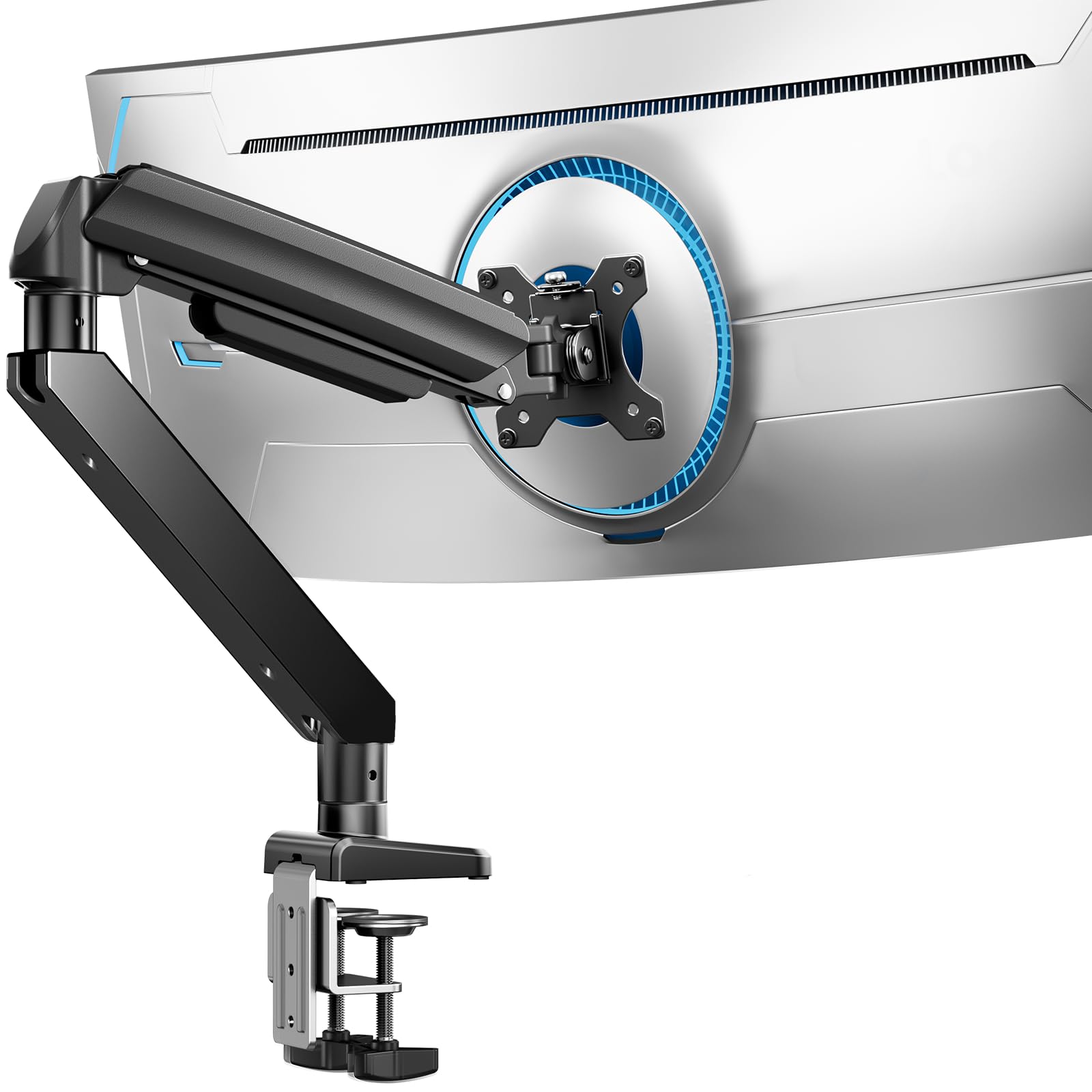
How To Choose The Best Ultrawide Monitor Stand
Most people buy a monitor arm for the desk space it frees up, then discover the real challenge is keeping a heavy curved panel steady. An ultrawide screen puts its weight far forward of the mounting plate, which is why a cheap arm rated for a small flat monitor will droop under one. Pick the mount that matches your screen’s size and weight first, then worry about motion.
Match weight and screen size together
Every arm here lists a maximum screen size and a maximum load in pounds, and the lighter of the two numbers is your real limit. A mount rated for 49 inches and 44 lbs will hold a 49-inch panel only if that panel comes in under 44 lbs. Check your monitor’s own spec sheet before you commit — this one number decides more purchases than any other.
Confirm the VESA pattern on your screen
VESA is simply the four-screw hole pattern on the back of your monitor. The two common spacings are 75x75mm and 100x100mm, and every mount on this list accepts both. Some very large panels skip standard VESA holes entirely or need an adapter that ships with the monitor, not the arm, so look at the back of your screen before ordering.
Decide between a desk clamp and a grommet base
A C-clamp grabs the edge of your desktop, while a grommet base bolts through a hole in the surface. Clamps are easier to fit and move; grommets suit desks with a lip or a beam that blocks a clamp. Measure your desktop thickness and look underneath for crossbeams, because a beam running through the clamp zone will stop installation cold.
Look at tilt range, not just swivel
A large curved screen tilts toward you, so it pulls forward and downward. A mount with a generous tilt arc plus a tension screw you can adjust by hand keeps the panel where you set it. Limited tilt range shows up fast on curved displays, where the weight sits away from the pivot point.
Side-by-Side Comparison
| Model | Best For | Screen Range | Weight Capacity | Mounting | Amazon |
|---|---|---|---|---|---|
| HUANUO TitanLift★ Best Overall | Big single ultrawides | 17″–49″ | 44 lbs | Dual C-clamp | Amazon |
| monTEK Single Arm (45″)Best Value | Tight budgets | 17″–45″ | 35.27 lbs | C-clamp / grommet | Amazon |
| ErGear Heavy DutyWidest Fit | Widest screen fit | 13″–49″ | 37.4 lbs | C-clamp / grommet | Amazon |
| Putilsen 24–57″ Mount | Extra-large panels | 24″–57″ | 59.4 lbs flat / 48.4 lbs curved | C-clamp / grommet | Amazon |
| ARES WING Ultrawide Arm | 49″ Samsung and LG screens | 17″–49″ | 44 lbs | C-clamp / grommet | Amazon |
| monTEK Heavy Duty (57″) | Gas-spring lift on big screens | 17″–57″ | 59.4 lbs | C-clamp / grommet | Amazon |
| WALI Heavy Duty | Long-term daily use | 13″–49″ | 44 lbs | C-clamp / grommet | Amazon |
| VIVO Dual Ultrawide | Two ultrawides at once | 17″–45″ | 44 lbs per arm | C-clamp / grommet | Amazon |
| Ergotron HX HD | Premium 1000R curved screens | Up to 49″ | 28–42 lbs | Two-piece desk clamp / grommet | Amazon |
Detailed Reviews
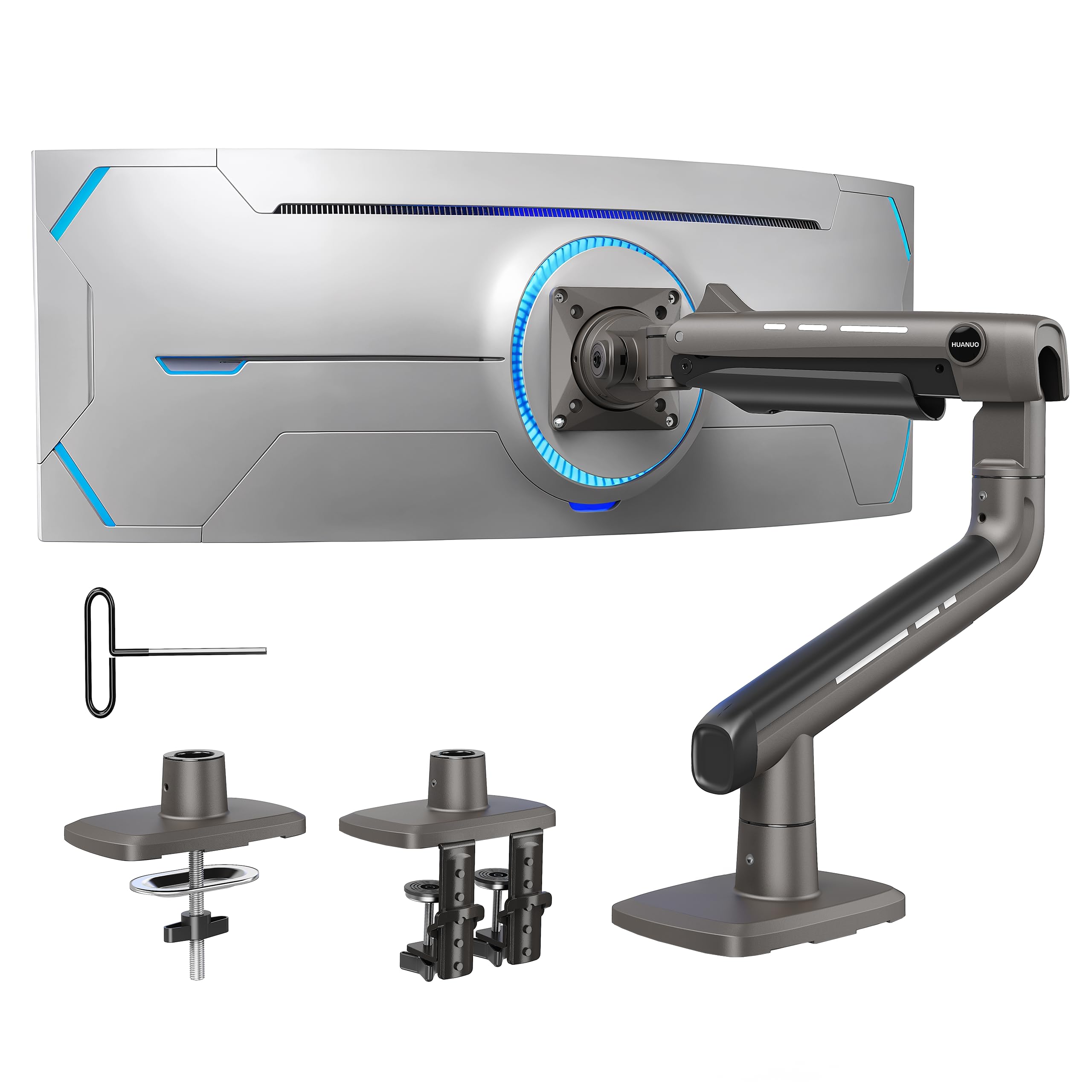
1. HUANUO TitanLift Monitor Arm
Our pick — 4.5+★ from 500+ verified ratings; the strongest balance of quality and price.
The aluminum arm built to keep a 44-pound ultrawide exactly where you parked it.
The number to start with here is 44 lbs, because that is the ceiling of what this arm will hold — and it holds it across a 17 to 49 inch screen range. Under the shell it is high-strength aluminum alloy, with a VESA head the maker describes as 20% thicker and a base 30% wider than its standard build. That extra mass matters when you hang a heavy curved panel on the end of a long arm and the whole thing wants to nose-dive. It uses 75x75mm or 100x100mm hole spacing, the two common patterns, so most big screens bolt straight on.
This arm earns its place at the top because it moves where you need it. Screen tilt runs from +50° to -50° — a full 100 degrees of arc — so you can angle the panel up or down to cut glare. You also get a full 100 degrees of swing to pull the panel sideways toward a guest, and 360° rotation on screens up to 35 inches for a portrait swap. The arm reaches out to 22.5 inches and rises 19.6 inches from desk surface to the mounting plate’s center, which is enough to lift a big screen to eye level. Owners describe the aluminum build as rigid enough to hold a heavy 49-inch panel without sag. Setup is quick rather than fiddly: buyers report the mount going from box to mounted in under ten minutes.
Two things deserve your attention before you click buy. The tension screw is adjusted with the included Allen key into a side bolt, one-handed, so you are not fighting two wrenches to dial in the weight — a real advantage on a heavy panel. The catch is the desk: only wooden desktops are recommended, thickness has to land between 0.8 and 3.5 inches, and the underside cannot have a crossbeam or panel in the clamp zone. Measure that underside first.
Where it pulls ahead
- 44 lbs capacity at a 49 inch maximum screen size, so a big curved panel is not near the limit
- Full 100-degree tilt arc between +50° and -50° holds a forward-leaning curved screen in place
- One-hand tension tuning with a single Allen key into the side bolt
- Built-in cable management keeps the power and display leads off the desk
The fine print worth reading
- Wooden desks only — plastic or glass surfaces are ruled out by the maker
- No crossbeams or panels allowed underneath, which disqualifies some desks
- 360° rotation is limited to screens up to 35 inches, so a 49-inch panel stays landscape
Built for this: anyone hanging a single 34 to 49 inch curved ultrawide on a plain wooden desk.
Worth a second look: a glass-topped or crossbeamed desk rules the clamp out entirely.
2. monTEK Single Monitor Arm
A low-profile aluminum arm for a mid-size curved screen, priced to leave room in the build budget.
At 35.27 lbs of load capacity and a 17 to 45 inch screen range, this monTEK is aimed squarely at the 34 to 45 inch curved panel most people actually own. For context on where that ceiling sits, the HUANUO TitanLift above handles 44 lbs, so this one gives up roughly a third of that capacity. What you get for the compromise is a compact, low-profile base and an improve arm that lifts the screen clear of the desk, plus integrated cable management so the leads disappear underneath. It comes with both a C-clamp and a grommet base in the box, and VESA 75x75mm and 100x100mm are both supported.
The motion set is wider than you would expect at this tier: tilt from -45° to +90°, swivel ±90°, rotate ±180°, and height travel between 8.8 and 20.4 inches. On a 45 inch LG UltraGear specifically, owners mention it working well — a useful real-world confirmation for a panel that size. Build quality and sturdiness win people over, with the aluminum construction and precision mechanics drawing the most praise, and it holds heavy monitors without complaint.
Honest trade-off: adjustability is the mixed bag here. Some owners find the arm less cooperative to reposition than the spec sheet implies, so expect to set your angle once and leave it. There is also a curved-screen caveat from the maker — deep recessed mounting holes on some models need longer 30mm bolts and spacers for a secure grip, so check your panel’s hole depth before you start.
What the clamp gives you: both a C-clamp and a grommet base ship together, so the desk decides your method rather than the mount.
Set it and leave it: the adjustability is the one area owners push back on, so plan a single careful setup rather than constant repositioning.
Reach for this if: you have a 34 to 45 inch curved panel and want the desk freed up without stretching the budget.
Look elsewhere if: your screen has deeply recessed VESA holes and you don’t want to source longer bolts.
3. ErGear Heavy Duty Monitor Arm
Thickened steel and a dual clamp, aimed at the person who swaps screens between sizes.
Start with the number that sets this one apart: a 13 inch floor on the screen range, versus the 17 inch floor on the HUANUO and ARES WING arms. That 13 to 49 inch span means the same mount can carry a small secondary panel today and a full ultrawide later, which is rare. Load capacity is 37.4 lbs, and the maker backs it with a claim of up to 150% stronger than typical stands. The dual C-clamp spreads that load across two contact points rather than one, and the thickened steel arm is there to stop the shake when you type hard or sweep the mouse.
You get plenty of adjustment for the money: +30°/-40° tilt, ±90° swivel, and 360° rotation, with the arm reaching 21.2 inches out and rising to 22.2 inches high. Owners are overwhelmingly happy with the fundamentals — build quality and ease of installation come up most. The price-to-build ratio lands well, with buyers reporting it performing like a mount costing far more. Installation is streamlined with a pre-assembled design, and the maker rates it for up to 10 years of everyday use.
The caveat is the finer motion adjustments. Range of motion, adjustability, and stability all draw mixed feedback, so if you plan to swing and re-angle your screen several times a day, expect some friction. For a screen that stays where you put it, that is a fair trade for the build quality and the unusually wide size window.
The size window is the draw: a 13 inch minimum makes this the most flexible fit on the list for a monitor collection that changes.
Then leave the angle: customers note the arm is best set once and left alone rather than swung around constantly.
Best fit: anyone who wants one mount to cover a small panel now and a big ultrawide later.
Skip if: you reposition your screen multiple times a day and want buttery motion every time.
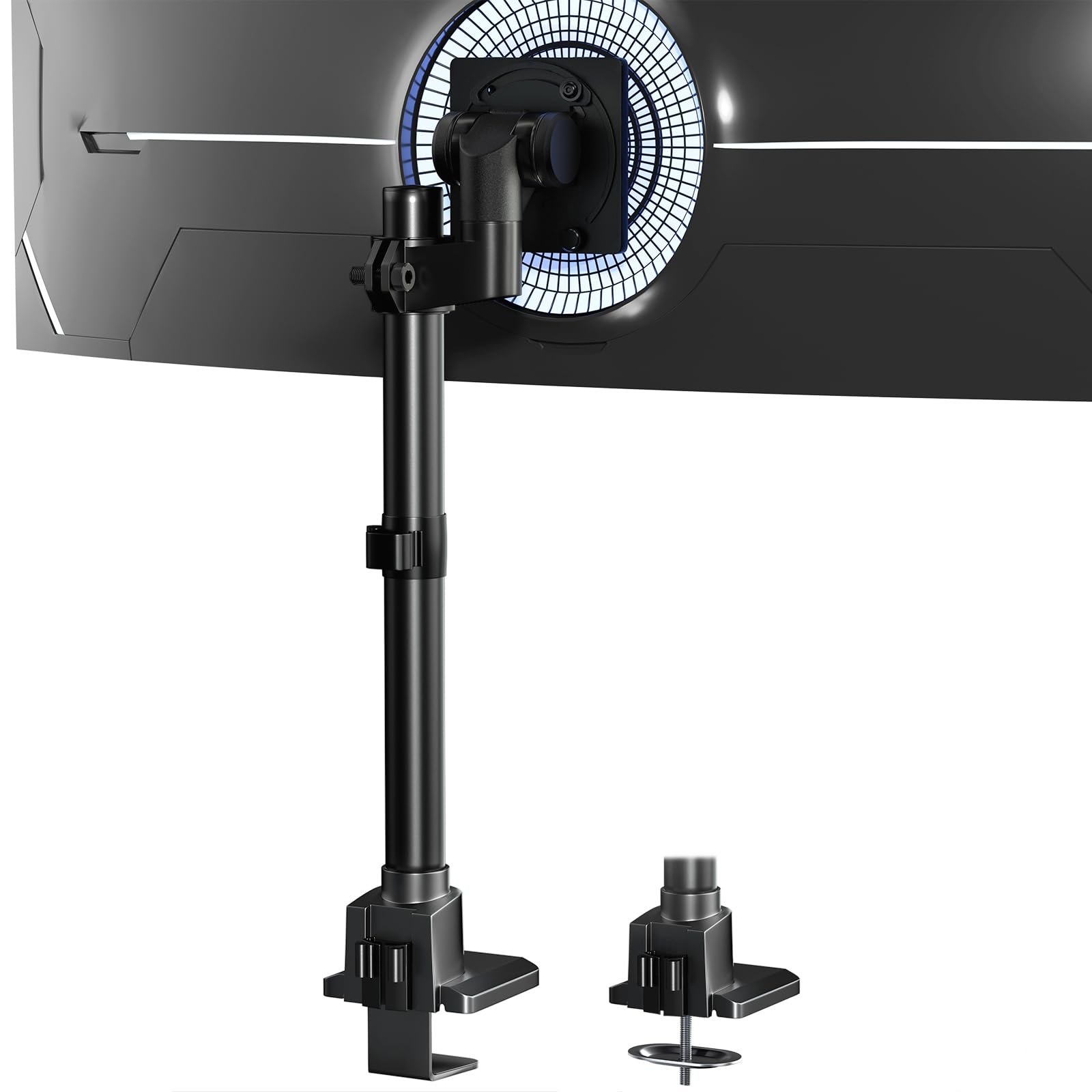
4. 24-57” Ultrawide Monitor Desk Mount
The mount that goes where most arms stop — a 57 inch panel and 59.4 lbs of flat-screen load.
If your screen is bigger than 49 inches, this is the pick that matters. It takes 24 to 57 inch displays, holding 59.4 lbs for a flat screen or 48.4 lbs for a curved one — a deliberate split, because a curved panel’s weight sits differently. Against the monTEK 45 inch arm, that is a 57 inch versus 45 inch maximum and a 59.4 lbs versus 35.27 lbs ceiling, so the headroom here is in a different class. It is aluminum, and it weighs 6.8 lbs on its own.
The design is built for tight rooms: low-profile, with the clamp or grommet hardware accessible from the top side so you are not crawling under the desk. Desks from 0.39 to 1.97 inches thick work with the clamp, or 0.39 to 1.77 inches with the grommet. The quick-release VESA plate means you mount the plate to the screen first, then hang it. Reviewers point out a rock-solid hold and about 20 minutes to full install, and reviewers describe it carrying a Pro Display XDR without issue.
What you should know before ordering: 49, 55, and 57 inch panels sometimes need an extra steel adapter to reach standard VESA holes. That adapter usually comes with the monitor, not the mount, so dig out the box your screen shipped in. The other honest note is the height adjustment — tilt is a one-hand job, but the up-and-down travel draws complaints about smoothness.
Why big-screen owners gravitate here
- 24 to 57 inch range covers panels most arms cannot touch
- 59.4 lbs flat / 48.4 lbs curved gives honest separate limits for each screen type
- Topside base install means no crawling underneath
- Quick-release VESA plate speeds up mounting a heavy panel
Plan around these
- Very large panels may need a separate steel VESA adapter that ships with the monitor
- Height travel is the rough edge — tilt is smooth, vertical adjustment is not
The one to buy: anyone running a 49, 55, or 57 inch ultrawide and finding every other arm under-rated.
Check first: confirm your panel’s adapter and VESA hole layout before the mount arrives.
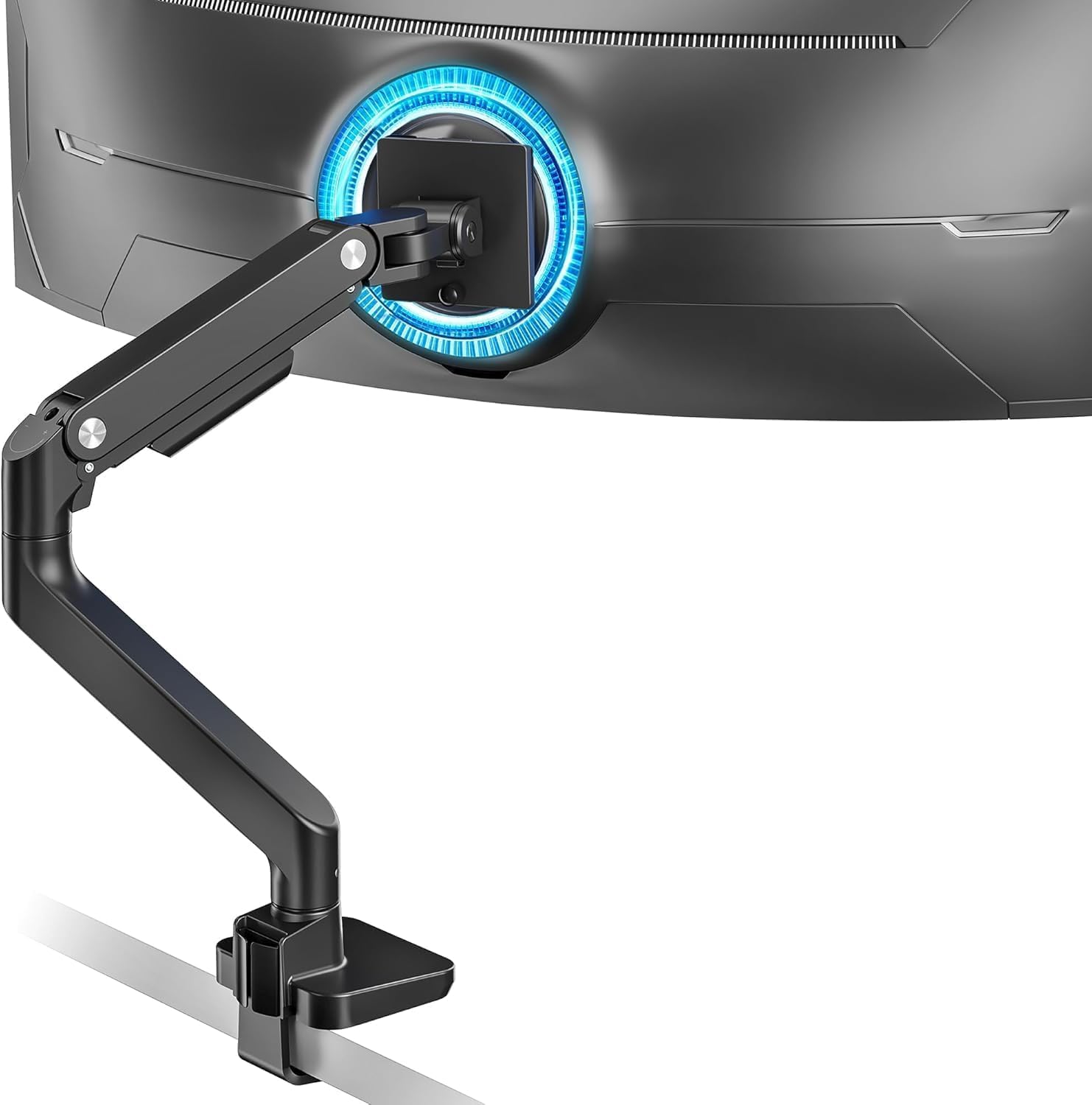
5. ARES WING Ultrawide Monitor Desk Arm
A steel gas-spring arm tuned for the Samsung Odyssey G9 crowd.
This arm is explicitly built around the 49 inch curved flagship class — it lists the Samsung Odyssey G9 and LG 49 inch ultrawides by name. Capacity is 4.4 to 44 lbs across a 17 to 49 inch range, with 75x75mm and 100x100mm holes. Internally it uses a gas spring that has been through fatigue testing, which is the part that does the heavy lifting when you push a big screen up or pull it down. The construction is steel, and the arm’s motion set reads +50° to -20° tilt, 180° swivel, 360° rotation, height from 8.7 to 18.7 inches, and 22.4 inches of reach.
Owners praise the steel build and sturdiness, along with how well it supports large displays like the LG 45 inch model. The topside install is a genuine convenience — you assemble from above rather than under the desk — and the detachable VESA plate lets you screw the plate to the screen before lifting it. A few owners have also pushed it beyond monitors entirely, using it with a VESA laptop tray and a MacBook Pro.
The thing to size up honestly: adjustability, stability, and value for money all draw mixed reactions. The gas spring that makes a big screen easy to lift can also make fine positioning feel less locked-in than a friction arm. If you want a screen that stays put and you rarely move it, that is fine. If you constantly re-angle, factor it in.
Built around one screen family: naming the Odyssey G9 and LG 49 inch panels takes the guesswork out if that is your display.
Know the spring: gas-spring lift is easy on the arms but less locked-in for fine angles than a friction joint.
Match made: a 49 inch Samsung or LG curved ultrawide and a desk with a clear underside.
Think twice: if your panel has no VESA holes, you will need an adapter before this arm is any use.
6. monTEK Heavy Duty Monitor Arm

Steel-and-aluminum gas spring that carries a 57 inch panel and still moves at a fingertip.
Take the two big numbers first: a 17 to 57 inch screen range and a 59.4 lbs capacity, matched with 75x75mm or 100x100mm holes. That puts it in the same weight class as the 57 inch Putilsen mount above, but this one adds a gas spring so a heavy panel rises and falls with a push rather than a shove. The spring has been through over 20,000 life cycles, and the mixed steel and aluminum build is meant to cut wobble while you work.
Motion is generous: +75° to -75° tilt, 180° swivel, ±90° screen rotation for a portrait flip, height from 11.3 to 22 inches, and up to 19.7 inches of extension. The tilt arc in particular is the widest on this list at a full 150 degrees, against the 100-degree arc on the HUANUO and the 50-degree arc on the WALI. Owners describe the steel-and-aluminum build as tank-like and the assembly as straightforward, and it holds a 32 inch panel without trouble. The quick-release VESA plate and labeled parts are aimed at cutting install time — the maker claims up to 30% less of it.
Two honest caveats. Adjustability splits opinion, and some report the tilt mechanism not cooperating at all, so test that joint early while returns are still easy. Durability also draws a minority of negative notes. Neither is a pattern across the whole review base, but they are the two spots to know about before you mount a heavy screen.
Widest tilt arc on the list: 150 degrees of travel lets you throw a big curved screen far forward or lay it back.
Test the tilt joint early: a minority report the tilt mechanism fighting them, so confirm yours works in the first week.
Pick it for: a 49 to 57 inch screen that needs to move easily and land in a very specific angle.
Check instead: if you never move your screen, a friction arm saves the gas-spring complexity.
7. WALI Heavy Duty Monitor Arm
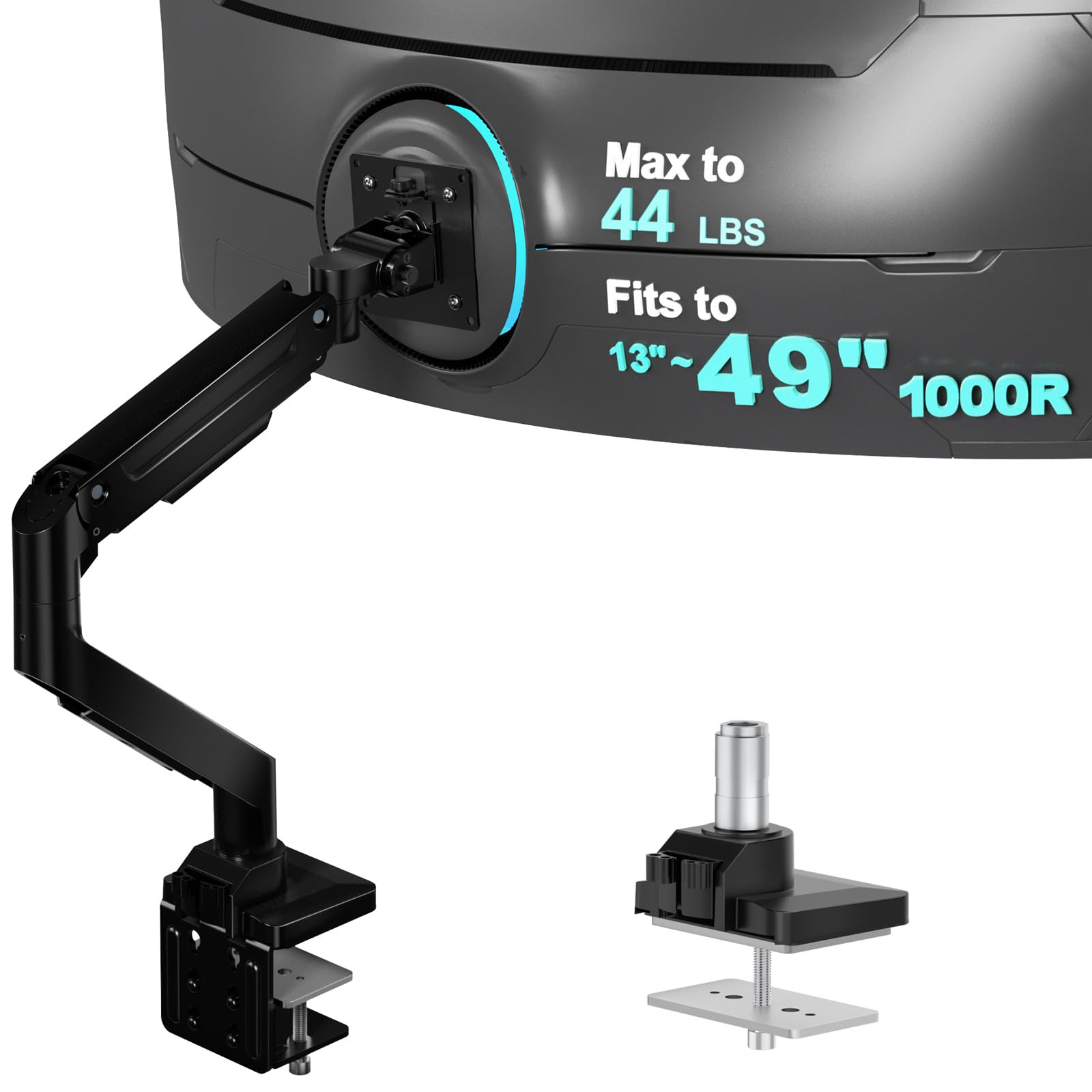
The tried-and-tested option for a tight 1000R curve, with the longest track record in this group.
A 1000R curve is the aggressive bend on screens like the Samsung G9 family, and this WALI is built to fit exactly that shape across a 13 to 49 inch range at up to 44 lbs. The 13 inch floor matches the ErGear, so it works with a small panel too. Inside, the core has been through 20,000+ test cycles, and the VESA head is deliberately wider with a tighter-fitting panel to keep a curved screen from shifting. It clamps at 0.39 to 3.15 inches of desk thickness or grommets at 0.39 to 1.77 inches.
What sets this arm apart is simply how long it has been in service — it is the most-reviewed arm on this list by a wide margin. Quality is what buyers praise most, followed by how easy it is to assemble. You get 21.57 inches of reach out and 20.35 inches up, with ±90° swivel, ±45° tilt, and 360° rotation. That 360-degree rotation means a portrait orientation is on the table if you want one, and built-in cable management routes the wires along the arm.
Where it gives ground is holding force on the heaviest curved panels. Some shoppers say the arm leaning forward slightly and struggling to keep a heavy Samsung G70B from wobbling. Treat the 44 lbs as a ceiling rather than a comfortable middle, and this remains a dependable, well-proven arm. A wooden desk is recommended by the maker.
Proven over time: 20,000+ test cycles and the largest owner base here make it a low-risk pick.
Respect the weight limit: a few heavy curved panels lean forward, so don’t run it near 44 lbs.
Solid bet: a 1000R curved screen in the mid-size range and a buyer who values a long track record.
Go heavier: a very heavy curved panel belongs on a mount rated for more than you need.
8. VIVO Dual Ultrawide Monitor Mount

Double the ultrawide, double the arm — one clamp holds two big curved screens.
Every other mount here carries one screen; this VIVO carries two, each up to 45 inches and 44 lbs per arm, with 75x75mm or 100x100mm holes on both heads. It secures to desks up to 3.2 inches thick with the heavy-duty C-clamp, or 1.4 inches with the optional grommet. The arms are spring-assisted, which means the counterbalance does the lifting so you can reposition a large screen with a hand rather than a wrestling match.
Motion covers +50° to -20° tilt, 180° swivel, 360° rotation, and 11 inches of spring-lift height adjustment, with covered cable management running down each arm. Detachable VESA plates make mounting a big panel easier since you screw the plate on before lifting the screen into place. Owners describe it as extremely sturdy with no wobble, and it comfortably supports two 32 inch monitors — a useful read for a smaller dual setup instead of a pair of full ultrawides.
The honest limit: two full 45 inch ultrawides side by side is a lot of lateral load on one clamp, and VESA notes the desk needs to be substantial for it. Every one of the individual arms above spreads a single screen’s weight; this one concentrates two.
The dual-screen reason to buy: 44 lbs per arm and 45 inch capacity on both heads gives a matched pair the same limits.
One clamp, two loads: confirm your desktop can take the combined weight before you hang two big panels on it.
Two-screen setup: a workstation or trading desk running a matched pair of large curved panels.
Solid desk required: a thin or hollow-core surface is the wrong foundation for two ultrawides on one clamp.
9. Ergotron HX HD Monitor Arm

The premium end of the shelf — an HD pivot and a 10-year warranty on a single 49 inch curved screen.
Buy this one for a specific reason: the HD pivot, which is the heavy-duty joint built to hold a big 1000R curved panel at the angle you set. It fits single screens up to 49 inches and 28 to 42 lbs, with 75x75mm or 100x100mm holes, and it names the Samsung Odyssey G9 directly. Note the weight band — 28 to 42 lbs means it expects a heavy panel, not a light one, so match your screen to that window rather than pushing it over.
Motion is 11.5 inches of lift, the screen rising 17.8 inches from the worksurface, with 360 degrees of rotation and 20 degrees of tilt. That tilt number is deliberately small compared with the 150-degree arc on the monTEK 57 inch arm — this is a mount designed to hold a big curved screen steady, not to swing it around. The two-piece desk clamp fits surfaces 0.4 to 2.6 inches thick, and a grommet mount is included for a through-surface install. Ergotron backs it with a 10-year warranty and technical support.
What owners confirm is stability: no wobble, a solid hold on a 49 inch ultrawide, and clean fit with the Samsung G9 series. Setup is quick — buyers report around ten minutes. The catch is the limited tilt if you want to lay the screen back or angle it steeply. For a fixed ergonomic position on a flagship curved panel, that trade-off is the point.
The HD pivot is the whole argument: it exists to hold a heavy 1000R curve without the forward lean that plagues lighter friction joints.
Built to stay put: 20 degrees of tilt and a 10-year warranty signal a fixed-position ergonomic mount, not a swing arm.
The premium hold: a flagship 49 inch curved screen that you want locked at eye level for the long haul.
Not for tinkerers: if you angle and swing your screen daily, the 20-degree tilt will feel tight.
Know the Specs
Weight capacity and the curved-screen split
Weight capacity is the most important number on any ultrawide arm, and the two figures to watch are the flat-screen rating and the curved-screen rating. A curved panel’s mass sits further from the mounting plate, so some mounts publish a lower limit for curved screens — like 59.4 lbs flat versus 48.4 lbs curved. Treat that lower number as your real ceiling, and remember an adapter or accessory adds to the load.
VESA hole spacing
VESA is the four-bolt pattern on the back of your monitor. The common spacings are 75x75mm and 100x100mm, and most mounts on this list accept both. Some very large panels skip standard holes or need an adapter that ships with the monitor rather than the arm, so check the back of your screen and its box before you order.
Gas spring versus friction joint
A gas spring is a pressurized cylinder that counterbalances the screen’s weight so it rises and falls with a light push. A friction joint relies on a tightened bolt to hold the position. Gas springs make a heavy panel easy to move; friction arms tend to hold a set angle more firmly. Pick based on whether you reposition often or set it once.
Tilt, swivel, and rotation
Tilt leans the screen forward and back, swivel swings it left and right, and rotation spins it into portrait. Tilt matters most on a curved screen because the weight pulls forward. Mounts here range from a 50-degree arc to a 150-degree arc, so if you like to lay the screen back, check the tilt number.
Desk clamp vs grommet base
A C-clamp grips the edge of the desktop; a grommet base bolts through a hole in the surface. Clamps fit most desks but need clear space underneath. Grommets suit desks with a beam or lip that blocks a clamp. Measure your desktop thickness and check for crossbeams before choosing a method.
Extension, height, and desk space
The extension is how far the arm reaches out from the clamp, and the height is how far the mounting plate rises from the desk. Together they decide whether your screen can hit eye level and pull close enough for a comfortable read. They also decide how much desk surface the arm frees up once the factory base is gone.
Common Questions
How much weight can an ultrawide monitor arm hold?
Will an ultrawide monitor arm fit my 49-inch Samsung Odyssey?
What is the difference between a C-clamp and a grommet mount?
Does a gas spring arm hold position or slowly drop?
Can I use a monitor arm on a glass or plastic desk?
How do I stop my curved ultrawide from wobbling?
What VESA pattern does my monitor need?
Can two ultrawides share one monitor arm?
Does an ultrawide arm free up desk space?
Can I rotate a large ultrawide into portrait?
The Bottom Line
For most people, the best ultrawide monitor stand here is the HUANUO TitanLift. It holds 44 lbs, gives you a full 100-degree tilt arc, and lets you tune tension with one hand. Its 17 to 49 inch range covers everything from a mid-size curve to a flagship. If you are running a panel bigger than 49 inches, the 24-57 inch Putilsen mount is the one that actually takes the load at 59.4 lbs flat. And if you want the premium hold for a 1000R flagship, the Ergotron HX HD with its HD pivot and 10-year warranty is the long-term answer. One nudge: check your monitor’s weight and VESA pattern against the mount’s published limits before ordering, because that single check saves more returns than any other.
How we choose
We do not accept paid placement. Every pick is matched to a real buyer and a real use-case; we do not hands-on test units.
Sources
Specifications: manufacturer listings and product documentation. Review insights: verified customer reviews, as of November 2026. Pricing: not shown on this page (it changes often); check the current price via the retailer link.
As an Amazon Associate, Tactical Gear Guy earns from qualifying purchases. This does not affect which products we feature.