Specs are compiled from manufacturer listings and verified buyer reviews and can change over time — please confirm the key details on the product page before buying.
Buying a desktop is really a question about your desk, not your processor. If you want one cable and no clutter, an all-in-one puts the whole computer behind the screen. If you want a big monitor plus a small box you can hide, a mini PC does that job. If you plan to swap parts later, a tower is the only shape that lets you. That is the first decision, and it decides everything after it.
This guide is built by comparing the manufacturers’ published specifications and the patterns across verified customer reviews, so you get each pick’s real strengths and trade-offs instead of marketing spin.
Below you get the shape that fits each buyer, the specs that actually change daily use, and the honest trade-offs on every machine. Read this before you spend on any of the Types of Desktop Computers you are weighing.
Top Picks

How To Choose The Best Types of Desktop Computers
Start with the shape, then the screen, then the chip. Most buyers get this backwards and end up paying for speed they never feel while living with a tower they never wanted. Here is the order that keeps you out of that trap.
Pick the form factor before anything else
An all-in-one (AIO) is a monitor with the whole computer built into the back. You get one power cable and a clean desk, but you cannot swap the screen or the processor later. A mini PC is a small box that sits under or behind your monitor, so you choose the screen separately and keep it when you upgrade. A tower is a big case with room for a dedicated graphics card — the only shape here that handles serious gaming and later part swaps.
Decide how much memory you need, and whether you can add it
Memory (RAM) is your computer’s short-term workspace — more of it means more browser tabs and apps open at once without slowdown. DDR5 is the newer, faster generation of that memory. On most towers and mini PCs you can add more later, up to a stated ceiling. On Apple’s unified memory, the RAM is built into the chip and fixed at purchase, so buy the amount you will need in three years, not today.
Check the display outputs, not just the resolution
A mini PC that lists 4K support still needs the right ports to drive two or three monitors at once. Look for HDMI, DisplayPort, and USB-C video output in the listing, and count how many displays you can run at the same time. That single number decides whether the box in your hand can actually replace the tower under your desk.
Side-by-Side Comparison
| Model | Best For | Form Factor | Memory | Storage | Amazon |
|---|---|---|---|---|---|
| Apple 2024 iMac M4★ Best Overall | One-cable all-in-one | All-in-one, 24-inch | 16 GB unified | 256 GB SSD | Amazon |
| KAMRUI Pinova P1 Mini PCTiny Desk Saver | Tiny desk setup | Mini PC | 8 GB RAM | 256 GB SSD | Amazon |
| Lenovo IdeaCentre AIOHome Office Value | Home office value | All-in-one, 23.8-inch | 8 GB DDR5 | 512 GB SSD | Amazon |
| Gaming PC Ryzen 5 5600GT | Everyday tower | Mid tower | — | SSD | Amazon |
| GMKtec M6 Ultra | Mini PC with RAM headroom | Mini PC | 32 GB DDR5 | 1 TB SSD | Amazon |
| GEEKOM IT13 MAX | Creator mini PC | Mini PC | 24 GB LPDDR5 | 512 GB SSD | Amazon |
| GMKtec M7 Ultra | Gaming mini PC | Mini PC | 32 GB DDR5 | 1 TB SSD | Amazon |
| Apple Mac mini M6 | Mac desktop, smallest body | Mini PC | Up to 32 GB unified | — | Amazon |
| HP OMEN 40L | Gaming with a real GPU | Full tower | 16 GB DDR4 | 1 TB NVMe SSD | Amazon |
| Dell 27 All-in-One | Big-screen all-in-one | All-in-one, 27-inch | — | — | Amazon |
| Dell Pro Tower Plus | Business workstation | Mid tower | 32 GB DDR5 | 1 TB SSD | Amazon |
| MSI Codex Z2 | Next-gen gaming GPU | Mid tower | 32 GB DDR5 | 2 TB SSD | Amazon |
| Alienware Aurora | Premium gaming tower | Mid tower | — | — | Amazon |
Detailed Reviews
1. Apple 2024 iMac All-in-One Desktop Computer with M4 chip
Our pick — 4.5+★ from 700+ verified ratings; the strongest balance of quality and price.
The whole computer hides behind a 24-inch screen, so your desk gets one cable and nothing else.
This is the pick for someone who wants the desk to look finished. Everything — processor, memory, storage, camera, speakers — lives inside the display housing, so the only wire you manage is the power cord. The M4 chip with 8-core CPU and 8-core GPU handles photo editing, presentations and light games without a tower fan droning on the desk. It is also the most polished all-in-one here, and owners back that up: 4.5+ stars across 700+ reviews.
You buy this one for the screen. It is a 24-inch 4.5K Retina panel at 500 nits of brightness (nits measure how bright a screen gets — 500 is bright enough to fight glare from a nearby window), and it covers up to 1 billion colors. Photos and video look right on it, and text stays crisp at any zoom level. Around the edges you get up to four Thunderbolt 4 ports (a fast connector that also carries video), enough to drive up to two external 6K displays. Wi-Fi 6E and Bluetooth 5.3 handle wireless, and the 12MP Center Stage camera keeps you framed on calls.
What wins people over is performance — reviewers mention it more than any other strength, and faster-than-Windows comparisons come up again and again. Buyers also single out setup: it is quick, and migrating from an older Mac is described as smooth. The catch is memory. Apple’s 16GB unified memory is soldered in and shared between processor and graphics, so you cannot add more in two years the way you can on a tower. Buy this for the screen and the tidiness, and size the memory for the long haul.
What earns the top spot
- 24-inch 4.5K Retina display at 500 nits — bright, sharp and color-accurate from the start.
- M4 chip with 8-core CPU and 8-core GPU keeps photo, video and office work moving.
- Up to four Thunderbolt 4 ports and support for two external 6K displays.
- Single power cable — no tower, no monitor cable, no clutter.
Where it asks you to commit
- 16GB unified memory is fixed at purchase and cannot be upgraded later.
- 256GB SSD fills fast once you start storing photo or video libraries.
- No dedicated graphics card, so heavy 3D work is not its job.
The desk-first pick: right for anyone who wants a finished, one-cable workspace and a screen worth staring at all day.
The honest limit: plan your memory and storage at checkout, because neither changes afterward.
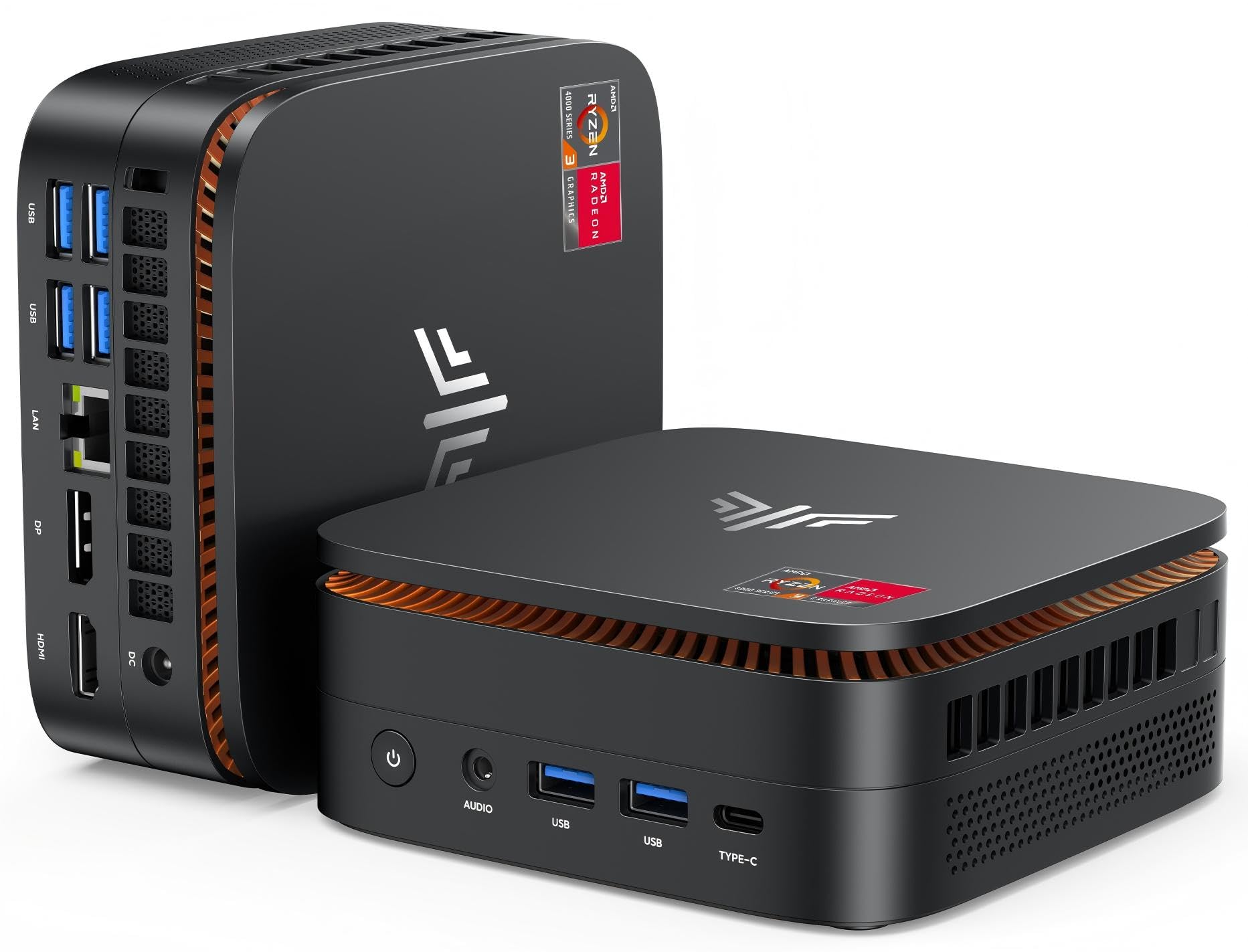
2. KAMRUI Pinova P1 Mini PC, AMD Ryzen 3 Pro 7330U
A five-inch box that quietly replaces the tower under your desk and hides on the back of your monitor.
Look at the size first, because it is the entire pitch. This machine measures 5.06 x 5.06 x 2.01 inches, and against the 21.54 x 5.79 x 18.15-inch footprint of the iMac above, it is a very different kind of object on a desk. A VESA bracket is included, so you can bolt it to the back of a monitor and effectively make your own all-in-one. For a spare room, a shop counter, or a work-from-home setup that has to share space with everything else, that matters more than any benchmark.
Inside sits an AMD Ryzen 3 Pro 7330U (a four-core laptop-class processor) running up to 4.3GHz, paired with 8GB of RAM and a 256GB M.2 SSD. It ships with Windows 11 Pro, which gets you BitLocker drive encryption and remote desktop on a machine this small — a genuine surprise at this tier. The graphics are integrated and rated for 4K at 60Hz, and the port stack is unusually generous: HDMI, DisplayPort, four USB 3.2 ports, Gigabit Ethernet and an audio jack. You can run three screens off it.
The honest read is that 8GB is the ceiling you will feel in two years of heavy browser use, and this is not a gaming box no matter what the listing photo suggests. Light games, email, documents, spreadsheets and streaming are the target, and for that it stays responsive. It is also the most affordable route into a working desktop on this list, and quietly capable for the size.
Best used for: a second desk, a reception counter, or a monitor you already love — bolt it on the back and you are done.
Where 8GB shows: dozens of browser tabs plus a heavy app will start to drag, so treat RAM as a known ceiling rather than a surprise.
Reach for this if you want a full Windows desktop that disappears behind your screen and costs the least on this page.
Look elsewhere if your work involves video editing, 3D or heavy gaming — that is a different machine entirely.
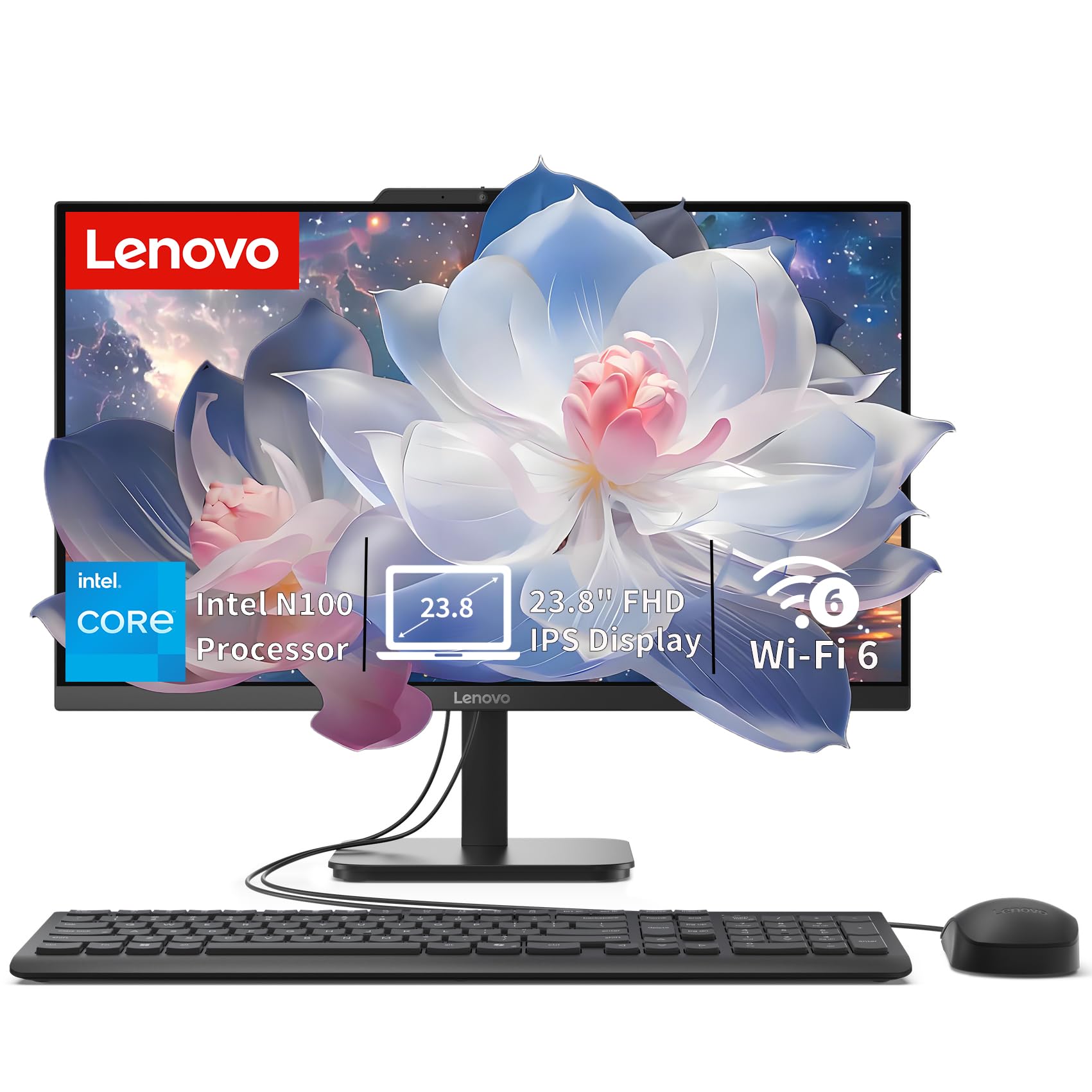
3. Lenovo IdeaCentre All-in-One Desktop Computer
A 23.8-inch all-in-one that boots straight into work and asks almost nothing of your budget.
This is the one you put on a reception desk or a kitchen counter and forget about. The Intel N100 processor (a low-power four-core chip built for everyday tasks) runs up to 3.4GHz with 6MB of cache, and it is not trying to be fast — it is trying to be quiet, cheap and reliable at browsing, email and documents. The 23.8-inch Full HD IPS screen is anti-glare with 250 nits of brightness and 99% sRGB color, so spreadsheets read clearly and video looks natural. It connects up to two displays total, including the built-in panel, through HDMI-out.
It beats the iMac on one number: 512GB of SSD storage versus the iMac’s 256GB, so you keep more files on board before you reach for a drive. The DDR5 memory is 8GB and the system supports up to 32GB total, so unlike a sealed Apple all-in-one, this one has a stated upgrade path for memory. Wi-Fi 6 and Bluetooth 5.2 keep the wireless current, and the port spread is generous for a one-piece machine — one USB-C at 10Gbps, two USB-A at 10Gbps, two USB-A 2.0, HDMI 1.4b, Ethernet and a headset jack.
Performance is what gets praised most, with setup close behind — buyers describe it booting into Windows 11 cleanly and the anti-glare screen staying easy to read. The genuine gripe is the USB layout: the fast ports and the slow ones are mixed together, and it is easy to plug an external drive into a 2.0 slot by mistake. Know that going in and it is a non-issue.
What it does well: a 23.8-inch anti-glare FHD screen, 512GB of storage and DDR5 memory that can grow to 32GB — a sensible everyday desk for the price tier.
What it is not: a machine for gaming or video editing, because the integrated Intel UHD Graphics and N100 chip are built for documents, not frames.
Suits: students, home offices and front-desk setups where the screen is on all day and the work is email, browsers and documents.
Not for: anyone whose week includes video editing or 3D rendering — the integrated graphics will hold you back.
4. Gaming PC, Ryzen 5 5600GT 6-Core High Performance Processor

A real tower with room inside, built around a six-core chip and a 19MB cache.
The number to notice here is the 19MB cache. That is the processor’s built-in scratchpad (fast memory it keeps on hand), and against the KAMRUI P1’s 6MB it is a large on-chip workspace for the same kind of work. The AMD Ryzen 5 5600GT runs at 3.6GHz with a 4.6GHz maximum across six cores, so opening twenty tabs, running a spreadsheet and streaming music at once does not make it stumble. For a household desk or a student’s room, that headroom is what keeps a machine feeling new after two years.
Around the chip you get an AMD B350 chipset, an 80 PLUS Bronze 600W ATX power supply (a rating for how efficiently the power supply converts wall power) and integrated AMD Radeon Graphics. Intel Wi-Fi 6 AX200 and Bluetooth handle wireless without a dongle. The rear panel carries HDMI, VGA, PS/2, USB, RJ-45 Ethernet and audio, with USB and audio on the front where your hand actually reaches. It is a black mid-tower with the space for later additions — the shape that lets you open the case and change parts.
The realistic frame is that this is an everyday tower wearing a gamer name. Integrated graphics play light and older titles, not current big-budget releases at high settings. If your list is schoolwork, office apps, browsing and casual games, it delivers; if it is modern AAA gaming, you want one of the dedicated-card towers further down this list.
Why it holds up
- 19MB cache and six cores at up to 4.6GHz handle multitasking comfortably.
- 600W Bronze-rated power supply leaves headroom for a later graphics card.
- Tower case opens up for upgrades — a shape the all-in-ones cannot match.
What to know first
- Integrated Radeon Graphics, so modern AAA titles need settings turned down.
- No dedicated card from the start — plan for one if gaming is the point.
Pick it when: you want a box you can open, upgrade and grow with, and your work is office apps, study and light gaming.
Pass when: your evenings are current-generation games at high settings — you need a dedicated graphics card for that.
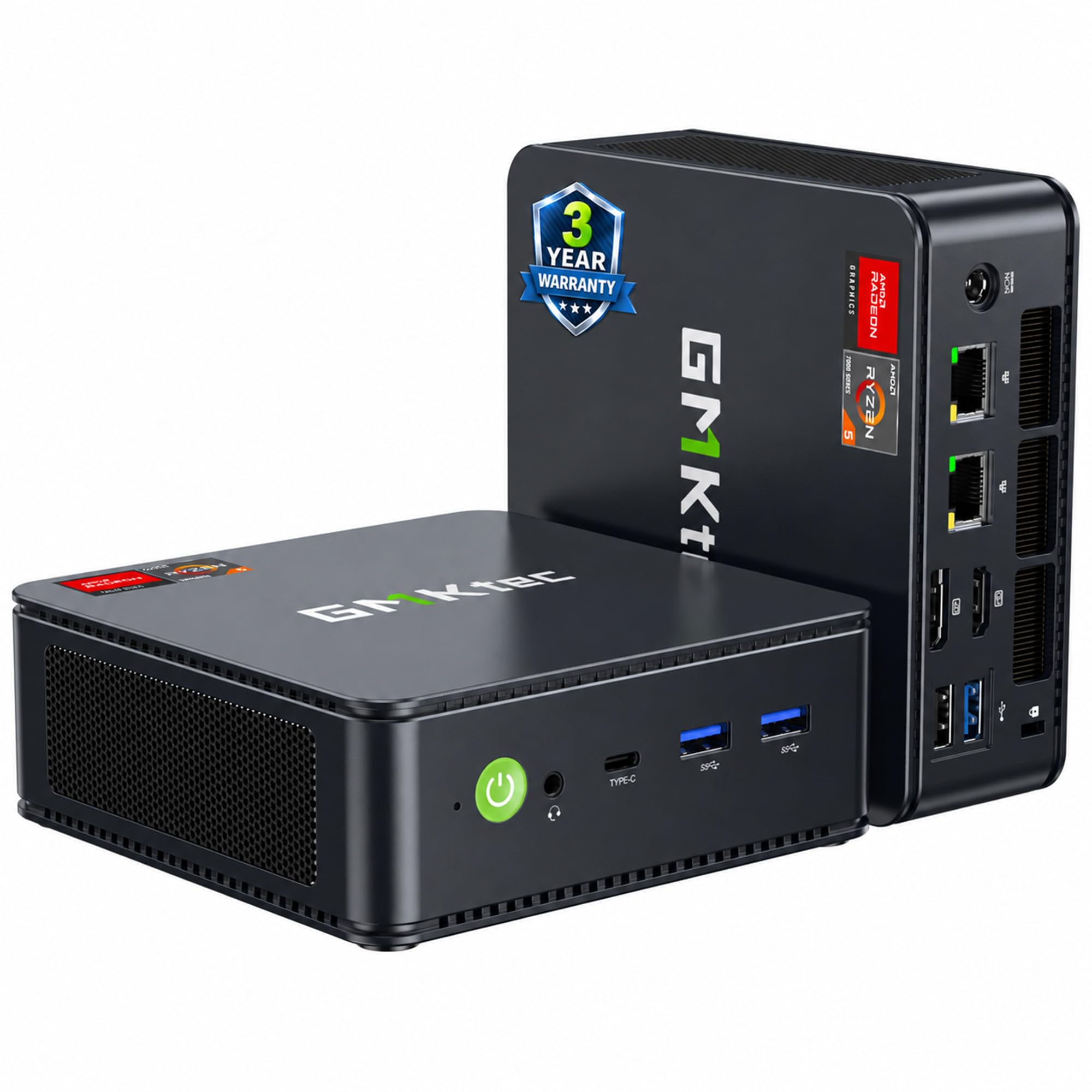
5. GMKtec M6 Ultra Gaming Mini PC Ryzen 7640HS
Thirty-two gigabytes of RAM in a box you can hide behind your monitor — and it still has room to grow.
Memory is the headline, and the arithmetic is stark. This mini PC ships with 32GB of DDR5 RAM in dual channel, and the Apple iMac above starts at 16GB that can never change. That 32GB is the difference between running a browser with thirty tabs, a spreadsheet and a video call without hesitation, and feeling the machine slow down. The Ryzen 5 7640HS is a six-core chip with twelve threads running from 4.3GHz base to 5.0GHz boost, and the maker claims a 30% performance increase over the previous Ryzen 7 6800H and 6600U — a manufacturer figure worth knowing, not a benchmark you can rely on.
The storage is equally generous: a 1TB M.2 2280 PCIe 3.0 SSD, with a second slot that supports PCIe 4.0 drives up to 8TB. RAM can climb to 128GB. Radeon 760M integrated graphics with 512 shaders at up to 2,600MHz handles moderate gaming at a steady frame rate and hardware-encodes AV1, HEVC and AVC video — useful if you stream. You get three simultaneous 4K displays, one of them at 8K at 60Hz over USB4, plus dual 2.5G Ethernet ports, Wi-Fi 6 and Bluetooth 5.2. The maker covers it with a 3-year limited warranty.
The trade-off is that integrated graphics still are not a dedicated card. This will play moderate games steadily; it will not match the RTX 5070 towers for modern titles at high settings. For a home office that doubles as a light gaming and streaming machine, though, the memory and storage combination here is hard to match for the size.
The standout spec: 32GB of DDR5, expandable to 128GB, plus a 1TB SSD with a second slot for up to 8TB — this machine grows with you instead of sealing you in.
The fair caveat: Radeon 760M integrated graphics handle moderate gaming, but a demanding modern title at high settings is a different class of machine.
Made for: heavy multitaskers, light gamers and home-office power users who want desktop-class memory without a tower on the floor.
Think twice: if your main goal is AAA gaming at high settings — that calls for the dedicated-card towers below.
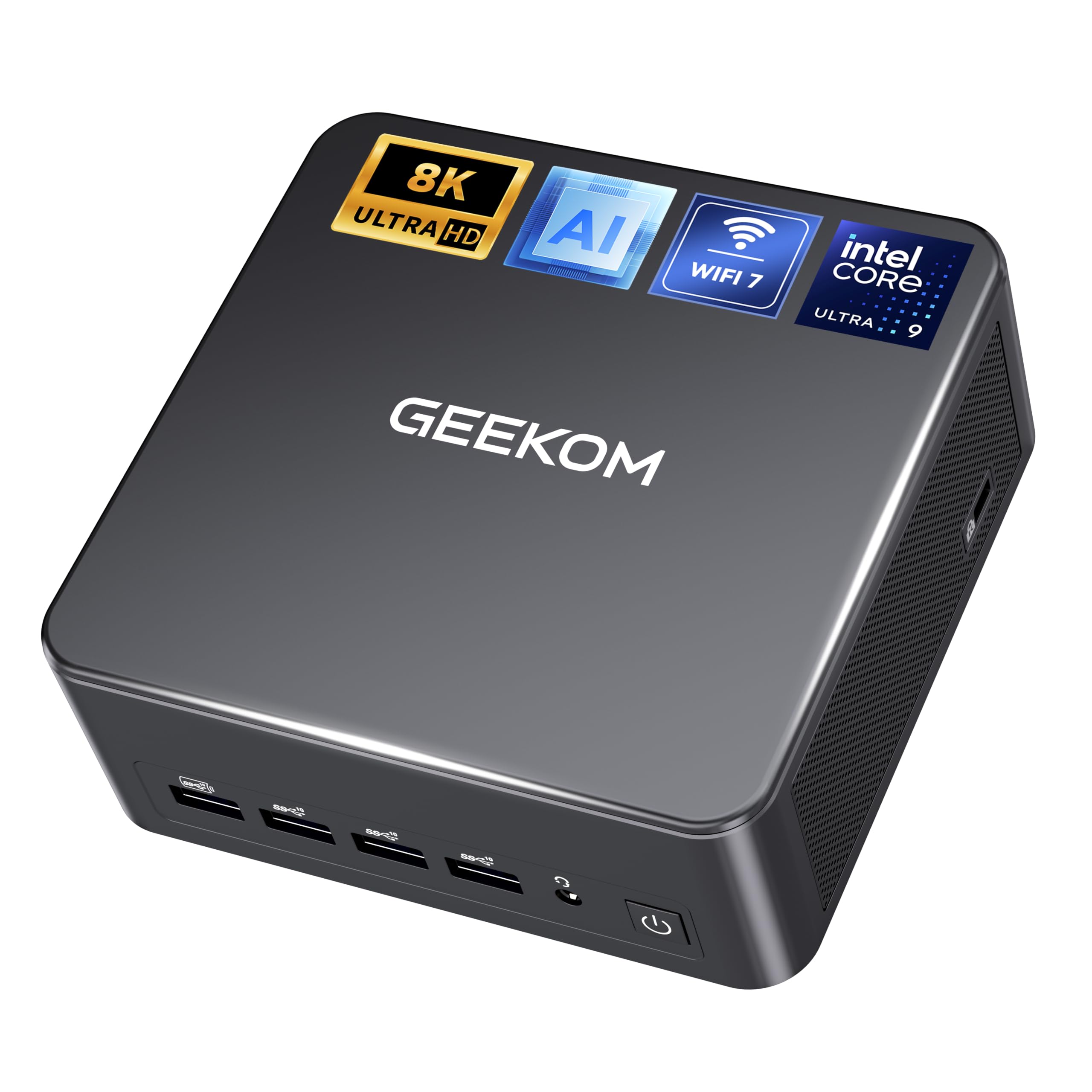
6. GEEKOM IT13 MAX AI Mini PC, Intel Core Ultra 9 185H
Four monitors off one small box, with the cooling to keep working when the timeline gets long.
This is the mini PC aimed squarely at someone who edits for a living. The Intel Core Ultra 9 185H runs up to 5.4GHz with 24MB of cache, and the 24GB of LPDDR5 memory (a low-power, high-bandwidth type of RAM) is soldered in for speed rather than upgradability. That combination is built for switching between design software, browsers and collaboration tools without waiting. The 512GB PCIe SSD uses factory-grade chips, according to the maker, and is specified to sustain read and write speed through continuous workloads rather than slowing down as the session stretches on.
Connectivity is where it separates from the pack. You can drive up to four displays through HDMI and USB-C, and there are dual 2.5G Ethernet ports for wired networking. Wireless is current too: Wi-Fi 7 and Bluetooth 5.4. Cooling is handled by GEEKOM’s IceBlast 3.0 system, which the maker designed to manage heat and noise during long editing sessions. The body is small enough to sit under a monitor and quiet enough for a shared room.
Two honest notes. The 24GB of LPDDR5 memory cannot be upgraded, so think of this as a fixed spec over its life. And the AI features are cloud-assisted work inside compatible software — it is a fast local machine for your creative apps, not a substitute for them. For editors who want a quiet, multi-monitor desk with no tower, that trade is a fair one.
Where it earns its place: four display outputs, dual 2.5G Ethernet, Wi-Fi 7 and a 5.4GHz processor make this the most connected mini PC here for creative work.
What you cannot change: 24GB of soldered LPDDR5 is the memory you will have for the life of the machine.
Best fit: video editors and designers running three or four monitors who want a quiet desk and no tower.
Wrong fit: if you like the idea of adding RAM in two years — that option does not exist here.
7. GMKtec M7 Ultra Mini PC, Ryzen 7 PRO 6850U

A gaming mini PC with an OCuLink port, which is the rare feature that lets a small box grow into a real gaming rig.
Start with the port almost nobody includes: OCuLink. It is a connector that runs at PCIe x4 speeds (versus Thunderbolt’s x3, per the maker), and it is how you attach an external graphics card enclosure later for higher bandwidth and lower lag. Pair that with the Ryzen 7 PRO 6850U (8 cores, 16 threads, up to 4.7GHz) and Radeon 680M integrated graphics with 12 cores, and you get a machine whose graphics sit close to a full NVIDIA GTX 1050 Ti in the maker’s words, with FSR 3.0 support helping on heavier titles.
Memory and storage are set up for long use. Thirty-two gigabytes of DDR5 in dual channel can expand to 96GB, and the 1TB PCIe 3.0 SSD has a second slot that takes PCIe 4.0 drives up to a combined 4TB. Quad-display support runs through dual USB4 ports and HDMI 2.1 at up to 8K at 60Hz, or 4K at 144Hz over USB-C. Cooling is a dual-fan Hyper Ice Chamber 2.0 with 360-degree airflow, rated down to 35dB in Quiet mode. Three performance modes in the BIOS let you pick Quiet at 35W, Balance at 50W, or Performance at 65-70W.
The thing to understand is that the 680M graphics are strong for integrated and not a match for the RTX 5070 cards further down. Think steady, playable frames in moderate titles rather than max settings in the latest ones. The OCuLink port is what makes that limitation fixable later, which is unusual in this small a case.
The real advantages
- OCuLink port at PCIe x4 speeds lets you add an external graphics enclosure later.
- 32GB DDR5 expandable to 96GB, with dual SSD slots up to 4TB combined.
- Three BIOS modes from Quiet at 35W to Performance at 65-70W, rated to 35dB in Quiet.
The honest limits
- Radeon 680M integrated graphics are strong for their class but no match for a dedicated RTX card.
- Reaching top gaming settings needs the external enclosure, which is a separate purchase.
Choose it if: you want a quiet, small gaming box now and the option to bolt on real graphics power later through OCuLink.
Cross it off if: you expect max settings in the newest titles straight from the start.
8. Apple Mac mini Desktop Computer, M6 chip
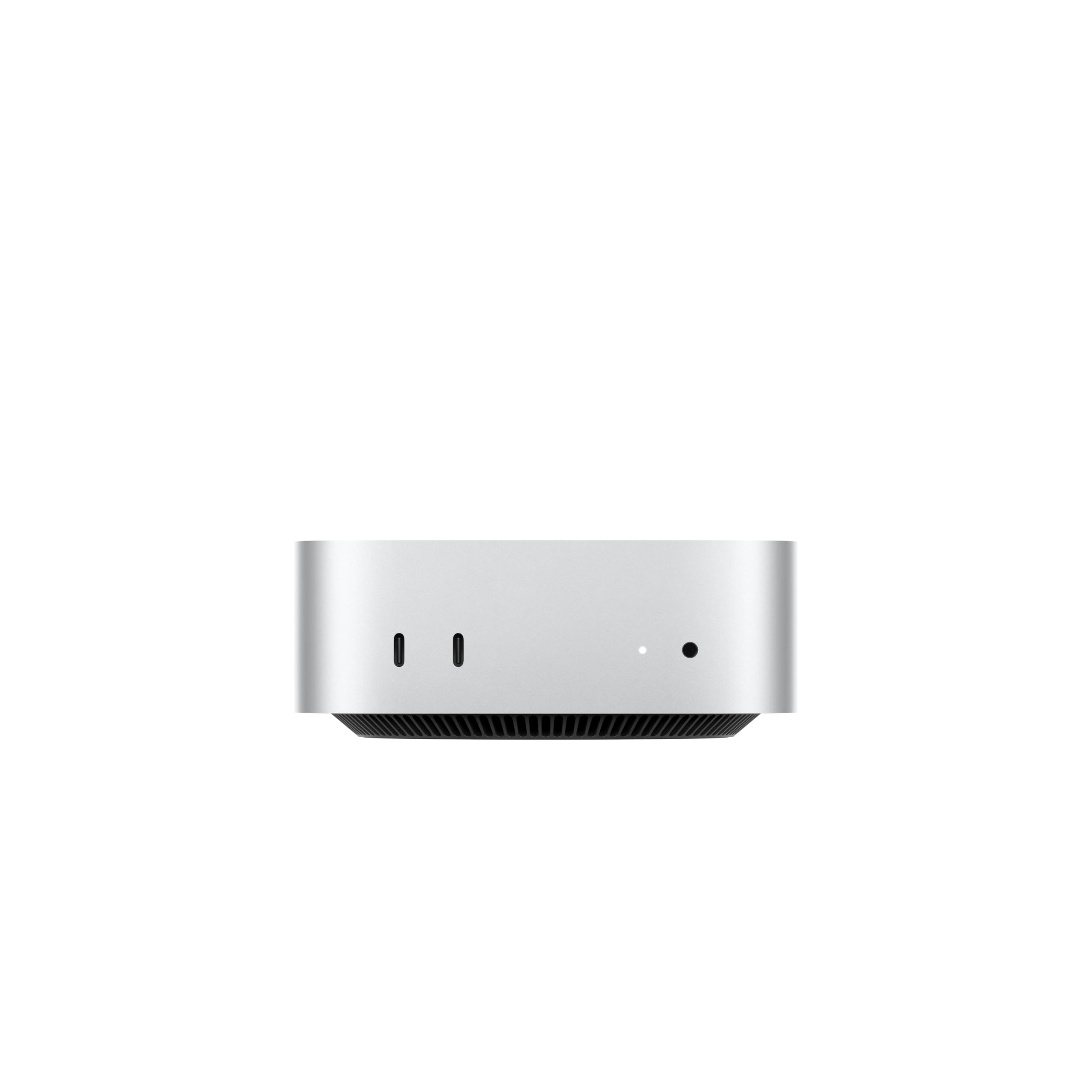
Five inches square and under a monitor — the Mac you buy when you already have the screen you love.
This is the Apple pick for people who do not want another screen. The body is five-by-five inches and weighs 1.47 pounds, so it slips under a monitor or onto a shelf without a thought. The M6 chip brings a Dual 16-core Neural Engine and a Neural Accelerator in each GPU core, which Apple rates at up to 4.8x faster AI performance — a manufacturer claim, and the talking point for anyone running local AI workflows. Unified memory climbs to 32GB with 170GB/s of memory bandwidth, and Apple says storage is up to 2x faster.
Ports are split front and back in a way that actually helps: three Thunderbolt 4 in the rear plus HDMI and a 2.5Gb Ethernet port, and two USB-C plus a headphone jack up front. It supports up to three external displays. The N1 wireless chip covers Wi-Fi 7 and Bluetooth 6, both current standards. Build quality is the thing people respond to most, with speed right behind it — it drives a 5K ultrawide without complaint, and setup takes minutes.
The caveat is that the value equation is contested. Some buyers find it expensive for what is, physically, a small box with no screen and no keyboard. That is fair — you are paying for the chip, the size, and the way it fits an existing Mac and iPhone setup. If you already have a good monitor and a keyboard, that cost buys you a lot of desk back.
What stands out: a five-by-five-inch body at 1.47 pounds, three Thunderbolt 4 ports and support for up to three external displays — it is the opposite of a tower in every way.
The cost question: it is the priciest small box here once you already own the screen, and 32GB unified memory is a top-tier configuration.
The right buyer: someone with a good monitor and keyboard already, who wants macOS, a tiny footprint and three display outputs.
The wrong buyer: anyone starting from nothing — you will need to budget for screen and peripherals on top.
9. HP OMEN 40L Gaming Desktop PC, AMD Ryzen 7 5700X
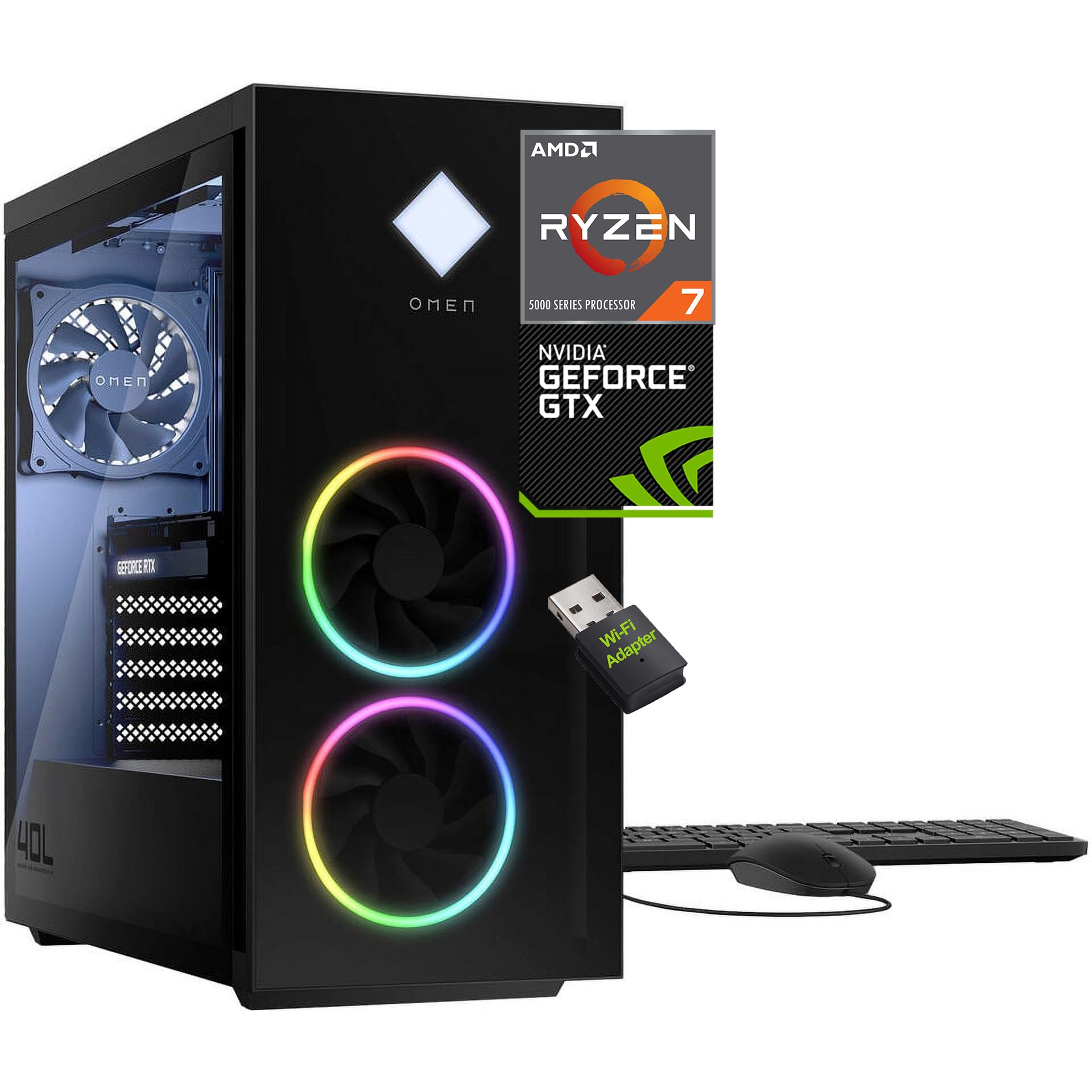
The first machine on this list with a proper graphics card, and a case built to be opened.
Here is the jump that matters. Everything above runs on integrated graphics — a graphics chip built into the processor and sharing its memory. This tower has a dedicated GeForce GTX 1660 SUPER with 6GB of its own GDDR6 memory. That separation is why it can hold higher frame rates in games: the graphics card does its own work instead of borrowing from the processor. Against the integrated machines on this page, it is a different category of hardware, not a faster version of the same thing.
The processor side is no slouch either. The AMD Ryzen 7 5700X runs 8 cores and 16 threads up to 4.6GHz with 32MB of cache, backed by 16GB of DDR4 and a 1TB PCIe NVMe M.2 SSD. The chassis is tool-less, so upgrades mean opening a latch rather than hunting for a screwdriver, and the 600W power supply has headroom for that. Cooling uses an active fan-sink design with 4-pin fan control, and OMEN Light Studio handles the RGB. You get a wired keyboard and mouse plus a USB Wi-Fi adapter in the box.
The recurring note about this one is the networking. The Wi-Fi adapter is a separate USB dongle rather than built into the board, and some buyers report the wireless not working straight away. Wired Ethernet sidesteps it entirely, and if you have a cable run to your desk, this is a strong, upgrade-friendly gaming tower for the tier.
The upgrade path: tool-less chassis, a 600W power supply with headroom, and 4-pin fan control make this the most welcoming tower here for later part swaps.
The known snag: wireless comes from a bundled USB adapter, which is worth replacing or bypassing with a wired connection.
Built for: first-time gaming tower buyers who want a dedicated GPU now and the freedom to swap parts later.
Consider wired: plan on Ethernet or a better Wi-Fi adapter, since the bundled one is the weak link.
10. Dell 27″ All-in-One Desktop, Intel Core 5 120U
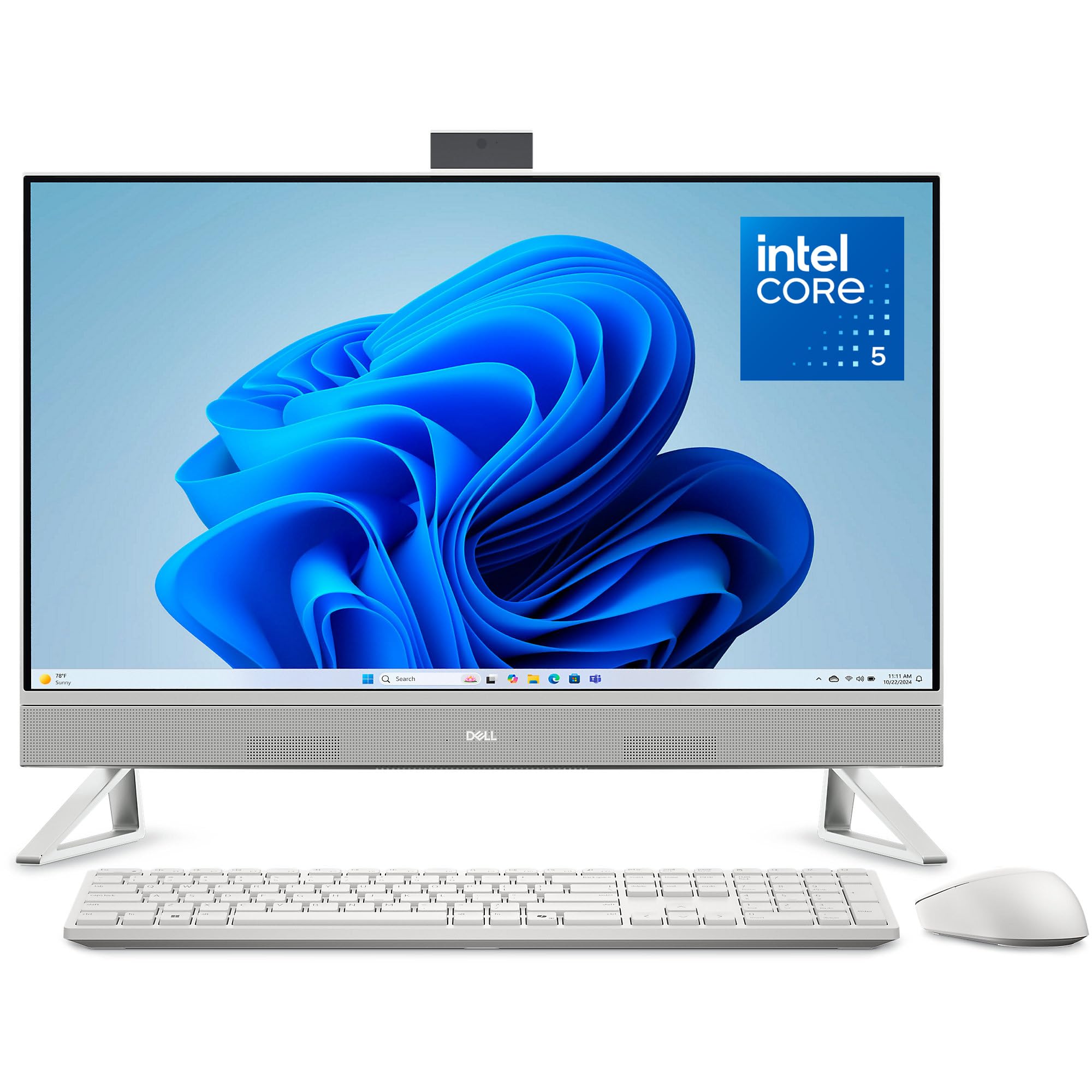
A 27-inch screen with a stand that stashes your keyboard underneath, so the desk stays clear.
Screen size is the headline, and 27 inches is the biggest single panel on this list. The FHD IPS display covers 99% sRGB with a contrast ratio Dell rates 50% higher than the previous generation, and the refresh rate is 66% higher than before — both manufacturer figures, and both aimed at the same buyer: someone who reads and writes on screen for hours. Dell ComfortView Plus reduces blue light output for longer sessions. The 5MP plus IR camera handles video calls, tilts from 0 to 20 degrees, and pushes down into the body when you want to be sure it is off.
The Intel Core 5 120U processor (a modern low-power chip with performance and efficiency cores) runs up to 5GHz with 12MB of cache, and Windows 11 Home comes pre-loaded. Audio comes through dual Bluetooth speakers with Dolby Atmos spatial sound, and a Dell Pro wireless keyboard and mouse set is included. The stand is the clever part: it leaves a slot underneath for your keyboard, which is a genuine answer to the desk-clutter problem that all-in-ones otherwise create.
Buyers consistently point to performance first, then setup, then value — and the 27-inch panel’s size and clarity draw repeated praise. Dell also bundles 1 Year Onsite Service, so a covered hardware issue gets a technician to your home or office rather than a box in the post.
The big-screen case: 27 inches, 99% sRGB, ComfortView Plus and a keyboard-stashing stand make this the most comfortable long-session all-in-one here.
Worth noting: the 1920×1080 resolution is spread across 27 inches, so text is not as fine as the 4.5K iMac panel — a real trade-off if sharpness is what you notice.
Matched to: home-office users who want the biggest single screen here and a tidy desk underneath it.
Second-guess it: if you read small text all day and want maximum pixel density — the iMac panel is the sharper one.
11. Dell Pro Tower Plus QBT1250 Desktop

A work machine with 32GB of RAM, three monitor outputs and a disc drive, aimed at the office rather than the living room.
This is the tower you buy when the job is work. The Intel Core Ultra 5 235 pairs with a 13 TOPS NPU — a dedicated AI processor rated in TOPS (trillions of operations per second) — that speeds up AI-assisted features in Adobe, Zoom and Office. Thirty-two gigabytes of DDR5 memory and a 1TB SSD give it the kind of headroom that keeps a work machine comfortable for years. It supports three 4K monitors at once, which is the spec that matters if your day is spreadsheets on one screen, email on another and a call on a third.
The office details are where it reads as purpose-built. Windows 11 Pro ships pre-installed, which brings the business management and security features Home leaves out. There is a DVDRW drive — genuinely rare now, and useful for anyone with old media or install discs. Gigabit Ethernet covers the wired network, and Dell’s own customer feedback points to quality and value as the strongest themes, with functionality and quiet operation close behind.
The fair note is connectivity: this machine’s listed wireless story is Ethernet only, so if you cannot run a cable to your desk, plan for an adapter. If you can, the combination of 32GB, a 1TB drive and an AI-capable chip makes this a serious work tower.
Where it shines: 32GB DDR5, a 1TB SSD, three 4K display outputs and Windows 11 Pro make this the most work-ready tower on the page.
Cable reality: networking is listed as Gigabit Ethernet, so a Wi-Fi-only desk needs an adapter added.
Made for: offices, homeoffices and anyone with a wired desk who needs 32GB and three screens at once.
Plan around it: budget for a Wi-Fi adapter if you cannot run Ethernet to where the tower sits.
12. MSI Codex Z2 Gaming Desktop, RTX 5070

The RTX 5070 with 12GB of its own memory, plus the storage to hold every game you own.
Three numbers tell you what this machine is for. The NVIDIA GeForce RTX 5070 carries 12GB of dedicated GDDR6 memory, built on NVIDIA’s Blackwell architecture — the newest generation of graphics silicon, and the part that handles ray tracing and high-detail rendering. The AMD Ryzen 7 8700F pairs 8 cores and 16 threads up to 5.0GHz so streaming and background apps do not steal from the game. And 2TB of SSD storage versus the 1TB in the HP OMEN above means more of your games stay installed.
Memory is the other deciding spec: 32GB of DDR5 here versus the OMEN’s 16GB of DDR4. That matters when a game, a browser, Discord and a recording tool all want space at once. Windows 11 Home comes installed, with MSI noting it recommends Pro for business use. RGB lighting runs through the MSI LED button on the case or the MSI Center software, and air cooling handles the thermals. A keyboard and mouse are included in the box.
The reviews praise performance heavily and quiet operation by a fair margin — it runs modern titles at high settings without drama. Reliability is the mixed note: most units are fine, and a minority report early failures. That is a support-and-warranty question rather than a reason to rule the machine out, but buy from a seller with a clear return path.
Why gamers pick it
- RTX 5070 with 12GB GDDR6 on Blackwell architecture handles ray tracing and modern titles.
- 32GB DDR5 and a 2TB SSD, versus 16GB DDR4 and 1TB in the OMEN above.
- Ryzen 7 8700F at 8 cores and 16 threads up to 5.0GHz keeps streaming smooth.
- Quiet in operation and simple to set up, with keyboard and mouse included.
Worth knowing
- A minority of units fail early, so a straightforward return path matters.
- Ships with Windows 11 Home; Pro is a business call MSI leaves to you.
The match: gamers who want current-generation graphics, 32GB of memory and enough storage to stop uninstalling things.
The caveat: early-failure reports exist in small numbers, so buy where returns are simple.
13. Alienware Aurora Gaming Desktop, RTX 5070
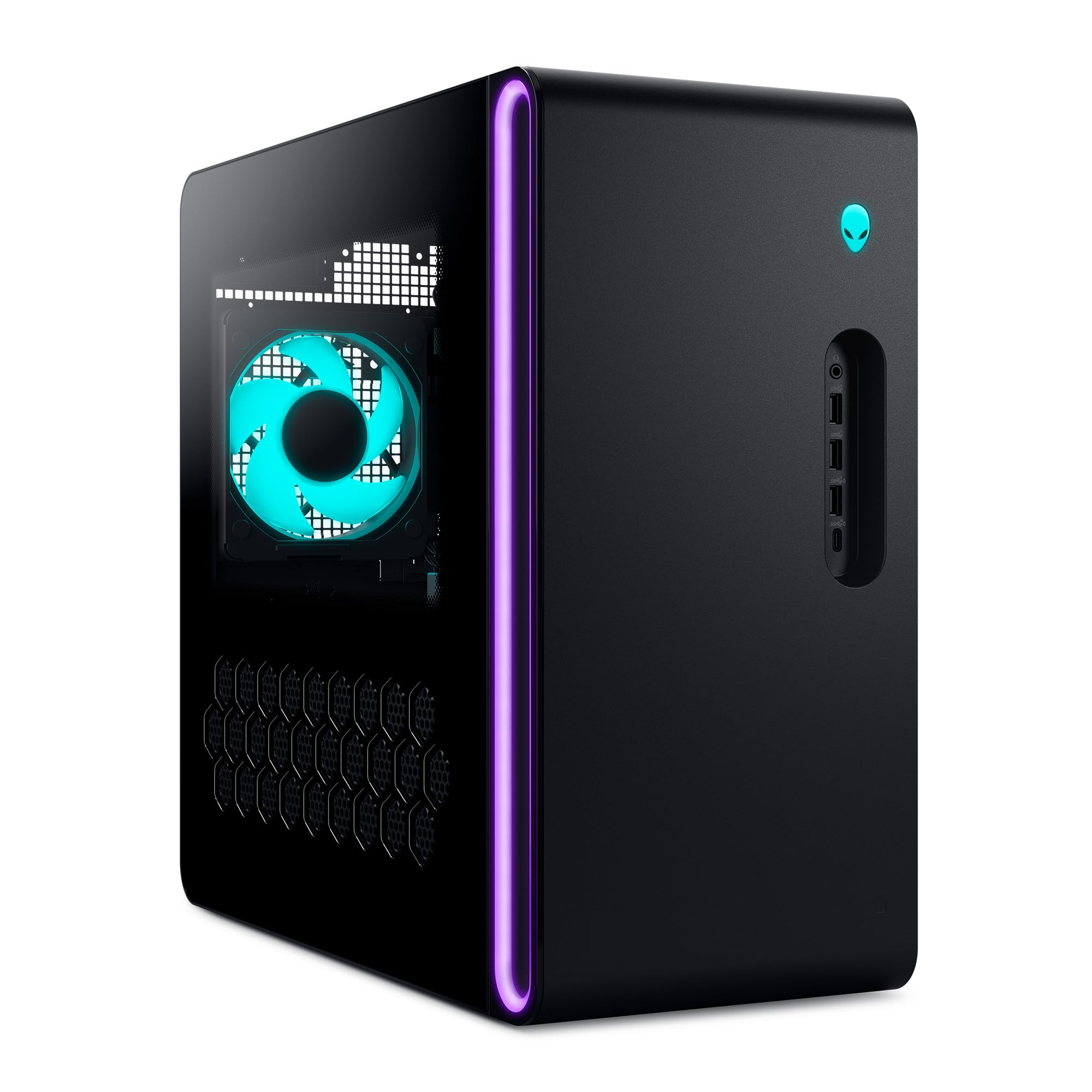
The same RTX 5070 as the MSI, wrapped in a chassis built around lighting control and long sessions.
There is a straight head-to-head here worth naming. Both this and the MSI Codex Z2 run the NVIDIA GeForce RTX 5070 with 12GB of graphics memory on Blackwell architecture, so rasterization and ray tracing start from the same place. Where they split is the processor: the Intel Core Ultra 7 265F boosts to 5.3GHz here, against the MSI’s Ryzen 7 8700F at 5.0GHz. That is the main published spec difference between the two towers.
The rest of the build reads like a machine meant to be looked at. The matte basalt black chassis carries customizable AlienFX lighting zones, including the stadium lighting around the edges, all controlled through Alienware Command Center. That same software lets you pick and monitor performance modes across power states and save custom game profiles for your whole library. Dell’s 1 Year Onsite Service applies if a covered hardware issue cannot be fixed remotely — a technician comes to you. Air cooling keeps it quiet under load, which is among the most-praised things about it.
The honest friction is documentation. The specification details in the listing do not always match what buyers expect, so confirm the exact configuration with the seller before you commit, particularly around memory and storage, which draw the most mixed feedback here. Get that straight and you have a quiet, cool-running premium tower with the same graphics card as the MSI and a faster processor.
The differentiator: a Core Ultra 7 265F at 5.3GHz versus the RTX 5070 inside — the fastest processor attached to a 5070 on this list, with AlienFX lighting and Command Center tuning on top.
Check before you buy: verify the exact memory and storage configuration with the seller, since the listing details and buyer expectations have not always lined up.
For the buyer who: wants the 5070 GPU with the strongest processor here, plus lighting and profile control in one piece of software.
Confirm the spec sheet: nail down memory and storage with the seller first — that is where the confusion lives.
Know the Specs
Integrated vs dedicated graphics
Integrated graphics are built into the processor and share its memory — fine for browsing, video and light games, and it is what the mini PCs and all-in-ones here use. Dedicated graphics are a separate card with their own memory, which is why the RTX 5070 towers with 12GB and the GTX 1660 SUPER with 6GB can hold higher frame rates in demanding titles. If games are the main job, the dedicated card is the line that matters.
RAM and whether it can grow
More RAM means more open tabs and apps before things slow down. DDR5 is the newer, faster generation; soldered LPDDR5 is faster still but fixed. Look for the stated ceiling — the GMKtec M6 Ultra takes 32GB up to 128GB, the M7 Ultra takes 32GB to 96GB, and the Lenovo IdeaCentre takes 8GB to 32GB. Apple’s 16GB, 24GB and 32GB unified memory figures are fixed at purchase, so buy the amount you will need later, not just today.
Form factor and the desk it demands
An all-in-one is one cable and a fixed screen — simplest, least flexible. A mini PC leaves the screen choice to you and hides behind it, which is why a five-inch body matters, but check its display outputs before you assume it can drive three monitors. A tower costs desk and floor space and rewards you with upgrade room: the OMEN 40L is tool-less, and the Dell Pro Tower adds a disc drive and three 4K outputs for office work.
Storage type and capacity
SSD is silent and fast; NVMe is the faster connector standard, and PCIe generation affects sustained speed. Capacity is the number you will feel: 256GB fills quickly with photos and video, 512GB is comfortable for office work, and 1TB or 2TB is where games stop needing to be uninstalled. Several mini PCs and towers here list a second SSD slot for expansion, which is worth more than a bigger drive at purchase for many buyers.
Common Questions
Is an all-in-one desktop as upgradeable as a tower?
Can a mini PC replace a full desktop tower for work?
How much RAM do I need for a desktop computer?
Do I need a dedicated graphics card for gaming?
What is the difference between DDR5 and unified memory?
How many monitors can these desktops drive at once?
Is a mini PC quiet enough for a shared room?
Can I add more storage to a mini PC later?
Should I buy Windows 11 Pro or Home for a desktop?
The Bottom Line
For most people, the types of desktop computers winner is the Apple 2024 iMac — its 24-inch 4.5K Retina display at 500 nits, M4 chip and single-cable setup make it the most complete desk in one box, and the crowd agrees with 4.5+ stars across 700+ owners. If you already own a good monitor and want the smallest possible body, the Mac mini gives you three Thunderbolt 4 ports in a five-by-five-inch frame. And for modern games at high settings, the MSI Codex Z2 pairs the RTX 5070 with 32GB of DDR5 and a 2TB SSD — the speed-to-space ratio that gaming buyers notice first.
How we choose
We do not accept paid placement. Every pick is matched to a real buyer and a real use-case; we do not hands-on test units.
Sources
Specifications: manufacturer listings and product documentation. Review insights: verified customer reviews, as of November 2026. Pricing: not shown on this page (it changes often); check the current price via the retailer link.
As an Amazon Associate, Tactical Gear Guy earns from qualifying purchases. This does not affect which products we feature.