Specs are compiled from manufacturer listings and verified buyer reviews and can change over time — please confirm the key details on the product page before buying.
Most “multi-color” printers don’t actually have two colors ready to go. They have one nozzle that keeps cutting filament, retracting it, and feeding a new spool down the same tube — which is why so many first dual-color prints come out with muddy transitions and a pile of wasted plastic. A true two color 3D printer either runs independent toolheads or a dedicated multi-filament unit, so the second color arrives clean. Below you’ll find the eight machines that genuinely do it, ranked by what real owners say about reliability, waste, and print quality.
This guide is built by comparing the manufacturers’ published specifications and the patterns across verified customer reviews, so you get each pick’s real strengths and trade-offs instead of marketing spin.
Colors are only half the story — the other half is how much filament each machine throws away getting from one hue to the next. This breakdown separates the true toolchangers from the purge-heavy pretenders so you can pick the right two color 3D printer for your bench.
Top Picks
How To Choose The Best Two Color 3D Printer
The first thing to settle is what “two color” actually means on the machine you’re looking at. Two broad designs exist: a toolchanger that carries separate physical toolheads, and a single-nozzle system fed by a multi-spool unit that swaps filament in and out of the same hot end. Both print two colors. Only one of them does it without bleeding and purging.
Toolchanger or filament swapper
A toolchanger parks one head and picks up another, so the color changes without pushing molten plastic through a shared path. The alternative feeds a new spool down the same nozzle, which works but burns filament cleaning the old color out first. If your models have lots of small color details, the toolchanger approach keeps those details sharp and saves material.
Build volume that fits your actual models
Multi-color parts tend to be display pieces — figurines, cosplay armor panels, articulated toys. Those need footprint. A 260 × 260 × 255 mm build volume (the printable box, length by width by height) handles a full-size helmet in sections, while a 350 × 350 × 350 mm chamber lets you batch several small models in one run. Measure the model you actually want before you fall for a compact footprint.
Speed and acceleration together
A headline print speed in mm/s means little on its own — acceleration, measured in mm/s², decides how fast the head actually reaches that speed. Machines listing both a high speed and a high acceleration number will finish a multi-color job noticeably sooner than a machine quoting speed alone.
Waste, drying, and the running cost nobody quotes
Every color change on a purge-style system dumps a little plastic. Some units include a filament dryer that keeps spools at a set temperature, which matters because damp filament prints badly and ruins long jobs. Add up the waste percentage and the drying capability before you decide the machine is the cheaper one to own.
Side-by-Side Comparison
| Model | Best For | Colors | Max Speed | Build Volume | Amazon |
|---|---|---|---|---|---|
| Bambu Lab P2S Combo★ Best Overall | Hands-off precision | Multi-color via AMS 2 Pro | 600 mm/s | — | Amazon |
| ELEGOO Centauri 2 ComboBest Value | First-time buyers | 4-color CANVAS | 500 mm/s | — | Amazon |
| Creality SPARKX i7 ComboPhoto to Figurine | AI photo-to-model prints | 4-color | — | 260 × 260 × 255 mm | Amazon |
| FLASHFORGE AD5X | Compact four-spool bench | 4-color via IFS | 600 mm/s | — | Amazon |
| Anycubic Kobra X Combo | Maximum color range | Native 7-color, up to 19 | — | — | Amazon |
| FLASHFORGE Creator 5 | Engineering materials | 4 toolheads | 600 mm/s | — | Amazon |
| Snapmaker U1 | Low-waste toolchanging | 4 toolheads | 500 mm/s | 270 × 270 × 270 mm | Amazon |
| Creality K2 Plus Combo | Large-format builds | 4-color CFS, up to 16 | 600 mm/s | 350 × 350 × 350 mm | Amazon |
Detailed Reviews
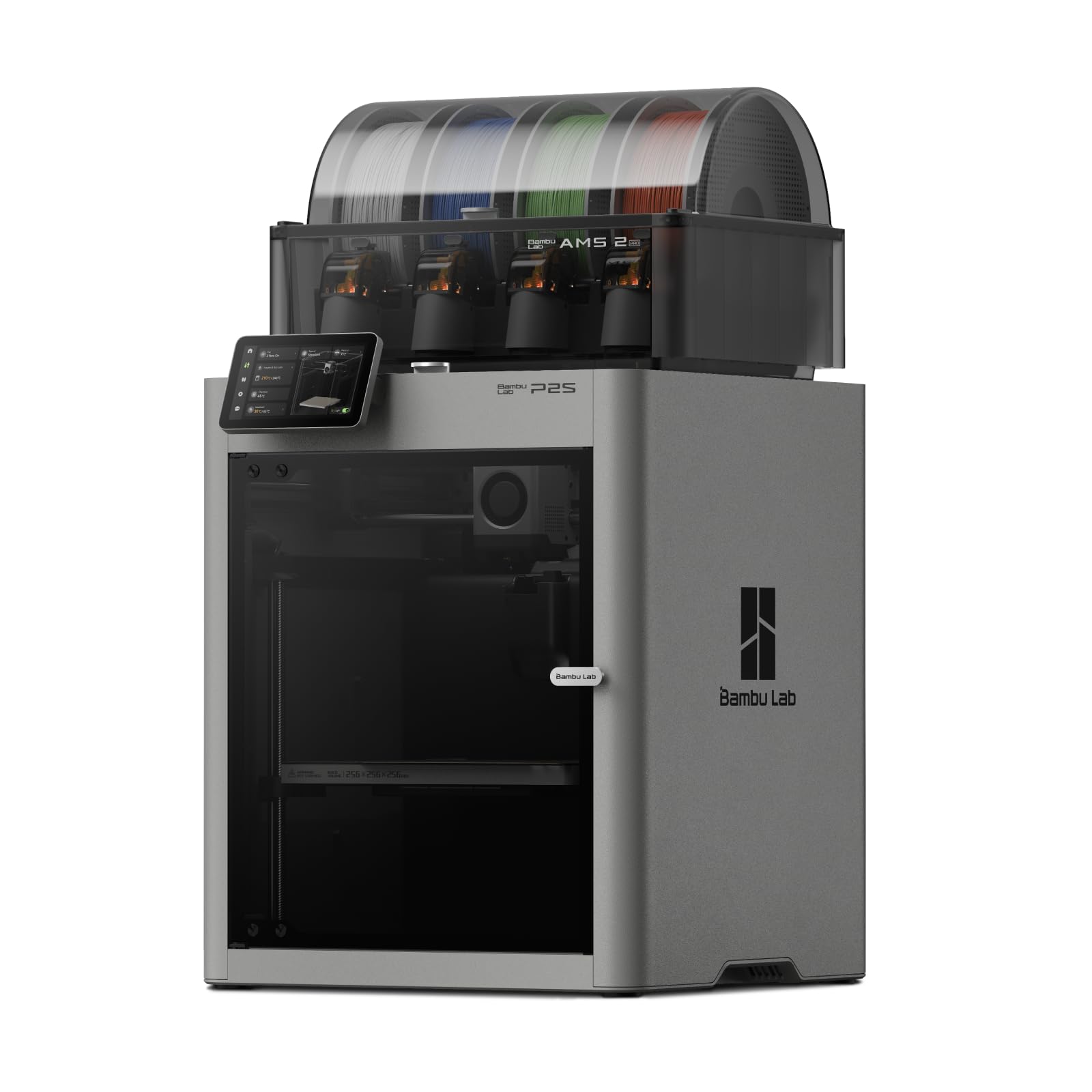
1. Bambu Lab P2S Combo, P2S 3D Printer & AMS 2 Pro
Our pick — 4.5+★ from 350+ verified ratings; the strongest balance of quality and price.
The machine that dries your spools while you sleep, then prints them at 600 mm/s.
If you want a two color printer that behaves like a finished appliance rather than a workshop project, this is the one. The 600 mm/s print speed (how fast the head travels while laying plastic) comes paired with a PMSM servo extruder and active flowrate compensation — the system that measures and corrects how much filament is actually being pushed — so corners stay sharp instead of bulging. Setup runs about 15 minutes, and automatic calibration plus AI failure detection means you are not hunched over the first layer with a scraper.
The multi-color half of the job belongs to the AMS 2 Pro, a four-spool unit that feeds the printer and dries filament at up to 65 °C. One thing to be clear about — the printer on its own does not do multi-color. The Combo version with the AMS 2 Pro is the configuration that does.
Buyers describe it as basically a zero learning curve machine that just works, and the quality of output is the thing owners bring up most. The recurring friction point is bed adhesion, so budget for a proper plate and a glue stick routine.
Where it earns the top slot
- 600 mm/s with flowrate compensation keeps corners crisp at speed
- AMS 2 Pro dries spools at up to 65 °C — no moisture-related failures mid-job
- 15-minute setup with auto calibration and AI failure detection
- Adaptive airflow switches between cooling overhangs and holding a 50 °C chamber
What to plan around
- 46.3 pounds — a permanent placement machine, not a portable one
- Bed adhesion is the part owners most often have to dial in
- Multi-color requires the Combo configuration, not the printer alone
Go for it if: you want finished-looking multi-color parts without learning a slicing workflow from scratch.
Weigh this first: that 46.3-pound body needs a dedicated surface with room around it.
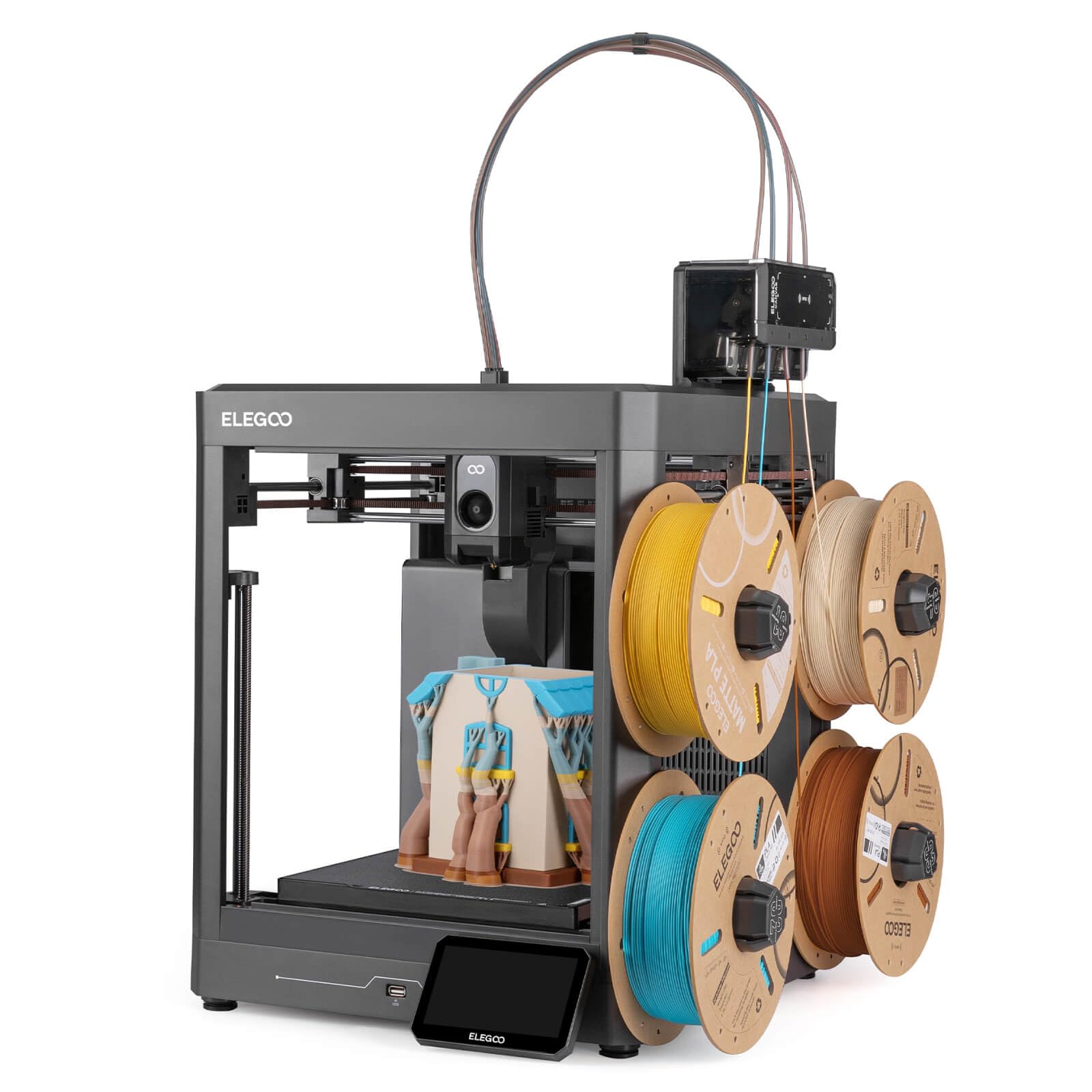
2. ELEGOO Centauri 2 Combo 3D Printer
Four colors, instant switching, and a first print that lands in the same afternoon.
The Centauri 2 Combo runs at 500 mm/s — a step behind the 600 mm/s machines here, but recall that the FLASHFORGE AD5X quotes 600 mm/s, so if raw head speed is your priority that one leads on the figure. What ELEGOO trades in top-end speed it makes up for in hand-holding. CANVAS gives you four colors with independent motors, instant color switching, RFID filament recognition (the spool tag tells the machine what plastic it is) and auto refill, so a spool running out mid-print does not kill the job.
Twenty-two sensors watch the print, and full auto calibration plus pre-print checks take the guesswork out of the first layer. There is a 5-inch touchscreen and genuinely thoughtful maintenance touches — a magnetic printhead cover, a semi-automatic belt tensioner, a nozzle wiper. At 33 pounds it is 13.3 pounds lighter than the 46.3-pound Bambu P2S Combo, and its 19.69 × 18.9 × 23.23-inch footprint is the largest cabinet footprint on this list, so measure the table before you commit.
The reputation here is built on consistency from the start and on what you get for the money — buyers report being up and printing within roughly half an hour of unboxing. The honest note is longevity: this is a starter-tier machine and the durability record is the weakest part of its story, with reliability drawing a split response rather than unanimous praise. Treat it as an excellent first dual-color printer rather than a decade-long workhorse.
What it costs you in patience: almost none on day one, which is why it lands this high. Four-color CANVAS with auto refill does the fiddly part for you.
The trade you’re making: a lower speed ceiling and a build that will not shrug off years of abuse the way a heavier frame might.
Reach for this if: you are buying your first multi-color machine and want the colors working before dinner.
Look past it if: you plan to run production volume for years — the durability record is the soft spot.
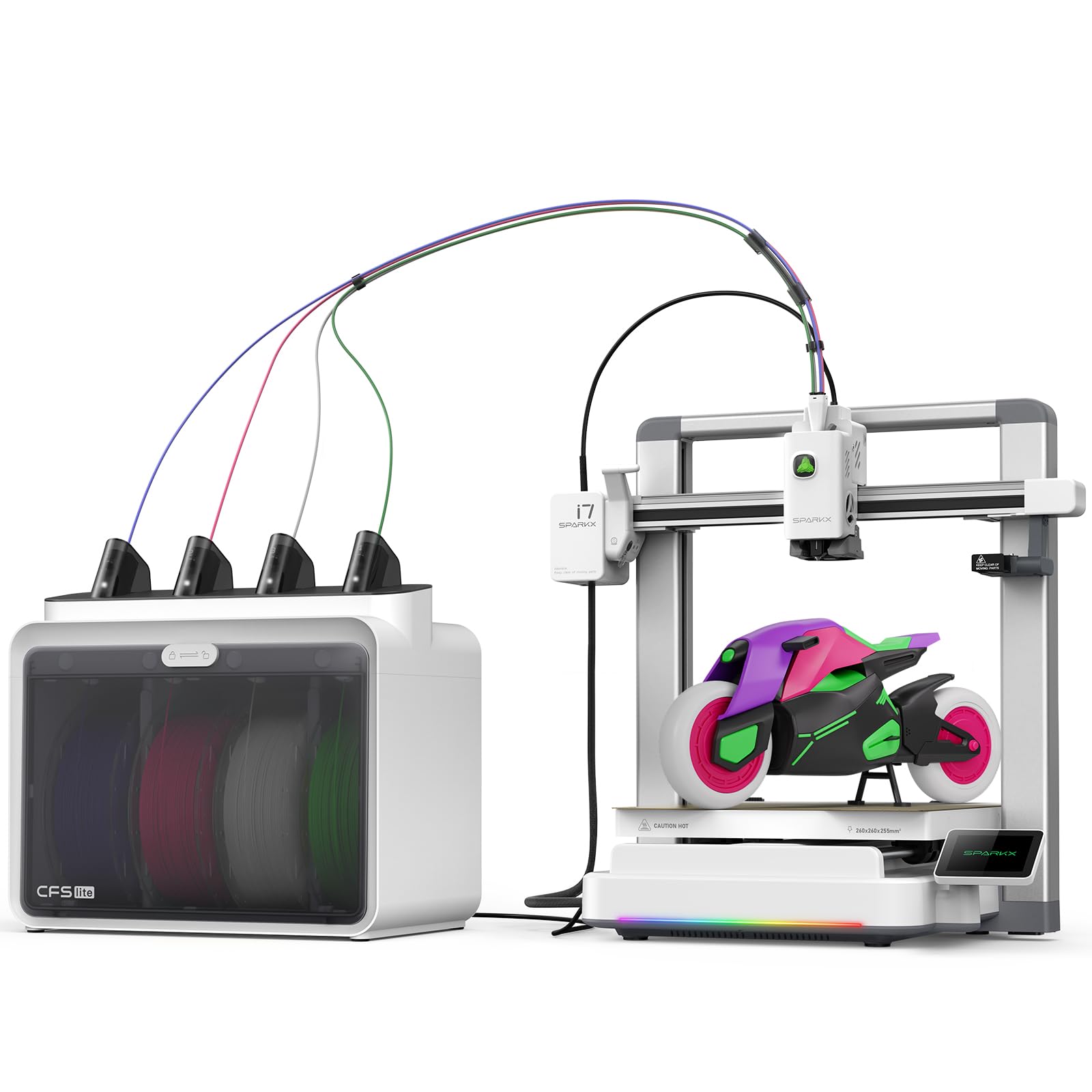
3. Creality SPARKX i7 Combo 3D Printer
Upload a portrait, get a painted-in-plastic figurine — no modeling software involved.
Most two color printers assume you already know how to build a model. This one sidesteps that entirely. CubeMe AI takes an uploaded portrait and generates a 3D model in seconds, which is the single most distinctive thing about the SPARKX i7 — a custom figurine of a friend is a genuinely different gift than a downloaded file printed twice. It arrives 95% pre-assembled and the maker claims you can be printing within five minutes of opening the box.
Creality quotes 50% less waste than traditional multicolor systems across the four colors. The build volume is 260 × 260 × 255 mm, enough for the kind of display piece you would actually want in two or three colors. An AI camera watches each print and catches spaghetti (the tangled bird’s-nest failure where extruded plastic lands in mid-air), air printing and build-plate problems, alerting you before a twelve-hour job is ruined. Night Mode quietens it for overnight runs.
This is the most uneven machine on the list, and buyers themselves split on it. Performance as a starter machine draws solid approval; speed and reliability draw genuinely mixed reports, with results ranging from excellent to repeated failed prints. Setup instructions are the other recurring friction point — the documentation is the weak link, not the hardware. Know that going in and budget an evening for calibration rather than five minutes.
The feature nobody else has: AI portrait-to-model generation turns a phone photo into a printable multi-color figurine.
Where it gets shaky: reliability reports are split rather than reassuring, and the instructions can be hard going.
Worth it for: gift-makers and hobbyists who care more about the AI modeling shortcut than about squeezing out every last point of reliability.
Think twice if: you need a machine that runs unattended production jobs without supervision.
4. FLASHFORGE AD5X Multi-Material 3D Printer

Four spools side by side and only 22 pounds of machine to find room for.
Space is the quiet dealbreaker in multi-color printing, because four spools have to live somewhere. The AD5X answers that with a modular frame and an Intelligent Filament System that arrays four spools side by side instead of stacking them in a tower. The whole body weighs 22 pounds — 24.3 pounds lighter than the 46.3-pound Bambu Lab P2S Combo — and its 14.8 × 16.26 × 14.29-inch dimensions make it the most compact chassis in this group. Floor space is the headline spec here, not an afterthought.
Compact does not mean slow. It quotes 600 mm/s with acceleration up to 20,000 mm/s², and an all-metal CoreXY structure with vibration suppression keeps layer alignment tight at that pace. Full auto leveling probes multiple points across the bed so the first layer seats evenly. Material compatibility is broad — PLA, TPU, PETG, SILK, PLA-CF and PETG-CF — so a flexible or carbon-filled part is on the table alongside basic color work.
Owners who like it call it a top-quality multi-color machine for what it costs. The honest counterweight is consistency between units: some run without a hitch for months while others stop working after a single print, and durability is the weakest signal in the data. If you buy one, run a full test print inside the return window so you find out which kind you got while you can still exchange it.
The compact-bench case: 14.8 × 16.26 × 14.29 inches and 22 pounds, with four spools sitting side by side in a footprint that fits a small shelf.
The honest caveat: unit-to-unit consistency is uneven, so a test print early is genuinely worth the filament.
Pick this when: your workspace is genuinely tight and four spools need to fit in one tidy row.
Skip the gamble if: you cannot return it easily — consistency from machine to machine is the risk.
5. Anycubic Kobra X Combo 3D Printer
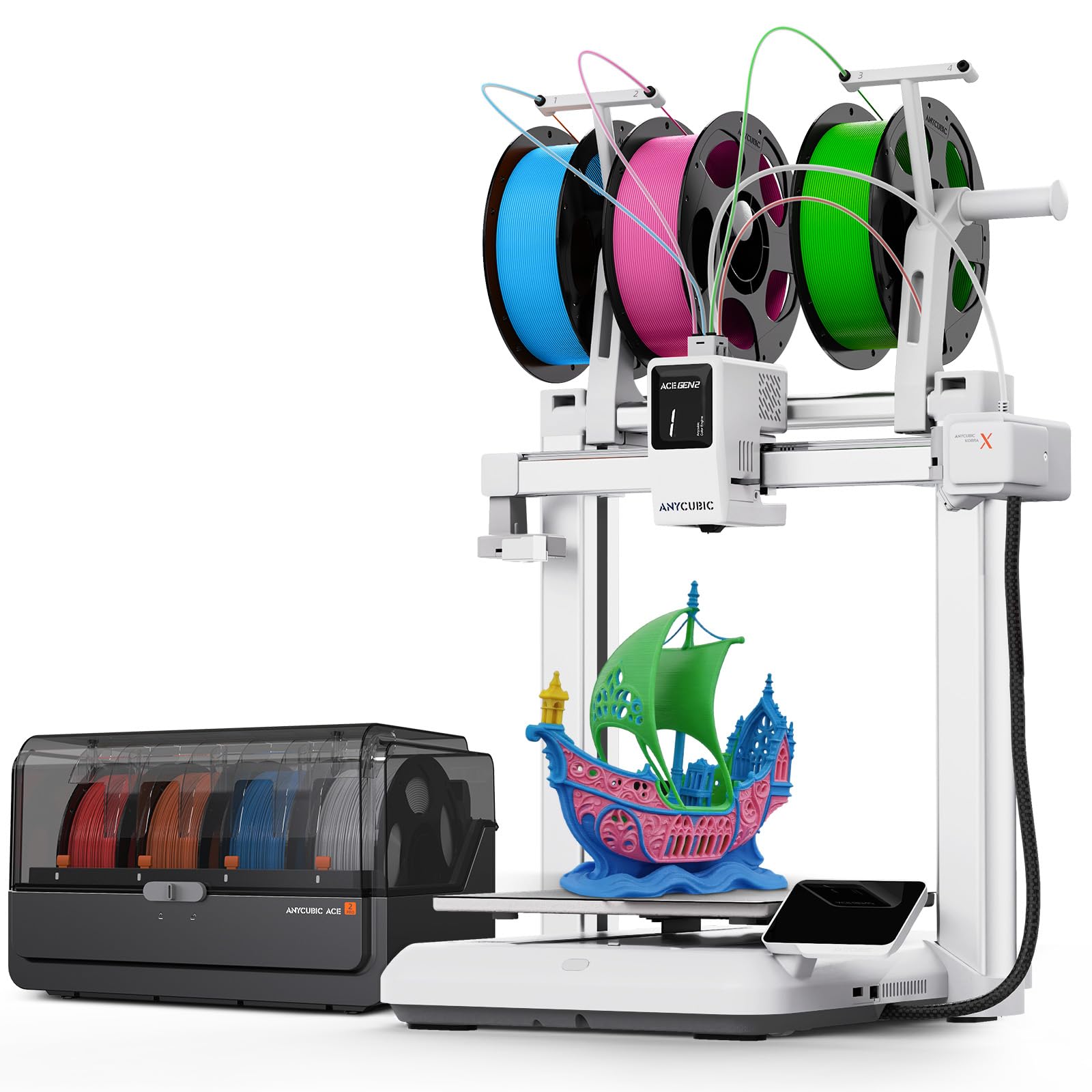
Seven colors loaded and ready, with a library-quiet 48 dB ceiling above it.
Every other machine here tops out at four colors unless you buy extra units. The Kobra X Combo prints native 7-color from the start and expands up to 19 with additional hardware. If your models are maps, painted miniatures, or intricate household decor with many distinct shades, that headroom is the reason to pick this one — four colors will not get you there no matter how good the transitions are.
It also addresses the two things that make multi-color annoying: time and waste. Anycubic quotes 2X faster multi-color speed and a 50% reduction in filament waste, which cuts what each part costs you in plastic. The ambient noise figure is under 48 dB, roughly office-quiet, so it can sit in a living space without ruining the evening. LeviQ 3.0 auto-leveling handles the bed, and an AI camera watches for errors while you are doing something else.
What wins people over is print quality — owners consistently describe color transitions as smooth and detailed. Speed draws praise too, with short jobs finishing quickly enough to keep kids interested. The caution is reliability and bed adhesion: reports run from flawless to first prints failing, and clogging shows up often enough to be worth mentioning. Clean filament and a well-tended plate go a long way here.
The differentiator: native 7-color printing, expandable to 19 — nothing else on this list comes close on shade count.
The homework: first prints are inconsistent, so dial in adhesion and keep filament dry before judging the machine.
Choose this for: models that genuinely need many hues, and a home where a quiet machine matters.
Not your pick if: you want a frictionless first week — plan on some adhesion tuning.
6. FLASHFORGE Creator 5 Multi Color 3D Printer
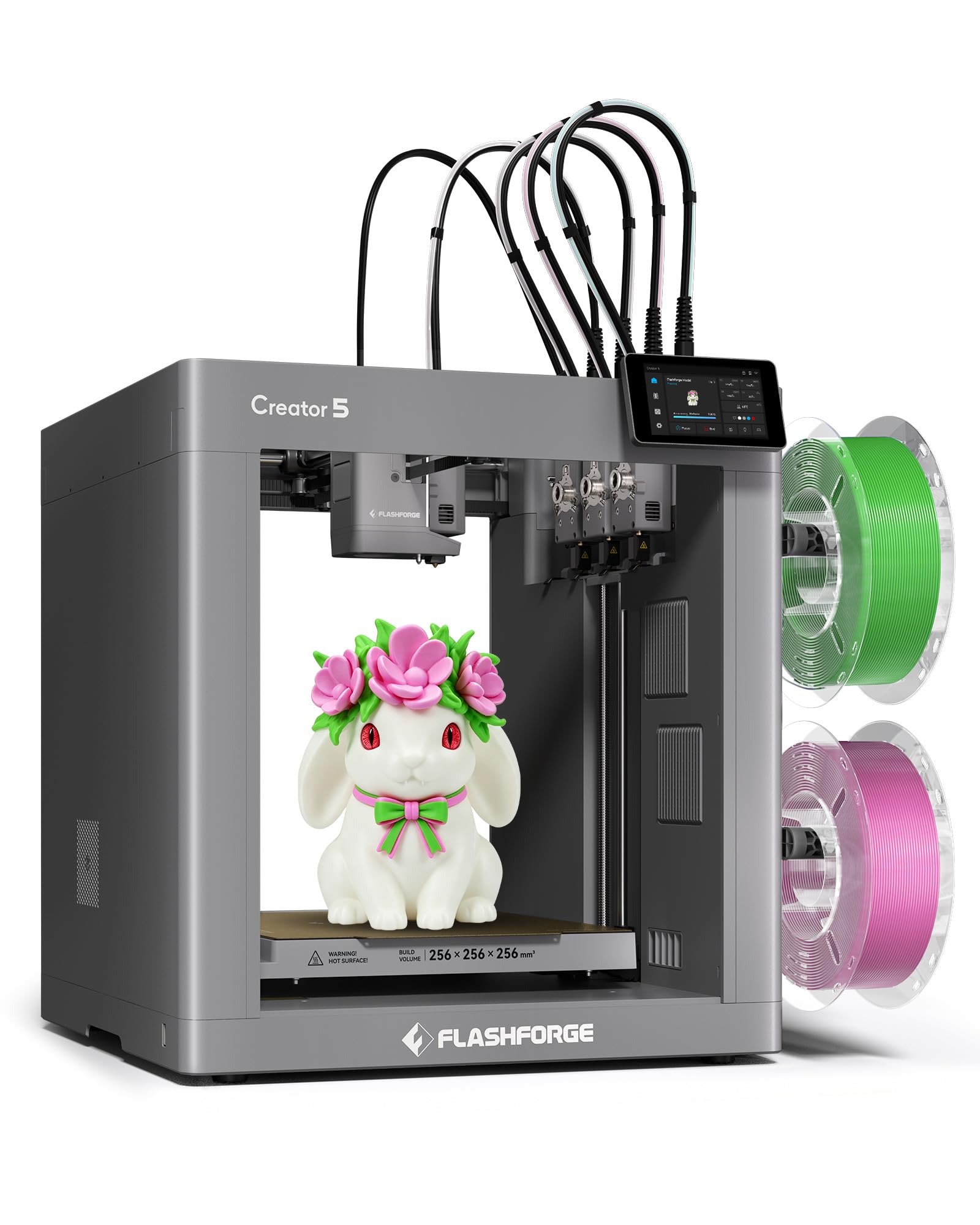
Four independent heads that swap in seven seconds with no purging and no color bleed.
This is a true toolchanger, and that changes the math. Four independent toolheads with the FlashSwap system change material in 7 seconds, and because there is no shared nozzle path there is no purge tower and no color bleeding between materials. FLASHFORGE puts material efficiency near 84%, so most of your spool ends up in the part rather than in a purge bin. On a part with dozens of color changes, that is the difference between a clean result and a smeared one.
The hardware underneath is aimed at engineering work, not just decoration. A CoreXY all-metal frame reaches 600 mm/s with acceleration up to 30,000 mm/s², backed by vibration compensation and dynamic flow calibration. The hardened steel nozzles run up to 320 °C at a 32 mm³/s flow rate, which opens up PA-CF and other carbon-fiber composites alongside PLA, PETG and TPU 95A. Automatic bed leveling plus toolhead offset calibration holds alignment within 0.04 mm, so you are not chasing offsets by hand.
Print speed and setup are what owners praise, and the user-friendliness for a machine this capable is genuinely notable. The caveat is real though: reliability and value draw split responses, with some units failing within the first month and jamming showing up repeatedly. Buy this for the material range and the toolchanger, and treat the early weeks as a shakedown period.
Why the toolchanger wins
- 7-second tool change with no purging between materials
- Hardened steel nozzles up to 320 °C handle PA-CF and other composites
- Offset calibration holds alignment within 0.04 mm automatically
- 600 mm/s with 30,000 mm/s² acceleration on a CoreXY all-metal frame
Where it asks for trust
- Reliability is inconsistent — early failures are reported
- Jamming comes up as a recurring issue on demanding materials
Best matched to: makers printing functional parts in carbon-fiber and flexible filaments who need the color changes clean.
Be prepared for: a shakedown period — reliability is not this machine’s strongest claim.
7. Snapmaker U1 3D Printer

Four preheated toolheads, five-second swaps, and almost nothing thrown away between colors.
The SnapSwap system holds four independent toolheads with filament preloaded and preheated, so a color change drops from roughly two minutes to 5 seconds. The toolhead locking mechanism is validated through over 1,000,000 swaps with zero failures, which matters on a part with 300 color changes in it. Because it swaps heads rather than purging a shared nozzle, Snapmaker quotes up to 5X less filament waste and up to 5X faster multi-color printing.
That waste figure is where it beats the purge-style machines in a measurable way. It also handles mixed materials in one print — rigid and flexible together, water-soluble supports, TPUs of different Shore hardness — across PLA, PVA, TPU, PETG, PCTG, ABS, ASA, PA and PC. The build volume is a 270 × 270 × 270 mm cube, driven by a CoreXY motion system with carbon fiber X-axis rails at up to 500 mm/s. Automatic toolhead offset calibration and vibration compensation keep the results dimensionally accurate.
Owners describe it working straight from the start with minimal fuss, and owners mention the 5X waste reduction pays back the machine’s price over a year of color-heavy printing. A 3.5-inch touchscreen, Orca slicing software and a one-year warranty round it out.
What stands out: 5-second tool swaps and up to 5X less waste make this the cheapest machine here to run per part.
The catch: 57.9 pounds and a 500 mm/s ceiling that trails the 600 mm/s machines.
Made for: anyone printing lots of color changes who is tired of watching filament disappear into a purge tower.
Elsewhere if: you need maximum head speed or a lighter machine to move around.
8. Creality K2 Plus Combo 3D Printer
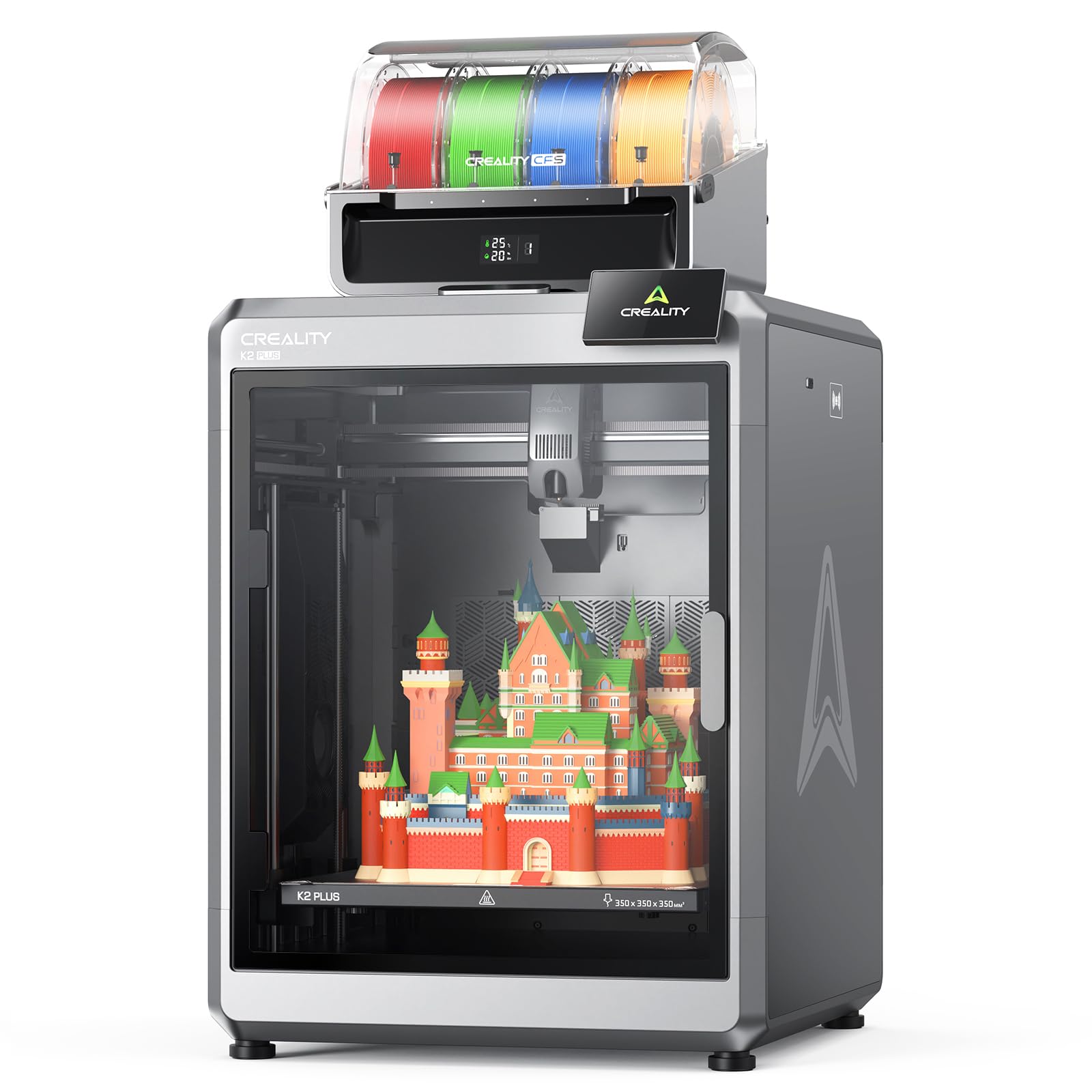
A 350 mm cube that swallows a whole cosplay helmet — one CFS unit included.
Build volume drives this pick. The K2 Plus Combo prints a 350 × 350 × 350 mm envelope, big enough that batch-printing several models in one run, or slicing a large piece whole rather than in glued sections, becomes ordinary. Multi-color comes from the included CFS unit; link up to four CFS units together and you reach 16 colors, though the combo ships with exactly one. For 16 colors, the three extra units are on you.
Speed is not sacrificed for the size: 600 mm/s with acceleration at 30,000 mm/s² is driven by turbocharged step-servo motors. It also runs quiet, measured at ≤ 45 dB at 300 mm/s, which puts it closer to typing on a laptop than to a workshop. It arrives fully assembled — install the screen, run the startup guide’s self-tests for leveling and fan calibration, and you can walk away.
The print quality and plug-and-play setup are what owners like most about it. Note the physical reality: 88 pounds is the heaviest machine on this list and more than double the 46.3-pound Bambu P2S Combo, so this is a permanent, ideally two-person installation. Bear the connection requirement in mind too — the 16-color figure depends on extra CFS hardware.
Why it’s here: 350 × 350 × 350 mm is the largest printable envelope in this group, and it still runs at 600 mm/s.
The honest catch: 16 colors is a four-CFS setup, and the combo gives you one. Plan the extra hardware before assuming the top color count.
Built for: makers printing big multi-color pieces or batching small ones, who have permanent bench space to spare.
Worth knowing: 88 pounds and one included CFS unit — factor both into the plan.
Know the Specs
Print speed and acceleration
Print speed, in mm/s, is how fast the head travels while extruding. Acceleration, in mm/s², is how quickly it gets to that speed and back down again around each corner. A machine quoting 600 mm/s at 30,000 mm/s² finishes a multi-color part far sooner than one quoting the same speed with gentler acceleration, because multi-color jobs are all short moves and direction changes.
Toolchanger vs purge-based color change
A toolchanger parks one physical head and picks up another, so no plastic is pushed through a shared nozzle on the switch. A purge-based system burns filament to clean the old color out of the hot end first. Toolchangers tend to win on both color purity and material efficiency — the Creator 5 lists near 84% efficiency, and the Snapmaker U1 quotes up to 5X less waste.
Build volume
The build volume is the box your part has to fit in, listed as length × width × height in millimeters. It decides everything about what a two color printer can physically make: a 260 mm cube handles figurines and small armor panels, a 350 mm cube takes large single-piece models. Always compare it against the model you actually want, not against the printer’s footprint.
Filament drying and enclosure temperature
Damp filament bubbles, strings and weakens a print, which is why drying matters on long multi-color jobs. The AMS 2 Pro dries spools at up to 65 °C, and the Bambu P2S holds a 50 °C chamber for engineering-grade materials. A heated spool holder and a stable chamber temperature are worth more than an extra color slot if you print slowly and often.
Common Questions
Does a two color 3D printer need two nozzles?
How much filament does multi-color printing waste?
Can I print flexible TPU alongside a rigid material?
Is a bigger build volume always better?
How fast can a two color printer finish a print?
Do I need a filament dryer with a multi-color printer?
Will these printers work straight from the start?
What does the CFS or AMS unit actually do?
How loud is a multi-color printer in a home office?
Do these machines detect failed prints automatically?
The Bottom Line
For most buyers, the two color 3d printer worth starting with is the Bambu Lab P2S Combo — the AMS 2 Pro dries spools at up to 65 °C while the machine holds 600 mm/s, and the package behaves like an appliance rather than a project. If you want the lowest waste per printed part, grab the Snapmaker U1 with its 5-second tool swaps. And for the largest printable envelope in this group, the Creality K2 Plus Combo hands you a 350 × 350 × 350 mm cube. One nudge worth repeating: whichever machine you land on, print something on day one and keep the box until you have — that single test print tells you more about your specific unit than any spec sheet can.
How we choose
We do not accept paid placement. Every pick is matched to a real buyer and a real use-case; we do not hands-on test units.
Sources
Specifications: manufacturer listings and product documentation. Review insights: verified customer reviews, as of November 2026. Pricing: not shown on this page (it changes often); check the current price via the retailer link.
As an Amazon Associate, Tactical Gear Guy earns from qualifying purchases. This does not affect which products we feature.