Specs are compiled from manufacturer listings and verified buyer reviews and can change over time — please confirm the key details on the product page before buying.
Not every touchscreen panel actually talks to your Android phone. Many portable screens show video over HDMI or USB-C but ignore your fingertips completely, which leaves you stuck using a mouse on a slab of glass. The picks below were filtered first for real touch input that a phone, tablet, or Android TV box can actually drive.
This guide is built by comparing the manufacturers’ published specifications and the patterns across verified customer reviews, so you get each pick’s real strengths and trade-offs instead of marketing spin.
You will see which panels handle a full 10-point multi-touch response, which ones only register a single click, and which Android devices lose touch entirely over HDMI. That detail decides whether a screen becomes a usable second workspace or a dead display.
Top Picks

How To Choose The Best Touchscreen Monitor for Android
The first thing to settle is not screen size or color. It is whether your Android device can carry the touch signal to the panel at all. A display needs either a full-featured USB-C port with DP Alt Mode (a port that sends video, power, and touch data down one cable) or a Thunderbolt 3/4 port. If your phone or tablet has that, one cable gets you picture and finger control together. If it does not, you fall back to HDMI for video plus a USB-A to USB-C cable for the touch layer, and you still have to feed the monitor its own power.
The touch layer is the whole point
A 10-point capacitive touchscreen (a panel that can read ten fingertips at once) lets you pinch, drag, and rotate with both hands. That matters for mapping apps, drawing, and spreadsheet work. Some panels drop to single-click only on macOS, and several makers state plainly that iPhones, iPads, and gaming consoles show video but receive no touch input. Check your exact device against the maker’s compatibility note before you buy, because a display that ignores your finger is just a small screen.
Brightness and contrast, in real terms
Brightness is measured in nits, and it decides whether you can read the screen near a window or outdoors. A panel in the 250 to 350 nit range is fine for indoor desks, while anything you plan to use in daylight benefits from more. Contrast ratio describes how wide the gap is between the brightest white and the darkest black, so a higher figure keeps dark scenes from turning muddy. Color gamut tells you how much of a color range the panel can reproduce, which is why a 90% sRGB screen and a 125% sRGB screen look different in a photo editor.
Size, weight, and how it stands up
Panels run from 14 to 24.5 inches, and each step up in size adds weight and desk footprint. A 15.6-inch screen at around 1.4 pounds slips into a backpack sleeve; a 22-inch or 24-inch panel belongs on a desk or a VESA mount (a standard bolt pattern for arms and wall brackets). Look for a built-in stand or kickstand if you plan to move the monitor between rooms, and check the stand’s tilt range if you intend to stand it in portrait for reading or coding.
Side-by-Side Comparison
| Model | Best For | Resolution | Brightness | Touch & Size | Amazon |
|---|---|---|---|---|---|
| cocopar 15.6″ Touchscreen★ Best Overall | Everyday Android second screen | 1920 x 1080 | 270 nits | 10-point, 15.6″ | Amazon |
| Topmonitor 2.5K 100HzSharpest Text | Sharp text and smoother motion | 2880 x 1620 | 300 nits | 10-point, 15.6″ | Amazon |
| HotYeah 15.6″ PortableBrightest Colors | Bright color on a budget | 1920 x 1080 | 350 nits | 10-point, 15.6″ | Amazon |
| EVICIV 15.6″ Travel Monitor | Wide color for creative work | 1920 x 1080 | 350 nits | 10-point, 15.6″ | Amazon |
| InnoView 15.6″ Touchscreen | Budget-friendly travel screen | 1920 x 1080 | 250 nits | 10-point, 15.6″ | Amazon |
| DAMRAPT 15.6″ Stylus Pen | Pen work and note-taking | 1920 x 1080 | 300 nits | 10-point, 15.6″ | Amazon |
| UPERFECT 4K 15.6″ | Detail-heavy photo and video | 3840 x 2160 | 450 nits | 10-point, 15.6″ | Amazon |
| SOTSU FlipAction Touch 14″ | Android and DeX on the move | 1920 x 1080 | 400 nits | 10-point, 14″ | Amazon |
| UPERFECT 22″ 2K QLED | Big-screen Android desktop | 2560 x 1440 | 300 nits | 10-point, 22″ | Amazon |
| ASUS BE24ECSBT 24″ | Docked laptop and webcam calls | 1920 x 1080 | 300 nits | 10-point, 23.8″ | Amazon |
| KTC MEGAPAD 25″ | Standalone Android smart screen | 1920 x 1080 | 400 nits | Touch, 24.5″ | Amazon |
Detailed Reviews
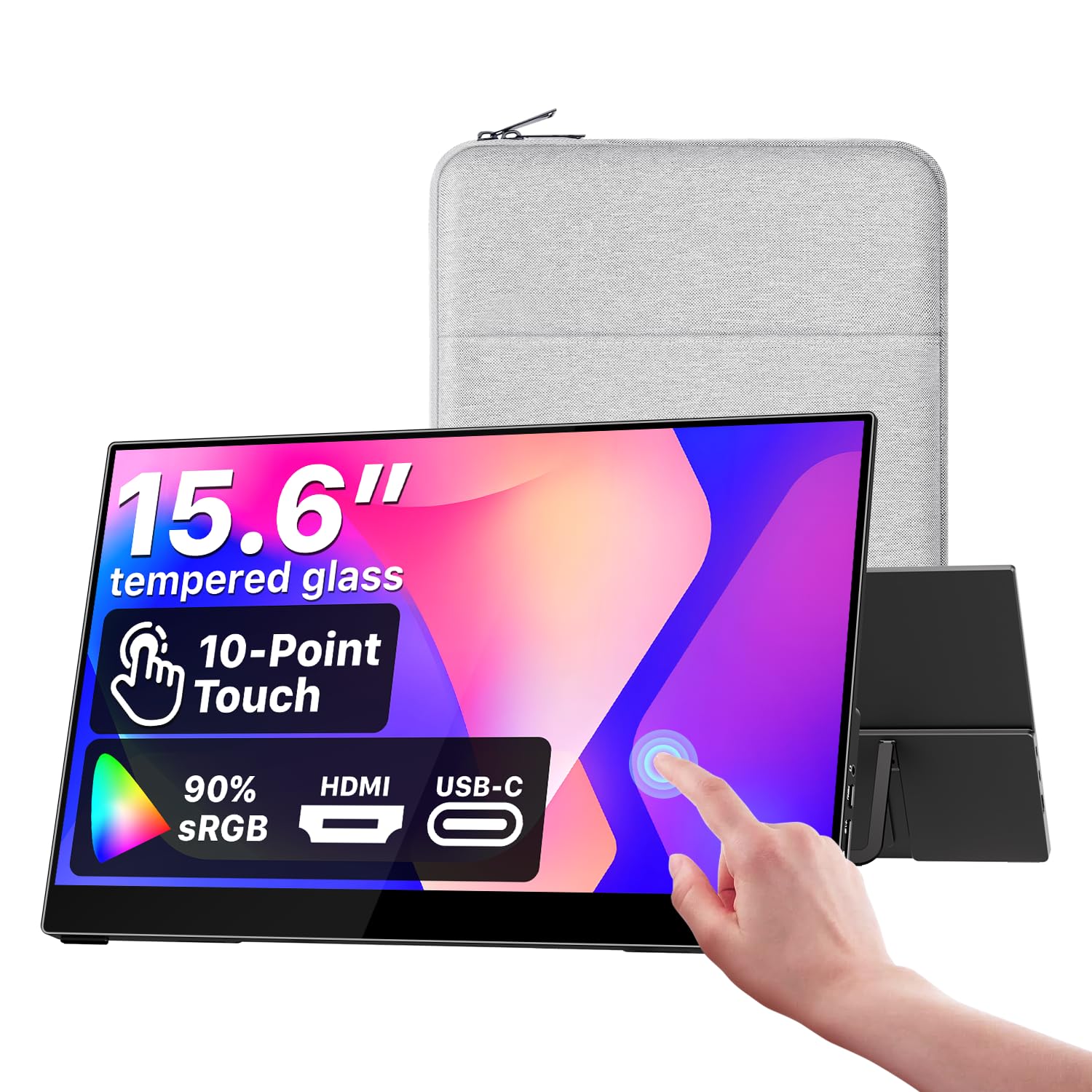
1. cocopar Portable Monitor Touchscreen 15.6 Inch 1080P FHD
Our pick — 4.5+★ from 6,000+ verified ratings; the strongest balance of quality and price.
A glass-topped 15.6-inch second screen that treats touch as the main event, not an afterthought.
If your phone or tablet has a full-featured USB-C port, this is the panel to start with. A single USB-C cable carries power, video, and the touch signal at once, so there is no driver install and no second cable for finger input. The surface is tempered glass rather than the plastic film used on cheaper screens, and that shows up in two ways: gestures glide instead of dragging, and fingerprints wipe off in one pass.
The panel itself is a 15.6-inch IPS display (a screen type that keeps colors steady from wide angles) at 1920 x 1080, with 90% sRGB color coverage, 270 nits of brightness, and 178° viewing angles. Against the HotYeah listed below, the brightness gap is real — 350 nits there versus 270 nits here — so a bright café window will favor the HotYeah, while the cocopar holds the better overall reliability record. It also carries FreeSync (a frame-sync feature that reduces stutter in motion) and built-in speakers.
The build and portability win people over: a metal frame, an adjustable kickstand, a protective sleeve, and a full cable kit in the box. Its 6,200+ ratings average 4.5+ stars, the highest of any panel here. The catch worth knowing: single-cable mode needs Thunderbolt 3/4/5 or a USB-C DP Alt Mode port on your device, and older Android hardware without that port will need the HDMI route instead, which adds a power cable and a USB-A to USB-C lead for touch.
Where it holds the lead
- Tempered glass touch surface that stays smooth and wipes clean
- One cable for power, video, and touch on DP Alt Mode devices
- Metal frame, adjustable kickstand, sleeve, and cables included
- 1920 x 1080 IPS panel with 90% sRGB and 178° viewing angles
What to plan around
- At 270 nits it trails brighter panels in direct daylight
- Needs Thunderbolt 3/4/5 or USB-C DP Alt Mode for the one-cable setup
- No built-in battery, so it always draws power from the host or adapter
Pick this for: a metal-framed 15.6-inch touch panel that turns a phone or laptop into a hands-on second workspace with one cable.
Know before you buy: confirm your device carries DP Alt Mode, or budget for the HDMI-plus-power cable path.
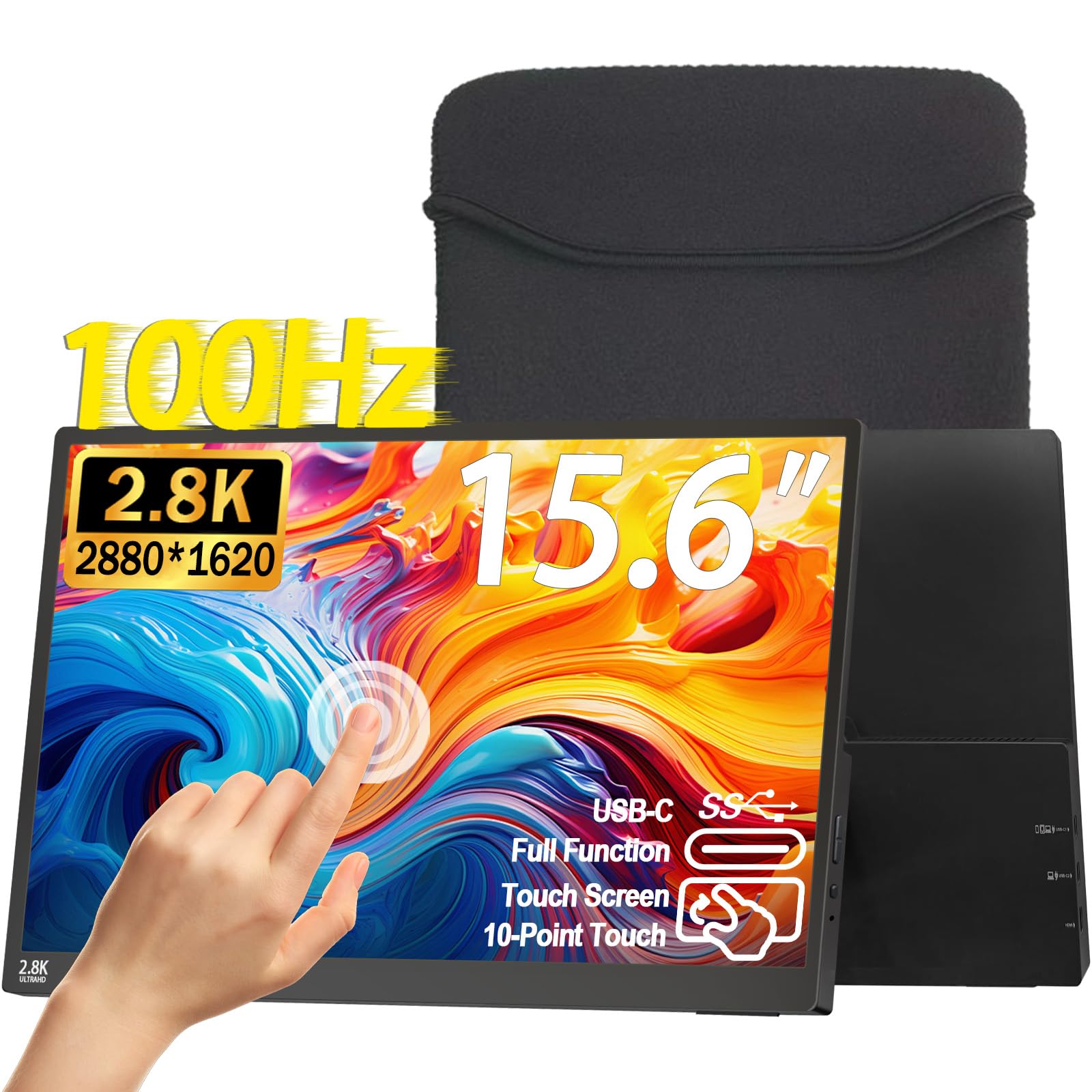
2. Topmonitor 2.5K Portable Monitor
The resolution leader of the compact group, with a pixel count that makes 1080p panels look soft by comparison.
Here is the number that separates this one: 2880 x 1620 pixels on a 15.6-inch panel, against 1920 x 1080 on the cocopar and HotYeah. That extra density sharpens small text in documents and spreadsheets, and it gives photo editing real headroom. A 100Hz refresh rate (the screen redraws 100 times a second) keeps scrolling and cursor movement fluid, and FreeSync plus HDR support round out the motion handling.
The 100% sRGB coverage sits at the top of what this compact tier offers, 300 nits of brightness suits indoor desks, and the matte anti-glare finish helps when a lamp is behind you. It weighs 1.28 lbs and measures 0.3 inches thin, so it disappears into a laptop sleeve. Dual USB-C full-feature ports and a Mini HDMI cover the connections, and a built-in adjustable stand flips between landscape and portrait while VESA support lets you hang it on an arm.
The honest trade-off is on the touch and connectivity side, which the review pages treat more cautiously than the picture quality. Touch requires a full-featured USB-C path, and consoles or phones without that port get video only. If your Android phone is older than DP Alt Mode, expect to run the HDMI and USB-A route. For a device that supports it, this is the crispest compact panel on the list.
Pixels per inch win: 2880 x 1620 on 15.6 inches is the tightest dot pitch in this roundup, and the 100% sRGB, 300-nit panel behind it keeps color honest for design work.
The honest caveat: treat the touch layer as conditional — it lives or dies on your device’s USB-C feature set, and the matte coating that kills glare also dulls pure blacks slightly compared with a glossy screen.
Reach for this if: you read dense documents or edit images and want the sharpest compact panel here.
Look elsewhere if: your Android device lacks a full-featured USB-C port and touch is your main reason for buying.
3. HotYeah 15.6″ Portable Monitor
A 1500:1 contrast panel that punches brighter and deeper than most screens at this size.
Two numbers do the talking here. The contrast ratio is 1500:1, which beats the cocopar at 1000:1 and keeps dark scenes from washing out. Brightness lands at 350 nits, so a sunlit desk is workable rather than a squint. Color coverage is 100% sRGB, and the panel adds HDR, FreeSync, and an eye-care mode for long sessions. Sharp text in documents and clean video calls are what this screen is tuned for.
Touch is full 10-point capacitive, so pinching to zoom, dragging a chart, and swiping between apps all register without a mouse. Windows and ChromeOS read the multi-touch properly; macOS gives you click-touch only. The unit weighs 1.43 lb and is 0.23 inches thin, with a custom travel sleeve included and a 180° stand that swings flat for café tables and hotel desks.
The follow-up question a buyer should ask is about power. There is no built-in battery, so the screen pulls juice from the source device or the included adapter, and the Mini HDMI path needs a separate power connection plus a USB-A to USB-C cable to keep touch alive. Note too that iPhones, iPads, game consoles, Fire TV Sticks, and capacitive styluses are listed as no-touch devices. If your Android phone handles DP Alt Mode, one cable does it all.
Standout strengths
- 1500:1 contrast with 350 nits beats the 270-nit cocopar on punch
- 10-point touch confirmed for Windows and ChromeOS multi-touch
- 1.43 lb, 0.23 inches thin, with a travel sleeve and 180° stand
Fit notes
- No onboard battery, so it always needs a power source
- macOS is limited to click-touch rather than full gestures
Best fit: Android and ChromeOS users who want vivid, bright color and full multi-touch from one USB-C cable.
Skip the touch expectation if: you are plugging in an iPhone, an iPad, or a console — those show video only.
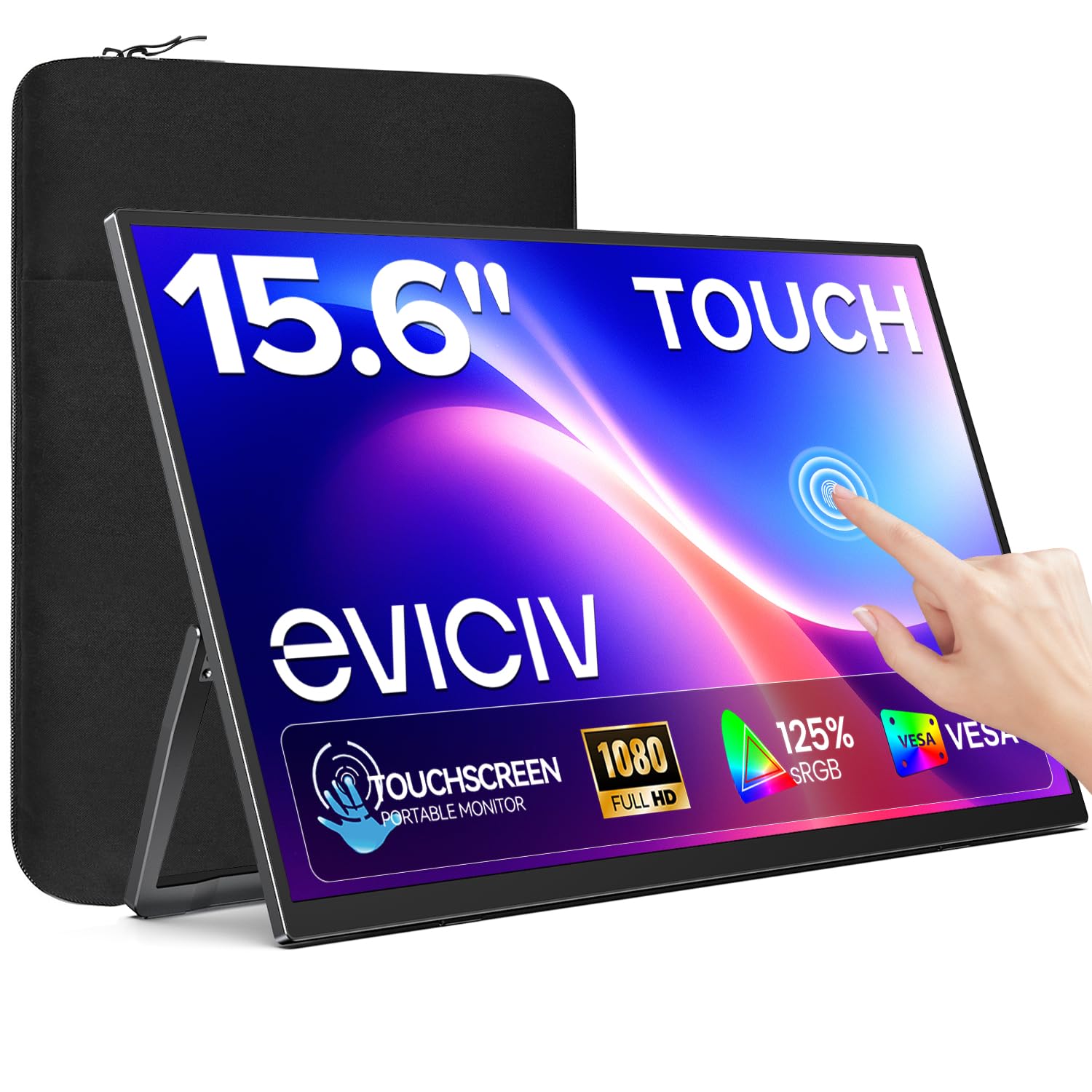
4. EVICIV Portable Monitor Touchscreen 15.6″ 10-Point Touch
A 125% sRGB travel screen built for people who care how a photo looks, not just how big it is.
This is the color-first pick. The panel covers 125% of the sRGB range, well past the 90% sRGB cocopar and the 100% panels around it, and the 2000:1 contrast ratio is the highest of the 15.6-inch group. Add 350 nits of brightness and dark scenes gain depth while highlights stay clean. Low blue light and flicker-free tuning are built in for long editing or reading stretches.
The physical side is just as practical. It measures 0.23 inches thick and weighs 1.5 lbs, roughly A4-sized, and the included sleeve guards the glass during commutes and trips. A 180° kickstand flips between horizontal and vertical, and a three-side narrow bezel with a 178° viewing angle keeps the picture steady from most seat positions. Dual stereo speakers and a headphone jack cover audio without a separate speaker.
Screen quality is what reviewers rave about here, and it is where the monitor earns its keep. The touch layer is the part to weigh honestly — it registers fine for the usual taps and drags, but the review pages are warmer on the display than on the finger response. Single-cable USB-C with DP Alt Mode handles video, power, and touch together; a Mini HDMI connection needs external power and a USB-A to USB-C cable to bring touch online. That is the setup detail most buyers miss.
Color-first verdict: 125% sRGB and 2000:1 contrast make this the panel to grab if photo or video work is the job, and the A4-sized 1.5 lb frame travels without fuss.
Worth knowing: the display outshines the touch experience — expect solid basic gestures but not the silkiest finger tracking in the group.
Choose it for: color-accurate work on the road, with a sleeve and a flip stand ready from the start.
Think twice if: lightning-fast stylus-free gesture work is your main use, since touch is the weaker half of this screen.
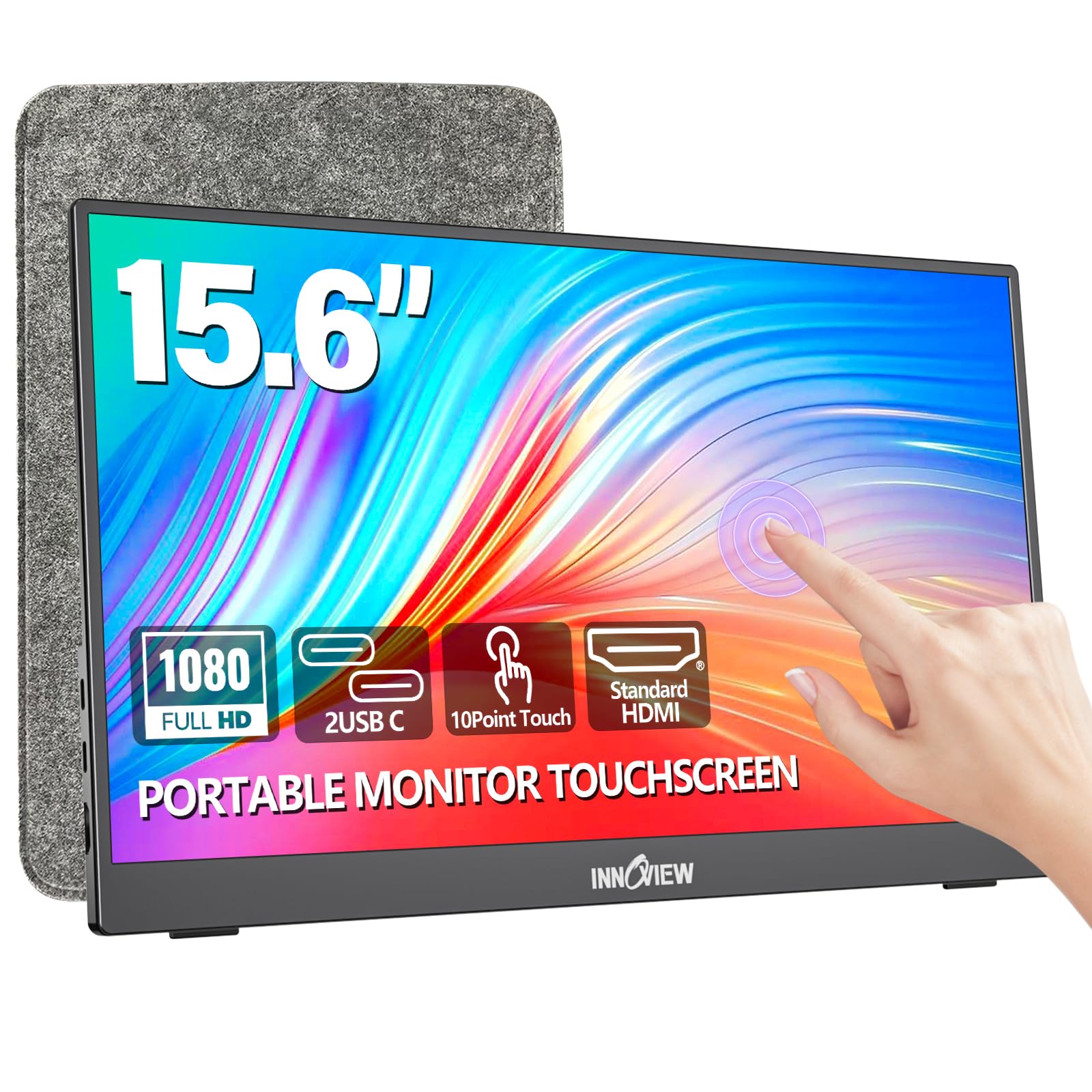
5. InnoView 15.6″ Portable Monitor
A backpack-ready 15.6-inch touch panel that trades top-tier brightness for a lower entry point.
Start with what this screen gets right. It is a 15.6-inch 1080P IPS panel with a 1200:1 contrast ratio, which edges past the 1000:1 of the cocopar and adds HDR for richer color transitions. Low blue light and flicker-free handling keep long viewing comfortable, and the included sleeve with a 90° kickstand makes it simple to prop up in a coffee shop or on a tray table. Two full-function Type-C ports and a standard HDMI port cover most devices.
Where it holds back is brightness. At 250 nits it is the dimmest panel in this group, below the 350-nit HotYeah and EVICIV, so a bright window or outdoor table will test it. Feed it a 15W or higher adapter, because the maker requires a separate power cord on every connection and does not include the adapter. Touch runs through a full-featured Type-C cable with DP Alt Mode, or through HDMI plus a USB-A to USB-C lead when your device lacks that port.
The device list behind touch is worth reading twice: PS3/4/5, Switch, Xbox, Steam Deck, Fire TV Sticks, and iPhones or iPads are all listed as no-touch. The makers note this comes from system protection rather than a screen fault. For an Android phone with video out over USB-C, the touch path works and the price-to-capability math is the most forgiving on this list.
The frugal pick: 1080P IPS, 1200:1 contrast, and a sleeve with a kickstand add up to a screen that covers the basics without stretching a budget.
One caveat: 250 nits is the lowest here, so plan your work spot away from a window and keep a 15W adapter handy.
Suits you if: your Android device pushes video over USB-C and you want a light second screen without paying for brightness you may not need.
Pass on it if: you plan to use it in direct daylight or with a console or iPad, which get video but no touch.
6. DAMRAPT Portable Monitor
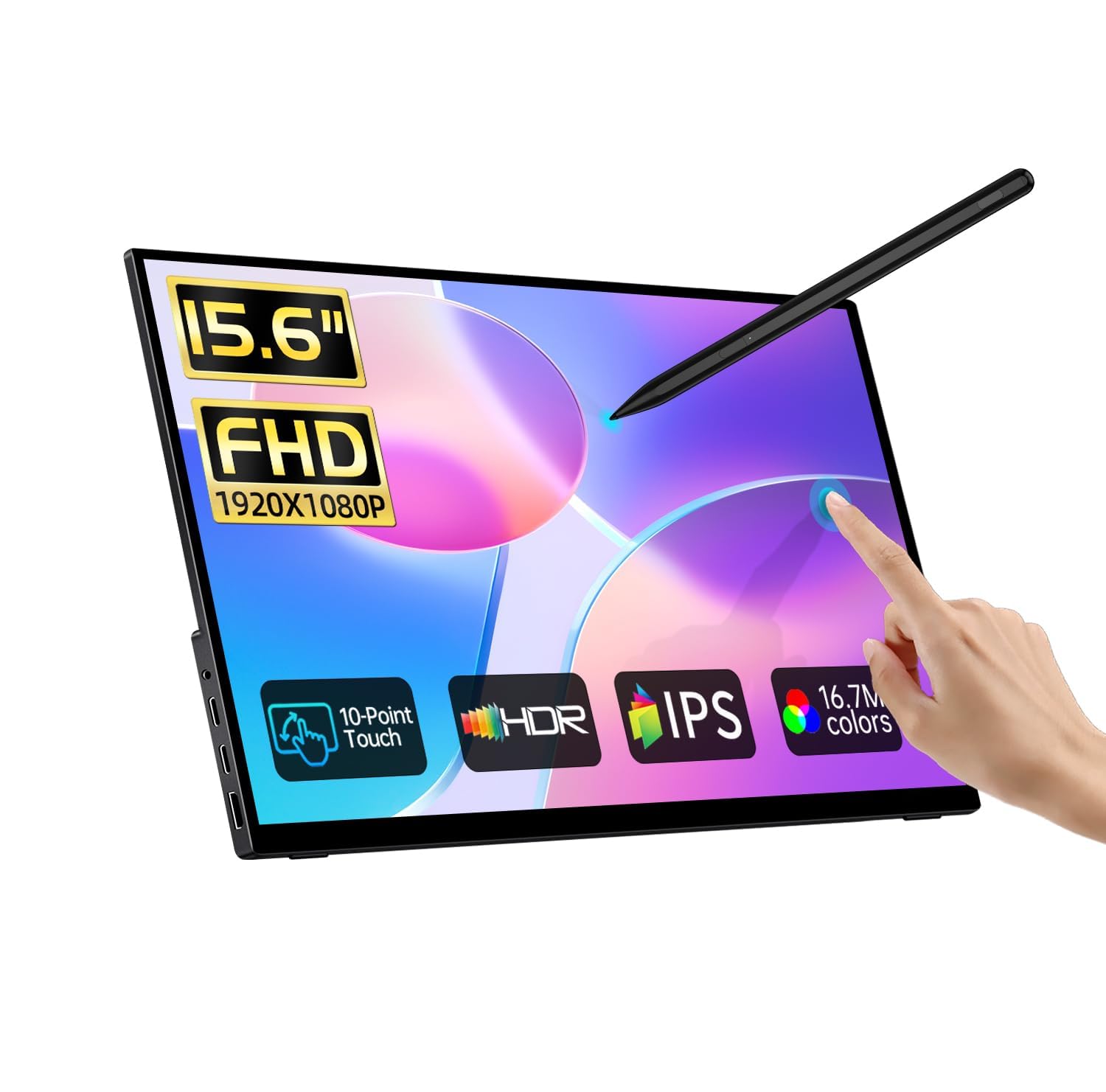
The only screen here with a pressure-sensitive pen in the box, made for marking up documents and sketching.
If note-taking or whiteboarding is why you want touch, this is the one to look at. The included active stylus works on the MPP 2.0 protocol, the pen standard Windows Ink reads natively, so pressure sensitivity and stroke tracking work on Windows 10 and 11 without extra software. The 15.6-inch panel is 1920 x 1080 IPS with 10-point capacitive touch, 100% sRGB coverage, a 1000:1 contrast ratio, and 178° viewing angles.
On the hardware side it weighs 2.4 lbs at 0.46 inches thick and ships with a sleeve, a built-in kickstand, a power adapter, and both USB-C and HDMI cables. Dual USB-C ports (one full-featured, one for power) and a standard HDMI cover the connections, and blue light reduction plus flicker-free tuning keep long sessions easier on the eyes. Full lamination and tempered glass give the surface a firm writing feel and scratch resistance.
The catch is the Mac and Android story. Touch and pen both need the free UPDD driver installed on a Mac before they work, while Windows is plug-and-play over USB-C with DP Alt Mode. iPhones, iPads, and consoles (PS, Xbox, Switch, Steam Deck) show video but take no touch or pen input. Confirm your Android device offers a full-featured USB-C port before committing, since that is the only path to finger and pen control here.
Why pen users pick it
- MPP 2.0 active stylus included and Windows Ink ready
- Full lamination and tempered glass for a firm writing surface
- 100% sRGB IPS panel with 178° viewing angles
Setup to expect
- Mac users must install the free UPDD driver first
- Heavier than most at 2.4 lbs and 0.46 inches thick
Made for: Windows users who want to annotate, sketch, and take notes with an active stylus on a portable panel.
Plan around: the driver install on Mac and the lack of pen or touch support on iOS and consoles.
7. UPERFECT 4K Portable Monitor Touchscreen 15.6″ 125% sRGB

Forty-five hundredths of an inch of desk space, 3840 x 2160 of picture, and the brightest panel on this list.
This is the resolution ceiling of the roundup. The 15.6-inch panel runs 3840 x 2160, versus 1920 x 1080 on a 1080p screen, and 450 nits of brightness is the highest figure in this group. Add 125% sRGB coverage and a 2000:1 contrast ratio, and you get a screen built for high-resolution photo editing, detailed spreadsheets, and any job where fine lines matter. Responsive 10-point touch lets you pinch, drag, and zoom without a mouse.
The frame is frameless and ultra-thin, so it stays out of the way on a desk, and USB-C handles laptop, phone, tablet, and console connections with no drivers. If you bring in a Mini HDMI connection, you need to add power and a USB-A to USB-C lead to keep touch working. Plug-and-play is the phrase that fits: nothing to install on a compatible USB-C device.
The practical question here is whether your Android device can drive this many pixels at a comfortable refresh. A 4K panel on 15.6 inches is wonderful for detail, but it also asks more of the host than a 1080p screen does. Its 5,300+ ratings average 4.0+ stars, a long enough record to trust. For photo, video, and CAD work that lives in zoomed-in detail, the extra density pays off.
The detail argument: 3840 x 2160 on 15.6 inches with 450 nits and 125% sRGB is a serious editing surface that happens to fit in a bag.
The follow-up question: confirm your device outputs 4K cleanly over USB-C, because a phone that caps output will leave this panel running below its potential.
Best for: photo, video, and CAD work where fine detail and bright output decide the day.
Not the pick if: your Android hardware offers limited USB-C video output or you want the simplest one-cable travel setup.
8. SOTSU FlipAction Touch 14″ Portable Monitor FHD IPS

A hinge-and-metal 14-inch screen that rotates for portrait reading and folds flat enough to vanish into a laptop bag.
The build is what earns this panel its place. The base stand magnetizes onto the back of the screen when it folds, and the whole unit collapses to just half an inch, so packing it takes the same effort as sliding in a notebook. The 14-inch FHD IPS panel pushes 400 nits, one of the brighter screens here, with 100% sRGB coverage and a 1500:1 contrast ratio. A 10-point touchscreen with MPP2.0 stylus support handles finger and pen work.
The hinges adjust the display height to line up with your laptop screen or eye level, and rotation runs through 0 to -90, 90, and 180 degrees, which is where it stands out for Android and DeX. Pass-through charging lets you plug your device’s charger into the monitor to feed both the screen and the phone. Full metal construction with anodized finishing gives it a sturdier feel than the plastic-framed panels.
Two limits deserve a mention. macOS touch is limited by system behavior, and 1080p on a Mac can look small without third-party scaling tools. The review pages are more divided on value and functionality than on design. But the quality and the design together are what the screen is known for. For Samsung DeX users who want a portrait second screen that folds flat, the rotating hinge does something no other panel on this list does.
The build sells it
- Magnetic folding stand collapses to half an inch
- 400 nits with 100% sRGB and 1500:1 contrast
- Rotation from 0 to -90, 90, and 180 degrees for portrait use
- Pass-through charging powers the screen and the device
The honest limits
- Touch is restricted on macOS by system behavior
- 1080p on a Mac can look small without scaling software
Right for: DeX and Android users who want a rotating, metal-framed portrait panel that folds into half an inch.
Wrong for: Mac users who need full touch gestures without working around system limits.
9. UPERFECT 22″ 2K Touchscreen Portable Monitor QLED

A 22-inch 2K QLED touch panel that turns an Android desktop into something you can actually spread out on.
Screen real estate drives this pick. At 22 inches with 2560 x 1440 QHD resolution, it gives you room for a spreadsheet on one half and a browser on the other, with 100% DCI-P3 color coverage for design and video work. The QLED panel adds richer color and deep contrast, and a 2000:1 contrast ratio at 300 nits brightness keeps images crisp. FreeSync smooths motion for gaming, and 10-point touch makes it a hands-on surface, though iOS and iPadOS get no touch and macOS is limited to 2-touch.
Dual USB-C 3.1 ports plus a mini HDMI connect it to laptops, PCs, phones, and consoles, and the ultra-slim profile with VESA support and a patented 180° stand keeps the setup flexible. Built-in speakers and a 3.5mm jack cover audio. It is a portable monitor in the sense that it travels between rooms or jobs, not in the sense that it fits in a backpack sleeve.
The maker adds a safety note worth heeding: at or slightly below eye level is the right angle, and steep downward tilts can stress the stand, especially on a 22-inch panel. That is the trade-off of pushing a portable touchscreen to a large size — you gain workspace but give up one-hand portability. For an Android user who wants a desk-size touch surface, it is a strong middle ground.
Desk-size upgrade: 2560 x 1440 QLED with 100% DCI-P3 and 2000:1 contrast is a lot of accurate screen for the money, with 10-point touch across work and play.
Keep in mind: 22 inches is a desk panel, not a bag panel, and the stand wants a sensible tilt angle.
Fits you if: you want a large 2K touch surface for productivity and gaming that can still move between locations.
Not if: you need something that drops into a backpack sleeve or you rely on iPad touch input.
10. ASUS BE24ECSBT 24 Inch 1080P Touchscreen Monitor with Webcam

A 23.8-inch touch panel that doubles as a laptop dock, with a webcam for video calls built in.
This is the one that lives on a desk and replaces a hub. It is a 23.8-inch Full HD 1920 x 1080 frameless IPS display with 10-point multi-touch and a built-in webcam for meetings. The USB-C port carries video and data and delivers power to your laptop, so a single cable handles docking and charging. HDMI, DisplayPort in and out for daisy-chaining, an earphone jack, and a USB hub round out the connectivity.
Ergonomics are more serious than the portable panels: tilt, swivel, pivot, and height adjustment let you set the screen where your neck wants it, and VESA support saves desk space. The panel uses IPS technology for consistent color and wide viewing angles, and it ships with a three-year warranty plus a free one-month Adobe Creative Cloud subscription. FreeSync and G-Sync compatibility help with motion as well.
The touch reports are the honest part of the picture — the review pages split, with some enjoying it and some finding it fell short on their setup. That makes it a strong desk-docking monitor that happens to have touch, rather than a dedicated touch-first purchase. If your Android phone or laptop docks over USB-C and you want a webcam-equipped screen with real ergonomic range, it is a practical choice.
Desk-first verdict: 23.8 inches of 1080p IPS, a webcam, USB-C docking, and full tilt-swivel-pivot-height adjustment add up to a workstation screen, not a travel one.
The caveat that matters: touch outcomes vary by setup, so do not buy it purely for finger input — buy it for the docking and the adjustable stand.
Reach for it if: you want to plug a laptop or dockable Android device into one cable and get a webcam, a hub, and a height-adjustable 24-inch screen.
Look elsewhere if: touch is your single reason for buying, given the mixed experience on that feature.
11. KTC MEGAPAD A25Q5

The odd one out: a 24.5-inch screen that runs Android itself, so it needs no phone to power it.
Every other pick here depends on a host device. This one is a standalone Android smart screen, certified to the Google EDLA standard and running Android 14 with access to the Play Store. A Qualcomm SM6115 chip paired with 8GB of RAM and 128GB of storage keeps apps like Netflix and YouTube moving. That makes it a portable TV, a kitchen or bathroom companion, and a road-trip screen at once.
The display is a 24.5-inch 1080P touchscreen with 16.7 million colors and up to 400 nits brightness, and the screen rotates between landscape and portrait. A 5000mAh battery frees it from an outlet for outdoor gatherings. The hidden 8MP front camera and stereo speakers handle video calls, and Wi-Fi 5, Bluetooth 5.1, and a Type-C port give you both wired and wireless projection from a phone, tablet, or laptop.
The trade-off is what it is not. A dedicated touch monitor paired with a fast Android phone draws on the phone’s processor; this panel runs on its own hardware, so heavy apps are bounded by that chip and memory rather than your phone. The touch, remote, and voice control all work with the built-in apps, but this is entertainment hardware first. For spaces where you want a smart screen with its own battery and no laptop nearby, it stands alone.
Why itworks alone
- Android 14 with Google Play built in, no host phone needed
- 5000mAh battery frees it from an outlet
- Rotates between landscape and portrait for any room
- Hidden 8MP camera and stereo speakers for calls
Where it differs
- Apps are bounded by the SM6115 chip and 8GB RAM, not your phone
- Entertainment-first hardware rather than a pure external monitor
Built for: kitchens, patios, and road trips where you want a smart touch screen with its own battery and no laptop.
Not the one if: you need a plain second display driven by your phone’s processor.
Know the Specs
Touch Points and DP Alt Mode
The number of touch points (often 10) tells you how many fingers the screen can read at once, which is what makes pinch-to-zoom and two-handed dragging feel natural. For Android, the more important spec is DP Alt Mode — a USB-C feature that carries video, power, and touch down one cable. Without it, you fall back to HDMI for video plus a USB-A to USB-C cable for touch, and you still need to plug in power. Check your device’s port before you buy, because several makers state that phones, tablets, and consoles without a full-featured USB-C port show video only.
Nits, Contrast Ratio, and Color Gamut
Nits measure brightness, and they decide whether a screen stays readable near a window or outdoors; indoor desks are comfortable in the 250 to 350 nit range, and brighter panels help in daylight. Contrast ratio describes the gap between the brightest white and the darkest black, so higher figures keep dark scenes from turning muddy. Color gamut tells you how much of a color range the panel reproduces, so a 90% sRGB screen and a 125% sRGB screen look noticeably different when you edit photos. Match these to your job: documents need brightness and contrast, while creative work needs color coverage.
Common Questions
Will a touchscreen monitor work with my Android phone over USB-C?
Why does my monitor show my phone screen but ignore my fingers?
What does 10-point touch actually change in daily use?
Can I use a touchscreen monitor with Samsung DeX?
How bright does a portable touchscreen need to be for outdoor use?
Does a portable monitor have a battery?
Will touch work if I connect with HDMI instead of USB-C?
What resolution should I pick for reading documents and editing photos?
Can I use a stylus on these touchscreens?
How do I mount a portable touchscreen on an arm or wall?
The Bottom Line
For most Android users, the touchscreen monitor for android winner is the cocopar 15.6″ Touchscreen because it pairs a tempered glass touch surface with single-cable USB-C setup, a metal frame, and the most trusted track record in this group. If you want sharper text and smoother motion, the Topmonitor 2.5K 100Hz leads on resolution at 2880 x 1620. For color-accurate editing on the go, the EVICIV 15.6″ brings 125% sRGB and 2000:1 contrast, and DeX users should look to the SOTSU FlipAction Touch for its rotating hinge. And if you want a screen that runs Android on its own with a 5000mAh battery, the KTC MEGAPAD stands alone. Start with your device’s USB-C port, confirm DP Alt Mode, and the right panel becomes an easy call.
How we choose
We do not accept paid placement. Every pick is matched to a real buyer and a real use-case; we do not hands-on test units.
Sources
Specifications: manufacturer listings and product documentation. Review insights: verified customer reviews, as of November 2026. Pricing: not shown on this page (it changes often); check the current price via the retailer link.
As an Amazon Associate, Tactical Gear Guy earns from qualifying purchases. This does not affect which products we feature.