Specs are compiled from manufacturer listings and verified buyer reviews and can change over time — please confirm the key details on the product page before buying.
Typing a long email on an 8.3-inch glass screen is a thumb-cramping chore, and that is the exact problem a keyboard case solves. The right one turns your iPad mini into a tiny laptop you can actually work on; the wrong one adds bulk, drops the Bluetooth link mid-sentence, or leaves your keys dead after a month. This guide sorts the strong contenders from the also-rans so you can pick once and get on with your day.
This guide is built by comparing the manufacturers’ published specifications and the patterns across verified customer reviews, so you get each pick’s real strengths and trade-offs instead of marketing spin.
You will see where each case wins and where it asks you to compromise, from key size to battery claims. Below is the shortlist that earns its place as the best top rated iPad Mini keyboard case for real daily typing.
Top Picks


How To Choose The Best Top Rated iPad Mini Keyboard Case
The first thing to settle is not brand or color — it is the model number stamped on the back of your iPad. Every case on this list is built for the 8.3-inch mini body, which covers the iPad mini 6 (2021) and the iPad mini 7 (A17 Pro, 2024), sold under model codes A2567, A2568, A2569, A2993, A2995, and A2996. A case cut for those codes will not fit an older iPad mini 4 or 5, and no amount of force changes that.
Key size versus portability
An 8.3-inch tablet cannot host a full desktop keyboard, so every maker picks a side. Some squeeze in larger keys with a wider space bar for relaxed typing; others shrink to compact mini keys to keep the whole thing thin enough for a jacket pocket. Compact keys are fine for short replies and search queries. If you plan to write documents for an hour at a time, favor the full-size layouts and accept the extra thickness.
How the stand holds the screen up
You get three ways to prop up your iPad. A magnetic hinge (a magnet-held arm that floats the tablet at several angles) gives you the most positions, but it lives or dies on magnet strength — a weak magnet lets the iPad tip backward when you tap the top of the screen. A case with anti-slip grooves (fixed slots that seat the tablet at set tilts) is simpler and more predictable on your lap. A 360° swivel hinge rotates the screen from portrait to landscape without unclipping it.
Backlight, battery, and the sleep/wake trick
Lit keys keep you typing on a night flight or in a dim room. Most cases here give you 7 backlight colors and a few brightness levels; some offer only a single white tone. Battery life is quoted two different ways in this category — hours of continuous typing, or months of standby (idle time between charges) — so never compare a “100 hours” figure against a “3-6 months” figure as if they measure the same thing. Auto sleep/wake turns the iPad screen on when you open the lid and off when you close it, a small feature you will notice every single day.
Side-by-Side Comparison
| Model | Best For | Rated Battery | Backlight | Weight | Amazon |
|---|---|---|---|---|---|
| EAMPANG Case with Keyboard Mouse★ Best Overall | Bundle buyers who want a mouse in the box | Up to 50 hours (backlight off) | 7-color rainbow | 0.5 kg | Amazon |
| Cousper for iPad mini 7 / Mini 6 Keyboard CaseBest Value | Colour-matched setups with a pencil slot | 40-80 hours per charge | 7 colors, detachable | 1 pound | Amazon |
| Arteck iPad mini A17 Pro Keyboard CaseLongest Runtime | Longest single-charge typing runs | 100 hours | — | — | Amazon |
| Macally Keyboard Case for iPad mini 7 and 6 | Full-size keys and portrait or landscape viewing | 3-6 months per charge | — | — | Amazon |
| HOU Detachable Keyboard Case | Stand adjustment range up to 156° | — | 7 colors | 529 g | Amazon |
| ZAGG Slim Book mini | Laptop-style magnetic hinge at multiple angles | — | — | 15.36 ounces | Amazon |
| Dexnor for iPad mini 7 / Mini 6 Floating Case | Floating cantilever stand plus trackpad | Up to 150 hours (backlight off) | White, 3 brightness levels | 389 g | Amazon |
| Tiaota Transparent Case Keyboard | Showing off the iPad through a clear back | LCD battery display | 7 colors, 3 brightness levels | — | Amazon |
| Intermerge Keyboard Case | Solid-colour professional look with status screen | Up to 100 days standby | 7 colors, 3 brightness levels | 1.2 lbs | Amazon |
Detailed Reviews
1. EAMPANG Case with Keyboard iPad Mini 7th
Our pick — 4.5+★ from 200+ verified ratings; the strongest balance of quality and price.
A full mini-workstation in one box: keyboard, case, and a mouse you did not expect.
The headline act here is the mouse. Most cases at this level hand you a keyboard and a shell and leave you to buy a pointing device separately; the EAMPANG bundle drops one in alongside the case and keyboard. The case itself is built for the iPad mini 7 (A2993/A2995/A2996) and the mini 6 (A2567/A2568/A2569), so check the code on the back of your tablet before you order — it will not fit an older mini.
What wins people over is the overall build quality, and the pairing story backs it up: the Bluetooth link comes up fast the first time you switch it on. Typing is spread across a rainbow-backlit keyboard with 7 adjustable colors and a breathing light mode, so you can work in a dim room without hunting for keys by feel. The soft TPU inner shell uses a honeycomb pattern, which the maker says helps the tablet shed heat, and the cutouts line up precisely with the ports and camera.
The stand is the part you should understand before buying. Three anti-slip grooves hold the iPad at 100°, 110°, or 120°, which is enough for typing, reading, and the odd video — but those are fixed positions, not a free-floating hinge. The keyboard detaches so you can use the case alone, and a stylus holder keeps your pencil within reach. Charge it for 2-3 hours and the keyboard runs up to 50 hours with the backlight off; let it sit and the standby state stretches to 90 days, waking on the first key press.
Where it pulls ahead
- A mouse ships in the box, which no other pick here includes
- 7 backlight colors plus a breathing mode for dark-room typing
- Up to 50 hours of continuous use with the backlight off
- 90 days of standby, waking the moment you tap a key
- Detachable keyboard lets the case work on its own
Where it asks for patience
- Three fixed tilt grooves instead of a freely adjustable hinge
- At 0.5 kg the whole setup is noticeable in a small bag
- Charging takes 2-3 hours before you get that first full run
Best fit: You want one order to cover typing, pointing, and protection — the mouse inclusion alone justifies the bundle.
Look elsewhere: You need a stepless hinge for drawing angles, because the three grooves top out at 120°.
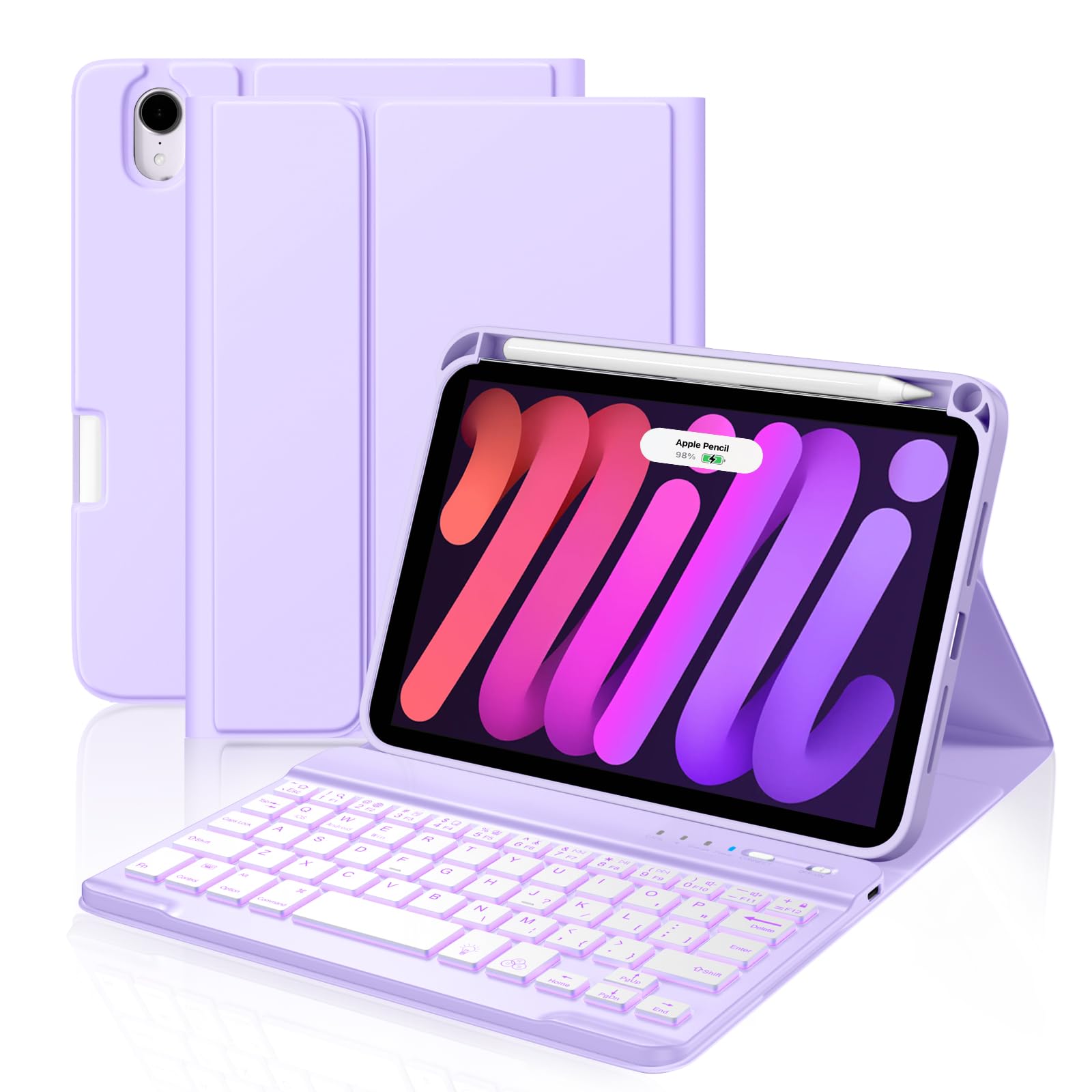
2. Cousper iPad mini 7 Keyboard Case
Color-matched, pencil-ready, and rated 40-80 hours per charge — the practical middle ground.
Where the EAMPANG bundles a mouse, this Cousper case leans on a purple finish and a built-in pencil holder that stores and charges your Pencil 2nd generation, Pencil USB-C, or Pencil Pro. That holder is the difference between a stylus you use daily and one that lives at the bottom of a bag. The case is cut for the same six model codes — A2993, A2995, A2996, A2567, A2568, A2569 — and opens up full access to the buttons and ports.
The keyboard is magnetically detachable and carries 7 backlight colors, so you can pop it off and use the iPad as a plain tablet without losing the protective shell. On battery, this one is rated 40-80 hours of continuous use per charge, which sits meaningfully below the Arteck’s 100-hour figure and well above a case you would need to top up every evening. That range depends on whether the backlight is running.
This is the pick with genuine mixed feedback, and it is worth knowing where. Bluetooth pairing works very well for plenty of buyers, but the link drops for others, and opinions split on whether the case feels compact and sturdy or small and lightly built. At 1 pound it is not the lightest option either. Treat it as a strong everyday case for shorter typing sessions rather than a rugged travel shell, and you will be pleased with it.
Pairing reality check: The Bluetooth link is the one thing to test thoroughly in your first week — if it holds, this case handles notes, emails, and a stylus workflow smoothly.
The pencil payoff: A holder that charges your Pencil Pro or Pencil 2nd means the stylus travels with the tablet instead of separately.
Reach for this if: You carry a Pencil daily and want it stored and charging inside the case.
Think twice if: You need a guaranteed rock-solid Bluetooth link, since pairing is the split opinion here.
3. Arteck iPad mini A17 Pro (8.3-inch) Keyboard Case
The one that keeps typing long after the others are hunting for a cable.
If you want to stop thinking about charging, this is where to start. The Arteck is rated 100 hours of uninterrupted use from a single USB-C top-up that takes 2 hours — versus the 40-80 hours the Cousper above is rated for. It also carries 59 physical keys set in a standard Mac layout with larger key tops, and the difference shows against the Macally below, which packs 73 keys into the same 8.3-inch width. Fewer, bigger keys is a deliberate comfort choice, not a downgrade.
The case side is magnetic in both directions: it attaches to the keyboard easily and lets you switch between a tablet-style case and a laptop-style setup. A rugged TPU shell surrounds the iPad with shockproof full protection, and auto sleep/wake fires when you open or close the lid. The outer shell is a multi-color finish rather than a single tone, so expect a bit of personality on the desk.
The catch is the keyboard itself. People love the look and the price-to-value, and the appearance drawing is the loudest thread in the feedback — but the typing and usability experience splits. Some find it easy to type on and reliable; others hit key failures and find it hard to operate. This is a pick to buy for battery life and protection first, and to test every key inside the return window.
Battery is the whole pitch: 100 hours of continuous use with a 2-hour recharge cycle means a week of commuting without a cable.
Key math worth noting: 59 keys with a roomier Mac-style layout trades button count for finger comfort.
Pick it for: Battery endurance and a shockproof shell, with larger keys that suit unhurried typing.
skip it if: You need a backlit keyboard for night work — this one has no backlight listed.
4. Macally Keyboard Case iPad mini 7
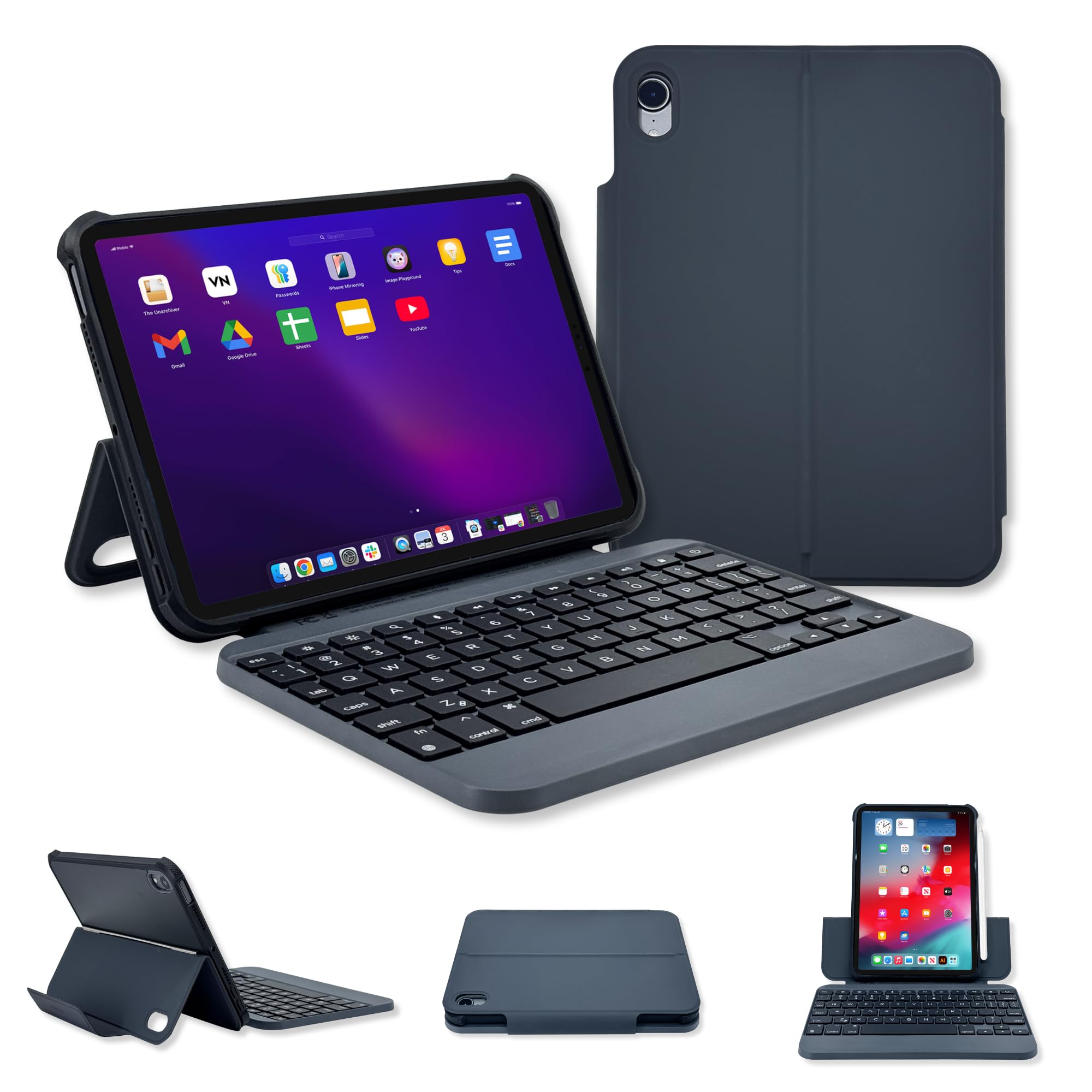
Full-size keys and a proper space bar for people who write paragraphs, not texts.
This is the case that argues against the mini-key trend. Macally fits 73 keys into the iPad mini’s 8.3-inch width — versus the 59 keys on the Arteck above — with dedicated iPadOS shortcuts and, crucially, a full-length space bar. Short space bars are the quiet frustration of tiny keyboards, and this design avoids it. The QWERTY layout is standard, so your typing habits transfer straight across.
Viewing is flexible in a way the groove-stand cases are not: you can rotate between portrait and landscape without pulling the iPad out of the case. The magnetic cover attaches quickly for switching between typing and tablet use, and when shut it shields the screen from bumps and scratches. Charging runs through USB-C, and the maker rates a single charge at 3-6 months of use rather than quoting hours.
The magnet is the honest caveat. Buyers praise the build quality and say the case works the way it should, but the magnet holding the iPad comes up again and again — several buyers report it is too weak to keep the tablet planted when you tap the display. Type on a solid desk and it is a non-issue. If you mostly work on your lap, plan to steady the screen with one hand.
Why the typist crowd likes it
- 73 keys with a full-length space bar for real typing sessions
- Rotates between portrait and landscape without removing the iPad
- Dedicated iPadOS shortcut keys built in
- Rated 3-6 months per charge, so charging is a rare chore
Where it needs care
- The magnetic hold is the weak link — the iPad can shift when tapped
- No backlight listed, so night typing relies on ambient light
The right buyer: A desk or train-table typist who wants full-size keys and portrait viewing in one case.
The wrong buyer: Anyone who works primarily on their lap, where the weaker magnet makes itself known.
5. HOU Detachable Keyboard Case iPad mini 7th

A stand that swings to 156° and a keyboard that comes off when you just want to read.
Angle range is the reason to look here. The HOU stand adjusts up to 156°, well past the 120° ceiling on the EAMPANG’s three grooves, and it works in both landscape and portrait. That extra travel is what lets you lean the screen back for video or stand it up steep for drawing. The keyboard detaches from the cover entirely, so you get separate reading, drawing, portrait, and freestyle modes rather than one fixed posture.
The build side is substantial: a leather-textured protective cover with precise cutouts wraps the iPad mini 6 or mini 7, and the whole unit is listed at 529 g. There are 11 individual function keys for one-press shortcuts and 7-color LED backlighting for dim rooms. Auto-lock kicks in when the case detects a flip, which cuts down on accidental presses when the tablet rides in a bag.
Where the previous picks specialize, this one balances. Buyers describe it as genuinely functional in both orientations, appreciate the lightweight feel for its size, and rate the protection as worth the spend. The trade-off is the stand mechanism itself — the flexible 156° range means more moving surfaces than a simple groove stand, so treat the hinge kindly and it will serve you longer.
Angle flexibility is the sell: 156° of adjustment covers drawing, video, and typing without a fixed stop.
Size honesty: At 529 g this is a chunky companion — the leather cover earns its place, but it is not a featherweight.
Made for: Sketching and viewing, where a wide adjustable angle and a removable keyboard both earn their keep.
Not made for: Ultralight travel, since the 529 g build will make its presence felt in a small bag.
6. ZAGG Slim Book mini iPad Mini Keyboard Case
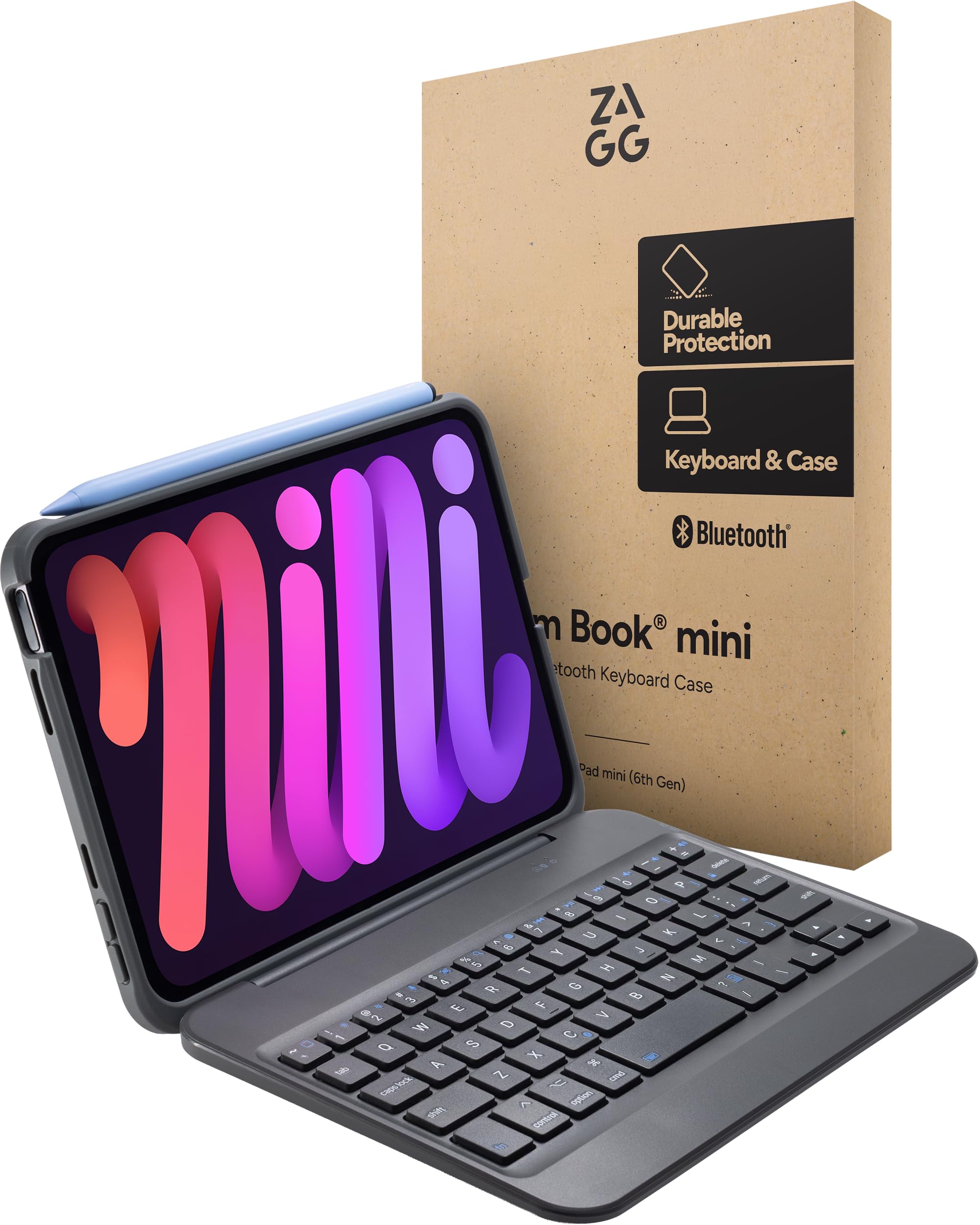
A magnetic hinge that holds the mini at multiple angles — and a keyboard that walks away.
ZAGG’s approach is laptop mimicry. A magnetic hinge grips the iPad mini and holds it at several viewing angles, so you can tip the screen to whichever tilt suits the moment. The Bluetooth keyboard detaches entirely, which means you can set the tablet up close and type from across the desk, or leave the keyboard in the bag and use the case alone. The keyboard uses responsive, comfortable keys aimed at notes, emails, and document work.
The spec you need to catch before buying is the one ZAGG states plainly: there is no trackpad here. If you assumed a case at this level would give you cursor control, it does not — you will still be tapping the screen. What you do get is a sturdy case that shields the tablet from bumps and scratches, a slim footprint that slides into a backpack, and Bluetooth pairing that comes up quickly.
Buyers split on value and typing feel. Build quality, reliability, fit, and battery life all draw favorable comment, and owners describe it as a proper mini iPad keyboard that simply works. The disagreement is over whether the typing feel justifies what you pay. Want among the most polished hinge mechanisms in this category? This is it — just go in knowing you are paying for the hinge and the keyboard, not a trackpad.
Hinge-first design: The magnetic hinge is the centerpiece, holding multiple angles for laptop-style work anywhere.
Weight reality: At 15.36 ounces the case and keyboard together are lighter than the HOU’s 529 g, so it travels more easily.
Worth it when: You want a detachable keyboard and a hinge that holds a firm angle for real work sessions.
Not worth it when: You expect a trackpad — ZAGG explicitly leaves it out.
7. Dexnor iPad mini 7 Case with Keyboard
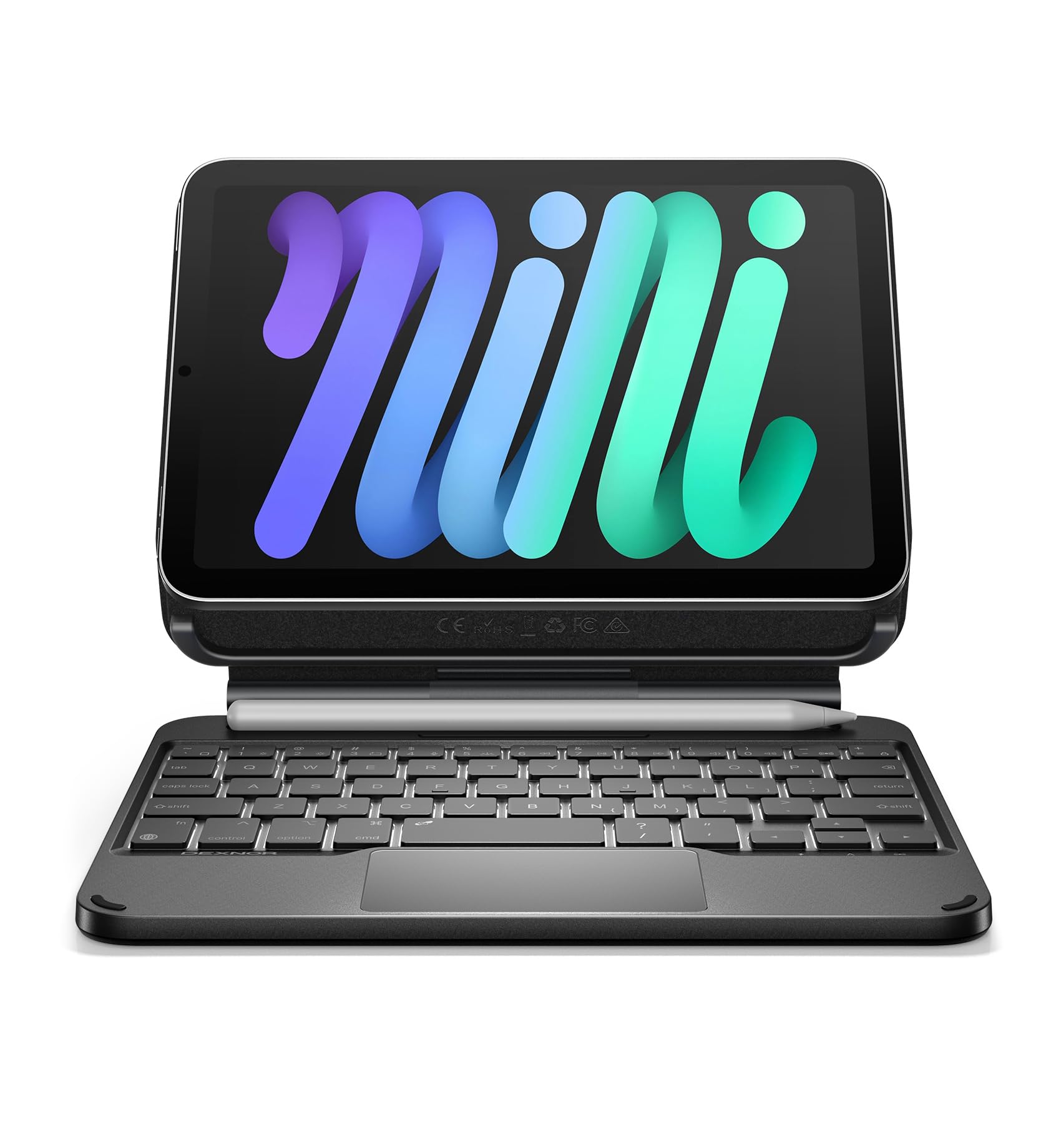
The cantilever stand that floats your iPad like a laptop — with a trackpad under your thumbs.
Cantilever is the word to learn here. An aluminum alloy hinge grips the iPad magnetically and holds it up and away from the keyboard, so the screen floats above the deck the way a laptop display does. That frees up the space below for a high-precision multi-touch trackpad that handles tap, pinch, scroll, and swipe gestures. It is the closest thing on this list to actually replacing a laptop for document editing and web browsing.
Battery is the other standout. Dexnor rates up to 150 hours of working time with the backlight off, plus 1200 hours of standby, and quotes a 3.5-hour recharge over the included USB-C cable. The backlight is single white at 3 brightness levels rather than the rainbow colors other picks offer, which many people prefer for plain work anyway. Scissor-switch keys give a quiet press, and a shortcut row covers media, volume, and brightness.
Now the size warning, which Dexnor puts right on the listing: the keys are 1.3cm (0.5-inch) mini-size to keep the case portable. If you are used to full-size keys or wide spacing, this will feel cramped for long documents — that is a deliberate design choice, not a fault. Durability gets mixed reviews, with some units built to last and others giving up early; the aluminum hinge itself is the sturdy part.
What the floating design buys you
- Multi-touch trackpad for cursor control, gestures, and scrolling
- Aluminum alloy hinge holds the iPad at custom floating angles
- Up to 150 hours of working time with the backlight off
- A built-in pencil holder keeps the stylus on board
- Quiet scissor-switch keys with a shortcut row built in
What you accept in return
- 1.3cm mini-size keys feel tight for extended typing
- Single white backlight instead of multiple colors
- Durability is inconsistent across units
Buy this for: Trackpad control and a floating laptop posture, with battery that lasts a working week.
Pass if: You write long documents — those 1.3cm keys will cramp your hands after a page or two.
8. Tiaota Transparent Case Keyboard iPad mini 7
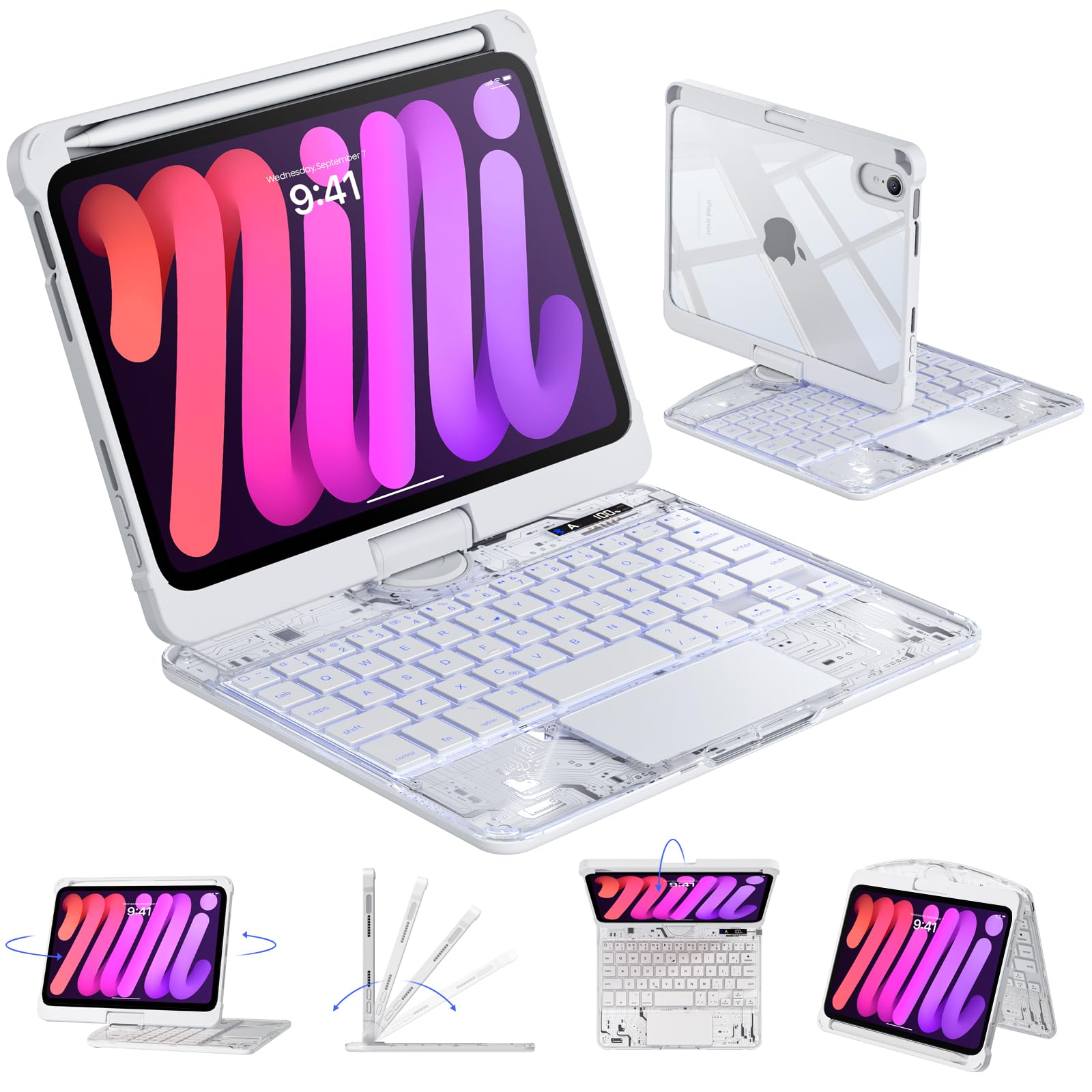
A clear panel that shows off your iPad and swivels a full 360° while it does it.
Most cases hide the tablet they protect. This Tiaota model wraps the iPad in a transparent back that lets the original finish show through, and the material reads as quality rather than bargain plastic. The hinge rotates the full 360° with angle adjustment from 0° to 180°, so you can flip between laptop-style typing, reading, and video viewing without unclipping anything. A flexible pencil holder keeps the Apple Pencil secure alongside.
The keyboard side carries a responsive multi-touch trackpad for cursor control and gestures, plus quiet scissor-switch keys that suit libraries and shared rooms. There are 7 backlight colors with 3 brightness levels and 14 iPadOS shortcut keys for volume, brightness, and media. A small LCD battery display shows the remaining charge at a glance — a nicer solution than guessing from a blinking light. Bluetooth pairing is reported as smooth, and the case is cut for the full six-code range from A2567 through A2996.
Durability is the honest split here. The clear shell and rotation hinge draw praise, but a share of owners mention the case breaking at the seams over time. Treat the hinge as the delicate part and you will get more life out of it. Weight also draws mixed comments, so if the tablet goes everywhere in a tote bag, expect to feel it.
The look-and-swivel combo: A transparent back plus 360° rotation is a pairing no other pick here offers.
Seams need watching: The clear shell is the segment that wears — handle the hinge with care.
Go for it if: You want the iPad’s finish visible and a full 360° swing between portrait and landscape.
Hold off if: You need a case that takes hard knocks — the seams are this one’s known weak point.
9. Intermerge Keyboard Case iPad mini 7
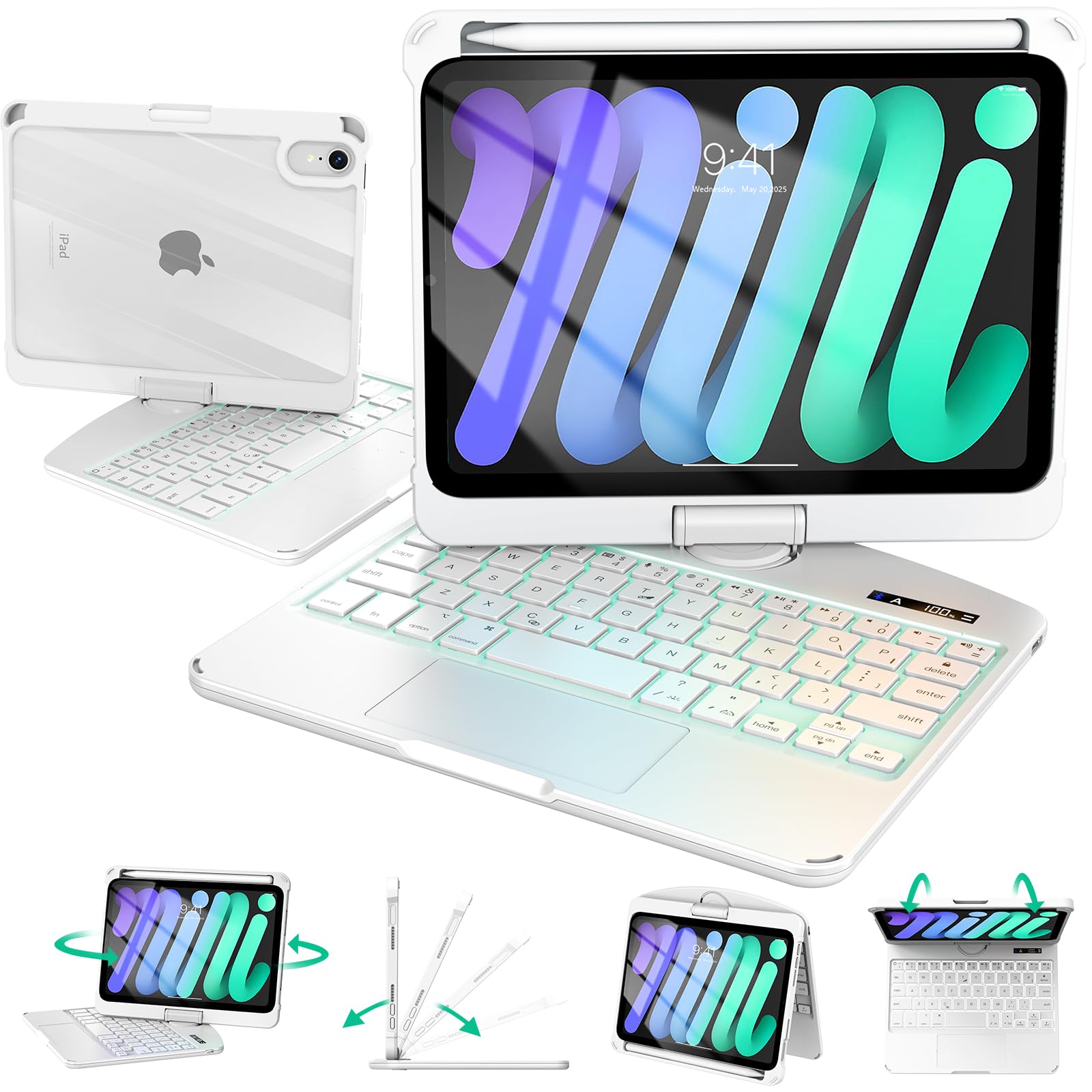
Solid white, fingerprint-resistant, and built to look like it belongs in a boardroom.
This is the case for people who are tired of glossy black accessories. The keyboard panel is opaque and matte-finished, which resists fingerprints and wipes clean in seconds, and the solid white colorway reads as business-friendly rather than playful. Behind the iPad, a full transparent back shows the tablet’s finish while soft edges and anti-shock airbags guard every corner against drops. Cutouts are precise for the camera, buttons, and ports.
The status screen is the detail that separates it from cheaper rivals: a built-in display shows battery level, Bluetooth state, and Caps Lock clearly, so you are never guessing why a key is not registering. Underneath sits a precision trackpad that handles swipe and pinch gestures, plus quiet scissor-switch keys with 7 backlight colors and 3 brightness levels. A 360° hinge with a 180° fold switches between work, sketch, and entertainment postures.
It travels light: 1.2 lbs and an ultra-slim 0.8-inch profile, so it slips into a bag without weighing you down, with up to 100 days of standby on a full Type-C charge (USB-C). A hidden pencil slot slides out to hold and wirelessly charge the Apple Pencil. Plan for the white finish — a matte panel stays clean, but a white case shows scuffs on the edges faster than black, so give it a sleeve in your bag.
Status at a glance: The built-in display for battery, Bluetooth, and Caps Lock removes the guesswork of hidden indicator lights.
Thin and light for a full kit: At 1.2 lbs and 0.8 inches thick, it slips into a laptop sleeve without a fight.
Choose this if: You want a clean white desk setup with a status screen and a trackpad for gesture navigation.
Choose something else if: You work in the field and want the scuff-proof anonymity of a black shell.
Know the Specs
Battery hours versus standby days
Manufacturers quote keyboard endurance in two different currencies, and confusing them is easy. “Up to 50 hours,” “40-80 hours,” and “100 hours” describe continuous typing time on one charge, with the backlight usually off. “90 days” or “3-6 months” describes standby — how long the keyboard can sit unused and still wake up ready. A keyboard rated at 50 hours of typing and 90 days of standby is not worse than one rated at 100 hours; they are answering different questions. Match the number to how you actually use the tablet: heavy typing days favor a big hours figure, occasional use favors a long standby figure.
Key count and key size
The 8.3-inch iPad mini body sets a hard ceiling on keyboard width, so key count is a proxy for how the space was divided. A 59-key layout, like the Arteck, spreads larger key tops with a Mac-style arrangement and fewer buttons. A 73-key layout, like the Macally, adds dedicated iPadOS shortcut keys and a full-length space bar but shrinks each individual key. Neither is better in the abstract — a 59-key board suits relaxed press-and-go typing, while a 73-key board rewards people who use shortcuts constantly. Check the space bar length before you commit if you type long paragraphs.
Trackpad, backlight, and hinge types
A trackpad turns the iPad mini into a cursor-driven workstation: swipe, pinch, and scroll replace reaching up to touch the glass. That matters most for document editing and spreadsheets, and least for messaging. Backlight comes in two flavors here — 7-color RGB-style with brightness levels, or a single white tone — and both solve the same problem of typing in dim light. Hinges split into magnetic hinges that hold multiple angles, groove stands with fixed tilts, and 360° swivels that rotate to portrait. Magnetic hinges are the most flexible but live or die on magnet strength; grooves are simpler and steadier on a lap.
Model numbers and compatibility
Every case on this list fits the 8.3-inch iPad mini 6 (2021) and iPad mini 7 (A17 Pro, 2024), which carry the model codes A2567, A2568, A2569, A2993, A2995, and A2996. That is the whole compatibility story: if the code printed on the back of your iPad is on that list, the case will fit; if it is not, it will not. Older iPad mini 4 and 5 models use different bodies and cutouts entirely, and no adapter bridges them. Check the code before you order and you avoid the most common return reason in this category.
Common Questions
Will these keyboard cases fit both the iPad mini 6 and the iPad mini 7?
Do I need a keyboard case with a trackpad for the iPad mini?
How long does the keyboard battery actually last on a charge?
Can I use the iPad mini in portrait mode with these cases?
Does a detachable keyboard actually stay paired when I reattach it?
Will the pencil holder charge my Apple Pencil 2nd generation or Pencil Pro?
Can I use these keyboard cases with an older iPad mini 4 or mini 5?
What is the difference between a magnetic hinge stand and a groove stand?
Do these cases have backlit keys for typing in the dark?
Are the keys on these mini keyboard cases large enough for long typing sessions?
The Bottom Line
Want the best top rated ipad mini keyboard case without buying three things? Order the EAMPANG — it covers the keyboard, the protective case, and a mouse in a single purchase, with a rainbow backlight and up to 50 hours of typing on a charge. If charging is your annoyance, the Arteck answers with 100 hours per charge. If you want a floating laptop posture with a trackpad, the Dexnor is the pick. And for full-size keys at a desk, the Macally is the one that will not cramp your hands. Choose by the way you actually type — not by the longest spec list.
How we choose
We do not accept paid placement. Every pick is matched to a real buyer and a real use-case; we do not hands-on test units.
Sources
Specifications: manufacturer listings and product documentation. Review insights: verified customer reviews, as of November 2026. Pricing: not shown on this page (it changes often); check the current price via the retailer link.
As an Amazon Associate, Tactical Gear Guy earns from qualifying purchases. This does not affect which products we feature.